COM 311 – AGRO-INFORMATICS (1 + 1)
LECTURE 3 – Internet – Basic – Application - HTML
Prepared by
Mr. B. Venujayakanth, M.Sc (Agri.) NET.,
Assistant Professor
(Agricultural Statistics)
INTERNET
• It is the network of computers or network of network.
• It links different types of computer across the world to
have a common platform for communication.
• It is the largest WAN (Wide Area Network).
• Every computer in the internet is called host.
How INTERNET works..???
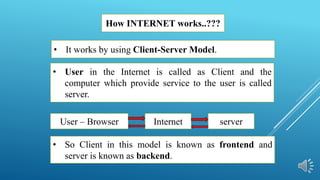
• User in the Internet is called as Client and the
computer which provide service to the user is called
server.
• So Client in this model is known as frontend and
server is known as backend.
• It works by using Client-Server Model.
User – Browser Internet server
PROTOCOL
COMMUNICATION OR NETWORK PROTOCOL
• It is the set of rules that govern transmission of data
over network.
INTERNET PROTOCOL
• It is the set of rules that govern transmission of data in
the internet.
• Protocol is a set of formal operating rules or
procedures that govern a given process.
HTTP – Hyper Text Transfer Protocol
• Hypertext documents are the documents through which
user in the internet can navigate from one page to
another in internet.
• It enables this by using a series of link.
• The link called as hyperlink.
FTP – File Transfer Protocol – The protocol that is
followed to move a file from one computer to another
computer in Internet
• The protocol that is followed to transfer Hypertext
documents in the Internet.
HTTPS – Hyper Text Transfer Protocol Secure
• In HTTPS the data is encrypted and send in Internet.
• This features not allow hackers to read any information.
• Online transaction and many other websites now using
HTTPS for secure data transfer.
• It is similar to HTTP but it is secured version
WWW – World Wide Web
• It was created by Tim Bernes Lee in 1989
• It is the user part of Internet. i.e. WWW comes under
Internet.
• Internet is a structure, where WWW uses to organize and
accesses information.
• It refers to the set of all resources and the users on the
Internet that are using hypertext Transfer Protocol.
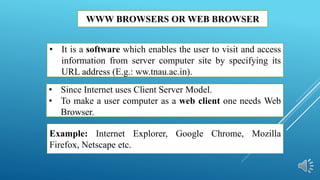
WWW BROWSERS OR WEB BROWSER
• Since Internet uses Client Server Model.
• To make a user computer as a web client one needs Web
Browser.
Example: Internet Explorer, Google Chrome, Mozilla
Firefox, Netscape etc.
• It is a software which enables the user to visit and access
information from server computer site by specifying its
URL address (E.g.: ww.tnau.ac.in).
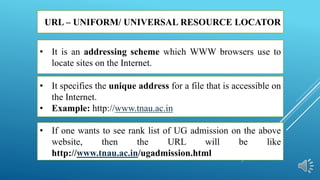
URL – UNIFORM/ UNIVERSAL RESOURCE LOCATOR
• It specifies the unique address for a file that is accessible on
the Internet.
• Example: http://www.tnau.ac.in
• If one wants to see rank list of UG admission on the above
website, then the URL will be like
http://www.tnau.ac.in/ugadmission.html
• It is an addressing scheme which WWW browsers use to
locate sites on the Internet.
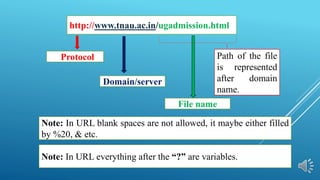
http://www.tnau.ac.in/ugadmission.html
Protocol
Domain/server
File name
Note: In URL blank spaces are not allowed, it maybe either filled
by %20, & etc.
Note: In URL everything after the “?” are variables.
Path of the file
is represented
after domain
name.
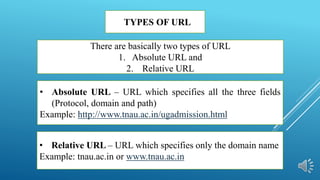
TYPES OF URL
• Absolute URL – URL which specifies all the three fields
(Protocol, domain and path)
Example: http://www.tnau.ac.in/ugadmission.html
• Relative URL – URL which specifies only the domain name
Example: tnau.ac.in or www.tnau.ac.in
There are basically two types of URL
1. Absolute URL and
2. Relative URL
IP(INTERNET PROTOCOL) ADDRESS
• There are two types of IP address : IPv4 and Ipv6
• DNS - Domain Name System is a service that automatically
convert domain name into IP addresses.
Example: www.google.com is 74:125:224:74
• It is the unique address allotted to computing devices such
as computer, routers, printers, modems etc. that are
connected on the Internet.
HTML
• Unlike C, C++, JAVA, it is not used to write any software,
rather it is used to create web pages.
• It was created by Tim Bernes Lee in 1991.
• Most of the documents in the webpage are written by using
HTML
• It stands for Hyper Text Mark-up Language.
• It is a Tag based or Script level programming language.
Why the name HTML..???
• Hyper – Where it create link to the other page or website
etc.,
• Text – write by using English Text.
• Mark-up – It is written by using TAGs (‘< >’), which
mark the text in the program.
• Language – Used for Communication in the Internet.
EDITOR AND FILE EXTENSION
• HTML is written by using a Editor.
• The commonly used editor for writing is Notepad or
Notepad++ etc.
• Once it is written, the file is save in a extension named
HTML or HTM.
• i.e. .html or .htm are file extension of HTML files.
EXECUTION or OUTPUT
• HTML is executed in Web browser.
• The output of the written HTML language is executed in
anyone of the web browser such as Internet Explorer,
Mozilla, Google Chrome etc.
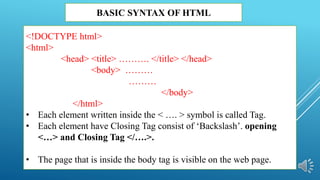
BASIC SYNTAX OF HTML
<!DOCTYPE html>
<html>
<head> <title> ………. </title> </head>
<body> ………
………
</body>
</html>
• Each element written inside the < …. > symbol is called Tag.
• Each element have Closing Tag consist of ‘Backslash’. opening
<…> and Closing Tag </….>.
• The page that is inside the body tag is visible on the web page.
BASIC TAGS HTML
• <html> - basic tag to start.
• <body> - it is the main content of the page that is visible.
• <head> - To create header.
• <Title> - To create title.
• <h1> to <h6> - Used to write heading in Bold.
• <p> - used to write paragraph.
• </br> - used to break the line.
• <table> - Used to create Table.
• <tr> - used to write table row.
• <td> - used to write table data.
• <th> - used to write table heading or column.
BASIC TAGS HTML
• <ul> - used to write unordered list
• <li> - used to list the elements.
• <a> - anchor tag - used to create hyperlink that links one page to
another page
• Href – variable that is used inside the anchor tag for navigation
purpose.
• <hr> - used to create horizontal line
• <img> - used to put an image in html.
• <marquee> - used to write Scrolling text in horizontal or vertical
direction
• <Sup> - To create super script
• <sub> - To create subscript.
THANK YOU

COM 311 LECTURE - 3.pptx

  • 1.
    COM 311 –AGRO-INFORMATICS (1 + 1) LECTURE 3 – Internet – Basic – Application - HTML Prepared by Mr. B. Venujayakanth, M.Sc (Agri.) NET., Assistant Professor (Agricultural Statistics)
  • 2.
    INTERNET • It isthe network of computers or network of network. • It links different types of computer across the world to have a common platform for communication. • It is the largest WAN (Wide Area Network). • Every computer in the internet is called host.
  • 3.
    How INTERNET works..??? •User in the Internet is called as Client and the computer which provide service to the user is called server. • So Client in this model is known as frontend and server is known as backend. • It works by using Client-Server Model. User – Browser Internet server
  • 4.
    PROTOCOL COMMUNICATION OR NETWORKPROTOCOL • It is the set of rules that govern transmission of data over network. INTERNET PROTOCOL • It is the set of rules that govern transmission of data in the internet. • Protocol is a set of formal operating rules or procedures that govern a given process.
  • 5.
    HTTP – HyperText Transfer Protocol • Hypertext documents are the documents through which user in the internet can navigate from one page to another in internet. • It enables this by using a series of link. • The link called as hyperlink. FTP – File Transfer Protocol – The protocol that is followed to move a file from one computer to another computer in Internet • The protocol that is followed to transfer Hypertext documents in the Internet.
  • 6.
    HTTPS – HyperText Transfer Protocol Secure • In HTTPS the data is encrypted and send in Internet. • This features not allow hackers to read any information. • Online transaction and many other websites now using HTTPS for secure data transfer. • It is similar to HTTP but it is secured version
  • 7.
    WWW – WorldWide Web • It was created by Tim Bernes Lee in 1989 • It is the user part of Internet. i.e. WWW comes under Internet. • Internet is a structure, where WWW uses to organize and accesses information. • It refers to the set of all resources and the users on the Internet that are using hypertext Transfer Protocol.
  • 8.
    WWW BROWSERS ORWEB BROWSER • Since Internet uses Client Server Model. • To make a user computer as a web client one needs Web Browser. Example: Internet Explorer, Google Chrome, Mozilla Firefox, Netscape etc. • It is a software which enables the user to visit and access information from server computer site by specifying its URL address (E.g.: ww.tnau.ac.in).
  • 9.
    URL – UNIFORM/UNIVERSAL RESOURCE LOCATOR • It specifies the unique address for a file that is accessible on the Internet. • Example: http://www.tnau.ac.in • If one wants to see rank list of UG admission on the above website, then the URL will be like http://www.tnau.ac.in/ugadmission.html • It is an addressing scheme which WWW browsers use to locate sites on the Internet.
  • 10.
    http://www.tnau.ac.in/ugadmission.html Protocol Domain/server File name Note: InURL blank spaces are not allowed, it maybe either filled by %20, & etc. Note: In URL everything after the “?” are variables. Path of the file is represented after domain name.
  • 11.
    TYPES OF URL •Absolute URL – URL which specifies all the three fields (Protocol, domain and path) Example: http://www.tnau.ac.in/ugadmission.html • Relative URL – URL which specifies only the domain name Example: tnau.ac.in or www.tnau.ac.in There are basically two types of URL 1. Absolute URL and 2. Relative URL
  • 12.
    IP(INTERNET PROTOCOL) ADDRESS •There are two types of IP address : IPv4 and Ipv6 • DNS - Domain Name System is a service that automatically convert domain name into IP addresses. Example: www.google.com is 74:125:224:74 • It is the unique address allotted to computing devices such as computer, routers, printers, modems etc. that are connected on the Internet.
  • 13.
    HTML • Unlike C,C++, JAVA, it is not used to write any software, rather it is used to create web pages. • It was created by Tim Bernes Lee in 1991. • Most of the documents in the webpage are written by using HTML • It stands for Hyper Text Mark-up Language. • It is a Tag based or Script level programming language.
  • 14.
    Why the nameHTML..??? • Hyper – Where it create link to the other page or website etc., • Text – write by using English Text. • Mark-up – It is written by using TAGs (‘< >’), which mark the text in the program. • Language – Used for Communication in the Internet.
  • 15.
    EDITOR AND FILEEXTENSION • HTML is written by using a Editor. • The commonly used editor for writing is Notepad or Notepad++ etc. • Once it is written, the file is save in a extension named HTML or HTM. • i.e. .html or .htm are file extension of HTML files.
  • 16.
    EXECUTION or OUTPUT •HTML is executed in Web browser. • The output of the written HTML language is executed in anyone of the web browser such as Internet Explorer, Mozilla, Google Chrome etc.
  • 17.
    BASIC SYNTAX OFHTML <!DOCTYPE html> <html> <head> <title> ………. </title> </head> <body> ……… ……… </body> </html> • Each element written inside the < …. > symbol is called Tag. • Each element have Closing Tag consist of ‘Backslash’. opening <…> and Closing Tag </….>. • The page that is inside the body tag is visible on the web page.
  • 18.
    BASIC TAGS HTML •<html> - basic tag to start. • <body> - it is the main content of the page that is visible. • <head> - To create header. • <Title> - To create title. • <h1> to <h6> - Used to write heading in Bold. • <p> - used to write paragraph. • </br> - used to break the line. • <table> - Used to create Table. • <tr> - used to write table row. • <td> - used to write table data. • <th> - used to write table heading or column.
  • 19.
    BASIC TAGS HTML •<ul> - used to write unordered list • <li> - used to list the elements. • <a> - anchor tag - used to create hyperlink that links one page to another page • Href – variable that is used inside the anchor tag for navigation purpose. • <hr> - used to create horizontal line • <img> - used to put an image in html. • <marquee> - used to write Scrolling text in horizontal or vertical direction • <Sup> - To create super script • <sub> - To create subscript.
  • 20.