REMINDER
Check in on the
COLLABORATE mobile app
Going Global - Expanding
PeopleSoft Internationally
Prepared by:
Jon Given
Director – Oracle Financial Applications
Emtec, Inc.
Session ID#: Quest2014-106870
Agenda
■ Who is Emtec?
■ Functional Considerations
■ Implementation Approaches
■ Best Practices
■ Case Study
Who is Emtec?
Emtec at a Glance.
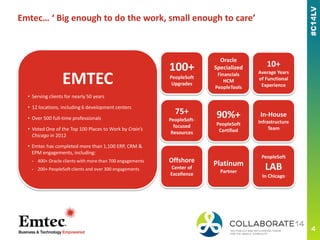
Emtec… ‘ Big enough to do the work, small enough to care’
100+
PeopleSoft
Upgrades
75+
PeopleSoft-
focused
Resources
90%+
PeopleSoft
Certified
Oracle
Specialized
Financials
HCM
PeopleTools
Offshore
Center of
Excellence
Platinum
Partner
In-House
Infrastructure
Team
PeopleSoft
LAB
In Chicago
10+
Average Years
of Functional
Experience
EMTEC
• Serving clients for nearly 50 years
• 12 locations, including 6 development centers
• Over 500 full-time professionals
• Voted One of the Top 100 Places to Work by Crain’s
Chicago in 2012
• Emtec has completed more than 1,100 ERP, CRM &
EPM engagements, including:
- 400+ Oracle clients with more than 700 engagements
- 200+ PeopleSoft clients and over 300 engagements
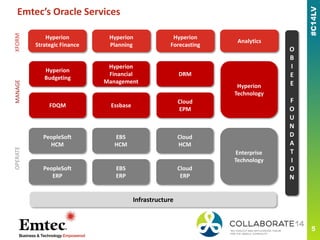
Emtec’s Oracle Services
O
B
I
E
E
F
O
U
N
D
A
T
I
O
N
Infrastructure
PeopleSoft
HCM
EBS
HCM
Cloud
HCM
PeopleSoft
ERP
EBS
ERP
Cloud
ERP
Enterprise
Technology
OPERATE
Hyperion
Budgeting
Hyperion
Financial
Management
DRM
FDQM Essbase
Cloud
EPM
Hyperion
Technology
MANAGEXFORM
Hyperion
Strategic Finance
Hyperion
Planning
Hyperion
Forecasting
Analytics
Functional Considerations
This is a subtitle or bulleted list
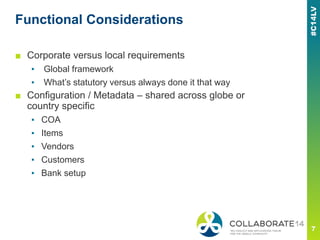
Functional Considerations
■ Corporate versus local requirements
▪ Global framework
▪ What’s statutory versus always done it that way
■ Configuration / Metadata – shared across globe or
country specific
▪ COA
▪ Items
▪ Vendors
▪ Customers
▪ Bank setup
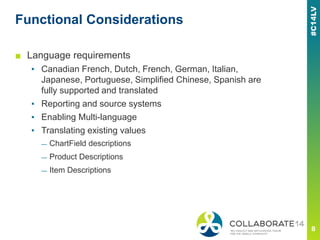
Functional Considerations
■ Language requirements
▪ Canadian French, Dutch, French, German, Italian,
Japanese, Portuguese, Simplified Chinese, Spanish are
fully supported and translated
▪ Reporting and source systems
▪ Enabling Multi-language
▪ Translating existing values
— ChartField descriptions
— Product Descriptions
— Item Descriptions
Functional Considerations
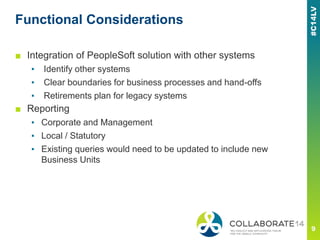
■ Integration of PeopleSoft solution with other systems
▪ Identify other systems
▪ Clear boundaries for business processes and hand-offs
▪ Retirements plan for legacy systems
■ Reporting
▪ Corporate and Management
▪ Local / Statutory
▪ Existing queries would need to be updated to include new
Business Units
Functional Considerations
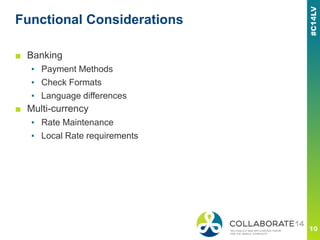
■ Banking
▪ Payment Methods
▪ Check Formats
▪ Language differences
■ Multi-currency
▪ Rate Maintenance
▪ Local Rate requirements
Functional Considerations
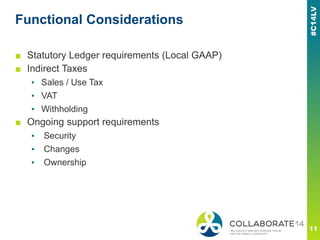
■ Statutory Ledger requirements (Local GAAP)
■ Indirect Taxes
▪ Sales / Use Tax
▪ VAT
▪ Withholding
■ Ongoing support requirements
▪ Security
▪ Changes
▪ Ownership
Functional Considerations
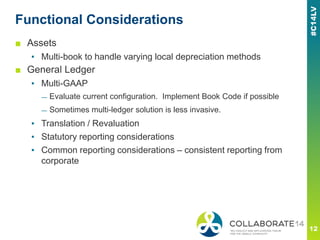
■ Assets
▪ Multi-book to handle varying local depreciation methods
■ General Ledger
▪ Multi-GAAP
— Evaluate current configuration. Implement Book Code if possible
— Sometimes multi-ledger solution is less invasive.
▪ Translation / Revaluation
▪ Statutory reporting considerations
▪ Common reporting considerations – consistent reporting from
corporate
Functional Considerations
■ Purchasing
▪ Document Formats
▪ Vendor Maintenance (One setid vs multiple)
▪ Workflow – common corporate model
▪ Indirect Taxes
▪ Users Fully Trained Prior To Testing
▪ Local SME’s Conduct Test Phase and Trouble Shoot
■ Payables
▪ Banking / Payment
▪ Indirect Taxes
Global Insights / Considerations
■ Managing the global team will be challenging
▪ Up-front focused and facilitated requirements/design
sessions with frequent design checkpoints later in the
process.
■ Not all locations will have clearly defined processes
and applications
▪ Making them understand the value of the global process
Implementation Approaches
This is a subtitle or bulleted list
Implementation Options
■ Single Phase rollout
▪ Global rollout to all the regions at the same time
■ Geographic (Regional) rollout
▪ Rollout a region at a time
■ Facility (Site by Site) rollout
▪ Rollout a site at a time
Implementation Considerations
■ Different systems and their retirement schedule
■ Integration requirements – temporary or permanent
■ Consistency of existing business process/systems
■ Culture/experience of your organization
■ Timeline
■ Pros/Cons review and analysis
Implementation Options – Single Phase
■ Pros
▪ Global requirement/design eliminates the risk inherent with
incremental design
▪ Consistent business process in all regions
■ Cons
▪ Too much change in the organization all at once
▪ Hard to implement and deploy
▪ Organizational readiness to consistent processes (Cultural)
Single Phase – Global rollout to all regions simultaneously
Implementation Options – Geographic
Rollout
Geographic rollout - Requirement/design and deploy one
region at a time
■ Pros
▪ Flexibility in adopting different business processes in different regions.
▪ Ease of implementation management (chunking by region)
■ Cons
▪ Potential for design conflict.
▪ Support is difficult if design is drastically different between regions
Implementation Options – Facility Rollout
Facility Rollout - Requirement/design and deploy one
facility at a time
■ Pros
▪ Flexibility in adopting different business processes in different facilities
▪ Ease of implementation management (chunking by facility)
▪ Supports a phased system retirement schedule
■ Cons
▪ Potential for design conflict
▪ Will require a long timeline
▪ Support is difficult if design is drastically different between facilities
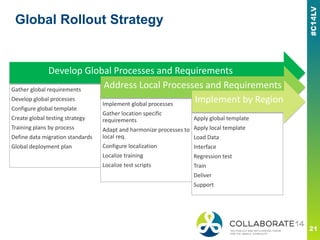
Global Rollout Strategy
Develop Global Processes and Requirements
Gather global requirements
Develop global processes
Configure global template
Create global testing strategy
Training plans by process
Define data migration standards
Global deployment plan
Address Local Processes and Requirements
Implement global processes
Gather location specific
requirements
Adapt and harmonize processes to
local req.
Configure localization
Localize training
Localize test scripts
Implement by Region
Apply global template
Apply local template
Load Data
Interface
Regression test
Train
Deliver
Support
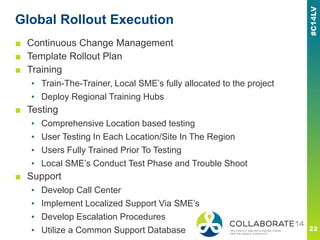
Global Rollout Execution
■ Continuous Change Management
■ Template Rollout Plan
■ Training
▪ Train-The-Trainer, Local SME’s fully allocated to the project
▪ Deploy Regional Training Hubs
■ Testing
▪ Comprehensive Location based testing
▪ User Testing In Each Location/Site In The Region
▪ Users Fully Trained Prior To Testing
▪ Local SME’s Conduct Test Phase and Trouble Shoot
■ Support
▪ Develop Call Center
▪ Implement Localized Support Via SME’s
▪ Develop Escalation Procedures
▪ Utilize a Common Support Database
Best Practices
This is a subtitle or bulleted list
Best Practices
■ Requires buy-in and support from Corporate and Local
Leadership
■ Managing Perception
▪ Global locations should perceive this as an improvement to
their process and system. Not as North America dictating
change.
■ Requirements and Design has to be global
▪ Tendency to skew towards Phase I deliverable.
▪ Leverage Global steering committee
Best Practices
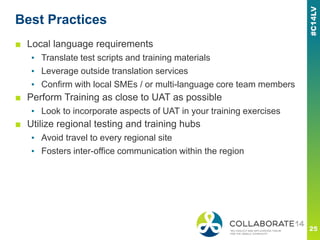
■ Local language requirements
▪ Translate test scripts and training materials
▪ Leverage outside translation services
▪ Confirm with local SMEs / or multi-language core team members
■ Perform Training as close to UAT as possible
▪ Look to incorporate aspects of UAT in your training exercises
■ Utilize regional testing and training hubs
▪ Avoid travel to every regional site
▪ Fosters inter-office communication within the region
Best Practices
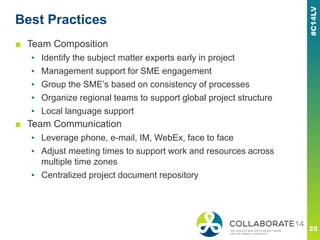
■ Team Composition
▪ Identify the subject matter experts early in project
▪ Management support for SME engagement
▪ Group the SME’s based on consistency of processes
▪ Organize regional teams to support global project structure
▪ Local language support
■ Team Communication
▪ Leverage phone, e-mail, IM, WebEx, face to face
▪ Adjust meeting times to support work and resources across
multiple time zones
▪ Centralized project document repository
Best Practices
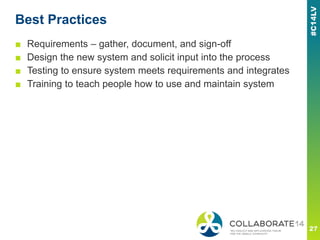
■ Requirements – gather, document, and sign-off
■ Design the new system and solicit input into the process
■ Testing to ensure system meets requirements and integrates
■ Training to teach people how to use and maintain system
Case Study
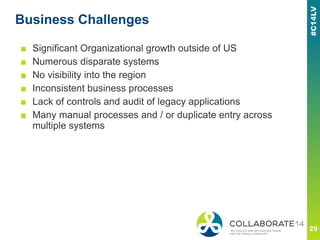
Business Challenges
■ Significant Organizational growth outside of US
■ Numerous disparate systems
■ No visibility into the region
■ Inconsistent business processes
■ Lack of controls and audit of legacy applications
■ Many manual processes and / or duplicate entry across
multiple systems
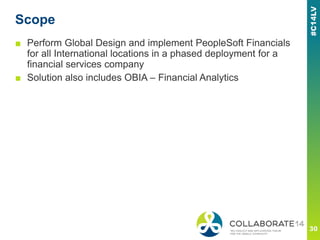
Scope
■ Perform Global Design and implement PeopleSoft Financials
for all International locations in a phased deployment for a
financial services company
■ Solution also includes OBIA – Financial Analytics
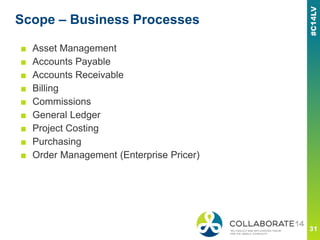
Scope – Business Processes
■ Asset Management
■ Accounts Payable
■ Accounts Receivable
■ Billing
■ Commissions
■ General Ledger
■ Project Costing
■ Purchasing
■ Order Management (Enterprise Pricer)
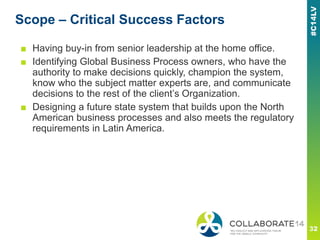
Scope – Critical Success Factors
■ Having buy-in from senior leadership at the home office.
■ Identifying Global Business Process owners, who have the
authority to make decisions quickly, champion the system,
know who the subject matter experts are, and communicate
decisions to the rest of the client’s Organization.
■ Designing a future state system that builds upon the North
American business processes and also meets the regulatory
requirements in Latin America.
Requirements Gathering
■ Questionnaires to help accelerate the communication
■ Incorporated questionnaire from previous projects
■ Distributed to Latin America North leader and South leader
■ Client clarifications
■ Emtec clarifications
■ Consolidated responses into a single repository per business
process
■ Volume counts
■ Sample documents (forms, reports)
Fit-Gap
■ Extracted the requirements from questionnaire into
spreadsheet
■ Grouped similar processes together
■ Assigned requirement id’s and linked to source for traceability
■ Analyzed how the requirement could be met by PeopleSoft:
▪ Fit is works with delivered PeopleSoft
▪ Gap requires development work
■ Must Have
▪ Resolution – brief description of how to meet requirement
▪ Decision if In or Out of Scope
Results
■ Launched International Wave 1 in October 2013
■ Minimal issues within the region
■ Retired multiple legacy applications and automated many
existing processes
■ Better reporting, visibility and consistent across regions
■ Provided onsite support in regional hub during first month-end
close
■ Currently working on Wave 2
▪ Remainder of Latin America (Financials and Order to Cash)
▪ Canada (Order to Cash)
▪ OBIA – Financial Analytics
■ Expected go-live in August 2014
Lessons Learned
■ What was successful:
▪ Leadership in Latin America took an active role
▪ Daily one hour meetings to review questionnaires
▪ Comprehensive list of requirements
▪ Leveraged core team resources with local language skills
throughout project lifecycle (Both client and Emtec team
members)
■ What needs improvement
▪ Plan for additional time to gather requirements due to resource
constraints at smaller regional offices
▪ Stakeholder involvement was not complete until later in the
project
▪ Planning for connectivity issues in certain regional offices
Please complete the session
evaluation
We appreciate your feedback and insight
You may complete the session evaluation either
on paper or online via the mobile app

Going Global - Expanding PeopleSoft Internationally

  • 1.
    REMINDER Check in onthe COLLABORATE mobile app Going Global - Expanding PeopleSoft Internationally Prepared by: Jon Given Director – Oracle Financial Applications Emtec, Inc. Session ID#: Quest2014-106870
  • 2.
    Agenda ■ Who isEmtec? ■ Functional Considerations ■ Implementation Approaches ■ Best Practices ■ Case Study
  • 3.
    Who is Emtec? Emtecat a Glance.
  • 4.
    Emtec… ‘ Bigenough to do the work, small enough to care’ 100+ PeopleSoft Upgrades 75+ PeopleSoft- focused Resources 90%+ PeopleSoft Certified Oracle Specialized Financials HCM PeopleTools Offshore Center of Excellence Platinum Partner In-House Infrastructure Team PeopleSoft LAB In Chicago 10+ Average Years of Functional Experience EMTEC • Serving clients for nearly 50 years • 12 locations, including 6 development centers • Over 500 full-time professionals • Voted One of the Top 100 Places to Work by Crain’s Chicago in 2012 • Emtec has completed more than 1,100 ERP, CRM & EPM engagements, including: - 400+ Oracle clients with more than 700 engagements - 200+ PeopleSoft clients and over 300 engagements
  • 5.
  • 6.
    Functional Considerations This isa subtitle or bulleted list
  • 7.
    Functional Considerations ■ Corporateversus local requirements ▪ Global framework ▪ What’s statutory versus always done it that way ■ Configuration / Metadata – shared across globe or country specific ▪ COA ▪ Items ▪ Vendors ▪ Customers ▪ Bank setup
  • 8.
    Functional Considerations ■ Languagerequirements ▪ Canadian French, Dutch, French, German, Italian, Japanese, Portuguese, Simplified Chinese, Spanish are fully supported and translated ▪ Reporting and source systems ▪ Enabling Multi-language ▪ Translating existing values — ChartField descriptions — Product Descriptions — Item Descriptions
  • 9.
    Functional Considerations ■ Integrationof PeopleSoft solution with other systems ▪ Identify other systems ▪ Clear boundaries for business processes and hand-offs ▪ Retirements plan for legacy systems ■ Reporting ▪ Corporate and Management ▪ Local / Statutory ▪ Existing queries would need to be updated to include new Business Units
  • 10.
    Functional Considerations ■ Banking ▪Payment Methods ▪ Check Formats ▪ Language differences ■ Multi-currency ▪ Rate Maintenance ▪ Local Rate requirements
  • 11.
    Functional Considerations ■ StatutoryLedger requirements (Local GAAP) ■ Indirect Taxes ▪ Sales / Use Tax ▪ VAT ▪ Withholding ■ Ongoing support requirements ▪ Security ▪ Changes ▪ Ownership
  • 12.
    Functional Considerations ■ Assets ▪Multi-book to handle varying local depreciation methods ■ General Ledger ▪ Multi-GAAP — Evaluate current configuration. Implement Book Code if possible — Sometimes multi-ledger solution is less invasive. ▪ Translation / Revaluation ▪ Statutory reporting considerations ▪ Common reporting considerations – consistent reporting from corporate
  • 13.
    Functional Considerations ■ Purchasing ▪Document Formats ▪ Vendor Maintenance (One setid vs multiple) ▪ Workflow – common corporate model ▪ Indirect Taxes ▪ Users Fully Trained Prior To Testing ▪ Local SME’s Conduct Test Phase and Trouble Shoot ■ Payables ▪ Banking / Payment ▪ Indirect Taxes
  • 14.
    Global Insights /Considerations ■ Managing the global team will be challenging ▪ Up-front focused and facilitated requirements/design sessions with frequent design checkpoints later in the process. ■ Not all locations will have clearly defined processes and applications ▪ Making them understand the value of the global process
  • 15.
    Implementation Approaches This isa subtitle or bulleted list
  • 16.
    Implementation Options ■ SinglePhase rollout ▪ Global rollout to all the regions at the same time ■ Geographic (Regional) rollout ▪ Rollout a region at a time ■ Facility (Site by Site) rollout ▪ Rollout a site at a time
  • 17.
    Implementation Considerations ■ Differentsystems and their retirement schedule ■ Integration requirements – temporary or permanent ■ Consistency of existing business process/systems ■ Culture/experience of your organization ■ Timeline ■ Pros/Cons review and analysis
  • 18.
    Implementation Options –Single Phase ■ Pros ▪ Global requirement/design eliminates the risk inherent with incremental design ▪ Consistent business process in all regions ■ Cons ▪ Too much change in the organization all at once ▪ Hard to implement and deploy ▪ Organizational readiness to consistent processes (Cultural) Single Phase – Global rollout to all regions simultaneously
  • 19.
    Implementation Options –Geographic Rollout Geographic rollout - Requirement/design and deploy one region at a time ■ Pros ▪ Flexibility in adopting different business processes in different regions. ▪ Ease of implementation management (chunking by region) ■ Cons ▪ Potential for design conflict. ▪ Support is difficult if design is drastically different between regions
  • 20.
    Implementation Options –Facility Rollout Facility Rollout - Requirement/design and deploy one facility at a time ■ Pros ▪ Flexibility in adopting different business processes in different facilities ▪ Ease of implementation management (chunking by facility) ▪ Supports a phased system retirement schedule ■ Cons ▪ Potential for design conflict ▪ Will require a long timeline ▪ Support is difficult if design is drastically different between facilities
  • 21.
    Global Rollout Strategy DevelopGlobal Processes and Requirements Gather global requirements Develop global processes Configure global template Create global testing strategy Training plans by process Define data migration standards Global deployment plan Address Local Processes and Requirements Implement global processes Gather location specific requirements Adapt and harmonize processes to local req. Configure localization Localize training Localize test scripts Implement by Region Apply global template Apply local template Load Data Interface Regression test Train Deliver Support
  • 22.
    Global Rollout Execution ■Continuous Change Management ■ Template Rollout Plan ■ Training ▪ Train-The-Trainer, Local SME’s fully allocated to the project ▪ Deploy Regional Training Hubs ■ Testing ▪ Comprehensive Location based testing ▪ User Testing In Each Location/Site In The Region ▪ Users Fully Trained Prior To Testing ▪ Local SME’s Conduct Test Phase and Trouble Shoot ■ Support ▪ Develop Call Center ▪ Implement Localized Support Via SME’s ▪ Develop Escalation Procedures ▪ Utilize a Common Support Database
  • 23.
    Best Practices This isa subtitle or bulleted list
  • 24.
    Best Practices ■ Requiresbuy-in and support from Corporate and Local Leadership ■ Managing Perception ▪ Global locations should perceive this as an improvement to their process and system. Not as North America dictating change. ■ Requirements and Design has to be global ▪ Tendency to skew towards Phase I deliverable. ▪ Leverage Global steering committee
  • 25.
    Best Practices ■ Locallanguage requirements ▪ Translate test scripts and training materials ▪ Leverage outside translation services ▪ Confirm with local SMEs / or multi-language core team members ■ Perform Training as close to UAT as possible ▪ Look to incorporate aspects of UAT in your training exercises ■ Utilize regional testing and training hubs ▪ Avoid travel to every regional site ▪ Fosters inter-office communication within the region
  • 26.
    Best Practices ■ TeamComposition ▪ Identify the subject matter experts early in project ▪ Management support for SME engagement ▪ Group the SME’s based on consistency of processes ▪ Organize regional teams to support global project structure ▪ Local language support ■ Team Communication ▪ Leverage phone, e-mail, IM, WebEx, face to face ▪ Adjust meeting times to support work and resources across multiple time zones ▪ Centralized project document repository
  • 27.
    Best Practices ■ Requirements– gather, document, and sign-off ■ Design the new system and solicit input into the process ■ Testing to ensure system meets requirements and integrates ■ Training to teach people how to use and maintain system
  • 28.
  • 29.
    Business Challenges ■ SignificantOrganizational growth outside of US ■ Numerous disparate systems ■ No visibility into the region ■ Inconsistent business processes ■ Lack of controls and audit of legacy applications ■ Many manual processes and / or duplicate entry across multiple systems
  • 30.
    Scope ■ Perform GlobalDesign and implement PeopleSoft Financials for all International locations in a phased deployment for a financial services company ■ Solution also includes OBIA – Financial Analytics
  • 31.
    Scope – BusinessProcesses ■ Asset Management ■ Accounts Payable ■ Accounts Receivable ■ Billing ■ Commissions ■ General Ledger ■ Project Costing ■ Purchasing ■ Order Management (Enterprise Pricer)
  • 32.
    Scope – CriticalSuccess Factors ■ Having buy-in from senior leadership at the home office. ■ Identifying Global Business Process owners, who have the authority to make decisions quickly, champion the system, know who the subject matter experts are, and communicate decisions to the rest of the client’s Organization. ■ Designing a future state system that builds upon the North American business processes and also meets the regulatory requirements in Latin America.
  • 33.
    Requirements Gathering ■ Questionnairesto help accelerate the communication ■ Incorporated questionnaire from previous projects ■ Distributed to Latin America North leader and South leader ■ Client clarifications ■ Emtec clarifications ■ Consolidated responses into a single repository per business process ■ Volume counts ■ Sample documents (forms, reports)
  • 34.
    Fit-Gap ■ Extracted therequirements from questionnaire into spreadsheet ■ Grouped similar processes together ■ Assigned requirement id’s and linked to source for traceability ■ Analyzed how the requirement could be met by PeopleSoft: ▪ Fit is works with delivered PeopleSoft ▪ Gap requires development work ■ Must Have ▪ Resolution – brief description of how to meet requirement ▪ Decision if In or Out of Scope
  • 35.
    Results ■ Launched InternationalWave 1 in October 2013 ■ Minimal issues within the region ■ Retired multiple legacy applications and automated many existing processes ■ Better reporting, visibility and consistent across regions ■ Provided onsite support in regional hub during first month-end close ■ Currently working on Wave 2 ▪ Remainder of Latin America (Financials and Order to Cash) ▪ Canada (Order to Cash) ▪ OBIA – Financial Analytics ■ Expected go-live in August 2014
  • 36.
    Lessons Learned ■ Whatwas successful: ▪ Leadership in Latin America took an active role ▪ Daily one hour meetings to review questionnaires ▪ Comprehensive list of requirements ▪ Leveraged core team resources with local language skills throughout project lifecycle (Both client and Emtec team members) ■ What needs improvement ▪ Plan for additional time to gather requirements due to resource constraints at smaller regional offices ▪ Stakeholder involvement was not complete until later in the project ▪ Planning for connectivity issues in certain regional offices
  • 37.
    Please complete thesession evaluation We appreciate your feedback and insight You may complete the session evaluation either on paper or online via the mobile app