Jakob Østergaard Nielsen,
Cloud Solution Architect, EG A/S
Identity in A World of Cloud
Identity management with Azure Active Directory and Office 365
About me..
© EG A/S 2
Jakob Østergaard Nielsen
Cloud Solution Architect, EG A/S
Expertises:
Office 365, Microsoft Azure, Certifikat Service/PKI.
Federation Service, Exchange, Active Directory.
MCSE: Communication | MCSA: Office 365 |
MCTS: Exchange | MCSA: Windows Server 2012R2
Contact me:
E-mail: jakos@eg.dk
Blog: mistercloudtech.com
Twitter: @MisterCloudTech
Phone: +45 7260 2378/+45 2085 9156
Agenda
© EG A/S 3
 Identity foundation
 Directory synchronization
 Account matching
 Before activating Directory Synchronization
 Directory clean-up
 Immutable ID and sourceAnchor
 Troubleshooting Directory synchronization
Identity Foundation
The Basics
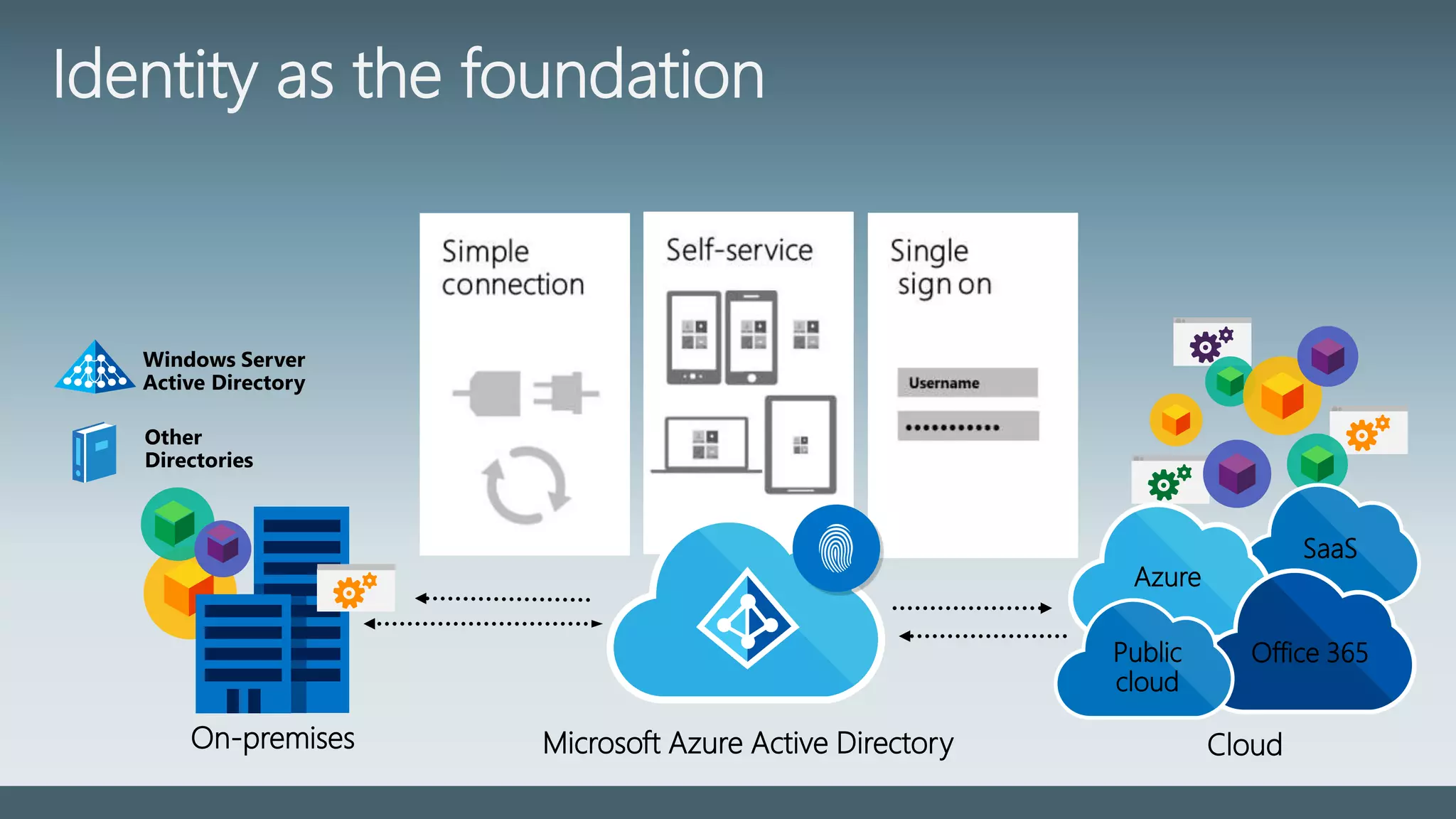
Cloud
SaaS
Azure
Office 365Public
cloud
Other
Directories
Windows Server
Active Directory
On-premises Microsoft Azure Active Directory
Identity as the foundation
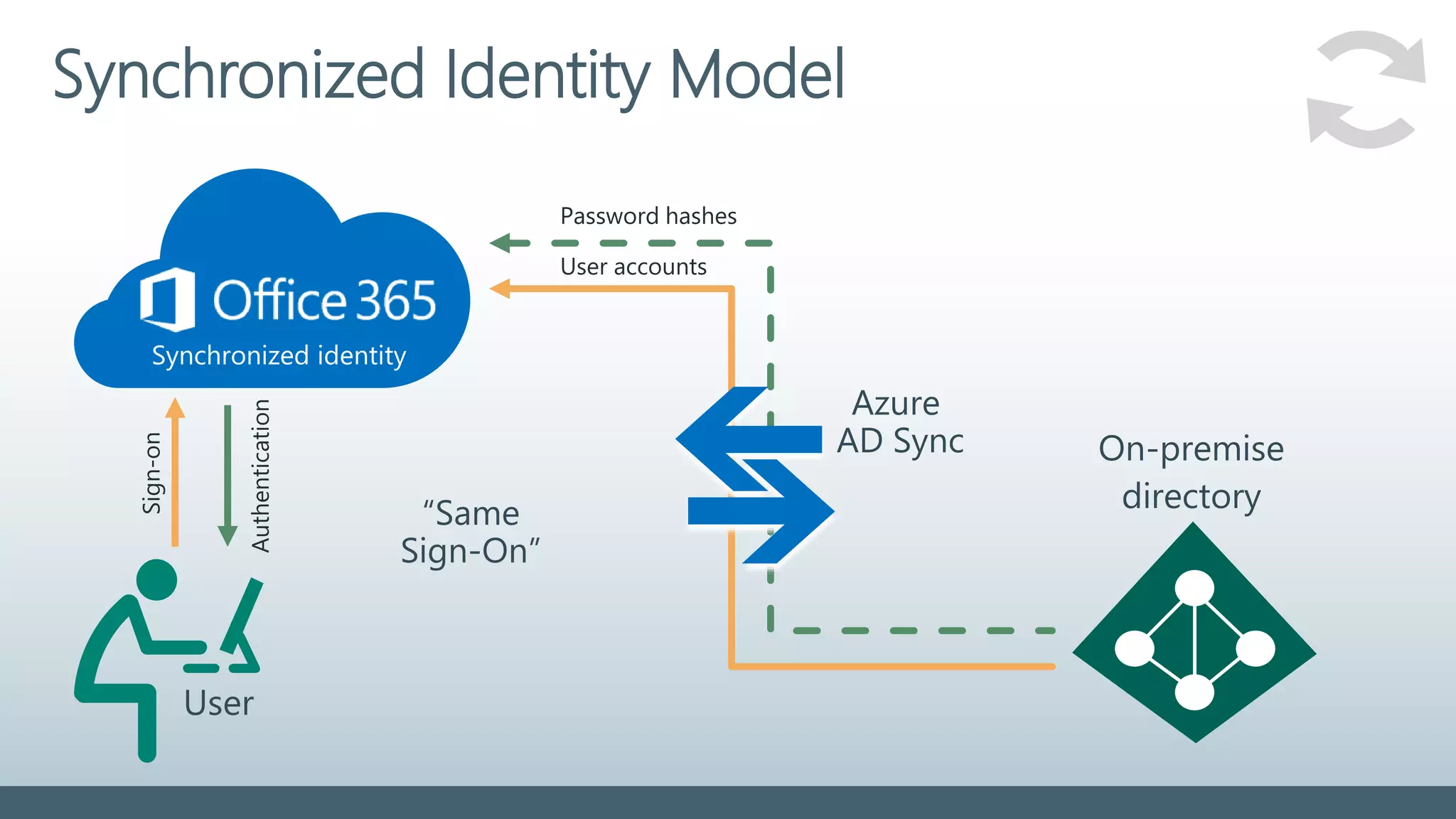
Synchronized Identity Model
Password hashes
User accounts
User
Sign-on
Azure
AD Sync On-premise
directory“Same
Sign-On”
Authentication
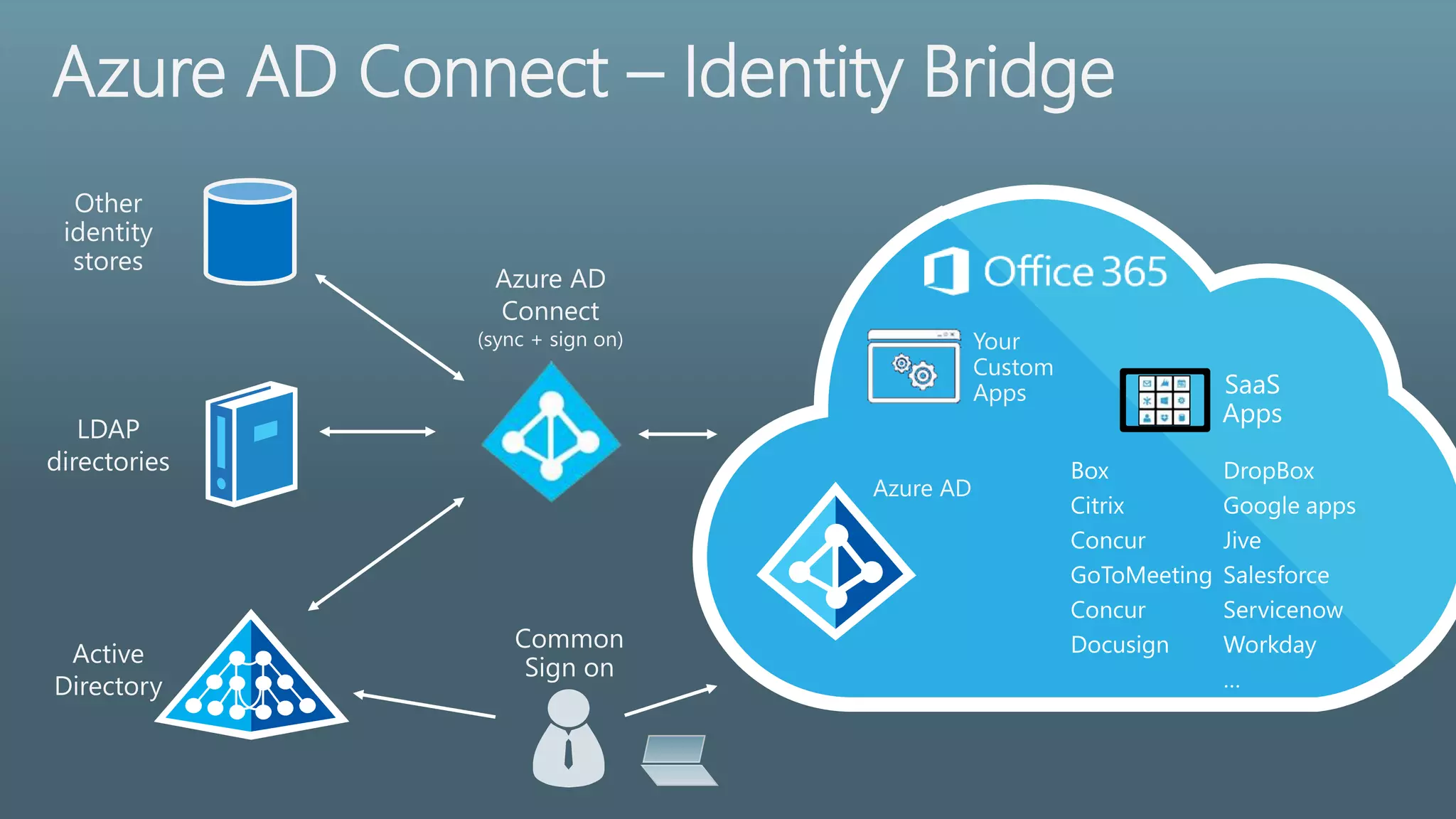
Azure AD Connect – Identity Bridge
Azure AD
Connect
(sync + sign on)
Active
Directory
LDAP
directories
Directory Synchronization
What’s it all good for
Directory Synchronization
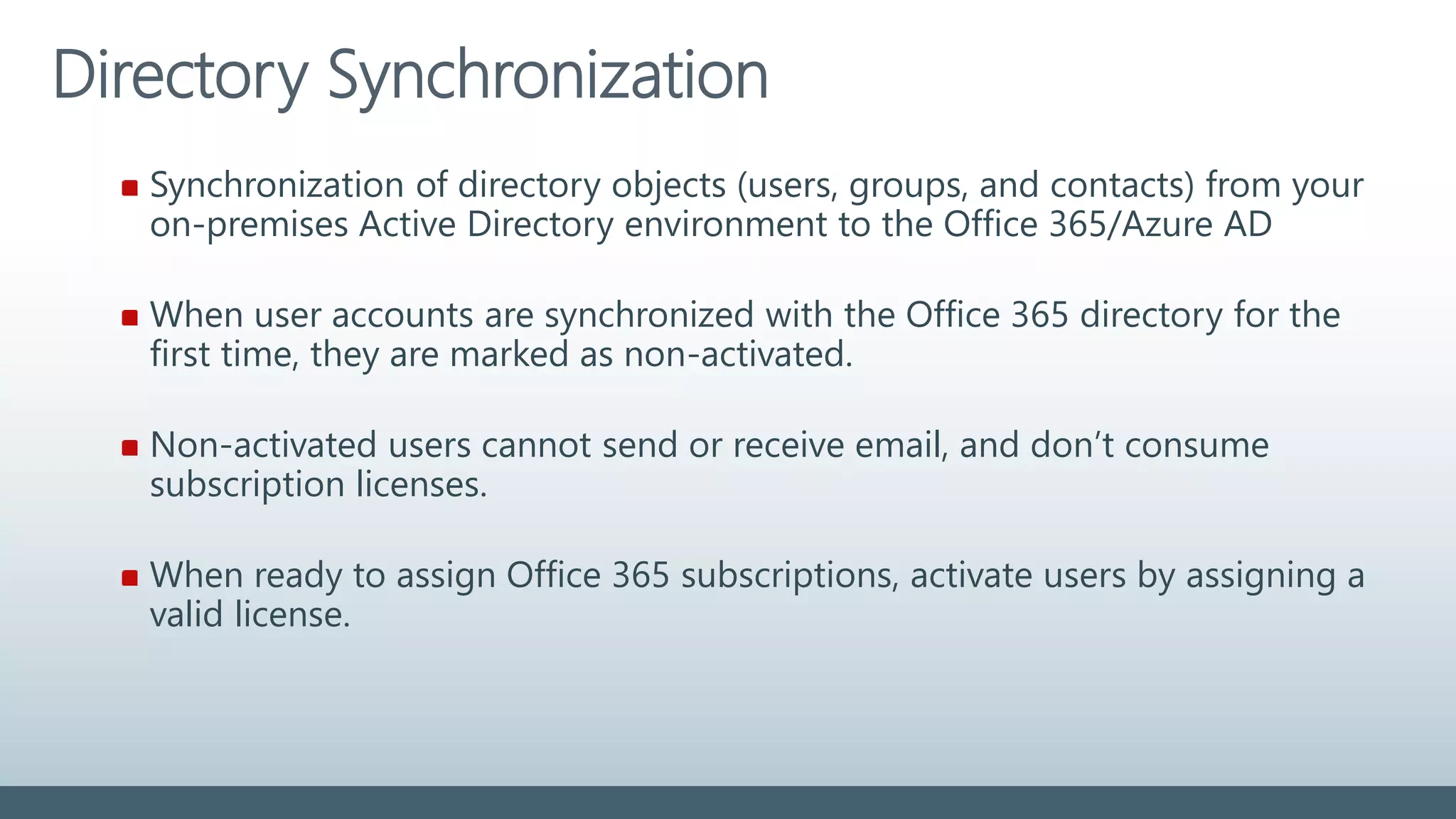
Synchronization of directory objects (users, groups, and contacts) from your
on-premises Active Directory environment to the Office 365/Azure AD
When user accounts are synchronized with the Office 365 directory for the
first time, they are marked as non-activated.
Non-activated users cannot send or receive email, and don’t consume
subscription licenses.
When ready to assign Office 365 subscriptions, activate users by assigning a
valid license.
Directory Synchronization
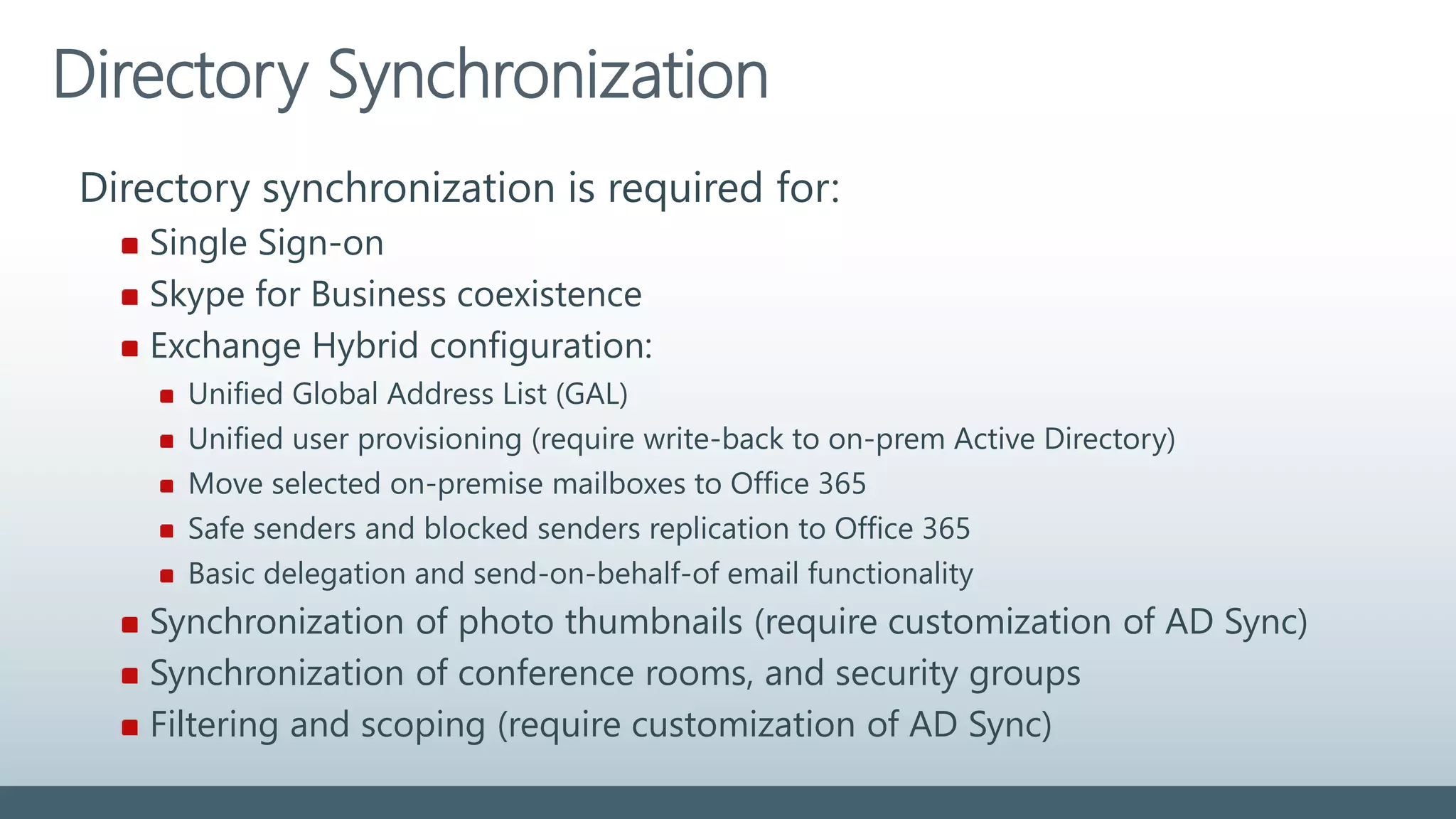
Directory synchronization is required for:
Single Sign-on
Skype for Business coexistence
Exchange Hybrid configuration:
Unified Global Address List (GAL)
Unified user provisioning (require write-back to on-prem Active Directory)
Move selected on-premise mailboxes to Office 365
Safe senders and blocked senders replication to Office 365
Basic delegation and send-on-behalf-of email functionality
Synchronization of photo thumbnails (require customization of AD Sync)
Synchronization of conference rooms, and security groups
Filtering and scoping (require customization of AD Sync)
Directory Synchronization – Write-back
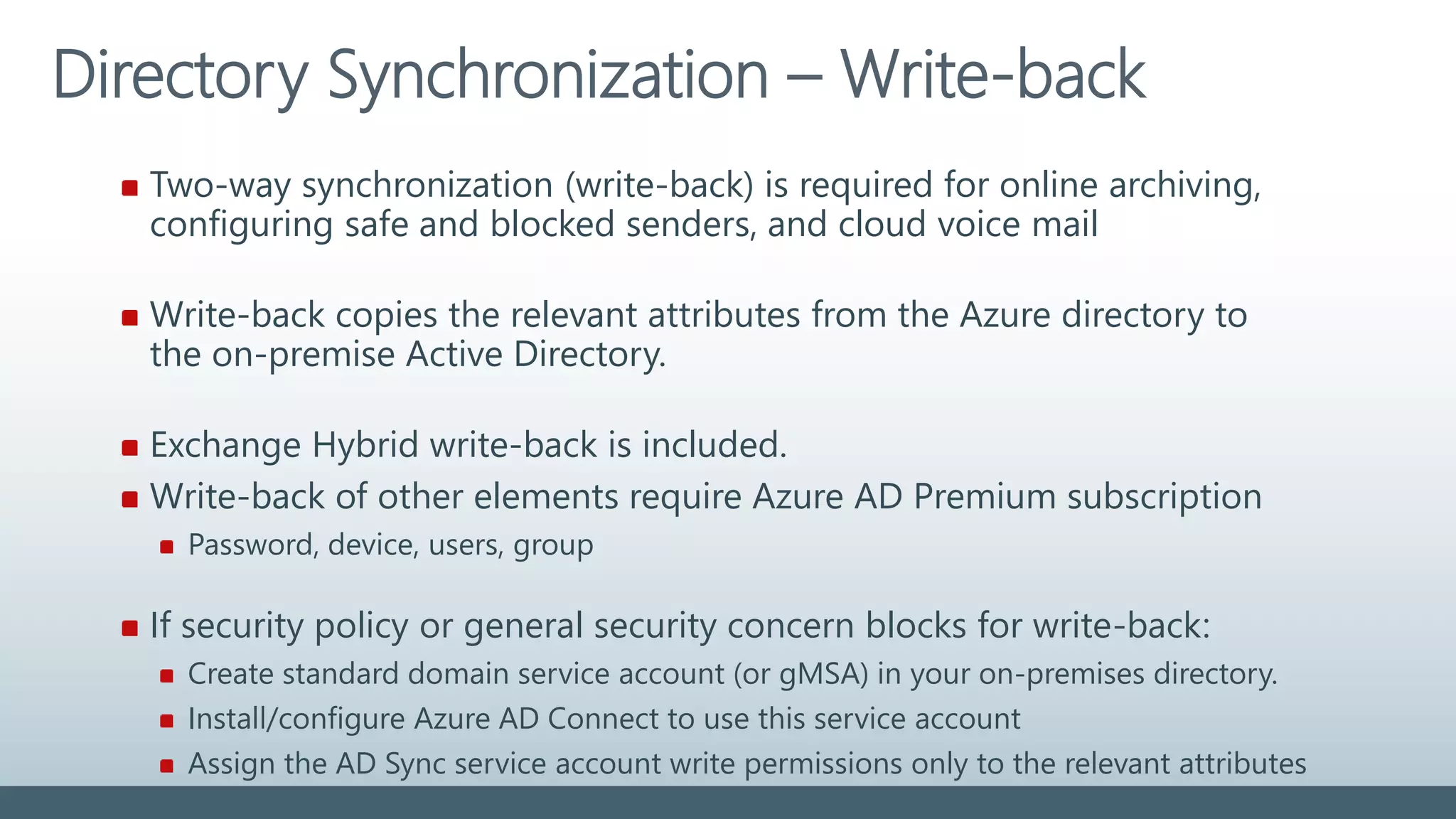
Two-way synchronization (write-back) is required for online archiving,
configuring safe and blocked senders, and cloud voice mail
Write-back copies the relevant attributes from the Azure directory to
the on-premise Active Directory.
Exchange Hybrid write-back is included.
Write-back of other elements require Azure AD Premium subscription
Password, device, users, group
If security policy or general security concern blocks for write-back:
Create standard domain service account (or gMSA) in your on-premises directory.
Install/configure Azure AD Connect to use this service account
Assign the AD Sync service account write permissions only to the relevant attributes
Directory Synchronization – Write-back
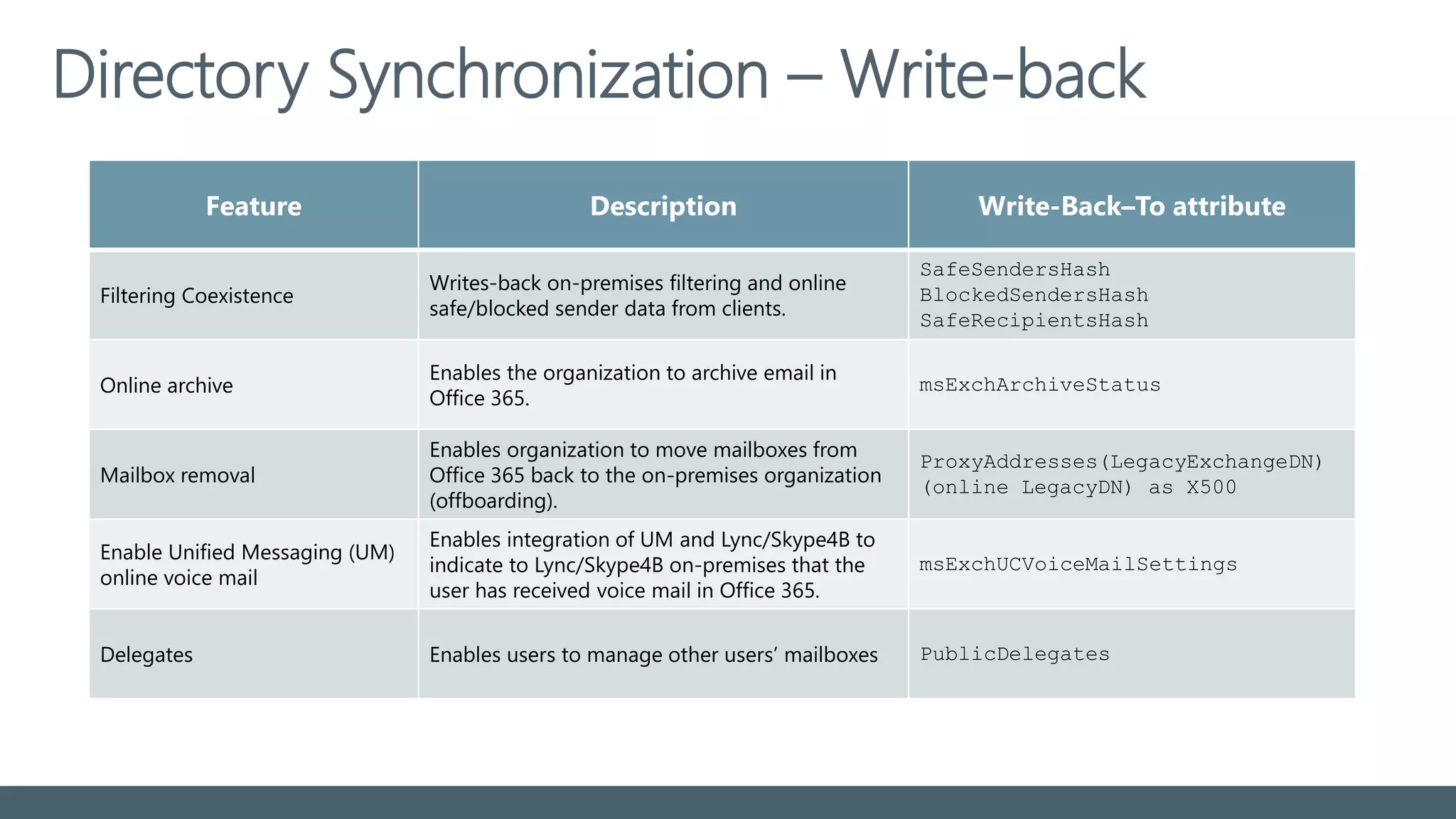
Feature Description Write-Back–To attribute
Filtering Coexistence
Writes-back on-premises filtering and online
safe/blocked sender data from clients.
SafeSendersHash
BlockedSendersHash
SafeRecipientsHash
Online archive
Enables the organization to archive email in
Office 365.
msExchArchiveStatus
Mailbox removal
Enables organization to move mailboxes from
Office 365 back to the on-premises organization
(offboarding).
ProxyAddresses(LegacyExchangeDN)
(online LegacyDN) as X500
Enable Unified Messaging (UM)
online voice mail
Enables integration of UM and Lync/Skype4B to
indicate to Lync/Skype4B on-premises that the
user has received voice mail in Office 365.
msExchUCVoiceMailSettings
Delegates Enables users to manage other users’ mailboxes PublicDelegates
Account matching
Hard match
First attempt; hard match based on ObjectGUID
Soft match
If unsuccessful; attempt soft match based on Primary SMTP address
Default logon attribute of users login to Cloud services
Stick to the default – don’t change the UPN after the initial sync.
Changing to another attribute is not supported with Hybrid enabled
UserPrincipalName
Before activating Directory Synchronization
Perform a complete directory clean-up
Add and verify all UPN and SMTP domains in Office 365
Do not assign licenses before all user domains is verified!
Select a unique identifier for the Immutable attribute (aka sourceAnchor)
Special requirements for >50.000 AD objects (users, mail contacts, groups)
Verify on-premise Active Directory functional levels (Windows Server 2003)
Before activating Directory Synchronization
Be sure all SMTP domains are validated in tenant before activating
directory synchronization
If neither objectGUID nor SMTP match can be made, a new object is
created in Azure AD - using the default company.onmicrosoft.com domain.
Reactivation of AD Sync overwrites all changes in Azure AD since last sync
-> Perform backup of cloud user data before reactivation !
Directory Cleanup
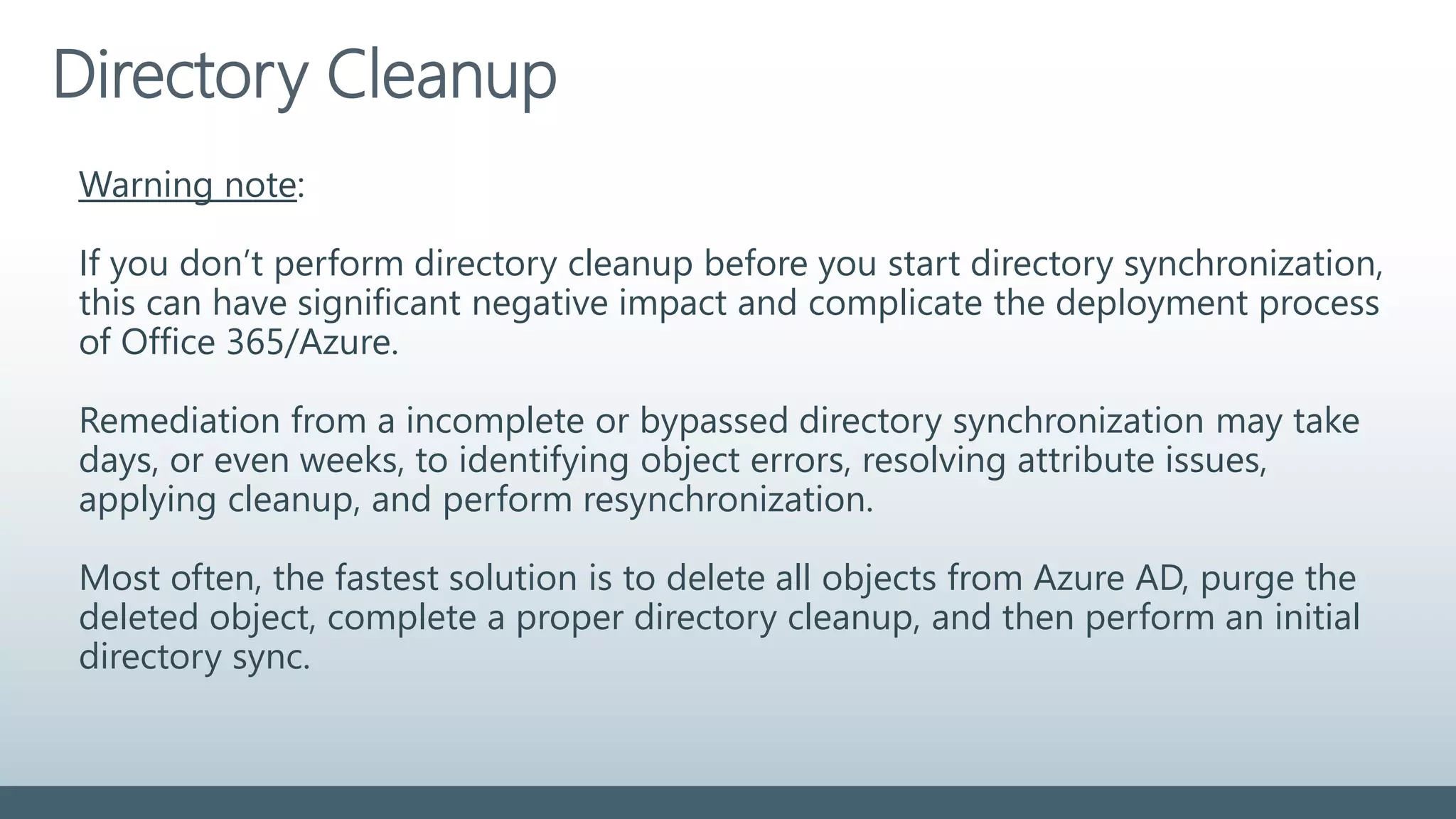
Warning note:
If you don’t perform directory cleanup before you start directory synchronization,
this can have significant negative impact and complicate the deployment process
of Office 365/Azure.
Remediation from a incomplete or bypassed directory synchronization may take
days, or even weeks, to identifying object errors, resolving attribute issues,
applying cleanup, and perform resynchronization.
Most often, the fastest solution is to delete all objects from Azure AD, purge the
deleted object, complete a proper directory cleanup, and then perform an initial
directory sync.
Directory Cleanup
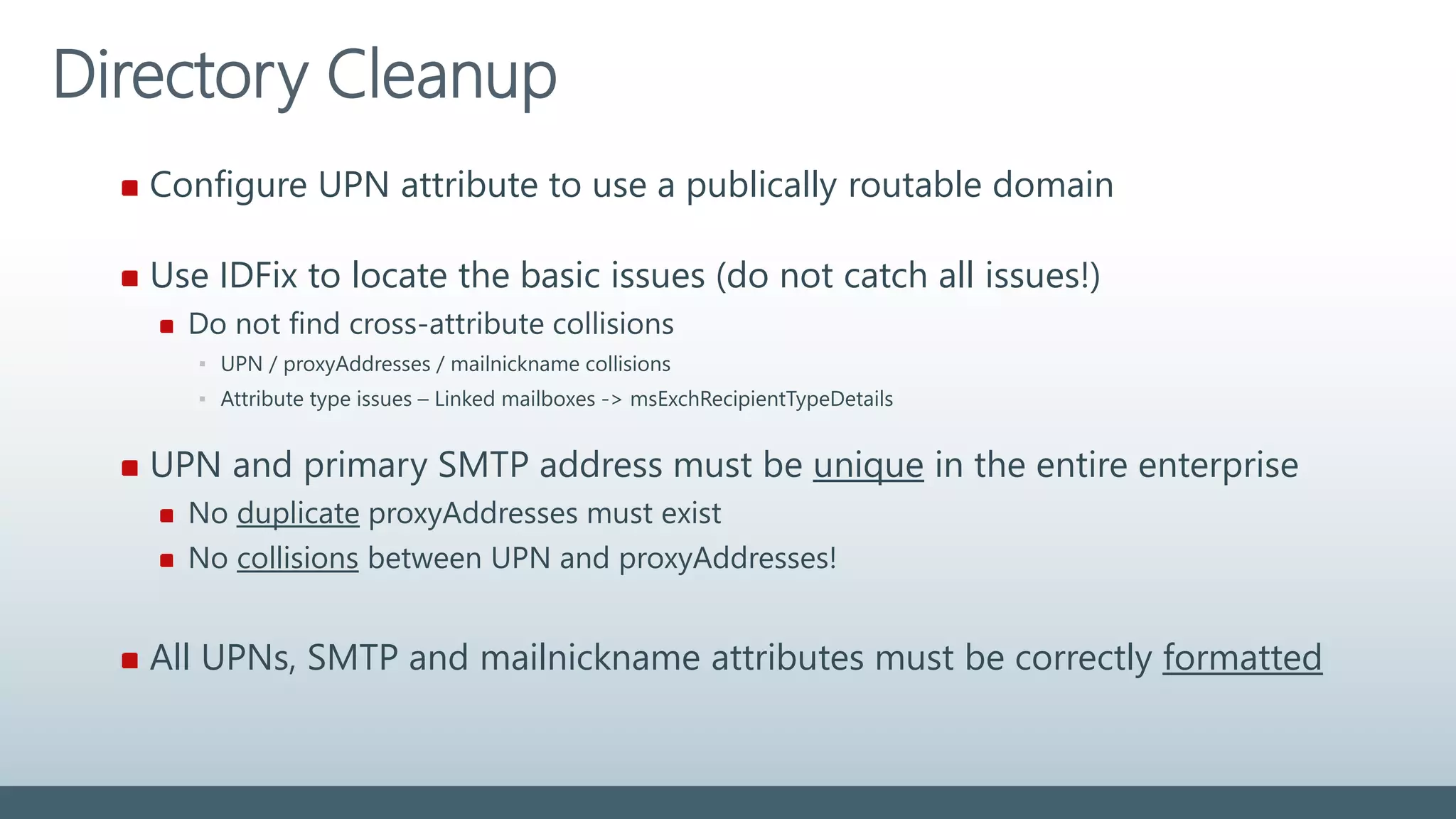
Configure UPN attribute to use a publically routable domain
Use IDFix to locate the basic issues (do not catch all issues!)
Do not find cross-attribute collisions
▪ UPN / proxyAddresses / mailnickname collisions
▪ Attribute type issues – Linked mailboxes -> msExchRecipientTypeDetails
UPN and primary SMTP address must be unique in the entire enterprise
No duplicate proxyAddresses must exist
No collisions between UPN and proxyAddresses!
All UPNs, SMTP and mailnickname attributes must be correctly formatted
Directory Cleanup
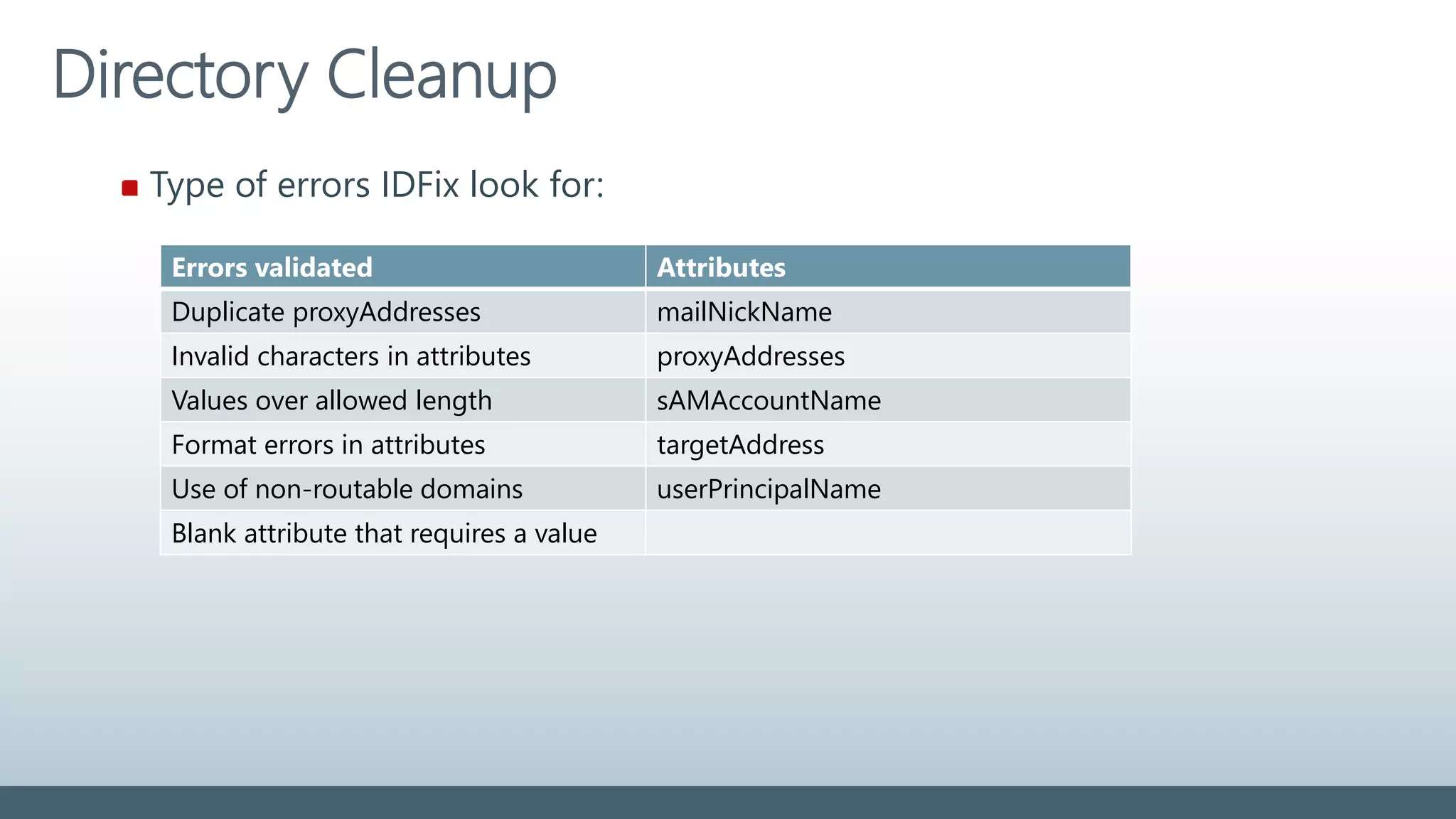
Type of errors IDFix look for:
Errors validated Attributes
Duplicate proxyAddresses mailNickName
Invalid characters in attributes proxyAddresses
Values over allowed length sAMAccountName
Format errors in attributes targetAddress
Use of non-routable domains userPrincipalName
Blank attribute that requires a value
Directory Cleanup
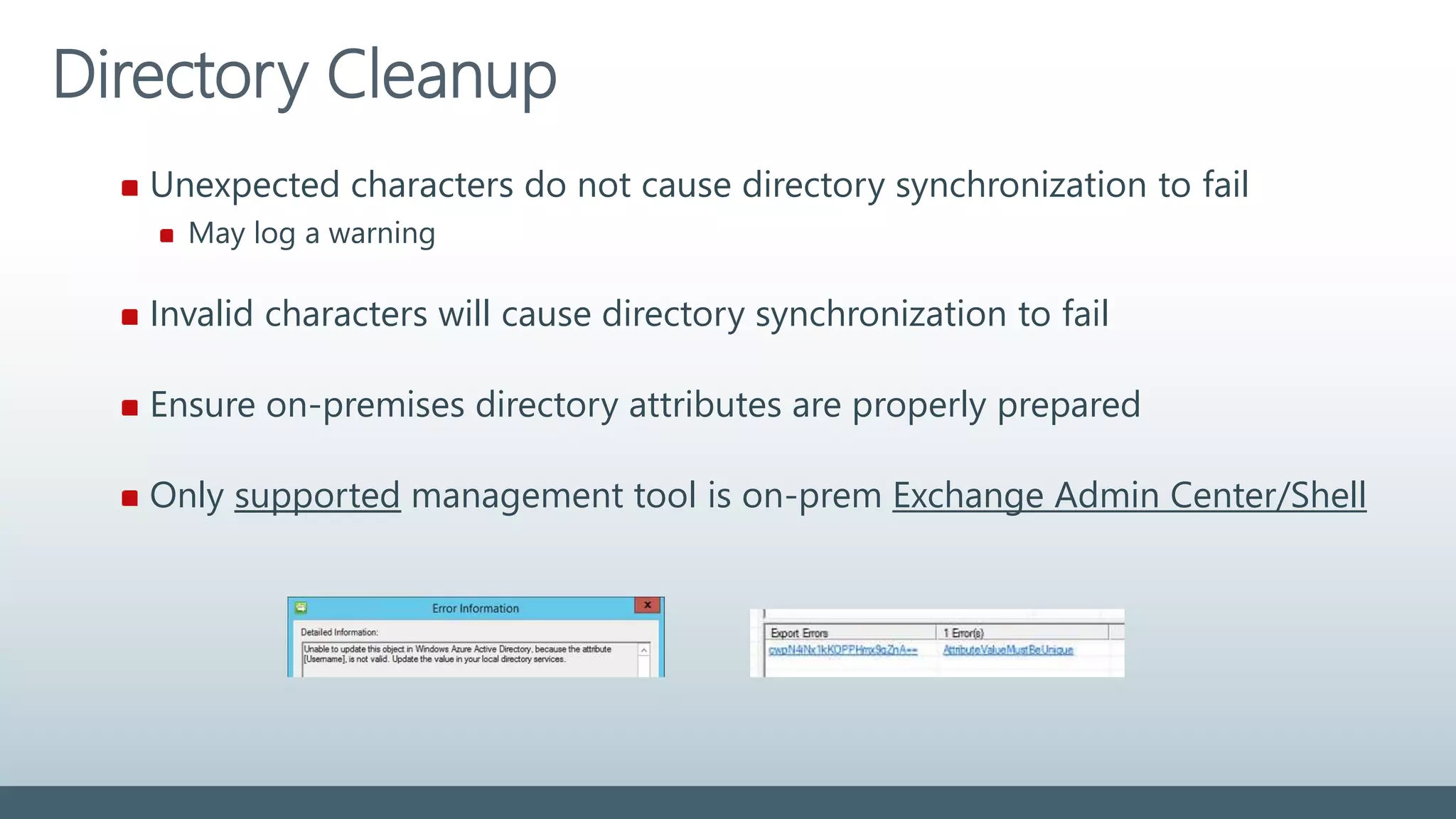
Unexpected characters do not cause directory synchronization to fail
May log a warning
Invalid characters will cause directory synchronization to fail
Ensure on-premises directory attributes are properly prepared
Only supported management tool is on-prem Exchange Admin Center/Shell
Attributes to prepare
Attribute Values Length Invalid characters
displayName Must not be blank 255 ? @  +
givenName Syncronized. Not required 63 ? @  +
Mail Must be unique in directory 255 [  ! # $ % & * + / = ? ^ ` { } ]
mailNickname
(Exchange alias)
Must be unique in directory 63 [  ! # $ % & * + / = ? ^ ` { } | ~ < > ( ) ‘ ; : ,
] “ @ (space) front/end (.)
proxyAddresses Must be unique in directory
Must comply with SMTP standards
256  % & * + / = ? ‘ { } | < > ( ) ; : , [ ] “ (space)
sAMAccountName Must be unique in directory 20 [  “ | , / : < > + = ; ? * ]
sn (surname) Syncronized. Not required 63 ? @  +
targetAddress Must be unique in directory
Must comply with SMTP standards
255  % & * + / = ? ‘ { } | < > ( ) ; : , [ ] “ (space)
userPrincipalName Must be unique in directory
Must comply with SMTP standards
Must use public routable domain
113
(64+@+48)
 % & * + / = ? ‘ { } | < > ( ) ; : , [ ] “ (space)
front/end (.)/(&)/(@)
For most attributes it is not supported to use regional special characters
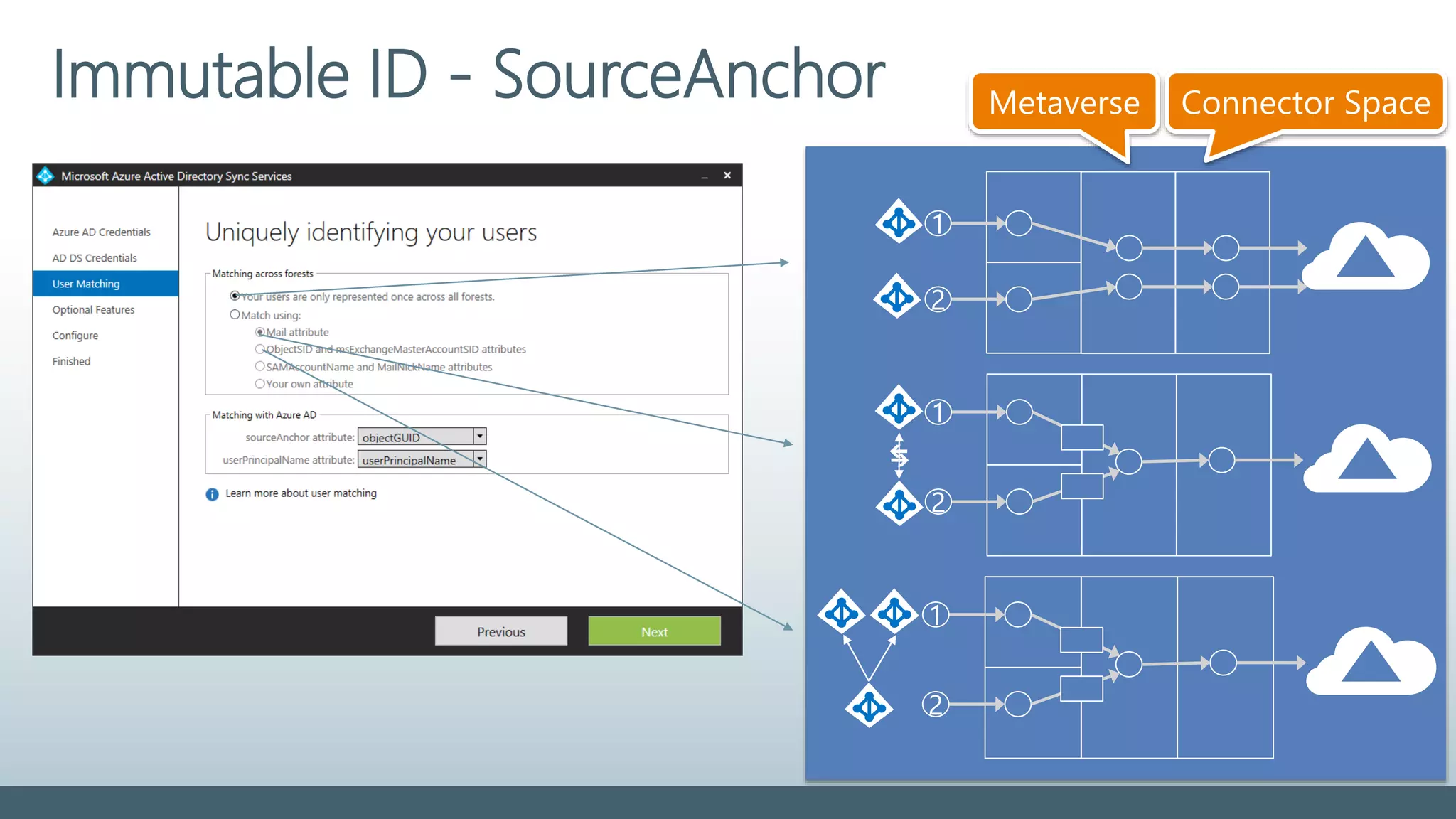
Immutable ID - SourceAnchor
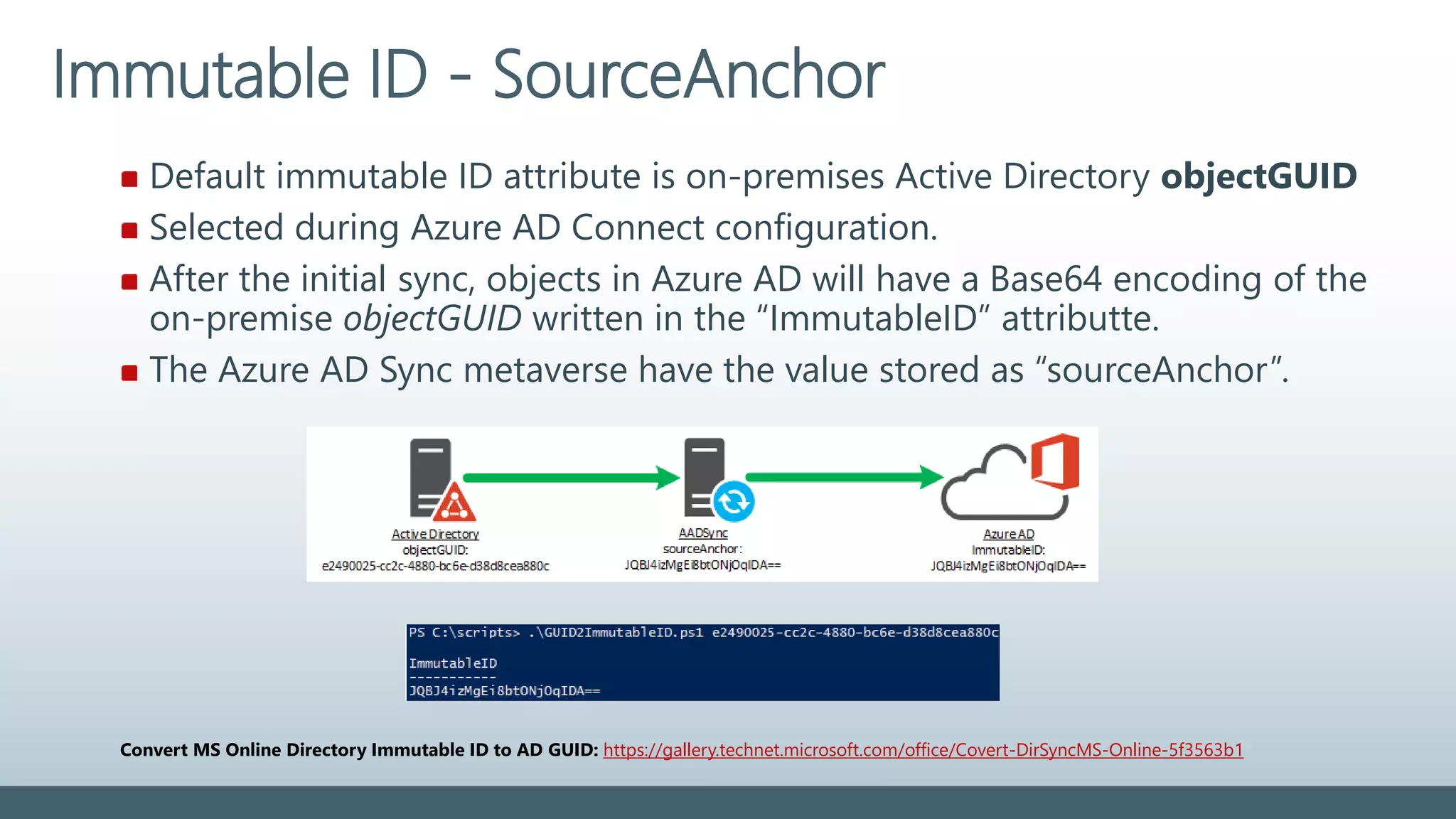
Default immutable ID attribute is on-premises Active Directory objectGUID
Selected during Azure AD Connect configuration.
After the initial sync, objects in Azure AD will have a Base64 encoding of the
on-premise objectGUID written in the “ImmutableID” attributte.
The Azure AD Sync metaverse have the value stored as “sourceAnchor”.
Immutable ID - SourceAnchor
Convert MS Online Directory Immutable ID to AD GUID: https://gallery.technet.microsoft.com/office/Covert-DirSyncMS-Online-5f3563b1
Static (“Immutable”) during entire lifetime of the on-premises object
Also if moved to another AD forest!
SourceAnchor value cannot (easily!) be changed after object is created in AAD!
When the Immutable attribute is first selected, it CANNOT be changed !
Upgrade to Azure AD Sync allow a change of the sourceAnchor attribute.
Recommended: ObjectGUID (alternate; EmployeeID)
Avoid: mail, userPrincipalName
Immutable ID - SourceAnchor
Select alternate sourceAnchor carefully:
Some objects might not have a value, like ”employeeID”:
▪ Shared mailboxes, Conference rooms, Contractors/consultants, Substitutes workers
Special considerations for multi-forest environments:
Attribute value must be unique across all forests!
No ”SIDHistory” concept for objectGUID
Unique identifier must NOT contain the “@” symbol.
Specify alternate unique identifier during AD Sync configuration
Change of sourceAnchor attribute from objectGUID require change in ADFS
▪ Selecting a non-default unique identifier will require change in the Office 365 Relying Party trust
Immutable ID - SourceAnchor
1
2
1
2
1
2
Metaverse Connector Space
Azure AD Sync
Troubleshooting
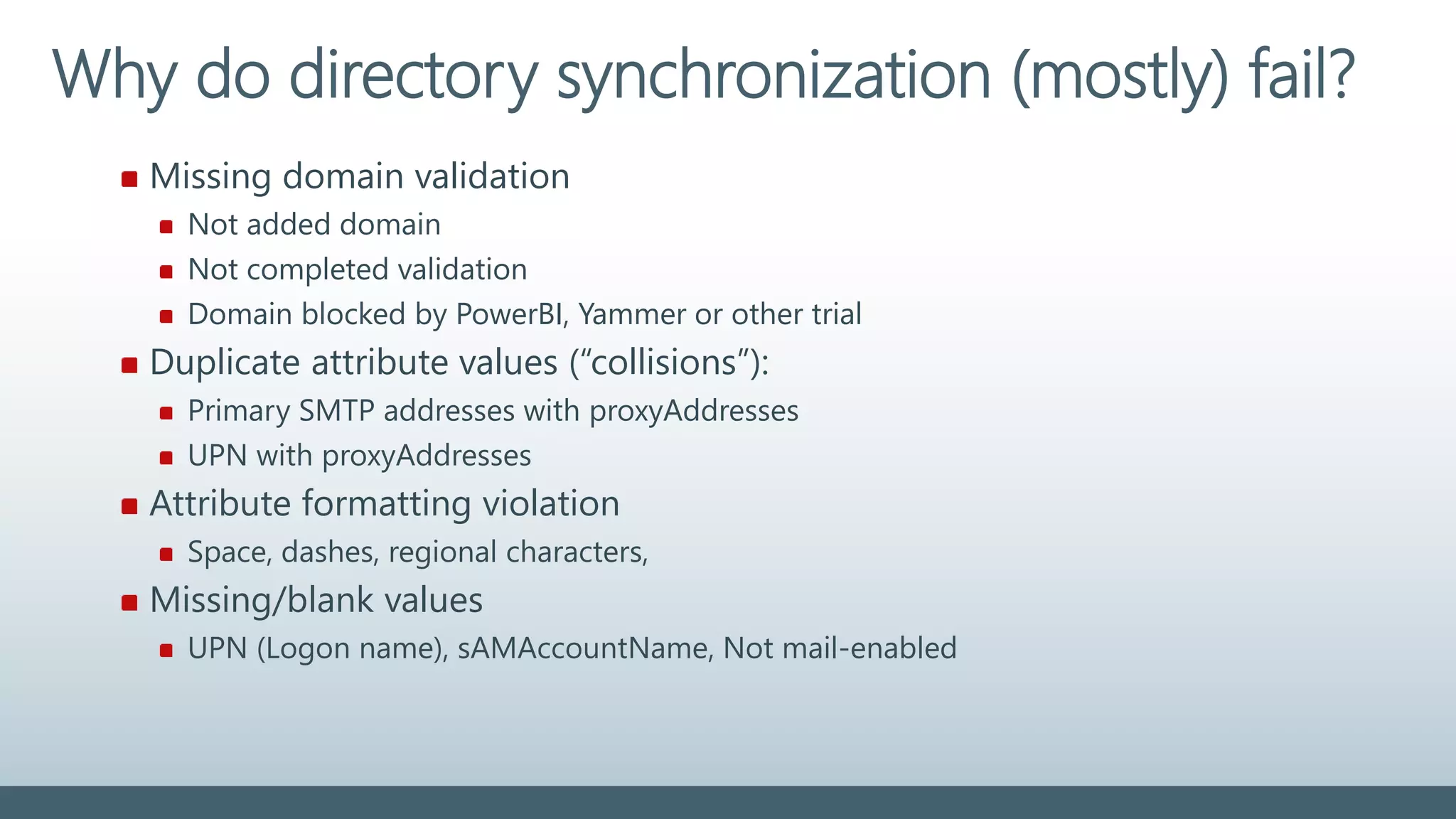
Missing domain validation
Not added domain
Not completed validation
Domain blocked by PowerBI, Yammer or other trial
Duplicate attribute values (“collisions”):
Primary SMTP addresses with proxyAddresses
UPN with proxyAddresses
Attribute formatting violation
Space, dashes, regional characters,
Missing/blank values
UPN (Logon name), sAMAccountName, Not mail-enabled
Why do directory synchronization (mostly) fail?
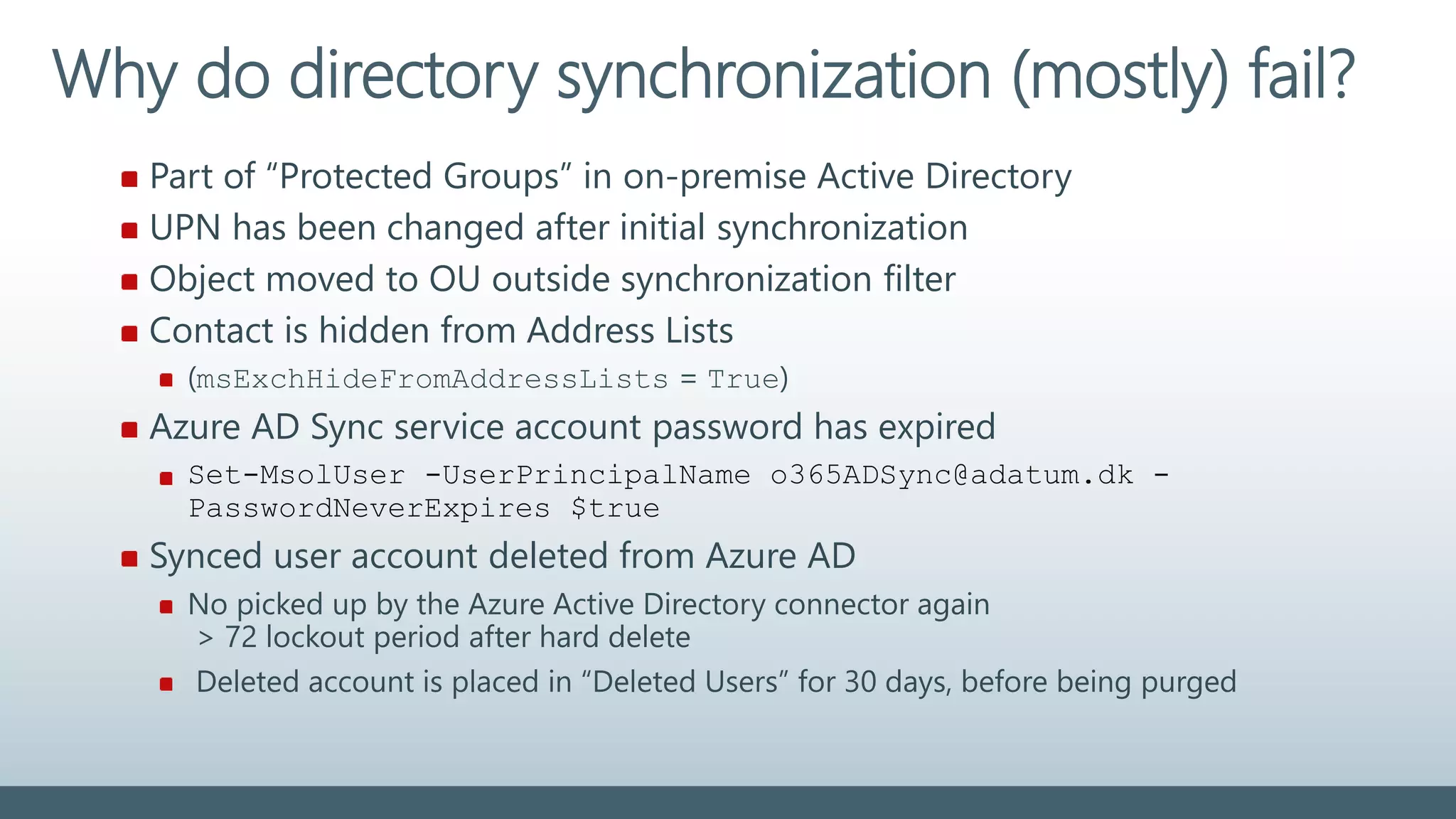
Part of “Protected Groups” in on-premise Active Directory
UPN has been changed after initial synchronization
Object moved to OU outside synchronization filter
Contact is hidden from Address Lists
(msExchHideFromAddressLists = True)
Azure AD Sync service account password has expired
Set-MsolUser -UserPrincipalName o365ADSync@adatum.dk -
PasswordNeverExpires $true
Synced user account deleted from Azure AD
No picked up by the Azure Active Directory connector again
> 72 lockout period after hard delete
Deleted account is placed in “Deleted Users” for 30 days, before being purged
Why do directory synchronization (mostly) fail?
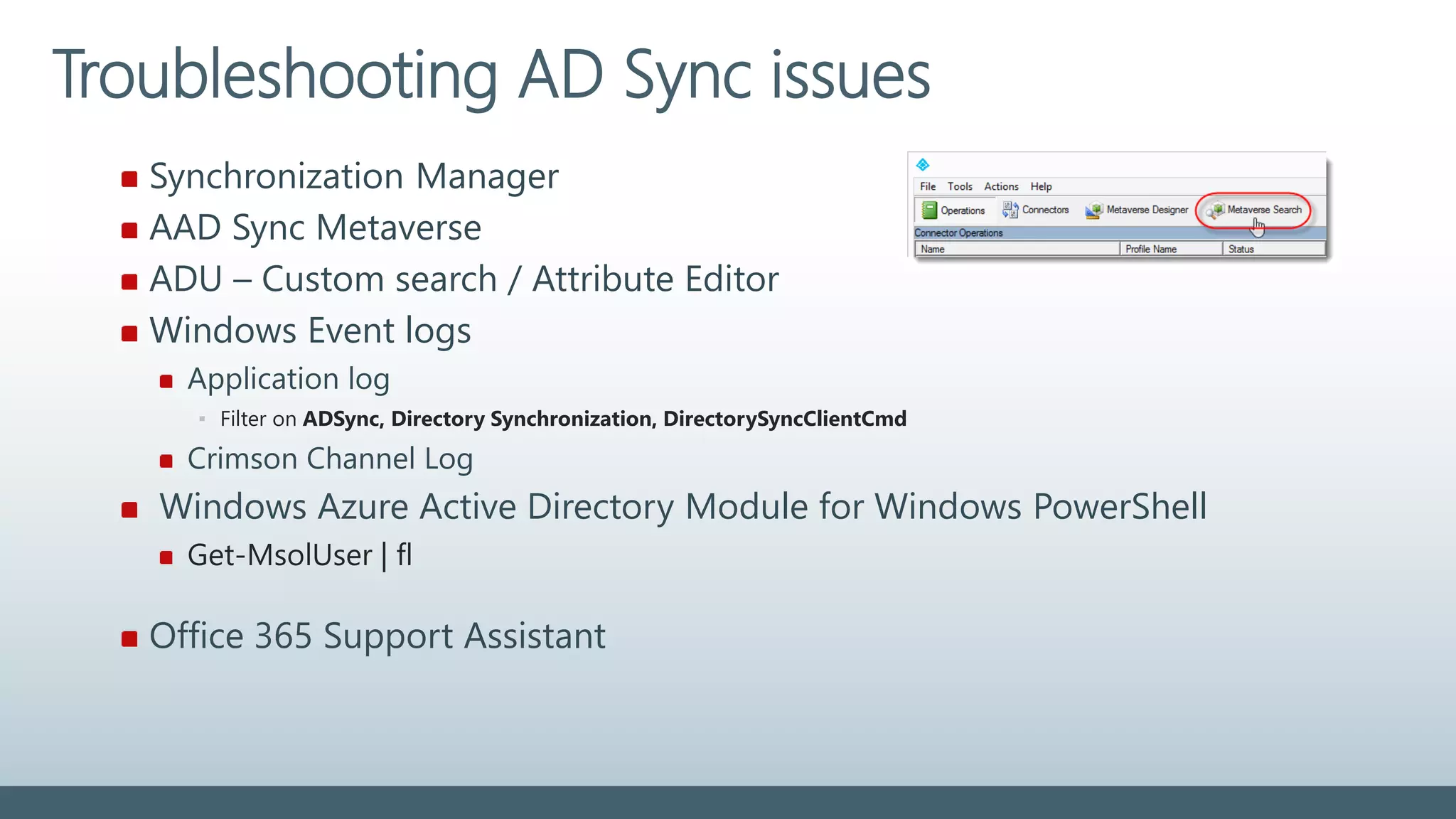
Synchronization Manager
AAD Sync Metaverse
ADU – Custom search / Attribute Editor
Windows Event logs
Application log
▪ Filter on ADSync, Directory Synchronization, DirectorySyncClientCmd
Crimson Channel Log
Windows Azure Active Directory Module for Windows PowerShell
Get-MsolUser | fl
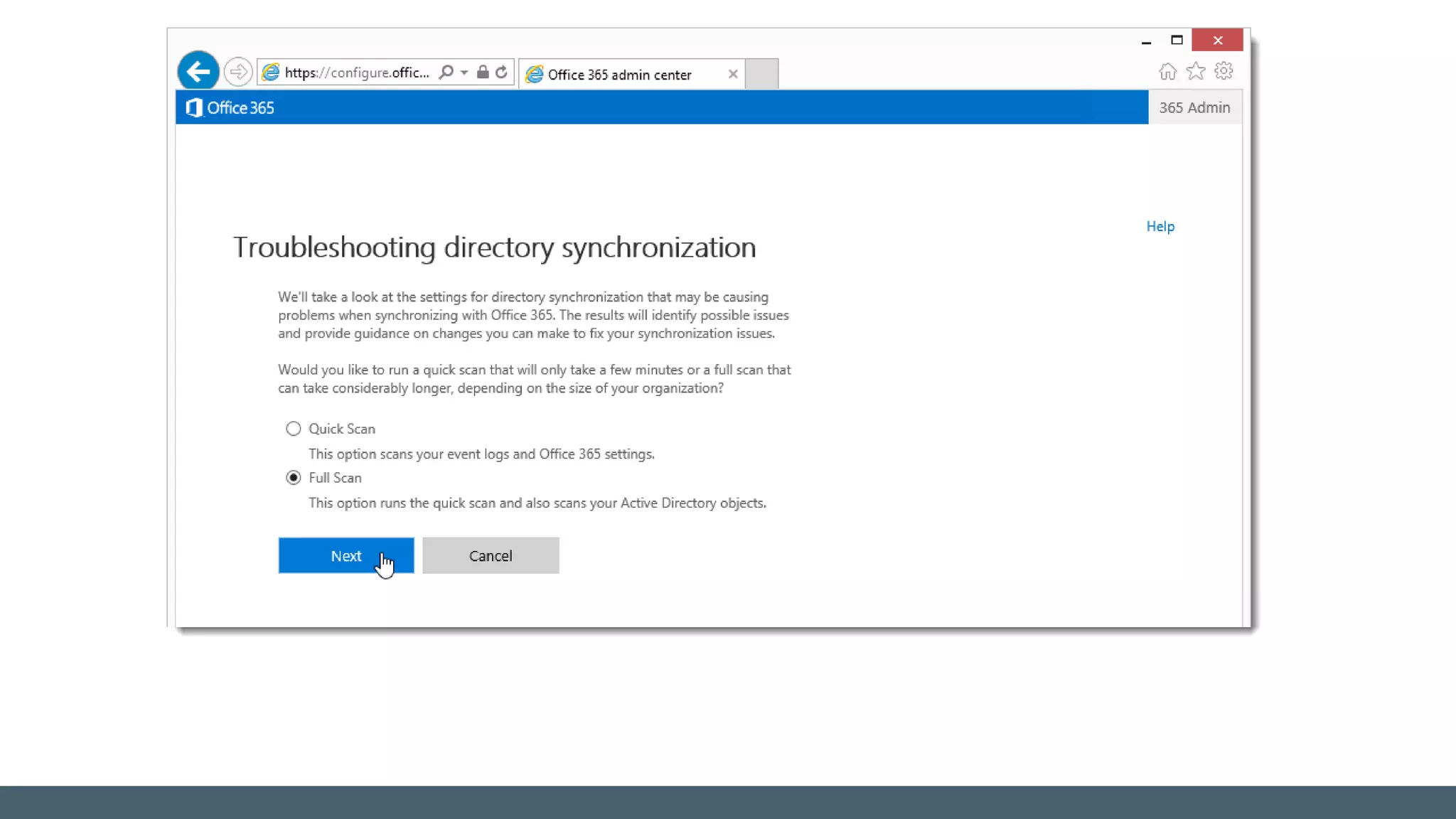
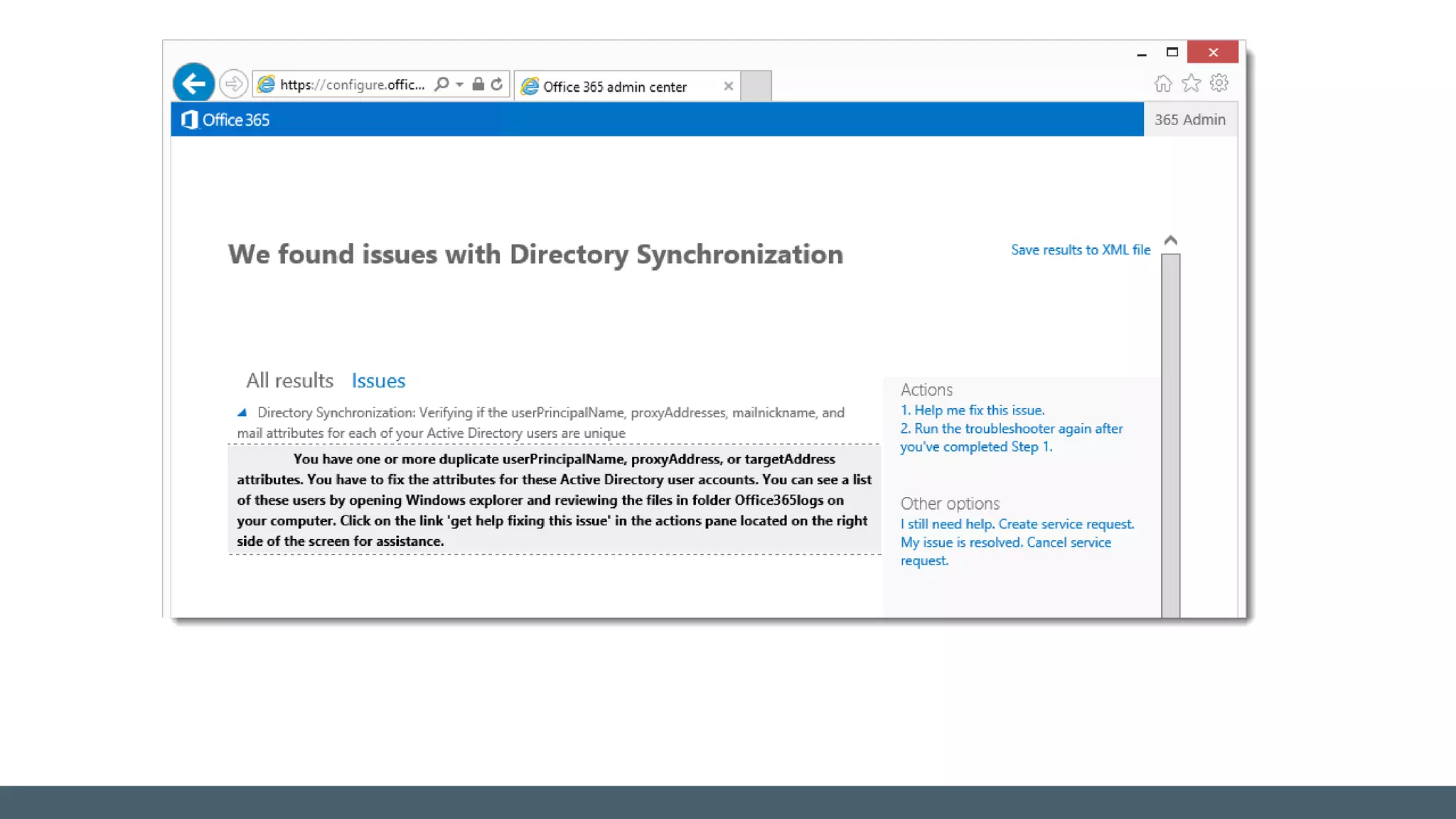
Office 365 Support Assistant
Troubleshooting AD Sync issues
Summary
 Directory synchronization replicate information to Azure AD
 Directory synchronization is required by a range of services
 Write-back from Azure AD to on-prem AD can be configured
 Ensure proper directory clean up before starting AD sync
 Stick to default account matching options if at all possible
 Look out for proper formatting in all directory objects
 Most AD Sync errors can be tricky to find, but often quite easy
to fix
 A healthy AD Sync is required for a healthy integration with
Azure AD
Questions !
© EG A/S 34
© 2014 EG A/S. All rights reserved.
The content of this material, including the text, images and other graphics and their arrangement, are copyrighted by EG A/S
or its affiliated, associated or related companies. EG A/S makes no warranties, express, implied or statutory, as to the information
in this presentation.

CoLabora - Identity in a World of Cloud - november 2015

  • 1.
    Jakob Østergaard Nielsen, CloudSolution Architect, EG A/S Identity in A World of Cloud Identity management with Azure Active Directory and Office 365
  • 2.
    About me.. © EGA/S 2 Jakob Østergaard Nielsen Cloud Solution Architect, EG A/S Expertises: Office 365, Microsoft Azure, Certifikat Service/PKI. Federation Service, Exchange, Active Directory. MCSE: Communication | MCSA: Office 365 | MCTS: Exchange | MCSA: Windows Server 2012R2 Contact me: E-mail: jakos@eg.dk Blog: mistercloudtech.com Twitter: @MisterCloudTech Phone: +45 7260 2378/+45 2085 9156
  • 3.
    Agenda © EG A/S3  Identity foundation  Directory synchronization  Account matching  Before activating Directory Synchronization  Directory clean-up  Immutable ID and sourceAnchor  Troubleshooting Directory synchronization
  • 4.
  • 5.
    Cloud SaaS Azure Office 365Public cloud Other Directories Windows Server ActiveDirectory On-premises Microsoft Azure Active Directory Identity as the foundation
  • 6.
    Synchronized Identity Model Passwordhashes User accounts User Sign-on Azure AD Sync On-premise directory“Same Sign-On” Authentication
  • 7.
    Azure AD Connect– Identity Bridge Azure AD Connect (sync + sign on) Active Directory LDAP directories
  • 8.
  • 9.
    Directory Synchronization Synchronization ofdirectory objects (users, groups, and contacts) from your on-premises Active Directory environment to the Office 365/Azure AD When user accounts are synchronized with the Office 365 directory for the first time, they are marked as non-activated. Non-activated users cannot send or receive email, and don’t consume subscription licenses. When ready to assign Office 365 subscriptions, activate users by assigning a valid license.
  • 10.
    Directory Synchronization Directory synchronizationis required for: Single Sign-on Skype for Business coexistence Exchange Hybrid configuration: Unified Global Address List (GAL) Unified user provisioning (require write-back to on-prem Active Directory) Move selected on-premise mailboxes to Office 365 Safe senders and blocked senders replication to Office 365 Basic delegation and send-on-behalf-of email functionality Synchronization of photo thumbnails (require customization of AD Sync) Synchronization of conference rooms, and security groups Filtering and scoping (require customization of AD Sync)
  • 11.
    Directory Synchronization –Write-back Two-way synchronization (write-back) is required for online archiving, configuring safe and blocked senders, and cloud voice mail Write-back copies the relevant attributes from the Azure directory to the on-premise Active Directory. Exchange Hybrid write-back is included. Write-back of other elements require Azure AD Premium subscription Password, device, users, group If security policy or general security concern blocks for write-back: Create standard domain service account (or gMSA) in your on-premises directory. Install/configure Azure AD Connect to use this service account Assign the AD Sync service account write permissions only to the relevant attributes
  • 12.
    Directory Synchronization –Write-back Feature Description Write-Back–To attribute Filtering Coexistence Writes-back on-premises filtering and online safe/blocked sender data from clients. SafeSendersHash BlockedSendersHash SafeRecipientsHash Online archive Enables the organization to archive email in Office 365. msExchArchiveStatus Mailbox removal Enables organization to move mailboxes from Office 365 back to the on-premises organization (offboarding). ProxyAddresses(LegacyExchangeDN) (online LegacyDN) as X500 Enable Unified Messaging (UM) online voice mail Enables integration of UM and Lync/Skype4B to indicate to Lync/Skype4B on-premises that the user has received voice mail in Office 365. msExchUCVoiceMailSettings Delegates Enables users to manage other users’ mailboxes PublicDelegates
  • 13.
    Account matching Hard match Firstattempt; hard match based on ObjectGUID Soft match If unsuccessful; attempt soft match based on Primary SMTP address
  • 14.
    Default logon attributeof users login to Cloud services Stick to the default – don’t change the UPN after the initial sync. Changing to another attribute is not supported with Hybrid enabled UserPrincipalName
  • 15.
    Before activating DirectorySynchronization Perform a complete directory clean-up Add and verify all UPN and SMTP domains in Office 365 Do not assign licenses before all user domains is verified! Select a unique identifier for the Immutable attribute (aka sourceAnchor) Special requirements for >50.000 AD objects (users, mail contacts, groups) Verify on-premise Active Directory functional levels (Windows Server 2003)
  • 16.
    Before activating DirectorySynchronization Be sure all SMTP domains are validated in tenant before activating directory synchronization If neither objectGUID nor SMTP match can be made, a new object is created in Azure AD - using the default company.onmicrosoft.com domain. Reactivation of AD Sync overwrites all changes in Azure AD since last sync -> Perform backup of cloud user data before reactivation !
  • 17.
    Directory Cleanup Warning note: Ifyou don’t perform directory cleanup before you start directory synchronization, this can have significant negative impact and complicate the deployment process of Office 365/Azure. Remediation from a incomplete or bypassed directory synchronization may take days, or even weeks, to identifying object errors, resolving attribute issues, applying cleanup, and perform resynchronization. Most often, the fastest solution is to delete all objects from Azure AD, purge the deleted object, complete a proper directory cleanup, and then perform an initial directory sync.
  • 18.
    Directory Cleanup Configure UPNattribute to use a publically routable domain Use IDFix to locate the basic issues (do not catch all issues!) Do not find cross-attribute collisions ▪ UPN / proxyAddresses / mailnickname collisions ▪ Attribute type issues – Linked mailboxes -> msExchRecipientTypeDetails UPN and primary SMTP address must be unique in the entire enterprise No duplicate proxyAddresses must exist No collisions between UPN and proxyAddresses! All UPNs, SMTP and mailnickname attributes must be correctly formatted
  • 19.
    Directory Cleanup Type oferrors IDFix look for: Errors validated Attributes Duplicate proxyAddresses mailNickName Invalid characters in attributes proxyAddresses Values over allowed length sAMAccountName Format errors in attributes targetAddress Use of non-routable domains userPrincipalName Blank attribute that requires a value
  • 20.
    Directory Cleanup Unexpected charactersdo not cause directory synchronization to fail May log a warning Invalid characters will cause directory synchronization to fail Ensure on-premises directory attributes are properly prepared Only supported management tool is on-prem Exchange Admin Center/Shell
  • 21.
    Attributes to prepare AttributeValues Length Invalid characters displayName Must not be blank 255 ? @ + givenName Syncronized. Not required 63 ? @ + Mail Must be unique in directory 255 [ ! # $ % & * + / = ? ^ ` { } ] mailNickname (Exchange alias) Must be unique in directory 63 [ ! # $ % & * + / = ? ^ ` { } | ~ < > ( ) ‘ ; : , ] “ @ (space) front/end (.) proxyAddresses Must be unique in directory Must comply with SMTP standards 256 % & * + / = ? ‘ { } | < > ( ) ; : , [ ] “ (space) sAMAccountName Must be unique in directory 20 [ “ | , / : < > + = ; ? * ] sn (surname) Syncronized. Not required 63 ? @ + targetAddress Must be unique in directory Must comply with SMTP standards 255 % & * + / = ? ‘ { } | < > ( ) ; : , [ ] “ (space) userPrincipalName Must be unique in directory Must comply with SMTP standards Must use public routable domain 113 (64+@+48) % & * + / = ? ‘ { } | < > ( ) ; : , [ ] “ (space) front/end (.)/(&)/(@) For most attributes it is not supported to use regional special characters
  • 22.
    Immutable ID -SourceAnchor
  • 23.
    Default immutable IDattribute is on-premises Active Directory objectGUID Selected during Azure AD Connect configuration. After the initial sync, objects in Azure AD will have a Base64 encoding of the on-premise objectGUID written in the “ImmutableID” attributte. The Azure AD Sync metaverse have the value stored as “sourceAnchor”. Immutable ID - SourceAnchor Convert MS Online Directory Immutable ID to AD GUID: https://gallery.technet.microsoft.com/office/Covert-DirSyncMS-Online-5f3563b1
  • 24.
    Static (“Immutable”) duringentire lifetime of the on-premises object Also if moved to another AD forest! SourceAnchor value cannot (easily!) be changed after object is created in AAD! When the Immutable attribute is first selected, it CANNOT be changed ! Upgrade to Azure AD Sync allow a change of the sourceAnchor attribute. Recommended: ObjectGUID (alternate; EmployeeID) Avoid: mail, userPrincipalName Immutable ID - SourceAnchor
  • 25.
    Select alternate sourceAnchorcarefully: Some objects might not have a value, like ”employeeID”: ▪ Shared mailboxes, Conference rooms, Contractors/consultants, Substitutes workers Special considerations for multi-forest environments: Attribute value must be unique across all forests! No ”SIDHistory” concept for objectGUID Unique identifier must NOT contain the “@” symbol. Specify alternate unique identifier during AD Sync configuration Change of sourceAnchor attribute from objectGUID require change in ADFS ▪ Selecting a non-default unique identifier will require change in the Office 365 Relying Party trust Immutable ID - SourceAnchor
  • 26.
    Immutable ID -SourceAnchor 1 2 1 2 1 2 Metaverse Connector Space
  • 27.
  • 28.
    Missing domain validation Notadded domain Not completed validation Domain blocked by PowerBI, Yammer or other trial Duplicate attribute values (“collisions”): Primary SMTP addresses with proxyAddresses UPN with proxyAddresses Attribute formatting violation Space, dashes, regional characters, Missing/blank values UPN (Logon name), sAMAccountName, Not mail-enabled Why do directory synchronization (mostly) fail?
  • 29.
    Part of “ProtectedGroups” in on-premise Active Directory UPN has been changed after initial synchronization Object moved to OU outside synchronization filter Contact is hidden from Address Lists (msExchHideFromAddressLists = True) Azure AD Sync service account password has expired Set-MsolUser -UserPrincipalName o365ADSync@adatum.dk - PasswordNeverExpires $true Synced user account deleted from Azure AD No picked up by the Azure Active Directory connector again > 72 lockout period after hard delete Deleted account is placed in “Deleted Users” for 30 days, before being purged Why do directory synchronization (mostly) fail?
  • 30.
    Synchronization Manager AAD SyncMetaverse ADU – Custom search / Attribute Editor Windows Event logs Application log ▪ Filter on ADSync, Directory Synchronization, DirectorySyncClientCmd Crimson Channel Log Windows Azure Active Directory Module for Windows PowerShell Get-MsolUser | fl Office 365 Support Assistant Troubleshooting AD Sync issues
  • 33.
    Summary  Directory synchronizationreplicate information to Azure AD  Directory synchronization is required by a range of services  Write-back from Azure AD to on-prem AD can be configured  Ensure proper directory clean up before starting AD sync  Stick to default account matching options if at all possible  Look out for proper formatting in all directory objects  Most AD Sync errors can be tricky to find, but often quite easy to fix  A healthy AD Sync is required for a healthy integration with Azure AD
  • 34.
  • 35.
    © 2014 EGA/S. All rights reserved. The content of this material, including the text, images and other graphics and their arrangement, are copyrighted by EG A/S or its affiliated, associated or related companies. EG A/S makes no warranties, express, implied or statutory, as to the information in this presentation.