

Get Started with Google Cloud
Platform: Part 2 - Cloud Run and
Containers
Omar Fathy
Cloud DevOps Engineer @ _VOIS
linkedin.com/in/omarmfathy219
github.com/omarmfathy219
twitter.com/omarmfathy219
omarmfathy219@gmail.com
- Comparing Google Cloud computing solutions
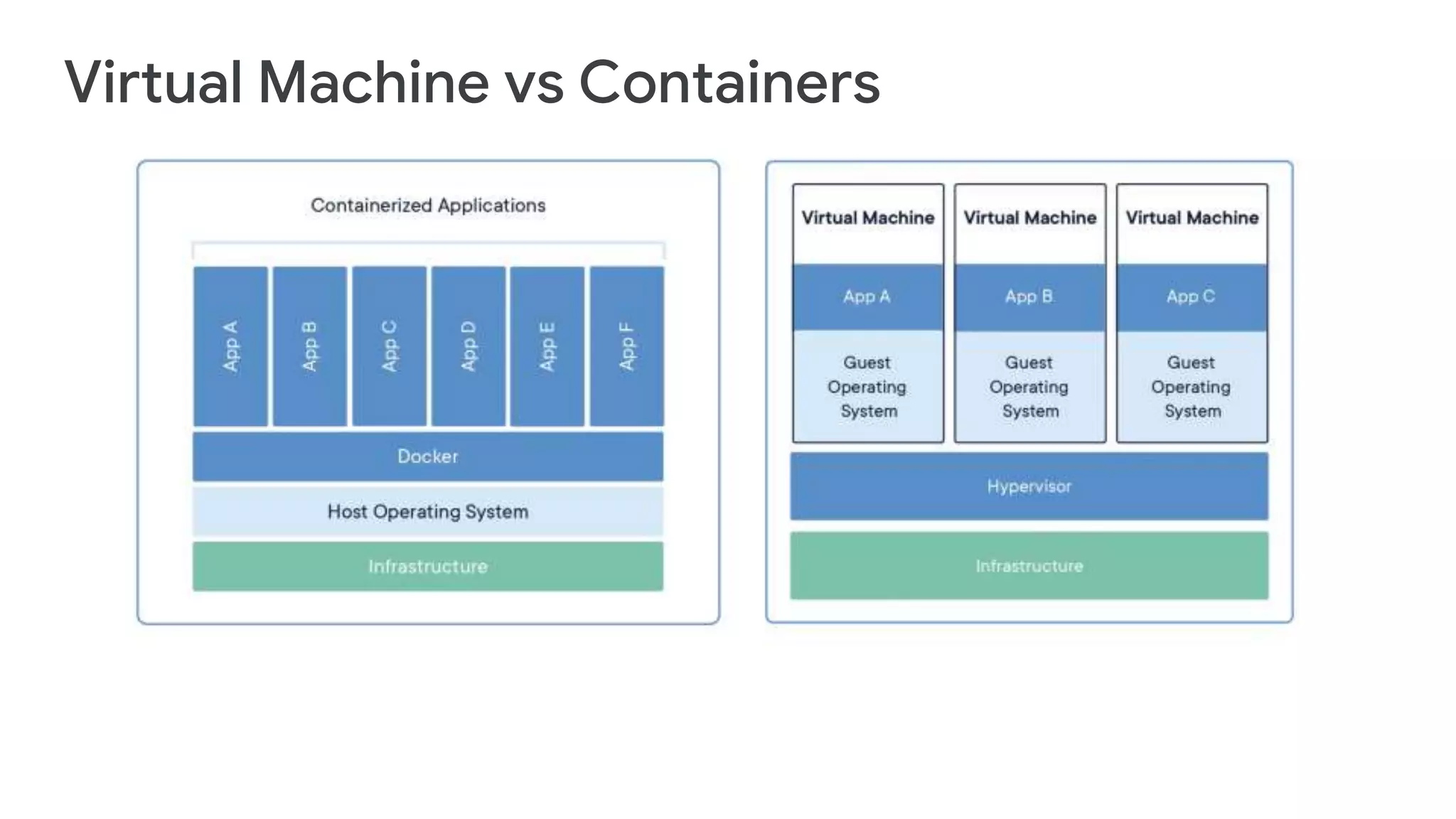
- Virtual Machine vs Containers
- What is Docker?
- Docker Component
- Cloud Run
AGENDA
#1 Comparing Google Cloud computing solutions
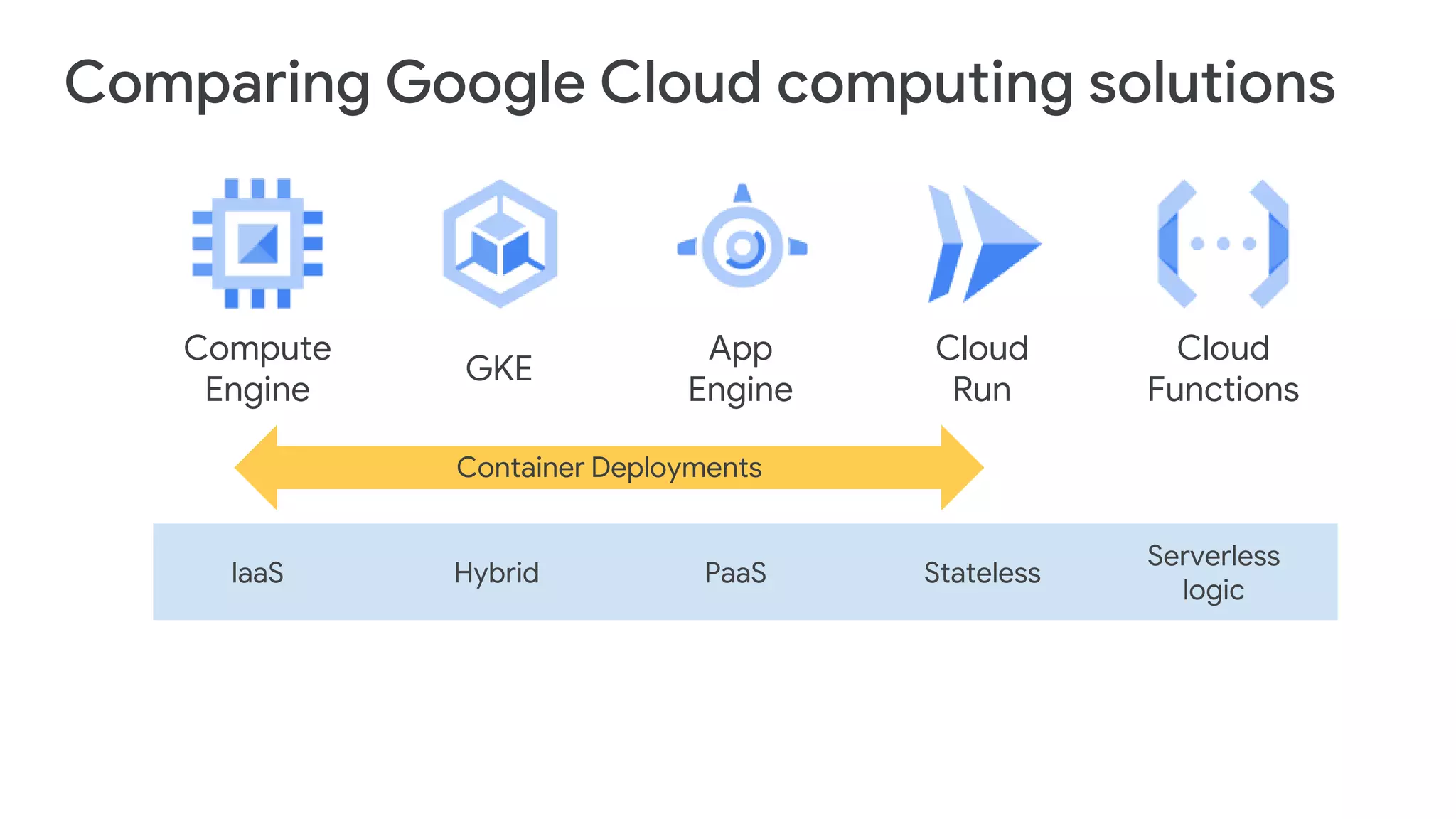
Compute
Engine
App
Engine
GKE
IaaS Hybrid PaaS
Serverless
logic
Cloud
Functions
Container Deployments
Cloud
Run
Stateless
Comparing Google Cloud computing solutions
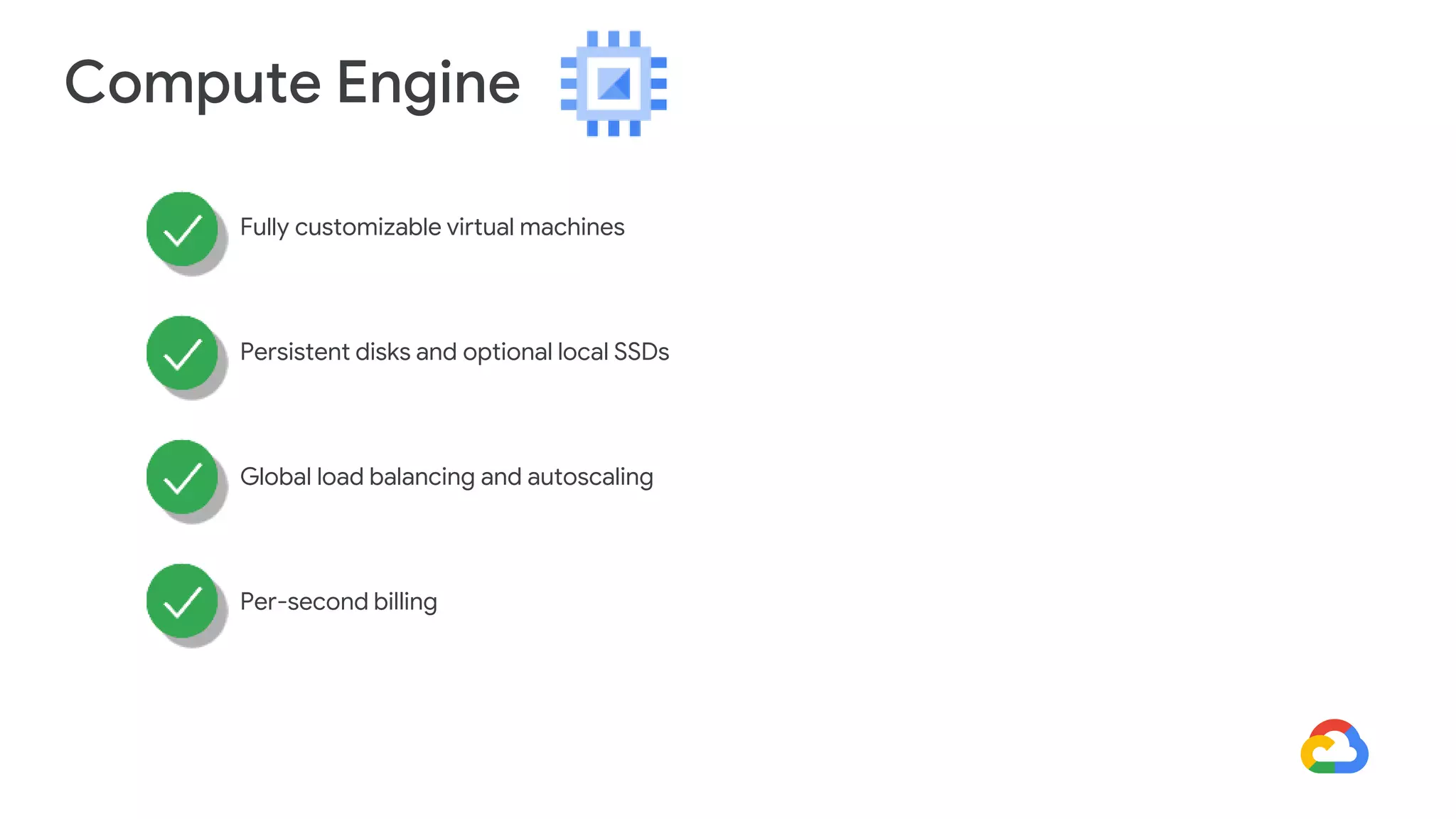
Compute Engine
Fully customizable virtual machines
Persistent disks and optional local SSDs
Global load balancing and autoscaling
Per-second billing
Compute Engine Use Cases
Well suited for lift-and-shift migrations to
the cloud
2
Most flexible compute solution, often used
when a managed solution is too restrictive
3
Complete control over the OS and
virtual hardware
1
Compute Engine Use Cases
Well suited for lift-and-shift migrations to
the cloud
2
Most flexible compute solution, often used
when a managed solution is too restrictive
3
Complete control over the OS and
virtual hardware
1
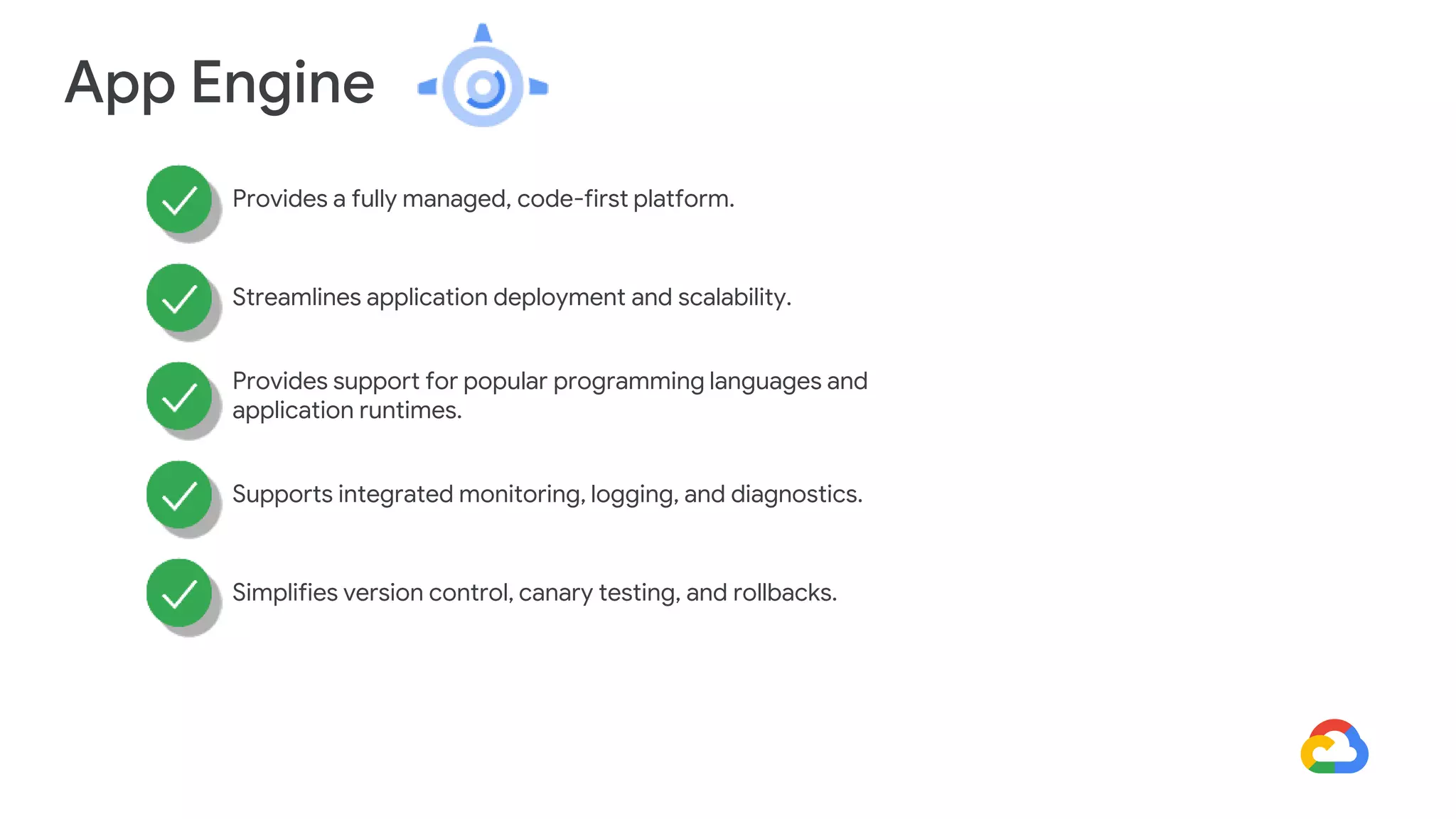
App Engine
Provides a fully managed, code-first platform.
Streamlines application deployment and scalability.
Provides support for popular programming languages and
application runtimes.
Supports integrated monitoring, logging, and diagnostics.
Simplifies version control, canary testing, and rollbacks.
App Engine use cases
Mobile app and gaming backends
2
RESTful APIs
3
Quickly Deploy Websites
1
Cloud Run
Enables stateless containers.
Abstracts away infrastructure management.
Automatically scales up and down.
Open API and runtime environment.
Cloud Run use cases
Build applications in any
language using any frameworks
and tools.
2
Deploy stateless containers that
listen for requests or events.
1
Google Kubernetes Engine
Fully managed Kubernetes platform
Supports cluster scaling, persistent disks, automated upgrades, and auto
node repairs
Built-in integration with Google Cloud services
Portability across multiple environments
● Hybrid computing
● Multi-cloud computing
Google Kubernetes Engine Use Cases
Cloud-native distributed systems
2
Hybrid applications
3
Containerized applications
1
#2 Virtual Machine vs Containers
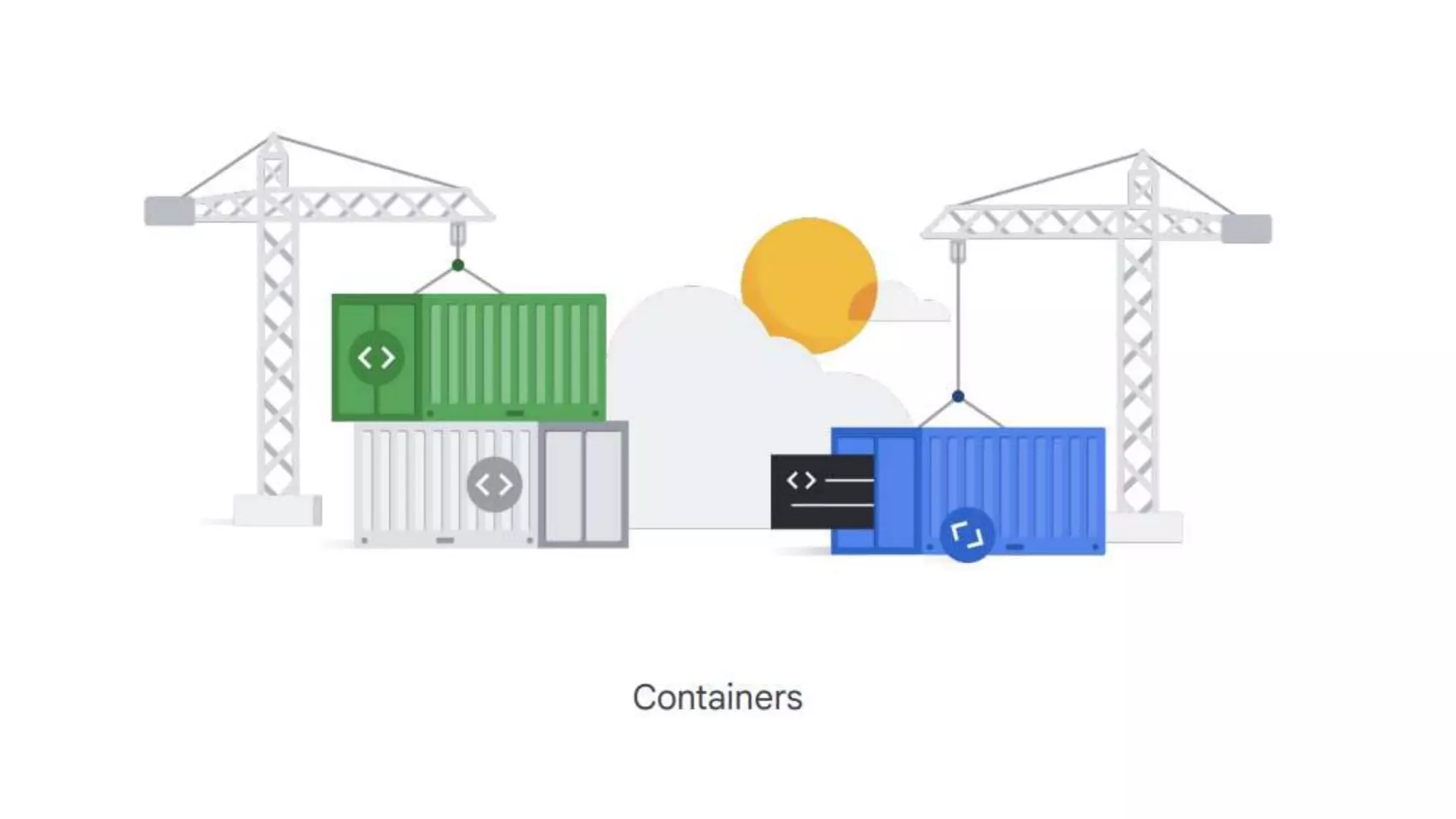
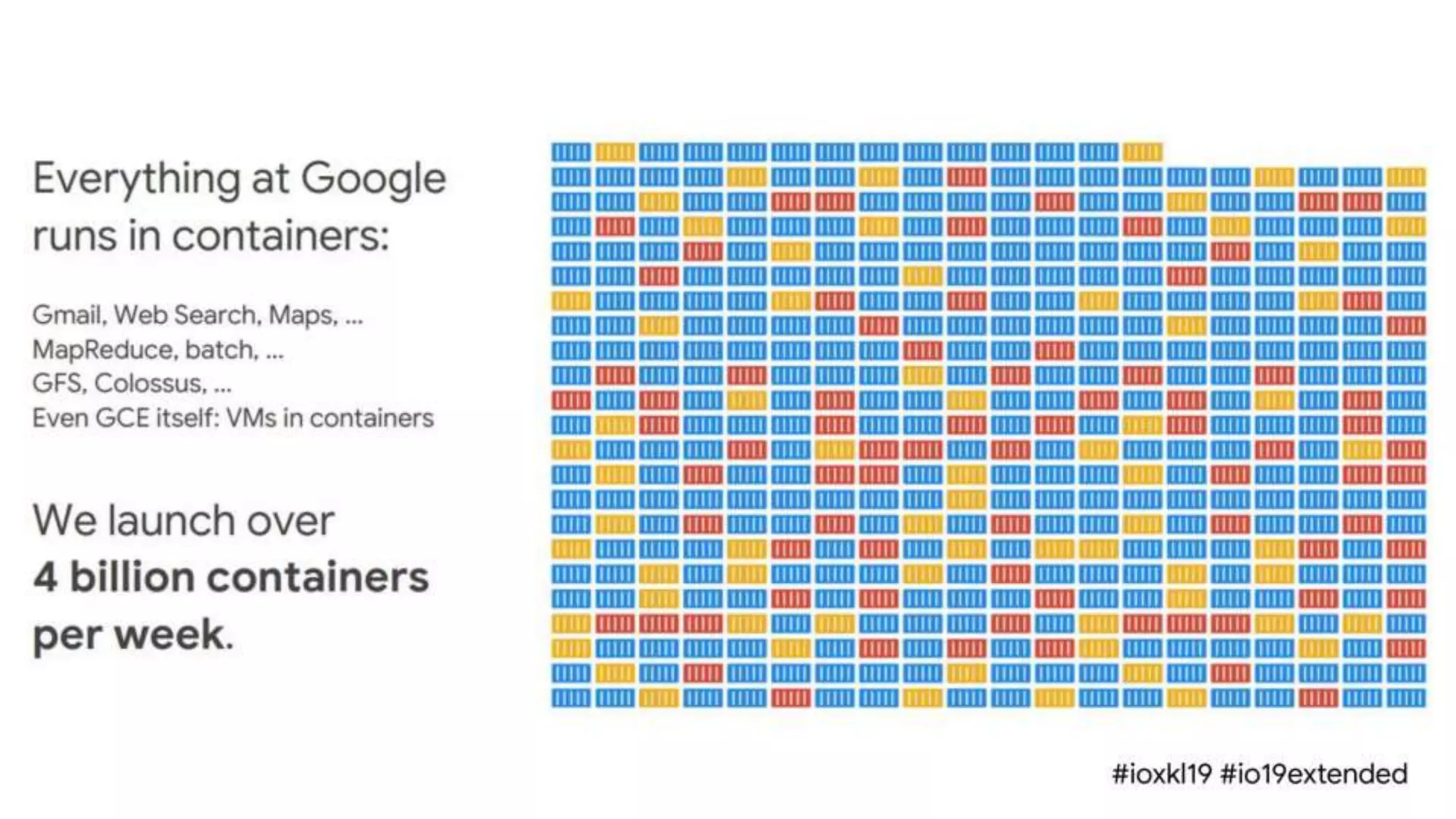
Containers
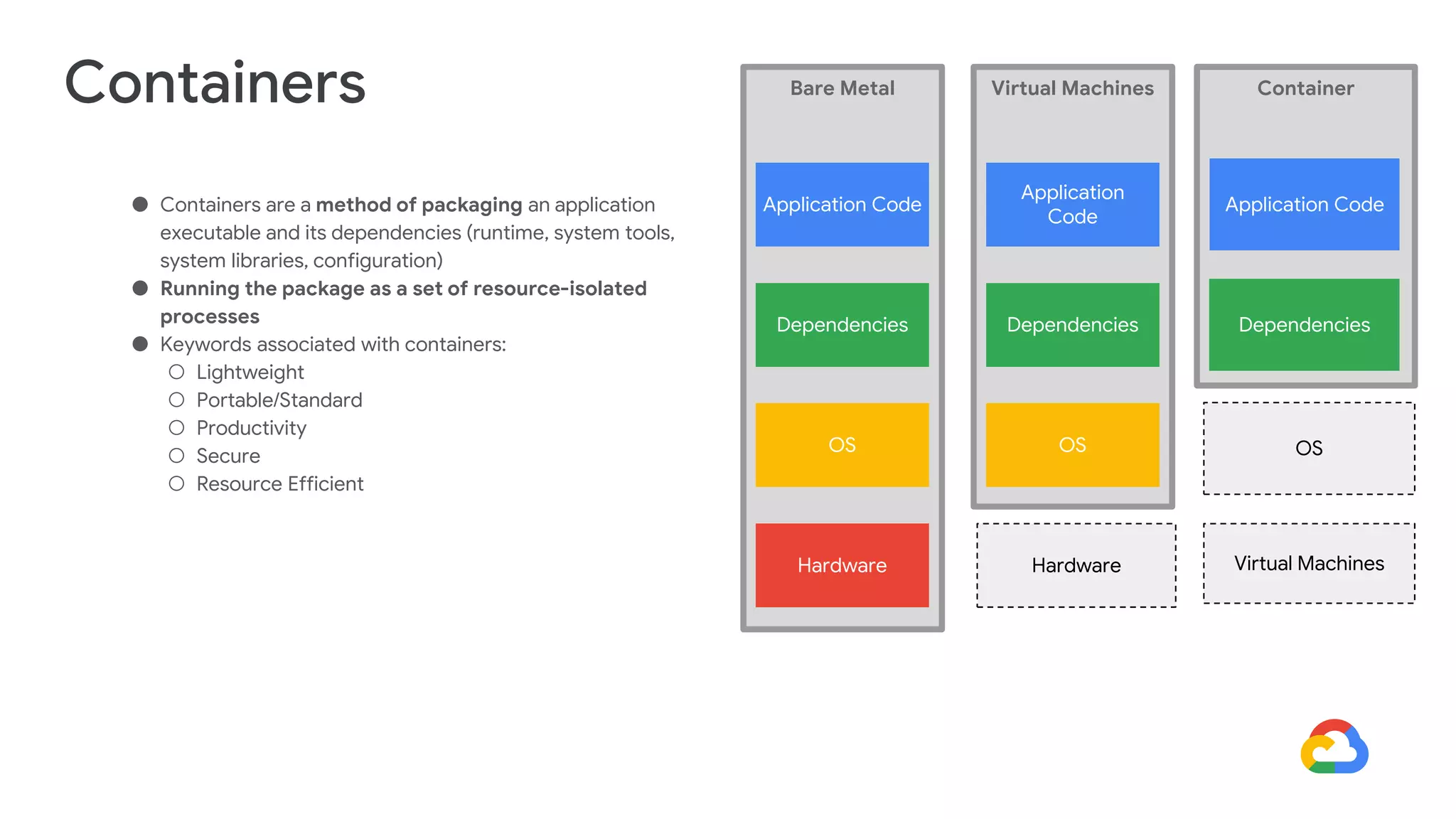
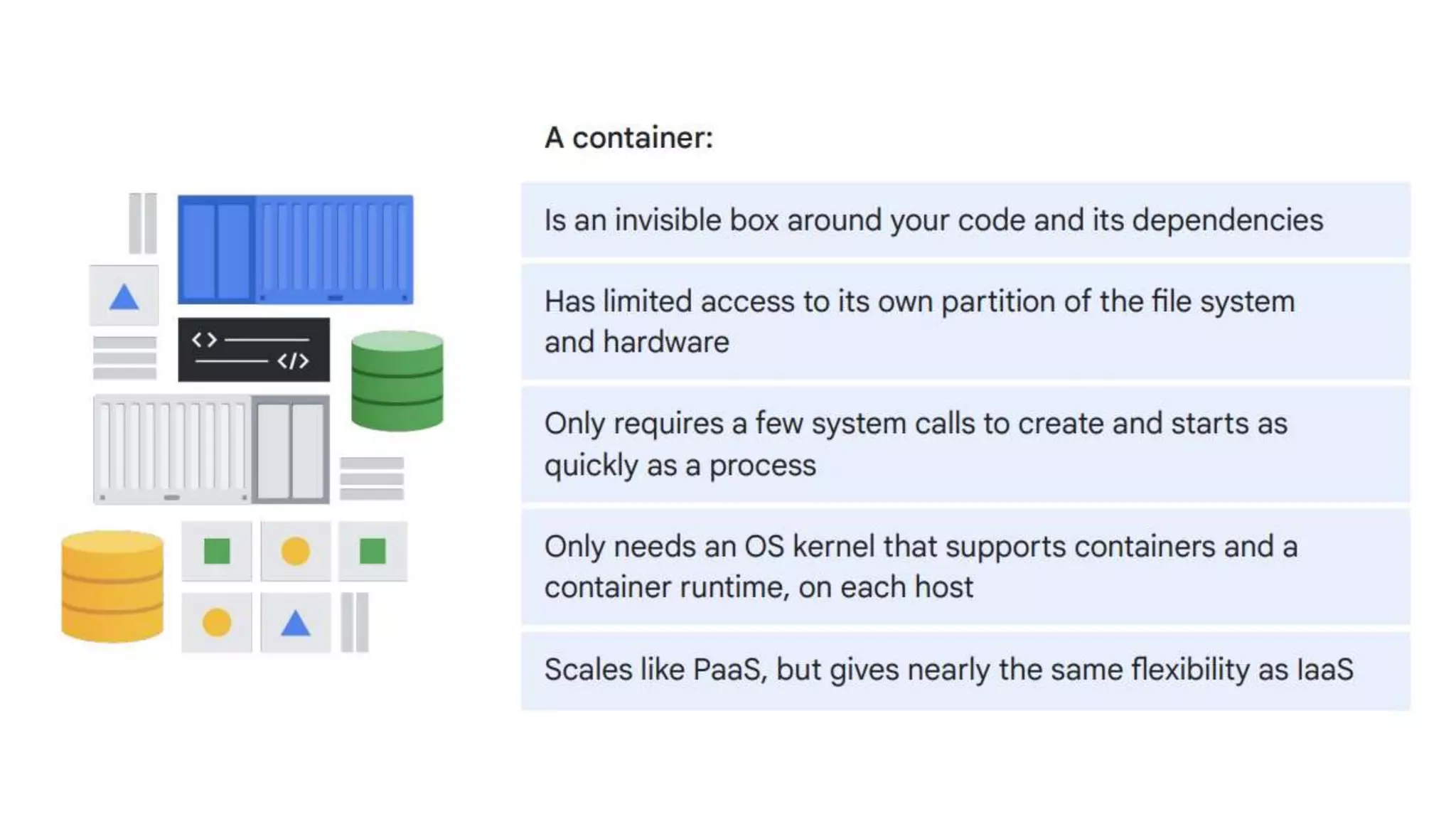
● Containers are a method of packaging an application
executable and its dependencies (runtime, system tools,
system libraries, configuration)
● Running the package as a set of resource-isolated
processes
● Keywords associated with containers:
○ Lightweight
○ Portable/Standard
○ Productivity
○ Secure
○ Resource Efficient
Bare Metal
OS
Dependencies
Application Code
Hardware
Virtual Machines
OS
Dependencies
Application
Code
Hardware
Container
OS
Dependencies
Application Code
Virtual Machines
Virtual Machine vs Containers
#3 What is Docker?
Docker is a platform designed to help developers build, share, and run
container applications. We handle the tedious setup, so you can focus on
the code.
What is Dcoker?
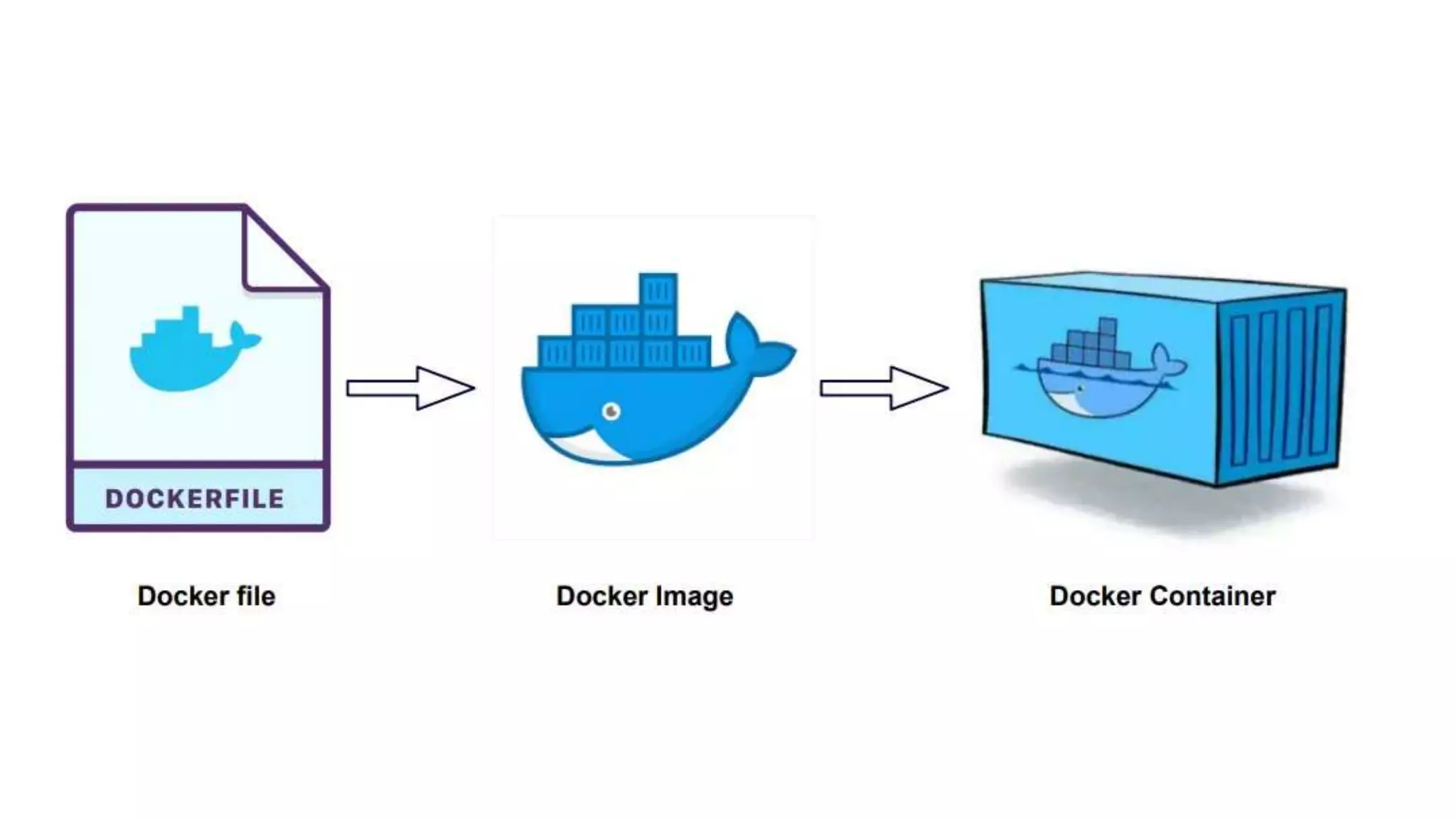
#4 Docker Components?
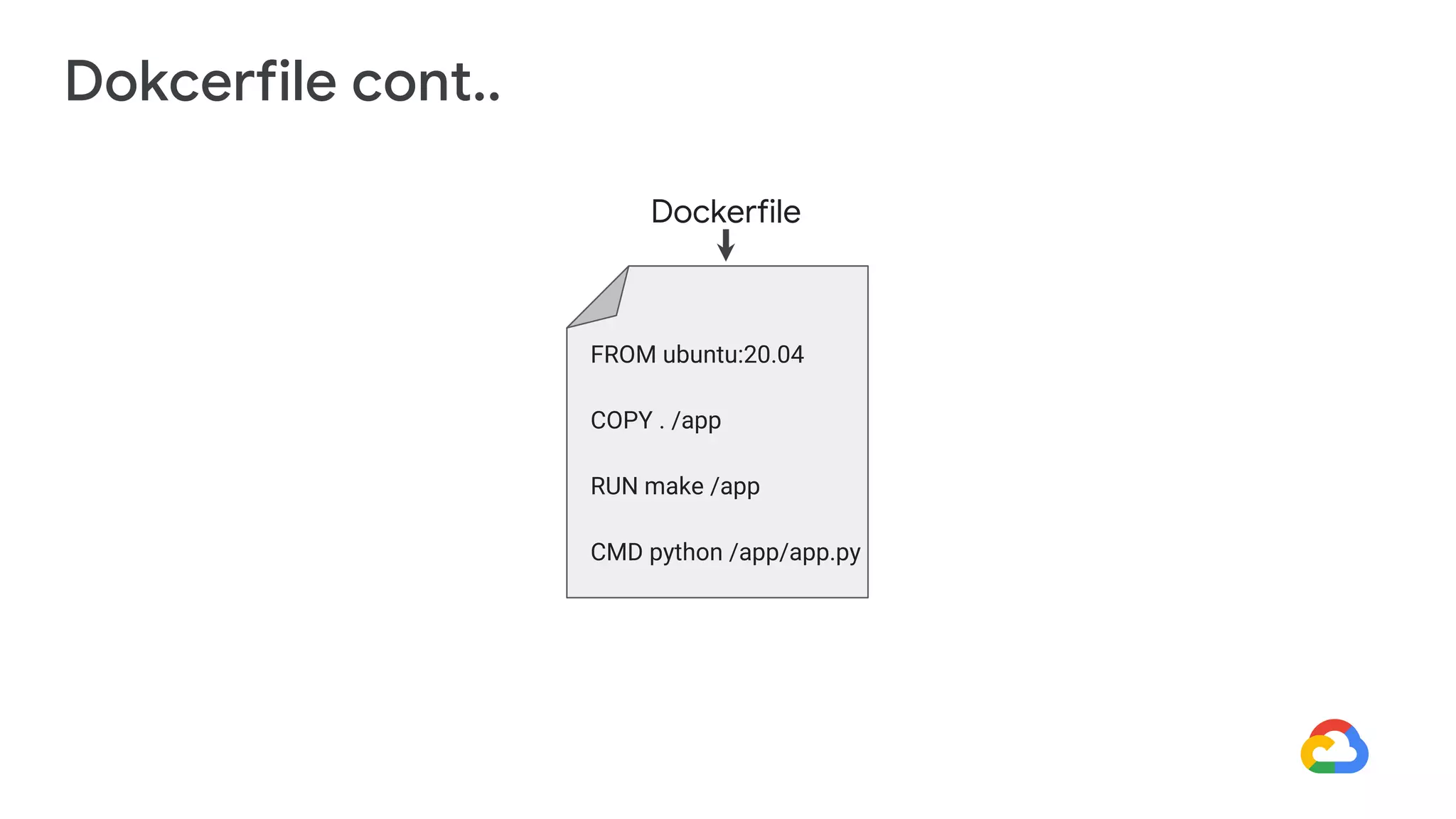
• It is a simple text file with a set of commands or instructions.
• These commands/instructions are executed successively to perform actions on the base image to
create a new docker image.
• It will help you create custom Docker images.
• Each instruction present in the docker file, represents a layer of the docker image.
Dokcerfile
Dokcerfile cont..
FROM ubuntu:20.04
COPY . /app
RUN make /app
CMD python /app/app.py
Dockerfile
• A Docker image is made up of a collection of files that bundle together that are essential for the
application.
• It is read-only templates that you build from a set of instructions written in a Docker file.
• The docker build command builds an image from a Dockerfile by reading the instructions from a Dockerfile.
• Images define both what you want your packaged application and its dependencies to look like
what processes to run when it’s launched.
Docker Image
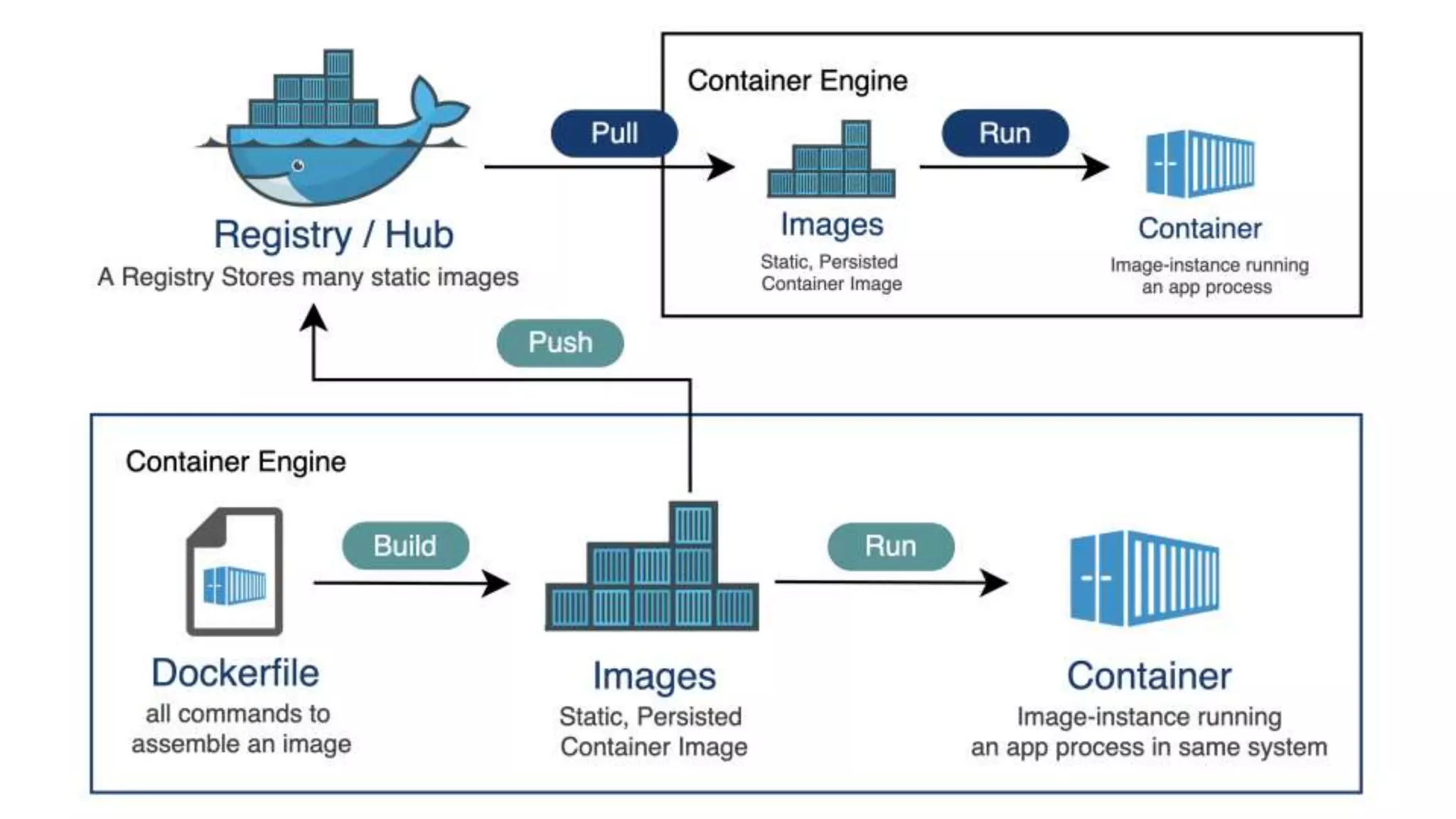
A Docker registry is a repository holds all the versions of your image.
Docker Registry
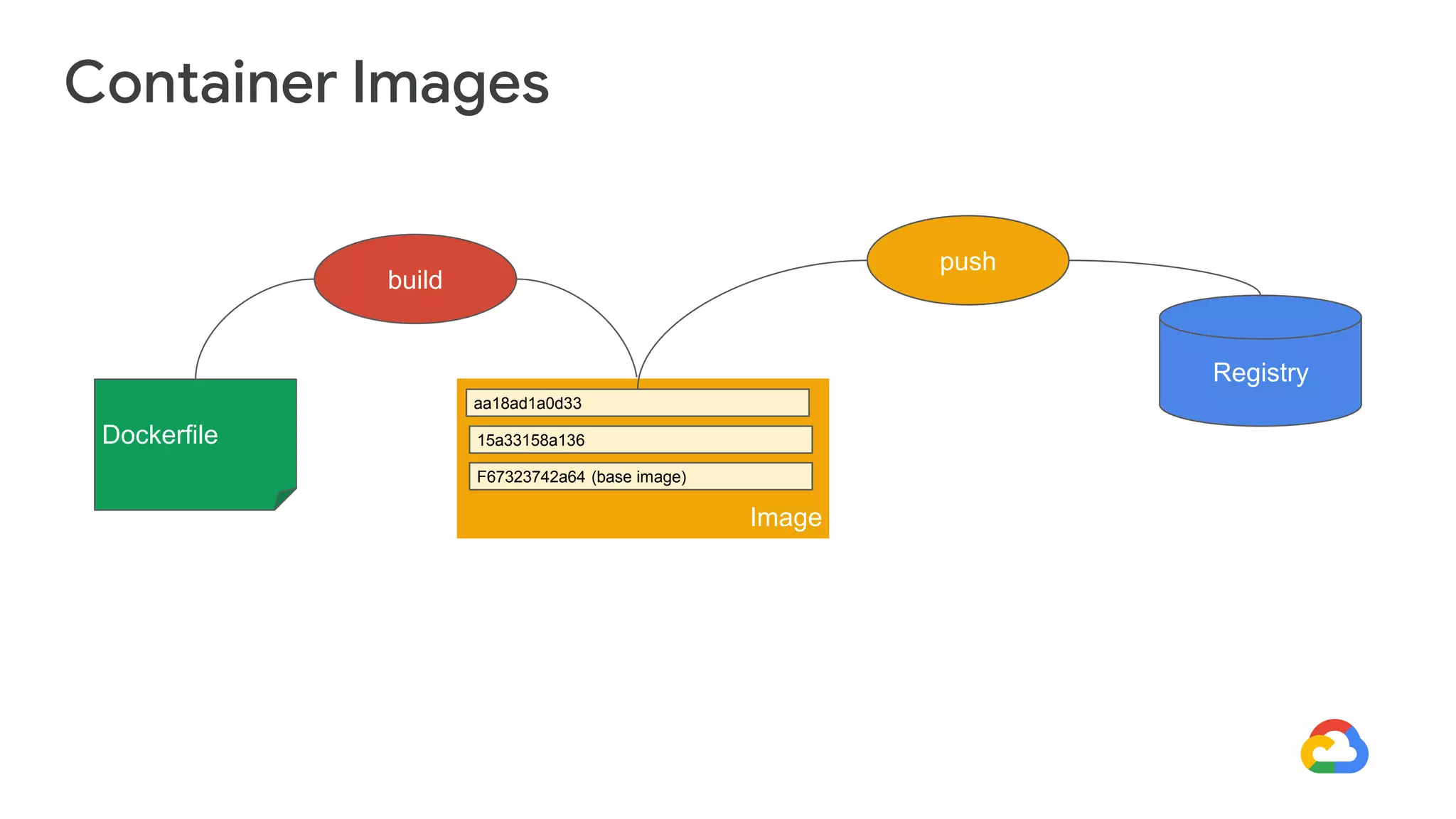
Container Images
build
Image
aa18ad1a0d33
15a33158a136
F67323742a64 (base image)
Dockerfile
push
Registry
• Containers are the structural units of Docker, which are used to hold the entire package that is
needed to run the application.
• A Docker container is a virtualized run-time environment of the docker images.
• In other words, we can say that the image is a template, and the container is the instance of the
template.
Docker Container
#5 Cloud Run
Cloud Run
Cloud Run is a managed compute platform that lets you run containers
directly on top of Google's scalable infrastructure.
Demo Time
That’s all,
Thank you!

Cloud Run and Containers

  • 1.
    Get Started withGoogle Cloud Platform: Part 2 - Cloud Run and Containers
  • 2.
    Omar Fathy Cloud DevOpsEngineer @ _VOIS linkedin.com/in/omarmfathy219 github.com/omarmfathy219 twitter.com/omarmfathy219 omarmfathy219@gmail.com
  • 3.
    - Comparing GoogleCloud computing solutions - Virtual Machine vs Containers - What is Docker? - Docker Component - Cloud Run AGENDA
  • 4.
    #1 Comparing GoogleCloud computing solutions
  • 5.
    Compute Engine App Engine GKE IaaS Hybrid PaaS Serverless logic Cloud Functions ContainerDeployments Cloud Run Stateless Comparing Google Cloud computing solutions
  • 6.
    Compute Engine Fully customizablevirtual machines Persistent disks and optional local SSDs Global load balancing and autoscaling Per-second billing
  • 7.
    Compute Engine UseCases Well suited for lift-and-shift migrations to the cloud 2 Most flexible compute solution, often used when a managed solution is too restrictive 3 Complete control over the OS and virtual hardware 1
  • 8.
    Compute Engine UseCases Well suited for lift-and-shift migrations to the cloud 2 Most flexible compute solution, often used when a managed solution is too restrictive 3 Complete control over the OS and virtual hardware 1
  • 9.
    App Engine Provides afully managed, code-first platform. Streamlines application deployment and scalability. Provides support for popular programming languages and application runtimes. Supports integrated monitoring, logging, and diagnostics. Simplifies version control, canary testing, and rollbacks.
  • 10.
    App Engine usecases Mobile app and gaming backends 2 RESTful APIs 3 Quickly Deploy Websites 1
  • 11.
    Cloud Run Enables statelesscontainers. Abstracts away infrastructure management. Automatically scales up and down. Open API and runtime environment.
  • 12.
    Cloud Run usecases Build applications in any language using any frameworks and tools. 2 Deploy stateless containers that listen for requests or events. 1
  • 13.
    Google Kubernetes Engine Fullymanaged Kubernetes platform Supports cluster scaling, persistent disks, automated upgrades, and auto node repairs Built-in integration with Google Cloud services Portability across multiple environments ● Hybrid computing ● Multi-cloud computing
  • 14.
    Google Kubernetes EngineUse Cases Cloud-native distributed systems 2 Hybrid applications 3 Containerized applications 1
  • 15.
    #2 Virtual Machinevs Containers
  • 17.
    Containers ● Containers area method of packaging an application executable and its dependencies (runtime, system tools, system libraries, configuration) ● Running the package as a set of resource-isolated processes ● Keywords associated with containers: ○ Lightweight ○ Portable/Standard ○ Productivity ○ Secure ○ Resource Efficient Bare Metal OS Dependencies Application Code Hardware Virtual Machines OS Dependencies Application Code Hardware Container OS Dependencies Application Code Virtual Machines
  • 18.
  • 21.
    #3 What isDocker?
  • 22.
    Docker is aplatform designed to help developers build, share, and run container applications. We handle the tedious setup, so you can focus on the code. What is Dcoker?
  • 23.
  • 25.
    • It isa simple text file with a set of commands or instructions. • These commands/instructions are executed successively to perform actions on the base image to create a new docker image. • It will help you create custom Docker images. • Each instruction present in the docker file, represents a layer of the docker image. Dokcerfile
  • 26.
    Dokcerfile cont.. FROM ubuntu:20.04 COPY. /app RUN make /app CMD python /app/app.py Dockerfile
  • 27.
    • A Dockerimage is made up of a collection of files that bundle together that are essential for the application. • It is read-only templates that you build from a set of instructions written in a Docker file. • The docker build command builds an image from a Dockerfile by reading the instructions from a Dockerfile. • Images define both what you want your packaged application and its dependencies to look like what processes to run when it’s launched. Docker Image
  • 28.
    A Docker registryis a repository holds all the versions of your image. Docker Registry
  • 29.
  • 30.
    • Containers arethe structural units of Docker, which are used to hold the entire package that is needed to run the application. • A Docker container is a virtualized run-time environment of the docker images. • In other words, we can say that the image is a template, and the container is the instance of the template. Docker Container
  • 32.
  • 33.
    Cloud Run Cloud Runis a managed compute platform that lets you run containers directly on top of Google's scalable infrastructure.
  • 34.
  • 35.