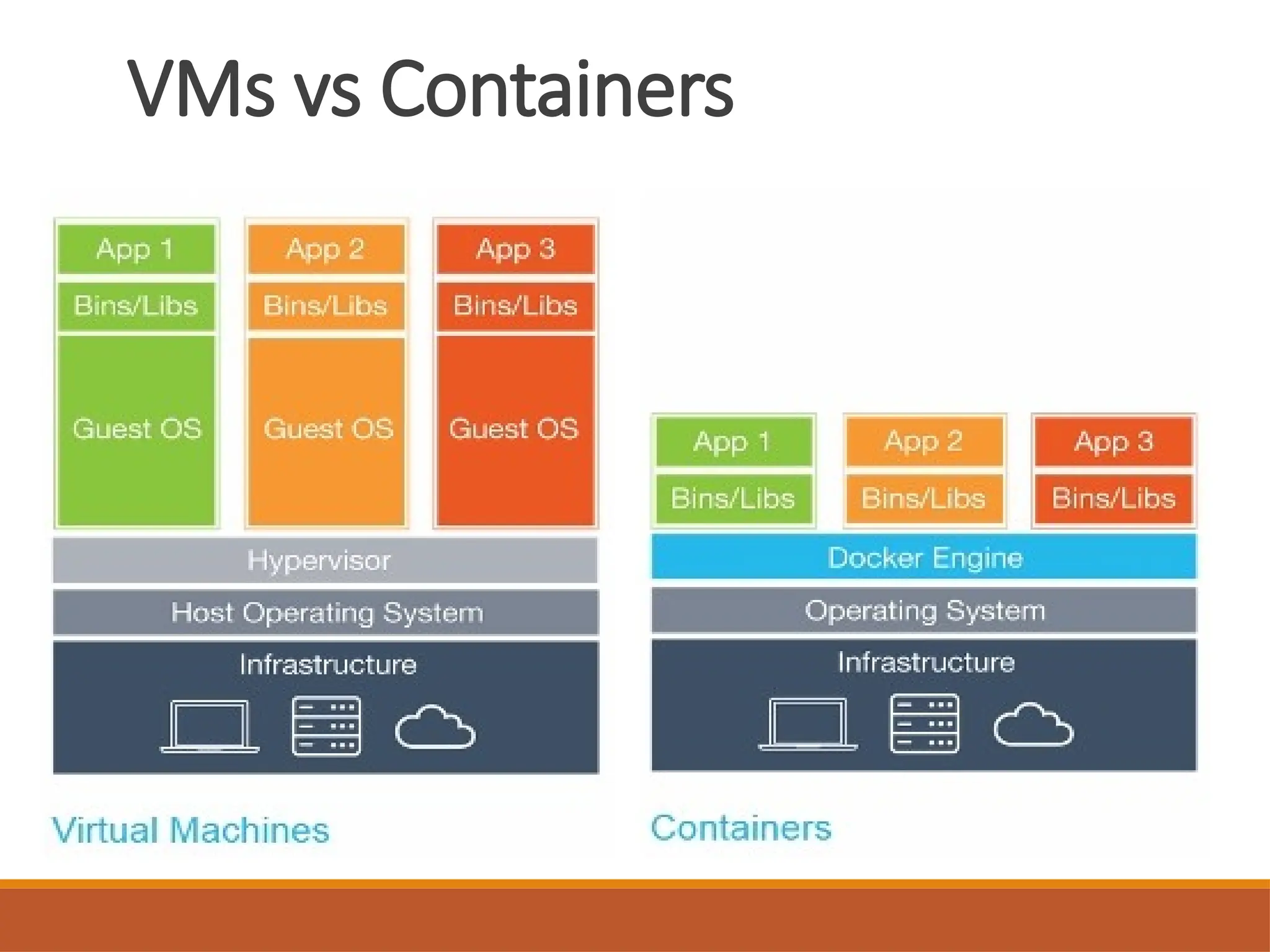
VMs vs Containers
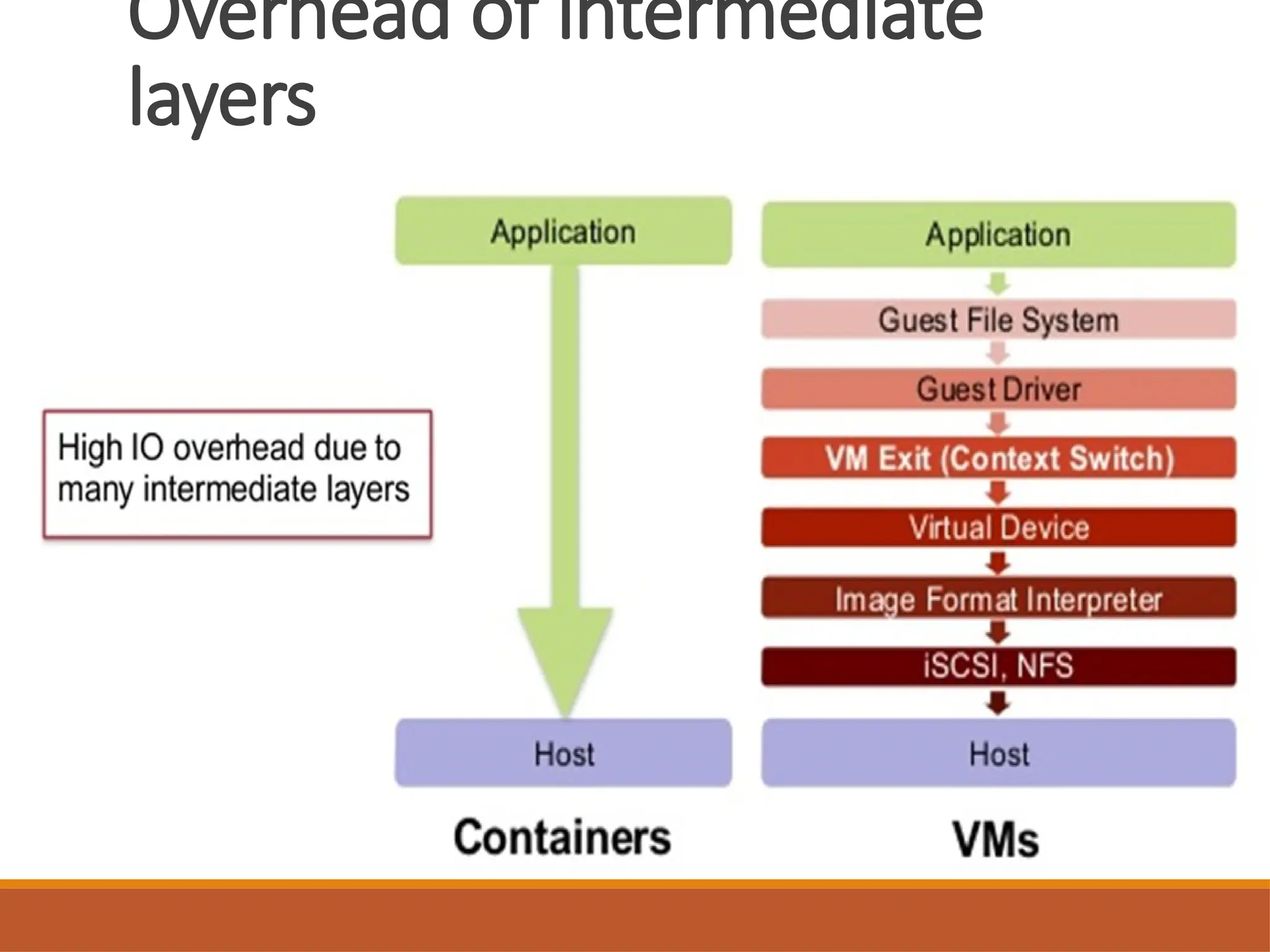
•As above shown in diagram we are running 3
applications. In first diagram we using 4
Operating systems to run 3 applications. It will
increase size burden as well processing time to
run these application .
• In second diagram we can see that to run 3
applications we are just using one operating
system. So benefit of containerization can be
seen.
7.
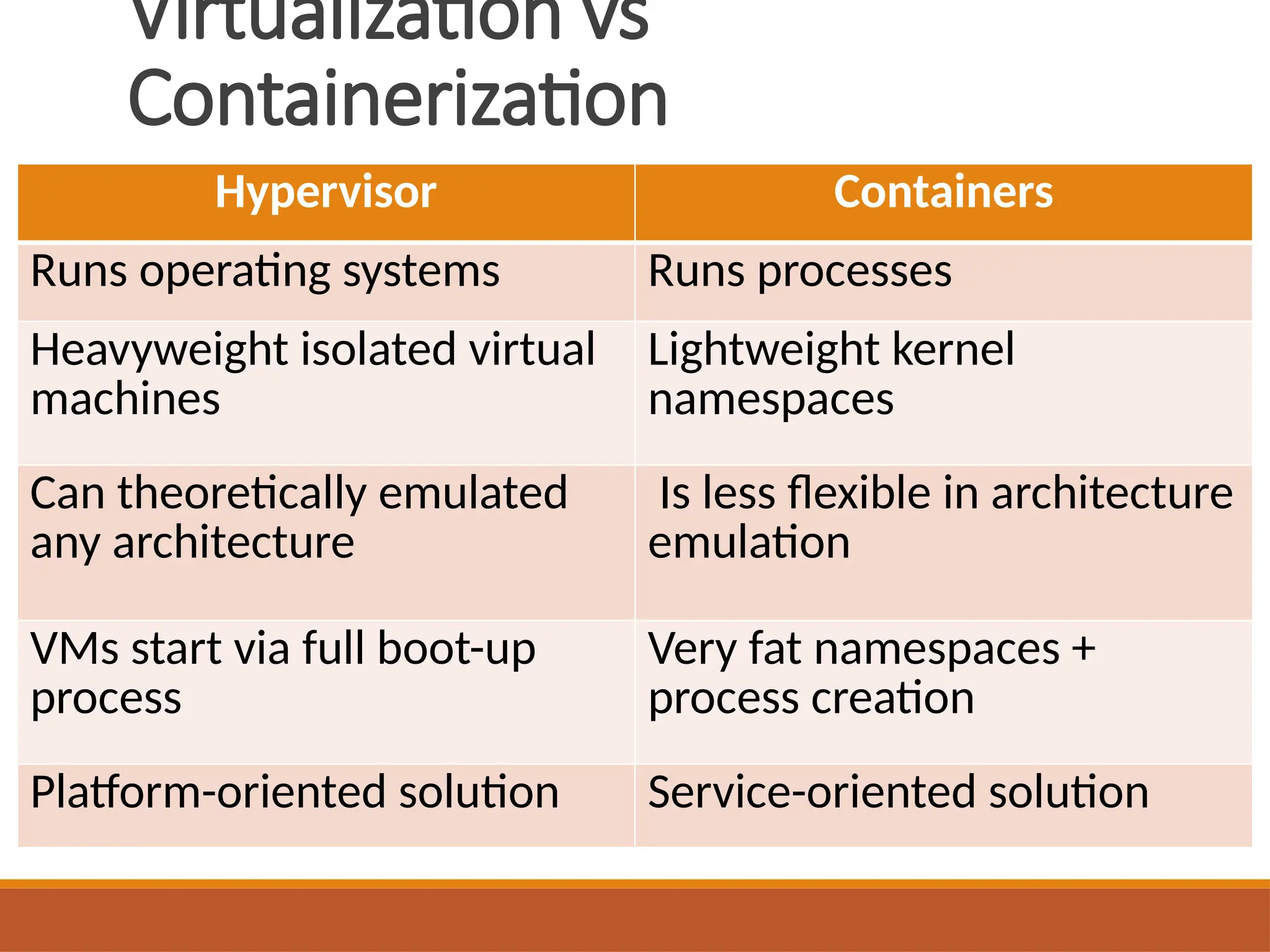
Virtualization vs
Containerization
Hypervisor Containers
Runsoperating systems Runs processes
Heavyweight isolated virtual
machines
Lightweight kernel
namespaces
Can theoretically emulated
any architecture
Is less flexible in architecture
emulation
VMs start via full boot-up
process
Very fat namespaces +
process creation
Platform-oriented solution Service-oriented solution
8.
Contents
• What wewere using ?
• What problem we were facing ?
• What could be the solution ?
• What is Docker (A to Z) ?
9.
Multiple Stacks andHardware
Environments
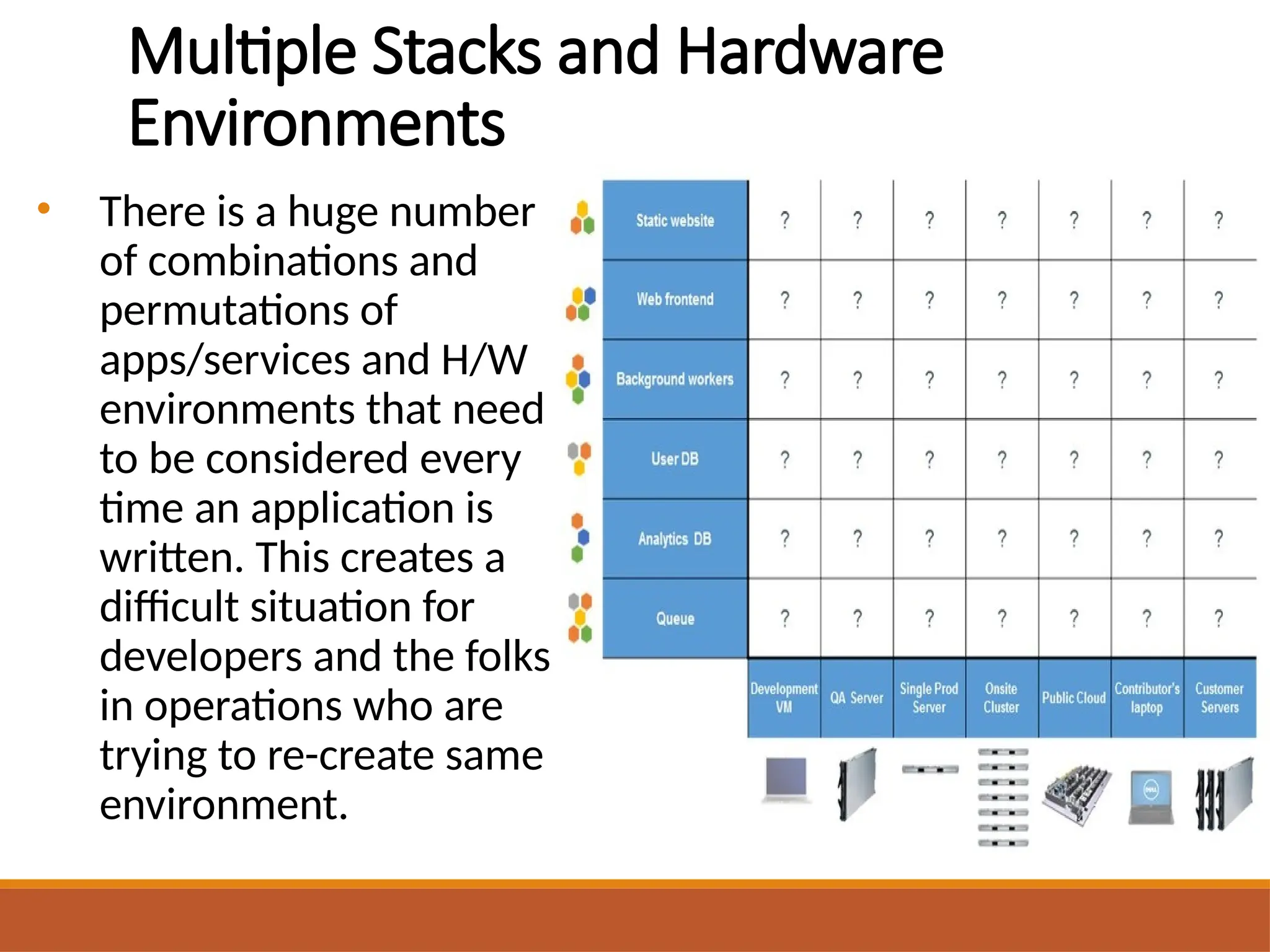
• There is a huge number
of combinations and
permutations of
apps/services and H/W
environments that need
to be considered every
time an application is
written. This creates a
difficult situation for
developers and the folks
in operations who are
trying to re-create same
environment.
Contents
• What wewere using ?
• What problem we were facing ?
• What could be the solution ?
• What is Docker (A to Z) ?
13.
Containers
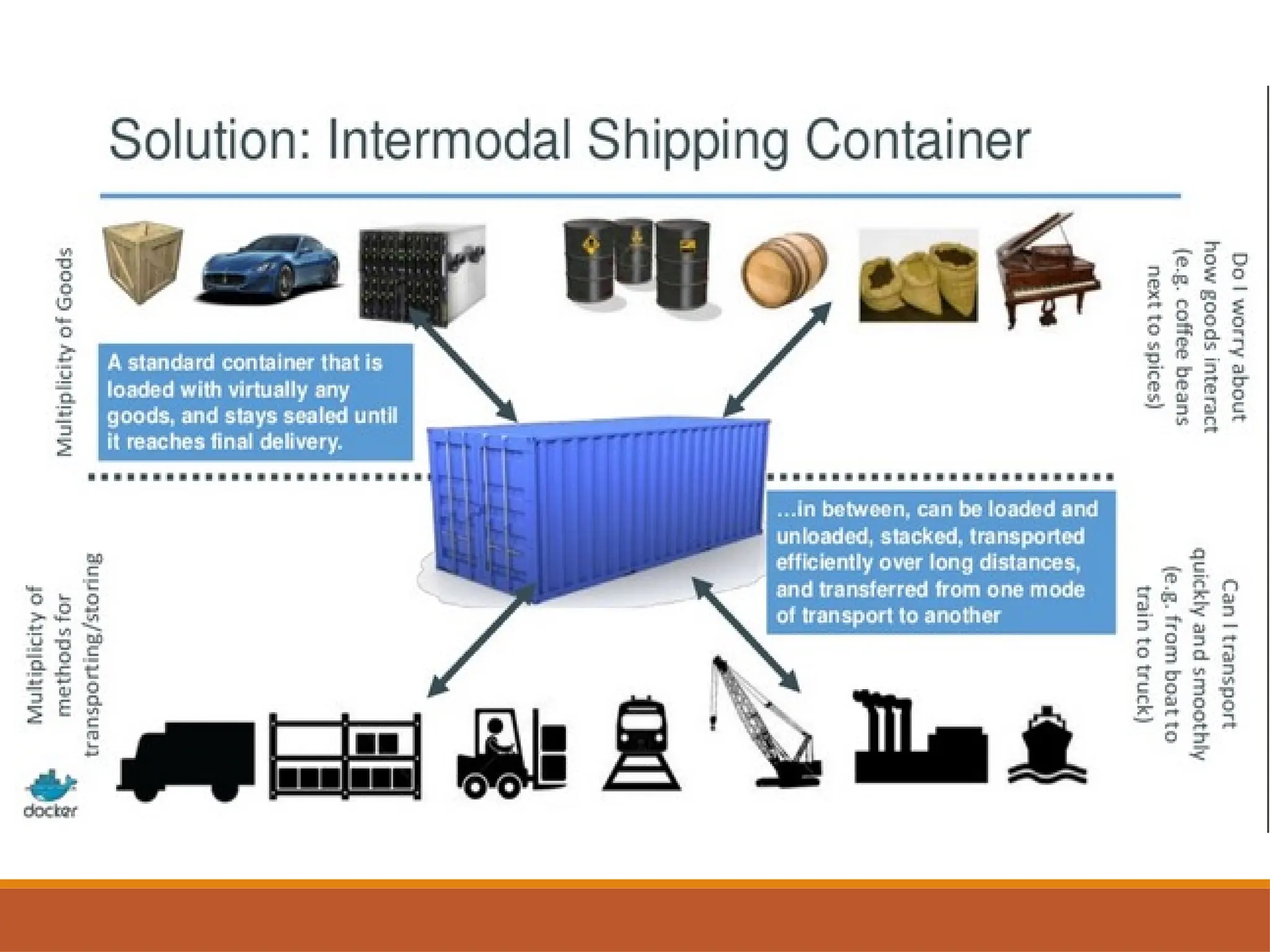
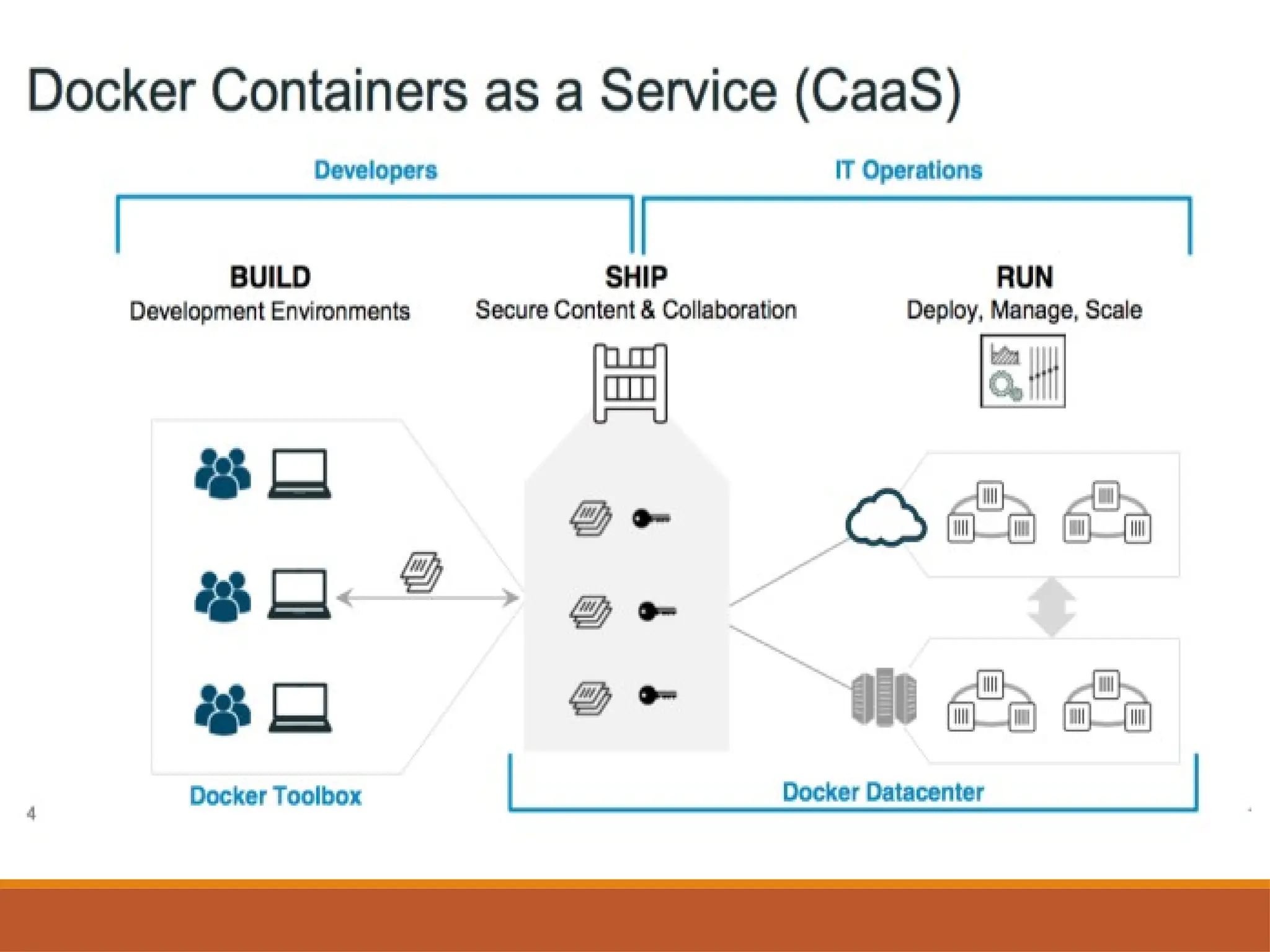
• Containers allowa developer to package up an
application with all of the parts it needs, such as
libraries and other dependencies, and ship it all out
as one package.
• Commonly known as “operating system-level
virtualization” or “OS Virtual Environments” .
• Containers differ from hypervisor level
virtualization.
• The main difference is that the container model
eliminates the hypervisor layer, redundant OS
kernels, binaries, and libraries needed to typically
run workloads in a VM.
14.
Contents
• What wewere using ?
• What problem we were facing ?
• What could be the solution ?
• What is Docker (A to Z) ?
15.
Why Docker ???
•Docker makes it possible to get far more apps
running and it also makes it very easy to package
and ship programs.
• Developers have a solution to build once and
deploy anywhere.
• Ops/Admin has a solution to configure
anywhere.
• Docker enables Consistent Environments
16.
Docker
• Docker isa containerization platform (Container
Orchestration).
• Docker packages your application and all its
dependencies together in the form of a “Docker
container” to ensure that your application works
seamlessly in any environment.
• Docker enables any application and its
dependencies to be packaged up as a
lightweight, portable, self-sufficient container.
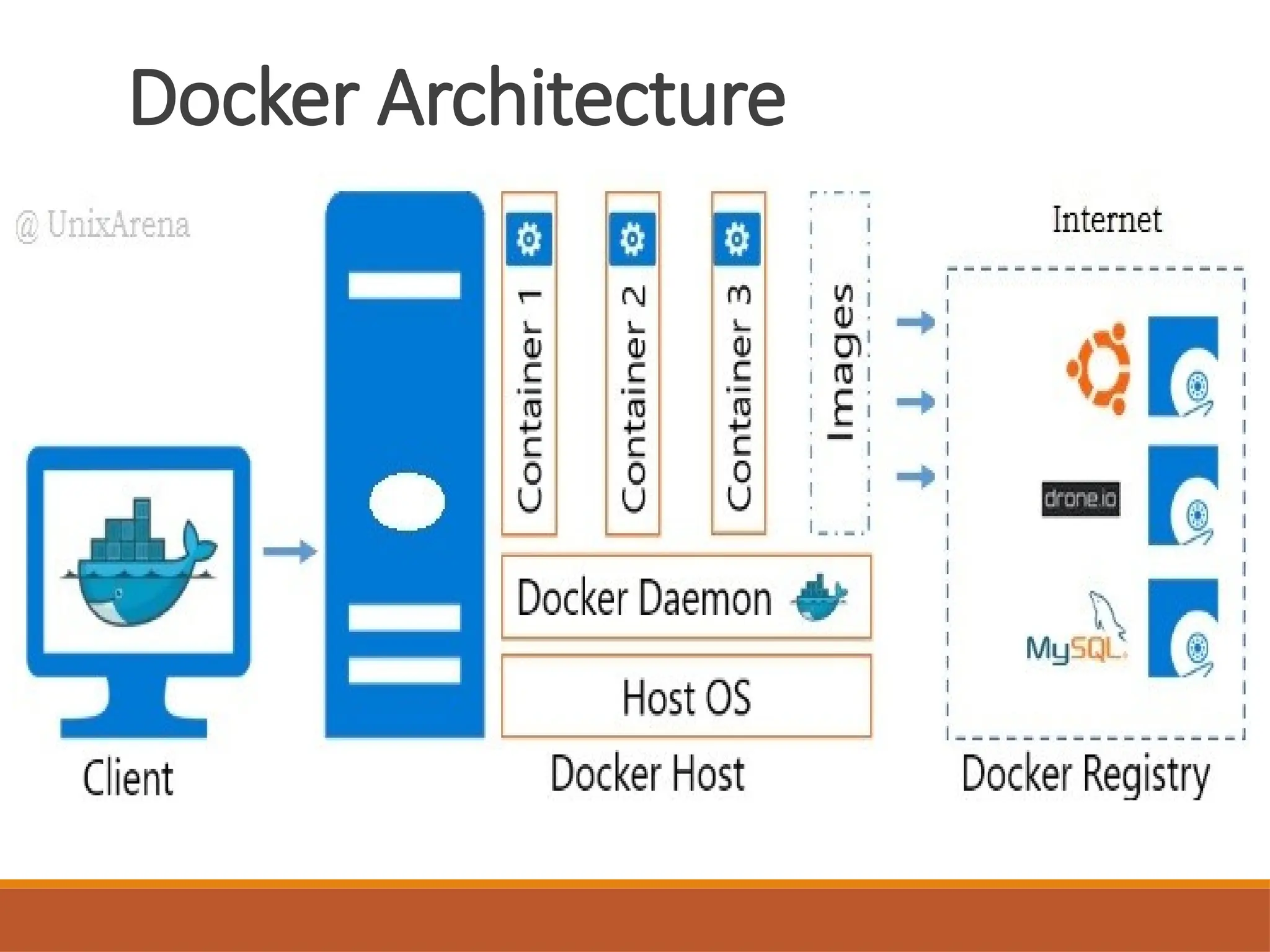
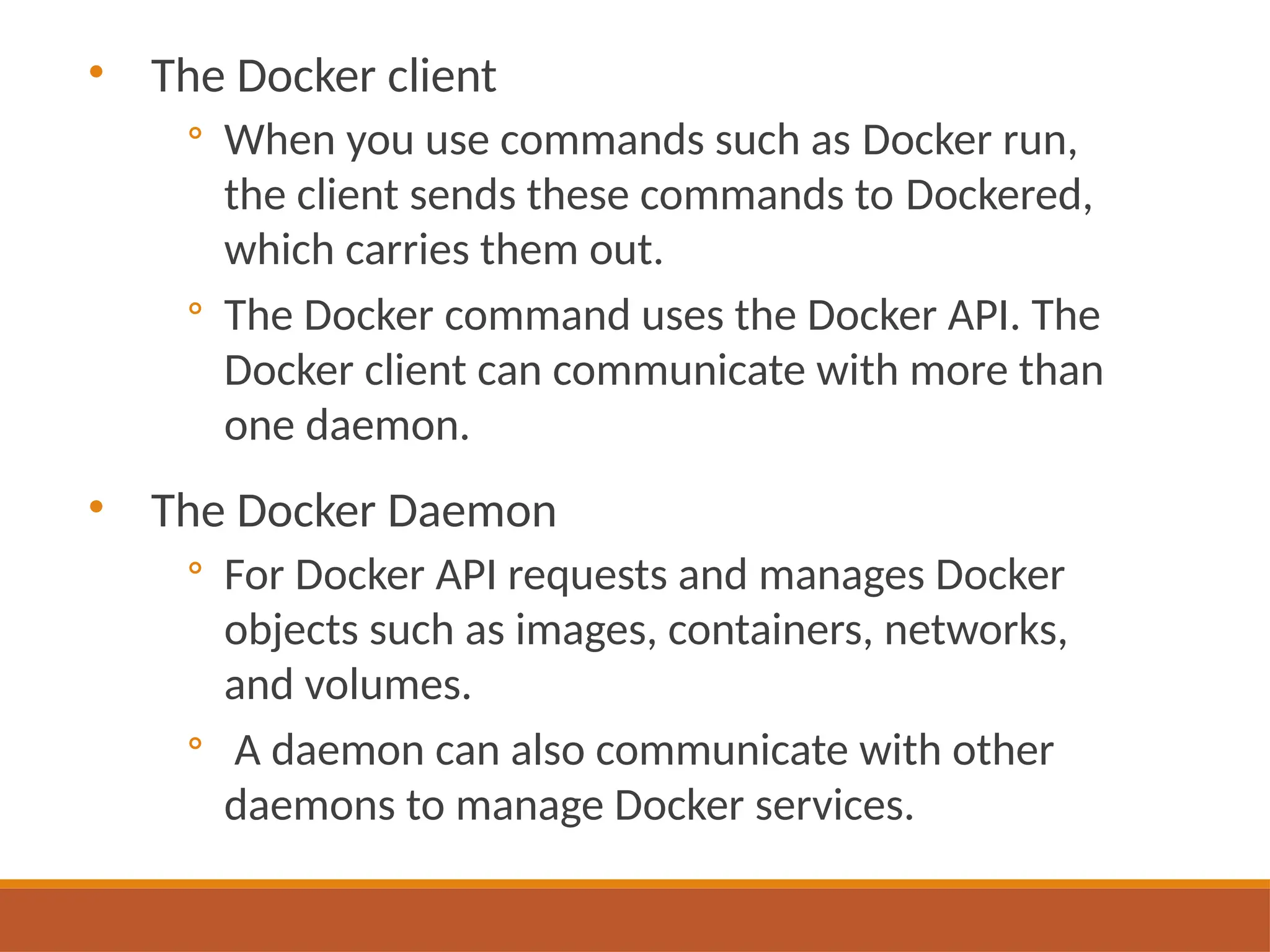
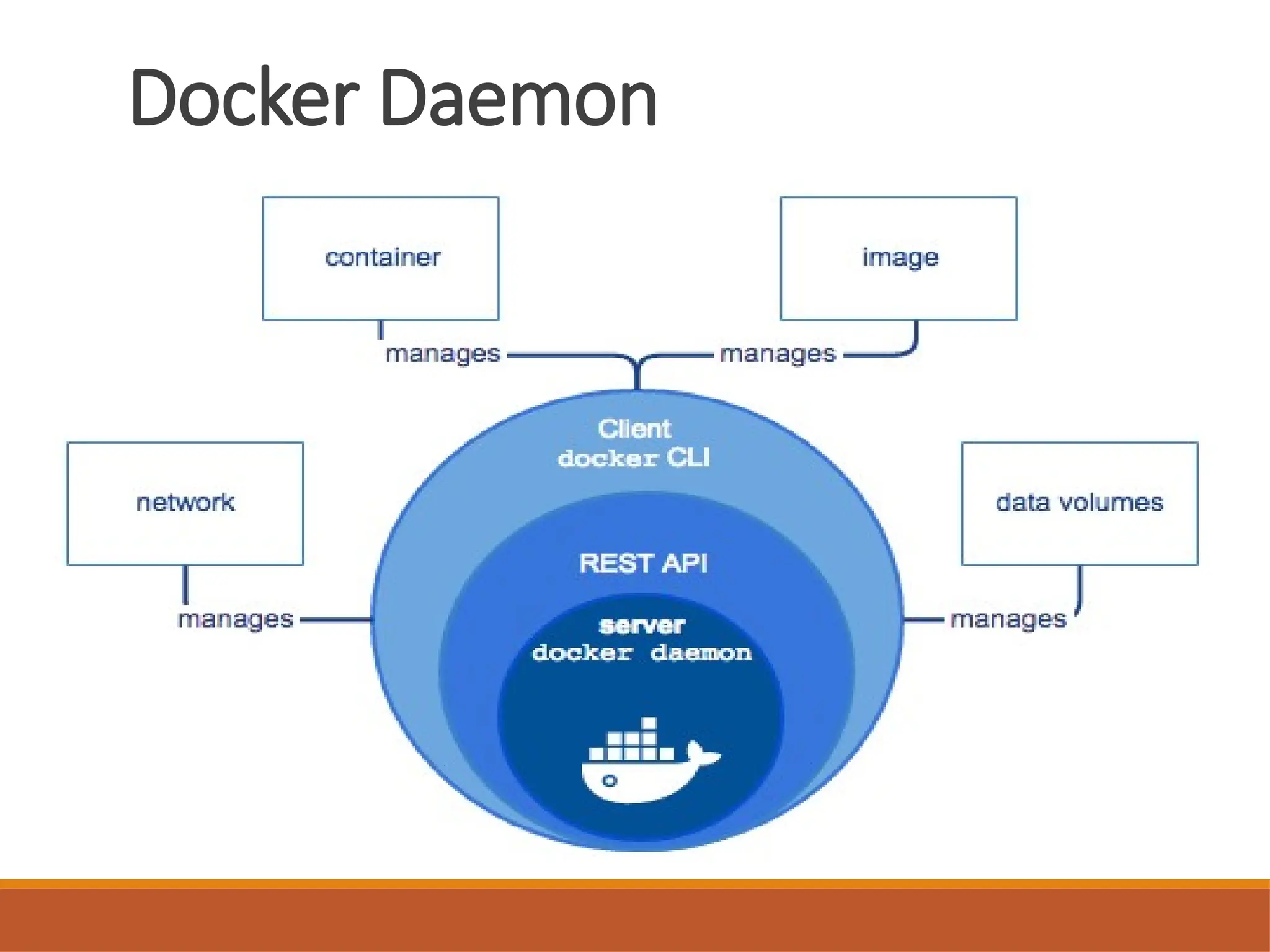
• The Dockerclient
◦ When you use commands such as Docker run,
the client sends these commands to Dockered,
which carries them out.
◦ The Docker command uses the Docker API. The
Docker client can communicate with more than
one daemon.
• The Docker Daemon
◦ For Docker API requests and manages Docker
objects such as images, containers, networks,
and volumes.
◦ A daemon can also communicate with other
daemons to manage Docker services.
Docker Daemon (Engine)
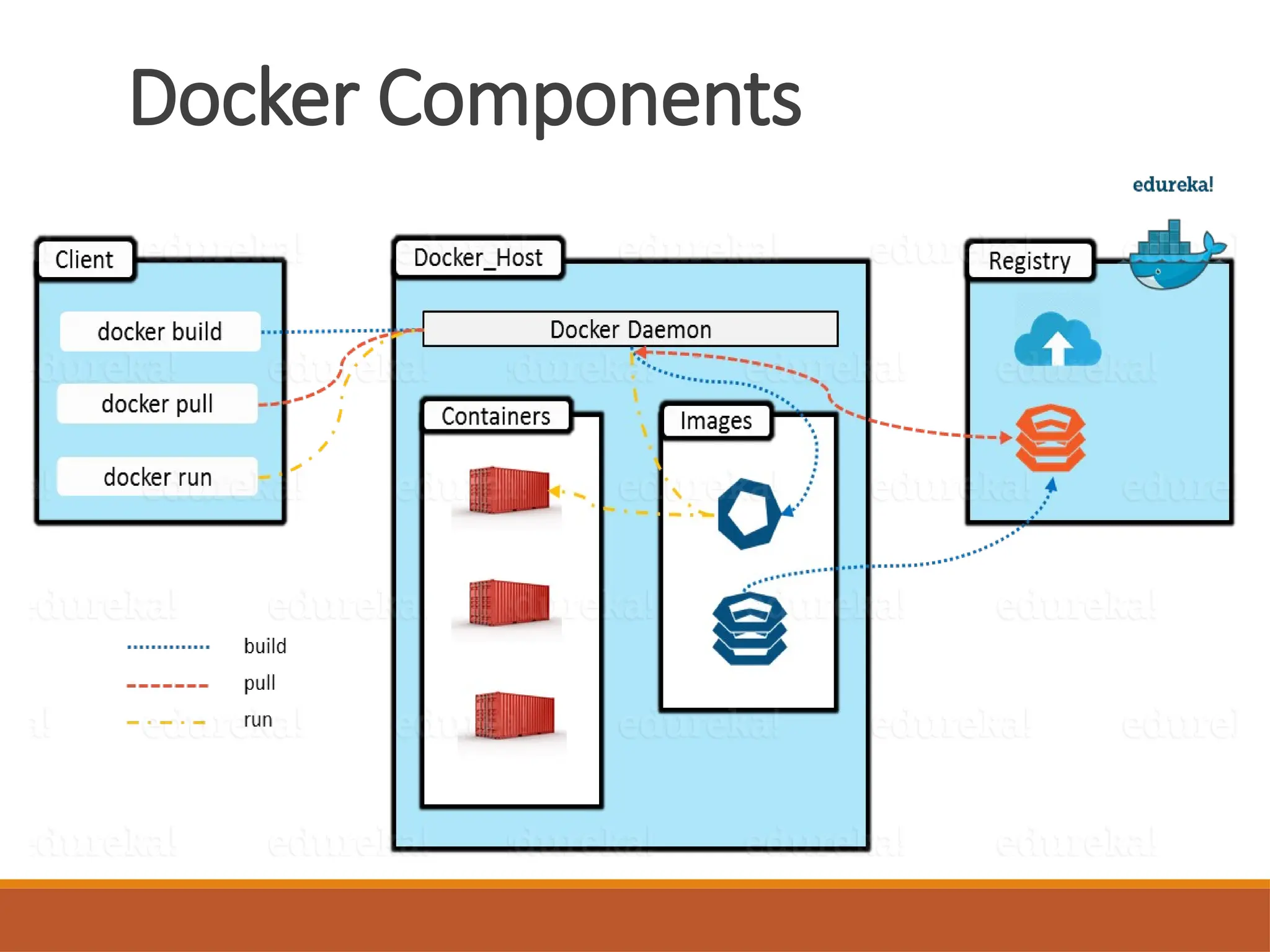
•Docker Engine which is the heart of the Docker
system.
• Docker Engine is simply the Docker application that
is installed on your host machine. It works like a
client-server application which uses:
1. A server which is a type of long-running program called a
daemon process
2. A command line interface (CLI) client
3. REST API is used for communication between the CLI
client and Docker Daemon
• We build our Docker images and run Docker
containers by passing commands from the CLI client
to the Docker Daemon.
23.
Docker Image
• ADocker Image is the template (application plus
required binaries and libraries) needed to build a
running Docker Container (the running instance of
that image).
• An instance of an image is called a container. You
have an image, which is a set of layers as you
describe. If you start this image, you have a running
container of this image.
• An image is an inert, immutable, file that's
essentially a snapshot of a container. Images are
created with the build command, and they'll
produce a container when started with run . You can
have many running containers of the same image.
24.
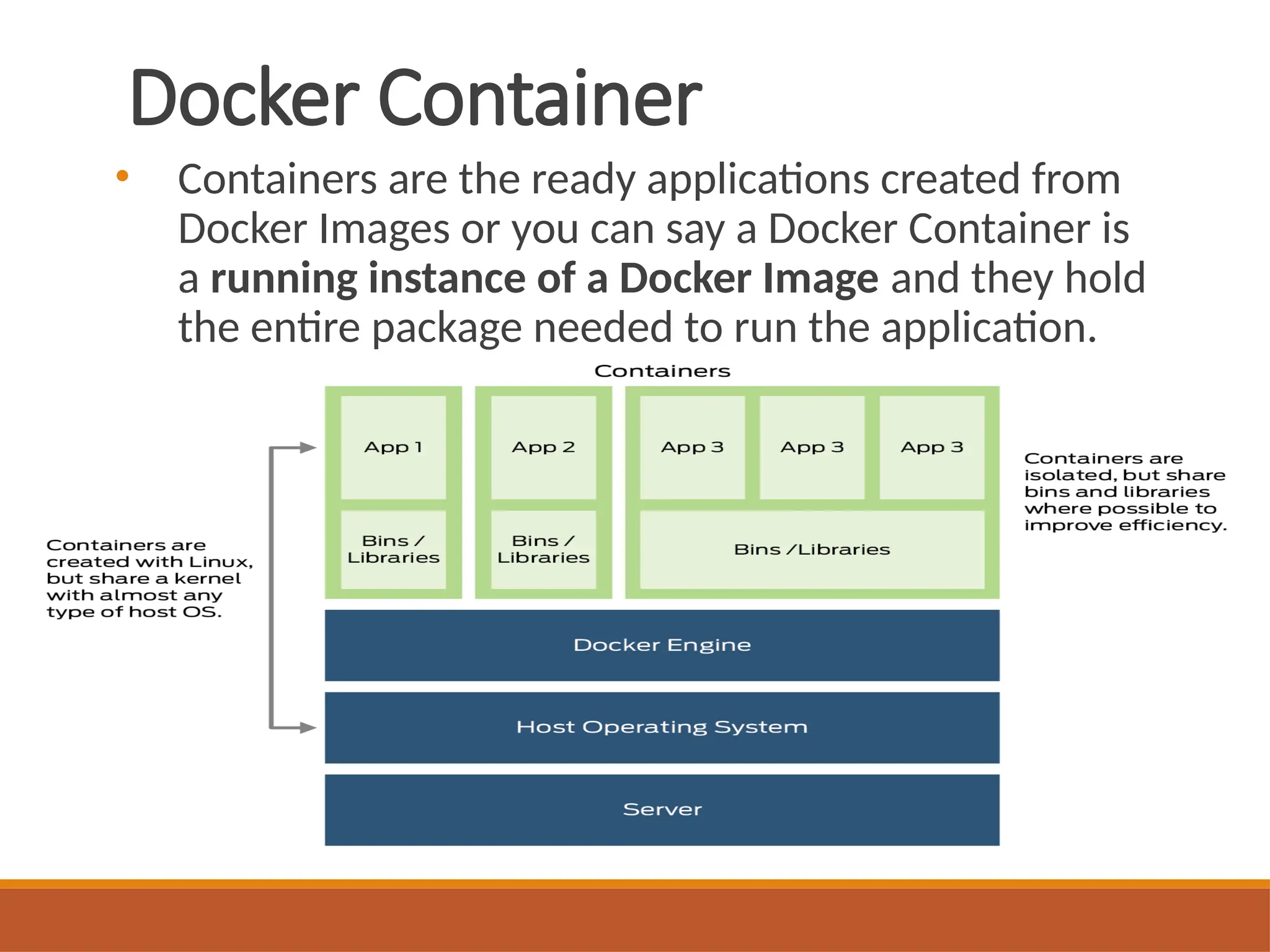
Docker Container
• Containersare the ready applications created from
Docker Images or you can say a Docker Container is
a running instance of a Docker Image and they hold
the entire package needed to run the application.
25.
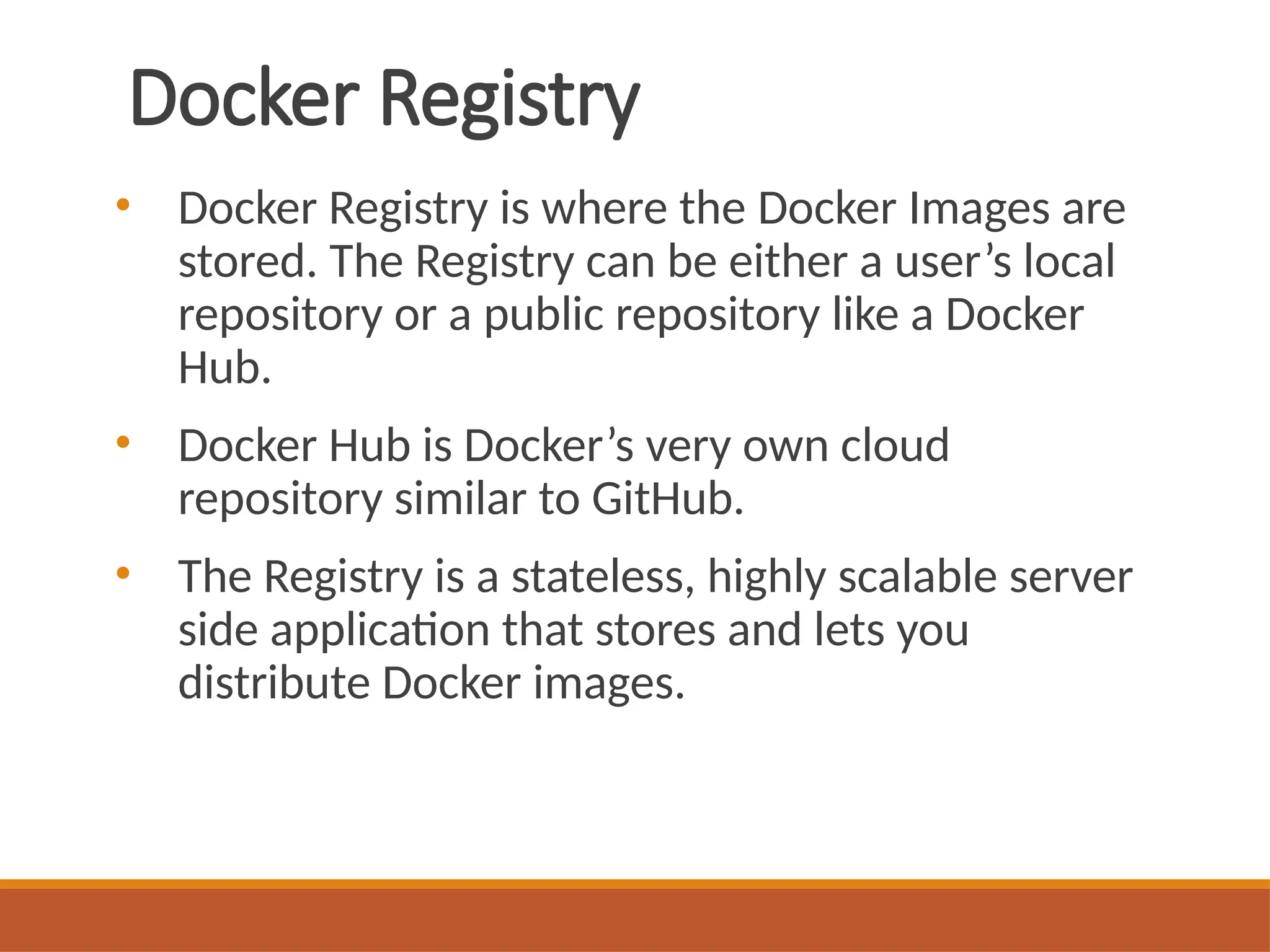
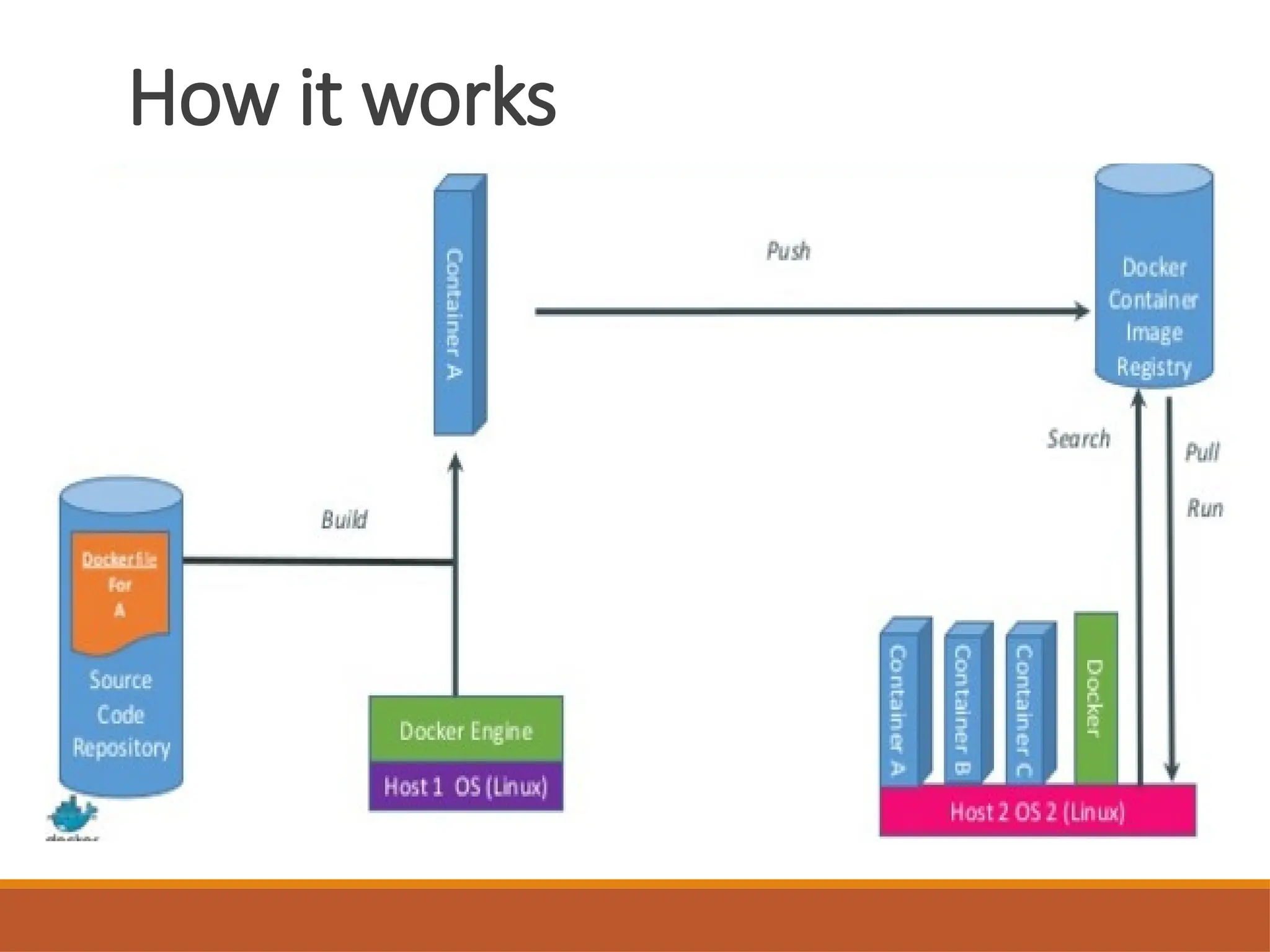
Docker Registry
• DockerRegistry is where the Docker Images are
stored. The Registry can be either a user’s local
repository or a public repository like a Docker
Hub.
• Docker Hub is Docker’s very own cloud
repository similar to GitHub.
• The Registry is a stateless, highly scalable server
side application that stores and lets you
distribute Docker images.
Techniques behind Docker
•Control Groups
• Kernel Name Spaces
• Union File system
• Capabilities
• Copy on Write
28.
Docker Benefits
• Scalable
◦Containers are light weight so scaling up and
scaling down is very easy . Launch more container
as we need them or we can shut down as we don’t
need them .
• Density
• Portable
◦ We can move them very easily .
• Deployment
◦ Container can run or can be deployed anywhere
(laptops , desktops , physical servers etc. )
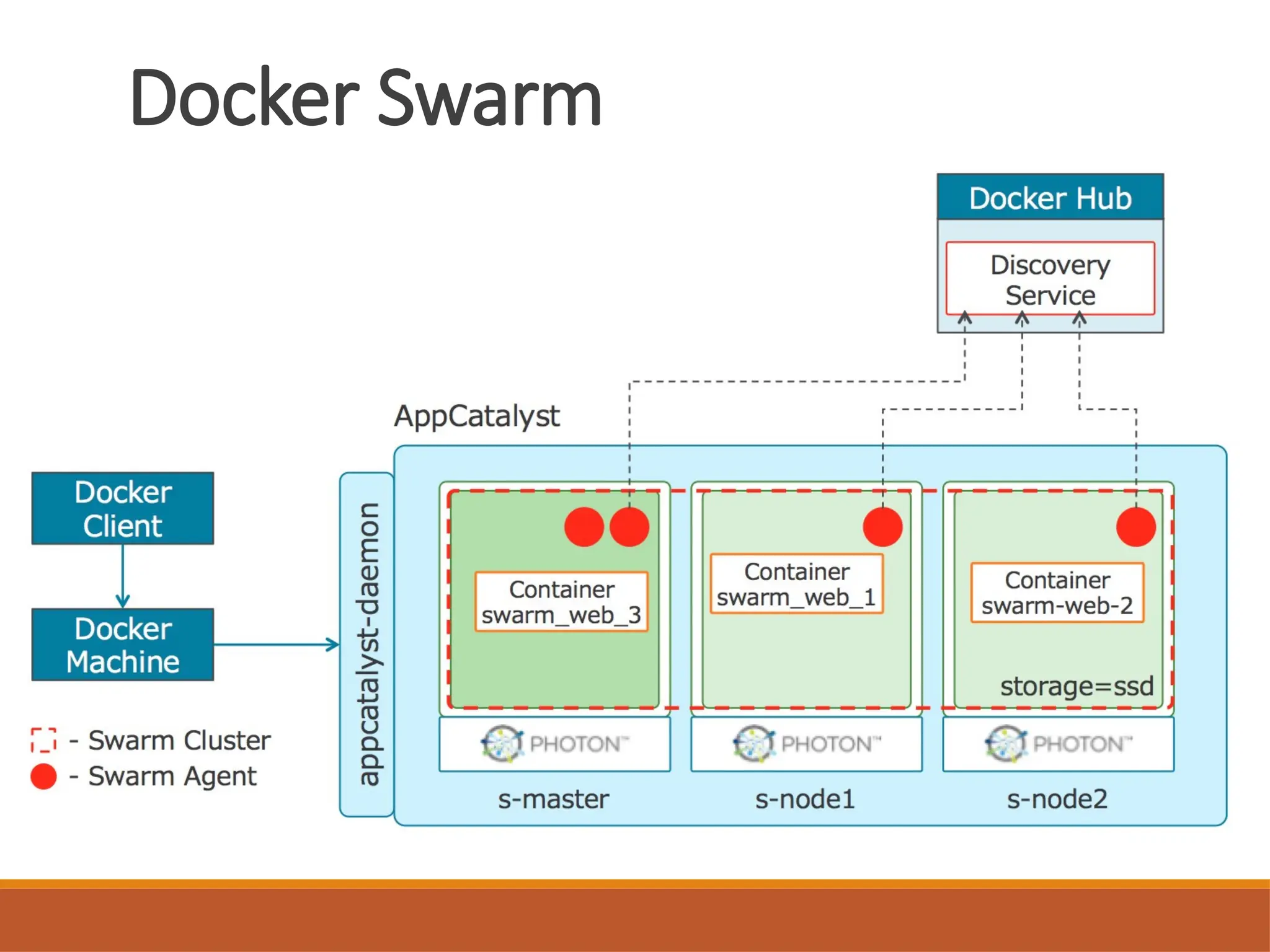
Docker Swarm
• DockerSwarm is a clustering and scheduling tool
for Docker containers. With Swarm, IT administrators
and developers can establish and manage a cluster of
Docker nodes as a single virtual system.
• Clustering is an important feature for container
technology, because it creates a cooperative group of
systems that can provide redundancy, enabling Docker
Swarm failover if one or more nodes experience an
outage.
• A Docker Swarm cluster also provides administrators
and developers with the ability to add or subtract
container iterations as computing demands change.
31.
Kubernetes
• Kubernetes isan open source container
management system.
• Kubernetes was released in February 2015.
• Google designed Kubernetes to orchestrate
Docker containers.
• Auto scale applications, Horizontal Infrastructure
Scaling (new servers can be added or removed
easily) as and when needed.
32.
Kubernetes Composition
◦ Thebase unit of deployment in Kubernetes is called a
Pod, which consists of one or more containers.
◦ All of the containers in a pod are scheduled onto the
same host and can communicate with each other over
the localhost loopback interface.
◦ Kubernetes resources are typically defined in
configuration files, which can be written in the YAML
or JSON formats.
◦ The kubectl command line tool is then used to send
these configurations to the Kubernetes cluster.
33.
Apache Mesos
• ApacheMesos is designed for data center management, and
installing complex applications such as Kubernetes on top of
data center resources.
• It provides resources to applications that run on top of it.
Apache Mesos is best suited for data centers where multiple
complicated applications will need to be setup and
configured.
• Mesos is designed to run other applications on top of it,
including Kubernetes. It is possible to run containers directly
on Mesos but choosing a more container-centric application
to run on top of Mesos such as Kubernetes will provide
better workflows for deploying containerized applications.
34.
Apache Mesos
• TheMesos kernel runs on every machine and
provides applications (e.g., Hadoop, Spark, Kafka,
Elasticsearch) with API’s for resource
management and scheduling across entire
datacenter and cloud environments.
• Apache Mesos abstracts CPU, memory, storage,
and other compute resources away from
machines (physical or virtual), enabling fault-
tolerant and elastic distributed systems to easily
be built and run effectively.
35.
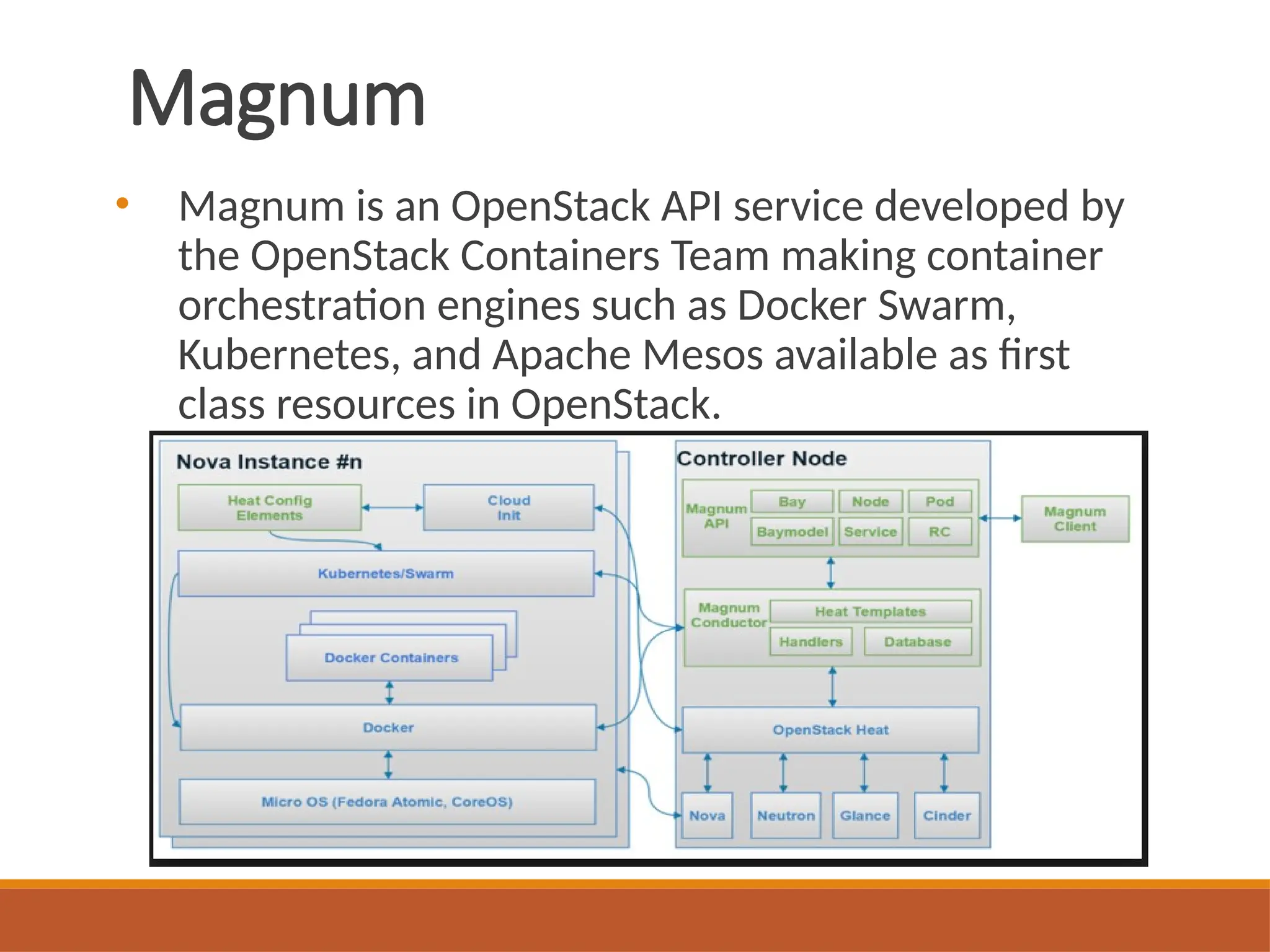
Magnum
• Magnum isan OpenStack API service developed by
the OpenStack Containers Team making container
orchestration engines such as Docker Swarm,
Kubernetes, and Apache Mesos available as first
class resources in OpenStack.


![Pollution.ppt [Autosaved].ppt yogesh kumbhar](https://cdn.slidesharecdn.com/ss_thumbnails/pollution-251205194856-d30cfee8-thumbnail.jpg?width=640&height=640&fit=bounds)

