Cloud Computing and Libraries

            Edward Iglesias
           Systems Librarian
  Central Connecticut State University
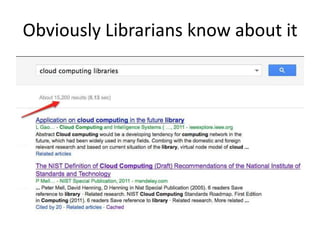
Obviously Librarians know about it
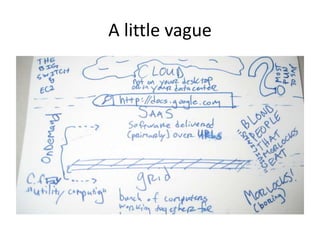
A little vague
What is it?
Cloud computing refers to the delivery of
computing and storage capacity as a service to a
heterogeneous community of end-recipients. The
name comes from the use of clouds as an
abstraction for the complex infrastructure it
contains in system diagrams. Cloud computing
entrusts services with a user's data, software and
computation over a network. It has considerable
overlap with software as a service (SaaS).
  http://en.wikipedia.org/wiki/Cloud_computing
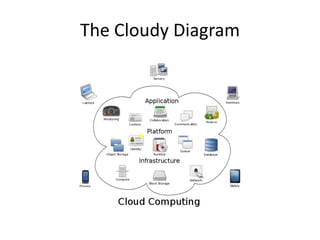
The Cloudy Diagram
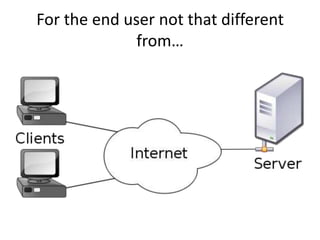
For the end user not that different
              from…
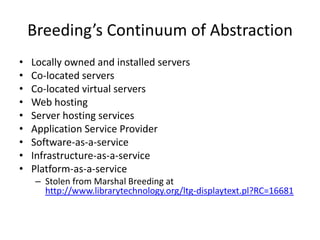
Breeding’s Continuum of Abstraction
•   Locally owned and installed servers
•   Co-located servers
•   Co-located virtual servers
•   Web hosting
•   Server hosting services
•   Application Service Provider
•   Software-as-a-service
•   Infrastructure-as-a-service
•   Platform-as-a-service
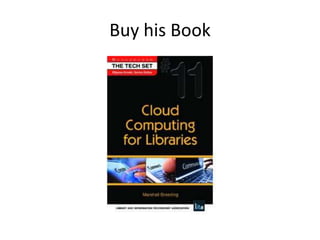
     – Stolen from Marshal Breeding at
       http://www.librarytechnology.org/ltg-displaytext.pl?RC=16681
Buy his Book
These don’t count even though they
               feel “cloudy”
•   Locally owned and installed servers
•   Co-located servers
•   Co-located virtual servers
•   Web hosting
•   Server hosting services
•   Application Service Provider
These do.
• Software-as-a-service
• Infrastructure-as-a-service
• Platform-as-a-service
NIST Characteristics
•   Essential Characteristics:
•   On-demand self-service. A consumer can unilaterally provision computing capabilities, such as
    server time and network storage, as needed automatically without requiring human interaction
    with each service provider.
•   Broad network access. Capabilities are available over the network and accessed through standard
    mechanisms that promote use by heterogeneous thin or thick client platforms (e.g., mobile phones,
    tablets, laptops, and workstations).
•   Resource pooling. The provider’s computing resources are pooled to serve multiple consumers
    using a multi-tenant model, with different physical and virtual resources dynamically assigned and
    reassigned according to consumer demand. There is a sense of location independence in that the
    customer generally has no control or knowledge over the exact location of the provided resources
    but may be able to specify location at a higher level of abstraction (e.g., country, state, or
    datacenter). Examples of resources include storage, processing, memory, and network bandwidth.
•   Rapid elasticity. Capabilities can be elastically provisioned and released, in some cases
    automatically, to scale rapidly outward and inward commensurate with demand. To the consumer,
    the capabilities available for provisioning often appear to be unlimited and can be appropriated in
    any quantity at any time.
•   Measured service. Cloud systems automatically control and optimize resource use by leveraging a
    metering capability1 at some level of abstraction appropriate to the type of service (e.g., storage,
    processing, bandwidth, and active user accounts). Resource usage can be monitored, controlled,
    and reported, providing transparency for both the provider and consumer of the utilized service.
     –   http://csrc.nist.gov/publications/nistpubs/800-145/SP800-145.pdf
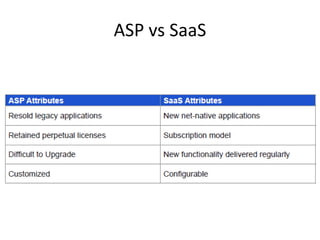
ASP vs SaaS
Application Service Provider
• Business applications hosted by software vendor
• Standalone application on discrete or virtualized
  hardware
• Staff and public clients accessed via the Internet
• Same user interfaces and functionality as if
  installed locally
• Established as a deployment model in the 1990’s
So what does it look like
• Sample transactions: Storage space
  – You need an extra 2GB of storage space you can
    access from anywhere. You can
  1. Ask IT for a server share that you can access
     remotely.
  2. Get a free dropbox account.
  3. Grab that thumbdrive you got from Oxford
     Analytica at the last conference.

  Which is cloud?
Software as a Service
• Complete software application, customized for
  customer use
• Software delivered through cloud
  infrastructure, data stored on cloud
• E.g. Google Docs
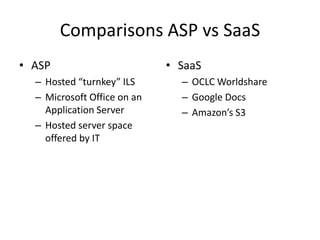
Comparisons ASP vs SaaS
• ASP                        • SaaS
  – Hosted “turnkey” ILS       – OCLC Worldshare
  – Microsoft Office on an     – Google Docs
    Application Server         – Amazon’s S3
  – Hosted server space
    offered by IT
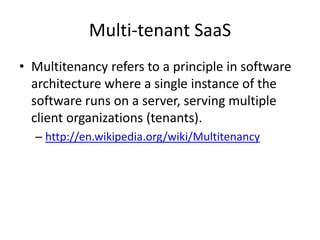
Multi-tenant SaaS
• Multitenancy refers to a principle in software
  architecture where a single instance of the
  software runs on a server, serving multiple
  client organizations (tenants).
  – http://en.wikipedia.org/wiki/Multitenancy
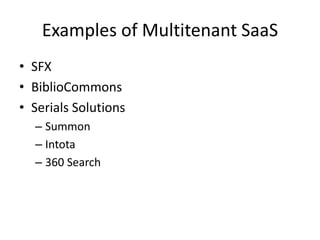
Examples of Multitenant SaaS
• SFX
• BiblioCommons
• Serials Solutions
  – Summon
  – Intota
  – 360 Search
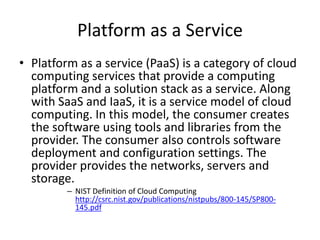
Platform as a Service
• Platform as a service (PaaS) is a category of cloud
  computing services that provide a computing
  platform and a solution stack as a service. Along
  with SaaS and IaaS, it is a service model of cloud
  computing. In this model, the consumer creates
  the software using tools and libraries from the
  provider. The consumer also controls software
  deployment and configuration settings. The
  provider provides the networks, servers and
  storage.
         – NIST Definition of Cloud Computing
           http://csrc.nist.gov/publications/nistpubs/800-145/SP800-
           145.pdf
Paas Reality Check
At a minimum, a PaaS solution should include the following elements:
     1. Browser-based development studio - if you have to install something
on your computer to develop applications, that's not PaaS!
     2. Seamless deployment to hosted runtime environment - ideally, a
developer should be able to deploy a PaaS application with one click. If you
have to talk to a person to get your app deployed, that's not PaaS!
     3. Management and monitoring tools - while cloud-based solutions are
very cost effective, they can be tricky to manage and scale without good
tools. If you have to bolt on DIY monitoring to scale your cloud app, that's not
PaaS!
     4. Pay as you go billing - avoiding upfront costs has made PaaS popular.
If you can't pay with your credit card based on usage, that's not PaaS!
    http://www.keeneview.com/2009/03/what-is-platform-as-service-paas.html
Examples of PaaS Solutions
   • AppEngine from Google: based on Python
and Django
   • Force.com from SalesForce: based on the
SalesForce SaaS infrastructure and Apex language
   • Bungee Connect: visual development studio
based on Java
   • LongJump: based on Java/Eclipse
   • WaveMaker: visual development studio based
on Java and hosted on Amazon EC2
Infrastructure as a Service (IaaS).
• The capability provided to the consumer is to provision
  processing, storage, networks, and other fundamental
  computing resources where the consumer is able to
  deploy and run arbitrary software, which can include
  operating systems and applications. The consumer
  does not manage or control the underlying cloud
  infrastructure but has control over operating systems,
  storage, and deployed applications; and possibly
  limited control of select networking components (e.g.,
  host firewalls)
      –   NIST Definition of Cloud Computing
          http://csrc.nist.gov/publications/nistpubs/800-145/SP800-145.pdf
Description of IaaS
With IaaS the enterprise renting the service is likely
to have considerable IT skills in-house because the
infrastructure offered is quite plain. Customers
select and basic software servers for their part of
the cloud and then load up their libraries,
applications and data then configure them
themselves. Virtualisation enables IaaS providers to
offer almost unlimited instances of servers to
customers and make cost-effective use of the
hosting hardware.
      • http://www.bestpricecomputers.co.uk/glossary/infrastructur
        e-as-a-service.htm
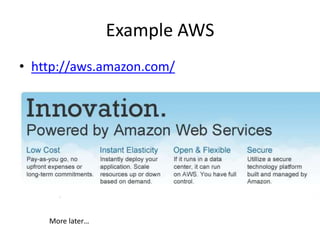
Example AWS
• http://aws.amazon.com/


    More later…
Does it Make Sense?
• Moving to Cloud Benefits
  – Less paperwork
  – Less Maintenance
  – More reliable
  – Easier
Moving to Cloud Continued
• Cons
  – Loss of local control
  – May be more expensive
  – May not be sufficiently customizable
  – May not be legal
Other Possible Uses
• Free software needed for users
  – Google Docs instead of Microsoft Word
  – Spotify instead of iTunes or Freegal
Use cases continued
• Wordpress.com vs local install
• Omeka.net vs Omeka.org
• Microsoft Outlook vs Google Calendar
Software-as-a-Service Email Security:
           Risk vs. Trust
 – Bottom Line: Security is a major inhibitor to enterprise use
   of software as a service (SaaS) email. SaaS email is a high-
   trust and high-risk delivery model for the enterprise. It is
   high-trust because the vendor controls the entire service
   and delivery environment. It is high-risk because email
   systems contain sensitive and proprietary content that
   enterprises need to protect. However, some enterprises
   are deploying SaaS email while taking measures to
   mitigate their risk and assess the vendor security posture.
   Armed with this information, enterprises can determine
   their risk and deploy SaaS email that meets their security
   requirements.
        – http://www.gartner.com/technology/reprints.do?id=1-
          1ACHDMJ&ct=120502&st=sb#h-d2e160
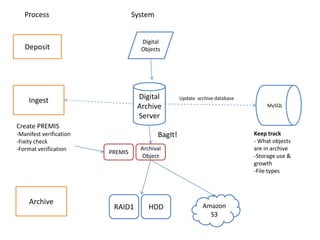
Sample Scenario
• Storage needed
  – The story of ERISDA
  – http://journal.code4lib.org/articles/4468

  – Needed storage for high resolution digital scans.
  – Needed to be redundant.
  – Needed long term accessibility
  – Couldn’t afford OCLC’s Digital Archive
Process                        System


                                    Digital
   Deposit                          Objects


     Ingest                        Digital          Update archive database
                                   Archive                                         MySQL

                                   Server
Create PREMIS
-Manifest verification                     BagIt!                             Keep track
-Fixity check                                                                 - What objects
-Format verification                Archival                                  are in archive
                         PREMIS
                                    Object                                    -Storage use &
                                                                              growth
                                                                              -File types


     Archive
                          RAID1        HDD                   Amazon
                                                               S3
Contact Info
Edward Iglesias
Systems Librarian
Central Connecticut State University
http://www.edwardiglesias.com

This powerpoint will be at
http://www.slideshare.net/edwardiglesias

Cloud presentation NELA

  • 1.
    Cloud Computing andLibraries Edward Iglesias Systems Librarian Central Connecticut State University
  • 2.
  • 3.
  • 4.
    What is it? Cloudcomputing refers to the delivery of computing and storage capacity as a service to a heterogeneous community of end-recipients. The name comes from the use of clouds as an abstraction for the complex infrastructure it contains in system diagrams. Cloud computing entrusts services with a user's data, software and computation over a network. It has considerable overlap with software as a service (SaaS). http://en.wikipedia.org/wiki/Cloud_computing
  • 5.
  • 6.
    For the enduser not that different from…
  • 7.
    Breeding’s Continuum ofAbstraction • Locally owned and installed servers • Co-located servers • Co-located virtual servers • Web hosting • Server hosting services • Application Service Provider • Software-as-a-service • Infrastructure-as-a-service • Platform-as-a-service – Stolen from Marshal Breeding at http://www.librarytechnology.org/ltg-displaytext.pl?RC=16681
  • 8.
  • 9.
    These don’t counteven though they feel “cloudy” • Locally owned and installed servers • Co-located servers • Co-located virtual servers • Web hosting • Server hosting services • Application Service Provider
  • 10.
    These do. • Software-as-a-service •Infrastructure-as-a-service • Platform-as-a-service
  • 11.
    NIST Characteristics • Essential Characteristics: • On-demand self-service. A consumer can unilaterally provision computing capabilities, such as server time and network storage, as needed automatically without requiring human interaction with each service provider. • Broad network access. Capabilities are available over the network and accessed through standard mechanisms that promote use by heterogeneous thin or thick client platforms (e.g., mobile phones, tablets, laptops, and workstations). • Resource pooling. The provider’s computing resources are pooled to serve multiple consumers using a multi-tenant model, with different physical and virtual resources dynamically assigned and reassigned according to consumer demand. There is a sense of location independence in that the customer generally has no control or knowledge over the exact location of the provided resources but may be able to specify location at a higher level of abstraction (e.g., country, state, or datacenter). Examples of resources include storage, processing, memory, and network bandwidth. • Rapid elasticity. Capabilities can be elastically provisioned and released, in some cases automatically, to scale rapidly outward and inward commensurate with demand. To the consumer, the capabilities available for provisioning often appear to be unlimited and can be appropriated in any quantity at any time. • Measured service. Cloud systems automatically control and optimize resource use by leveraging a metering capability1 at some level of abstraction appropriate to the type of service (e.g., storage, processing, bandwidth, and active user accounts). Resource usage can be monitored, controlled, and reported, providing transparency for both the provider and consumer of the utilized service. – http://csrc.nist.gov/publications/nistpubs/800-145/SP800-145.pdf
  • 12.
  • 13.
    Application Service Provider •Business applications hosted by software vendor • Standalone application on discrete or virtualized hardware • Staff and public clients accessed via the Internet • Same user interfaces and functionality as if installed locally • Established as a deployment model in the 1990’s
  • 14.
    So what doesit look like • Sample transactions: Storage space – You need an extra 2GB of storage space you can access from anywhere. You can 1. Ask IT for a server share that you can access remotely. 2. Get a free dropbox account. 3. Grab that thumbdrive you got from Oxford Analytica at the last conference. Which is cloud?
  • 15.
    Software as aService • Complete software application, customized for customer use • Software delivered through cloud infrastructure, data stored on cloud • E.g. Google Docs
  • 16.
    Comparisons ASP vsSaaS • ASP • SaaS – Hosted “turnkey” ILS – OCLC Worldshare – Microsoft Office on an – Google Docs Application Server – Amazon’s S3 – Hosted server space offered by IT
  • 17.
    Multi-tenant SaaS • Multitenancyrefers to a principle in software architecture where a single instance of the software runs on a server, serving multiple client organizations (tenants). – http://en.wikipedia.org/wiki/Multitenancy
  • 18.
    Examples of MultitenantSaaS • SFX • BiblioCommons • Serials Solutions – Summon – Intota – 360 Search
  • 19.
    Platform as aService • Platform as a service (PaaS) is a category of cloud computing services that provide a computing platform and a solution stack as a service. Along with SaaS and IaaS, it is a service model of cloud computing. In this model, the consumer creates the software using tools and libraries from the provider. The consumer also controls software deployment and configuration settings. The provider provides the networks, servers and storage. – NIST Definition of Cloud Computing http://csrc.nist.gov/publications/nistpubs/800-145/SP800- 145.pdf
  • 20.
    Paas Reality Check Ata minimum, a PaaS solution should include the following elements: 1. Browser-based development studio - if you have to install something on your computer to develop applications, that's not PaaS! 2. Seamless deployment to hosted runtime environment - ideally, a developer should be able to deploy a PaaS application with one click. If you have to talk to a person to get your app deployed, that's not PaaS! 3. Management and monitoring tools - while cloud-based solutions are very cost effective, they can be tricky to manage and scale without good tools. If you have to bolt on DIY monitoring to scale your cloud app, that's not PaaS! 4. Pay as you go billing - avoiding upfront costs has made PaaS popular. If you can't pay with your credit card based on usage, that's not PaaS! http://www.keeneview.com/2009/03/what-is-platform-as-service-paas.html
  • 21.
    Examples of PaaSSolutions • AppEngine from Google: based on Python and Django • Force.com from SalesForce: based on the SalesForce SaaS infrastructure and Apex language • Bungee Connect: visual development studio based on Java • LongJump: based on Java/Eclipse • WaveMaker: visual development studio based on Java and hosted on Amazon EC2
  • 22.
    Infrastructure as aService (IaaS). • The capability provided to the consumer is to provision processing, storage, networks, and other fundamental computing resources where the consumer is able to deploy and run arbitrary software, which can include operating systems and applications. The consumer does not manage or control the underlying cloud infrastructure but has control over operating systems, storage, and deployed applications; and possibly limited control of select networking components (e.g., host firewalls) – NIST Definition of Cloud Computing http://csrc.nist.gov/publications/nistpubs/800-145/SP800-145.pdf
  • 23.
    Description of IaaS WithIaaS the enterprise renting the service is likely to have considerable IT skills in-house because the infrastructure offered is quite plain. Customers select and basic software servers for their part of the cloud and then load up their libraries, applications and data then configure them themselves. Virtualisation enables IaaS providers to offer almost unlimited instances of servers to customers and make cost-effective use of the hosting hardware. • http://www.bestpricecomputers.co.uk/glossary/infrastructur e-as-a-service.htm
  • 24.
  • 25.
    Does it MakeSense? • Moving to Cloud Benefits – Less paperwork – Less Maintenance – More reliable – Easier
  • 26.
    Moving to CloudContinued • Cons – Loss of local control – May be more expensive – May not be sufficiently customizable – May not be legal
  • 27.
    Other Possible Uses •Free software needed for users – Google Docs instead of Microsoft Word – Spotify instead of iTunes or Freegal
  • 28.
    Use cases continued •Wordpress.com vs local install • Omeka.net vs Omeka.org • Microsoft Outlook vs Google Calendar
  • 29.
    Software-as-a-Service Email Security: Risk vs. Trust – Bottom Line: Security is a major inhibitor to enterprise use of software as a service (SaaS) email. SaaS email is a high- trust and high-risk delivery model for the enterprise. It is high-trust because the vendor controls the entire service and delivery environment. It is high-risk because email systems contain sensitive and proprietary content that enterprises need to protect. However, some enterprises are deploying SaaS email while taking measures to mitigate their risk and assess the vendor security posture. Armed with this information, enterprises can determine their risk and deploy SaaS email that meets their security requirements. – http://www.gartner.com/technology/reprints.do?id=1- 1ACHDMJ&ct=120502&st=sb#h-d2e160
  • 30.
    Sample Scenario • Storageneeded – The story of ERISDA – http://journal.code4lib.org/articles/4468 – Needed storage for high resolution digital scans. – Needed to be redundant. – Needed long term accessibility – Couldn’t afford OCLC’s Digital Archive
  • 31.
    Process System Digital Deposit Objects Ingest Digital Update archive database Archive MySQL Server Create PREMIS -Manifest verification BagIt! Keep track -Fixity check - What objects -Format verification Archival are in archive PREMIS Object -Storage use & growth -File types Archive RAID1 HDD Amazon S3
  • 32.
    Contact Info Edward Iglesias SystemsLibrarian Central Connecticut State University http://www.edwardiglesias.com This powerpoint will be at http://www.slideshare.net/edwardiglesias