CLOUD COMPUTING
Daniyal Azhar CT-009
Arysha Channa CT-056
Faizan Ullah CT-062
WHAT IS CLOUD COMPUTING?
 Cloud Computing is the delivery of computing services over the
internet. Services like serves, storage, databases, networking,
software, analytics and more.
 Companies offering these computing services are called cloud
providers and typically charge for cloud computing services
based on usage, similar to how you are billed for water or
electricity at home.
USES OF CLOUD COMPUTING
 If you use an online service to send an email, edit document,
watch movies or TV, listen to music play games or store pictures
and other files, it is likely that cloud computing is making it all
possible behind the scenes.
 A variety of organizations from tiny startups to global
corporations are embracing the technology for all sorts of
reasons, like:
 Create new apps and services
 Store, back up and recover data
 Host websites and blogs
 Deliver software on demand
 Analyze data for patterns and make predictions.
TOP BENEFITS OF CLOUD
COMPUTING
 Cost:
Eliminates the capital expense of buying hardware and software and setting
up and running on-site data centers (the racks of servers, the round-the-
clock electricity for power and cooling.)
 Speed:
Most cloud computing services are provided self service and on demand, so
even vast amounts of computing resources can be provisioned in minutes,
typically with just a few mouse clicks, giving businesses a lot of flexibility
and taking the pressure off capacity planning.
 Global Scale:
The benefits of cloud computing services include the ability to scale
elastically. In cloud speak, that means delivering the right amount of IT
resources—for example, more or less computing power, storage,
bandwidth—right when its needed and from the right geographic location.
TOP BENEFITS OF CLOUD
COMPUTING
 Productivity:
On-site datacenters typically require a lot of “racking and stacking”—
hardware set up, software patching and other time-consuming IT
management chores. Cloud computing removes the need for many of these
tasks, so IT teams can spend time on achieving more important business
goals.
 Performance:
The biggest cloud computing services run on a worldwide network of secure
datacenters, which are regularly upgraded to the latest generation of fast
and efficient computing hardware. This offers several benefits over a single
corporate datacenter, including reduced network latency for applications
and greater economies of scale.
 Reliability:
Cloud computing makes data backup, disaster recovery and business
continuity easier and less expensive, because data can be mirrored at
multiple redundant sites on the cloud provider’s network.
TYPES OF CLOUD
Depending on the purpose of setting up cloud and level of access to
resources, there are 3 cloud deployment models:
 Public Cloud
 Private Cloud
 Hybrid Cloud
PUBLIC CLOUD
 Entirely hosted by external providers
 Amazon, Rackspace, Digital Ocean
 Allow customers to spin up resources on demand, scale up their
applications
 Almost any customer can pay for recourses on the cloud
 Support is handled by the provider
 Their infrastructure
PUBLIC CLOUD
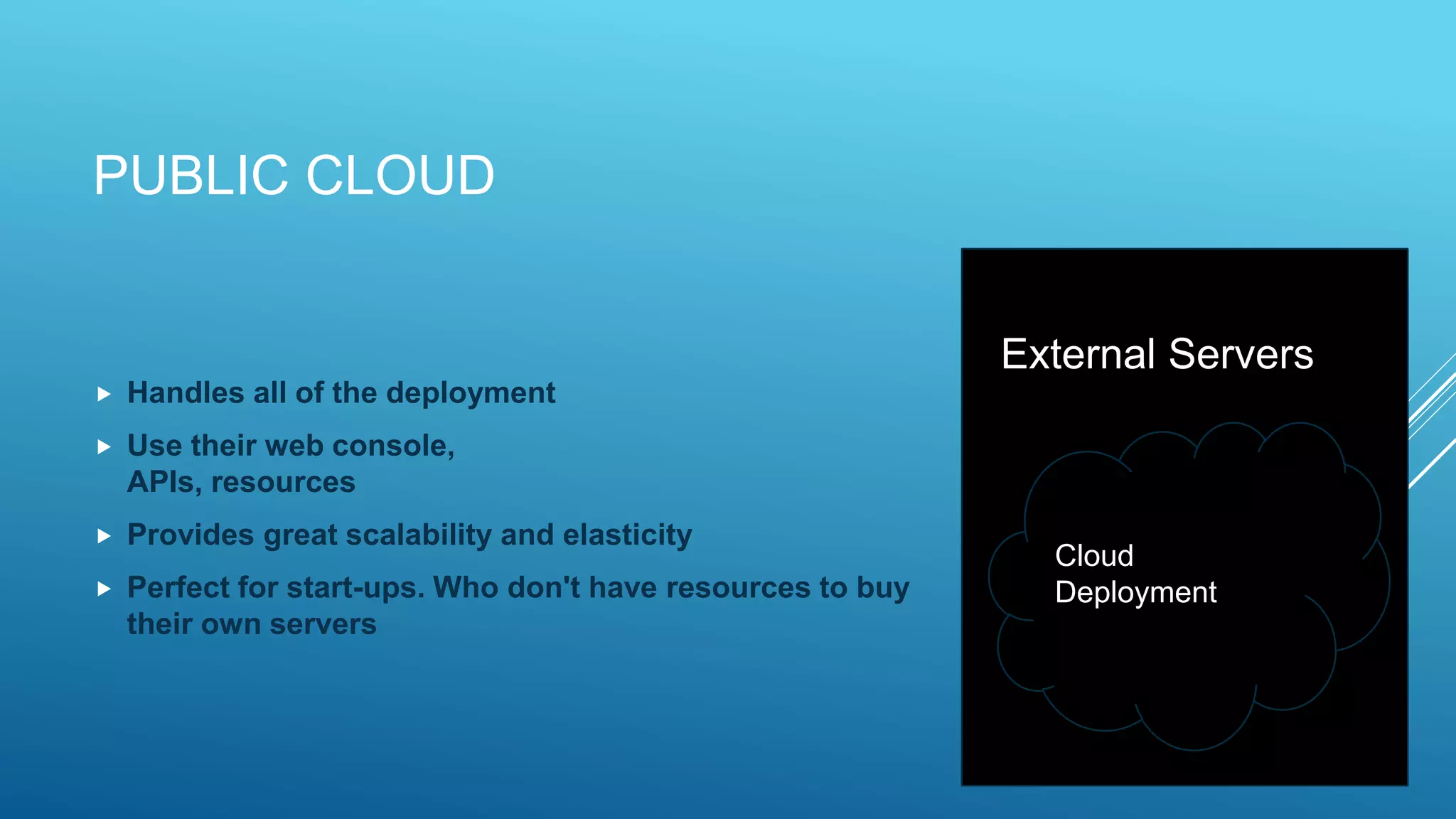
 Handles all of the deployment
 Use their web console,
APIs, resources
 Provides great scalability and elasticity
 Perfect for start-ups. Who don't have resources to buy
their own servers
Cloud
Deployment
External Servers
PUBLIC CLOUD- BENEFITS
 Offer increased availability and scale
 Cost savings are often passed on to customers
 Easily accessible
(often need just a credit card and a web browser to deploy your
applications)
 Documentation and best practice are abundant
 Available to everyone, anyone can go and signup for the service
PUBLIC CLOUD- DRAWBACKS
 If the provider does not have the service you need (DBaaS, Cloud
Load Balancing) you have to build it
 Dependent on the quality and uptime of the provider
 Support may not be thorough or may be expensive
 Little control on other tenants
 Little control over hardware upgrades
 Few guarantee on physical security
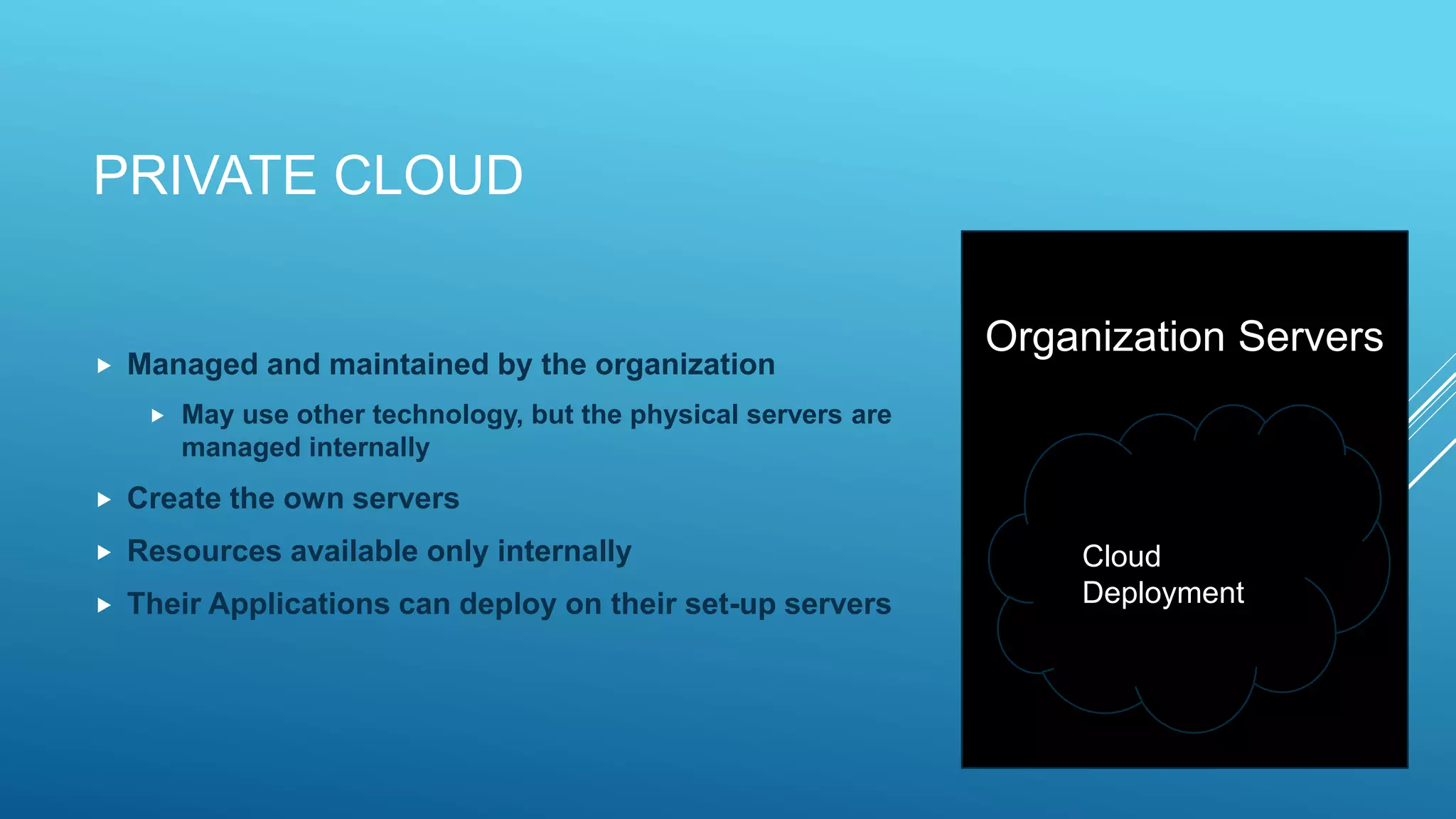
PRIVATE CLOUD
 Managed and maintained by the organization
 May use other technology, but the physical servers are
managed internally
 Create the own servers
 Resources available only internally
 Their Applications can deploy on their set-up servers
Cloud
Deployment
Organization Servers
PRIVATE CLOUD - BENEFITS
 Far more control over hardware and upgrades
 Can ensure physical security
 No other tenants on the service
 More monitoring and insight
 Compliance and legal control may be improved
PRIVATE CLOUD- DRAWBACKS
 Costs are higher
 Expertise and training are needed
 Server administrators
 Virtualization Specialists
 Networking specialists
 Increased responsibility to keep up the servers and running all the
time
HYBRID CLOUD
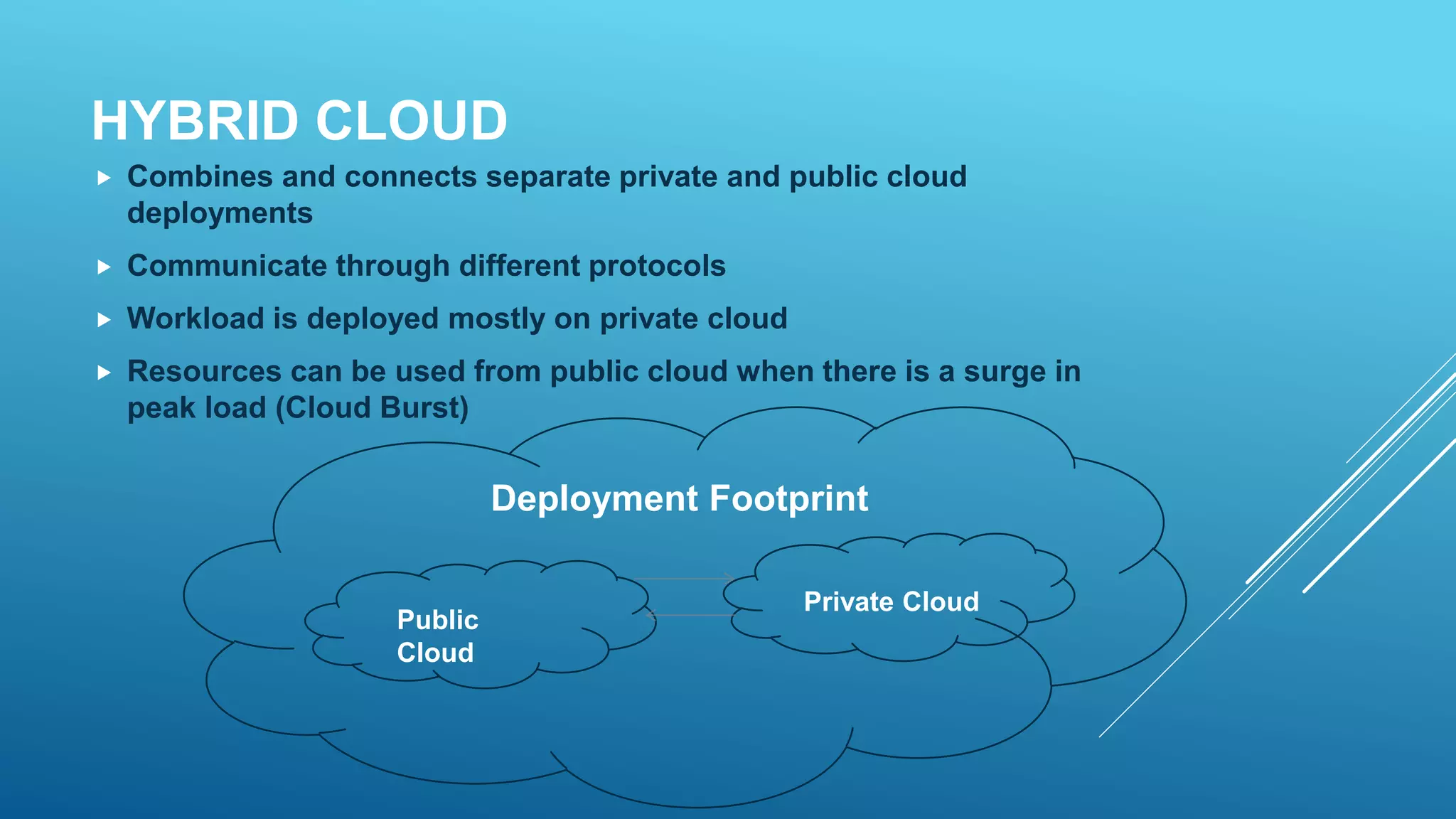
 Combines and connects separate private and public cloud
deployments
 Communicate through different protocols
 Workload is deployed mostly on private cloud
 Resources can be used from public cloud when there is a surge in
peak load (Cloud Burst)
Public
Cloud
Private Cloud
Deployment Footprint
SERVICE MODELS
 Cloud-computing providers offer their "services" according to
different models, of which three standard models are:
 Infrastructure as a Service (IaaS)
 Platform as a Services (PaaS)
 Software as a Service (SaaS)
INFRASTRUCTURE AS A SERVICE
 Infrastructure as a service (IaaS) is an instant computing
infrastructure, provisioned and managed over the Internet. Quickly
scale up and down with demand and pay only for what you use.
 The available options within the IaaS offering umbrella range from
single servers to entire infrastructures, including network devices,
load balancers, and database and Web servers.
PLATFORM AS A SERVICE
 Platform-as-a-service (PaaS) refers to cloud computing services
that supply an on-demand environment for developing, testing,
delivering and managing software applications.
 They constitute the middleware on top of which applications are
built.
SOFTWARE AS A SERVICE
 Software as a service (SaaS) allows users to connect to and use
cloud-based apps over the Internet. Common examples are email,
calendaring and office tools (such as Microsoft Office 365).
 All of the underlying infrastructure, middleware, app software and
app data are located in the service provider’s data center.
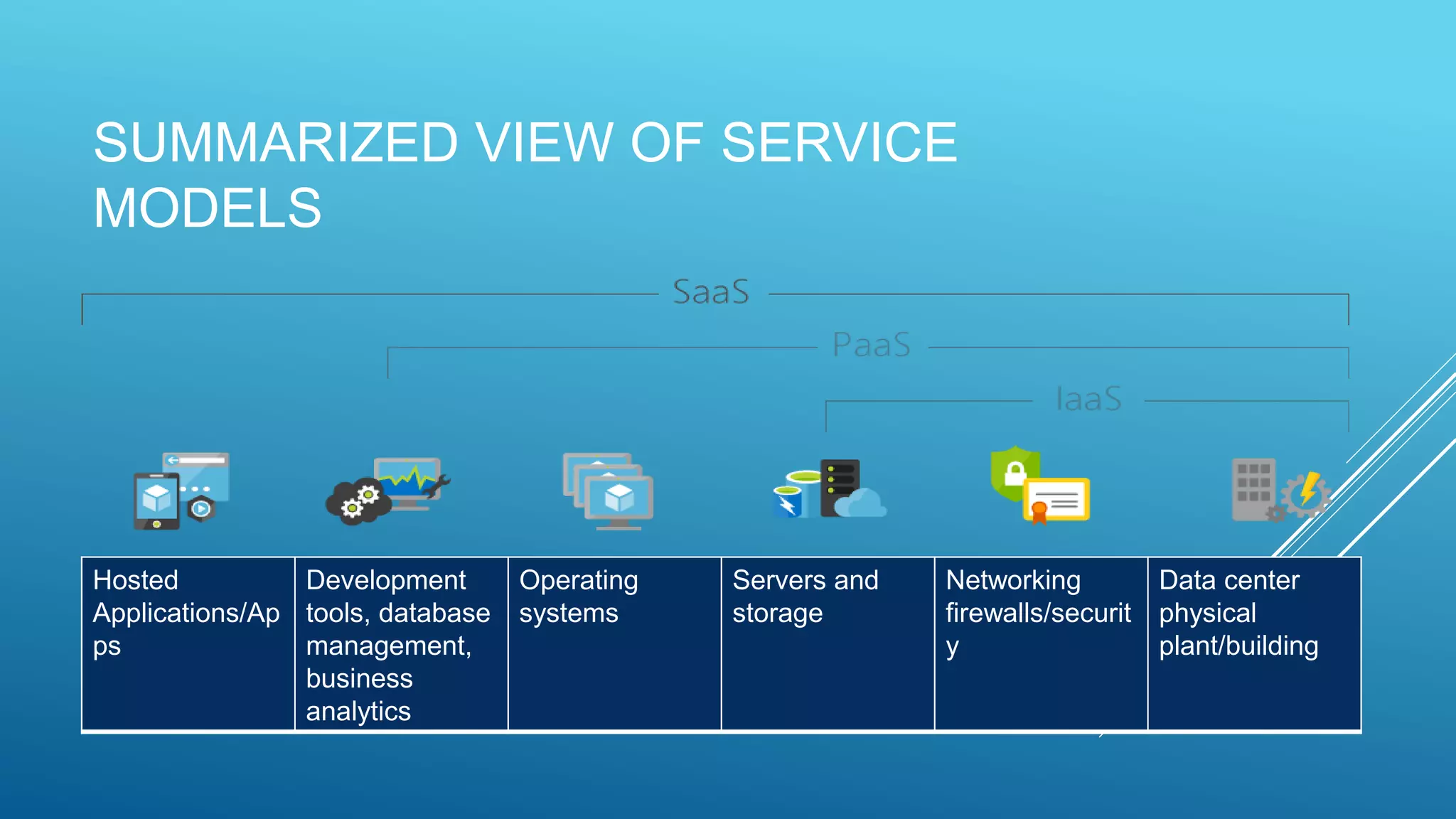
SUMMARIZED VIEW OF SERVICE
MODELS
Hosted
Applications/Ap
ps
Development
tools, database
management,
business
analytics
Operating
systems
Servers and
storage
Networking
firewalls/securit
y
Data center
physical
plant/building
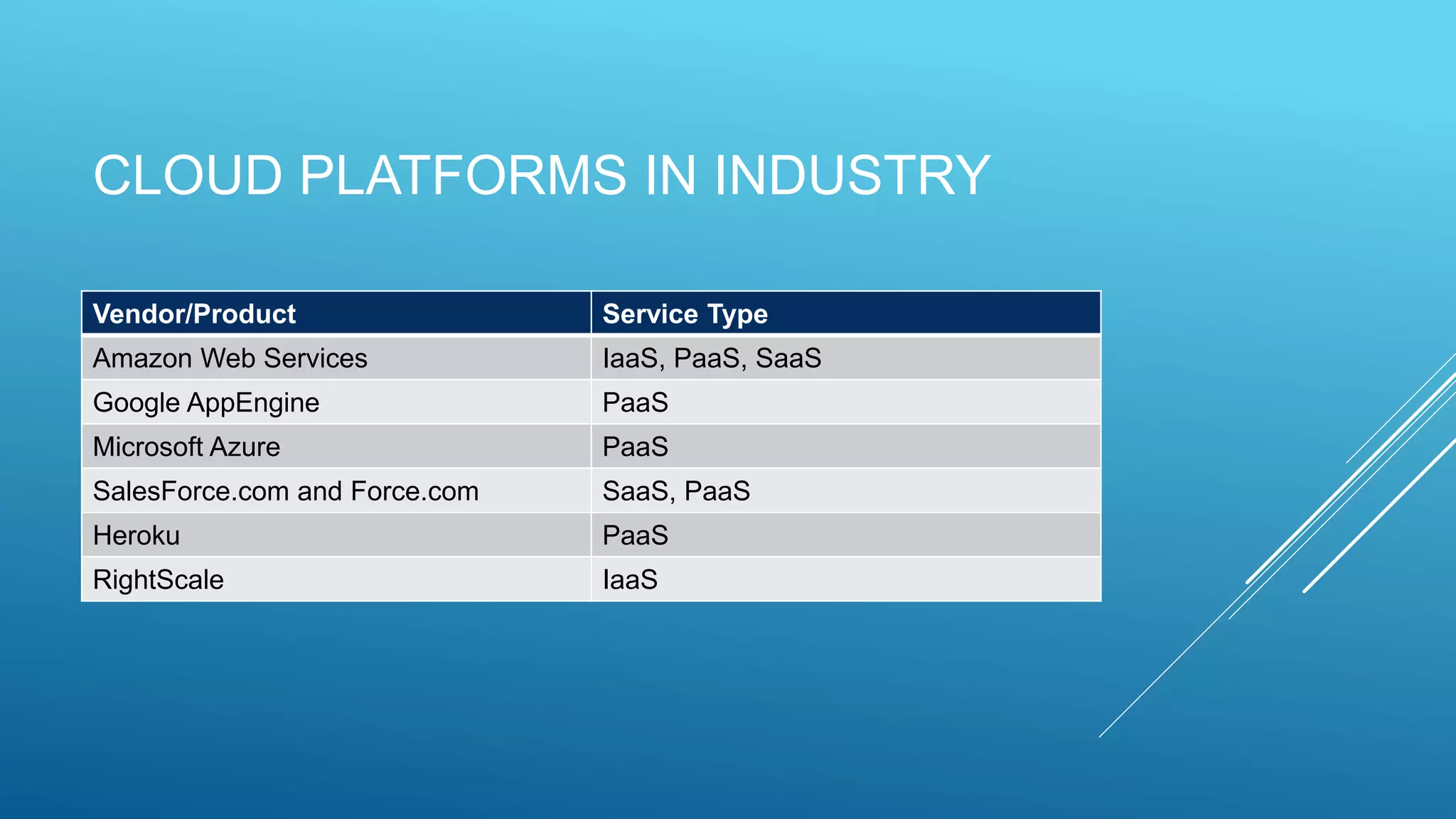
CLOUD PLATFORMS IN INDUSTRY
Vendor/Product Service Type
Amazon Web Services IaaS, PaaS, SaaS
Google AppEngine PaaS
Microsoft Azure PaaS
SalesForce.com and Force.com SaaS, PaaS
Heroku PaaS
RightScale IaaS
THANK YOU!
Any Questions?

Cloud computing

  • 1.
    CLOUD COMPUTING Daniyal AzharCT-009 Arysha Channa CT-056 Faizan Ullah CT-062
  • 2.
    WHAT IS CLOUDCOMPUTING?  Cloud Computing is the delivery of computing services over the internet. Services like serves, storage, databases, networking, software, analytics and more.  Companies offering these computing services are called cloud providers and typically charge for cloud computing services based on usage, similar to how you are billed for water or electricity at home.
  • 3.
    USES OF CLOUDCOMPUTING  If you use an online service to send an email, edit document, watch movies or TV, listen to music play games or store pictures and other files, it is likely that cloud computing is making it all possible behind the scenes.  A variety of organizations from tiny startups to global corporations are embracing the technology for all sorts of reasons, like:  Create new apps and services  Store, back up and recover data  Host websites and blogs  Deliver software on demand  Analyze data for patterns and make predictions.
  • 4.
    TOP BENEFITS OFCLOUD COMPUTING  Cost: Eliminates the capital expense of buying hardware and software and setting up and running on-site data centers (the racks of servers, the round-the- clock electricity for power and cooling.)  Speed: Most cloud computing services are provided self service and on demand, so even vast amounts of computing resources can be provisioned in minutes, typically with just a few mouse clicks, giving businesses a lot of flexibility and taking the pressure off capacity planning.  Global Scale: The benefits of cloud computing services include the ability to scale elastically. In cloud speak, that means delivering the right amount of IT resources—for example, more or less computing power, storage, bandwidth—right when its needed and from the right geographic location.
  • 5.
    TOP BENEFITS OFCLOUD COMPUTING  Productivity: On-site datacenters typically require a lot of “racking and stacking”— hardware set up, software patching and other time-consuming IT management chores. Cloud computing removes the need for many of these tasks, so IT teams can spend time on achieving more important business goals.  Performance: The biggest cloud computing services run on a worldwide network of secure datacenters, which are regularly upgraded to the latest generation of fast and efficient computing hardware. This offers several benefits over a single corporate datacenter, including reduced network latency for applications and greater economies of scale.  Reliability: Cloud computing makes data backup, disaster recovery and business continuity easier and less expensive, because data can be mirrored at multiple redundant sites on the cloud provider’s network.
  • 6.
    TYPES OF CLOUD Dependingon the purpose of setting up cloud and level of access to resources, there are 3 cloud deployment models:  Public Cloud  Private Cloud  Hybrid Cloud
  • 7.
    PUBLIC CLOUD  Entirelyhosted by external providers  Amazon, Rackspace, Digital Ocean  Allow customers to spin up resources on demand, scale up their applications  Almost any customer can pay for recourses on the cloud  Support is handled by the provider  Their infrastructure
  • 8.
    PUBLIC CLOUD  Handlesall of the deployment  Use their web console, APIs, resources  Provides great scalability and elasticity  Perfect for start-ups. Who don't have resources to buy their own servers Cloud Deployment External Servers
  • 9.
    PUBLIC CLOUD- BENEFITS Offer increased availability and scale  Cost savings are often passed on to customers  Easily accessible (often need just a credit card and a web browser to deploy your applications)  Documentation and best practice are abundant  Available to everyone, anyone can go and signup for the service
  • 10.
    PUBLIC CLOUD- DRAWBACKS If the provider does not have the service you need (DBaaS, Cloud Load Balancing) you have to build it  Dependent on the quality and uptime of the provider  Support may not be thorough or may be expensive  Little control on other tenants  Little control over hardware upgrades  Few guarantee on physical security
  • 11.
    PRIVATE CLOUD  Managedand maintained by the organization  May use other technology, but the physical servers are managed internally  Create the own servers  Resources available only internally  Their Applications can deploy on their set-up servers Cloud Deployment Organization Servers
  • 12.
    PRIVATE CLOUD -BENEFITS  Far more control over hardware and upgrades  Can ensure physical security  No other tenants on the service  More monitoring and insight  Compliance and legal control may be improved
  • 13.
    PRIVATE CLOUD- DRAWBACKS Costs are higher  Expertise and training are needed  Server administrators  Virtualization Specialists  Networking specialists  Increased responsibility to keep up the servers and running all the time
  • 14.
    HYBRID CLOUD  Combinesand connects separate private and public cloud deployments  Communicate through different protocols  Workload is deployed mostly on private cloud  Resources can be used from public cloud when there is a surge in peak load (Cloud Burst) Public Cloud Private Cloud Deployment Footprint
  • 15.
    SERVICE MODELS  Cloud-computingproviders offer their "services" according to different models, of which three standard models are:  Infrastructure as a Service (IaaS)  Platform as a Services (PaaS)  Software as a Service (SaaS)
  • 16.
    INFRASTRUCTURE AS ASERVICE  Infrastructure as a service (IaaS) is an instant computing infrastructure, provisioned and managed over the Internet. Quickly scale up and down with demand and pay only for what you use.  The available options within the IaaS offering umbrella range from single servers to entire infrastructures, including network devices, load balancers, and database and Web servers.
  • 17.
    PLATFORM AS ASERVICE  Platform-as-a-service (PaaS) refers to cloud computing services that supply an on-demand environment for developing, testing, delivering and managing software applications.  They constitute the middleware on top of which applications are built.
  • 18.
    SOFTWARE AS ASERVICE  Software as a service (SaaS) allows users to connect to and use cloud-based apps over the Internet. Common examples are email, calendaring and office tools (such as Microsoft Office 365).  All of the underlying infrastructure, middleware, app software and app data are located in the service provider’s data center.
  • 19.
    SUMMARIZED VIEW OFSERVICE MODELS Hosted Applications/Ap ps Development tools, database management, business analytics Operating systems Servers and storage Networking firewalls/securit y Data center physical plant/building
  • 20.
    CLOUD PLATFORMS ININDUSTRY Vendor/Product Service Type Amazon Web Services IaaS, PaaS, SaaS Google AppEngine PaaS Microsoft Azure PaaS SalesForce.com and Force.com SaaS, PaaS Heroku PaaS RightScale IaaS
  • 21.