Boot System Commands

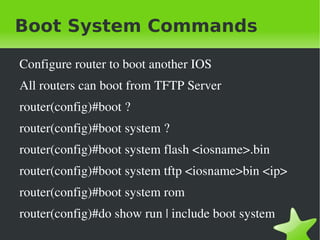
    Configure router to boot another IOS
    All routers can boot from TFTP Server
    router(config)#boot ?
    router(config)#boot system ?
    router(config)#boot system flash <iosname>.bin
    router(config)#boot system tftp <iosname>bin <ip>
    router(config)#boot system rom
    router(config)#do show run | include boot system
                               
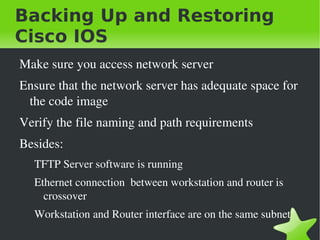
Backing Up and Restoring
Cisco IOS
    Make sure you access network server
    Ensure that the network server has adequate space for 
     the code image
    Verify the file naming and path requirements
    Besides:
      TFTP Server software is running
      Ethernet connection  between workstation and router is 
        crossover
      Workstation and Router interface are on the same subnet
                                  
Verify Flash Memory and
Back IOS
    Router#show flash
    Router#show version
    Router#ping <tftp­server­ip>
    Router#copy flash tftp
      Walk through questions!


Restore / Upgrade IOS

    Router#copy tftp flash


Cisco File System

    Router#pwd
    Router#dir
    Router#delete flash:<filename>
    Router#sh flash
    Router#copy tftp://<ip>//file name/ flash:/
    Router#show file information flash:<filename>


Backup Configuration

    Verify Stored Configuration
      Router#show startup­config
    Verify Current Configuration
      Router#show running­config
    Coppying Current Configuration
      Copy running­config startup­config
      And vice versa!


Copy running-config to TFTP

    Router#copy running­config tftp


Restoring running-config

    Router#copy tftp running­config


Erasing the Configuration

    Router#erasse startup­config
    Router#reload
      Remember: When you are prompted witht he message, 
       answer: n
      What happens if you answer yes?


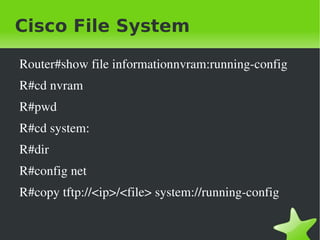
Cisco File System

    Router#show file informationnvram:running­config
    R#cd nvram
    R#pwd
    R#cd system:
    R#dir
    R#config net
    R#copy tftp://<ip>/<file> system://running­config

                               
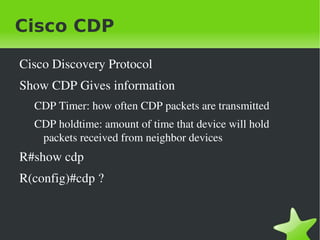
Cisco CDP

    Cisco Discovery Protocol
    Show CDP Gives information
      CDP Timer: how often CDP packets are transmitted
      CDP holdtime: amount of time that device will hold 
       packets received from neighbor devices
    R#show cdp
    R(config)#cdp ?


Gathering Neighbor Info

    R#sho cdp neighbors
    R#sho cdp neighbors detail
    R#sh cdp nei de
    R#sh cdp entry *
      Same as the previous... but?
      R#show cdp entry * ?
         Protocols
         Version


Gathering Interface Traffic

    R#sh cdp traffic
      Shows how many CDP packets have been sent and 
        received


Gathering Port and
Interface Information
    R#sh cdp interface
      Gives status on router interfaces or switch ports
    To turn off cdp on router:
      R(config)#no cdp run
    Enable CDP
      R(confi)#cdp enable


Telnet

    Posted Online
    http://blog.helghareeb.net/2012/01/03/telnet­lab/ 
    R#sh sessions
      See sessions from your router to a remote device
    R#sh users
      List all active consoles and VTY pots on my router
    Exit: Close telnet session
    R#disconnect ?
      Close connection to router    
Resolving Hostname

    Use hostname rather IP address to connect to Remote 
     Device
    Translate hostname to IP
    Two ways:
      Build host table on each router
      Build DNS Server (dynamic host table)


Build Host Table

    Ip host <host­name> [tcp­port#] <ip­address>
    Default Telnet Port is 23
    R(config)#ip host R1 <ip>
    R(config)#do show hosts
    R#R1
      Trying to connect to my telnet... WoW!


Using DNS to Resolve
Names
    Use DNS Server to resolve names: because we have 
     lots of Names
    Any time a Cisco device receives a command it 
     doesn't understand, it will try to resolve it through 
     DNS by default.
    R(config)#no ip domain­lookup
    What happens here?


Having DNS

    Add Commands:
      R(config)#ip domain­lookup
      R(config)#ip name­server
      R(config)#ip domain­name


Network Connectivity and
Troubleshooting
    R#ping <>
    R#traceroute <>


Debugging

    R#debug all
    R#no debug all
    R#debug ip rip
    R#show processes


Further Readings

    How to Become Network Administrator?
      Part 1: 
        http://www.catazinelive.catreloaded.net/2012/02/01/how­to­b
      Part 2: 
        http://www.catazinelive.catreloaded.net/2012/03/18/how­to­b


Cisco ios-cont

  • 1.
    Boot System Commands Configure router to boot another IOS All routers can boot from TFTP Server router(config)#boot ? router(config)#boot system ? router(config)#boot system flash <iosname>.bin router(config)#boot system tftp <iosname>bin <ip> router(config)#boot system rom router(config)#do show run | include boot system    
  • 2.
    Backing Up andRestoring Cisco IOS Make sure you access network server Ensure that the network server has adequate space for  the code image Verify the file naming and path requirements Besides: TFTP Server software is running Ethernet connection  between workstation and router is  crossover Workstation and Router interface are on the same subnet    
  • 3.
    Verify Flash Memoryand Back IOS Router#show flash Router#show version Router#ping <tftp­server­ip> Router#copy flash tftp Walk through questions!    
  • 4.
    Restore / UpgradeIOS Router#copy tftp flash    
  • 5.
    Cisco File System Router#pwd Router#dir Router#delete flash:<filename> Router#sh flash Router#copy tftp://<ip>//file name/ flash:/ Router#show file information flash:<filename>    
  • 6.
    Backup Configuration Verify Stored Configuration Router#show startup­config Verify Current Configuration Router#show running­config Coppying Current Configuration Copy running­config startup­config And vice versa!    
  • 7.
    Copy running-config toTFTP Router#copy running­config tftp    
  • 8.
    Restoring running-config Router#copy tftp running­config    
  • 9.
    Erasing the Configuration Router#erasse startup­config Router#reload Remember: When you are prompted witht he message,  answer: n What happens if you answer yes?    
  • 10.
    Cisco File System Router#show file informationnvram:running­config R#cd nvram R#pwd R#cd system: R#dir R#config net R#copy tftp://<ip>/<file> system://running­config    
  • 11.
    Cisco CDP Cisco Discovery Protocol Show CDP Gives information CDP Timer: how often CDP packets are transmitted CDP holdtime: amount of time that device will hold  packets received from neighbor devices R#show cdp R(config)#cdp ?    
  • 12.
    Gathering Neighbor Info R#sho cdp neighbors R#sho cdp neighbors detail R#sh cdp nei de R#sh cdp entry * Same as the previous... but? R#show cdp entry * ? Protocols Version    
  • 13.
    Gathering Interface Traffic R#sh cdp traffic Shows how many CDP packets have been sent and  received    
  • 14.
    Gathering Port and InterfaceInformation R#sh cdp interface Gives status on router interfaces or switch ports To turn off cdp on router: R(config)#no cdp run Enable CDP R(confi)#cdp enable    
  • 15.
    Telnet Posted Online http://blog.helghareeb.net/2012/01/03/telnet­lab/  R#sh sessions See sessions from your router to a remote device R#sh users List all active consoles and VTY pots on my router Exit: Close telnet session R#disconnect ?   Close connection to router  
  • 16.
    Resolving Hostname Use hostname rather IP address to connect to Remote  Device Translate hostname to IP Two ways: Build host table on each router Build DNS Server (dynamic host table)    
  • 17.
    Build Host Table Ip host <host­name> [tcp­port#] <ip­address> Default Telnet Port is 23 R(config)#ip host R1 <ip> R(config)#do show hosts R#R1 Trying to connect to my telnet... WoW!    
  • 18.
    Using DNS toResolve Names Use DNS Server to resolve names: because we have  lots of Names Any time a Cisco device receives a command it  doesn't understand, it will try to resolve it through  DNS by default. R(config)#no ip domain­lookup What happens here?    
  • 19.
    Having DNS Add Commands: R(config)#ip domain­lookup R(config)#ip name­server R(config)#ip domain­name    
  • 20.
    Network Connectivity and Troubleshooting R#ping <> R#traceroute <>    
  • 21.
    Debugging R#debug all R#no debug all R#debug ip rip R#show processes    
  • 22.
    Further Readings How to Become Network Administrator? Part 1:  http://www.catazinelive.catreloaded.net/2012/02/01/how­to­b Part 2:  http://www.catazinelive.catreloaded.net/2012/03/18/how­to­b