CI/CD with
Azure DevOps, Pre-Commit, and Azure Databricks
30-10-2019
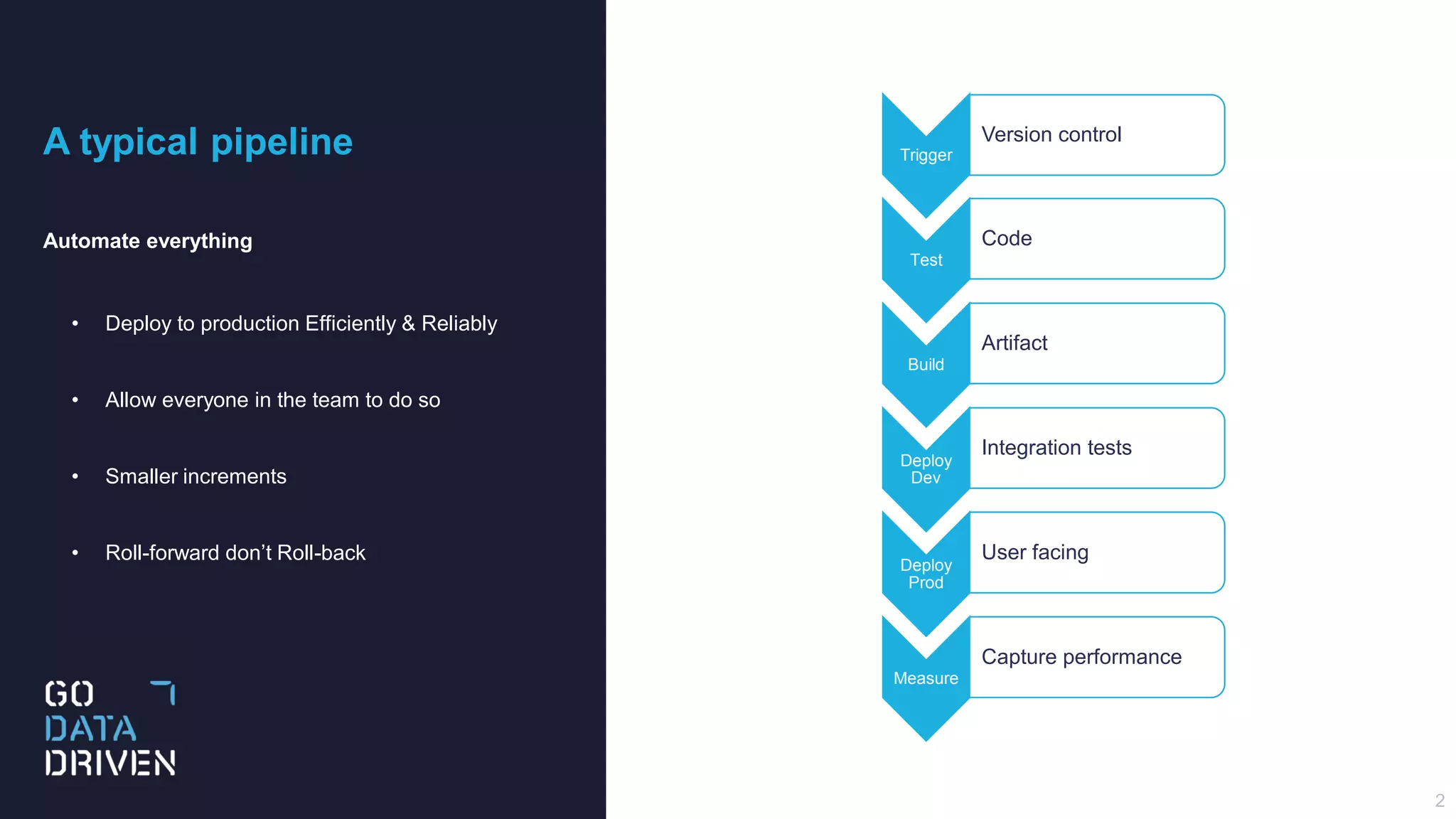
A typical pipeline
Automate everything
• Deploy to production Efficiently & Reliably
• Allow everyone in the team to do so
• Smaller increments
• Roll-forward don’t Roll-back
2
Trigger
Version control
Test
Code
Build
Artifact
Deploy
Dev
Integration tests
Deploy
Prod
User facing
Measure
Capture performance
3
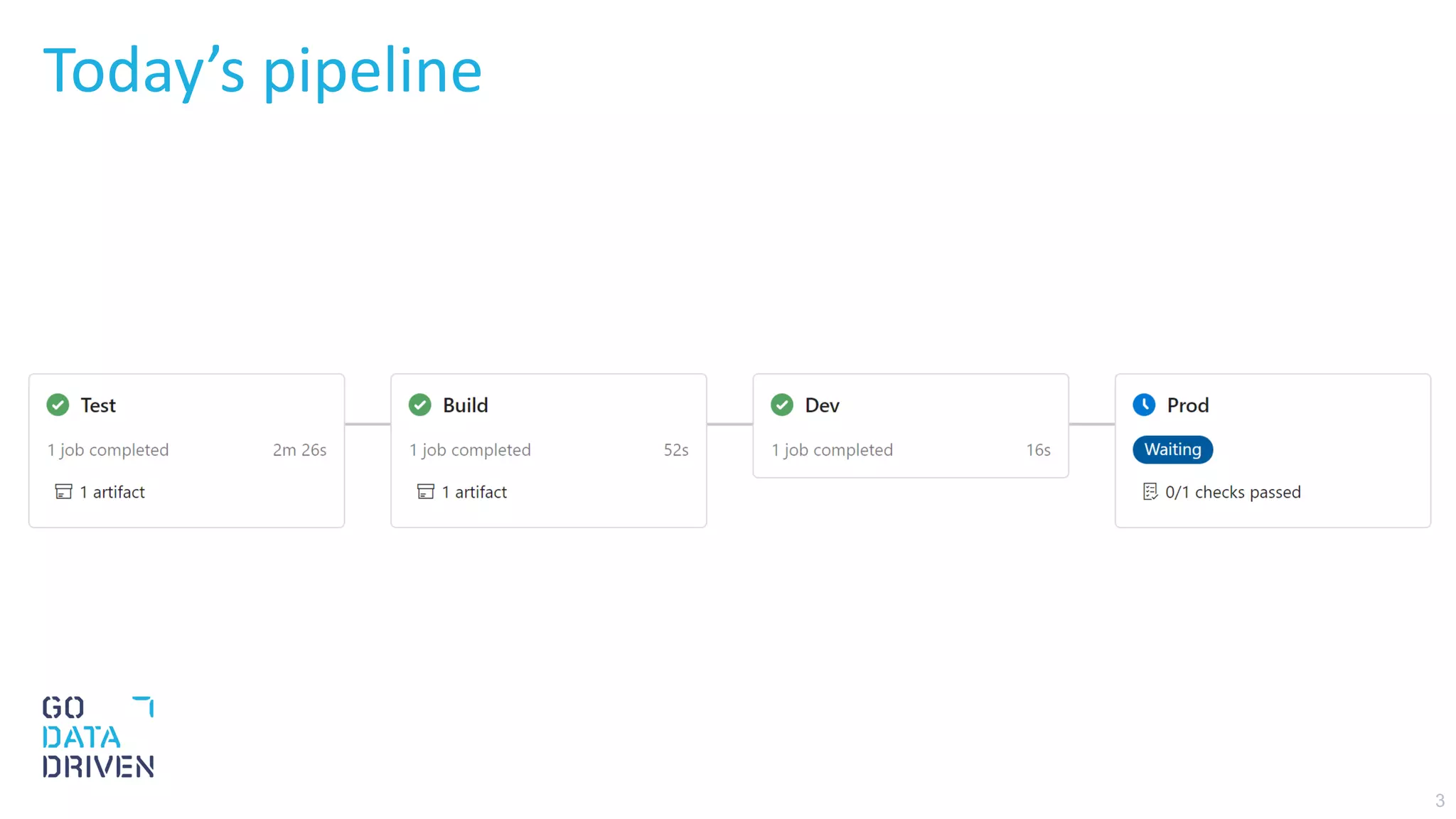
Today’s pipeline
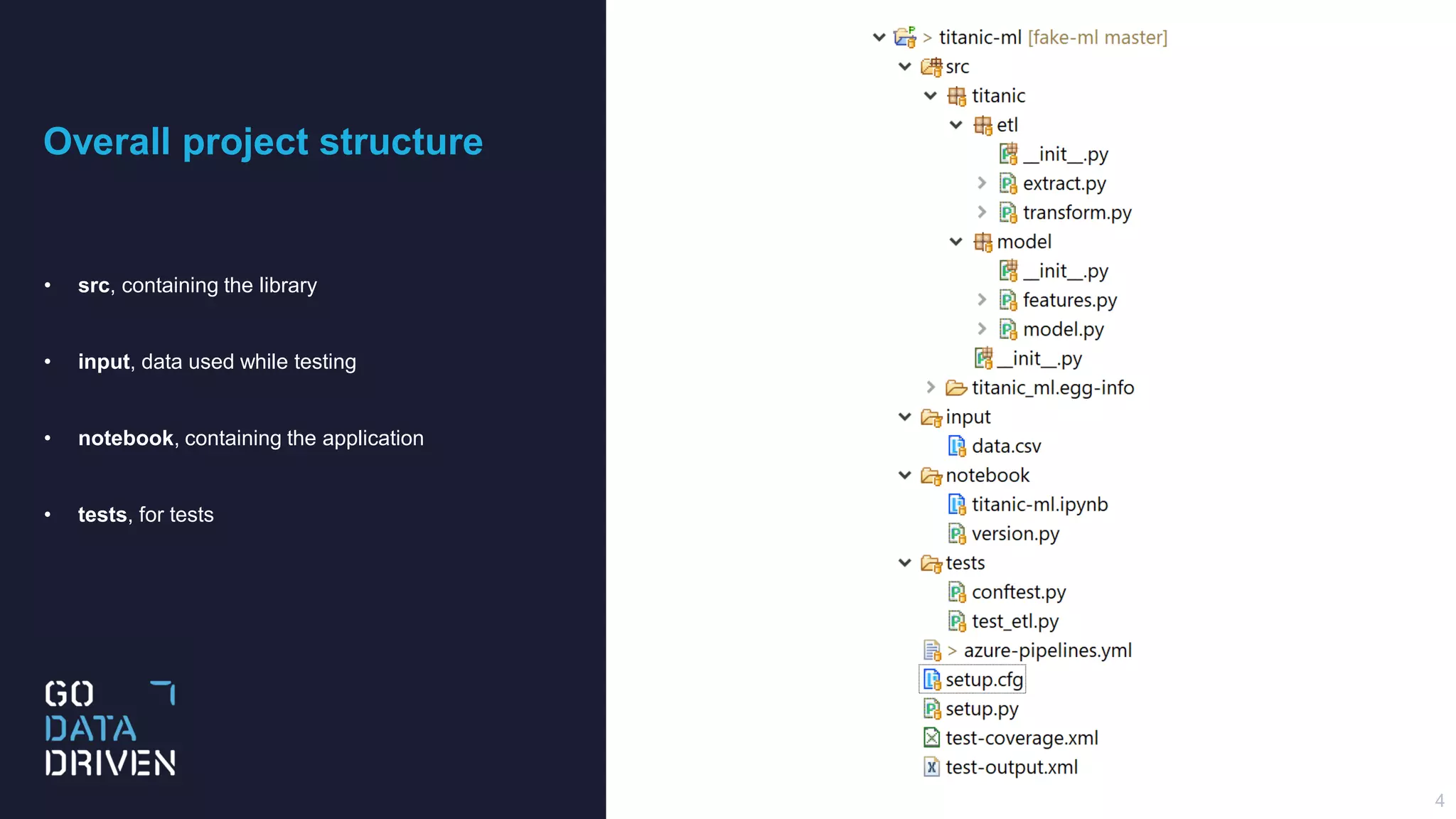
Overall project structure
• src, containing the library
• input, data used while testing
• notebook, containing the application
• tests, for tests
4
Testing
Our approach
• Use Pre-Commit
• Apply Black, Flake8
• Run PySpark tests in a Docker container
5
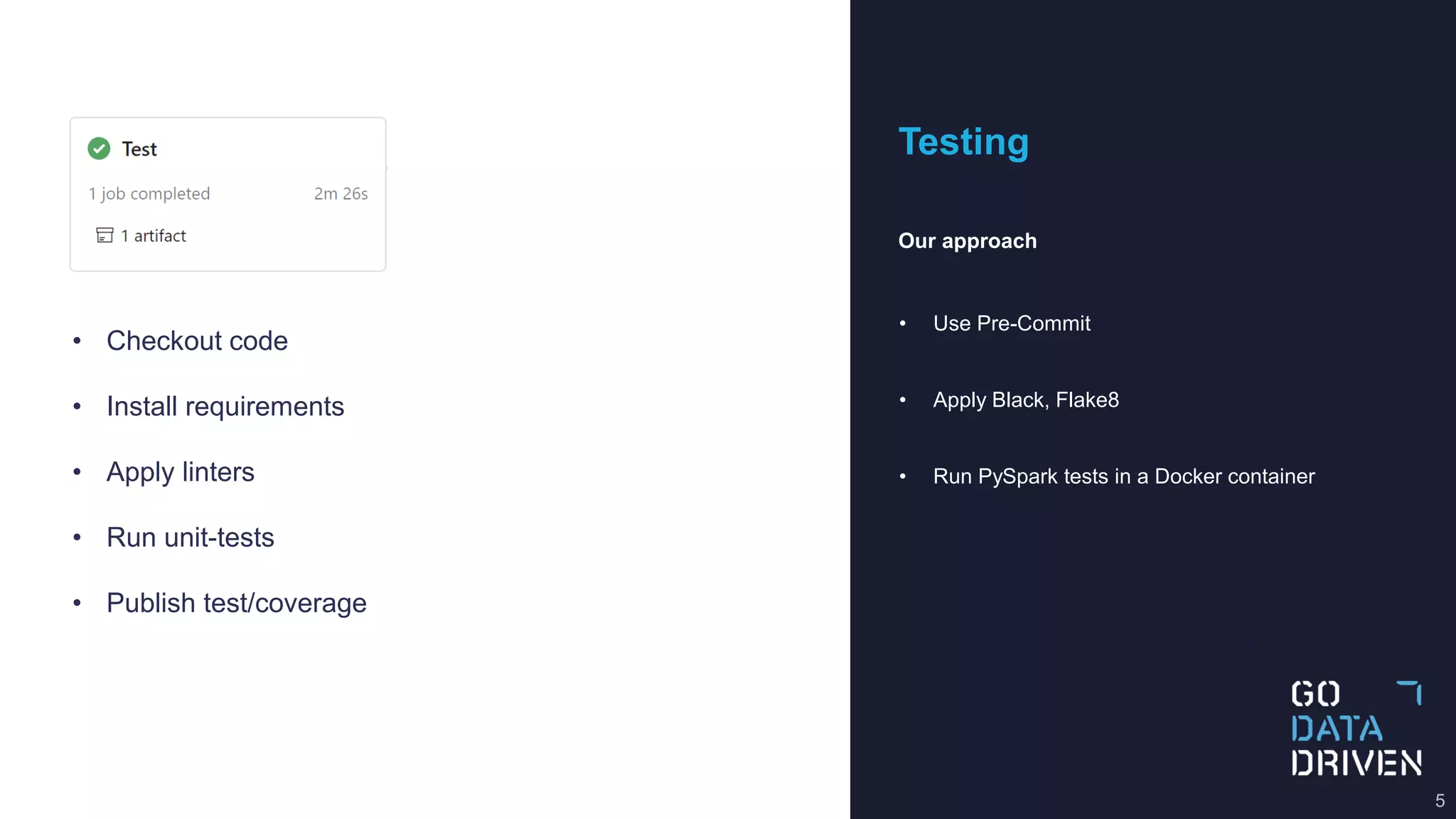
• Checkout code
• Install requirements
• Apply linters
• Run unit-tests
• Publish test/coverage
Pre-Commit
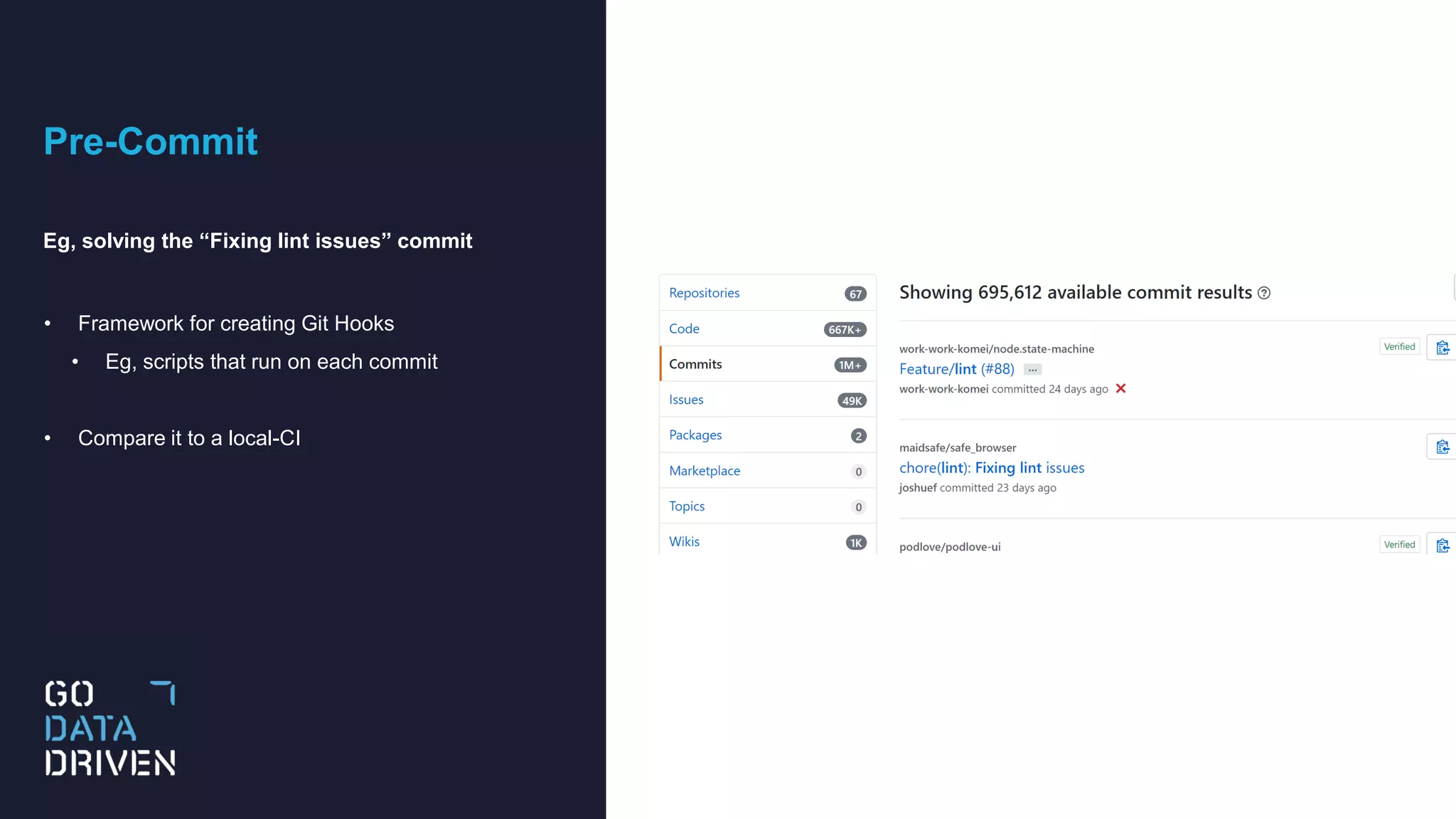
Eg, solving the “Fixing lint issues” commit
• Framework for creating Git Hooks
• Eg, scripts that run on each commit
• Compare it to a local-CI
Pre-Commit
.pre-commit-config.yaml
• In our case
• run black/Flake8 on each commit
• run pytest on each push
repos:
- repo: https://github.com/psf/black
rev: 19.3b0
hooks:
- id: black
- repo: https://github.com/pre-commit/pre-commit-hooks
rev: v2.3.0
hooks:
- id: flake8
- id: check-merge-conflict
- repo: https://github.com/godatadriven/pre-commit-docker-pyspark
rev: master
hooks:
- id: pyspark-docker
name: Run tests
entry: /entrypoint.sh python setup.py test
language: docker
pass_filenames: false
stages: [push]
8
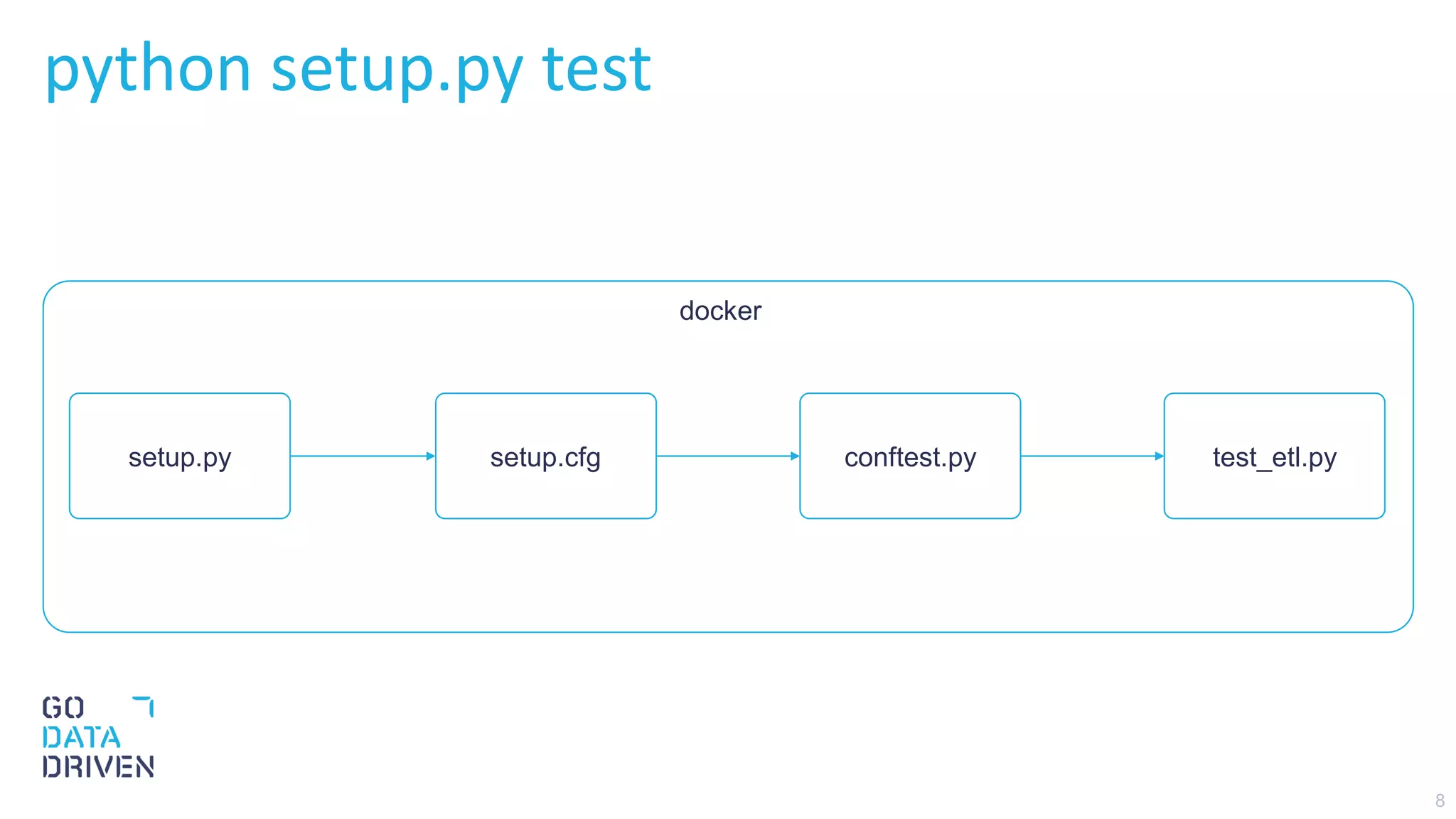
python setup.py test
setup.py setup.cfg conftest.py test_etl.py
docker
9
Testing PySpark
conftest.py create pytest fixture called spark
def test_load_df(spark):
df = load_df(spark, "input/data.csv")
assert df.count() == 891
assert df.filter(df.Name == "Sandstrom, Miss. Marguerite Rut").count() == 1
def test_fill_na(spark):
input_df = spark.createDataFrame(
[(None, None, None)], "Age: double, Cabin: string, Fare: double"
)
output_df = fill_na(input_df)
output = df_to_list_dict(output_df)
expected_output = [{"Age": -0.5, "Cabin": "N", "Fare": -0.5}]
assert output == expected_output
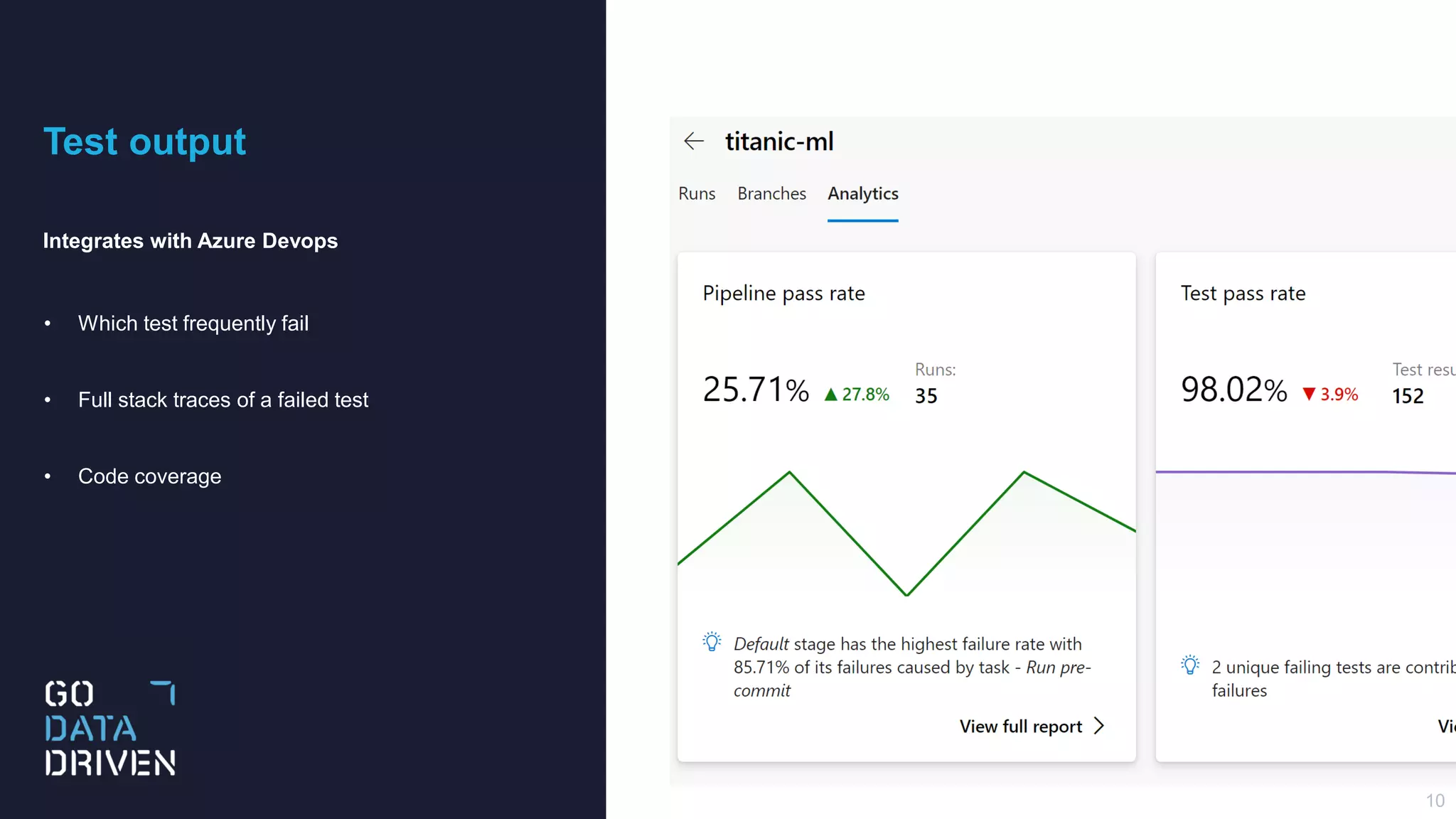
Test output
Integrates with Azure Devops
• Which test frequently fail
• Full stack traces of a failed test
• Code coverage
10
Building
Our approach
• Python wheel of library
• Modify notebook/version.py
• Create a build artifact of notebook
11
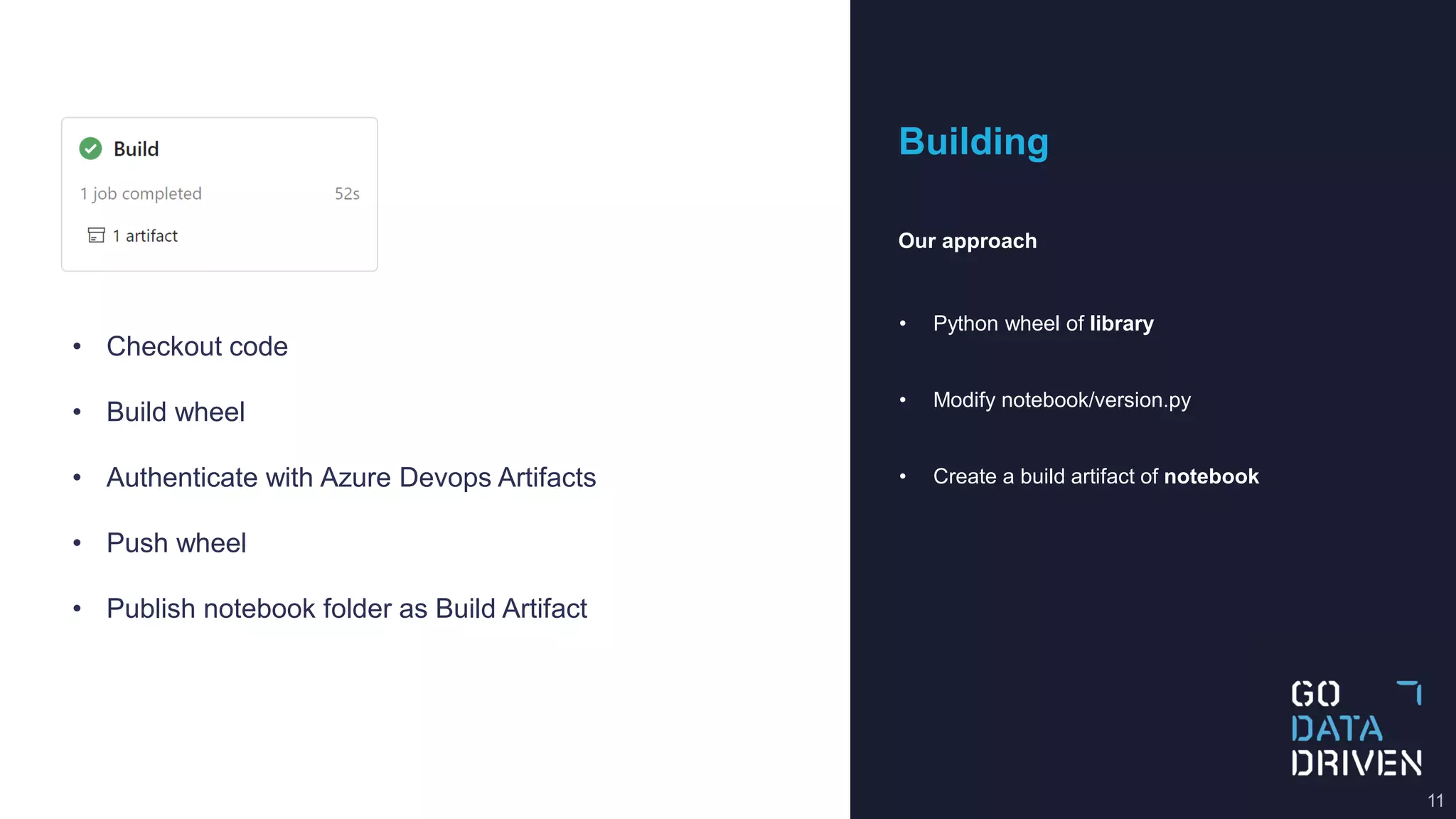
• Checkout code
• Build wheel
• Authenticate with Azure Devops Artifacts
• Push wheel
• Publish notebook folder as Build Artifact
Deployment
Our approach
• Copy version.py to the DEV workspace
• After a manual step
• Copy notebook/* to the Prod workspace
12
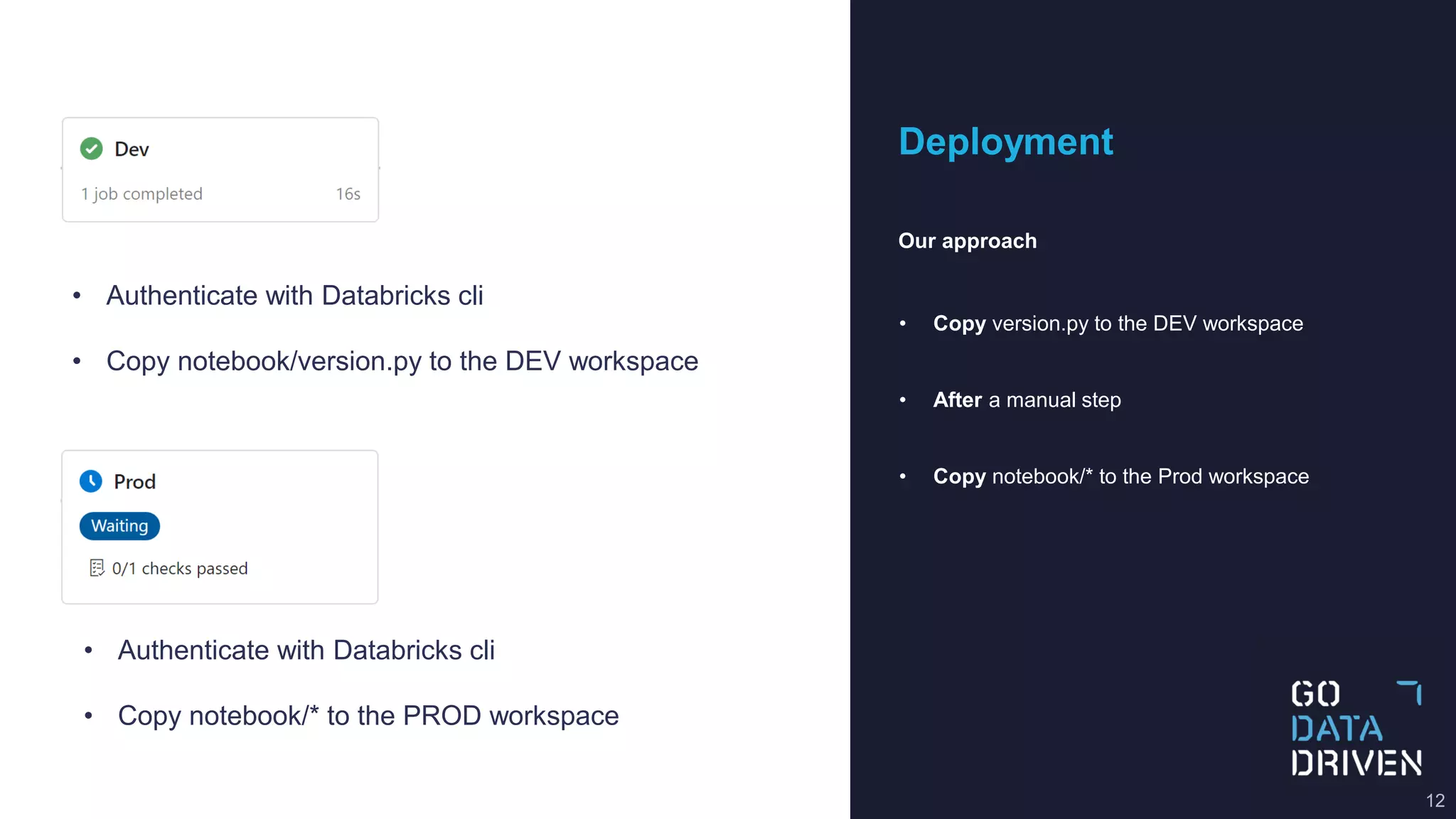
• Authenticate with Databricks cli
• Copy notebook/version.py to the DEV workspace
• Authenticate with Databricks cli
• Copy notebook/* to the PROD workspace
13
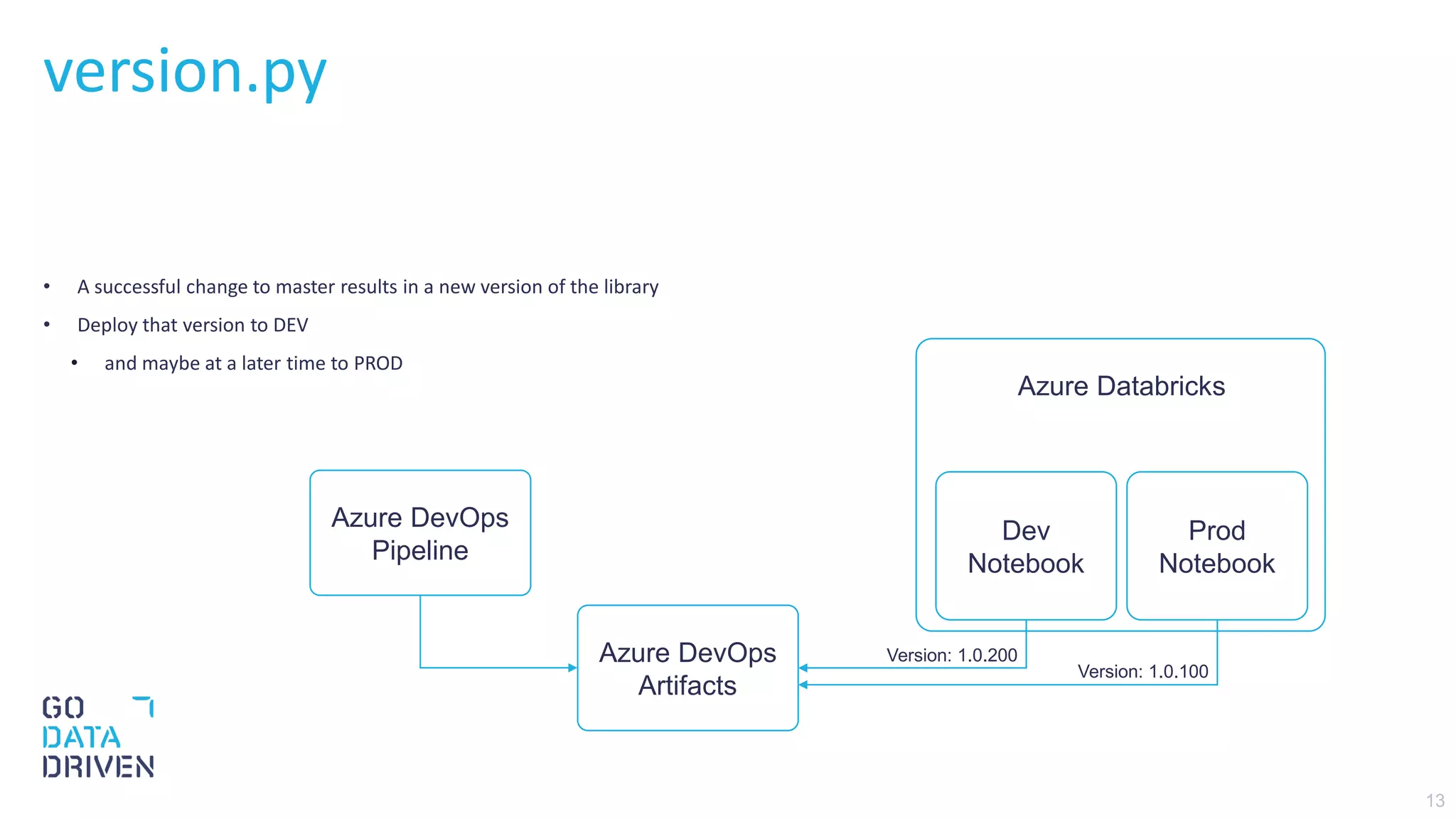
version.py
• A successful change to master results in a new version of the library
• Deploy that version to DEV
• and maybe at a later time to PROD
Azure DevOps
Pipeline
Azure DevOps
Artifacts
Dev
Notebook
Prod
Notebook
Azure Databricks
Version: 1.0.100
Version: 1.0.200
14
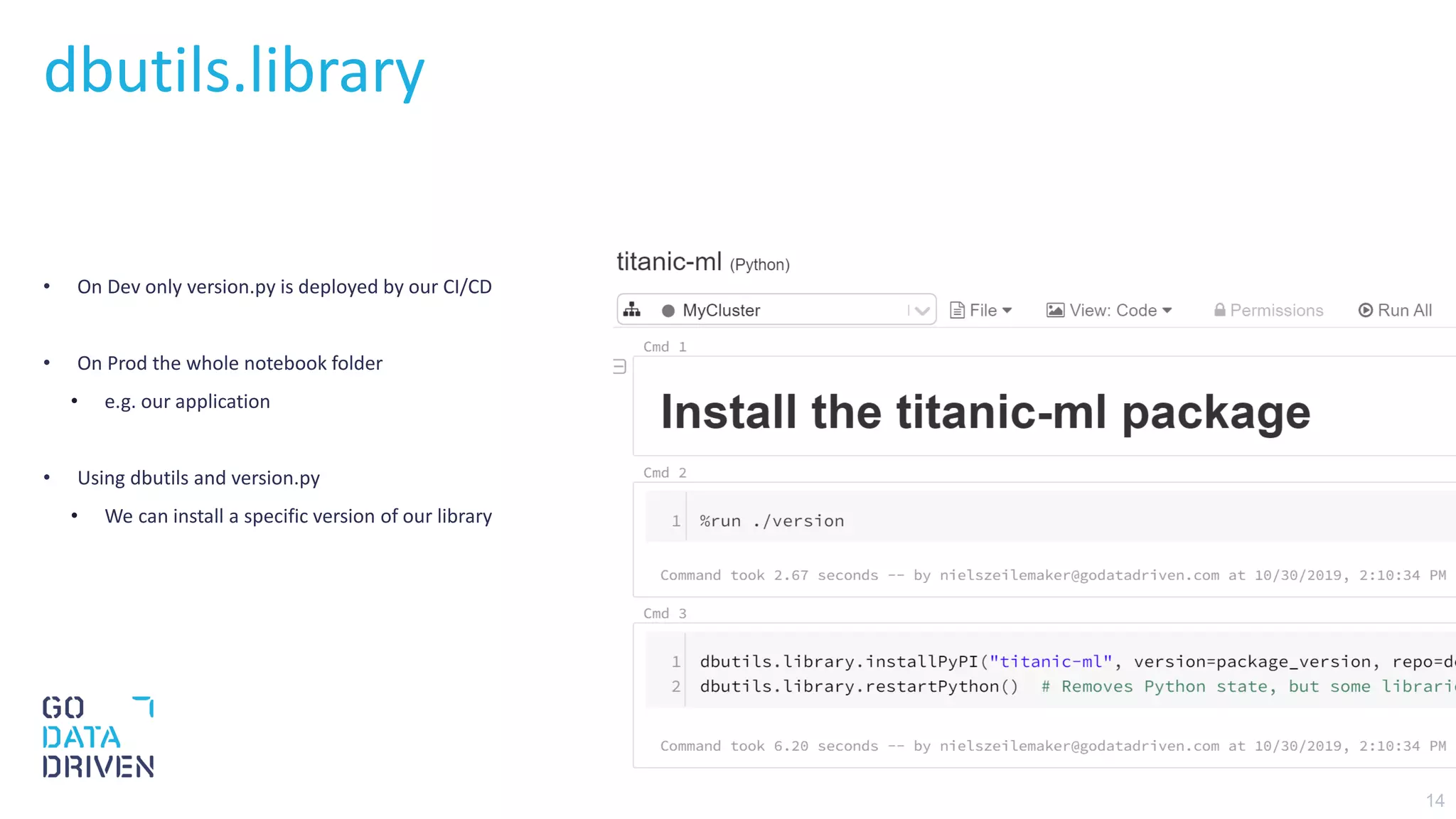
• On Dev only version.py is deployed by our CI/CD
• On Prod the whole notebook folder
• e.g. our application
• Using dbutils and version.py
• We can install a specific version of our library
dbutils.library
15
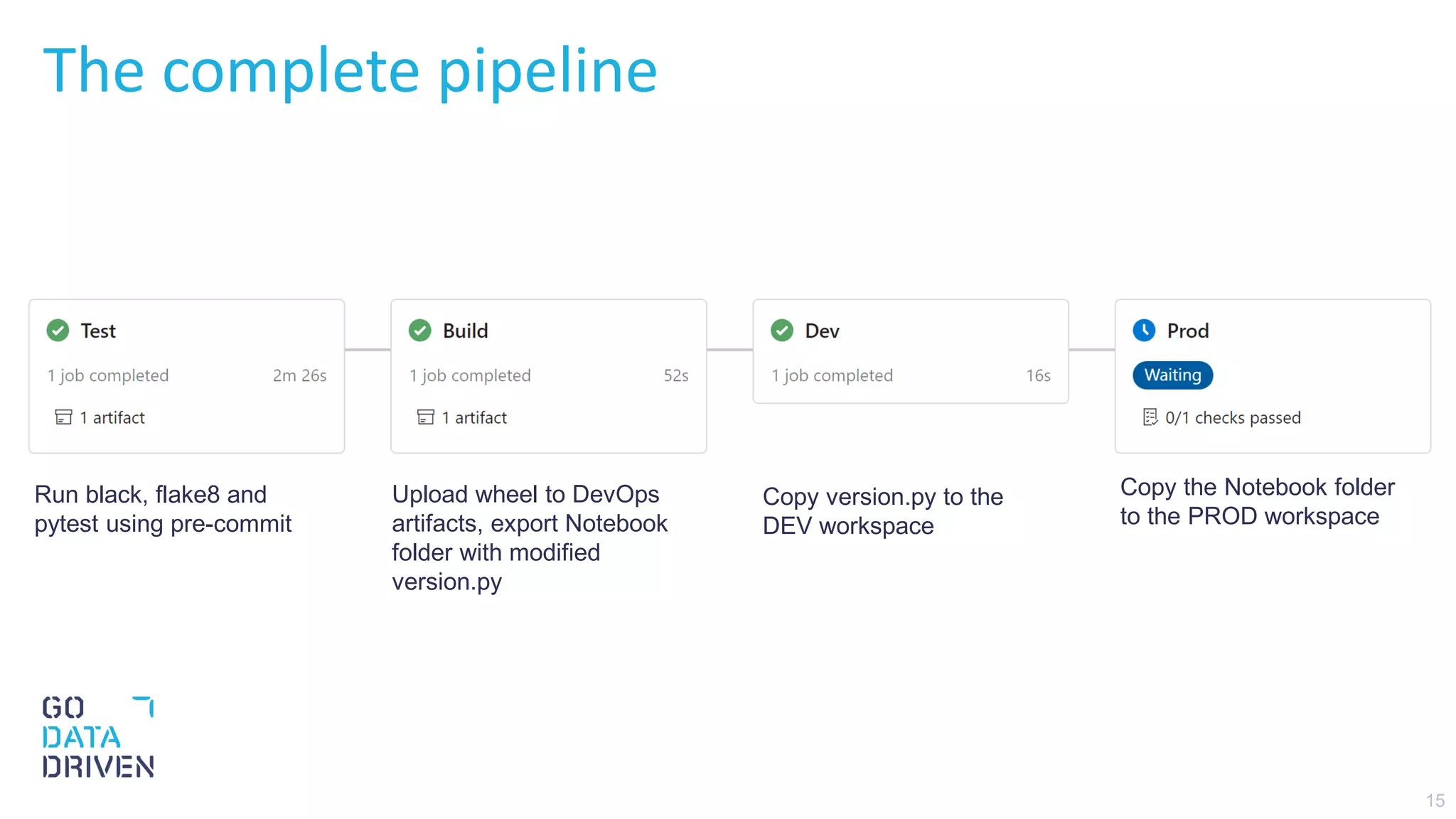
The complete pipeline
Run black, flake8 and
pytest using pre-commit
Upload wheel to DevOps
artifacts, export Notebook
folder with modified
version.py
Copy version.py to the
DEV workspace
Copy the Notebook folder
to the PROD workspace
Your Data Career
16
Check out the job opportunities
WE ARE HIRING
GoDataDriven.com/Careers

CI/CD with Azure DevOps and Azure Databricks

  • 1.
    CI/CD with Azure DevOps,Pre-Commit, and Azure Databricks 30-10-2019
  • 2.
    A typical pipeline Automateeverything • Deploy to production Efficiently & Reliably • Allow everyone in the team to do so • Smaller increments • Roll-forward don’t Roll-back 2 Trigger Version control Test Code Build Artifact Deploy Dev Integration tests Deploy Prod User facing Measure Capture performance
  • 3.
  • 4.
    Overall project structure •src, containing the library • input, data used while testing • notebook, containing the application • tests, for tests 4
  • 5.
    Testing Our approach • UsePre-Commit • Apply Black, Flake8 • Run PySpark tests in a Docker container 5 • Checkout code • Install requirements • Apply linters • Run unit-tests • Publish test/coverage
  • 6.
    Pre-Commit Eg, solving the“Fixing lint issues” commit • Framework for creating Git Hooks • Eg, scripts that run on each commit • Compare it to a local-CI
  • 7.
    Pre-Commit .pre-commit-config.yaml • In ourcase • run black/Flake8 on each commit • run pytest on each push repos: - repo: https://github.com/psf/black rev: 19.3b0 hooks: - id: black - repo: https://github.com/pre-commit/pre-commit-hooks rev: v2.3.0 hooks: - id: flake8 - id: check-merge-conflict - repo: https://github.com/godatadriven/pre-commit-docker-pyspark rev: master hooks: - id: pyspark-docker name: Run tests entry: /entrypoint.sh python setup.py test language: docker pass_filenames: false stages: [push]
  • 8.
    8 python setup.py test setup.pysetup.cfg conftest.py test_etl.py docker
  • 9.
    9 Testing PySpark conftest.py createpytest fixture called spark def test_load_df(spark): df = load_df(spark, "input/data.csv") assert df.count() == 891 assert df.filter(df.Name == "Sandstrom, Miss. Marguerite Rut").count() == 1 def test_fill_na(spark): input_df = spark.createDataFrame( [(None, None, None)], "Age: double, Cabin: string, Fare: double" ) output_df = fill_na(input_df) output = df_to_list_dict(output_df) expected_output = [{"Age": -0.5, "Cabin": "N", "Fare": -0.5}] assert output == expected_output
  • 10.
    Test output Integrates withAzure Devops • Which test frequently fail • Full stack traces of a failed test • Code coverage 10
  • 11.
    Building Our approach • Pythonwheel of library • Modify notebook/version.py • Create a build artifact of notebook 11 • Checkout code • Build wheel • Authenticate with Azure Devops Artifacts • Push wheel • Publish notebook folder as Build Artifact
  • 12.
    Deployment Our approach • Copyversion.py to the DEV workspace • After a manual step • Copy notebook/* to the Prod workspace 12 • Authenticate with Databricks cli • Copy notebook/version.py to the DEV workspace • Authenticate with Databricks cli • Copy notebook/* to the PROD workspace
  • 13.
    13 version.py • A successfulchange to master results in a new version of the library • Deploy that version to DEV • and maybe at a later time to PROD Azure DevOps Pipeline Azure DevOps Artifacts Dev Notebook Prod Notebook Azure Databricks Version: 1.0.100 Version: 1.0.200
  • 14.
    14 • On Devonly version.py is deployed by our CI/CD • On Prod the whole notebook folder • e.g. our application • Using dbutils and version.py • We can install a specific version of our library dbutils.library
  • 15.
    15 The complete pipeline Runblack, flake8 and pytest using pre-commit Upload wheel to DevOps artifacts, export Notebook folder with modified version.py Copy version.py to the DEV workspace Copy the Notebook folder to the PROD workspace
  • 16.
    Your Data Career 16 Checkout the job opportunities WE ARE HIRING GoDataDriven.com/Careers