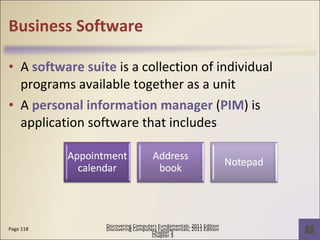
Business Software A  software suite  is a collection of individual programs available together as a unit A  personal information manager  ( PIM ) is application software that includes Page 118 Discovering Computers Fundamentals, 2011 Edition Chapter 3
Business Software Pages 118 - 119 Figures 3-12 – 3-14 Discovering Computers Fundamentals, 2011 Edition Chapter 3
Business Software Enterprises typically require special computing solutions for various functional units Page 119 Discovering Computers Fundamentals, 2011 Edition Chapter 3
Graphics and Multimedia Software Page 120  Figure 3-15 Discovering Computers Fundamentals, 2011 Edition Chapter 3 Click to view Web Link, click Chapter 3, Click Web  Link from left navigation,  then click Graphics Software below Chapter 3
Graphics and Multimedia Software Page 121 Figures 3-16 – 3-18 Discovering Computers Fundamentals, 2011 Edition Chapter 3
Graphics and Multimedia Software Pages 121 - 122 Figures 3-19– 3-20 Discovering Computers Fundamentals, 2011 Edition Chapter 3
Video: MediaCell Video Converter Discovering Computers Fundamentals, 2011 Edition Chapter 3 CLICK TO START
Graphics and Multimedia Software Web page authoring software   helps users of all skill levels create Web pages that include multimedia and interactive content Page 122 Discovering Computers Fundamentals, 2011 Edition Chapter 3
Software for Home, Personal, and Educational Use  Pages 124– 125 Figures 3-22 – 3-24 Discovering Computers Fundamentals, 2011 Edition Chapter 3
Software for Home, Personal, and Educational Use  Pages 125 – 126 Figures 3-25 – 3-26 Discovering Computers Fundamentals, 2011 Edition Chapter 3
Software for Home, Personal, and Educational Use  Pages 126 - 127 Figures 3-27 – 3-29 Discovering Computers Fundamentals, 2011 Edition Chapter 3
Software for Home, Personal, and Educational Use  Pages  127 – 128 Figures 3-30 – 3-32 Discovering Computers Fundamentals, 2011 Edition Chapter 3 Click to view Web Link, click Chapter 3, Click Web  Link from left navigation,  then click Game Software below Chapter 3
Web Applications A Web application ( Web app ) is a Web site that allows users to access and interact with software from any computer or device that is connected to the Internet Pages 128 – 129 Figure 3-33 Discovering Computers Fundamentals, 2011 Edition Chapter 3
Web Applications Page 129  Figure 3-34 Discovering Computers Fundamentals, 2011 Edition Chapter 3
Application Software for Communications Page 130  Figure 3-35 Discovering Computers Fundamentals, 2011 Edition Chapter 3
Learning Tools for Application Software Online Help   is the electronic equivalent of a user manual You can ask a question or access the Help topics in subject or alphabetical order Page 131  Figure 3-36 Discovering Computers Fundamentals, 2011 Edition Chapter 3
Learning Tools for Application Software Web-based training  is a type of CBT that uses Internet technology and consists of application software on the Web Distance learning  ( DL ) is the delivery of education at one location while the learning takes place at other locations Page 131  Figure 3-37 Discovering Computers Fundamentals, 2011 Edition Chapter 3
Summary Page 132 Discovering Computers Fundamentals, 2011 Edition Chapter 3
Chapter 4 The Components of the System Unit
Objectives Overview See Page 155 for Detailed Objectives Discovering Computers Fundamentals, 2011 Edition Chapter 4
The System Unit The  system unit   is a case that contains electronic components of the computer used to process data Page 156  Figure 4-1 Discovering Computers Fundamentals, 2011 Edition Chapter 4
The System Unit The inside of the system unit on a desktop personal computer includes: Page 157  Figure 4-2 Discovering Computers Fundamentals, 2011 Edition Chapter 4
The System Unit The  motherboard  is the main circuit board of the system unit A computer  chip  contains integrated circuits Page 158  Figure 4-3 Discovering Computers Fundamentals, 2011 Edition Chapter 4
Processor The  processor , also called the  central processing unit  ( CPU ), interprets and carries out the basic instructions that operate a computer Contain a control unit and an arithmetic logic unit (ALU) Page 159 Discovering Computers Fundamentals, 2011 Edition Chapter 4
Processor Page 159  Figure 4-4 Discovering Computers Fundamentals, 2011 Edition Chapter 4 Click to view Web Link, click Chapter 4, Click Web  Link from left navigation,  then click Multi-Core Processors below Chapter 4
Processor The  control unit   is the component of the processor that directs and coordinates most of the operations in the computer The  arithmetic logic unit   (ALU) performs arithmetic, comparison, and other operations Pages 159 - 160 Discovering Computers Fundamentals, 2011 Edition Chapter 4
Processor For every instruction, a processor repeats a set of four basic operations, which comprise a machine cycle Page 160  Figure 4-5 Discovering Computers Fundamentals, 2011 Edition Chapter 4
Processor Pages 160 - 161 Discovering Computers Fundamentals, 2011 Edition Chapter 4
Data Representation Page 162 Discovering Computers Fundamentals, 2011 Edition Chapter 4
Data Representation A computer circuit represents the 0 or the 1 electronically by the presence or absence of an electrical charge Eight bits grouped together as a unit are called a byte. A byte represents a single character in the computer Page 162  Figures 4-6 – 4-7 Discovering Computers Fundamentals, 2011 Edition Chapter 4
Data Representation ASCII (American Standard Code for Information Interchange) is the most widely used coding scheme to represent data Page 162  Figure 4-8 Discovering Computers Fundamentals, 2011 Edition Chapter 4
Data Representation Page 163  Figure 4-9 Discovering Computers Fundamentals, 2011 Edition Chapter 4
Memory Memory  consists of electronic components that store instructions waiting to be executed by the processor, data needed by those instructions, and the results of processing the data Stores three basic categories of items: Page 163 Discovering Computers Fundamentals, 2011 Edition Chapter 4
Memory Each location in memory has an address Memory size is measured in  kilobytes  ( KB  or  K ),  megabytes  ( MB ),  gigabytes  ( GB ), or   terabytes  ( TB ) Page 164  Figure 4-11 Discovering Computers Fundamentals, 2011 Edition Chapter 4
Memory The system unit contains two types of memory: Pages 164 - 165 Discovering Computers Fundamentals, 2011 Edition Chapter 4
Memory Page 165  Figure 4-12 Discovering Computers Fundamentals, 2011 Edition Chapter 4
Memory Three basic types of RAM chips exist: Page 166 Discovering Computers Fundamentals, 2011 Edition Chapter 4 Click to view Web Link, click Chapter 4, Click Web  Link from left navigation,  then click RAM below Chapter 4
Memory RAM chips usually reside on a  memory module   and are inserted into  memory slots Page 166  Figure 4-13 Discovering Computers Fundamentals, 2011 Edition Chapter 4
Memory The amount of RAM necessary in a computer often depends on the types of software you plan to use Memory cache  speeds the processes of the computer because it stores frequently used instructions and data Pages 166 - 167 Discovering Computers Fundamentals, 2011 Edition Chapter 4
Memory Page 167 Discovering Computers Fundamentals, 2011 Edition Chapter 4 Click to view Web Link, click Chapter 4, Click Web  Link from left navigation,  then click ROM below Chapter 4
Memory Flash memory   can be erased electronically and rewritten CMOS   technology provides high speeds and consumes little power Pages 167 – 168 Figure 4-14 Discovering Computers Fundamentals, 2011 Edition Chapter 4
Memory Access time   is the amount of time it takes the processor to read from memory Measured in  nanoseconds Page 168 Figures 4-15 – 4-16 Discovering Computers Fundamentals, 2011 Edition Chapter 4
Memory End for today We will cover the rest at the nextweek’s class Page 168 Figures 4-15 – 4-16 Discovering Computers Fundamentals, 2011 Edition Chapter 4

Chs3 4 online

  • 1.
    Business Software A software suite is a collection of individual programs available together as a unit A personal information manager ( PIM ) is application software that includes Page 118 Discovering Computers Fundamentals, 2011 Edition Chapter 3
  • 2.
    Business Software Pages118 - 119 Figures 3-12 – 3-14 Discovering Computers Fundamentals, 2011 Edition Chapter 3
  • 3.
    Business Software Enterprisestypically require special computing solutions for various functional units Page 119 Discovering Computers Fundamentals, 2011 Edition Chapter 3
  • 4.
    Graphics and MultimediaSoftware Page 120 Figure 3-15 Discovering Computers Fundamentals, 2011 Edition Chapter 3 Click to view Web Link, click Chapter 3, Click Web Link from left navigation, then click Graphics Software below Chapter 3
  • 5.
    Graphics and MultimediaSoftware Page 121 Figures 3-16 – 3-18 Discovering Computers Fundamentals, 2011 Edition Chapter 3
  • 6.
    Graphics and MultimediaSoftware Pages 121 - 122 Figures 3-19– 3-20 Discovering Computers Fundamentals, 2011 Edition Chapter 3
  • 7.
    Video: MediaCell VideoConverter Discovering Computers Fundamentals, 2011 Edition Chapter 3 CLICK TO START
  • 8.
    Graphics and MultimediaSoftware Web page authoring software helps users of all skill levels create Web pages that include multimedia and interactive content Page 122 Discovering Computers Fundamentals, 2011 Edition Chapter 3
  • 9.
    Software for Home,Personal, and Educational Use Pages 124– 125 Figures 3-22 – 3-24 Discovering Computers Fundamentals, 2011 Edition Chapter 3
  • 10.
    Software for Home,Personal, and Educational Use Pages 125 – 126 Figures 3-25 – 3-26 Discovering Computers Fundamentals, 2011 Edition Chapter 3
  • 11.
    Software for Home,Personal, and Educational Use Pages 126 - 127 Figures 3-27 – 3-29 Discovering Computers Fundamentals, 2011 Edition Chapter 3
  • 12.
    Software for Home,Personal, and Educational Use Pages 127 – 128 Figures 3-30 – 3-32 Discovering Computers Fundamentals, 2011 Edition Chapter 3 Click to view Web Link, click Chapter 3, Click Web Link from left navigation, then click Game Software below Chapter 3
  • 13.
    Web Applications AWeb application ( Web app ) is a Web site that allows users to access and interact with software from any computer or device that is connected to the Internet Pages 128 – 129 Figure 3-33 Discovering Computers Fundamentals, 2011 Edition Chapter 3
  • 14.
    Web Applications Page129 Figure 3-34 Discovering Computers Fundamentals, 2011 Edition Chapter 3
  • 15.
    Application Software forCommunications Page 130 Figure 3-35 Discovering Computers Fundamentals, 2011 Edition Chapter 3
  • 16.
    Learning Tools forApplication Software Online Help is the electronic equivalent of a user manual You can ask a question or access the Help topics in subject or alphabetical order Page 131 Figure 3-36 Discovering Computers Fundamentals, 2011 Edition Chapter 3
  • 17.
    Learning Tools forApplication Software Web-based training is a type of CBT that uses Internet technology and consists of application software on the Web Distance learning ( DL ) is the delivery of education at one location while the learning takes place at other locations Page 131 Figure 3-37 Discovering Computers Fundamentals, 2011 Edition Chapter 3
  • 18.
    Summary Page 132Discovering Computers Fundamentals, 2011 Edition Chapter 3
  • 19.
    Chapter 4 TheComponents of the System Unit
  • 20.
    Objectives Overview SeePage 155 for Detailed Objectives Discovering Computers Fundamentals, 2011 Edition Chapter 4
  • 21.
    Objectives Overview SeePage 155 for Detailed Objectives Discovering Computers Fundamentals, 2011 Edition Chapter 4
  • 22.
    The System UnitThe system unit is a case that contains electronic components of the computer used to process data Page 156 Figure 4-1 Discovering Computers Fundamentals, 2011 Edition Chapter 4
  • 23.
    The System UnitThe inside of the system unit on a desktop personal computer includes: Page 157 Figure 4-2 Discovering Computers Fundamentals, 2011 Edition Chapter 4
  • 24.
    The System UnitThe motherboard is the main circuit board of the system unit A computer chip contains integrated circuits Page 158 Figure 4-3 Discovering Computers Fundamentals, 2011 Edition Chapter 4
  • 25.
    Processor The processor , also called the central processing unit ( CPU ), interprets and carries out the basic instructions that operate a computer Contain a control unit and an arithmetic logic unit (ALU) Page 159 Discovering Computers Fundamentals, 2011 Edition Chapter 4
  • 26.
    Processor Page 159 Figure 4-4 Discovering Computers Fundamentals, 2011 Edition Chapter 4 Click to view Web Link, click Chapter 4, Click Web Link from left navigation, then click Multi-Core Processors below Chapter 4
  • 27.
    Processor The control unit is the component of the processor that directs and coordinates most of the operations in the computer The arithmetic logic unit (ALU) performs arithmetic, comparison, and other operations Pages 159 - 160 Discovering Computers Fundamentals, 2011 Edition Chapter 4
  • 28.
    Processor For everyinstruction, a processor repeats a set of four basic operations, which comprise a machine cycle Page 160 Figure 4-5 Discovering Computers Fundamentals, 2011 Edition Chapter 4
  • 29.
    Processor Pages 160- 161 Discovering Computers Fundamentals, 2011 Edition Chapter 4
  • 30.
    Data Representation Page162 Discovering Computers Fundamentals, 2011 Edition Chapter 4
  • 31.
    Data Representation Acomputer circuit represents the 0 or the 1 electronically by the presence or absence of an electrical charge Eight bits grouped together as a unit are called a byte. A byte represents a single character in the computer Page 162 Figures 4-6 – 4-7 Discovering Computers Fundamentals, 2011 Edition Chapter 4
  • 32.
    Data Representation ASCII(American Standard Code for Information Interchange) is the most widely used coding scheme to represent data Page 162 Figure 4-8 Discovering Computers Fundamentals, 2011 Edition Chapter 4
  • 33.
    Data Representation Page163 Figure 4-9 Discovering Computers Fundamentals, 2011 Edition Chapter 4
  • 34.
    Memory Memory consists of electronic components that store instructions waiting to be executed by the processor, data needed by those instructions, and the results of processing the data Stores three basic categories of items: Page 163 Discovering Computers Fundamentals, 2011 Edition Chapter 4
  • 35.
    Memory Each locationin memory has an address Memory size is measured in kilobytes ( KB or K ), megabytes ( MB ), gigabytes ( GB ), or terabytes ( TB ) Page 164 Figure 4-11 Discovering Computers Fundamentals, 2011 Edition Chapter 4
  • 36.
    Memory The systemunit contains two types of memory: Pages 164 - 165 Discovering Computers Fundamentals, 2011 Edition Chapter 4
  • 37.
    Memory Page 165 Figure 4-12 Discovering Computers Fundamentals, 2011 Edition Chapter 4
  • 38.
    Memory Three basictypes of RAM chips exist: Page 166 Discovering Computers Fundamentals, 2011 Edition Chapter 4 Click to view Web Link, click Chapter 4, Click Web Link from left navigation, then click RAM below Chapter 4
  • 39.
    Memory RAM chipsusually reside on a memory module and are inserted into memory slots Page 166 Figure 4-13 Discovering Computers Fundamentals, 2011 Edition Chapter 4
  • 40.
    Memory The amountof RAM necessary in a computer often depends on the types of software you plan to use Memory cache speeds the processes of the computer because it stores frequently used instructions and data Pages 166 - 167 Discovering Computers Fundamentals, 2011 Edition Chapter 4
  • 41.
    Memory Page 167Discovering Computers Fundamentals, 2011 Edition Chapter 4 Click to view Web Link, click Chapter 4, Click Web Link from left navigation, then click ROM below Chapter 4
  • 42.
    Memory Flash memory can be erased electronically and rewritten CMOS technology provides high speeds and consumes little power Pages 167 – 168 Figure 4-14 Discovering Computers Fundamentals, 2011 Edition Chapter 4
  • 43.
    Memory Access time is the amount of time it takes the processor to read from memory Measured in nanoseconds Page 168 Figures 4-15 – 4-16 Discovering Computers Fundamentals, 2011 Edition Chapter 4
  • 44.
    Memory End fortoday We will cover the rest at the nextweek’s class Page 168 Figures 4-15 – 4-16 Discovering Computers Fundamentals, 2011 Edition Chapter 4