Project Management
An overview
Outline
• What Is Project Management Software?
• Most Popular Project Management Software
• How To Choose The Best
• Project Management Software for Enterprises
• Types of Project Management Software
• Key features of Project Management Software
• Benefits Trends Potential Issues
• History of Project Management Software
What Is Project Management Software?
• Applications that were designed to facilitate project delivery and
make it more efficient.
• Using a project management system, you can set more realistic
milestones and deadlines, tie up and automate interdependent
assignments, and keep all of your team’s members focused on your
deliverables.
• Project management software usually offers visual ticklers such as
Gantt Charts and time & resource tracking tools.
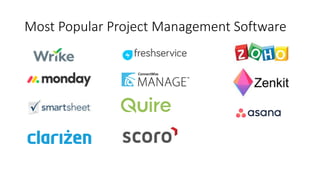
Most Popular Project Management Software
How To Choose The Best
• Get to know each product with free trial
• Targeted Businesses
• Project Management Software For Enterprises
• What are Examples of Project Management Software?
• Types of Project Management Software
Project Management Software For Entreprise
• useful for large companies handling a variety of complex projects at
the same time
• help prioritize information and adapt to ever-changing priorities
• standardize the planning process even in the most diverse teams
• avoid risk and unnecessary delays
• make it as competitive as possible by geting access to a robust
analytic suite that helps operate with big data
Types Of Project Management Software
• In-house or on-premise software
• Individual software
• Medium-sized systems
• High-end systems
Key Features of Project Management
Software
• Collaborate with your employees in real-time
• Document sharing
• Manage project costs
• Manage risks, budgets, and forecasting
• Reporting capabilities
• Intuitive to use
Benefits of Project Management Software
• can be integrated with the rest of business operations
• add users, streamline various operations, and grow projects and
activities, while at the same time reducing the expenses of company
• Adapt the needs of business
• pricing model
Latest Trends
• Remote teams will become mainstream
• BYOD poses challenges
Potential Issues
• Costly programs
• May complicate simple projects
Summary
• investing in the right project management solution
• Make your tasks and responsibilities easier by organizing information
and consolidating projects in a quick-to-use display that can be
accessed easily.
• Help companies save money and time as well as complete projects
faster and better by integrating with the various tools business has
been using regularly.
• be adaptable and can be changed depending on the business plans
and strategy
Things to consider when you invest in a SaaS
• Disaster recovery
• Disaster recovery site/ procedure
• use enterprise-grade infrastructure
• Security
• SAS70 compliant
• Security procedure
• Security audits and guidelines
Z0Gravity
History
History
History
History
History
History
History
History
History

Z0G - Project Management overview

  • 1.
  • 2.
    Outline • What IsProject Management Software? • Most Popular Project Management Software • How To Choose The Best • Project Management Software for Enterprises • Types of Project Management Software • Key features of Project Management Software • Benefits Trends Potential Issues • History of Project Management Software
  • 3.
    What Is ProjectManagement Software? • Applications that were designed to facilitate project delivery and make it more efficient. • Using a project management system, you can set more realistic milestones and deadlines, tie up and automate interdependent assignments, and keep all of your team’s members focused on your deliverables. • Project management software usually offers visual ticklers such as Gantt Charts and time & resource tracking tools.
  • 4.
    Most Popular ProjectManagement Software
  • 5.
    How To ChooseThe Best • Get to know each product with free trial • Targeted Businesses • Project Management Software For Enterprises • What are Examples of Project Management Software? • Types of Project Management Software
  • 6.
    Project Management SoftwareFor Entreprise • useful for large companies handling a variety of complex projects at the same time • help prioritize information and adapt to ever-changing priorities • standardize the planning process even in the most diverse teams • avoid risk and unnecessary delays • make it as competitive as possible by geting access to a robust analytic suite that helps operate with big data
  • 7.
    Types Of ProjectManagement Software • In-house or on-premise software • Individual software • Medium-sized systems • High-end systems
  • 8.
    Key Features ofProject Management Software • Collaborate with your employees in real-time • Document sharing • Manage project costs • Manage risks, budgets, and forecasting • Reporting capabilities • Intuitive to use
  • 9.
    Benefits of ProjectManagement Software • can be integrated with the rest of business operations • add users, streamline various operations, and grow projects and activities, while at the same time reducing the expenses of company • Adapt the needs of business • pricing model
  • 10.
    Latest Trends • Remoteteams will become mainstream • BYOD poses challenges
  • 11.
    Potential Issues • Costlyprograms • May complicate simple projects
  • 12.
    Summary • investing inthe right project management solution • Make your tasks and responsibilities easier by organizing information and consolidating projects in a quick-to-use display that can be accessed easily. • Help companies save money and time as well as complete projects faster and better by integrating with the various tools business has been using regularly. • be adaptable and can be changed depending on the business plans and strategy
  • 13.
    Things to considerwhen you invest in a SaaS • Disaster recovery • Disaster recovery site/ procedure • use enterprise-grade infrastructure • Security • SAS70 compliant • Security procedure • Security audits and guidelines
  • 14.
  • 15.
  • 16.
  • 17.
  • 18.
  • 19.
  • 20.
  • 21.
  • 22.
  • 23.

Editor's Notes

  • #4 Project Management Software refers to applications that were designed to facilitate project delivery and make it more efficient. Using a project management system, you can set more realistic milestones and deadlines, tie up and automate interdependent assignments, and keep all of your team’s members focused on your deliverables. Project management software usually offers visual ticklers such as Gantt Charts and time & resource tracking tools.
  • #5 What are Examples of Project Management Software? Wrike: Wrike is an online project management software created to make work faster and more efficient in distributed and co-located groups. Asana: Asana is a task and project management application for small business as well as larger companies that facilitates team collaboration and communication. Trello: Trello is a collaboration software that helps members to discuss a project in real-time. Clarizen: Clarizen is an enterprise-grade system that links robust project management to social engagement and in a unique and easy way. JIRA: JIRA is designed to help you capture, assign, and set priorities to your work. It allows you to manage the entire process of application development – from concept to launch.
  • #6 In any business nowadays, you would see that project management is a very crucial aspect in the operations, whether the field is construction, information technology, engineering—what have you. A lot of businesses nowadays, regardless of their size or scope, use project management software as one of the key tools to make changes in their strategies and to achieve new goals. It should not come as a surprise as online project management can definitely boost the operations of a company or organization and make it better and more competitive—only if the project management is correctly implemented. Therefore, it is really important that in your business, you understand what is project management software and that you select the right project management software platforms for your company, enabling you to oversee tasks, monitor projects, manage customer relations, do inventory, keep work-related files, as well as various business operations in an efficient and easy manner. Many successful firms at present use the perfect project management solution as a must-have tool. What kind of project management service would be the best one for your company though? Companies and organizations sometimes have this tendency to select the most popular project management programs out there based on some media buzz or a few reports, only to discover that the solution is not the perfect fit for their operations. To guide business owners like you, here is a quick buyer’s guide on how to select the best Project Management Software, and the list of considerations that you can use before you hop to the next software vendor and immediately purchase one.
  • #7 Project Management software is particularly useful for large companies handling a variety of complex projects at the same time. The ideal scenario for them is to discover that one-size-fits-all project management solution which will help them prioritize information and adapt to ever-changing priorities, standardize the planning process even in their most diverse teams, and avoid risk and unnecessary delays. Luckily for them, the challenge of developing a solid project manager nowadays is to make it as competitive as possible, but still packed in a user-friendly interface that won’t require exhausting and costly training, or huge investments. What is also important for them is that they get access to a robust analytic suite that helps them operate with big data, which is not the case when managing each project individually.
  • #8 Project management tools are generally categorized into four main categories: In-house or on-premise software: On-premise software refers to solutions that are installed in your company’s office equipment or computer servers. They are regarded as in-house project management tools. Individual software: These can be web-based tools that promote project management involving individual projects or tasks. Medium-sized systems: These project management software tools are web-based and intended as central project management systems. High-end systems: These refer to systems that are largely created as central project management systems for top enterprises and large organizations.
  • #9 When looking for the project management platform that is right for you, below are some key considerations and features: Collaborate with your employees in real-time – Project management apps offer communication tools to help teams discuss tasks in real time. The solution can keep each team member updated and enable them to quickly deal with problems as they arise. Document sharing – The software offers document sharing tools to enable users to edit and update project reports, and create systems for communication and transparency. Manage project costs – Project management software generally offers tools that help to manage project costs. Manage risks, budgets, and forecasting – The software helps you to identify project risks, track budgets, and create forecasts. Reporting capabilities – The system offers flexible report formats and helps you access required data quickly and easily to keep projects on schedule. Intuitive to use – Dashboard-based software is easy to install and simple to learn and use. This means faster implementation and ramp-up times.
  • #10 Look for a platform that can be integrated with the rest of your business operations. A versatile project management software program should allow your business to add users, streamline your various operations, and grow projects and activities, while at the same time reducing the expenses of your company. If you can find a project solution that allows you to incorporate all of these functions, then you find a solution that is worth buying. Always consider the needs of your business. Ask yourself: what does my company need? Before buying a project management software program, it is always good to do a meticulous and careful evaluation of your company’s needs first, the number of people who will use the program, and which of a tool’s features can address your company’s needs not only in the present but also tomorrow. The pricing model is also one key consideration you should watch out for. For example, instead of buying the project management solution outright, why not subscribe to the solution for a month, or even a year? Subscribing to use the features for a month or a year may cost lower than purchasing the software solution, especially when you are not sure if the tool is the perfect one for your business. A lot of the solution providers out there offer discounted rates for companies subscribing to an annual plan instead of a monthly one, so it is something that you might want to carefully evaluate. Look for a solution provider that will allow you to quickly add or reduce the number of users or expand certain features. More importantly, look for a company that will give you the option to cancel your subscription if you find out later that the project management solution cannot adequately handle the needs of your business. It will also benefit you a lot to check out the various project platforms that offer trial subscriptions for you to gauge in a limited time if the solution has what your business needs. Before selecting a project management tool, consider getting responses or feedback from the rest of your team, especially the ones whom you think will be using the solution. Check the issues they have which the tool can hopefully address.
  • #11 Remote teams will become mainstream: A recent study by Intuit shows that 40% of workers in the US will be temporary employees, contractors, and freelancers by 2020. These contractors are already working remotely on websites such as Demand Media, Freelancer.com, and Upwork. Plus, full-time employees are increasingly making use of telecommuting. All this means that projects will continue to use more contract and remote employees in the future. BYOD poses challenges: More employees are making use of BYOD (Bring Your Own Device) to use their own laptops, tablets, and smartphones for work purposes. This trend poses new challenges to project managers. They have to ensure the software they use is suitable for multiple platforms. Other challenges are to enhance security, and create multiple installation images and new processes. This means project managers have to do more complex work and combine their tasks with help desk function.
  • #12 Costly programs: Some project management programs can be expensive with little return on investment. You may need to custom design the solution or buy multiple programs. These are difficult to implement and can prove to be costly. May complicate simple projects: A project management system may not be ideal for simple projects. They may have complex features that may prove to be counter-productive and end up complicating simple projects. Inappropriate use of project management solution can thus unnecessarily complicate issues.
  • #13 Sure it may be a bit costly, but investing in the right project management solution that has the best options for you is something that you should do. Once the project management software solution is implemented, it can make your tasks and responsibilities easier by organizing your information and consolidating your projects in a quick-to-use display that can be accessed easily. It should help companies save money and time as well as complete projects faster and better by integrating with the various tools your business has been using regularly. Check for a project solution that is adaptable and can be changed depending on the business plans and strategy you have. In the end, the perfect management software solution is established so your company can organize plans in the quickest as well as most efficient way for your business.
  • #14 Disaster recovery and security are two key aspects that need to be considered by SaaS purchasers when analyzing potential providers. Many SaaS vendors do not have a disaster recovery site. Therefore, ask the following queries to your shortlisted vendors: How do you test your disaster recovery procedures? What is your recovery time? How often do you test? Do you have dispersed infrastructure; are your chief site and your disaster recovery site positioned in different geographical locations? You need to be aware that many SaaS providers do not use enterprise-grade infrastructure to install SaaS apps. Many solutions have multiple providers. For instance, there may be a firewall provider, an Internet provider, and a few others too in the mix. If an issue rears up, there is a lot of finger-pointing. This problem is common with on-premise IT systems. The solution is to decrease the number of providers so that there is accountability to ensure they take responsibility about performance. Ask the potential SaaS providers the following queries about security: Is your company SAS70 compliant? What security procedures are used at your facilities? What security audits and guidelines does your organization follow? Who manages access and identity management, web application firewalls, log file management, and network connectivity? Needless to say, take your time to research methodically and get the answers to the above questions before you invest in an appropriate SaaS system.