Ramesh Sencha
Agenda
• LWRP and HWRP
• Data Bags
• Linting with Rubocop and Foodcritic
• Berkshelf
• Chef-solo vs Chef-zero
• Integration testing with Test Kitchen
• Chef-provisioning
LWRP and HWRP :
Chef provides inbuilt number of resources but some time these resources doesn’t meets our requirement in that case
we can create our custom resource. Chef provides two ways for custom resource :
- LWRP (Light weight resource providers)
- HWRP (Heavy weight resource providers)
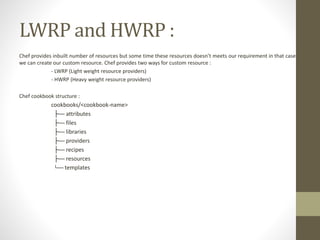
Chef cookbook structure :
cookbooks/<cookbook-name>
├── attributes
├── files
├── libraries
├── providers
├── recipes
├── resources
└── templates
LWRP :
• Define resource :
actions :create, :delete # declare the actions for resource.
default_action :create # define the default action if user not specifies action in resource.
# define the attributes for resource
attribute :name, kind_of: String, name_attribute: true, required: true
attribute :phone_no, kind_of: Integer, required: true
• Define providers for respective resource :
# define the action defination
action :create do
name = new_resource.name
# TODO
end
• User resource in recipe :
cookbook_name>_<resource_name> <name attribute value> do
<attributes>: values
end
Data Bags :
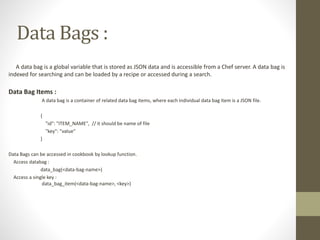
A data bag is a global variable that is stored as JSON data and is accessible from a Chef server. A data bag is
indexed for searching and can be loaded by a recipe or accessed during a search.
Data Bag Items :
A data bag is a container of related data bag items, where each individual data bag item is a JSON file.
{
"id": "ITEM_NAME", // it should be name of file
"key": "value"
}
Data Bags can be accessed in cookbook by lookup function.
Access databag :
data_bag(<data-bag-name>)
Access a single key :
data_bag_item(<data-bag-name>, <key>)
Encrypt a Data Bag Item :
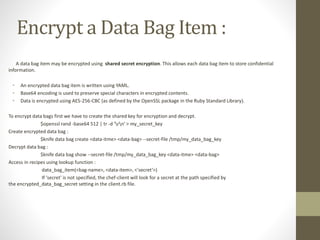
A data bag item may be encrypted using shared secret encryption. This allows each data bag item to store confidential
information.
• An encrypted data bag item is written using YAML.
• Base64 encoding is used to preserve special characters in encrypted contents.
• Data is encrypted using AES-256-CBC (as defined by the OpenSSL package in the Ruby Standard Library).
To encrypt data bags first we have to create the shared key for encryption and decrypt.
$openssl rand -base64 512 | tr -d 'rn' > my_secret_key
Create encrypted data bag :
$knife data bag create <data-itme> <data-bag> --secret-file /tmp/my_data_bag_key
Decrypt data bag :
$knife data bag show --secret-file /tmp/my_data_bag_key <data-itme> <data-bag>
Access in recipes using lookup function :
data_bag_item(<bag-name>, <data-item>, <'secret‘>)
If 'secret' is not specified, the chef-client will look for a secret at the path specified by
the encrypted_data_bag_secret setting in the client.rb file.
Linting with Rubocop and Foodcritic
- Command line tool to analyze the cookbook's and Ruby code to make it consistent based on the set of conventions and
reports the violation.
- Provide the automated ways to ensure that code we write adheres to conventions that ensure code uniformity, portability,
and uses best practices.
- Both linting tools are able to turn on or off specific conventions based on you requirements.
Foodcritic :
Linting the cookbook.
Documentation : https://acrmp.github.io/foodcritic/
RuboCop :
Linting the ruby code.
Documentation : https://github.com/bbatsov/rubocop
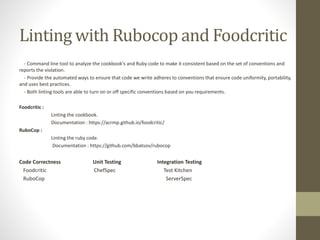
Code Correctness Unit Testing Integration Testing
Foodcritic ChefSpec Test Kitchen
RuboCop ServerSpec
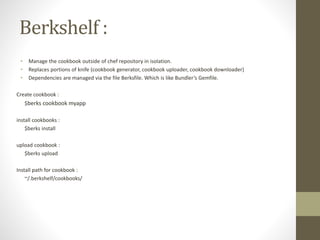
Berkshelf :
• Manage the cookbook outside of chef repository in isolation.
• Replaces portions of knife (cookbook generator, cookbook uploader, cookbook downloader)
• Dependencies are managed via the file Berksfile. Which is like Bundler’s Gemfile.
Create cookbook :
$berks cookbook myapp
install cookbooks :
$berks install
upload cookbook :
$berks upload
Install path for cookbook :
~/.berkshelf/cookbooks/
Chef-solo :
It allows cookbooks to run on nodes without requiring access to a Chef server and requires that a
cookbook (and any of its dependencies) be on the same physical disk as the node.
Chef-zero :
- Chef Zero is a full, in-memory, fast-start Chef server intended for development purposes; it persists no
data to disk, nor does it have any authentication or authorization.
- Local mode behaves exactly like Chef Solo except that, during a run, it starts up a local Chef Zero server
bound to localhost, uploads all local cookbooks & recipes to it, runs Chef Client, and then terminates the Chef Zero
server. The end user experience is identical to Solo.
Test Kitchen :
Test Kitchen is an integration tool to execute your configured code on one or more platforms in isolation.
A driver plugin architecture is used which lets you run your code on various cloud providers and virtualization technologies
such as Amazon EC2, Blue Box, CloudStack, Digital Ocean, Rackspace, OpenStack, Vagrant, Docker, LXC containers, and more.
Test kitchen provides a Kitchen executable command. Kitchen runs tests against any combination of platforms using any
combination of test suites.
.kitchen.yml
Use a .kitchen.yml file to define what is required to run Kitchen, including drivers, provisioners, platforms, and test suites. The
basic structure of a .kitchen.yml file for chef:
driver:
name: vagrant
provisioner:
name: chef_zero
platforms:
- name: ubuntu-12.04
suites:
- name: default
run_list:
- recipe[apache::httpd]
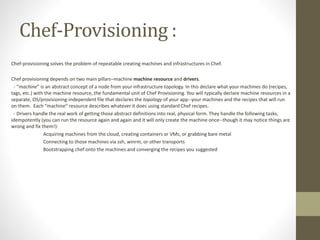
Chef-Provisioning :
Chef-provisioning solves the problem of repeatable creating machines and infrastructures in Chef.
Chef provisioning depends on two main pillars–machine machine resource and drivers.
- “machine” is an abstract concept of a node from your infrastructure topology. In this declare what your machines do (recipes,
tags, etc.) with the machine resource, the fundamental unit of Chef Provisioning. You will typically declare machine resources in a
separate, OS/provisioning-independent file that declares the topology of your app--your machines and the recipes that will run
on them. Each “machine” resource describes whatever it does using standard Chef recipes.
- Drivers handle the real work of getting those abstract definitions into real, physical form. They handle the following tasks,
idempotently (you can run the resource again and again and it will only create the machine once--though it may notice things are
wrong and fix them!):
Acquiring machines from the cloud, creating containers or VMs, or grabbing bare metal
Connecting to those machines via ssh, winrm, or other transports
Bootstrapping chef onto the machines and converging the recipes you suggested
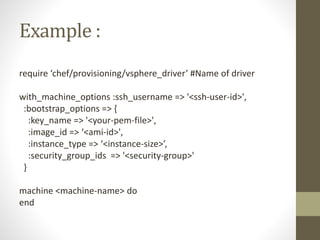
Example :
require ‘chef/provisioning/vsphere_driver’ #Name of driver
with_machine_options :ssh_username => '<ssh-user-id>',
:bootstrap_options => {
:key_name => '<your-pem-file>',
:image_id => ‘<ami-id>',
:instance_type => ‘<instance-size>’,
:security_group_ids => '<security-group>'
}
machine <machine-name> do
end
Thank you

Chef advance

  • 1.
  • 2.
    Agenda • LWRP andHWRP • Data Bags • Linting with Rubocop and Foodcritic • Berkshelf • Chef-solo vs Chef-zero • Integration testing with Test Kitchen • Chef-provisioning
  • 3.
    LWRP and HWRP: Chef provides inbuilt number of resources but some time these resources doesn’t meets our requirement in that case we can create our custom resource. Chef provides two ways for custom resource : - LWRP (Light weight resource providers) - HWRP (Heavy weight resource providers) Chef cookbook structure : cookbooks/<cookbook-name> ├── attributes ├── files ├── libraries ├── providers ├── recipes ├── resources └── templates
  • 4.
    LWRP : • Defineresource : actions :create, :delete # declare the actions for resource. default_action :create # define the default action if user not specifies action in resource. # define the attributes for resource attribute :name, kind_of: String, name_attribute: true, required: true attribute :phone_no, kind_of: Integer, required: true • Define providers for respective resource : # define the action defination action :create do name = new_resource.name # TODO end • User resource in recipe : cookbook_name>_<resource_name> <name attribute value> do <attributes>: values end
  • 5.
    Data Bags : Adata bag is a global variable that is stored as JSON data and is accessible from a Chef server. A data bag is indexed for searching and can be loaded by a recipe or accessed during a search. Data Bag Items : A data bag is a container of related data bag items, where each individual data bag item is a JSON file. { "id": "ITEM_NAME", // it should be name of file "key": "value" } Data Bags can be accessed in cookbook by lookup function. Access databag : data_bag(<data-bag-name>) Access a single key : data_bag_item(<data-bag-name>, <key>)
  • 6.
    Encrypt a DataBag Item : A data bag item may be encrypted using shared secret encryption. This allows each data bag item to store confidential information. • An encrypted data bag item is written using YAML. • Base64 encoding is used to preserve special characters in encrypted contents. • Data is encrypted using AES-256-CBC (as defined by the OpenSSL package in the Ruby Standard Library). To encrypt data bags first we have to create the shared key for encryption and decrypt. $openssl rand -base64 512 | tr -d 'rn' > my_secret_key Create encrypted data bag : $knife data bag create <data-itme> <data-bag> --secret-file /tmp/my_data_bag_key Decrypt data bag : $knife data bag show --secret-file /tmp/my_data_bag_key <data-itme> <data-bag> Access in recipes using lookup function : data_bag_item(<bag-name>, <data-item>, <'secret‘>) If 'secret' is not specified, the chef-client will look for a secret at the path specified by the encrypted_data_bag_secret setting in the client.rb file.
  • 7.
    Linting with Rubocopand Foodcritic - Command line tool to analyze the cookbook's and Ruby code to make it consistent based on the set of conventions and reports the violation. - Provide the automated ways to ensure that code we write adheres to conventions that ensure code uniformity, portability, and uses best practices. - Both linting tools are able to turn on or off specific conventions based on you requirements. Foodcritic : Linting the cookbook. Documentation : https://acrmp.github.io/foodcritic/ RuboCop : Linting the ruby code. Documentation : https://github.com/bbatsov/rubocop Code Correctness Unit Testing Integration Testing Foodcritic ChefSpec Test Kitchen RuboCop ServerSpec
  • 8.
    Berkshelf : • Managethe cookbook outside of chef repository in isolation. • Replaces portions of knife (cookbook generator, cookbook uploader, cookbook downloader) • Dependencies are managed via the file Berksfile. Which is like Bundler’s Gemfile. Create cookbook : $berks cookbook myapp install cookbooks : $berks install upload cookbook : $berks upload Install path for cookbook : ~/.berkshelf/cookbooks/
  • 9.
    Chef-solo : It allowscookbooks to run on nodes without requiring access to a Chef server and requires that a cookbook (and any of its dependencies) be on the same physical disk as the node. Chef-zero : - Chef Zero is a full, in-memory, fast-start Chef server intended for development purposes; it persists no data to disk, nor does it have any authentication or authorization. - Local mode behaves exactly like Chef Solo except that, during a run, it starts up a local Chef Zero server bound to localhost, uploads all local cookbooks & recipes to it, runs Chef Client, and then terminates the Chef Zero server. The end user experience is identical to Solo.
  • 10.
    Test Kitchen : TestKitchen is an integration tool to execute your configured code on one or more platforms in isolation. A driver plugin architecture is used which lets you run your code on various cloud providers and virtualization technologies such as Amazon EC2, Blue Box, CloudStack, Digital Ocean, Rackspace, OpenStack, Vagrant, Docker, LXC containers, and more. Test kitchen provides a Kitchen executable command. Kitchen runs tests against any combination of platforms using any combination of test suites. .kitchen.yml Use a .kitchen.yml file to define what is required to run Kitchen, including drivers, provisioners, platforms, and test suites. The basic structure of a .kitchen.yml file for chef: driver: name: vagrant provisioner: name: chef_zero platforms: - name: ubuntu-12.04 suites: - name: default run_list: - recipe[apache::httpd]
  • 11.
    Chef-Provisioning : Chef-provisioning solvesthe problem of repeatable creating machines and infrastructures in Chef. Chef provisioning depends on two main pillars–machine machine resource and drivers. - “machine” is an abstract concept of a node from your infrastructure topology. In this declare what your machines do (recipes, tags, etc.) with the machine resource, the fundamental unit of Chef Provisioning. You will typically declare machine resources in a separate, OS/provisioning-independent file that declares the topology of your app--your machines and the recipes that will run on them. Each “machine” resource describes whatever it does using standard Chef recipes. - Drivers handle the real work of getting those abstract definitions into real, physical form. They handle the following tasks, idempotently (you can run the resource again and again and it will only create the machine once--though it may notice things are wrong and fix them!): Acquiring machines from the cloud, creating containers or VMs, or grabbing bare metal Connecting to those machines via ssh, winrm, or other transports Bootstrapping chef onto the machines and converging the recipes you suggested
  • 12.
    Example : require ‘chef/provisioning/vsphere_driver’#Name of driver with_machine_options :ssh_username => '<ssh-user-id>', :bootstrap_options => { :key_name => '<your-pem-file>', :image_id => ‘<ami-id>', :instance_type => ‘<instance-size>’, :security_group_ids => '<security-group>' } machine <machine-name> do end
  • 13.