VIDEO
INTRODUCTION
• Pixels & Resolutions
• Parts of Video: Monitor & Adapter
• Video card (Adapter) may be separate or built-in (IBM)
• Four types of Graphics Systems
1. General Purpose PC Standards
2. Super PC Standards
3. Advanced/Intelligent Systems
4. Specialized Displays
• Pre-requisite for selection: evaluate requirement
• First Display - MDA (Text Only) with IBM PC
• Topics of this chapter
1. General Purpose PC Standards
2. Super PC Standards
3. Advanced Intelligent Systems
4. Specialized Displays
5. Monitors
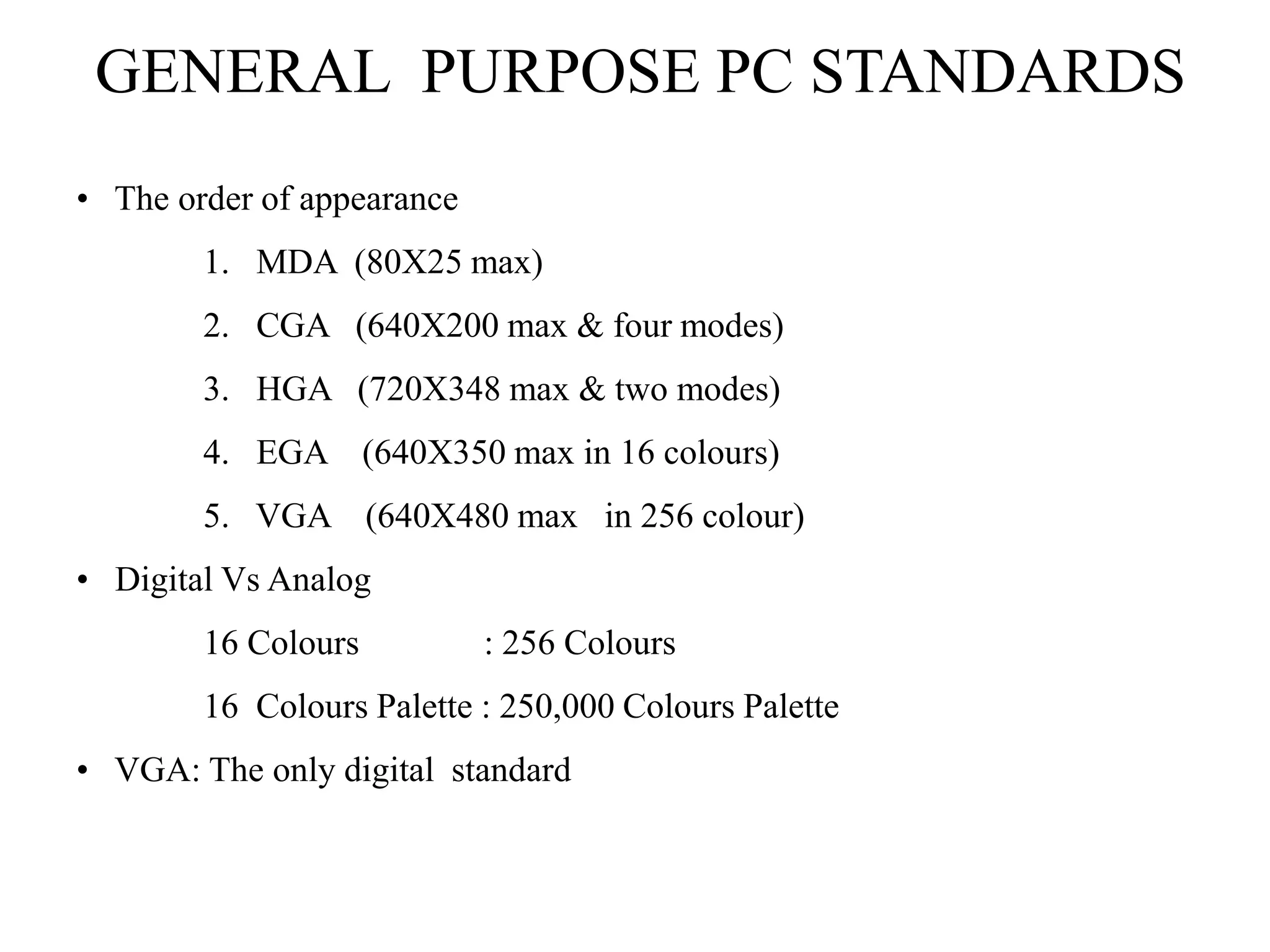
GENERAL PURPOSE PC STANDARDS
• The order of appearance
1. MDA (80X25 max)
2. CGA (640X200 max & four modes)
3. HGA (720X348 max & two modes)
4. EGA (640X350 max in 16 colours)
5. VGA (640X480 max in 256 colour)
• Digital Vs Analog
16 Colours : 256 Colours
16 Colours Palette : 250,000 Colours Palette
• VGA: The only digital standard
SUPER PC STANDARDS
• Introduced for applications like DTP, CAD etc. Also worked for OC/2
& Windows.
• The additional modes in VGA
1. 800X600 in 16 or 256 colours.
2. 640X480 in 256 colours.
3. 1024X768 in 16 or 256 colours.
• Standards approved by VESA.
• Need for the right driver.
• Very heavy on microprocessor.
MONITORS
• Digital Vs Analog
Types of Monitors
1. Mono & Colour TTL/RGB
2. VGA (Colour & Monochrome)
3. SVGA
4. Multi-Sync Monitors
• Horizontal & Vertical Scan Rate
• Flickering caused by
1. Interlacing
2. Low Vertical scan Rate (Less than 40-50 Hz)
• Video Drivers
1. BIOS Compatibility level
2. Register Compatibility Level (IBM)
• Graphics Co-processor (Intelligent Graphics Adapter)
ADVANCED/INTELLIGENT SYSTEMS
• IBM PGA (640X480 in 256 colours)
• 8514/A
1. Introduced by IBM in 1987.
2. Requires register level compatibility.
3. Available Resolutions are
– 640X480 in 256 colours
– 1024X768 in 256 colours
– 1280X1024 with 24-bit colours
4. Interlaced.
5. Introduction of AI.
• TIGA Standard
1. Open Standard.
2. Designed for Texas’s Graphic Co-processors.
3. Resolution Independent.
4. Available Resolutions are
– 1024X768 in 256 colours (16 million palette)
– 1280X1024 in 256 colours (16 million palette)
– 1024X768 in 24-bit colours
– Windows accelerators (XGA)
SPECIALIZED DISPLAYS
• A3/A4 displays
• Readability (dots per inch)
• Image Stability
• Sharpness (64 grey levels)
• Landscape & Portrait
• Does the bus matter?

CHAPTER7.PPT

  • 1.
  • 2.
    INTRODUCTION • Pixels &Resolutions • Parts of Video: Monitor & Adapter • Video card (Adapter) may be separate or built-in (IBM) • Four types of Graphics Systems 1. General Purpose PC Standards 2. Super PC Standards 3. Advanced/Intelligent Systems 4. Specialized Displays • Pre-requisite for selection: evaluate requirement • First Display - MDA (Text Only) with IBM PC • Topics of this chapter 1. General Purpose PC Standards 2. Super PC Standards 3. Advanced Intelligent Systems 4. Specialized Displays 5. Monitors
  • 3.
    GENERAL PURPOSE PCSTANDARDS • The order of appearance 1. MDA (80X25 max) 2. CGA (640X200 max & four modes) 3. HGA (720X348 max & two modes) 4. EGA (640X350 max in 16 colours) 5. VGA (640X480 max in 256 colour) • Digital Vs Analog 16 Colours : 256 Colours 16 Colours Palette : 250,000 Colours Palette • VGA: The only digital standard
  • 4.
    SUPER PC STANDARDS •Introduced for applications like DTP, CAD etc. Also worked for OC/2 & Windows. • The additional modes in VGA 1. 800X600 in 16 or 256 colours. 2. 640X480 in 256 colours. 3. 1024X768 in 16 or 256 colours. • Standards approved by VESA. • Need for the right driver. • Very heavy on microprocessor.
  • 5.
    MONITORS • Digital VsAnalog Types of Monitors 1. Mono & Colour TTL/RGB 2. VGA (Colour & Monochrome) 3. SVGA 4. Multi-Sync Monitors • Horizontal & Vertical Scan Rate • Flickering caused by 1. Interlacing 2. Low Vertical scan Rate (Less than 40-50 Hz) • Video Drivers 1. BIOS Compatibility level 2. Register Compatibility Level (IBM) • Graphics Co-processor (Intelligent Graphics Adapter)
  • 6.
    ADVANCED/INTELLIGENT SYSTEMS • IBMPGA (640X480 in 256 colours) • 8514/A 1. Introduced by IBM in 1987. 2. Requires register level compatibility. 3. Available Resolutions are – 640X480 in 256 colours – 1024X768 in 256 colours – 1280X1024 with 24-bit colours 4. Interlaced. 5. Introduction of AI. • TIGA Standard 1. Open Standard. 2. Designed for Texas’s Graphic Co-processors. 3. Resolution Independent. 4. Available Resolutions are – 1024X768 in 256 colours (16 million palette) – 1280X1024 in 256 colours (16 million palette) – 1024X768 in 24-bit colours – Windows accelerators (XGA)
  • 7.
    SPECIALIZED DISPLAYS • A3/A4displays • Readability (dots per inch) • Image Stability • Sharpness (64 grey levels) • Landscape & Portrait • Does the bus matter?