The document discusses models of digital watermarking based on communication systems. It describes the basic model which views watermark embedding as a communication channel with the cover work as noise. An informed detector subtracts the original cover work while a blind detector does not have the original. Side information and multiplexed communication models are also presented. Geometric models represent media as high-dimensional spaces. The document concludes with an example of least significant bit watermarking, where watermark bits are embedded in the LSB of image pixels.
In this document
Powered by AI
Introduction to watermarking models and overview of topics covering communications and basic digital image concepts.
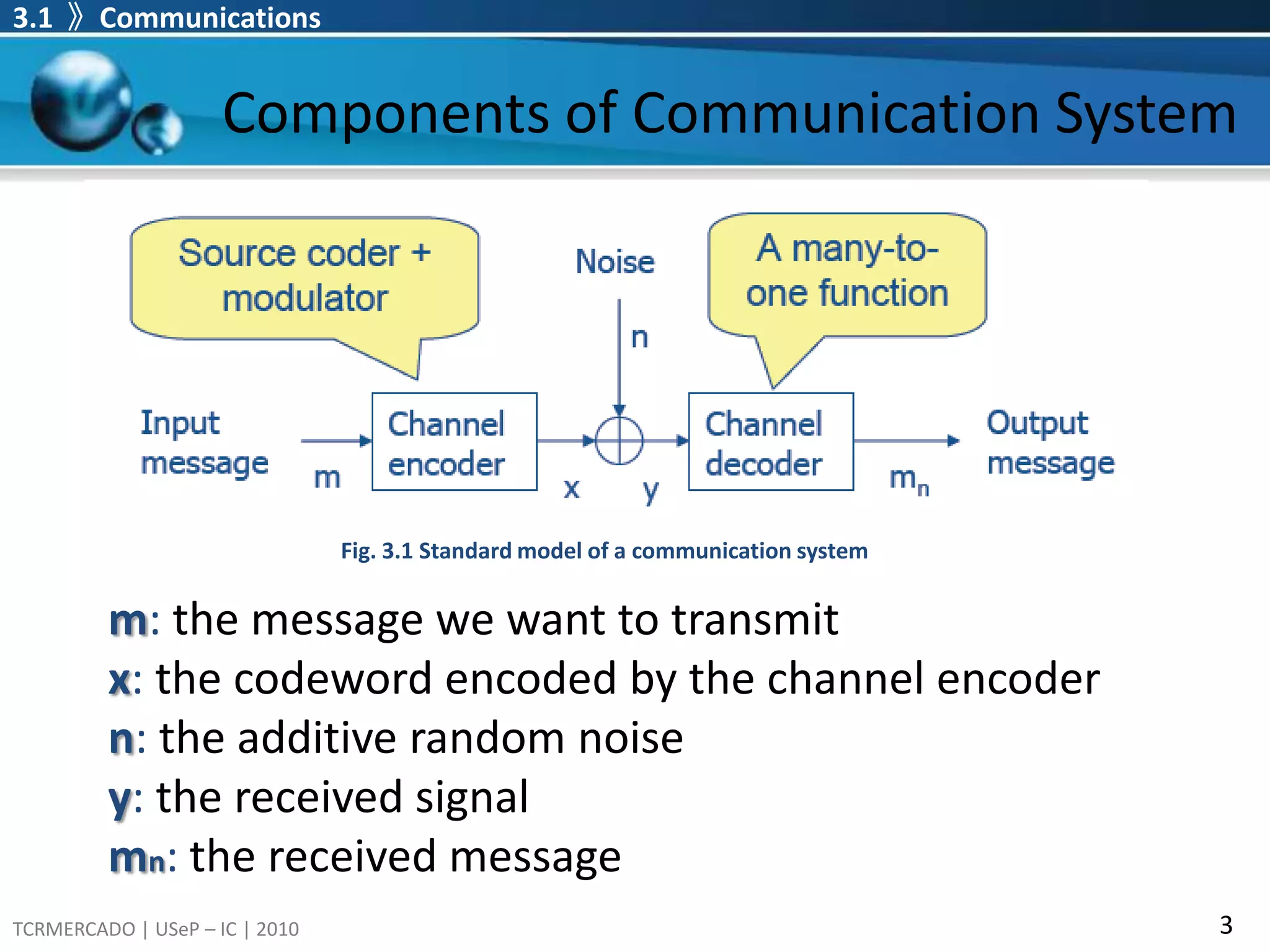
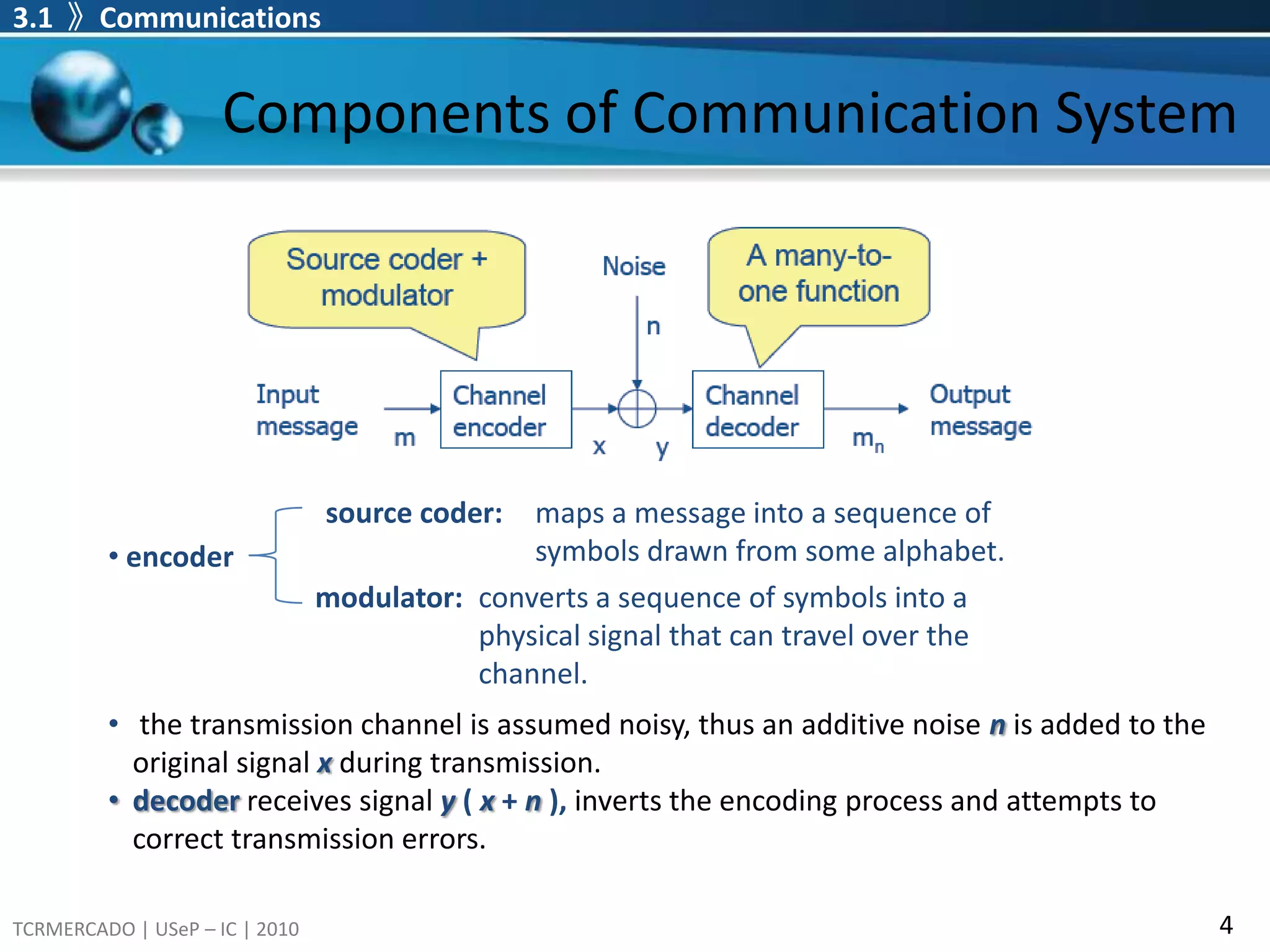
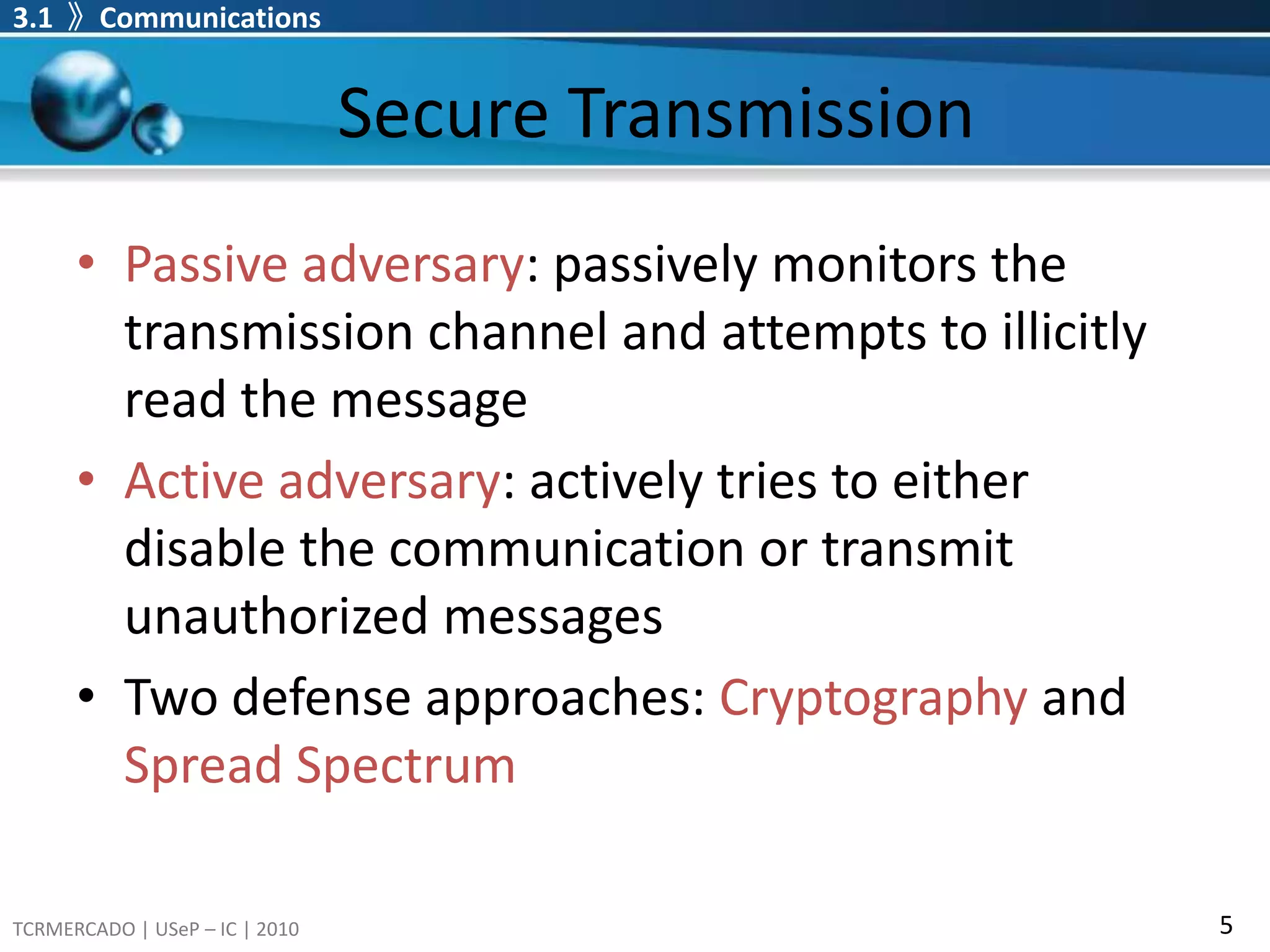
Details on communication system components, secure transmission methods, and the role of cryptography and spread spectrum in protecting messages.
Explains how watermarking functions as a communication method, detailing basic models and multiplexed communications.
Explains geometric models of watermarking, including media space and distribution of unwatermarked works.
Overview of digital image types including binary, grayscale, RGB, and indexed formats along with storage requirements.
Introduces the Least Significant Bit (LSB) technique for image watermarking, detailing its implementation and extraction.
3.1 》CommunicationsComponents of Communication SystemFig. 3.1 Standard model of a communication systemm: the message we want to transmitx: the codeword encoded by the channel encodern: the additive random noise y: the received signalmn: the received message
4.
3.1 》CommunicationsComponents of Communication Systemsource coder: maps a message into a sequence of symbols drawn from some alphabet. encodermodulator: converts a sequence of symbols into a physical signal that can travel over the channel.the transmission channel is assumed noisy, thus an additive noise nis added to the original signalxduring transmission.
5.
decoderreceives signal y( x + n ), inverts the encoding process and attempts to correct transmission errors.Secure TransmissionPassive adversary: passively monitors the transmission channel and attempts to illicitly read the messageActive adversary: actively tries to either disable the communication or transmit unauthorized messagesTwo defense approaches: Cryptographyand Spread Spectrum3.1 》Communications
6.
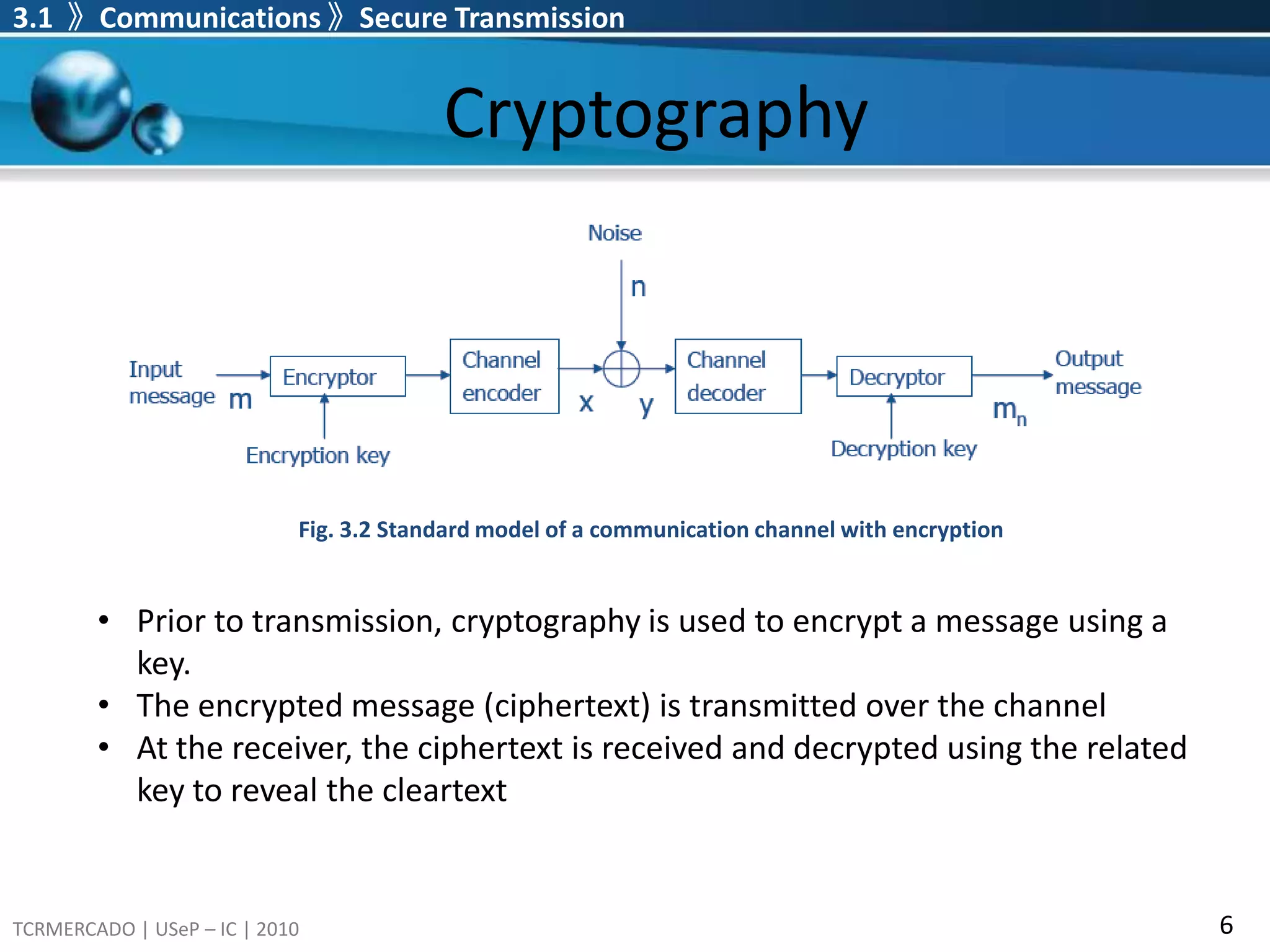
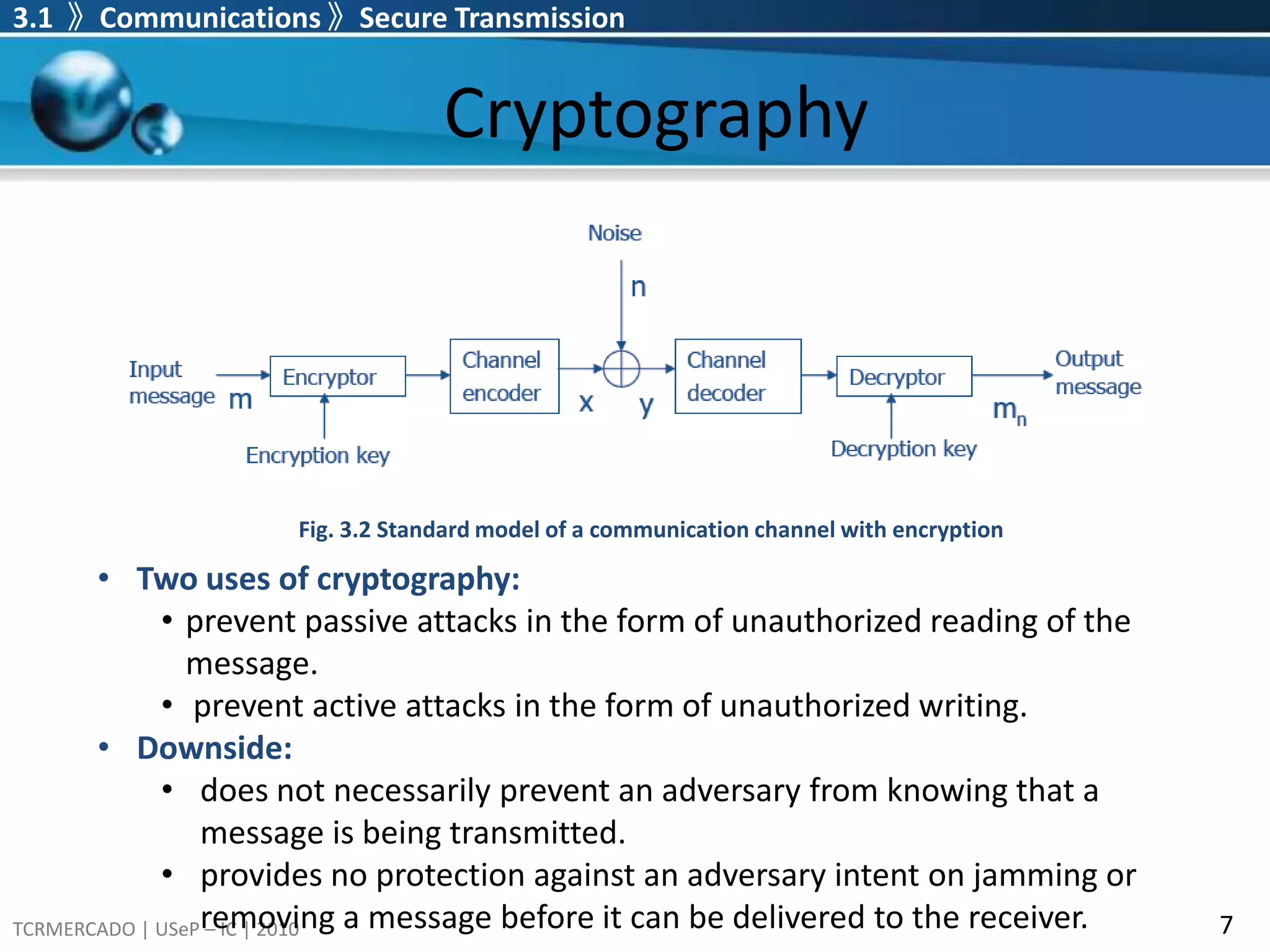
Cryptography3.1 》Communications》Secure Transmission Fig. 3.2 Standard model of a communication channel with encryptionPrior to transmission, cryptography is used to encrypt a message using a key.
At the receiver,the ciphertext is received and decrypted using the related key to reveal the cleartextCryptography3.1 》Communications 》Secure Transmission Fig. 3.2 Standard model of a communication channel with encryptionTwo uses of cryptography:
does not necessarilyprevent an adversary from knowing that a message is being transmitted.
13.
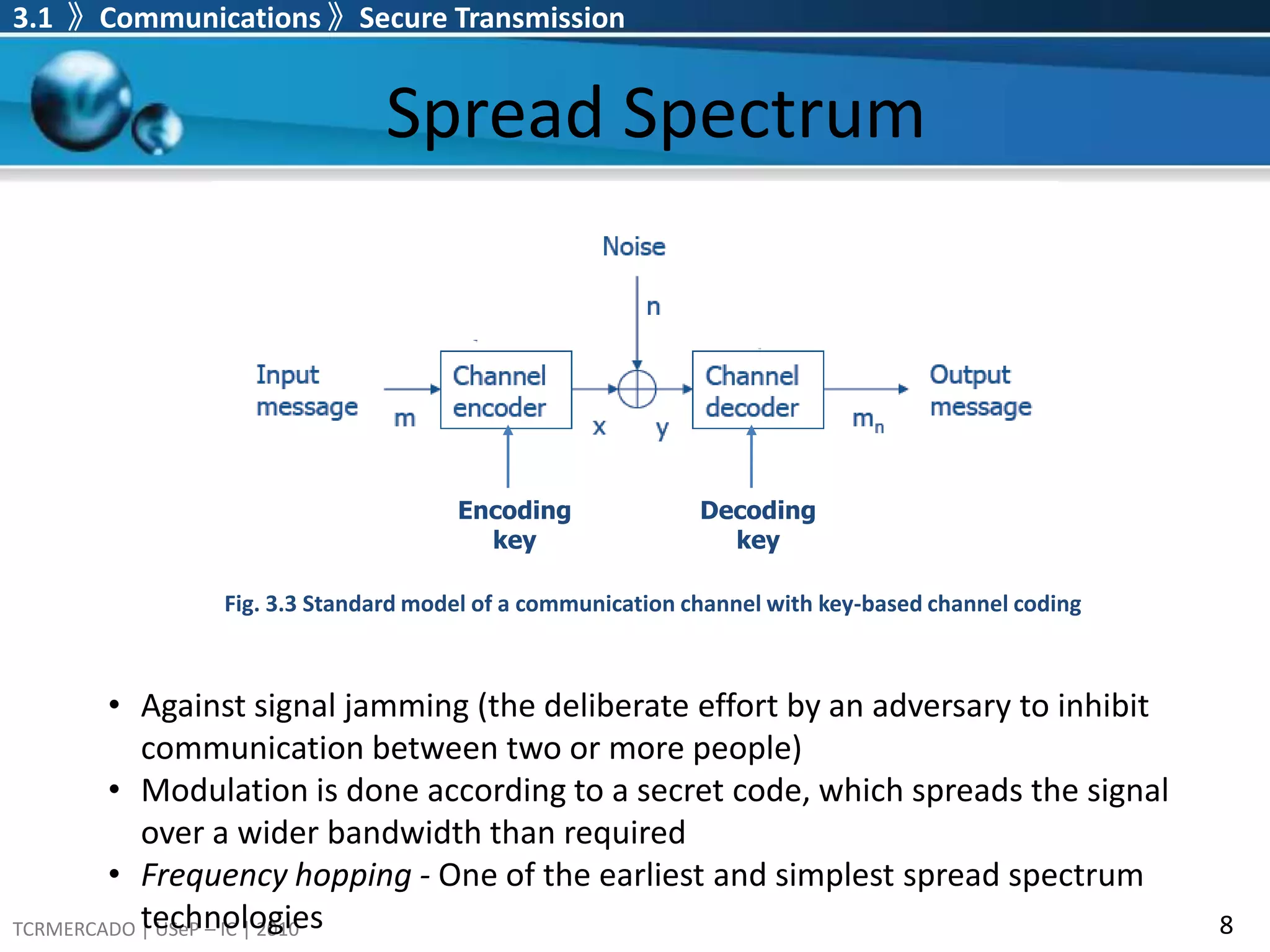
provides no protectionagainst an adversary intent on jamming or removing a message before it can be delivered to the receiver.Spread Spectrum3.1 》Communications 》Secure Transmission EncodingkeyDecodingkeyFig. 3.3 Standard model of a communication channel with key-based channel codingAgainst signal jamming (the deliberate effort by an adversary to inhibit communication between two or more people)
14.
Modulation is doneaccording to a secret code, which spreads the signal over a wider bandwidth than required
15.
Frequency hopping -One of the earliest and simplest spread spectrum technologiesCryptography vs. Spread Spectrum3.1 》Communications 》Secure Transmission Spread spectrum communications and cryptography are complementary.
16.
Spread spectrum guaranteesdelivery of signals. Cryptography guarantees secrecy of messages. It is thus common for both technologies to be used together.
17.
Spread spectrum canbe thought of as responsible for the transport layer, and cryptography as responsible for the messaging layer.3.2 》Communication-Based Models of WatermarkingCommunication and WatermarkingWatermarking is, in essence, a form of communication where we communicate a message from the watermark embedder to the watermark receiver.
18.
Ways to incorporatethe cover Work into the traditional communications modelThe cover Work is considered purely as noise (Basic Model).The cover Work is still considered noise, but this noise is provided to the channel encoder as side information.Cover Work is not considered as noise, but rather as a second message that must be transmitted along with the watermark message in a form of multiplexing.
19.
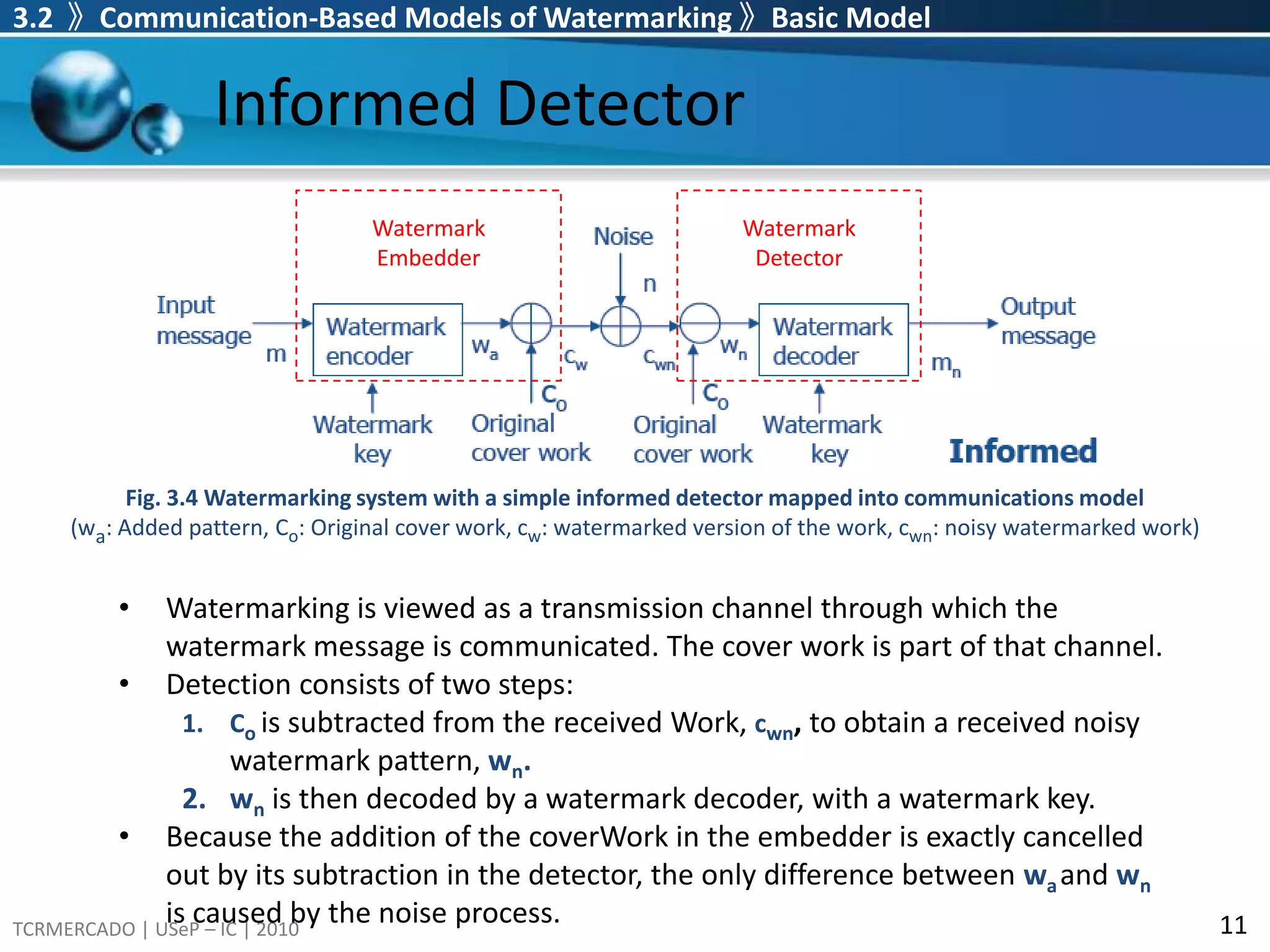
3.2 》Communication-BasedModels of Watermarking 》Basic ModelInformed DetectorWatermark EmbedderWatermark DetectorFig. 3.4 Watermarking system with a simple informed detector mapped into communications model(wa: Added pattern, Co: Original cover work, cw: watermarked version of the work, cwn: noisy watermarked work)Watermarking is viewed as a transmission channel through which the watermark message is communicated. The cover work is part of that channel.
20.
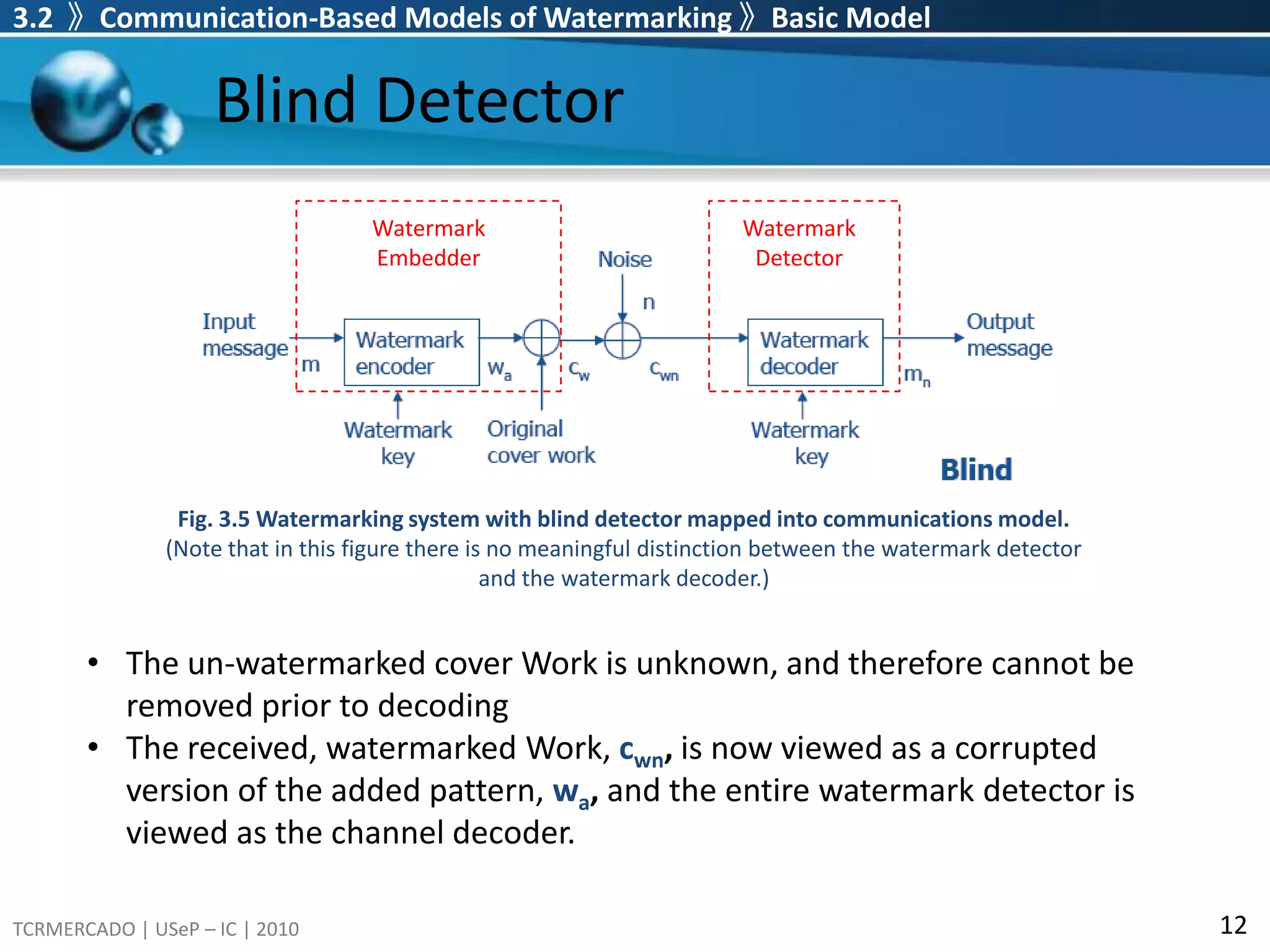
Detection consists oftwo steps:Co is subtracted from the received Work,cwn, to obtain a received noisy watermark pattern, wn. wn is then decoded by a watermark decoder, with a watermark key.Because the addition of the coverWork in the embedder is exactly cancelled out by its subtraction in the detector, the only difference between waand wnis caused by the noise process. 3.2 》Communication-Based Models of Watermarking 》Basic ModelBlind Detector Watermark EmbedderWatermark DetectorFig. 3.5 Watermarking system with blind detector mapped into communications model. (Note that in this figure there is no meaningful distinction between the watermark detector and the watermark decoder.)The un-watermarked cover Work is unknown, and therefore cannot be removed prior to decoding
21.
The received, watermarkedWork,cwn, is now viewed as a corrupted version of the added pattern, wa, and the entire watermark detector is viewed as the channel decoder.3.2 》Communication-Based Models of Watermarking 》Basic ModelApplicationsInformed and Blind Detector models can be applied in transaction tracking or copy control, as it requires maximum likelihood that the detected message is identical to the embedded one.
22.
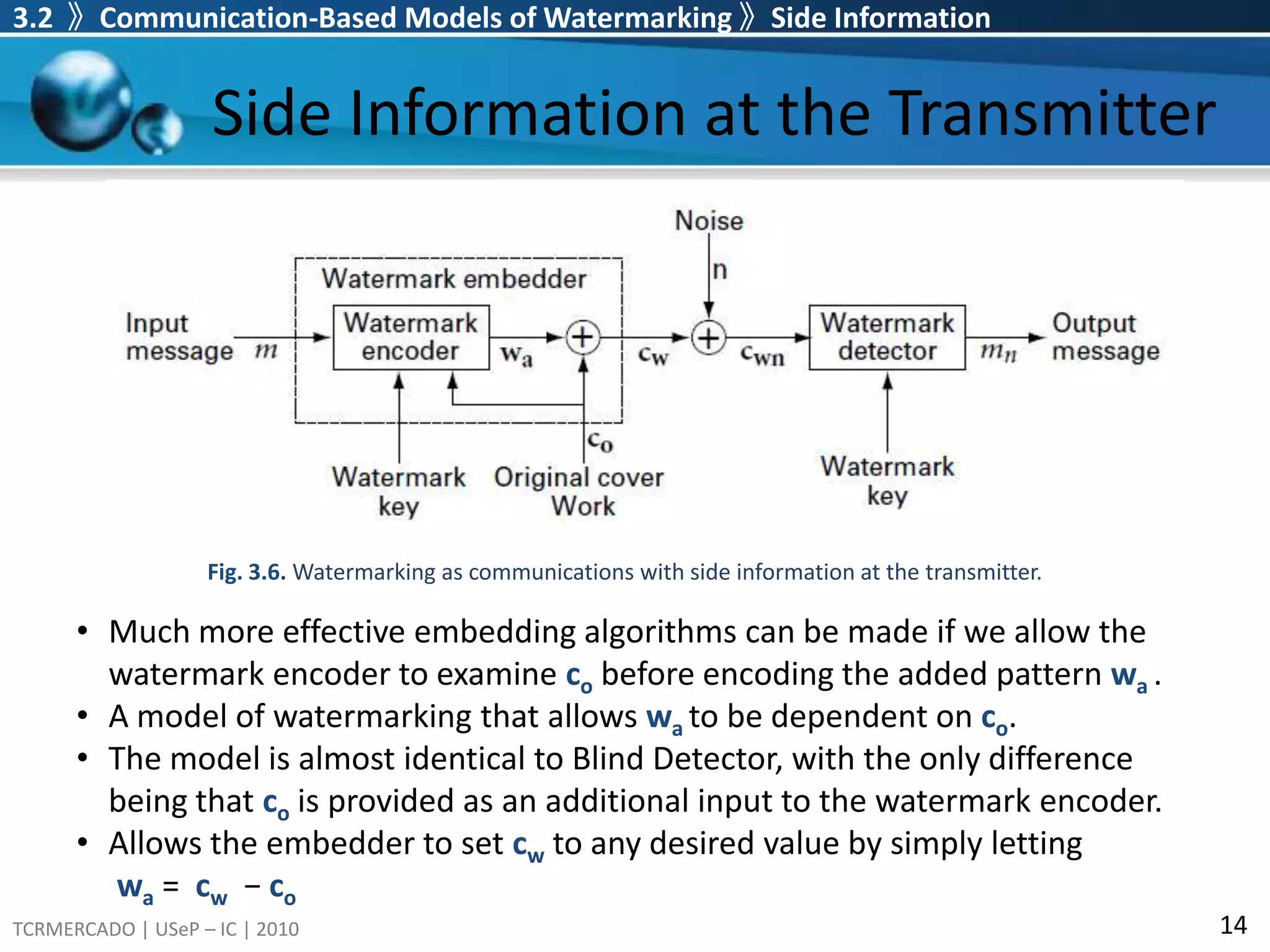
In authentication applications,the goal is not to communicate a message but to learn whether and how a Work has been modified since a watermark was embedded. For this reason, Informed and Blind Detector models are not typically used to study authentication systems.3.2 》Communication-Based Models of Watermarking 》Side InformationSide Information at the TransmitterFig. 3.6. Watermarking as communications with side information at the transmitter.Much more effective embedding algorithms can be made if we allow the watermark encoder to examine cobefore encoding the added pattern wa.
23.
A model ofwatermarking that allows wato be dependent on co.
24.
The model isalmost identical to Blind Detector, with the only difference being that co is provided as an additional input to the watermark encoder.
25.
Allows the embedderto set cw to any desired value by simply letting wa = cw − co
26.
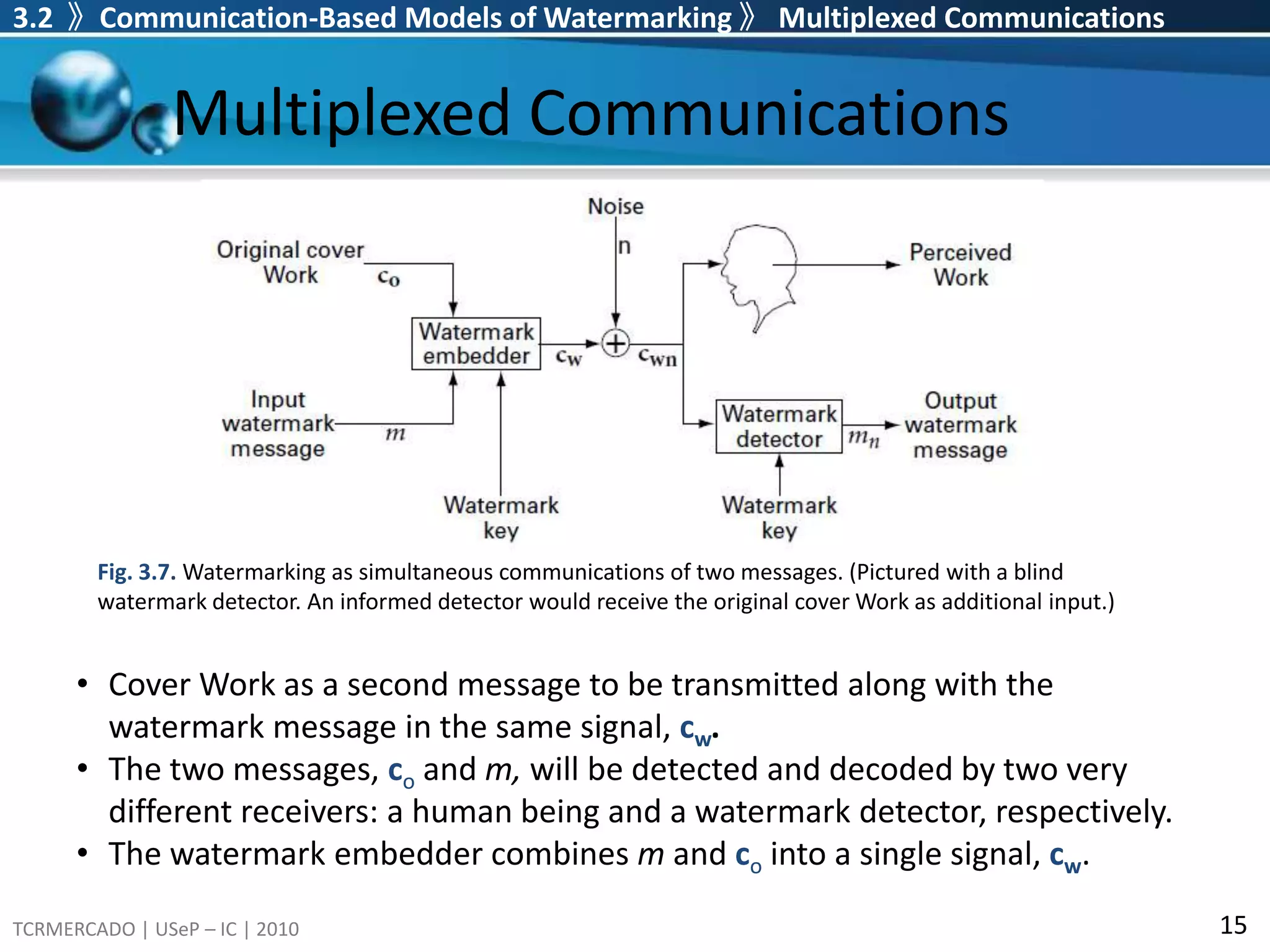
3.2 》Communication-BasedModels of Watermarking 》Multiplexed CommunicationsMultiplexed CommunicationsFig. 3.7. Watermarking as simultaneous communications of two messages. (Pictured with a blind watermark detector. An informed detector would receive the original cover Work as additional input.)Cover Work as a second message to be transmitted along with the watermark message in the same signal, cw.
27.
The two messages,co and m, will be detected and decoded by two very different receivers: a human being and a watermark detector, respectively.
28.
The watermark embeddercombines m and co into a single signal, cw.3.3 》Geometric Models of WatermarkingGeometric Models of WatermarkingMedia space: a high-dimensional space in which each point corresponds to one work. Marking space: projections or distortions of media space. A watermarking system can be viewed in terms of various regions and probability distribution in media or marking space.
29.
Graphic/Image File FormatsGraphic/ImageData Structures Pixels: picture elements in digital images Image Resolution:number of pixels in a digital image (Higher resolution always yields better quality.) Bit-Map: a representation for the graphic/image data in the same manner as they are stored in video memory. 3.3 》Geometric Models of Watermarking
30.
3.3 》GeometricModels of WatermarkingGeometric Models of WatermarkingDistribution of unwatermarked works: how likely each work is
31.
Region of acceptablefidelity: a region in which all works appear essentially identical to a given cover work
Distortion distribution: indicateshow works are likely to be distorted during normal usage3.2 》 Geometric Models of Watermarking 》 Distributions and Regions in Media SpaceDistributions and Regions in Media SpaceWorks can be thought of as points in an N-dimensional media space.The dimensionality of media space, N, is the number of samples used to represent each work. e.g., in the case of gray scale images, this is simply the number of pixels.
35.
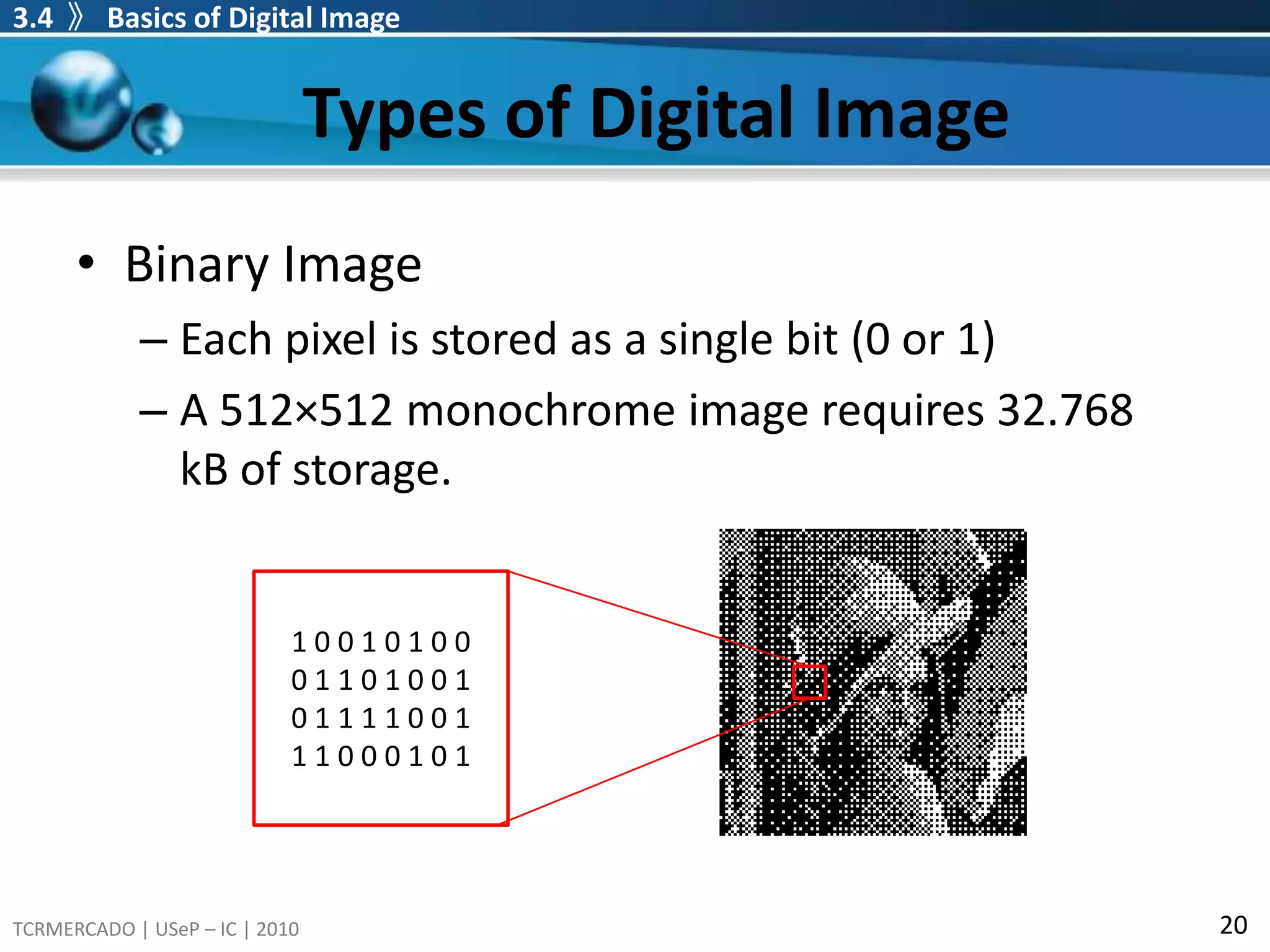
Types of DigitalImageBinary ImageEach pixel is stored as a single bit (0 or 1) A 512×512 monochrome image requires 32.768 kB of storage. 3.4 》Basics of Digital Image1 0 0 1 0 1 0 0 0 1 1 0 1 0 0 10 1 1 1 1 0 0 11 1 0 0 0 1 0 1
36.
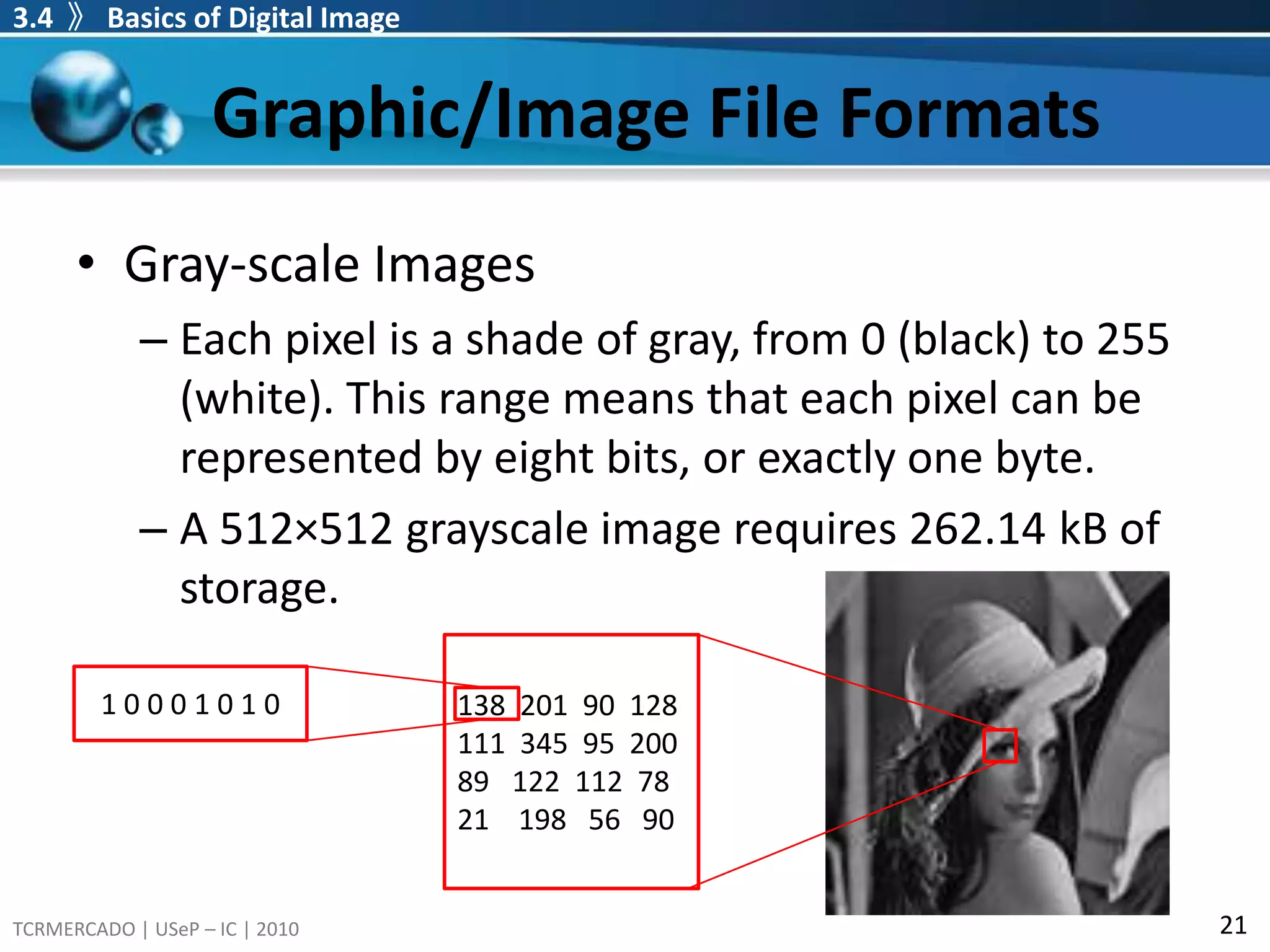
Graphic/Image File FormatsGray-scaleImagesEach pixel is a shade of gray, from 0 (black) to 255 (white). This range means that each pixel can be represented by eight bits, or exactly one byte. A 512×512 grayscale image requires 262.14 kB of storage. 3.4 》Basics of Digital Image138 201 90 128 345 95 200 122 112 7821 198 56 90 1 0 0 0 1 0 1 0
37.
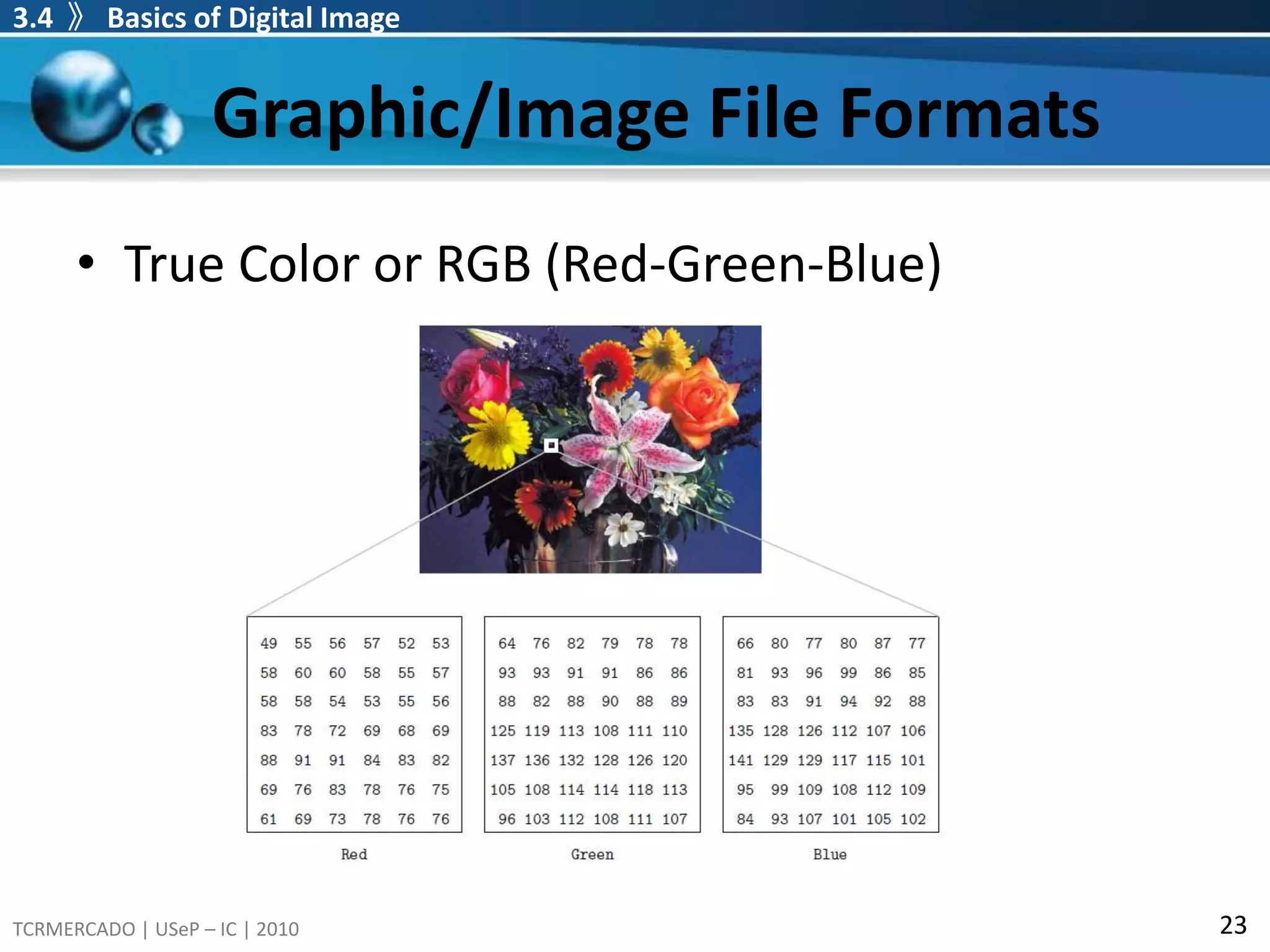
Graphic/Image File FormatsTrueColor or RGB (Red-Green-Blue)Each pixel has a color described by the amount of red, green and blue in it.Has a total of 256x256x256 = 16,777,216 different possible colors in the image24 bit images: total number of bits required for each pixel.A 640×480 24-bit color image would require 921.6 kB of storage 3.4 》Basics of Digital Image
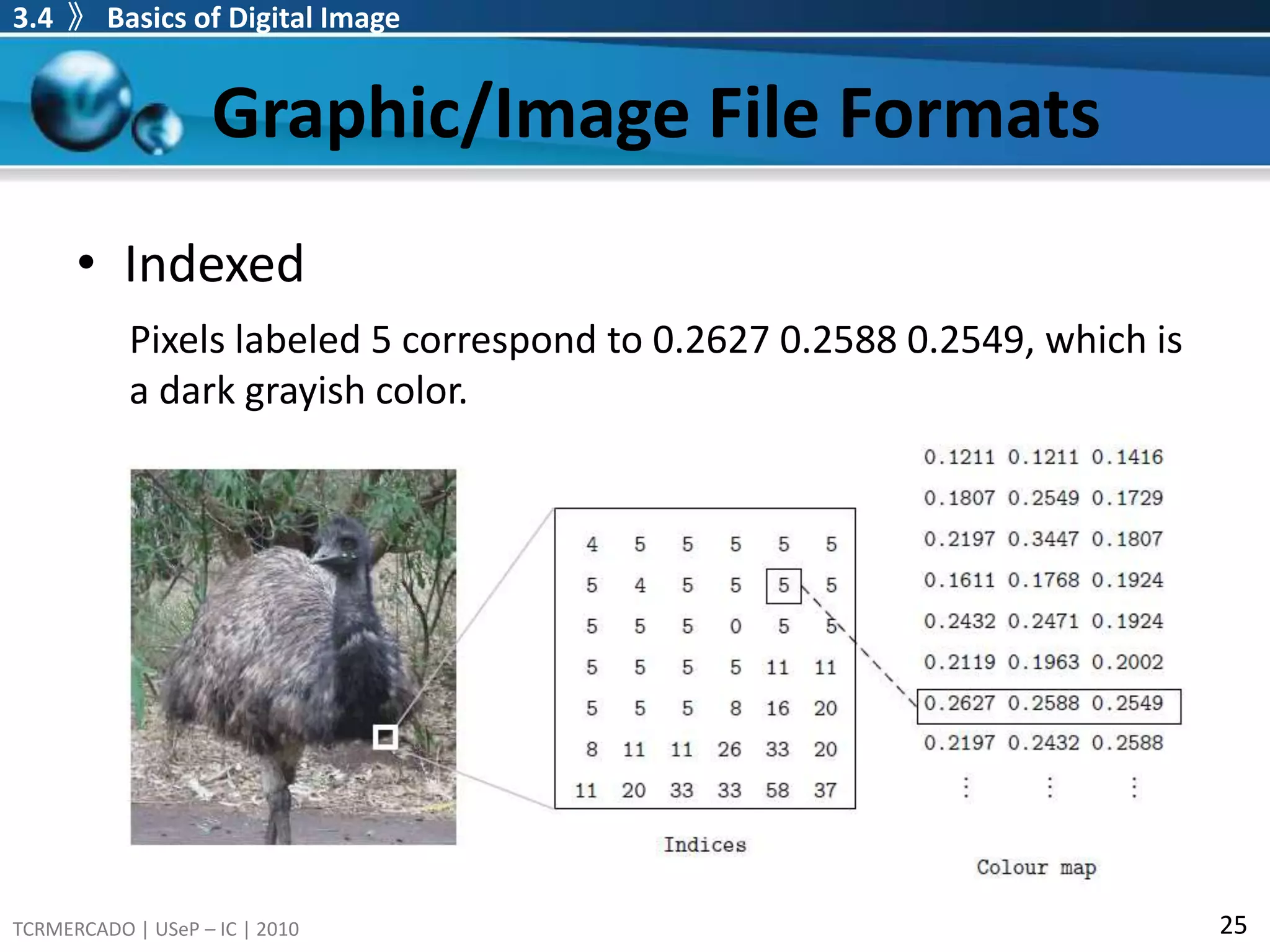
Graphic/Image File FormatsIndexedEachpixel has a value which does not give its color (as for an RGB image), but an index to the color in a color map.Color map or color palette is associated with the image which is simply a list of all the colousused in that image.Compuserve GIF allows only256 colors or fewer in each image and so its index values only requires one byte each.3.4 》Basics of Digital Image
40.
Graphic/Image File Formats3.4 》Basics of Digital ImageIndexedPixels labeled 5 correspond to 0.2627 0.2588 0.2549, which is a dark grayish color.
41.
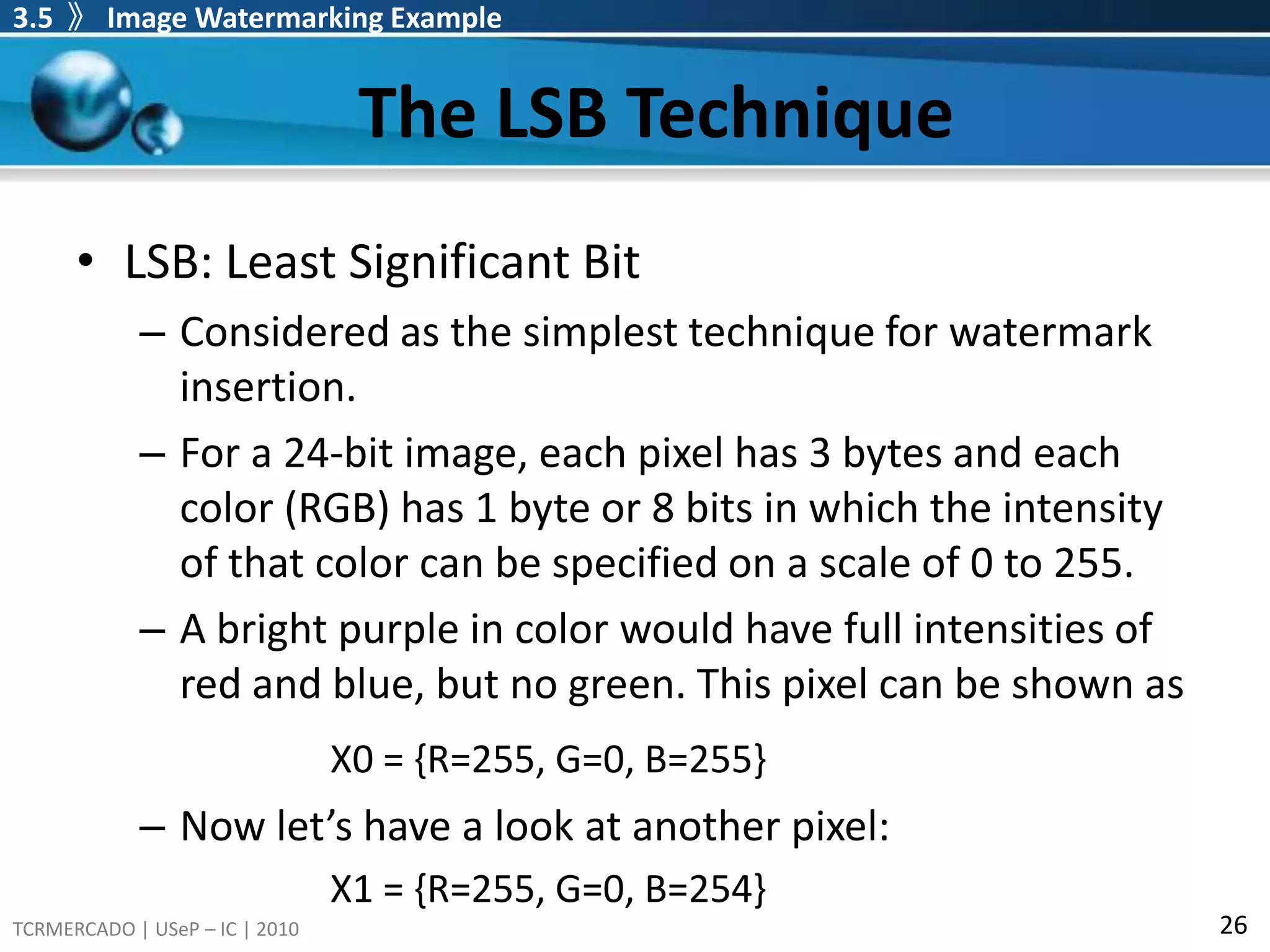
The LSB Technique3.5 》Image Watermarking ExampleLSB: Least Significant BitConsidered as the simplest technique for watermark insertion.For a 24-bit image, each pixel has 3 bytes and each color (RGB) has 1 byte or 8 bits in which the intensity of that color can be specified on a scale of 0 to 255.A bright purple in color would have full intensities of red and blue, but no green. This pixel can be shown asX0 = {R=255, G=0, B=255}Now let’s have a look at another pixel:X1 = {R=255, G=0, B=254}
42.
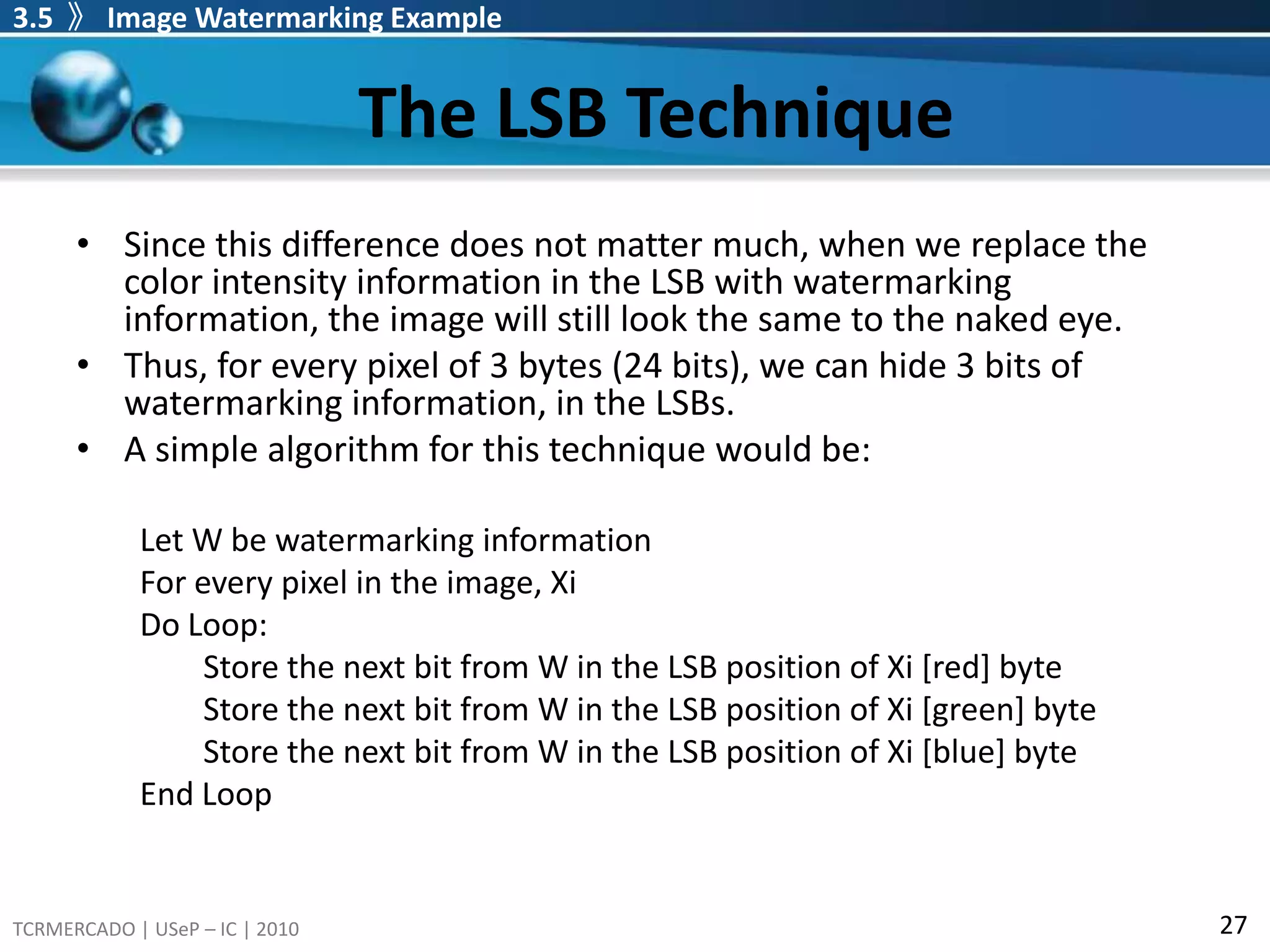
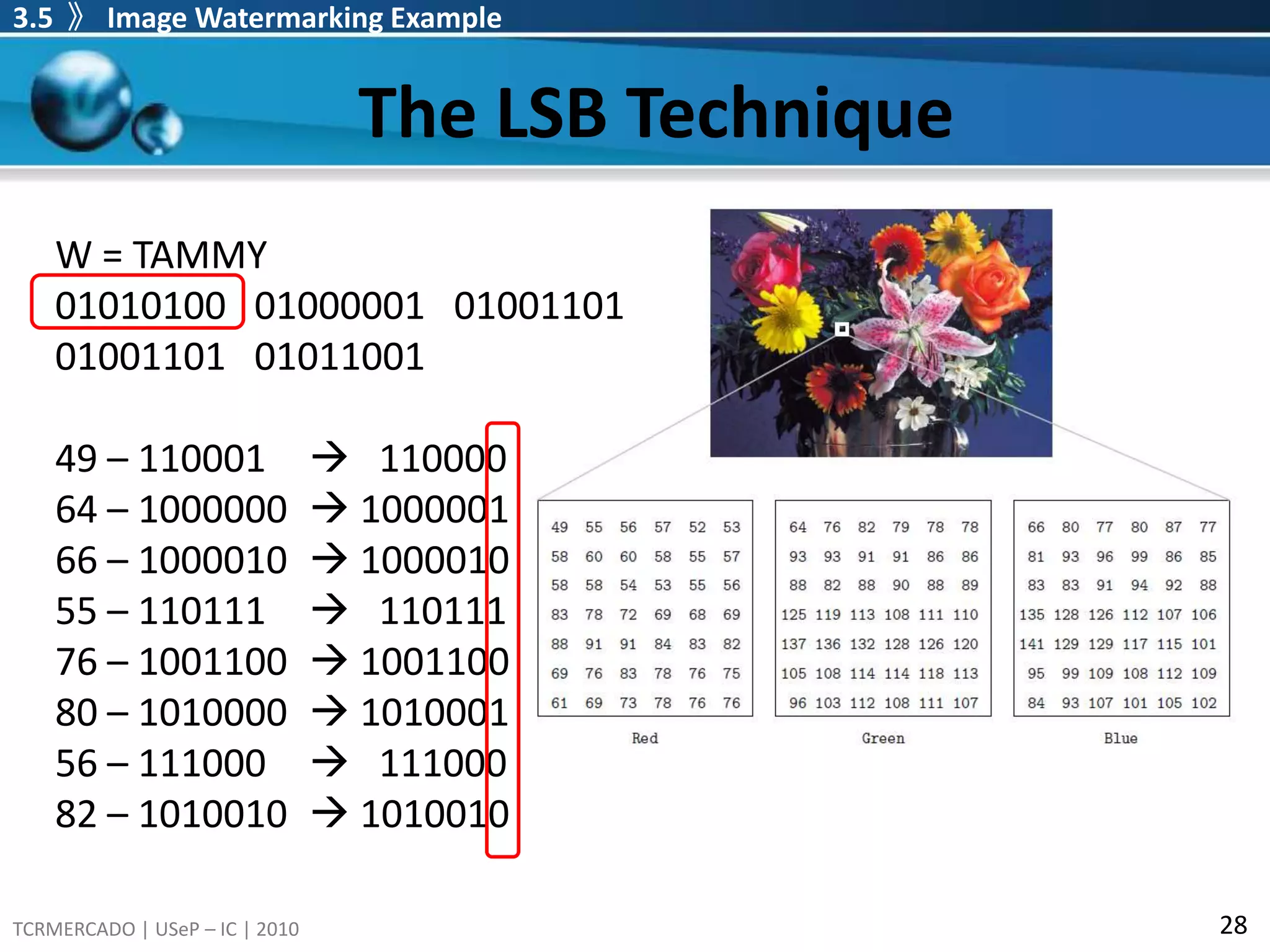
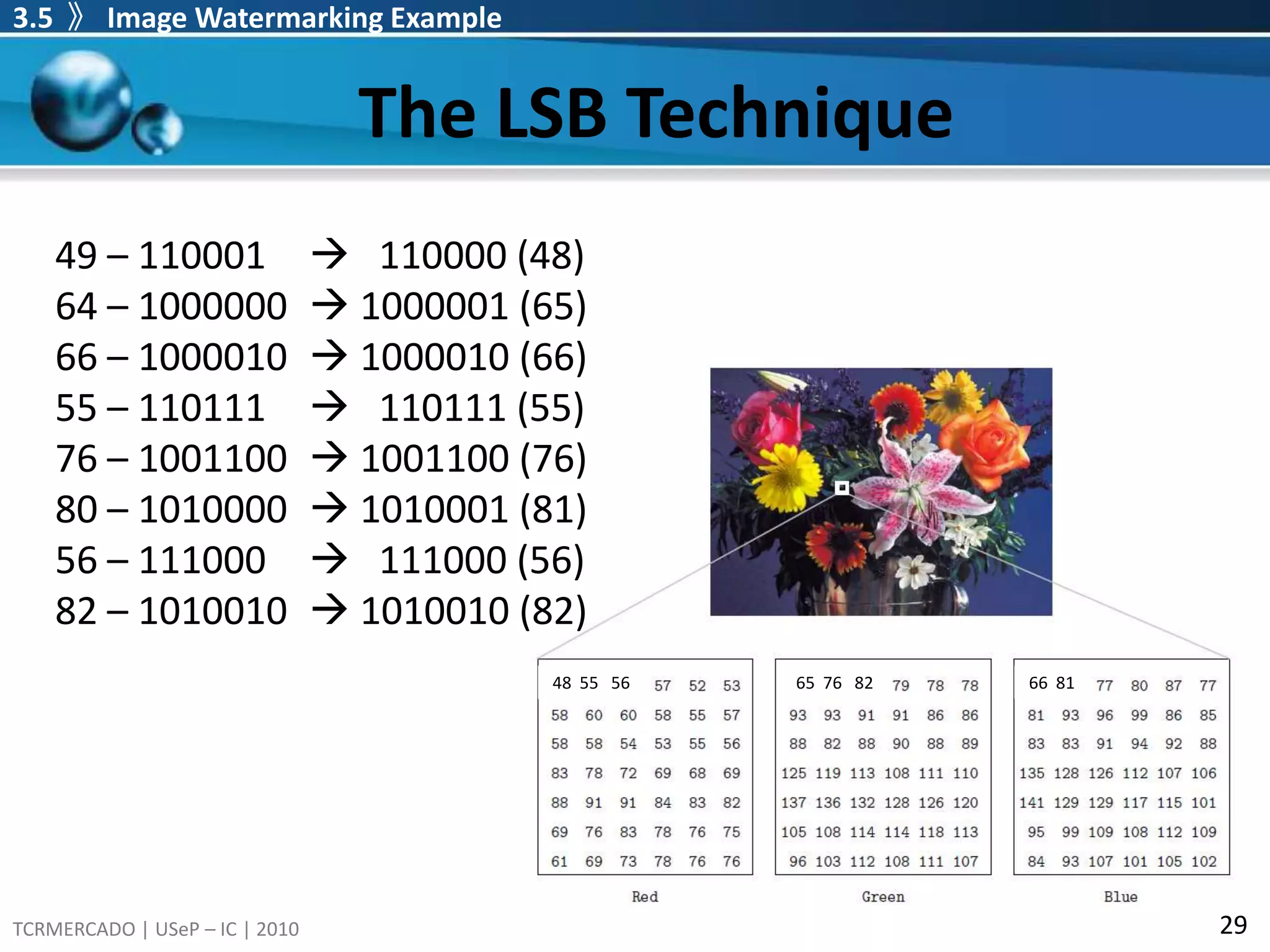
The LSB Technique3.5 》Image Watermarking ExampleSince this difference does not matter much, when we replace the color intensity information in the LSB with watermarking information, the image will still look the same to the naked eye.Thus, for every pixel of 3 bytes (24 bits), we can hide 3 bits of watermarking information, in the LSBs.A simple algorithm for this technique would be:Let W be watermarking informationFor every pixel in the image, XiDo Loop:Store the next bit from W in the LSB position of Xi [red] byteStore the next bit from W in the LSB position of Xi [green] byteStore the next bit from W in the LSB position of Xi [blue] byteEnd Loop
The LSB Technique3.5 》Image Watermarking ExampleWatermark Extractiontake all the data in the LSBs of the color bytes and combine them.This technique of watermarking is invisible, as changes are made to the LSB only, but is not robust. Image manipulations, such as resampling, rotation, format conversions and cropping, will in most cases result in the watermark information being lost.