Chapter 9
Operating Systems
Discovering Computers
Technology in a World of Computers,
Mobile Devices, and the Internet
Objectives Overview
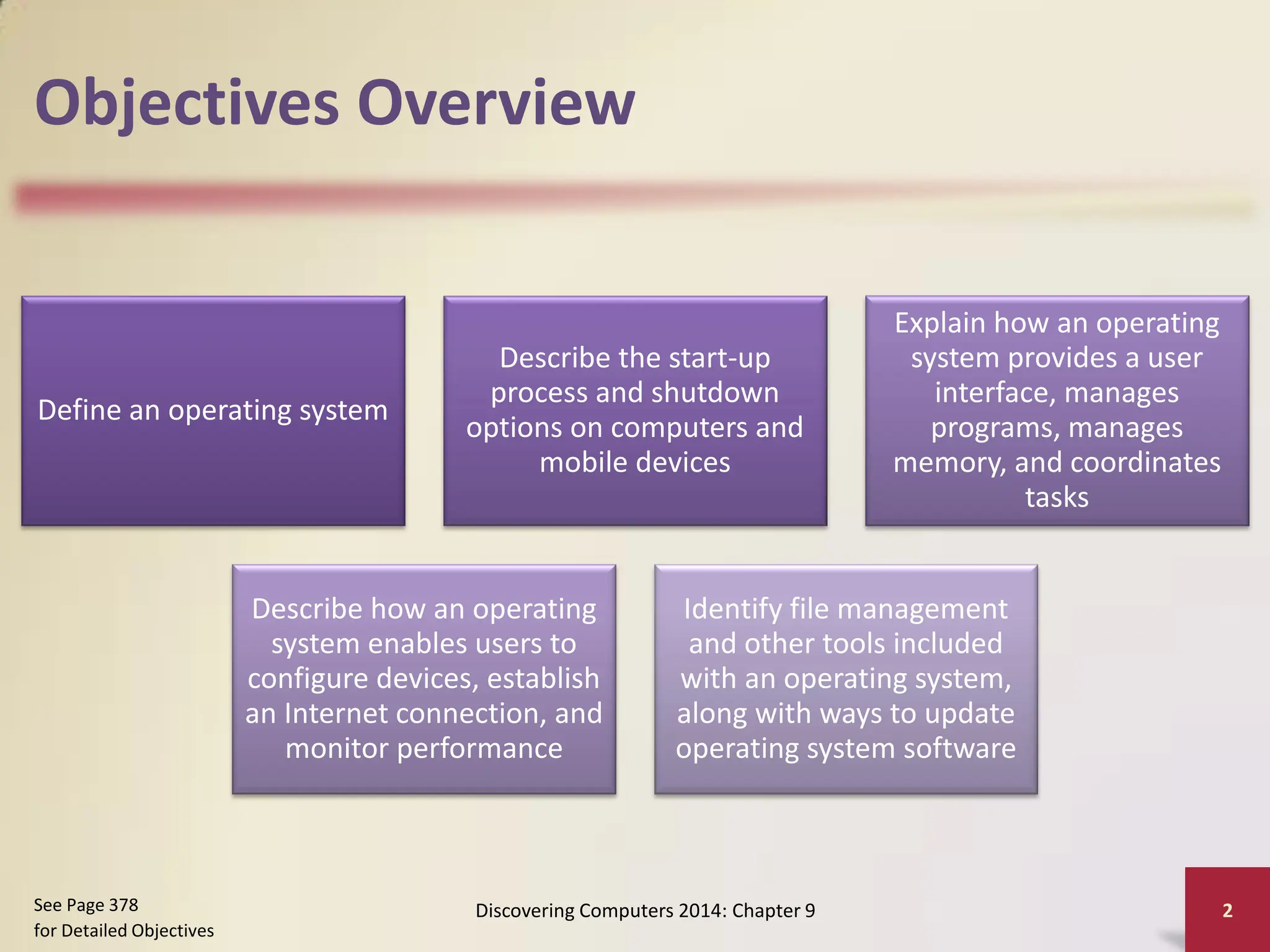
Define an operating system
Describe the start-up
process and shutdown
options on computers and
mobile devices
Explain how an operating
system provides a user
interface, manages
programs, manages
memory, and coordinates
tasks
Describe how an operating
system enables users to
configure devices, establish
an Internet connection, and
monitor performance
Identify file management
and other tools included
with an operating system,
along with ways to update
operating system software
Discovering Computers 2014: Chapter 9 2
See Page 378
for Detailed Objectives
Objectives Overview
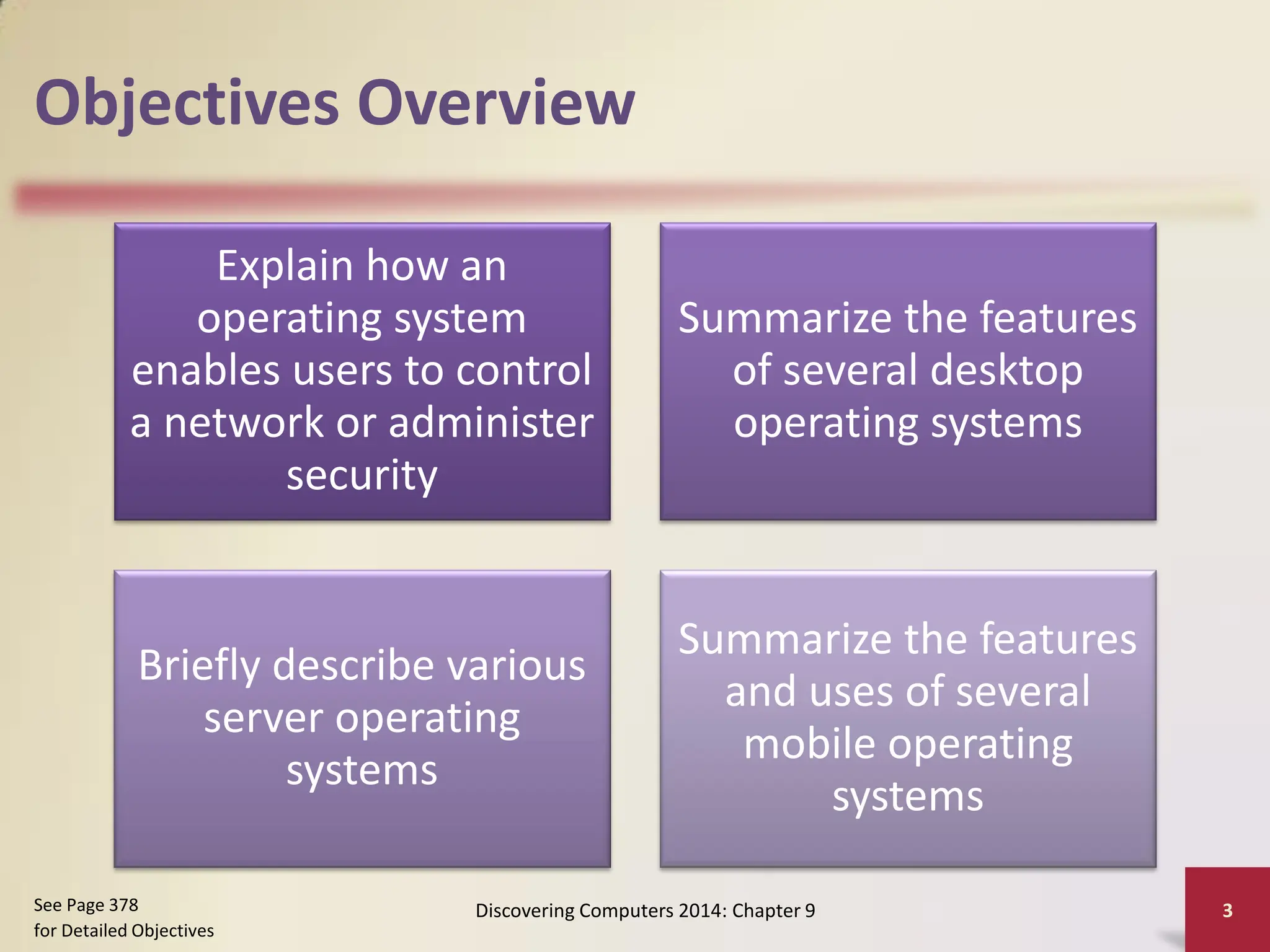
Explain how an
operating system
enables users to control
a network or administer
security
Summarize the features
of several desktop
operating systems
Briefly describe various
server operating
systems
Summarize the features
and uses of several
mobile operating
systems
Discovering Computers 2014: Chapter 9 3
See Page 378
for Detailed Objectives
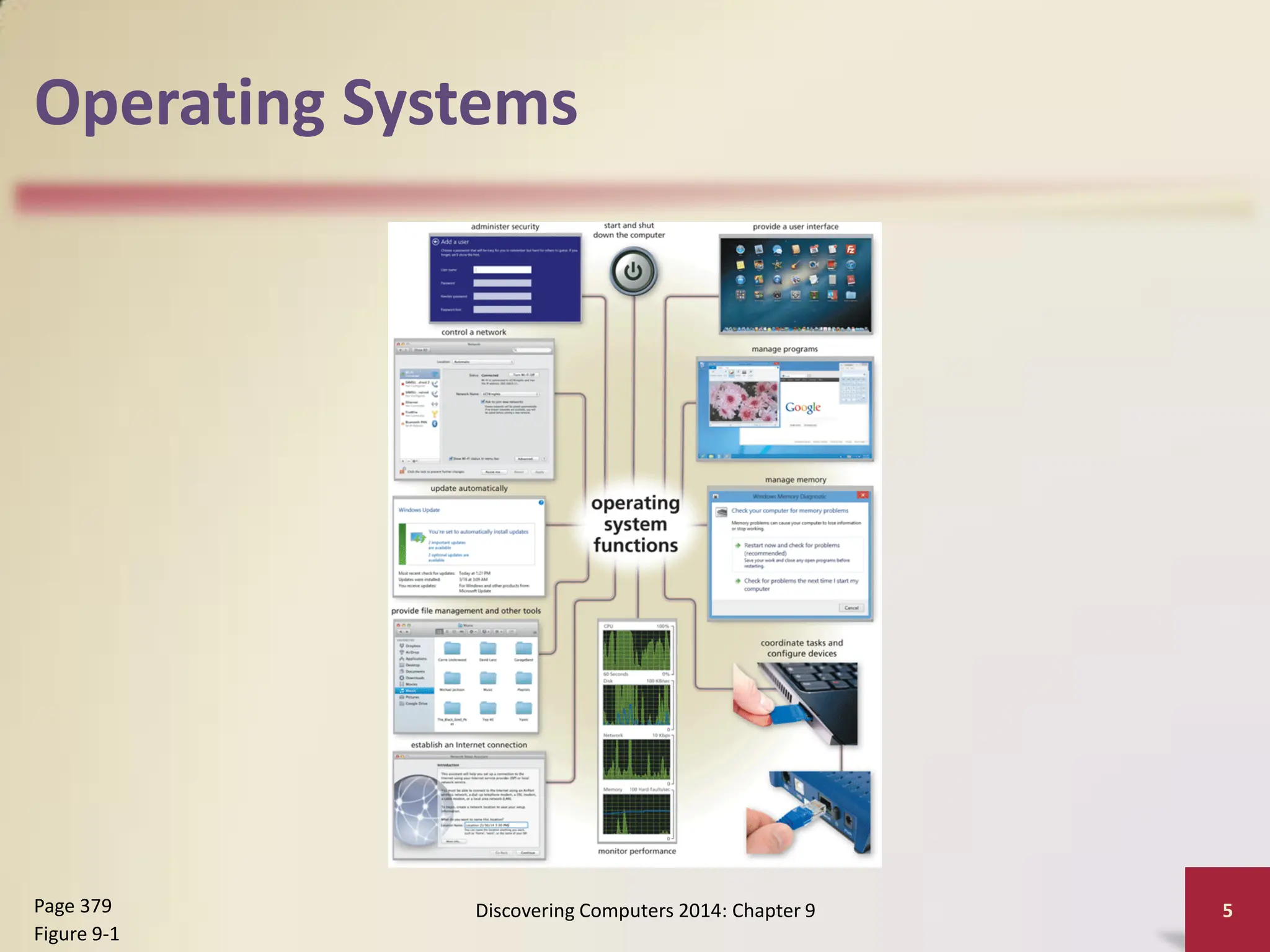
Operating Systems
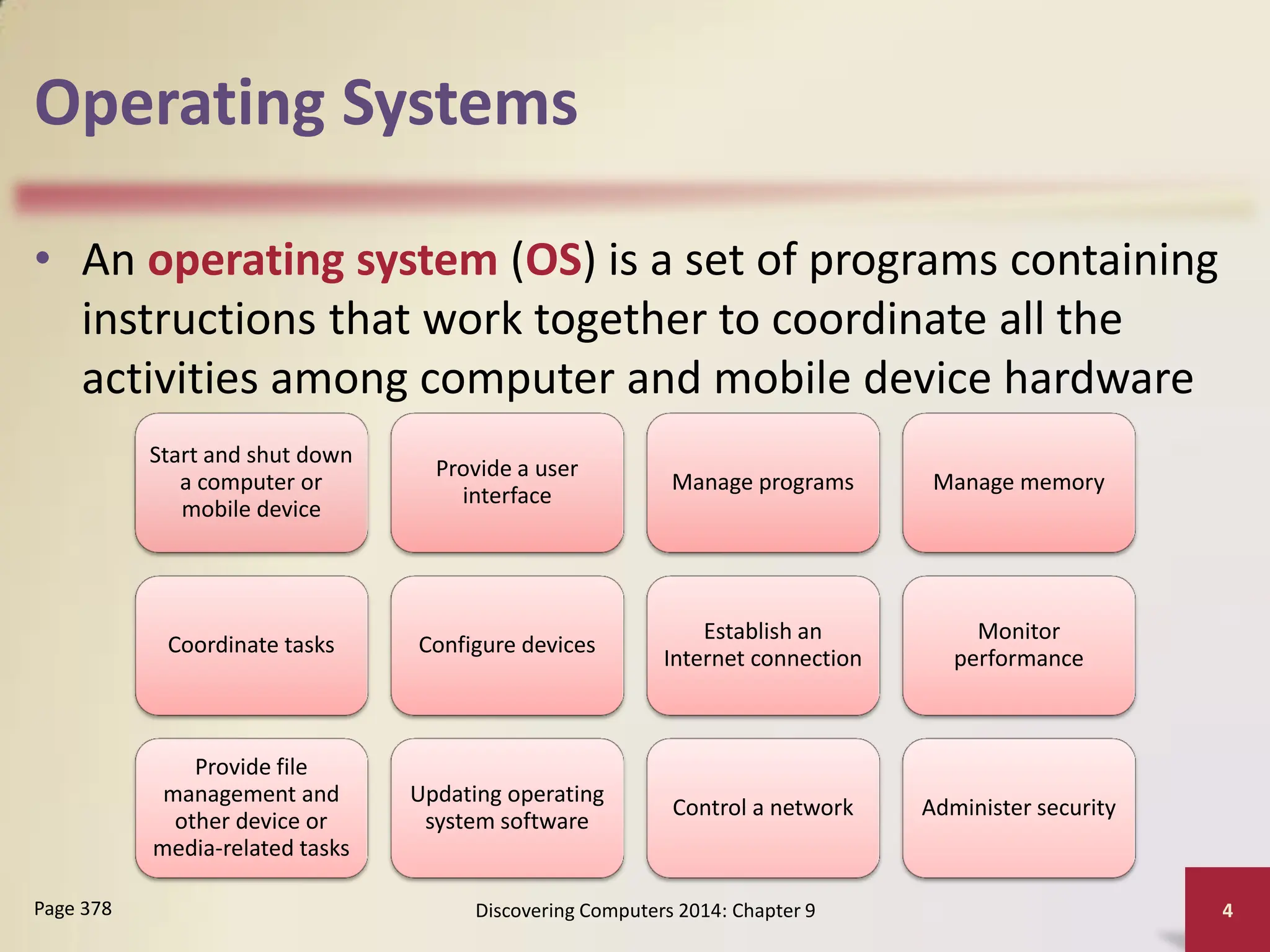
• An operating system (OS) is a set of programs containing
instructions that work together to coordinate all the
activities among computer and mobile device hardware
Discovering Computers 2014: Chapter 9 4
Page 378
Start and shut down
a computer or
mobile device
Provide a user
interface
Manage programs Manage memory
Coordinate tasks Configure devices
Establish an
Internet connection
Monitor
performance
Provide file
management and
other device or
media-related tasks
Updating operating
system software
Control a network Administer security
Operating Systems
Discovering Computers 2014: Chapter 9 5
Page 379
Figure 9-1
Operating System Functions
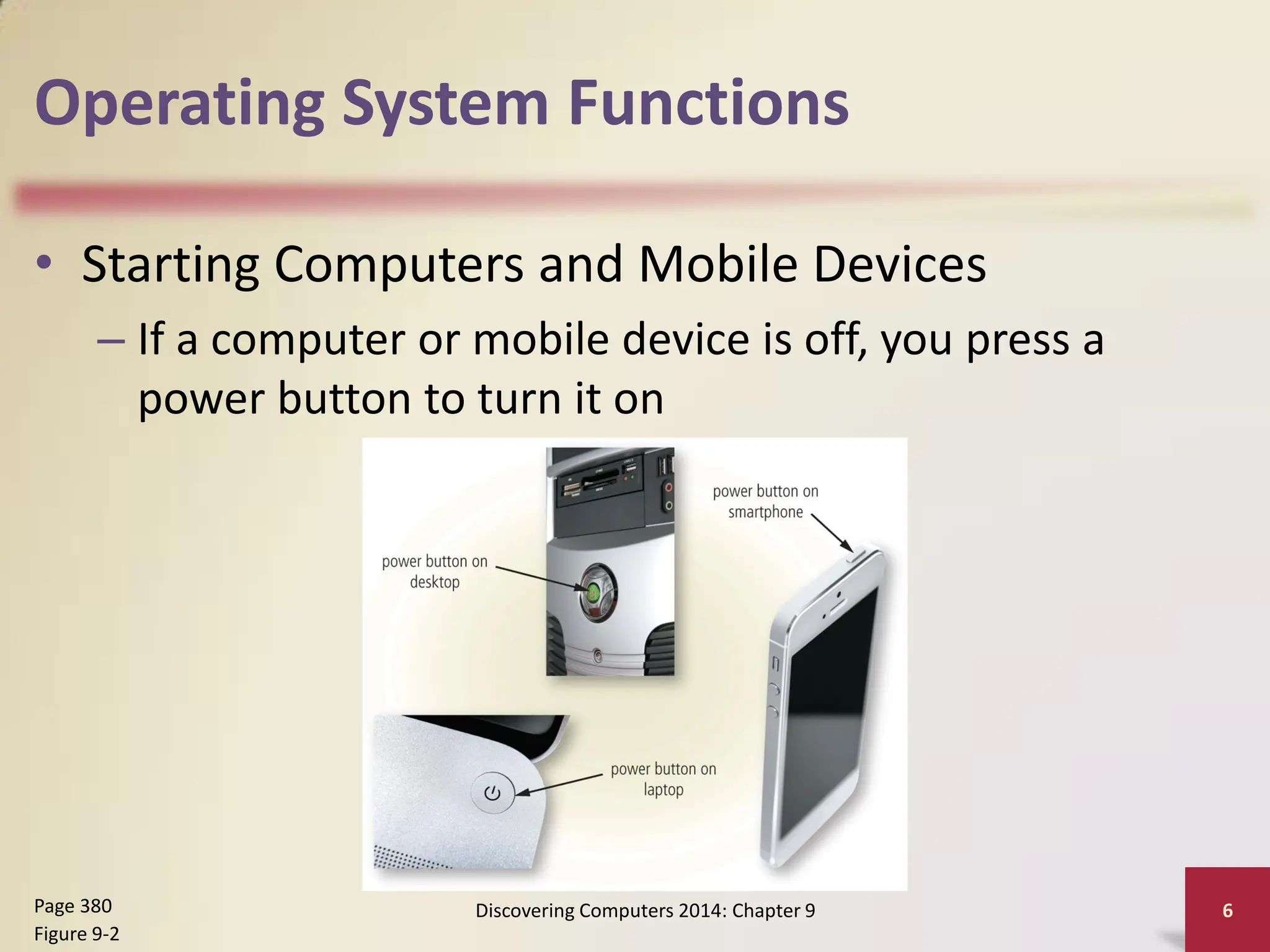
• Starting Computers and Mobile Devices
– If a computer or mobile device is off, you press a
power button to turn it on
Discovering Computers 2014: Chapter 9 6
Page 380
Figure 9-2
Operating System Functions
• An operating system includes various power
options
Discovering Computers 2014: Chapter 9 7
Page 381
Sleep mode saves any open
documents running programs
or apps to memory, turns off
all unneeded functions, and
then places the computer in a
low-power state
Hibernate saves any open
documents and running
programs or apps to an
internal hard drive before
removing power from the
computer or device
Operating System Functions
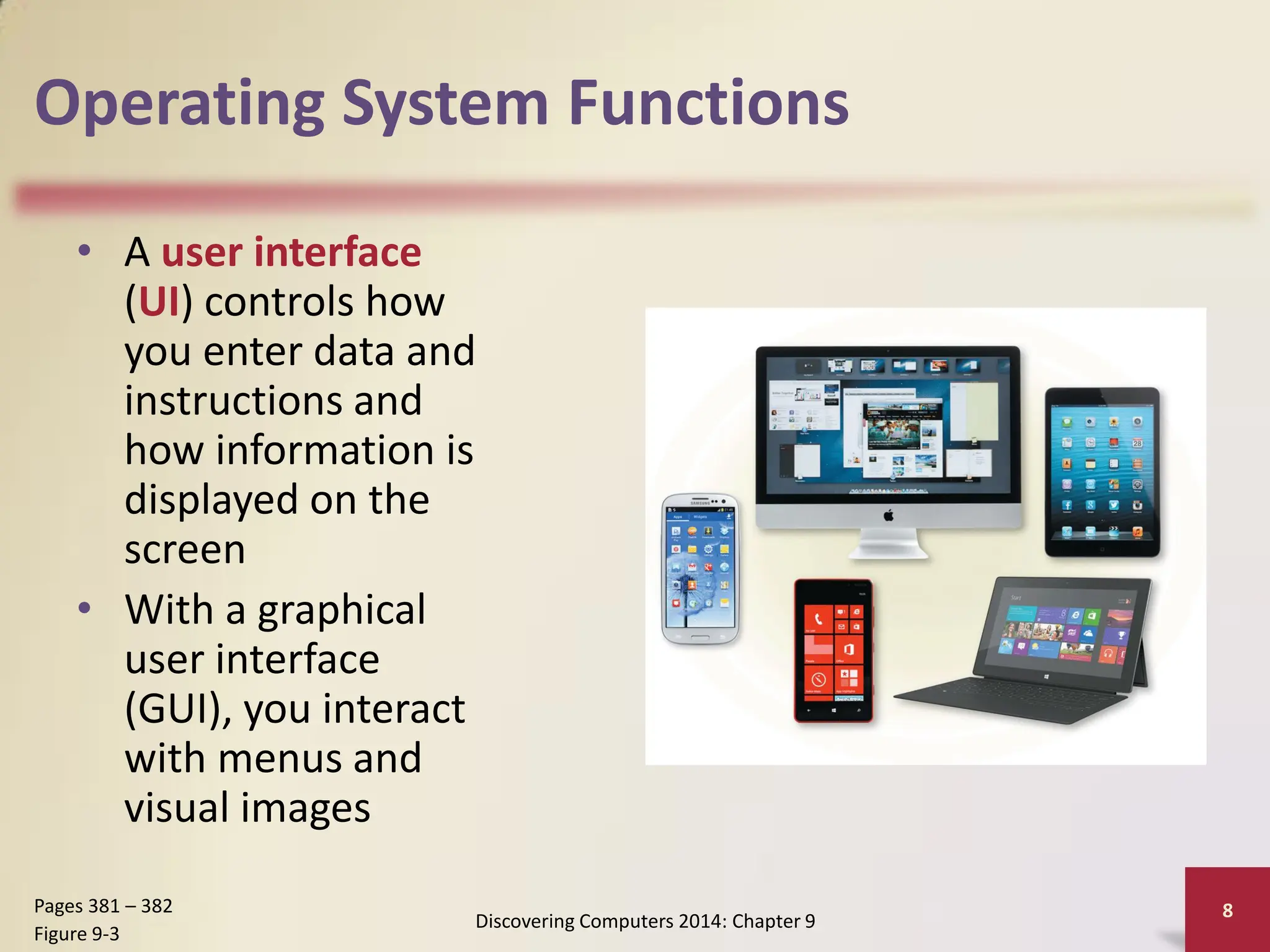
• A user interface
(UI) controls how
you enter data and
instructions and
how information is
displayed on the
screen
• With a graphical
user interface
(GUI), you interact
with menus and
visual images
Discovering Computers 2014: Chapter 9
8
Pages 381 – 382
Figure 9-3
Operating System Functions
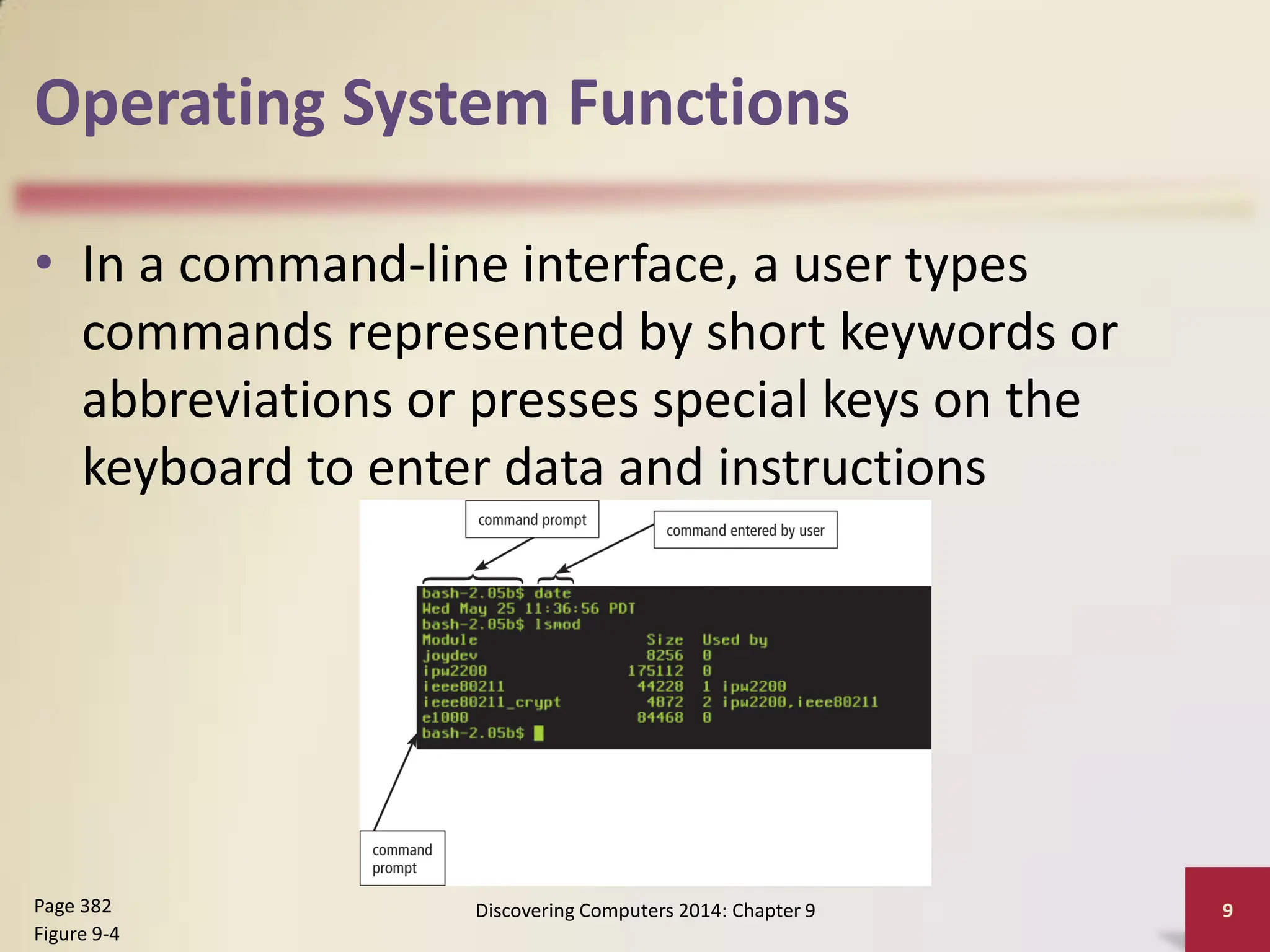
• In a command-line interface, a user types
commands represented by short keywords or
abbreviations or presses special keys on the
keyboard to enter data and instructions
Discovering Computers 2014: Chapter 9 9
Page 382
Figure 9-4
Operating System Functions
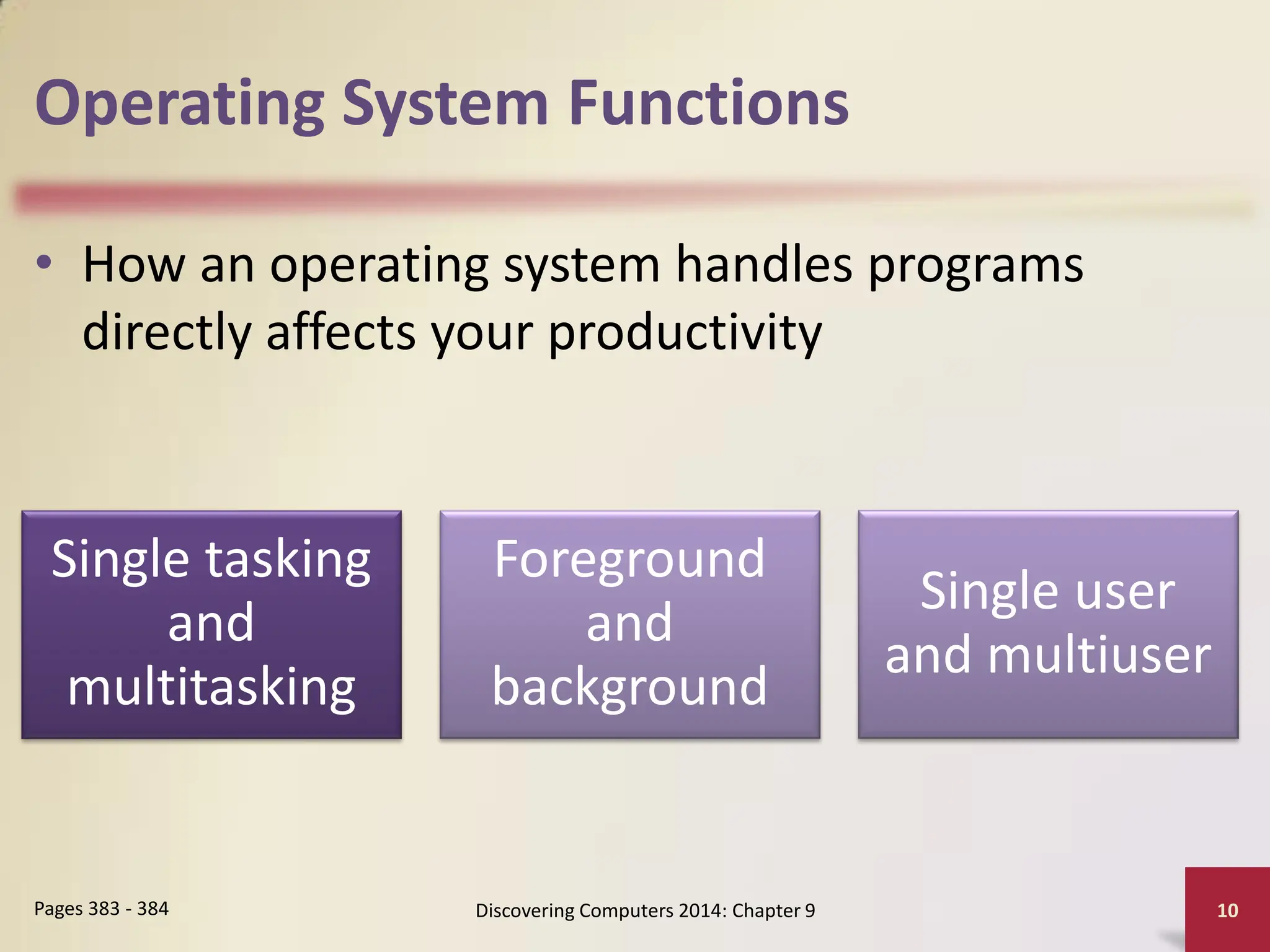
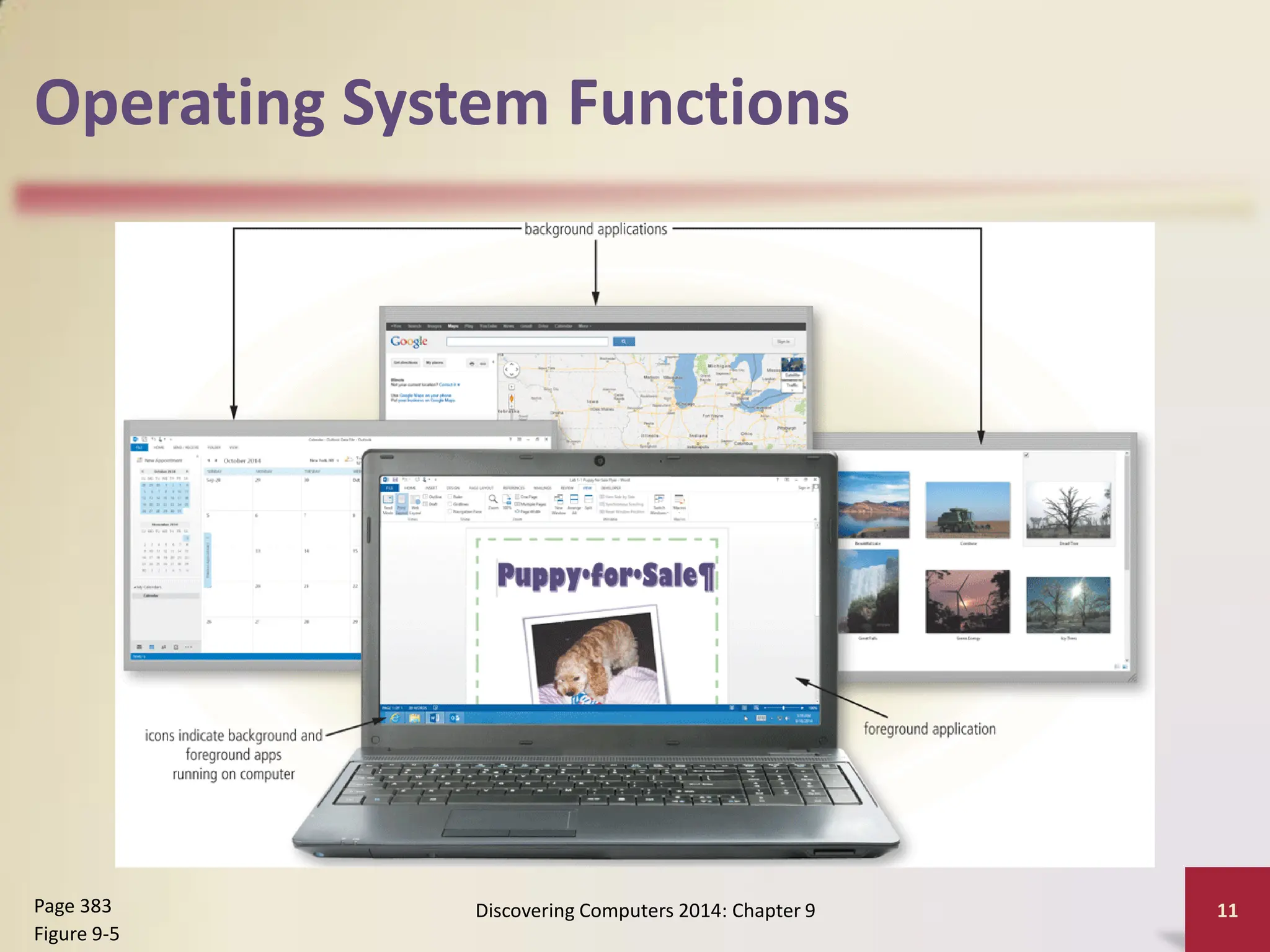
• How an operating system handles programs
directly affects your productivity
Discovering Computers 2014: Chapter 9 10
Pages 383 - 384
Single tasking
and
multitasking
Foreground
and
background
Single user
and multiuser
Operating System Functions
Discovering Computers 2014: Chapter 9 11
Page 383
Figure 9-5
Operating System Functions
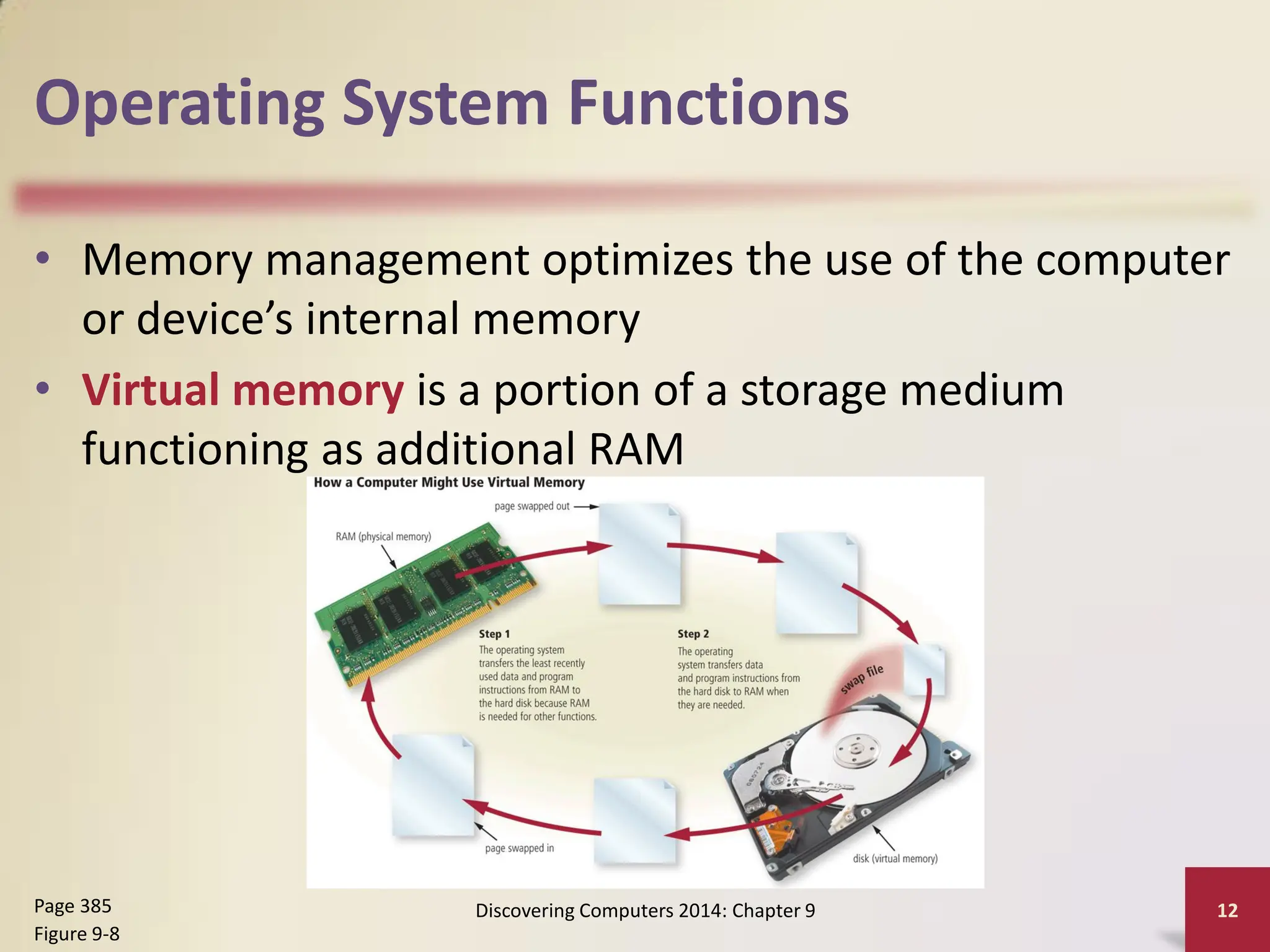
• Memory management optimizes the use of the computer
or device’s internal memory
• Virtual memory is a portion of a storage medium
functioning as additional RAM
Discovering Computers 2014: Chapter 9 12
Page 385
Figure 9-8
Operating System Functions
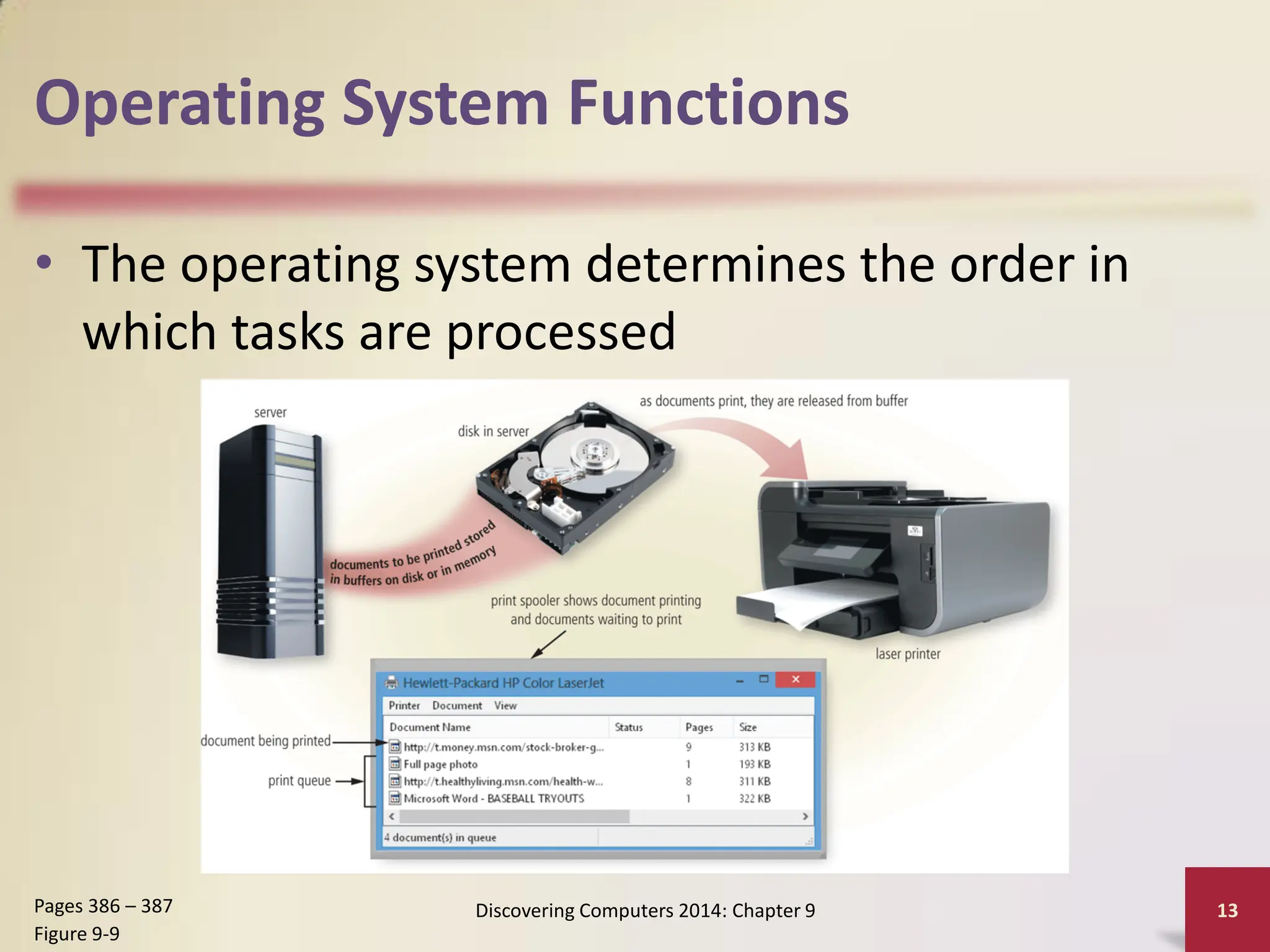
• The operating system determines the order in
which tasks are processed
Discovering Computers 2014: Chapter 9 13
Pages 386 – 387
Figure 9-9
Operating System Functions
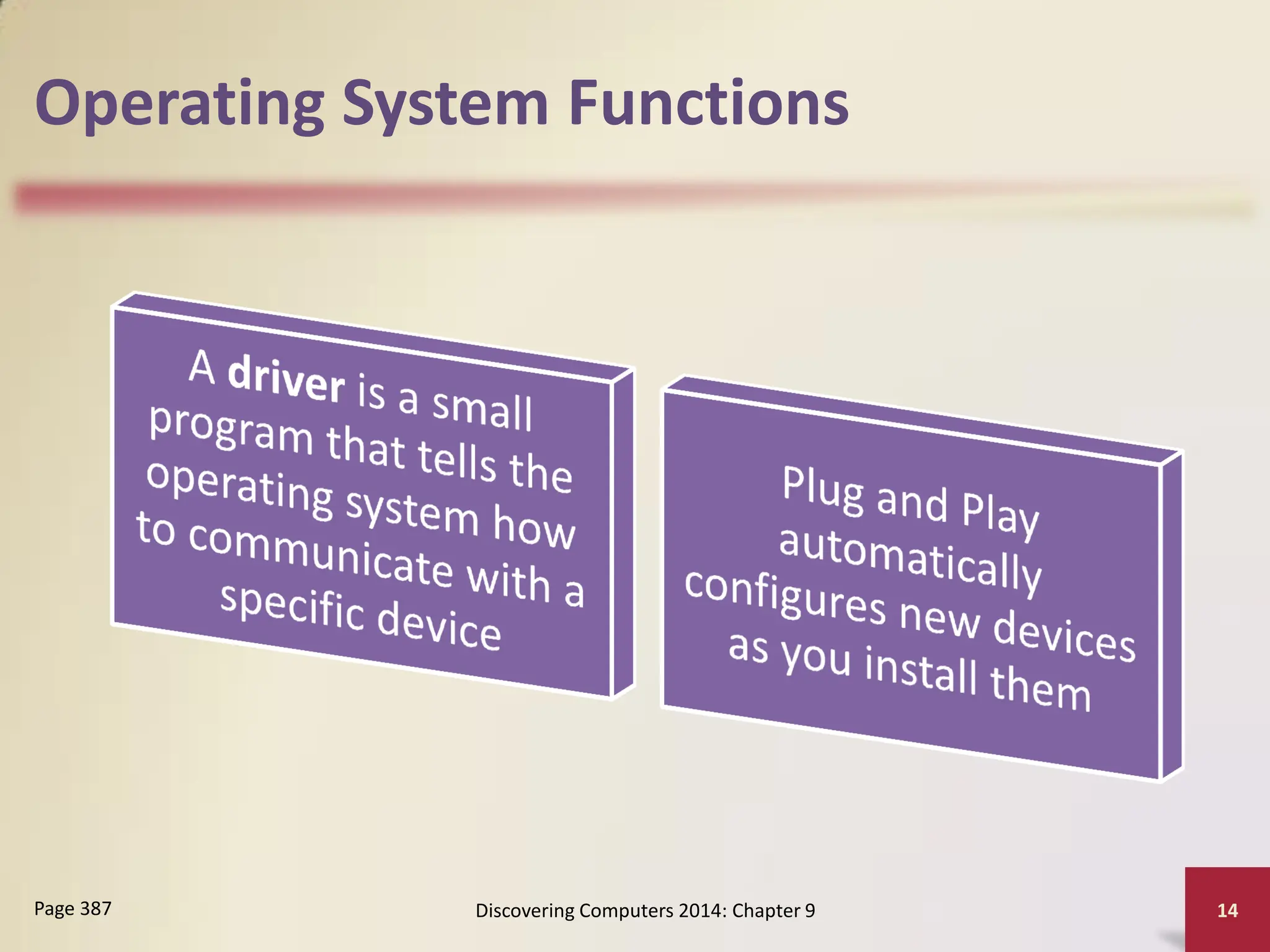
Discovering Computers 2014: Chapter 9 14
Page 387
Operating System Functions
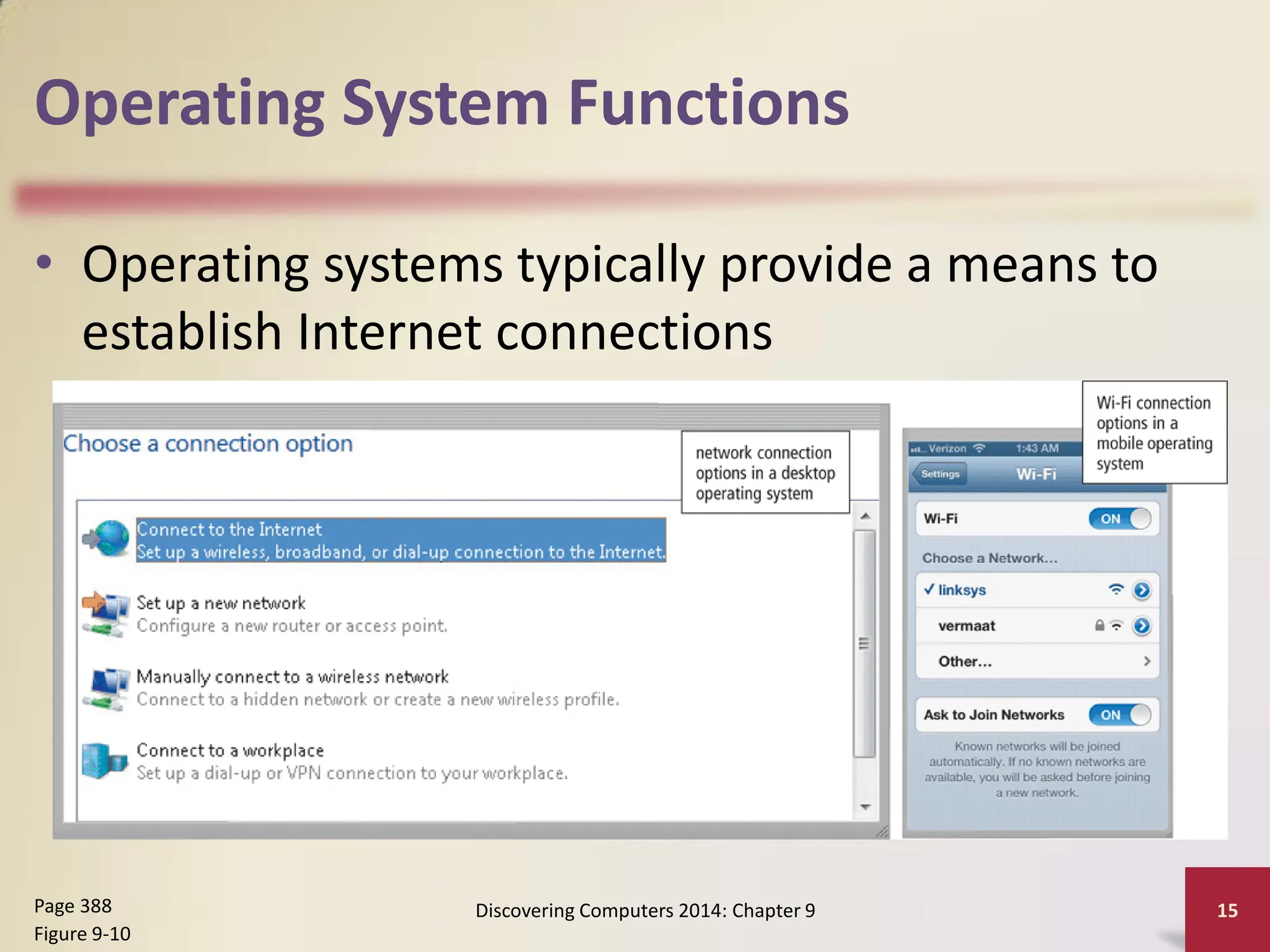
• Operating systems typically provide a means to
establish Internet connections
Discovering Computers 2014: Chapter 9 15
Page 388
Figure 9-10
Operating System Functions
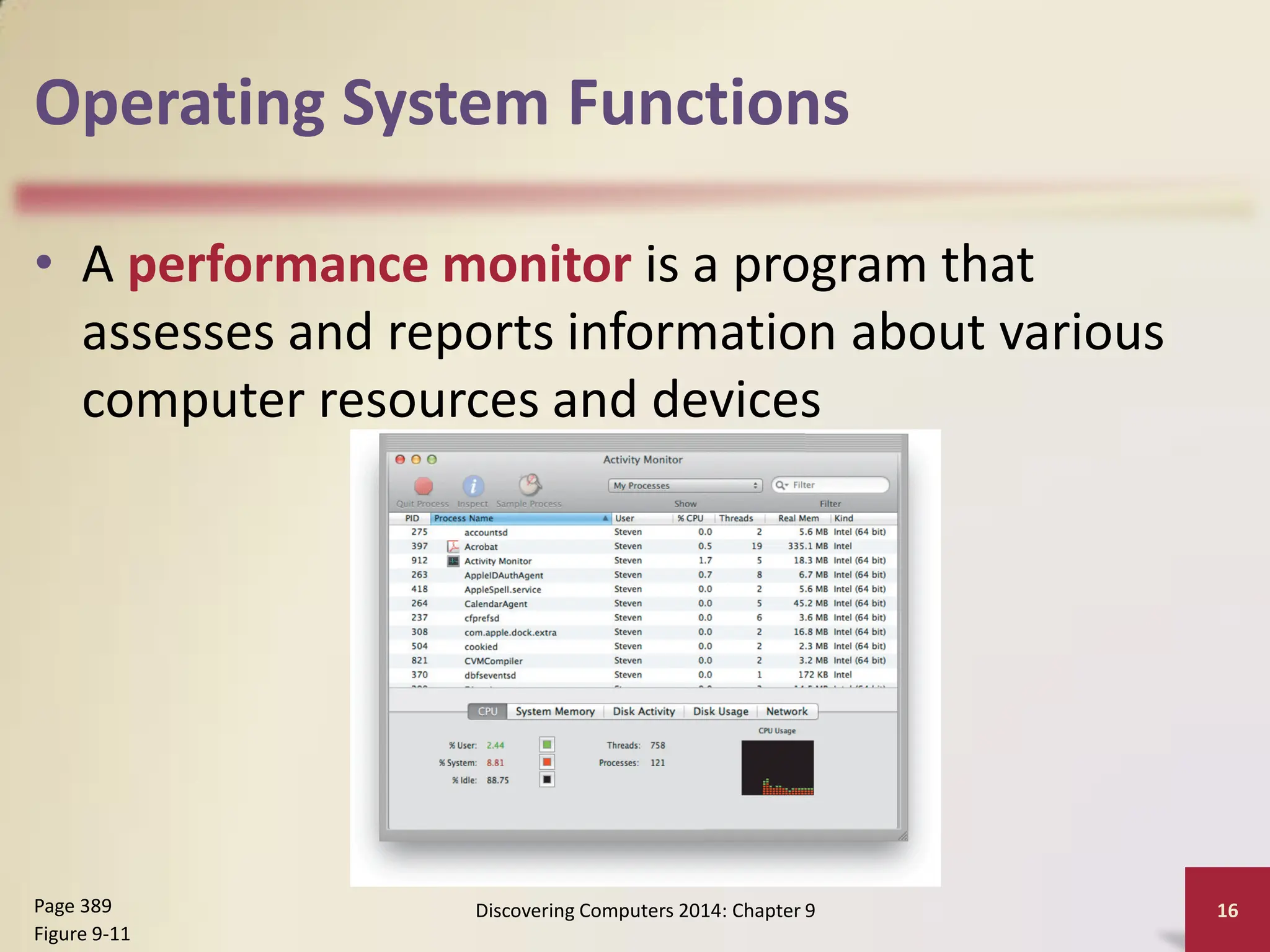
• A performance monitor is a program that
assesses and reports information about various
computer resources and devices
Discovering Computers 2014: Chapter 9 16
Page 389
Figure 9-11
Operating System Functions
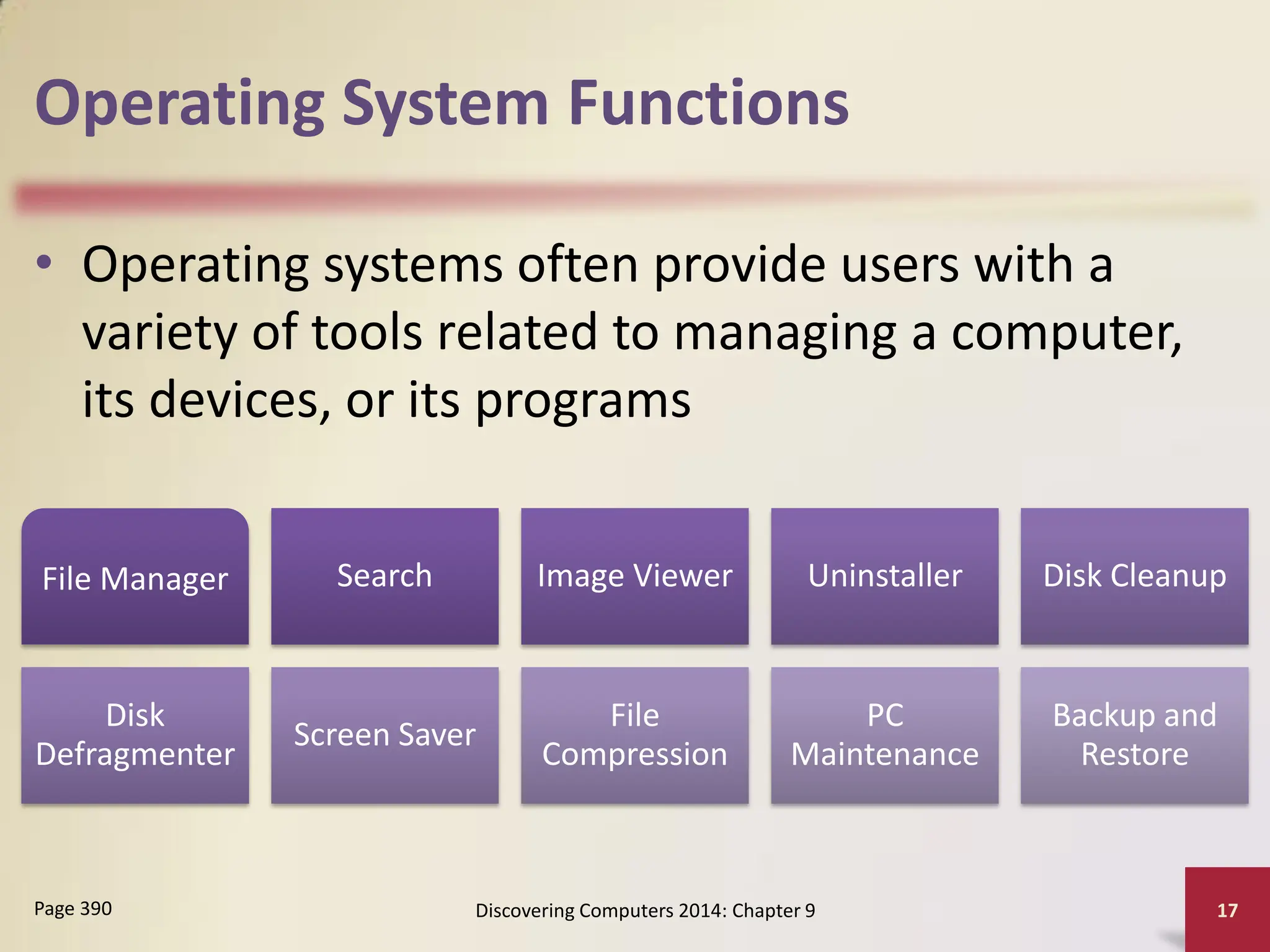
• Operating systems often provide users with a
variety of tools related to managing a computer,
its devices, or its programs
Discovering Computers 2014: Chapter 9 17
Page 390
File Manager Search Image Viewer Uninstaller Disk Cleanup
Disk
Defragmenter
Screen Saver
File
Compression
PC
Maintenance
Backup and
Restore
Operating System Functions
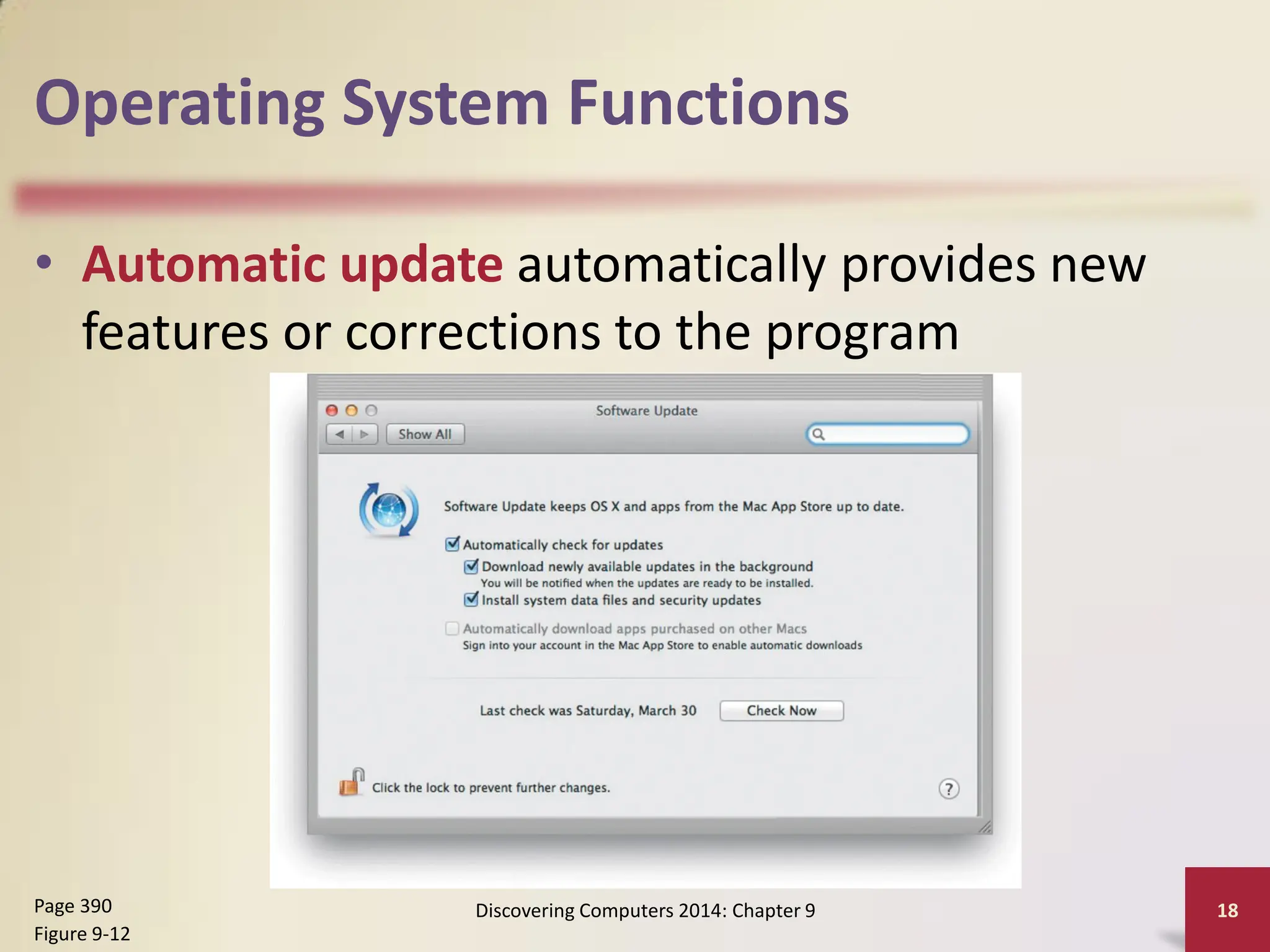
• Automatic update automatically provides new
features or corrections to the program
Discovering Computers 2014: Chapter 9 18
Page 390
Figure 9-12
Operating System Functions
• Some operating systems
are designed to work
with a server on a
network
• These multiuser
operating systems allow
multiple users to share
a printer, Internet
access, files, and
programs
• A network
administrator uses the
server operating system
to:
– Add and remove users,
computers, and other
devices
– Configure the network,
install software and
administer network
security
Discovering Computers 2014: Chapter 9
19
Page 391
Operating System Functions
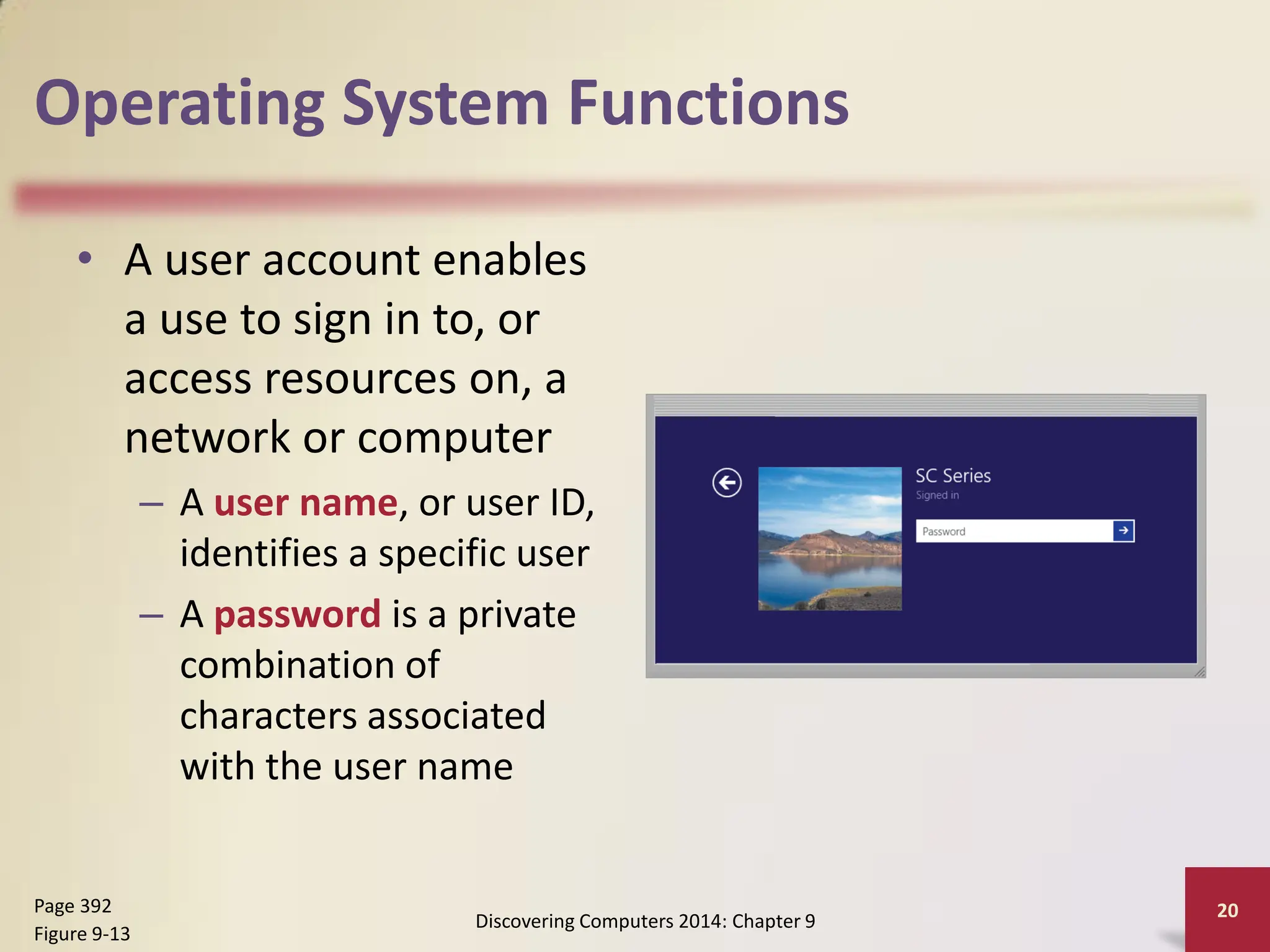
• A user account enables
a use to sign in to, or
access resources on, a
network or computer
– A user name, or user ID,
identifies a specific user
– A password is a private
combination of
characters associated
with the user name
Discovering Computers 2014: Chapter 9
20
Page 392
Figure 9-13
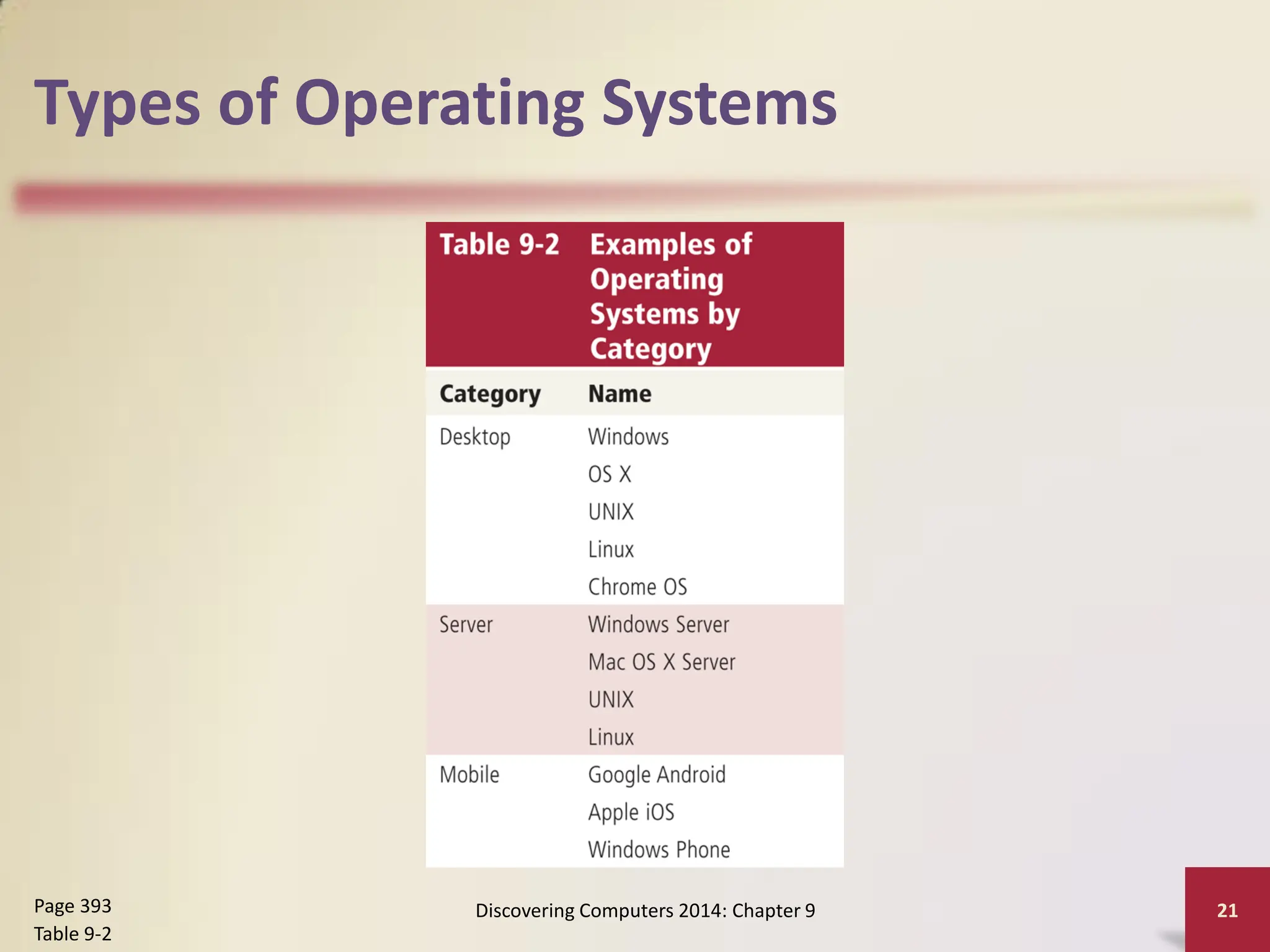
Types of Operating Systems
Discovering Computers 2014: Chapter 9 21
Page 393
Table 9-2
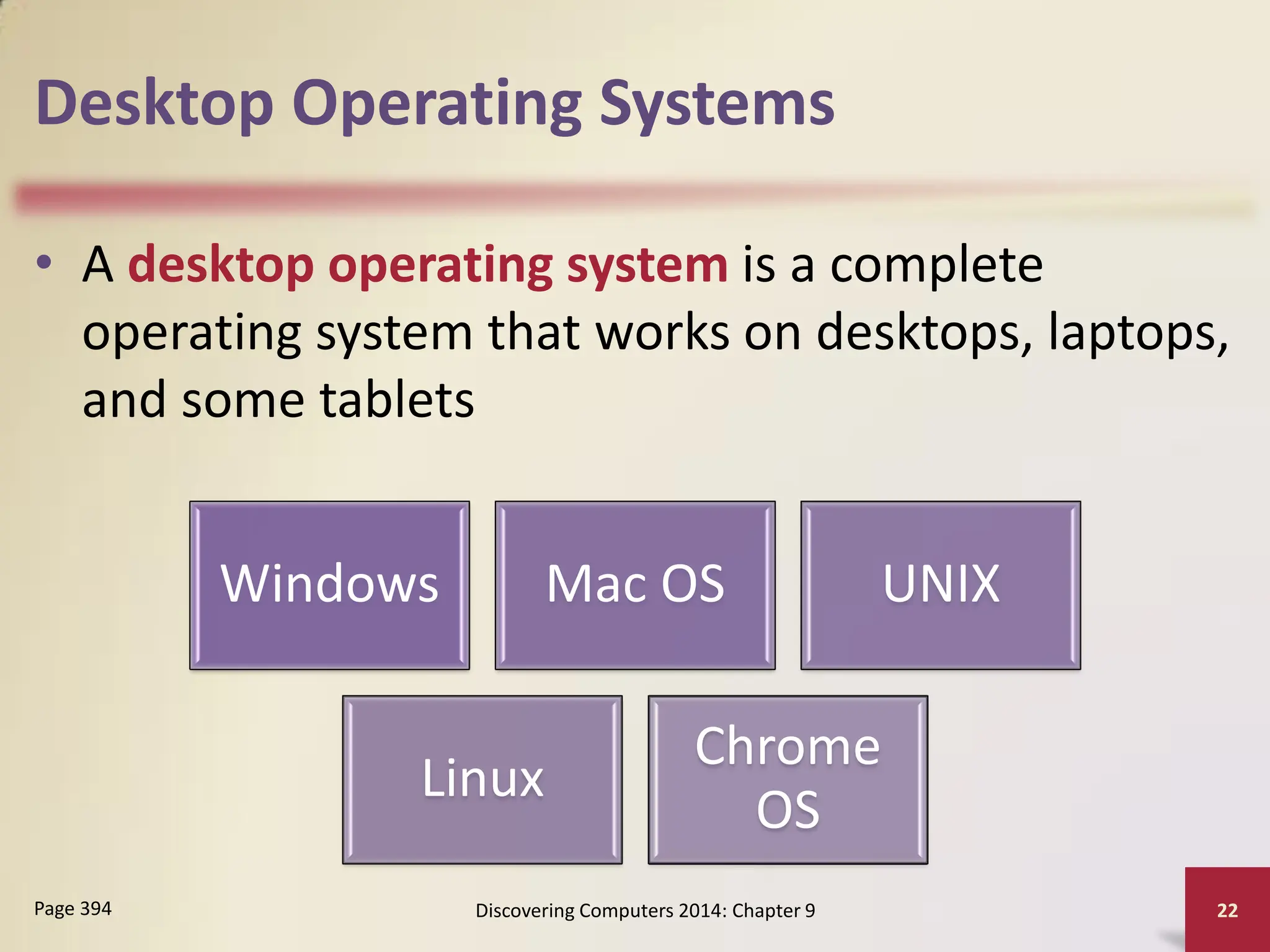
Desktop Operating Systems
• A desktop operating system is a complete
operating system that works on desktops, laptops,
and some tablets
Discovering Computers 2014: Chapter 9 22
Page 394
Windows Mac OS UNIX
Linux
Chrome
OS
Desktop Operating Systems
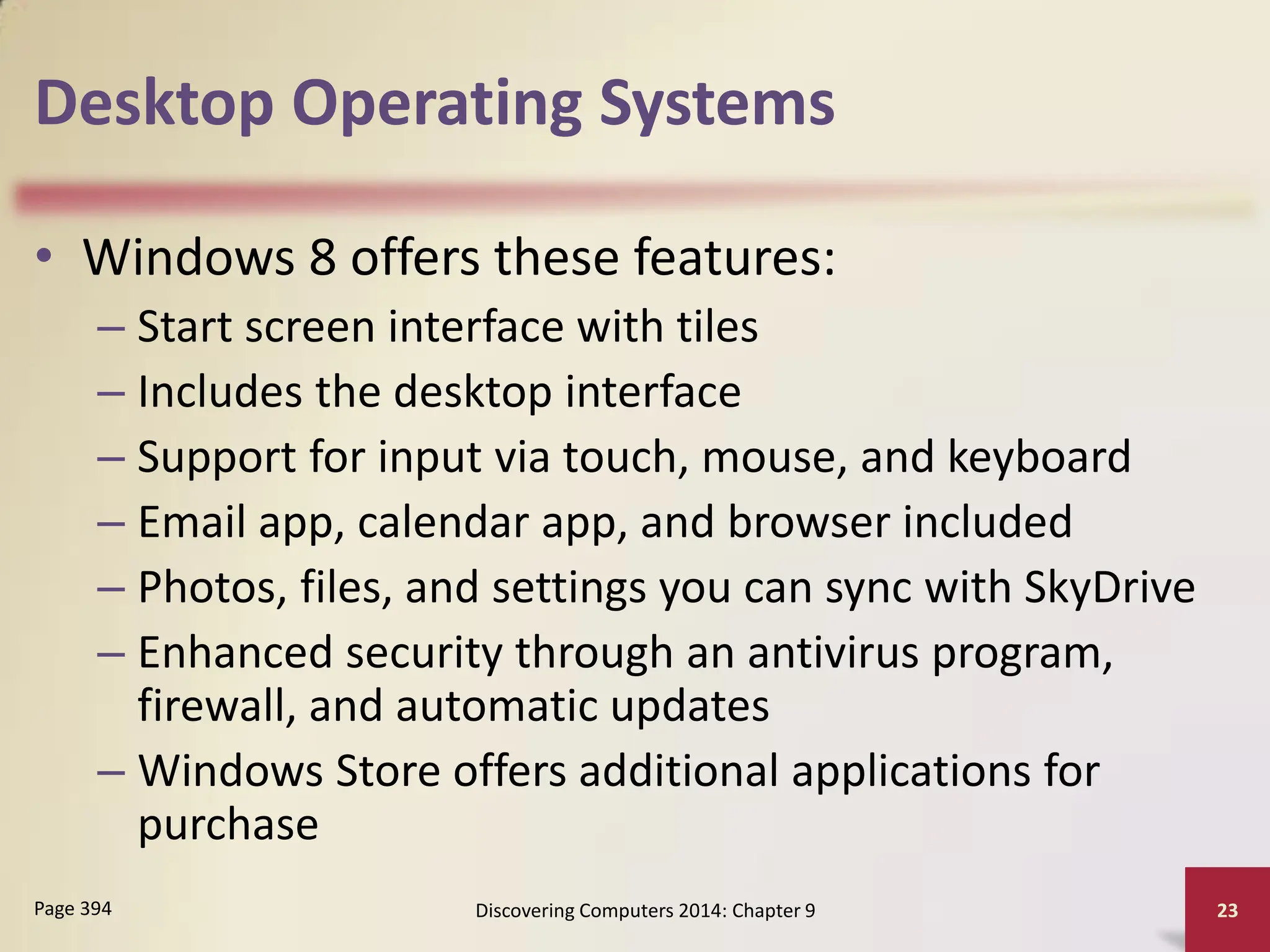
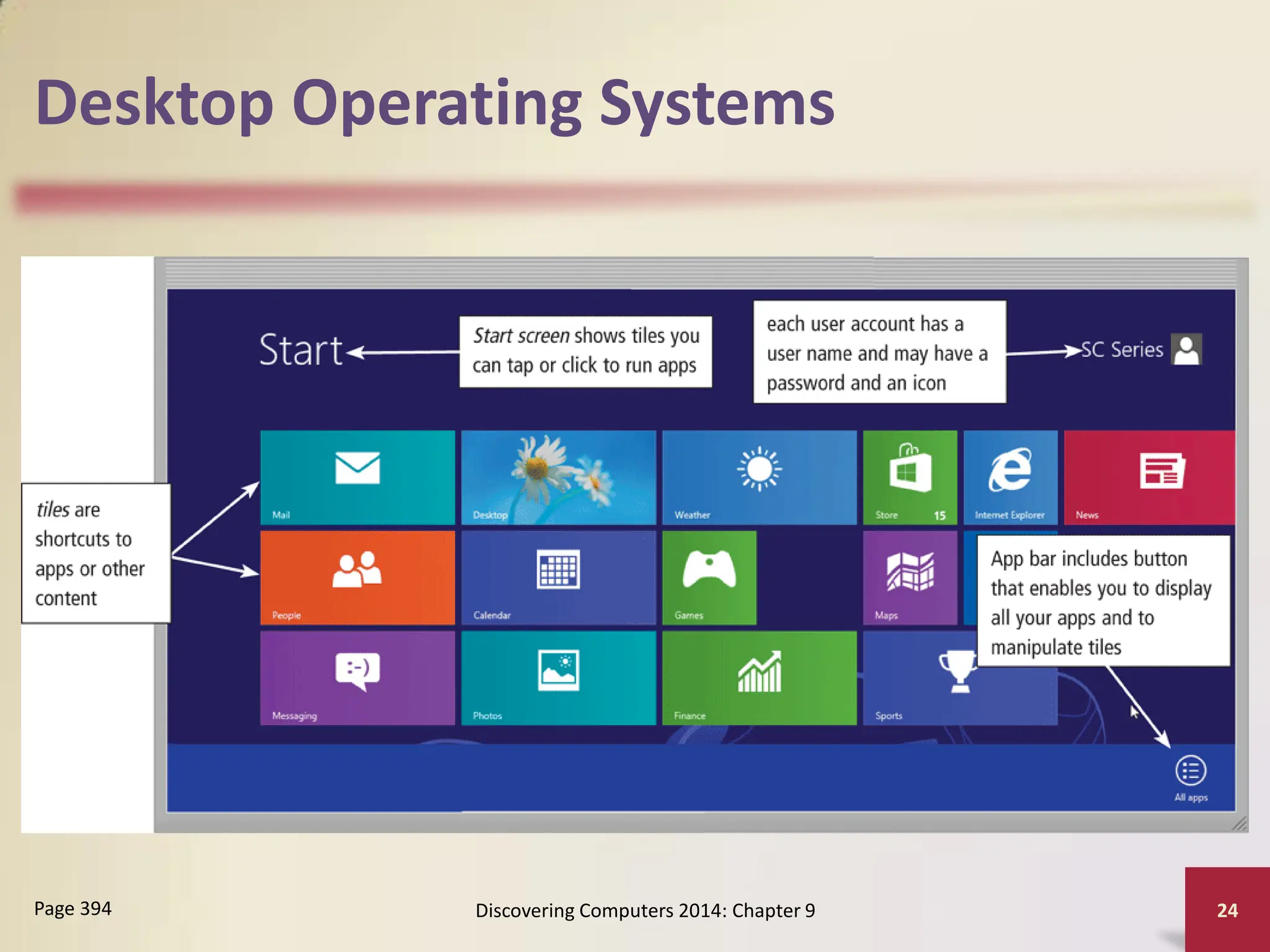
• Windows 8 offers these features:
– Start screen interface with tiles
– Includes the desktop interface
– Support for input via touch, mouse, and keyboard
– Email app, calendar app, and browser included
– Photos, files, and settings you can sync with SkyDrive
– Enhanced security through an antivirus program,
firewall, and automatic updates
– Windows Store offers additional applications for
purchase
Discovering Computers 2014: Chapter 9 23
Page 394
Desktop Operating Systems
Discovering Computers 2014: Chapter 9 24
Page 394
Desktop Operating Systems
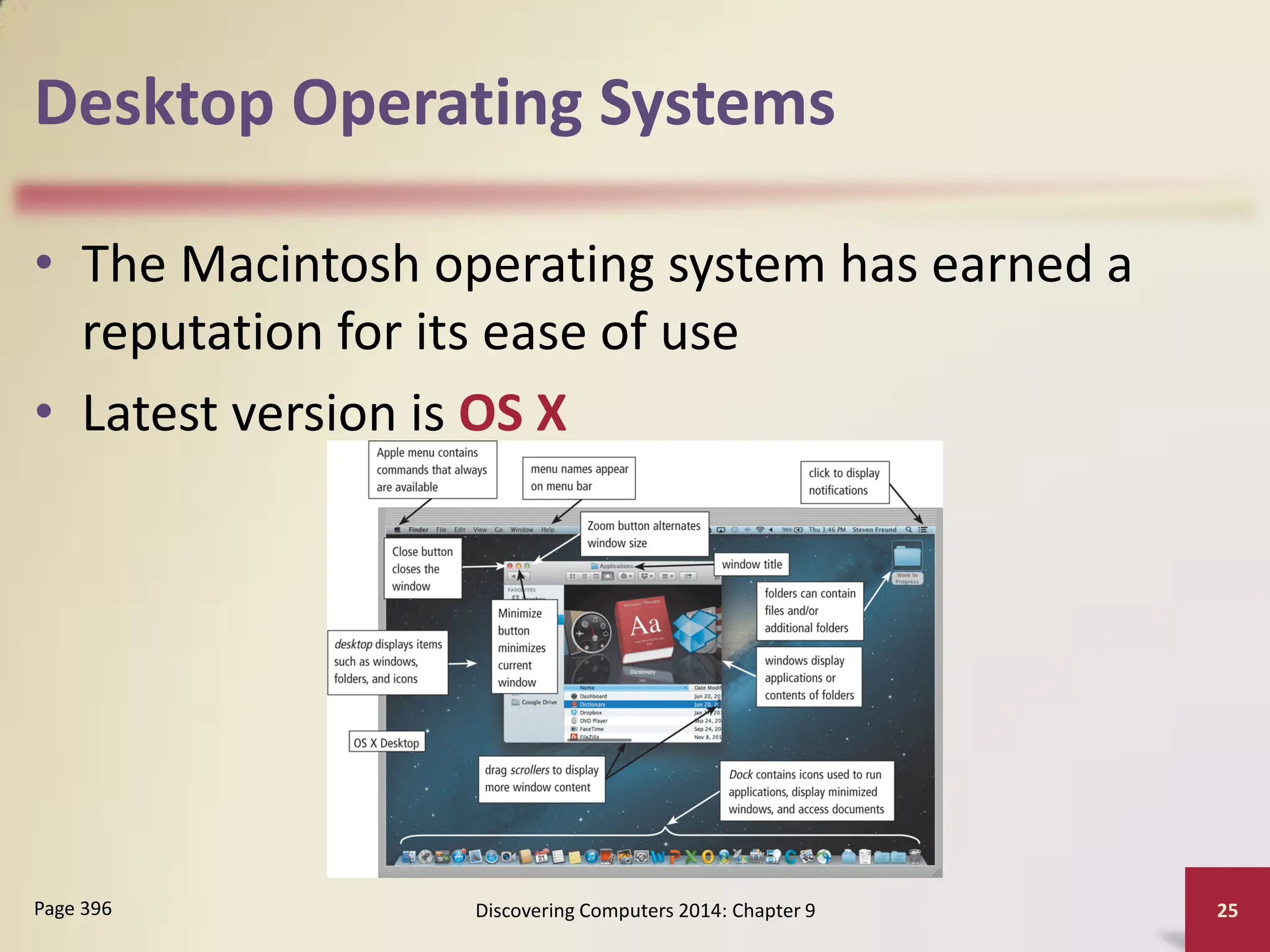
• The Macintosh operating system has earned a
reputation for its ease of use
• Latest version is OS X
Discovering Computers 2014: Chapter 9 25
Page 396
Desktop Operating Systems
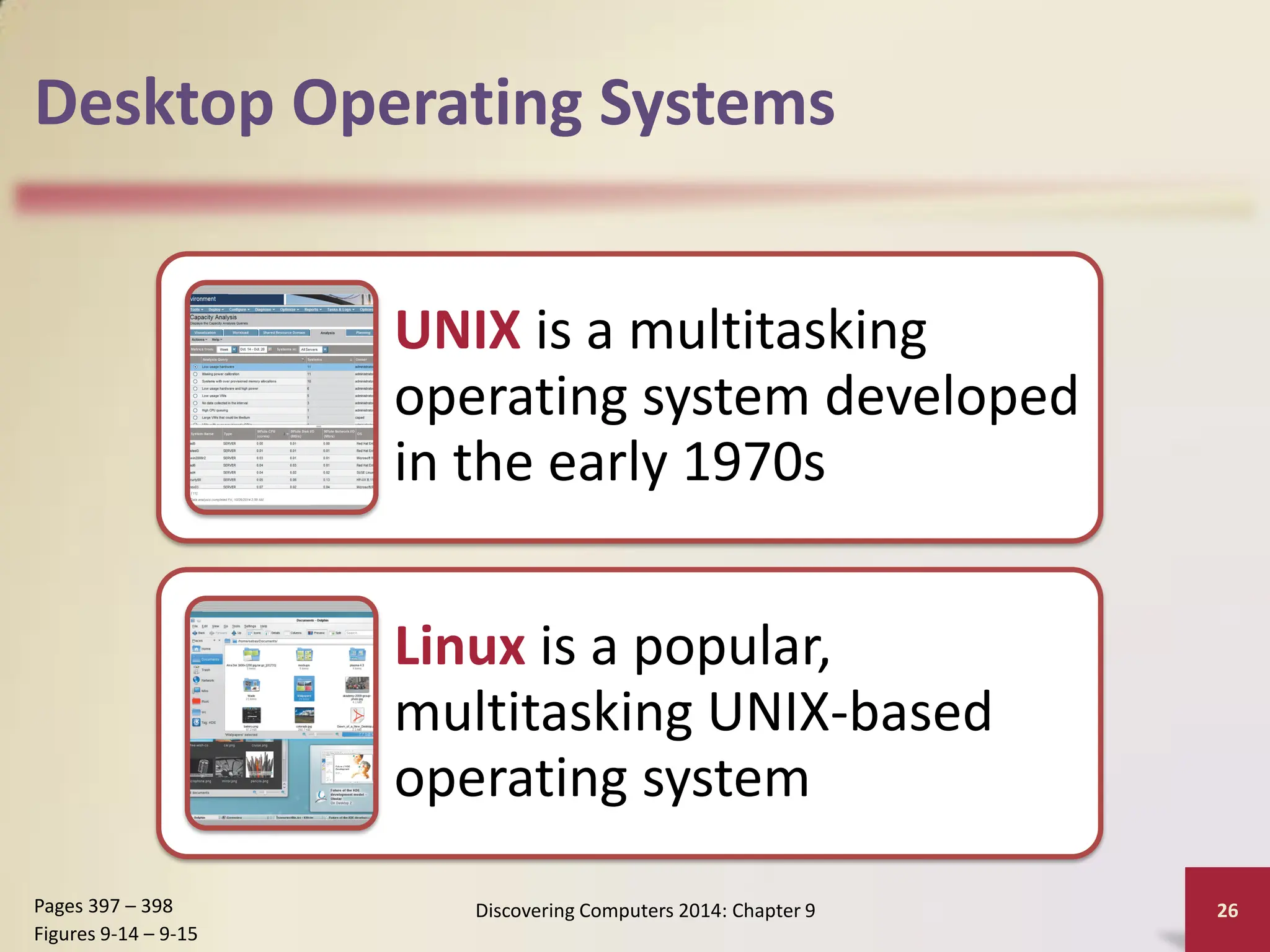
UNIX is a multitasking
operating system developed
in the early 1970s
Linux is a popular,
multitasking UNIX-based
operating system
Discovering Computers 2014: Chapter 9 26
Pages 397 – 398
Figures 9-14 – 9-15
Desktop Operating Systems
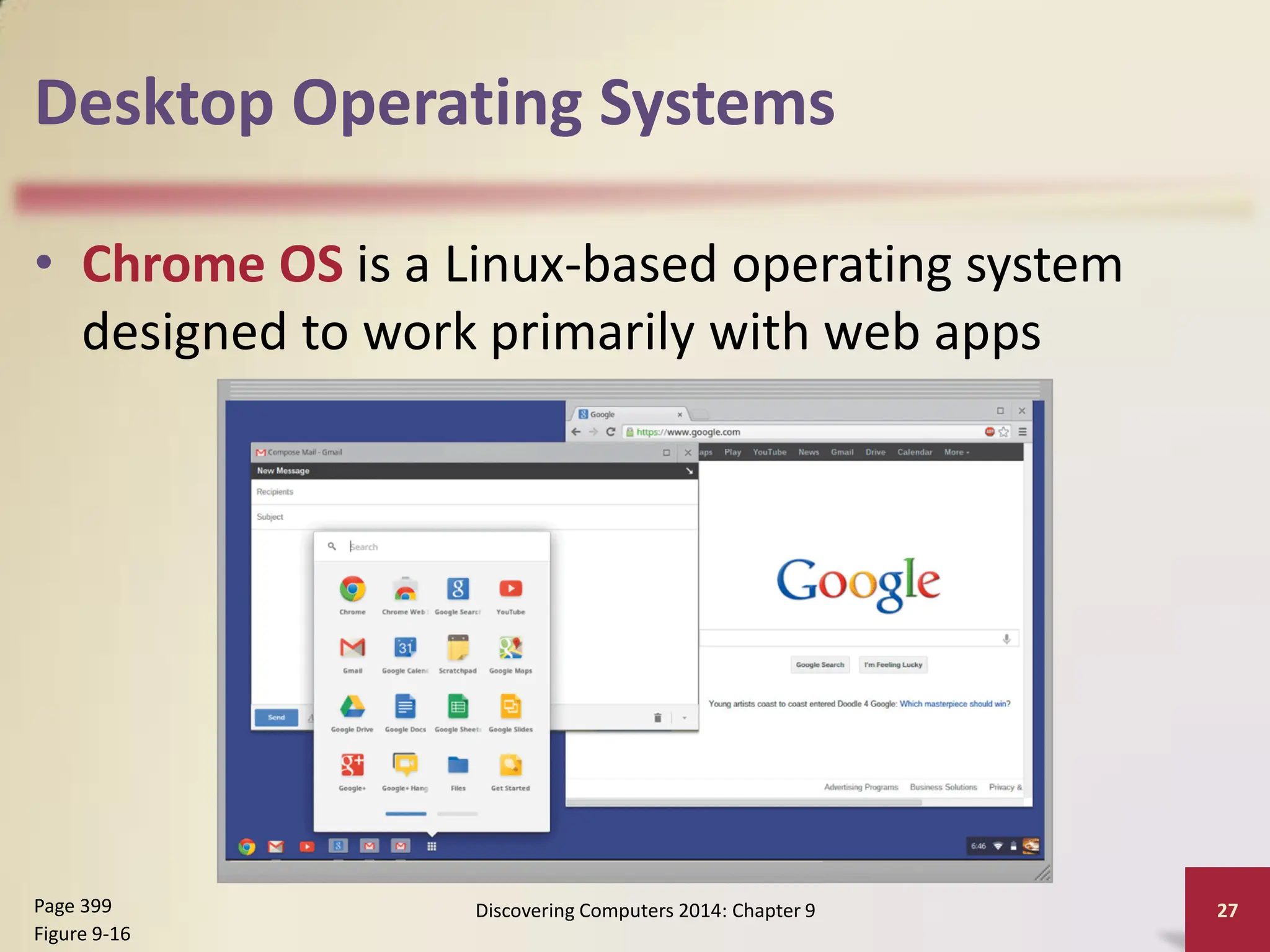
• Chrome OS is a Linux-based operating system
designed to work primarily with web apps
Discovering Computers 2014: Chapter 9 27
Page 399
Figure 9-16
Server Operating Systems
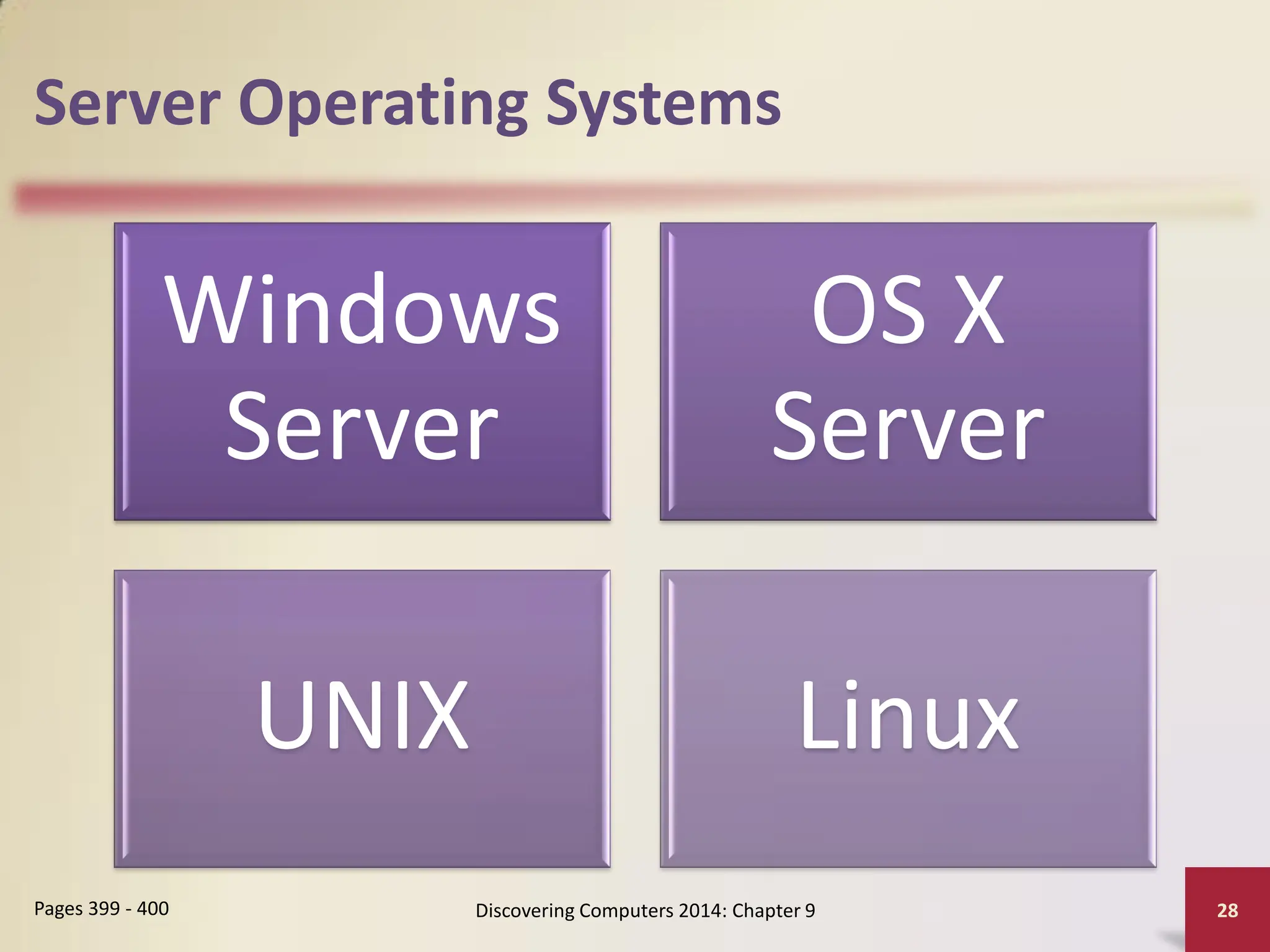
Windows
Server
OS X
Server
UNIX Linux
Discovering Computers 2014: Chapter 9 28
Pages 399 - 400
Mobile Operating Systems
• The operating system on mobile devices and
many consumer electronics is called a mobile
operating system and resides on firmware
Discovering Computers 2014: Chapter 9 29
Page 400
Android iOS
Windows
Phone
Mobile Operating Systems
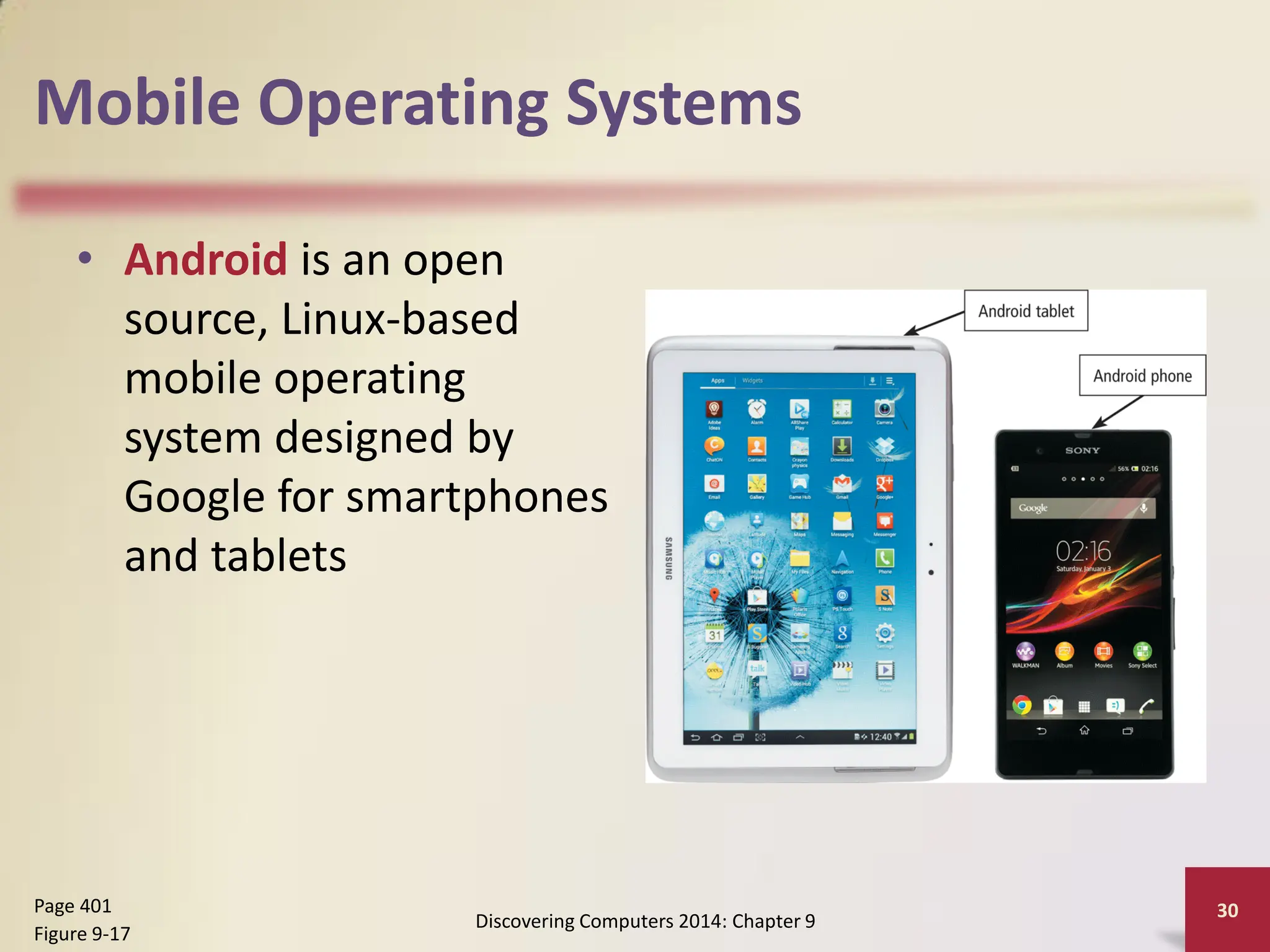
• Android is an open
source, Linux-based
mobile operating
system designed by
Google for smartphones
and tablets
Discovering Computers 2014: Chapter 9
30
Page 401
Figure 9-17
Mobile Operating Systems
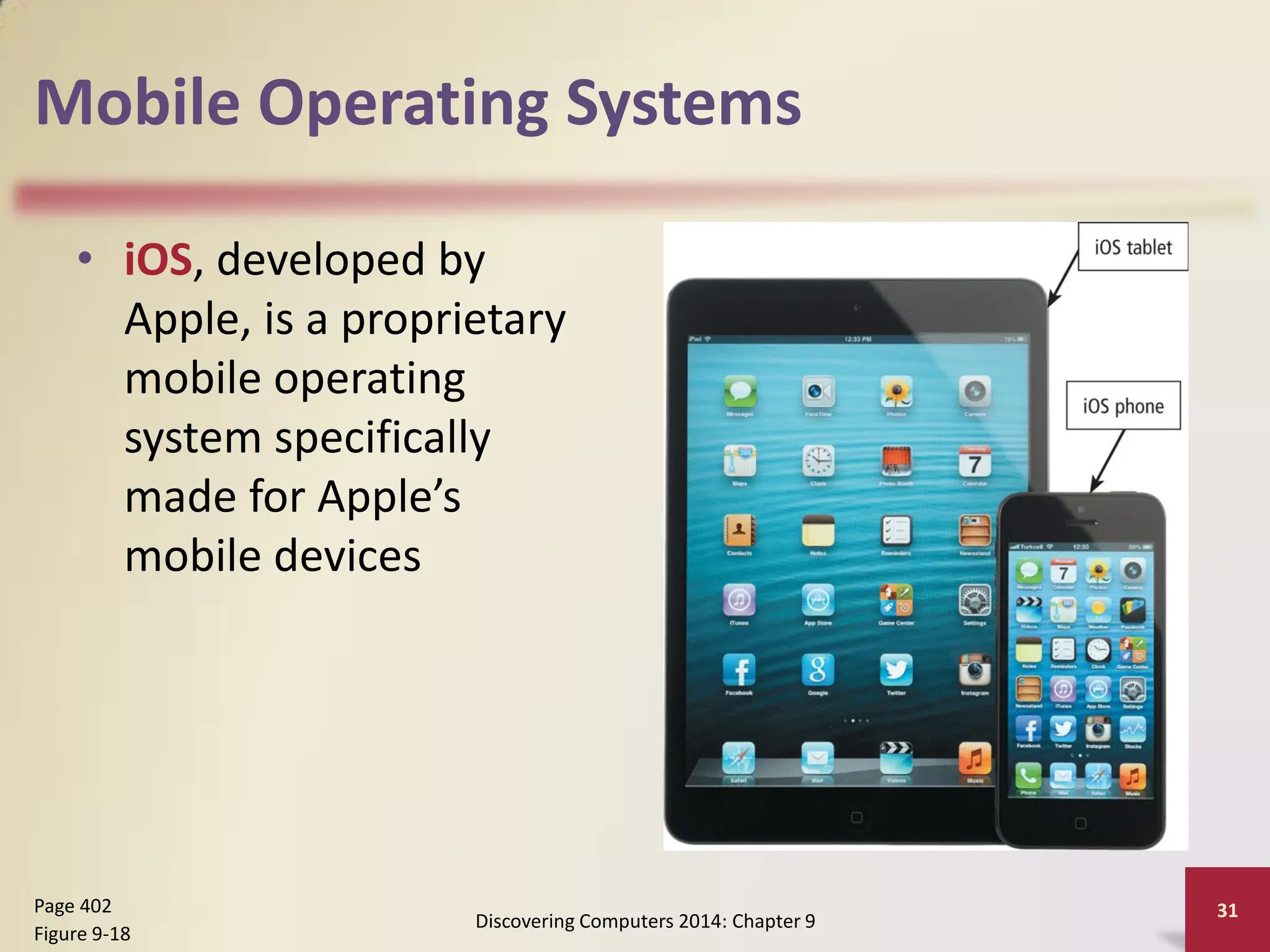
• iOS, developed by
Apple, is a proprietary
mobile operating
system specifically
made for Apple’s
mobile devices
Discovering Computers 2014: Chapter 9
31
Page 402
Figure 9-18
Mobile Operating Systems
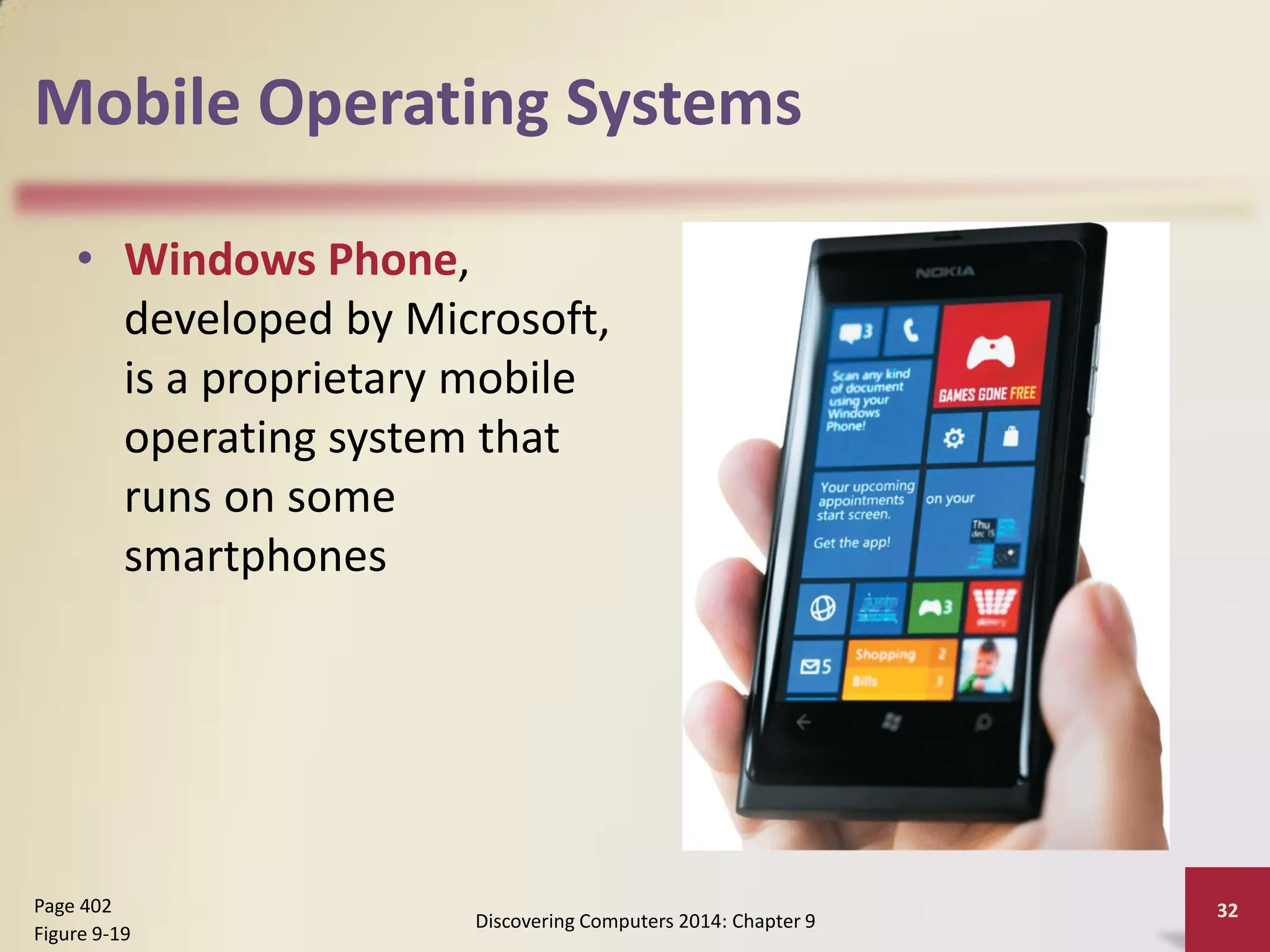
• Windows Phone,
developed by Microsoft,
is a proprietary mobile
operating system that
runs on some
smartphones
Discovering Computers 2014: Chapter 9
32
Page 402
Figure 9-19
Summary
Functions common to
most operating systems
Variety of desktop
operating systems,
server operating
systems, and mobile
operating systems
Discovering Computers 2014: Chapter 9 33
Page 403
Chapter 9
Operating Systems
Discovering Computers
Technology in a World of Computers,
Mobile Devices, and the Internet
Chapter 9 Complete

Chapter_09_OS.pdf

  • 1.
    Chapter 9 Operating Systems DiscoveringComputers Technology in a World of Computers, Mobile Devices, and the Internet
  • 2.
    Objectives Overview Define anoperating system Describe the start-up process and shutdown options on computers and mobile devices Explain how an operating system provides a user interface, manages programs, manages memory, and coordinates tasks Describe how an operating system enables users to configure devices, establish an Internet connection, and monitor performance Identify file management and other tools included with an operating system, along with ways to update operating system software Discovering Computers 2014: Chapter 9 2 See Page 378 for Detailed Objectives
  • 3.
    Objectives Overview Explain howan operating system enables users to control a network or administer security Summarize the features of several desktop operating systems Briefly describe various server operating systems Summarize the features and uses of several mobile operating systems Discovering Computers 2014: Chapter 9 3 See Page 378 for Detailed Objectives
  • 4.
    Operating Systems • Anoperating system (OS) is a set of programs containing instructions that work together to coordinate all the activities among computer and mobile device hardware Discovering Computers 2014: Chapter 9 4 Page 378 Start and shut down a computer or mobile device Provide a user interface Manage programs Manage memory Coordinate tasks Configure devices Establish an Internet connection Monitor performance Provide file management and other device or media-related tasks Updating operating system software Control a network Administer security
  • 5.
    Operating Systems Discovering Computers2014: Chapter 9 5 Page 379 Figure 9-1
  • 6.
    Operating System Functions •Starting Computers and Mobile Devices – If a computer or mobile device is off, you press a power button to turn it on Discovering Computers 2014: Chapter 9 6 Page 380 Figure 9-2
  • 7.
    Operating System Functions •An operating system includes various power options Discovering Computers 2014: Chapter 9 7 Page 381 Sleep mode saves any open documents running programs or apps to memory, turns off all unneeded functions, and then places the computer in a low-power state Hibernate saves any open documents and running programs or apps to an internal hard drive before removing power from the computer or device
  • 8.
    Operating System Functions •A user interface (UI) controls how you enter data and instructions and how information is displayed on the screen • With a graphical user interface (GUI), you interact with menus and visual images Discovering Computers 2014: Chapter 9 8 Pages 381 – 382 Figure 9-3
  • 9.
    Operating System Functions •In a command-line interface, a user types commands represented by short keywords or abbreviations or presses special keys on the keyboard to enter data and instructions Discovering Computers 2014: Chapter 9 9 Page 382 Figure 9-4
  • 10.
    Operating System Functions •How an operating system handles programs directly affects your productivity Discovering Computers 2014: Chapter 9 10 Pages 383 - 384 Single tasking and multitasking Foreground and background Single user and multiuser
  • 11.
    Operating System Functions DiscoveringComputers 2014: Chapter 9 11 Page 383 Figure 9-5
  • 12.
    Operating System Functions •Memory management optimizes the use of the computer or device’s internal memory • Virtual memory is a portion of a storage medium functioning as additional RAM Discovering Computers 2014: Chapter 9 12 Page 385 Figure 9-8
  • 13.
    Operating System Functions •The operating system determines the order in which tasks are processed Discovering Computers 2014: Chapter 9 13 Pages 386 – 387 Figure 9-9
  • 14.
    Operating System Functions DiscoveringComputers 2014: Chapter 9 14 Page 387
  • 15.
    Operating System Functions •Operating systems typically provide a means to establish Internet connections Discovering Computers 2014: Chapter 9 15 Page 388 Figure 9-10
  • 16.
    Operating System Functions •A performance monitor is a program that assesses and reports information about various computer resources and devices Discovering Computers 2014: Chapter 9 16 Page 389 Figure 9-11
  • 17.
    Operating System Functions •Operating systems often provide users with a variety of tools related to managing a computer, its devices, or its programs Discovering Computers 2014: Chapter 9 17 Page 390 File Manager Search Image Viewer Uninstaller Disk Cleanup Disk Defragmenter Screen Saver File Compression PC Maintenance Backup and Restore
  • 18.
    Operating System Functions •Automatic update automatically provides new features or corrections to the program Discovering Computers 2014: Chapter 9 18 Page 390 Figure 9-12
  • 19.
    Operating System Functions •Some operating systems are designed to work with a server on a network • These multiuser operating systems allow multiple users to share a printer, Internet access, files, and programs • A network administrator uses the server operating system to: – Add and remove users, computers, and other devices – Configure the network, install software and administer network security Discovering Computers 2014: Chapter 9 19 Page 391
  • 20.
    Operating System Functions •A user account enables a use to sign in to, or access resources on, a network or computer – A user name, or user ID, identifies a specific user – A password is a private combination of characters associated with the user name Discovering Computers 2014: Chapter 9 20 Page 392 Figure 9-13
  • 21.
    Types of OperatingSystems Discovering Computers 2014: Chapter 9 21 Page 393 Table 9-2
  • 22.
    Desktop Operating Systems •A desktop operating system is a complete operating system that works on desktops, laptops, and some tablets Discovering Computers 2014: Chapter 9 22 Page 394 Windows Mac OS UNIX Linux Chrome OS
  • 23.
    Desktop Operating Systems •Windows 8 offers these features: – Start screen interface with tiles – Includes the desktop interface – Support for input via touch, mouse, and keyboard – Email app, calendar app, and browser included – Photos, files, and settings you can sync with SkyDrive – Enhanced security through an antivirus program, firewall, and automatic updates – Windows Store offers additional applications for purchase Discovering Computers 2014: Chapter 9 23 Page 394
  • 24.
    Desktop Operating Systems DiscoveringComputers 2014: Chapter 9 24 Page 394
  • 25.
    Desktop Operating Systems •The Macintosh operating system has earned a reputation for its ease of use • Latest version is OS X Discovering Computers 2014: Chapter 9 25 Page 396
  • 26.
    Desktop Operating Systems UNIXis a multitasking operating system developed in the early 1970s Linux is a popular, multitasking UNIX-based operating system Discovering Computers 2014: Chapter 9 26 Pages 397 – 398 Figures 9-14 – 9-15
  • 27.
    Desktop Operating Systems •Chrome OS is a Linux-based operating system designed to work primarily with web apps Discovering Computers 2014: Chapter 9 27 Page 399 Figure 9-16
  • 28.
    Server Operating Systems Windows Server OSX Server UNIX Linux Discovering Computers 2014: Chapter 9 28 Pages 399 - 400
  • 29.
    Mobile Operating Systems •The operating system on mobile devices and many consumer electronics is called a mobile operating system and resides on firmware Discovering Computers 2014: Chapter 9 29 Page 400 Android iOS Windows Phone
  • 30.
    Mobile Operating Systems •Android is an open source, Linux-based mobile operating system designed by Google for smartphones and tablets Discovering Computers 2014: Chapter 9 30 Page 401 Figure 9-17
  • 31.
    Mobile Operating Systems •iOS, developed by Apple, is a proprietary mobile operating system specifically made for Apple’s mobile devices Discovering Computers 2014: Chapter 9 31 Page 402 Figure 9-18
  • 32.
    Mobile Operating Systems •Windows Phone, developed by Microsoft, is a proprietary mobile operating system that runs on some smartphones Discovering Computers 2014: Chapter 9 32 Page 402 Figure 9-19
  • 33.
    Summary Functions common to mostoperating systems Variety of desktop operating systems, server operating systems, and mobile operating systems Discovering Computers 2014: Chapter 9 33 Page 403
  • 34.
    Chapter 9 Operating Systems DiscoveringComputers Technology in a World of Computers, Mobile Devices, and the Internet Chapter 9 Complete