MultimediaConcept
Multimedia is the
presentation of information by
using a combination of text,
audio, graphic, video and
animation.
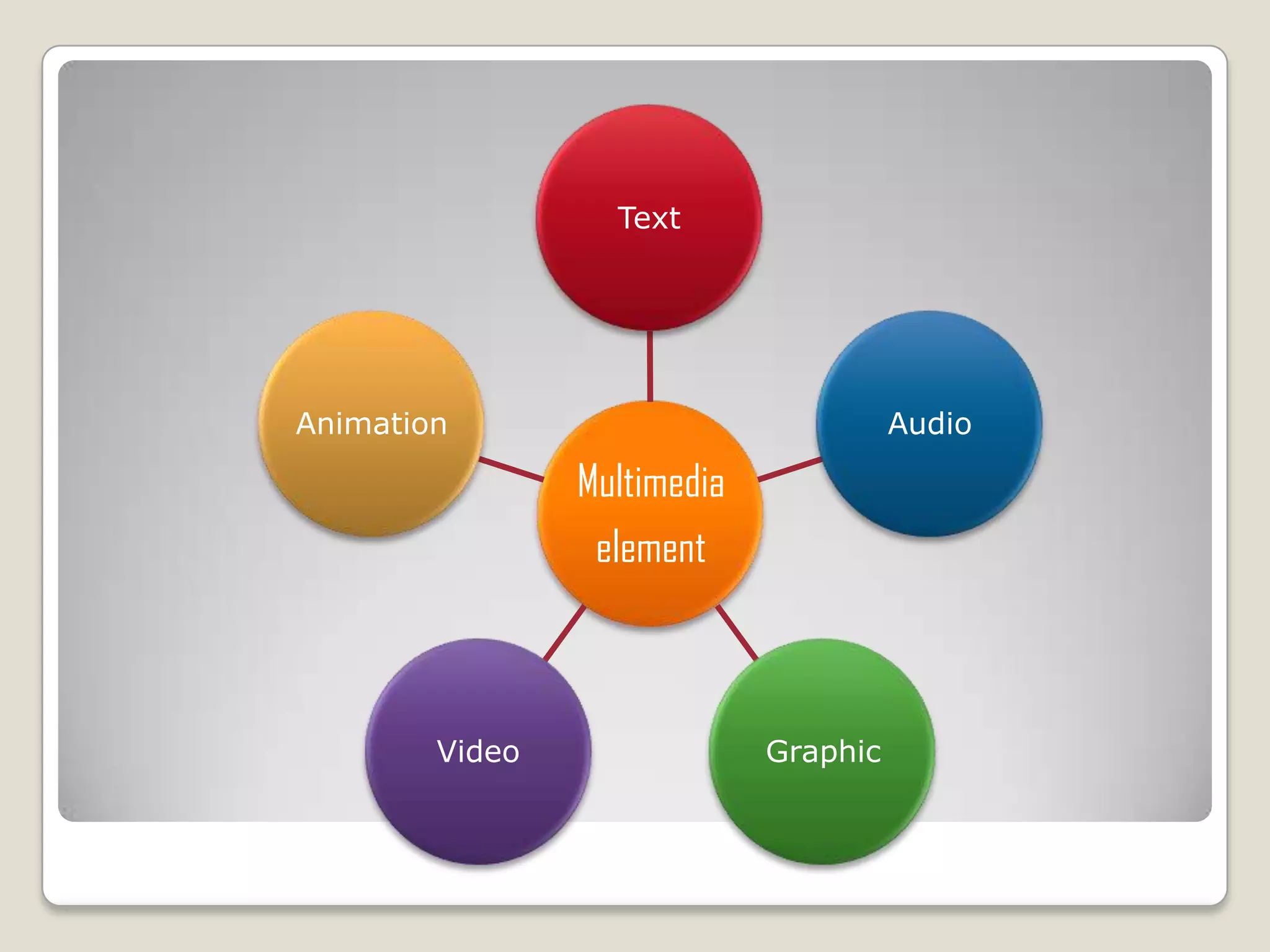
Multimedia
element
Text
Audio
GraphicVideo
Animation
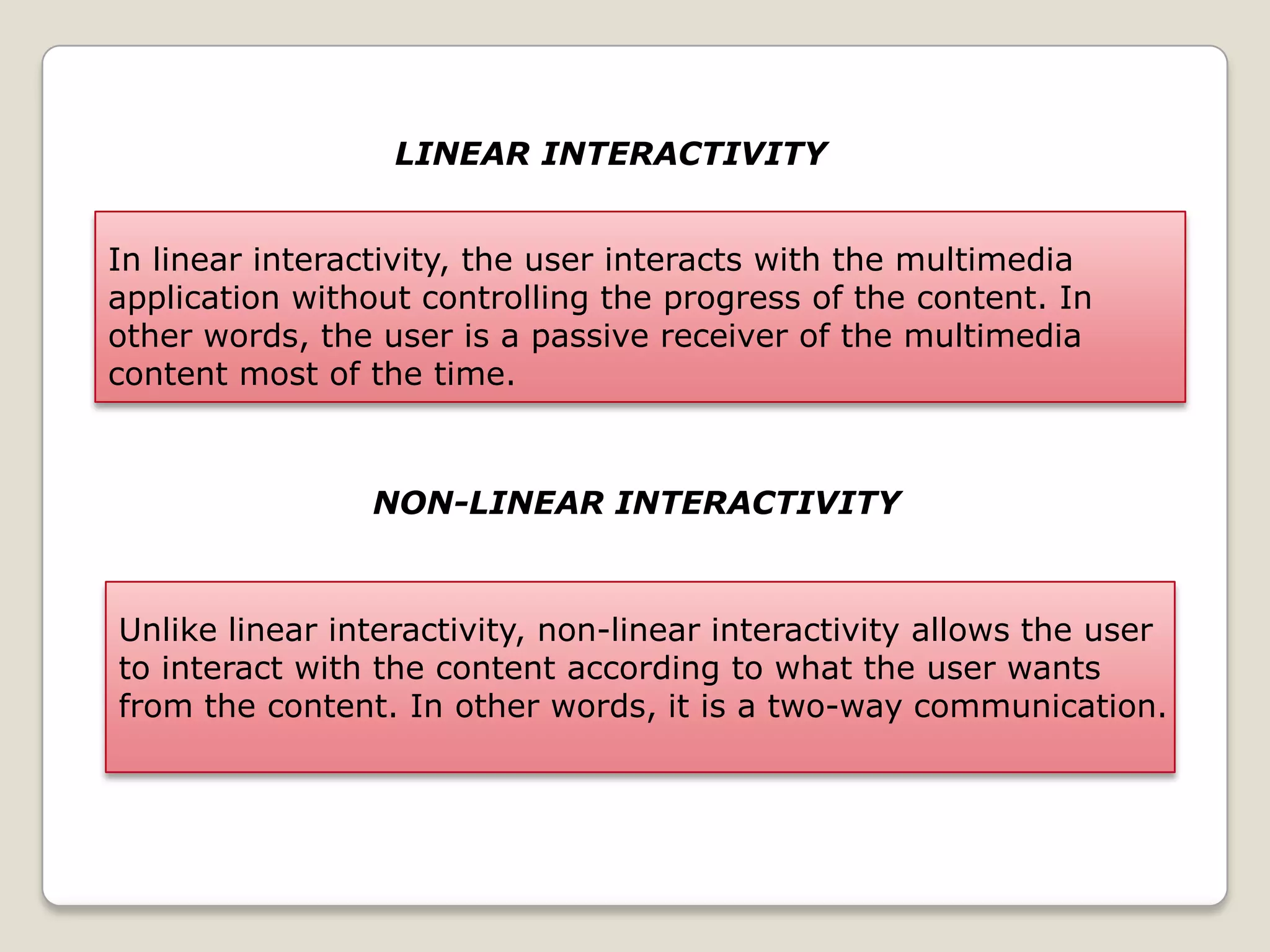
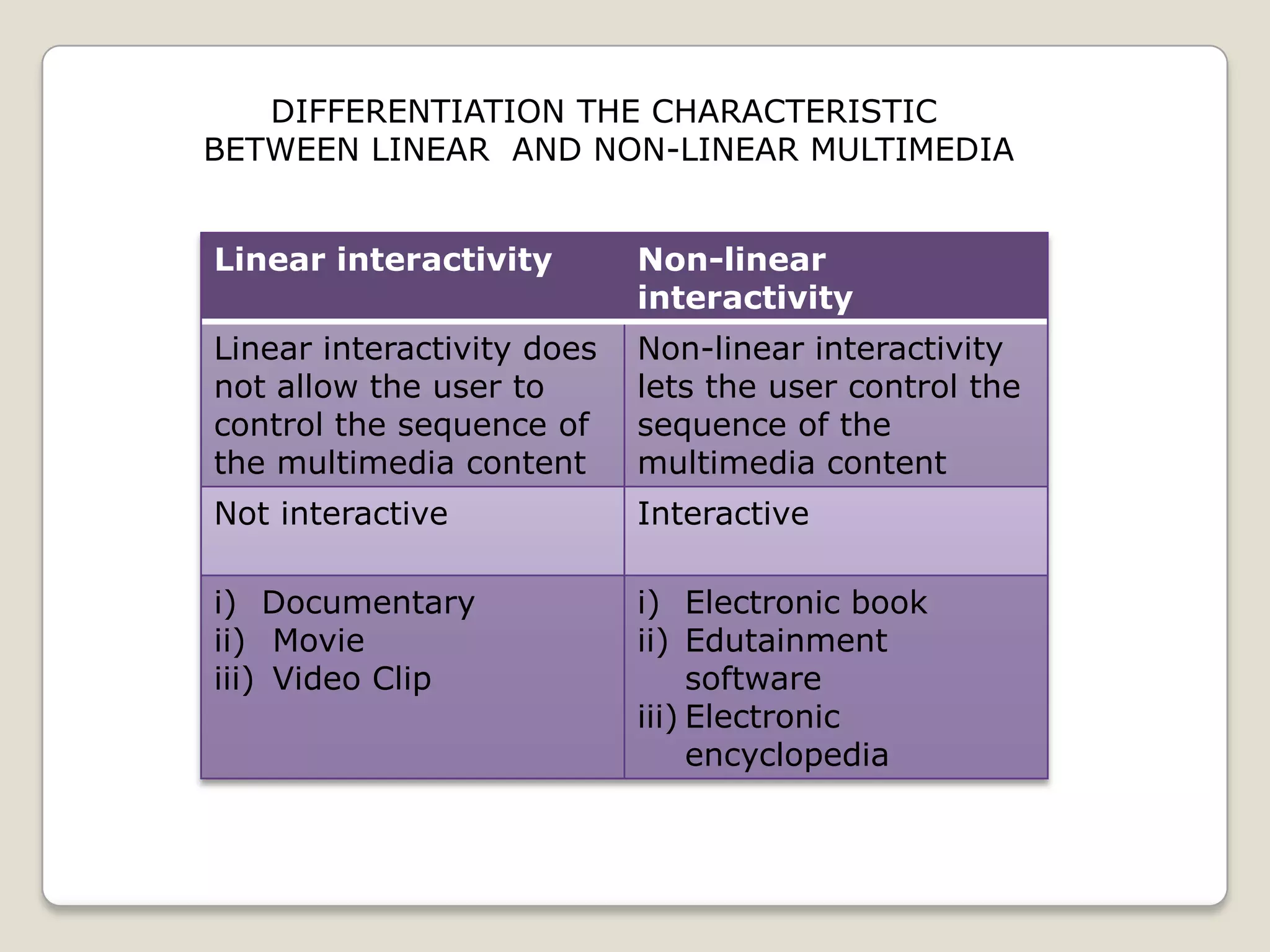
LINEAR INTERACTIVITY
In linear interactivity, the user interacts with the multimedia
application without controlling the progress of the content. In
other words, the user is a passive receiver of the multimedia
content most of the time.
NON-LINEAR INTERACTIVITY
Unlike linear interactivity, non-linear interactivity allows the user
to interact with the content according to what the user wants
from the content. In other words, it is a two-way communication.
Linear interactivity Non-linear
interactivity
Linear interactivity does
not allow the user to
control the sequence of
the multimedia content
Non-linear interactivity
lets the user control the
sequence of the
multimedia content
Not interactive Interactive
i) Documentary
ii) Movie
iii) Video Clip
i) Electronic book
ii) Edutainment
software
iii) Electronic
encyclopedia
DIFFERENTIATION THE CHARACTERISTIC
BETWEEN LINEAR AND NON-LINEAR MULTIMEDIA
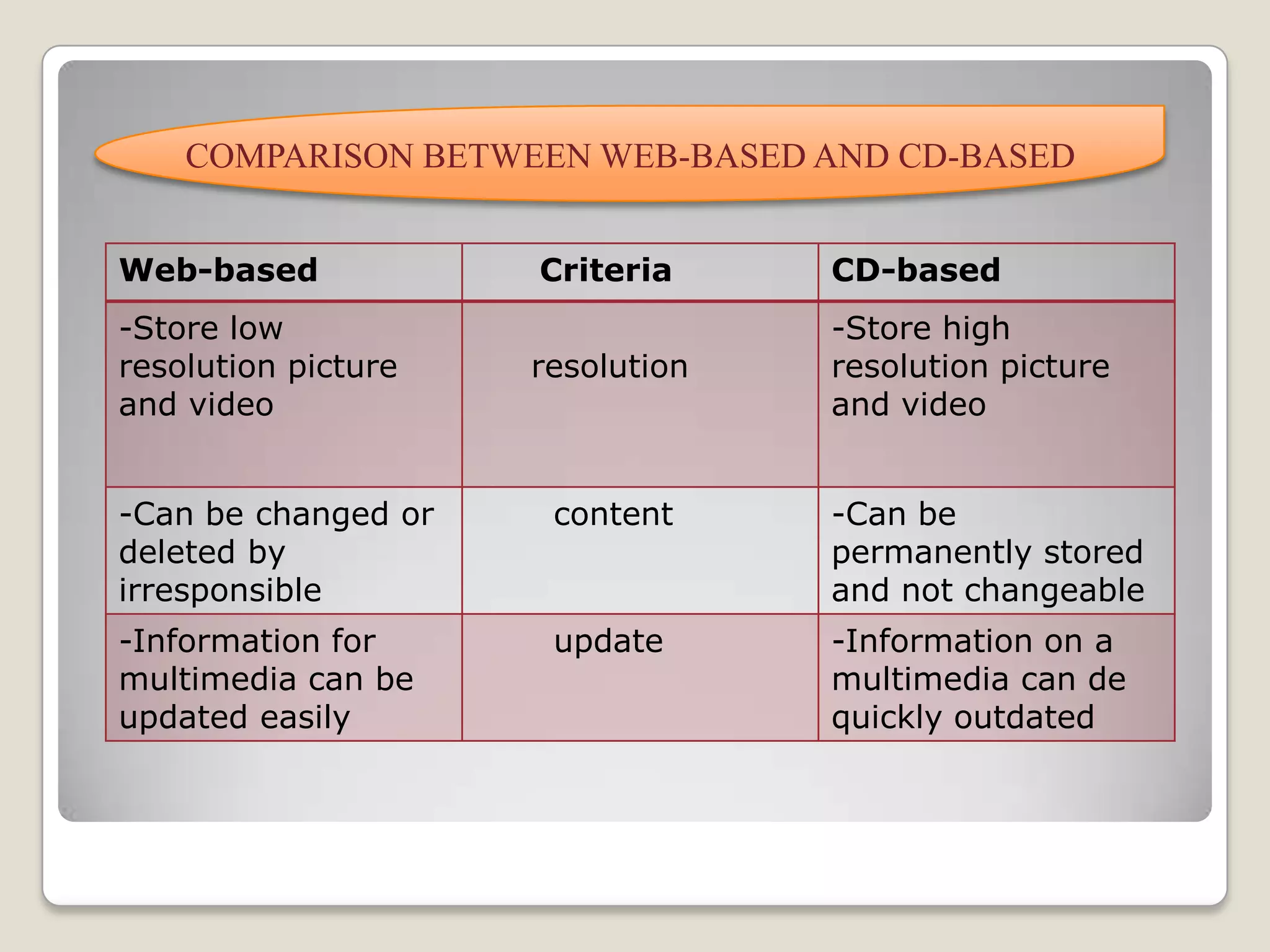
COMPARISON BETWEEN WEB-BASED AND CD-BASED
Web-based Criteria CD-based
-Store low
resolution picture
and video
resolution
-Store high
resolution picture
and video
-Can be changed or
deleted by
irresponsible
content -Can be
permanently stored
and not changeable
-Information for
multimedia can be
updated easily
update -Information on a
multimedia can de
quickly outdated
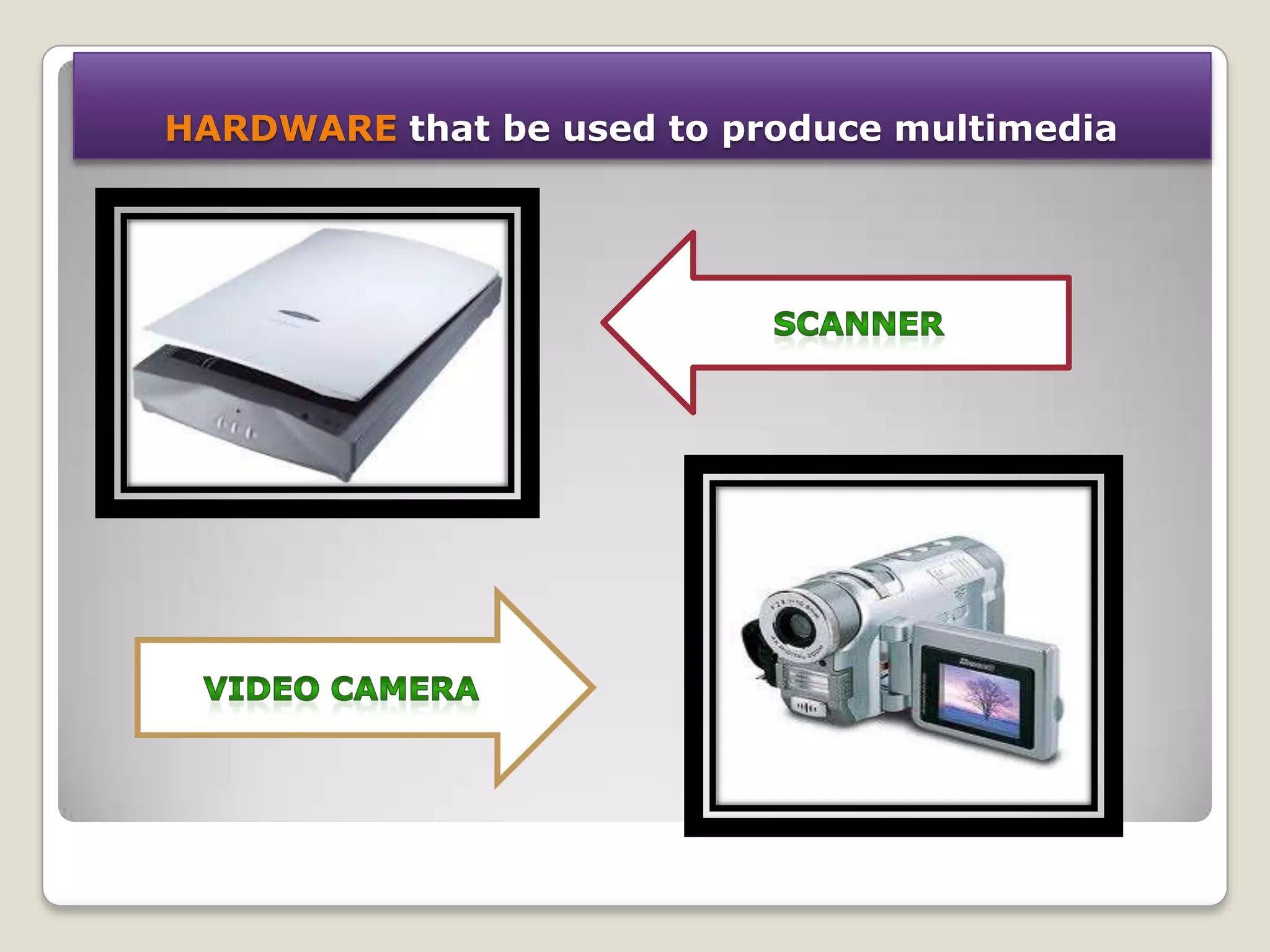
HARDWARE that be used to produce multimedia
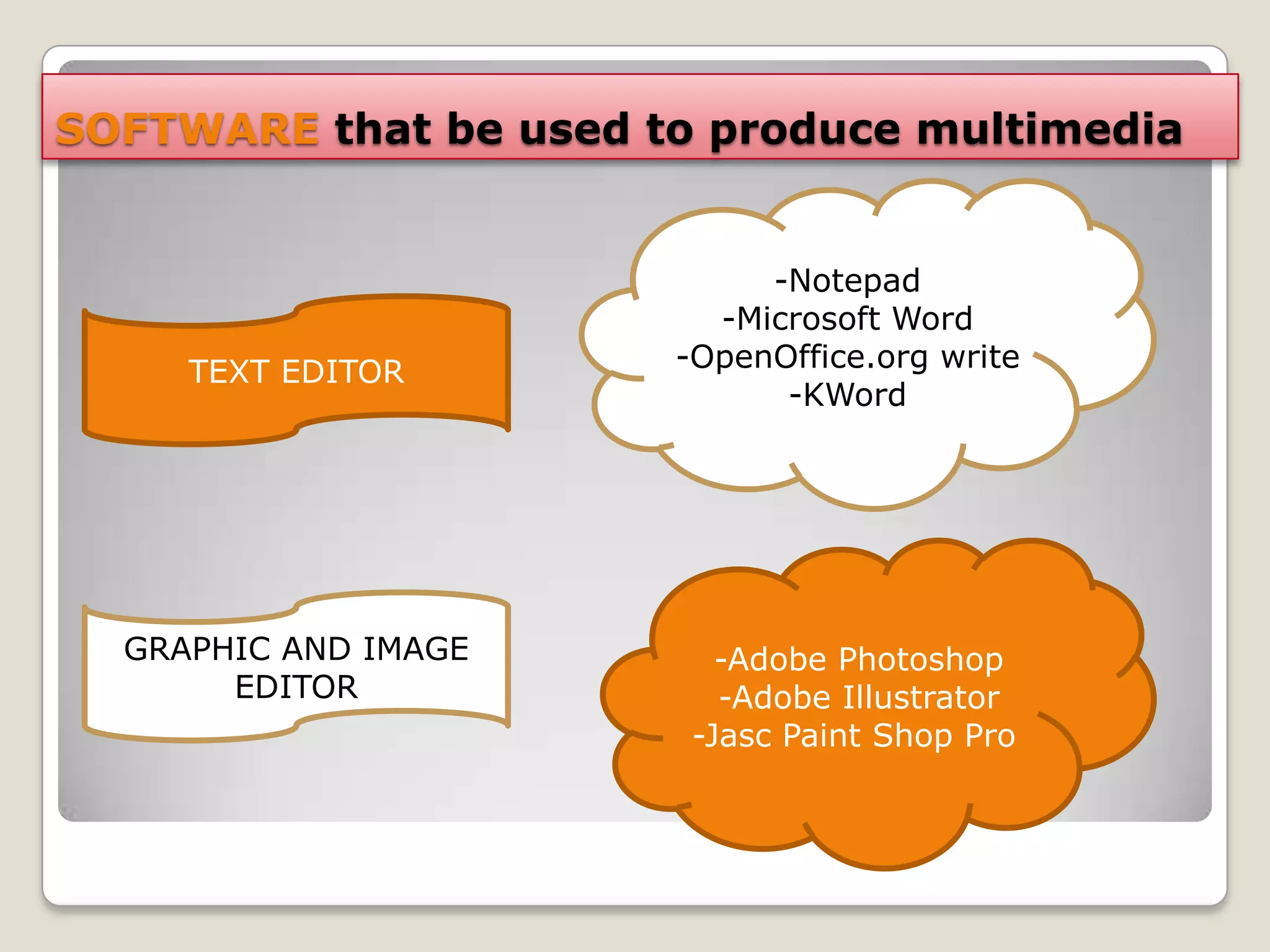
SOFTWARE that be used to produce multimedia
-Notepad
-Microsoft Word
-OpenOffice.org write
-KWord
TEXT EDITOR
-Adobe Photoshop
-Adobe Illustrator
-Jasc Paint Shop Pro
GRAPHIC AND IMAGE
EDITOR
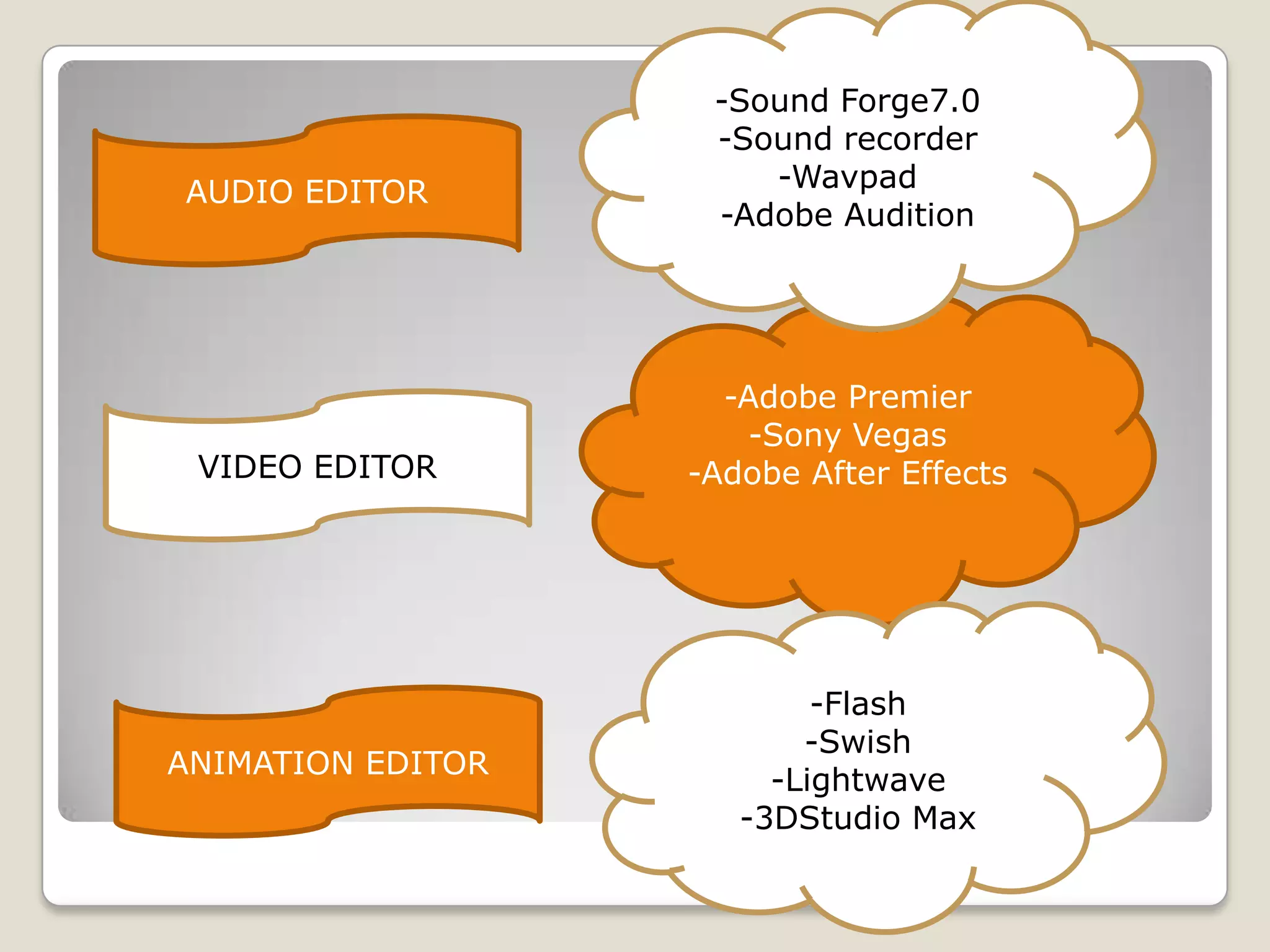
VIDEO EDITOR
AUDIO EDITOR
ANIMATION EDITOR
-Adobe Premier
-Sony Vegas
-Adobe After Effects
-Sound Forge7.0
-Sound recorder
-Wavpad
-Adobe Audition
-Flash
-Swish
-Lightwave
-3DStudio Max
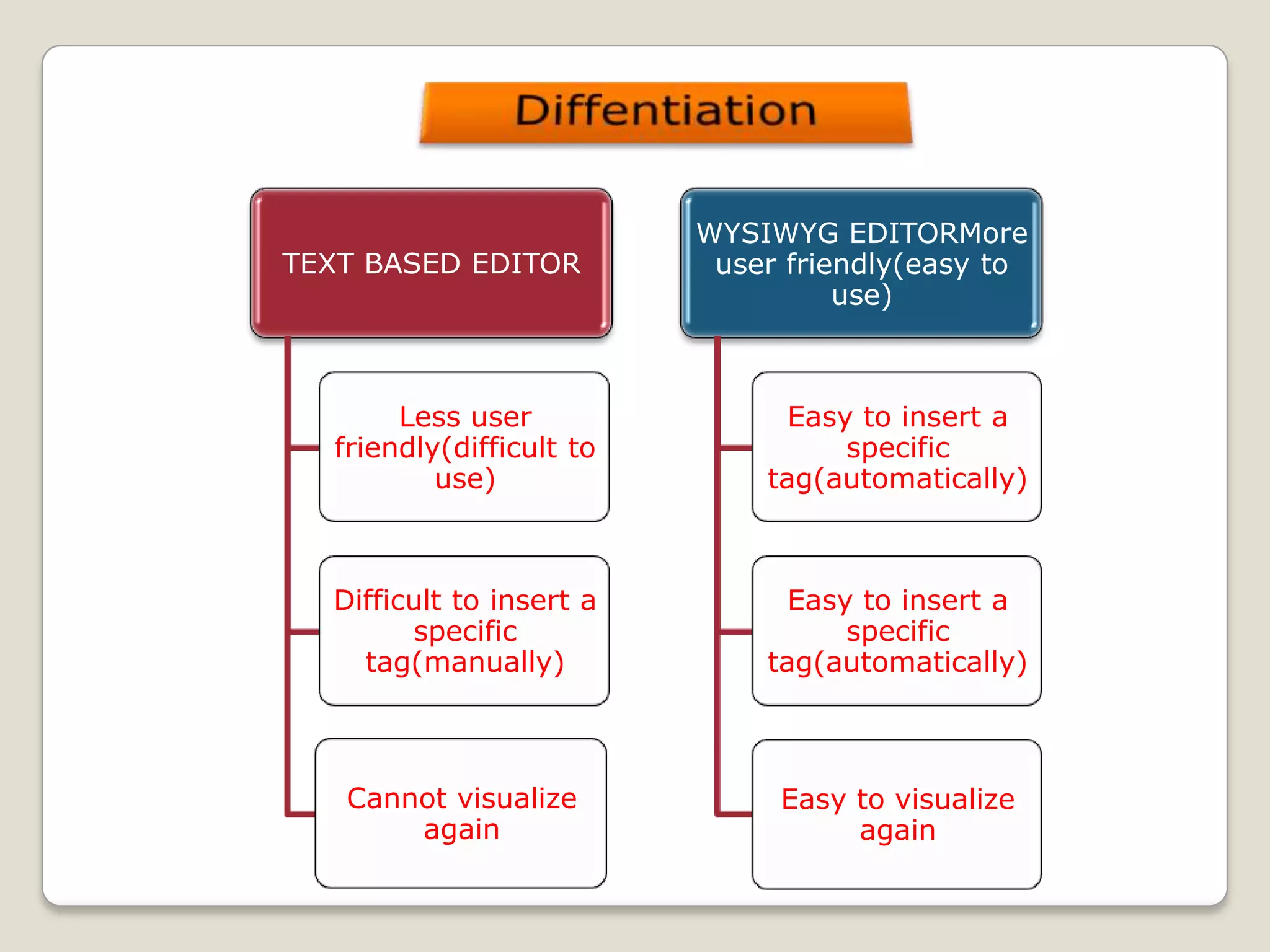
TEXT BASED EDITOR
Less user
friendly(difficult to
use)
Difficult to insert a
specific
tag(manually)
Cannot visualize
again
WYSIWYG EDITORMore
user friendly(easy to
use)
Easy to insert a
specific
tag(automatically)
Easy to insert a
specific
tag(automatically)
Easy to visualize
again
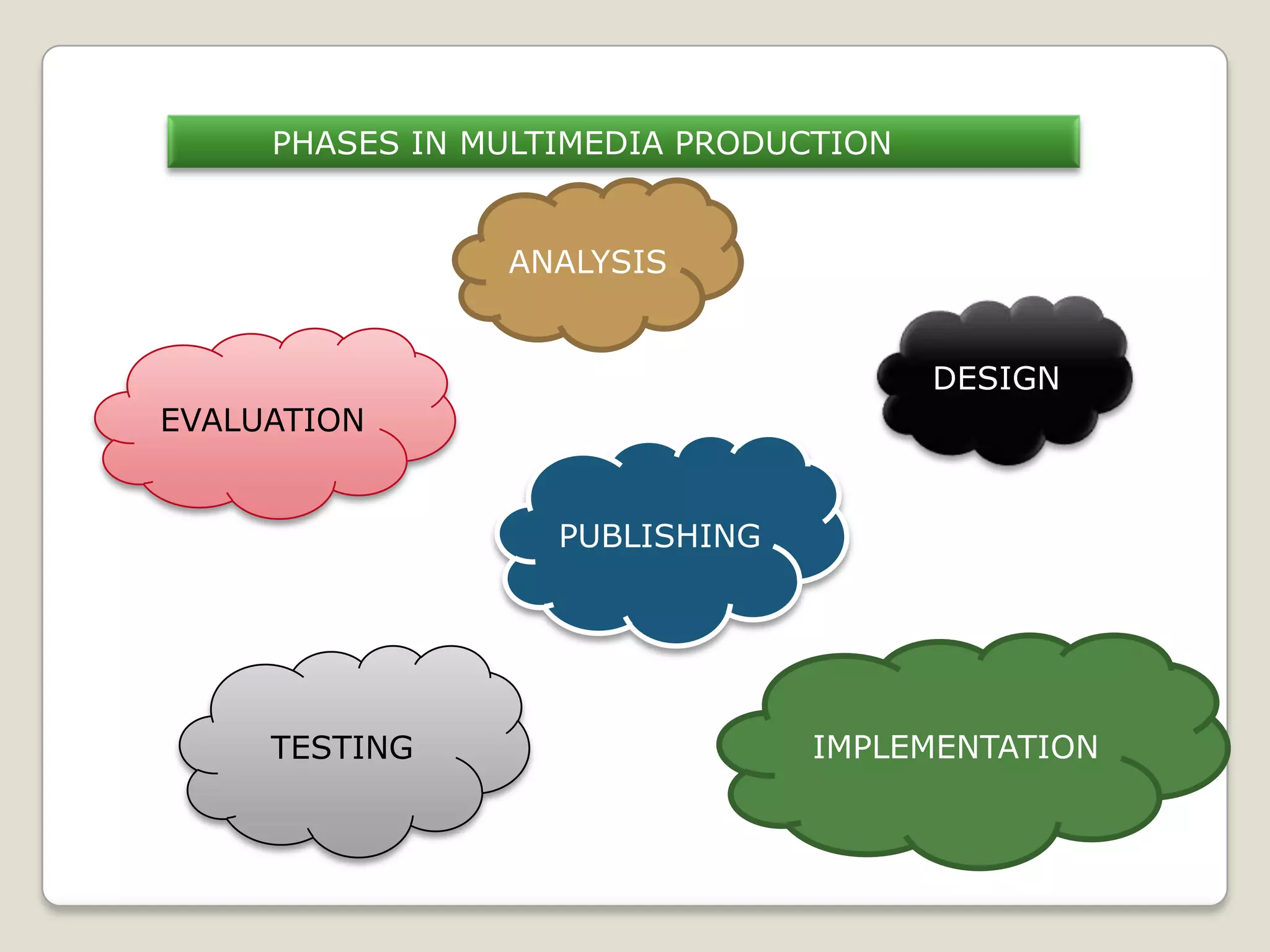
PHASES IN MULTIMEDIA PRODUCTION
EVALUATION
PUBLISHING
TESTING
DESIGN
ANALYSIS
IMPLEMENTATION

Chapter 4

  • 2.
    MultimediaConcept Multimedia is the presentationof information by using a combination of text, audio, graphic, video and animation.
  • 3.
  • 4.
    LINEAR INTERACTIVITY In linearinteractivity, the user interacts with the multimedia application without controlling the progress of the content. In other words, the user is a passive receiver of the multimedia content most of the time. NON-LINEAR INTERACTIVITY Unlike linear interactivity, non-linear interactivity allows the user to interact with the content according to what the user wants from the content. In other words, it is a two-way communication.
  • 5.
    Linear interactivity Non-linear interactivity Linearinteractivity does not allow the user to control the sequence of the multimedia content Non-linear interactivity lets the user control the sequence of the multimedia content Not interactive Interactive i) Documentary ii) Movie iii) Video Clip i) Electronic book ii) Edutainment software iii) Electronic encyclopedia DIFFERENTIATION THE CHARACTERISTIC BETWEEN LINEAR AND NON-LINEAR MULTIMEDIA
  • 6.
    COMPARISON BETWEEN WEB-BASEDAND CD-BASED Web-based Criteria CD-based -Store low resolution picture and video resolution -Store high resolution picture and video -Can be changed or deleted by irresponsible content -Can be permanently stored and not changeable -Information for multimedia can be updated easily update -Information on a multimedia can de quickly outdated
  • 7.
    HARDWARE that beused to produce multimedia
  • 9.
    SOFTWARE that beused to produce multimedia -Notepad -Microsoft Word -OpenOffice.org write -KWord TEXT EDITOR -Adobe Photoshop -Adobe Illustrator -Jasc Paint Shop Pro GRAPHIC AND IMAGE EDITOR
  • 10.
    VIDEO EDITOR AUDIO EDITOR ANIMATIONEDITOR -Adobe Premier -Sony Vegas -Adobe After Effects -Sound Forge7.0 -Sound recorder -Wavpad -Adobe Audition -Flash -Swish -Lightwave -3DStudio Max
  • 12.
    TEXT BASED EDITOR Lessuser friendly(difficult to use) Difficult to insert a specific tag(manually) Cannot visualize again WYSIWYG EDITORMore user friendly(easy to use) Easy to insert a specific tag(automatically) Easy to insert a specific tag(automatically) Easy to visualize again
  • 13.
    PHASES IN MULTIMEDIAPRODUCTION EVALUATION PUBLISHING TESTING DESIGN ANALYSIS IMPLEMENTATION