1
Computer Fundamentals: Pradeep K. Sinha & Priti SinhaComputer Fundamentals: Pradeep K. Sinha & Priti Sinha
Slide 1/17Chapter 10: Computer SoftwareRef Page
Computer Fundamentals: Pradeep K. Sinha & Priti SinhaComputer Fundamentals: Pradeep K. Sinha & Priti Sinha
Slide 2/17Chapter 10: Computer SoftwareRef Page
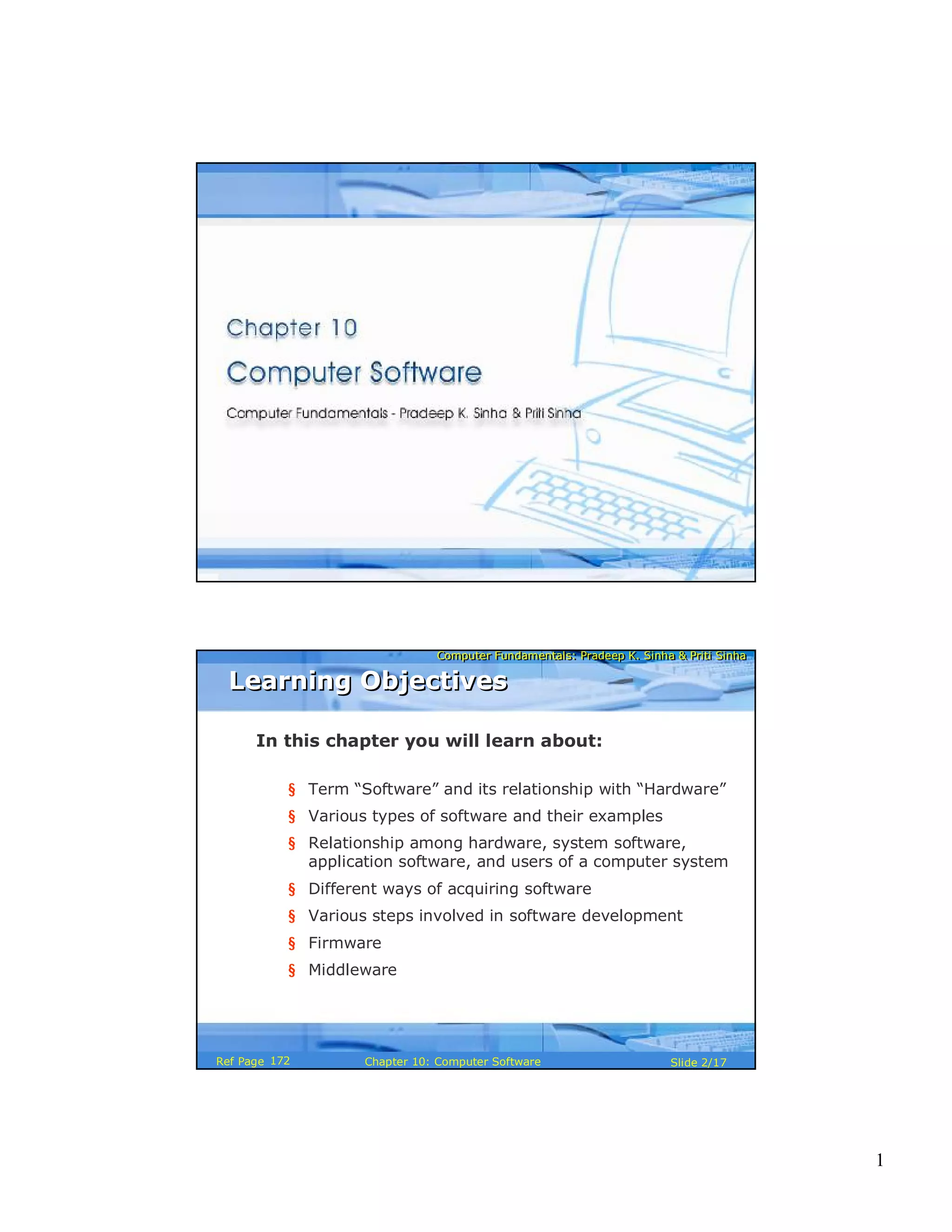
In this chapter you will learn about:
§ Term “Software” and its relationship with “Hardware”
§ Various types of software and their examples
§ Relationship among hardware, system software,
application software, and users of a computer system
§ Different ways of acquiring software
§ Various steps involved in software development
§ Firmware
§ Middleware
Learning ObjectivesLearning Objectives
172
2
Computer Fundamentals: Pradeep K. Sinha & Priti SinhaComputer Fundamentals: Pradeep K. Sinha & Priti Sinha
Slide 3/17Chapter 10: Computer SoftwareRef Page
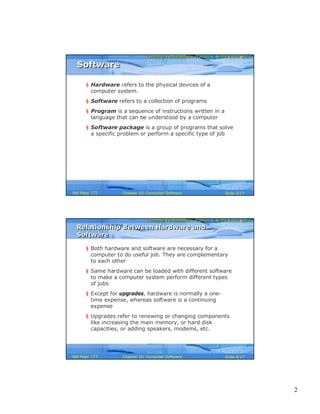
§ Hardware refers to the physical devices of a
computer system.
§ Software refers to a collection of programs
§ Program is a sequence of instructions written in a
language that can be understood by a computer
§ Software package is a group of programs that solve
a specific problem or perform a specific type of job
SoftwareSoftware
172
Computer Fundamentals: Pradeep K. Sinha & Priti SinhaComputer Fundamentals: Pradeep K. Sinha & Priti Sinha
Slide 4/17Chapter 10: Computer SoftwareRef Page
Relationship Between Hardware and
Software
Relationship Between Hardware and
Software
§ Both hardware and software are necessary for a
computer to do useful job. They are complementary
to each other
§ Same hardware can be loaded with different software
to make a computer system perform different types
of jobs
§ Except for upgrades, hardware is normally a one-
time expense, whereas software is a continuing
expense
§ Upgrades refer to renewing or changing components
like increasing the main memory, or hard disk
capacities, or adding speakers, modems, etc.
173
3
Computer Fundamentals: Pradeep K. Sinha & Priti SinhaComputer Fundamentals: Pradeep K. Sinha & Priti Sinha
Slide 5/17Chapter 10: Computer SoftwareRef Page
Types of SoftwareTypes of Software
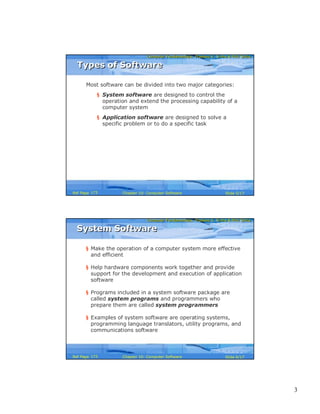
Most software can be divided into two major categories:
§ System software are designed to control the
operation and extend the processing capability of a
computer system
§ Application software are designed to solve a
specific problem or to do a specific task
173
Computer Fundamentals: Pradeep K. Sinha & Priti SinhaComputer Fundamentals: Pradeep K. Sinha & Priti Sinha
Slide 6/17Chapter 10: Computer SoftwareRef Page
§ Make the operation of a computer system more effective
and efficient
§ Help hardware components work together and provide
support for the development and execution of application
software
§ Programs included in a system software package are
called system programs and programmers who
prepare them are called system programmers
§ Examples of system software are operating systems,
programming language translators, utility programs, and
communications software
System SoftwareSystem Software
173
4
Computer Fundamentals: Pradeep K. Sinha & Priti SinhaComputer Fundamentals: Pradeep K. Sinha & Priti Sinha
Slide 7/17Chapter 10: Computer SoftwareRef Page
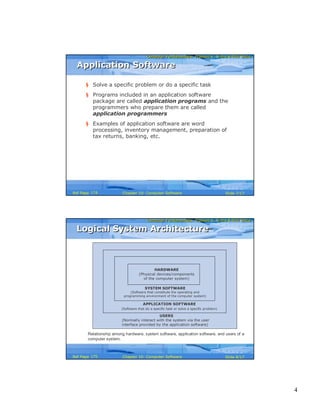
§ Solve a specific problem or do a specific task
§ Programs included in an application software
package are called application programs and the
programmers who prepare them are called
application programmers
§ Examples of application software are word
processing, inventory management, preparation of
tax returns, banking, etc.
Application SoftwareApplication Software
174
Computer Fundamentals: Pradeep K. Sinha & Priti SinhaComputer Fundamentals: Pradeep K. Sinha & Priti Sinha
Slide 8/17Chapter 10: Computer SoftwareRef Page
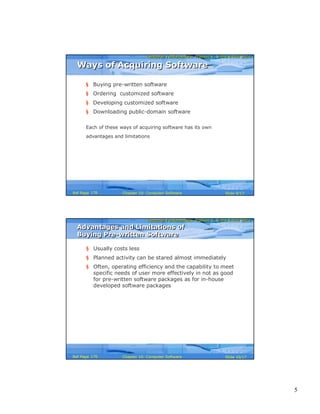
Logical System ArchitectureLogical System Architecture
HARDWARE
(Physical devices/components
of the computer system)
SYSTEM SOFTWARE
(Software that constitute the operating and
programming environment of the computer system)
APPLICATION SOFTWARE
(Software that do a specific task or solve a specific problem)
USERS
(Normally interact with the system via the user
interface provided by the application software)
Relationship among hardware, system software, application software, and users of a
computer system.
175
5
Computer Fundamentals: Pradeep K. Sinha & Priti SinhaComputer Fundamentals: Pradeep K. Sinha & Priti Sinha
Slide 9/17Chapter 10: Computer SoftwareRef Page
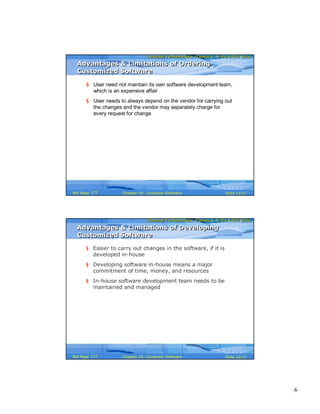
Ways of Acquiring SoftwareWays of Acquiring Software
§ Buying pre-written software
§ Ordering customized software
§ Developing customized software
§ Downloading public-domain software
Each of these ways of acquiring software has its own
advantages and limitations
176
Computer Fundamentals: Pradeep K. Sinha & Priti SinhaComputer Fundamentals: Pradeep K. Sinha & Priti Sinha
Slide 10/17Chapter 10: Computer SoftwareRef Page
Advantages and Limitations of
Buying Pre-written Software
Advantages and Limitations of
Buying Pre-written Software
§ Usually costs less
§ Planned activity can be stared almost immediately
§ Often, operating efficiency and the capability to meet
specific needs of user more effectively in not as good
for pre-written software packages as for in-house
developed software packages
176
6
Computer Fundamentals: Pradeep K. Sinha & Priti SinhaComputer Fundamentals: Pradeep K. Sinha & Priti Sinha
Slide 11/17Chapter 10: Computer SoftwareRef Page
Advantages & Limitations of Ordering
Customized Software
Advantages & Limitations of Ordering
Customized Software
§ User need not maintain its own software development team,
which is an expensive affair
§ User needs to always depend on the vendor for carrying out
the changes and the vendor may separately charge for
every request for change
177
Computer Fundamentals: Pradeep K. Sinha & Priti SinhaComputer Fundamentals: Pradeep K. Sinha & Priti Sinha
Slide 12/17Chapter 10: Computer SoftwareRef Page
§ Easier to carry out changes in the software, if it is
developed in-house
§ Developing software in-house means a major
commitment of time, money, and resources
§ In-house software development team needs to be
maintained and managed
Advantages & Limitations of Developing
Customized Software
Advantages & Limitations of Developing
Customized Software
177
7
Computer Fundamentals: Pradeep K. Sinha & Priti SinhaComputer Fundamentals: Pradeep K. Sinha & Priti Sinha
Slide 13/17Chapter 10: Computer SoftwareRef Page
§ Available for free or as shareware, and are usually accompanied
with source code
§ Usually community-supported as author does not support users
directly
§ Can be downloaded and used immediately
§ They may not be properly tested before release
§ Open Source Software (OSS) are becoming popular due to:
§ Allows any user to download, view, modify, and redistribute
§ User can fix bugs or change software to suit needs
§ Copyright is protected for both original and subsequent
authors
§ Not all open source software are free and vise-verse
Advantage & Limitations of Downloading
Public-domain Software
Advantage & Limitations of Downloading
Public-domain Software
178
Computer Fundamentals: Pradeep K. Sinha & Priti SinhaComputer Fundamentals: Pradeep K. Sinha & Priti Sinha
Slide 14/17Chapter 10: Computer SoftwareRef Page
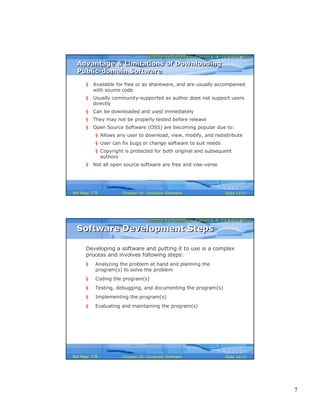
Software Development StepsSoftware Development Steps
Developing a software and putting it to use is a complex
process and involves following steps:
§ Analyzing the problem at hand and planning the
program(s) to solve the problem
§ Coding the program(s)
§ Testing, debugging, and documenting the program(s)
§ Implementing the program(s)
§ Evaluating and maintaining the program(s)
178
8
Computer Fundamentals: Pradeep K. Sinha & Priti SinhaComputer Fundamentals: Pradeep K. Sinha & Priti Sinha
Slide 15/17Chapter 10: Computer SoftwareRef Page
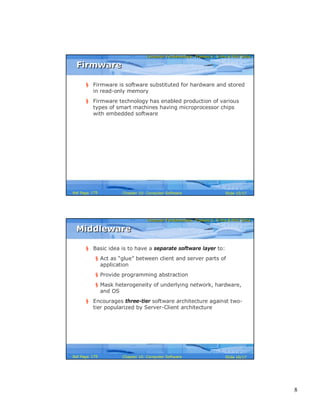
FirmwareFirmware
§ Firmware is software substituted for hardware and stored
in read-only memory
§ Firmware technology has enabled production of various
types of smart machines having microprocessor chips
with embedded software
179
Computer Fundamentals: Pradeep K. Sinha & Priti SinhaComputer Fundamentals: Pradeep K. Sinha & Priti Sinha
Slide 16/17Chapter 10: Computer SoftwareRef Page
MiddlewareMiddleware
§ Basic idea is to have a separate software layer to:
§ Act as “glue” between client and server parts of
application
§ Provide programming abstraction
§ Mask heterogeneity of underlying network, hardware,
and OS
§ Encourages three-tier software architecture against two-
tier popularized by Server-Client architecture
179
9
Computer Fundamentals: Pradeep K. Sinha & Priti SinhaComputer Fundamentals: Pradeep K. Sinha & Priti Sinha
Slide 17/17Chapter 10: Computer SoftwareRef Page
§ Application programmers
§ Application programs
§ Application software
§ Computer program
§ Customized software
§ Database
§ Education software
§ End-to-end solution
§ Entertainment software
§ Firmware
§ Graphics software
§ Hardware
§ Middleware
§ Open Source Software
§ Personal assistance software
§ Pre-written software
§ Public-domain software
§ Shareware
§ Software
§ Software package
§ Spreadsheet
§ System programmers
§ System programs
§ System software
§ Turnkey solution
§ User-supported
software
§ Utilities
§ Word-processing
Key Words/PhrasesKey Words/Phrases
181

Chapter 10 cs 2o-p

  • 1.
    1 Computer Fundamentals: PradeepK. Sinha & Priti SinhaComputer Fundamentals: Pradeep K. Sinha & Priti Sinha Slide 1/17Chapter 10: Computer SoftwareRef Page Computer Fundamentals: Pradeep K. Sinha & Priti SinhaComputer Fundamentals: Pradeep K. Sinha & Priti Sinha Slide 2/17Chapter 10: Computer SoftwareRef Page In this chapter you will learn about: § Term “Software” and its relationship with “Hardware” § Various types of software and their examples § Relationship among hardware, system software, application software, and users of a computer system § Different ways of acquiring software § Various steps involved in software development § Firmware § Middleware Learning ObjectivesLearning Objectives 172
  • 2.
    2 Computer Fundamentals: PradeepK. Sinha & Priti SinhaComputer Fundamentals: Pradeep K. Sinha & Priti Sinha Slide 3/17Chapter 10: Computer SoftwareRef Page § Hardware refers to the physical devices of a computer system. § Software refers to a collection of programs § Program is a sequence of instructions written in a language that can be understood by a computer § Software package is a group of programs that solve a specific problem or perform a specific type of job SoftwareSoftware 172 Computer Fundamentals: Pradeep K. Sinha & Priti SinhaComputer Fundamentals: Pradeep K. Sinha & Priti Sinha Slide 4/17Chapter 10: Computer SoftwareRef Page Relationship Between Hardware and Software Relationship Between Hardware and Software § Both hardware and software are necessary for a computer to do useful job. They are complementary to each other § Same hardware can be loaded with different software to make a computer system perform different types of jobs § Except for upgrades, hardware is normally a one- time expense, whereas software is a continuing expense § Upgrades refer to renewing or changing components like increasing the main memory, or hard disk capacities, or adding speakers, modems, etc. 173
  • 3.
    3 Computer Fundamentals: PradeepK. Sinha & Priti SinhaComputer Fundamentals: Pradeep K. Sinha & Priti Sinha Slide 5/17Chapter 10: Computer SoftwareRef Page Types of SoftwareTypes of Software Most software can be divided into two major categories: § System software are designed to control the operation and extend the processing capability of a computer system § Application software are designed to solve a specific problem or to do a specific task 173 Computer Fundamentals: Pradeep K. Sinha & Priti SinhaComputer Fundamentals: Pradeep K. Sinha & Priti Sinha Slide 6/17Chapter 10: Computer SoftwareRef Page § Make the operation of a computer system more effective and efficient § Help hardware components work together and provide support for the development and execution of application software § Programs included in a system software package are called system programs and programmers who prepare them are called system programmers § Examples of system software are operating systems, programming language translators, utility programs, and communications software System SoftwareSystem Software 173
  • 4.
    4 Computer Fundamentals: PradeepK. Sinha & Priti SinhaComputer Fundamentals: Pradeep K. Sinha & Priti Sinha Slide 7/17Chapter 10: Computer SoftwareRef Page § Solve a specific problem or do a specific task § Programs included in an application software package are called application programs and the programmers who prepare them are called application programmers § Examples of application software are word processing, inventory management, preparation of tax returns, banking, etc. Application SoftwareApplication Software 174 Computer Fundamentals: Pradeep K. Sinha & Priti SinhaComputer Fundamentals: Pradeep K. Sinha & Priti Sinha Slide 8/17Chapter 10: Computer SoftwareRef Page Logical System ArchitectureLogical System Architecture HARDWARE (Physical devices/components of the computer system) SYSTEM SOFTWARE (Software that constitute the operating and programming environment of the computer system) APPLICATION SOFTWARE (Software that do a specific task or solve a specific problem) USERS (Normally interact with the system via the user interface provided by the application software) Relationship among hardware, system software, application software, and users of a computer system. 175
  • 5.
    5 Computer Fundamentals: PradeepK. Sinha & Priti SinhaComputer Fundamentals: Pradeep K. Sinha & Priti Sinha Slide 9/17Chapter 10: Computer SoftwareRef Page Ways of Acquiring SoftwareWays of Acquiring Software § Buying pre-written software § Ordering customized software § Developing customized software § Downloading public-domain software Each of these ways of acquiring software has its own advantages and limitations 176 Computer Fundamentals: Pradeep K. Sinha & Priti SinhaComputer Fundamentals: Pradeep K. Sinha & Priti Sinha Slide 10/17Chapter 10: Computer SoftwareRef Page Advantages and Limitations of Buying Pre-written Software Advantages and Limitations of Buying Pre-written Software § Usually costs less § Planned activity can be stared almost immediately § Often, operating efficiency and the capability to meet specific needs of user more effectively in not as good for pre-written software packages as for in-house developed software packages 176
  • 6.
    6 Computer Fundamentals: PradeepK. Sinha & Priti SinhaComputer Fundamentals: Pradeep K. Sinha & Priti Sinha Slide 11/17Chapter 10: Computer SoftwareRef Page Advantages & Limitations of Ordering Customized Software Advantages & Limitations of Ordering Customized Software § User need not maintain its own software development team, which is an expensive affair § User needs to always depend on the vendor for carrying out the changes and the vendor may separately charge for every request for change 177 Computer Fundamentals: Pradeep K. Sinha & Priti SinhaComputer Fundamentals: Pradeep K. Sinha & Priti Sinha Slide 12/17Chapter 10: Computer SoftwareRef Page § Easier to carry out changes in the software, if it is developed in-house § Developing software in-house means a major commitment of time, money, and resources § In-house software development team needs to be maintained and managed Advantages & Limitations of Developing Customized Software Advantages & Limitations of Developing Customized Software 177
  • 7.
    7 Computer Fundamentals: PradeepK. Sinha & Priti SinhaComputer Fundamentals: Pradeep K. Sinha & Priti Sinha Slide 13/17Chapter 10: Computer SoftwareRef Page § Available for free or as shareware, and are usually accompanied with source code § Usually community-supported as author does not support users directly § Can be downloaded and used immediately § They may not be properly tested before release § Open Source Software (OSS) are becoming popular due to: § Allows any user to download, view, modify, and redistribute § User can fix bugs or change software to suit needs § Copyright is protected for both original and subsequent authors § Not all open source software are free and vise-verse Advantage & Limitations of Downloading Public-domain Software Advantage & Limitations of Downloading Public-domain Software 178 Computer Fundamentals: Pradeep K. Sinha & Priti SinhaComputer Fundamentals: Pradeep K. Sinha & Priti Sinha Slide 14/17Chapter 10: Computer SoftwareRef Page Software Development StepsSoftware Development Steps Developing a software and putting it to use is a complex process and involves following steps: § Analyzing the problem at hand and planning the program(s) to solve the problem § Coding the program(s) § Testing, debugging, and documenting the program(s) § Implementing the program(s) § Evaluating and maintaining the program(s) 178
  • 8.
    8 Computer Fundamentals: PradeepK. Sinha & Priti SinhaComputer Fundamentals: Pradeep K. Sinha & Priti Sinha Slide 15/17Chapter 10: Computer SoftwareRef Page FirmwareFirmware § Firmware is software substituted for hardware and stored in read-only memory § Firmware technology has enabled production of various types of smart machines having microprocessor chips with embedded software 179 Computer Fundamentals: Pradeep K. Sinha & Priti SinhaComputer Fundamentals: Pradeep K. Sinha & Priti Sinha Slide 16/17Chapter 10: Computer SoftwareRef Page MiddlewareMiddleware § Basic idea is to have a separate software layer to: § Act as “glue” between client and server parts of application § Provide programming abstraction § Mask heterogeneity of underlying network, hardware, and OS § Encourages three-tier software architecture against two- tier popularized by Server-Client architecture 179
  • 9.
    9 Computer Fundamentals: PradeepK. Sinha & Priti SinhaComputer Fundamentals: Pradeep K. Sinha & Priti Sinha Slide 17/17Chapter 10: Computer SoftwareRef Page § Application programmers § Application programs § Application software § Computer program § Customized software § Database § Education software § End-to-end solution § Entertainment software § Firmware § Graphics software § Hardware § Middleware § Open Source Software § Personal assistance software § Pre-written software § Public-domain software § Shareware § Software § Software package § Spreadsheet § System programmers § System programs § System software § Turnkey solution § User-supported software § Utilities § Word-processing Key Words/PhrasesKey Words/Phrases 181