Mary Help College
InformationTechnology Support Service
Level -One
Install Software
Application
INFORMATION SHEET
Prepared by: Gemeda Abugare
Baduke
2.
Learning Outcome
Determinesoftware and upgrade
requirements
Obtain software or software upgrade
Install or upgrade software
Install Software Application
3.
OBJECTIVES
Introduction tocomputer software
Identify and document Client
software requirements
LO1: Determine software and upgrade
requirements
4.
Contents
1. What issoftware?
2. Types of Software
System s/w, Application s/w, Open source &
Proprietary s/w
3. Examples of system Software
Operating System, Device driver, Utilities
4. Examples of Application Software
Word processors, Spreadsheets, Graphics
Presentation, Database systems, Multimedia
sw, Simulation sw, Educational sw etc.
1.1 INTRODUCTION TO COMPUTER
SOFTWARE
5.
What is ComputerSoftware?
Computer software is a program that tells a
computer what to do or how to carry out a
task.
Computer software is the actual programs
that run inside the computer that make
everything function. Whether it's the start-up
program, Windows, a word processor or
Internet Explorer, software is what you use to
make your computer provide certain
functions.
Computer Instructions or data, anything that
can be stored electronically.
For example: There is a problem in the
Software implies – Problem with program or
data.
1.1 INTRODUCTION TO COMPUTER
SOFTWARE
A tablet computer
running a game, a type
of software.
6.
1.Think about somemachine / items /
devices having only Hardware.
2. Think about some machine / items /
devices having both Hardware and
Software.
Questions
?
7.
Types of ComputerSoftware?
System Software and
Application Software
Open Source Software and
Proprietary Software
1.1 INTRODUCTION TO COMPUTER
SOFTWARE
8.
What is SystemSoftware?
System Software includes the Operating System and all the
utilities that enable the computer to function.
System software is a term referring to any computer software
which manages and controls the hardware so that application
software can perform a task.
Example:
Operating Systems, Utilities Software, Device drivers.
What is Application Software?
Application Software includes programs that do real work for
user.
Example: Payroll systems, Inventory Control, Manage student
database, Word Processor, Spreadsheet and Database
Management System etc.,
1.1 INTRODUCTION TO COMPUTER
SOFTWARE
9.
What is OpenSource Software?
Open source software (also called Free Software) is computer
software whose source code is available under a license that
permits users to use, change, and improve the software, and to
redistribute it in modified or unmodified form.
It is often developed in a public, collaborative manner.
Well-known OSS products are Linux/Unix, Netscape, Apache,
etc.,
What is Proprietary Software?
Proprietary software (also called non-free software) is software
with restrictions on using, copying and modifying as enforced
by the proprietor. Restrictions on use, modification and copying is
achieved by either legal or technical means and sometimes both.
A good example of proprietary software is Microsoft.
Other examples: CAD, Norton Antivirus, Microsoft Office etc.
1.1 INTRODUCTION TO COMPUTER
SOFTWARE
10.
Questions
1. What areadvantages of free
software?
Available at minimal cost
Provides by full freedom
Full freedom to upgrades
Less security
Full freedom to change
To modify
Questions
?
11.
Types of SystemSoftware
I. Operating System:
Operating System is a software, which makes a computer to actually work.
It is the software the enables all the programs we use.
The OS organizes and controls the hardware.
OS acts as an interface between the application programs and the machine
hardware.
Examples: Windows(XP,Vista,7), Linux/Unix(Ubuntu, Red Hat), and Mac OS,
etc.
II. Utilities:
Utility software is designed to help you monitor and configure settings for
your computer system equipment, the operating system, or application
software.
utilities focus on computer-centric tasks such as blocking viruses or
diagnosing hard disk errors.
Examples: security software (Norton Antivirus, McAfee Virus Scan Plus, and
a vast! Antivirus) and diagnostic tools
1.1 INTRODUCTION TO COMPUTER
SOFTWARE
12.
Types of SystemSoftware
III. Device driver
A device driver is software that helps a peripheral
device establish communication with a computer.
This type of system software is used by printers,
monitors, graphics cards, sound cards, network cards,
modems, storage devices, mice, and scanners.
Once installed, a device driver automatically starts
when it is needed.
Device drivers usually run in the background, without
opening a window on the screen.
1.1 INTRODUCTION TO COMPUTER
SOFTWARE
13.
Application Software:
I. WordProcessing
Word processing is a tool that helps user in creating, editing,
and printing documents. Word processors will normally have
the following capabilities built into them:
Spell checking
Standard layouts for normal documents
Have some characters appear in bold print, italics, or
underlined
Center lines, make text line up on the left side of the
paper, or the right side of the paper
Save the document so it can be used again
print the document.
Examples: Microsoft Word .
1.1 INTRODUCTION TO COMPUTER
SOFTWARE
14.
Application Software:
II. Spreadsheets:The spreadsheet packages are
designed to use numbers and formulas to do calculations
with ease. Examples of spreadsheets include:
Budgets
Payrolls
Grade Calculations
Address Lists
The most commonly used spreadsheet programs are
Microsoft Excel
1.1 INTRODUCTION TO COMPUTER
SOFTWARE
15.
Application Software:
III. GraphicPresentations: The presentation
programs can make giving presentations and using
overheads easier. Other uses include:
Slide Shows
Repeating Computer Presentations on a computer
monitor
Using Sound and animation in slide shows
The most recognized graphic presentation programs are
Microsoft PowerPoint.
1.1 INTRODUCTION TO COMPUTER
SOFTWARE
16.
Application Software:
IV. DatabaseManagement System (DBMS):
A DBMS is a software tool that allows multiple users to store,
access, and process data into useful information.
Database programs are designed for these types of applications:
Membership lists
Student lists
Grade reports
Instructor schedules
All of these have to be maintained so you can find what you
need quickly and accurately.
Example: Microsoft Access or data base.
1.1 INTRODUCTION TO COMPUTER
SOFTWARE
17.
Application Software:
V. MultimediaSoftware:
They allow users to create and play audio and video files. They are
capable of playing media files.
Audio converters, audio players, Video players, burners, video
encoders and decoders are some forms of multimedia software.
VI. Educational Software:
It has the capabilities of running tests and tracking progress.
It also has the capabilities of collaborative software.
It is often used in teaching and self-learning.
Dictionaries like Britannica and Encarta, mathematical software
like Matlab and others like Google Earth and NASA World Wind
are some of the well-known names in this category.
1.1 INTRODUCTION TO COMPUTER
SOFTWARE
18.
Application Software:
VII. SimulationSoftware:
Used to simulate physical or abstract systems, simulation
software finds applications in both, research and entertainment.
Flight simulators and scientific simulators are examples of
simulation software.
VIII. Software that aid Engineering and Development of
Products:
These software are used in the design and development of
hardware and software products.
Integrated development environments (IDE) and computer
language editing tools falls under this type of application
software.
Application programming interfaces which aid the
communication of two or more software, are examples of this
application software type.
1.1 INTRODUCTION TO COMPUTER
SOFTWARE
19.
Why Client needscomputer software?
Depending on what a client need to accomplish, a number of
different advantages exist for using software of a variety of types:
a) Make Tasks Easier
o Software, and computers in general, offer you the ability to
make a lot of tasks much easier.
o For instance, it is completely possible to write a novel by hand
or on a typewriter. However, if you use a word processing
program, you can re-arrange your text as you wish, save it,
delete it and check your spelling and grammar. Additionally, you
won't need to re-learn any typing technique.
o Software can make lots of routine tasks easier, such as
keeping records with spreadsheet programs, or letting you use
a digital calculator that you won't lose or misplace when you
need it.
1.2 Identify and document Client software
requirements
20.
Why Client needscomputer software?
b) Spreads Information
o Software can often help you do things that you may not
know how to do. For instance, accounting software and
tax software can help people with no knowledge of tax
law or accounting principles keep track of a business's
books and find all necessary deductions come tax time.
o Software programs can also help people who have no
knowledge of hypertext markup language, which is the
computer language used to make websites, design and
build websites.
o Software makes all of these tasks, which would normally
require a much more knowledgeable expert to complete,
possible.
1.2 Identify and document Client software
requirements
21.
Why Client needscomputer software?
c) Minimize Cost
o Software is a cost-effective means of solving problems.
o For instance, say that you need to find a way to store all
of your records. You could put years, if not decades, of
physical records onto a digital database using database
software and/or a spreadsheet program.
o Between eliminating the need for your physical files,
saving you physical room, and giving you a way to more
easily track your records, the software has saved you
time and money.
o Additionally, some types of software like this are
completely free to download, increasing the savings even
more.
1.2 Identify and document Client software
requirements
22.
Summary
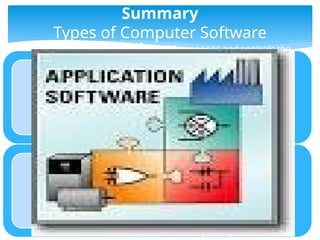
Types of ComputerSoftware
System Software-manages and controls the
hardware
Examples
• Operating System(Windows(XP,Vista,7),
Linux/Unix(Ubuntu, Red Hat), and Mac OS, etc.)
• Utilities software(Norton , McAfee , A vast
Antivirus)
• Device driver(printers, graphics , sound ,
network driver )
Application Software-programs that do
real work for user.
Examples
• Word processing -Multimedia Software
• Speared sheeting -Educational Software
• Presentation, - CAD
• Database systems - Payroll systems
23.
Study hard
Open sourcesoftware (OSS)-the source code is
available under a license that permits users to use,
change, and improve the software, and to redistribute
it in modified or unmodified form.
Examples
• Linux, Netscape, Apache, etc.,
Proprietary software(also callednon-free
software)- Restrictions on use, modification and
copying is achieved by either legal or technical means
and sometimes both.
Proponents of proprietary software are Microsoft.
Examples:CAD, Norton Antivirus etc.
My Telephone Number:--
0988670113
24.
Summary
Advantages using computersoftware
A number of different advantages exist for
using software of a variety of types:
- Make Tasks Easier
- Spreads Information
- Minimize Cost
Mary Help
College/Salesian Sister
Don Bosco church
• Gemeda Abugare
• Student at First
Level One (first
year)
• In 2011 E.C
25.
Questions:
1. Define ComputerSoftware.
2. What is the advantage of using computer software?
3. What is the difference between
1. System Software and Application Software
2. Open source Software and Proprietary Software
4. Find the Operating System, you are using and its version.
5. Write the example of application soft ware at list 3.
6. Advantages and disadvantages free software
7. Find 5 proprietary software names.
8. Write the main function of the following software.
I. Word Processing
II. Spreadsheets
III. Device driver
IV. A vast Antivirus
Self check Questions
26.
Questions:
8. Write followingsoftware types based on their categories in the table given below:
Payroll systems
Database Management
System
Linux OS,
Avast Antivirus
Netscape,
Word Processor,
Apache
Spreadsheet
AutoCAD,
Norton Antivirus
Sound Driver
Windows XP,
Windows Vista,
Windows7,
Unix OS
Ubuntu OS
Red Hat OS
Mac OS
McAfee Antivirus
Peachtree 2010
Self check Questions
System SW Application SW Open Source SW Proprietary SW
-
-
-
-
-
-
-
-
-
-
-
-
-
-
-
-
-
-
-
-
-
-
-
-
-
-
-
-