Chapter 2:
Problem Analysis
and Design
DEC2012
Fundamental Programming
2.2 Understand the algorithm,
flowchart and pseudocode
-explain the flowchart symbol
-compare the advantages and disadvantages of
flowchart
Flowchart Symbols
Problem Analysis and Design
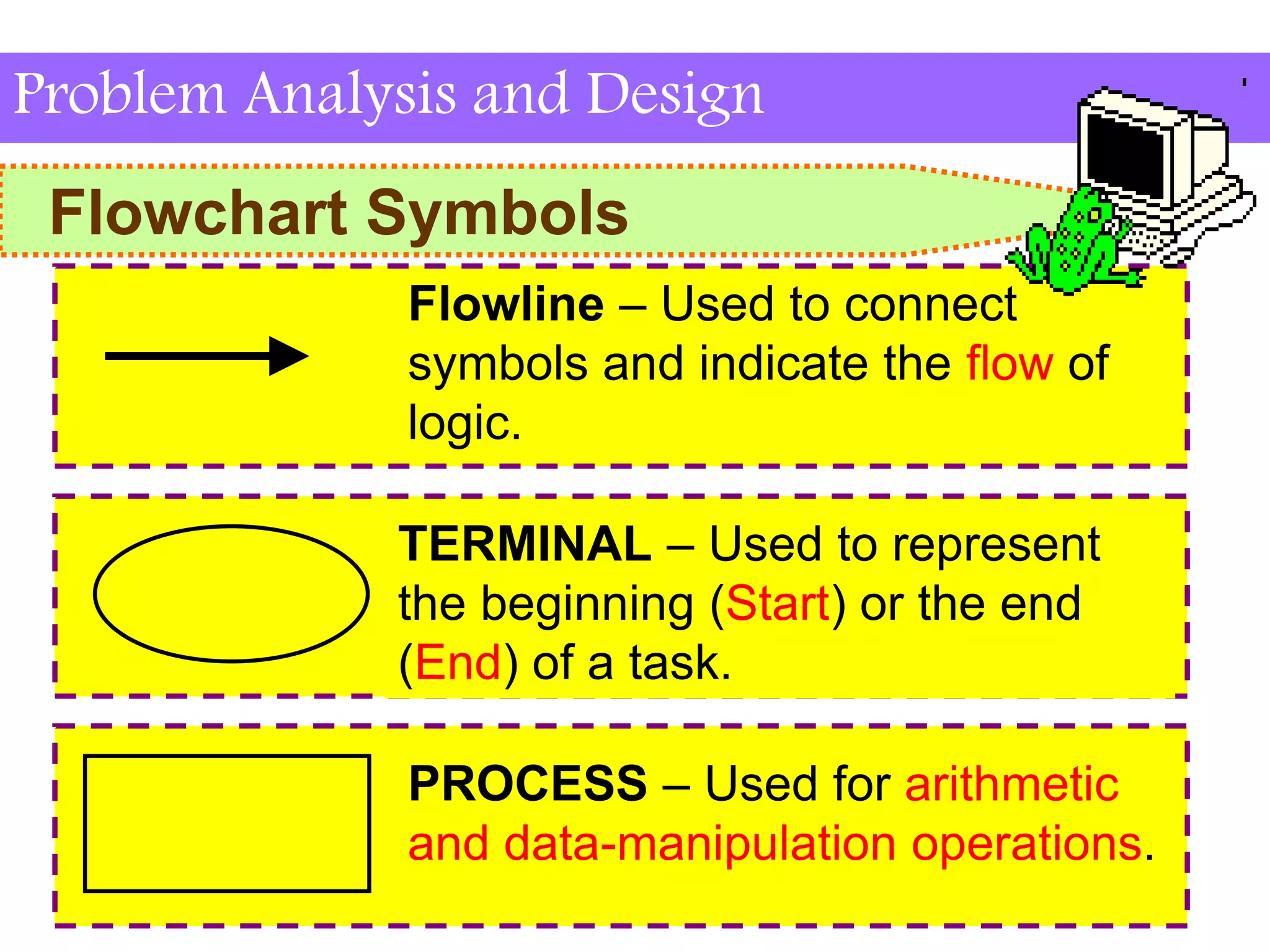
Flowline – Used to connect
symbols and indicate the flow of
logic.
TERMINAL – Used to represent
the beginning (Start) or the end
(End) of a task.
PROCESS – Used for arithmetic
and data-manipulation operations.
Flowchart Symbols
Problem Analysis and Design
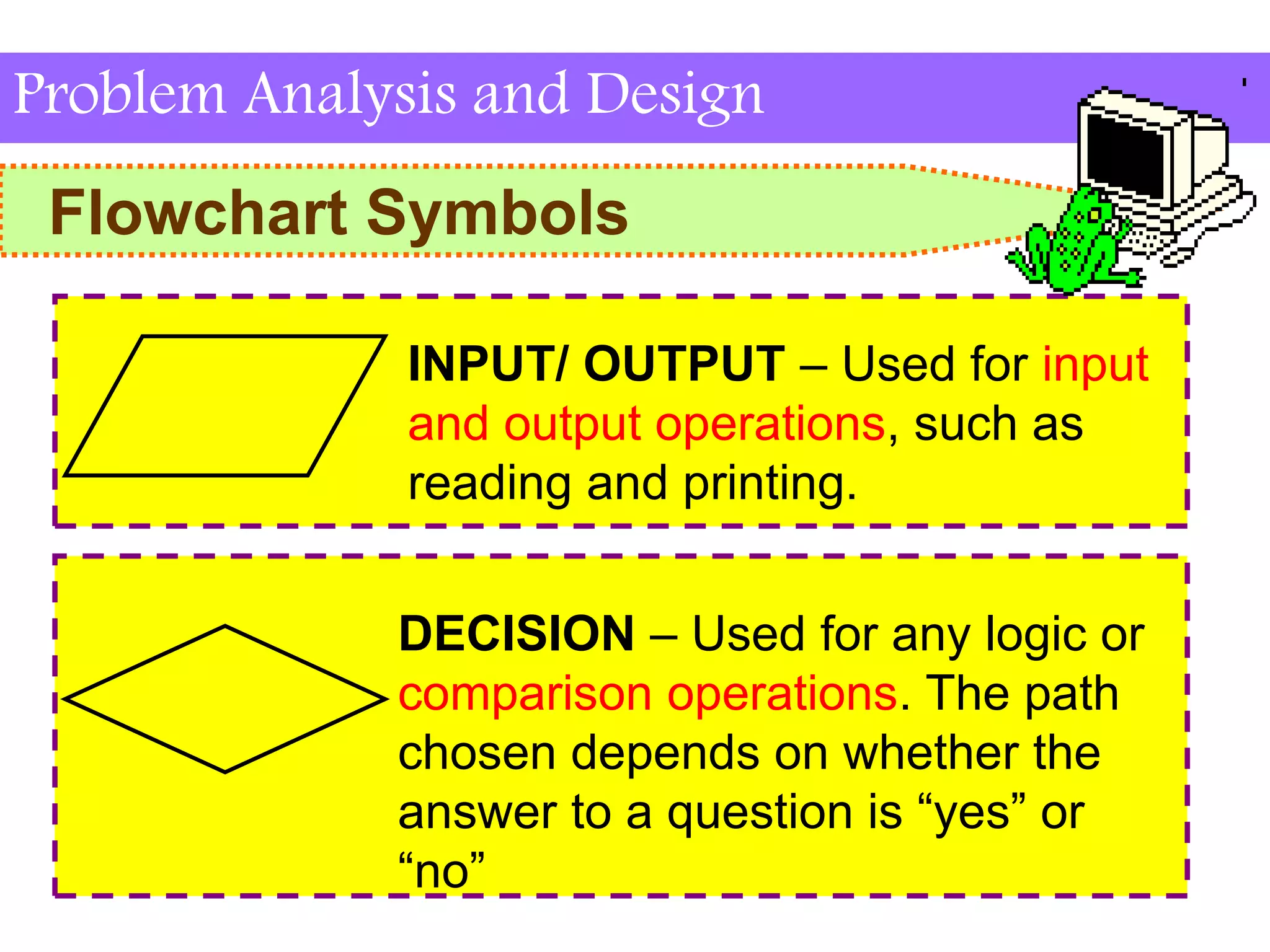
INPUT/ OUTPUT – Used for input
and output operations, such as
reading and printing.
DECISION – Used for any logic or
comparison operations. The path
chosen depends on whether the
answer to a question is “yes” or
“no”
Flowchart Symbols
Problem Analysis and Design
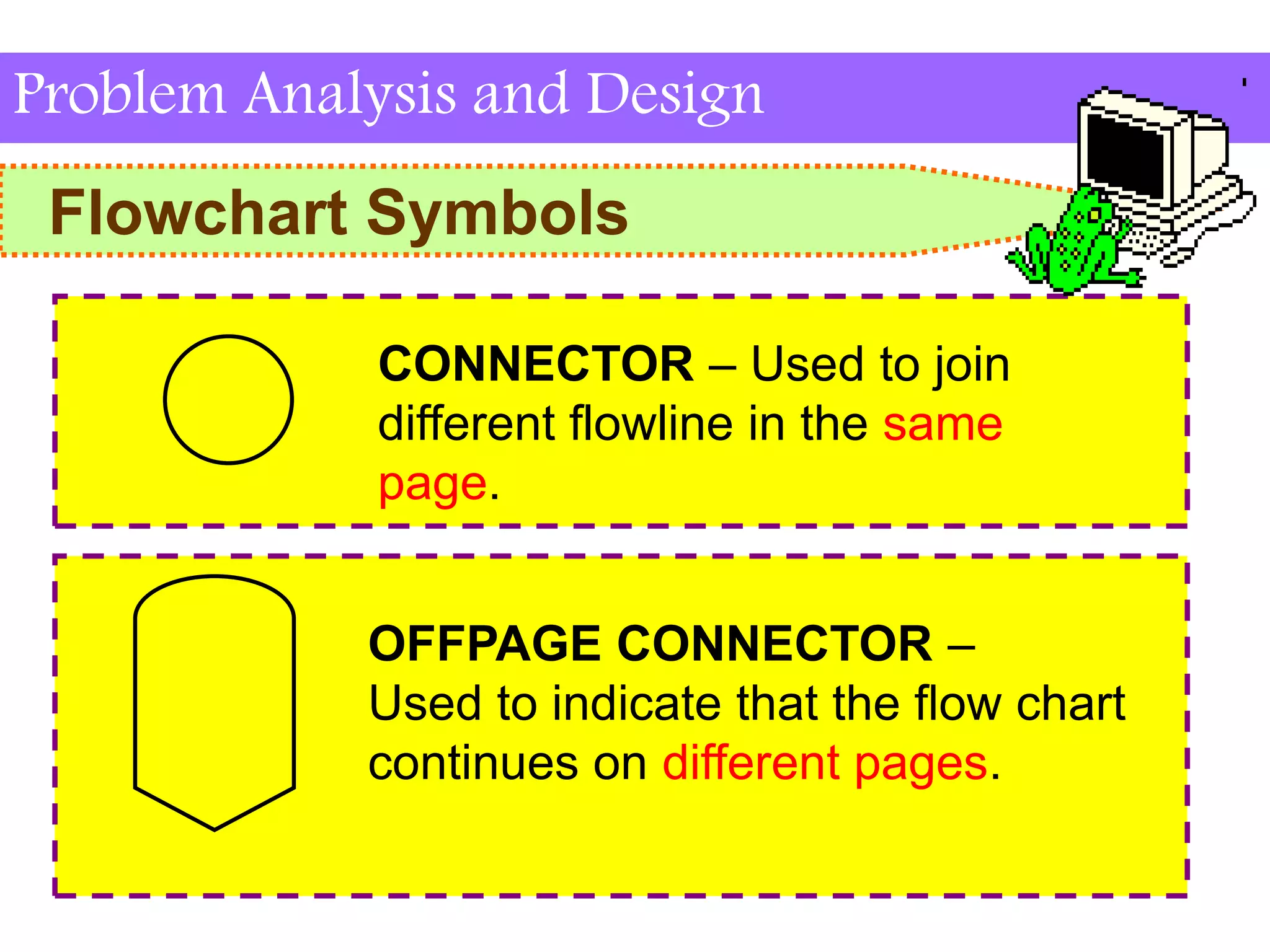
CONNECTOR – Used to join
different flowline in the same
page.
OFFPAGE CONNECTOR –
Used to indicate that the flow chart
continues on different pages.
Advantages & Disadvantages
of Flowchart
Problem Analysis and Design
Advantages

A good way to communicate the details of a
task or processes to others.
It presents the data flow.
It provides a clear overview of the entire
program and problem solution.
It is an important tool for planning and
designing a new system.
Advantages & Disadvantages
of Flowchart
Problem Analysis and Design
Disadvantages

Some tasks are difficult to represent using a
flowchart.
If an alteration is made the flowchart may
need to be redrawn
People need to understand what the symbols
mean.
Flowcharts consumes time and it is
laborious to draw with proper symbols.

CHAPTER 1 INTROCUCTION 4.pptx

  • 1.
    Chapter 2: Problem Analysis andDesign DEC2012 Fundamental Programming
  • 2.
    2.2 Understand thealgorithm, flowchart and pseudocode -explain the flowchart symbol -compare the advantages and disadvantages of flowchart
  • 3.
    Flowchart Symbols Problem Analysisand Design Flowline – Used to connect symbols and indicate the flow of logic. TERMINAL – Used to represent the beginning (Start) or the end (End) of a task. PROCESS – Used for arithmetic and data-manipulation operations.
  • 4.
    Flowchart Symbols Problem Analysisand Design INPUT/ OUTPUT – Used for input and output operations, such as reading and printing. DECISION – Used for any logic or comparison operations. The path chosen depends on whether the answer to a question is “yes” or “no”
  • 5.
    Flowchart Symbols Problem Analysisand Design CONNECTOR – Used to join different flowline in the same page. OFFPAGE CONNECTOR – Used to indicate that the flow chart continues on different pages.
  • 6.
    Advantages & Disadvantages ofFlowchart Problem Analysis and Design Advantages  A good way to communicate the details of a task or processes to others. It presents the data flow. It provides a clear overview of the entire program and problem solution. It is an important tool for planning and designing a new system.
  • 7.
    Advantages & Disadvantages ofFlowchart Problem Analysis and Design Disadvantages  Some tasks are difficult to represent using a flowchart. If an alteration is made the flowchart may need to be redrawn People need to understand what the symbols mean. Flowcharts consumes time and it is laborious to draw with proper symbols.