POSIX
POSIX is the IEEE’s Portable Operating System Interface for Computer
Environments.
The standard provides compliance criteria for operating system services
and is designed to allow applications programs to write applications that
can easily port across operating systems.
POSIX compliant systems are used widely in real-time applications.
Threads
Real-time POSIX provides a mechanism for creating concurrent activities
by allowing for each process to contain several threads of execution.
POSIX threads are very similar to Java’s threads and Ada’s tasks models.
POSIX threads (or Pthreads) are defined as a set of C language
programming types and procedure calls, implemented with a pthread.h
header/include file and a thread library, though this library may be part
of another library, such as libc.
The following is the C interface for thread management in POSIX.
Types are defined in
7 POSIX
#include <sys/types.h>
pthread_t /* Used to identify a thread. */
phread_attr_t /* Used to identify a thread attribute object. */
size_t /* Used for sizes of objects. */
/* initialize and destroy threads attribute object */
int pthread_attr_init(pthread_attr_t *);
int pthread_attr_destroy(pthread_attr_t *);
/* cancel execution of a thread */
int pthread_cancel(pthread_t);
/* detach a thread */
int pthread_detach(pthread_t);
/* compare thread IDs */
int pthread_equal(pthread_t, pthread_t);
/* thread termination */
void pthread_exit(void *);
/* wait for thread termination */
int pthread_join(pthread_t, void **);
/* get calling thread’s ID */
pthread_t pthread_self(void);
/** Stack and scheduling related **/
/* set and get detachstate attribute */
int pthread_attr_setdetachstate(pthread_attr_t *, int);
int pthread_attr_getdetachstate(const pthread_attr_t *, int *);
/* set and get inheritsched attribute */
int pthread_attr_setinheritsched(pthread_attr_t *, int);
int pthread_attr_getinheritsched(const pthread_attr_t *, int *);
/* set and get schedparam attribute */
int pthread_attr_setschedparam(pthread_attr_t *, const struct sched_param *);
int pthread_attr_getschedparam(const pthread_attr_t *, struct sched_param*);
/* dynamic thread scheduling parameters access */
int pthread_getschedparam(pthread_t, int *, struct sched_param *);
int pthread_setschedparam(pthread_t, int , const struct sched_param *);
/* set and get schedpolicy attribute */
int pthread_attr_setschedpolicy(pthread_attr_t *, int);
int pthread_attr_getschedpolicy(const pthread_attr_t *, int *);
/* set and get stackaddr attribute */
int pthread_attr_setstackaddr(pthread_attr_t *, void *);
Single thread Creation with pthread_create()
#include <pthread.h>
#include <stdio.h>
int x=90;
void print_message_function( void *ptr ){
char *message;
message = (char *) ptr;
printf("I incremented value of x: %d and i am child %s n",++x, message);
}
int main() {
pthread_t thread1, thread2;
char *message1 = "Thread one";
char *message2 = "Thread two";
pthread_create( &thread1, 0 , (void*)&print_message_function, (void*) message1);
pthread_create( &thread2, 0 , (void*)&print_message_function, (void*) message2);
return(0);
}
Single thread Creation with pthread_create()
Multiple threads Creation with the pthread_create() routine.
Each thread does a simple print, and then terminates with a call to pthread_exit().
The example also demonstrates how to “wait” for thread completions by using the
Pthread join routine.
#include <pthread.h>
#include <stdio.h>
void message_printer_function(void *ptr)
{
char *message;
message = (char*) ptr;
printf("%sn",message);
}
void main()
{
pthread_t thread[5];
pthread_attr_t attribute;
int errorcode,counter, status;
char *message="TestPrint";
7.2 POSIX Mutexes and Condition Variables
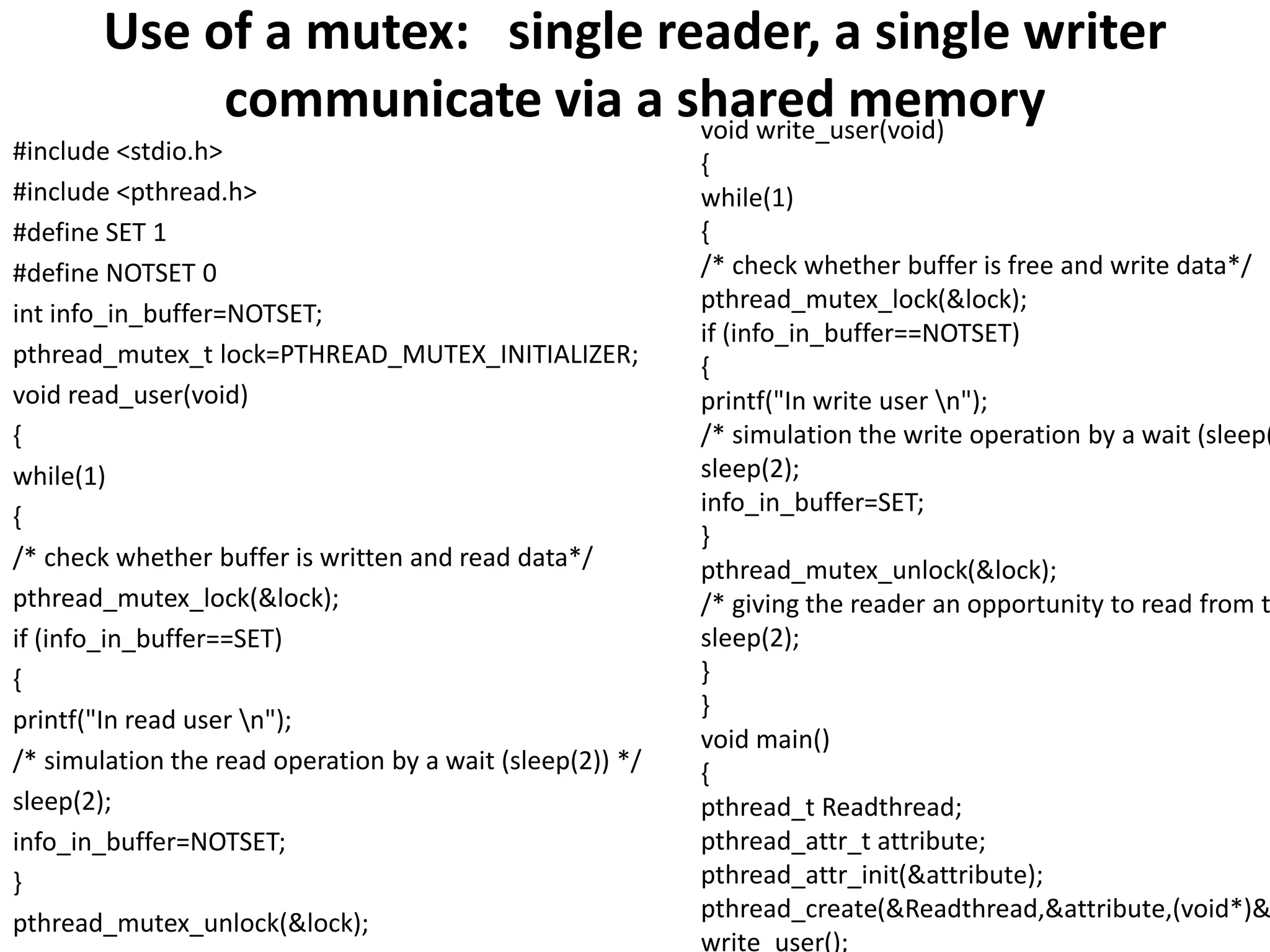
Mutex variables are one of the primary means of implementing thread synchronization.
The basic concept of a mutex as used in Pthreads is that only one thread is allowed to
lock (or own) a mutex variable at any given time.
Even if several threads try to lock a mutex, only one thread will be successful.
No other thread can own/lock that mutex until the owning thread unlocks that mutex,
and only the owner can unlock it.
POSIX mutexes application program interfaces (APIs) are given below.
/** POSIX Mutexes **/
/* Creating/Destroying Mutexes */
pthread_mutex_init(mutex, attr)
pthread_mutex_destroy(mutex)
pthread_mutexattr_init(attr)
pthread_mutexattr_destroy(attr)
/* Locking/Unlocking Mutexes */
pthread_mutex_lock(mutex)
pthread_mutex_trylock(mutex)
pthread_mutex_unlock(mutex)
7.2 POSIX Mutexes and Condition Variables
Condition variables provide an alternative for threads to synchronize.
The basic difference between mutexes and condition variables
mutexes implement synchronization by controlling thread access to data
condition variables allow threads to synchronize based upon the actual value of data
Without condition variables, threads need to continually poll (possibly in a critical
section) to check if the condition is met. This could lead to unnecessary resource
consumption, as the thread would be continuously busy in this activity.
A condition variable facilitates to achieve the same goal without polling.
/** POSIX Condition Variables **/
/* Creating/Destroying Condition Variables */
pthread_cond_init(condition, attr)
pthread_cond_destroy(condition)
pthread_condattr_init(attr)
pthread_condattr_destroy(attr)
/* Waiting/Signalling On Condition Variables */
pthread_cond_wait(condition, mutex)
pthread_cond_signal(condition)
pthread_cond_broadcast(condition)
Use of a mutex: single reader, a single writer
communicate via a shared memory
#include <stdio.h>
#include <pthread.h>
#define SET 1
#define NOTSET 0
int info_in_buffer=NOTSET;
pthread_mutex_t lock=PTHREAD_MUTEX_INITIALIZER;
void read_user(void)
{
while(1)
{
/* check whether buffer is written and read data*/
pthread_mutex_lock(&lock);
if (info_in_buffer==SET)
{
printf("In read user n");
/* simulation the read operation by a wait (sleep(2)) */
sleep(2);
info_in_buffer=NOTSET;
}
pthread_mutex_unlock(&lock);
void write_user(void)
{
while(1)
{
/* check whether buffer is free and write data*/
pthread_mutex_lock(&lock);
if (info_in_buffer==NOTSET)
{
printf("In write user n");
/* simulation the write operation by a wait (sleep(
sleep(2);
info_in_buffer=SET;
}
pthread_mutex_unlock(&lock);
/* giving the reader an opportunity to read from t
sleep(2);
}
}
void main()
{
pthread_t Readthread;
pthread_attr_t attribute;
pthread_attr_init(&attribute);
pthread_create(&Readthread,&attribute,(void*)&
write_user();
7.3 POSIX Semaphores
POSIX provides counting semaphores and binary semaphores to enable processes
running in different address spaces, or threads within the same address space, to
synchronize and communicate using shared memory.
The following prototypes are self-describing examples of their use.
int sem_init(sem_t *sem, int pshared, unsigned int value);
/* Initializes the semaphore object pointed by ‘sem’ */
int sem_destroy(sem_t *sem);
/* Destroys a semaphore object and frees up the resources it might hold */
/* The following three functions are used in conjunction with other processes*/
sem_t *sem_open(const char *name, int oflag, ...);
int sem_close(sem_t *sem);
int sem_unlink(const char *name);
int sem_wait(sem_t *sem);
/* Suspends the calling thread until the semaphore pointed to by ‘sem’ has
non-zero count. Decreases the semaphore count. */
int sem_trywait(sem_t *sem);
/* A non-blocking variant of sem_wait. */
int sem_post(sem_t *sem);
7.3 Using Semaphores and Shared Memory
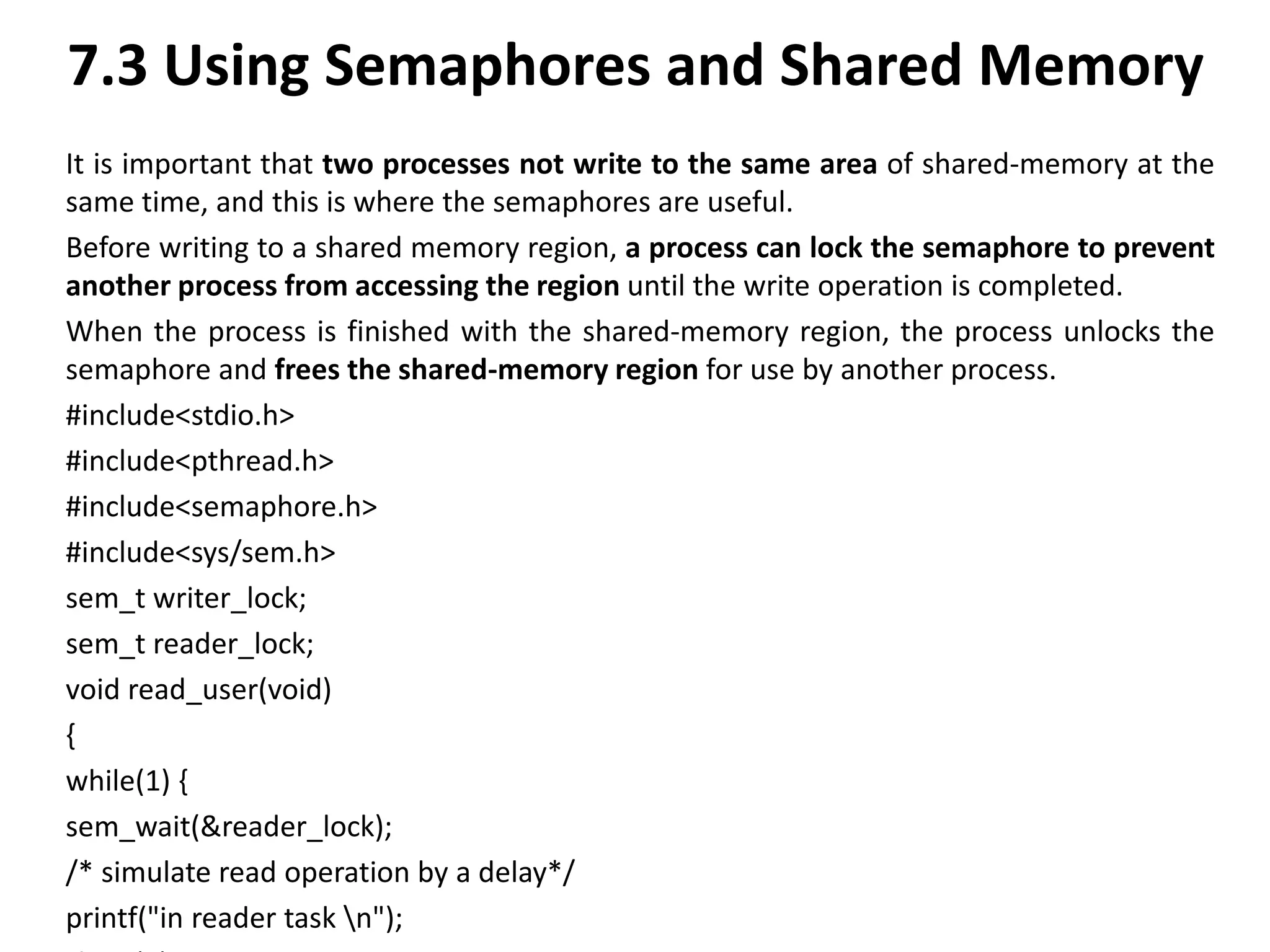
It is important that two processes not write to the same area of shared-memory at the
same time, and this is where the semaphores are useful.
Before writing to a shared memory region, a process can lock the semaphore to prevent
another process from accessing the region until the write operation is completed.
When the process is finished with the shared-memory region, the process unlocks the
semaphore and frees the shared-memory region for use by another process.
#include<stdio.h>
#include<pthread.h>
#include<semaphore.h>
#include<sys/sem.h>
sem_t writer_lock;
sem_t reader_lock;
void read_user(void)
{
while(1) {
sem_wait(&reader_lock);
/* simulate read operation by a delay*/
printf("in reader task n");
7.4 POSIX Messages
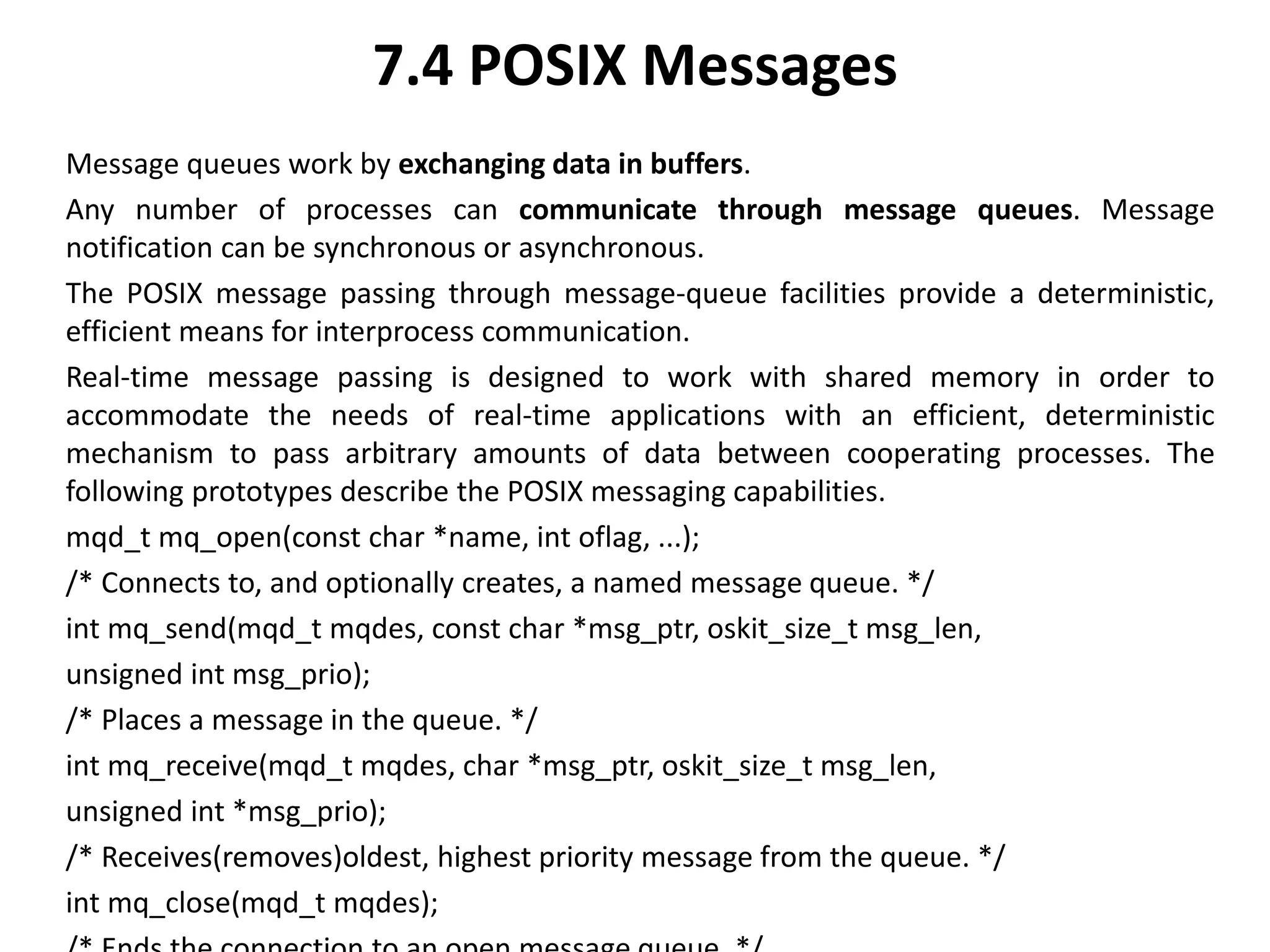
Message queues work by exchanging data in buffers.
Any number of processes can communicate through message queues. Message
notification can be synchronous or asynchronous.
The POSIX message passing through message-queue facilities provide a deterministic,
efficient means for interprocess communication.
Real-time message passing is designed to work with shared memory in order to
accommodate the needs of real-time applications with an efficient, deterministic
mechanism to pass arbitrary amounts of data between cooperating processes. The
following prototypes describe the POSIX messaging capabilities.
mqd_t mq_open(const char *name, int oflag, ...);
/* Connects to, and optionally creates, a named message queue. */
int mq_send(mqd_t mqdes, const char *msg_ptr, oskit_size_t msg_len,
unsigned int msg_prio);
/* Places a message in the queue. */
int mq_receive(mqd_t mqdes, char *msg_ptr, oskit_size_t msg_len,
unsigned int *msg_prio);
/* Receives(removes)oldest, highest priority message from the queue. */
int mq_close(mqd_t mqdes);
7.4 POSIX Messages
message_send.c Creates a message queue and sends one message to the queue.
message_rec.c Reads the message from the queue.
The full code listing for message_send.c is as follows:
#include <sys/types.h>
#include <sys/ipc.h>
#include <sys/msg.h>
#include <stdio.h>
#include <string.h>
#define MSGSZ 128
/* Declare the message structure. */
typedef struct msgbuf {
long mtype;
char mtext[MSGSZ];
} message_buf;
main(){
int msqid;
int msgflg = IPC_CREAT | 0666;
key_t key;
7.4 POSIX Messages
The Message queue is created with a basic key and message flag msgflg = IPC_CREAT |
0666 -- create queue and make it read and appendable by all.
A message of type (sbuf.mtype) = 1 is sent to the queue with the message “Did you get
this?”
Receiving the preceding message as sent using message_send program is illustrated
below.
The full code listing for message_send.c’s companion process,
message_rec.c is as follows:
#include <sys/types.h>
#include <sys/ipc.h>
#include <sys/msg.h>
#include <stdio.h>
#define MSGSZ 128
/* Declare the message structure. */
typedef struct msgbuf {
long mtype;
char mtext[MSGSZ];
} message_buf;
7.5 Real-Time POSIX Signals
Signals are software representation of interrupts or exception occurrences. Signals
asynchronously alter the control flow of a task.
It is important to point out that no routine should be called from a signal handler that
might cause the handler to block – it makes it impossible to predict which resources
might be unavailable.
Signals are used for many purposes:
Exception handling
Process notification of asynchronous event occurrence
Process termination in abnormal situations
Interprocess communication
7.5 Real-Time POSIX Signals
However, there are several limitations of standard POSIX signals on their use inreal-time
applications. These include:
Lack of signal queueing
No signal delivery order
Poor information content
Asynchrony
POSIX real-time extensions (POSIX.4) improves the POSIX signals to applications.
POSIX.4 defines a new set of application-defined real-time signals, and these signals are
numbered from SIGRTMIN to SIGRTMAX. There must be RTSIG_MAX >8 signals in
between these two limits.
The sigaction defines all the details that a process need to know when a signal arrives.
As real-time signals can be queued, the queueing option for a real-time signal is chosen
by setting bit SA_SIGINFO in the sa_flags field of the sigaction structure of the signal.
7.5 Real-Time POSIX Signals
struct sigaction{
void (*sa_handler)();
sigset_t sa_mask;
int sa_flags;//SA_NOCLDSTOP or SA_SIGINFO
void (*sa_sigaction)(int, siginfo_t*, void*);
/*used for real-time signals!! Also, ‘‘SA_SIGINFO’’
is set in ‘‘sa_flags.’’
*/
};
int sigaction(int sig, const struct sigaction *reaction,
struct sigaction *oldreaction);
Real-time signals can carry extra data. SA_SIGINFO increases the amount of information
delivered by each signal. If SA_SIGINFO is set, then the signal handlers have as an
additional parameter a pointer to a data structure called a siginfo_t that contains the
date value to be piggybacked.
The sigqueue() includes an application-specified value (of type sigval) that is sent as a
part of the signal. It enables the queuing of multiple signals for any task.
Real-time signals can be specified as offsets from SIGRTMIN.
7.6 Clocks and Timers
In developing real-time applications, clearly it is desirable to have facilities to set and get
the time.
For example, suppose a diagnostic program checks the health of the system periodically.
Essentially, the program would execute one round of diagnostics and then wait for a
notification to execute again, with the process repeating forever.
This is accomplished by having a timer that is set to expire at a particular time interval.
When the time interval expires, the program that set the timer is notified, usually
through a signal delivery.
7.6.1 Time Management
In order to generate a time reference, a timer circuit is programmed to interrupt the
processor at a fixed rate.
The internal system time is incremented at each timer interrupt.
The interval of time with which the timer is programmed to interrupt defines the unit of
time (also called “tick”) in the system (time resolution).
Typically, the system time is represented by a long integer (unsigned 32 bits) variable,
whereas the value of the tick is stored in a float variable.
At any time, “sys_clock,” a variable holding system time, contains the number of
interrupts generated by the timer since the Epoch.
If k denotes system tick, and n is the value stored in sys_clock, then the actual
time elapsed is kn.
7.6.2 POSIX Clock
POSIX allows many clocks to be supported by an implementation. Each clock has its own
identifier of type clockid_t.
The commonly supported “time-of-day clock” is the CLOCK_REALTIME clock, defined in
the time.h header file.
The CLOCK_REALTIME clock is a systemwide clock, visible to all processes running on the
system.
The CLOCK_REALTIME clock measures the amount of time that has elapsed since
00:00:00 January 1, 1970.
As mentioned, CLOCK_REALTIME is commonly used as the clock_id argument in all clock
functions.
Some of the common clock functions and their descriptions are given in the Table 3.14.
The value returned by a clock function is stored in a data structure called timespec that
has two fields of the long-integer type, namely tv_sec representing the value in number
of seconds since the Epoch, and tv_nsec representing the value in nanoseconds.
7.6.2 POSIX Clock
Function Description
clock getres Returns the resolution of the specified clock
int clock getres(clockid t clock id, struct timespec *res)
Clock gettime Returns the current value for the specified value
int clock gettime(clockid t clock id, struct timespec *tp)
Clock settime Sets the specified clock to the specified value
int clock settime(clockid t clock id, const struct timespec*tp)
7.6.3 Determining Clock Resolution
The following example calls the clock_getres function to determine clock resolution:
#include <unistd.h>
#include <time.h>
main(){
struct timespec clock_resolution;
int stat;
stat = clock_getres(CLOCK_REALTIME, &clock_resolution);
printf(“Clock resln is %d seconds, %ld nanosecondsn”,clock_resolution.tv_sec,
clock_resolution.tv_nsec);
}
7.7.4 Retrieving System Time
The clock_gettime function returns the
value of the systemwide clock as the number of elapsed seconds since the Epoch.
The timespec data structure (used for the clock_gettime function) also contains a
member to hold the value of the number of elapsed nanoseconds not comprising a full
second.
#include <unistd.h>
#include <time.h>
main(){
struct timespec ts;
clock_gettime(CLOCK_REALTIME, &ts);
printf(‘‘clock_gettime returns:n’’);
printf(‘‘%d seconds and %ld nanosecondsn’’, ts.tv_sec, ts.tv_nsec);
}
7.7.5 System Clock Resolution
The system clock resolution on DEC’s Alpha system is 1/1024 seconds or 976
microseconds),7 that is, the system maintains time by adding 976 microseconds at every
clock interrupt.
The actual time period between clock ticks is exactly 976.5625 microseconds.
The missing 576 microseconds (1024 * 0.5625) are added at the end of the 1024th tick,
that is the 1024th tick advances the system time by 1552 microseconds.
Note that if an application program requests a timer value that is not an exact multiple
of the system clock resolution (an exact multiple of 976.5625 microseconds), the actual
time period counted down by the system will be slightly larger
than the requested time period.
A program that asks for a periodic timer of 50 milliseconds will actually get a time period
of 50.78 milliseconds.
7.7.6 Timer
So far, mechanisms that allow setting and getting the time in POSIX have been discussed.
Beyond this, it is desirable to time a process’s execution so that it gets to run on the
processor at a specific time interval.
As discussed earlier, POSIX timers provide a mechanism to control the frequency of a
program execution.
In order to use a timer to time a process it is necessary to:
Create the time object within the kernel.
Generate a signal to get notification.
Choose either relative or absolute timer.
7.7.7 Creating a Timer
The first step is to create a timer for the application by using the timer_create() function.
#include<signal.h>
#include<time.h>
timer_t timer_create(clockid_t clock_id, struct sigevent *event, timer_t *timer_id);
As per POSIX standard, different platforms can have multiple time bases, but every
platform must support at least the CLOCK_REALTIME time base.
A timer based upon the system clock called CLOCK_REALTIME can be created.
The secons argument event points to a structure that contains all the information
needed concerning the signal to be generated. This is essentially used to inform the
kernel about what kind of event the timer should deliver whenever it “fires.”
By setting it NULL, the system is forced to use default delivery, which is defined to be
SIGALRM.
The return value from timer_create() is effectively a small integer that just acts as an
index into the kernel’s timer tables.
7.7.8 Type of Timers
Having created the timer, it is necessary to decide what kind of timer functionality it will
have – a one-shot timer or a repeating timer.
A one-shot timer is armed with an initial expiration time, expires only once, and then is
disarmed. A timer becomes a periodic or repeating timer with the addition of a
repetition value.
The timer expires, then loads the repetition interval, rearming the timer to expire after
the repetition interval has
elapsed.
The function timer_settime() actually sets and starts the timer.
The struct itimerspec simply incorporates two timespecs to form a high-resolution
interval timer structure:
struct itimerspec{
struct timespec it_value, it_interval;
};
int timer_settime (timer_t timerid, int flag,struct itimerspec *value, struct itimerspec
*oldvalue);
This function sets the next expiration time for the timer specified. If flag is set to
Timer_ABSTIME, then the timer will expire when the clock reaches the absolute value
specified by *value.it_value.
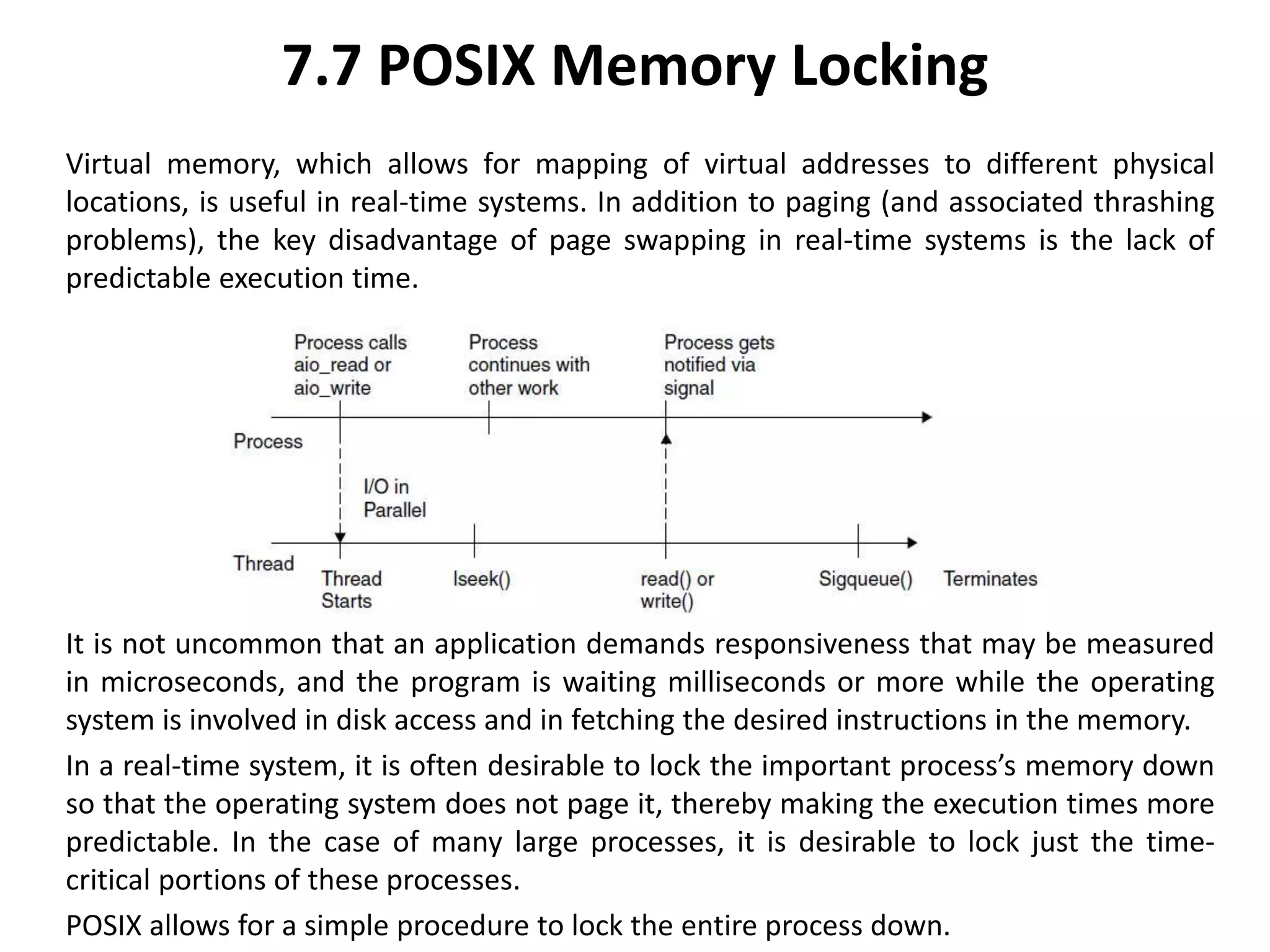
7.7 POSIX Memory Locking
Virtual memory, which allows for mapping of virtual addresses to different physical
locations, is useful in real-time systems. In addition to paging (and associated thrashing
problems), the key disadvantage of page swapping in real-time systems is the lack of
predictable execution time.
It is not uncommon that an application demands responsiveness that may be measured
in microseconds, and the program is waiting milliseconds or more while the operating
system is involved in disk access and in fetching the desired instructions in the memory.
In a real-time system, it is often desirable to lock the important process’s memory down
so that the operating system does not page it, thereby making the execution times more
predictable. In the case of many large processes, it is desirable to lock just the time-
critical portions of these processes.
POSIX allows for a simple procedure to lock the entire process down.
7.7 POSIX Memory Locking
#include <unistd.h>
#ifdef _POSIX_MEMLOCK
#include<sys/mman.h>
int mlockall(int flags);
int munlockall(void);
The function mlockall tries to lock all the memory down; this includes the program text,
data, heap, and stack . Locking a process includes shared libraries that can be mapped in
and other shared memory areas that the process may
be using.
Depending on the flags being specified, it will either lock all process’s current mappings
(MCL_CURRENT), or the process’s current mapping and any future mappings that it may
make (MCL_CURRENT|MCL_FUTURE).
The function munlockall unlocks all locked memory and notifies the system that it is okay
to page this process’s memory if the system must do so. Assuming that mlockall is called
with the MCL_FUTURE flag being set, the rightmost column in Figure 3.24 illustrates the
effect of memory locking upon execution of malloc.
7.7 POSIX Memory Locking
Instead of locking down the entire process, POSIX permits the user to lock down part of
the process:
#include <unistd.h>
#ifdef _POSIX_MEMLOCK_RANGE
#include<sys/mman.h>
int mlock(void *address, size_t length);
int munlock(void *address, size_t length);
#endif
The function mlock locks down the address range being specified, and munlock unlocks a
range (Figure 3.25). If mlock is called for a range of memory, then calling munlockall
unlocks the memory that has been locked with mlock.
It is not possible to lock memory for all of a small section of code, then unlock it.
Memory locking is a global technique that should not be performed by small, transient
sections of code.
7.7 POSIX Memory Locking
In general, once a memory is locked, it should be locked down until the application is out
of “real-time mode.”
The function mlock can cause a segmentation fault if an address is passed to it where
there is not any memory for executable code.
As can be seen from this example, memory locking decreases execution times for the
locked modules and, more importantly, can be used to guarantee execution time.
At the same time, it makes fewer pages available for the application, encouraging
contention.

ch 7 POSIX.pptx

  • 1.
    POSIX POSIX is theIEEE’s Portable Operating System Interface for Computer Environments. The standard provides compliance criteria for operating system services and is designed to allow applications programs to write applications that can easily port across operating systems. POSIX compliant systems are used widely in real-time applications. Threads Real-time POSIX provides a mechanism for creating concurrent activities by allowing for each process to contain several threads of execution. POSIX threads are very similar to Java’s threads and Ada’s tasks models. POSIX threads (or Pthreads) are defined as a set of C language programming types and procedure calls, implemented with a pthread.h header/include file and a thread library, though this library may be part of another library, such as libc. The following is the C interface for thread management in POSIX. Types are defined in
  • 2.
    7 POSIX #include <sys/types.h> pthread_t/* Used to identify a thread. */ phread_attr_t /* Used to identify a thread attribute object. */ size_t /* Used for sizes of objects. */ /* initialize and destroy threads attribute object */ int pthread_attr_init(pthread_attr_t *); int pthread_attr_destroy(pthread_attr_t *); /* cancel execution of a thread */ int pthread_cancel(pthread_t); /* detach a thread */ int pthread_detach(pthread_t); /* compare thread IDs */ int pthread_equal(pthread_t, pthread_t); /* thread termination */ void pthread_exit(void *); /* wait for thread termination */ int pthread_join(pthread_t, void **); /* get calling thread’s ID */ pthread_t pthread_self(void); /** Stack and scheduling related **/ /* set and get detachstate attribute */ int pthread_attr_setdetachstate(pthread_attr_t *, int); int pthread_attr_getdetachstate(const pthread_attr_t *, int *); /* set and get inheritsched attribute */ int pthread_attr_setinheritsched(pthread_attr_t *, int); int pthread_attr_getinheritsched(const pthread_attr_t *, int *); /* set and get schedparam attribute */ int pthread_attr_setschedparam(pthread_attr_t *, const struct sched_param *); int pthread_attr_getschedparam(const pthread_attr_t *, struct sched_param*); /* dynamic thread scheduling parameters access */ int pthread_getschedparam(pthread_t, int *, struct sched_param *); int pthread_setschedparam(pthread_t, int , const struct sched_param *); /* set and get schedpolicy attribute */ int pthread_attr_setschedpolicy(pthread_attr_t *, int); int pthread_attr_getschedpolicy(const pthread_attr_t *, int *); /* set and get stackaddr attribute */ int pthread_attr_setstackaddr(pthread_attr_t *, void *);
  • 3.
    Single thread Creationwith pthread_create() #include <pthread.h> #include <stdio.h> int x=90; void print_message_function( void *ptr ){ char *message; message = (char *) ptr; printf("I incremented value of x: %d and i am child %s n",++x, message); } int main() { pthread_t thread1, thread2; char *message1 = "Thread one"; char *message2 = "Thread two"; pthread_create( &thread1, 0 , (void*)&print_message_function, (void*) message1); pthread_create( &thread2, 0 , (void*)&print_message_function, (void*) message2); return(0); }
  • 4.
    Single thread Creationwith pthread_create() Multiple threads Creation with the pthread_create() routine. Each thread does a simple print, and then terminates with a call to pthread_exit(). The example also demonstrates how to “wait” for thread completions by using the Pthread join routine. #include <pthread.h> #include <stdio.h> void message_printer_function(void *ptr) { char *message; message = (char*) ptr; printf("%sn",message); } void main() { pthread_t thread[5]; pthread_attr_t attribute; int errorcode,counter, status; char *message="TestPrint";
  • 5.
    7.2 POSIX Mutexesand Condition Variables Mutex variables are one of the primary means of implementing thread synchronization. The basic concept of a mutex as used in Pthreads is that only one thread is allowed to lock (or own) a mutex variable at any given time. Even if several threads try to lock a mutex, only one thread will be successful. No other thread can own/lock that mutex until the owning thread unlocks that mutex, and only the owner can unlock it. POSIX mutexes application program interfaces (APIs) are given below. /** POSIX Mutexes **/ /* Creating/Destroying Mutexes */ pthread_mutex_init(mutex, attr) pthread_mutex_destroy(mutex) pthread_mutexattr_init(attr) pthread_mutexattr_destroy(attr) /* Locking/Unlocking Mutexes */ pthread_mutex_lock(mutex) pthread_mutex_trylock(mutex) pthread_mutex_unlock(mutex)
  • 6.
    7.2 POSIX Mutexesand Condition Variables Condition variables provide an alternative for threads to synchronize. The basic difference between mutexes and condition variables mutexes implement synchronization by controlling thread access to data condition variables allow threads to synchronize based upon the actual value of data Without condition variables, threads need to continually poll (possibly in a critical section) to check if the condition is met. This could lead to unnecessary resource consumption, as the thread would be continuously busy in this activity. A condition variable facilitates to achieve the same goal without polling. /** POSIX Condition Variables **/ /* Creating/Destroying Condition Variables */ pthread_cond_init(condition, attr) pthread_cond_destroy(condition) pthread_condattr_init(attr) pthread_condattr_destroy(attr) /* Waiting/Signalling On Condition Variables */ pthread_cond_wait(condition, mutex) pthread_cond_signal(condition) pthread_cond_broadcast(condition)
  • 7.
    Use of amutex: single reader, a single writer communicate via a shared memory #include <stdio.h> #include <pthread.h> #define SET 1 #define NOTSET 0 int info_in_buffer=NOTSET; pthread_mutex_t lock=PTHREAD_MUTEX_INITIALIZER; void read_user(void) { while(1) { /* check whether buffer is written and read data*/ pthread_mutex_lock(&lock); if (info_in_buffer==SET) { printf("In read user n"); /* simulation the read operation by a wait (sleep(2)) */ sleep(2); info_in_buffer=NOTSET; } pthread_mutex_unlock(&lock); void write_user(void) { while(1) { /* check whether buffer is free and write data*/ pthread_mutex_lock(&lock); if (info_in_buffer==NOTSET) { printf("In write user n"); /* simulation the write operation by a wait (sleep( sleep(2); info_in_buffer=SET; } pthread_mutex_unlock(&lock); /* giving the reader an opportunity to read from t sleep(2); } } void main() { pthread_t Readthread; pthread_attr_t attribute; pthread_attr_init(&attribute); pthread_create(&Readthread,&attribute,(void*)& write_user();
  • 8.
    7.3 POSIX Semaphores POSIXprovides counting semaphores and binary semaphores to enable processes running in different address spaces, or threads within the same address space, to synchronize and communicate using shared memory. The following prototypes are self-describing examples of their use. int sem_init(sem_t *sem, int pshared, unsigned int value); /* Initializes the semaphore object pointed by ‘sem’ */ int sem_destroy(sem_t *sem); /* Destroys a semaphore object and frees up the resources it might hold */ /* The following three functions are used in conjunction with other processes*/ sem_t *sem_open(const char *name, int oflag, ...); int sem_close(sem_t *sem); int sem_unlink(const char *name); int sem_wait(sem_t *sem); /* Suspends the calling thread until the semaphore pointed to by ‘sem’ has non-zero count. Decreases the semaphore count. */ int sem_trywait(sem_t *sem); /* A non-blocking variant of sem_wait. */ int sem_post(sem_t *sem);
  • 9.
    7.3 Using Semaphoresand Shared Memory It is important that two processes not write to the same area of shared-memory at the same time, and this is where the semaphores are useful. Before writing to a shared memory region, a process can lock the semaphore to prevent another process from accessing the region until the write operation is completed. When the process is finished with the shared-memory region, the process unlocks the semaphore and frees the shared-memory region for use by another process. #include<stdio.h> #include<pthread.h> #include<semaphore.h> #include<sys/sem.h> sem_t writer_lock; sem_t reader_lock; void read_user(void) { while(1) { sem_wait(&reader_lock); /* simulate read operation by a delay*/ printf("in reader task n");
  • 10.
    7.4 POSIX Messages Messagequeues work by exchanging data in buffers. Any number of processes can communicate through message queues. Message notification can be synchronous or asynchronous. The POSIX message passing through message-queue facilities provide a deterministic, efficient means for interprocess communication. Real-time message passing is designed to work with shared memory in order to accommodate the needs of real-time applications with an efficient, deterministic mechanism to pass arbitrary amounts of data between cooperating processes. The following prototypes describe the POSIX messaging capabilities. mqd_t mq_open(const char *name, int oflag, ...); /* Connects to, and optionally creates, a named message queue. */ int mq_send(mqd_t mqdes, const char *msg_ptr, oskit_size_t msg_len, unsigned int msg_prio); /* Places a message in the queue. */ int mq_receive(mqd_t mqdes, char *msg_ptr, oskit_size_t msg_len, unsigned int *msg_prio); /* Receives(removes)oldest, highest priority message from the queue. */ int mq_close(mqd_t mqdes);
  • 11.
    7.4 POSIX Messages message_send.cCreates a message queue and sends one message to the queue. message_rec.c Reads the message from the queue. The full code listing for message_send.c is as follows: #include <sys/types.h> #include <sys/ipc.h> #include <sys/msg.h> #include <stdio.h> #include <string.h> #define MSGSZ 128 /* Declare the message structure. */ typedef struct msgbuf { long mtype; char mtext[MSGSZ]; } message_buf; main(){ int msqid; int msgflg = IPC_CREAT | 0666; key_t key;
  • 12.
    7.4 POSIX Messages TheMessage queue is created with a basic key and message flag msgflg = IPC_CREAT | 0666 -- create queue and make it read and appendable by all. A message of type (sbuf.mtype) = 1 is sent to the queue with the message “Did you get this?” Receiving the preceding message as sent using message_send program is illustrated below. The full code listing for message_send.c’s companion process, message_rec.c is as follows: #include <sys/types.h> #include <sys/ipc.h> #include <sys/msg.h> #include <stdio.h> #define MSGSZ 128 /* Declare the message structure. */ typedef struct msgbuf { long mtype; char mtext[MSGSZ]; } message_buf;
  • 13.
    7.5 Real-Time POSIXSignals Signals are software representation of interrupts or exception occurrences. Signals asynchronously alter the control flow of a task. It is important to point out that no routine should be called from a signal handler that might cause the handler to block – it makes it impossible to predict which resources might be unavailable. Signals are used for many purposes: Exception handling Process notification of asynchronous event occurrence Process termination in abnormal situations Interprocess communication
  • 14.
    7.5 Real-Time POSIXSignals However, there are several limitations of standard POSIX signals on their use inreal-time applications. These include: Lack of signal queueing No signal delivery order Poor information content Asynchrony POSIX real-time extensions (POSIX.4) improves the POSIX signals to applications. POSIX.4 defines a new set of application-defined real-time signals, and these signals are numbered from SIGRTMIN to SIGRTMAX. There must be RTSIG_MAX >8 signals in between these two limits. The sigaction defines all the details that a process need to know when a signal arrives. As real-time signals can be queued, the queueing option for a real-time signal is chosen by setting bit SA_SIGINFO in the sa_flags field of the sigaction structure of the signal.
  • 15.
    7.5 Real-Time POSIXSignals struct sigaction{ void (*sa_handler)(); sigset_t sa_mask; int sa_flags;//SA_NOCLDSTOP or SA_SIGINFO void (*sa_sigaction)(int, siginfo_t*, void*); /*used for real-time signals!! Also, ‘‘SA_SIGINFO’’ is set in ‘‘sa_flags.’’ */ }; int sigaction(int sig, const struct sigaction *reaction, struct sigaction *oldreaction); Real-time signals can carry extra data. SA_SIGINFO increases the amount of information delivered by each signal. If SA_SIGINFO is set, then the signal handlers have as an additional parameter a pointer to a data structure called a siginfo_t that contains the date value to be piggybacked. The sigqueue() includes an application-specified value (of type sigval) that is sent as a part of the signal. It enables the queuing of multiple signals for any task. Real-time signals can be specified as offsets from SIGRTMIN.
  • 16.
    7.6 Clocks andTimers In developing real-time applications, clearly it is desirable to have facilities to set and get the time. For example, suppose a diagnostic program checks the health of the system periodically. Essentially, the program would execute one round of diagnostics and then wait for a notification to execute again, with the process repeating forever. This is accomplished by having a timer that is set to expire at a particular time interval. When the time interval expires, the program that set the timer is notified, usually through a signal delivery.
  • 17.
    7.6.1 Time Management Inorder to generate a time reference, a timer circuit is programmed to interrupt the processor at a fixed rate. The internal system time is incremented at each timer interrupt. The interval of time with which the timer is programmed to interrupt defines the unit of time (also called “tick”) in the system (time resolution). Typically, the system time is represented by a long integer (unsigned 32 bits) variable, whereas the value of the tick is stored in a float variable. At any time, “sys_clock,” a variable holding system time, contains the number of interrupts generated by the timer since the Epoch. If k denotes system tick, and n is the value stored in sys_clock, then the actual time elapsed is kn.
  • 18.
    7.6.2 POSIX Clock POSIXallows many clocks to be supported by an implementation. Each clock has its own identifier of type clockid_t. The commonly supported “time-of-day clock” is the CLOCK_REALTIME clock, defined in the time.h header file. The CLOCK_REALTIME clock is a systemwide clock, visible to all processes running on the system. The CLOCK_REALTIME clock measures the amount of time that has elapsed since 00:00:00 January 1, 1970. As mentioned, CLOCK_REALTIME is commonly used as the clock_id argument in all clock functions. Some of the common clock functions and their descriptions are given in the Table 3.14. The value returned by a clock function is stored in a data structure called timespec that has two fields of the long-integer type, namely tv_sec representing the value in number of seconds since the Epoch, and tv_nsec representing the value in nanoseconds.
  • 19.
    7.6.2 POSIX Clock FunctionDescription clock getres Returns the resolution of the specified clock int clock getres(clockid t clock id, struct timespec *res) Clock gettime Returns the current value for the specified value int clock gettime(clockid t clock id, struct timespec *tp) Clock settime Sets the specified clock to the specified value int clock settime(clockid t clock id, const struct timespec*tp)
  • 20.
    7.6.3 Determining ClockResolution The following example calls the clock_getres function to determine clock resolution: #include <unistd.h> #include <time.h> main(){ struct timespec clock_resolution; int stat; stat = clock_getres(CLOCK_REALTIME, &clock_resolution); printf(“Clock resln is %d seconds, %ld nanosecondsn”,clock_resolution.tv_sec, clock_resolution.tv_nsec); }
  • 21.
    7.7.4 Retrieving SystemTime The clock_gettime function returns the value of the systemwide clock as the number of elapsed seconds since the Epoch. The timespec data structure (used for the clock_gettime function) also contains a member to hold the value of the number of elapsed nanoseconds not comprising a full second. #include <unistd.h> #include <time.h> main(){ struct timespec ts; clock_gettime(CLOCK_REALTIME, &ts); printf(‘‘clock_gettime returns:n’’); printf(‘‘%d seconds and %ld nanosecondsn’’, ts.tv_sec, ts.tv_nsec); }
  • 22.
    7.7.5 System ClockResolution The system clock resolution on DEC’s Alpha system is 1/1024 seconds or 976 microseconds),7 that is, the system maintains time by adding 976 microseconds at every clock interrupt. The actual time period between clock ticks is exactly 976.5625 microseconds. The missing 576 microseconds (1024 * 0.5625) are added at the end of the 1024th tick, that is the 1024th tick advances the system time by 1552 microseconds. Note that if an application program requests a timer value that is not an exact multiple of the system clock resolution (an exact multiple of 976.5625 microseconds), the actual time period counted down by the system will be slightly larger than the requested time period. A program that asks for a periodic timer of 50 milliseconds will actually get a time period of 50.78 milliseconds.
  • 23.
    7.7.6 Timer So far,mechanisms that allow setting and getting the time in POSIX have been discussed. Beyond this, it is desirable to time a process’s execution so that it gets to run on the processor at a specific time interval. As discussed earlier, POSIX timers provide a mechanism to control the frequency of a program execution. In order to use a timer to time a process it is necessary to: Create the time object within the kernel. Generate a signal to get notification. Choose either relative or absolute timer.
  • 24.
    7.7.7 Creating aTimer The first step is to create a timer for the application by using the timer_create() function. #include<signal.h> #include<time.h> timer_t timer_create(clockid_t clock_id, struct sigevent *event, timer_t *timer_id); As per POSIX standard, different platforms can have multiple time bases, but every platform must support at least the CLOCK_REALTIME time base. A timer based upon the system clock called CLOCK_REALTIME can be created. The secons argument event points to a structure that contains all the information needed concerning the signal to be generated. This is essentially used to inform the kernel about what kind of event the timer should deliver whenever it “fires.” By setting it NULL, the system is forced to use default delivery, which is defined to be SIGALRM. The return value from timer_create() is effectively a small integer that just acts as an index into the kernel’s timer tables.
  • 25.
    7.7.8 Type ofTimers Having created the timer, it is necessary to decide what kind of timer functionality it will have – a one-shot timer or a repeating timer. A one-shot timer is armed with an initial expiration time, expires only once, and then is disarmed. A timer becomes a periodic or repeating timer with the addition of a repetition value. The timer expires, then loads the repetition interval, rearming the timer to expire after the repetition interval has elapsed. The function timer_settime() actually sets and starts the timer. The struct itimerspec simply incorporates two timespecs to form a high-resolution interval timer structure: struct itimerspec{ struct timespec it_value, it_interval; }; int timer_settime (timer_t timerid, int flag,struct itimerspec *value, struct itimerspec *oldvalue); This function sets the next expiration time for the timer specified. If flag is set to Timer_ABSTIME, then the timer will expire when the clock reaches the absolute value specified by *value.it_value.
  • 26.
    7.7 POSIX MemoryLocking Virtual memory, which allows for mapping of virtual addresses to different physical locations, is useful in real-time systems. In addition to paging (and associated thrashing problems), the key disadvantage of page swapping in real-time systems is the lack of predictable execution time. It is not uncommon that an application demands responsiveness that may be measured in microseconds, and the program is waiting milliseconds or more while the operating system is involved in disk access and in fetching the desired instructions in the memory. In a real-time system, it is often desirable to lock the important process’s memory down so that the operating system does not page it, thereby making the execution times more predictable. In the case of many large processes, it is desirable to lock just the time- critical portions of these processes. POSIX allows for a simple procedure to lock the entire process down.
  • 27.
    7.7 POSIX MemoryLocking #include <unistd.h> #ifdef _POSIX_MEMLOCK #include<sys/mman.h> int mlockall(int flags); int munlockall(void); The function mlockall tries to lock all the memory down; this includes the program text, data, heap, and stack . Locking a process includes shared libraries that can be mapped in and other shared memory areas that the process may be using. Depending on the flags being specified, it will either lock all process’s current mappings (MCL_CURRENT), or the process’s current mapping and any future mappings that it may make (MCL_CURRENT|MCL_FUTURE). The function munlockall unlocks all locked memory and notifies the system that it is okay to page this process’s memory if the system must do so. Assuming that mlockall is called with the MCL_FUTURE flag being set, the rightmost column in Figure 3.24 illustrates the effect of memory locking upon execution of malloc.
  • 28.
    7.7 POSIX MemoryLocking Instead of locking down the entire process, POSIX permits the user to lock down part of the process: #include <unistd.h> #ifdef _POSIX_MEMLOCK_RANGE #include<sys/mman.h> int mlock(void *address, size_t length); int munlock(void *address, size_t length); #endif The function mlock locks down the address range being specified, and munlock unlocks a range (Figure 3.25). If mlock is called for a range of memory, then calling munlockall unlocks the memory that has been locked with mlock. It is not possible to lock memory for all of a small section of code, then unlock it. Memory locking is a global technique that should not be performed by small, transient sections of code.
  • 29.
    7.7 POSIX MemoryLocking In general, once a memory is locked, it should be locked down until the application is out of “real-time mode.” The function mlock can cause a segmentation fault if an address is passed to it where there is not any memory for executable code. As can be seen from this example, memory locking decreases execution times for the locked modules and, more importantly, can be used to guarantee execution time. At the same time, it makes fewer pages available for the application, encouraging contention.