CB Workshop with
uddeIM, Kunena, GroupJive
       and CBSubs


       @ J and Beyond 2012
Author and other info …
   Nick A. (nant) – CB Team member along with Beat and Kyle

   Matias Griese – Kunena team
   Stephan Slabihoud - uddeIM


                            © Joomlapolis                      2
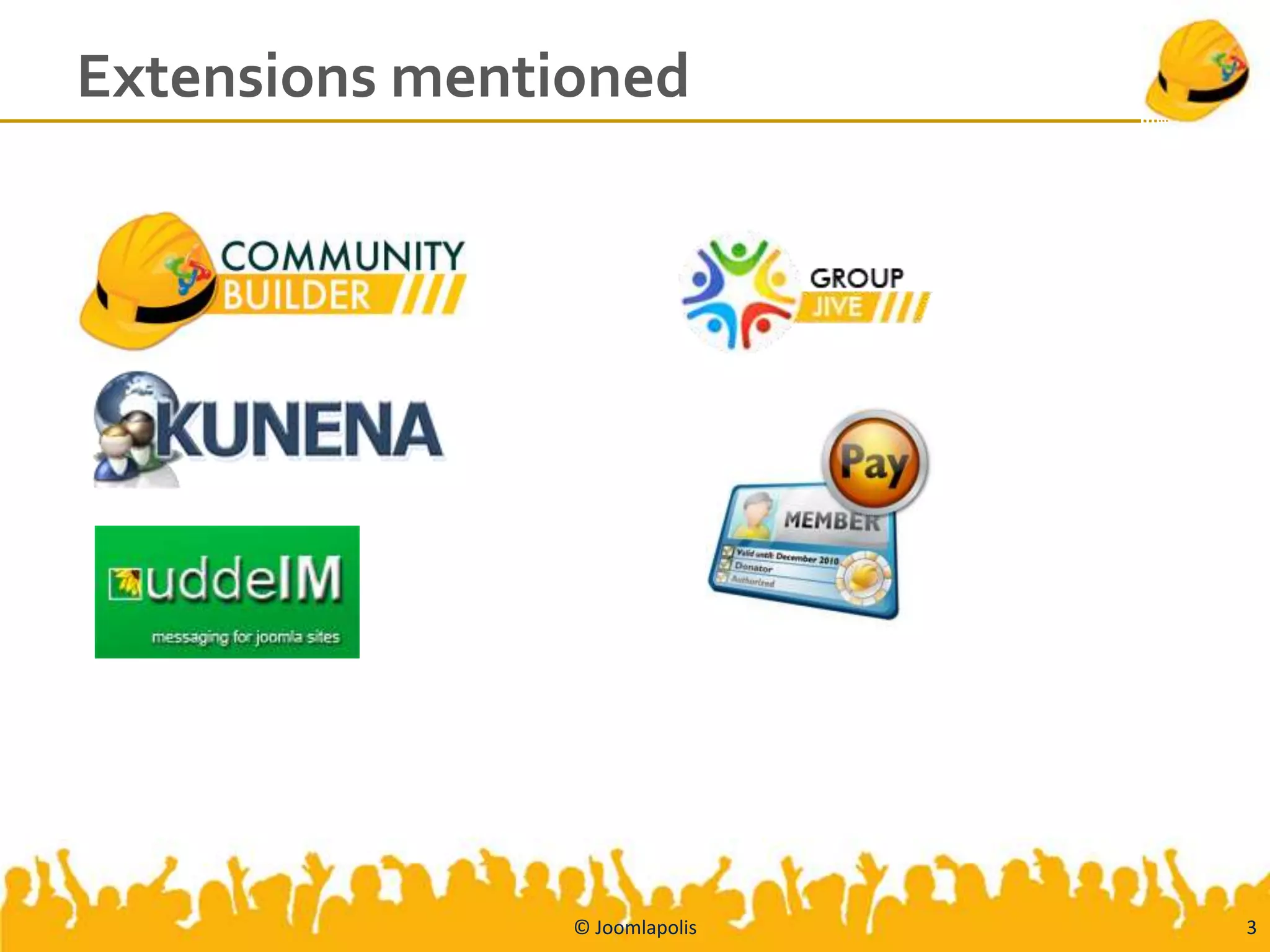
Extensions mentioned


                © Joomlapolis   3
References
   Slides will be shared here:
        www.slideshare.net/cbteam/presentations
   Community Builder
        www.joomlapolis.com/community-builder
   uddeIM
        www.slabihoud.de/software/id4001.htm
   Kunena
        www.kunena.org
   GroupJive
        www.joomlapolis.com/cb-solutions/groupjive
   CBSubs
        www.joomlapolis.com/cb-solutions/cbsubs
   Picture-book tutorials
        www.joomlapolis.com/support/tutorials/111-picture-books


                                  © Joomlapolis                    4
Agenda
   Introduction – goals
   Step 1: Joomla (2.5.4)
   Step 2: Community Builder (1.8)
       Configuring CB + Joomla integration
   Step 3: uddeIM (2.7)
       Configuring uddeIM + CB integration
   Step 4: Kunena (1.7)
       Configuring Kunena + CB + uddeIM Integration
   Step 5: CB GroupJive (2.5.1)
       Configuring GroupJive + CB + uddeIM + Kunena Integration
   Step 6: CBSubs (2.0.1)


                               © Joomlapolis                       5
Introduction
   Three different project teams
   Collaboration – skype group chats
   Clean integration – api extensions
   End-users benefit


                             © Joomlapolis   6
1. Joomla
   Starting with default content Joomla 2.5.4 website


                             © Joomlapolis               7
2. Community Builder
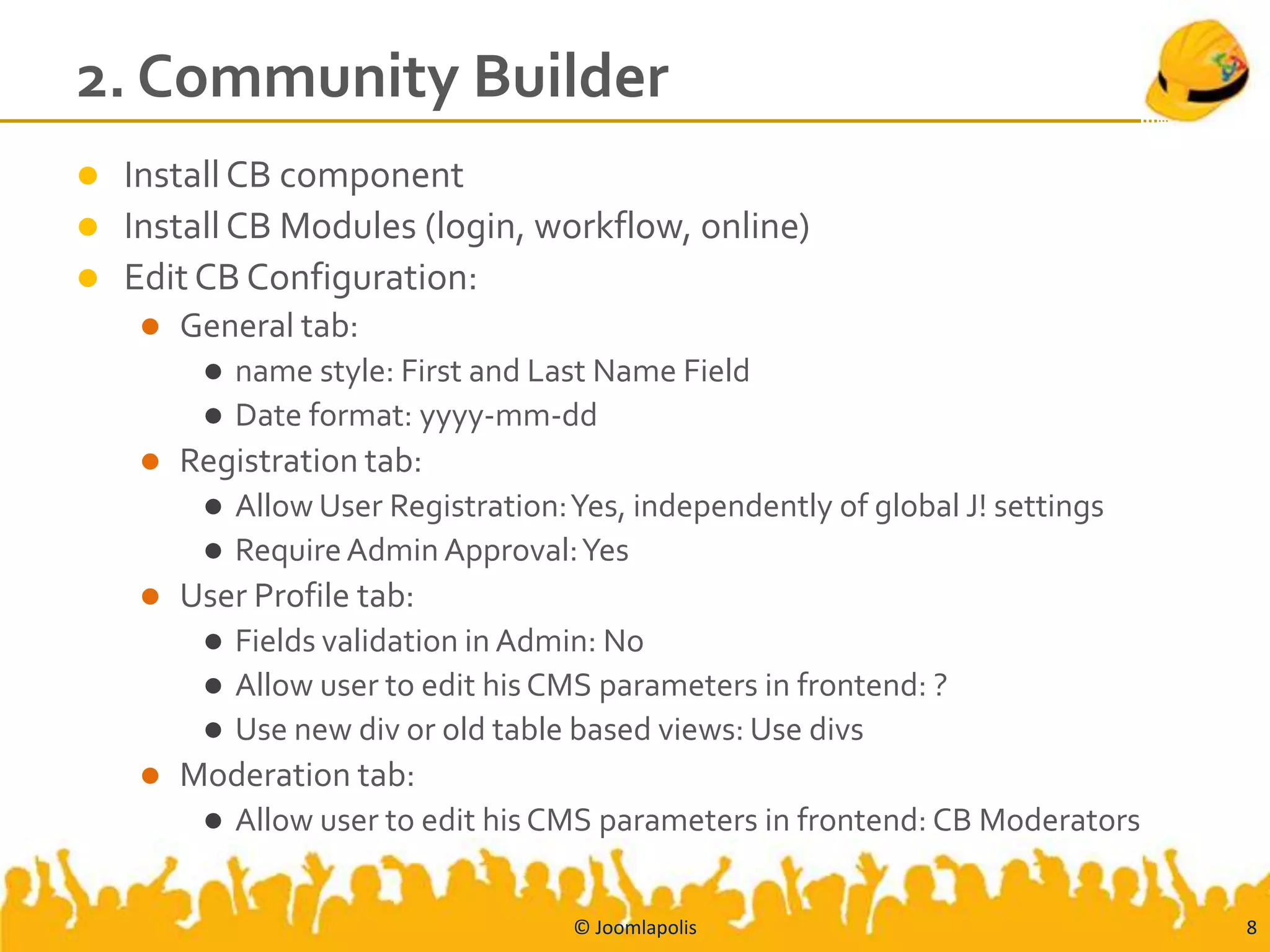
 Install CB component
 Install CB Modules (login, workflow, online)
 Edit CB Configuration:
       General tab:
          name style: First and Last Name Field
          Date format: yyyy-mm-dd
       Registration tab:
          Allow User Registration: Yes, independently of global J! settings
          Require Admin Approval: Yes
       User Profile tab:
          Fields validation in Admin: No
          Allow user to edit his CMS parameters in frontend: ?
          Use new div or old table based views: Use divs
       Moderation tab:
            Allow user to edit his CMS parameters in frontend: CB Moderators


                                    © Joomlapolis                               8
More
       2. Community Builder
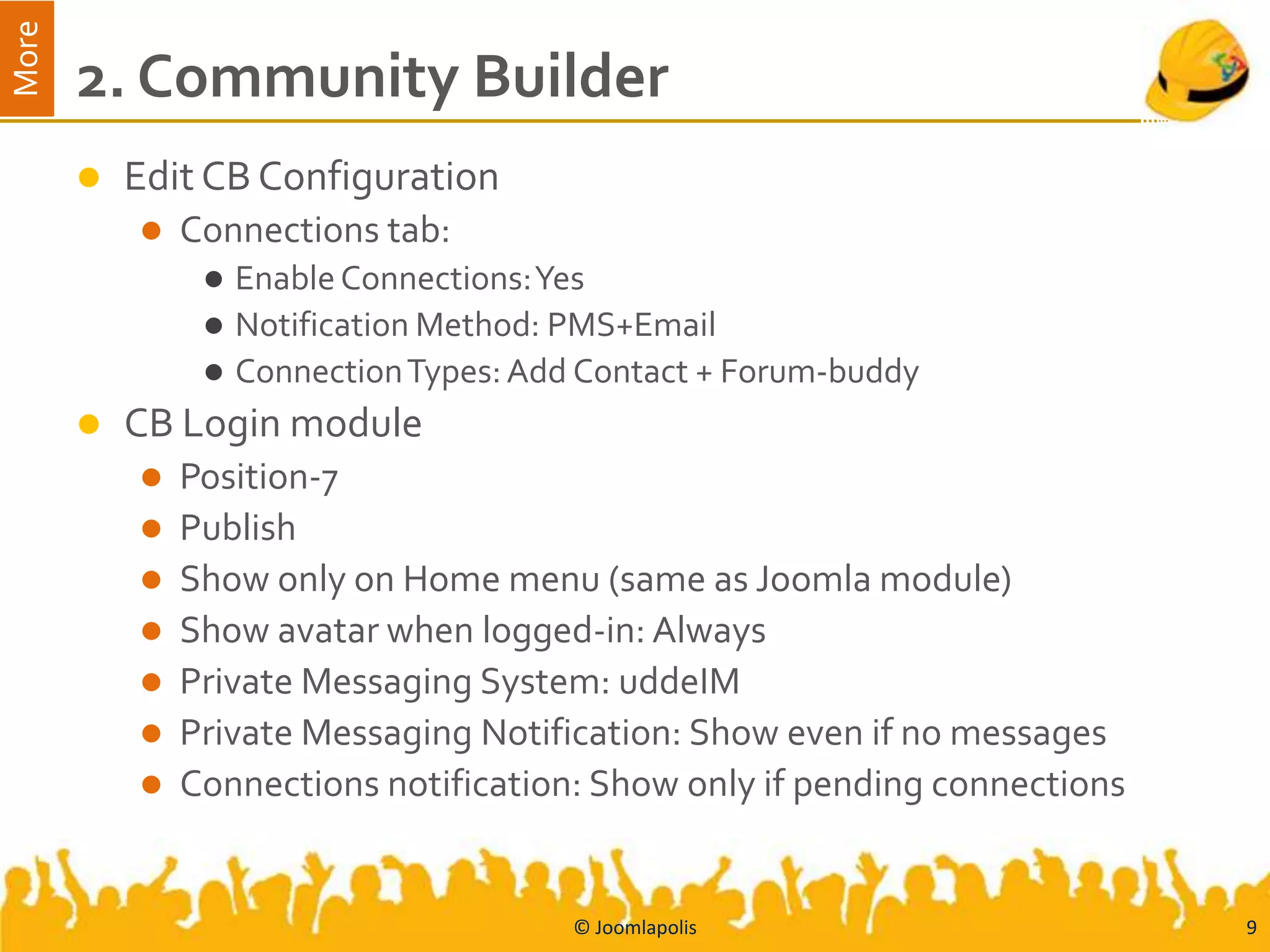
          Edit CB Configuration
              Connections tab:
                   Enable Connections: Yes
                   Notification Method: PMS+Email
                   Connection Types: Add Contact + Forum-buddy
          CB Login module
              Position-7
              Publish
              Show only on Home menu (same as Joomla module)
              Show avatar when logged-in: Always
              Private Messaging System: uddeIM
              Private Messaging Notification: Show even if no messages
              Connections notification: Show only if pending connections


                                         © Joomlapolis                      9
More
       2. Community Builder
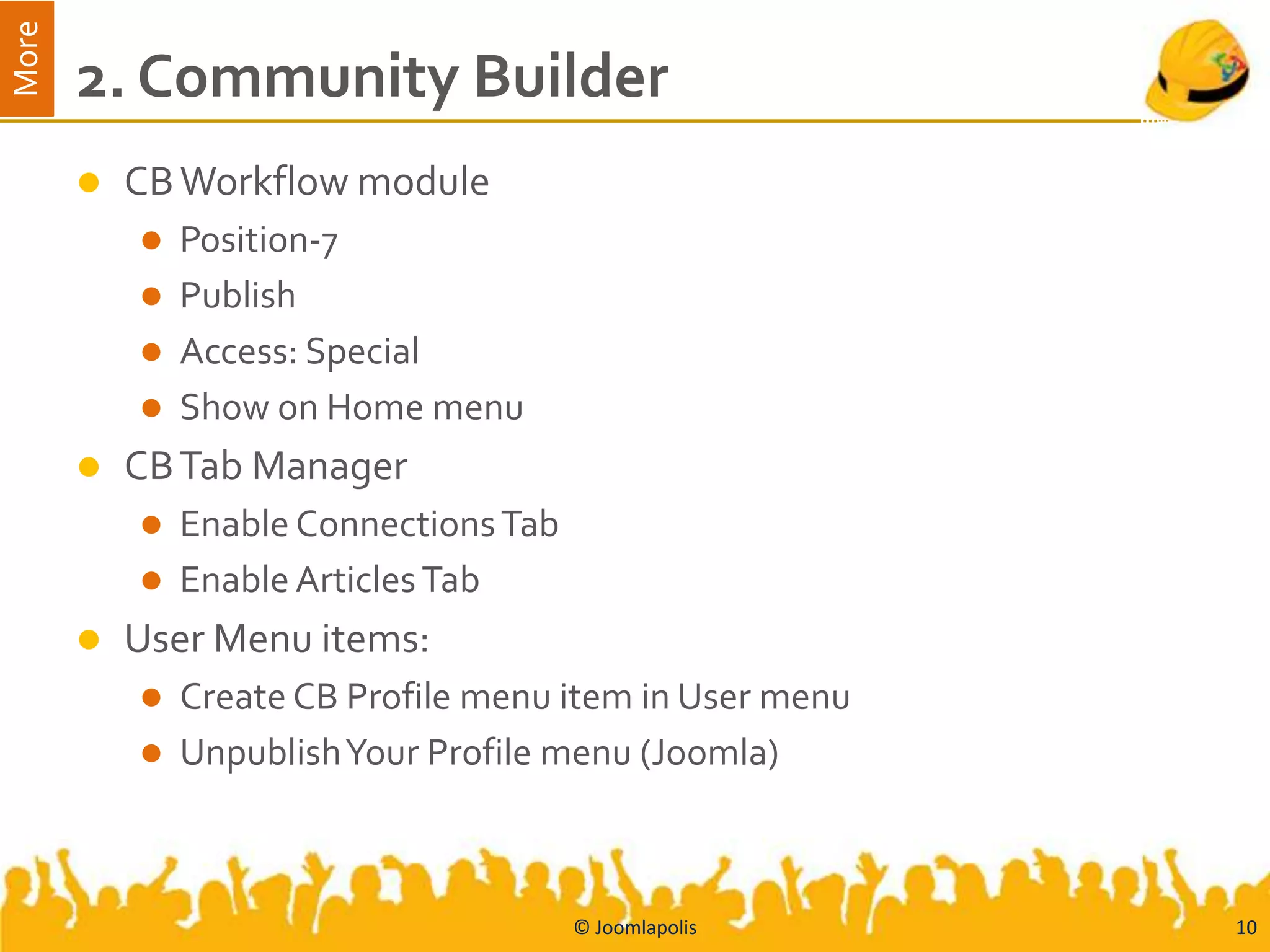
          CB Workflow module
            Position-7
            Publish
            Access: Special
            Show on Home menu
          CB Tab Manager
            Enable Connections Tab
            Enable Articles Tab
          User Menu items:
            Create CB Profile menu item in User menu
            UnpublishYour Profile menu (Joomla)


                                      © Joomlapolis     10
More
       2. Community Builder
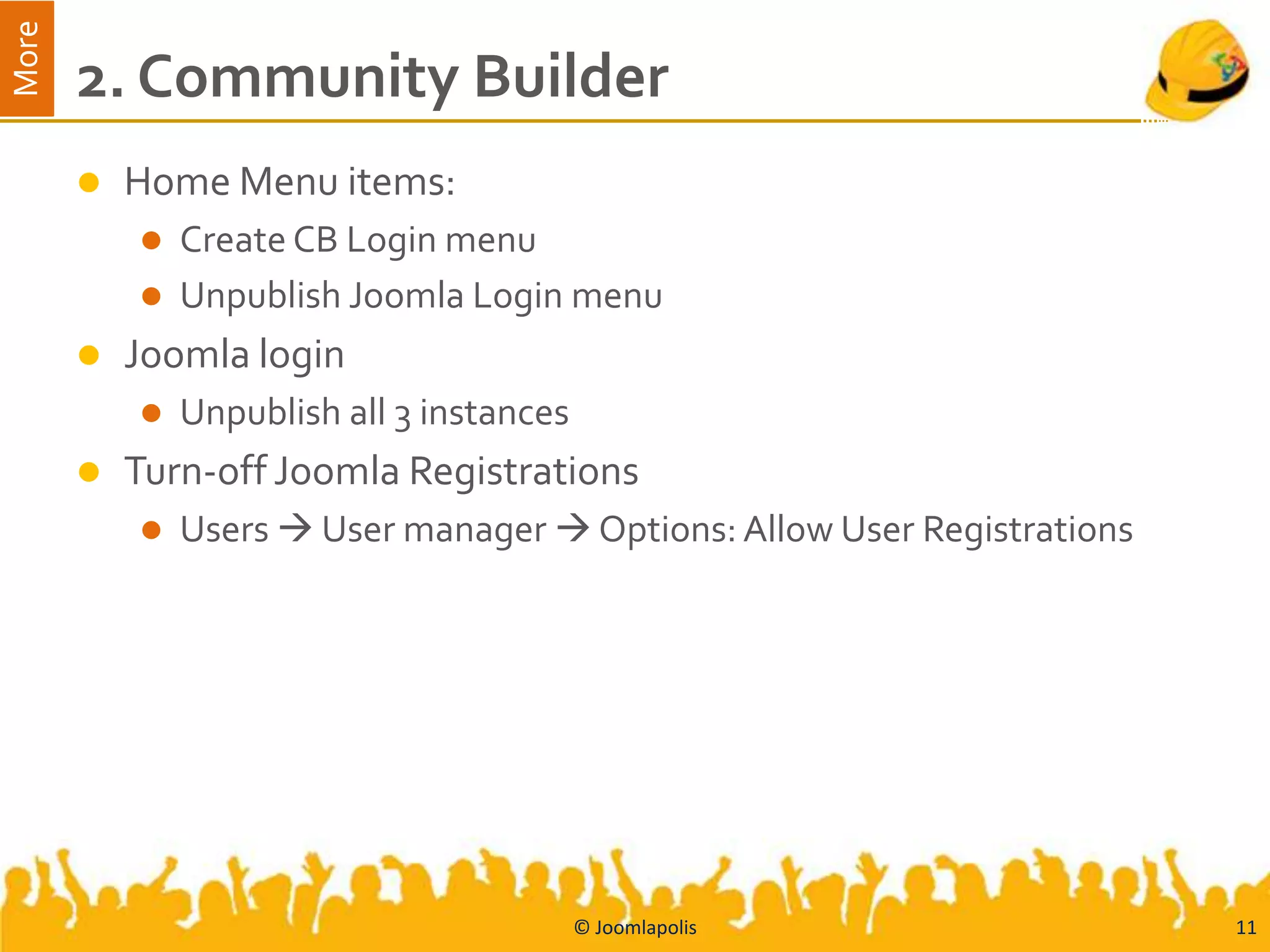
          Home Menu items:
            Create CB Login menu
            Unpublish Joomla Login menu
          Joomla login
              Unpublish all 3 instances
          Turn-off Joomla Registrations
              Users  User manager  Options: Allow User Registrations


                                           © Joomlapolis                  11
Joomla and CB
   CB registration and login processes can be used instead of
    Joomla’s
   CB Articles tab shows all articles published by user
   CB users are also Joomla users (i.e., if you remove CB in the
    future your Joomla user table will still contain the users)


                              © Joomlapolis                         12
3. uddeIM
   Install the uddeIM component
   Create User menu item to uddeIM
   Configure uddeIM:
     Messages tab: Allow BB code tags: Yes
     Integration tab  Verify that Community Builder has been
      detected


                              © Joomlapolis                      13
More
       3. uddeIM and CB
          Enable CB support for uddeIM
              CB Plugin Manager  Private Message System plugin
                   Publish
                   PMS Component Type: uddeIM 1.0+
              CB Tab Manager  Quick Message
                   Publish


                                        © Joomlapolis              14
More
       uddeIM and CB Integration
          You can send a private message to user by visiting his profile
           and selecting CB menu item
          Quick message (one-click message)
          You can see number of incoming / unread private messages in
           CB Login
          Any CB plugin can use CB Private Message plugin (example
           CB Connections, GroupJive, CBSubs mailer, etc)


                                     © Joomlapolis                          15
4. Kunena
   Install Kunena 1.7.2 component
   Kunena Integration tab:
       Set Community Builder integration items
 Create Kunena entry page menu in Joomla Top Menu
 CB Plugin Management  Forum Integration plugin:
     Publish
     Forum component: Kunena
   CB Tab Management  Forum:
       Publish


                               © Joomlapolis         16
More
       Kunena and CB Integration
          Forum Tab in CB shows all forum posts and thread
           subscriptions of profile user
          Kunena avatar area uses CB Avatar and links back to CB User
           profile
          Kunena uses CB Login, registration, forgotten login functions
          Kunena sidebar can be customized to show CB data of poster


                                    © Joomlapolis                          17
More
       Kunena sidebar – CB integration
       <ul class="kpost-profile">
         <li class="kpost-username"><a rel="nofollow" title=""
       href="index.php?option=com_comprofiler&task=userProfile&user=[user_id]&Itemid=
       47" class="kwho-admin">[cb:userfield field="formatname"/]</a></li>
         <li class="kpost-avatar"><a rel="nofollow" title=""
       href="index.php?option=com_comprofiler&task=userProfile&user=[user_id]&Itemid=
       47" class="kwho-admin"><span class="kavatar">[cb:userfield
       field="avatar"/]</span></a></li>
         <li>[cb:userfield field="onlinestatus"/]</li>
         <li class="kpost-userrank">[cb:userfield field="forumrank"/]</li>
         <li class="kpost-userposts">Posts: [cb:userfield field="forumposts"/]</li>
         <li class="kpost-karma">Karma: [cb:userfield field="forumkarma"/] [karmaminus]
       [karmaplus]</li>
         <li>[cb:if cb_osm="1"]OSM[/cb:if]</li>
         <li>[cb:if cb_jlt="1"]JLT[/cb:if]</li>
       </ul>


                                          © Joomlapolis                                   18
5. GroupJive
   Install and publish all CB GroupJive plugins
   Create GJ menu from CB Plugin area of main GJ plugin
   Move item to Top menu and Publish
   GroupJive Forum configuration (select Kunena top category)


                            © Joomlapolis                        19
GroupJive and uddeIM
   GroupJive notifications can use uddeIM (config)
   GroupJive group messaging can use uddeIM (config)


                            © Joomlapolis               20
GroupJive and Kunena
   GroupJive created Kunena forum for private / intra-group
    discussions
   GroupJive forum tab shows forum subjects with links


                             © Joomlapolis                     21
6. CBSubs
   With CBSubs you can further achieve the following
    integrations:
       Automatically add/remove subscribers to/from Joomla Groups
       Automatically add/remove subscribers to/from GJ groups
       Protect Joomla content based on subscriptions
        (component, modules, menu items, articles)
       Do not allow users to post on specific Kunena forum categories
        without a subscription (URL-Parts)
       Show/hide specific CB Fields/Tabs based on subscriptions of
        profile owner and profile viewer


                                © Joomlapolis                            22
Conclusion
   Community Builder, uddeIM, Kunena, GroupJive and CBSubs
    integrate nicely with each-other and are able to support
    many different use case scenarios
   With new Joomla UX project, user interface will even look the
    same.
   This is an example of Joomla spirit and team-work
   There are many other Joomla projects that also have nice CB
    integrations:
     K2 (authors use CB user profiles and K2 tab gets K2 articles)
     AcyMailing (nice integration with CB and CBSubs)
     We are always open


                               © Joomlapolis                          23

CB Workshop with uddeIM, Kunena, GroupJive and CBSubs

  • 1.
    CB Workshop with uddeIM,Kunena, GroupJive and CBSubs @ J and Beyond 2012
  • 2.
    Author and otherinfo …  Nick A. (nant) – CB Team member along with Beat and Kyle  Matias Griese – Kunena team  Stephan Slabihoud - uddeIM © Joomlapolis 2
  • 3.
    Extensions mentioned © Joomlapolis 3
  • 4.
    References  Slides will be shared here:  www.slideshare.net/cbteam/presentations  Community Builder  www.joomlapolis.com/community-builder  uddeIM  www.slabihoud.de/software/id4001.htm  Kunena  www.kunena.org  GroupJive  www.joomlapolis.com/cb-solutions/groupjive  CBSubs  www.joomlapolis.com/cb-solutions/cbsubs  Picture-book tutorials  www.joomlapolis.com/support/tutorials/111-picture-books © Joomlapolis 4
  • 5.
    Agenda  Introduction – goals  Step 1: Joomla (2.5.4)  Step 2: Community Builder (1.8)  Configuring CB + Joomla integration  Step 3: uddeIM (2.7)  Configuring uddeIM + CB integration  Step 4: Kunena (1.7)  Configuring Kunena + CB + uddeIM Integration  Step 5: CB GroupJive (2.5.1)  Configuring GroupJive + CB + uddeIM + Kunena Integration  Step 6: CBSubs (2.0.1) © Joomlapolis 5
  • 6.
    Introduction  Three different project teams  Collaboration – skype group chats  Clean integration – api extensions  End-users benefit © Joomlapolis 6
  • 7.
    1. Joomla  Starting with default content Joomla 2.5.4 website © Joomlapolis 7
  • 8.
    2. Community Builder Install CB component  Install CB Modules (login, workflow, online)  Edit CB Configuration:  General tab:  name style: First and Last Name Field  Date format: yyyy-mm-dd  Registration tab:  Allow User Registration: Yes, independently of global J! settings  Require Admin Approval: Yes  User Profile tab:  Fields validation in Admin: No  Allow user to edit his CMS parameters in frontend: ?  Use new div or old table based views: Use divs  Moderation tab:  Allow user to edit his CMS parameters in frontend: CB Moderators © Joomlapolis 8
  • 9.
    More 2. Community Builder  Edit CB Configuration  Connections tab:  Enable Connections: Yes  Notification Method: PMS+Email  Connection Types: Add Contact + Forum-buddy  CB Login module  Position-7  Publish  Show only on Home menu (same as Joomla module)  Show avatar when logged-in: Always  Private Messaging System: uddeIM  Private Messaging Notification: Show even if no messages  Connections notification: Show only if pending connections © Joomlapolis 9
  • 10.
    More 2. Community Builder  CB Workflow module  Position-7  Publish  Access: Special  Show on Home menu  CB Tab Manager  Enable Connections Tab  Enable Articles Tab  User Menu items:  Create CB Profile menu item in User menu  UnpublishYour Profile menu (Joomla) © Joomlapolis 10
  • 11.
    More 2. Community Builder  Home Menu items:  Create CB Login menu  Unpublish Joomla Login menu  Joomla login  Unpublish all 3 instances  Turn-off Joomla Registrations  Users  User manager  Options: Allow User Registrations © Joomlapolis 11
  • 12.
    Joomla and CB  CB registration and login processes can be used instead of Joomla’s  CB Articles tab shows all articles published by user  CB users are also Joomla users (i.e., if you remove CB in the future your Joomla user table will still contain the users) © Joomlapolis 12
  • 13.
    3. uddeIM  Install the uddeIM component  Create User menu item to uddeIM  Configure uddeIM:  Messages tab: Allow BB code tags: Yes  Integration tab  Verify that Community Builder has been detected © Joomlapolis 13
  • 14.
    More 3. uddeIM and CB  Enable CB support for uddeIM  CB Plugin Manager  Private Message System plugin  Publish  PMS Component Type: uddeIM 1.0+  CB Tab Manager  Quick Message  Publish © Joomlapolis 14
  • 15.
    More uddeIM and CB Integration  You can send a private message to user by visiting his profile and selecting CB menu item  Quick message (one-click message)  You can see number of incoming / unread private messages in CB Login  Any CB plugin can use CB Private Message plugin (example CB Connections, GroupJive, CBSubs mailer, etc) © Joomlapolis 15
  • 16.
    4. Kunena  Install Kunena 1.7.2 component  Kunena Integration tab:  Set Community Builder integration items  Create Kunena entry page menu in Joomla Top Menu  CB Plugin Management  Forum Integration plugin:  Publish  Forum component: Kunena  CB Tab Management  Forum:  Publish © Joomlapolis 16
  • 17.
    More Kunena and CB Integration  Forum Tab in CB shows all forum posts and thread subscriptions of profile user  Kunena avatar area uses CB Avatar and links back to CB User profile  Kunena uses CB Login, registration, forgotten login functions  Kunena sidebar can be customized to show CB data of poster © Joomlapolis 17
  • 18.
    More Kunena sidebar – CB integration <ul class="kpost-profile"> <li class="kpost-username"><a rel="nofollow" title="" href="index.php?option=com_comprofiler&task=userProfile&user=[user_id]&Itemid= 47" class="kwho-admin">[cb:userfield field="formatname"/]</a></li> <li class="kpost-avatar"><a rel="nofollow" title="" href="index.php?option=com_comprofiler&task=userProfile&user=[user_id]&Itemid= 47" class="kwho-admin"><span class="kavatar">[cb:userfield field="avatar"/]</span></a></li> <li>[cb:userfield field="onlinestatus"/]</li> <li class="kpost-userrank">[cb:userfield field="forumrank"/]</li> <li class="kpost-userposts">Posts: [cb:userfield field="forumposts"/]</li> <li class="kpost-karma">Karma: [cb:userfield field="forumkarma"/] [karmaminus] [karmaplus]</li> <li>[cb:if cb_osm="1"]OSM[/cb:if]</li> <li>[cb:if cb_jlt="1"]JLT[/cb:if]</li> </ul> © Joomlapolis 18
  • 19.
    5. GroupJive  Install and publish all CB GroupJive plugins  Create GJ menu from CB Plugin area of main GJ plugin  Move item to Top menu and Publish  GroupJive Forum configuration (select Kunena top category) © Joomlapolis 19
  • 20.
    GroupJive and uddeIM  GroupJive notifications can use uddeIM (config)  GroupJive group messaging can use uddeIM (config) © Joomlapolis 20
  • 21.
    GroupJive and Kunena  GroupJive created Kunena forum for private / intra-group discussions  GroupJive forum tab shows forum subjects with links © Joomlapolis 21
  • 22.
    6. CBSubs  With CBSubs you can further achieve the following integrations:  Automatically add/remove subscribers to/from Joomla Groups  Automatically add/remove subscribers to/from GJ groups  Protect Joomla content based on subscriptions (component, modules, menu items, articles)  Do not allow users to post on specific Kunena forum categories without a subscription (URL-Parts)  Show/hide specific CB Fields/Tabs based on subscriptions of profile owner and profile viewer © Joomlapolis 22
  • 23.
    Conclusion  Community Builder, uddeIM, Kunena, GroupJive and CBSubs integrate nicely with each-other and are able to support many different use case scenarios  With new Joomla UX project, user interface will even look the same.  This is an example of Joomla spirit and team-work  There are many other Joomla projects that also have nice CB integrations:  K2 (authors use CB user profiles and K2 tab gets K2 articles)  AcyMailing (nice integration with CB and CBSubs)  We are always open © Joomlapolis 23