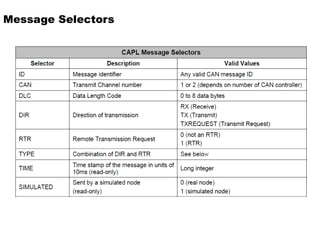
CAPL PPT which Includes Basic to Intermediate level
1.
CAPL
C - A- P- L
CAN Access Programming Language (CAPL) => Preferred,
Communication Application Programming Language (CAPL)
2.
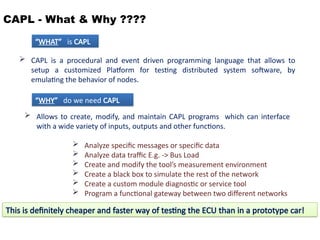
CAPL - What& Why ????
CAPL is a procedural and event driven programming language that allows to
setup a customized Platform for testing distributed system software, by
emulating the behavior of nodes.
Allows to create, modify, and maintain CAPL programs which can interface
with a wide variety of inputs, outputs and other functions.
Analyze specific messages or specific data
Analyze data traffic E.g. -> Bus Load
Create and modify the tool’s measurement environment
Create a black box to simulate the rest of the network
Create a custom module diagnostic or service tool
Program a functional gateway between two different networks
“WHAT” is CAPL
“WHY” do we need CAPL
This is definitely cheaper and faster way of testing the ECU than in a prototype car!
3.
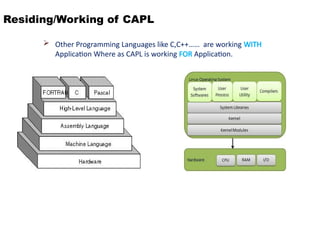
Residing/Working of CAPL
Other Programming Languages like C,C++…… are working WITH
Application Where as CAPL is working FOR Application.
4.
Use of CAPL
The CANalyzer or CANoe tool itself, without CAPL programs, is enough to execute
simple measurement and analysis.
With CAPL programs involved, measurement and analysis is greatly extended for
CAN communication. One area that the tool cannot perform without CAPL is
analysis that involves timing. CAPL can make analysis more efficient with the help
of Timers.
5.
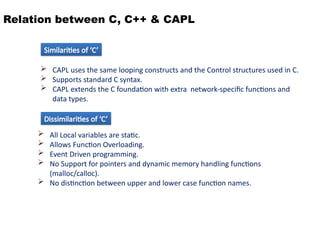
Relation between C,C++ & CAPL
CAPL uses the same looping constructs and the Control structures used in C.
Supports standard C syntax.
CAPL extends the C foundation with extra network-specific functions and
data types.
All Local variables are static.
Allows Function Overloading.
Event Driven programming.
No Support for pointers and dynamic memory handling functions
(malloc/calloc).
No distinction between upper and lower case function names.
Similarities of ‘C’
Dissimilarities of ‘C’
6.
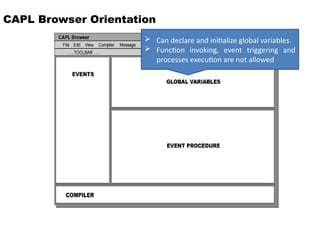
CAPL Browser Orientation
Can declare and initialize global variables.
Function invoking, event triggering and
processes execution are not allowed
7.
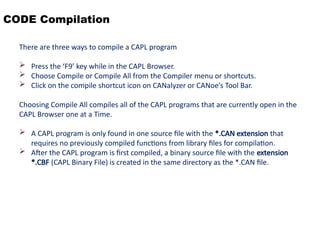
CODE Compilation
There arethree ways to compile a CAPL program
Press the ‘F9’ key while in the CAPL Browser.
Choose Compile or Compile All from the Compiler menu or shortcuts.
Click on the compile shortcut icon on CANalyzer or CANoe’s Tool Bar.
Choosing Compile All compiles all of the CAPL programs that are currently open in the
CAPL Browser one at a Time.
A CAPL program is only found in one source file with the *.CAN extension that
requires no previously compiled functions from library files for compilation.
After the CAPL program is first compiled, a binary source file with the extension
*.CBF (CAPL Binary File) is created in the same directory as the *.CAN file.
8.
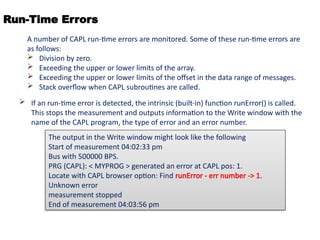
Run-Time Errors
Ifan run-time error is detected, the intrinsic (built-in) function runError() is called.
This stops the measurement and outputs information to the Write window with the
name of the CAPL program, the type of error and an error number.
A number of CAPL run-time errors are monitored. Some of these run-time errors are
as follows:
Division by zero.
Exceeding the upper or lower limits of the array.
Exceeding the upper or lower limits of the offset in the data range of messages.
Stack overflow when CAPL subroutines are called.
The output in the Write window might look like the following
Start of measurement 04:02:33 pm
Bus with 500000 BPS.
PRG (CAPL): < MYPROG > generated an error at CAPL pos: 1.
Locate with CAPL browser option: Find runError - err number -> 1.
Unknown error
measurement stopped
End of measurement 04:03:56 pm
9.
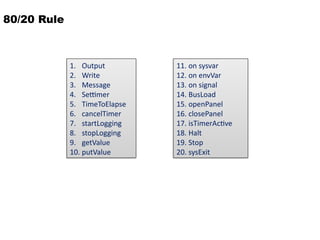
80/20 Rule
1. Output
2.Write
3. Message
4. Settimer
5. TimeToElapse
6. cancelTimer
7. startLogging
8. stopLogging
9. getValue
10. putValue
11. on sysvar
12. on envVar
13. on signal
14. BusLoad
15. openPanel
16. closePanel
17. isTimerActive
18. Halt
19. Stop
20. sysExit
10.
Write Window
Outputsa text message to the Write window. Write is based on the C function
printf..
Syntax: void write(char format[], ...);
WRITE
Examples
float f=123.456;
on key 'h'
{
write("Hello World!");
write("f = %5.3f",f);
write("format is not supported for the given variable");
write(“%d”,f);
write(“%c”,f);
}
11.
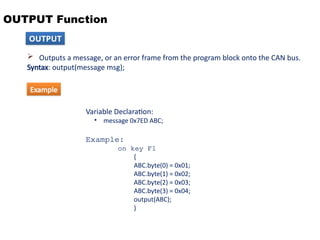
OUTPUT Function
Outputsa message, or an error frame from the program block onto the CAN bus.
Syntax: output(message msg);
OUTPUT
Variable Declaration:
• message 0x7ED ABC;
Example:
on key F1
{
ABC.byte(0) = 0x01;
ABC.byte(1) = 0x02;
ABC.byte(2) = 0x03;
ABC.byte(3) = 0x04;
output(ABC);
}
Example
12.
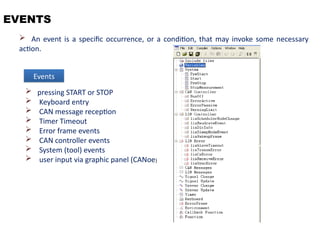
EVENTS
An eventis a specific occurrence, or a condition, that may invoke some necessary
action.
pressing START or STOP
Keyboard entry
CAN message reception
Timer Timeout
Error frame events
CAN controller events
System (tool) events
user input via graphic panel (CANoe)
Events
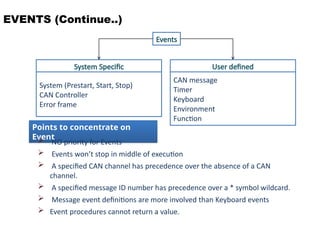
EVENTS (Continue..)
Events
System Specific
System(Prestart, Start, Stop)
CAN Controller
Error frame
User defined
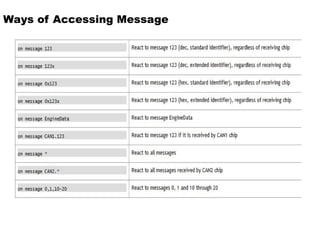
CAN message
Timer
Keyboard
Environment
Function
Points to concentrate on
Event
NO priority for Events
Events won’t stop in middle of execution
A specified CAN channel has precedence over the absence of a CAN
channel.
A specified message ID number has precedence over a * symbol wildcard.
Message event definitions are more involved than Keyboard events
Event procedures cannot return a value.
15.
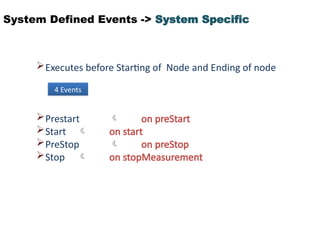
System Defined Events-> System Specific
Executes before Starting of Node and Ending of node
Prestart on preStart
Start on start
PreStop on preStop
Stop on stopMeasurement
4 Events
16.
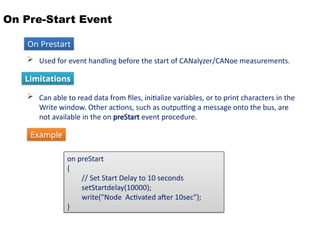
On Pre-Start Event
Used for event handling before the start of CANalyzer/CANoe measurements.
Can able to read data from files, initialize variables, or to print characters in the
Write window. Other actions, such as outputting a message onto the bus, are
not available in the on preStart event procedure.
Limitations
on preStart
{
// Set Start Delay to 10 seconds
setStartdelay(10000);
write("Node Activated after 10sec");
}
On Prestart
Example
17.
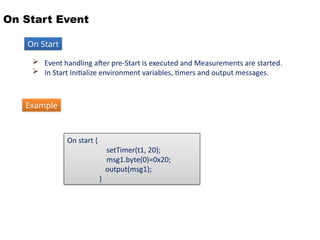
On Start Event
Event handling after pre-Start is executed and Measurements are started.
In Start Initialize environment variables, timers and output messages.
On Start
On start {
setTimer(t1, 20);
msg1.byte(0)=0x20;
output(msg1);
}
Example
18.
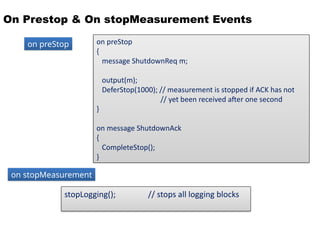
On Prestop &On stopMeasurement Events
on preStop
on stopMeasurement
on preStop
{
message ShutdownReq m;
output(m);
DeferStop(1000); // measurement is stopped if ACK has not
// yet been received after one second
}
on message ShutdownAck
{
CompleteStop();
}
stopLogging(); // stops all logging blocks
19.
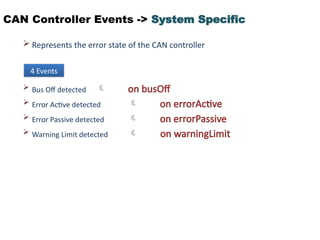
CAN Controller Events-> System Specific
Represents the error state of the CAN controller
Bus Off detected on busOff
Error Active detected on errorActive
Error Passive detected on errorPassive
Warning Limit detected on warningLimit
4 Events
20.
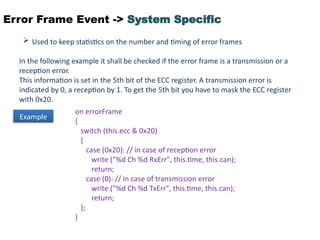
Error Frame Event-> System Specific
Used to keep statistics on the number and timing of error frames
In the following example it shall be checked if the error frame is a transmission or a
reception error.
This information is set in the 5th bit of the ECC register. A transmission error is
indicated by 0, a reception by 1. To get the 5th bit you have to mask the ECC register
with 0x20.
Example
on errorFrame
{
switch (this.ecc & 0x20)
{
case (0x20): // in case of reception error
write ("%d Ch %d RxErr", this.time, this.can);
return;
case (0): // in case of transmission error
write ("%d Ch %d TxErr", this.time, this.can);
return;
};
}
21.
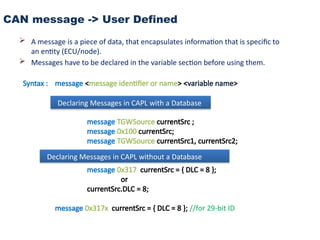
CAN message ->User Defined
A message is a piece of data, that encapsulates information that is specific to
an entity (ECU/node).
Messages have to be declared in the variable section before using them.
Syntax : message <message identifier or name> <variable name>
message TGWSource currentSrc ;
message 0x100 currentSrc;
message TGWSource currentSrc1, currentSrc2;
message 0x317 currentSrc = { DLC = 8 };
or
currentSrc.DLC = 8;
message 0x317x currentSrc = { DLC = 8 }; //for 29-bit ID
Declaring Messages in CAPL with a Database
Declaring Messages in CAPL without a Database
22.
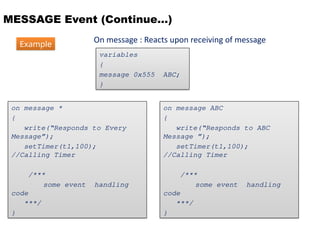
MESSAGE Event (Continue…)
Onmessage : Reacts upon receiving of message
variables
{
message 0x555 ABC;
}
on message ABC
{
write(“Responds to ABC
Message ”);
setTimer(t1,100);
//Calling Timer
/***
some event handling
code
***/
}
on message *
{
write(“Responds to Every
Message”);
setTimer(t1,100);
//Calling Timer
/***
some event handling
code
***/
}
Example
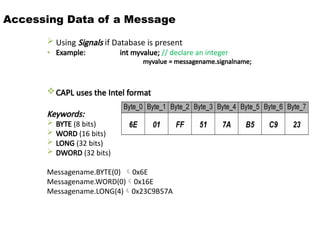
Accessing Data ofa Message
Using Signals if Database is present
• Example: int myvalue; // declare an integer
myvalue = messagename.signalname;
CAPL uses the Intel format
Keywords:
BYTE (8 bits)
WORD (16 bits)
LONG (32 bits)
DWORD (32 bits)
Messagename.BYTE(0) 0x6E
Messagename.WORD(0)0x16E
Messagename.LONG(4)0x23C9B57A
26.
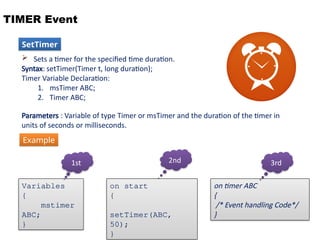
TIMER Event
on timerABC
{
/* Event handling Code*/
}
Sets a timer for the specified time duration.
Syntax: setTimer(Timer t, long duration);
Timer Variable Declaration:
1. msTimer ABC;
2. Timer ABC;
Parameters : Variable of type Timer or msTimer and the duration of the timer in
units of seconds or milliseconds.
on start
{
setTimer(ABC,
50);
}
Variables
{
mstimer
ABC;
}
1st 2nd 3rd
Example
SetTimer
27.
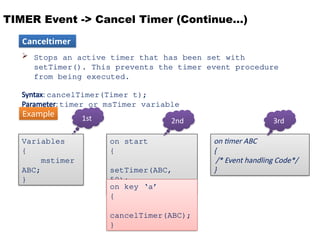
TIMER Event ->Cancel Timer (Continue…)
Stops an active timer that has been set with
setTimer(). This prevents the timer event procedure
from being executed.
Syntax: cancelTimer(Timer t);
Parameter: timer or msTimer variable
on timer ABC
{
/* Event handling Code*/
}
on start
{
setTimer(ABC,
50);
}
Variables
{
mstimer
ABC;
}
1st 2nd 3rd
on key ‘a’
{
cancelTimer(ABC);
}
Example
Canceltimer
28.
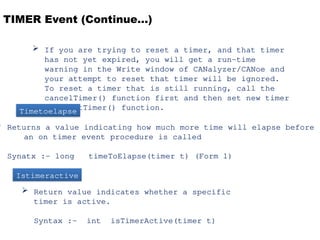
TIMER Event (Continue…)
If you are trying to reset a timer, and that timer
has not yet expired, you will get a run-time
warning in the Write window of CANalyzer/CANoe and
your attempt to reset that timer will be ignored.
To reset a timer that is still running, call the
cancelTimer() function first and then set new timer
with setTimer() function.
Returns a value indicating how much more time will elapse before
an on timer event procedure is called
Synatx :- long timeToElapse(timer t) (Form 1)
Timetoelapse
Istimeractive
Return value indicates whether a specific
timer is active.
Syntax :- int isTimerActive(timer t)
29.
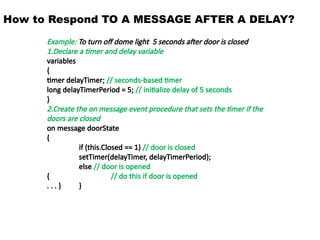
How to RespondTO A MESSAGE AFTER A DELAY?
Example: To turn off dome light 5 seconds after door is closed
1.Declare a timer and delay variable
variables
{
timer delayTimer; // seconds-based timer
long delayTimerPeriod = 5; // initialize delay of 5 seconds
}
2.Create the on message event procedure that sets the timer if the
doors are closed
on message doorState
{
if (this.Closed == 1) // door is closed
setTimer(delayTimer, delayTimerPeriod);
else // door is opened
{ // do this if door is opened
. . . } }
30.
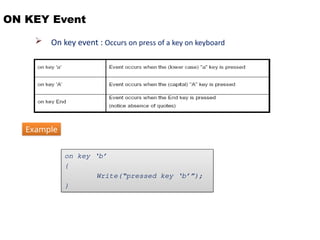
ON KEY Event
On key event : Occurs on press of a key on keyboard
on key ‘b’
{
Write(“pressed key ‘b’”);
}
Example
31.
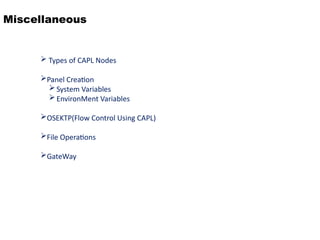
Miscellaneous
Types ofCAPL Nodes
Panel Creation
System Variables
EnvironMent Variables
OSEKTP(Flow Control Using CAPL)
File Operations
GateWay
32.
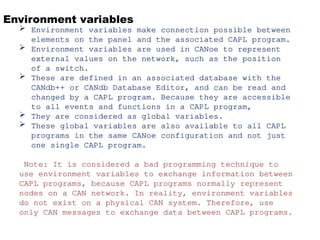
Environment variables
Environmentvariables make connection possible between
elements on the panel and the associated CAPL program.
Environment variables are used in CANoe to represent
external values on the network, such as the position
of a switch.
These are defined in an associated database with the
CANdb++ or CANdb Database Editor, and can be read and
changed by a CAPL program. Because they are accessible
to all events and functions in a CAPL program,
They are considered as global variables.
These global variables are also available to all CAPL
programs in the same CANoe configuration and not just
one single CAPL program.
Note: It is considered a bad programming technique to
use environment variables to exchange information between
CAPL programs, because CAPL programs normally represent
nodes on a CAN network. In reality, environment variables
do not exist on a physical CAN system. Therefore, use
only CAN messages to exchange data between CAPL programs.
33.
Examples
1) To Testthe Cyclic Time of Two Messages
2) To Fire any Diagnostic Message continuously for every 1sec
3) To Calculate Seed Key and Unlock Security.
![Write Window
Outputs a text message to the Write window. Write is based on the C function
printf..
Syntax: void write(char format[], ...);
WRITE
Examples
float f=123.456;
on key 'h'
{
write("Hello World!");
write("f = %5.3f",f);
write("format is not supported for the given variable");
write(“%d”,f);
write(“%c”,f);
}](https://image.slidesharecdn.com/capl-250603124144-96796c97/85/CAPL-PPT-which-Includes-Basic-to-Intermediate-level-10-320.jpg)