Downloaded 32 times
![Canon S900, S820, S750, S520
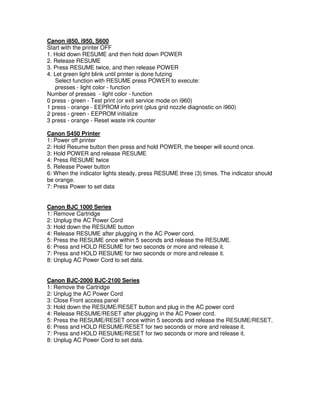
1. Turn off the printer.
2. Press and hold the RESUME button, then press and hold the POWER button.
3. While still holding the POWER button, Release the RESUME button, then press
and release the RESUME button two more times in succession.
4. The printer mechanics will move momentarily. You are now in Service mode.
Release the Power Button.
5. Pressing the RESUME key will select a function; for example, pressing RESUME
4 times will select the clear waste ink counter function. The lamp will alternate
color with each key press.
1. Service/factory test printout, including ink sensor check
2. EEPROM info printout
3. EEPROM initialization
4. Clear the waste-ink counter
5. Printer model setting. (more selections beyond this- leave this alone)
6. After selecting mode, press the POWER button to commit the change, and return
to the top of the function selection menu. Pressing the POWER button again
turns off the printer for a restart.
Canon S9000
1. Turn off printer
2. Hold down Resume button and press Power button.
3. Keep holding down Power button and let Resume button go.
4. Press Resume button 2 times then let BOTH buttons go.
5. Green lights will flash and then stop blinking.
6. When green lights are solid, press the Resume button 4 times.
7. Press the Power button and the printer should turn off, if not, press the Power
button once more.
8. Your printer should respond as normal.
Canon MPC190
Reset Waste Ink
1) Enter SERVICE MODE.
By pressing Menu Copy Scan Copy
2) Select TEST MODE.
3) Select [8] PRINTER TEST in TEST MODE.
4) Select 3. [EEPROM CLEAR].
5) Select 0. [INK COUNT].
6) Press the [Set] key.
7) Press the [Stop/Reset] key (returning to the state of 3)), and then press the [ON/OFF]
key.](https://image.slidesharecdn.com/canonprinterresetinstructions-101128133612-phpapp01/85/Canon-printer-reset-instructions-7-320.jpg)

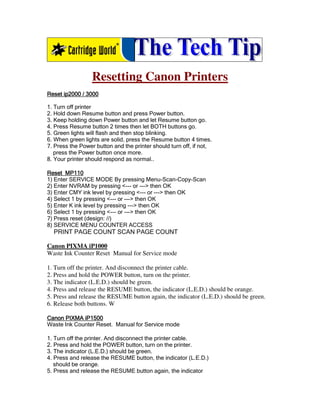
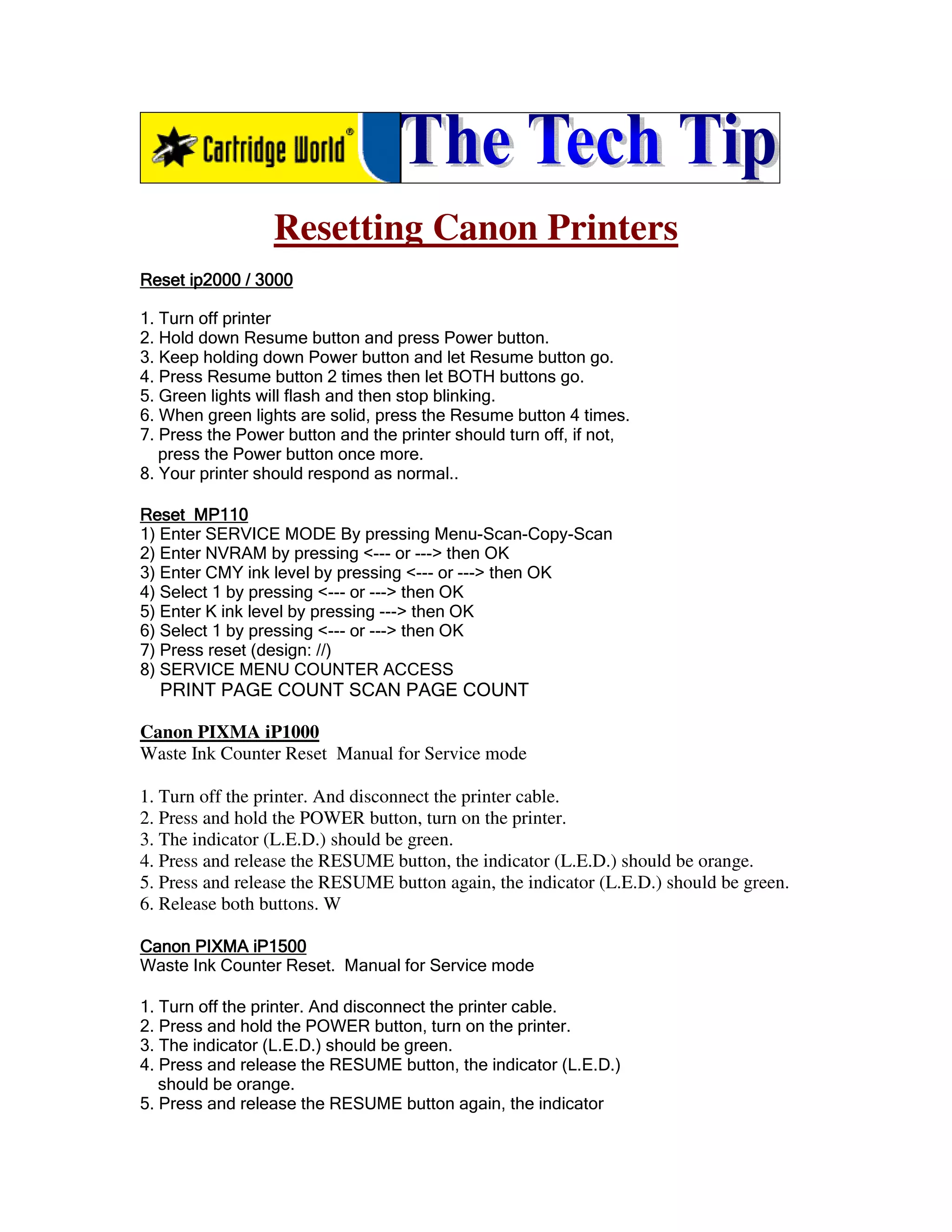
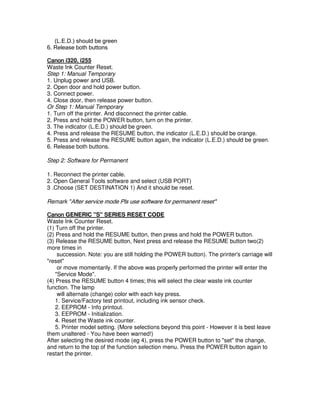
This document provides instructions for resetting the waste ink counter on various Canon printer models. The instructions involve putting the printers into a service mode by pressing specific button combinations, then selecting an option to reset the waste ink counter. Resetting clears the counter to allow for refilling ink tanks without triggering an error. The steps vary slightly between printer models but generally involve turning off the printer, pressing and holding specific buttons, then selecting a reset option using button presses.


![Common+cartridge+faults+july+2010[1]](https://cdn.slidesharecdn.com/ss_thumbnails/commoncartridgefaultsjuly20101-101128133723-phpapp02-thumbnail.jpg?width=640&height=640&fit=bounds)


