Download to read offline
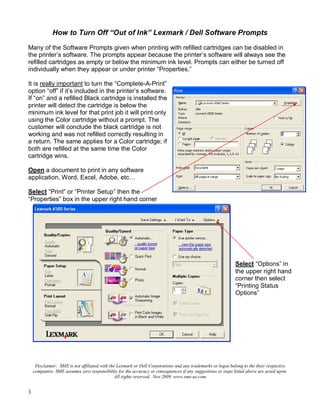
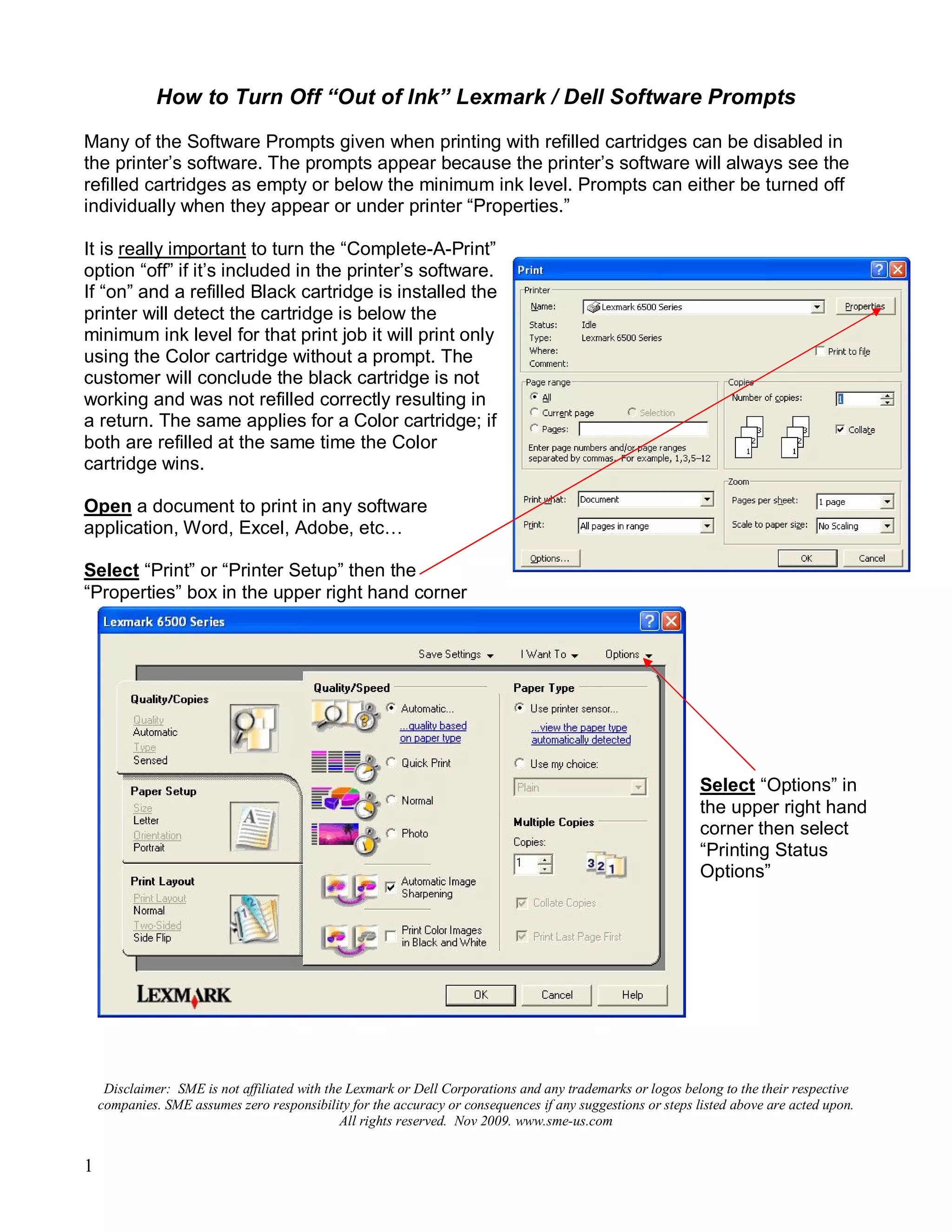
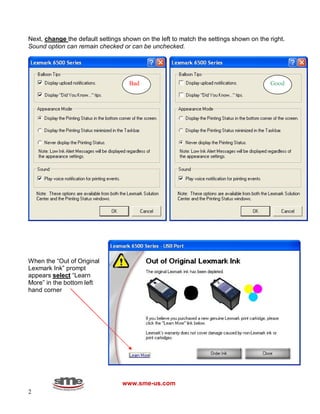
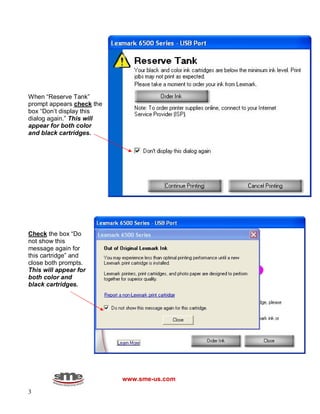
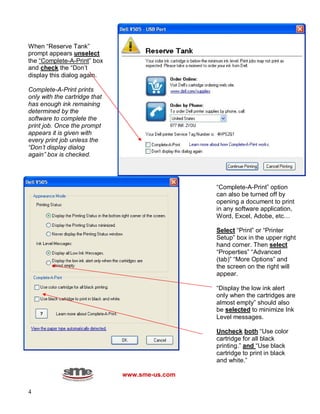

The document provides instructions for disabling "Out of Ink" prompts that appear when printing with refilled ink cartridges. It describes turning off the "Complete-A-Print" option in the printer software to prevent printing only with one cartridge when low ink is detected. It also explains accessing the printer properties to select options to not display low ink alerts and messages, which will reduce prompts that occur with refilled cartridges. The instructions include opening print jobs and documents, accessing properties, and making selections to disable specific prompts and messages for refilled black and color cartridges.


![Common+cartridge+faults+july+2010[1]](https://cdn.slidesharecdn.com/ss_thumbnails/commoncartridgefaultsjuly20101-101128133723-phpapp02-thumbnail.jpg?width=640&height=640&fit=bounds)


