Download to read offline
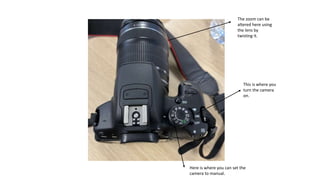
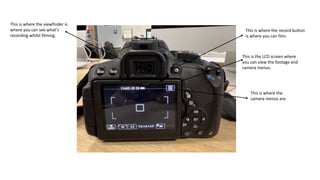
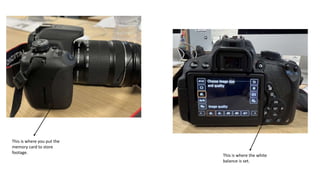
This document provides instructions for using a camera, explaining where to find the on/off button, how to switch to manual mode, adjust the zoom, view the viewfinder, use the LCD screen to view footage and menus, start recording, access camera menus, insert a memory card, and set the white balance.


![[PDF] Photographer's Guide to the Panasonic ZS100/TZ100](https://cdn.slidesharecdn.com/ss_thumbnails/txtphotographersguidetothepanasoniczs100tz100-190327064340-thumbnail.jpg?width=640&height=640&fit=bounds)


