MADE BY-: ANSHUL  MAHALE XI  A(SCIENCE)
Variables and assignment statement  Input and Output  Data Types and Expressions  Simple Flow of Control  Program Style
Variables are like small blackboards We can  write a number on them We can change the number We can erase the number C++ variables are names for memory locations We can  write a value in them We can change the value stored there We cannot erase the memory location Some value is always there
Variables names are called identifiers Choosing variable names Use meaningful names that represent data to  be stored First character must be  a letter the underscore character Remaining characters must be letters numbers underscore character
Keywords (also called reserved words) Are used by the C++ language  Must be used as they are defined in  the programming language Cannot be used as identifiers
Before use, variables must be  declared Tells the compiler the type of data to store Examples:  int  number_of_bars;   double one_weight,  total_weight; int  is an abbreviation for integer. could store 3, 102, 3211, -456, etc.  number_of_bars  is of  type  integer  double  represents numbers with a fractional  component could store 1.34, 4.0, -345.6, etc.  one_weight and total_weight are both of  type  double
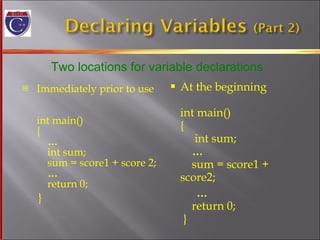
Immediately prior to use  int main() {   …     int sum;   sum = score1 + score 2;   …   return 0; } At the beginning  int main() {   int sum;   …     sum = score1 + score2; …   return 0;  } Two locations for variable declarations
An assignment statement changes the value of a variable total_weight = one_weight + number_of_bars;  total_weight  is set to the sum one_weight + number_of_bars  Assignment statements end with a semi-colon The single variable to be changed is always on the left of the assignment operator ‘=‘  On the right of the assignment operator can be Constants --  age = 21; Variables --  my_cost = your_cost; Expressions --  circumference = diameter * 3.14159;
The ‘=‘ operator in C++ is not an equal sign The following statement cannot be true in algebra number_of_bars =  number_of_bars  +  3; In C++ it means the  new  value of number_of_bars  is the  previous  value of number_of_bars plus 3
Declaring a variable does not give it a value Giving a variable its first value is  initializing  the variable Variables are initialized  in assignment statements double mpg;  // declare the variable   mpg = 26.3;  // initialize the variable Declaration and initialization can be combined using two methods Method 1 double mpg = 26.3, area = 0.0 , volume; Method 2   double mpg(26.3),  area(0.0), volume;
Can you Declare and initialize two integers variables to zero?  The variables are named feet and inches. Declare and initialize two variables, one int  and one double? Both should be initialized to the appropriate form of 5. Give good variable names for identifiers to store the speed of an automobile? an hourly pay rate? the highest score on an exam?
A  data stream  is a sequence of data Typically in the form of characters or numbers An input stream is data for the program to use Typically originates at the keyboard at a file An output stream is the program’s output Destination is typically  the monitor a file
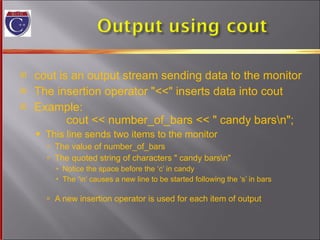
cout is an output stream sending data to the monitor The insertion operator &quot;<<&quot; inserts data into cout Example:   cout << number_of_bars << &quot; candy bars\n&quot;; This line sends two items to the monitor The value of number_of_bars The quoted string of characters &quot; candy bars\n&quot; Notice the space before the ‘c’ in candy The ‘\n’ causes a new line to be started following the ‘s’ in bars A new insertion operator is used for each item of output
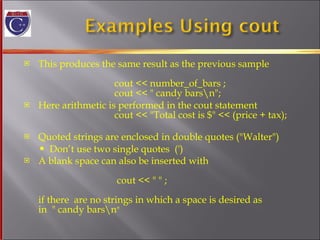
This produces the same result as the previous sample    cout << number_of_bars ;   cout << &quot; candy bars\n&quot;; Here arithmetic is performed in the cout statement   cout << &quot;Total cost is $&quot; << (price + tax); Quoted strings are enclosed in double quotes (&quot;Walter&quot;) Don’t use two single quotes  (') A blank space can also be inserted with      cout << &quot; &quot; ; if there  are no strings in which a space is desired as  in  &quot; candy bars\n &quot;
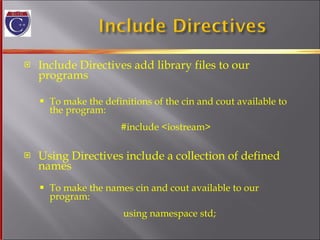
Include Directives add library files to our programs To make the definitions of the cin and cout available to  the program:     #include <iostream>     Using Directives include a collection of defined names To make the names cin and cout available to our program:   using namespace std;
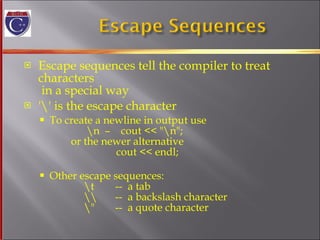
Escape sequences tell the compiler to treat characters  in a special way '\' is the escape character To create a newline in output use    \n  –  cout << &quot;\n&quot;;   or the newer alternative   cout << endl; Other escape sequences:   \t  --  a tab   \\  --  a backslash character   \&quot;  --  a quote character
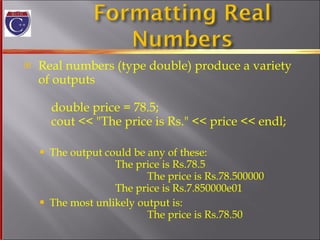
Real numbers (type double) produce a variety of outputs double price = 78.5; cout << &quot;The price is Rs.&quot; << price << endl;  The output could be any of these:   The price is Rs.78.5   The price is Rs.78.500000 The price is Rs.7.850000e01 The most unlikely output is:   The price is Rs.78.50
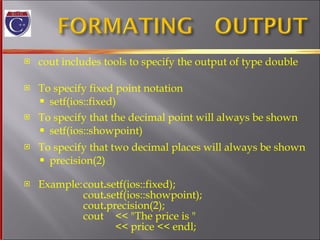
cout includes tools to specify the output of type double To specify fixed point notation setf(ios::fixed)  To specify that the decimal point will always be shown  setf(ios::showpoint) To specify that two decimal places will always be shown  precision(2) Example: cout . setf(ios::fixed); cout . setf(ios::showpoint); cout . precision(2); cout  << &quot;The price is &quot;  << price << endl;
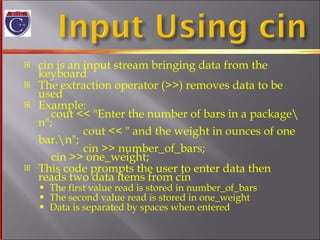
cin is an input stream bringing data from the keyboard The extraction operator (>>) removes data to be used Example: cout << &quot;Enter the number of bars in a package\n&quot;;   cout << &quot; and the weight in ounces of one bar.\n&quot;;   cin >> number_of_bars;   cin >> one_weight; This code prompts the user to enter data then reads two data items from cin The first value read is stored in number_of_bars The second value read is stored in one_weight Data is separated by spaces when entered
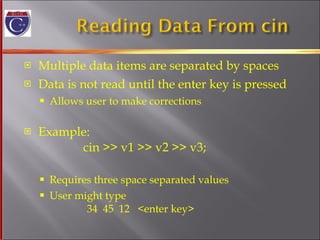
Multiple data items are separated by spaces Data is not read until the enter key is pressed Allows user to make corrections Example:  cin >> v1 >> v2 >> v3; Requires three space separated values  User might type    34  45  12  <enter key>
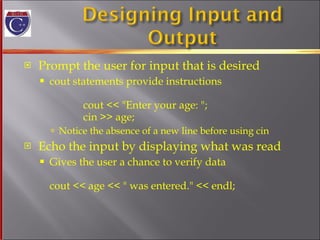
Prompt the user for input that is desired cout statements provide instructions    cout << &quot;Enter your age: &quot;; cin >> age; Notice the absence of a new line before using cin Echo the input by displaying what was read Gives the user a chance to verify data cout << age << &quot; was entered.&quot; << endl;
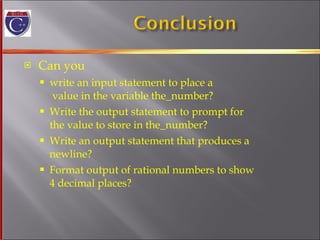
Can you write an input statement to place a  value in the variable the_number? Write the output statement to prompt for the value to store in the_number? Write an output statement that produces a  newline? Format output of rational numbers to show 4 decimal places?
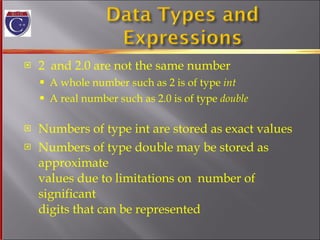
2  and 2.0 are not the same number A whole number such as 2 is of type  int A real number such as 2.0 is of type  double Numbers of type int are stored as exact values Numbers of type double may be stored as approximate values due to limitations on  number of significant  digits that can be represented
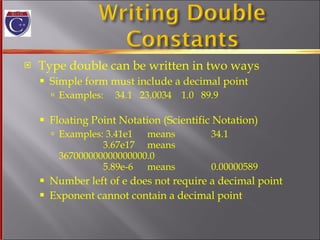
Type double can be written in two ways Simple form must include a decimal point Examples:  34.1  23.0034  1.0  89.9 Floating Point Notation (Scientific Notation) Examples: 3.41e1  means  34.1   3.67e17  means  367000000000000000.0   5.89e-6 means 0.00000589 Number left of e does not require a decimal point Exponent cannot contain a decimal point
Various number types have different memory requirements More precision requires more bytes of memory Very large numbers require more bytes of memory Very small numbers require more bytes of memory
long  or long int  (often 4 bytes) Equivalent forms to declare very large integers long  big_total; long int big_total; short or short int  (often 2 bytes) Equivalent forms to declare smaller integers   short small_total;   short int small_total;
long double  (often 10 bytes)  Declares floating point numbers with up to  19 significant digits long double big_number; float  (often 4 bytes) Declares floating point numbers with up to  7 significant digits   float not_so_big_number;
Computers process character data too char Short for character Can be any single character from the keyboard To declare a variable of type char:   char letter;
Character constants are enclosed in single quotes   char letter = 'a'; Strings of characters, even if only one character is enclosed in double quotes &quot;a&quot; is a string of characters containing one character 'a' is a value of type character
cin skips blanks and line breaks looking for data The following reads two characters but skips any space that might be between  char symbol1, symbol2;   cin  >>  symbol1  >>  symbol2; User normally separate data items by spaces   J  D Results are the same if the data is not separated  by spaces   JD
In general store values in variables of the  same type This is a type mismatch:    int int_variable;    int_variable = 2.99; If your compiler allows this, int_variable will most likely contain the value 2, not 2.99
Variables of type double should not be assigned to variables of type int    int int_variable;    double double_variable;    double_variable = 2.00;     int_variable = double_variable; If allowed, int_variable contains 2, not 2.00
Integer values can normally be stored in  variables of type double   double double_variable;   double_variable = 2; double_variable will contain 2.0
The following actions are possible but generally not  recommended! It is possible to store char values in integer variables   int value = 'A'; value will contain an integer representing 'A' It is possible to store int values in char variables   char letter = 65;
Arithmetic is performed with operators +  for addition -  for subtraction *  for multiplication /  for division Example:  storing a product in the variable   total_weight  total_weight  =  one_weight * number_of_bars;
Arithmetic operators can be used with any  numeric type An operand is a number or variable  used by the operator Result of an operator depends on the types  of operands If both operands are int, the result is int If  one or both  operands are double, the result is double
Division with at least one operator of type double produces the expected results.   double divisor, dividend, quotient;   divisor = 3;     dividend = 5;   quotient = dividend / divisor; quotient = 1.6666…  Result is the same if either dividend or divisor is  of type int
Be careful with the division operator! int / int produces an integer result   (true for variables or numeric constants)   int dividend, divisor, quotient;   dividend = 5;   divisor = 3;   quotient = dividend / divisor;   The value of quotient is 1, not 1.666… Integer division does not round the result, the  fractional part is discarded!
%  operator gives the remainder from integer   division int dividend, divisor, remainder;   dividend = 5;   divisor = 3;     remainder = dividend % divisor;   The value of remainder is 2
Use spacing to make expressions readable Which is easier to read?   x+y*z  or  x + y * z  Precedence rules for operators are the same as  used in your algebra classes Use parentheses to alter the order of operations   x + y * z  ( y is multiplied by z first)  (x + y) * z  ( x and y are added first)
Some expressions occur so often that C++  contains to shorthand operators for them All arithmetic operators can be used this way +=  count = count + 2;  becomes   count += 2; *=  bonus = bonus * 2;  becomes   bonus *= 2; /=  time = time / rush_factor;  becomes   time /= rush_factor; %=  remainder = remainder % (cnt1+ cnt2); becomes   remainder %= (cnt1 + cnt2);
if ( boolean expression )   true statement else   false statement When the boolean expression is true Only the true statement is executed When the boolean expression is false Only the false statement is executed
if ( boolean expression )   {   true statements   } else   { false statements   } When the boolean expression is true Only the true statements enclosed in  { }  are executed When the boolean expression is false Only the false statements enclosed in  { }  are executed
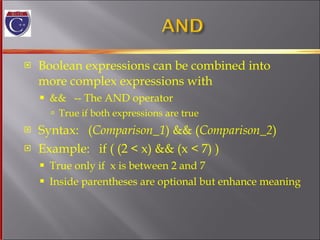
Boolean expressions can be combined into more complex expressions with &&  -- The AND operator True if both expressions are true Syntax:  ( Comparison_1 ) && ( Comparison_2 ) Example:  if ( (2 < x) && (x < 7) ) True only if  x is between 2 and 7 Inside parentheses are optional but enhance meaning
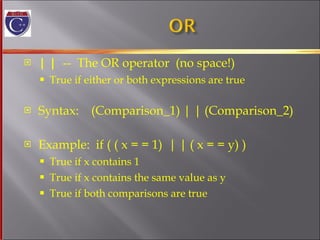
| |   --  The OR operator  (no space!) True if either or both expressions are true Syntax:  (Comparison_1) | | (Comparison_2) Example:  if ( ( x = = 1)  | | ( x = = y) ) True if x contains 1 True if x contains the same value as y True if both comparisons are true
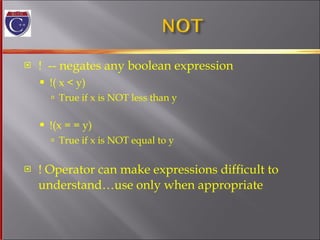
!  -- negates any boolean expression !( x < y) True if x is NOT less than y !(x = = y) True if x is NOT equal to y ! Operator can make expressions difficult to  understand…use only when appropriate
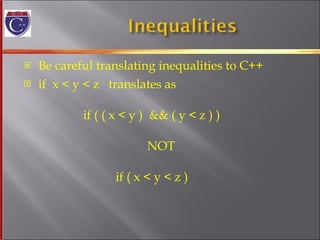
Be careful translating inequalities to C++ if  x < y < z  translates as   if ( ( x < y )  && ( y < z ) )   NOT   if ( x < y < z )
' = ' is the assignment operator Used to  assign values  to variables Example:  x = 3; '= = ' is the equality operator Used to  compare values Example:  if ( x == 3) The compiler will accept this error:     if (x = 3) but stores 3 in x instead of comparing x and 3 Since the result is 3 (non-zero), the expression is true
A compound statement is more  than one  statement enclosed in  { }  Branches of if-else statements often need to  execute more that one statement Example:  if ( boolean expression )   {   true statements   }   else   { false statements   }
When an action must be repeated, a loop is used C++ includes several ways to create loops We start with the  while- loop Example:  while (count_down > 0)   {   cout << &quot;Hello &quot;;   count_down  -= 1;   }  Output:  Hello Hello Hello  when count_down starts at 3
First, the boolean expression is evaluated If false, the program skips to the line following the  while loop If true, the body of the loop is executed During execution, some item from the boolean expression is changed After executing the loop body, the boolean  expression is checked again repeating the process until the expression becomes false A while loop might not execute at all if the  boolean expression is false on the first check
while ( boolean expression is true)   {   statements to repeat     } Semi-colons are used only to end the statements within the loop While ( boolean expression is true )   statement to repeat
A variation of the while loop. A do-while loop is always executed at least once The body of the loop is first executed The boolean expression is checked after the body has been executed Syntax:  do   {   statements to repeat   }  while (boolean_expression);
Unary operators require only one operand +  in front of a number such as  +5 -  in front of a number such as -5 ++  increment operator Adds 1 to the value of a variable   x ++;  is equivalent to  x = x + 1; --  decrement operator Subtracts 1 from the value of a variable   x --; is equivalent to  x = x – 1;
Bank charge card balance of $50 2% per month interest How many months without payments before your balance exceeds $100 After 1 month:  $50 + 2% of $50 = $51 After 2 months:  $51 + 2% of $51 = $52.02 After 3 months:  $52.02 + 2% of $52.02  …
Loops that never stop are infinite loops The loop body should contain a line that will eventually cause the boolean expression to  become false Example:  Print the odd numbers less than 12   x = 1;   while (x != 12)   {    cout << x << endl;   x = x + 2;   } Better to use  this comparison:  while ( x < 12)
A program written with attention to style is easier to read easier to correct easier to change
Items  considered a group should look like a group Skip lines between logical groups of statements Indent statements within statements    if (x = = 0)   statement;  Braces {} create groups Indent within braces to make the group clear Braces placed on separate lines are easier to locate
//  is the symbol for a single line comment Comments are explanatory notes for the programmer All text on the line following // is ignored by the  compiler Example:  //calculate regular wages   gross_pay = rate * hours; /*  and  */ enclose multiple line comments Example:  /*  This is a comment that spans   multiple lines without a    comment symbol on the middle line   */
Number constants have no mnemonic value Number constants used throughout a program are difficult to find and change when needed Constants  Allow us to name number constants so they have  meaning Allow us to change all occurrences simply by  changing the value of the constant
const is the keyword to declare a constant Example:   const int WINDOW_COUNT = 10; declares a constant named WINDOW_COUNT Its value cannot be changed by the program like a  variable It is common to name constants with all capitals
 

C++ programming

  • 1.
    MADE BY-: ANSHUL MAHALE XI A(SCIENCE)
  • 2.
    Variables and assignmentstatement Input and Output Data Types and Expressions Simple Flow of Control Program Style
  • 3.
    Variables are likesmall blackboards We can write a number on them We can change the number We can erase the number C++ variables are names for memory locations We can write a value in them We can change the value stored there We cannot erase the memory location Some value is always there
  • 4.
    Variables names arecalled identifiers Choosing variable names Use meaningful names that represent data to be stored First character must be a letter the underscore character Remaining characters must be letters numbers underscore character
  • 5.
    Keywords (also calledreserved words) Are used by the C++ language Must be used as they are defined in the programming language Cannot be used as identifiers
  • 6.
    Before use, variablesmust be declared Tells the compiler the type of data to store Examples: int number_of_bars; double one_weight, total_weight; int is an abbreviation for integer. could store 3, 102, 3211, -456, etc. number_of_bars is of type integer double represents numbers with a fractional component could store 1.34, 4.0, -345.6, etc. one_weight and total_weight are both of type double
  • 7.
    Immediately prior touse int main() { … int sum; sum = score1 + score 2; … return 0; } At the beginning int main() { int sum; … sum = score1 + score2; … return 0; } Two locations for variable declarations
  • 8.
    An assignment statementchanges the value of a variable total_weight = one_weight + number_of_bars; total_weight is set to the sum one_weight + number_of_bars Assignment statements end with a semi-colon The single variable to be changed is always on the left of the assignment operator ‘=‘ On the right of the assignment operator can be Constants -- age = 21; Variables -- my_cost = your_cost; Expressions -- circumference = diameter * 3.14159;
  • 9.
    The ‘=‘ operatorin C++ is not an equal sign The following statement cannot be true in algebra number_of_bars = number_of_bars + 3; In C++ it means the new value of number_of_bars is the previous value of number_of_bars plus 3
  • 10.
    Declaring a variabledoes not give it a value Giving a variable its first value is initializing the variable Variables are initialized in assignment statements double mpg; // declare the variable mpg = 26.3; // initialize the variable Declaration and initialization can be combined using two methods Method 1 double mpg = 26.3, area = 0.0 , volume; Method 2 double mpg(26.3), area(0.0), volume;
  • 11.
    Can you Declareand initialize two integers variables to zero? The variables are named feet and inches. Declare and initialize two variables, one int and one double? Both should be initialized to the appropriate form of 5. Give good variable names for identifiers to store the speed of an automobile? an hourly pay rate? the highest score on an exam?
  • 12.
    A datastream is a sequence of data Typically in the form of characters or numbers An input stream is data for the program to use Typically originates at the keyboard at a file An output stream is the program’s output Destination is typically the monitor a file
  • 13.
    cout is anoutput stream sending data to the monitor The insertion operator &quot;<<&quot; inserts data into cout Example: cout << number_of_bars << &quot; candy bars\n&quot;; This line sends two items to the monitor The value of number_of_bars The quoted string of characters &quot; candy bars\n&quot; Notice the space before the ‘c’ in candy The ‘\n’ causes a new line to be started following the ‘s’ in bars A new insertion operator is used for each item of output
  • 14.
    This produces thesame result as the previous sample cout << number_of_bars ; cout << &quot; candy bars\n&quot;; Here arithmetic is performed in the cout statement cout << &quot;Total cost is $&quot; << (price + tax); Quoted strings are enclosed in double quotes (&quot;Walter&quot;) Don’t use two single quotes (') A blank space can also be inserted with cout << &quot; &quot; ; if there are no strings in which a space is desired as in &quot; candy bars\n &quot;
  • 15.
    Include Directives addlibrary files to our programs To make the definitions of the cin and cout available to the program: #include <iostream> Using Directives include a collection of defined names To make the names cin and cout available to our program: using namespace std;
  • 16.
    Escape sequences tellthe compiler to treat characters in a special way '\' is the escape character To create a newline in output use \n – cout << &quot;\n&quot;; or the newer alternative cout << endl; Other escape sequences: \t -- a tab \\ -- a backslash character \&quot; -- a quote character
  • 17.
    Real numbers (typedouble) produce a variety of outputs double price = 78.5; cout << &quot;The price is Rs.&quot; << price << endl; The output could be any of these: The price is Rs.78.5 The price is Rs.78.500000 The price is Rs.7.850000e01 The most unlikely output is: The price is Rs.78.50
  • 18.
    cout includes toolsto specify the output of type double To specify fixed point notation setf(ios::fixed) To specify that the decimal point will always be shown setf(ios::showpoint) To specify that two decimal places will always be shown precision(2) Example: cout . setf(ios::fixed); cout . setf(ios::showpoint); cout . precision(2); cout << &quot;The price is &quot; << price << endl;
  • 19.
    cin is aninput stream bringing data from the keyboard The extraction operator (>>) removes data to be used Example: cout << &quot;Enter the number of bars in a package\n&quot;; cout << &quot; and the weight in ounces of one bar.\n&quot;; cin >> number_of_bars; cin >> one_weight; This code prompts the user to enter data then reads two data items from cin The first value read is stored in number_of_bars The second value read is stored in one_weight Data is separated by spaces when entered
  • 20.
    Multiple data itemsare separated by spaces Data is not read until the enter key is pressed Allows user to make corrections Example: cin >> v1 >> v2 >> v3; Requires three space separated values User might type 34 45 12 <enter key>
  • 21.
    Prompt the userfor input that is desired cout statements provide instructions cout << &quot;Enter your age: &quot;; cin >> age; Notice the absence of a new line before using cin Echo the input by displaying what was read Gives the user a chance to verify data cout << age << &quot; was entered.&quot; << endl;
  • 22.
    Can you writean input statement to place a value in the variable the_number? Write the output statement to prompt for the value to store in the_number? Write an output statement that produces a newline? Format output of rational numbers to show 4 decimal places?
  • 23.
    2 and2.0 are not the same number A whole number such as 2 is of type int A real number such as 2.0 is of type double Numbers of type int are stored as exact values Numbers of type double may be stored as approximate values due to limitations on number of significant digits that can be represented
  • 24.
    Type double canbe written in two ways Simple form must include a decimal point Examples: 34.1 23.0034 1.0 89.9 Floating Point Notation (Scientific Notation) Examples: 3.41e1 means 34.1 3.67e17 means 367000000000000000.0 5.89e-6 means 0.00000589 Number left of e does not require a decimal point Exponent cannot contain a decimal point
  • 25.
    Various number typeshave different memory requirements More precision requires more bytes of memory Very large numbers require more bytes of memory Very small numbers require more bytes of memory
  • 26.
    long orlong int (often 4 bytes) Equivalent forms to declare very large integers long big_total; long int big_total; short or short int (often 2 bytes) Equivalent forms to declare smaller integers short small_total; short int small_total;
  • 27.
    long double (often 10 bytes) Declares floating point numbers with up to 19 significant digits long double big_number; float (often 4 bytes) Declares floating point numbers with up to 7 significant digits float not_so_big_number;
  • 28.
    Computers process characterdata too char Short for character Can be any single character from the keyboard To declare a variable of type char: char letter;
  • 29.
    Character constants areenclosed in single quotes char letter = 'a'; Strings of characters, even if only one character is enclosed in double quotes &quot;a&quot; is a string of characters containing one character 'a' is a value of type character
  • 30.
    cin skips blanksand line breaks looking for data The following reads two characters but skips any space that might be between char symbol1, symbol2; cin >> symbol1 >> symbol2; User normally separate data items by spaces J D Results are the same if the data is not separated by spaces JD
  • 31.
    In general storevalues in variables of the same type This is a type mismatch: int int_variable; int_variable = 2.99; If your compiler allows this, int_variable will most likely contain the value 2, not 2.99
  • 32.
    Variables of typedouble should not be assigned to variables of type int int int_variable; double double_variable; double_variable = 2.00; int_variable = double_variable; If allowed, int_variable contains 2, not 2.00
  • 33.
    Integer values cannormally be stored in variables of type double double double_variable; double_variable = 2; double_variable will contain 2.0
  • 34.
    The following actionsare possible but generally not recommended! It is possible to store char values in integer variables int value = 'A'; value will contain an integer representing 'A' It is possible to store int values in char variables char letter = 65;
  • 35.
    Arithmetic is performedwith operators + for addition - for subtraction * for multiplication / for division Example: storing a product in the variable total_weight total_weight = one_weight * number_of_bars;
  • 36.
    Arithmetic operators canbe used with any numeric type An operand is a number or variable used by the operator Result of an operator depends on the types of operands If both operands are int, the result is int If one or both operands are double, the result is double
  • 37.
    Division with atleast one operator of type double produces the expected results. double divisor, dividend, quotient; divisor = 3; dividend = 5; quotient = dividend / divisor; quotient = 1.6666… Result is the same if either dividend or divisor is of type int
  • 38.
    Be careful withthe division operator! int / int produces an integer result (true for variables or numeric constants) int dividend, divisor, quotient; dividend = 5; divisor = 3; quotient = dividend / divisor; The value of quotient is 1, not 1.666… Integer division does not round the result, the fractional part is discarded!
  • 39.
    % operatorgives the remainder from integer division int dividend, divisor, remainder; dividend = 5; divisor = 3; remainder = dividend % divisor; The value of remainder is 2
  • 40.
    Use spacing tomake expressions readable Which is easier to read? x+y*z or x + y * z Precedence rules for operators are the same as used in your algebra classes Use parentheses to alter the order of operations x + y * z ( y is multiplied by z first) (x + y) * z ( x and y are added first)
  • 41.
    Some expressions occurso often that C++ contains to shorthand operators for them All arithmetic operators can be used this way += count = count + 2; becomes count += 2; *= bonus = bonus * 2; becomes bonus *= 2; /= time = time / rush_factor; becomes time /= rush_factor; %= remainder = remainder % (cnt1+ cnt2); becomes remainder %= (cnt1 + cnt2);
  • 42.
    if ( booleanexpression ) true statement else false statement When the boolean expression is true Only the true statement is executed When the boolean expression is false Only the false statement is executed
  • 43.
    if ( booleanexpression ) { true statements } else { false statements } When the boolean expression is true Only the true statements enclosed in { } are executed When the boolean expression is false Only the false statements enclosed in { } are executed
  • 44.
    Boolean expressions canbe combined into more complex expressions with && -- The AND operator True if both expressions are true Syntax: ( Comparison_1 ) && ( Comparison_2 ) Example: if ( (2 < x) && (x < 7) ) True only if x is between 2 and 7 Inside parentheses are optional but enhance meaning
  • 45.
    | | -- The OR operator (no space!) True if either or both expressions are true Syntax: (Comparison_1) | | (Comparison_2) Example: if ( ( x = = 1) | | ( x = = y) ) True if x contains 1 True if x contains the same value as y True if both comparisons are true
  • 46.
    ! --negates any boolean expression !( x < y) True if x is NOT less than y !(x = = y) True if x is NOT equal to y ! Operator can make expressions difficult to understand…use only when appropriate
  • 47.
    Be careful translatinginequalities to C++ if x < y < z translates as if ( ( x < y ) && ( y < z ) ) NOT if ( x < y < z )
  • 48.
    ' = 'is the assignment operator Used to assign values to variables Example: x = 3; '= = ' is the equality operator Used to compare values Example: if ( x == 3) The compiler will accept this error: if (x = 3) but stores 3 in x instead of comparing x and 3 Since the result is 3 (non-zero), the expression is true
  • 49.
    A compound statementis more than one statement enclosed in { } Branches of if-else statements often need to execute more that one statement Example: if ( boolean expression ) { true statements } else { false statements }
  • 50.
    When an actionmust be repeated, a loop is used C++ includes several ways to create loops We start with the while- loop Example: while (count_down > 0) { cout << &quot;Hello &quot;; count_down -= 1; } Output: Hello Hello Hello when count_down starts at 3
  • 51.
    First, the booleanexpression is evaluated If false, the program skips to the line following the while loop If true, the body of the loop is executed During execution, some item from the boolean expression is changed After executing the loop body, the boolean expression is checked again repeating the process until the expression becomes false A while loop might not execute at all if the boolean expression is false on the first check
  • 52.
    while ( booleanexpression is true) { statements to repeat } Semi-colons are used only to end the statements within the loop While ( boolean expression is true ) statement to repeat
  • 53.
    A variation ofthe while loop. A do-while loop is always executed at least once The body of the loop is first executed The boolean expression is checked after the body has been executed Syntax: do { statements to repeat } while (boolean_expression);
  • 54.
    Unary operators requireonly one operand + in front of a number such as +5 - in front of a number such as -5 ++ increment operator Adds 1 to the value of a variable x ++; is equivalent to x = x + 1; -- decrement operator Subtracts 1 from the value of a variable x --; is equivalent to x = x – 1;
  • 55.
    Bank charge cardbalance of $50 2% per month interest How many months without payments before your balance exceeds $100 After 1 month: $50 + 2% of $50 = $51 After 2 months: $51 + 2% of $51 = $52.02 After 3 months: $52.02 + 2% of $52.02 …
  • 56.
    Loops that neverstop are infinite loops The loop body should contain a line that will eventually cause the boolean expression to become false Example: Print the odd numbers less than 12 x = 1; while (x != 12) { cout << x << endl; x = x + 2; } Better to use this comparison: while ( x < 12)
  • 57.
    A program writtenwith attention to style is easier to read easier to correct easier to change
  • 58.
    Items considereda group should look like a group Skip lines between logical groups of statements Indent statements within statements if (x = = 0) statement; Braces {} create groups Indent within braces to make the group clear Braces placed on separate lines are easier to locate
  • 59.
    // isthe symbol for a single line comment Comments are explanatory notes for the programmer All text on the line following // is ignored by the compiler Example: //calculate regular wages gross_pay = rate * hours; /* and */ enclose multiple line comments Example: /* This is a comment that spans multiple lines without a comment symbol on the middle line */
  • 60.
    Number constants haveno mnemonic value Number constants used throughout a program are difficult to find and change when needed Constants Allow us to name number constants so they have meaning Allow us to change all occurrences simply by changing the value of the constant
  • 61.
    const is thekeyword to declare a constant Example: const int WINDOW_COUNT = 10; declares a constant named WINDOW_COUNT Its value cannot be changed by the program like a variable It is common to name constants with all capitals
  • 62.