옥찬호 / Nexon Korea, C++ Korea
새 C++은 새 Visual Studio에?
- 좌충우돌 마이그레이션 이야기
소개
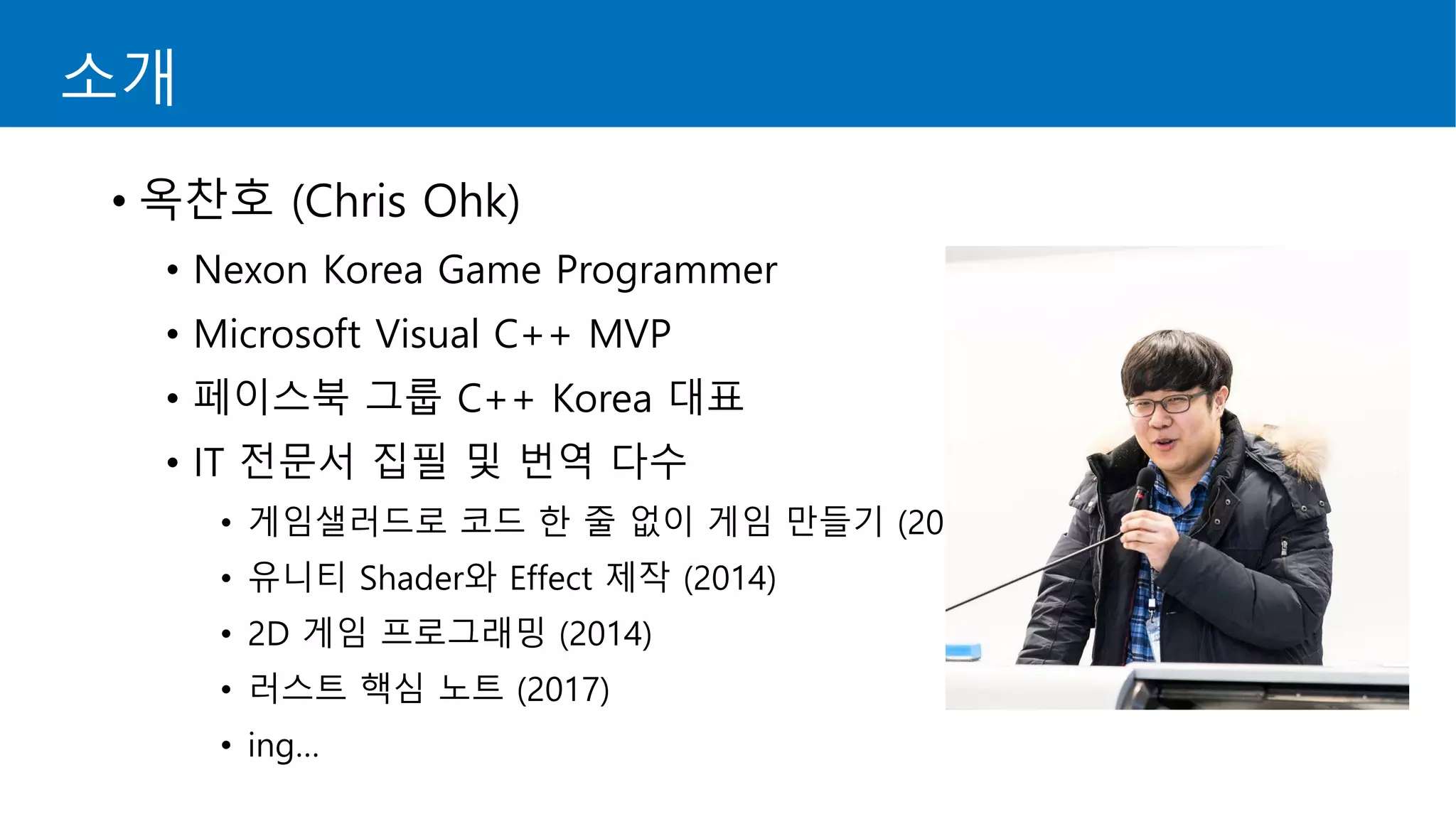
• 옥찬호 (Chris Ohk)
• Nexon Korea Game Programmer
• Microsoft Visual C++ MVP
• 페이스북 그룹 C++ Korea 대표
• IT 전문서 집필 및 번역 다수
• 게임샐러드로 코드 한 줄 없이 게임 만들기 (2013)
• 유니티 Shader와 Effect 제작 (2014)
• 2D 게임 프로그래밍 (2014)
• 러스트 핵심 노트 (2017)
• ing…
시작하기 전에…
• 현재 서비스 중인 프로젝트를 Visual Studio 2008에서
Visual Studio 2015로 마이그레이션하면서 겪었던
문제들과 해결 방안에 대해 설명합니다.
• 마이그레이션을 하면서 겪었던 문제 중
공유드릴만한 내용을 간추려서 설명합니다.
• 마이그레이션을 하면서 겪게 되는 문제와 해결 방안은
프로젝트마다 다를 수 있음을 참고해주시기 바랍니다.
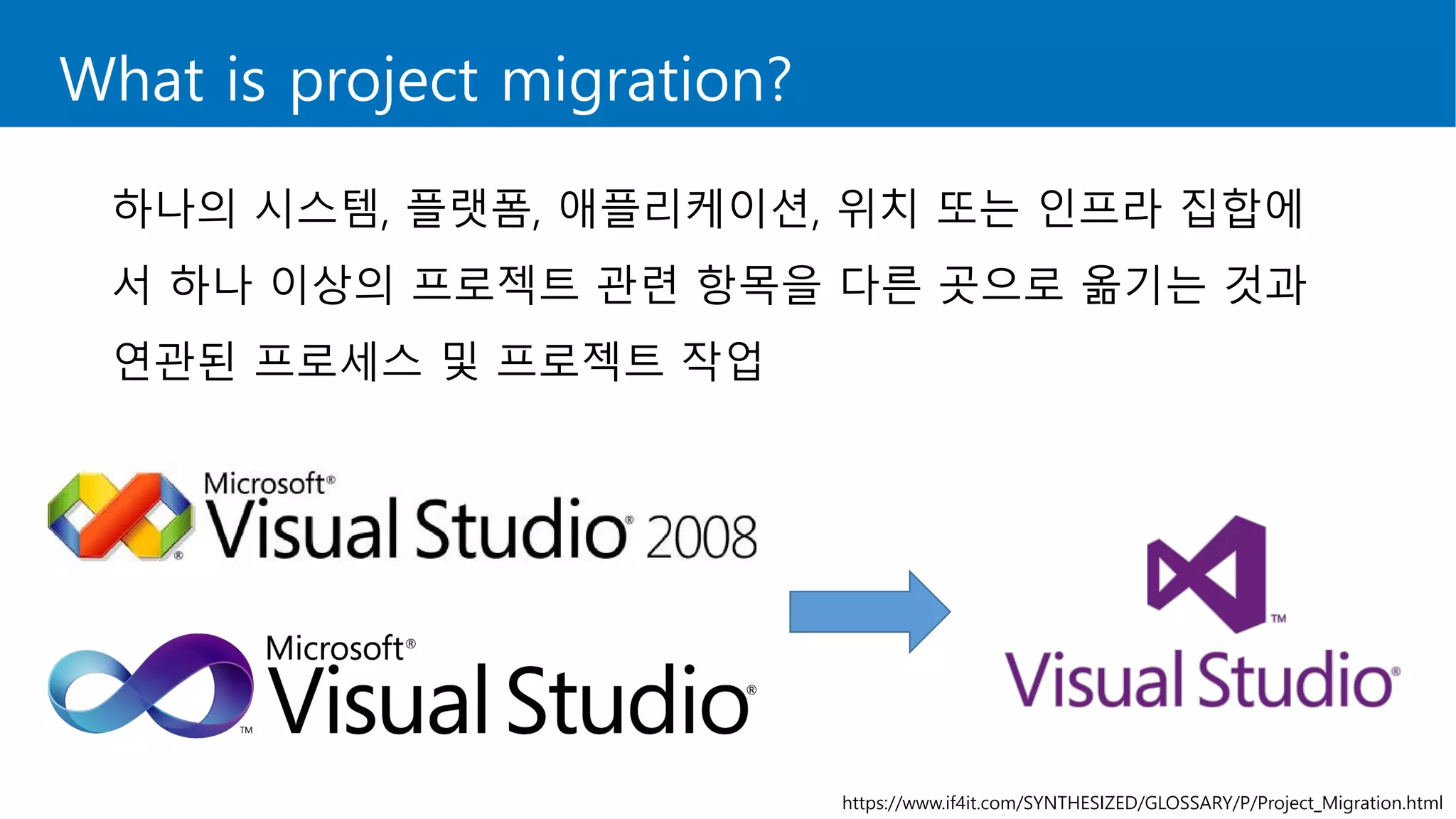
What is project migration?
하나의 시스템, 플랫폼, 애플리케이션, 위치 또는 인프라 집합에
서 하나 이상의 프로젝트 관련 항목을 다른 곳으로 옮기는 것과
연관된 프로세스 및 프로젝트 작업
https://www.if4it.com/SYNTHESIZED/GLOSSARY/P/Project_Migration.html
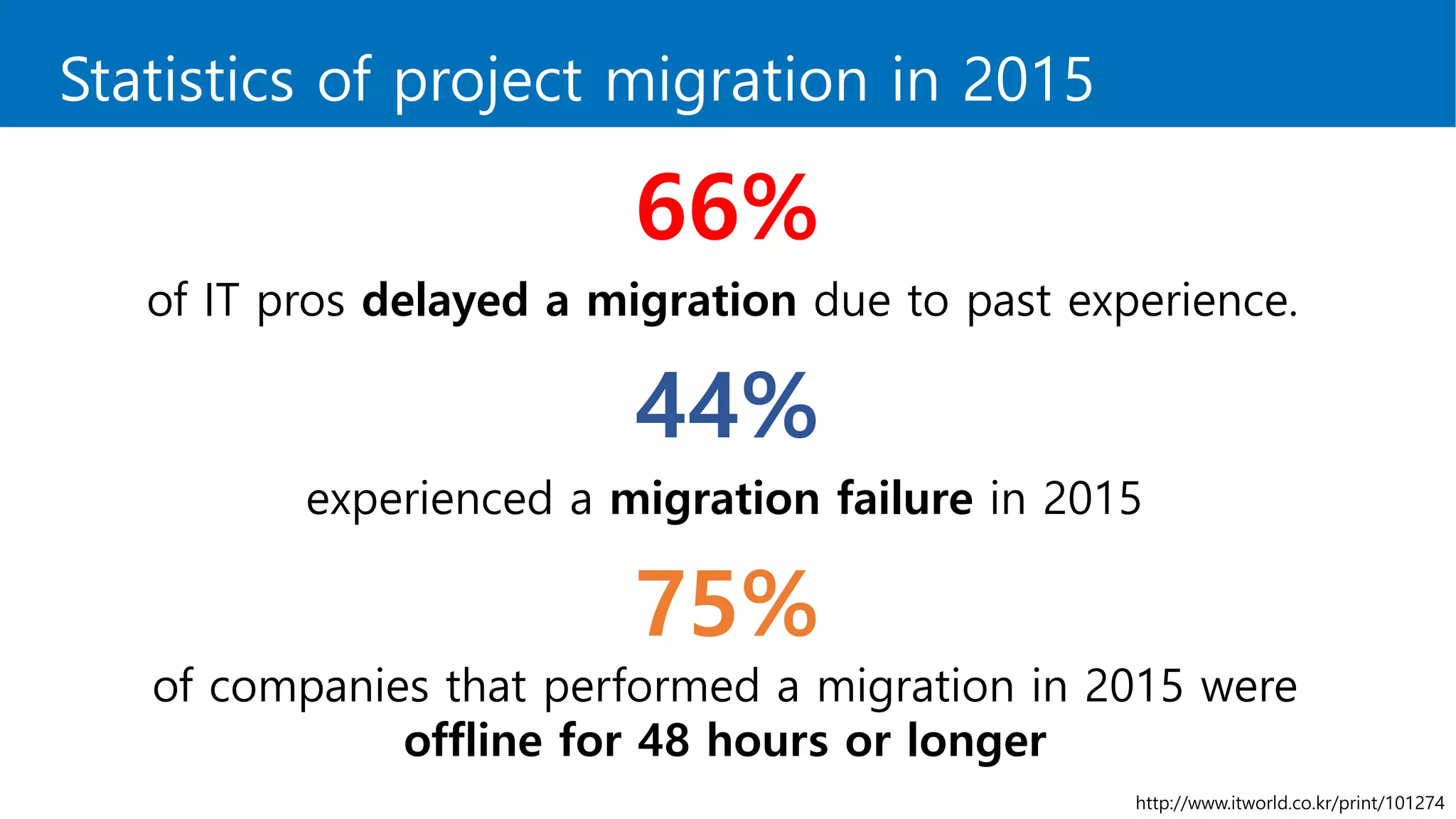
Statistics of project migration in 2015
66%
of IT pros delayed a migration due to past experience.
44%
experienced a migration failure in 2015
75%
of companies that performed a migration in 2015 were
offline for 48 hours or longer
http://www.itworld.co.kr/print/101274
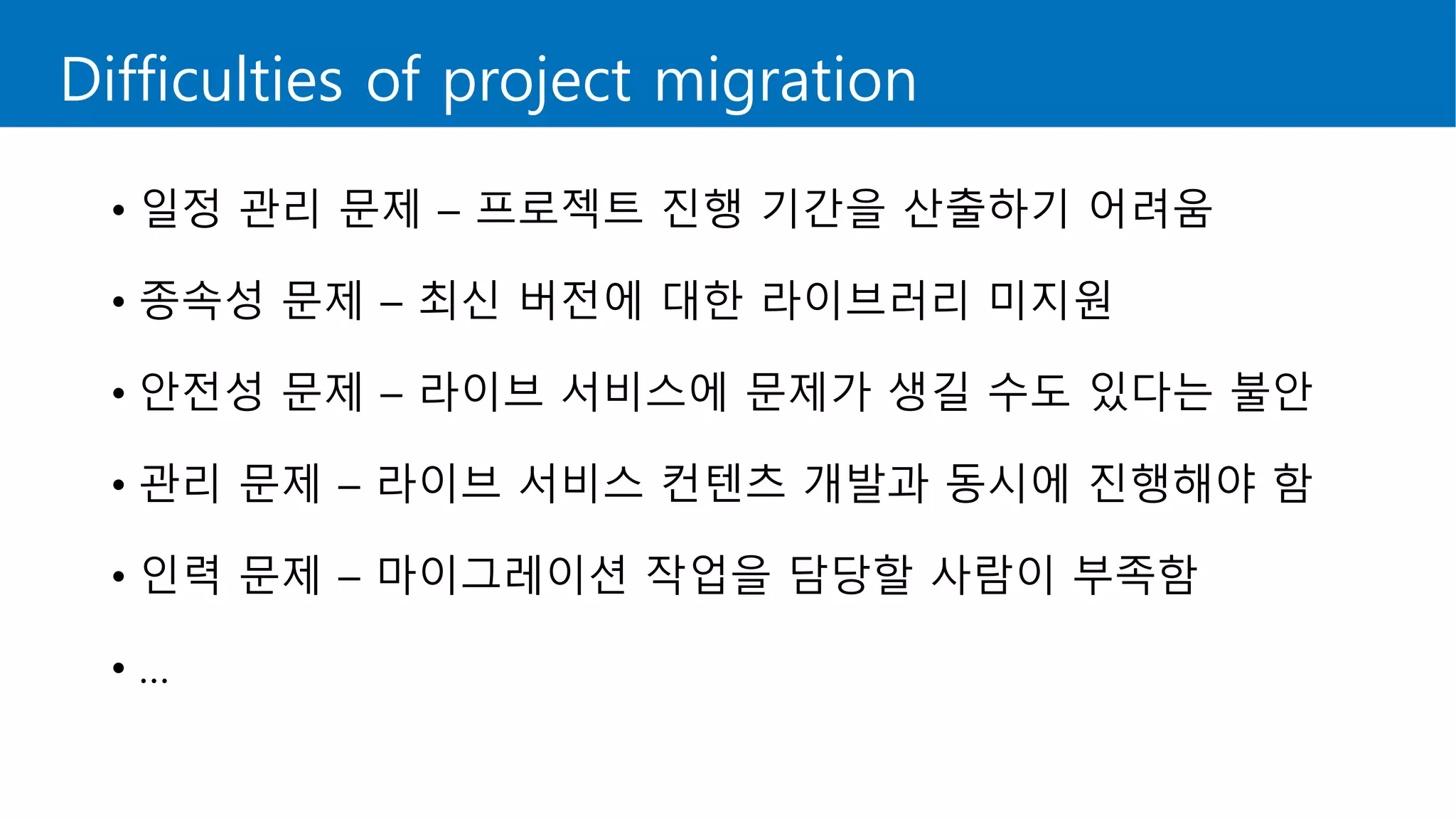
Difficulties of project migration
• 일정 관리 문제 – 프로젝트 진행 기간을 산출하기 어려움
• 종속성 문제 – 최신 버전에 대한 라이브러리 미지원
• 안전성 문제 – 라이브 서비스에 문제가 생길 수도 있다는 불안
• 관리 문제 – 라이브 서비스 컨텐츠 개발과 동시에 진행해야 함
• 인력 문제 – 마이그레이션 작업을 담당할 사람이 부족함
• …
However…
However…
Table of Contents
• 마이그레이션 작업 전
• 마이그레이션 작업
• 마이그레이션 작업 후
• Visual Studio 2015의 유용한 기능 - Code Analysis
• 정리
마이그레이션 작업 전
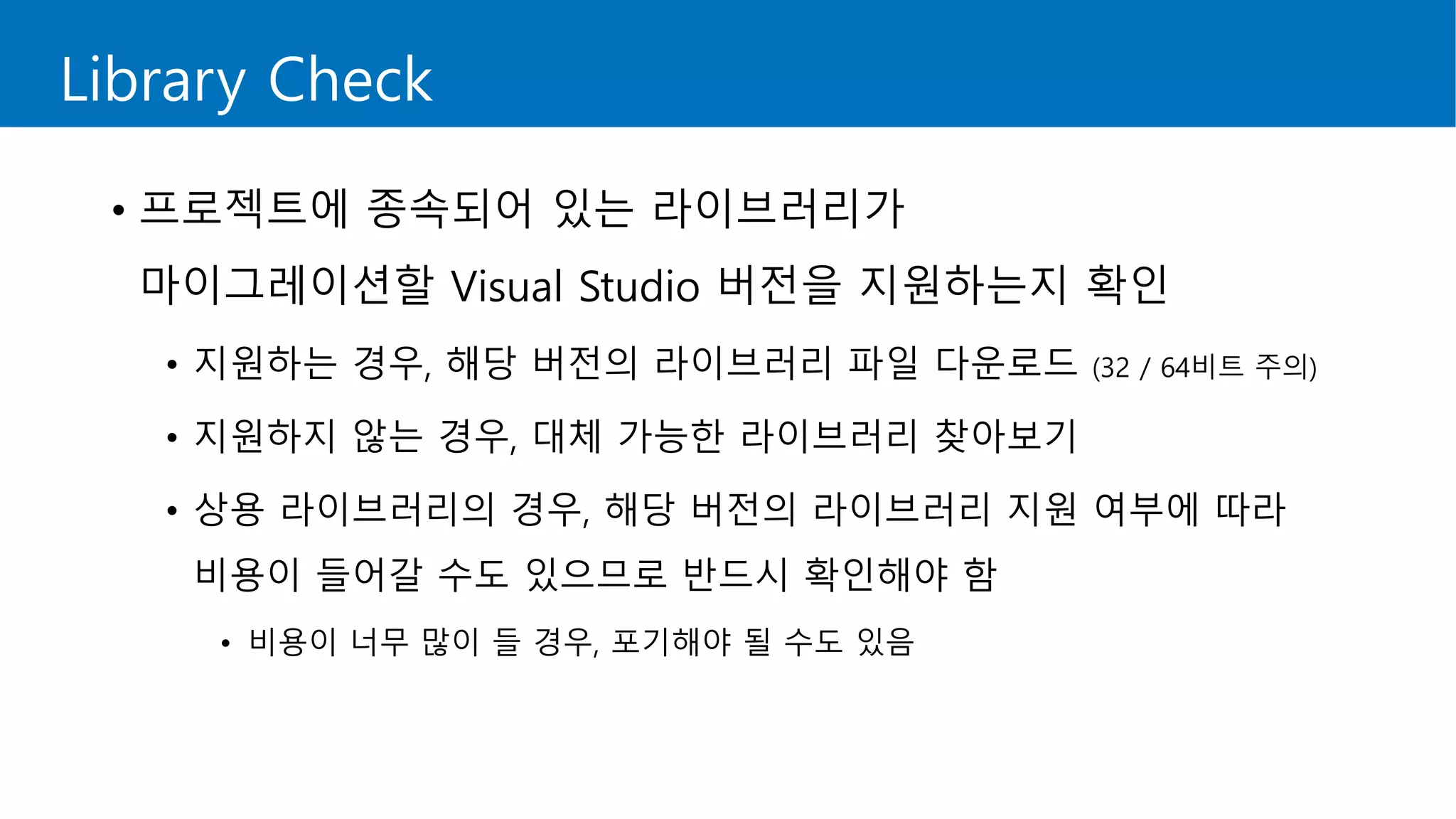
Library Check
• 프로젝트에 종속되어 있는 라이브러리가
마이그레이션할 Visual Studio 버전을 지원하는지 확인
• 지원하는 경우, 해당 버전의 라이브러리 파일 다운로드 (32 / 64비트 주의)
• 지원하지 않는 경우, 대체 가능한 라이브러리 찾아보기
• 상용 라이브러리의 경우, 해당 버전의 라이브러리 지원 여부에 따라
비용이 들어갈 수도 있으므로 반드시 확인해야 함
• 비용이 너무 많이 들 경우, 포기해야 될 수도 있음
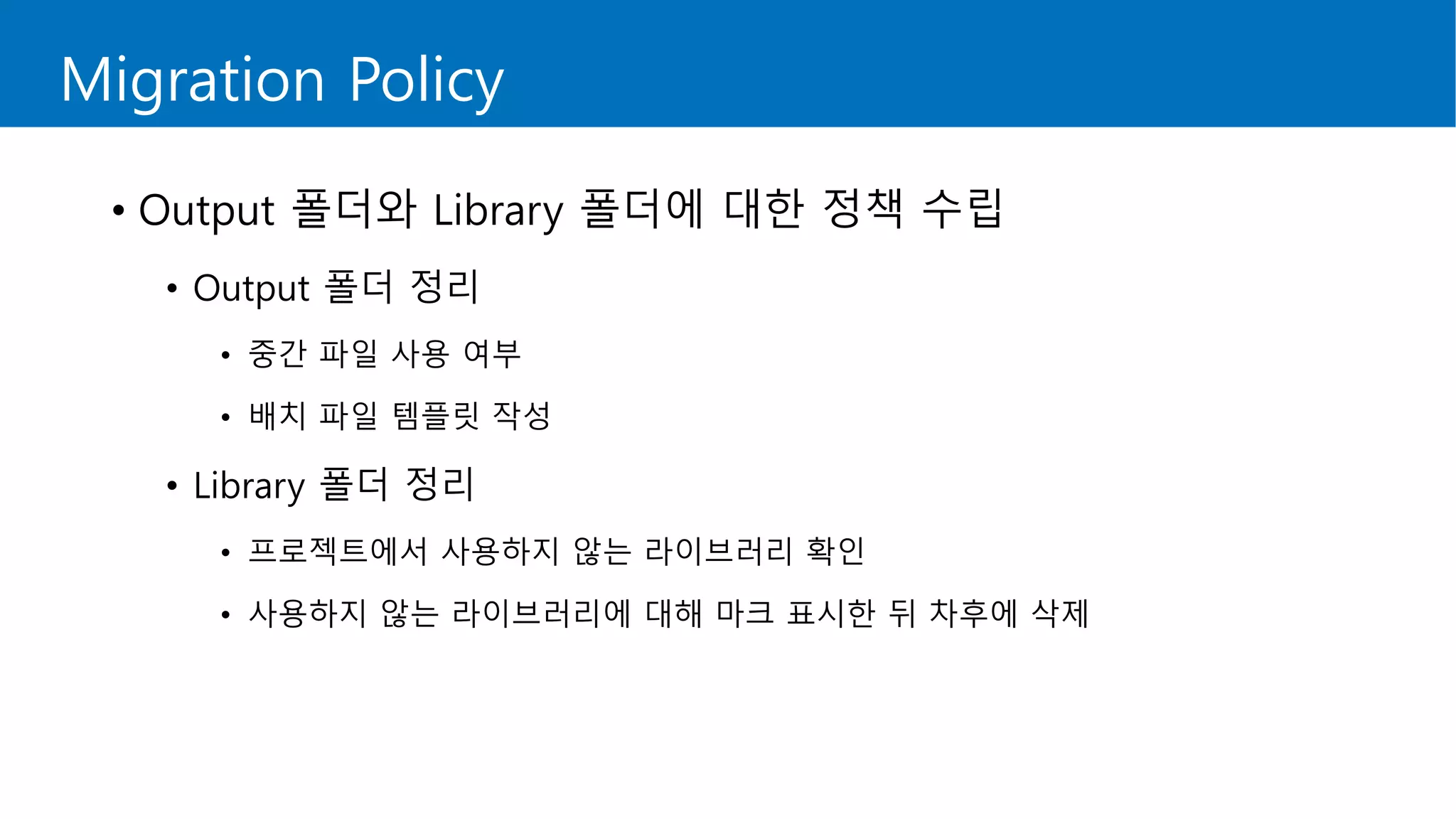
Migration Policy
• Output 폴더와 Library 폴더에 대한 정책 수립
• Output 폴더 정리
• 중간 파일 사용 여부
• 배치 파일 템플릿 작성
• Library 폴더 정리
• 프로젝트에서 사용하지 않는 라이브러리 확인
• 사용하지 않는 라이브러리에 대해 마크 표시한 뒤 차후에 삭제
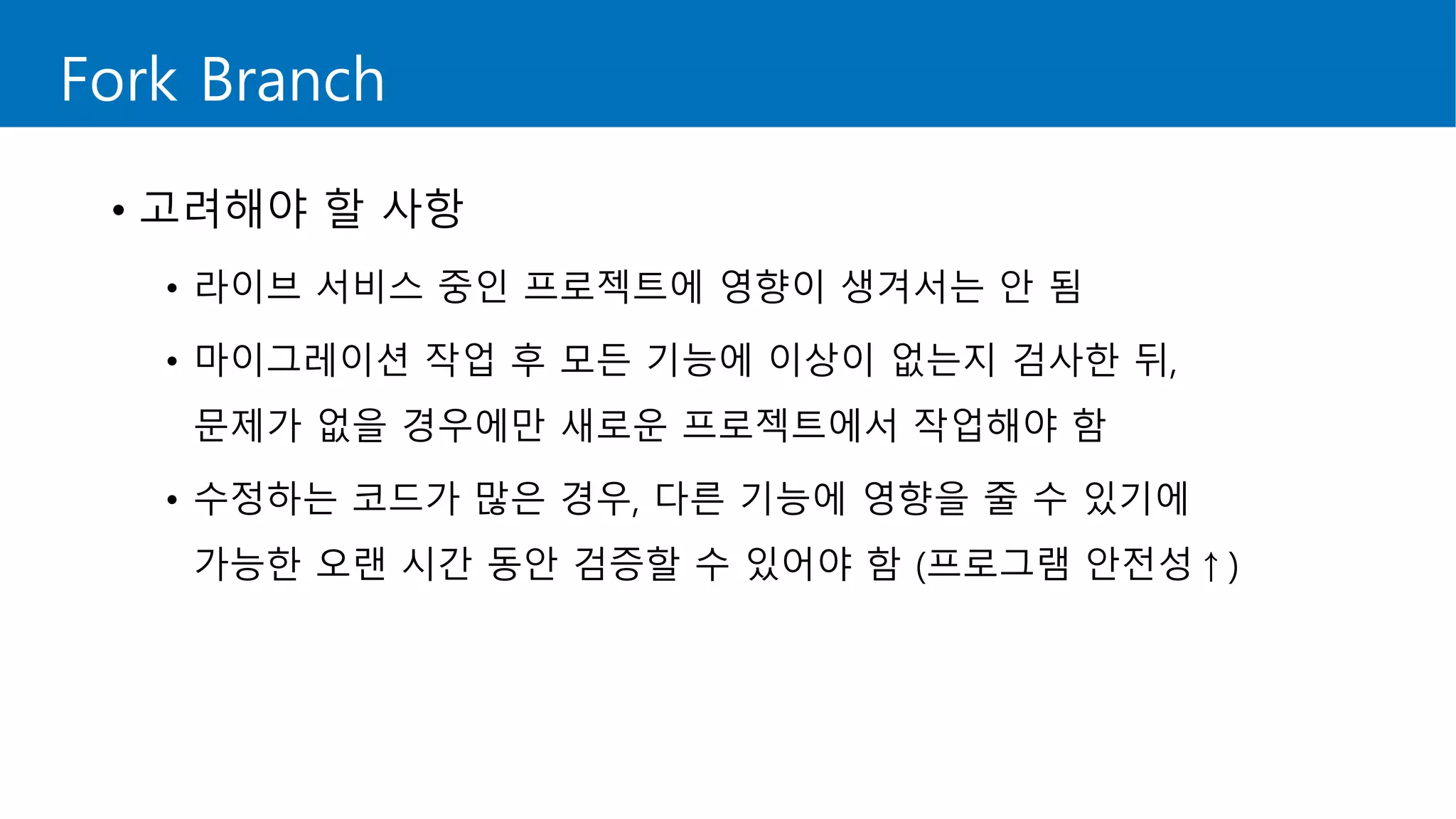
Fork Branch
• 고려해야 할 사항
• 라이브 서비스 중인 프로젝트에 영향이 생겨서는 안 됨
• 마이그레이션 작업 후 모든 기능에 이상이 없는지 검사한 뒤,
문제가 없을 경우에만 새로운 프로젝트에서 작업해야 함
• 수정하는 코드가 많은 경우, 다른 기능에 영향을 줄 수 있기에
가능한 오랜 시간 동안 검증할 수 있어야 함 (프로그램 안전성↑)
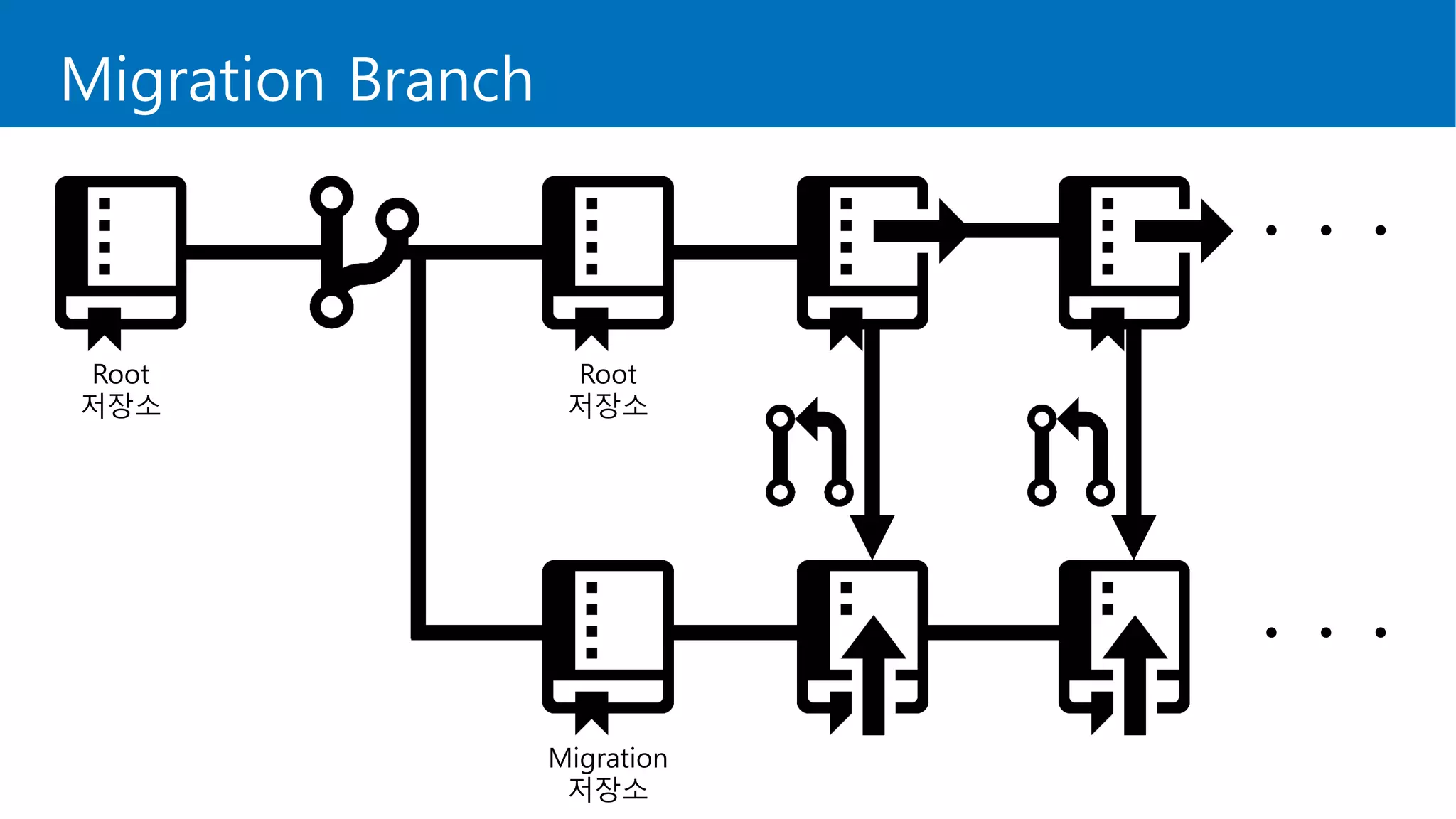
Migration Branch
Root
저장소
Migration
저장소
Root
저장소
ㆍㆍㆍ
ㆍㆍㆍ
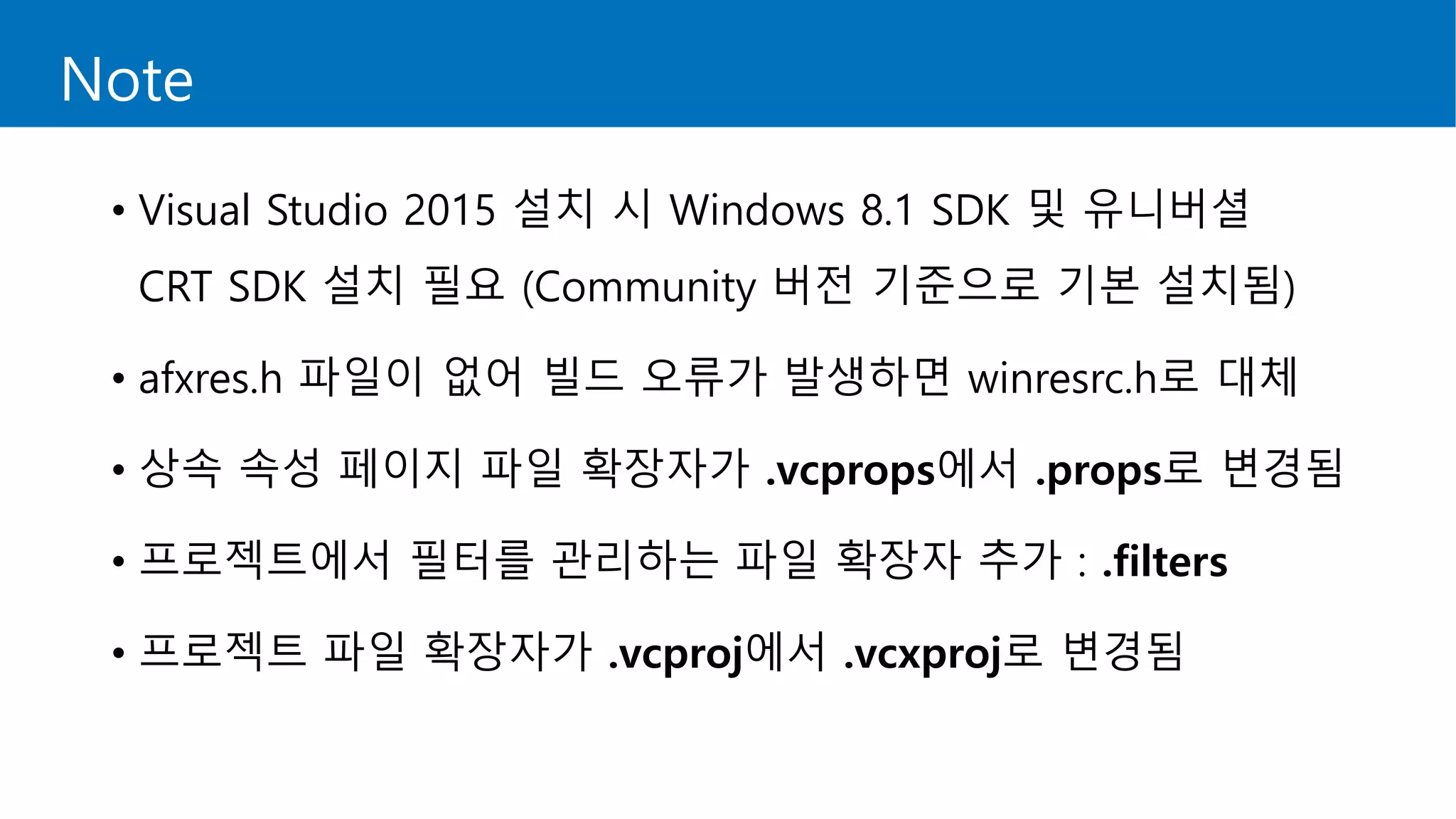
Note
• Visual Studio 2015 설치 시 Windows 8.1 SDK 및 유니버셜
CRT SDK 설치 필요 (Community 버전 기준으로 기본 설치됨)
• afxres.h 파일이 없어 빌드 오류가 발생하면 winresrc.h로 대체
• 상속 속성 페이지 파일 확장자가 .vcprops에서 .props로 변경됨
• 프로젝트에서 필터를 관리하는 파일 확장자 추가 : .filters
• 프로젝트 파일 확장자가 .vcproj에서 .vcxproj로 변경됨
마이그레이션 작업
STLport
• C++ 표준 라이브러리의 포터블 버전
• 1997년 1월, Boris Fomitchev가 개발 시작
• 상용 프로그램에서도 무료로 사용 가능
• 2008년 12월 10일, 마지막 버전 릴리즈 (5.2.1)
• 구버전의 Visual Studio 프로젝트에서 많이 사용
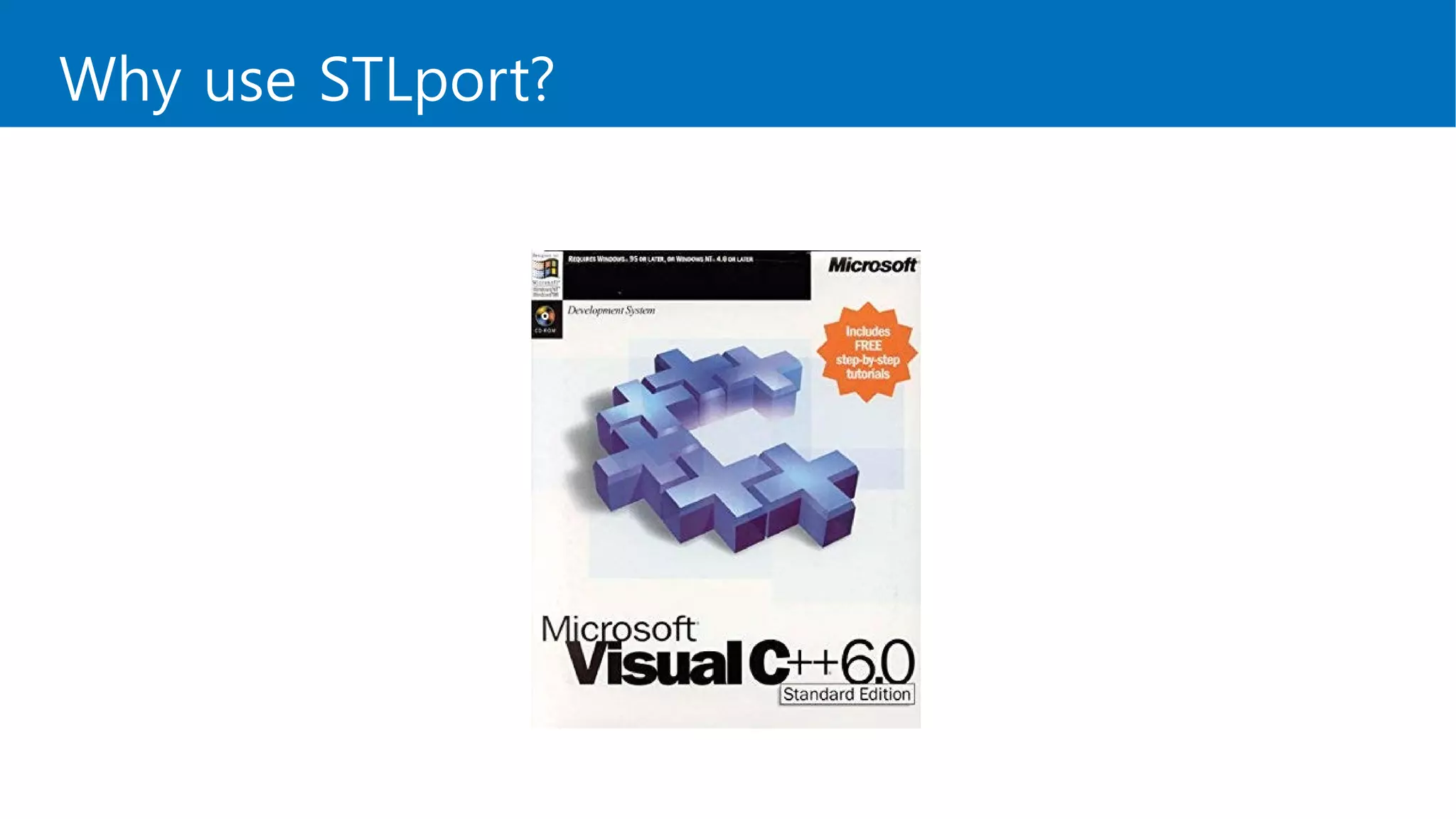
Why use STLport?
Why use STLport?
Why use STLport?
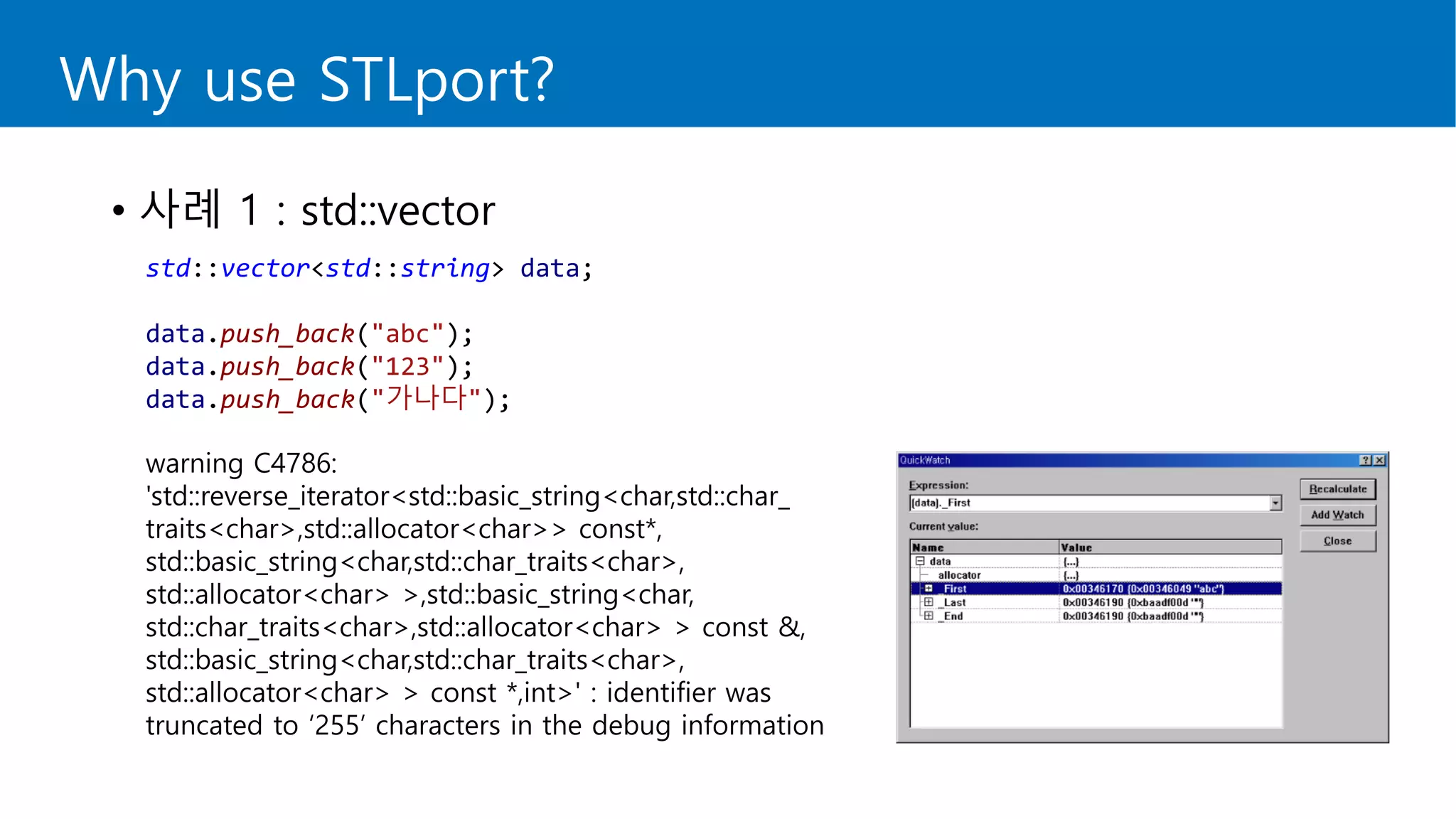
• 사례 1 : std::vector
std::vector<std::string> data;
data.push_back("abc");
data.push_back("123");
data.push_back("가나다");
warning C4786:
'std::reverse_iterator<std::basic_string<char,std::char_
traits<char>,std::allocator<char>> const*,
std::basic_string<char,std::char_traits<char>,
std::allocator<char> >,std::basic_string<char,
std::char_traits<char>,std::allocator<char> > const &,
std::basic_string<char,std::char_traits<char>,
std::allocator<char> > const *,int>' : identifier was
truncated to ‘255’ characters in the debug information
Why use STLport?
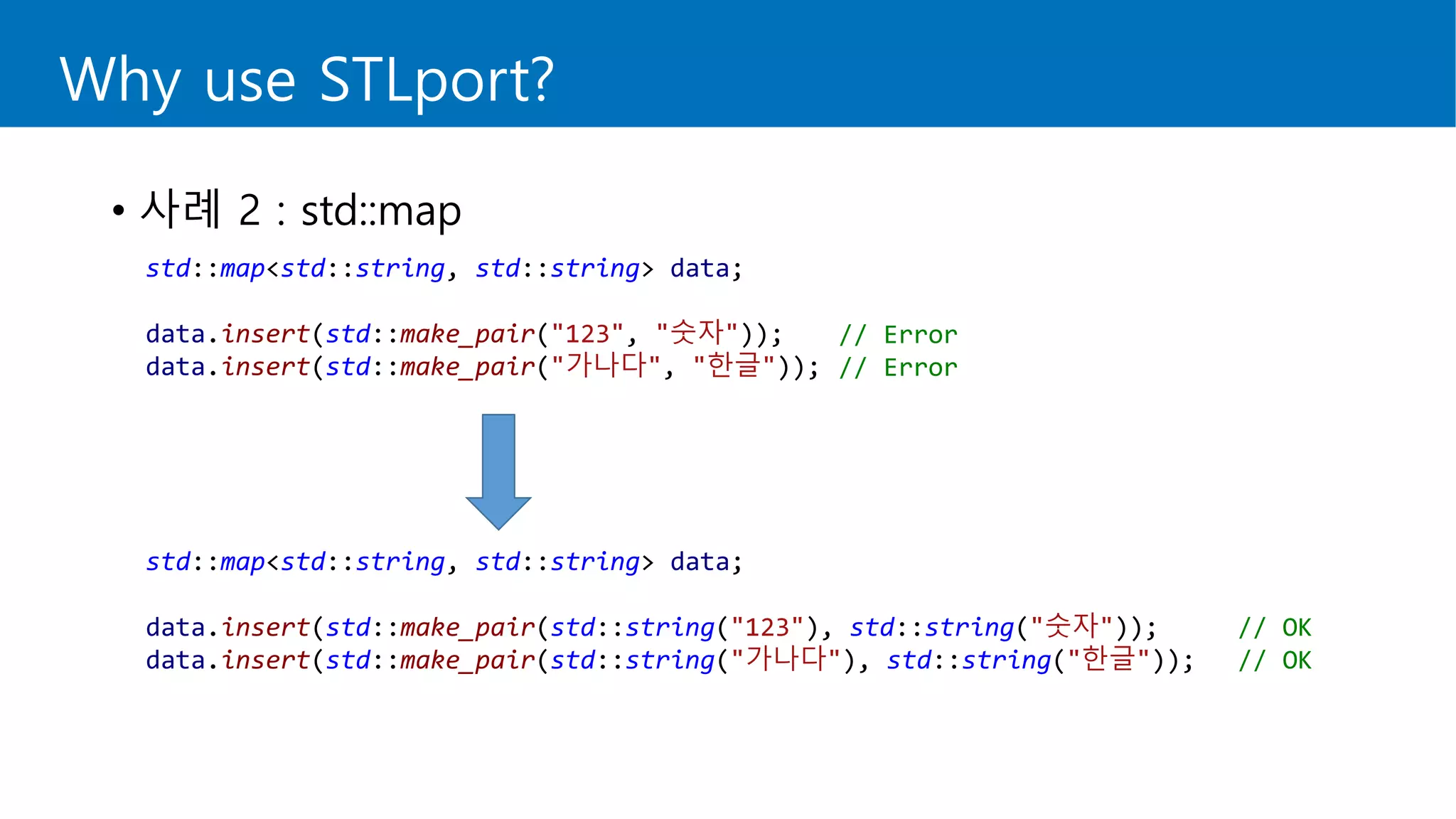
• 사례 2 : std::map
std::map<std::string, std::string> data;
data.insert(std::make_pair("123", "숫자"));
data.insert(std::make_pair("가나다", "한글"));
std::map<std::string, std::string> data;
data.insert(std::make_pair(std::string("123"), std::string("숫자")); // OK
data.insert(std::make_pair(std::string("가나다"), std::string("한글")); // OK
// Error
// Error
Why use STLport?
Why use STLport?
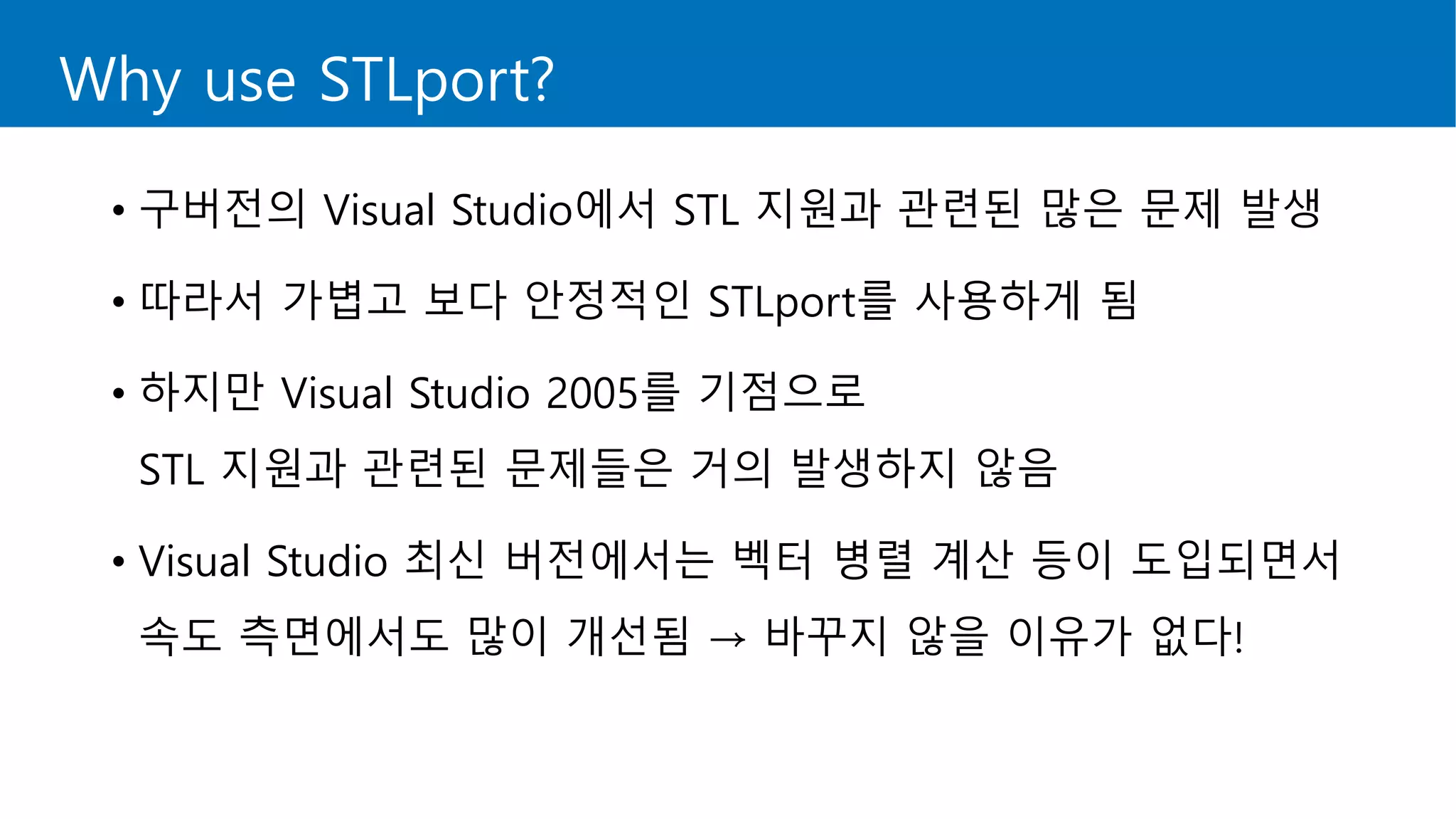
• 구버전의 Visual Studio에서 STL 지원과 관련된 많은 문제 발생
• 따라서 가볍고 보다 안정적인 STLport를 사용하게 됨
• 하지만 Visual Studio 2005를 기점으로
STL 지원과 관련된 문제들은 거의 발생하지 않음
• Visual Studio 최신 버전에서는 벡터 병렬 계산 등이 도입되면서
속도 측면에서도 많이 개선됨 → 바꾸지 않을 이유가 없다!
STLPort Removal
• 이제 제거해 봅시다.
STLPort Removal
잠시 뒤…
STLPort Removal
STLPort Removal
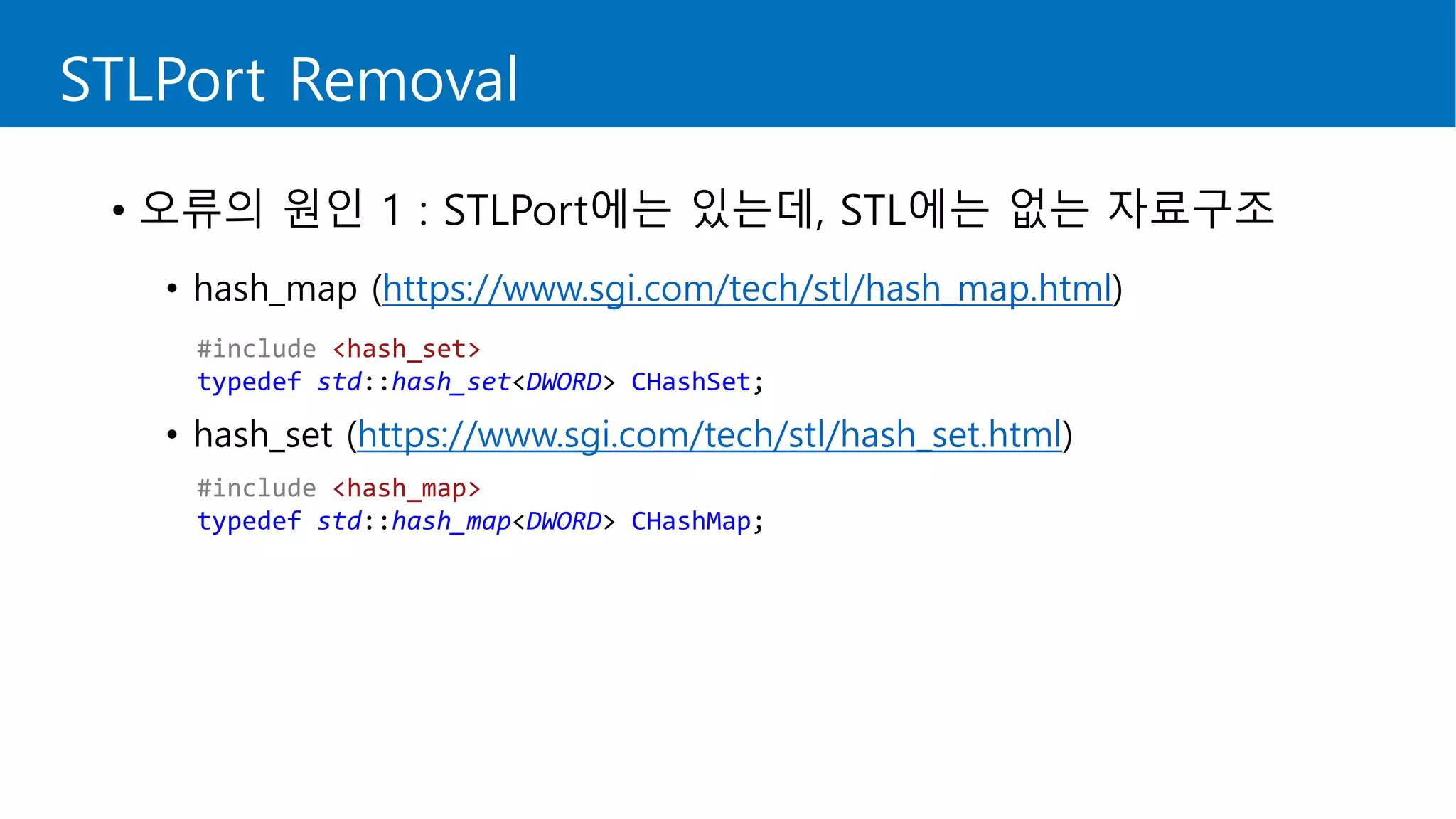
• 오류의 원인 1 : STLPort에는 있는데, STL에는 없는 자료구조
• hash_map (https://www.sgi.com/tech/stl/hash_map.html)
• hash_set (https://www.sgi.com/tech/stl/hash_set.html)
#include <hash_set>
typedef std::hash_set<DWORD> CHashSet;
#include <hash_map>
typedef std::hash_map<DWORD> CHashMap;
STLPort Removal
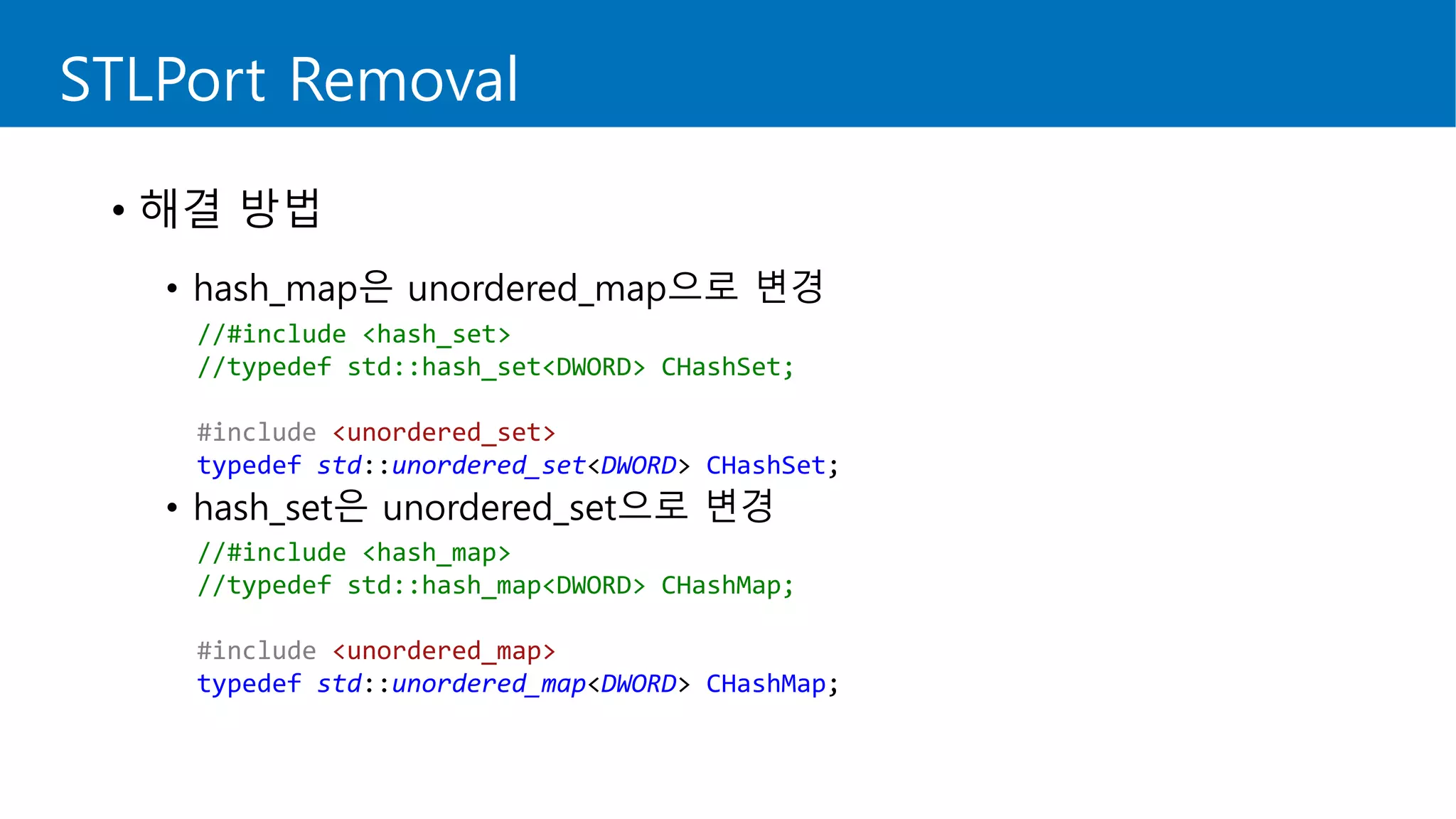
• 해결 방법
• hash_map은 unordered_map으로 변경
• hash_set은 unordered_set으로 변경
//#include <hash_set>
//typedef std::hash_set<DWORD> CHashSet;
#include <unordered_set>
typedef std::unordered_set<DWORD> CHashSet;
//#include <hash_map>
//typedef std::hash_map<DWORD> CHashMap;
#include <unordered_map>
typedef std::unordered_map<DWORD> CHashMap;
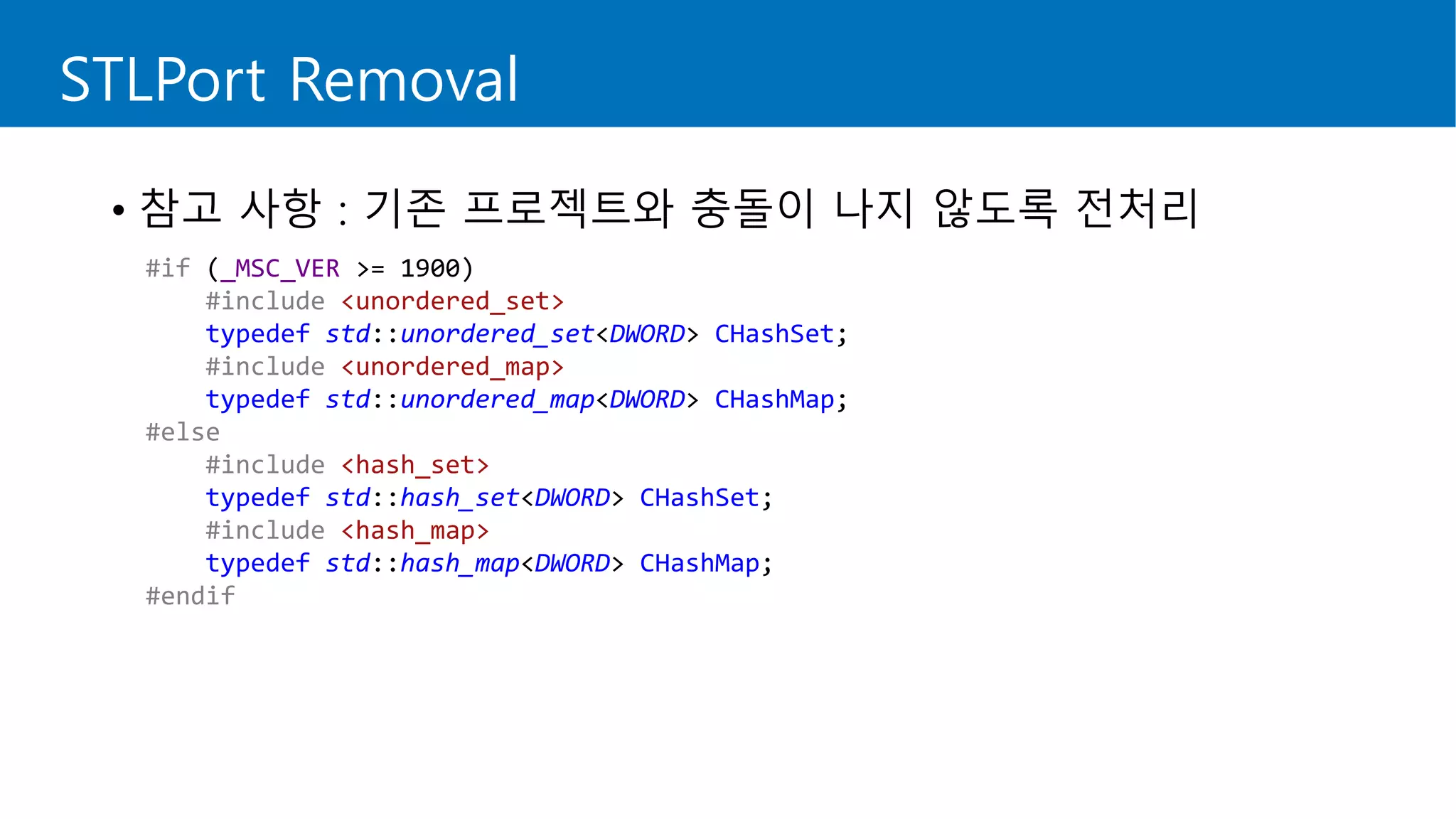
#if (_MSC_VER >= 1900)
#include <unordered_set>
typedef std::unordered_set<DWORD> CHashSet;
#include <unordered_map>
typedef std::unordered_map<DWORD> CHashMap;
#else
#include <hash_set>
typedef std::hash_set<DWORD> CHashSet;
#include <hash_map>
typedef std::hash_map<DWORD> CHashMap;
#endif
STLPort Removal
• 참고 사항 : 기존 프로젝트와 충돌이 나지 않도록 전처리
STLPort Removal
• 오류의 원인 2 : push_back()
• STLPort에서는 매개 변수 없는 push_back()을 허용
struct Data
{
double weight;
double height;
};
std::vector<Data> data;
int index = -1;
// Add Data
data.push_back();
index++;
data[index].weight = 60.0;
data[index].height = 180.0;
STLPort Removal
• 해결 방법
• 변수를 하나 선언한 뒤, 데이터를 채우고 push_back()
// Add Data
//data.push_back();
//index++;
//data[index].weight = 60.0;
//data[index].height = 180.0;
Data tempData;
tempData.weight = 60.0;
tempData.height = 180.0;
data.push_back(tempData);
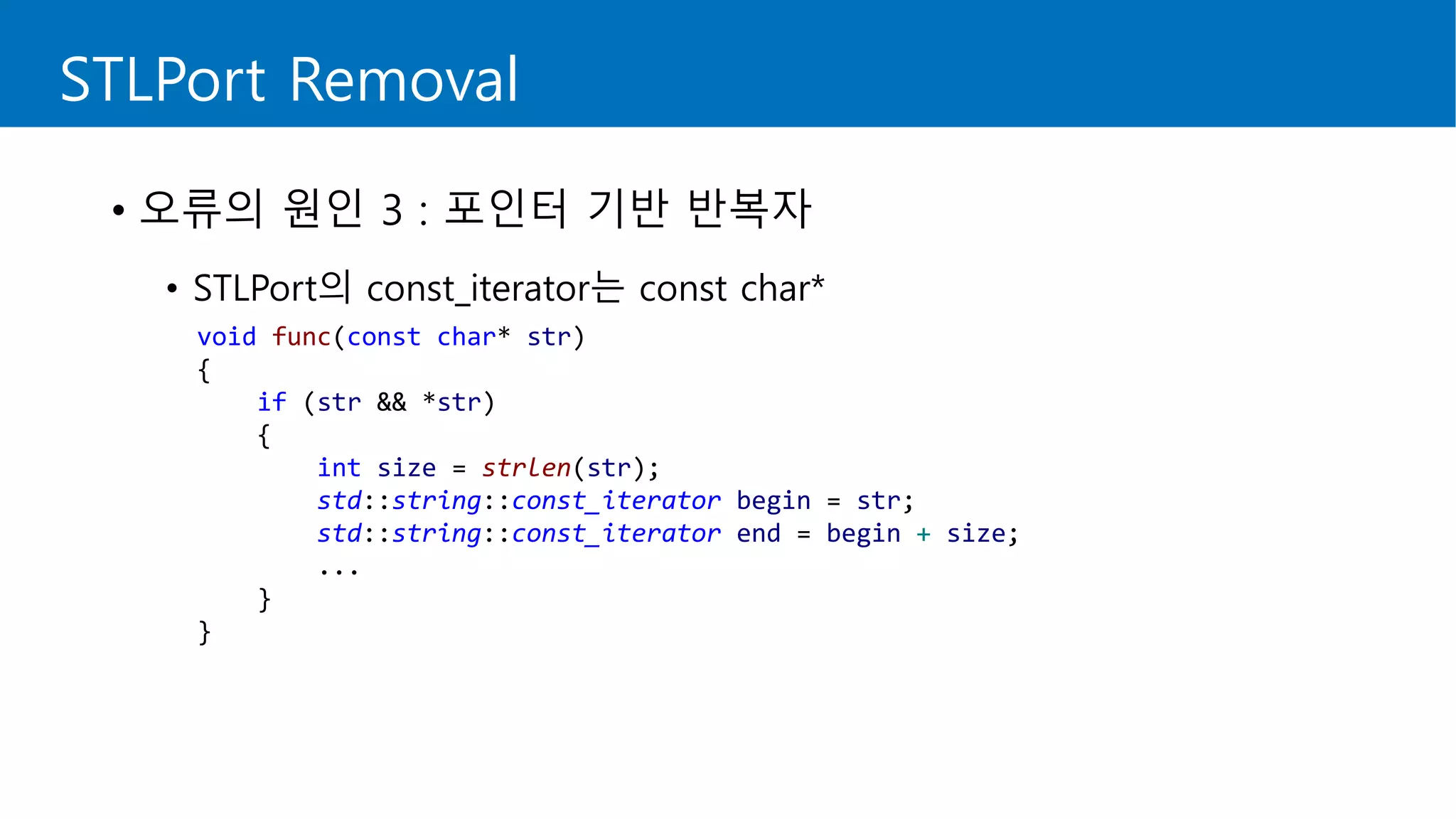
void func(const char* str)
{
if (str && *str)
{
int size = strlen(str);
std::string::const_iterator begin = str;
std::string::const_iterator end = begin + size;
...
}
}
STLPort Removal
• 오류의 원인 3 : 포인터 기반 반복자
• STLPort의 const_iterator는 const char*
STLPort Removal
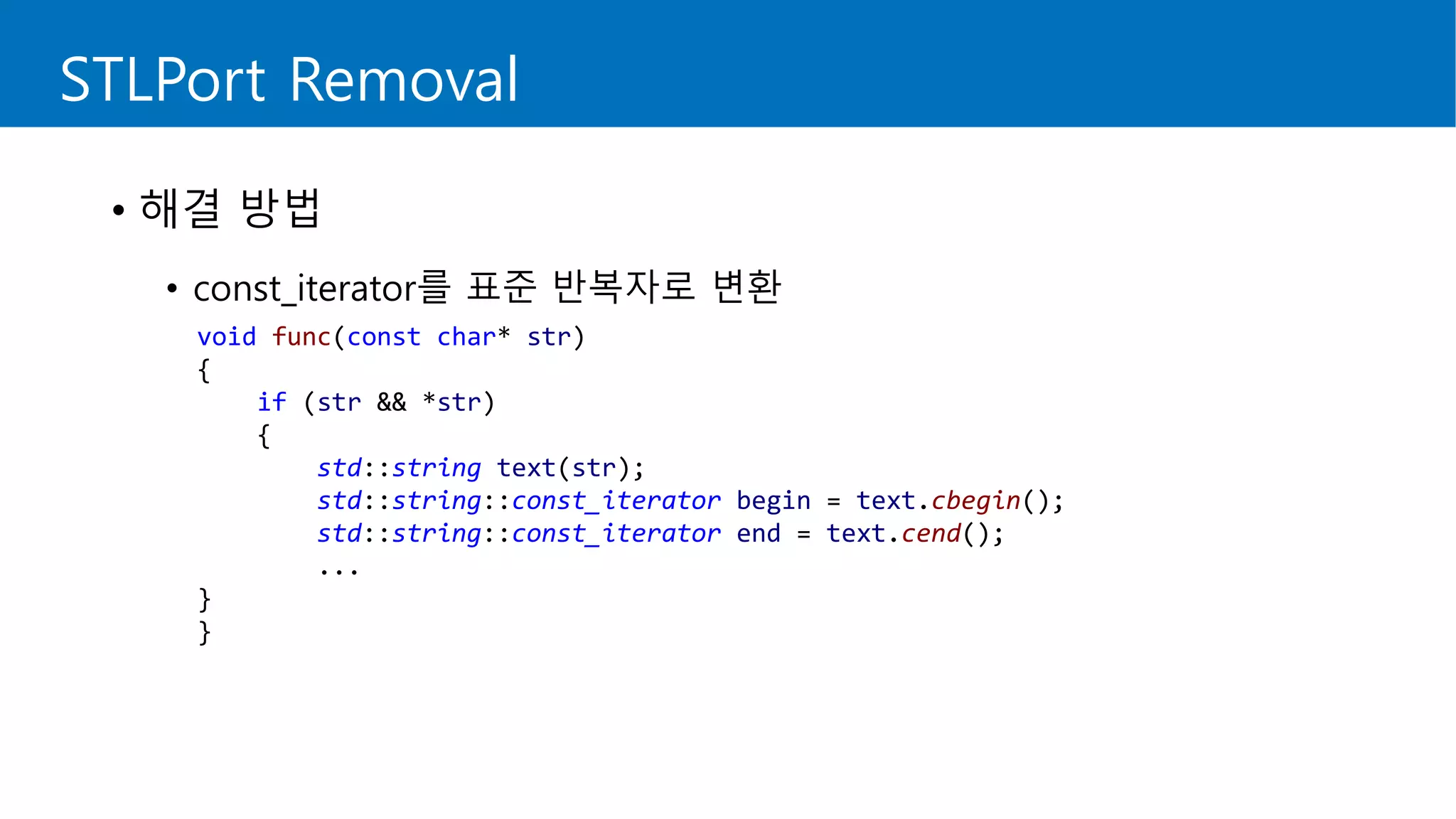
• 해결 방법
• const_iterator를 표준 반복자로 변환
void func(const char* str)
{
if (str && *str)
{
std::string text(str);
std::string::const_iterator begin = text.cbegin();
std::string::const_iterator end = text.cend();
...
}
}
STLPort Removal
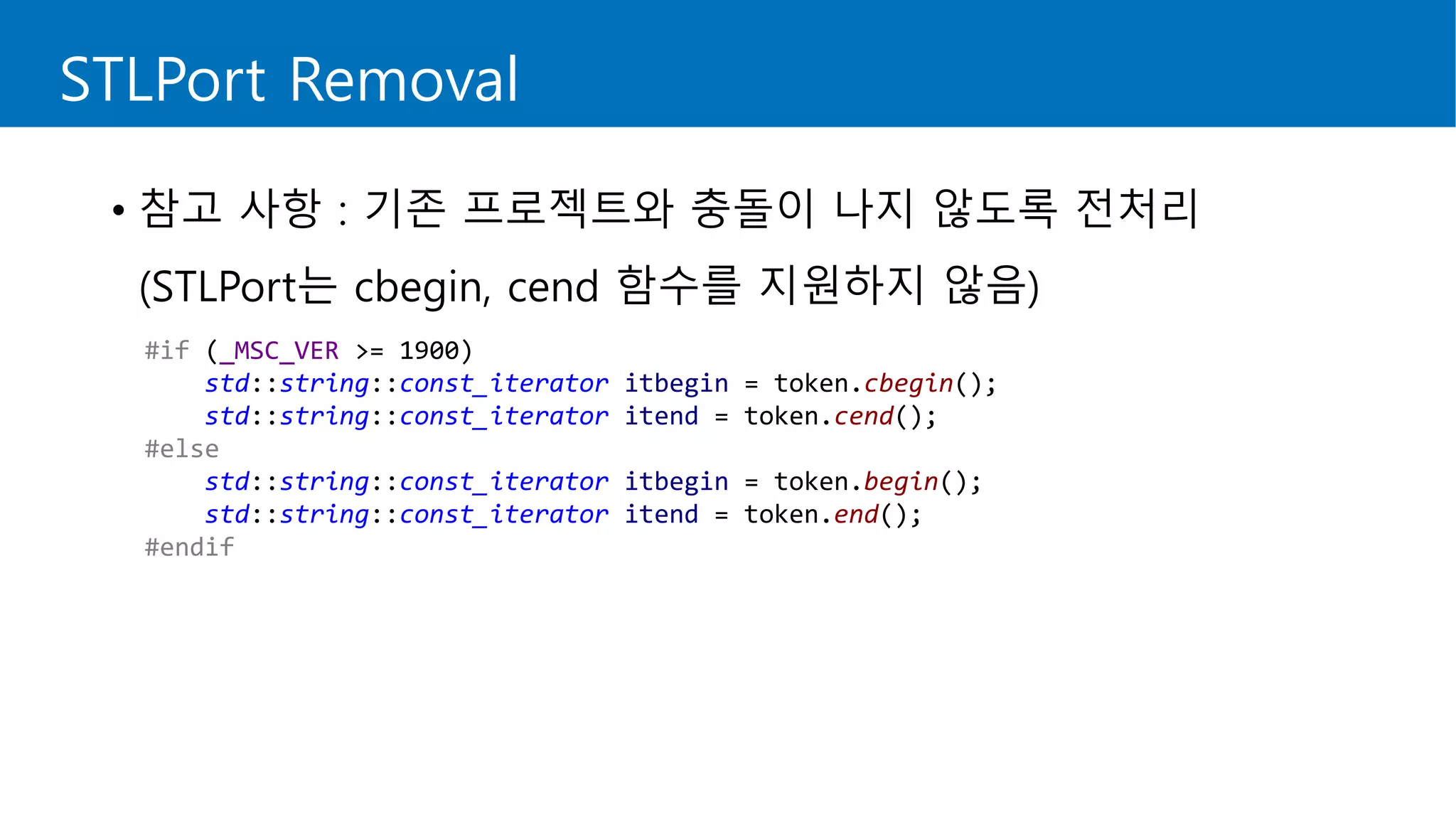
• 참고 사항 : 기존 프로젝트와 충돌이 나지 않도록 전처리
(STLPort는 cbegin, cend 함수를 지원하지 않음)
#if (_MSC_VER >= 1900)
std::string::const_iterator itbegin = token.cbegin();
std::string::const_iterator itend = token.cend();
#else
std::string::const_iterator itbegin = token.begin();
std::string::const_iterator itend = token.end();
#endif
STLPort Removal
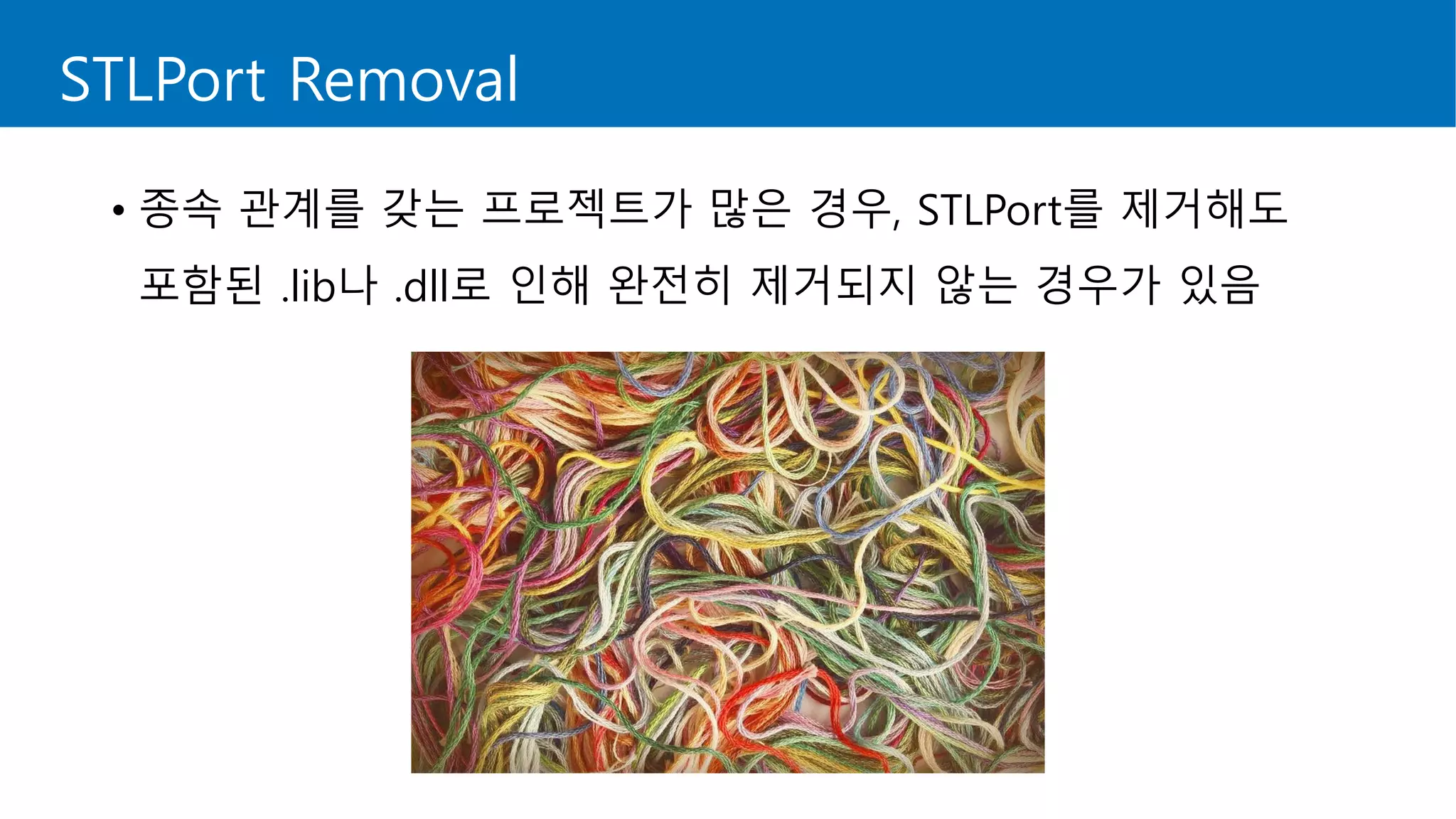
• 종속 관계를 갖는 프로젝트가 많은 경우, STLPort를 제거해도
포함된 .lib나 .dll로 인해 완전히 제거되지 않는 경우가 있음
STLPort Removal
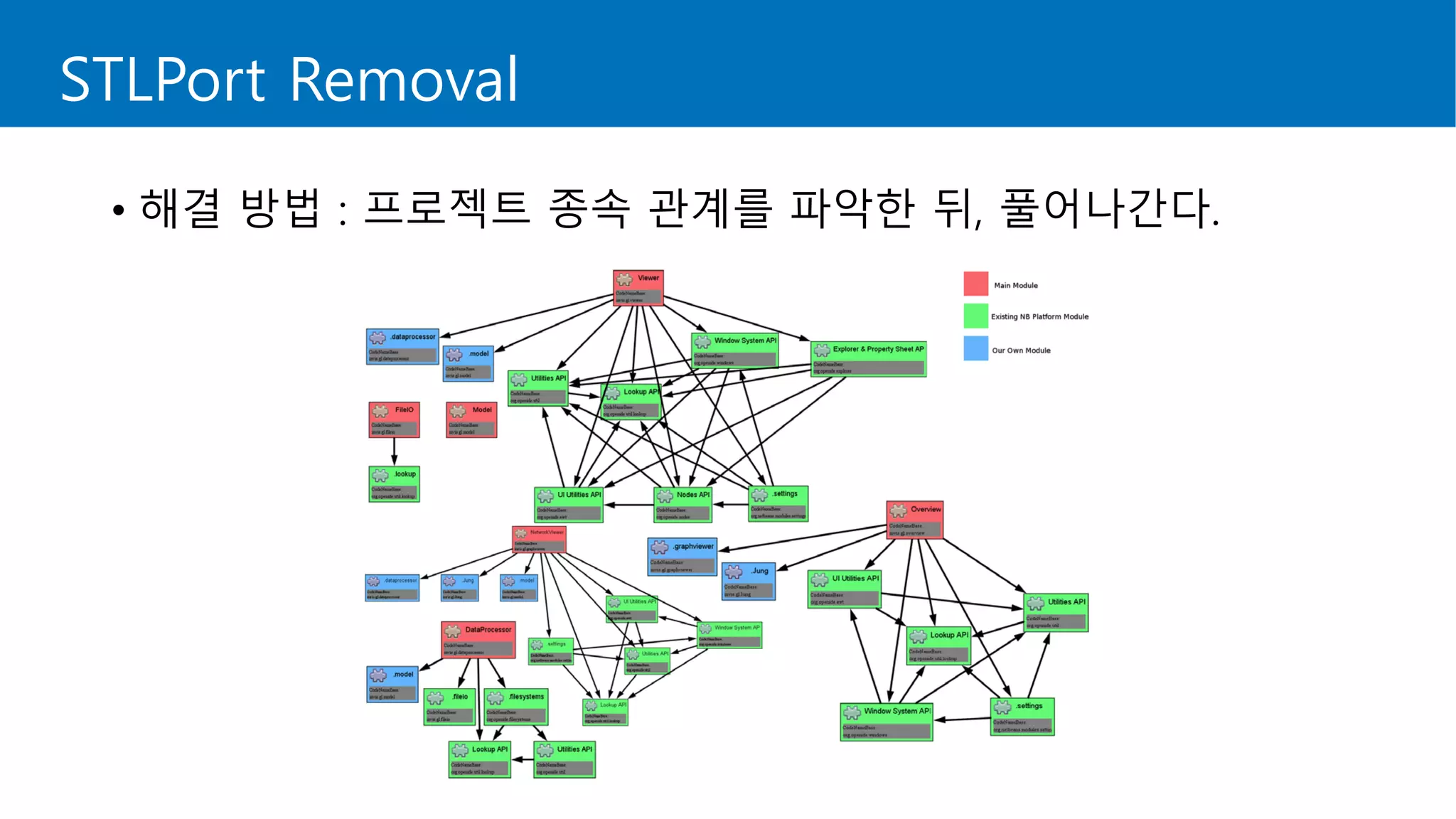
• 해결 방법 : 프로젝트 종속 관계를 파악한 뒤, 풀어나간다.
STLPort Removal
• 주의 : 실타래를 풀다가 지칠 수도 있으니 숨을 쉬어가면서 하자.
STL Function Change
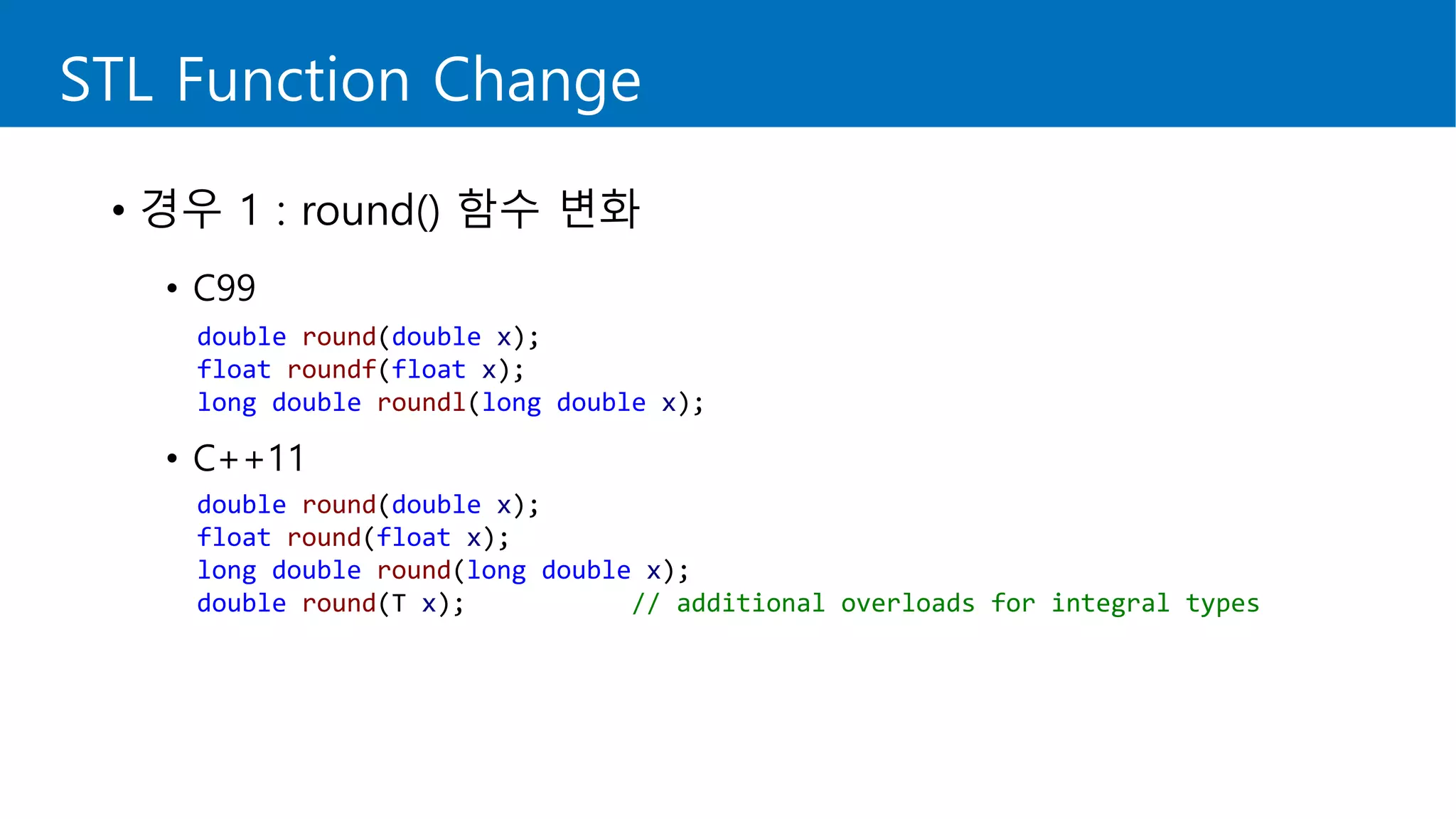
• 경우 1 : round() 함수 변화
• C99
• C++11
double round(double x);
float roundf(float x);
long double roundl(long double x);
double round(double x);
float round(float x);
long double round(long double x);
double round(T x); // additional overloads for integral types
STL Function Change
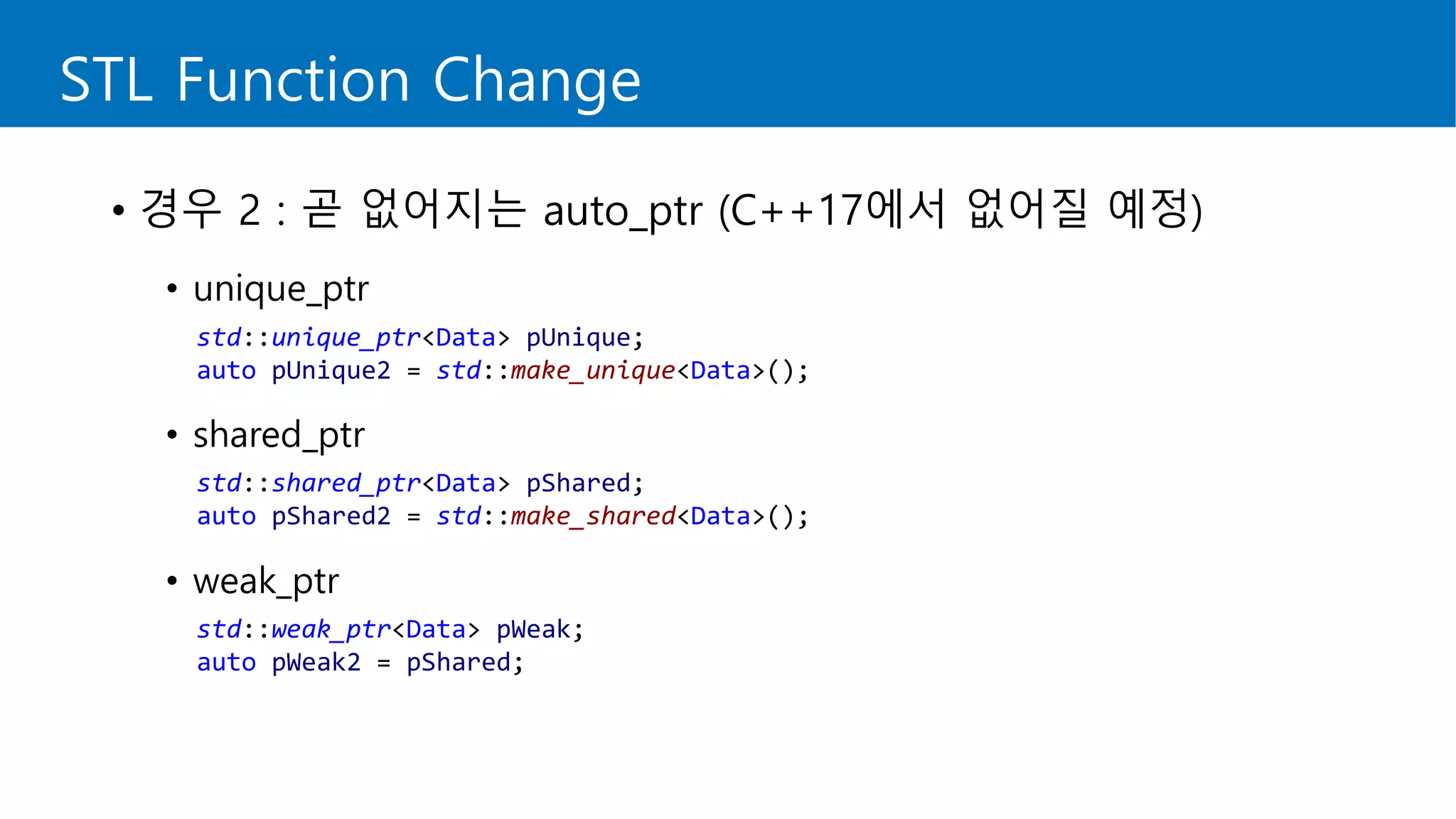
• 경우 2 : 곧 없어지는 auto_ptr (C++17에서 없어질 예정)
• unique_ptr
• shared_ptr
• weak_ptr
std::unique_ptr<Data> pUnique;
auto pUnique2 = std::make_unique<Data>();
std::shared_ptr<Data> pShared;
auto pShared2 = std::make_shared<Data>();
std::weak_ptr<Data> pWeak;
auto pWeak2 = pShared;
Macro Change
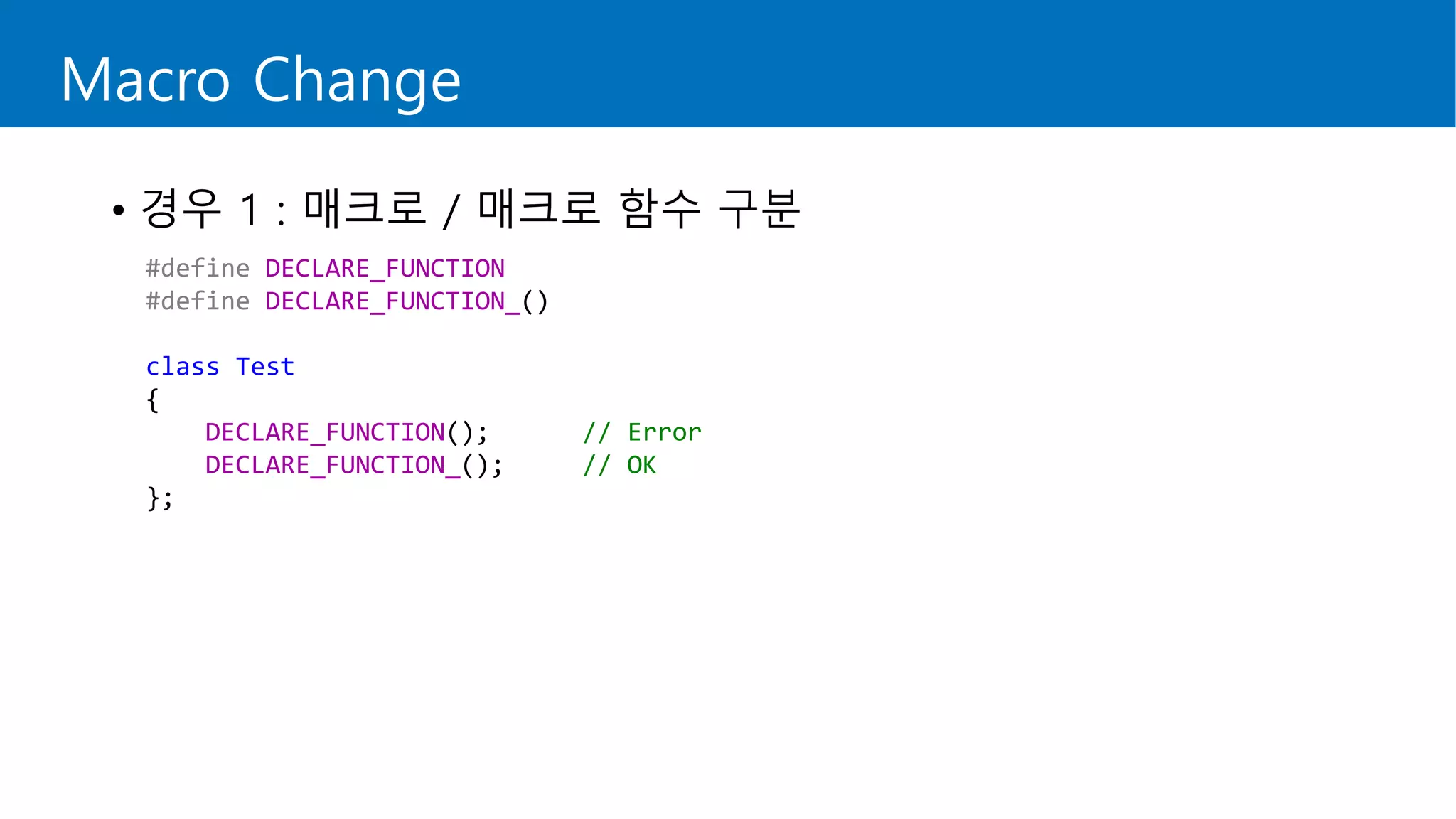
• 경우 1 : 매크로 / 매크로 함수 구분
#define DECLARE_FUNCTION
#define DECLARE_FUNCTION_()
class Test
{
DECLARE_FUNCTION(); // Error
DECLARE_FUNCTION_(); // OK
};
Macro Change
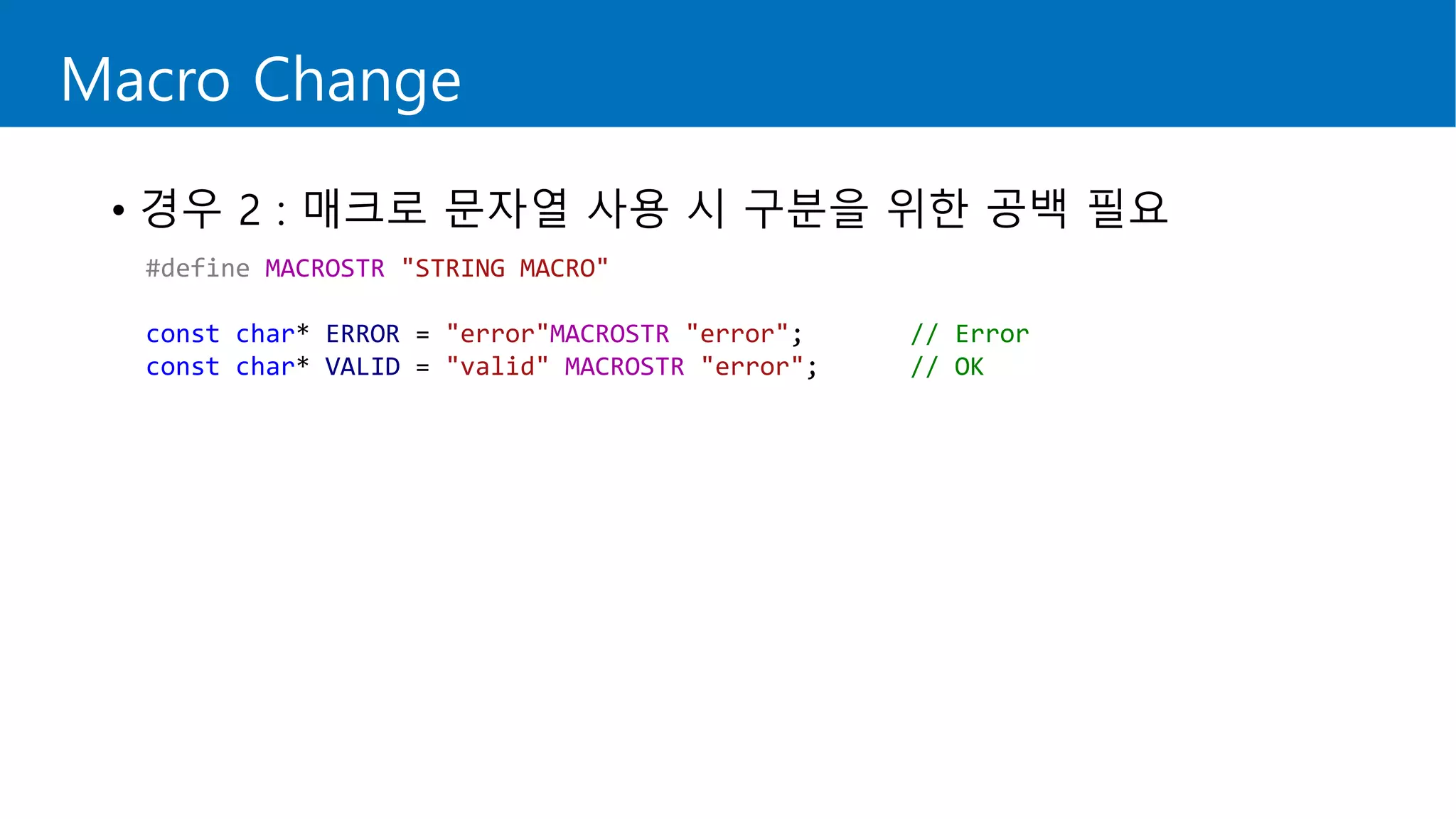
• 경우 2 : 매크로 문자열 사용 시 구분을 위한 공백 필요
#define MACROSTR "STRING MACRO"
const char* ERROR = "error"MACROSTR "error"; // Error
const char* VALID = "valid" MACROSTR "error"; // OK
Windows XP Support
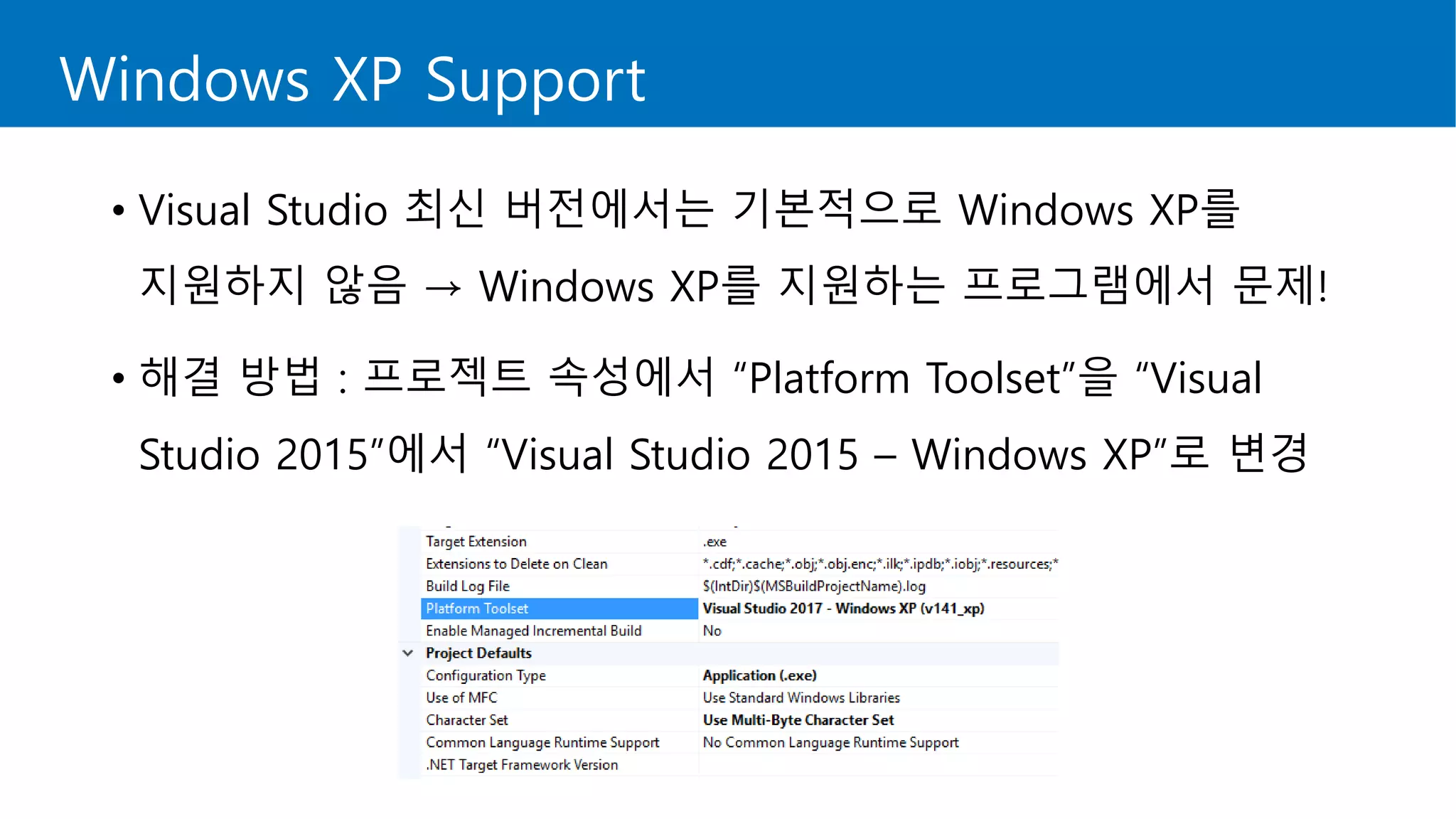
• Visual Studio 최신 버전에서는 기본적으로 Windows XP를
지원하지 않음 → Windows XP를 지원하는 프로그램에서 문제!
• 해결 방법 : 프로젝트 속성에서 “Platform Toolset”을 “Visual
Studio 2015”에서 “Visual Studio 2015 – Windows XP”로 변경
Magic Statics
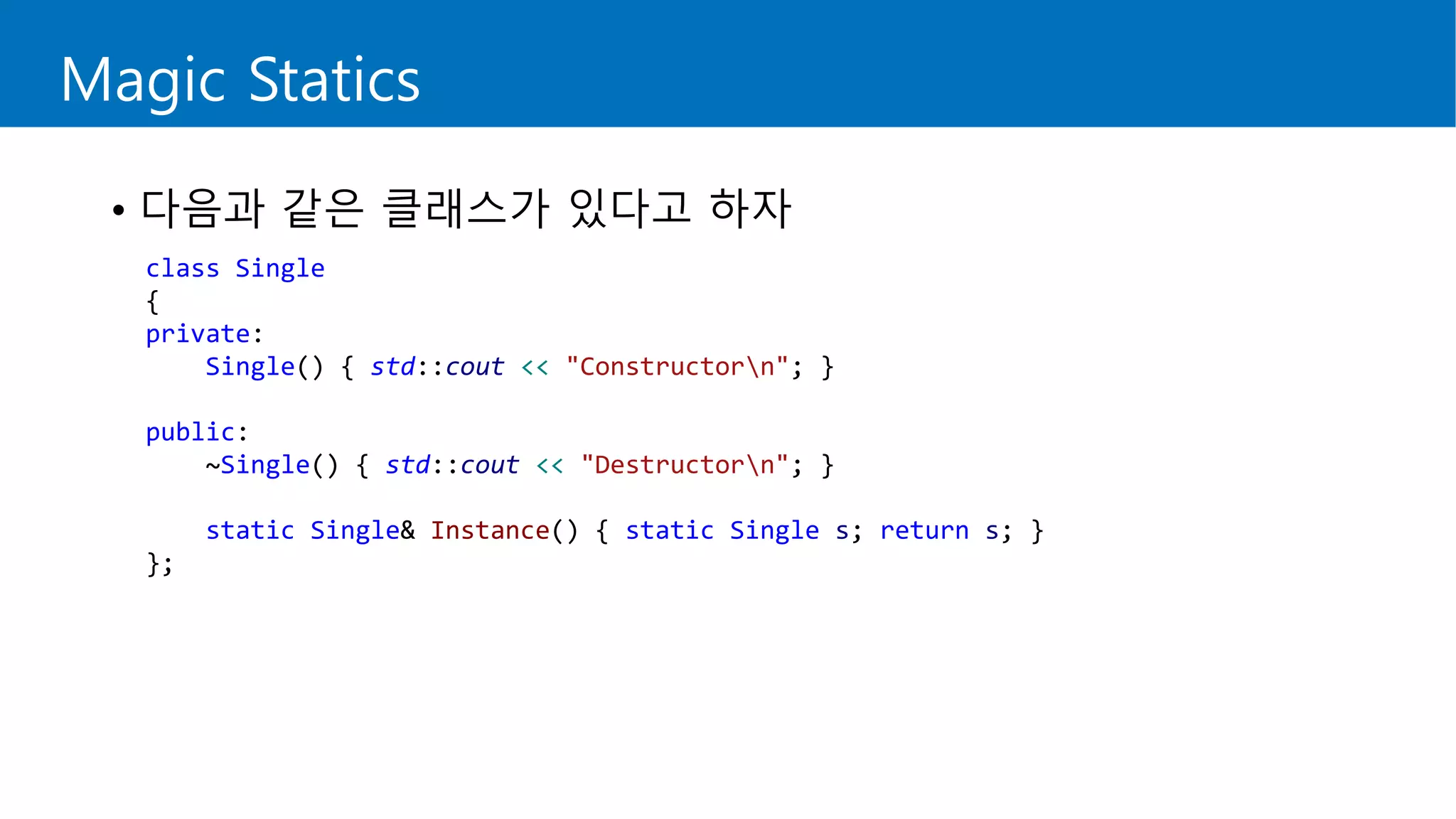
• 다음과 같은 클래스가 있다고 하자
class Single
{
private:
Single() { std::cout << "Constructorn"; }
public:
~Single() { std::cout << "Destructorn"; }
static Single& Instance() { static Single s; return s; }
};
Magic Statics
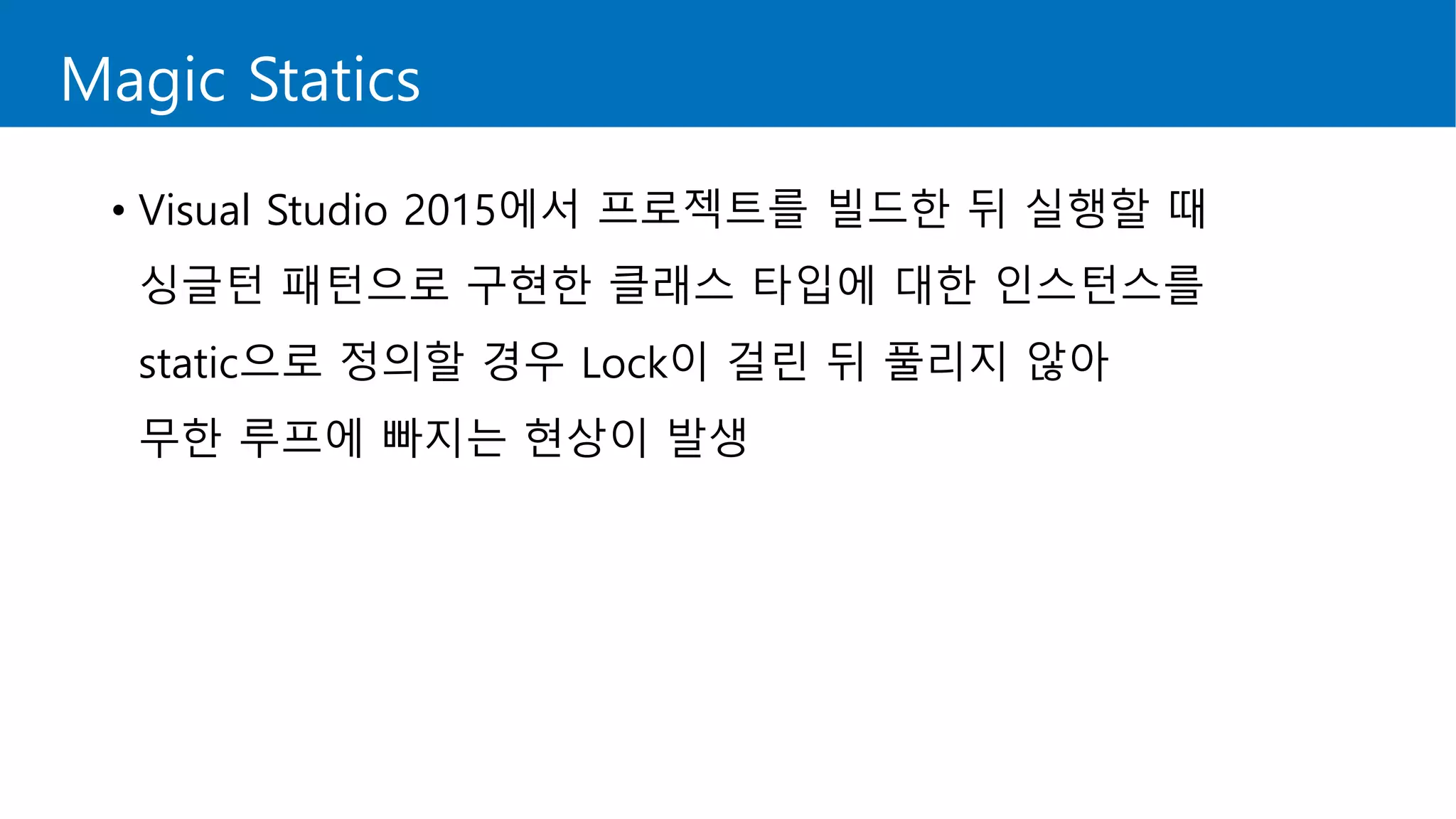
• Visual Studio 2015에서 프로젝트를 빌드한 뒤 실행할 때
싱글턴 패턴으로 구현한 클래스 타입에 대한 인스턴스를
static으로 정의할 경우 Lock이 걸린 뒤 풀리지 않아
무한 루프에 빠지는 현상이 발생
Magic Statics
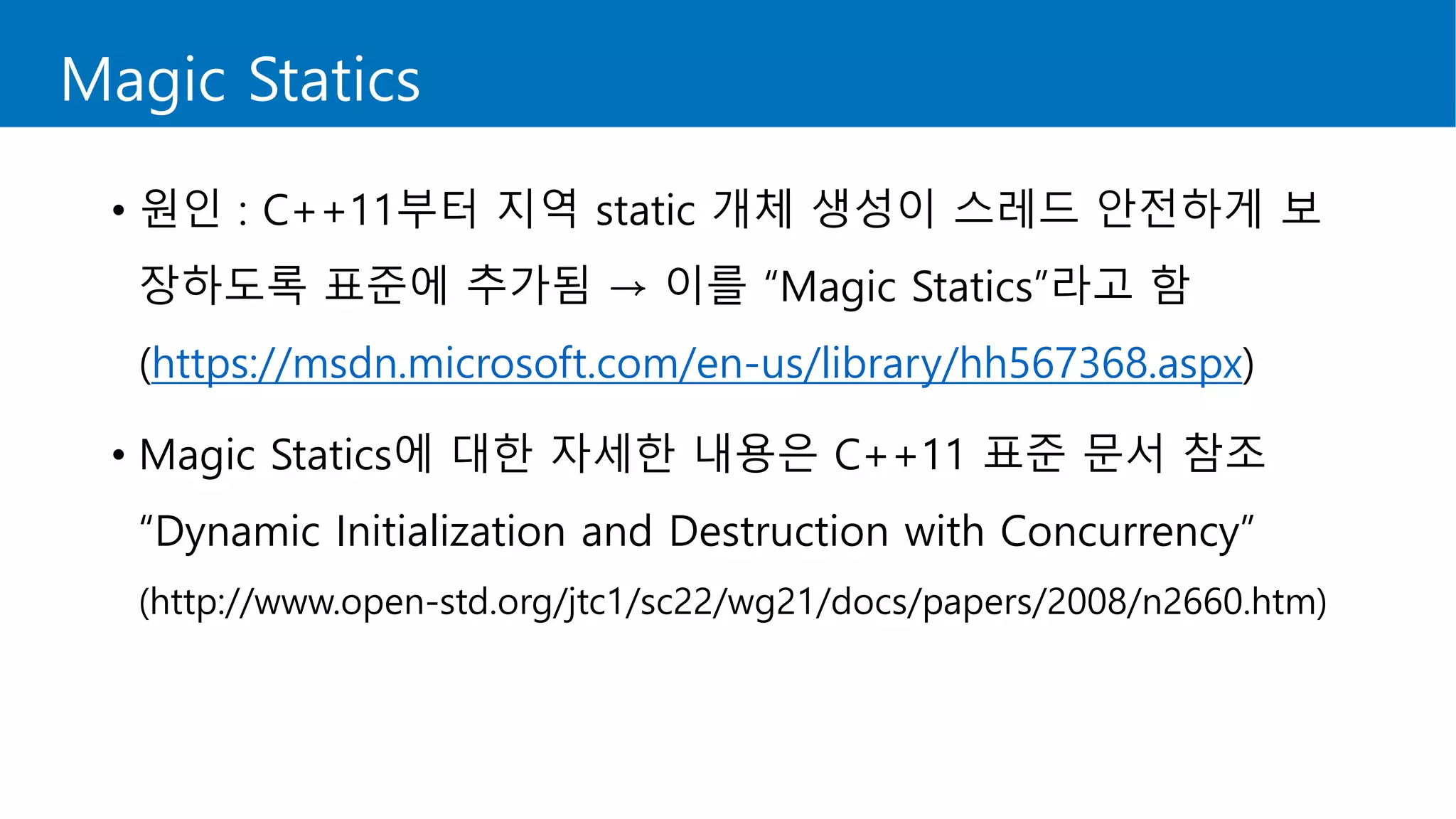
• 원인 : C++11부터 지역 static 개체 생성이 스레드 안전하게 보
장하도록 표준에 추가됨 → 이를 “Magic Statics”라고 함
(https://msdn.microsoft.com/en-us/library/hh567368.aspx)
• Magic Statics에 대한 자세한 내용은 C++11 표준 문서 참조
“Dynamic Initialization and Destruction with Concurrency”
(http://www.open-std.org/jtc1/sc22/wg21/docs/papers/2008/n2660.htm)
Magic Statics
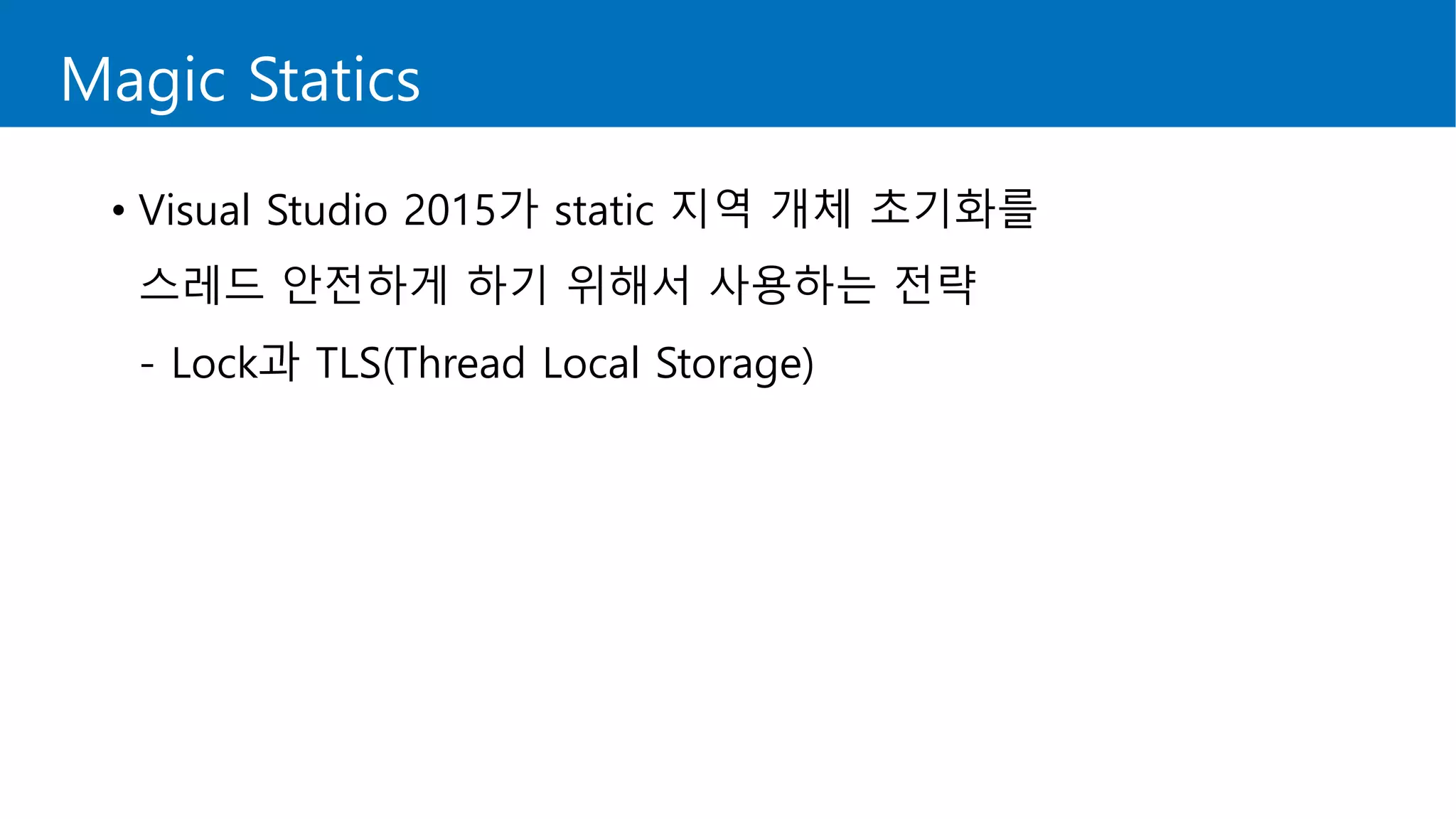
• Visual Studio 2015가 static 지역 개체 초기화를
스레드 안전하게 하기 위해서 사용하는 전략
- Lock과 TLS(Thread Local Storage)
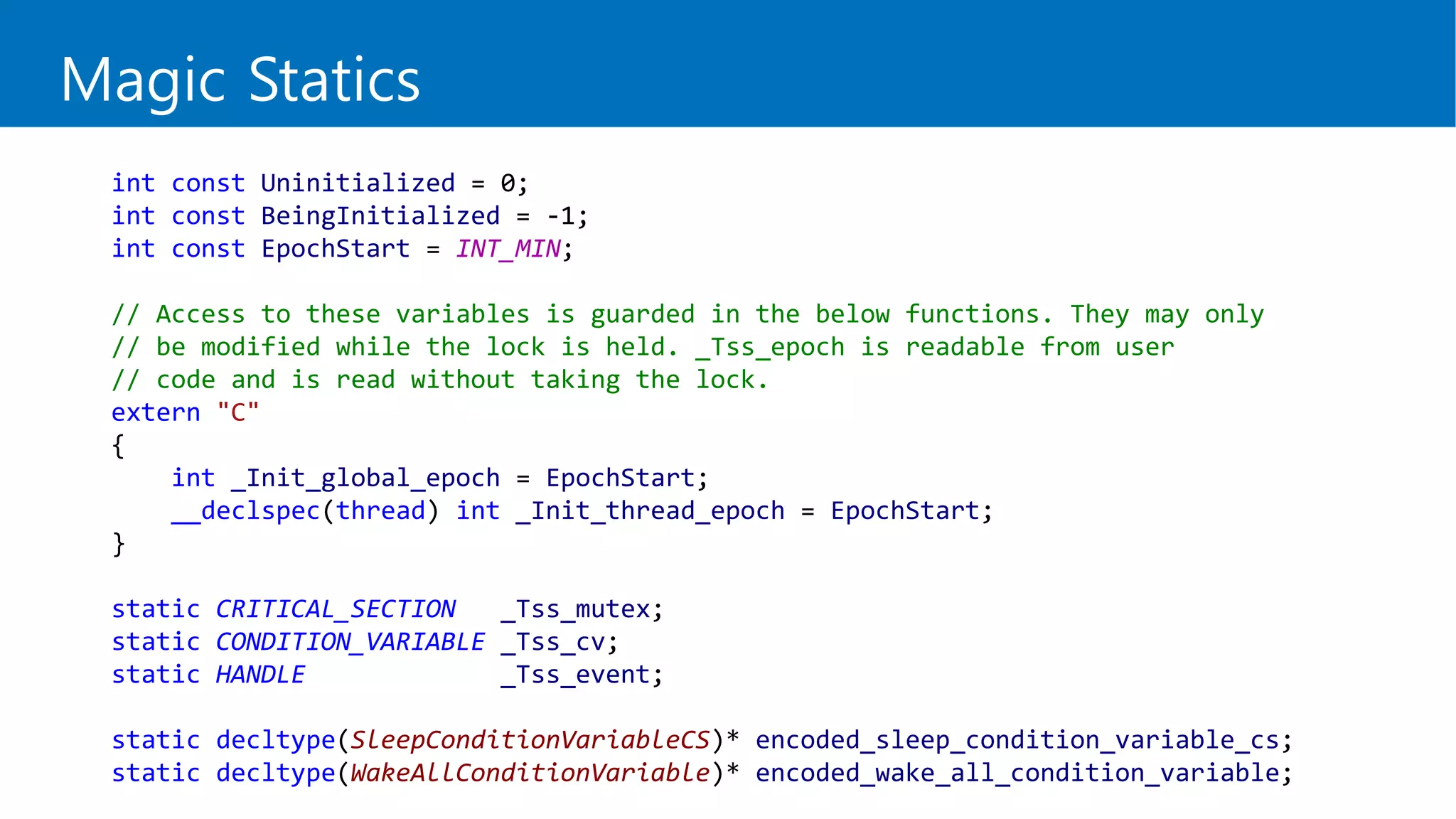
int const Uninitialized = 0;
int const BeingInitialized = -1;
int const EpochStart = INT_MIN;
// Access to these variables is guarded in the below functions. They may only
// be modified while the lock is held. _Tss_epoch is readable from user
// code and is read without taking the lock.
extern "C"
{
int _Init_global_epoch = EpochStart;
__declspec(thread) int _Init_thread_epoch = EpochStart;
}
static CRITICAL_SECTION _Tss_mutex;
static CONDITION_VARIABLE _Tss_cv;
static HANDLE _Tss_event;
static decltype(SleepConditionVariableCS)* encoded_sleep_condition_variable_cs;
static decltype(WakeAllConditionVariable)* encoded_wake_all_condition_variable;
Magic Statics
Magic Statics
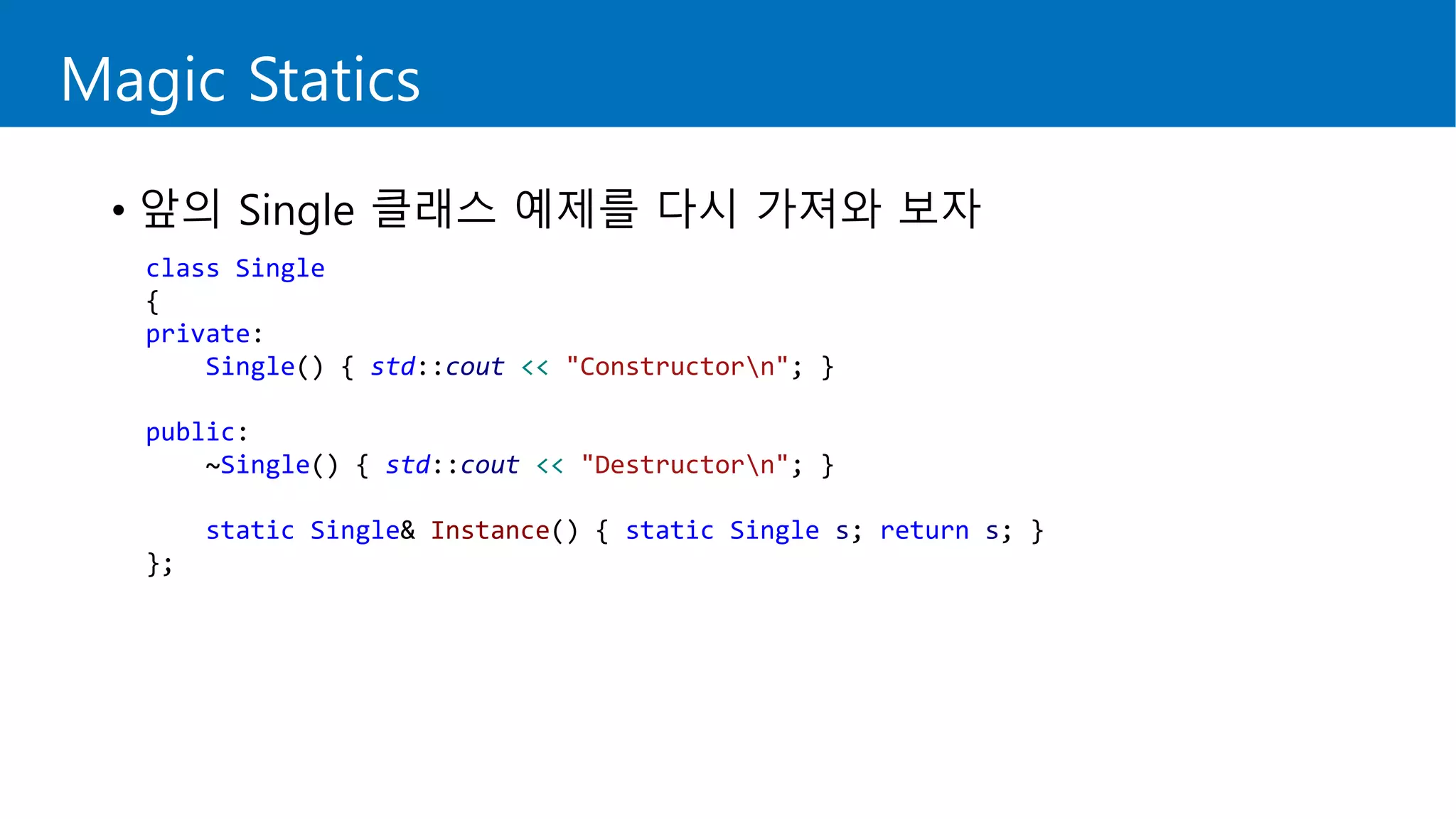
• 앞의 Single 클래스 예제를 다시 가져와 보자
class Single
{
private:
Single() { std::cout << "Constructorn"; }
public:
~Single() { std::cout << "Destructorn"; }
static Single& Instance() { static Single s; return s; }
};
Magic Statics
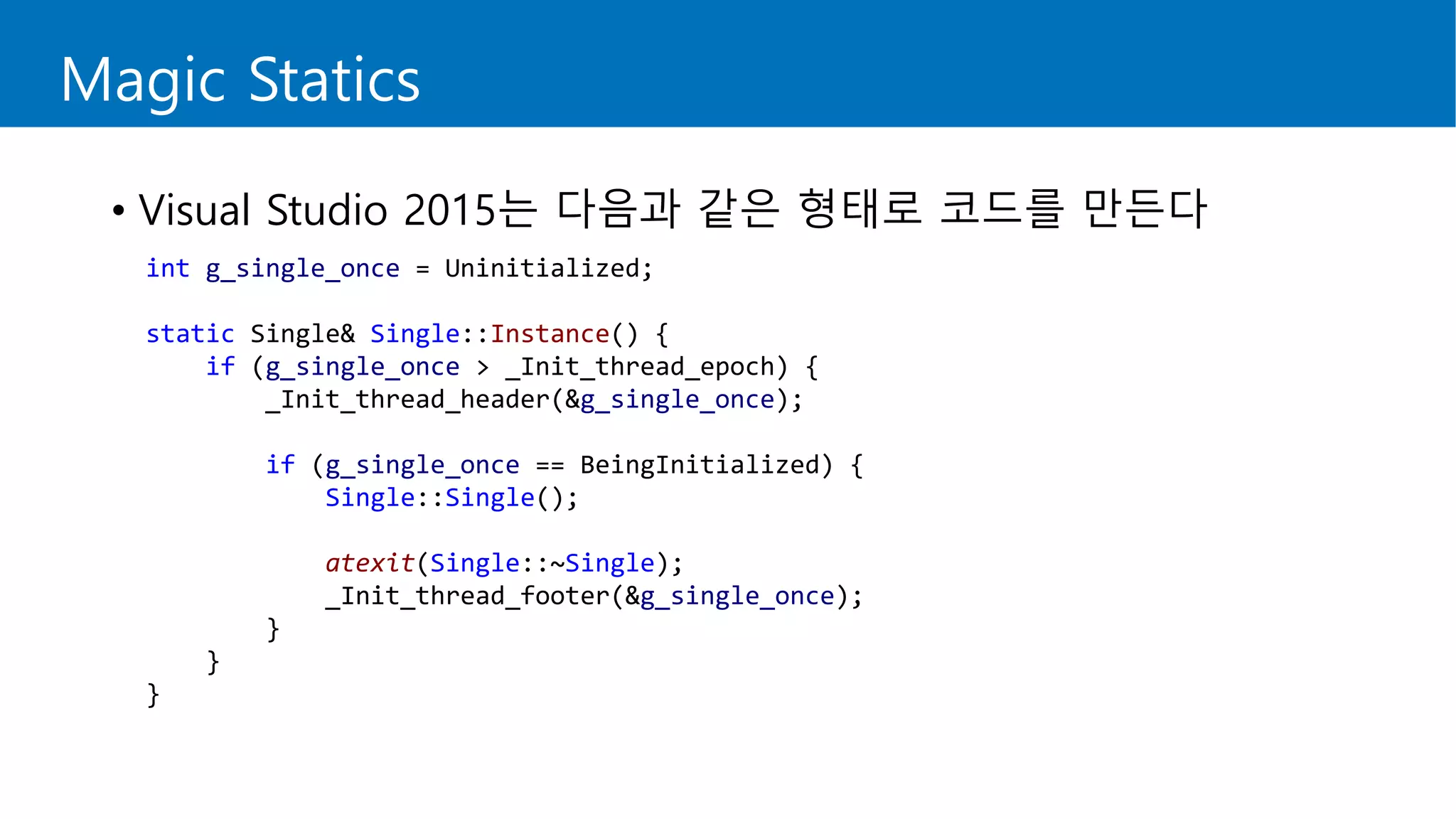
• Visual Studio 2015는 다음과 같은 형태로 코드를 만든다
int g_single_once = Uninitialized;
static Single& Single::Instance() {
if (g_single_once > _Init_thread_epoch) {
_Init_thread_header(&g_single_once);
if (g_single_once == BeingInitialized) {
Single::Single();
atexit(Single::~Single);
_Init_thread_footer(&g_single_once);
}
}
}
Magic Statics
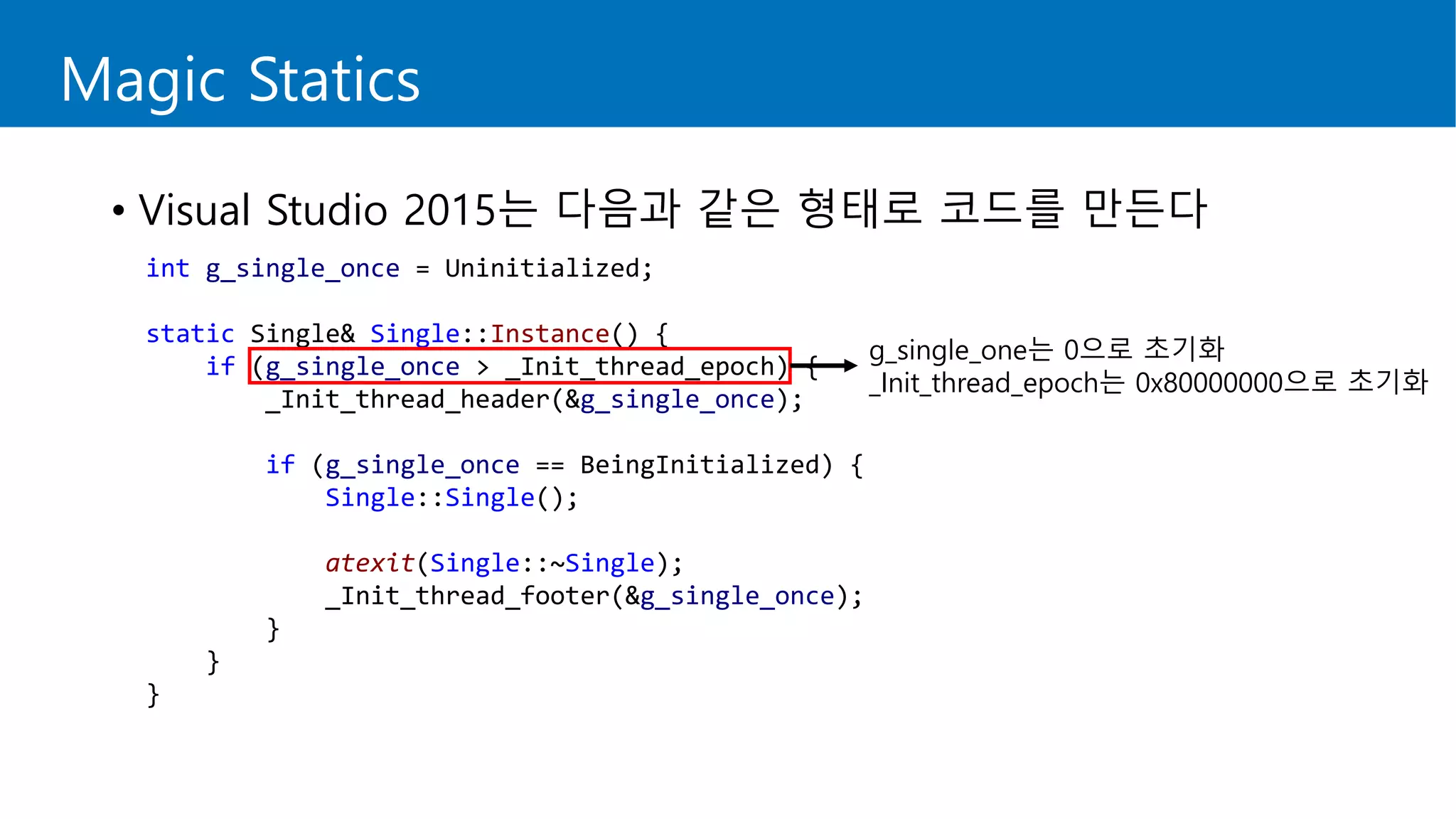
• Visual Studio 2015는 다음과 같은 형태로 코드를 만든다
int g_single_once = Uninitialized;
static Single& Single::Instance() {
if (g_single_once > _Init_thread_epoch) {
_Init_thread_header(&g_single_once);
if (g_single_once == BeingInitialized) {
Single::Single();
atexit(Single::~Single);
_Init_thread_footer(&g_single_once);
}
}
}
g_single_one는 0으로 초기화
_Init_thread_epoch는 0x80000000으로 초기화
Magic Statics
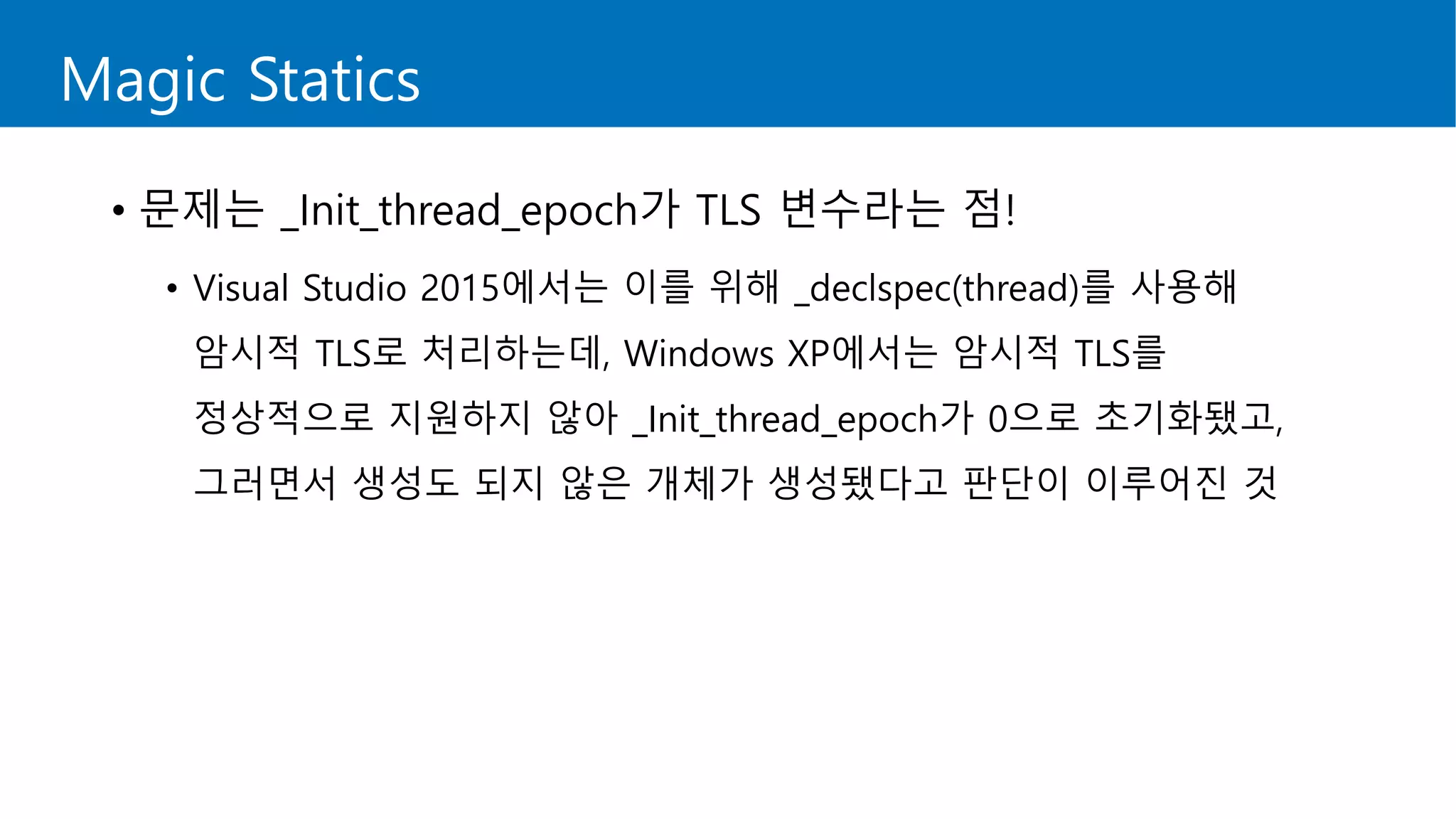
• 문제는 _Init_thread_epoch가 TLS 변수라는 점!
• Visual Studio 2015에서는 이를 위해 _declspec(thread)를 사용해
암시적 TLS로 처리하는데, Windows XP에서는 암시적 TLS를
정상적으로 지원하지 않아 _Init_thread_epoch가 0으로 초기화됐고,
그러면서 생성도 되지 않은 개체가 생성됐다고 판단이 이루어진 것
Magic Statics
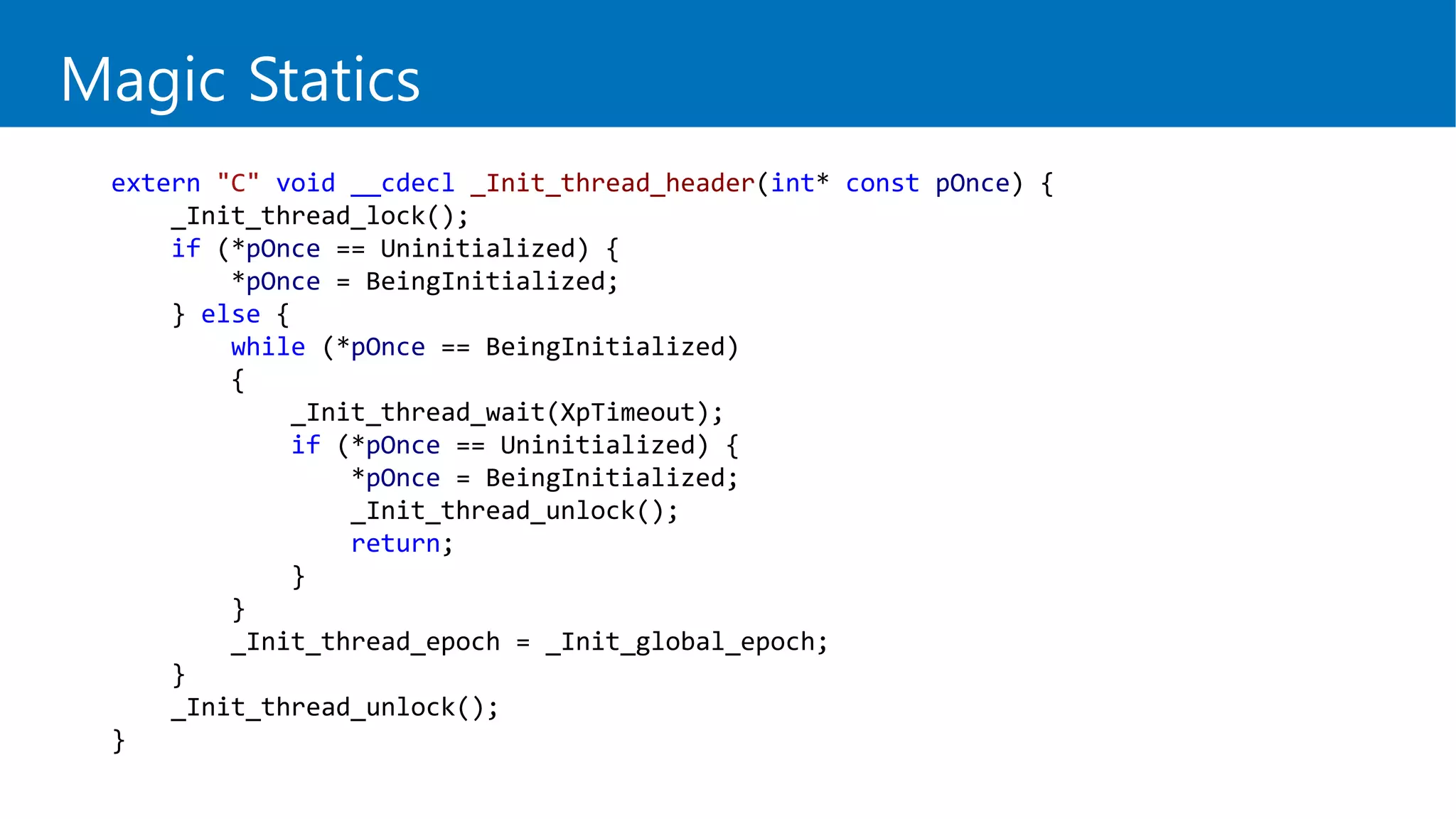
extern "C" void __cdecl _Init_thread_header(int* const pOnce) {
_Init_thread_lock();
if (*pOnce == Uninitialized) {
*pOnce = BeingInitialized;
} else {
while (*pOnce == BeingInitialized)
{
_Init_thread_wait(XpTimeout);
if (*pOnce == Uninitialized) {
*pOnce = BeingInitialized;
_Init_thread_unlock();
return;
}
}
_Init_thread_epoch = _Init_global_epoch;
}
_Init_thread_unlock();
}
Magic Statics
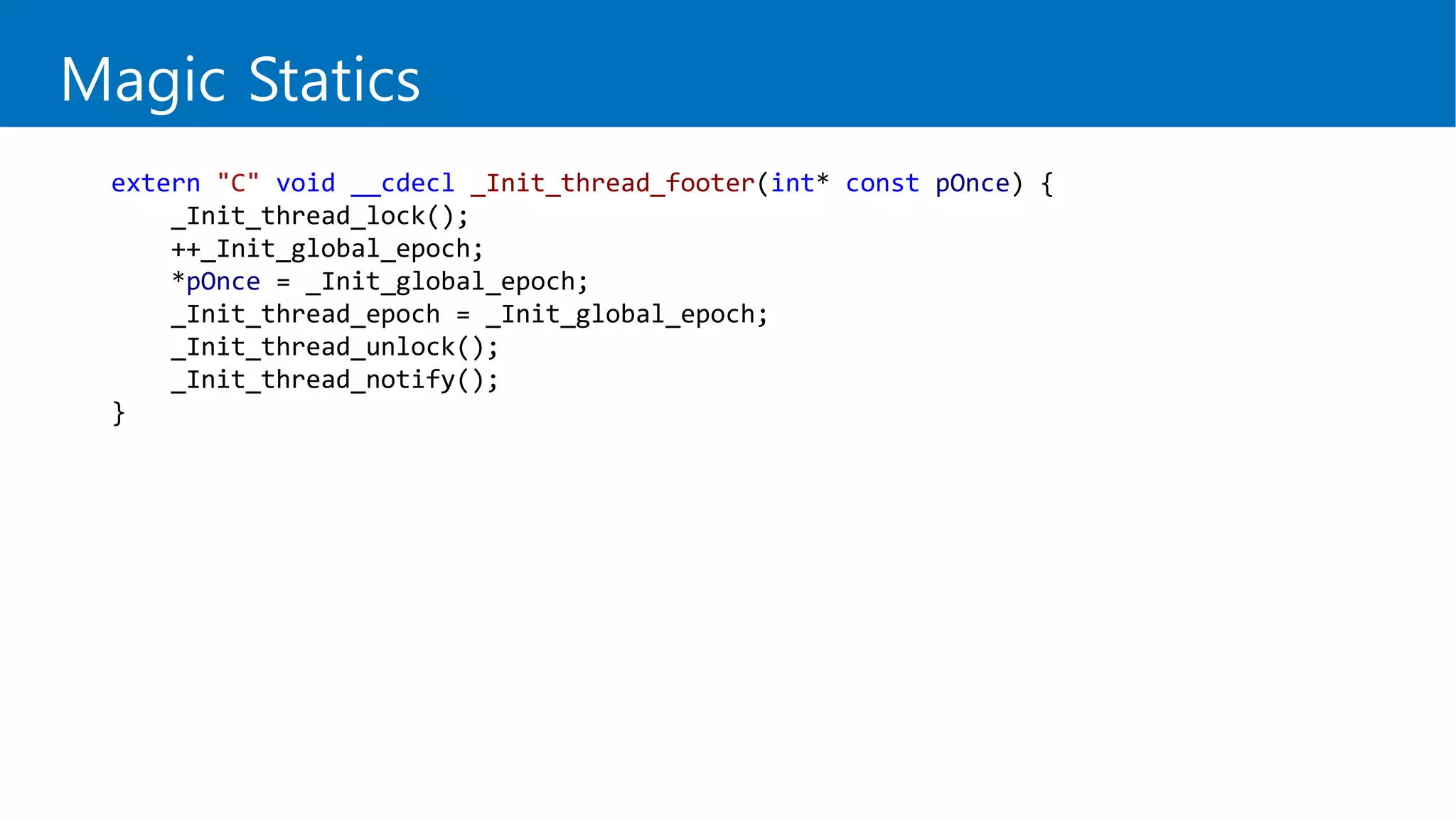
extern "C" void __cdecl _Init_thread_footer(int* const pOnce) {
_Init_thread_lock();
++_Init_global_epoch;
*pOnce = _Init_global_epoch;
_Init_thread_epoch = _Init_global_epoch;
_Init_thread_unlock();
_Init_thread_notify();
}
Magic Statics
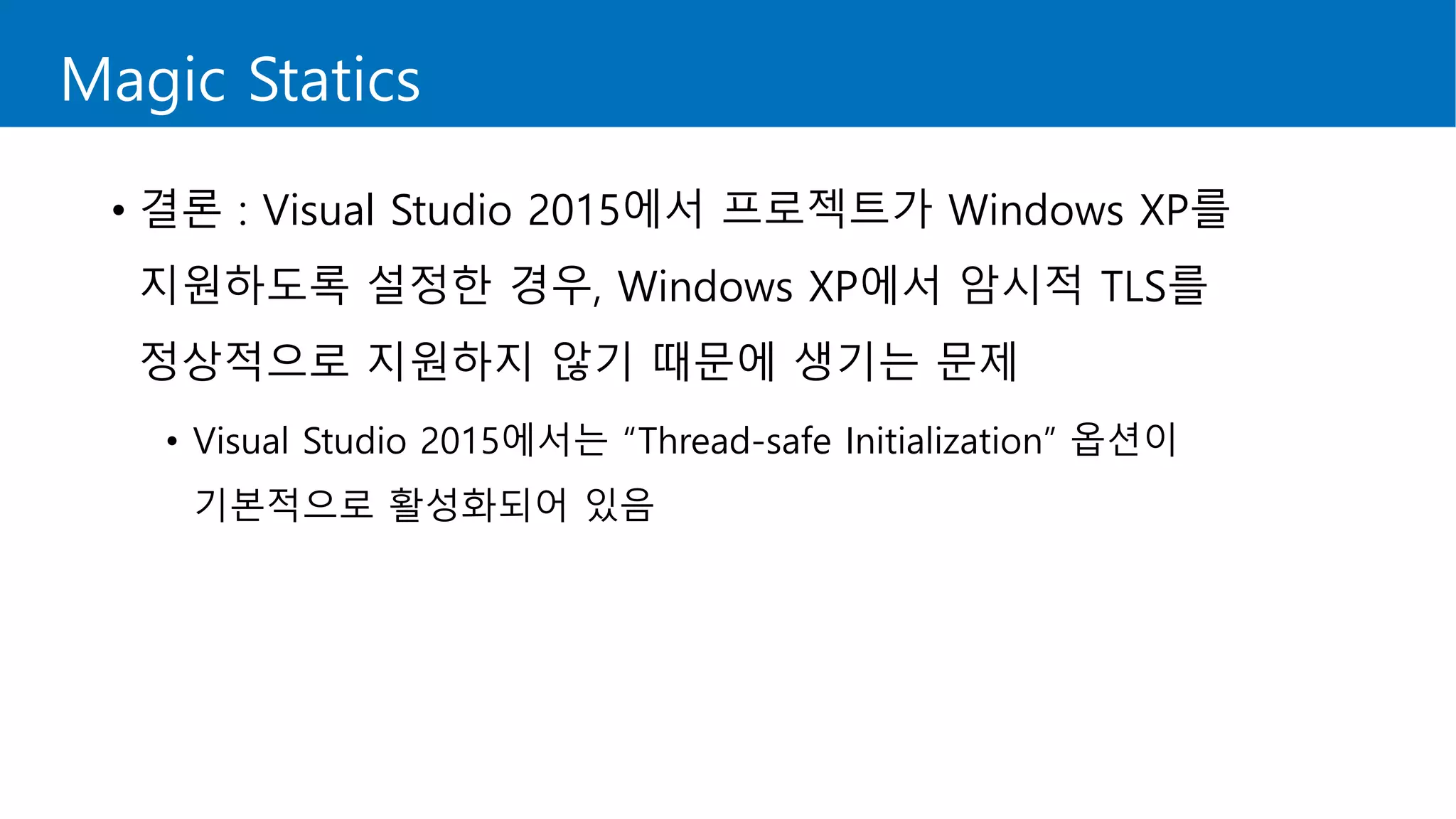
• 결론 : Visual Studio 2015에서 프로젝트가 Windows XP를
지원하도록 설정한 경우, Windows XP에서 암시적 TLS를
정상적으로 지원하지 않기 때문에 생기는 문제
• Visual Studio 2015에서는 “Thread-safe Initialization” 옵션이
기본적으로 활성화되어 있음
Magic Statics
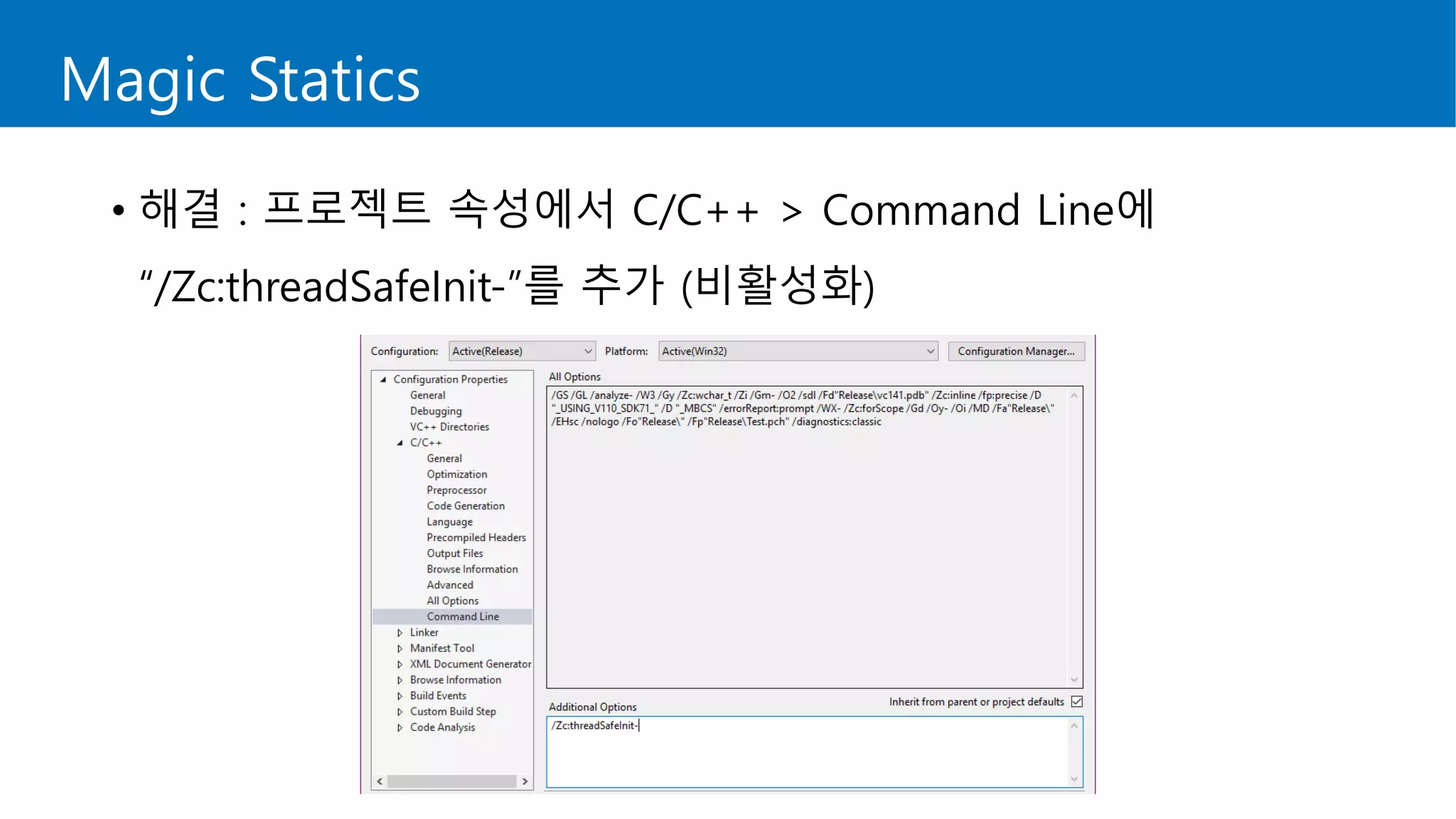
• 해결 : 프로젝트 속성에서 C/C++ > Command Line에
“/Zc:threadSafeInit-”를 추가 (비활성화)
Treat Warnings as Errors
• Visual Studio 2015로 오면서 경고를 오류로 취급하는 문제
• C4456 : declaration of ‘x’ hides previous local declaration.
• C4459 : declaration of 'x' hides global declaration.
• C4577 : 'noexcept' used with no exception handling mode specified;
termination on exception is not guaranteed. Specify /EHsc
• C4819 : The file contains a character that cannot be represented in
the current code page (949). Save the file in Unicode format to
prevent data loss.
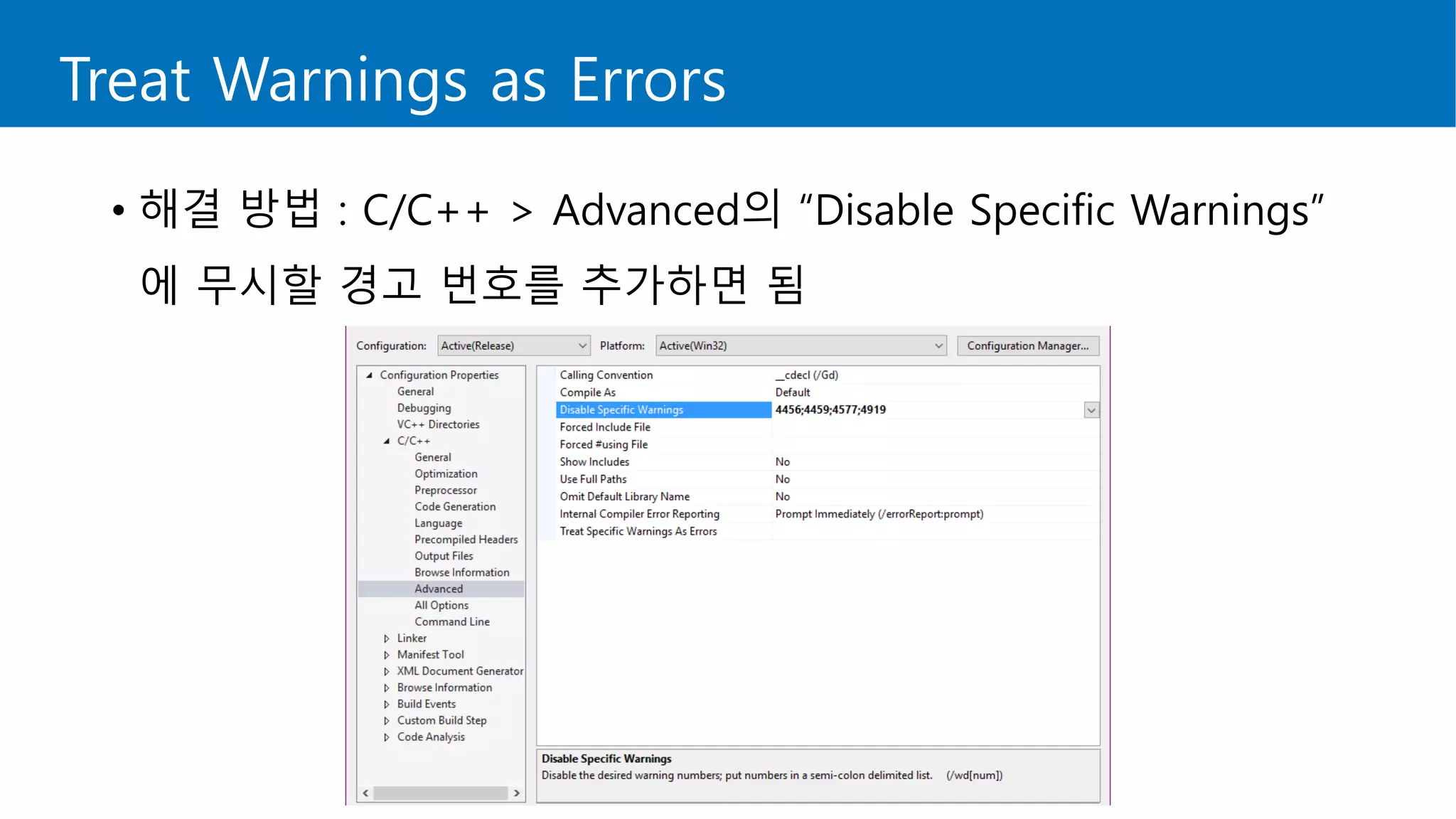
Treat Warnings as Errors
• 해결 방법 : C/C++ > Advanced의 “Disable Specific Warnings”
에 무시할 경고 번호를 추가하면 됨
마이그레이션 작업 후
Before Merge: Test, test, test it!
• 마이그레이션 작업을 마친 후 프로젝트가 빌드되는지 확인
• 빌드되면 끝? 이제 시작일 뿐!
• 코드 변경으로 인해 기능이 동작하지 않는 경우가 발생할 수 있음
• 또한 코드 변경으로 인해 예상하지 못한 런타임 오류가 발생할 수 있음
• 오랜 시간이 걸리더라도 수행 가능한 범위 내에서 모든 기능을 테스트
• 무엇보다 중요한 것은 라이브 서비스의 안전성!
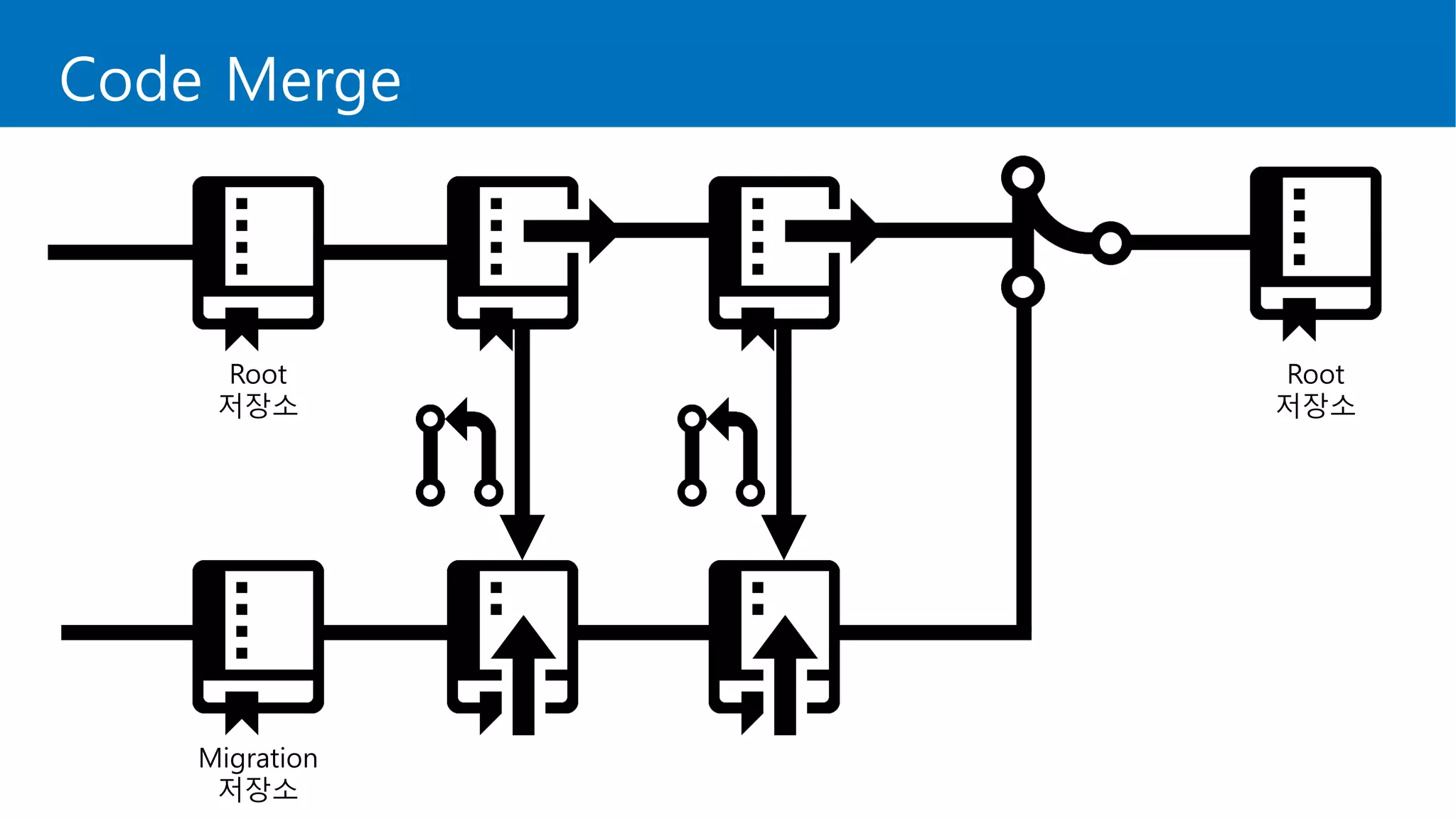
Code Merge
Migration
저장소
Root
저장소
Root
저장소
After Merge: Test, test, test it again!
• 변경한 코드를 머지한 뒤, 다시 한 번 테스트를 수행
• 기존 프로젝트에서 빌드되고 문제없이 실행되어야 함
또한 마이그레이션한 프로젝트에서도 마찬가지여야 함
• 라이브 서비스로 내보내기 전, 반드시 거쳐야 할 작업!
최대한 많은 인원이 테스트를 할 수 있도록 일정 협의
Visual Studio 2015의 유용한 기능
- Code Analysis
Code Analysis
• Visual Studio 2013, 2015에는 정적 분석 도구가 내장되어 있음
• Analyze > Run Code Analysis 메뉴에서 사용 가능
• 각 프로젝트 속성에서 정적 분석에 사용할 규칙 집합 설정
• Platform Toolset이 “Visual Studio 2015 – Windows XP”인 경우
정적 분석을 할 수 없기 때문에 “Visual Studio 2015”로 변경
• 정적 분석 시간은 프로젝트의 크기에 따라 달라짐
Code Analysis
• 정적 분석을 통해 확인할 수 있는 부분
• NULL 포인터 역참조
• int -> bool 변환
• noexcept 누락
• 부호 불일치
• 지역 변수 / 함수 매개 변수 / 클래스 선언 숨김
• …
Code Analysis
• Demo : 프로젝트의 코드 정적 분석
정리
Summary
Summary
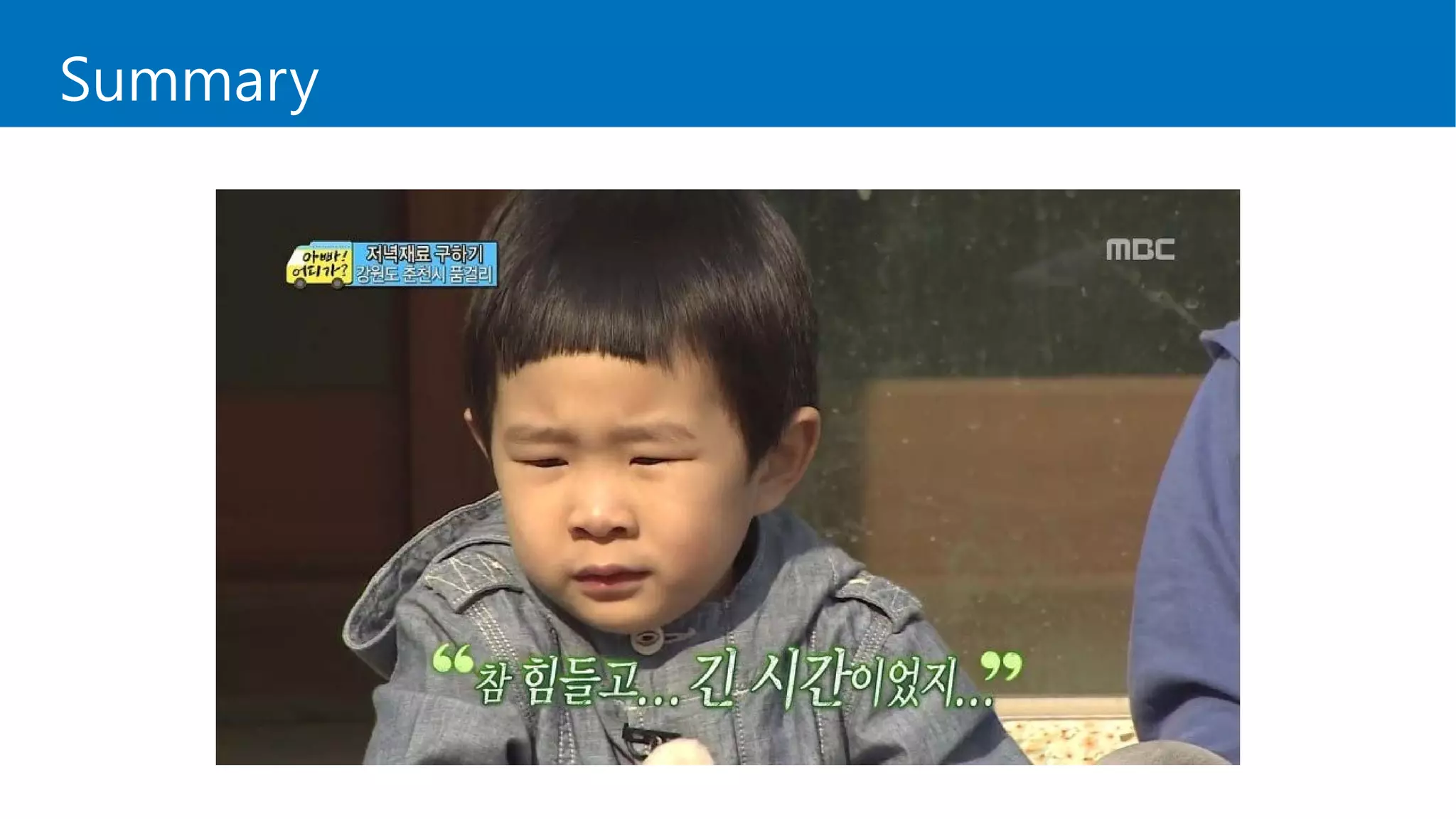
• 마이그레이션 작업 전에 정책 및 계획을 잘 세우시기 바랍니다.
• 마이그레이션 작업은 매우 힘든 작업입니다.
그렇다고 아예 불가능한 작업도 아닙니다.
• 마이그레이션 작업 후에는 최대한 모든 기능을 테스트합시다.
• 뜻이 있는 곳에 길이 있습니다.
• 모든 개발자 분들, 언제나 파이팅입니다!
Special Thanks to
• 마이그레이션 작업은 저 혼자가 아닌 팀에 계신 분들과 함께
진행했습니다. 함께 작업했기에 무사히 마칠 수 있었습니다.
이 자리를 빌어 저희 팀원분들에게 감사하다는 말씀드립니다.
References
• http://www.cppreference.com/
• http://eslife.tistory.com/entry/Visual-Studio-
%EB%B2%84%EC%A0%84-%EB%B3%84-STL-
%EC%A7%80%EC%9B%90
• http://jiniya.net/ng/2016/11/magic-statics/
• https://blogs.msdn.microsoft.com/vcblog/2014/11/12/improve
ments-to-warnings-in-the-c-compiler/
Question?
utilForever@gmail.com
http://fb.com/utilForever
http://www.github.com/utilForever
감사합니다!

[C++ Korea 3rd Seminar] 새 C++은 새 Visual Studio에, 좌충우돌 마이그레이션 이야기

  • 1.
    옥찬호 / NexonKorea, C++ Korea 새 C++은 새 Visual Studio에? - 좌충우돌 마이그레이션 이야기
  • 2.
    소개 • 옥찬호 (ChrisOhk) • Nexon Korea Game Programmer • Microsoft Visual C++ MVP • 페이스북 그룹 C++ Korea 대표 • IT 전문서 집필 및 번역 다수 • 게임샐러드로 코드 한 줄 없이 게임 만들기 (2013) • 유니티 Shader와 Effect 제작 (2014) • 2D 게임 프로그래밍 (2014) • 러스트 핵심 노트 (2017) • ing…
  • 3.
    시작하기 전에… • 현재서비스 중인 프로젝트를 Visual Studio 2008에서 Visual Studio 2015로 마이그레이션하면서 겪었던 문제들과 해결 방안에 대해 설명합니다. • 마이그레이션을 하면서 겪었던 문제 중 공유드릴만한 내용을 간추려서 설명합니다. • 마이그레이션을 하면서 겪게 되는 문제와 해결 방안은 프로젝트마다 다를 수 있음을 참고해주시기 바랍니다.
  • 4.
    What is projectmigration? 하나의 시스템, 플랫폼, 애플리케이션, 위치 또는 인프라 집합에 서 하나 이상의 프로젝트 관련 항목을 다른 곳으로 옮기는 것과 연관된 프로세스 및 프로젝트 작업 https://www.if4it.com/SYNTHESIZED/GLOSSARY/P/Project_Migration.html
  • 5.
    Statistics of projectmigration in 2015 66% of IT pros delayed a migration due to past experience. 44% experienced a migration failure in 2015 75% of companies that performed a migration in 2015 were offline for 48 hours or longer http://www.itworld.co.kr/print/101274
  • 6.
    Difficulties of projectmigration • 일정 관리 문제 – 프로젝트 진행 기간을 산출하기 어려움 • 종속성 문제 – 최신 버전에 대한 라이브러리 미지원 • 안전성 문제 – 라이브 서비스에 문제가 생길 수도 있다는 불안 • 관리 문제 – 라이브 서비스 컨텐츠 개발과 동시에 진행해야 함 • 인력 문제 – 마이그레이션 작업을 담당할 사람이 부족함 • …
  • 7.
  • 8.
  • 9.
    Table of Contents •마이그레이션 작업 전 • 마이그레이션 작업 • 마이그레이션 작업 후 • Visual Studio 2015의 유용한 기능 - Code Analysis • 정리
  • 10.
  • 11.
    Library Check • 프로젝트에종속되어 있는 라이브러리가 마이그레이션할 Visual Studio 버전을 지원하는지 확인 • 지원하는 경우, 해당 버전의 라이브러리 파일 다운로드 (32 / 64비트 주의) • 지원하지 않는 경우, 대체 가능한 라이브러리 찾아보기 • 상용 라이브러리의 경우, 해당 버전의 라이브러리 지원 여부에 따라 비용이 들어갈 수도 있으므로 반드시 확인해야 함 • 비용이 너무 많이 들 경우, 포기해야 될 수도 있음
  • 12.
    Migration Policy • Output폴더와 Library 폴더에 대한 정책 수립 • Output 폴더 정리 • 중간 파일 사용 여부 • 배치 파일 템플릿 작성 • Library 폴더 정리 • 프로젝트에서 사용하지 않는 라이브러리 확인 • 사용하지 않는 라이브러리에 대해 마크 표시한 뒤 차후에 삭제
  • 13.
    Fork Branch • 고려해야할 사항 • 라이브 서비스 중인 프로젝트에 영향이 생겨서는 안 됨 • 마이그레이션 작업 후 모든 기능에 이상이 없는지 검사한 뒤, 문제가 없을 경우에만 새로운 프로젝트에서 작업해야 함 • 수정하는 코드가 많은 경우, 다른 기능에 영향을 줄 수 있기에 가능한 오랜 시간 동안 검증할 수 있어야 함 (프로그램 안전성↑)
  • 14.
  • 15.
    Note • Visual Studio2015 설치 시 Windows 8.1 SDK 및 유니버셜 CRT SDK 설치 필요 (Community 버전 기준으로 기본 설치됨) • afxres.h 파일이 없어 빌드 오류가 발생하면 winresrc.h로 대체 • 상속 속성 페이지 파일 확장자가 .vcprops에서 .props로 변경됨 • 프로젝트에서 필터를 관리하는 파일 확장자 추가 : .filters • 프로젝트 파일 확장자가 .vcproj에서 .vcxproj로 변경됨
  • 16.
  • 17.
    STLport • C++ 표준라이브러리의 포터블 버전 • 1997년 1월, Boris Fomitchev가 개발 시작 • 상용 프로그램에서도 무료로 사용 가능 • 2008년 12월 10일, 마지막 버전 릴리즈 (5.2.1) • 구버전의 Visual Studio 프로젝트에서 많이 사용
  • 18.
  • 19.
  • 20.
    Why use STLport? •사례 1 : std::vector std::vector<std::string> data; data.push_back("abc"); data.push_back("123"); data.push_back("가나다"); warning C4786: 'std::reverse_iterator<std::basic_string<char,std::char_ traits<char>,std::allocator<char>> const*, std::basic_string<char,std::char_traits<char>, std::allocator<char> >,std::basic_string<char, std::char_traits<char>,std::allocator<char> > const &, std::basic_string<char,std::char_traits<char>, std::allocator<char> > const *,int>' : identifier was truncated to ‘255’ characters in the debug information
  • 21.
    Why use STLport? •사례 2 : std::map std::map<std::string, std::string> data; data.insert(std::make_pair("123", "숫자")); data.insert(std::make_pair("가나다", "한글")); std::map<std::string, std::string> data; data.insert(std::make_pair(std::string("123"), std::string("숫자")); // OK data.insert(std::make_pair(std::string("가나다"), std::string("한글")); // OK // Error // Error
  • 22.
  • 23.
    Why use STLport? •구버전의 Visual Studio에서 STL 지원과 관련된 많은 문제 발생 • 따라서 가볍고 보다 안정적인 STLport를 사용하게 됨 • 하지만 Visual Studio 2005를 기점으로 STL 지원과 관련된 문제들은 거의 발생하지 않음 • Visual Studio 최신 버전에서는 벡터 병렬 계산 등이 도입되면서 속도 측면에서도 많이 개선됨 → 바꾸지 않을 이유가 없다!
  • 24.
    STLPort Removal • 이제제거해 봅시다.
  • 25.
  • 26.
  • 27.
    STLPort Removal • 오류의원인 1 : STLPort에는 있는데, STL에는 없는 자료구조 • hash_map (https://www.sgi.com/tech/stl/hash_map.html) • hash_set (https://www.sgi.com/tech/stl/hash_set.html) #include <hash_set> typedef std::hash_set<DWORD> CHashSet; #include <hash_map> typedef std::hash_map<DWORD> CHashMap;
  • 28.
    STLPort Removal • 해결방법 • hash_map은 unordered_map으로 변경 • hash_set은 unordered_set으로 변경 //#include <hash_set> //typedef std::hash_set<DWORD> CHashSet; #include <unordered_set> typedef std::unordered_set<DWORD> CHashSet; //#include <hash_map> //typedef std::hash_map<DWORD> CHashMap; #include <unordered_map> typedef std::unordered_map<DWORD> CHashMap;
  • 29.
    #if (_MSC_VER >=1900) #include <unordered_set> typedef std::unordered_set<DWORD> CHashSet; #include <unordered_map> typedef std::unordered_map<DWORD> CHashMap; #else #include <hash_set> typedef std::hash_set<DWORD> CHashSet; #include <hash_map> typedef std::hash_map<DWORD> CHashMap; #endif STLPort Removal • 참고 사항 : 기존 프로젝트와 충돌이 나지 않도록 전처리
  • 30.
    STLPort Removal • 오류의원인 2 : push_back() • STLPort에서는 매개 변수 없는 push_back()을 허용 struct Data { double weight; double height; }; std::vector<Data> data; int index = -1; // Add Data data.push_back(); index++; data[index].weight = 60.0; data[index].height = 180.0;
  • 31.
    STLPort Removal • 해결방법 • 변수를 하나 선언한 뒤, 데이터를 채우고 push_back() // Add Data //data.push_back(); //index++; //data[index].weight = 60.0; //data[index].height = 180.0; Data tempData; tempData.weight = 60.0; tempData.height = 180.0; data.push_back(tempData);
  • 32.
    void func(const char*str) { if (str && *str) { int size = strlen(str); std::string::const_iterator begin = str; std::string::const_iterator end = begin + size; ... } } STLPort Removal • 오류의 원인 3 : 포인터 기반 반복자 • STLPort의 const_iterator는 const char*
  • 33.
    STLPort Removal • 해결방법 • const_iterator를 표준 반복자로 변환 void func(const char* str) { if (str && *str) { std::string text(str); std::string::const_iterator begin = text.cbegin(); std::string::const_iterator end = text.cend(); ... } }
  • 34.
    STLPort Removal • 참고사항 : 기존 프로젝트와 충돌이 나지 않도록 전처리 (STLPort는 cbegin, cend 함수를 지원하지 않음) #if (_MSC_VER >= 1900) std::string::const_iterator itbegin = token.cbegin(); std::string::const_iterator itend = token.cend(); #else std::string::const_iterator itbegin = token.begin(); std::string::const_iterator itend = token.end(); #endif
  • 35.
    STLPort Removal • 종속관계를 갖는 프로젝트가 많은 경우, STLPort를 제거해도 포함된 .lib나 .dll로 인해 완전히 제거되지 않는 경우가 있음
  • 36.
    STLPort Removal • 해결방법 : 프로젝트 종속 관계를 파악한 뒤, 풀어나간다.
  • 37.
    STLPort Removal • 주의: 실타래를 풀다가 지칠 수도 있으니 숨을 쉬어가면서 하자.
  • 38.
    STL Function Change •경우 1 : round() 함수 변화 • C99 • C++11 double round(double x); float roundf(float x); long double roundl(long double x); double round(double x); float round(float x); long double round(long double x); double round(T x); // additional overloads for integral types
  • 39.
    STL Function Change •경우 2 : 곧 없어지는 auto_ptr (C++17에서 없어질 예정) • unique_ptr • shared_ptr • weak_ptr std::unique_ptr<Data> pUnique; auto pUnique2 = std::make_unique<Data>(); std::shared_ptr<Data> pShared; auto pShared2 = std::make_shared<Data>(); std::weak_ptr<Data> pWeak; auto pWeak2 = pShared;
  • 40.
    Macro Change • 경우1 : 매크로 / 매크로 함수 구분 #define DECLARE_FUNCTION #define DECLARE_FUNCTION_() class Test { DECLARE_FUNCTION(); // Error DECLARE_FUNCTION_(); // OK };
  • 41.
    Macro Change • 경우2 : 매크로 문자열 사용 시 구분을 위한 공백 필요 #define MACROSTR "STRING MACRO" const char* ERROR = "error"MACROSTR "error"; // Error const char* VALID = "valid" MACROSTR "error"; // OK
  • 42.
    Windows XP Support •Visual Studio 최신 버전에서는 기본적으로 Windows XP를 지원하지 않음 → Windows XP를 지원하는 프로그램에서 문제! • 해결 방법 : 프로젝트 속성에서 “Platform Toolset”을 “Visual Studio 2015”에서 “Visual Studio 2015 – Windows XP”로 변경
  • 43.
    Magic Statics • 다음과같은 클래스가 있다고 하자 class Single { private: Single() { std::cout << "Constructorn"; } public: ~Single() { std::cout << "Destructorn"; } static Single& Instance() { static Single s; return s; } };
  • 44.
    Magic Statics • VisualStudio 2015에서 프로젝트를 빌드한 뒤 실행할 때 싱글턴 패턴으로 구현한 클래스 타입에 대한 인스턴스를 static으로 정의할 경우 Lock이 걸린 뒤 풀리지 않아 무한 루프에 빠지는 현상이 발생
  • 45.
    Magic Statics • 원인: C++11부터 지역 static 개체 생성이 스레드 안전하게 보 장하도록 표준에 추가됨 → 이를 “Magic Statics”라고 함 (https://msdn.microsoft.com/en-us/library/hh567368.aspx) • Magic Statics에 대한 자세한 내용은 C++11 표준 문서 참조 “Dynamic Initialization and Destruction with Concurrency” (http://www.open-std.org/jtc1/sc22/wg21/docs/papers/2008/n2660.htm)
  • 46.
    Magic Statics • VisualStudio 2015가 static 지역 개체 초기화를 스레드 안전하게 하기 위해서 사용하는 전략 - Lock과 TLS(Thread Local Storage)
  • 47.
    int const Uninitialized= 0; int const BeingInitialized = -1; int const EpochStart = INT_MIN; // Access to these variables is guarded in the below functions. They may only // be modified while the lock is held. _Tss_epoch is readable from user // code and is read without taking the lock. extern "C" { int _Init_global_epoch = EpochStart; __declspec(thread) int _Init_thread_epoch = EpochStart; } static CRITICAL_SECTION _Tss_mutex; static CONDITION_VARIABLE _Tss_cv; static HANDLE _Tss_event; static decltype(SleepConditionVariableCS)* encoded_sleep_condition_variable_cs; static decltype(WakeAllConditionVariable)* encoded_wake_all_condition_variable; Magic Statics
  • 48.
    Magic Statics • 앞의Single 클래스 예제를 다시 가져와 보자 class Single { private: Single() { std::cout << "Constructorn"; } public: ~Single() { std::cout << "Destructorn"; } static Single& Instance() { static Single s; return s; } };
  • 49.
    Magic Statics • VisualStudio 2015는 다음과 같은 형태로 코드를 만든다 int g_single_once = Uninitialized; static Single& Single::Instance() { if (g_single_once > _Init_thread_epoch) { _Init_thread_header(&g_single_once); if (g_single_once == BeingInitialized) { Single::Single(); atexit(Single::~Single); _Init_thread_footer(&g_single_once); } } }
  • 50.
    Magic Statics • VisualStudio 2015는 다음과 같은 형태로 코드를 만든다 int g_single_once = Uninitialized; static Single& Single::Instance() { if (g_single_once > _Init_thread_epoch) { _Init_thread_header(&g_single_once); if (g_single_once == BeingInitialized) { Single::Single(); atexit(Single::~Single); _Init_thread_footer(&g_single_once); } } } g_single_one는 0으로 초기화 _Init_thread_epoch는 0x80000000으로 초기화
  • 51.
    Magic Statics • 문제는_Init_thread_epoch가 TLS 변수라는 점! • Visual Studio 2015에서는 이를 위해 _declspec(thread)를 사용해 암시적 TLS로 처리하는데, Windows XP에서는 암시적 TLS를 정상적으로 지원하지 않아 _Init_thread_epoch가 0으로 초기화됐고, 그러면서 생성도 되지 않은 개체가 생성됐다고 판단이 이루어진 것
  • 52.
    Magic Statics extern "C"void __cdecl _Init_thread_header(int* const pOnce) { _Init_thread_lock(); if (*pOnce == Uninitialized) { *pOnce = BeingInitialized; } else { while (*pOnce == BeingInitialized) { _Init_thread_wait(XpTimeout); if (*pOnce == Uninitialized) { *pOnce = BeingInitialized; _Init_thread_unlock(); return; } } _Init_thread_epoch = _Init_global_epoch; } _Init_thread_unlock(); }
  • 53.
    Magic Statics extern "C"void __cdecl _Init_thread_footer(int* const pOnce) { _Init_thread_lock(); ++_Init_global_epoch; *pOnce = _Init_global_epoch; _Init_thread_epoch = _Init_global_epoch; _Init_thread_unlock(); _Init_thread_notify(); }
  • 54.
    Magic Statics • 결론: Visual Studio 2015에서 프로젝트가 Windows XP를 지원하도록 설정한 경우, Windows XP에서 암시적 TLS를 정상적으로 지원하지 않기 때문에 생기는 문제 • Visual Studio 2015에서는 “Thread-safe Initialization” 옵션이 기본적으로 활성화되어 있음
  • 55.
    Magic Statics • 해결: 프로젝트 속성에서 C/C++ > Command Line에 “/Zc:threadSafeInit-”를 추가 (비활성화)
  • 56.
    Treat Warnings asErrors • Visual Studio 2015로 오면서 경고를 오류로 취급하는 문제 • C4456 : declaration of ‘x’ hides previous local declaration. • C4459 : declaration of 'x' hides global declaration. • C4577 : 'noexcept' used with no exception handling mode specified; termination on exception is not guaranteed. Specify /EHsc • C4819 : The file contains a character that cannot be represented in the current code page (949). Save the file in Unicode format to prevent data loss.
  • 57.
    Treat Warnings asErrors • 해결 방법 : C/C++ > Advanced의 “Disable Specific Warnings” 에 무시할 경고 번호를 추가하면 됨
  • 58.
  • 59.
    Before Merge: Test,test, test it! • 마이그레이션 작업을 마친 후 프로젝트가 빌드되는지 확인 • 빌드되면 끝? 이제 시작일 뿐! • 코드 변경으로 인해 기능이 동작하지 않는 경우가 발생할 수 있음 • 또한 코드 변경으로 인해 예상하지 못한 런타임 오류가 발생할 수 있음 • 오랜 시간이 걸리더라도 수행 가능한 범위 내에서 모든 기능을 테스트 • 무엇보다 중요한 것은 라이브 서비스의 안전성!
  • 60.
  • 61.
    After Merge: Test,test, test it again! • 변경한 코드를 머지한 뒤, 다시 한 번 테스트를 수행 • 기존 프로젝트에서 빌드되고 문제없이 실행되어야 함 또한 마이그레이션한 프로젝트에서도 마찬가지여야 함 • 라이브 서비스로 내보내기 전, 반드시 거쳐야 할 작업! 최대한 많은 인원이 테스트를 할 수 있도록 일정 협의
  • 62.
    Visual Studio 2015의유용한 기능 - Code Analysis
  • 63.
    Code Analysis • VisualStudio 2013, 2015에는 정적 분석 도구가 내장되어 있음 • Analyze > Run Code Analysis 메뉴에서 사용 가능 • 각 프로젝트 속성에서 정적 분석에 사용할 규칙 집합 설정 • Platform Toolset이 “Visual Studio 2015 – Windows XP”인 경우 정적 분석을 할 수 없기 때문에 “Visual Studio 2015”로 변경 • 정적 분석 시간은 프로젝트의 크기에 따라 달라짐
  • 64.
    Code Analysis • 정적분석을 통해 확인할 수 있는 부분 • NULL 포인터 역참조 • int -> bool 변환 • noexcept 누락 • 부호 불일치 • 지역 변수 / 함수 매개 변수 / 클래스 선언 숨김 • …
  • 65.
    Code Analysis • Demo: 프로젝트의 코드 정적 분석
  • 66.
  • 67.
  • 68.
    Summary • 마이그레이션 작업전에 정책 및 계획을 잘 세우시기 바랍니다. • 마이그레이션 작업은 매우 힘든 작업입니다. 그렇다고 아예 불가능한 작업도 아닙니다. • 마이그레이션 작업 후에는 최대한 모든 기능을 테스트합시다. • 뜻이 있는 곳에 길이 있습니다. • 모든 개발자 분들, 언제나 파이팅입니다!
  • 69.
    Special Thanks to •마이그레이션 작업은 저 혼자가 아닌 팀에 계신 분들과 함께 진행했습니다. 함께 작업했기에 무사히 마칠 수 있었습니다. 이 자리를 빌어 저희 팀원분들에게 감사하다는 말씀드립니다.
  • 70.
    References • http://www.cppreference.com/ • http://eslife.tistory.com/entry/Visual-Studio- %EB%B2%84%EC%A0%84-%EB%B3%84-STL- %EC%A7%80%EC%9B%90 •http://jiniya.net/ng/2016/11/magic-statics/ • https://blogs.msdn.microsoft.com/vcblog/2014/11/12/improve ments-to-warnings-in-the-c-compiler/
  • 71.