Introduction to C
(Reek, Chs. 1-2)
1 CS 3090: Safety Critical Programming in C
C: History
CS 3090: Safety Critical Programming in C
2
 Developed in the 1970s – in conjunction with
development of UNIX operating system
 When writing an OS kernel, efficiency is crucial
This requires low-level access to the underlying
hardware:
 e.g. programmer can leverage knowledge of how data is laid out
in memory, to enable faster data access
 UNIX originally written in low-level assembly language –
but there were problems:
 No structured programming (e.g. encapsulating routines as
“functions”, “methods”, etc.) – code hard to maintain
 Code worked only for particular hardware – not portable
C: Characteristics
CS 3090: Safety Critical Programming in C
3
 C takes a middle path between low-level assembly
language…
 Direct access to memory layout through pointer
manipulation
 Concise syntax, small set of keywords
 … and a high-level programming language like Java:
 Block structure
 Some encapsulation of code, via functions
 Type checking (pretty weak)
C: Dangers
CS 3090: Safety Critical Programming in C
4
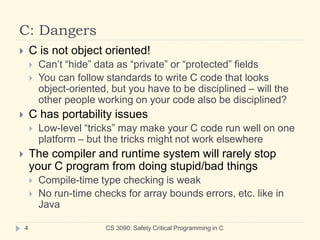
 C is not object oriented!
 Can’t “hide” data as “private” or “protected” fields
 You can follow standards to write C code that looks
object-oriented, but you have to be disciplined – will the
other people working on your code also be disciplined?
 C has portability issues
 Low-level “tricks” may make your C code run well on one
platform – but the tricks might not work elsewhere
 The compiler and runtime system will rarely stop
your C program from doing stupid/bad things
 Compile-time type checking is weak
 No run-time checks for array bounds errors, etc. like in
Java
Separate compilation
CS 3090: Safety Critical Programming in C
5
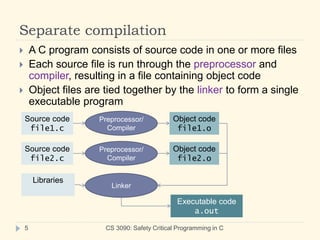
 A C program consists of source code in one or more files
 Each source file is run through the preprocessor and
compiler, resulting in a file containing object code
 Object files are tied together by the linker to form a single
executable program
Source code
file1.c
Preprocessor/
Compiler
Object code
file1.o
Source code
file2.c
Preprocessor/
Compiler
Object code
file2.o
Linker
Libraries
Executable code
a.out
Separate compilation
CS 3090: Safety Critical Programming in C
6
 Advantage: Quicker compilation
 When modifying a program, a programmer typically edits
only a few source code files at a time.
 With separate compilation, only the files that have been
edited since the last compilation need to be recompiled
when re-building the program.
 For very large programs, this can save a lot of time.
How to compile (UNIX)
CS 3090: Safety Critical Programming in C
7
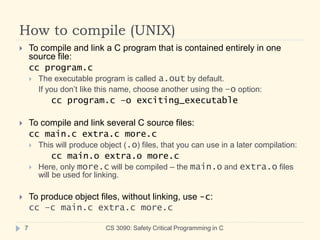
 To compile and link a C program that is contained entirely in one
source file:
cc program.c
 The executable program is called a.out by default.
If you don’t like this name, choose another using the –o option:
cc program.c –o exciting_executable
 To compile and link several C source files:
cc main.c extra.c more.c
 This will produce object (.o) files, that you can use in a later compilation:
cc main.o extra.o more.c
 Here, only more.c will be compiled – the main.o and extra.o files
will be used for linking.
 To produce object files, without linking, use -c:
cc –c main.c extra.c more.c
The preprocessor
CS 3090: Safety Critical Programming in C
8
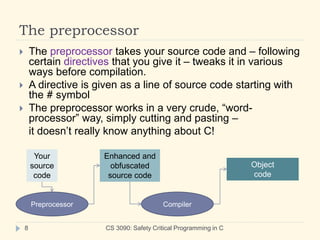
 The preprocessor takes your source code and – following
certain directives that you give it – tweaks it in various
ways before compilation.
 A directive is given as a line of source code starting with
the # symbol
 The preprocessor works in a very crude, “word-
processor” way, simply cutting and pasting –
it doesn’t really know anything about C!
Your
source
code
Preprocessor
Enhanced and
obfuscated
source code
Compiler
Object
code
A first program: Text rearranger
 Input
 First line: pairs of nonnegative integers, separated by
whitespace, then terminated by a negative integer
x1 y1 x2 y2 … xn yn -1
 Each subsequent line: a string of characters
 Output
 For each string S, output substrings of S:
 First, the substring starting at location x1 and ending at y1;
 Next, the substring starting at location x2 and ending at y2;
 …
 Finally, the substring starting at location xn and ending at xn.
9 CS 3090: Safety Critical Programming in C
Sample input/output
CS 3090: Safety Critical Programming in C
10
 Initial input: 0 2 5 7 10 12 -1
 Next input line: deep C diving
 Output: deeC ding
 Next input line: excitement!
 Output: exceme!
 … continue ad nauseum…
 Terminate with ctrl-D (signals end of keyboard input)
Use of comments
CS 3090: Safety Critical Programming in C
11
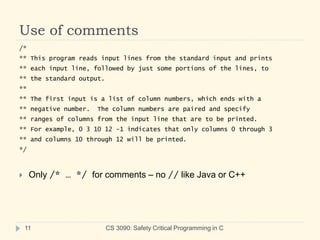
/*
** This program reads input lines from the standard input and prints
** each input line, followed by just some portions of the lines, to
** the standard output.
**
** The first input is a list of column numbers, which ends with a
** negative number. The column numbers are paired and specify
** ranges of columns from the input line that are to be printed.
** For example, 0 3 10 12 -1 indicates that only columns 0 through 3
** and columns 10 through 12 will be printed.
*/
 Only /* … */ for comments – no // like Java or C++
Comments on comments
CS 3090: Safety Critical Programming in C
12
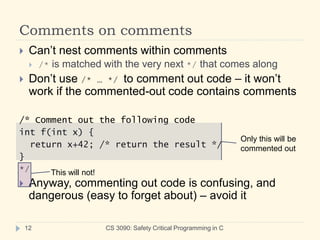
 Can’t nest comments within comments
 /* is matched with the very next */ that comes along
 Don’t use /* … */ to comment out code – it won’t
work if the commented-out code contains comments
/* Comment out the following code
int f(int x) {
return x+42; /* return the result */
}
*/
 Anyway, commenting out code is confusing, and
dangerous (easy to forget about) – avoid it
Only this will be
commented out
This will not!
Preprocessor directives
CS 3090: Safety Critical Programming in C
13
#include <stdio.h>
#include <stdlib.h>
#include <string.h>
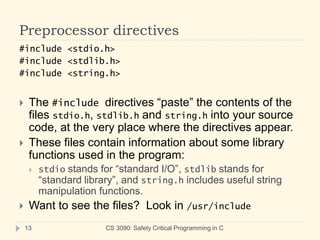
 The #include directives “paste” the contents of the
files stdio.h, stdlib.h and string.h into your source
code, at the very place where the directives appear.
 These files contain information about some library
functions used in the program:
 stdio stands for “standard I/O”, stdlib stands for
“standard library”, and string.h includes useful string
manipulation functions.
 Want to see the files? Look in /usr/include
Preprocessor directives
CS 3090: Safety Critical Programming in C
14
#define MAX_COLS 20
#define MAX_INPUT 1000
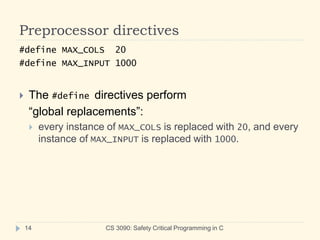
 The #define directives perform
“global replacements”:
 every instance of MAX_COLS is replaced with 20, and every
instance of MAX_INPUT is replaced with 1000.
Function prototypes
CS 3090: Safety Critical Programming in C
15
int read_column_numbers( int columns[], int max );
void rearrange( char *output, char const *input,
int n_columns, int const columns[] );
 These look like function definitions – they have the
name and all the type information – but each ends
abruptly with a semicolon. Where’s the body of the
function – what does it actually do?
 (Note that each function does have a real definition,
later in the program.)
Function prototypes
CS 3090: Safety Critical Programming in C
16
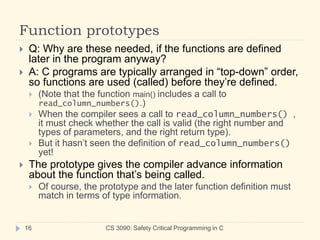
 Q: Why are these needed, if the functions are defined
later in the program anyway?
 A: C programs are typically arranged in “top-down” order,
so functions are used (called) before they’re defined.
 (Note that the function main() includes a call to
read_column_numbers().)
 When the compiler sees a call to read_column_numbers() ,
it must check whether the call is valid (the right number and
types of parameters, and the right return type).
 But it hasn’t seen the definition of read_column_numbers()
yet!
 The prototype gives the compiler advance information
about the function that’s being called.
 Of course, the prototype and the later function definition must
match in terms of type information.
The main() function
CS 3090: Safety Critical Programming in C
17
 main() is always the first function called in a program
execution.
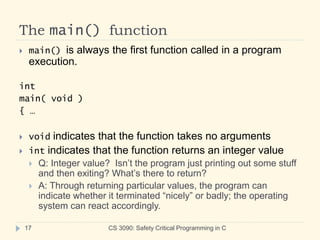
int
main( void )
{ …
 void indicates that the function takes no arguments
 int indicates that the function returns an integer value
 Q: Integer value? Isn’t the program just printing out some stuff
and then exiting? What’s there to return?
 A: Through returning particular values, the program can
indicate whether it terminated “nicely” or badly; the operating
system can react accordingly.
The printf() function
CS 3090: Safety Critical Programming in C
18
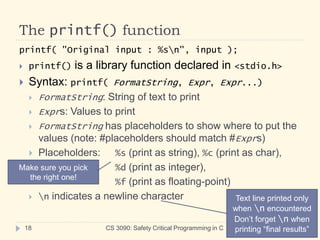
printf( "Original input : %sn", input );
 printf() is a library function declared in <stdio.h>
 Syntax: printf( FormatString, Expr, Expr...)
 FormatString: String of text to print
 Exprs: Values to print
 FormatString has placeholders to show where to put the
values (note: #placeholders should match #Exprs)
 Placeholders: %s (print as string), %c (print as char),
%d (print as integer),
%f (print as floating-point)
 n indicates a newline character
Make sure you pick
the right one!
Text line printed only
when n encountered
Don’t forget n when
printing “final results”
return vs. exit
CS 3090: Safety Critical Programming in C
19
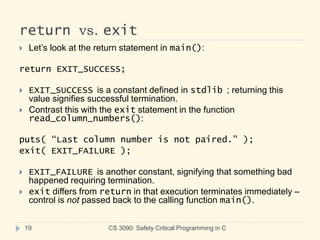
 Let’s look at the return statement in main():
return EXIT_SUCCESS;
 EXIT_SUCCESS is a constant defined in stdlib ; returning this
value signifies successful termination.
 Contrast this with the exit statement in the function
read_column_numbers():
puts( “Last column number is not paired.” );
exit( EXIT_FAILURE );
 EXIT_FAILURE is another constant, signifying that something bad
happened requiring termination.
 exit differs from return in that execution terminates immediately –
control is not passed back to the calling function main().
Pointers, arrays, strings
CS 3090: Safety Critical Programming in C
20
 In this program, the notions of string, array, and
pointer seem to be somewhat interchangeable:
 In main(), an array of characters is declared, for
purposes of holding the input string:
char input[MAX_INPUT];
 Yet when it’s passed in as an argument to the
rearrange() function, input has morphed into a pointer
to a character (char *):
void
rearrange( char *output, char const *input,…
Pointers, arrays, strings
CS 3090: Safety Critical Programming in C
21
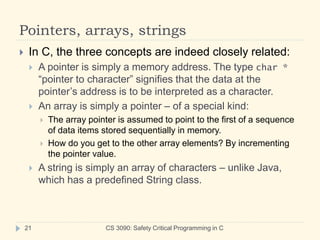
 In C, the three concepts are indeed closely related:
 A pointer is simply a memory address. The type char *
“pointer to character” signifies that the data at the
pointer’s address is to be interpreted as a character.
 An array is simply a pointer – of a special kind:
 The array pointer is assumed to point to the first of a sequence
of data items stored sequentially in memory.
 How do you get to the other array elements? By incrementing
the pointer value.
 A string is simply an array of characters – unlike Java,
which has a predefined String class.
String layout and access
CS 3090: Safety Critical Programming in C
22
p
(char)
o
(char)
i
(char)
n
(char)
t
(char)
e
(char)
r
(char)
NUL
(char)
(char *)
input
What is input?
It’s a string!
It’s a pointer to char!
It’s an array of char!
How do we get to the “n”?
Follow the input pointer,
then hop 3 to the right
*(input + 3)
- or -
input[3]
NUL is a special value
indicating end-of-string

C Introduction and bascis of high level programming

  • 1.
    Introduction to C (Reek,Chs. 1-2) 1 CS 3090: Safety Critical Programming in C
  • 2.
    C: History CS 3090:Safety Critical Programming in C 2  Developed in the 1970s – in conjunction with development of UNIX operating system  When writing an OS kernel, efficiency is crucial This requires low-level access to the underlying hardware:  e.g. programmer can leverage knowledge of how data is laid out in memory, to enable faster data access  UNIX originally written in low-level assembly language – but there were problems:  No structured programming (e.g. encapsulating routines as “functions”, “methods”, etc.) – code hard to maintain  Code worked only for particular hardware – not portable
  • 3.
    C: Characteristics CS 3090:Safety Critical Programming in C 3  C takes a middle path between low-level assembly language…  Direct access to memory layout through pointer manipulation  Concise syntax, small set of keywords  … and a high-level programming language like Java:  Block structure  Some encapsulation of code, via functions  Type checking (pretty weak)
  • 4.
    C: Dangers CS 3090:Safety Critical Programming in C 4  C is not object oriented!  Can’t “hide” data as “private” or “protected” fields  You can follow standards to write C code that looks object-oriented, but you have to be disciplined – will the other people working on your code also be disciplined?  C has portability issues  Low-level “tricks” may make your C code run well on one platform – but the tricks might not work elsewhere  The compiler and runtime system will rarely stop your C program from doing stupid/bad things  Compile-time type checking is weak  No run-time checks for array bounds errors, etc. like in Java
  • 5.
    Separate compilation CS 3090:Safety Critical Programming in C 5  A C program consists of source code in one or more files  Each source file is run through the preprocessor and compiler, resulting in a file containing object code  Object files are tied together by the linker to form a single executable program Source code file1.c Preprocessor/ Compiler Object code file1.o Source code file2.c Preprocessor/ Compiler Object code file2.o Linker Libraries Executable code a.out
  • 6.
    Separate compilation CS 3090:Safety Critical Programming in C 6  Advantage: Quicker compilation  When modifying a program, a programmer typically edits only a few source code files at a time.  With separate compilation, only the files that have been edited since the last compilation need to be recompiled when re-building the program.  For very large programs, this can save a lot of time.
  • 7.
    How to compile(UNIX) CS 3090: Safety Critical Programming in C 7  To compile and link a C program that is contained entirely in one source file: cc program.c  The executable program is called a.out by default. If you don’t like this name, choose another using the –o option: cc program.c –o exciting_executable  To compile and link several C source files: cc main.c extra.c more.c  This will produce object (.o) files, that you can use in a later compilation: cc main.o extra.o more.c  Here, only more.c will be compiled – the main.o and extra.o files will be used for linking.  To produce object files, without linking, use -c: cc –c main.c extra.c more.c
  • 8.
    The preprocessor CS 3090:Safety Critical Programming in C 8  The preprocessor takes your source code and – following certain directives that you give it – tweaks it in various ways before compilation.  A directive is given as a line of source code starting with the # symbol  The preprocessor works in a very crude, “word- processor” way, simply cutting and pasting – it doesn’t really know anything about C! Your source code Preprocessor Enhanced and obfuscated source code Compiler Object code
  • 9.
    A first program:Text rearranger  Input  First line: pairs of nonnegative integers, separated by whitespace, then terminated by a negative integer x1 y1 x2 y2 … xn yn -1  Each subsequent line: a string of characters  Output  For each string S, output substrings of S:  First, the substring starting at location x1 and ending at y1;  Next, the substring starting at location x2 and ending at y2;  …  Finally, the substring starting at location xn and ending at xn. 9 CS 3090: Safety Critical Programming in C
  • 10.
    Sample input/output CS 3090:Safety Critical Programming in C 10  Initial input: 0 2 5 7 10 12 -1  Next input line: deep C diving  Output: deeC ding  Next input line: excitement!  Output: exceme!  … continue ad nauseum…  Terminate with ctrl-D (signals end of keyboard input)
  • 11.
    Use of comments CS3090: Safety Critical Programming in C 11 /* ** This program reads input lines from the standard input and prints ** each input line, followed by just some portions of the lines, to ** the standard output. ** ** The first input is a list of column numbers, which ends with a ** negative number. The column numbers are paired and specify ** ranges of columns from the input line that are to be printed. ** For example, 0 3 10 12 -1 indicates that only columns 0 through 3 ** and columns 10 through 12 will be printed. */  Only /* … */ for comments – no // like Java or C++
  • 12.
    Comments on comments CS3090: Safety Critical Programming in C 12  Can’t nest comments within comments  /* is matched with the very next */ that comes along  Don’t use /* … */ to comment out code – it won’t work if the commented-out code contains comments /* Comment out the following code int f(int x) { return x+42; /* return the result */ } */  Anyway, commenting out code is confusing, and dangerous (easy to forget about) – avoid it Only this will be commented out This will not!
  • 13.
    Preprocessor directives CS 3090:Safety Critical Programming in C 13 #include <stdio.h> #include <stdlib.h> #include <string.h>  The #include directives “paste” the contents of the files stdio.h, stdlib.h and string.h into your source code, at the very place where the directives appear.  These files contain information about some library functions used in the program:  stdio stands for “standard I/O”, stdlib stands for “standard library”, and string.h includes useful string manipulation functions.  Want to see the files? Look in /usr/include
  • 14.
    Preprocessor directives CS 3090:Safety Critical Programming in C 14 #define MAX_COLS 20 #define MAX_INPUT 1000  The #define directives perform “global replacements”:  every instance of MAX_COLS is replaced with 20, and every instance of MAX_INPUT is replaced with 1000.
  • 15.
    Function prototypes CS 3090:Safety Critical Programming in C 15 int read_column_numbers( int columns[], int max ); void rearrange( char *output, char const *input, int n_columns, int const columns[] );  These look like function definitions – they have the name and all the type information – but each ends abruptly with a semicolon. Where’s the body of the function – what does it actually do?  (Note that each function does have a real definition, later in the program.)
  • 16.
    Function prototypes CS 3090:Safety Critical Programming in C 16  Q: Why are these needed, if the functions are defined later in the program anyway?  A: C programs are typically arranged in “top-down” order, so functions are used (called) before they’re defined.  (Note that the function main() includes a call to read_column_numbers().)  When the compiler sees a call to read_column_numbers() , it must check whether the call is valid (the right number and types of parameters, and the right return type).  But it hasn’t seen the definition of read_column_numbers() yet!  The prototype gives the compiler advance information about the function that’s being called.  Of course, the prototype and the later function definition must match in terms of type information.
  • 17.
    The main() function CS3090: Safety Critical Programming in C 17  main() is always the first function called in a program execution. int main( void ) { …  void indicates that the function takes no arguments  int indicates that the function returns an integer value  Q: Integer value? Isn’t the program just printing out some stuff and then exiting? What’s there to return?  A: Through returning particular values, the program can indicate whether it terminated “nicely” or badly; the operating system can react accordingly.
  • 18.
    The printf() function CS3090: Safety Critical Programming in C 18 printf( "Original input : %sn", input );  printf() is a library function declared in <stdio.h>  Syntax: printf( FormatString, Expr, Expr...)  FormatString: String of text to print  Exprs: Values to print  FormatString has placeholders to show where to put the values (note: #placeholders should match #Exprs)  Placeholders: %s (print as string), %c (print as char), %d (print as integer), %f (print as floating-point)  n indicates a newline character Make sure you pick the right one! Text line printed only when n encountered Don’t forget n when printing “final results”
  • 19.
    return vs. exit CS3090: Safety Critical Programming in C 19  Let’s look at the return statement in main(): return EXIT_SUCCESS;  EXIT_SUCCESS is a constant defined in stdlib ; returning this value signifies successful termination.  Contrast this with the exit statement in the function read_column_numbers(): puts( “Last column number is not paired.” ); exit( EXIT_FAILURE );  EXIT_FAILURE is another constant, signifying that something bad happened requiring termination.  exit differs from return in that execution terminates immediately – control is not passed back to the calling function main().
  • 20.
    Pointers, arrays, strings CS3090: Safety Critical Programming in C 20  In this program, the notions of string, array, and pointer seem to be somewhat interchangeable:  In main(), an array of characters is declared, for purposes of holding the input string: char input[MAX_INPUT];  Yet when it’s passed in as an argument to the rearrange() function, input has morphed into a pointer to a character (char *): void rearrange( char *output, char const *input,…
  • 21.
    Pointers, arrays, strings CS3090: Safety Critical Programming in C 21  In C, the three concepts are indeed closely related:  A pointer is simply a memory address. The type char * “pointer to character” signifies that the data at the pointer’s address is to be interpreted as a character.  An array is simply a pointer – of a special kind:  The array pointer is assumed to point to the first of a sequence of data items stored sequentially in memory.  How do you get to the other array elements? By incrementing the pointer value.  A string is simply an array of characters – unlike Java, which has a predefined String class.
  • 22.
    String layout andaccess CS 3090: Safety Critical Programming in C 22 p (char) o (char) i (char) n (char) t (char) e (char) r (char) NUL (char) (char *) input What is input? It’s a string! It’s a pointer to char! It’s an array of char! How do we get to the “n”? Follow the input pointer, then hop 3 to the right *(input + 3) - or - input[3] NUL is a special value indicating end-of-string