Bring Your Own Device

                   Alan Shields
              Cambridgeshire County Council
                    6th November 2012


06/12/12                                      1
06/12/12   2
What is BYOD?


06/12/12                   3
A Definition
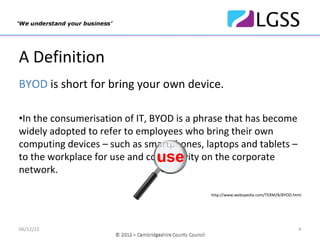
BYOD is short for bring your own device.

•In the consumerisation of IT, BYOD is a phrase that has become 
widely adopted to refer to employees who bring their own 
computing devices – such as smartphones, laptops and tablets –
                                use
to the workplace for use and connectivity on the corporate 
network.

                                           http://www.webopedia.com/TERM/B/BYOD.html


06/12/12                                                                          4
BYOD
             U
           Use your Own Device


06/12/12                         5
What is Driving BYOD?


06/12/12                           6
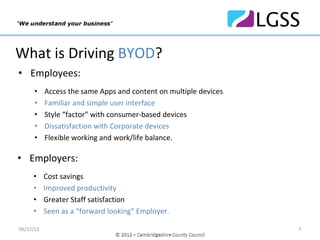
What is Driving BYOD?
• Employees:
      •    Access the same Apps and content on multiple devices
      •    Familiar and simple user interface
      •    Style “factor” with consumer‐based devices
      •    Dissatisfaction with Corporate devices
      •    Flexible working and work/life balance. 

• Employers:
     •     Cost savings
     •     Improved productivity
     •     Greater Staff satisfaction
     •     Seen as a “forward looking” Employer.

06/12/12                                                          7
06/12/12   8
Some Blockers to implementing BYOD
• Maintaining the required level of security
• Acceptance by Staff
• Potential proliferation of different device types and operating 
  systems
• Loss of control by the IT Department
• Lack of suitable infrastructure (i.e. Wi‐Fi)
• Implementation of a training programme
• What technology to adopt.


06/12/12                                                             9
Some Current BYOD
              Technologies


06/12/12                       10
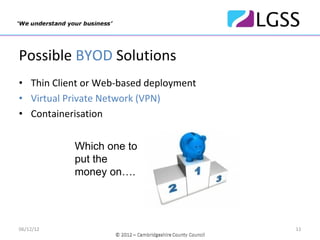
Possible BYOD Solutions
• Thin Client or Web‐based deployment
• Virtual Private Network (VPN)
• Containerisation


           Which one to
           put the
           money on….


06/12/12                                11
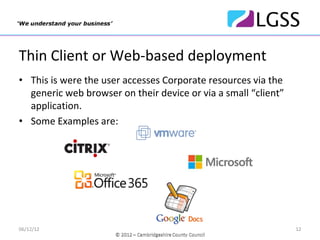
Thin Client or Web‐based deployment
• This is were the user accesses Corporate resources via the 
  generic web browser on their device or via a small “client”
  application.
• Some Examples are:


06/12/12                                                        12
Thin Client or Web‐based deployment
• Advantages:
•   Little if any requirement for software on the device
•   Uses familiar desktop/application environment
•   Can leverage existing investment in remote access
•   Secure with server‐based storage.

• Disadvantages:
•   Often not tolerate patchy 3G/Wi‐Fi signal
•   PC‐based UI can be difficult to use on some devices
•   Possibility of “cached” data remaining on the device.


06/12/12                                                    13
Virtual Private Network (VPN)
• A virtual private network (VPN) extends a Corporate network 
  and it's resources across a public network – usually the 
  Internet. This enables a user’s device to have the same level 
  of access as if it were on the Corporate network.
• Some Examples are:


06/12/12                                                       14
Virtual Private Network (VPN)
• Advantages:
•   Little if any requirement for software on the device
•   Uses familiar generic apps on the device
•   Can leverage existing investment in remote access
•   Client/server design copes with patchy 3G/Wi‐Fi signal.

• Disadvantages:
•   No clear demarcation between business and personal data
•   Would need to wipe whole device if lost/stolen
•   Possibility of “cached” or stored data remaining on the device
•   Reliance on device security to protect data.

06/12/12                                                             15
Containerisation
• This is a solution that creates an encrypted data store or 
  container on a device. Access to data in the container 
  requires secure authentication independent of any other 
  device settings. As well as data, the container can hold 
  specially written apps such as a browser or email client.
• Some Examples are:


06/12/12                                                        16
Containerisation
• Advantages:
•   Clear demarcation between business and personal data
•   No possibility of “cached” or stored data remaining on the device outside 
    of the container
•   No need to wipe whole device if lost/stolen
•   Adds extra layer of security
•   Client/server design copes with patchy 3G/Wi‐Fi signal.

• Disadvantages:
•   Does not use the familiar generic apps on the device
•   Cannot use “other” apps within the container
•   Requires extra investment in setting up required infrastructure.

06/12/12                                                                     17
Containerisation+ (App Wrapping)
• This is a newer, more granular approach in which each App is 
  enclosed in its own encrypted policy wrapper, or container. 
  This allows administrators to tailor policies to each App. 
• Small vendors with proprietary approaches currently
  dominate the market, including:
      •    Apperian
      •    Mocana
      •    Bitzer Mobile
      •    OpenPeak
      •    Nukona (now part of Symantec).


06/12/12                                                      18
So, what are we doing in 
               Cambridgeshire? 
06/12/12                               19
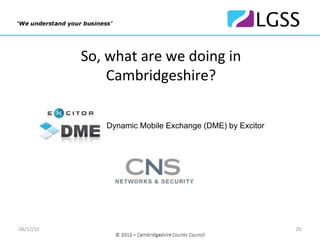
So, what are we doing in    
               Cambridgeshire? 

               Dynamic Mobile Exchange (DME) by Excitor


              Good for Enterprise by Good Technology


06/12/12                                                  20
The Pilot
 The Pilot was run to determine some of the following:
 •Suitability of the software (incl. usability and security)
 •Acceptance by staff to use their own devices
 •Effectiveness of “light‐touch” training and support
 •To determine and calculate any cost savings/benefits.


06/12/12                                                       21
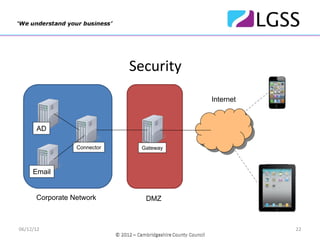
Security
                                        Internet


      AD

                 Connector    Gateway


     Email


      Corporate Network        DMZ


06/12/12                                           22
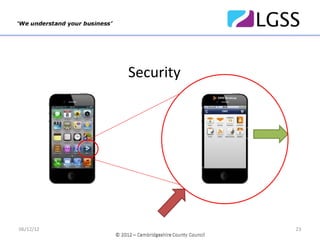
Security


06/12/12              23
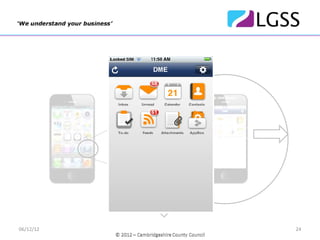
Security


06/12/12              24
Acceptance
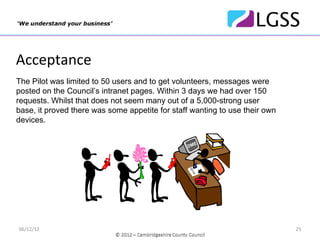
The Pilot was limited to 50 users and to get volunteers, messages were
posted on the Council’s intranet pages. Within 3 days we had over 150
requests. Whilst that does not seem many out of a 5,000-strong user
base, it proved there was some appetite for staff wanting to use their own
devices.
                                                        DME


                                                  OE
                                                   D
                                                DM
                                                BY


                                                   OD
                                                 BY


06/12/12                                                                     25
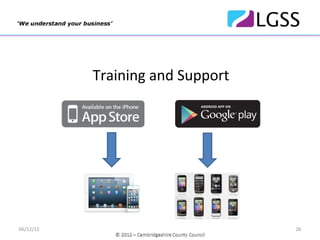
Training and Support


06/12/12                          26
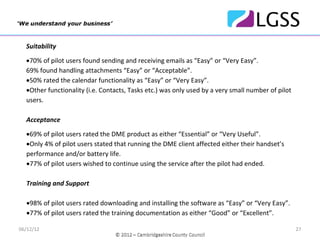
Suitability

  •70% of pilot users found sending and receiving emails as “Easy” or “Very Easy”. 
  69% found handling attachments “Easy” or “Acceptable”. 
  •50% rated the calendar functionality as “Easy” or “Very Easy”.
  •Other functionality (i.e. Contacts, Tasks etc.) was only used by a very small number of pilot 
  users.

  Acceptance

  •69% of pilot users rated the DME product as either “Essential” or “Very Useful”.
  •Only 4% of pilot users stated that running the DME client affected either their handset’s 
  performance and/or battery life.
  •77% of pilot users wished to continue using the service after the pilot had ended.

  Training and Support

  •98% of pilot users rated downloading and installing the software as “Easy” or “Very Easy”.
  •77% of pilot users rated the training documentation as either “Good” or “Excellent”.

06/12/12                                                                                            27
Savings and benefits


06/12/12                          28
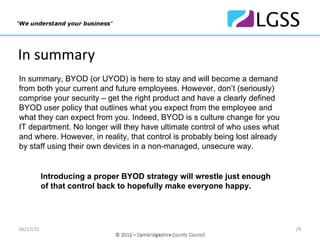
In summary
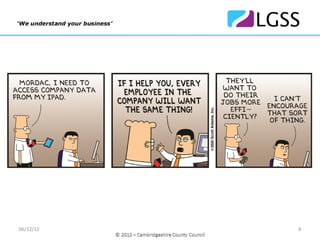
In summary, BYOD (or UYOD) is here to stay and will become a demand
from both your current and future employees. However, don’t (seriously)
comprise your security – get the right product and have a clearly defined
BYOD user policy that outlines what you expect from the employee and
what they can expect from you. Indeed, BYOD is s culture change for you
IT department. No longer will they have ultimate control of who uses what
and where. However, in reality, that control is probably being lost already
by staff using their own devices in a non-managed, unsecure way.


           Introducing a proper BYOD strategy will wrestle just enough
           of that control back to hopefully make everyone happy.


06/12/12                                                                      29
Next Steps…

           …in Cambridgeshire?

           Plan to have the DME product in full production
           and available to all suitable users by the end of
           the calendar year.


06/12/12                                                       30
Thank you.

           Email: alan.shields@cambridgeshire.gov.uk


06/12/12                                               31

Bring Your Own Device at Cambridgeshire County Council