Electron
Cross Platform desktop applications with Web Technologies
Agenda
 Motivation
 Introduction
 OS Interoperability
 Deployment Options
 Integrate legacy code
Motivation
On the need for going cross platform
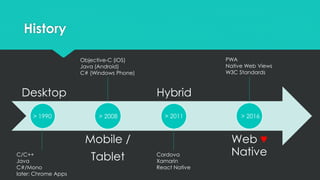
History
Desktop
Mobile /
Tablet
Hybrid
Web ♥
Native
> 1990 > 2008 > 2011 > 2016
C/C++
Java
C#/Mono
later: Chrome Apps
Objective-C (iOS)
Java (Android)
C# (Windows Phone)
Cordova
Xamarin
React Native
PWA
Native Web Views
W3C Standards
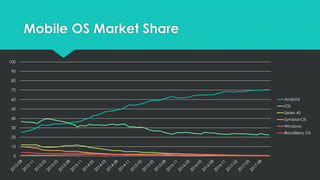
Mobile OS Market Share
0
10
20
30
40
50
60
70
80
90
100
Android
iOS
Series 40
SymbianOS
Windows
BlackBerry OS
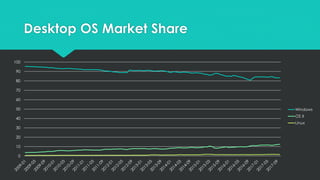
Desktop OS Market Share
0
10
20
30
40
50
60
70
80
90
100
Windows
OS X
Linux
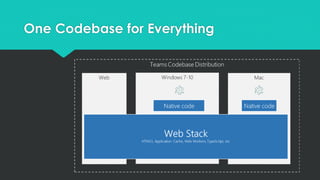
One Codebase for Everything
Introduction
An overview of the Electron framework
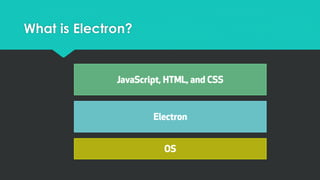
What is Electron?
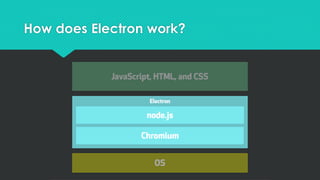
How does Electron work?
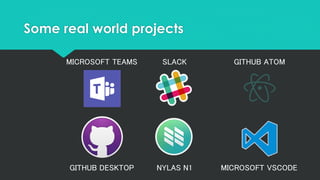
Some real world projects
MICROSOFT TEAMS
GITHUB DESKTOP
SLACK GITHUB ATOM
NYLAS N1 MICROSOFT VSCODE
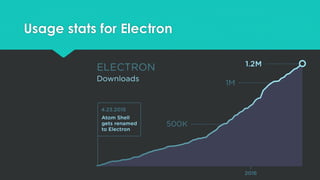
Usage stats for Electron
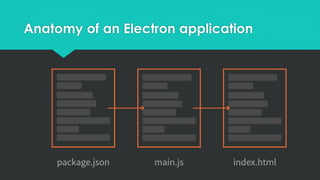
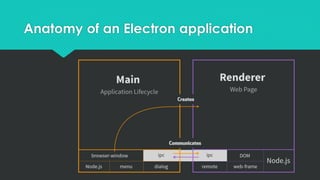
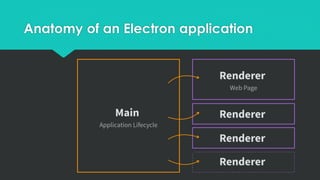
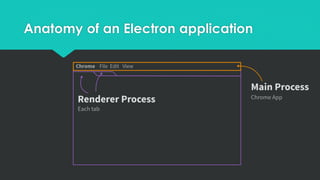
Anatomy of an Electron application
Sample
Basic Electron application in JavaScript
- un-opinionated, lets you choose a
frontend framework that fits best for you
- shows code / structure to boot up a
minimal Electron application
- https://github.com/electron/electron-
quick-start
OS Interoperability
Jumping out of the browser’s sandbox
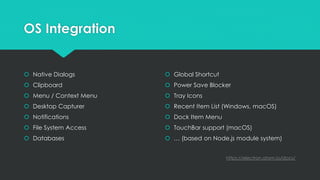
OS Integration
 Native Dialogs
 Clipboard
 Menu / Context Menu
 Desktop Capturer
 Notifications
 File System Access
 Databases
 Global Shortcut
 Power Save Blocker
 Tray Icons
 Recent Item List (Windows, macOS)
 Dock Item Menu
 TouchBar support (macOS)
 … (based on Node.js module system)
https://electron.atom.io/docs/
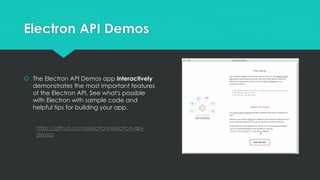
Electron API Demos
 The Electron API Demos app interactively
demonstrates the most important features
of the Electron API. See what's possible
with Electron with sample code and
helpful tips for building your app.
https://github.com/electron/electron-api-
demos
Deployment Options
Building, Packaging and Distributing it
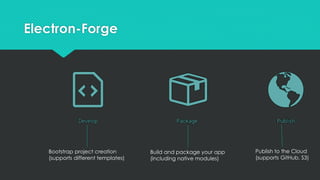
Electron-Forge
Bootstrap project creation
(supports different templates)
Build and package your app
(including native modules)
Publish to the Cloud
(supports GitHub, S3)
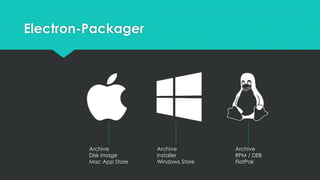
Electron-Packager
Archive
Disk Image
Mac App Store
Archive
Installer
Windows Store
Archive
RPM / DEB
FlatPak
Sample
Build and Package an Electron Application
- Uses Electron-Forge to bootstrap an
Electron Application
- Configures Electron-Packager to build
and package the application
- https://electronforge.io/ /
https://github.com/electron-
userland/electron-packager
Integrate legacy code
I’ve already a library for that
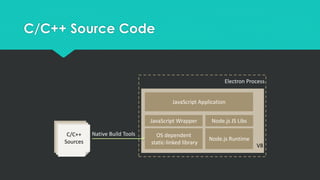
C/C++
Sources
OS dependent
static-linked library
Native Build Tools
V8
JavaScript Wrapper
Node.js Runtime
Node.js JS Libs
JavaScript Application
Electron Process
C/C++ Source Code
Sample
Integrate existing C/C++ source code
- Build a native V8 module via NAN (C)
- Build a native V8 module via N-API (C++)
- Call the native V8 module from JavaScript
- https://github.com/nodejs/abi-stable-
node-addon-examples
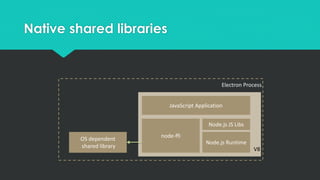
Native shared libraries
V8
node-ffi
Node.js Runtime
Node.js JS Libs
JavaScript Application
Electron Process
OS dependent
shared library
Sample
Integrate existing native shared libraries
- Using node-ffi for declaring external
function definitions
- Mapping parameter types
- Call the native library from JavaScript
- https://github.com/node-ffi/node-ffi
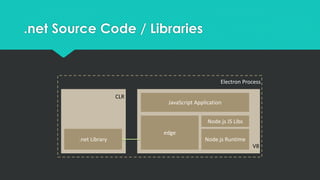
.net Source Code / Libraries
V8
edge
Node.js Runtime
Node.js JS Libs
JavaScript Application
Electron Process
.net Library
CLR
Sample
Integrate existing .net source code /
libraries
- Using edge.js for calling .net source
code / referring to existing assemblies
- Call the .net code from JavaScript
- https://github.com/agracio/edge-js
Q&A
Now it’s your turn

Electron