Building a Business’s Digital
Presence: A Local Guide
Presented by: Caitlin Boroden & Jacques Bouchard
@DragonSearch
Today we will discuss:
Your Website
Social Media
Business Listings
Your Website
@DragonSearch
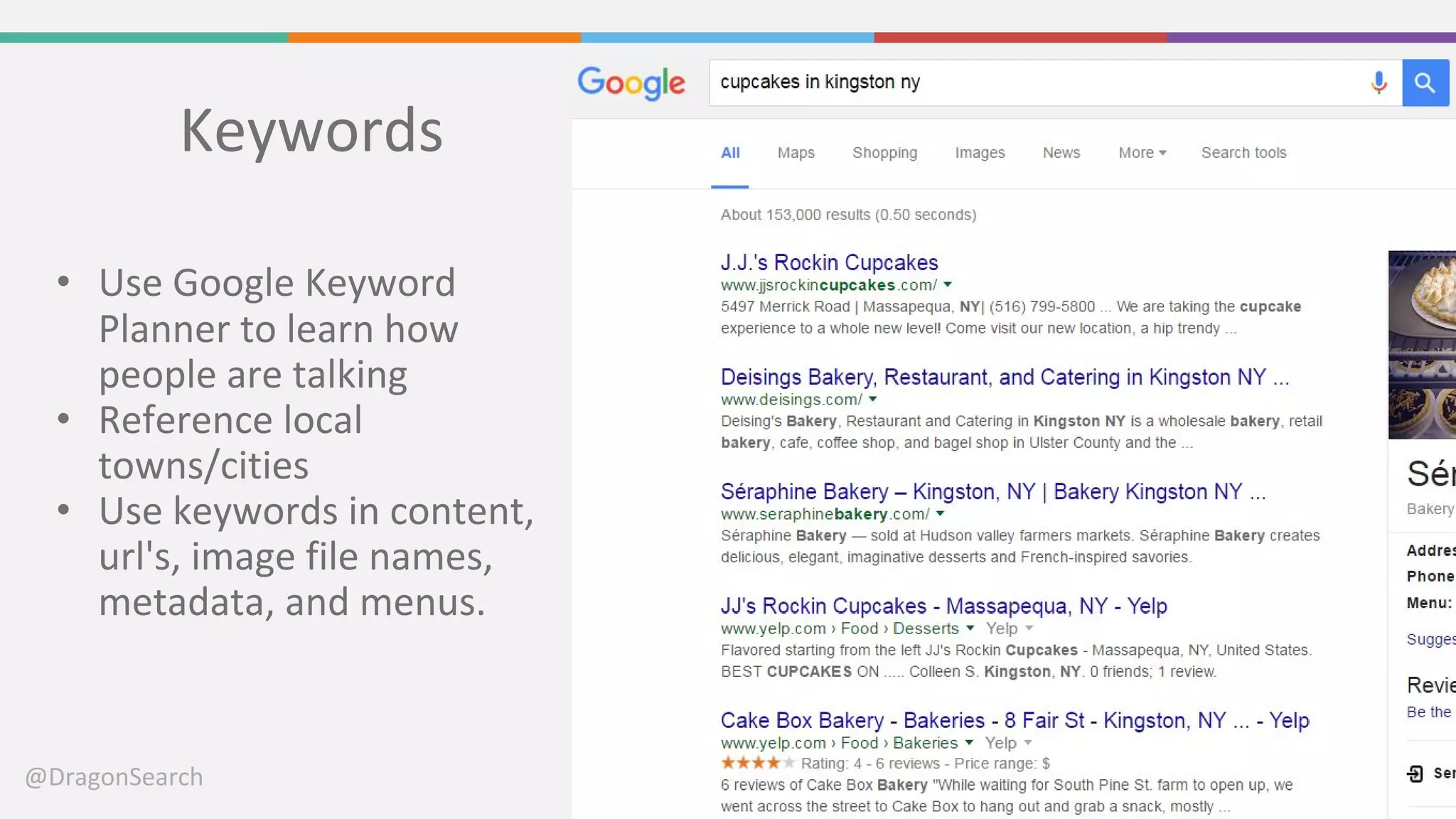
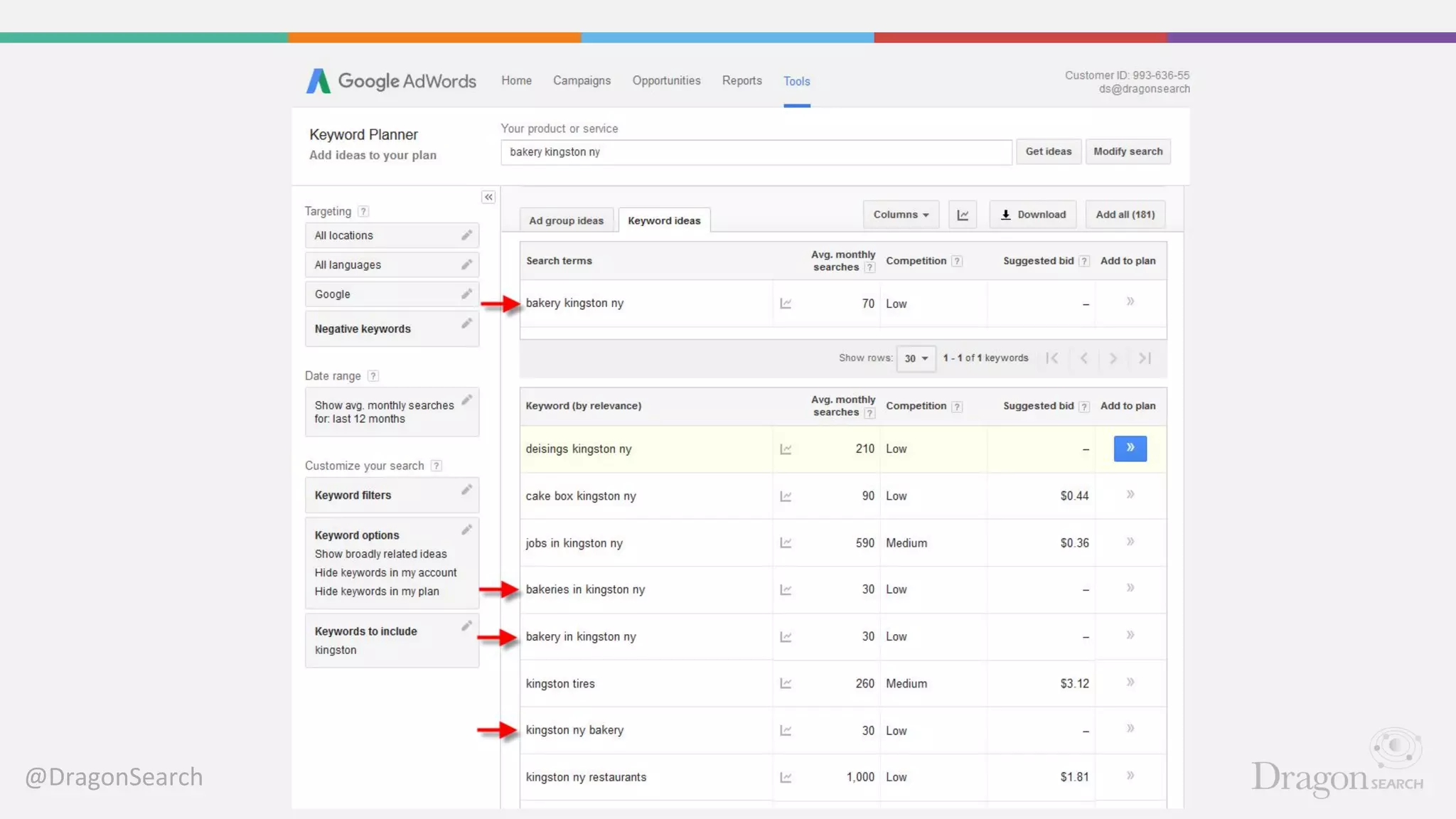
Keywords
• Use Google Keyword
Planner to learn how
people are talking
• Reference local
towns/cities
• Use keywords in content,
url's, image file names,
metadata, and menus.
@DragonSearch
@DragonSearch
Contact Information
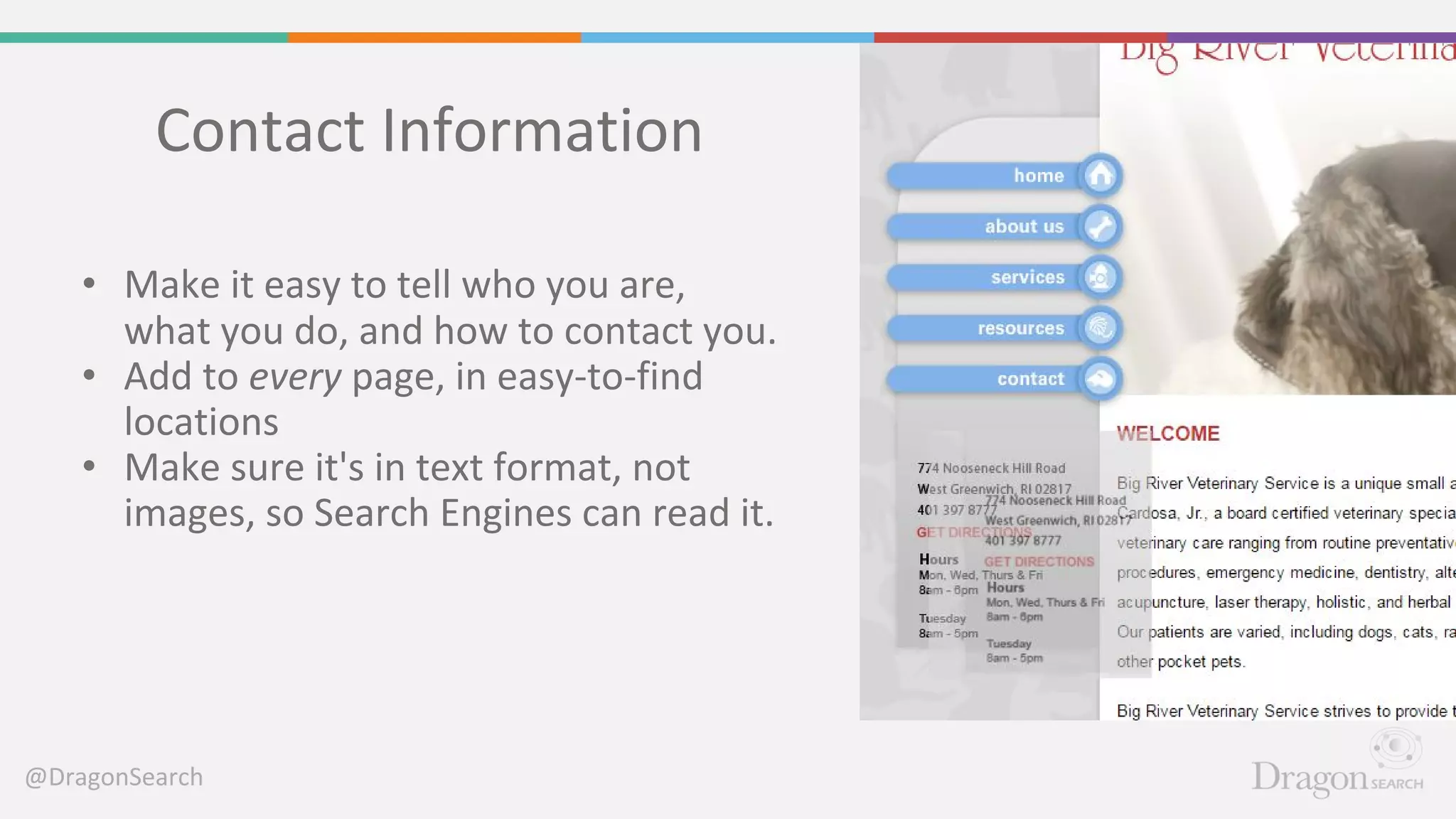
• Make it easy to tell who you are,
what you do, and how to contact you.
• Add to every page, in easy-to-find
locations
• Make sure it's in text format, not
images, so Search Engines can read it.
@DragonSearch
Title Tags and Meta Descriptions
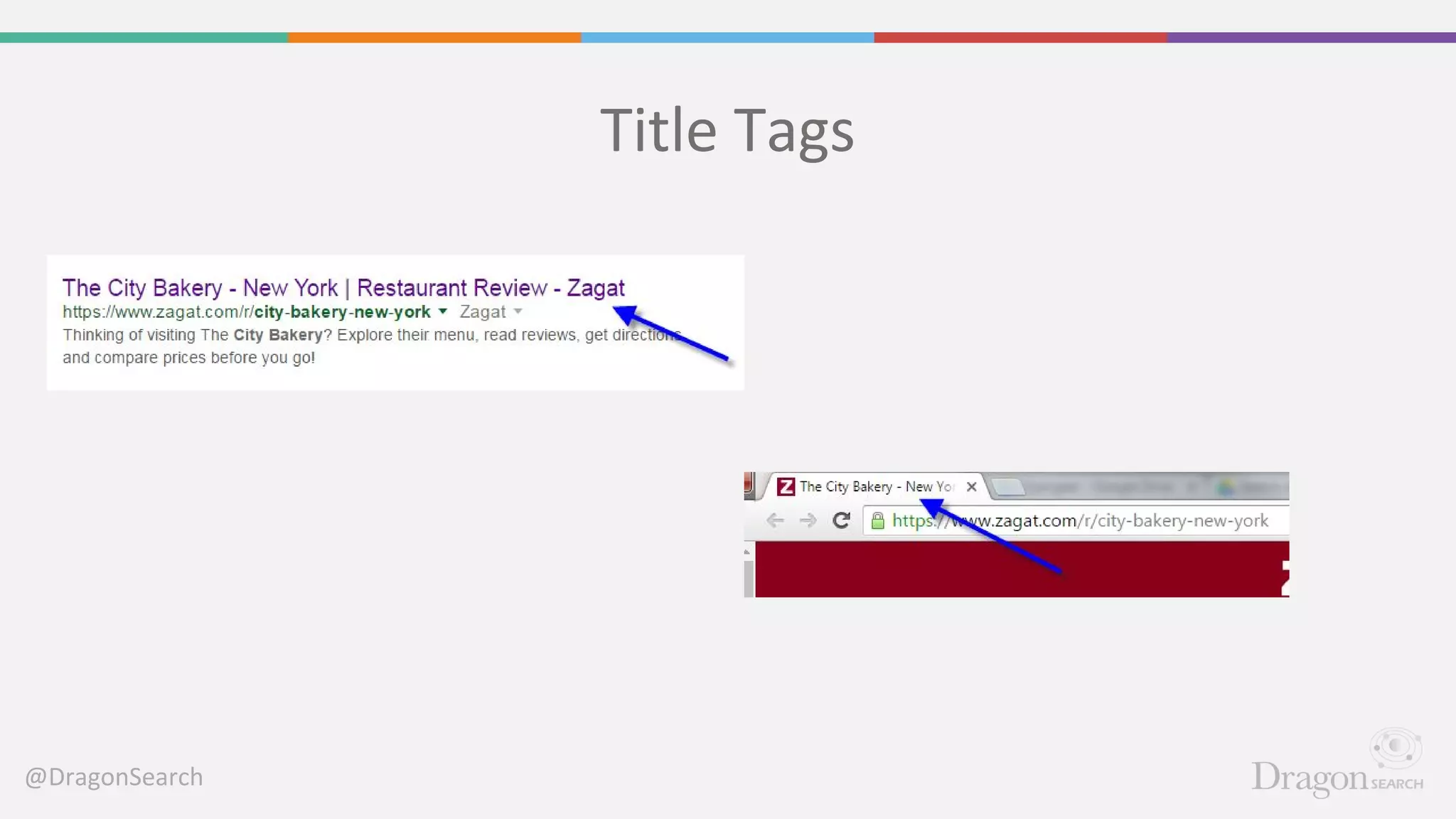
Title Tags: 55-56 characters long. Appear
in the tab in browsers and in the top line
of search
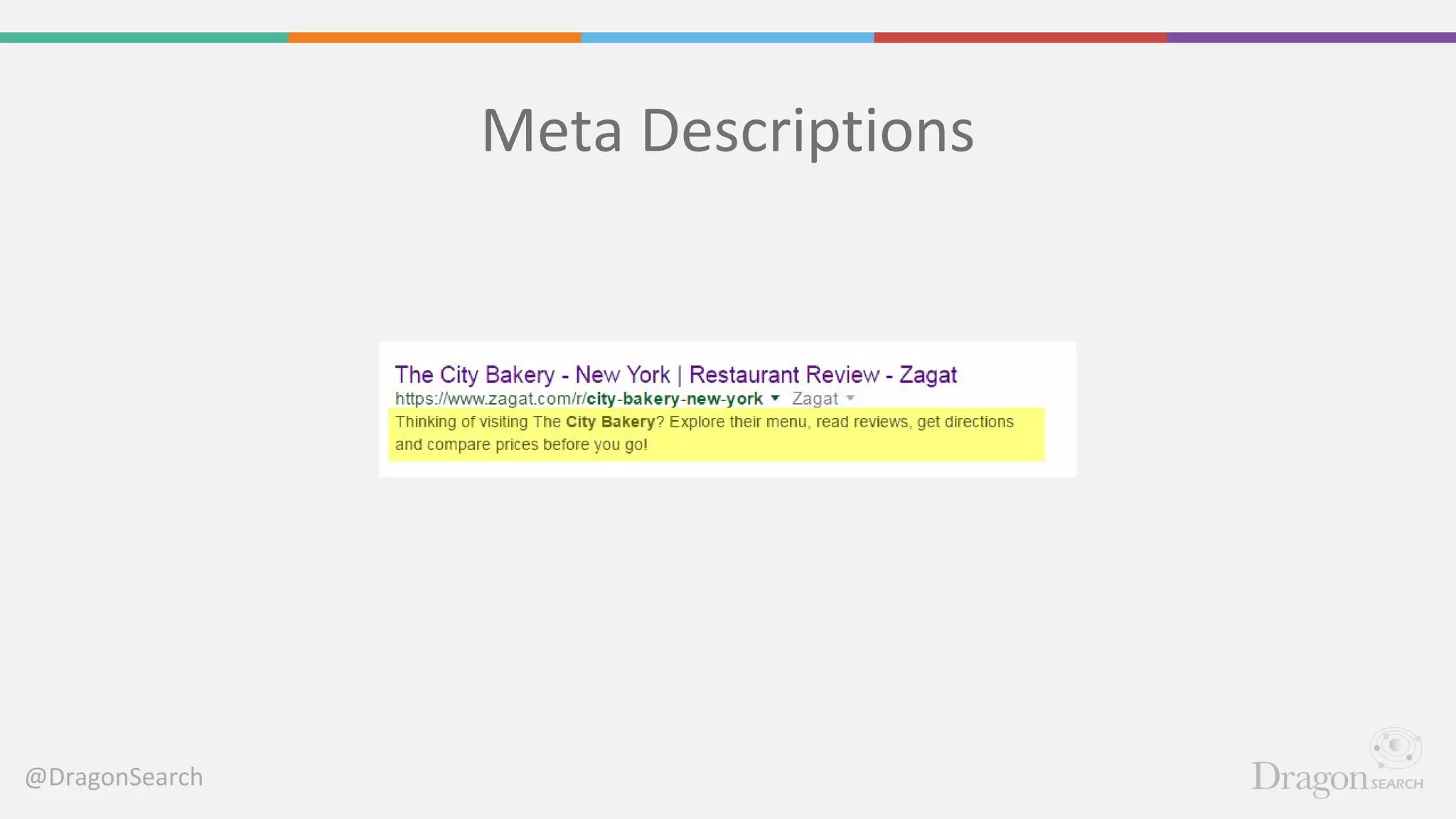
Meta Descriptions: 156 characters long.
Appears only in search results.
@DragonSearch
Title Tags
@DragonSearch
Meta Descriptions
@DragonSearch
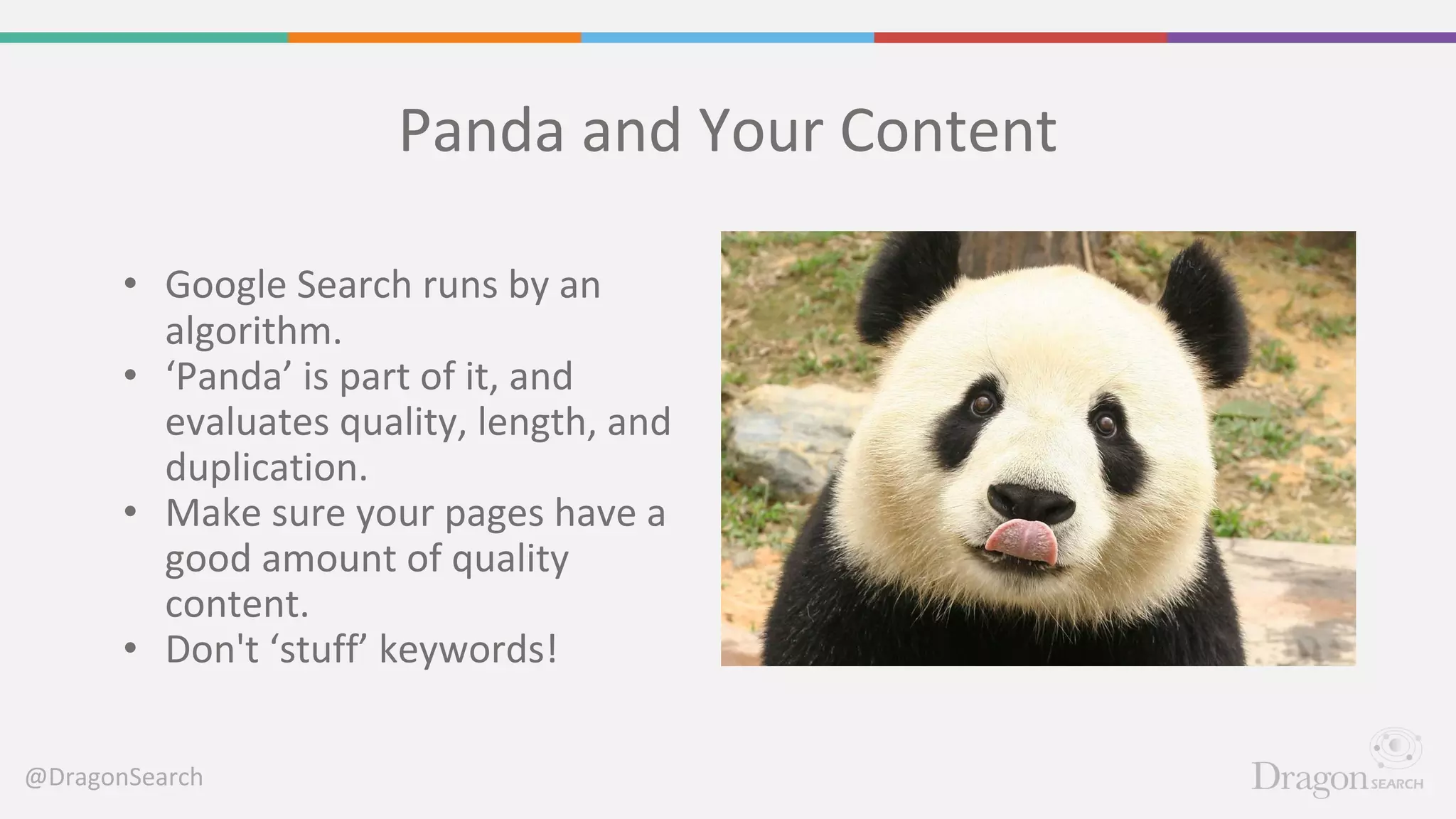
Panda and Your Content
• Google Search runs by an
algorithm.
• ‘Panda’ is part of it, and
evaluates quality, length, and
duplication.
• Make sure your pages have a
good amount of quality
content.
• Don't ‘stuff’ keywords!
@DragonSearch
When Is ‘Thin’ Content Length OK?
Not So GoodAppropriate
@DragonSearch
Blogging
• What will be interesting to your audience?
• What do they need to know about your
niche?
• How can you make your blog about them,
and get them involved/participating?
• How can your blog mean business?
(Follow the 80/20 rule.)
• Share your space & write for others!
@DragonSearch
Calls to Action
Examples
• Phone Number
• Contact Form/Email
• E-mail signups
• Blog subscriptions
• Social media shares/follows
• Print/E-mail of page
• Trackable Sale
Best Practices
• Always ask for business
• Present multiple paths to
conversion
• Present logical paths to
conversion
• ‘Soft’ conversions
@DragonSearch
@DragonSearch
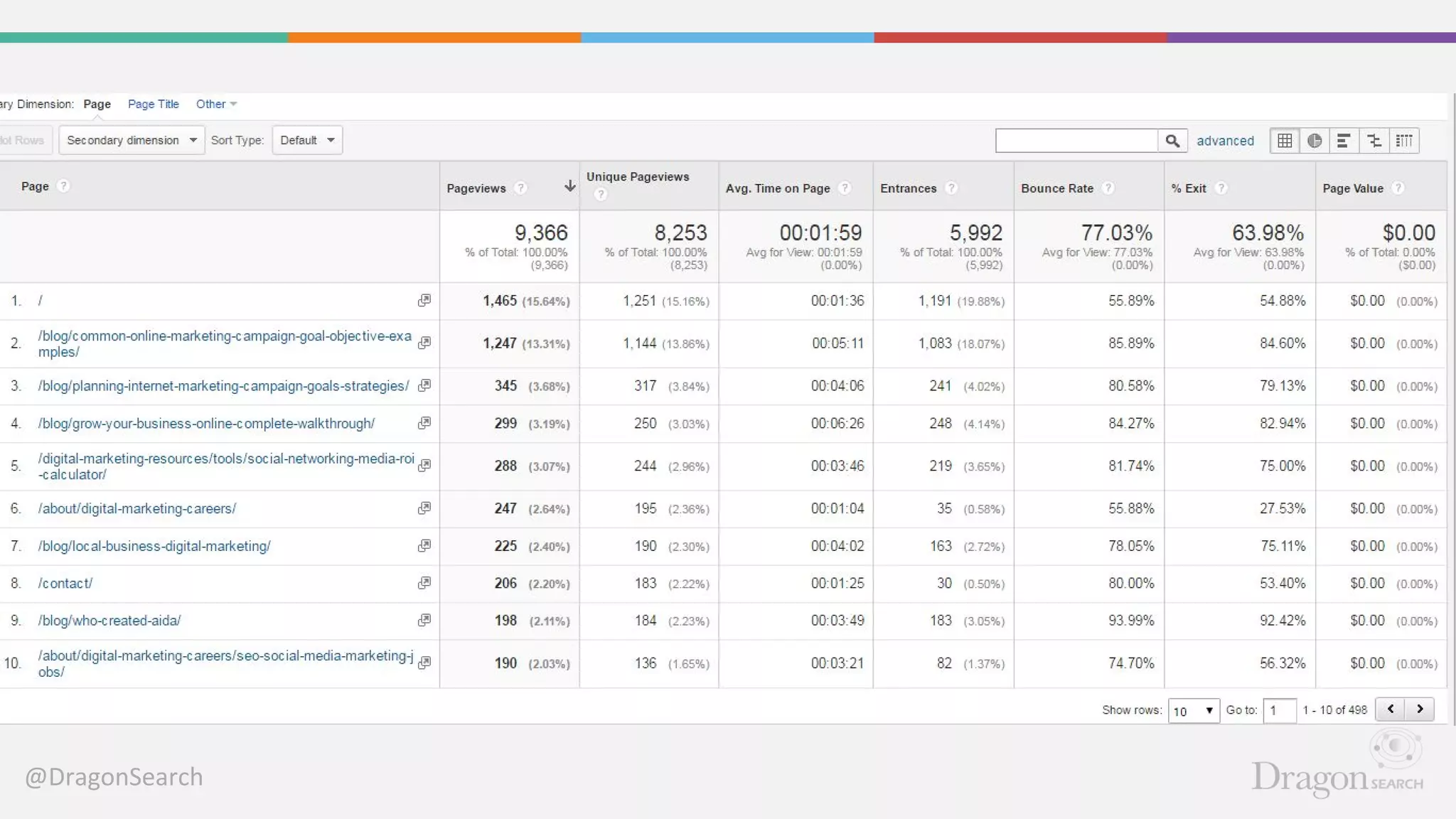
Google Analytics
• Free to anyone
• Easy to set up - especially with
WordPress websites
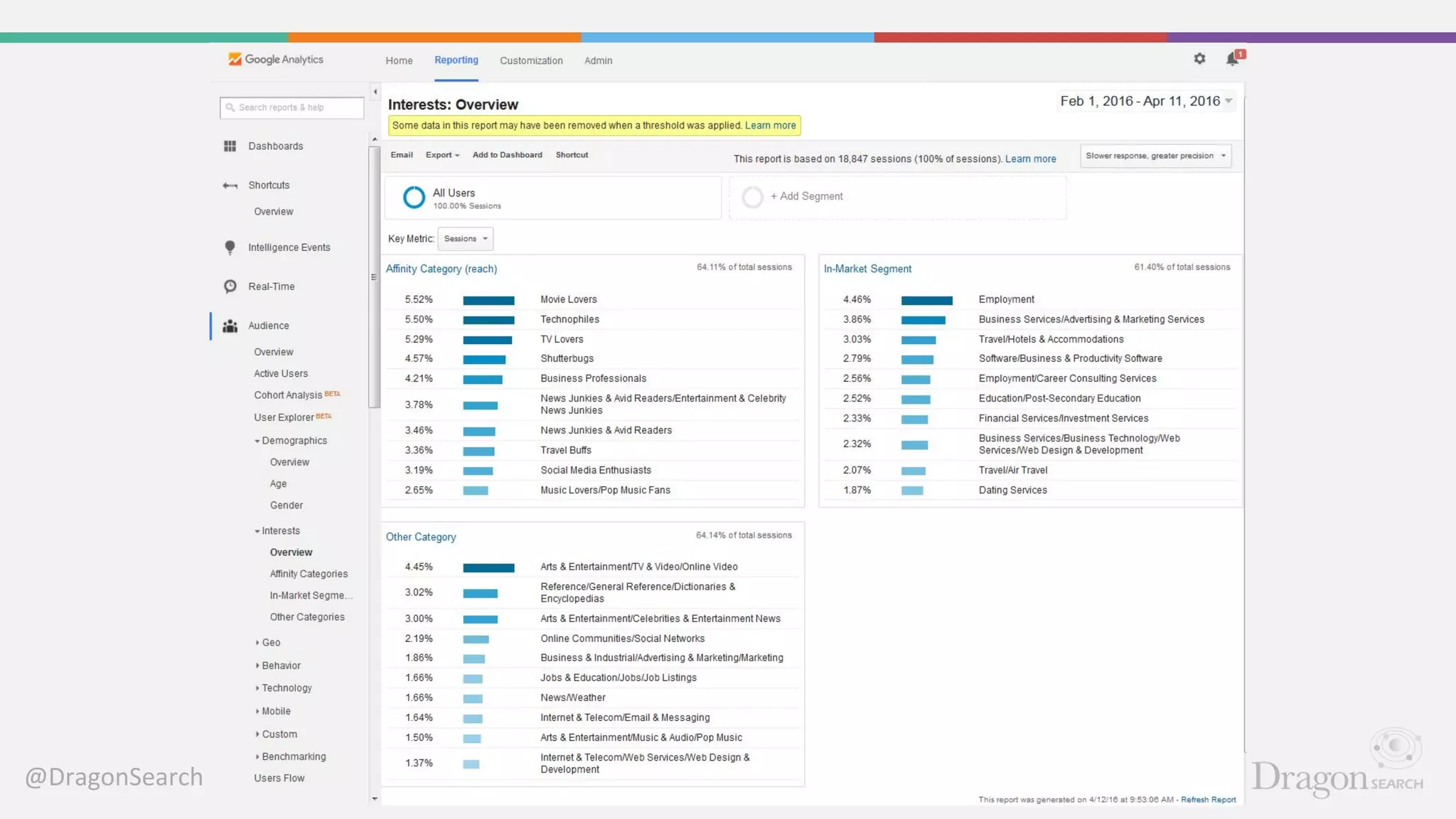
• Tracks traffic and user
behavior
• Can track by traffic type
• Can be used to track
conversions
• We'll have a GA class in the fall
@DragonSearch
@DragonSearch
@DragonSearch
Social Media
@DragonSearch
@DragonSearch
Selecting a Platform
• With so many social media platforms out there, choosing
one that match your needs and audience can be
challenging.
• Don’t spread yourself thin. Start small and then move into
other platforms as needed.
• Choose a platform you enjoy using personally. If you are
active on the platform on your own, you are much more
likely to be active for your business.
@DragonSearch
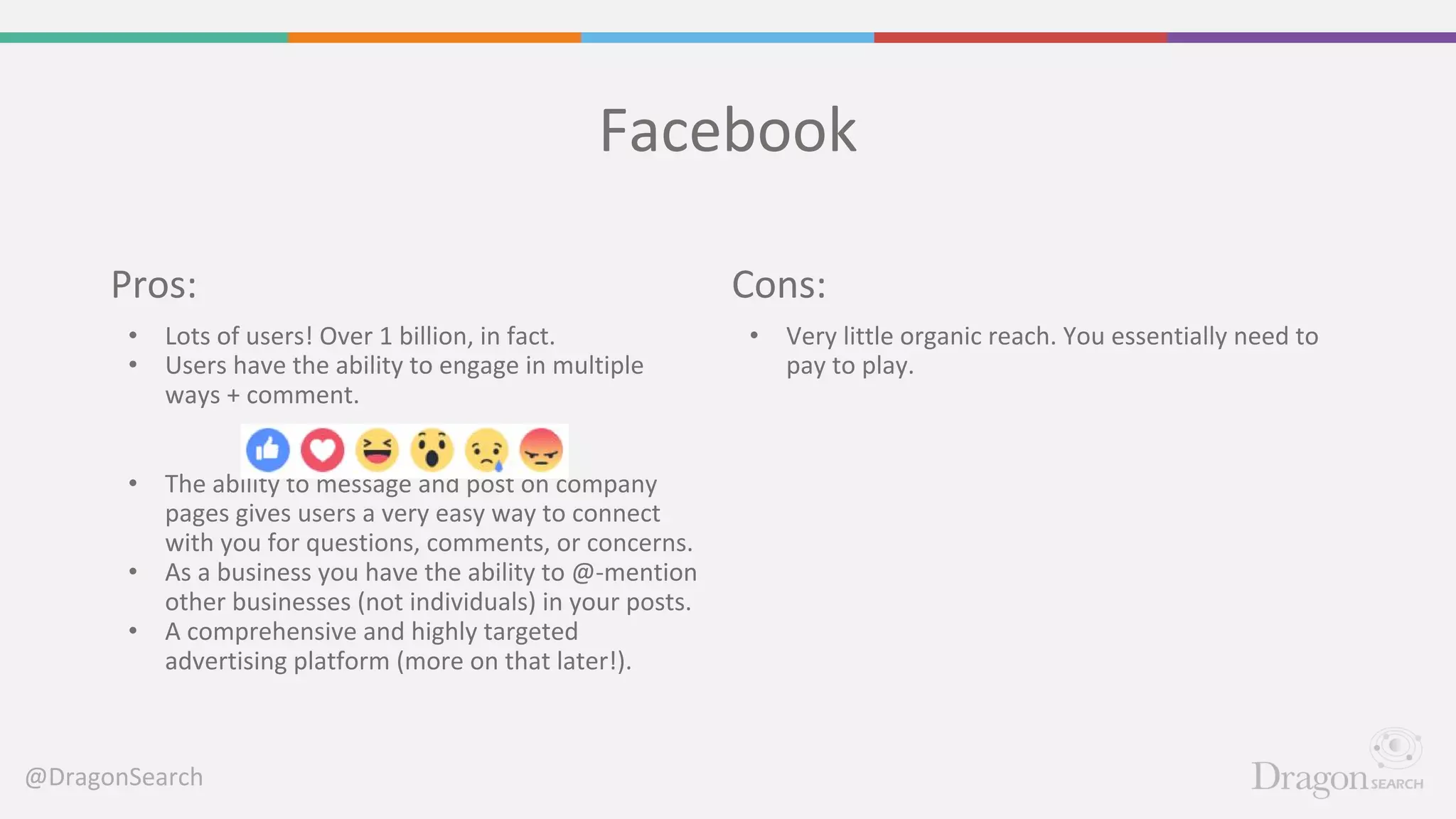
Facebook
Cons:
• Very little organic reach. You essentially need to
pay to play.
Pros:
• Lots of users! Over 1 billion, in fact.
• Users have the ability to engage in multiple
ways + comment.
• The ability to message and post on company
pages gives users a very easy way to connect
with you for questions, comments, or concerns.
• As a business you have the ability to @-mention
other businesses (not individuals) in your posts.
• A comprehensive and highly targeted
advertising platform (more on that later!).
@DragonSearch
Twitter
Cons:
• Very fast pace. Updates fly by and you need to be
highly active and agile on this platform to stay
connected with news and trending topics.
• Users expect quick replies on Twitter. If a user
asks a question and you don’t respond in a timely
matter, it will be noticed.
• Like all platforms, Twitter is very public. If a user
has a number of complaints, they are out there
for all to see.
Pros:
• The ability to connect with anyone, anywhere,
at any time.
• Very easy to share relevant updates, news,
images, videos, GIFs, and more.
• You have the ability to @-mention other
individuals or businesses in your posts. They
will be notified of this inclusion which can lead
to engagement and networking connections.
• There are lots of great conversations happening
on twitter chats.
• Features an advertising platform.
@DragonSearch
Instagram
Cons:
• Instagram recently introduced an algorithm that
has the potential to reduce views (a la Facebook).
Considering how recent the change, the effects
have yet to be seen.
Pros:
• Visual! You have the perfect outlet to share
images of your business, people, events,
products, and the list goes on.
• Incredibly popular - especially with younger
audiences.
• A great way to get involved with your local
community. Follow your communities hashtags
and engage.
• Lots of #hashtags to get involved in!
@DragonSearch
LinkedIn
Cons:
• On average, it has the most expensive advertising
options when compared to Facebook &
Instagram.
Pros:
• LinkedIn is ideal for business to business
connections. However, there are still
opportunities to connect with consumers on
here, as well, depending on the business.
• It is an ideal platform for professional
networking and outreach. You may even be
able to find your next employee on there.
• Typically rich in quality content. LinkedIn has a
publisher platform that allows you to share long
form posts. These posts, however, must come
from an individual’s page and not a company.
@DragonSearch
… and many more.
• Social platforms come and go.
• It’s easy to jump onto every
platform out there.
• It’s better to be highly
involved on a few platforms
then spread yourself thin on
too many.
@DragonSearch
What to Post?
• The platform's style and audience will
influence what content you post.
However, remember these main
pointers:
• Stay visual. No matter the platform, aim to
include imagery with your work. It grabs a
reader’s attention.
• Don’t be overly promotional. Get involved
with your community and industry and
show some ‘social love.’
@DragonSearch
Reputation Management
• It’s important to monitor your
brand name for both good and
bad mentions.
• Respond to negative feedback
in a timely and professional
manner.
• Whenever possible, take
negative conversations offline.
@DragonSearch
Advertising Opportunities
• The three primary social
advertising platforms are:
• Facebook
• Twitter
• Instagram
• However, there are others
such as YouTube, Snapchat,
and Pinterest too.
@DragonSearch
@DragonSearch
Break :)
Business Listings
@DragonSearch
Local Listings
@DragonSearch
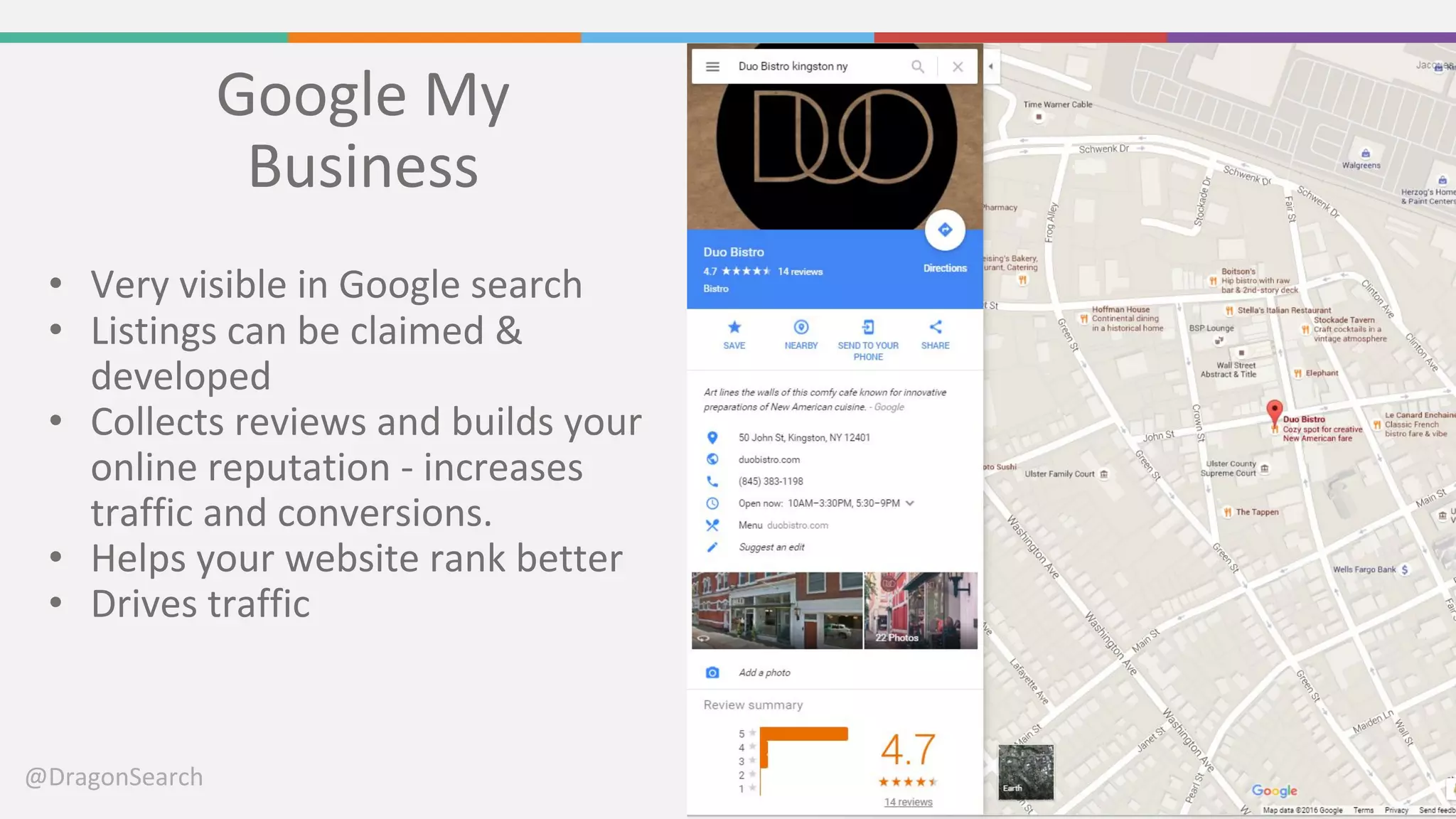
Google My
Business
• Very visible in Google search
• Listings can be claimed &
developed
• Collects reviews and builds your
online reputation - increases
traffic and conversions.
• Helps your website rank better
• Drives traffic
@DragonSearch
@DragonSearch
Bing Places
• Very visible in Google Search
• Listings can be claimed &
developed
• Shows reviews from Yelp,
Foursquare and other third-party
sources.
• Helps your website rank better
• Drives traffic
@DragonSearch
Yelp
• Loyal, invested community
• Listings can be claimed &
developed
• Reviews show in Bing, Google
Search results, and many others.
• Helps your website rank better
• Drives traffic
• For a restaurant, one star can
mean a 5-9% increase in revenue.
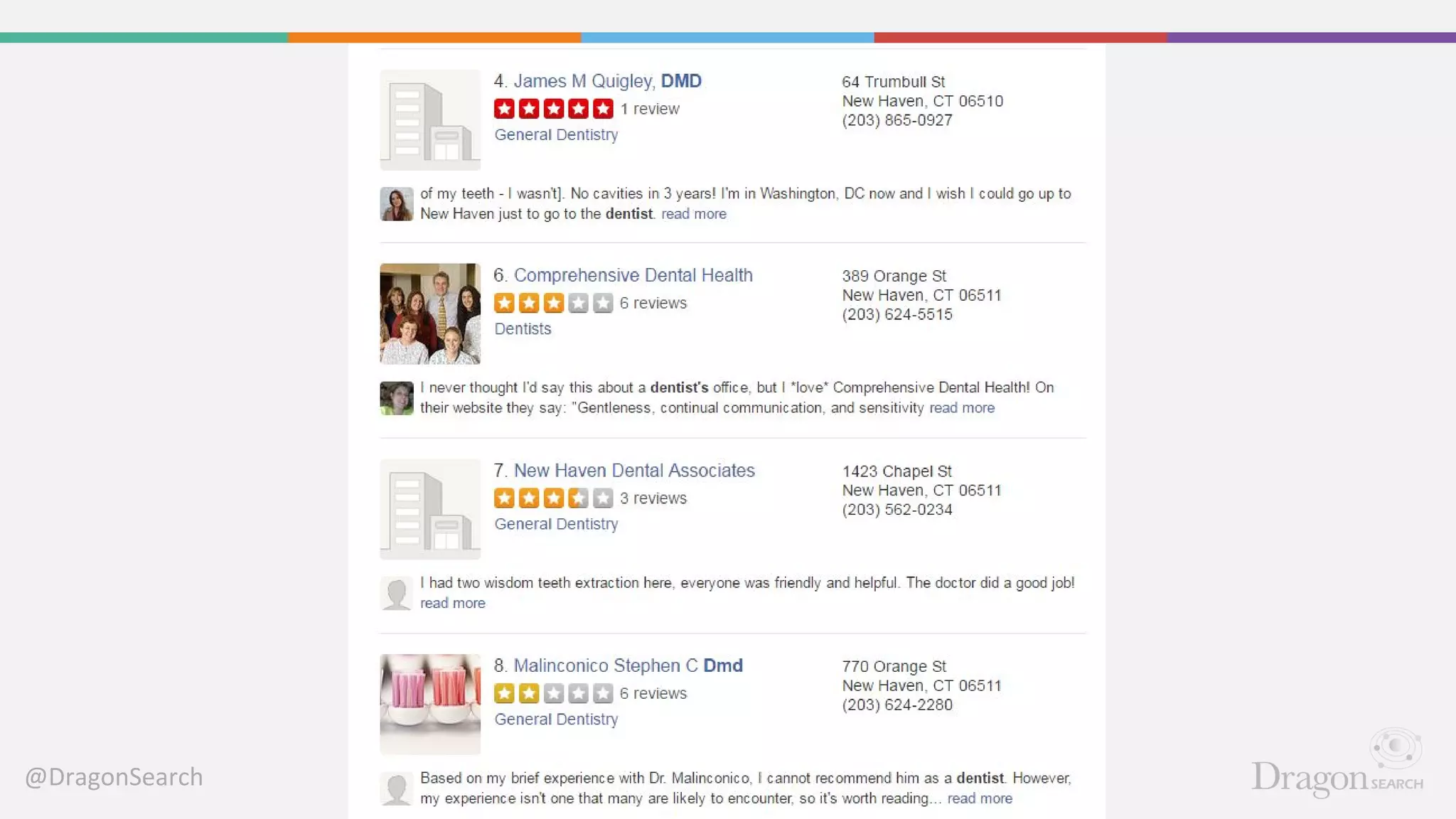
- Harvard Business Review
@DragonSearch
@DragonSearch
Chambers + BBB
• Real-life networking
opportunities
• Helps Google understand that
you have a brick-and-mortar
business
• Helps your website rank better
• Drives some traffic
@DragonSearch
Questions?
@DragonSearch
Thank You!
Caitlin Boroden
Twitter: @caitlinboroden
Email: caitlin@dragonsearch.com
Jacques Bouchard
Twitter: @jacquesbouchard
Email: jacques@dragonsearch.com
DragonSearch
Twitter: @dragonsearch
Phone: 212-246-5087

Building a Business's Digital Presence: A Local Guide

  • 1.
    Building a Business’sDigital Presence: A Local Guide Presented by: Caitlin Boroden & Jacques Bouchard
  • 2.
    @DragonSearch Today we willdiscuss: Your Website Social Media Business Listings
  • 3.
  • 4.
    @DragonSearch Keywords • Use GoogleKeyword Planner to learn how people are talking • Reference local towns/cities • Use keywords in content, url's, image file names, metadata, and menus.
  • 5.
  • 6.
    @DragonSearch Contact Information • Makeit easy to tell who you are, what you do, and how to contact you. • Add to every page, in easy-to-find locations • Make sure it's in text format, not images, so Search Engines can read it.
  • 7.
    @DragonSearch Title Tags andMeta Descriptions Title Tags: 55-56 characters long. Appear in the tab in browsers and in the top line of search Meta Descriptions: 156 characters long. Appears only in search results.
  • 8.
  • 9.
  • 10.
    @DragonSearch Panda and YourContent • Google Search runs by an algorithm. • ‘Panda’ is part of it, and evaluates quality, length, and duplication. • Make sure your pages have a good amount of quality content. • Don't ‘stuff’ keywords!
  • 11.
    @DragonSearch When Is ‘Thin’Content Length OK? Not So GoodAppropriate
  • 12.
    @DragonSearch Blogging • What willbe interesting to your audience? • What do they need to know about your niche? • How can you make your blog about them, and get them involved/participating? • How can your blog mean business? (Follow the 80/20 rule.) • Share your space & write for others!
  • 13.
    @DragonSearch Calls to Action Examples •Phone Number • Contact Form/Email • E-mail signups • Blog subscriptions • Social media shares/follows • Print/E-mail of page • Trackable Sale Best Practices • Always ask for business • Present multiple paths to conversion • Present logical paths to conversion • ‘Soft’ conversions
  • 14.
  • 15.
    @DragonSearch Google Analytics • Freeto anyone • Easy to set up - especially with WordPress websites • Tracks traffic and user behavior • Can track by traffic type • Can be used to track conversions • We'll have a GA class in the fall
  • 16.
  • 17.
  • 18.
  • 19.
  • 20.
  • 21.
    @DragonSearch Selecting a Platform •With so many social media platforms out there, choosing one that match your needs and audience can be challenging. • Don’t spread yourself thin. Start small and then move into other platforms as needed. • Choose a platform you enjoy using personally. If you are active on the platform on your own, you are much more likely to be active for your business.
  • 22.
    @DragonSearch Facebook Cons: • Very littleorganic reach. You essentially need to pay to play. Pros: • Lots of users! Over 1 billion, in fact. • Users have the ability to engage in multiple ways + comment. • The ability to message and post on company pages gives users a very easy way to connect with you for questions, comments, or concerns. • As a business you have the ability to @-mention other businesses (not individuals) in your posts. • A comprehensive and highly targeted advertising platform (more on that later!).
  • 23.
    @DragonSearch Twitter Cons: • Very fastpace. Updates fly by and you need to be highly active and agile on this platform to stay connected with news and trending topics. • Users expect quick replies on Twitter. If a user asks a question and you don’t respond in a timely matter, it will be noticed. • Like all platforms, Twitter is very public. If a user has a number of complaints, they are out there for all to see. Pros: • The ability to connect with anyone, anywhere, at any time. • Very easy to share relevant updates, news, images, videos, GIFs, and more. • You have the ability to @-mention other individuals or businesses in your posts. They will be notified of this inclusion which can lead to engagement and networking connections. • There are lots of great conversations happening on twitter chats. • Features an advertising platform.
  • 24.
    @DragonSearch Instagram Cons: • Instagram recentlyintroduced an algorithm that has the potential to reduce views (a la Facebook). Considering how recent the change, the effects have yet to be seen. Pros: • Visual! You have the perfect outlet to share images of your business, people, events, products, and the list goes on. • Incredibly popular - especially with younger audiences. • A great way to get involved with your local community. Follow your communities hashtags and engage. • Lots of #hashtags to get involved in!
  • 25.
    @DragonSearch LinkedIn Cons: • On average,it has the most expensive advertising options when compared to Facebook & Instagram. Pros: • LinkedIn is ideal for business to business connections. However, there are still opportunities to connect with consumers on here, as well, depending on the business. • It is an ideal platform for professional networking and outreach. You may even be able to find your next employee on there. • Typically rich in quality content. LinkedIn has a publisher platform that allows you to share long form posts. These posts, however, must come from an individual’s page and not a company.
  • 26.
    @DragonSearch … and manymore. • Social platforms come and go. • It’s easy to jump onto every platform out there. • It’s better to be highly involved on a few platforms then spread yourself thin on too many.
  • 27.
    @DragonSearch What to Post? •The platform's style and audience will influence what content you post. However, remember these main pointers: • Stay visual. No matter the platform, aim to include imagery with your work. It grabs a reader’s attention. • Don’t be overly promotional. Get involved with your community and industry and show some ‘social love.’
  • 28.
    @DragonSearch Reputation Management • It’simportant to monitor your brand name for both good and bad mentions. • Respond to negative feedback in a timely and professional manner. • Whenever possible, take negative conversations offline.
  • 29.
    @DragonSearch Advertising Opportunities • Thethree primary social advertising platforms are: • Facebook • Twitter • Instagram • However, there are others such as YouTube, Snapchat, and Pinterest too.
  • 30.
  • 31.
  • 32.
  • 33.
  • 34.
  • 35.
    @DragonSearch Google My Business • Veryvisible in Google search • Listings can be claimed & developed • Collects reviews and builds your online reputation - increases traffic and conversions. • Helps your website rank better • Drives traffic
  • 36.
  • 37.
    @DragonSearch Bing Places • Veryvisible in Google Search • Listings can be claimed & developed • Shows reviews from Yelp, Foursquare and other third-party sources. • Helps your website rank better • Drives traffic
  • 38.
    @DragonSearch Yelp • Loyal, investedcommunity • Listings can be claimed & developed • Reviews show in Bing, Google Search results, and many others. • Helps your website rank better • Drives traffic • For a restaurant, one star can mean a 5-9% increase in revenue. - Harvard Business Review
  • 39.
  • 40.
    @DragonSearch Chambers + BBB •Real-life networking opportunities • Helps Google understand that you have a brick-and-mortar business • Helps your website rank better • Drives some traffic
  • 41.
  • 42.
  • 43.
    @DragonSearch Thank You! Caitlin Boroden Twitter:@caitlinboroden Email: caitlin@dragonsearch.com Jacques Bouchard Twitter: @jacquesbouchard Email: jacques@dragonsearch.com DragonSearch Twitter: @dragonsearch Phone: 212-246-5087