Build Your Operator With the
Right Tool
Rafał Leszko
@RafalLeszko
rafalleszko.com
Hazelcast
About me
● Integration Team Lead at Hazelcast
● Worked at Google and CERN
● Author of the book "Continuous Delivery
with Docker and Jenkins"
● Trainer and conference speaker
● Live in Kraków, Poland
About Hazelcast
● Distributed Company
● Open Source Software
● 140+ Employees
● Products:
○ Hazelcast IMDG
○ Hazelcast Jet
○ Hazelcast Cloud
@Hazelcast
● Introduction
● Tools for building Operators
○ Operator SDK
■ Helm
■ Ansible
■ Go
○ Operator Frameworks: KOPF, Java Operator SDK, ...
○ Bare Programming Language: Java, Kotlin, C#, ...
● Summary
Agenda
Introduction
Kubernetes Operator
Kubernetes Operator
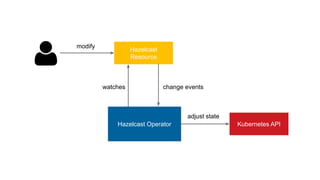
Operator is an application that watches a custom Kubernetes
resource and performs some operations upon its changes.
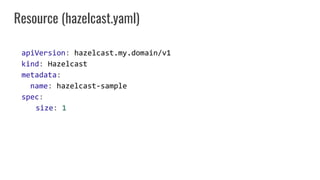
apiVersion: hazelcast.my.domain/v1
kind: Hazelcast
metadata:
name: hazelcast-sample
spec:
size: 1
Resource (hazelcast.yaml)
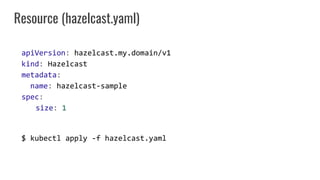
apiVersion: hazelcast.my.domain/v1
kind: Hazelcast
metadata:
name: hazelcast-sample
spec:
size: 1
$ kubectl apply -f hazelcast.yaml
Resource (hazelcast.yaml)
Hazelcast
Resource
Kubernetes APIHazelcast Operator
modify
watches change events
adjust state
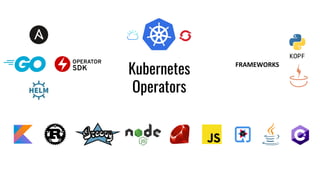
Kubernetes
Operators
FRAMEWORKS
KOPF
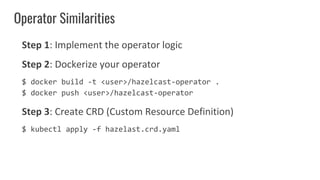
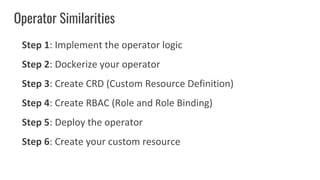
Operator Similarities
Step 1: Implement the operator logic
Operator Similarities
Step 1: Implement the operator logic
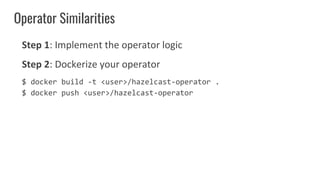
Step 2: Dockerize your operator
$ docker build -t <user>/hazelcast-operator .
$ docker push <user>/hazelcast-operator
Operator Similarities
Step 1: Implement the operator logic
Step 2: Dockerize your operator
$ docker build -t <user>/hazelcast-operator .
$ docker push <user>/hazelcast-operator
Step 3: Create CRD (Custom Resource Definition)
$ kubectl apply -f hazelast.crd.yaml
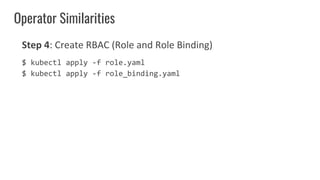
Operator Similarities
Step 4: Create RBAC (Role and Role Binding)
$ kubectl apply -f role.yaml
$ kubectl apply -f role_binding.yaml
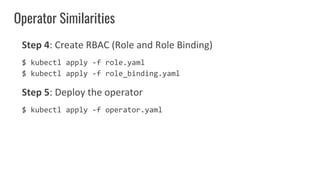
Operator Similarities
Step 4: Create RBAC (Role and Role Binding)
$ kubectl apply -f role.yaml
$ kubectl apply -f role_binding.yaml
Step 5: Deploy the operator
$ kubectl apply -f operator.yaml
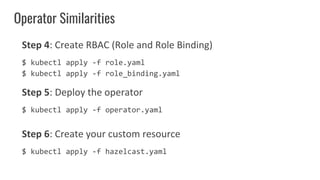
Operator Similarities
Step 4: Create RBAC (Role and Role Binding)
$ kubectl apply -f role.yaml
$ kubectl apply -f role_binding.yaml
Step 5: Deploy the operator
$ kubectl apply -f operator.yaml
Step 6: Create your custom resource
$ kubectl apply -f hazelcast.yaml
Operator Similarities
Step 1: Implement the operator logic
Step 2: Dockerize your operator
Step 3: Create CRD (Custom Resource Definition)
Step 4: Create RBAC (Role and Role Binding)
Step 5: Deploy the operator
Step 6: Create your custom resource
● Introduction ✔
● Tools for building Operators
○ Operator SDK
■ Helm
■ Ansible
■ Go
○ Operator Frameworks: KOPF, Java Operator SDK, ...
○ Bare Programming Language: Java, Kotlin, C#, ...
● Summary
Agenda
Operator SDK: Helm
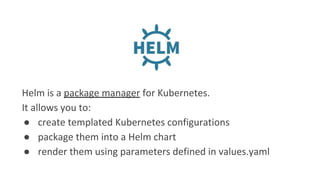
Helm is a package manager for Kubernetes.
It allows you to:
● create templated Kubernetes configurations
● package them into a Helm chart
● render them using parameters defined in values.yaml
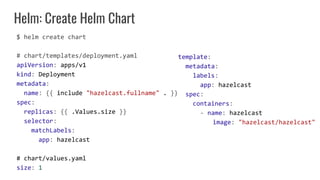
Helm: Create Helm Chart
$ helm create chart
# chart/templates/deployment.yaml
apiVersion: apps/v1
kind: Deployment
metadata:
name: {{ include "hazelcast.fullname" . }}
spec:
replicas: {{ .Values.size }}
selector:
matchLabels:
app: hazelcast
# chart/values.yaml
size: 1
template:
metadata:
labels:
app: hazelcast
spec:
containers:
- name: hazelcast
image: "hazelcast/hazelcast"
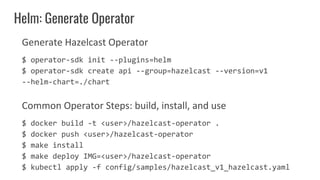
Generate Hazelcast Operator
$ operator-sdk init --plugins=helm
$ operator-sdk create api --group=hazelcast --version=v1
--helm-chart=./chart
Common Operator Steps: build, install, and use
$ docker build -t <user>/hazelcast-operator .
$ docker push <user>/hazelcast-operator
$ make install
$ make deploy IMG=<user>/hazelcast-operator
$ kubectl apply -f config/samples/hazelcast_v1_hazelcast.yaml
Helm: Generate Operator
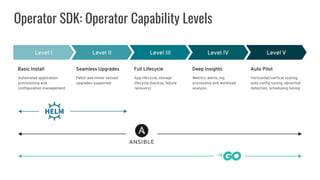
Operator SDK: Operator Capability Levels
What does "Operator SDK: Helm" mean to You?
● Implementation is declarative and
simple
● If you already have a Helm chart, then
no work at all
● Limited to the features available in Helm
● Operator manifest/configuration files
are automatically generated
Operator SDK: Ansible
Ansible is a very powerful tool for IT automation.
It allows you to:
● create tasks in a declarative way
● perform complex DevOps tasks using simple YAML files
● interact with Kubernetes API using the
community.kubernetes.k8s plugin
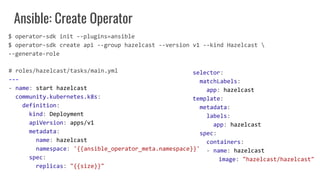
Ansible: Create Operator
# roles/hazelcast/tasks/main.yml
---
- name: start hazelcast
community.kubernetes.k8s:
definition:
kind: Deployment
apiVersion: apps/v1
metadata:
name: hazelcast
namespace: '{{ansible_operator_meta.namespace}}'
spec:
replicas: "{{size}}"
selector:
matchLabels:
app: hazelcast
template:
metadata:
labels:
app: hazelcast
spec:
containers:
- name: hazelcast
image: "hazelcast/hazelcast"
$ operator-sdk init --plugins=ansible
$ operator-sdk create api --group hazelcast --version v1 --kind Hazelcast 
--generate-role
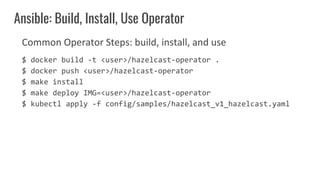
Common Operator Steps: build, install, and use
$ docker build -t <user>/hazelcast-operator .
$ docker push <user>/hazelcast-operator
$ make install
$ make deploy IMG=<user>/hazelcast-operator
$ kubectl apply -f config/samples/hazelcast_v1_hazelcast.yaml
Ansible: Build, Install, Use Operator
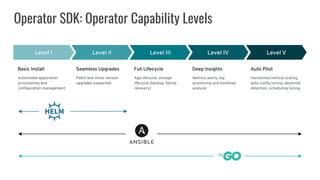
Operator SDK: Operator Capability Levels
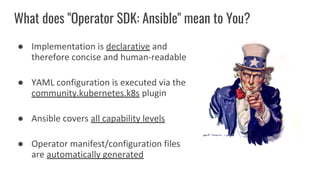
What does "Operator SDK: Ansible" mean to You?
● Implementation is declarative and
therefore concise and human-readable
● YAML configuration is executed via the
community.kubernetes.k8s plugin
● Ansible covers all capability levels
● Operator manifest/configuration files
are automatically generated
Operator SDK: Go
Go is a general-purpose programming language.
Advantages:
● Kubernete is written in Go
● good Kubernetes client library
● performance
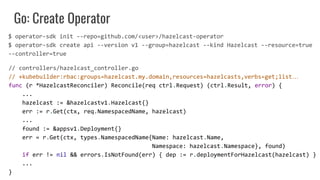
Go: Create Operator
// controllers/hazelcast_controller.go
// +kubebuilder:rbac:groups=hazelcast.my.domain,resources=hazelcasts,verbs=get;list…
func (r *HazelcastReconciler) Reconcile(req ctrl.Request) (ctrl.Result, error) {
...
hazelcast := &hazelcastv1.Hazelcast{}
err := r.Get(ctx, req.NamespacedName, hazelcast)
...
found := &appsv1.Deployment{}
err = r.Get(ctx, types.NamespacedName{Name: hazelcast.Name,
Namespace: hazelcast.Namespace}, found)
if err != nil && errors.IsNotFound(err) { dep := r.deploymentForHazelcast(hazelcast) }
...
}
$ operator-sdk init --repo=github.com/<user>/hazelcast-operator
$ operator-sdk create api --version v1 --group=hazelcast --kind Hazelcast --resource=true
--controller=true
Go: Create Operator
// controllers/hazelcast_controller.go
...
Spec: appsv1.DeploymentSpec{
Replicas: &replicas,
Selector: &metav1.LabelSelector{
MatchLabels: ls,
},
Template: corev1.PodTemplateSpec{
ObjectMeta: metav1.ObjectMeta{
Labels: ls,
},
Spec: corev1.PodSpec{
Containers: []corev1.Container{{
Image: "hazelcast/hazelcast",
Name: "hazelcast",
}}, }, }, }, }
// api/v1/hazelcast_types.go
type HazelcastSpec struct {
Size int32 `json:"size,omitempty"`
}
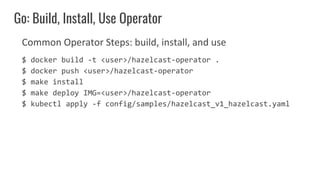
Common Operator Steps: build, install, and use
$ docker build -t <user>/hazelcast-operator .
$ docker push <user>/hazelcast-operator
$ make install
$ make deploy IMG=<user>/hazelcast-operator
$ kubectl apply -f config/samples/hazelcast_v1_hazelcast.yaml
Go: Build, Install, Use Operator
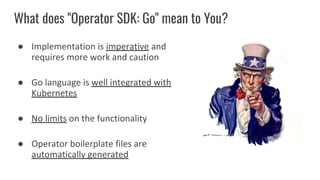
What does "Operator SDK: Go" mean to You?
● Implementation is imperative and
requires more work and caution
● Go language is well integrated with
Kubernetes
● No limits on the functionality
● Operator boilerplate files are
automatically generated
● Introduction ✔
● Tools for building Operators
○ Operator SDK ✔
■ Helm ✔
■ Ansible ✔
■ Go ✔
○ Operator Frameworks: KOPF, Java Operator SDK, ...
○ Bare Programming Language: Java, Kotlin, C#, ...
● Summary
Agenda
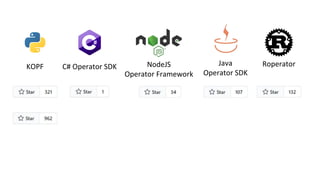
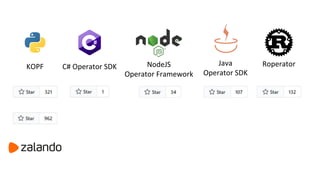
Operator Frameworks
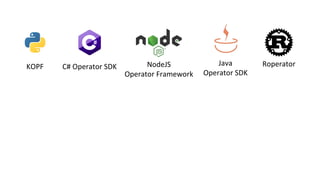
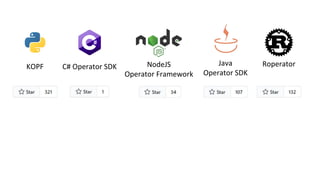
KOPF C# Operator SDK Java
Operator SDK
NodeJS
Operator Framework
Roperator
KOPF C# Operator SDK Java
Operator SDK
NodeJS
Operator Framework
Roperator
KOPF C# Operator SDK Java
Operator SDK
NodeJS
Operator Framework
Roperator
KOPF C# Operator SDK Java
Operator SDK
NodeJS
Operator Framework
Roperator
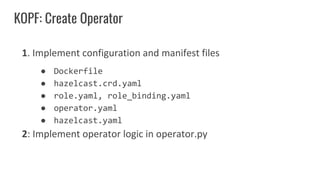
KOPF: Create Operator
1. Implement configuration and manifest files
● Dockerfile
● hazelcast.crd.yaml
● role.yaml, role_binding.yaml
● operator.yaml
● hazelcast.yaml
2: Implement operator logic in operator.py
KOPF: Create Operator
@kopf.on.create('hazelcast.my.domain','v1','hazelcasts')
def create_fn(spec, **kwargs):
doc = create_deployment(spec)
kopf.adopt(doc)
api = pykube.HTTPClient(pykube.KubeConfig.from_env())
deployment = pykube.Deployment(api, doc)
deployment.create()
api.session.close()
return {'children': [deployment.metadata['uid']]}
def create_deployment(spec):
return yaml.safe_load(f"""
apiVersion: apps/v1
kind: Deployment
metadata:
name: hazelcast
spec:
replicas: {spec.get('size', 1)}
selector:
matchLabels:
app: hazelcast
template:
metadata:
labels:
app: hazelcast
spec:
containers:
- name: hazelcast
image: "hazelcast/hazelcast"
""")
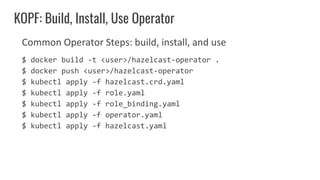
Common Operator Steps: build, install, and use
$ docker build -t <user>/hazelcast-operator .
$ docker push <user>/hazelcast-operator
$ kubectl apply -f hazelcast.crd.yaml
$ kubectl apply -f role.yaml
$ kubectl apply -f role_binding.yaml
$ kubectl apply -f operator.yaml
$ kubectl apply -f hazelcast.yaml
KOPF: Build, Install, Use Operator
What does "Operator Framework" mean to You?
● Less developed and popular than
Operator SDK
● No project scaffolding and boilerplate
code generation
● No limits on the functionality
● Kubernetes clients are usually inferior to
the Go Kubernetes client
● Introduction ✔
● Tools for building Operators
○ Operator SDK ✔
■ Helm ✔
■ Ansible ✔
■ Go ✔
○ Operator Frameworks: KOPF, Java Operator SDK, … ✔
○ Bare Programming Language: Java, Kotlin, C#, ...
● Summary
Agenda
Bare Programming Language
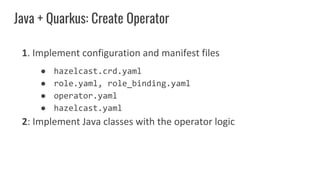
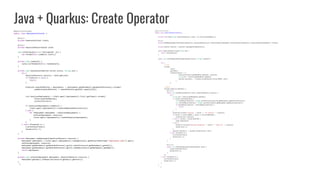
Java + Quarkus: Create Operator
1. Implement configuration and manifest files
● hazelcast.crd.yaml
● role.yaml, role_binding.yaml
● operator.yaml
● hazelcast.yaml
2: Implement Java classes with the operator logic
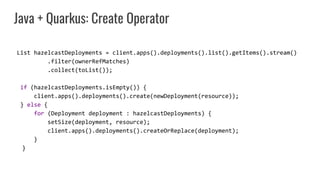
Java + Quarkus: Create Operator
List hazelcastDeployments = client.apps().deployments().list().getItems().stream()
.filter(ownerRefMatches)
.collect(toList());
if (hazelcastDeployments.isEmpty()) {
client.apps().deployments().create(newDeployment(resource));
} else {
for (Deployment deployment : hazelcastDeployments) {
setSize(deployment, resource);
client.apps().deployments().createOrReplace(deployment);
}
}
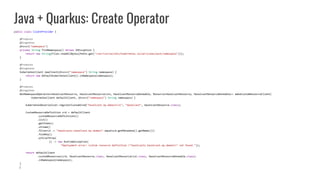
Java + Quarkus: Create Operator
public class ClientProvider {
@Produces
@Singleton
@Named("namespace")
private String findNamespace() throws IOException {
return new String(Files.readAllBytes(Paths.get("/var/run/secrets/kubernetes.io/serviceaccount/namespace")));
}
@Produces
@Singleton
KubernetesClient newClient(@Named("namespace") String namespace) {
return new DefaultKubernetesClient().inNamespace(namespace);
}
@Produces
@Singleton
NonNamespaceOperation<HazelcastResource, HazelcastResourceList, HazelcastResourceDoneable, Resource<HazelcastResource, HazelcastResourceDoneable>> makeCustomResourceClient(
KubernetesClient defaultClient, @Named("namespace") String namespace) {
KubernetesDeserializer.registerCustomKind("hazelcast.my.domain/v1", "Hazelcast", HazelcastResource.class);
CustomResourceDefinition crd = defaultClient
.customResourceDefinitions()
.list()
.getItems()
.stream()
.filter(d -> "hazelcasts.hazelcast.my.domain".equals(d.getMetadata().getName()))
.findAny()
.orElseThrow(
() -> new RuntimeException(
"Deployment error: Custom resource definition "hazelcasts.hazelcast.my.domain" not found."));
return defaultClient
.customResources(crd, HazelcastResource.class, HazelcastResourceList.class, HazelcastResourceDoneable.class)
.inNamespace(namespace);
}
}
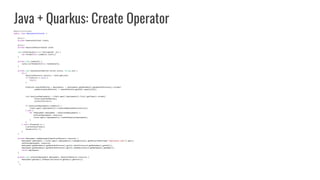
Java + Quarkus: Create Operator
@ApplicationScoped
public class DeploymentInstaller {
@Inject
private KubernetesClient client;
@Inject
private HazelcastResourceCache cache;
void onStartup(@Observes StartupEvent _ev) {
new Thread(this::runWatch).start();
}
private void runWatch() {
cache.listThenWatch(this::handleEvent);
}
private void handleEvent(Watcher.Action action, String uid) {
try {
HazelcastResource resource = cache.get(uid);
if (resource == null) {
return;
}
Predicate ownerRefMatches = deployments -> deployments.getMetadata().getOwnerReferences().stream()
.anyMatch(ownerReference -> ownerReference.getUid().equals(uid));
List hazelcastDeployments = client.apps().deployments().list().getItems().stream()
.filter(ownerRefMatches)
.collect(toList());
if (hazelcastDeployments.isEmpty()) {
client.apps().deployments().create(newDeployment(resource));
} else {
for (Deployment deployment : hazelcastDeployments) {
setSize(deployment, resource);
client.apps().deployments().createOrReplace(deployment);
}
}
} catch (Exception e) {
e.printStackTrace();
System.exit(-1);
}
}
private Deployment newDeployment(HazelcastResource resource) {
Deployment deployment = client.apps().deployments().load(getClass().getResourceAsStream("/deployment.yaml")).get();
setSize(deployment, resource);
deployment.getMetadata().getOwnerReferences().get(0).setUid(resource.getMetadata().getUid());
deployment.getMetadata().getOwnerReferences().get(0).setName(resource.getMetadata().getName());
return deployment;
}
private void setSize(Deployment deployment, HazelcastResource resource) {
deployment.getSpec().setReplicas(resource.getSpec().getSize());
}
}
Java + Quarkus: Create Operator
@ApplicationScoped
public class DeploymentInstaller {
@Inject
private KubernetesClient client;
@Inject
private HazelcastResourceCache cache;
void onStartup(@Observes StartupEvent _ev) {
new Thread(this::runWatch).start();
}
private void runWatch() {
cache.listThenWatch(this::handleEvent);
}
private void handleEvent(Watcher.Action action, String uid) {
try {
HazelcastResource resource = cache.get(uid);
if (resource == null) {
return;
}
Predicate ownerRefMatches = deployments -> deployments.getMetadata().getOwnerReferences().stream()
.anyMatch(ownerReference -> ownerReference.getUid().equals(uid));
List hazelcastDeployments = client.apps().deployments().list().getItems().stream()
.filter(ownerRefMatches)
.collect(toList());
if (hazelcastDeployments.isEmpty()) {
client.apps().deployments().create(newDeployment(resource));
} else {
for (Deployment deployment : hazelcastDeployments) {
setSize(deployment, resource);
client.apps().deployments().createOrReplace(deployment);
}
}
} catch (Exception e) {
e.printStackTrace();
System.exit(-1);
}
}
private Deployment newDeployment(HazelcastResource resource) {
Deployment deployment = client.apps().deployments().load(getClass().getResourceAsStream("/deployment.yaml")).get();
setSize(deployment, resource);
deployment.getMetadata().getOwnerReferences().get(0).setUid(resource.getMetadata().getUid());
deployment.getMetadata().getOwnerReferences().get(0).setName(resource.getMetadata().getName());
return deployment;
}
private void setSize(Deployment deployment, HazelcastResource resource) {
deployment.getSpec().setReplicas(resource.getSpec().getSize());
}
}
@ApplicationScoped
public class HazelcastResourceCache {
private final Map<String, HazelcastResource> cache = new ConcurrentHashMap<>();
@Inject
private NonNamespaceOperation<HazelcastResource, HazelcastResourceList, HazelcastResourceDoneable, Resource<HazelcastResource, HazelcastResourceDoneable>> crClient;
private Executor executor = Executors.newSingleThreadExecutor();
public HazelcastResource get(String uid) {
return cache.get(uid);
}
public void listThenWatch(BiConsumer<Watcher.Action, String> callback) {
try {
// list
crClient
.list()
.getItems()
.forEach(resource -> {
cache.put(resource.getMetadata().getUid(), resource);
String uid = resource.getMetadata().getUid();
executor.execute(() -> callback.accept(Watcher.Action.ADDED, uid));
}
);
// watch
crClient.watch(new Watcher() {
@Override
public void eventReceived(Action action, HazelcastResource resource) {
try {
String uid = resource.getMetadata().getUid();
if (cache.containsKey(uid)) {
int knownResourceVersion = Integer.parseInt(cache.get(uid).getMetadata().getResourceVersion());
int receivedResourceVersion = Integer.parseInt(resource.getMetadata().getResourceVersion());
if (knownResourceVersion > receivedResourceVersion) {
return;
}
}
System.out.println("received " + action + " for resource " + resource);
if (action == Action.ADDED || action == Action.MODIFIED) {
cache.put(uid, resource);
} else if (action == Action.DELETED) {
cache.remove(uid);
} else {
System.err.println("Received unexpected " + action + " event for " + resource);
System.exit(-1);
}
executor.execute(() -> callback.accept(action, uid));
} catch (Exception e) {
e.printStackTrace();
System.exit(-1);
}
}
@Override
public void onClose(KubernetesClientException cause) {
cause.printStackTrace();
System.exit(-1);
}
});
} catch (Exception e) {
e.printStackTrace();
System.exit(-1);
}
}
}
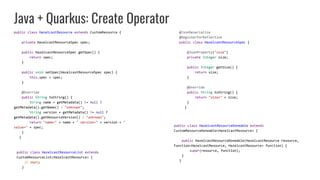
Java + Quarkus: Create Operator
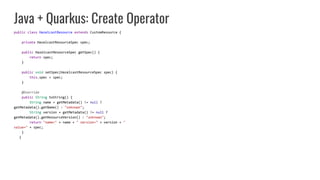
public class HazelcastResource extends CustomResource {
private HazelcastResourceSpec spec;
public HazelcastResourceSpec getSpec() {
return spec;
}
public void setSpec(HazelcastResourceSpec spec) {
this.spec = spec;
}
@Override
public String toString() {
String name = getMetadata() != null ?
getMetadata().getName() : "unknown";
String version = getMetadata() != null ?
getMetadata().getResourceVersion() : "unknown";
return "name=" + name + " version=" + version + "
value=" + spec;
}
}
Java + Quarkus: Create Operator
public class HazelcastResource extends CustomResource {
private HazelcastResourceSpec spec;
public HazelcastResourceSpec getSpec() {
return spec;
}
public void setSpec(HazelcastResourceSpec spec) {
this.spec = spec;
}
@Override
public String toString() {
String name = getMetadata() != null ?
getMetadata().getName() : "unknown";
String version = getMetadata() != null ?
getMetadata().getResourceVersion() : "unknown";
return "name=" + name + " version=" + version + "
value=" + spec;
}
}
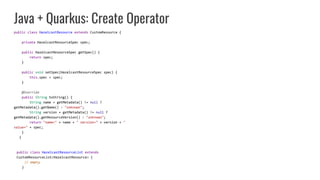
public class HazelcastResourceList extends
CustomResourceList<HazelcastResource> {
// empty
}
Java + Quarkus: Create Operator
public class HazelcastResource extends CustomResource {
private HazelcastResourceSpec spec;
public HazelcastResourceSpec getSpec() {
return spec;
}
public void setSpec(HazelcastResourceSpec spec) {
this.spec = spec;
}
@Override
public String toString() {
String name = getMetadata() != null ?
getMetadata().getName() : "unknown";
String version = getMetadata() != null ?
getMetadata().getResourceVersion() : "unknown";
return "name=" + name + " version=" + version + "
value=" + spec;
}
}
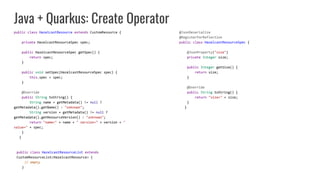
@JsonDeserialize
@RegisterForReflection
public class HazelcastResourceSpec {
@JsonProperty("size")
private Integer size;
public Integer getSize() {
return size;
}
@Override
public String toString() {
return "size=" + size;
}
}
public class HazelcastResourceList extends
CustomResourceList<HazelcastResource> {
// empty
}
Java + Quarkus: Create Operator
public class HazelcastResource extends CustomResource {
private HazelcastResourceSpec spec;
public HazelcastResourceSpec getSpec() {
return spec;
}
public void setSpec(HazelcastResourceSpec spec) {
this.spec = spec;
}
@Override
public String toString() {
String name = getMetadata() != null ?
getMetadata().getName() : "unknown";
String version = getMetadata() != null ?
getMetadata().getResourceVersion() : "unknown";
return "name=" + name + " version=" + version + "
value=" + spec;
}
}
@JsonDeserialize
@RegisterForReflection
public class HazelcastResourceSpec {
@JsonProperty("size")
private Integer size;
public Integer getSize() {
return size;
}
@Override
public String toString() {
return "size=" + size;
}
}
public class HazelcastResourceDoneable extends
CustomResourceDoneable<HazelcastResource> {
public HazelcastResourceDoneable(HazelcastResource resource,
Function<HazelcastResource, HazelcastResource> function) {
super(resource, function);
}
}
public class HazelcastResourceList extends
CustomResourceList<HazelcastResource> {
// empty
}
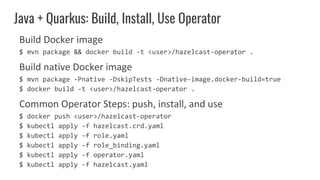
Build Docker image
$ mvn package && docker build -t <user>/hazelcast-operator .
Build native Docker image
$ mvn package -Pnative -DskipTests -Dnative-image.docker-build=true
$ docker build -t <user>/hazelcast-operator .
Common Operator Steps: push, install, and use
$ docker push <user>/hazelcast-operator
$ kubectl apply -f hazelcast.crd.yaml
$ kubectl apply -f role.yaml
$ kubectl apply -f role_binding.yaml
$ kubectl apply -f operator.yaml
$ kubectl apply -f hazelcast.yaml
Java + Quarkus: Build, Install, Use Operator
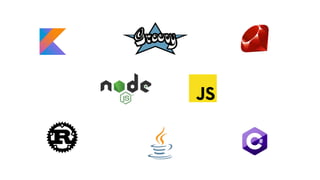
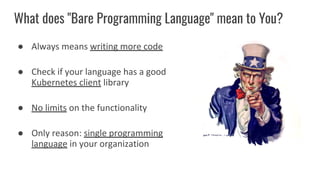
What does "Bare Programming Language" mean to You?
● Always means writing more code
● Check if your language has a good
Kubernetes client library
● No limits on the functionality
● Only reason: single programming
language in your organization
Summary
Which tool
should I use for
my operator?
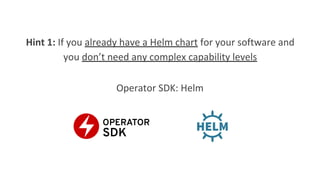
Hint 1: If you already have a Helm chart for your software and
you don’t need any complex capability levels
Hint 1: If you already have a Helm chart for your software and
you don’t need any complex capability levels
Operator SDK: Helm
Hint 2: If you want to create your operator quickly and you
don’t need any complex capability levels
Hint 2: If you want to create your operator quickly and you
don’t need any complex capability levels
Operator SDK: Helm
Hint 3: If you want complex features or/and be flexible about
any future implementations
Hint 3: If you want complex features or/and be flexible about
any future implementations
Operator SDK: Go
Hint 4: If you want to keep a single programming language in
your organization
Hint 4: If you want to keep a single programming language in
your organization
● If a popular Operator Framework exists for your language
or/and you want to contribute to it
Hint 4: If you want to keep a single programming language in
your organization
● If a popular Operator Framework exists for your language
or/and you want to contribute to it
Operator Framework
Hint 4: If you want to keep a single programming language in
your organization
● If a popular Operator Framework exists for your language
or/and you want to contribute to it
● If no popular Operator Framework exists for your
programming language
Operator Framework
Hint 4: If you want to keep a single programming language in
your organization
● If a popular Operator Framework exists for your language
or/and you want to contribute to it
● If no popular Operator Framework exists for your
programming language
Operator Framework
Bare Programming Language
Hint 5: If none of the mentioned
Operator SDK: Go
Resources
● Code for this presentation:
https://github.com/leszko/build-your-operator
● Operator SDK:
https://sdk.operatorframework.io/
● Java + Quarkus operator description:
https://www.instana.com/blog/writing-a-kubernetes-operator-in-jav
a-part-1/
● KOPF (Kubernetes Operators Framework):
https://kopf.readthedocs.io/en/stable/
Thank You!
Rafał Leszko
@RafalLeszko
rafalleszko.com

Build your operator with the right tool

  • 1.
    Build Your OperatorWith the Right Tool Rafał Leszko @RafalLeszko rafalleszko.com Hazelcast
  • 2.
    About me ● IntegrationTeam Lead at Hazelcast ● Worked at Google and CERN ● Author of the book "Continuous Delivery with Docker and Jenkins" ● Trainer and conference speaker ● Live in Kraków, Poland
  • 3.
    About Hazelcast ● DistributedCompany ● Open Source Software ● 140+ Employees ● Products: ○ Hazelcast IMDG ○ Hazelcast Jet ○ Hazelcast Cloud @Hazelcast
  • 4.
    ● Introduction ● Toolsfor building Operators ○ Operator SDK ■ Helm ■ Ansible ■ Go ○ Operator Frameworks: KOPF, Java Operator SDK, ... ○ Bare Programming Language: Java, Kotlin, C#, ... ● Summary Agenda
  • 5.
  • 6.
  • 7.
    Kubernetes Operator Operator isan application that watches a custom Kubernetes resource and performs some operations upon its changes.
  • 8.
    apiVersion: hazelcast.my.domain/v1 kind: Hazelcast metadata: name:hazelcast-sample spec: size: 1 Resource (hazelcast.yaml)
  • 9.
    apiVersion: hazelcast.my.domain/v1 kind: Hazelcast metadata: name:hazelcast-sample spec: size: 1 $ kubectl apply -f hazelcast.yaml Resource (hazelcast.yaml)
  • 10.
  • 11.
  • 12.
    Operator Similarities Step 1:Implement the operator logic
  • 13.
    Operator Similarities Step 1:Implement the operator logic Step 2: Dockerize your operator $ docker build -t <user>/hazelcast-operator . $ docker push <user>/hazelcast-operator
  • 14.
    Operator Similarities Step 1:Implement the operator logic Step 2: Dockerize your operator $ docker build -t <user>/hazelcast-operator . $ docker push <user>/hazelcast-operator Step 3: Create CRD (Custom Resource Definition) $ kubectl apply -f hazelast.crd.yaml
  • 15.
  • 16.
    Operator Similarities Step 4:Create RBAC (Role and Role Binding) $ kubectl apply -f role.yaml $ kubectl apply -f role_binding.yaml
  • 17.
    Operator Similarities Step 4:Create RBAC (Role and Role Binding) $ kubectl apply -f role.yaml $ kubectl apply -f role_binding.yaml Step 5: Deploy the operator $ kubectl apply -f operator.yaml
  • 18.
    Operator Similarities Step 4:Create RBAC (Role and Role Binding) $ kubectl apply -f role.yaml $ kubectl apply -f role_binding.yaml Step 5: Deploy the operator $ kubectl apply -f operator.yaml Step 6: Create your custom resource $ kubectl apply -f hazelcast.yaml
  • 19.
    Operator Similarities Step 1:Implement the operator logic Step 2: Dockerize your operator Step 3: Create CRD (Custom Resource Definition) Step 4: Create RBAC (Role and Role Binding) Step 5: Deploy the operator Step 6: Create your custom resource
  • 20.
    ● Introduction ✔ ●Tools for building Operators ○ Operator SDK ■ Helm ■ Ansible ■ Go ○ Operator Frameworks: KOPF, Java Operator SDK, ... ○ Bare Programming Language: Java, Kotlin, C#, ... ● Summary Agenda
  • 21.
  • 22.
    Helm is apackage manager for Kubernetes. It allows you to: ● create templated Kubernetes configurations ● package them into a Helm chart ● render them using parameters defined in values.yaml
  • 23.
    Helm: Create HelmChart $ helm create chart # chart/templates/deployment.yaml apiVersion: apps/v1 kind: Deployment metadata: name: {{ include "hazelcast.fullname" . }} spec: replicas: {{ .Values.size }} selector: matchLabels: app: hazelcast # chart/values.yaml size: 1 template: metadata: labels: app: hazelcast spec: containers: - name: hazelcast image: "hazelcast/hazelcast"
  • 24.
    Generate Hazelcast Operator $operator-sdk init --plugins=helm $ operator-sdk create api --group=hazelcast --version=v1 --helm-chart=./chart Common Operator Steps: build, install, and use $ docker build -t <user>/hazelcast-operator . $ docker push <user>/hazelcast-operator $ make install $ make deploy IMG=<user>/hazelcast-operator $ kubectl apply -f config/samples/hazelcast_v1_hazelcast.yaml Helm: Generate Operator
  • 25.
    Operator SDK: OperatorCapability Levels
  • 26.
    What does "OperatorSDK: Helm" mean to You? ● Implementation is declarative and simple ● If you already have a Helm chart, then no work at all ● Limited to the features available in Helm ● Operator manifest/configuration files are automatically generated
  • 27.
  • 28.
    Ansible is avery powerful tool for IT automation. It allows you to: ● create tasks in a declarative way ● perform complex DevOps tasks using simple YAML files ● interact with Kubernetes API using the community.kubernetes.k8s plugin
  • 29.
    Ansible: Create Operator #roles/hazelcast/tasks/main.yml --- - name: start hazelcast community.kubernetes.k8s: definition: kind: Deployment apiVersion: apps/v1 metadata: name: hazelcast namespace: '{{ansible_operator_meta.namespace}}' spec: replicas: "{{size}}" selector: matchLabels: app: hazelcast template: metadata: labels: app: hazelcast spec: containers: - name: hazelcast image: "hazelcast/hazelcast" $ operator-sdk init --plugins=ansible $ operator-sdk create api --group hazelcast --version v1 --kind Hazelcast --generate-role
  • 30.
    Common Operator Steps:build, install, and use $ docker build -t <user>/hazelcast-operator . $ docker push <user>/hazelcast-operator $ make install $ make deploy IMG=<user>/hazelcast-operator $ kubectl apply -f config/samples/hazelcast_v1_hazelcast.yaml Ansible: Build, Install, Use Operator
  • 31.
    Operator SDK: OperatorCapability Levels
  • 32.
    What does "OperatorSDK: Ansible" mean to You? ● Implementation is declarative and therefore concise and human-readable ● YAML configuration is executed via the community.kubernetes.k8s plugin ● Ansible covers all capability levels ● Operator manifest/configuration files are automatically generated
  • 33.
  • 34.
    Go is ageneral-purpose programming language. Advantages: ● Kubernete is written in Go ● good Kubernetes client library ● performance
  • 35.
    Go: Create Operator //controllers/hazelcast_controller.go // +kubebuilder:rbac:groups=hazelcast.my.domain,resources=hazelcasts,verbs=get;list… func (r *HazelcastReconciler) Reconcile(req ctrl.Request) (ctrl.Result, error) { ... hazelcast := &hazelcastv1.Hazelcast{} err := r.Get(ctx, req.NamespacedName, hazelcast) ... found := &appsv1.Deployment{} err = r.Get(ctx, types.NamespacedName{Name: hazelcast.Name, Namespace: hazelcast.Namespace}, found) if err != nil && errors.IsNotFound(err) { dep := r.deploymentForHazelcast(hazelcast) } ... } $ operator-sdk init --repo=github.com/<user>/hazelcast-operator $ operator-sdk create api --version v1 --group=hazelcast --kind Hazelcast --resource=true --controller=true
  • 36.
    Go: Create Operator //controllers/hazelcast_controller.go ... Spec: appsv1.DeploymentSpec{ Replicas: &replicas, Selector: &metav1.LabelSelector{ MatchLabels: ls, }, Template: corev1.PodTemplateSpec{ ObjectMeta: metav1.ObjectMeta{ Labels: ls, }, Spec: corev1.PodSpec{ Containers: []corev1.Container{{ Image: "hazelcast/hazelcast", Name: "hazelcast", }}, }, }, }, } // api/v1/hazelcast_types.go type HazelcastSpec struct { Size int32 `json:"size,omitempty"` }
  • 37.
    Common Operator Steps:build, install, and use $ docker build -t <user>/hazelcast-operator . $ docker push <user>/hazelcast-operator $ make install $ make deploy IMG=<user>/hazelcast-operator $ kubectl apply -f config/samples/hazelcast_v1_hazelcast.yaml Go: Build, Install, Use Operator
  • 38.
    What does "OperatorSDK: Go" mean to You? ● Implementation is imperative and requires more work and caution ● Go language is well integrated with Kubernetes ● No limits on the functionality ● Operator boilerplate files are automatically generated
  • 39.
    ● Introduction ✔ ●Tools for building Operators ○ Operator SDK ✔ ■ Helm ✔ ■ Ansible ✔ ■ Go ✔ ○ Operator Frameworks: KOPF, Java Operator SDK, ... ○ Bare Programming Language: Java, Kotlin, C#, ... ● Summary Agenda
  • 40.
  • 41.
    KOPF C# OperatorSDK Java Operator SDK NodeJS Operator Framework Roperator
  • 42.
    KOPF C# OperatorSDK Java Operator SDK NodeJS Operator Framework Roperator
  • 43.
    KOPF C# OperatorSDK Java Operator SDK NodeJS Operator Framework Roperator
  • 44.
    KOPF C# OperatorSDK Java Operator SDK NodeJS Operator Framework Roperator
  • 45.
    KOPF: Create Operator 1.Implement configuration and manifest files ● Dockerfile ● hazelcast.crd.yaml ● role.yaml, role_binding.yaml ● operator.yaml ● hazelcast.yaml 2: Implement operator logic in operator.py
  • 46.
    KOPF: Create Operator @kopf.on.create('hazelcast.my.domain','v1','hazelcasts') defcreate_fn(spec, **kwargs): doc = create_deployment(spec) kopf.adopt(doc) api = pykube.HTTPClient(pykube.KubeConfig.from_env()) deployment = pykube.Deployment(api, doc) deployment.create() api.session.close() return {'children': [deployment.metadata['uid']]} def create_deployment(spec): return yaml.safe_load(f""" apiVersion: apps/v1 kind: Deployment metadata: name: hazelcast spec: replicas: {spec.get('size', 1)} selector: matchLabels: app: hazelcast template: metadata: labels: app: hazelcast spec: containers: - name: hazelcast image: "hazelcast/hazelcast" """)
  • 47.
    Common Operator Steps:build, install, and use $ docker build -t <user>/hazelcast-operator . $ docker push <user>/hazelcast-operator $ kubectl apply -f hazelcast.crd.yaml $ kubectl apply -f role.yaml $ kubectl apply -f role_binding.yaml $ kubectl apply -f operator.yaml $ kubectl apply -f hazelcast.yaml KOPF: Build, Install, Use Operator
  • 48.
    What does "OperatorFramework" mean to You? ● Less developed and popular than Operator SDK ● No project scaffolding and boilerplate code generation ● No limits on the functionality ● Kubernetes clients are usually inferior to the Go Kubernetes client
  • 49.
    ● Introduction ✔ ●Tools for building Operators ○ Operator SDK ✔ ■ Helm ✔ ■ Ansible ✔ ■ Go ✔ ○ Operator Frameworks: KOPF, Java Operator SDK, … ✔ ○ Bare Programming Language: Java, Kotlin, C#, ... ● Summary Agenda
  • 50.
  • 52.
    Java + Quarkus:Create Operator 1. Implement configuration and manifest files ● hazelcast.crd.yaml ● role.yaml, role_binding.yaml ● operator.yaml ● hazelcast.yaml 2: Implement Java classes with the operator logic
  • 53.
    Java + Quarkus:Create Operator List hazelcastDeployments = client.apps().deployments().list().getItems().stream() .filter(ownerRefMatches) .collect(toList()); if (hazelcastDeployments.isEmpty()) { client.apps().deployments().create(newDeployment(resource)); } else { for (Deployment deployment : hazelcastDeployments) { setSize(deployment, resource); client.apps().deployments().createOrReplace(deployment); } }
  • 54.
    Java + Quarkus:Create Operator public class ClientProvider { @Produces @Singleton @Named("namespace") private String findNamespace() throws IOException { return new String(Files.readAllBytes(Paths.get("/var/run/secrets/kubernetes.io/serviceaccount/namespace"))); } @Produces @Singleton KubernetesClient newClient(@Named("namespace") String namespace) { return new DefaultKubernetesClient().inNamespace(namespace); } @Produces @Singleton NonNamespaceOperation<HazelcastResource, HazelcastResourceList, HazelcastResourceDoneable, Resource<HazelcastResource, HazelcastResourceDoneable>> makeCustomResourceClient( KubernetesClient defaultClient, @Named("namespace") String namespace) { KubernetesDeserializer.registerCustomKind("hazelcast.my.domain/v1", "Hazelcast", HazelcastResource.class); CustomResourceDefinition crd = defaultClient .customResourceDefinitions() .list() .getItems() .stream() .filter(d -> "hazelcasts.hazelcast.my.domain".equals(d.getMetadata().getName())) .findAny() .orElseThrow( () -> new RuntimeException( "Deployment error: Custom resource definition "hazelcasts.hazelcast.my.domain" not found.")); return defaultClient .customResources(crd, HazelcastResource.class, HazelcastResourceList.class, HazelcastResourceDoneable.class) .inNamespace(namespace); } }
  • 55.
    Java + Quarkus:Create Operator @ApplicationScoped public class DeploymentInstaller { @Inject private KubernetesClient client; @Inject private HazelcastResourceCache cache; void onStartup(@Observes StartupEvent _ev) { new Thread(this::runWatch).start(); } private void runWatch() { cache.listThenWatch(this::handleEvent); } private void handleEvent(Watcher.Action action, String uid) { try { HazelcastResource resource = cache.get(uid); if (resource == null) { return; } Predicate ownerRefMatches = deployments -> deployments.getMetadata().getOwnerReferences().stream() .anyMatch(ownerReference -> ownerReference.getUid().equals(uid)); List hazelcastDeployments = client.apps().deployments().list().getItems().stream() .filter(ownerRefMatches) .collect(toList()); if (hazelcastDeployments.isEmpty()) { client.apps().deployments().create(newDeployment(resource)); } else { for (Deployment deployment : hazelcastDeployments) { setSize(deployment, resource); client.apps().deployments().createOrReplace(deployment); } } } catch (Exception e) { e.printStackTrace(); System.exit(-1); } } private Deployment newDeployment(HazelcastResource resource) { Deployment deployment = client.apps().deployments().load(getClass().getResourceAsStream("/deployment.yaml")).get(); setSize(deployment, resource); deployment.getMetadata().getOwnerReferences().get(0).setUid(resource.getMetadata().getUid()); deployment.getMetadata().getOwnerReferences().get(0).setName(resource.getMetadata().getName()); return deployment; } private void setSize(Deployment deployment, HazelcastResource resource) { deployment.getSpec().setReplicas(resource.getSpec().getSize()); } }
  • 56.
    Java + Quarkus:Create Operator @ApplicationScoped public class DeploymentInstaller { @Inject private KubernetesClient client; @Inject private HazelcastResourceCache cache; void onStartup(@Observes StartupEvent _ev) { new Thread(this::runWatch).start(); } private void runWatch() { cache.listThenWatch(this::handleEvent); } private void handleEvent(Watcher.Action action, String uid) { try { HazelcastResource resource = cache.get(uid); if (resource == null) { return; } Predicate ownerRefMatches = deployments -> deployments.getMetadata().getOwnerReferences().stream() .anyMatch(ownerReference -> ownerReference.getUid().equals(uid)); List hazelcastDeployments = client.apps().deployments().list().getItems().stream() .filter(ownerRefMatches) .collect(toList()); if (hazelcastDeployments.isEmpty()) { client.apps().deployments().create(newDeployment(resource)); } else { for (Deployment deployment : hazelcastDeployments) { setSize(deployment, resource); client.apps().deployments().createOrReplace(deployment); } } } catch (Exception e) { e.printStackTrace(); System.exit(-1); } } private Deployment newDeployment(HazelcastResource resource) { Deployment deployment = client.apps().deployments().load(getClass().getResourceAsStream("/deployment.yaml")).get(); setSize(deployment, resource); deployment.getMetadata().getOwnerReferences().get(0).setUid(resource.getMetadata().getUid()); deployment.getMetadata().getOwnerReferences().get(0).setName(resource.getMetadata().getName()); return deployment; } private void setSize(Deployment deployment, HazelcastResource resource) { deployment.getSpec().setReplicas(resource.getSpec().getSize()); } } @ApplicationScoped public class HazelcastResourceCache { private final Map<String, HazelcastResource> cache = new ConcurrentHashMap<>(); @Inject private NonNamespaceOperation<HazelcastResource, HazelcastResourceList, HazelcastResourceDoneable, Resource<HazelcastResource, HazelcastResourceDoneable>> crClient; private Executor executor = Executors.newSingleThreadExecutor(); public HazelcastResource get(String uid) { return cache.get(uid); } public void listThenWatch(BiConsumer<Watcher.Action, String> callback) { try { // list crClient .list() .getItems() .forEach(resource -> { cache.put(resource.getMetadata().getUid(), resource); String uid = resource.getMetadata().getUid(); executor.execute(() -> callback.accept(Watcher.Action.ADDED, uid)); } ); // watch crClient.watch(new Watcher() { @Override public void eventReceived(Action action, HazelcastResource resource) { try { String uid = resource.getMetadata().getUid(); if (cache.containsKey(uid)) { int knownResourceVersion = Integer.parseInt(cache.get(uid).getMetadata().getResourceVersion()); int receivedResourceVersion = Integer.parseInt(resource.getMetadata().getResourceVersion()); if (knownResourceVersion > receivedResourceVersion) { return; } } System.out.println("received " + action + " for resource " + resource); if (action == Action.ADDED || action == Action.MODIFIED) { cache.put(uid, resource); } else if (action == Action.DELETED) { cache.remove(uid); } else { System.err.println("Received unexpected " + action + " event for " + resource); System.exit(-1); } executor.execute(() -> callback.accept(action, uid)); } catch (Exception e) { e.printStackTrace(); System.exit(-1); } } @Override public void onClose(KubernetesClientException cause) { cause.printStackTrace(); System.exit(-1); } }); } catch (Exception e) { e.printStackTrace(); System.exit(-1); } } }
  • 57.
    Java + Quarkus:Create Operator public class HazelcastResource extends CustomResource { private HazelcastResourceSpec spec; public HazelcastResourceSpec getSpec() { return spec; } public void setSpec(HazelcastResourceSpec spec) { this.spec = spec; } @Override public String toString() { String name = getMetadata() != null ? getMetadata().getName() : "unknown"; String version = getMetadata() != null ? getMetadata().getResourceVersion() : "unknown"; return "name=" + name + " version=" + version + " value=" + spec; } }
  • 58.
    Java + Quarkus:Create Operator public class HazelcastResource extends CustomResource { private HazelcastResourceSpec spec; public HazelcastResourceSpec getSpec() { return spec; } public void setSpec(HazelcastResourceSpec spec) { this.spec = spec; } @Override public String toString() { String name = getMetadata() != null ? getMetadata().getName() : "unknown"; String version = getMetadata() != null ? getMetadata().getResourceVersion() : "unknown"; return "name=" + name + " version=" + version + " value=" + spec; } } public class HazelcastResourceList extends CustomResourceList<HazelcastResource> { // empty }
  • 59.
    Java + Quarkus:Create Operator public class HazelcastResource extends CustomResource { private HazelcastResourceSpec spec; public HazelcastResourceSpec getSpec() { return spec; } public void setSpec(HazelcastResourceSpec spec) { this.spec = spec; } @Override public String toString() { String name = getMetadata() != null ? getMetadata().getName() : "unknown"; String version = getMetadata() != null ? getMetadata().getResourceVersion() : "unknown"; return "name=" + name + " version=" + version + " value=" + spec; } } @JsonDeserialize @RegisterForReflection public class HazelcastResourceSpec { @JsonProperty("size") private Integer size; public Integer getSize() { return size; } @Override public String toString() { return "size=" + size; } } public class HazelcastResourceList extends CustomResourceList<HazelcastResource> { // empty }
  • 60.
    Java + Quarkus:Create Operator public class HazelcastResource extends CustomResource { private HazelcastResourceSpec spec; public HazelcastResourceSpec getSpec() { return spec; } public void setSpec(HazelcastResourceSpec spec) { this.spec = spec; } @Override public String toString() { String name = getMetadata() != null ? getMetadata().getName() : "unknown"; String version = getMetadata() != null ? getMetadata().getResourceVersion() : "unknown"; return "name=" + name + " version=" + version + " value=" + spec; } } @JsonDeserialize @RegisterForReflection public class HazelcastResourceSpec { @JsonProperty("size") private Integer size; public Integer getSize() { return size; } @Override public String toString() { return "size=" + size; } } public class HazelcastResourceDoneable extends CustomResourceDoneable<HazelcastResource> { public HazelcastResourceDoneable(HazelcastResource resource, Function<HazelcastResource, HazelcastResource> function) { super(resource, function); } } public class HazelcastResourceList extends CustomResourceList<HazelcastResource> { // empty }
  • 61.
    Build Docker image $mvn package && docker build -t <user>/hazelcast-operator . Build native Docker image $ mvn package -Pnative -DskipTests -Dnative-image.docker-build=true $ docker build -t <user>/hazelcast-operator . Common Operator Steps: push, install, and use $ docker push <user>/hazelcast-operator $ kubectl apply -f hazelcast.crd.yaml $ kubectl apply -f role.yaml $ kubectl apply -f role_binding.yaml $ kubectl apply -f operator.yaml $ kubectl apply -f hazelcast.yaml Java + Quarkus: Build, Install, Use Operator
  • 62.
    What does "BareProgramming Language" mean to You? ● Always means writing more code ● Check if your language has a good Kubernetes client library ● No limits on the functionality ● Only reason: single programming language in your organization
  • 63.
  • 64.
    Which tool should Iuse for my operator?
  • 78.
    Hint 1: Ifyou already have a Helm chart for your software and you don’t need any complex capability levels
  • 79.
    Hint 1: Ifyou already have a Helm chart for your software and you don’t need any complex capability levels Operator SDK: Helm
  • 80.
    Hint 2: Ifyou want to create your operator quickly and you don’t need any complex capability levels
  • 81.
    Hint 2: Ifyou want to create your operator quickly and you don’t need any complex capability levels Operator SDK: Helm
  • 82.
    Hint 3: Ifyou want complex features or/and be flexible about any future implementations
  • 83.
    Hint 3: Ifyou want complex features or/and be flexible about any future implementations Operator SDK: Go
  • 84.
    Hint 4: Ifyou want to keep a single programming language in your organization
  • 85.
    Hint 4: Ifyou want to keep a single programming language in your organization ● If a popular Operator Framework exists for your language or/and you want to contribute to it
  • 86.
    Hint 4: Ifyou want to keep a single programming language in your organization ● If a popular Operator Framework exists for your language or/and you want to contribute to it Operator Framework
  • 87.
    Hint 4: Ifyou want to keep a single programming language in your organization ● If a popular Operator Framework exists for your language or/and you want to contribute to it ● If no popular Operator Framework exists for your programming language Operator Framework
  • 88.
    Hint 4: Ifyou want to keep a single programming language in your organization ● If a popular Operator Framework exists for your language or/and you want to contribute to it ● If no popular Operator Framework exists for your programming language Operator Framework Bare Programming Language
  • 89.
    Hint 5: Ifnone of the mentioned
  • 90.
    Hint 5: Ifnone of the mentioned Operator SDK: Go
  • 91.
    Resources ● Code forthis presentation: https://github.com/leszko/build-your-operator ● Operator SDK: https://sdk.operatorframework.io/ ● Java + Quarkus operator description: https://www.instana.com/blog/writing-a-kubernetes-operator-in-jav a-part-1/ ● KOPF (Kubernetes Operators Framework): https://kopf.readthedocs.io/en/stable/
  • 92.