Module 12: WLAN Concepts
Switching, Routing and Wireless Essentials v7.0
(SRWE)
2
© 2016 Cisco and/or its affiliates. All rights reserved. Cisco Confidential
Module Objectives
Module Title: WLAN Concepts
Module Objective: Explain how WLANs enable network connectivity.
Topic Title Topic Objective
Introduction to Wireless Describe WLAN technology and standards.
Components of WLANs Describe the components of a WLAN infrastructure.
WLAN Operation Explain how wireless technology enables WLAN operation.
WLAN Threats Describe threats to WLANs.
Secure WLANs Describe WLAN security mechanisms.
3
© 2016 Cisco and/or its affiliates. All rights reserved. Cisco Confidential
12.1 Introduction to Wireless
4
© 2016 Cisco and/or its affiliates. All rights reserved. Cisco Confidential
Introduction to Wireless
Benefits of Wireless
• A Wireless LAN (WLAN) is a type of
wireless network that is commonly used
in homes, offices, and campus
environments.
• WLANs make mobility possible within
the home and business environments.
• Wireless infrastructures adapt to rapidly
changing needs and technologies.
5
© 2016 Cisco and/or its affiliates. All rights reserved. Cisco Confidential
Introduction to Wireless
Types of Wireless Networks
• Wireless Personal-Area Network (WPAN) – Low power and short-range (20-30ft
or 6-9 meters). Based on IEEE 802.15 standard and 2.4 GHz frequency. Bluetooth
and Zigbee are WPAN examples.
• Wireless LAN (WLAN) – Medium sized networks up to about 300 feet. Based on
IEEE 802.11 standard and 2.4 or 5.0 GHz frequency.
• Wireless MAN (WMAN) – Large geographic area such as city or district. Uses
specific licensed frequencies.
• Wireless WAN (WWAN) – Extensive geographic area for national or global
communication. Uses specific licensed frequencies.
6
© 2016 Cisco and/or its affiliates. All rights reserved. Cisco Confidential
Introduction to Wireless
Wireless Technologies
Bluetooth – IEEE WPAN standard used for
device pairing at up to 300ft (100m)
distance.
• Bluetooth Low Energy (BLE) – Supports mesh
topology to large scale network devices.
• Bluetooth Basic Rate/Enhanced Rate
(BR/EDR) – Supports point-to-point topologies
and is optimized for audio streaming.
WiMAX (Worldwide Interoperability for
Microwave Access) – Alternative
broadband wired internet connections.
IEEE 802.16 WLAN standard for up 30
miles (50 km).
7
© 2016 Cisco and/or its affiliates. All rights reserved. Cisco Confidential
Introduction to Wireless
Wireless Technologies (Cont.)
Cellular Broadband – Carry both voice and
data. Used by phones, automobiles, tablets,
and laptops.
• Global System of Mobile (GSM) – Internationally
recognized
• Code Division Multiple Access (CDMA) –
Primarily used on the US.
Satellite Broadband – Uses directional
satellite dish aligned with satellite in
geostationary orbit. Needs clear line of site.
Typically used in rural locations where cable
and DSL are unavailable.
8
© 2016 Cisco and/or its affiliates. All rights reserved. Cisco Confidential
Introduction to Wireless
802.11 Standards
802.11 WLAN standards define how radio frequencies are used for wireless links.
IEEE Standard Radio Frequency Description
802.11 2.4 GHz Data rates up to 2 Mb/s
802.11a 5 GHz Data rates up to 54 Mb/s
Not interoperable with 802.11b or 802.11g
802.11b 2.4 GHz Data rates up to 11 Mb/s
Longer range than 802.11a and better able to penetrate building
structures
802.11g 2.4 GHz Data rates up to 54 Mb/s
Backward compatible with 802.11b
802.11n 2.4 and 5 GHz Data rates 150 – 600 Mb/s
Require multiple antennas with MIMO technology
802.11ac 5 GHz Data rates 450 Mb/s – 1.3 Gb/s
Supports up to eight antennas
802.11ax 2.4 and 5 GHz High-Efficiency Wireless (HEW)
Capable of using 1 GHz and 7 GHz frequencies
9
© 2016 Cisco and/or its affiliates. All rights reserved. Cisco Confidential
Introduction to Wireless
Radio Frequencies
All wireless devices operate in the range of the electromagnetic spectrum. WLAN
networks operate in the 2.4 and 5 GHz frequency bands.
• 2.4 GHz (UHF) – 802.11b/g/n/ax
• 5 GHz (SHF) – 802.11a/n/ac/ax
10
© 2016 Cisco and/or its affiliates. All rights reserved. Cisco Confidential
Introduction to Wireless
Wireless Standards Organizations
Standards ensure interoperability between devices that are made by different
manufacturers. Internationally, the three organizations influencing WLAN standards:
• International Telecommunication Union (ITU) – Regulates the allocation of
radio spectrum and satellite orbits.
• Institute of Electrical and Electronics Engineers (IEEE) – Specifies how a
radio frequency is modulated to carry information. Maintains the standards for
local and metropolitan area networks (MAN) with the IEEE 802 LAN/MAN family
of standards.
• Wi-Fi Alliance – Promotes the growth and acceptance of WLANs. It is an
association of vendors whose objective is to improve the interoperability of
products that are based on the 802.11 standard
11
© 2016 Cisco and/or its affiliates. All rights reserved. Cisco Confidential
12.2 WLAN Components
12
© 2016 Cisco and/or its affiliates. All rights reserved. Cisco Confidential
WLAN Components
This section will cover the following:
• Antennas
• Wireless Router
• Internet Port
• Wireless Access Point
• Autonomous and controller-based access points
13
© 2016 Cisco and/or its affiliates. All rights reserved. Cisco Confidential
WLAN Components
Wireless NICs
To communicate wirelessly, laptops, tablets,
smart phones, and even the latest
automobiles include integrated wireless
NICs that incorporate a radio
transmitter/receiver.
If a device does not have an integrated
wireless NIC, then a USB wireless adapter
can be used.
14
© 2016 Cisco and/or its affiliates. All rights reserved. Cisco Confidential
WLAN Components
Wireless Home Router
A home user typically interconnects
wireless devices using a small, wireless
router.
Wireless routers serve as the following:
•Access point – To provide wires access
•Switch – To interconnect wired devices
•Router - To provide a default gateway to other
networks and the Internet
15
© 2016 Cisco and/or its affiliates. All rights reserved. Cisco Confidential
WLAN Components
Wireless Access Point
Wireless clients use their wireless NIC to
discover nearby access points (APs).
Clients then attempt to associate and
authenticate with an AP.
After being authenticated, wireless users
have access to network resources.
Cisco Meraki Go access
points
16
© 2016 Cisco and/or its affiliates. All rights reserved. Cisco Confidential
WLAN Components
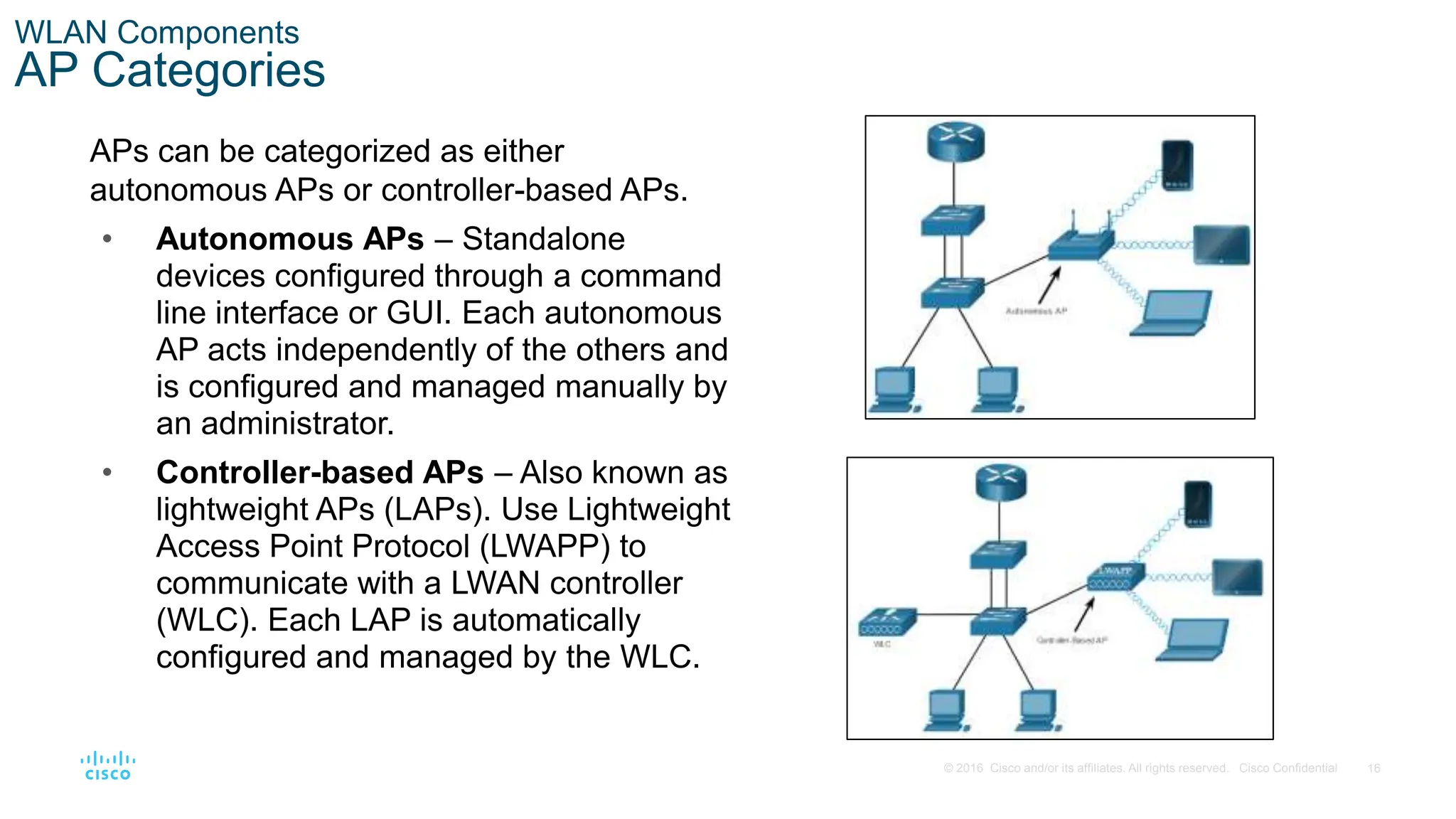
AP Categories
APs can be categorized as either
autonomous APs or controller-based APs.
• Autonomous APs – Standalone
devices configured through a command
line interface or GUI. Each autonomous
AP acts independently of the others and
is configured and managed manually by
an administrator.
• Controller-based APs – Also known as
lightweight APs (LAPs). Use Lightweight
Access Point Protocol (LWAPP) to
communicate with a LWAN controller
(WLC). Each LAP is automatically
configured and managed by the WLC.
17
© 2016 Cisco and/or its affiliates. All rights reserved. Cisco Confidential
12.3 WLAN Operation
18
© 2016 Cisco and/or its affiliates. All rights reserved. Cisco Confidential
WLAN Operation
This section will cover the following:
• Infrastructure Mode
• Ad hoc Mode
• Tethering
• Basic Service Set (BSS)
• Extended Service Set (ESS)
• Carrier Sense Multiple Access Collision Avoidance (CSMA/CA)
• Wireless Client AP Association
• Passive and Active Delivery Mode
19
© 2016 Cisco and/or its affiliates. All rights reserved. Cisco Confidential
WLAN Operation
802.11 Wireless Topology Modes
Ad hoc mode - Used to connect clients
in peer-to-peer manner without an AP.
Infrastructure mode - Used to connect
clients to the network using an AP.
Tethering - Variation of the ad hoc
topology is when a smart phone or
tablet with cellular data access is
enabled to create a personal hotspot.
20
© 2016 Cisco and/or its affiliates. All rights reserved. Cisco Confidential
WLAN Operation
BSS and ESS
Infrastructure mode defines two
topology blocks:
Basic Service Set (BSS)
• Uses single AP to interconnect all
associated wireless clients.
• Clients in different BSSs cannot
communicate.
Extended Service Set (ESS)
• A union of two or more BSSs
interconnected by a wired distribution
system.
• Clients in each BSS can communication
through the ESS.
21
© 2016 Cisco and/or its affiliates. All rights reserved. Cisco Confidential
WLAN Operation
CSMA/CA
WLANs are half-duplex and a client cannot “hear” while it is sending, making it
impossible to detect a collision.
WLANs use carrier sense multiple access with collision avoidance (CSMA/CA) to
determine how and when to send data. A wireless client does the following:
1. Listens to the channel to see if it is idle, i.e. no other traffic currently on the
channel.
2. Sends a ready to send (RTS) message the AP to request dedicated access to
the network.
3. Receives a clear to send (CTS) message from the AP granting access to send.
4. Waits a random amount of time before restarting the process if no CTS message
received.
5. Transmits the data.
6. Acknowledges all transmissions. If a wireless client does not receive an
acknowledgment, it assumes a collision occurred and restarts the process
22
© 2016 Cisco and/or its affiliates. All rights reserved. Cisco Confidential
WLAN Operation
Wireless Client and AP Association
For wireless devices to
communicate over a network, they
must first associate with an AP or
wireless router.
Wireless devices complete the
following three stage process:
• Discover a wireless AP
• Authenticate with the AP
• Associate with the AP
23
© 2016 Cisco and/or its affiliates. All rights reserved. Cisco Confidential
WLAN Operation
Wireless Client and AP Association (Cont.)
To achieve successful association, a wireless client and an AP must agree
on specific parameters:
• SSID – The client needs to know the name of the network to connect.
• Password – This is required for the client to authenticate to the AP.
• Network mode – The 802.11 standard in use.
• Security mode – The security parameter settings, i.e. WEP, WPA, or WPA2.
• Channel settings – The frequency bands in use.
24
© 2016 Cisco and/or its affiliates. All rights reserved. Cisco Confidential
WLAN Operation
Passive and Active Discover Mode
Wireless clients connect to the AP using a
passive or active scanning (probing)
process.
• Passive mode – AP openly
advertises its service by periodically
sending broadcast beacon frames
containing the SSID, supported
standards, and security settings.
• Active mode – Wireless clients must
know the name of the SSID. The
wireless client initiates the process by
broadcasting a probe request frame
on multiple channels.
Passive
mode
Active
mode
25
© 2016 Cisco and/or its affiliates. All rights reserved. Cisco Confidential
12.6 WLAN Threats
26
© 2016 Cisco and/or its affiliates. All rights reserved. Cisco Confidential
WLAN Threats
This section will cover the following:
• Interception of Data
• Wireless Intruders
• Denial of Service (DoS) Attacks
• Rogue APs
27
© 2016 Cisco and/or its affiliates. All rights reserved. Cisco Confidential
WLAN Threats
Wireless Security Overview
A WLAN is open to anyone within range of an AP and the appropriate credentials to
associate to it.
Attacks can be generated by outsiders, disgruntled employees, and even
unintentionally by employees. Wireless networks are specifically susceptible to
several threats, including the following:
• Interception of data
• Wireless intruders
• Denial of Service (DoS) Attacks
• Rogue APs
28
© 2016 Cisco and/or its affiliates. All rights reserved. Cisco Confidential
WLAN Threats
DoS Attacks
Wireless DoS attacks can be the result of the following:
• Improperly configured devices
• A malicious user intentionally interfering with the wireless communication
• Accidental interference
To minimize the risk of a DoS attack due to improperly configured devices and
malicious attacks, harden all devices, keep passwords secure, create backups, and
ensure that all configuration changes are incorporated off-hours.
29
© 2016 Cisco and/or its affiliates. All rights reserved. Cisco Confidential
WLAN Threats
Rogue Access Points
• A rogue AP is an AP or wireless router that has been connected to a corporate
network without explicit authorization and against corporate policy.
• Once connected, the rogue AP can be used by an attacker to capture MAC
addresses, capture data packets, gain access to network resources, or launch a
man-in-the-middle attack.
• A personal network hotspot could also be used as a rogue AP. For example, a user
with secure network access enables their authorized Windows host to become a
Wi-Fi AP.
• To prevent the installation of rogue APs, organizations must configure WLCs with
rogue AP policies and use monitoring software to actively monitor the radio
spectrum for unauthorized APs.
30
© 2016 Cisco and/or its affiliates. All rights reserved. Cisco Confidential
WLAN Threats
Man-in-the-Middle Attack
In a man-in-the-middle (MITM) attack, the hacker is positioned in between
two legitimate entities in order to read or modify the data that passes
between the two parties. A popular wireless MITM attack is called the “evil
twin AP” attack, where an attacker introduces a rogue AP and configures it
with the same SSID as a legitimate AP.
Defeating a MITM attack begins with identifying legitimate devices on the
WLAN. To do this, users must be authenticated. After all of the legitimate
devices are known, the network can be monitored for abnormal devices or
traffic.
31
© 2016 Cisco and/or its affiliates. All rights reserved. Cisco Confidential
12.7 Secure WLANs
32
© 2016 Cisco and/or its affiliates. All rights reserved. Cisco Confidential
Secure WLANs
This section will cover the following:
• SSID Cloaking
• MAC Address Filtering
• Authentication and Encryption Systems (Open Authentication and Shared
Key Authentication)
33
© 2016 Cisco and/or its affiliates. All rights reserved. Cisco Confidential
Secure WLANs
SSID Cloaking and MAC Address Filtering
To address the threats of keeping wireless intruders out and protecting data, two early
security features were used and are still available on most routers and APs:
SSID Cloaking
• APs and some wireless routers allow the SSID beacon frame to be disabled.
Wireless clients must be manually configured with the SSID to connect to the
network.
MAC Address Filtering
• An administrator can manually permit or deny clients wireless access based on
their physical MAC hardware address. In the figure, the router is configured to
permit two MAC addresses. Devices with different MAC addresses will not be able
to join the 2.4GHz WLAN.
34
© 2016 Cisco and/or its affiliates. All rights reserved. Cisco Confidential
Secure WLANs
802.11 Original Authentication Methods
The best way to secure a wireless network is to use authentication and encryption
systems. Two types of authentication were introduced with the original 802.11
standard:
Open system authentication
• No password required. Typically used to provide free internet access in public
areas like cafes, airports, and hotels.
• Client is responsible for providing security such as through a VPN.
Shared key authentication
• Provides mechanisms, such as WEP, WPA, WPA2, and WPA3 to authenticate and
encrypt data between a wireless client and AP. However, the password must be
pre-shared between both parties to connect.
35
© 2016 Cisco and/or its affiliates. All rights reserved. Cisco Confidential
Secure WLANs
Shared Key Authentication Methods
There are currently four shared key authentication techniques available, as shown in
the table.
Authentication Method Description
Wired Equivalent Privacy
(WEP)
The original 802.11 specification designed to secure the data using
the Rivest Cipher 4 (RC4) encryption method with a static key.
WEP is no longer recommended and should never be used.
Wi-Fi Protected Access
(WPA)
A Wi-Fi Alliance standard that uses WEP but secures the data with
the much stronger Temporal Key Integrity Protocol (TKIP)
encryption algorithm. TKIP changes the key for each packet,
making it much more difficult to hack.
WPA2 It uses the Advanced Encryption Standard (AES) for encryption.
AES is currently considered the strongest encryption protocol.
WPA3 This is the next generation of Wi-Fi security. All WPA3-enabled
devices use the latest security methods, disallow outdated legacy
protocols, and require the use of Protected Management Frames
(PMF).
36
© 2016 Cisco and/or its affiliates. All rights reserved. Cisco Confidential
Secure WLANs
Authenticating a Home User
Home routers typically have two choices for
authentication: WPA and WPA2, with WPA 2
having two authentication methods.
• Personal – Intended for home or small office
networks, users authenticate using a pre-
shared key (PSK). Wireless clients
authenticate with the wireless router using a
pre-shared password. No special
authentication server is required.
• Enterprise – Intended for enterprise
networks. Requires a Remote Authentication
Dial-In User Service (RADIUS) authentication
server. The device must be authenticated by
the RADIUS server and then users must
authenticate using 802.1X standard, which
uses the Extensible Authentication Protocol
(EAP) for authentication.
37
© 2016 Cisco and/or its affiliates. All rights reserved. Cisco Confidential
Secure WLANs
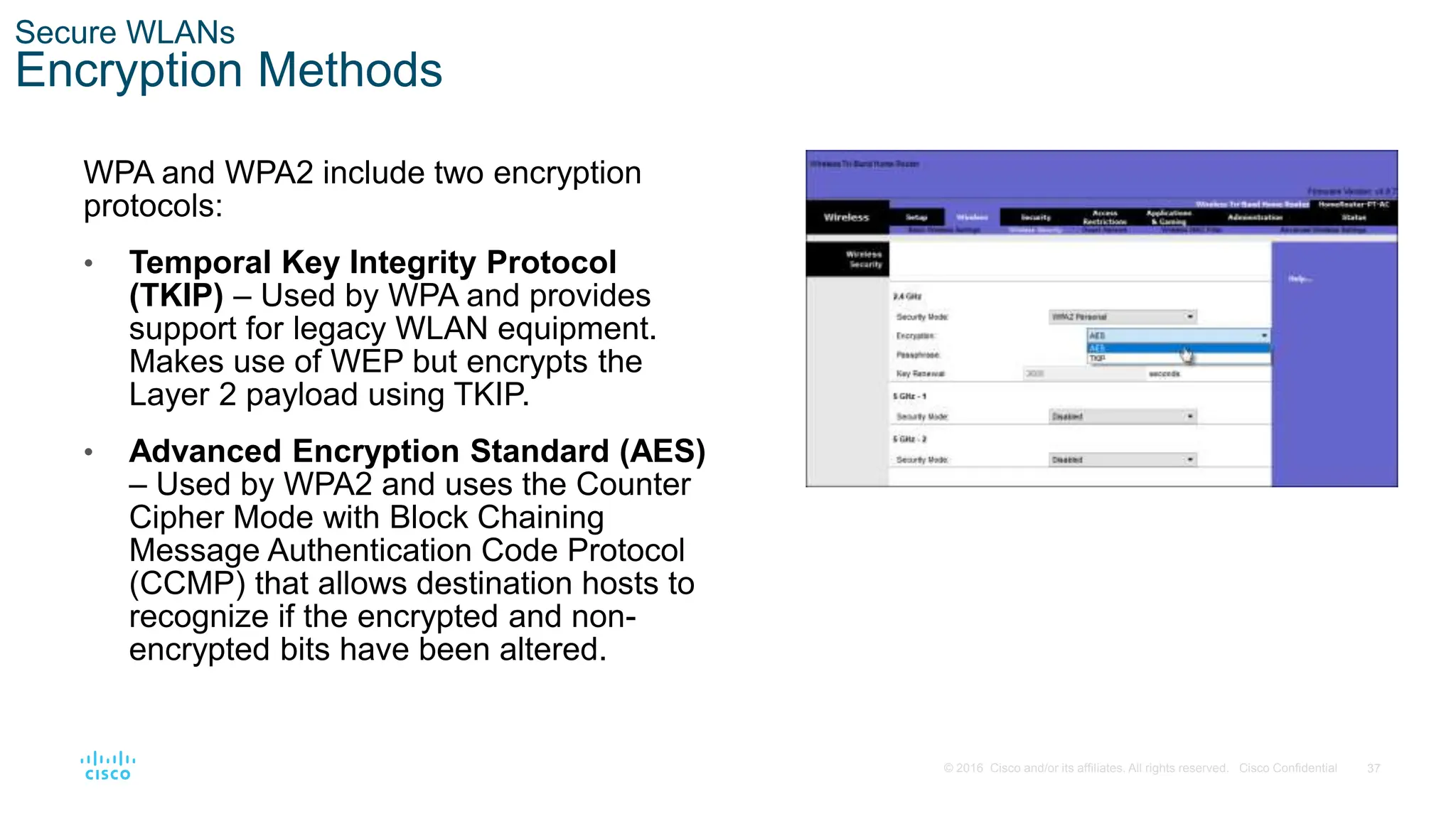
Encryption Methods
WPA and WPA2 include two encryption
protocols:
• Temporal Key Integrity Protocol
(TKIP) – Used by WPA and provides
support for legacy WLAN equipment.
Makes use of WEP but encrypts the
Layer 2 payload using TKIP.
• Advanced Encryption Standard (AES)
– Used by WPA2 and uses the Counter
Cipher Mode with Block Chaining
Message Authentication Code Protocol
(CCMP) that allows destination hosts to
recognize if the encrypted and non-
encrypted bits have been altered.
38
© 2016 Cisco and/or its affiliates. All rights reserved. Cisco Confidential
Secure WLANs
Authentication in the Enterprise
Enterprise security mode choice requires
an Authentication, Authorization, and
Accounting (AAA) RADIUS server.
There pieces of information are required:
• RADIUS server IP address – IP
address of the server.
• UDP port numbers –UDP ports 1812
for RADIUS Authentication, and 1813
for RADIUS Accounting, but can also
operate using UDP ports 1645 and
1646.
• Shared key – Used to authenticate
the AP with the RADIUS server. Note: User authentication and authorization is
handled by the 802.1X standard, which provides
a centralized, server-based authentication of
end users.
39
© 2016 Cisco and/or its affiliates. All rights reserved. Cisco Confidential
Secure WLANs
WPA 3
Because WPA2 is no longer considered secure, WPA3 is recommended when
available. WPA3 Includes four features:
• WPA3 – Personal : Thwarts brute force attacks by using Simultaneous
Authentication of Equals (SAE).
• WPA3 – Enterprise : Uses 802.1X/EAP authentication. However, it requires the
use of a 192-bit cryptographic suite and eliminates the mixing of security protocols
for previous 802.11 standards.
• Open Networks : Does not use any authentication. However, uses Opportunistic
Wireless Encryption (OWE) to encrypt all wireless traffic.
• IoT Onboarding : Uses Device Provisioning Protocol (DPP) to quickly onboard
IoT devices.
40
© 2016 Cisco and/or its affiliates. All rights reserved. Cisco Confidential
Summery
41
© 2016 Cisco and/or its affiliates. All rights reserved. Cisco Confidential
Module Practice and Quiz
What did I learn in this module?
• A Wireless LANs (WLANs) are based on IEEE standards and can be classified into four main types:
WPAN, WLAN, WMAN, and WWAN.
• Wireless technology uses the unlicensed radio spectrum to send and receive data. Examples of this
technology are Bluetooth, WiMAX, Cellular Broadband, and Satellite Broadband.
• WLAN networks operate in the 2.4 GHz frequency band and the 5 GHz band.
• The three organizations influencing WLAN standards are the ITU-R, the IEEE, and the Wi-Fi Alliance.
• CAPWAP is an IEEE standard protocol that enables a WLC to manage multiple APs and WLANs.
• DTLS is a protocol provides security between the AP and the WLC.
• Wireless LAN devices have transmitters and receivers tuned to specific frequencies of radio waves to
communicate. Ranges are then split into smaller ranges called channels: DSSS, FHSS, and OFDM.
• The 802.11b/g/n standards operate in the 2.4 GHz to 2.5GHz spectrum. The 2.4 GHz band is subdivided
into multiple channels. Each channel is allotted 22 MHz bandwidth and is separated from the next channel
by 5 MHz.
• Wireless networks are susceptible to threats, including: data interception, wireless intruders, DoS attacks,
and rogue APs.
• To keep wireless intruders out and protect data, two early security features are still available on most
routers and APs: SSID cloaking and MAC address filtering.
• There are four shared key authentication techniques available: WEP, WPA, WPA2, and WPA3.
Build Small Wireless LAN -CISCO ppt.pptx

Build Small Wireless LAN -CISCO ppt.pptx

  • 1.
    Module 12: WLANConcepts Switching, Routing and Wireless Essentials v7.0 (SRWE)
  • 2.
    2 © 2016 Ciscoand/or its affiliates. All rights reserved. Cisco Confidential Module Objectives Module Title: WLAN Concepts Module Objective: Explain how WLANs enable network connectivity. Topic Title Topic Objective Introduction to Wireless Describe WLAN technology and standards. Components of WLANs Describe the components of a WLAN infrastructure. WLAN Operation Explain how wireless technology enables WLAN operation. WLAN Threats Describe threats to WLANs. Secure WLANs Describe WLAN security mechanisms.
  • 3.
    3 © 2016 Ciscoand/or its affiliates. All rights reserved. Cisco Confidential 12.1 Introduction to Wireless
  • 4.
    4 © 2016 Ciscoand/or its affiliates. All rights reserved. Cisco Confidential Introduction to Wireless Benefits of Wireless • A Wireless LAN (WLAN) is a type of wireless network that is commonly used in homes, offices, and campus environments. • WLANs make mobility possible within the home and business environments. • Wireless infrastructures adapt to rapidly changing needs and technologies.
  • 5.
    5 © 2016 Ciscoand/or its affiliates. All rights reserved. Cisco Confidential Introduction to Wireless Types of Wireless Networks • Wireless Personal-Area Network (WPAN) – Low power and short-range (20-30ft or 6-9 meters). Based on IEEE 802.15 standard and 2.4 GHz frequency. Bluetooth and Zigbee are WPAN examples. • Wireless LAN (WLAN) – Medium sized networks up to about 300 feet. Based on IEEE 802.11 standard and 2.4 or 5.0 GHz frequency. • Wireless MAN (WMAN) – Large geographic area such as city or district. Uses specific licensed frequencies. • Wireless WAN (WWAN) – Extensive geographic area for national or global communication. Uses specific licensed frequencies.
  • 6.
    6 © 2016 Ciscoand/or its affiliates. All rights reserved. Cisco Confidential Introduction to Wireless Wireless Technologies Bluetooth – IEEE WPAN standard used for device pairing at up to 300ft (100m) distance. • Bluetooth Low Energy (BLE) – Supports mesh topology to large scale network devices. • Bluetooth Basic Rate/Enhanced Rate (BR/EDR) – Supports point-to-point topologies and is optimized for audio streaming. WiMAX (Worldwide Interoperability for Microwave Access) – Alternative broadband wired internet connections. IEEE 802.16 WLAN standard for up 30 miles (50 km).
  • 7.
    7 © 2016 Ciscoand/or its affiliates. All rights reserved. Cisco Confidential Introduction to Wireless Wireless Technologies (Cont.) Cellular Broadband – Carry both voice and data. Used by phones, automobiles, tablets, and laptops. • Global System of Mobile (GSM) – Internationally recognized • Code Division Multiple Access (CDMA) – Primarily used on the US. Satellite Broadband – Uses directional satellite dish aligned with satellite in geostationary orbit. Needs clear line of site. Typically used in rural locations where cable and DSL are unavailable.
  • 8.
    8 © 2016 Ciscoand/or its affiliates. All rights reserved. Cisco Confidential Introduction to Wireless 802.11 Standards 802.11 WLAN standards define how radio frequencies are used for wireless links. IEEE Standard Radio Frequency Description 802.11 2.4 GHz Data rates up to 2 Mb/s 802.11a 5 GHz Data rates up to 54 Mb/s Not interoperable with 802.11b or 802.11g 802.11b 2.4 GHz Data rates up to 11 Mb/s Longer range than 802.11a and better able to penetrate building structures 802.11g 2.4 GHz Data rates up to 54 Mb/s Backward compatible with 802.11b 802.11n 2.4 and 5 GHz Data rates 150 – 600 Mb/s Require multiple antennas with MIMO technology 802.11ac 5 GHz Data rates 450 Mb/s – 1.3 Gb/s Supports up to eight antennas 802.11ax 2.4 and 5 GHz High-Efficiency Wireless (HEW) Capable of using 1 GHz and 7 GHz frequencies
  • 9.
    9 © 2016 Ciscoand/or its affiliates. All rights reserved. Cisco Confidential Introduction to Wireless Radio Frequencies All wireless devices operate in the range of the electromagnetic spectrum. WLAN networks operate in the 2.4 and 5 GHz frequency bands. • 2.4 GHz (UHF) – 802.11b/g/n/ax • 5 GHz (SHF) – 802.11a/n/ac/ax
  • 10.
    10 © 2016 Ciscoand/or its affiliates. All rights reserved. Cisco Confidential Introduction to Wireless Wireless Standards Organizations Standards ensure interoperability between devices that are made by different manufacturers. Internationally, the three organizations influencing WLAN standards: • International Telecommunication Union (ITU) – Regulates the allocation of radio spectrum and satellite orbits. • Institute of Electrical and Electronics Engineers (IEEE) – Specifies how a radio frequency is modulated to carry information. Maintains the standards for local and metropolitan area networks (MAN) with the IEEE 802 LAN/MAN family of standards. • Wi-Fi Alliance – Promotes the growth and acceptance of WLANs. It is an association of vendors whose objective is to improve the interoperability of products that are based on the 802.11 standard
  • 11.
    11 © 2016 Ciscoand/or its affiliates. All rights reserved. Cisco Confidential 12.2 WLAN Components
  • 12.
    12 © 2016 Ciscoand/or its affiliates. All rights reserved. Cisco Confidential WLAN Components This section will cover the following: • Antennas • Wireless Router • Internet Port • Wireless Access Point • Autonomous and controller-based access points
  • 13.
    13 © 2016 Ciscoand/or its affiliates. All rights reserved. Cisco Confidential WLAN Components Wireless NICs To communicate wirelessly, laptops, tablets, smart phones, and even the latest automobiles include integrated wireless NICs that incorporate a radio transmitter/receiver. If a device does not have an integrated wireless NIC, then a USB wireless adapter can be used.
  • 14.
    14 © 2016 Ciscoand/or its affiliates. All rights reserved. Cisco Confidential WLAN Components Wireless Home Router A home user typically interconnects wireless devices using a small, wireless router. Wireless routers serve as the following: •Access point – To provide wires access •Switch – To interconnect wired devices •Router - To provide a default gateway to other networks and the Internet
  • 15.
    15 © 2016 Ciscoand/or its affiliates. All rights reserved. Cisco Confidential WLAN Components Wireless Access Point Wireless clients use their wireless NIC to discover nearby access points (APs). Clients then attempt to associate and authenticate with an AP. After being authenticated, wireless users have access to network resources. Cisco Meraki Go access points
  • 16.
    16 © 2016 Ciscoand/or its affiliates. All rights reserved. Cisco Confidential WLAN Components AP Categories APs can be categorized as either autonomous APs or controller-based APs. • Autonomous APs – Standalone devices configured through a command line interface or GUI. Each autonomous AP acts independently of the others and is configured and managed manually by an administrator. • Controller-based APs – Also known as lightweight APs (LAPs). Use Lightweight Access Point Protocol (LWAPP) to communicate with a LWAN controller (WLC). Each LAP is automatically configured and managed by the WLC.
  • 17.
    17 © 2016 Ciscoand/or its affiliates. All rights reserved. Cisco Confidential 12.3 WLAN Operation
  • 18.
    18 © 2016 Ciscoand/or its affiliates. All rights reserved. Cisco Confidential WLAN Operation This section will cover the following: • Infrastructure Mode • Ad hoc Mode • Tethering • Basic Service Set (BSS) • Extended Service Set (ESS) • Carrier Sense Multiple Access Collision Avoidance (CSMA/CA) • Wireless Client AP Association • Passive and Active Delivery Mode
  • 19.
    19 © 2016 Ciscoand/or its affiliates. All rights reserved. Cisco Confidential WLAN Operation 802.11 Wireless Topology Modes Ad hoc mode - Used to connect clients in peer-to-peer manner without an AP. Infrastructure mode - Used to connect clients to the network using an AP. Tethering - Variation of the ad hoc topology is when a smart phone or tablet with cellular data access is enabled to create a personal hotspot.
  • 20.
    20 © 2016 Ciscoand/or its affiliates. All rights reserved. Cisco Confidential WLAN Operation BSS and ESS Infrastructure mode defines two topology blocks: Basic Service Set (BSS) • Uses single AP to interconnect all associated wireless clients. • Clients in different BSSs cannot communicate. Extended Service Set (ESS) • A union of two or more BSSs interconnected by a wired distribution system. • Clients in each BSS can communication through the ESS.
  • 21.
    21 © 2016 Ciscoand/or its affiliates. All rights reserved. Cisco Confidential WLAN Operation CSMA/CA WLANs are half-duplex and a client cannot “hear” while it is sending, making it impossible to detect a collision. WLANs use carrier sense multiple access with collision avoidance (CSMA/CA) to determine how and when to send data. A wireless client does the following: 1. Listens to the channel to see if it is idle, i.e. no other traffic currently on the channel. 2. Sends a ready to send (RTS) message the AP to request dedicated access to the network. 3. Receives a clear to send (CTS) message from the AP granting access to send. 4. Waits a random amount of time before restarting the process if no CTS message received. 5. Transmits the data. 6. Acknowledges all transmissions. If a wireless client does not receive an acknowledgment, it assumes a collision occurred and restarts the process
  • 22.
    22 © 2016 Ciscoand/or its affiliates. All rights reserved. Cisco Confidential WLAN Operation Wireless Client and AP Association For wireless devices to communicate over a network, they must first associate with an AP or wireless router. Wireless devices complete the following three stage process: • Discover a wireless AP • Authenticate with the AP • Associate with the AP
  • 23.
    23 © 2016 Ciscoand/or its affiliates. All rights reserved. Cisco Confidential WLAN Operation Wireless Client and AP Association (Cont.) To achieve successful association, a wireless client and an AP must agree on specific parameters: • SSID – The client needs to know the name of the network to connect. • Password – This is required for the client to authenticate to the AP. • Network mode – The 802.11 standard in use. • Security mode – The security parameter settings, i.e. WEP, WPA, or WPA2. • Channel settings – The frequency bands in use.
  • 24.
    24 © 2016 Ciscoand/or its affiliates. All rights reserved. Cisco Confidential WLAN Operation Passive and Active Discover Mode Wireless clients connect to the AP using a passive or active scanning (probing) process. • Passive mode – AP openly advertises its service by periodically sending broadcast beacon frames containing the SSID, supported standards, and security settings. • Active mode – Wireless clients must know the name of the SSID. The wireless client initiates the process by broadcasting a probe request frame on multiple channels. Passive mode Active mode
  • 25.
    25 © 2016 Ciscoand/or its affiliates. All rights reserved. Cisco Confidential 12.6 WLAN Threats
  • 26.
    26 © 2016 Ciscoand/or its affiliates. All rights reserved. Cisco Confidential WLAN Threats This section will cover the following: • Interception of Data • Wireless Intruders • Denial of Service (DoS) Attacks • Rogue APs
  • 27.
    27 © 2016 Ciscoand/or its affiliates. All rights reserved. Cisco Confidential WLAN Threats Wireless Security Overview A WLAN is open to anyone within range of an AP and the appropriate credentials to associate to it. Attacks can be generated by outsiders, disgruntled employees, and even unintentionally by employees. Wireless networks are specifically susceptible to several threats, including the following: • Interception of data • Wireless intruders • Denial of Service (DoS) Attacks • Rogue APs
  • 28.
    28 © 2016 Ciscoand/or its affiliates. All rights reserved. Cisco Confidential WLAN Threats DoS Attacks Wireless DoS attacks can be the result of the following: • Improperly configured devices • A malicious user intentionally interfering with the wireless communication • Accidental interference To minimize the risk of a DoS attack due to improperly configured devices and malicious attacks, harden all devices, keep passwords secure, create backups, and ensure that all configuration changes are incorporated off-hours.
  • 29.
    29 © 2016 Ciscoand/or its affiliates. All rights reserved. Cisco Confidential WLAN Threats Rogue Access Points • A rogue AP is an AP or wireless router that has been connected to a corporate network without explicit authorization and against corporate policy. • Once connected, the rogue AP can be used by an attacker to capture MAC addresses, capture data packets, gain access to network resources, or launch a man-in-the-middle attack. • A personal network hotspot could also be used as a rogue AP. For example, a user with secure network access enables their authorized Windows host to become a Wi-Fi AP. • To prevent the installation of rogue APs, organizations must configure WLCs with rogue AP policies and use monitoring software to actively monitor the radio spectrum for unauthorized APs.
  • 30.
    30 © 2016 Ciscoand/or its affiliates. All rights reserved. Cisco Confidential WLAN Threats Man-in-the-Middle Attack In a man-in-the-middle (MITM) attack, the hacker is positioned in between two legitimate entities in order to read or modify the data that passes between the two parties. A popular wireless MITM attack is called the “evil twin AP” attack, where an attacker introduces a rogue AP and configures it with the same SSID as a legitimate AP. Defeating a MITM attack begins with identifying legitimate devices on the WLAN. To do this, users must be authenticated. After all of the legitimate devices are known, the network can be monitored for abnormal devices or traffic.
  • 31.
    31 © 2016 Ciscoand/or its affiliates. All rights reserved. Cisco Confidential 12.7 Secure WLANs
  • 32.
    32 © 2016 Ciscoand/or its affiliates. All rights reserved. Cisco Confidential Secure WLANs This section will cover the following: • SSID Cloaking • MAC Address Filtering • Authentication and Encryption Systems (Open Authentication and Shared Key Authentication)
  • 33.
    33 © 2016 Ciscoand/or its affiliates. All rights reserved. Cisco Confidential Secure WLANs SSID Cloaking and MAC Address Filtering To address the threats of keeping wireless intruders out and protecting data, two early security features were used and are still available on most routers and APs: SSID Cloaking • APs and some wireless routers allow the SSID beacon frame to be disabled. Wireless clients must be manually configured with the SSID to connect to the network. MAC Address Filtering • An administrator can manually permit or deny clients wireless access based on their physical MAC hardware address. In the figure, the router is configured to permit two MAC addresses. Devices with different MAC addresses will not be able to join the 2.4GHz WLAN.
  • 34.
    34 © 2016 Ciscoand/or its affiliates. All rights reserved. Cisco Confidential Secure WLANs 802.11 Original Authentication Methods The best way to secure a wireless network is to use authentication and encryption systems. Two types of authentication were introduced with the original 802.11 standard: Open system authentication • No password required. Typically used to provide free internet access in public areas like cafes, airports, and hotels. • Client is responsible for providing security such as through a VPN. Shared key authentication • Provides mechanisms, such as WEP, WPA, WPA2, and WPA3 to authenticate and encrypt data between a wireless client and AP. However, the password must be pre-shared between both parties to connect.
  • 35.
    35 © 2016 Ciscoand/or its affiliates. All rights reserved. Cisco Confidential Secure WLANs Shared Key Authentication Methods There are currently four shared key authentication techniques available, as shown in the table. Authentication Method Description Wired Equivalent Privacy (WEP) The original 802.11 specification designed to secure the data using the Rivest Cipher 4 (RC4) encryption method with a static key. WEP is no longer recommended and should never be used. Wi-Fi Protected Access (WPA) A Wi-Fi Alliance standard that uses WEP but secures the data with the much stronger Temporal Key Integrity Protocol (TKIP) encryption algorithm. TKIP changes the key for each packet, making it much more difficult to hack. WPA2 It uses the Advanced Encryption Standard (AES) for encryption. AES is currently considered the strongest encryption protocol. WPA3 This is the next generation of Wi-Fi security. All WPA3-enabled devices use the latest security methods, disallow outdated legacy protocols, and require the use of Protected Management Frames (PMF).
  • 36.
    36 © 2016 Ciscoand/or its affiliates. All rights reserved. Cisco Confidential Secure WLANs Authenticating a Home User Home routers typically have two choices for authentication: WPA and WPA2, with WPA 2 having two authentication methods. • Personal – Intended for home or small office networks, users authenticate using a pre- shared key (PSK). Wireless clients authenticate with the wireless router using a pre-shared password. No special authentication server is required. • Enterprise – Intended for enterprise networks. Requires a Remote Authentication Dial-In User Service (RADIUS) authentication server. The device must be authenticated by the RADIUS server and then users must authenticate using 802.1X standard, which uses the Extensible Authentication Protocol (EAP) for authentication.
  • 37.
    37 © 2016 Ciscoand/or its affiliates. All rights reserved. Cisco Confidential Secure WLANs Encryption Methods WPA and WPA2 include two encryption protocols: • Temporal Key Integrity Protocol (TKIP) – Used by WPA and provides support for legacy WLAN equipment. Makes use of WEP but encrypts the Layer 2 payload using TKIP. • Advanced Encryption Standard (AES) – Used by WPA2 and uses the Counter Cipher Mode with Block Chaining Message Authentication Code Protocol (CCMP) that allows destination hosts to recognize if the encrypted and non- encrypted bits have been altered.
  • 38.
    38 © 2016 Ciscoand/or its affiliates. All rights reserved. Cisco Confidential Secure WLANs Authentication in the Enterprise Enterprise security mode choice requires an Authentication, Authorization, and Accounting (AAA) RADIUS server. There pieces of information are required: • RADIUS server IP address – IP address of the server. • UDP port numbers –UDP ports 1812 for RADIUS Authentication, and 1813 for RADIUS Accounting, but can also operate using UDP ports 1645 and 1646. • Shared key – Used to authenticate the AP with the RADIUS server. Note: User authentication and authorization is handled by the 802.1X standard, which provides a centralized, server-based authentication of end users.
  • 39.
    39 © 2016 Ciscoand/or its affiliates. All rights reserved. Cisco Confidential Secure WLANs WPA 3 Because WPA2 is no longer considered secure, WPA3 is recommended when available. WPA3 Includes four features: • WPA3 – Personal : Thwarts brute force attacks by using Simultaneous Authentication of Equals (SAE). • WPA3 – Enterprise : Uses 802.1X/EAP authentication. However, it requires the use of a 192-bit cryptographic suite and eliminates the mixing of security protocols for previous 802.11 standards. • Open Networks : Does not use any authentication. However, uses Opportunistic Wireless Encryption (OWE) to encrypt all wireless traffic. • IoT Onboarding : Uses Device Provisioning Protocol (DPP) to quickly onboard IoT devices.
  • 40.
    40 © 2016 Ciscoand/or its affiliates. All rights reserved. Cisco Confidential Summery
  • 41.
    41 © 2016 Ciscoand/or its affiliates. All rights reserved. Cisco Confidential Module Practice and Quiz What did I learn in this module? • A Wireless LANs (WLANs) are based on IEEE standards and can be classified into four main types: WPAN, WLAN, WMAN, and WWAN. • Wireless technology uses the unlicensed radio spectrum to send and receive data. Examples of this technology are Bluetooth, WiMAX, Cellular Broadband, and Satellite Broadband. • WLAN networks operate in the 2.4 GHz frequency band and the 5 GHz band. • The three organizations influencing WLAN standards are the ITU-R, the IEEE, and the Wi-Fi Alliance. • CAPWAP is an IEEE standard protocol that enables a WLC to manage multiple APs and WLANs. • DTLS is a protocol provides security between the AP and the WLC. • Wireless LAN devices have transmitters and receivers tuned to specific frequencies of radio waves to communicate. Ranges are then split into smaller ranges called channels: DSSS, FHSS, and OFDM. • The 802.11b/g/n standards operate in the 2.4 GHz to 2.5GHz spectrum. The 2.4 GHz band is subdivided into multiple channels. Each channel is allotted 22 MHz bandwidth and is separated from the next channel by 5 MHz. • Wireless networks are susceptible to threats, including: data interception, wireless intruders, DoS attacks, and rogue APs. • To keep wireless intruders out and protect data, two early security features are still available on most routers and APs: SSID cloaking and MAC address filtering. • There are four shared key authentication techniques available: WEP, WPA, WPA2, and WPA3.