Site building step-by-step

BUILD AN
EVENT LISTING
About me
• “heather” on Drupal.org


• @learningdrupal
• @hjames


• Manager of Learning Services at Acquia
• training.acquia.com - invest in your skills!
Who this is for
• New to Drupal?
• Want to build an event calendar?
• Want to know how to extend Drupal?


• Learn site building essentials
What we’ll do
• Get inspired looking at examples
• Write our specification
• Build our event calendar
• Review list of modules used
• Find out where to learn more!
Models and examples

Discovery
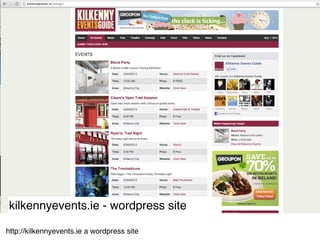
kilkennyevents.ie - wordpress site

http://kilkennyevents.ie a wordpress site
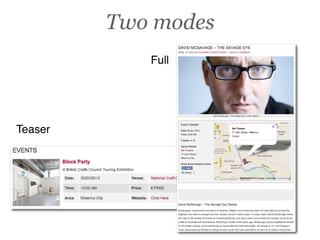
Two modes
            Full


Teaser
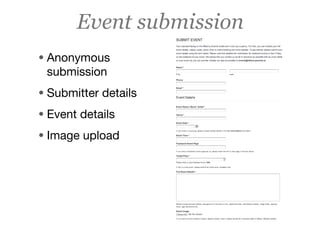
Event submission
• Anonymous
 submission
• Submitter details
• Event details
• Image upload
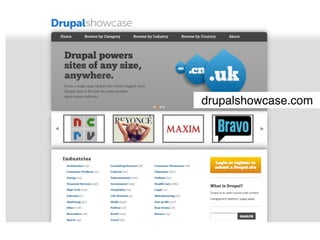
drupalshowcase.com
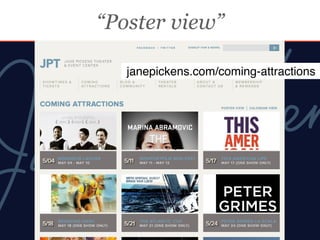
“Poster view”

   janepickens.com/coming-attractions
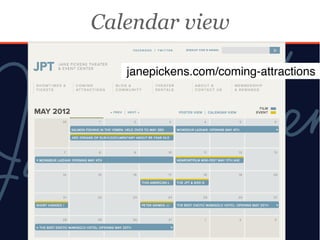
Calendar view

   janepickens.com/coming-attractions
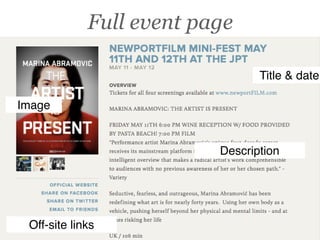
Full event page

                                 Title & date

Image


                          Description


 Off-site links
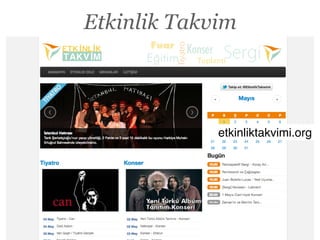
Etkinlik Takvim


             etkinliktakvimi.org
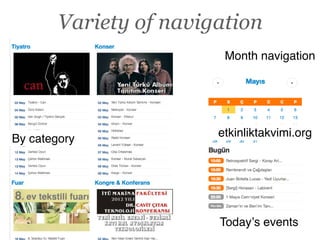
Variety of navigation
                         Month navigation


                        etkinliktakvimi.org
By category


                        Todayʼs events
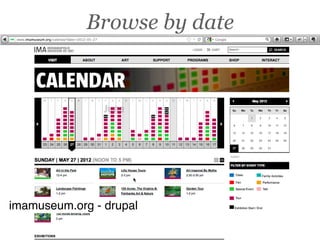
Browse by date


imamuseum.org - drupal
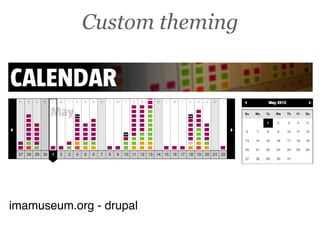
Custom theming


imamuseum.org - drupal
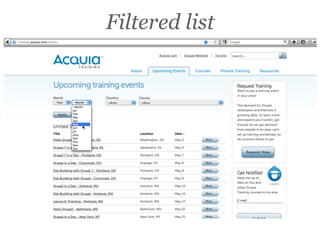
Filtered list
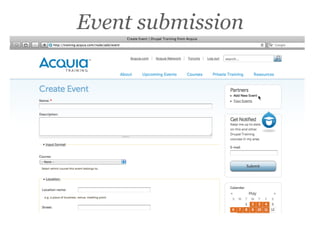
Event submission
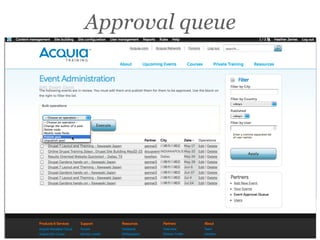
Approval queue
Depends on needs
• Frequency of events?
• Multiple days?
• Images for events?
• Who is submitting events?
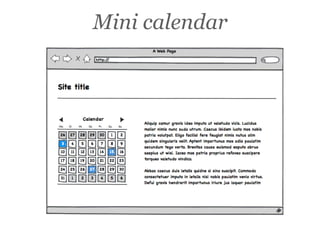
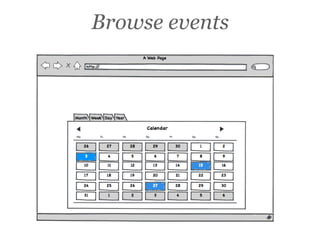
Specification
Mini calendar
Browse events
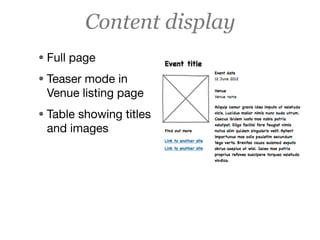
Content display
• Full page
• Teaser mode in
 Venue listing page
• Table showing titles
 and images
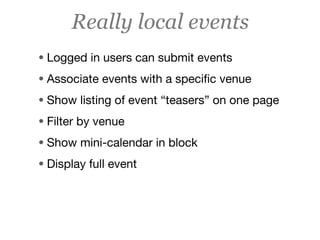
Really local events
• Logged in users can submit events
• Associate events with a specific venue
• Show listing of event “teasers” on one page
• Filter by venue
• Show mini-calendar in block
• Display full event
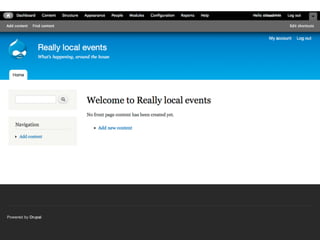
Starting out of the box

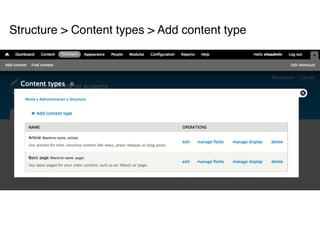
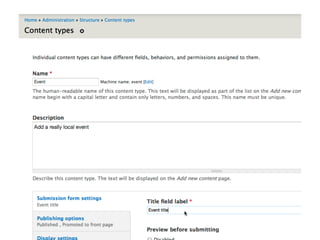
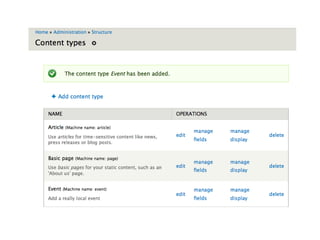
A basic content type
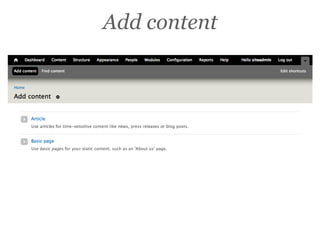
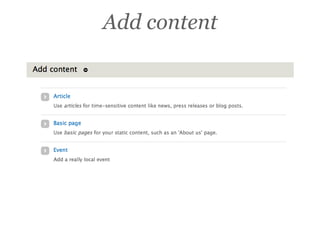
Add content
Structure > Content types > Add content type
Add content
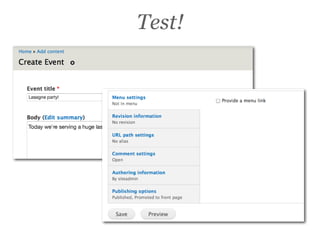
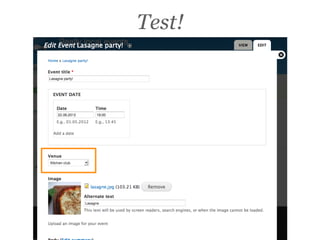
Test!
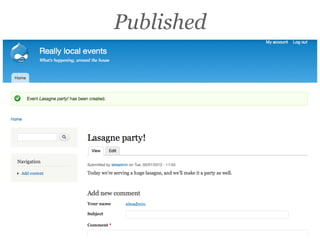
Published
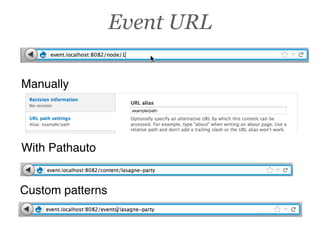
Event URL

Manually


With Pathauto


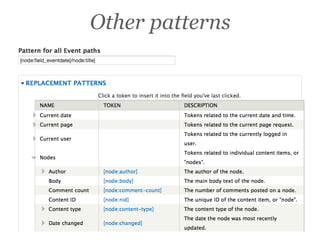
Custom patterns
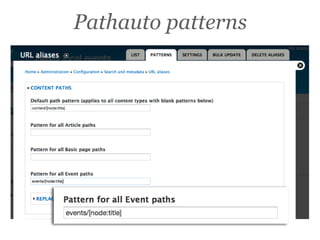
Pathauto patterns
Other patterns
Improvements
• Defaults: No comments, no menu
• Add a date field
• Add a related venue field
Default settings

Customizing events
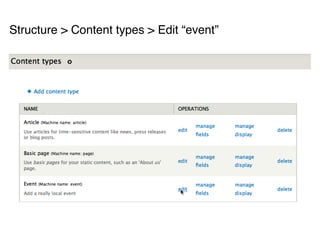
Structure > Content types > Edit “event”
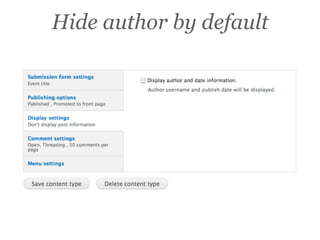
Hide author by default
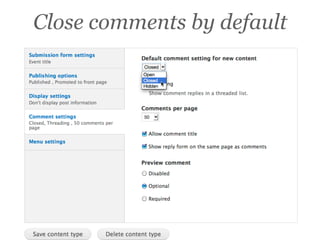
Close comments by default
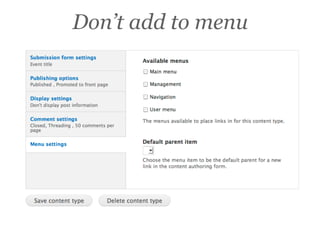
Don’t add to menu
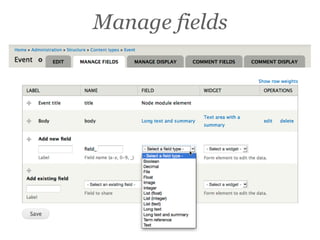
Manage fields

Add a date field
Manage fields
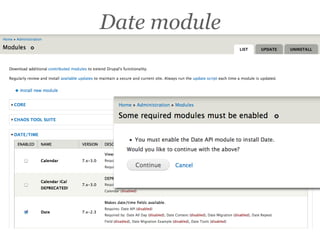
Date module
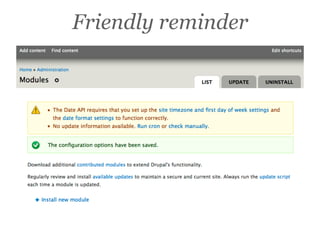
Friendly reminder
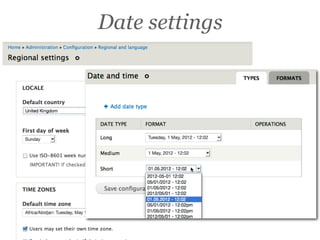
Date settings
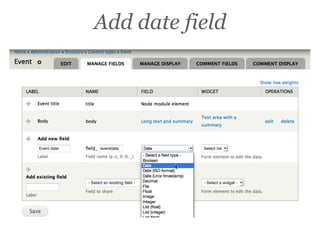
Add date field
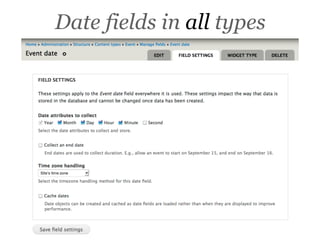
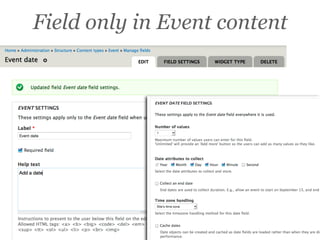
Date fields in all types
Field only in Event content
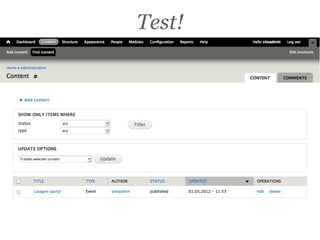
Test!
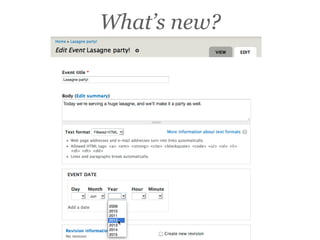
What’s new?
Improvements
• Move date up in form
• Pop-up selection
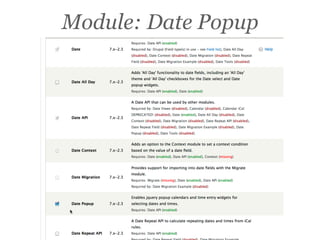
Module: Date Popup
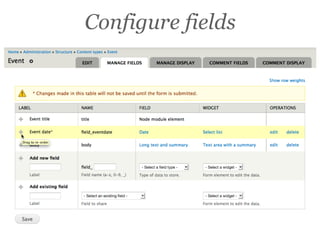
Configure fields
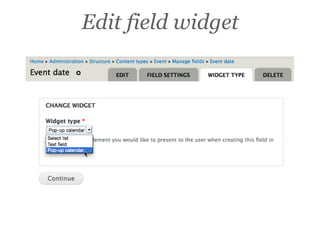
Edit field widget
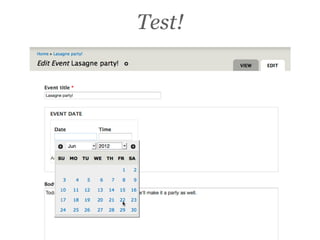
Test!
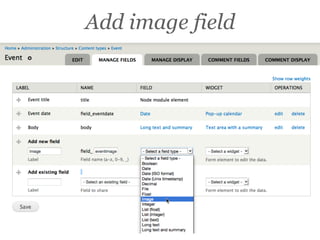
Add an image field
Add image field
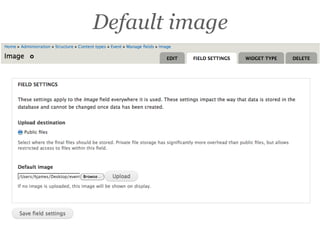
Default image
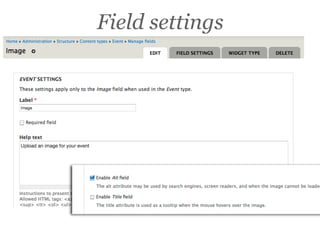
Field settings
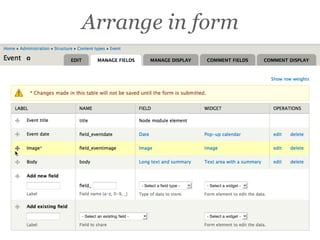
Arrange in form
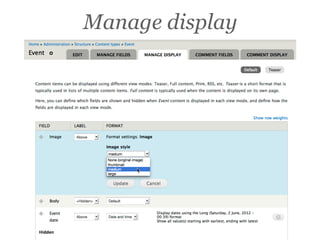
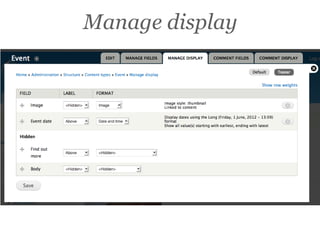
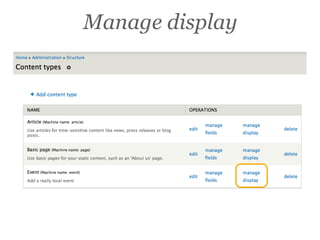
Manage display
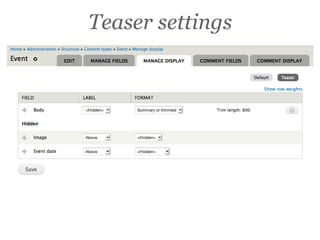
Teaser settings
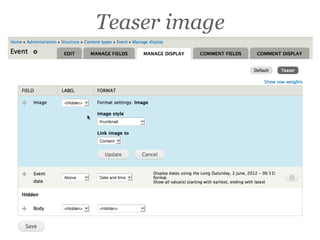
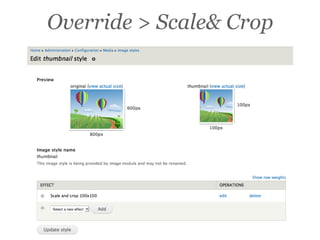
Teaser image
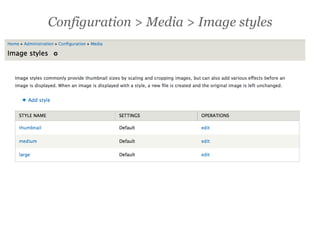
Configuration > Media > Image styles
Override > Scale& Crop
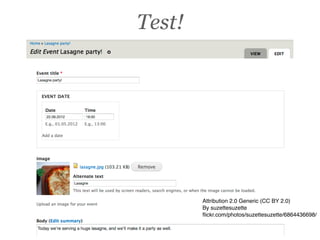
Test!


        Attribution 2.0 Generic (CC BY 2.0)
        By suzettesuzette
        flickr.com/photos/suzettesuzette/6864436698/
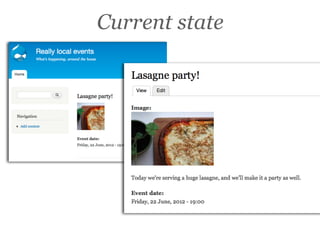
Current state
Next
• Add related links
• Add related venue


• Is a field required? Why?
• OK in unstructured “body” text field?
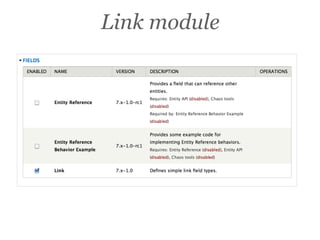
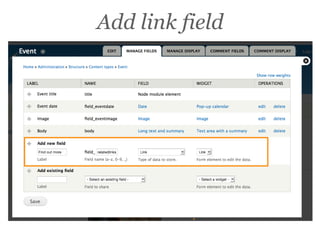
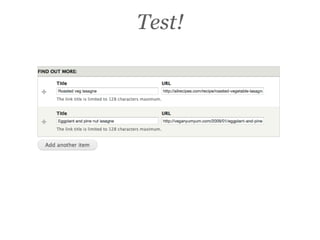
Add related links field
Link module
Add link field
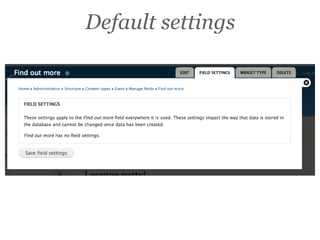
Default settings
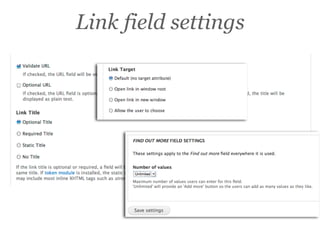
Link field settings
Manage display
Test!
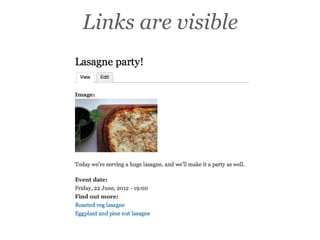
Links are visible
Next
• Related venue
• Select from limited options
• Internal content, not external links
• Why Drupal manage?
 • Renaming venues
 • Change of URL path
 • Adding new venue
 • Removing venues
Add venue
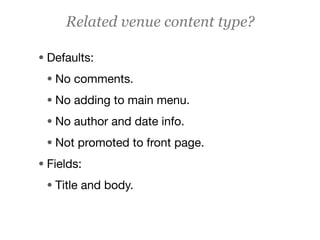
Related venue content type?

• Defaults:
 • No comments.
 • No adding to main menu.
 • No author and date info.
 • Not promoted to front page.
• Fields:
 • Title and body.
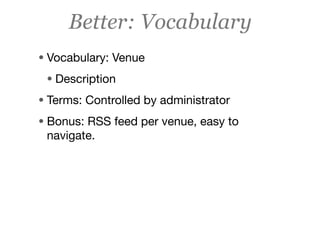
Better: Vocabulary
• Vocabulary: Venue
 • Description
• Terms: Controlled by administrator
• Bonus: RSS feed per venue, easy to
 navigate.
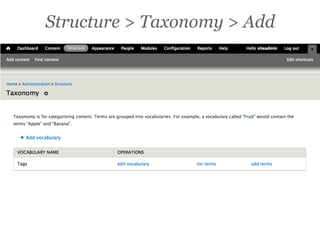
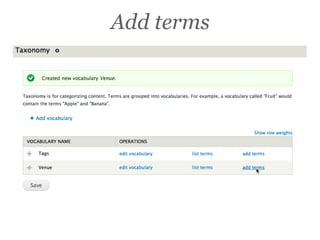
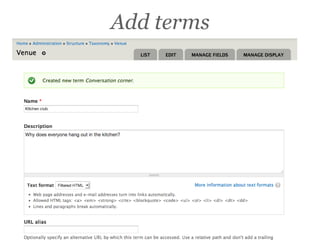
Structure > Taxonomy > Add
Add terms
Add terms
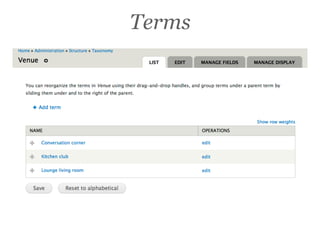
Terms
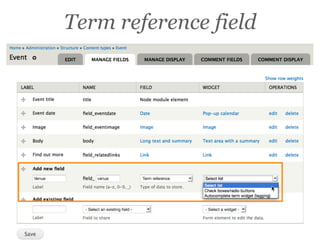
Add as a field
• Add field
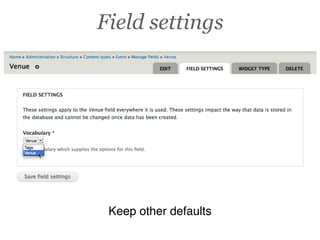
• Set global defaults
• Set content-type specific defaults
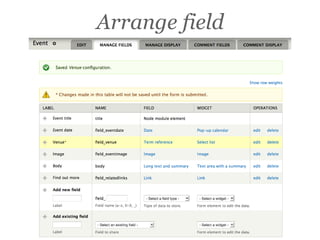
• Arrange field
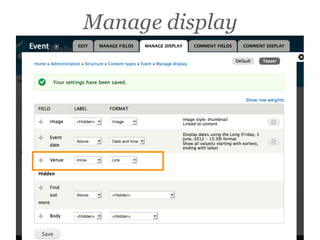
• Check display
Term reference field
Field settings


 Keep other defaults
Arrange field
Manage display
Test!
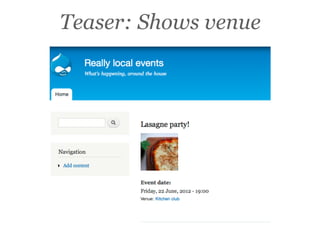
Teaser: Shows venue
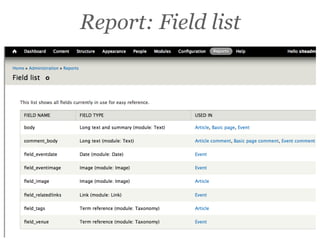
Report: Field list
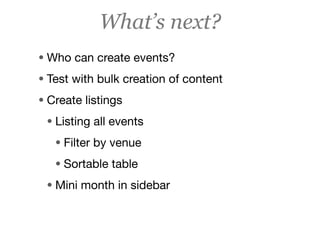
What’s next?
• Who can create events?
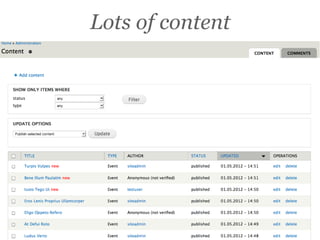
• Test with bulk creation of content
• Create listings
 • Listing all events
   • Filter by venue
   • Sortable table
 • Mini month in sidebar
Event display
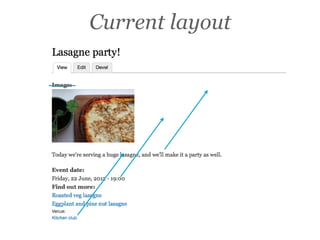
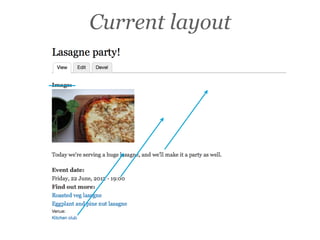
Current layout
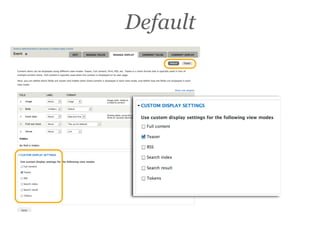
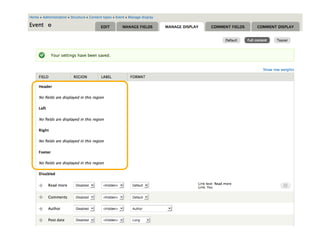
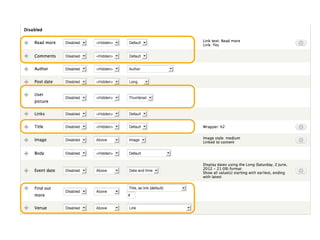
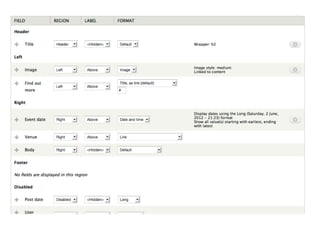
Manage display
Default
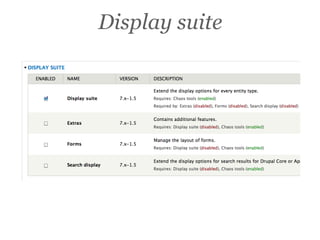
Display suite
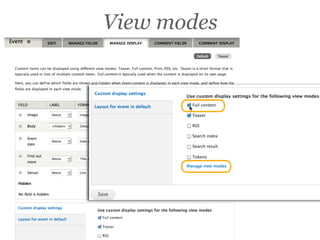
View modes
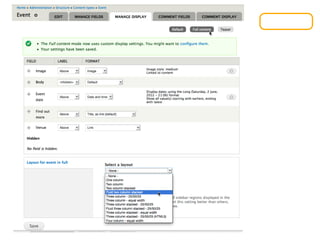
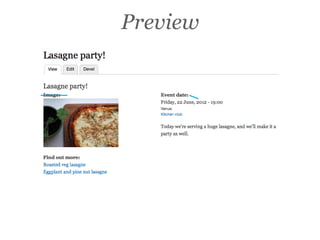
Current layout
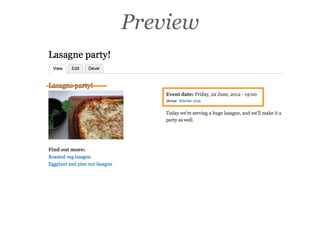
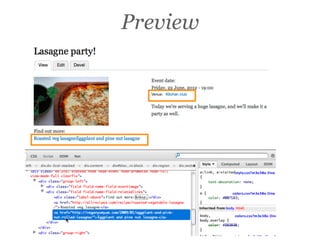
Preview
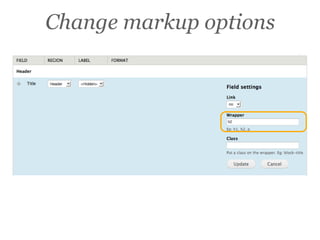
Change markup options
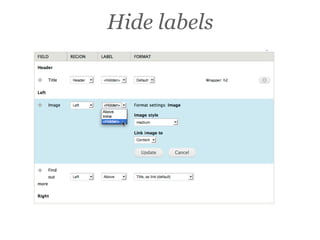
Hide labels
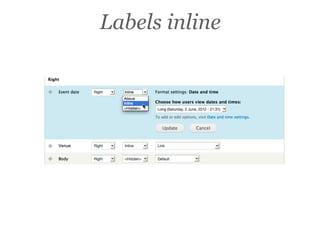
Labels inline
Preview
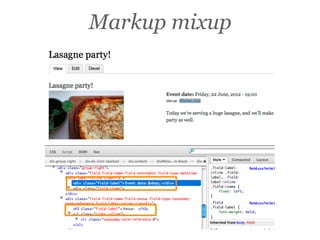
Markup mixup
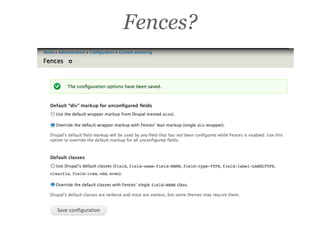
Fences?
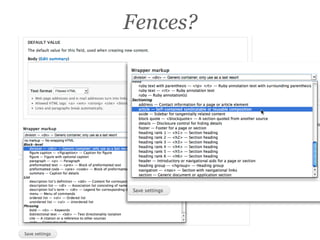
Fences?
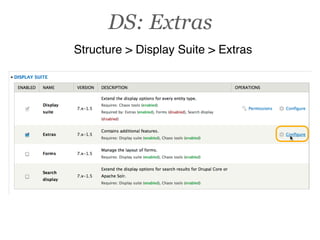
DS: Extras
Structure > Display Suite > Extras
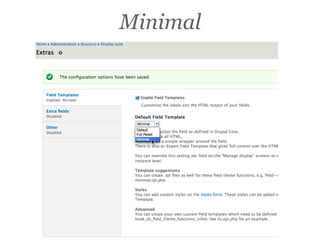
Minimal
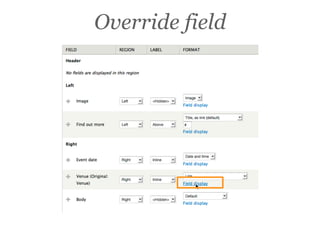
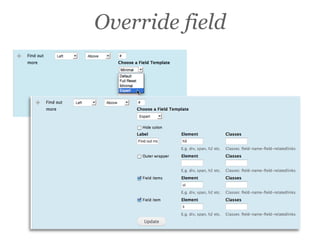
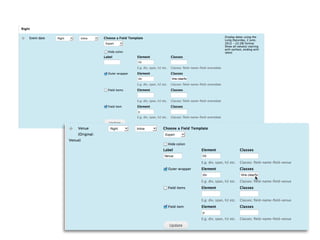
Override field
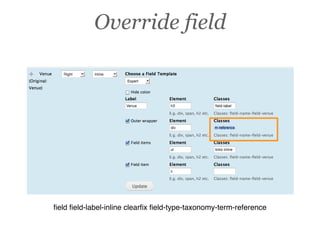
Override field


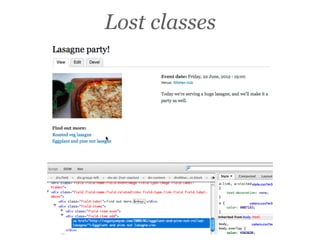
field field-label-inline clearfix field-type-taxonomy-term-reference
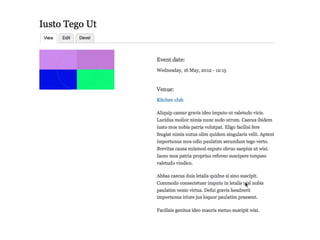
Preview
Lost classes
Override field
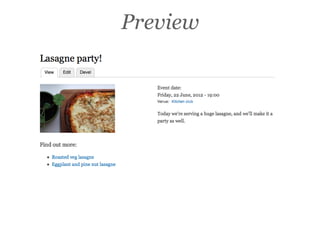
Preview
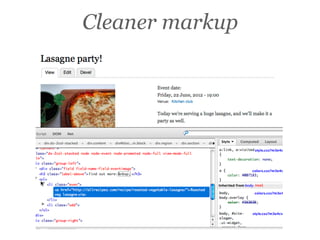
Cleaner markup
Improvements
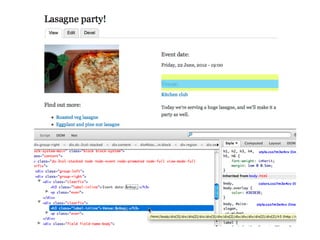
• Adjust remaining fields - consistent
• What classes are needed?
• Add CSS to style new markup
Improvements
• Add CSS styling to your theme.


• In this case we’re using “Bartik” core theme.
 This would require making a sub-theme.
• Don’t edit a core theme.
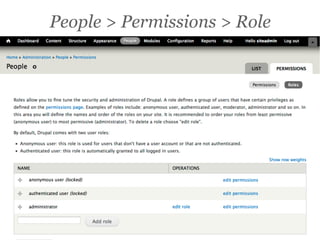
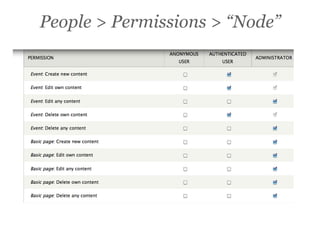
Who can add events?

Content editing
Who can edit events?
• All users?
• Authenticated users?
• Only administrators?


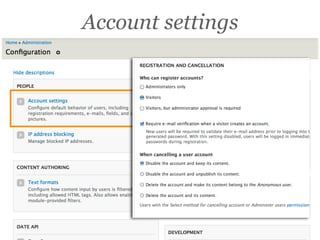
• How do people become “authenticated”?
People > Permissions > Role
People > Permissions > “Node”
Account settings
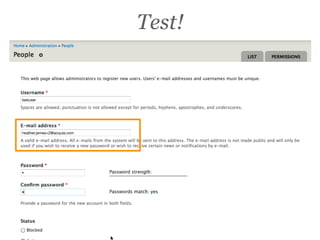
Test!
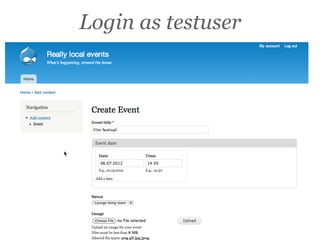
Login as testuser
Improvement
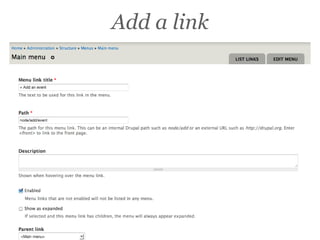
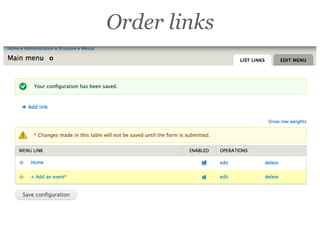
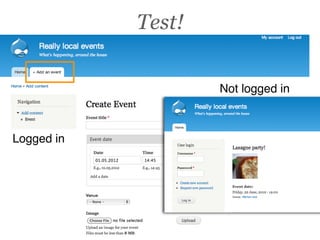
• Link in main menu + Add an event
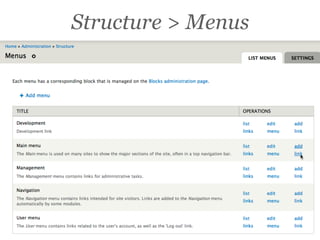
Structure > Menus
Add a link
Order links
Test!

                    Not logged in


Logged in
Improvements
• Should items be published automatically?
• Should we make an approval queue?
 • Use Views Bulk Operations
• Test with real content editors and REAL
 content.
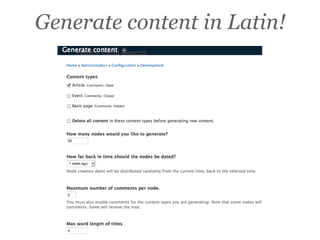
Add sample content
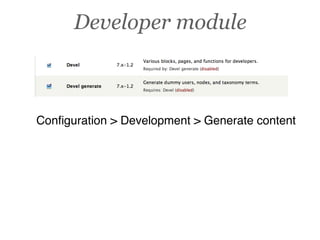
Developer module


Configuration > Development > Generate content
Generate content in Latin!
Lots of content
Content editing
• Make sure a couple of events are in the same
 month.
• Edit some titles so they fit with the content (if
 you’re testing with users).
Filter by venue

Create listing page
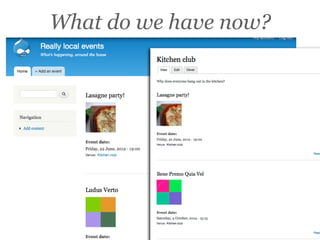
What do we have now?
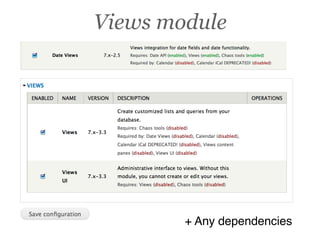
Views module


        + Any dependencies
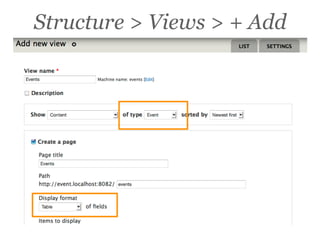
Structure > Views > + Add
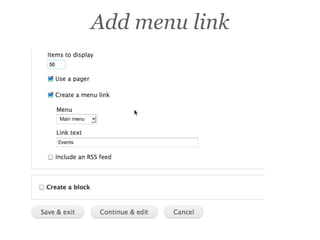
Add menu link
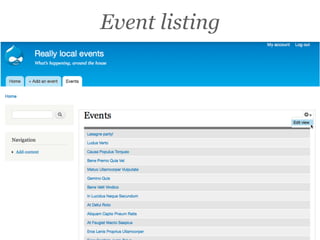
Event listing
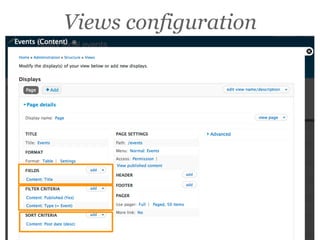
Views configuration
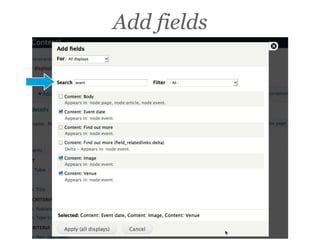
Add fields
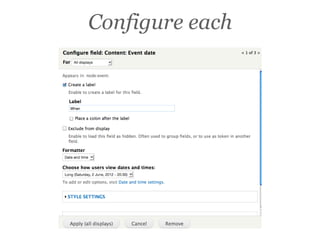
Configure each
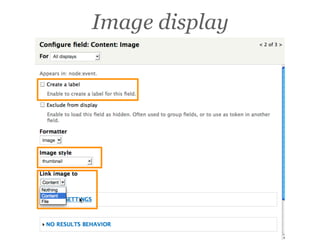
Image display
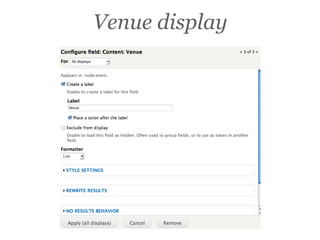
Venue display
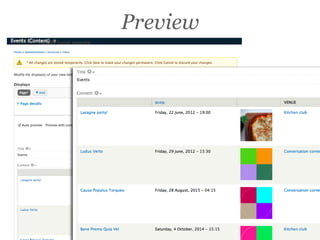
Preview
Improvements
• Default sort for date
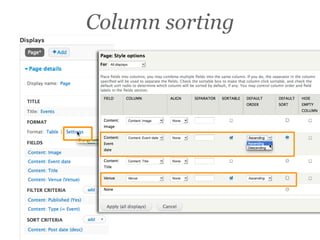
• Sortable columns for Venue and date
• Image first
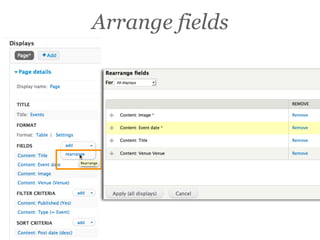
Arrange fields
Column sorting
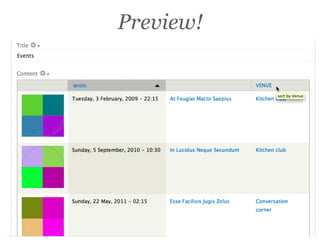
Preview!
Improvement
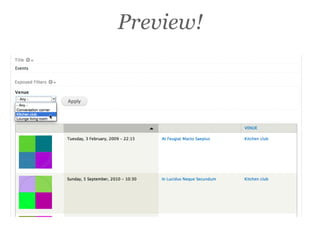
• Add filter to allow user to select one venue
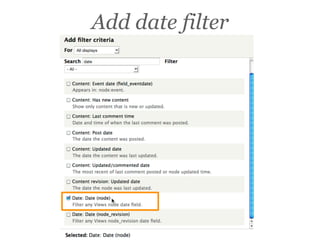
• Filter out past events for this listing
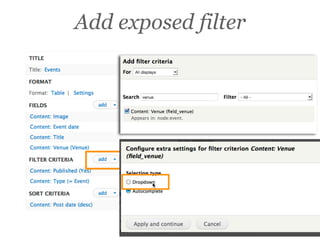
Add exposed filter
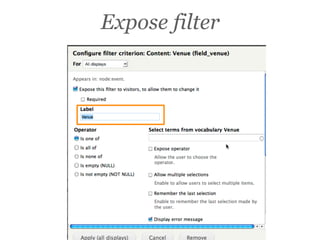
Expose filter
Preview!
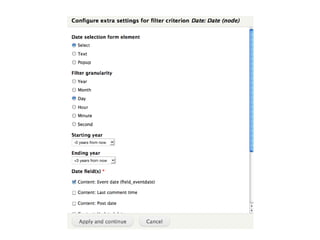
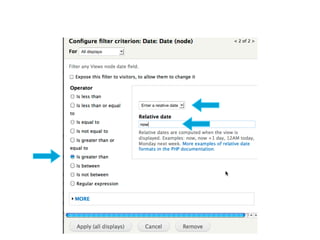
Add date filter
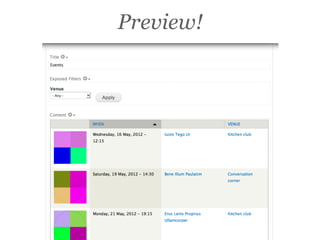
Preview!
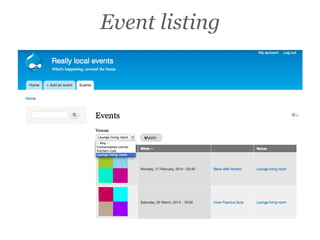
Event listing
Calendar page
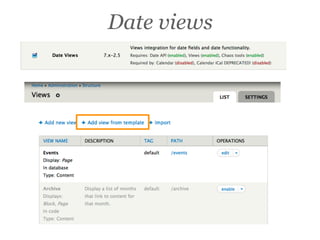
Date views
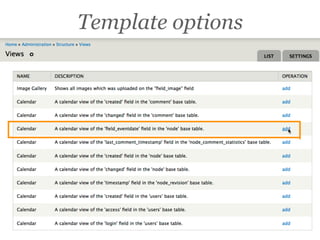
Template options
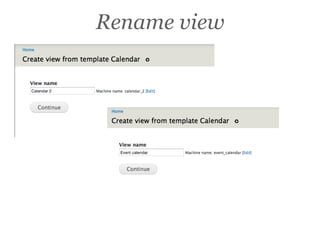
Rename view
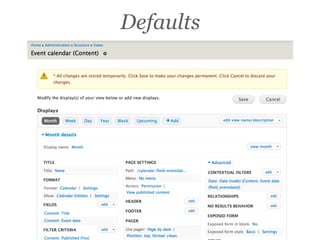
Defaults
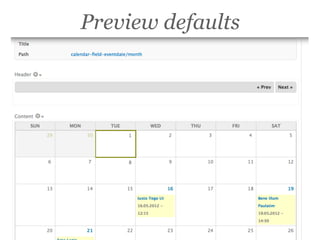
Preview defaults
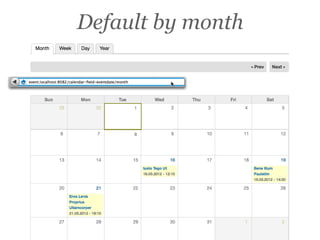
Default by month
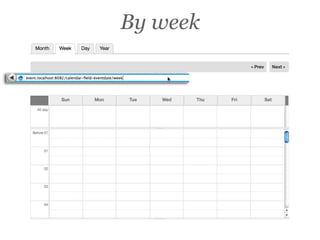
By week
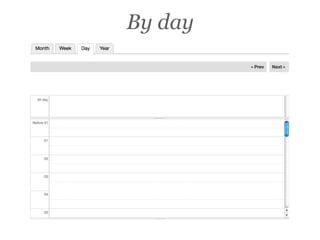
By day
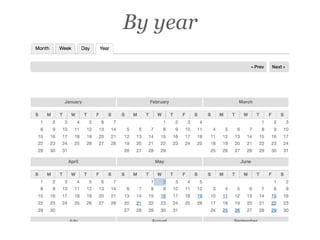
By year
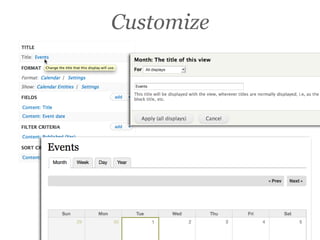
Customize
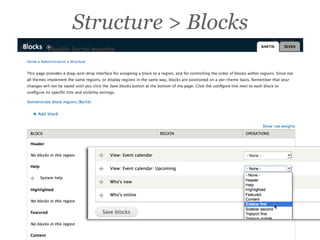
Structure > Blocks
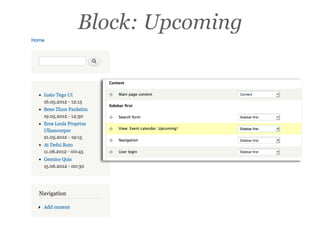
Block: Upcoming
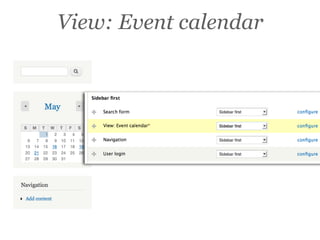
View: Event calendar
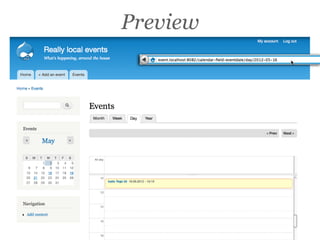
Preview
Improvements?
• “Share this” button.
 drupal.org/project/sharethis
• “Bookmark” option.
 drupal.org/project/flag
What’s next?

Learn more
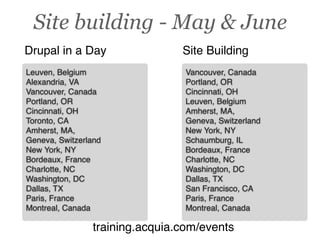
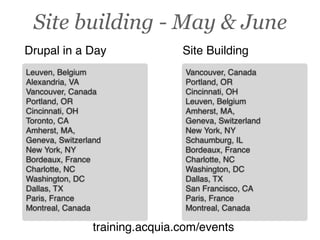
Training in May-June


   training.acquia.com/events
Site building - May & June
Drupal in a Day                 Site Building
Leuven, Belgium                  Vancouver, Canada
Alexandria, VA                   Portland, OR
Vancouver, Canada                Cincinnati, OH
Portland, OR                     Leuven, Belgium
Cincinnati, OH                   Amherst, MA,
Toronto, CA                      Geneva, Switzerland
Amherst, MA,                     New York, NY
Geneva, Switzerland              Schaumburg, IL
New York, NY                     Bordeaux, France
Bordeaux, France                 Charlotte, NC
Charlotte, NC                    Washington, DC
Washington, DC                   Dallas, TX
Dallas, TX                       San Francisco, CA
Paris, France                    Paris, France
Montreal, Canada                 Montreal, Canada

                training.acquia.com/events
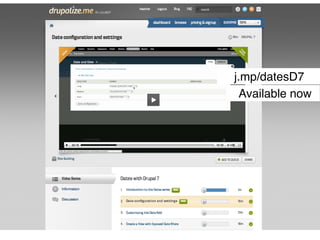
j.mp/datesD7
  Available now
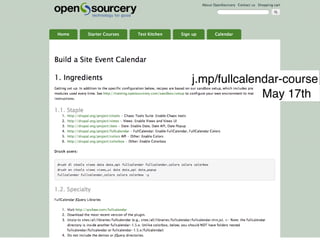
j.mp/fullcalendar-course
              May 17th
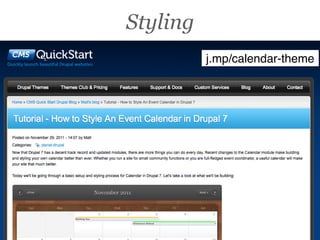
Styling
          j.mp/calendar-theme
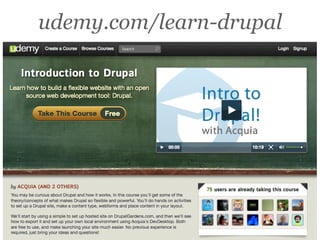
udemy.com/learn-drupal
Site building - May & June
Drupal in a Day                 Site Building
Leuven, Belgium                  Vancouver, Canada
Alexandria, VA                   Portland, OR
Vancouver, Canada                Cincinnati, OH
Portland, OR                     Leuven, Belgium
Cincinnati, OH                   Amherst, MA,
Toronto, CA                      Geneva, Switzerland
Amherst, MA,                     New York, NY
Geneva, Switzerland              Schaumburg, IL
New York, NY                     Bordeaux, France
Bordeaux, France                 Charlotte, NC
Charlotte, NC                    Washington, DC
Washington, DC                   Dallas, TX
Dallas, TX                       San Francisco, CA
Paris, France                    Paris, France
Montreal, Canada                 Montreal, Canada

                training.acquia.com/events
What modules appeared?

Cast & Credits
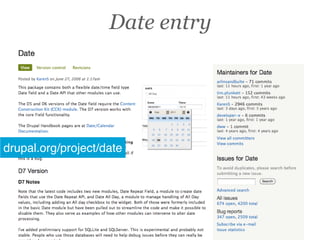
Date entry


drupal.org/project/date
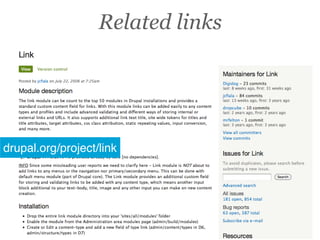
Related links


drupal.org/project/link
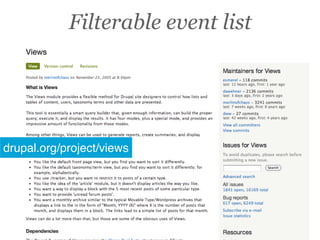
Filterable event list


drupal.org/project/views
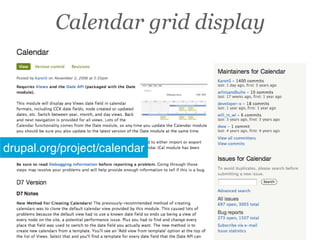
Calendar grid display


drupal.org/project/calendar
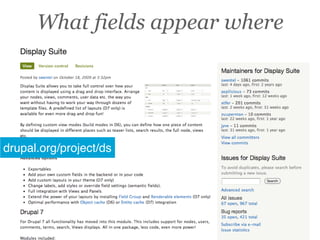
What fields appear where


drupal.org/project/ds
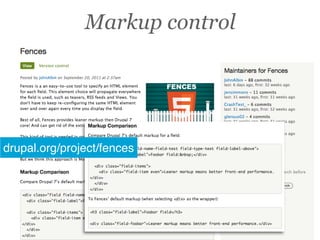
Markup control


drupal.org/project/fences
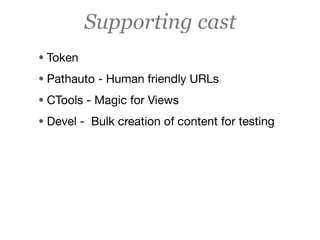
Supporting cast
• Token
• Pathauto - Human friendly URLs
• CTools - Magic for Views
• Devel - Bulk creation of content for testing
Any questions?

Build an Event Calendar in Drupal