WHAT IS DRUPAL?
            Using Drupal Without Knowing PHP

                                                                  •   What you need
                                                                  •   The 5-minute Install
               by Peter K. Johnson - http://WebExplorations.com   •   Theming
                 Originally presented at Minnebar - April 2012
                                                                  •   Nodes & CCK
                                                                  •   Views
                                                                  •   Modules
                                                                  •   Untouchable Core
                                                                  •   Taxonomy
photo by QuinnDombrowski - flickr.com
Intro video by Matt Terry - Vimeo
                                                                  •   Resources
WHAT IS DRUPAL?
PHP Framework with customizable modules and themes.
Site Administrators build the house and paint the walls.
Content Editors hang pictures on the wall and put fresh
flower arrangements on the table.

Core - Themes - Modules - Content
Content is stored in a database
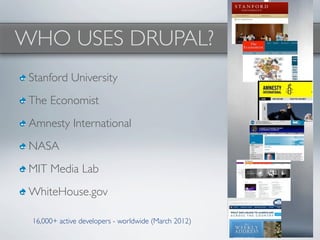
WHO USES DRUPAL?
 Stanford University
 The Economist
 Amnesty International
 NASA
 MIT Media Lab
 WhiteHouse.gov

 16,000+ active developers - worldwide (March 2012)
WHAT YOU NEED
   •PHP                       5 (with graphic library for font rendering)
   •MySQL

   •PHPmyAdmin (Use MAMP or WAMP for these three.)

   •Drush                        - Drupal command line utility
   •A            working knowledge of HTML & CSS
   and Drupal http://drupal.org
photo by pranav - flickr.com
Video Demonstration


 The 5-minute Install
   1.        Download http://drupal.org - Unzip

   2.        Create Database - myNewSiteName
   3.        Duplicate sites/default.settings.php

   4.        Rename to settings.php - Set permissions
             everyone read/write
   5.        Create folder: sites/default/files - Set permissions
             everyone read/write
   6.        View site: http://localhost/myNewSiteName
   7.        Done!

photo by GammaMan - flickr.com
Install a Theme using Drush
          Making a SubTheme Demon


THEMING
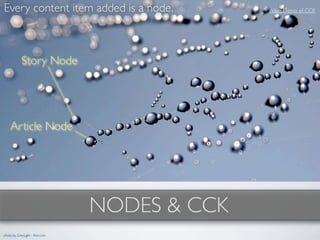
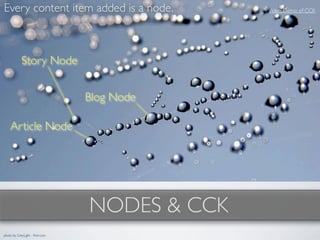
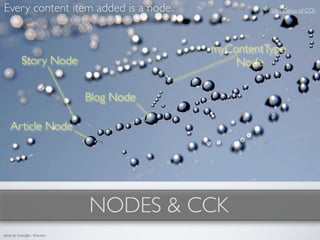
Every content item added is a node.            Video Demo of CCK


                                 NODES & CCK
photo by GreyLight - flickr.com
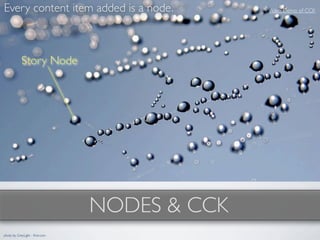
Every content item added is a node.            Video Demo of CCK


            Story Node


                                 NODES & CCK
photo by GreyLight - flickr.com
Every content item added is a node.            Video Demo of CCK


            Story Node


    Article Node


                                 NODES & CCK
photo by GreyLight - flickr.com
Every content item added is a node.            Video Demo of CCK


            Story Node


                                 Blog Node

    Article Node


                                 NODES & CCK
photo by GreyLight - flickr.com
Every content item added is a node.                    Video Demo of CCK


                                             myContentType
            Story Node                           Node

                                 Blog Node

    Article Node


                                 NODES & CCK
photo by GreyLight - flickr.com
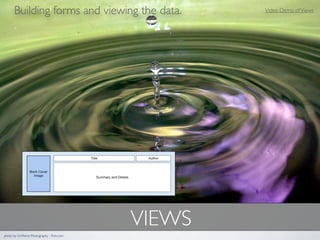
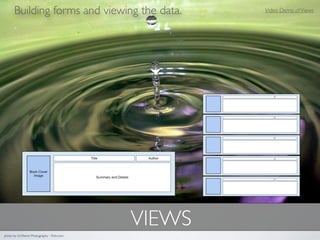
Building forms and viewing the data.          Video Demo of Views


                                             VIEWS
photo by Girlfierce Photography - flickr.com
Building forms and viewing the data.          Video Demo of Views


                                             VIEWS
photo by Girlfierce Photography - flickr.com
Building forms and viewing the data.          Video Demo of Views


                                             VIEWS
photo by Girlfierce Photography - flickr.com
The building blocks                     Behind-The-Curtain
                                           Demonstration

                                              Drush
                                           Demonstration


                               MODULES
photo by foxKiyo - flickr.com
THE untouchable CORE

•Store your code inside the mySite/sites folder.
•Don't hack core - copy and override in mySite/sites instead.
•Updates will not overwrite the code in mySite/sites
•Have a backup system in place!


photo by Mrank - flickr.com
Video Demonstration


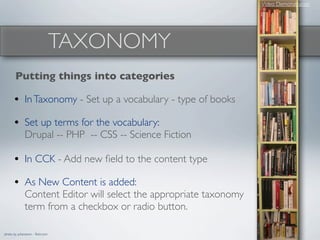
                                  TAXONOMY
       Putting things into categories

      • In Taxonomy - Set up a vocabulary - type of books
      • Set up terms for the vocabulary:
              Drupal -- PHP -- CSS -- Science Fiction

      • In CCK - Add new field to the content type
      • As New Content is added:
              Content Editor will select the appropriate taxonomy
              term from a checkbox or radio button.

photo by juhansonin - flickr.com
RESOURCES
• Drupal.org                                                         • Drupal Videos
                                                                      http://drupal.org/videocasts
• Drupal Groups
 http://groups.drupal.org/twin-cities
                                                                     • Mustard Seed Media
                                                                      http://mustardseedmedia.com/podcast
• Lullabot                                                           • Discussion Group on LinkedIn
 http://Lullabot.com
                                                                     • DrupalCon Sessions
• Lynda.com
 http://lynda.com                                                       • Denver 2012
                                                                          http://denver2012.drupal.org/

• BuildAModule.com                                                      • Chicago 2011
                                                                          http://chicago2011.drupal.org/
 http://BuildAModule.com                                                  http://archive.org/search.php?query=drupalcon%20chicago

          Special thanks to the photographers at Flickr.com             • San Fransisco 2010
     who gave permission to use their photos in this presentation.        http://drupal.org/node/780000
                          Revised: April 8, 2012

What is Drupal? For Site Administrators

  • 1.
    WHAT IS DRUPAL? Using Drupal Without Knowing PHP • What you need • The 5-minute Install by Peter K. Johnson - http://WebExplorations.com • Theming Originally presented at Minnebar - April 2012 • Nodes & CCK • Views • Modules • Untouchable Core • Taxonomy photo by QuinnDombrowski - flickr.com Intro video by Matt Terry - Vimeo • Resources
  • 2.
    WHAT IS DRUPAL? PHPFramework with customizable modules and themes. Site Administrators build the house and paint the walls. Content Editors hang pictures on the wall and put fresh flower arrangements on the table. Core - Themes - Modules - Content Content is stored in a database
  • 3.
    WHO USES DRUPAL? Stanford University The Economist Amnesty International NASA MIT Media Lab WhiteHouse.gov 16,000+ active developers - worldwide (March 2012)
  • 4.
    WHAT YOU NEED •PHP 5 (with graphic library for font rendering) •MySQL •PHPmyAdmin (Use MAMP or WAMP for these three.) •Drush - Drupal command line utility •A working knowledge of HTML & CSS and Drupal http://drupal.org photo by pranav - flickr.com
  • 5.
    Video Demonstration The5-minute Install 1. Download http://drupal.org - Unzip 2. Create Database - myNewSiteName 3. Duplicate sites/default.settings.php 4. Rename to settings.php - Set permissions everyone read/write 5. Create folder: sites/default/files - Set permissions everyone read/write 6. View site: http://localhost/myNewSiteName 7. Done! photo by GammaMan - flickr.com
  • 6.
    Install a Themeusing Drush Making a SubTheme Demon THEMING
  • 7.
    Every content itemadded is a node. Video Demo of CCK NODES & CCK photo by GreyLight - flickr.com
  • 8.
    Every content itemadded is a node. Video Demo of CCK Story Node NODES & CCK photo by GreyLight - flickr.com
  • 9.
    Every content itemadded is a node. Video Demo of CCK Story Node Article Node NODES & CCK photo by GreyLight - flickr.com
  • 10.
    Every content itemadded is a node. Video Demo of CCK Story Node Blog Node Article Node NODES & CCK photo by GreyLight - flickr.com
  • 11.
    Every content itemadded is a node. Video Demo of CCK myContentType Story Node Node Blog Node Article Node NODES & CCK photo by GreyLight - flickr.com
  • 12.
    Building forms andviewing the data. Video Demo of Views VIEWS photo by Girlfierce Photography - flickr.com
  • 13.
    Building forms andviewing the data. Video Demo of Views VIEWS photo by Girlfierce Photography - flickr.com
  • 14.
    Building forms andviewing the data. Video Demo of Views VIEWS photo by Girlfierce Photography - flickr.com
  • 15.
    The building blocks Behind-The-Curtain Demonstration Drush Demonstration MODULES photo by foxKiyo - flickr.com
  • 16.
    THE untouchable CORE •Storeyour code inside the mySite/sites folder. •Don't hack core - copy and override in mySite/sites instead. •Updates will not overwrite the code in mySite/sites •Have a backup system in place! photo by Mrank - flickr.com
  • 17.
    Video Demonstration TAXONOMY Putting things into categories • In Taxonomy - Set up a vocabulary - type of books • Set up terms for the vocabulary: Drupal -- PHP -- CSS -- Science Fiction • In CCK - Add new field to the content type • As New Content is added: Content Editor will select the appropriate taxonomy term from a checkbox or radio button. photo by juhansonin - flickr.com
  • 18.
    RESOURCES • Drupal.org • Drupal Videos http://drupal.org/videocasts • Drupal Groups http://groups.drupal.org/twin-cities • Mustard Seed Media http://mustardseedmedia.com/podcast • Lullabot • Discussion Group on LinkedIn http://Lullabot.com • DrupalCon Sessions • Lynda.com http://lynda.com • Denver 2012 http://denver2012.drupal.org/ • BuildAModule.com • Chicago 2011 http://chicago2011.drupal.org/ http://BuildAModule.com http://archive.org/search.php?query=drupalcon%20chicago Special thanks to the photographers at Flickr.com • San Fransisco 2010 who gave permission to use their photos in this presentation. http://drupal.org/node/780000 Revised: April 8, 2012

Editor's Notes

  • #2 \n
  • #3 \n
  • #4 Source: http://www.cmswire.com/images/Drupal_growth_2012.jpg\n
  • #5 WAMP - Windows LAMP Stack -> Linux - Apache Web Server - MySQL - PHP http://www.wampserver.com/en/\nMAMP - Macintosh LAMP Stack http://www.mamp.info/en/index.html\nUniform Server - Coral -> For Windows only. Will run a web server on your flash drive. http://wiki.uniformserver.com/index.php/Main_Page\n\nEach of these programs sets up a web server on your machine named http://localhost (IP address 127.0.0.1)\nAll the web files go in a specific folder - normally named: www\nQuick and easy install and maintenance without having to worry about matching versions etc.\nJust for development. NOT a secure environment.\n\nDrush - a command line tool for Drupal. Learn more at http://drupal.org/node/477684\nDon't leave home without it.\n
  • #6 1. Download and unzip Drupal into localhost web folder myNewSiteNameIf you are using WAMP/MAMP this will be inside the www folder inside the WAMP/MAMP folders.\n2. Create database using phpMyAdmin - mySiteNameIf you are on a hosting service this might have a prefix (usually your hosting username)\n3. Duplicate the file in Sites/default/duplicate default.settings.php\n4. Rename to settings.php - Set permissions to Everyone r/w\n5. Create a folder named sites/default/files - Set permissions to Everyone r/w\n6. View site: http://localhost/mySiteName. This will automatically start the installation process.First page asks for credentials to use the database. Database name, database username and database password\n Drupal uses the database and creates tables and fills them with data. Drupal also installs some core modules.Second page asks for the Drupal admin infor you want to use. \n7. Done! Click on the "Visit my site" link.\n\nYou should go back and change the permissions of Sites/default/files to: everyone read only\n\nLater, you can quickly add modules and themes using Drush.\n
  • #7 Find themes at http://drupal.org/project/themes\n\nPrewritten themes such as danland.\nBase themes that can be easily sub-themed include omega, stark, and zen.\n\nAll themes are stored in mySiteRootDirectory/sites/all/themes \n (Do NOT put your themes in the main theme folder in the root directory!)\n\nInstall using the Learning, Step-By-Step method:\n1. Find a theme. http://drupal.org/project/themes\n2. Download for your version of Drupal into: mySite/sites/all/themes\n3. Unzip the files\n4. In Drupal use admin menu: Appearance (http://localhost/mySiteName/admin/appearance)\n5. Select the new theme as the default.\n6. Visit the home page using the house icon on the admin menu (http://localhost/mySiteName)\n\nSmart method:\n1. Find a theme and write down its name\n2. In terminal/command window cd to your site folder\n3. In terminal/command: drush dl nameOfTheme nameOf2ndTheme nameOf3rdTheme (Drush knows where to put everything.)\n4. In Drupal: Select Appearance from the Admin menu and select new theme as default\n\nVideo Demonstration: Creating a sub-theme - Using Omega \nDevelopers & maintainers Jake Strawn, Development Geeks and Sebastian Siemssen.\nThere is no need to enable the Alpha and Omega core themes although you do need those files in sites/all/themes \n\nOther resources - http://groups.drupal.org/omega-framework\nA list of Omega resources all on one page: http://drupal.org/node/819182 (hidden at the end of the handbook)\nUse the Omega Handbook to leverage this theme without extra frustration - http://drupal.org/node/819164\n\nThe layer structure of the default responsive css files is (from bottom to top): global → default → narrow → normal → wide\n\n
  • #8 All content to Drupal is a node.\nEach node has a content type such as blog type node, story type node, article type node.\nYou can make custom types\nEach node gets a node id number: http://groups.drupal.org/node/221274\n\nComments aren't nodes but they are attached to a node.\n
  • #9 All content to Drupal is a node.\nEach node has a content type such as blog type node, story type node, article type node.\nYou can make custom types\nEach node gets a node id number: http://groups.drupal.org/node/221274\n\nComments aren't nodes but they are attached to a node.\n
  • #10 All content to Drupal is a node.\nEach node has a content type such as blog type node, story type node, article type node.\nYou can make custom types\nEach node gets a node id number: http://groups.drupal.org/node/221274\n\nComments aren't nodes but they are attached to a node.\n
  • #11 All content to Drupal is a node.\nEach node has a content type such as blog type node, story type node, article type node.\nYou can make custom types\nEach node gets a node id number: http://groups.drupal.org/node/221274\n\nComments aren't nodes but they are attached to a node.\n
  • #12 As a Content Editor - Create new content using existing forms.\nAs a Site Administrator - Create a custom content form using CCK (Content Construction Kit)\nAs a Content Editor - Add new content\nAs a Site Administrator - Create a View that will allow the content to be displayed.\nAs a Site Administrator - Display the content in a Page as well as in a block.\nAs a User - View the content from a menu.\n\nhttps://www.packtpub.com/drupal-7-create-and-operate-website-quickly-and-efficiently/book - Drupal 7 by David Mercer\nhttp://www.apress.com/9781430228080 - Foundation Drupal 7 by Townsend\nhttp://shop.oreilly.com/product/0636920020301.do - Drupal Development Tricks by Dani Nordin\nhttp://shop.oreilly.com/product/0636920024873.do?sortby=bestSellers - Drupal for Designers by Dani Nordin\n\n
  • #13 As a Content Editor - Create new content using existing forms.\nAs a Site Administrator - Create a custom content form using CCK (Content Construction Kit)\nAs a Content Editor - Add new content\nAs a Site Administrator - Create a View that will allow the content to be displayed.\nAs a Site Administrator - Display the content in a Page as well as in a block.\nAs a User - View the content from a menu.\n\nhttps://www.packtpub.com/drupal-7-create-and-operate-website-quickly-and-efficiently/book - Drupal 7 by David Mercer\nhttp://www.apress.com/9781430228080 - Foundation Drupal 7 by Townsend\nhttp://shop.oreilly.com/product/0636920020301.do - Drupal Development Tricks by Dani Nordin\nhttp://shop.oreilly.com/product/0636920024873.do?sortby=bestSellers - Drupal for Designers by Dani Nordin\n\n
  • #14 My list of indispensable modules:\n\nThe Administrator Toolbar - http://drupal.org/project/admin_menu\nBackup and Migrate - http://drupal.org/project/backup_migrate\n\nWYSIWYG Editor - The Drupal Module: http://drupal.org/project/ckeditor\nThe actual editor that goes inside the module: http://ckeditor.com/download\n\nFile Handling (coordinates with the ckEditor module) - http://drupal.org/project/imce\n\nViews - Displaying Content in various forms - http://drupal.org/project/views\n\nCalendar - http://drupal.org/project/calendar\n\nAdvanced Help - http://drupal.org/project/advanced_help\n\nSpam protection and Captcha - http://drupal.org/project/mollom\n\nPathAuto - Automatically change node numbers into named paths: http://drupal.org/project/pathauto\n
  • #15 Use the Backup & Migrate module to make your backup chores like a day on the beach.\n
  • #16 \n
  • #17 Drush Command Summary: http://www.drush.org/\n\n