Browser Internals for
JS Devs
@alexblom
alex@isleofcode.com
Isle of Code
• Toronto based development;
• Focused on Ember, Cordova & Electron;
ember-cordova
• https://github.com/isleofcode/ember-cordova
• Managed / run by Isle of Code;
• Makes packaging hybrid apps for ember really
easy;
• When you work on hybrid, render performance &
memory management are things you have to
deal with;
A Browsers Job
• Get and present the selected resource;
• For the purpose of this talk, we are assuming
HTML;
JS / Render Engines
• Chrome uses V8 / Blink;
• Safari uses Nitro / Webkit / Webcore;
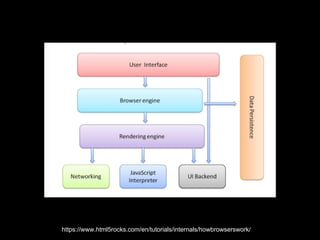
https://www.html5rocks.com/en/tutorials/internals/howbrowserswork/
Threads
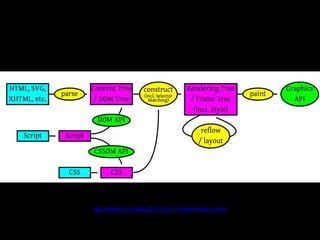
• There are two threads:
• Main: Running JS, CSS Styles, layout &
painting;
• Compositor: Drawing bitmaps via GPU,
visibility, scroll;
http://dbaron.org/talks/2012-03-11-sxsw/master.xhtml
DOM Tree
• The DOM Tree has one tag per item, but does not really hold content;
• e.g.
• document
• head
• title
• body
• p
• text node
• In WebKit, the root node is Node.h
• Note that there are documents, elements & text;
Render Tree
• The Render tree is the visual part of the DOM
• e.g.
• root
• body
• div
• line 1
• line 2

• The root is the element that contains all other elems
• May contains elms that do not have any DOM information
WebCore
Representations
• RenderFlow.h;
• RenderBlock.h;
• RenderInline.h;
Parsing HTML is Hard
• It allows invalid tags and keeps going, e.g.
• Missing closing tags;
• Putting content outside of body;
• Closing tags too early;
• Unlike most parsers, it works hard on your behalf
& protects you;
Execution stops at Script
Tags
• This is why including scripts at the end of <body>
is important;
• In HTML5, you can include an async tag:
• <script src=“ember.js” async></script>
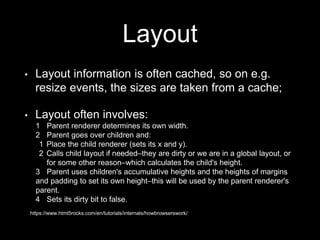
Layout
• Layout information is often cached, so on e.g.
resize events, the sizes are taken from a cache;
• Layout often involves:
1 Parent renderer determines its own width.
2 Parent goes over children and:
1 Place the child renderer (sets its x and y).
2 Calls child layout if needed–they are dirty or we are in a global layout, or
for some other reason–which calculates the child's height.
3 Parent uses children's accumulative heights and the heights of margins
and padding to set its own height–this will be used by the parent renderer's
parent.
4 Sets its dirty bit to false.
https://www.html5rocks.com/en/tutorials/internals/howbrowserswork/
Paint Order
1. Background colour;
2. Background image;
3. Border;
4. Children;
5. Outline;
https://www.html5rocks.com/en/tutorials/internals/howbrowserswork/
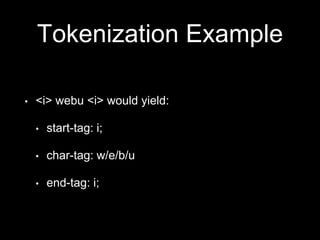
Tokenization Example
• <i> webu <i> would yield:
• start-tag: i;
• char-tag: w/e/b/u
• end-tag: i;
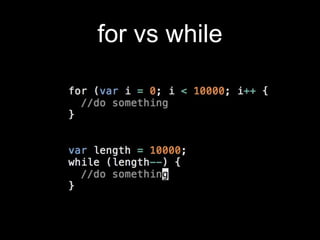
for vs while
setTimeout is best
effort
Manage Reflows
What causes Reflow?
• Resizing the browser window;
• using JavaScript methods involving computed
styles;
• adding or removing elements from the DOM; and
• changing an element's classes.
• https://developers.google.com/speed/articles/reflo
w
visibility:hidden
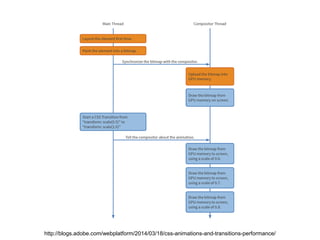
CSS transforms only affect the
selected element, not those around it
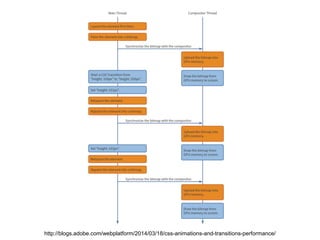
http://blogs.adobe.com/webplatform/2014/03/18/css-animations-and-transitions-performance/
Examples
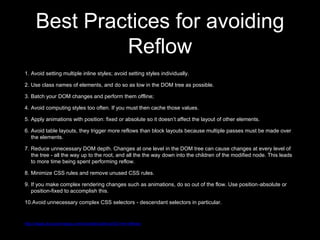
Best Practices for avoiding
Reflow
1. Avoid setting multiple inline styles; avoid setting styles individually.
2. Use class names of elements, and do so as low in the DOM tree as possible.

3. Batch your DOM changes and perform them offline;
4. Avoid computing styles too often. If you must then cache those values.
5. Apply animations with position: fixed or absolute so it doesn’t affect the layout of other elements.
6. Avoid table layouts, they trigger more reflows than block layouts because multiple passes must be made over
the elements.
7. Reduce unnecessary DOM depth. Changes at one level in the DOM tree can cause changes at every level of
the tree - all the way up to the root, and all the the way down into the children of the modified node. This leads
to more time being spent performing reflow.
8. Minimize CSS rules and remove unused CSS rules.
9. If you make complex rendering changes such as animations, do so out of the flow. Use position-absolute or
position-fixed to accomplish this.
10.Avoid unnecessary complex CSS selectors - descendant selectors in particular.
http://stage.docs.phonegap.com/tutorials/optimize/03-min-reflows/
Coalesce Changes
or
Work on a local fragment
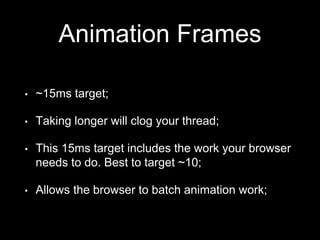
Animation Frames
• ~15ms target;
• Taking longer will clog your thread;
• This 15ms target includes the work your browser
needs to do. Best to target ~10;
• Allows the browser to batch animation work;
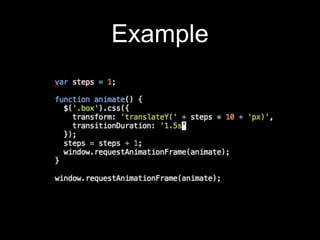
Example
Measuring
Performance
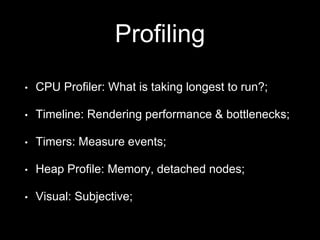
Profiling
• CPU Profiler: What is taking longest to run?;
• Timeline: Rendering performance & bottlenecks;
• Timers: Measure events;
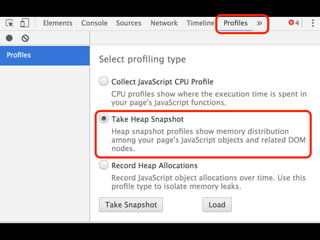
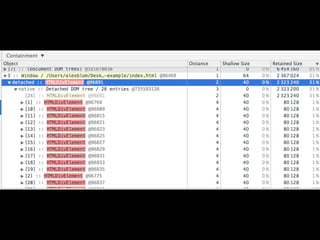
• Heap Profile: Memory, detached nodes;
• Visual: Subjective;
Examples
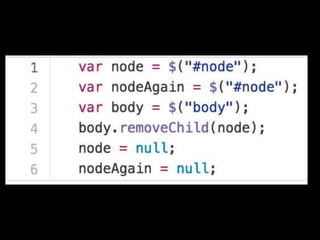
Memory Leaks
• Garbage Collection: 2 types:
• Young Generation & Old Generation
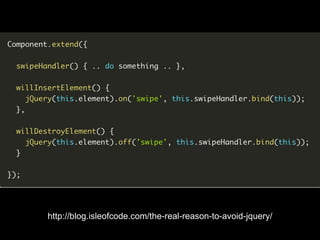
http://blog.isleofcode.com/the-real-reason-to-avoid-jquery/
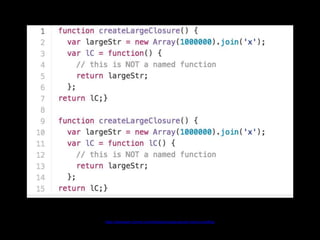
Name closures for
better profiling
https://developer.chrome.com/devtools/docs/javascript-memory-profiling
window.performance.now
v
new Date()
node / command line
• Built in as of Node 4.4;
• add —prof tag
• node —prof foo.js
• node —prof-process isolate-* > foo.txt
Using too much memory
has negative implications
http://www-
cs.canisius.edu/~hertzm/gcmalloc-oopsla-
2005.pdf
V8
• V8 compiles JS to native code before executing
There are no steps for interpretation or bytecode;
• Compilation usually won’t happen until a function
is called;
• Compilation happens one function at a time;
• SAFARI BENCHMARKS
Compilers
• General compiler & optimization compiler
(TurboFan);
• Code runs through general compiler first;
• V8 identifies hot code for optimization;
• Code via optimization compiler runs up to 100x
faster;
• Applies to the containing function - not blocks;
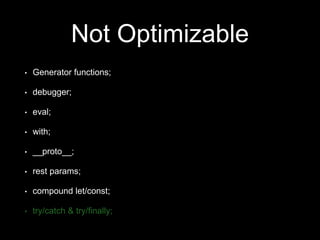
Not Optimizable
• Generator functions;
• debugger;
• eval;
• with;
• __proto__;
• rest params;
• compound let/const;
• try/catch & try/finally;
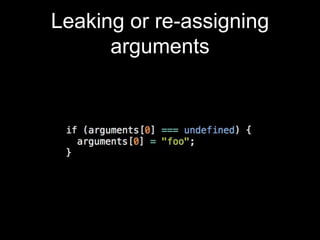
Leaking or re-assigning
arguments
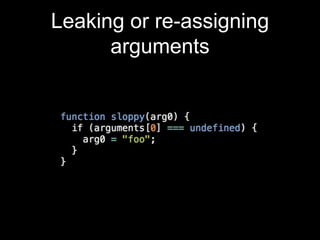
Leaking or re-assigning
arguments
Leaking or re-assigning
arguments
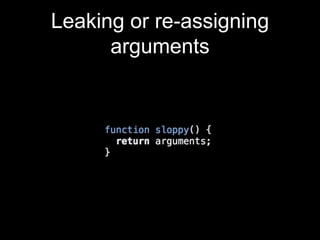
• In non-strict, V8 preserves the bindings between
arguments[0] & arg0. If you re-assign, V8 says
‘too hard’ and bails out (choses to not optimize);
• It expects arg0 & arguments[0] to have the same
hidden class;
• Using strict does not preserve bindings, meaning
the code can be optimized;
Leaking or re-assigning
arguments
Safe arguments
• arguments[n], where n is defined and not a
param;
• apply(arguments);
• arguments.length;
Not Optimizable
• Generator functions;
• debugger;
• eval;
• with;
• __proto__;
• rest params;
• compound let/const;
• try/catch & try/finally;
Isolate non optimizable code
into small functions
Hidden Classes
• Keeping track of dynamic, changing classes is
hard;
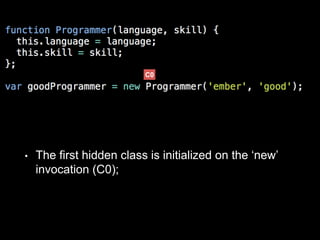
• V8 assigns hidden to represent objects;
• The first hidden class is initialized on the ‘new’
invocation (C0);
C0
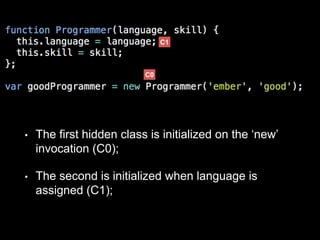
• The first hidden class is initialized on the ‘new’
invocation (C0);
• The second is initialized when language is
assigned (C1);
C0
C1
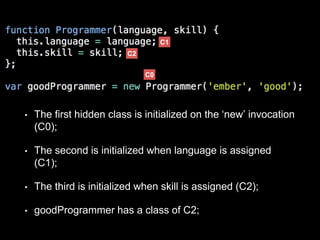
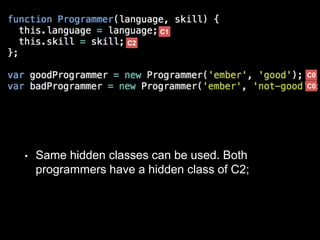
• The first hidden class is initialized on the ‘new’ invocation
(C0);
• The second is initialized when language is assigned
(C1);
• The third is initialized when skill is assigned (C2);
• goodProgrammer has a class of C2;
C0
C1
C2
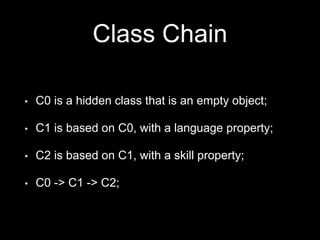
Class Chain
• C0 is a hidden class that is an empty object;
• C1 is based on C0, with a language property;
• C2 is based on C1, with a skill property;
• C0 -> C1 -> C2;
• Same hidden classes can be used. Both
programmers have a hidden class of C2;
C0
C1
C2
C0
Hidden Class can no longer
be re-used
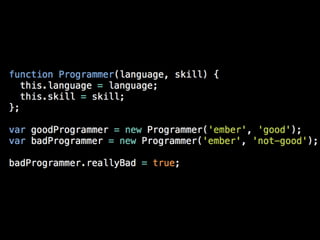
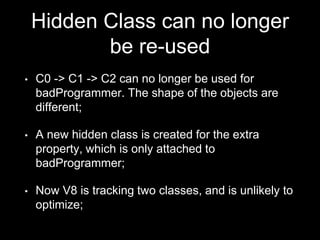
• C0 -> C1 -> C2 can no longer be used for
badProgrammer. The shape of the objects are
different;
• A new hidden class is created for the extra
property, which is only attached to
badProgrammer;
• Now V8 is tracking two classes, and is unlikely to
optimize;
Order matters
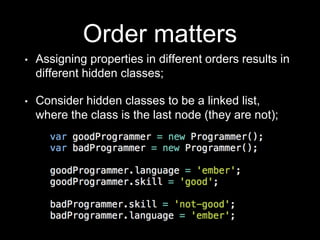
• Assigning properties in different orders results in
different hidden classes;
• Consider hidden classes to be a linked list,
where the class is the last node (they are not);
Consistently having this problem is not really a
JS problem. You have a modelling problem.
Monomorphic vs
Polymorphic
• Monomorphic are hidden classes that are always
passed the same object type (e.g. String);
• V8 assumes classes are monomorphic. Passing
a different object type to the same function
requires a new hidden class to be created;
Optimize Mobile
• Payload <500kb, 1mb is often safe;
• <5k nodes, <10k in extreme circumstances;
• Coalesce network requests;
Further Reading
• https://github.com/petkaantonov/bluebird/wiki/Opt
imization-killers
• https://www.html5rocks.com/en/tutorials/internals
/howbrowserswork/
Browser Internals for
JS Devs
@alexblom
alex@isleofcode.com

Browser Internals for JS Devs: WebU Toronto 2016 by Alex Blom

Editor's Notes

  • #19 If other messages are in the queue, it is likely to be delayed.
  • #23 Example is a transition of height from 100px to 200px of a div; orange items are harder, blue items are fast;
  • #24 Using an accelerated property