Boston Computing Review Pragmatic Architectural Overview Java Server Pages John Brunswick
Why?  This is so old school. History and Pains of Web Development Foundation Development Tools Anatomy Nuts and Bolts Over the Horizon
Why?  It is  not  sexy. Presentation Layer for J2EE Nobody owns it It is here and not going anywhere What do non-Microsoft projects get developed with?  Yup. Oracle, BEA, IBM, SAP, EMC, HP… and on and on. Want to code in the enterprise? API heaven Frameworks JSF and others
History Step into the time machine
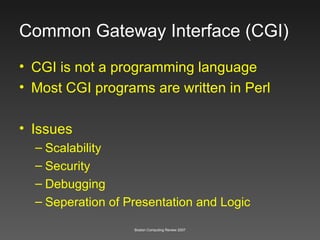
Common Gateway Interface (CGI) CGI is not a programming language Most CGI programs are written in Perl Issues Scalability Security Debugging Seperation of Presentation and Logic
Classic ASP (3.0) Single platform (MS) Mixed presentation and logic Run time interpretation
Hypertext Preprocessor (PHP) Lacks OO Design Runtime interpretation Mixed presentation and logic
Coldfusion Markup Language (CFM) Depth Scalability Enterprise Interoperability
ASP.NET Platform (MS) Lacks MVC Cost
Emerging Web Application Frameworks ROR Django
Digging In
Foundation Overview JSP is actually servlets! Application / HTTP Server Acronym Overload How do we develop? Application Anatomy 101 JDBC
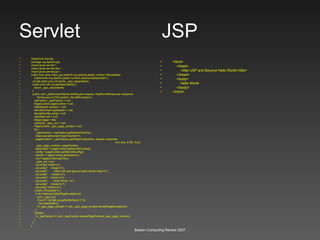
Servlet  JSP HelloWorld Servlet package org.apache.jsp; import javax.servlet.*; import javax.servlet.http.*; import javax.servlet.jsp.*; public final class index_jsp extends org.apache.jasper.runtime.HttpJspBase implements org.apache.jasper.runtime.JspSourceDependent { private static java.util.Vector _jspx_dependants; public java.util.List getDependants() { return _jspx_dependants; } public void _jspService(HttpServletRequest request, HttpServletResponse response) throws java.io.IOException, ServletException { JspFactory _jspxFactory = null; PageContext pageContext = null; HttpSession session = null; ServletContext application = null; ServletConfig config = null; JspWriter out = null; Object page = this; JspWriter _jspx_out = null; PageContext _jspx_page_context = null; try { _jspxFactory = JspFactory.getDefaultFactory(); response.setContentType(&quot;text/html&quot;); pageContext = _jspxFactory.getPageContext(this, request, response, null, true, 8192, true); _jspx_page_context = pageContext; application = pageContext.getServletContext(); config = pageContext.getServletConfig(); session = pageContext.getSession(); out = pageContext.getOut(); _jspx_out = out; out.write(&quot;<html>\n&quot;); out.write(&quot;  <head>\n&quot;); out.write(&quot;  <title>JSP and Beyond Hello World</title>\n&quot;); out.write(&quot;  </head>\n&quot;); out.write(&quot;  <body>\n&quot;); out.write(&quot;  Hello World  \n&quot;); out.write(&quot;  </body>\n&quot;); out.write(&quot;</html>\n&quot;); } catch (Throwable t) { if (!(t instanceof SkipPageException)){ out = _jspx_out; if (out != null && out.getBufferSize() != 0) out.clearBuffer(); if (_jspx_page_context != null) _jspx_page_context.handlePageException(t); } } finally { if (_jspxFactory != null) _jspxFactory.releasePageContext(_jspx_page_context); } } } <html> <head> <title>JSP and Beyond Hello World</title> </head> <body> Hello World  </body> </html>
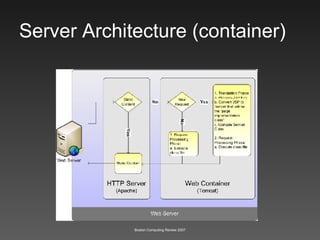
Server Architecture (container)
Application Servers Tomcat Apache who? JBOSS Resin BEA WebLogic WebSphere JRUN… (not so much)
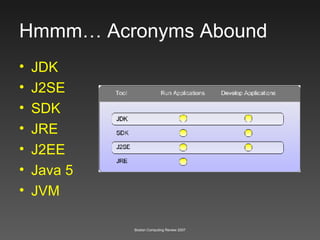
Hmmm… Acronyms Abound JDK J2SE SDK JRE J2EE Java 5 JVM
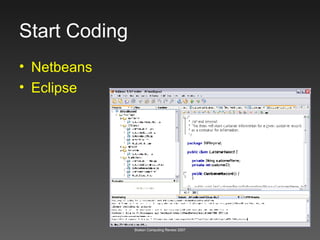
Start Coding Netbeans Eclipse
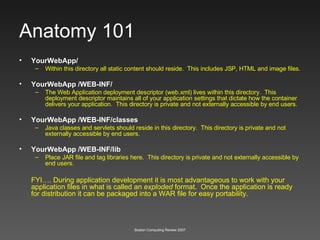
Anatomy 101 YourWebApp/ Within this directory all static content should reside.  This includes JSP, HTML and image files.  YourWebApp /WEB-INF/ The Web Application deployment descriptor (web.xml) lives within this directory.  This deployment descriptor maintains all of your application settings that dictate how the container delivers your application.  This directory is private and not externally accessible by end users. YourWebApp /WEB-INF/classes Java classes and servlets should reside in this directory.  This directory is private and not externally accessible by end users. YourWebApp /WEB-INF/lib Place JAR file and tag libraries here.  This directory is private and not externally accessible by end users. FYI…. During application development it is most advantageous to work with your application files in what is called an  exploded  format.  Once the application is ready for distribution it can be packaged into a WAR file for easy portability.
WARs JARs and EARs? WAR One big zip file for an application, no fighting! JAR Zip file with classes EAR Lots of WARs, JARs For Enterprise (not Kirk and Spock)
JSP Dissected
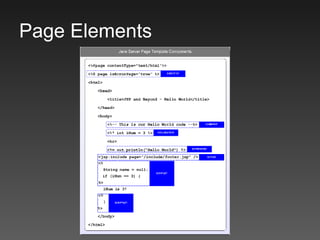
Page Elements
Scriptlet <% … %> Inline Code (yuck) <table> <% String months[] =  {&quot;Jan&quot;, &quot;Feb&quot;, &quot;Mar&quot;, &quot;Apr&quot;, &quot;May&quot;, &quot;Jun&quot;,  &quot;July&quot;, &quot;Aug&quot;, &quot;Sep&quot;, &quot;Oct&quot;, &quot;Nov&quot;, &quot;Dec&quot;}; for(int i = 0; i < months.length; i++ ) { %> <tr> <td>  Month: <%= months[i] %> </td> </tr>  <% } %> </table>
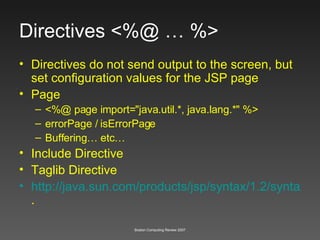
Directives <%@ … %> Directives do not send output to the screen, but set configuration values for the JSP page  Page <%@ page import=&quot;java.util.*, java.lang.*&quot; %>   errorPage / isErrorPage Buffering… etc… Include Directive Taglib Directive http://java.sun.com/products/jsp/syntax/1.2/syntaxref1210.html .
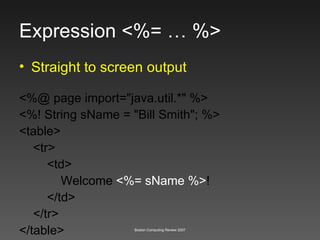
Expression <%= … %> <%@ page import=&quot;java.util.*&quot; %> <%! String sName = &quot;Bill Smith&quot;; %> <table> <tr> <td> Welcome  <%= sName %> ! </td> </tr> </table> Straight to screen output
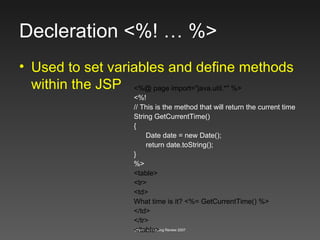
Decleration <%! … %> Used to set variables and define methods within the JSP <%@ page import=&quot;java.util.*&quot; %> <%! // This is the method that will return the current time String GetCurrentTime() { Date date = new Date(); return date.toString(); } %> <table> <tr> <td> What time is it? <%= GetCurrentTime() %> </td> </tr> </table>
Comment <%-- … --%> With the JSP style comments we can keep comments inline with the code, but they will not be sent to the requestor’s browser.
Programming Elements
Implicit Objects Request Cookies, querystring variables and other pieces of data are readily accessible from the request object. Response Response is used to send information to the client.  A good example might be setting a cookie.  The following block of code send a cookie to the client that can be retrieved at a later time <% response.addCookie(myCookie) %> Session The session object is useful for storing small amounts of information that will be accessible throughout a users visit to your application or web site.  A good example might be their user ID so you will not have to continually query a database to find this information Etc…..
Coffee Time - JavaBeans Provide a simple interface for storing, retrieving information and other complex operations through a very simple XML tag By using this level of integration with JSP JavaBeans can help us to separate the presentation (HTML) from the business logic that the Beans handle Value VS Utility Reuse Reuse
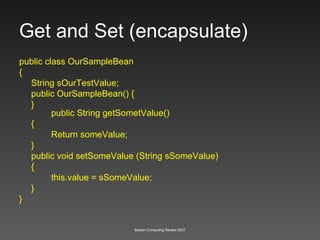
Get and Set (encapsulate) public class OurSampleBean { String sOurTestValue; public OurSampleBean() { } public String getSometValue() { Return someValue; } public void setSomeValue (String sSomeValue) { this.value = sSomeValue; } }
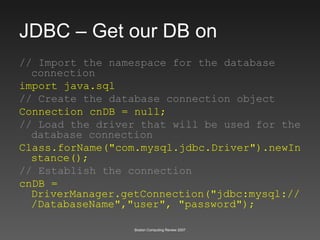
JDBC – Get our DB on // Import the namespace for the database connection import java.sql // Create the database connection object Connection cnDB = null; // Load the driver that will be used for the database connection Class.forName(&quot;com.mysql.jdbc.Driver&quot;).newInstance(); // Establish the connection cnDB = DriverManager.getConnection(&quot;jdbc:mysql:///DatabaseName&quot;,&quot;user&quot;, &quot;password&quot;);
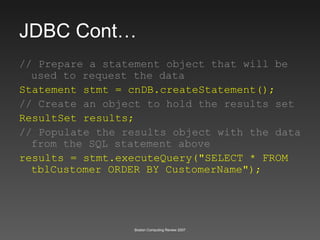
JDBC Cont… // Prepare a statement object that will be used to request the data Statement stmt = cnDB.createStatement();   // Create an object to hold the results set ResultSet results; // Populate the results object with the data from the SQL statement above results = stmt.executeQuery(&quot;SELECT * FROM tblCustomer ORDER BY CustomerName&quot;);
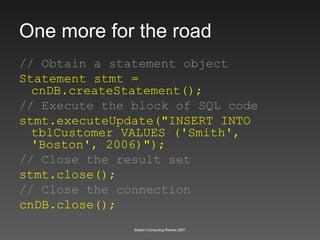
One more for the road // Obtain a statement object Statement stmt = cnDB.createStatement();  // Execute the block of SQL code stmt.executeUpdate(&quot;INSERT INTO tblCustomer VALUES ('Smith', 'Boston', 2006)&quot;); // Close the result set stmt.close(); // Close the connection cnDB.close();
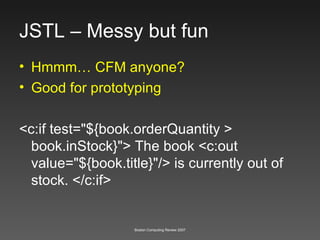
JSTL – Messy but fun Hmmm… CFM anyone? Good for prototyping <c:if test=&quot;${book.orderQuantity > book.inStock}&quot;> The book <c:out value=&quot;${book.title}&quot;/> is currently out of stock. </c:if>
And then some…
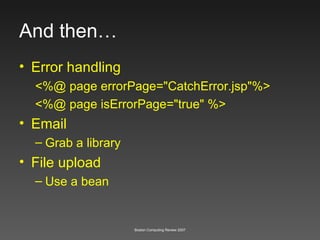
And then… Error handling <%@ page errorPage=&quot;CatchError.jsp&quot;%> <%@ page isErrorPage=&quot;true&quot; %> Email Grab a library File upload Use a bean
Next Level MVC and Frameworks JSF, Struts
Thanks for your time!

Boston Computing Review - Java Server Pages

  • 1.
    Boston Computing ReviewPragmatic Architectural Overview Java Server Pages John Brunswick
  • 2.
    Why? Thisis so old school. History and Pains of Web Development Foundation Development Tools Anatomy Nuts and Bolts Over the Horizon
  • 3.
    Why? Itis not sexy. Presentation Layer for J2EE Nobody owns it It is here and not going anywhere What do non-Microsoft projects get developed with? Yup. Oracle, BEA, IBM, SAP, EMC, HP… and on and on. Want to code in the enterprise? API heaven Frameworks JSF and others
  • 4.
    History Step intothe time machine
  • 5.
    Common Gateway Interface(CGI) CGI is not a programming language Most CGI programs are written in Perl Issues Scalability Security Debugging Seperation of Presentation and Logic
  • 6.
    Classic ASP (3.0)Single platform (MS) Mixed presentation and logic Run time interpretation
  • 7.
    Hypertext Preprocessor (PHP)Lacks OO Design Runtime interpretation Mixed presentation and logic
  • 8.
    Coldfusion Markup Language(CFM) Depth Scalability Enterprise Interoperability
  • 9.
    ASP.NET Platform (MS)Lacks MVC Cost
  • 10.
    Emerging Web ApplicationFrameworks ROR Django
  • 11.
  • 12.
    Foundation Overview JSPis actually servlets! Application / HTTP Server Acronym Overload How do we develop? Application Anatomy 101 JDBC
  • 13.
    Servlet JSPHelloWorld Servlet package org.apache.jsp; import javax.servlet.*; import javax.servlet.http.*; import javax.servlet.jsp.*; public final class index_jsp extends org.apache.jasper.runtime.HttpJspBase implements org.apache.jasper.runtime.JspSourceDependent { private static java.util.Vector _jspx_dependants; public java.util.List getDependants() { return _jspx_dependants; } public void _jspService(HttpServletRequest request, HttpServletResponse response) throws java.io.IOException, ServletException { JspFactory _jspxFactory = null; PageContext pageContext = null; HttpSession session = null; ServletContext application = null; ServletConfig config = null; JspWriter out = null; Object page = this; JspWriter _jspx_out = null; PageContext _jspx_page_context = null; try { _jspxFactory = JspFactory.getDefaultFactory(); response.setContentType(&quot;text/html&quot;); pageContext = _jspxFactory.getPageContext(this, request, response, null, true, 8192, true); _jspx_page_context = pageContext; application = pageContext.getServletContext(); config = pageContext.getServletConfig(); session = pageContext.getSession(); out = pageContext.getOut(); _jspx_out = out; out.write(&quot;<html>\n&quot;); out.write(&quot; <head>\n&quot;); out.write(&quot; <title>JSP and Beyond Hello World</title>\n&quot;); out.write(&quot; </head>\n&quot;); out.write(&quot; <body>\n&quot;); out.write(&quot; Hello World \n&quot;); out.write(&quot; </body>\n&quot;); out.write(&quot;</html>\n&quot;); } catch (Throwable t) { if (!(t instanceof SkipPageException)){ out = _jspx_out; if (out != null && out.getBufferSize() != 0) out.clearBuffer(); if (_jspx_page_context != null) _jspx_page_context.handlePageException(t); } } finally { if (_jspxFactory != null) _jspxFactory.releasePageContext(_jspx_page_context); } } } <html> <head> <title>JSP and Beyond Hello World</title> </head> <body> Hello World </body> </html>
  • 14.
  • 15.
    Application Servers TomcatApache who? JBOSS Resin BEA WebLogic WebSphere JRUN… (not so much)
  • 16.
    Hmmm… Acronyms AboundJDK J2SE SDK JRE J2EE Java 5 JVM
  • 17.
  • 18.
    Anatomy 101 YourWebApp/Within this directory all static content should reside. This includes JSP, HTML and image files. YourWebApp /WEB-INF/ The Web Application deployment descriptor (web.xml) lives within this directory. This deployment descriptor maintains all of your application settings that dictate how the container delivers your application. This directory is private and not externally accessible by end users. YourWebApp /WEB-INF/classes Java classes and servlets should reside in this directory. This directory is private and not externally accessible by end users. YourWebApp /WEB-INF/lib Place JAR file and tag libraries here. This directory is private and not externally accessible by end users. FYI…. During application development it is most advantageous to work with your application files in what is called an exploded format. Once the application is ready for distribution it can be packaged into a WAR file for easy portability.
  • 19.
    WARs JARs andEARs? WAR One big zip file for an application, no fighting! JAR Zip file with classes EAR Lots of WARs, JARs For Enterprise (not Kirk and Spock)
  • 20.
  • 21.
  • 22.
    Scriptlet <% …%> Inline Code (yuck) <table> <% String months[] = {&quot;Jan&quot;, &quot;Feb&quot;, &quot;Mar&quot;, &quot;Apr&quot;, &quot;May&quot;, &quot;Jun&quot;, &quot;July&quot;, &quot;Aug&quot;, &quot;Sep&quot;, &quot;Oct&quot;, &quot;Nov&quot;, &quot;Dec&quot;}; for(int i = 0; i < months.length; i++ ) { %> <tr> <td> Month: <%= months[i] %> </td> </tr> <% } %> </table>
  • 23.
    Directives <%@ …%> Directives do not send output to the screen, but set configuration values for the JSP page Page <%@ page import=&quot;java.util.*, java.lang.*&quot; %> errorPage / isErrorPage Buffering… etc… Include Directive Taglib Directive http://java.sun.com/products/jsp/syntax/1.2/syntaxref1210.html .
  • 24.
    Expression <%= …%> <%@ page import=&quot;java.util.*&quot; %> <%! String sName = &quot;Bill Smith&quot;; %> <table> <tr> <td> Welcome <%= sName %> ! </td> </tr> </table> Straight to screen output
  • 25.
    Decleration <%! …%> Used to set variables and define methods within the JSP <%@ page import=&quot;java.util.*&quot; %> <%! // This is the method that will return the current time String GetCurrentTime() { Date date = new Date(); return date.toString(); } %> <table> <tr> <td> What time is it? <%= GetCurrentTime() %> </td> </tr> </table>
  • 26.
    Comment <%-- …--%> With the JSP style comments we can keep comments inline with the code, but they will not be sent to the requestor’s browser.
  • 27.
  • 28.
    Implicit Objects RequestCookies, querystring variables and other pieces of data are readily accessible from the request object. Response Response is used to send information to the client. A good example might be setting a cookie. The following block of code send a cookie to the client that can be retrieved at a later time <% response.addCookie(myCookie) %> Session The session object is useful for storing small amounts of information that will be accessible throughout a users visit to your application or web site. A good example might be their user ID so you will not have to continually query a database to find this information Etc…..
  • 29.
    Coffee Time -JavaBeans Provide a simple interface for storing, retrieving information and other complex operations through a very simple XML tag By using this level of integration with JSP JavaBeans can help us to separate the presentation (HTML) from the business logic that the Beans handle Value VS Utility Reuse Reuse
  • 30.
    Get and Set(encapsulate) public class OurSampleBean { String sOurTestValue; public OurSampleBean() { } public String getSometValue() { Return someValue; } public void setSomeValue (String sSomeValue) { this.value = sSomeValue; } }
  • 31.
    JDBC – Getour DB on // Import the namespace for the database connection import java.sql // Create the database connection object Connection cnDB = null; // Load the driver that will be used for the database connection Class.forName(&quot;com.mysql.jdbc.Driver&quot;).newInstance(); // Establish the connection cnDB = DriverManager.getConnection(&quot;jdbc:mysql:///DatabaseName&quot;,&quot;user&quot;, &quot;password&quot;);
  • 32.
    JDBC Cont… //Prepare a statement object that will be used to request the data Statement stmt = cnDB.createStatement(); // Create an object to hold the results set ResultSet results; // Populate the results object with the data from the SQL statement above results = stmt.executeQuery(&quot;SELECT * FROM tblCustomer ORDER BY CustomerName&quot;);
  • 33.
    One more forthe road // Obtain a statement object Statement stmt = cnDB.createStatement(); // Execute the block of SQL code stmt.executeUpdate(&quot;INSERT INTO tblCustomer VALUES ('Smith', 'Boston', 2006)&quot;); // Close the result set stmt.close(); // Close the connection cnDB.close();
  • 34.
    JSTL – Messybut fun Hmmm… CFM anyone? Good for prototyping <c:if test=&quot;${book.orderQuantity > book.inStock}&quot;> The book <c:out value=&quot;${book.title}&quot;/> is currently out of stock. </c:if>
  • 35.
  • 36.
    And then… Errorhandling <%@ page errorPage=&quot;CatchError.jsp&quot;%> <%@ page isErrorPage=&quot;true&quot; %> Email Grab a library File upload Use a bean
  • 37.
    Next Level MVCand Frameworks JSF, Struts
  • 38.