
Trainer = Subhasis Nayak CMC
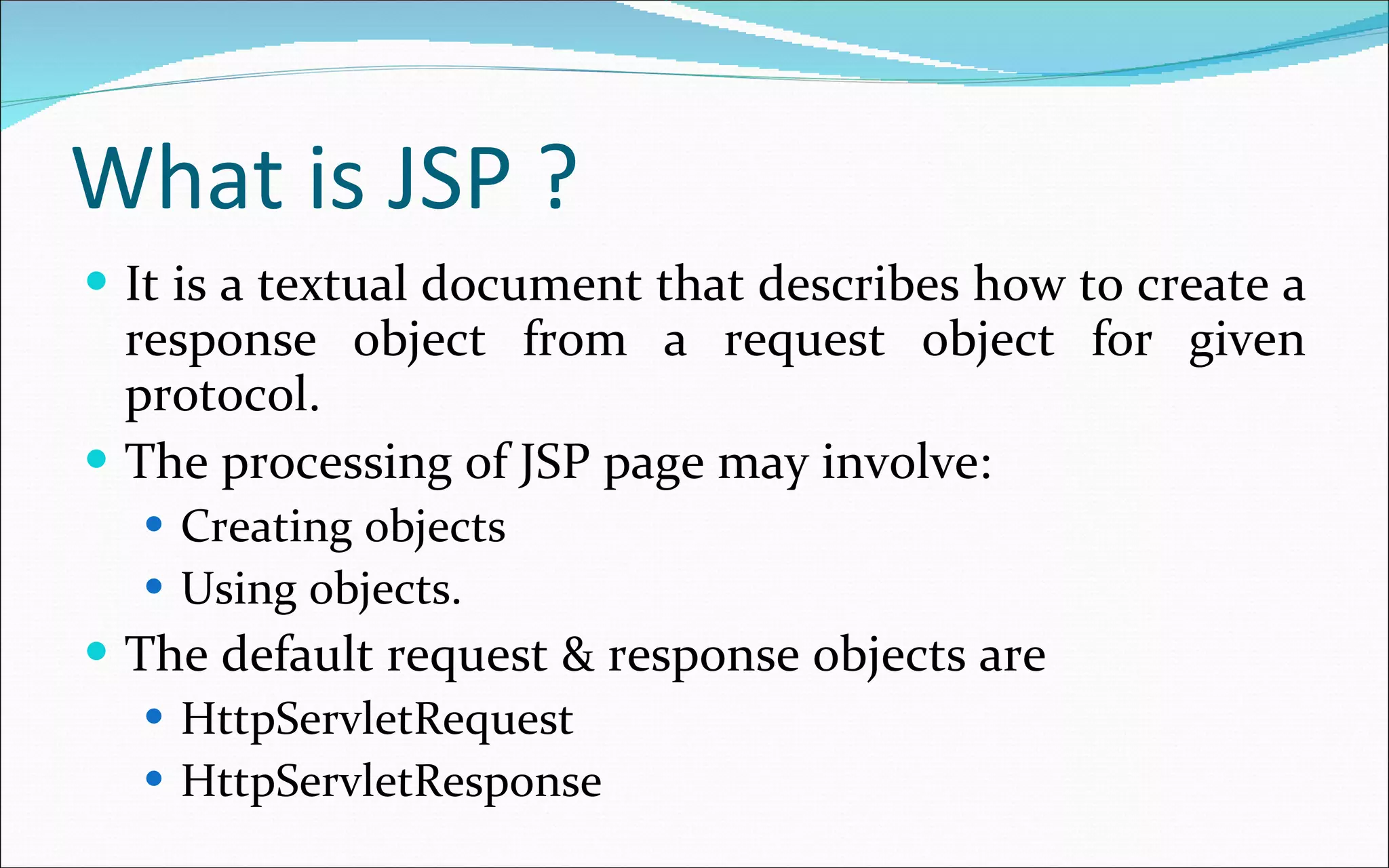
What is JSP ? It is a textual document that describes how to create a response object from a request object for given protocol. The processing of JSP page may involve: Creating objects Using objects. The default request & response objects are HttpServletRequest HttpServletResponse
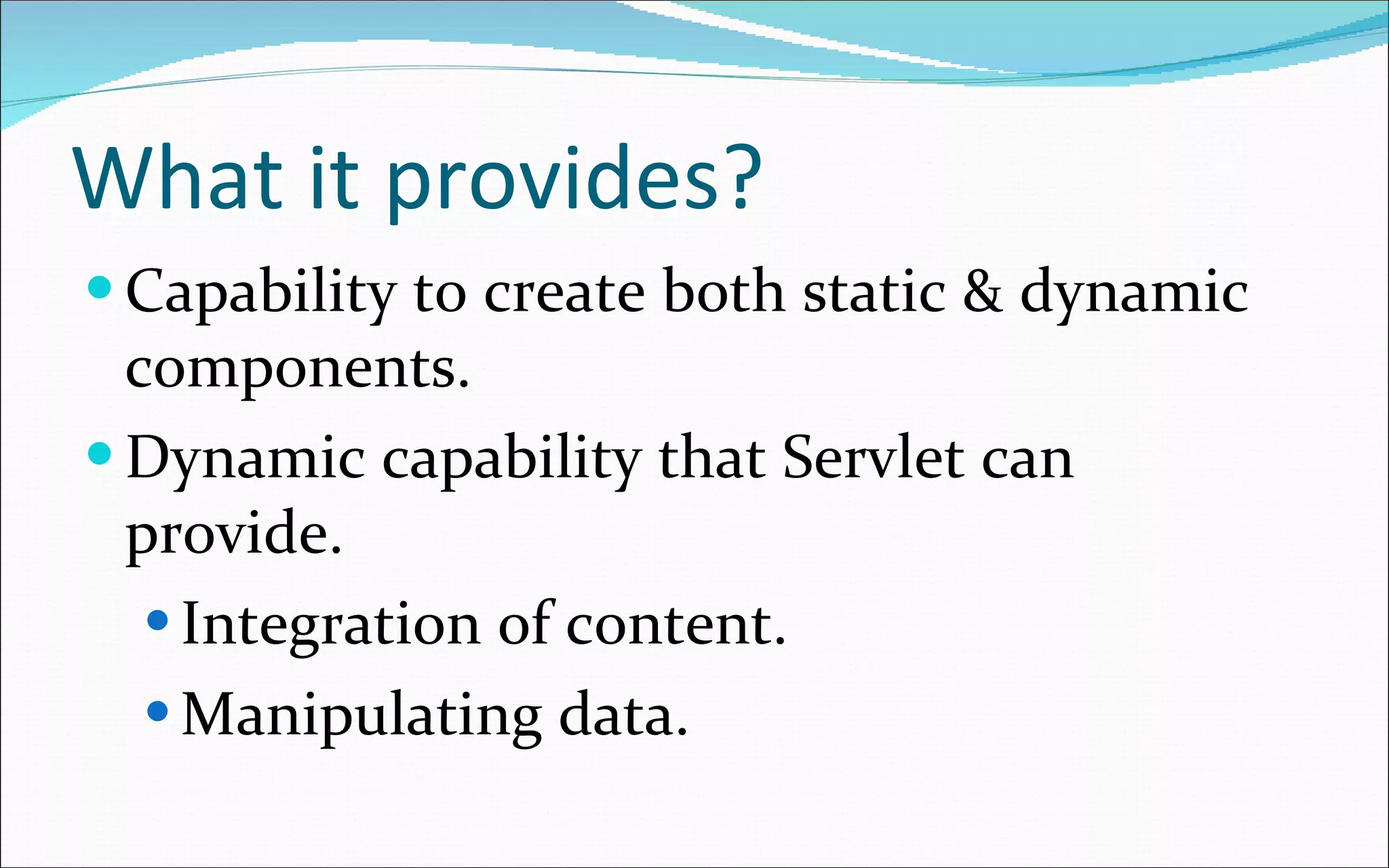
What it provides? Capability to create both static & dynamic components. Dynamic capability that Servlet can provide. Integration of content. Manipulating data.
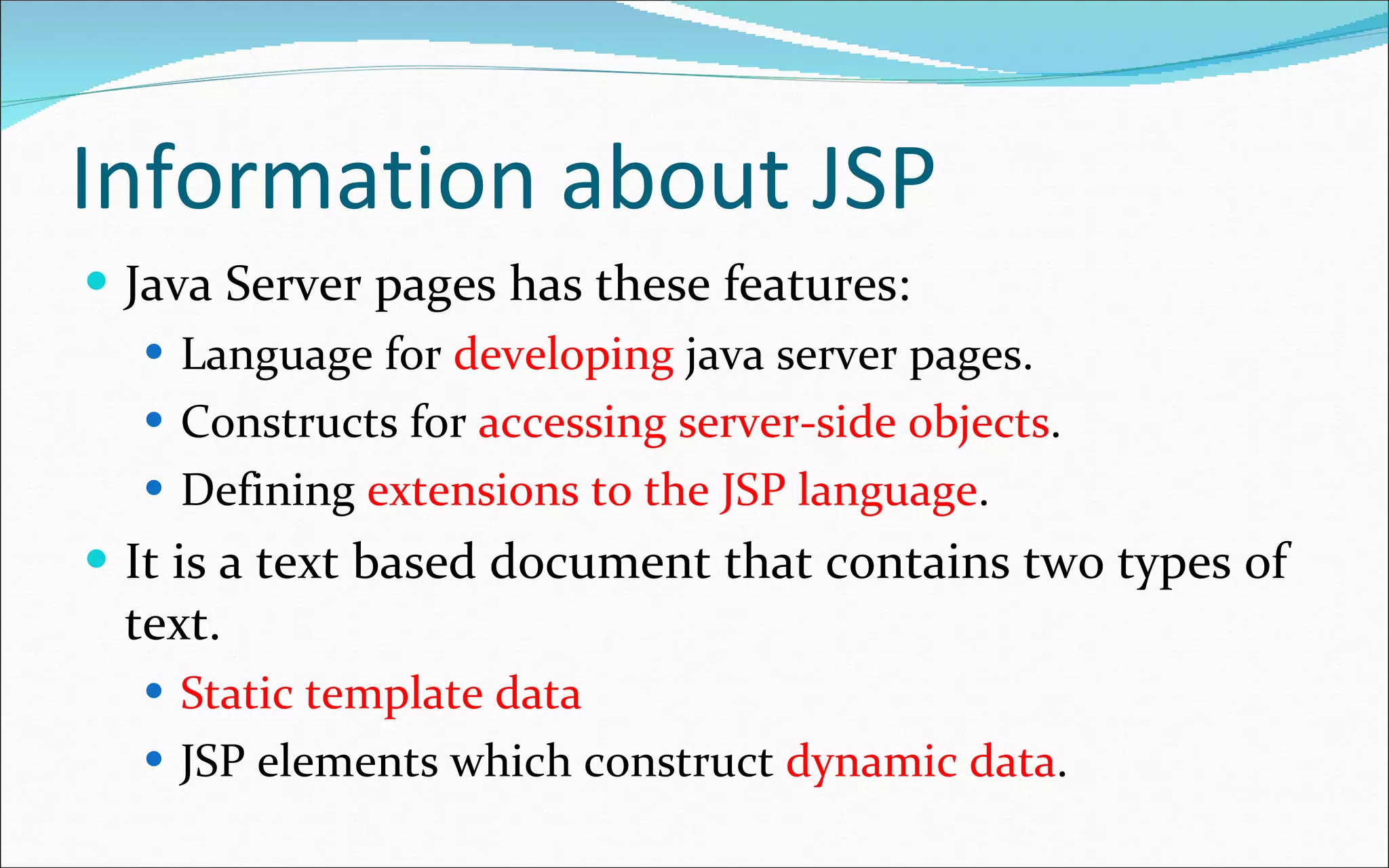
Information about JSP Java Server pages has these features: Language for  developing  java server pages. Constructs for  accessing server-side objects . Defining  extensions to the JSP language . It is a text based document that contains two types of text. Static template data JSP elements which construct  dynamic data .
JSP life cycle Some how similar to Servlet life cycle. When any request mapped to a JSP, it is handled by a  special Servlet event. Servlet  checks  the java Server  Page’s  Servlet  is older than the  java Server  Page . If so it  translates  to java Server  Page  into a  Servlet class  & compiles the class. Next the Servlet sends  response  to the java server page.
Advantages of JSP Build  process is performed  automatically . Translation phase  treat each data type in  java Server Pages  differently. Template data  is transformed  into code . This code  emits  that data stream that returns data to the client.  It is  faster  than Servlet.
JSP Architecture Model According to Sun  there 2 architectural model for building application using JSP & Servlet technology. Those are: JSP model 1 JSP model 2
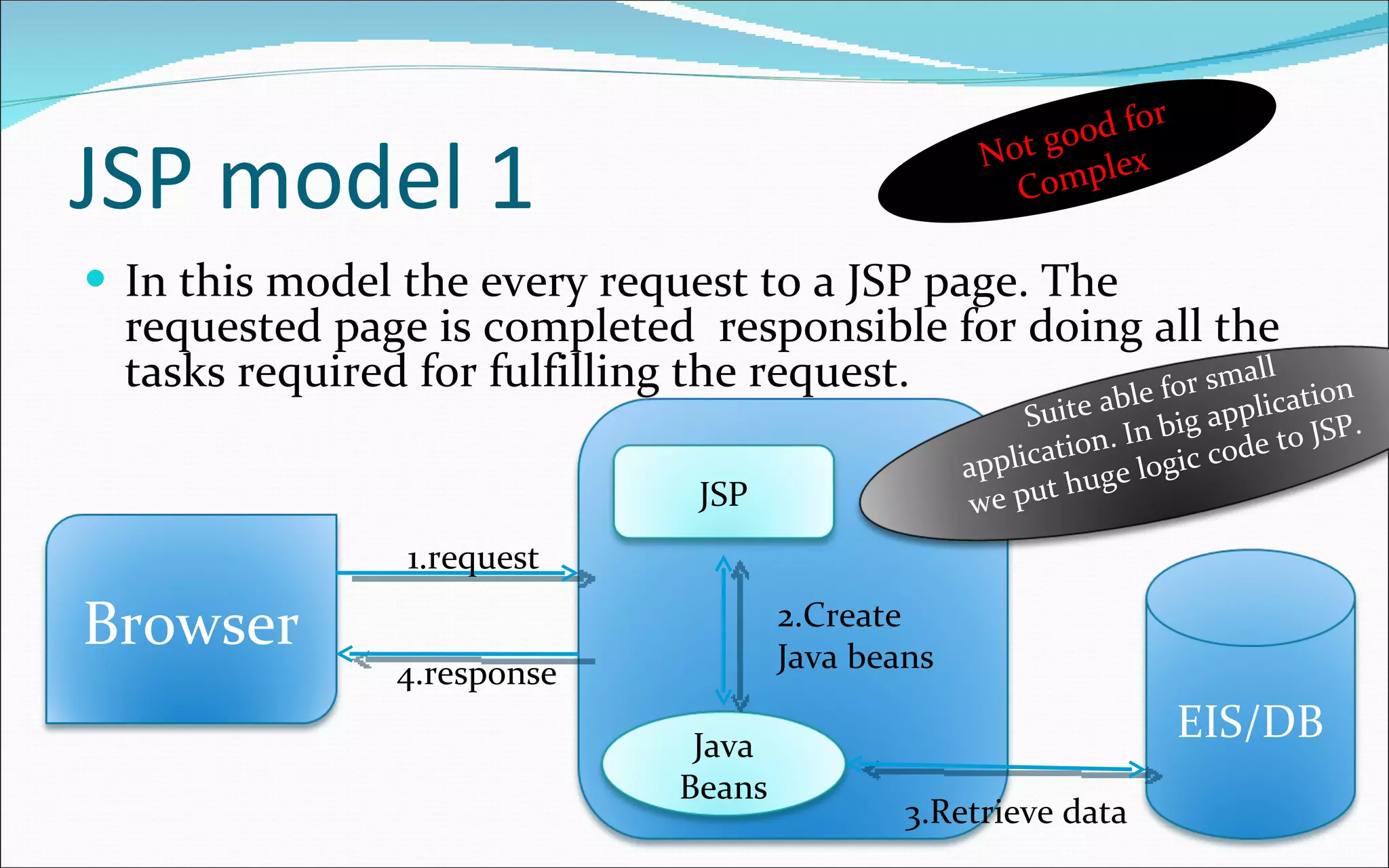
JSP model 1 In this model the every request to a JSP page. The requested page is completed  responsible for doing all the tasks required for fulfilling the request. 1.request 4.response 2.Create Java beans 3.Retrieve data Not good for Complex EIS/DB Browser JSP Java Beans Suite able for small application. In big application we put huge logic code to JSP.
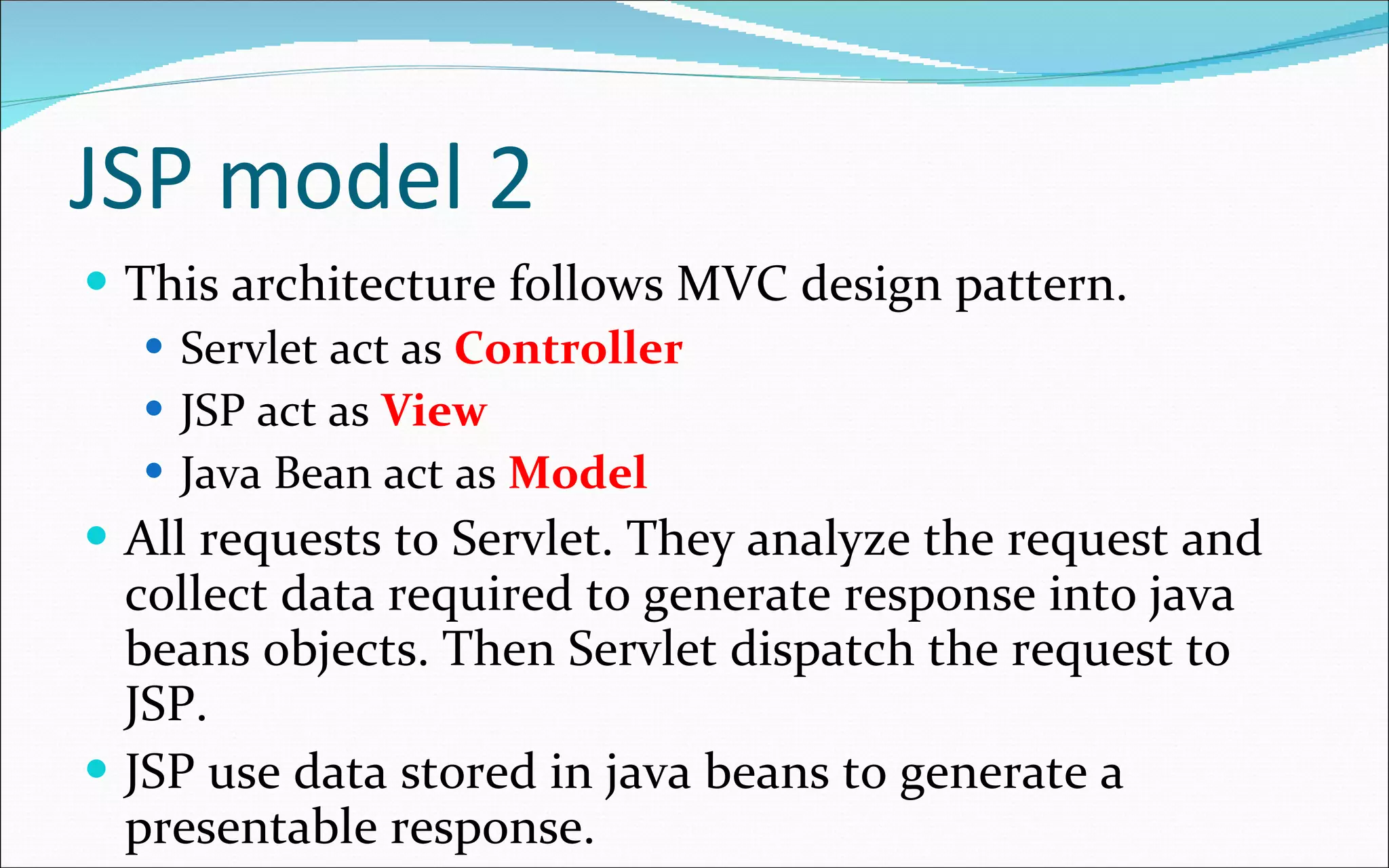
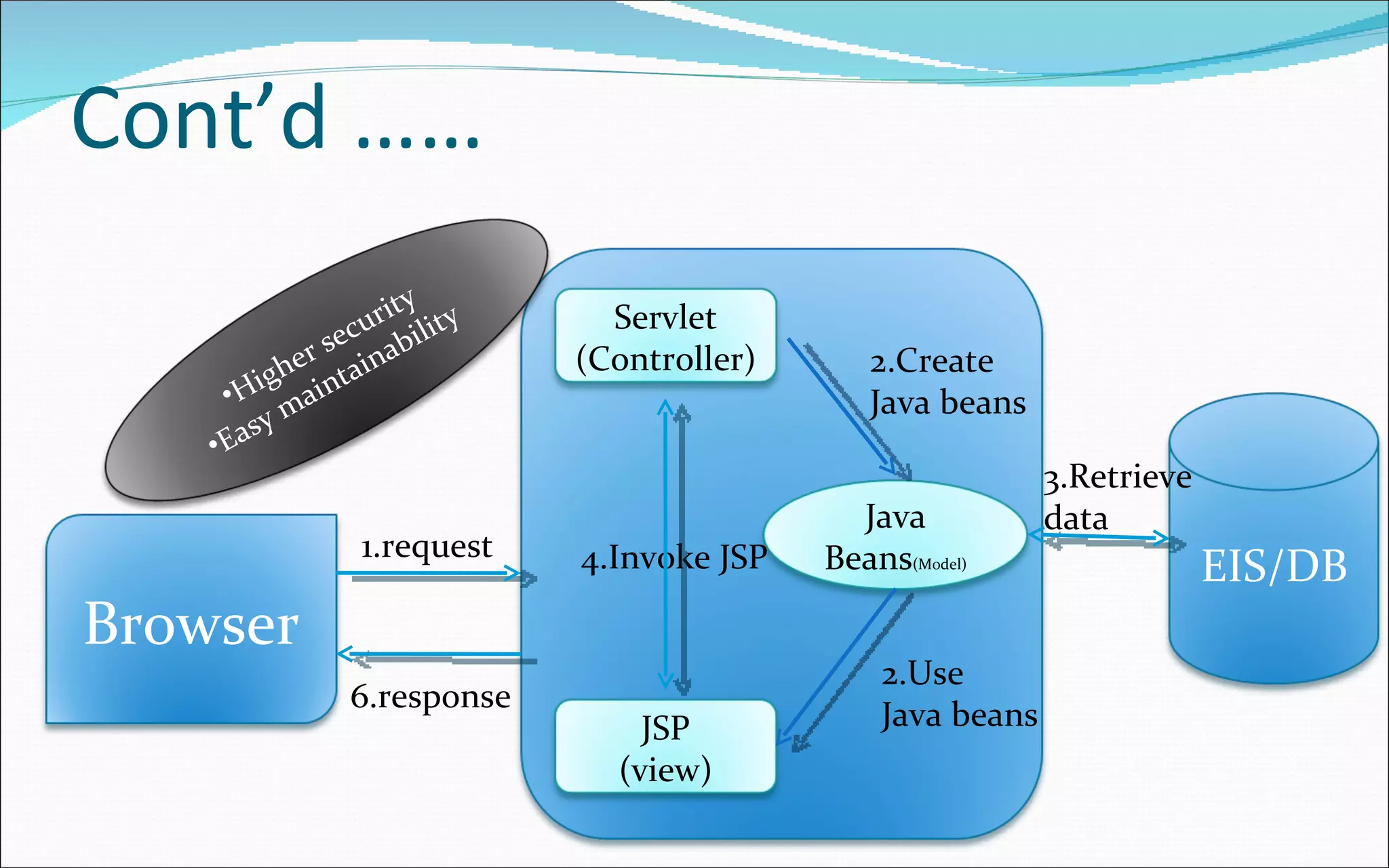
JSP model 2 This architecture follows MVC design pattern. Servlet act as  Controller JSP act as  View Java Bean act as  Model All requests to Servlet. They analyze the request and collect data required to generate response into java beans objects. Then Servlet dispatch the request to JSP. JSP use data stored in java beans to generate a presentable response.
Cont’d ……  4.Invoke JSP 6.response 2.Create Java beans 3.Retrieve data 2.Use Java beans 1.request EIS/DB Browser Servlet (Controller) Java Beans (Model) JSP (view) Higher security Easy maintainability
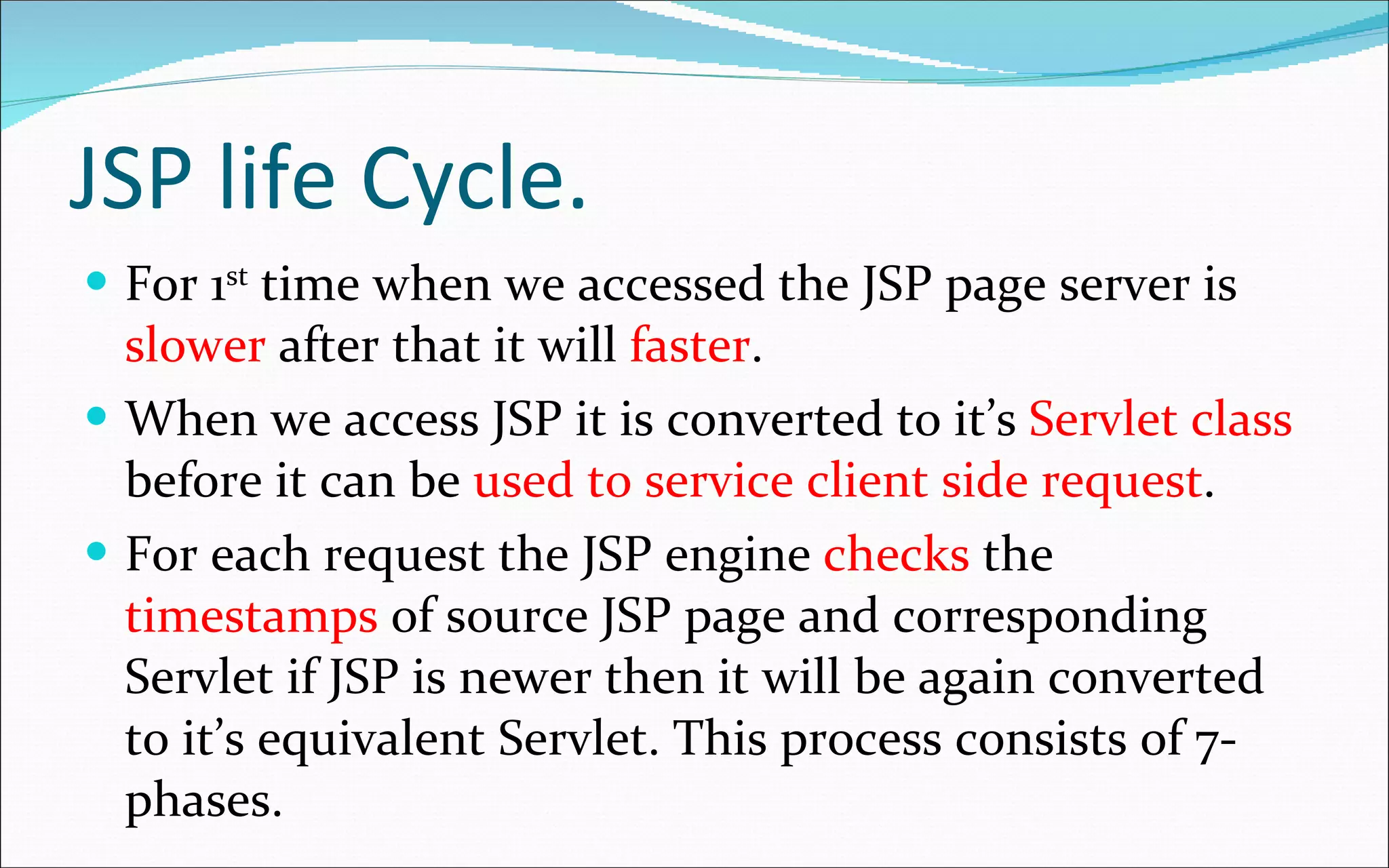
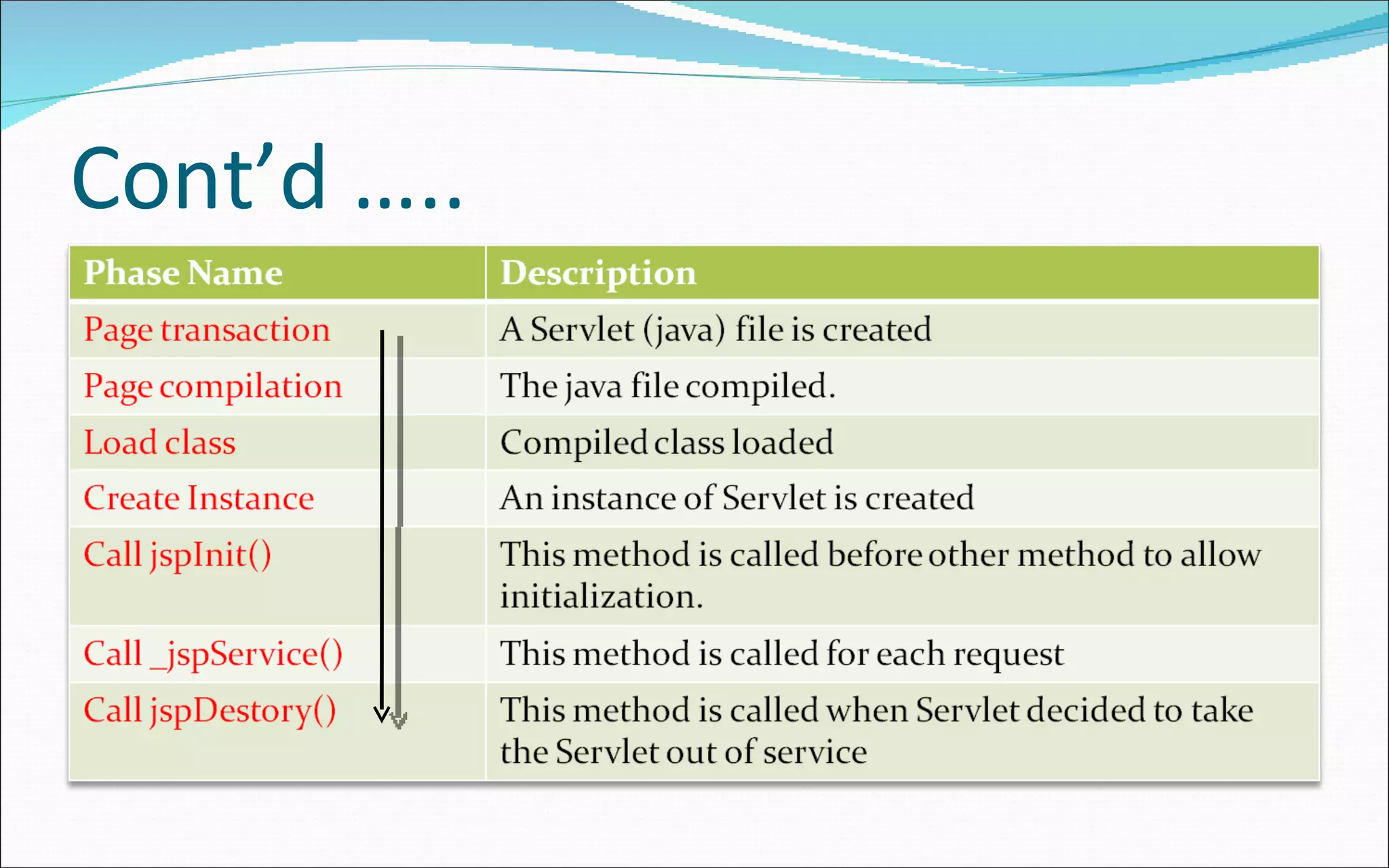
JSP life Cycle. For 1 st  time when we accessed the JSP page server is  slower  after that it will  faster . When we access JSP it is converted to it’s  Servlet class  before it can be  used to service client side request . For each request the JSP engine  checks  the  timestamps  of source JSP page and corresponding Servlet if JSP is newer then it will be again converted to it’s equivalent Servlet. This process consists of 7-phases.
Cont’d …..
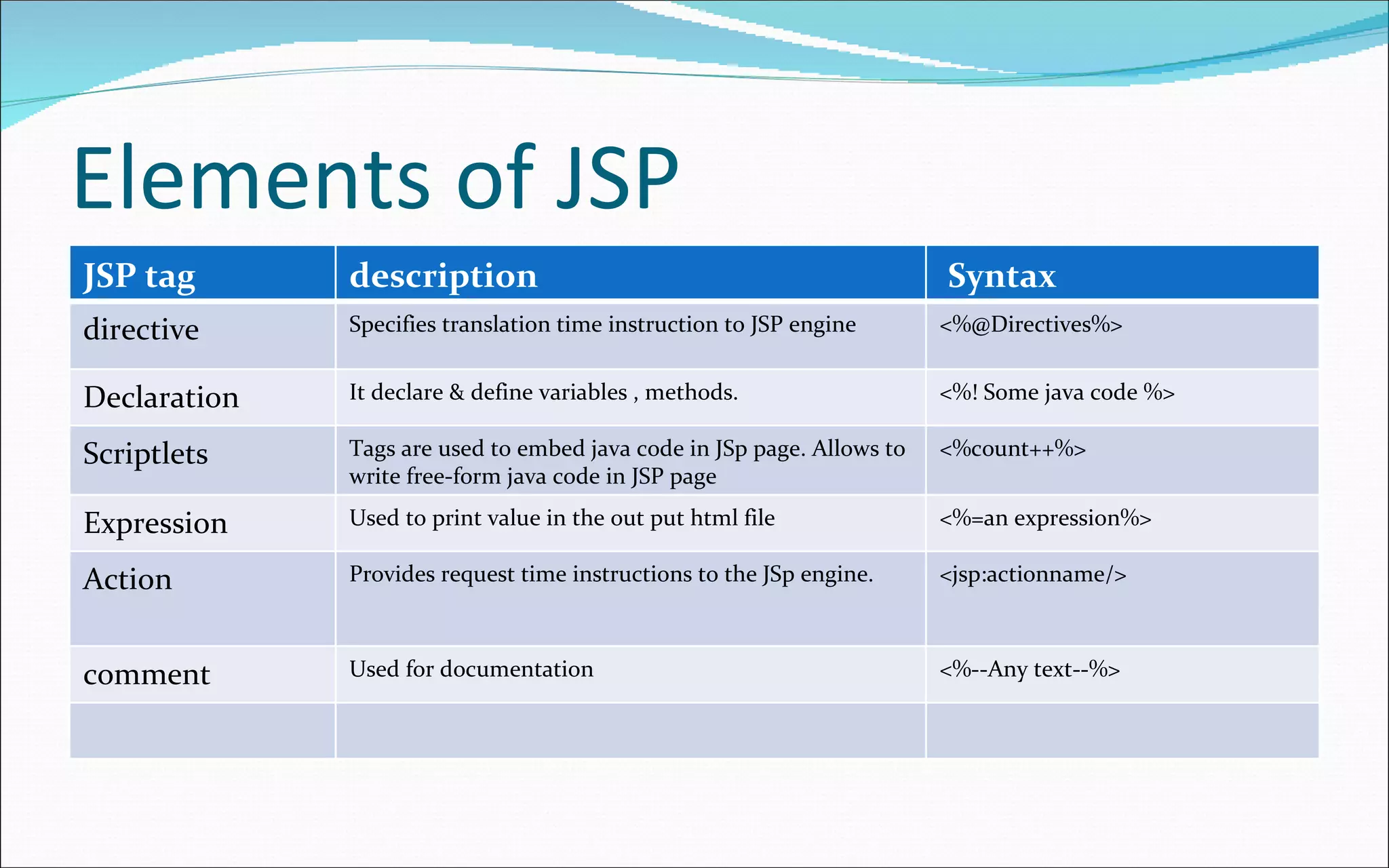
Elements of JSP JSP tag description Syntax directive Specifies translation time instruction to JSP engine <%@Directives%> Declaration It declare & define variables , methods. <%! Some java code %> Scriptlets Tags are used to embed java code in JSp page. Allows to write free-form java code in JSP page <%count++%> Expression Used to print value in the out put html file <%=an expression%> Action Provides request time instructions to the JSp engine. <jsp:actionname/> comment Used for documentation <%--Any text--%>
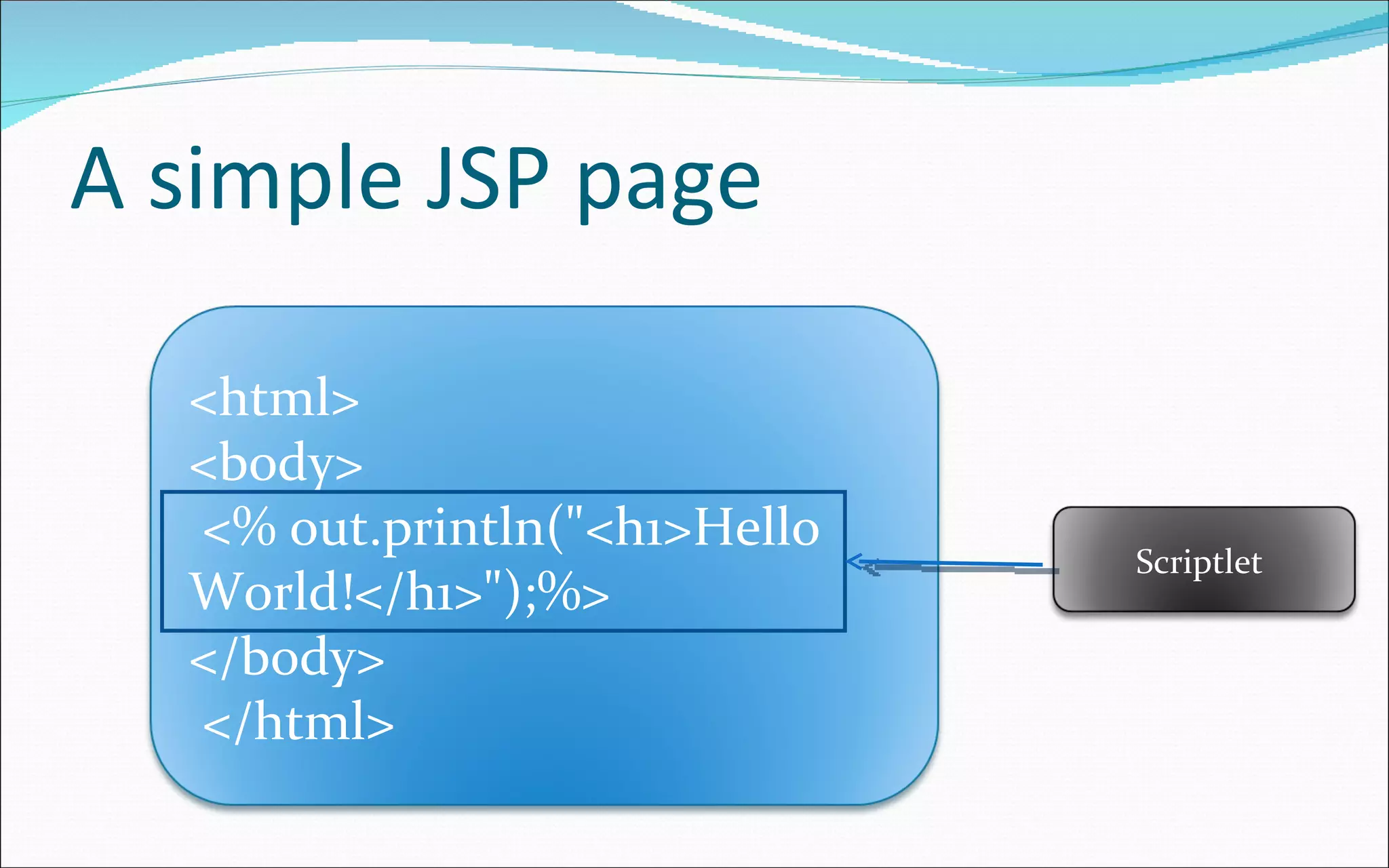
A simple JSP page <html>  <body> <% out.println(&quot;<h1>Hello World!</h1>&quot;);%>  </body> </html>  Scriptlet
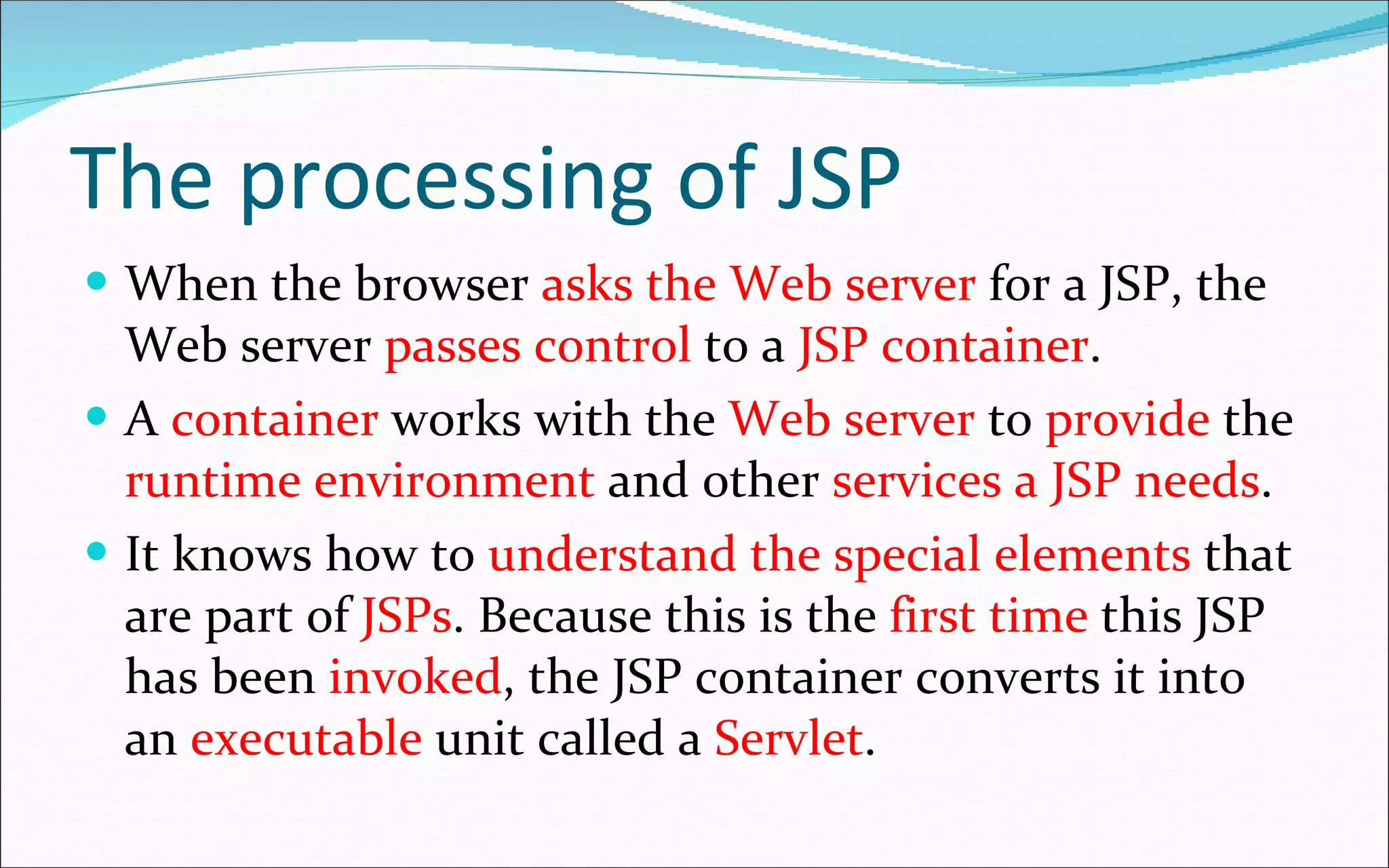
The processing of JSP When the browser  asks the Web server  for a JSP, the Web server  passes control  to a  JSP container . A  container  works with the  Web server  to  provide  the  runtime environment  and other  services a JSP needs .  It knows how to  understand the special elements  that are part of  JSPs . Because this is the  first time  this JSP has been  invoked , the JSP container converts it into an  executable  unit called a  Servlet .
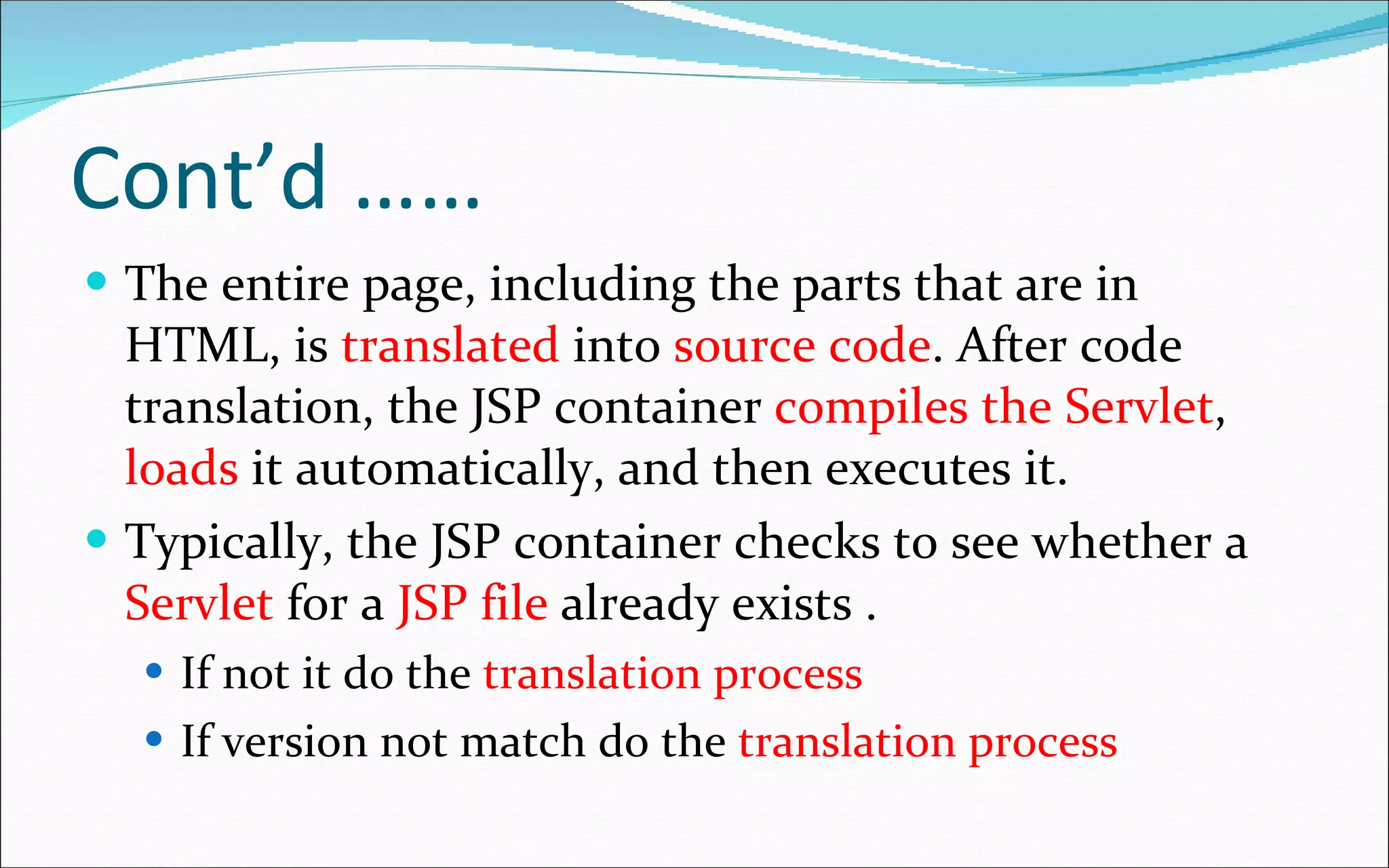
Cont’d ……  The entire page, including the parts that are in HTML, is  translated  into  source code . After code translation, the JSP container  compiles the Servlet ,  loads  it automatically, and then executes it. Typically, the JSP container checks to see whether a  Servlet  for a  JSP file  already exists . If not it do the  translation process If version not match do the  translation process
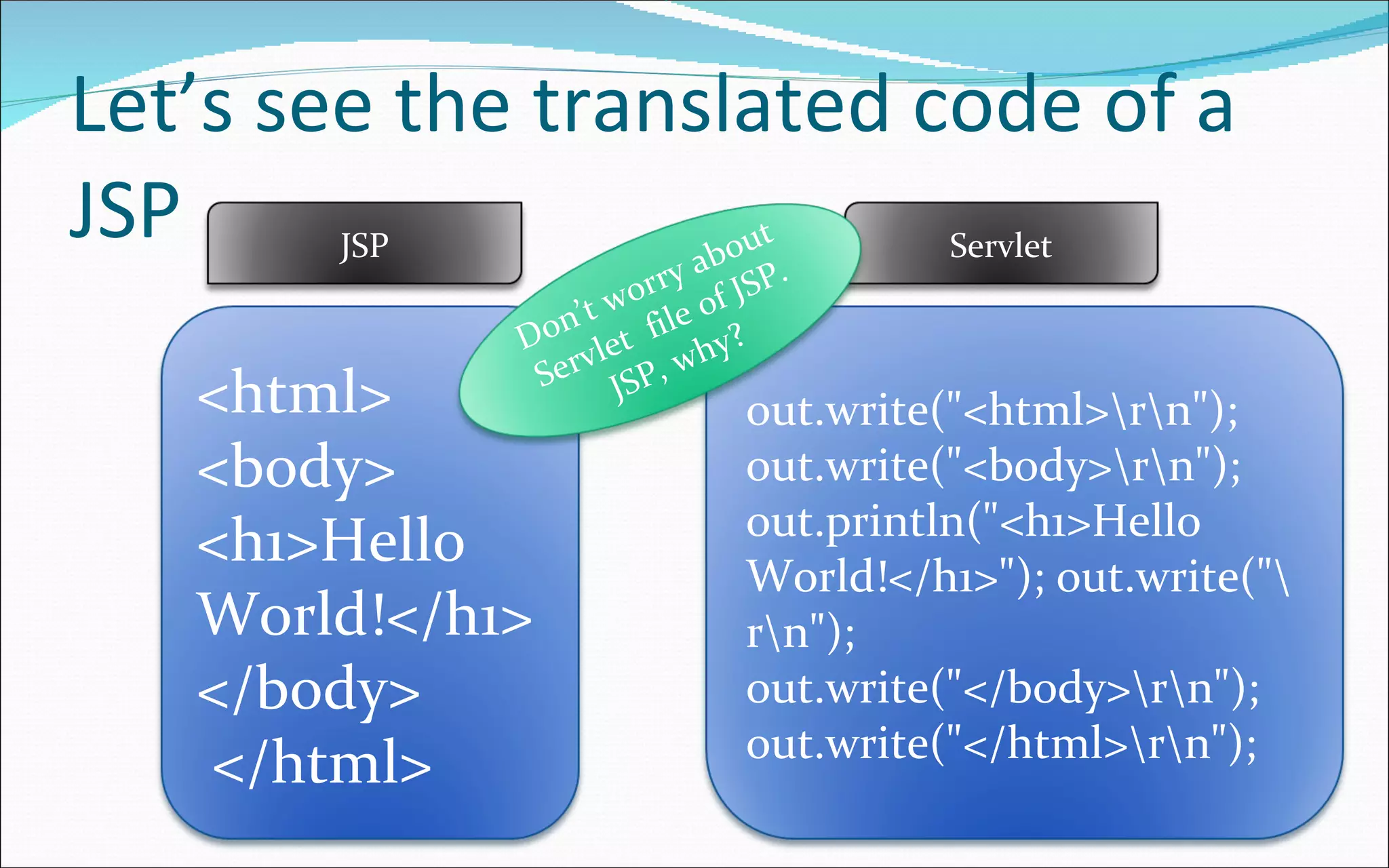
Let’s see the translated code of a JSP <html>  <body> <h1>Hello World!</h1> </body> </html> out.write(&quot;<html>\r\n&quot;); out.write(&quot;<body>\r\n&quot;); out.println(&quot;<h1>Hello World!</h1>&quot;); out.write(&quot;\r\n&quot;); out.write(&quot;</body>\r\n&quot;); out.write(&quot;</html>\r\n&quot;); JSP Servlet Don’t worry about Servlet  file of JSP. JSP, why?
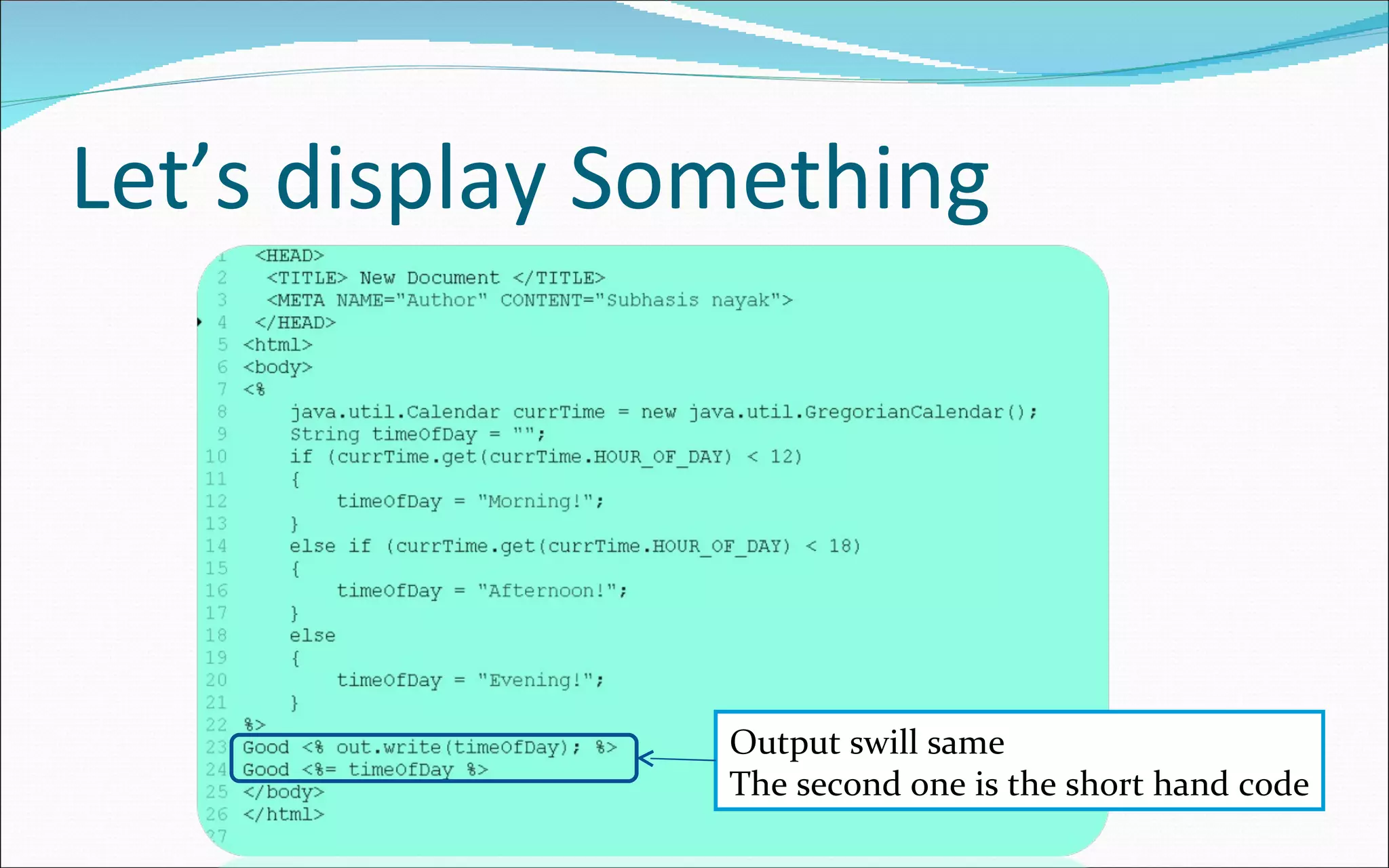
Let’s display Something Output swill same The second one is the short hand code
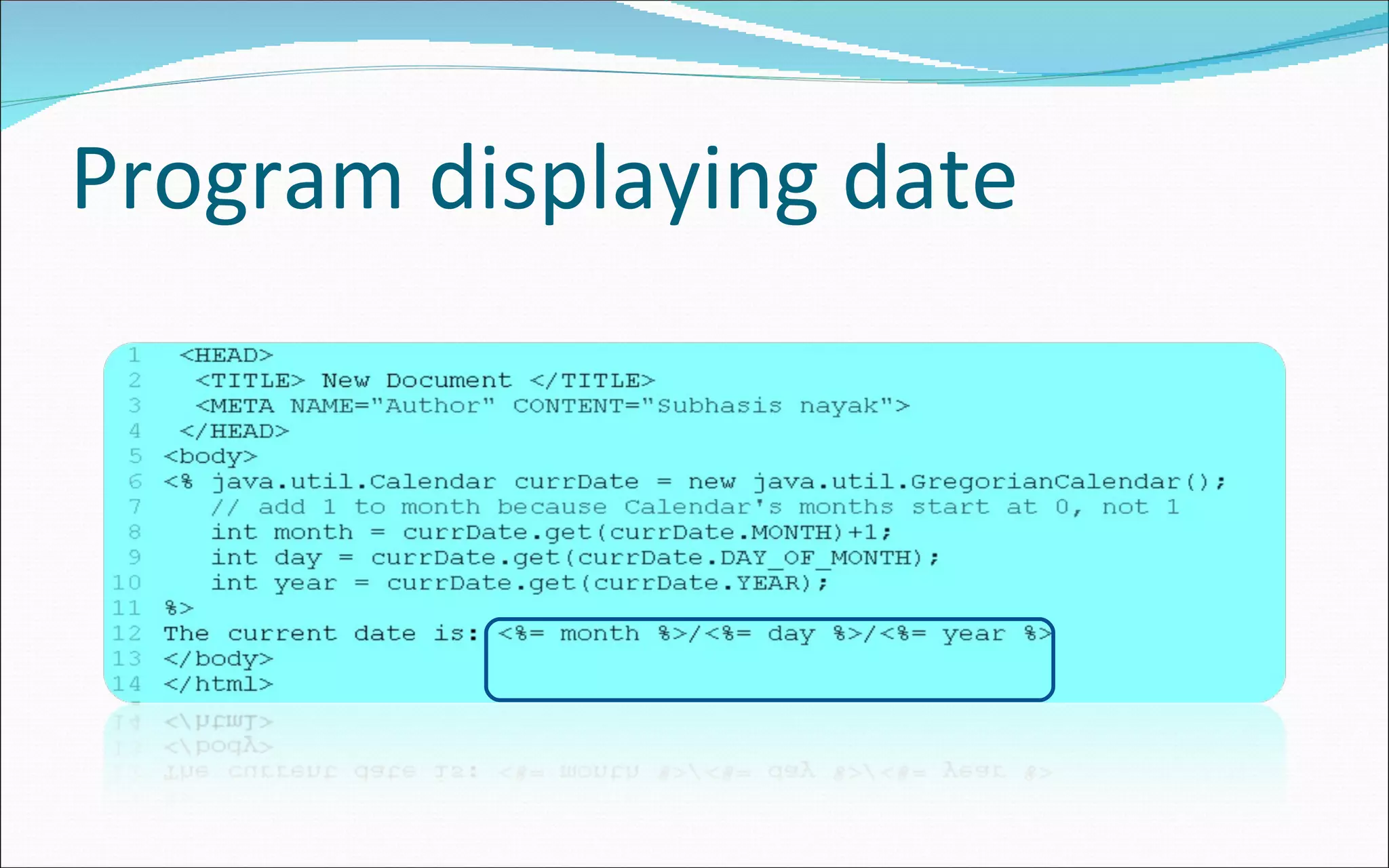
Program displaying date
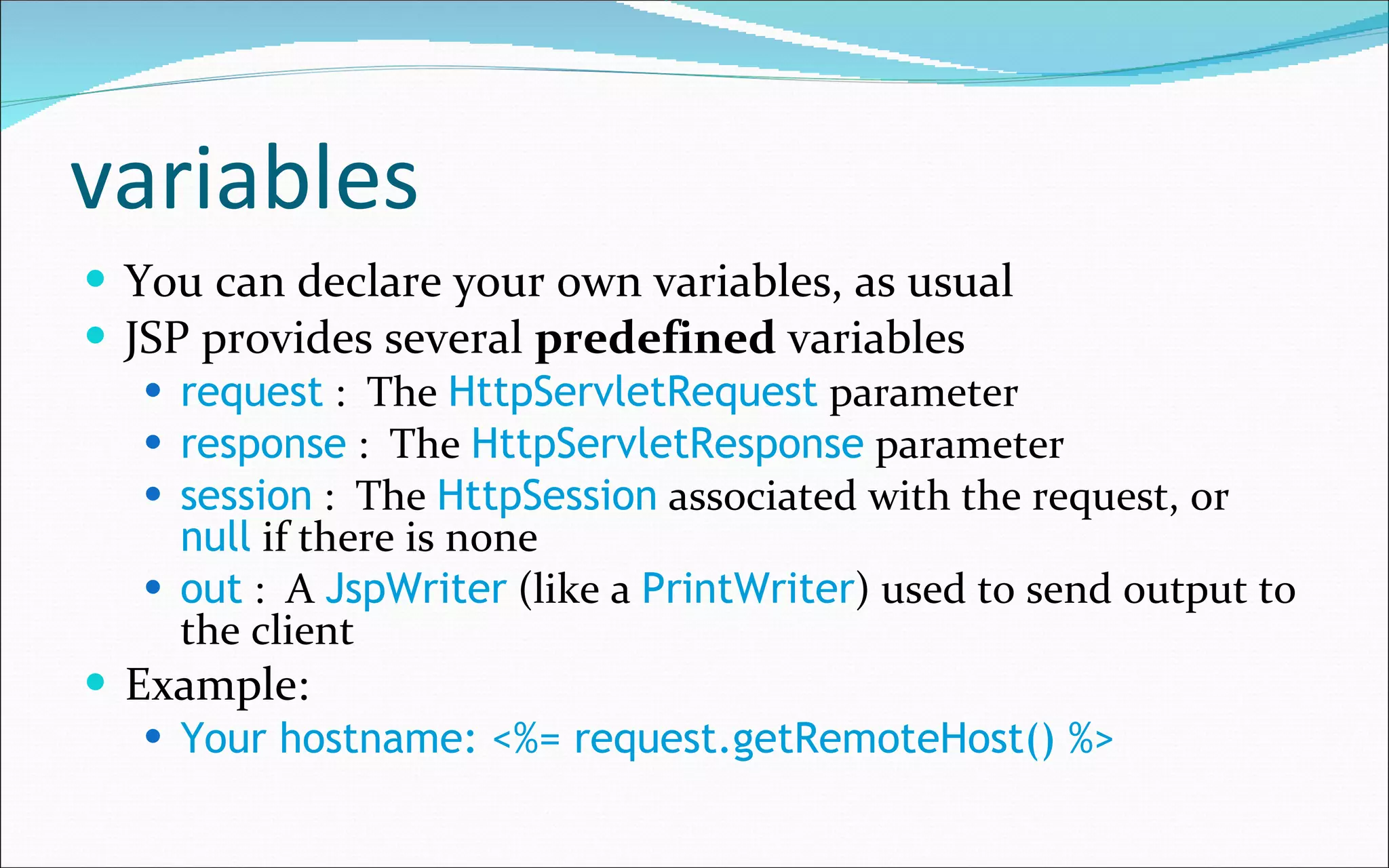
variables You can declare your own variables, as usual JSP provides several  predefined  variables request  :  The  HttpServletRequest  parameter response  :  The  HttpServletResponse  parameter session  :  The  HttpSession  associated with the request, or  null  if there is none out  :  A  JspWriter  (like a  PrintWriter ) used to send output to the client Example: Your hostname: <%= request.getRemoteHost() %>
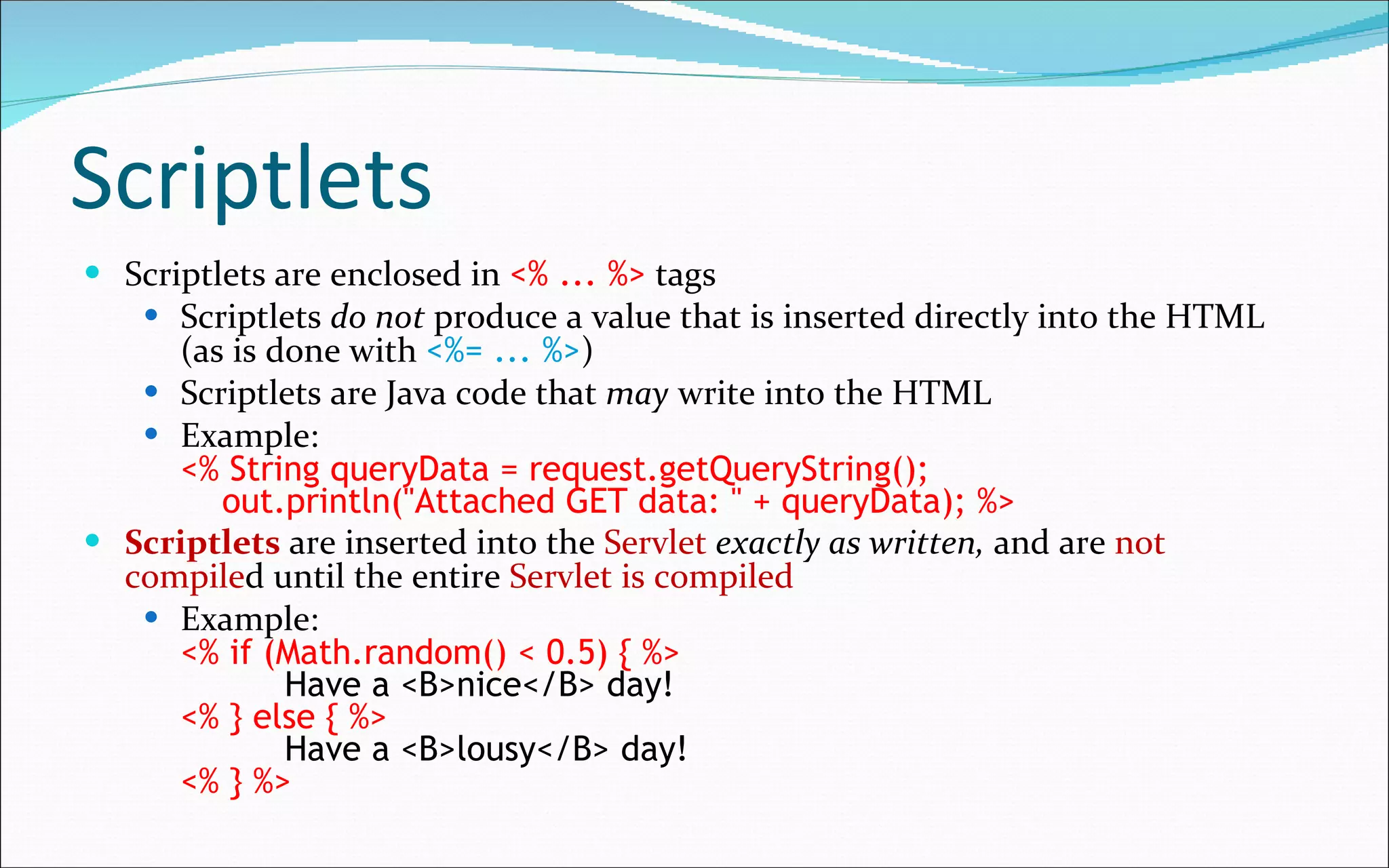
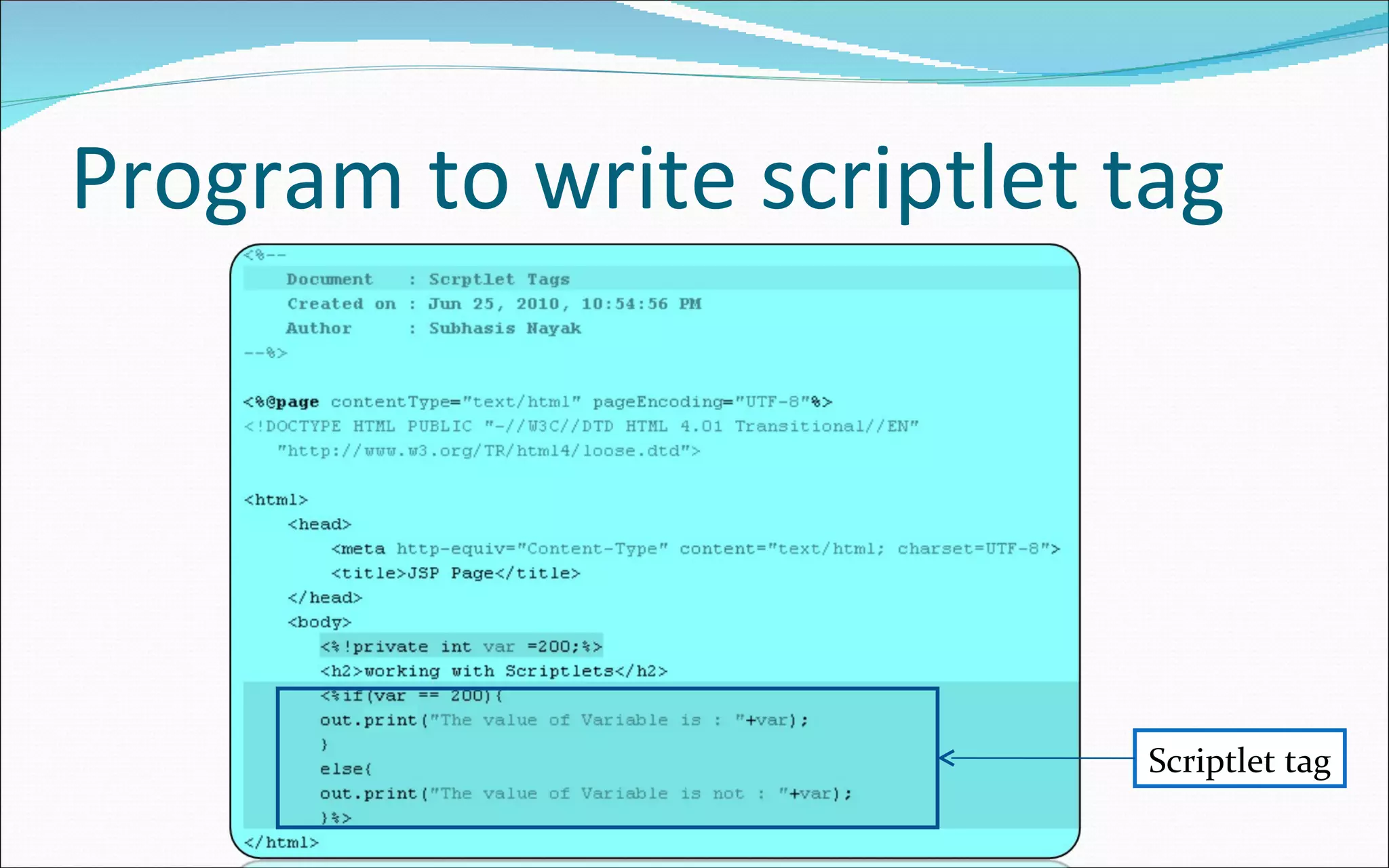
Scriptlets Scriptlets are enclosed in  <% ... %>   tags Scriptlets  do not  produce a value that is inserted directly into the HTML (as is done with  <%= ... %> ) Scriptlets are Java code that  may  write into the HTML Example: <% String queryData = request.getQueryString();   out.println(&quot;Attached GET data: &quot; + queryData); %> Scriptlets  are inserted into the  Servlet   exactly as written,  and are  not compile d until the entire  Servlet is compiled Example: <% if (Math.random() < 0.5) { %>   Have a <B>nice</B> day! <% } else { %>   Have a <B>lousy</B> day! <% } %>
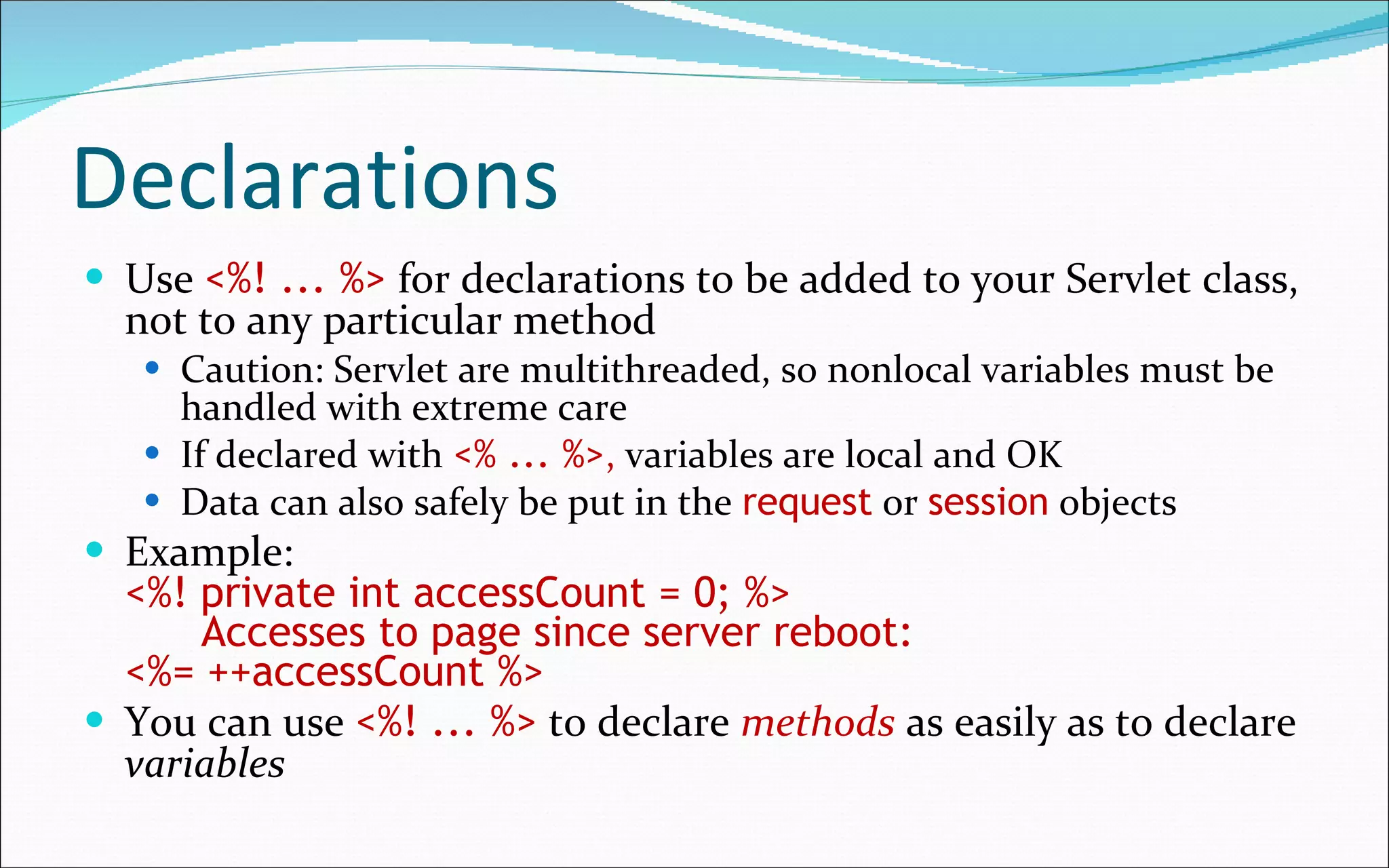
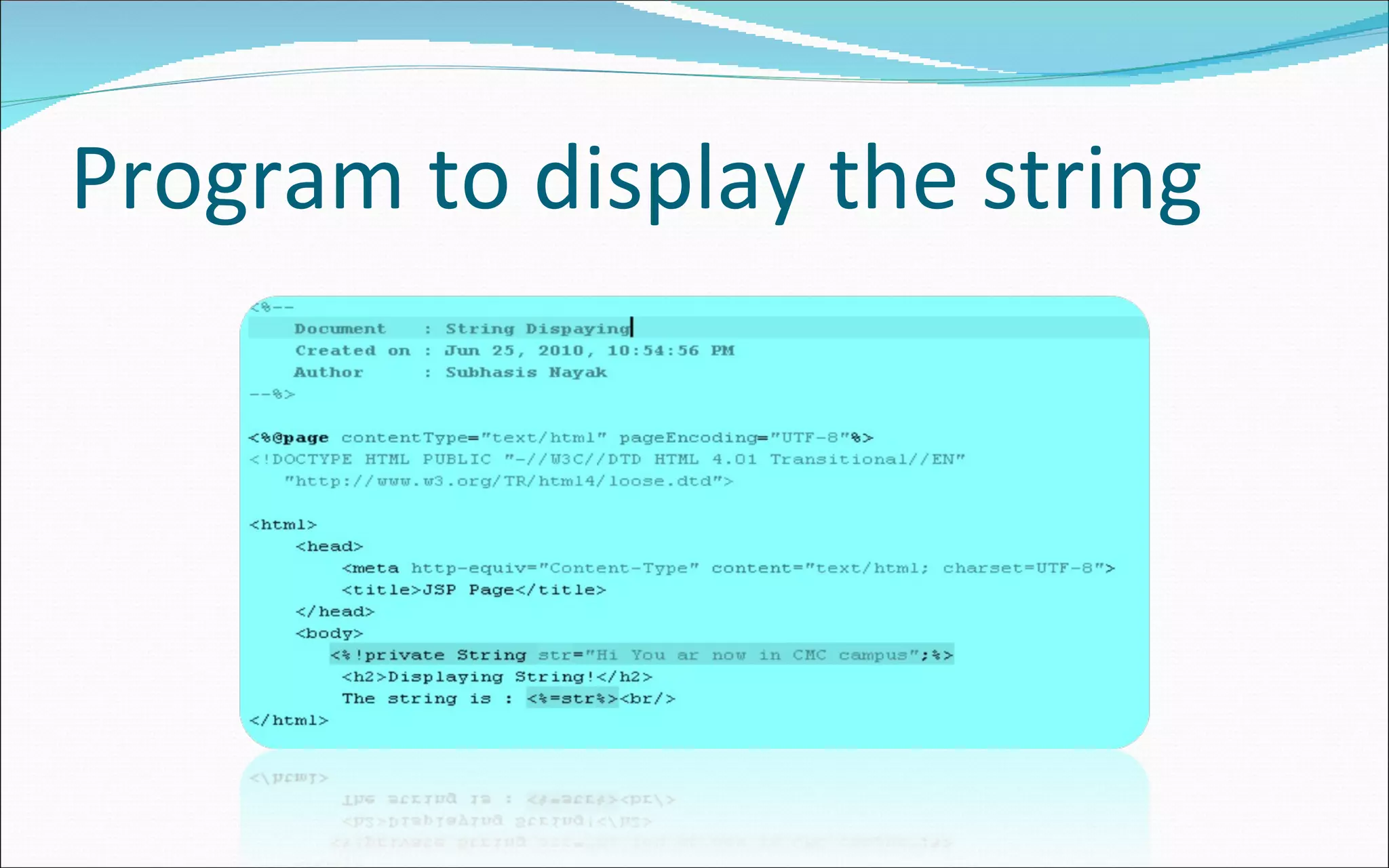
Declarations Use  <%! ... %>   for declarations to be added to your Servlet class, not to any particular method Caution: Servlet are multithreaded, so nonlocal variables must be handled with extreme care If declared with   <% ... %> ,  variables are local and OK Data can also safely be put in the  request  or  session  objects Example: <%! private int accessCount = 0; %>   Accesses to page since server reboot:  <%= ++accessCount %> You can use   <%! ... %>   to declare  methods  as easily as to declare  variables
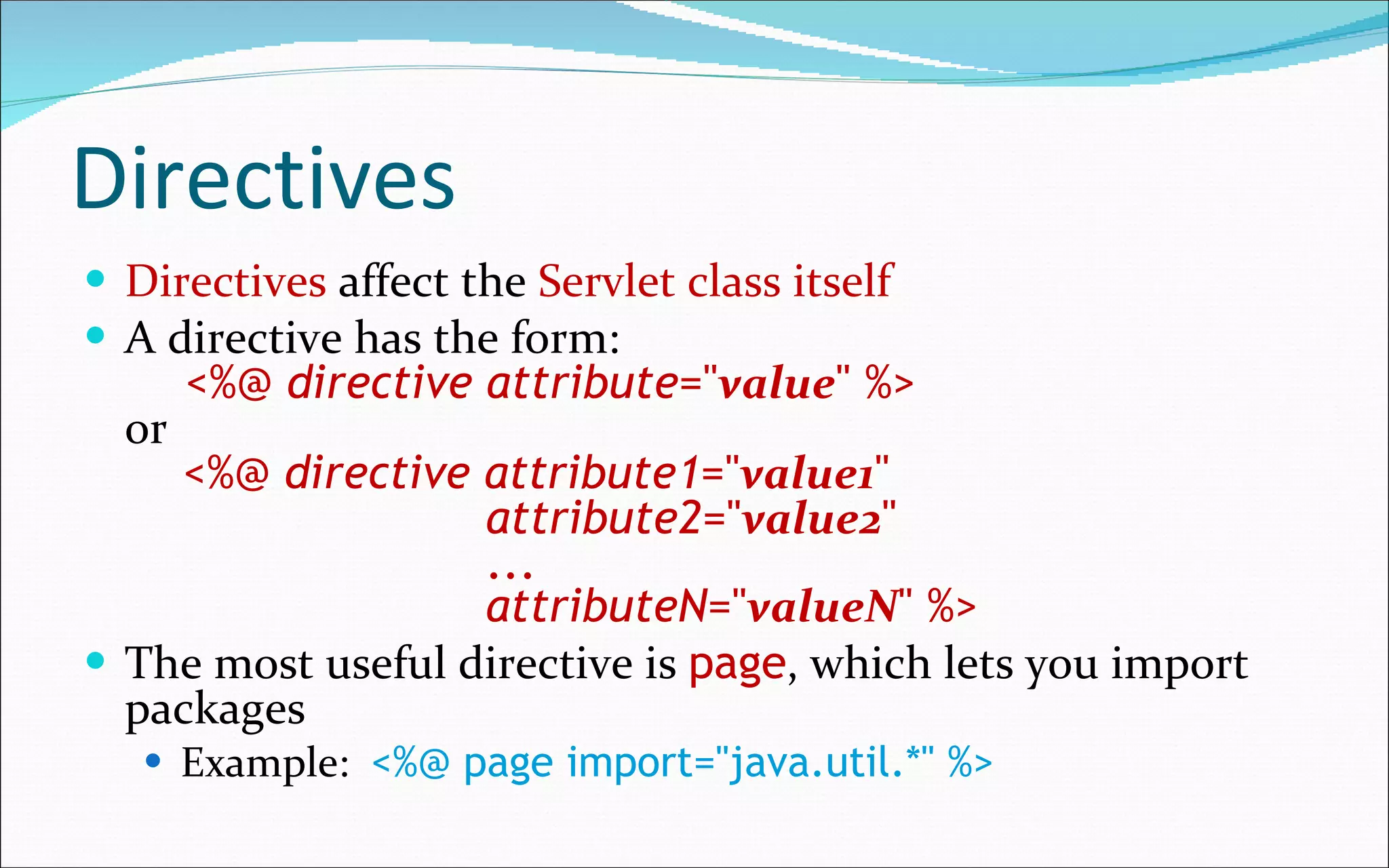
Directives Directives  affect the  Servlet class itself A directive has the form:   <%@  directive   attribute =&quot; value &quot; %> or   <%@  directive   attribute1 =&quot; value1 &quot;    attribute2 =&quot; value2 &quot;   ...   attributeN =&quot; valueN &quot; %> The most useful directive is  page , which lets you import packages Example:   <%@ page import=&quot;java.util.*&quot; %>
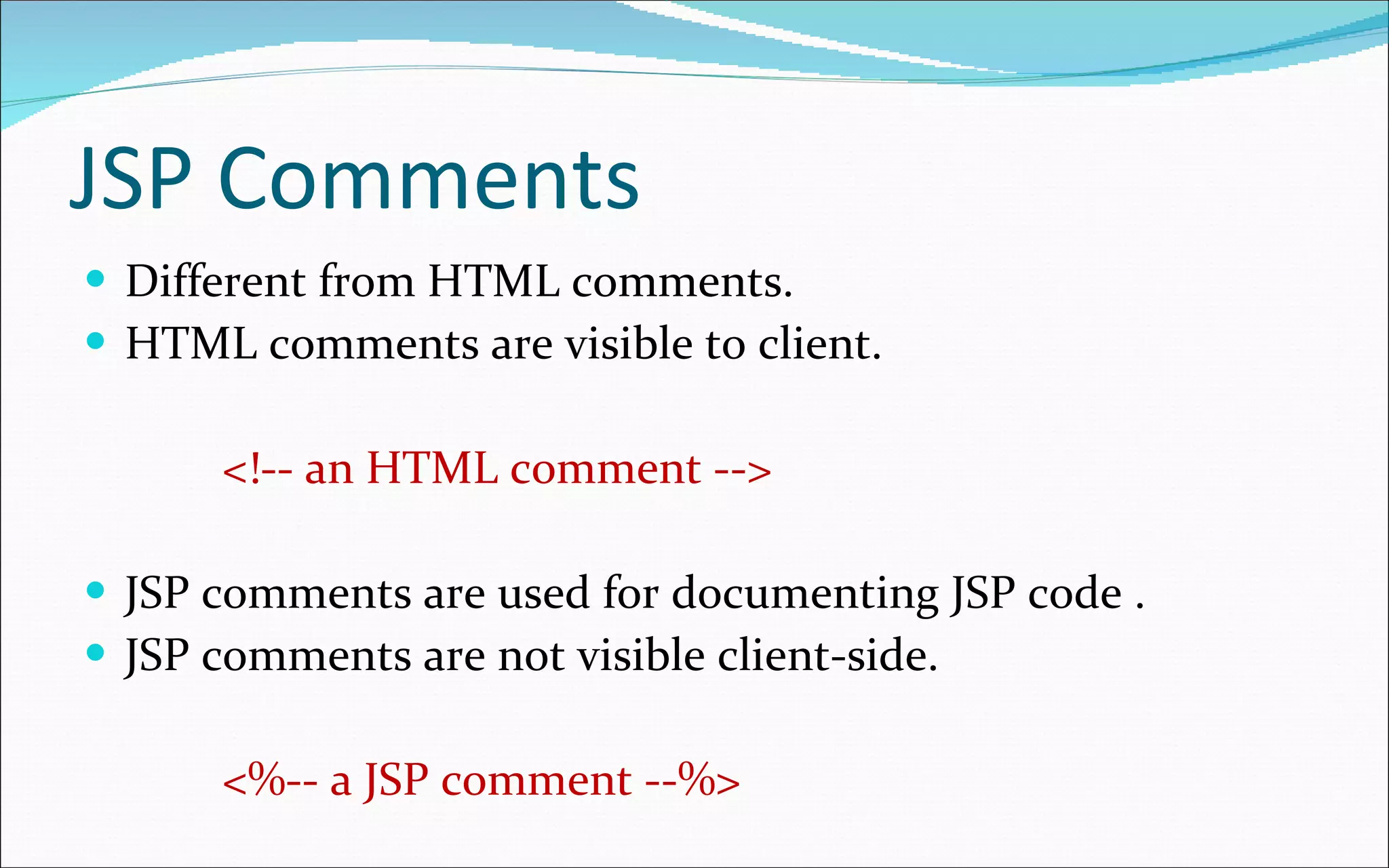
JSP Comments Different from HTML comments. HTML comments are visible to client. <!-- an HTML comment --> JSP comments are used for documenting JSP code . JSP comments are not visible client-side. <%-- a JSP comment --%>
The  include  directive The  include  directive inserts another file into the file being parsed The included file is treated as just more JSP, hence it can include static HTML, scripting elements, actions, and directives Syntax:  <%@ include file=&quot; URL   &quot; %> The  URL  is treated as relative to the JSP page The  include  directive is especially useful for inserting things like navigation bars
Actions Actions  are XML-syntax tags used to  control  the  Servlet engine <jsp:include page=&quot; URL   &quot; /> Inserts the indicated relative  URL  at  execution  time ( not at compile time , like the  include  directive does) This is great for rapidly changing data <jsp:forward page=&quot; URL &quot; /> <jsp:forward page=&quot;<%=  JavaExpression  %>&quot; /> Jump to the (static)  URL  or the ( dynamically computed )  JavaExpression  resulting in a URL
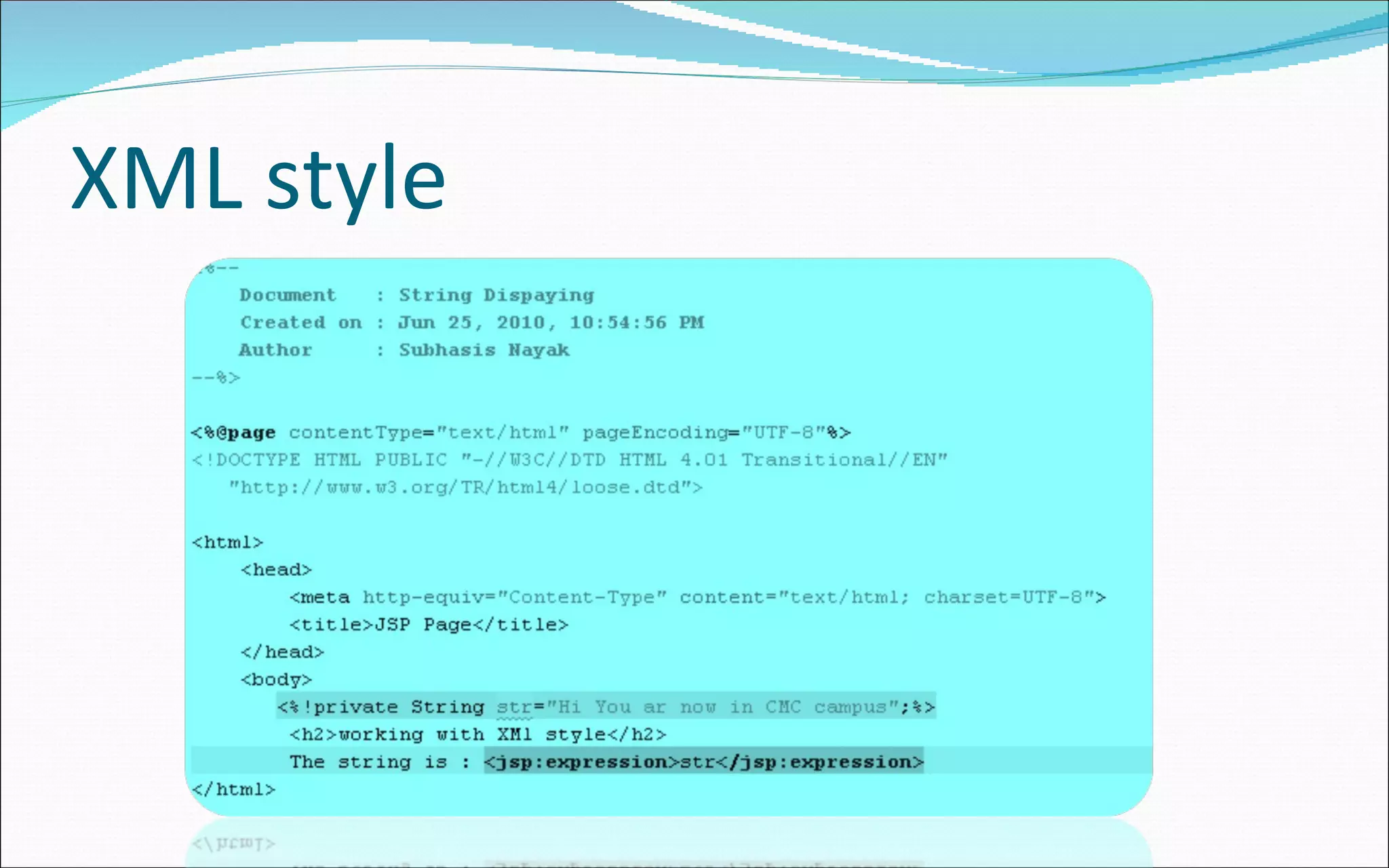
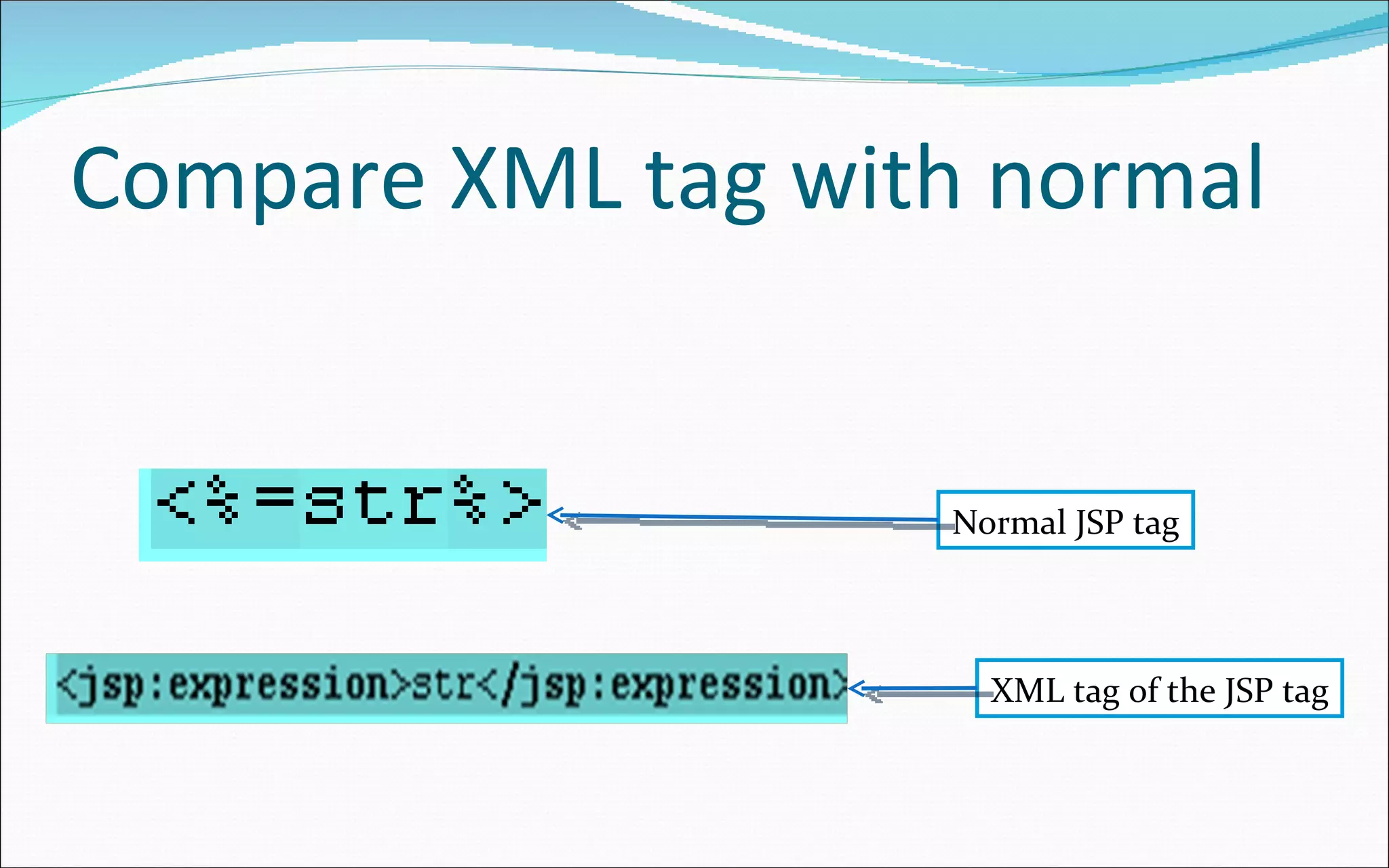
JSP in XML JSP can be embedded in XML as well as in HTML Due to XML’s syntax rules, the tags must be different (but they do the same things) HTML:  <%=  expression  %> XML:  <jsp:expression> expression </jsp:expression> HTML:  <%  code  %> XML:  <jsp:scriptlet> code </jsp:scriptlet> HTML:  <%!  declarations  %> XML:  <jsp:declaration> declarations </jsp:declaration> HTML:  <%@ include file= URL  %> XML:  <jsp:directive.include file=&quot; URL &quot;/>
Action – useBean tag The  useBean  action tag is the most  commonly  used tag because of its powerful features. It allows a  JSP  to create an  instance  or  receive  an  instance  of a Java Bean. It is used for  creating  or  instantiating  a bean with a specific  name and scope . Examples <jsp:useBean id=“time&quot; scope=&quot;session&quot; class=&quot;com.time.CurrentTimeBean&quot; />
Session in jsp In session management whenever a request comes for any resource, a  unique token  is generated by the  server and transmitted to the client  by the  response object  and  stored  on the  client machine as a cookie . Session management done by: Session Object Cookies Hidden Form Fields URL Rewriting
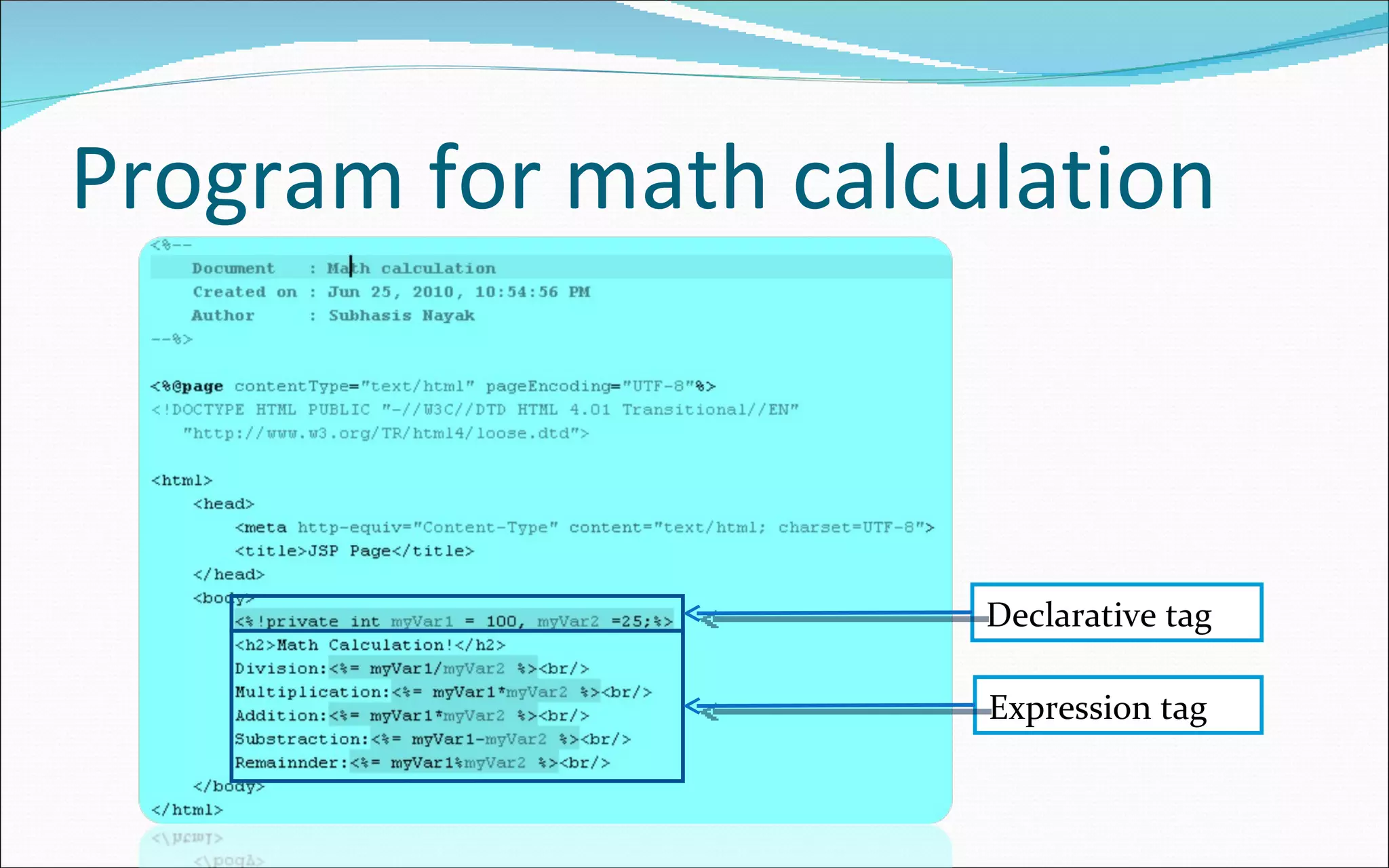
Program for math calculation Declarative tag Expression tag
Program to display the string
XML style
Compare XML tag with normal Normal JSP tag XML tag of the JSP tag
Program to write scriptlet tag Scriptlet tag
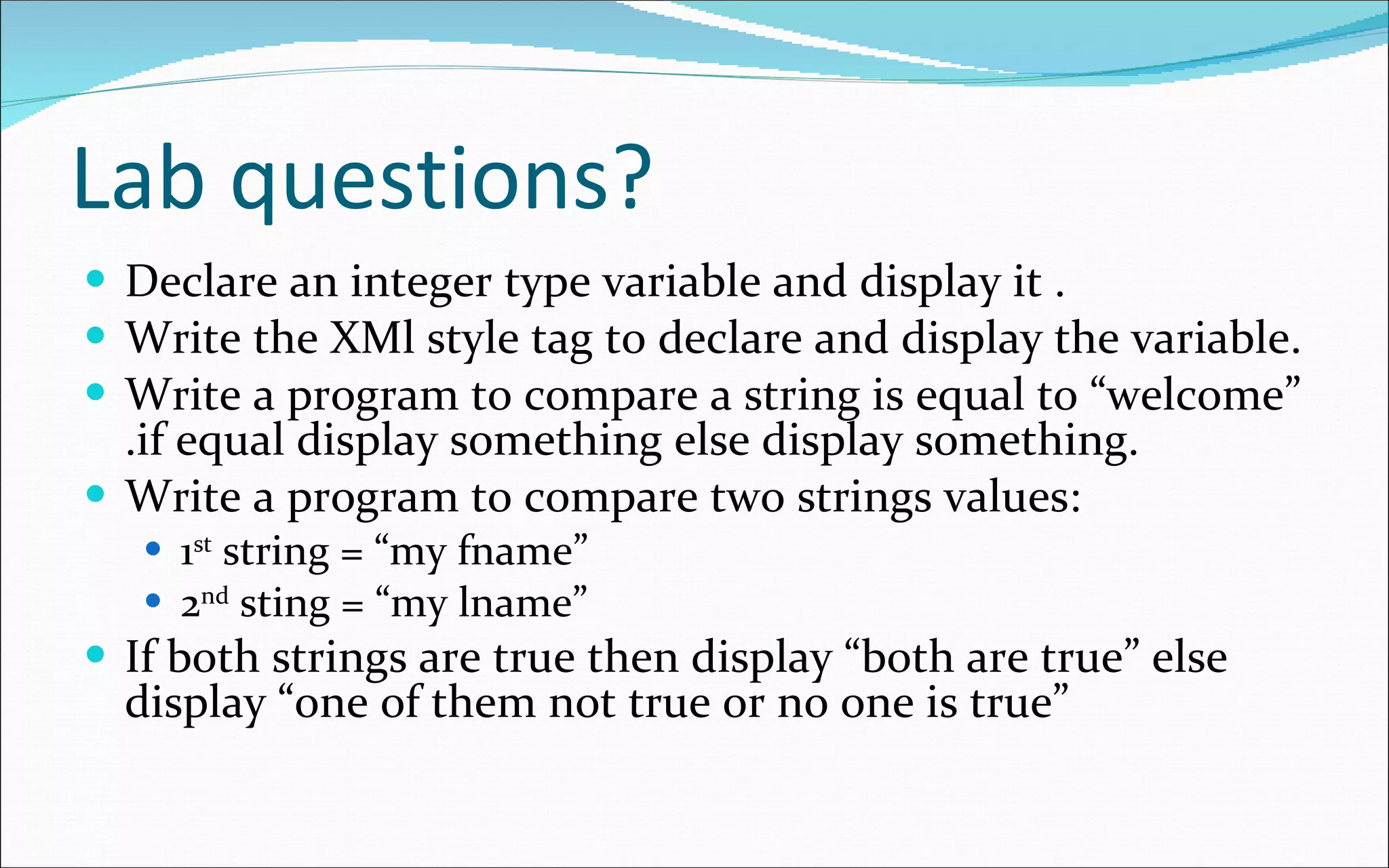
Lab questions? Declare an integer type variable and display it . Write the XMl style tag to declare and display the variable. Write a program to compare a string is equal to “welcome” .if equal display something else display something. Write a program to compare two strings values: 1 st  string = “my fname” 2 nd  sting = “my lname” If both strings are true then display “both are true” else display “one of them not true or no one is true”
Hands on lab Next session

Jsp 01

  • 1.
  • 2.
    What is JSP? It is a textual document that describes how to create a response object from a request object for given protocol. The processing of JSP page may involve: Creating objects Using objects. The default request & response objects are HttpServletRequest HttpServletResponse
  • 3.
    What it provides?Capability to create both static & dynamic components. Dynamic capability that Servlet can provide. Integration of content. Manipulating data.
  • 4.
    Information about JSPJava Server pages has these features: Language for developing java server pages. Constructs for accessing server-side objects . Defining extensions to the JSP language . It is a text based document that contains two types of text. Static template data JSP elements which construct dynamic data .
  • 5.
    JSP life cycleSome how similar to Servlet life cycle. When any request mapped to a JSP, it is handled by a special Servlet event. Servlet checks the java Server Page’s Servlet is older than the java Server Page . If so it translates to java Server Page into a Servlet class & compiles the class. Next the Servlet sends response to the java server page.
  • 6.
    Advantages of JSPBuild process is performed automatically . Translation phase treat each data type in java Server Pages differently. Template data is transformed into code . This code emits that data stream that returns data to the client. It is faster than Servlet.
  • 7.
    JSP Architecture ModelAccording to Sun there 2 architectural model for building application using JSP & Servlet technology. Those are: JSP model 1 JSP model 2
  • 8.
    JSP model 1In this model the every request to a JSP page. The requested page is completed responsible for doing all the tasks required for fulfilling the request. 1.request 4.response 2.Create Java beans 3.Retrieve data Not good for Complex EIS/DB Browser JSP Java Beans Suite able for small application. In big application we put huge logic code to JSP.
  • 9.
    JSP model 2This architecture follows MVC design pattern. Servlet act as Controller JSP act as View Java Bean act as Model All requests to Servlet. They analyze the request and collect data required to generate response into java beans objects. Then Servlet dispatch the request to JSP. JSP use data stored in java beans to generate a presentable response.
  • 10.
    Cont’d …… 4.Invoke JSP 6.response 2.Create Java beans 3.Retrieve data 2.Use Java beans 1.request EIS/DB Browser Servlet (Controller) Java Beans (Model) JSP (view) Higher security Easy maintainability
  • 11.
    JSP life Cycle.For 1 st time when we accessed the JSP page server is slower after that it will faster . When we access JSP it is converted to it’s Servlet class before it can be used to service client side request . For each request the JSP engine checks the timestamps of source JSP page and corresponding Servlet if JSP is newer then it will be again converted to it’s equivalent Servlet. This process consists of 7-phases.
  • 12.
  • 13.
    Elements of JSPJSP tag description Syntax directive Specifies translation time instruction to JSP engine <%@Directives%> Declaration It declare & define variables , methods. <%! Some java code %> Scriptlets Tags are used to embed java code in JSp page. Allows to write free-form java code in JSP page <%count++%> Expression Used to print value in the out put html file <%=an expression%> Action Provides request time instructions to the JSp engine. <jsp:actionname/> comment Used for documentation <%--Any text--%>
  • 14.
    A simple JSPpage <html> <body> <% out.println(&quot;<h1>Hello World!</h1>&quot;);%> </body> </html> Scriptlet
  • 15.
    The processing ofJSP When the browser asks the Web server for a JSP, the Web server passes control to a JSP container . A container works with the Web server to provide the runtime environment and other services a JSP needs . It knows how to understand the special elements that are part of JSPs . Because this is the first time this JSP has been invoked , the JSP container converts it into an executable unit called a Servlet .
  • 16.
    Cont’d …… The entire page, including the parts that are in HTML, is translated into source code . After code translation, the JSP container compiles the Servlet , loads it automatically, and then executes it. Typically, the JSP container checks to see whether a Servlet for a JSP file already exists . If not it do the translation process If version not match do the translation process
  • 17.
    Let’s see thetranslated code of a JSP <html> <body> <h1>Hello World!</h1> </body> </html> out.write(&quot;<html>\r\n&quot;); out.write(&quot;<body>\r\n&quot;); out.println(&quot;<h1>Hello World!</h1>&quot;); out.write(&quot;\r\n&quot;); out.write(&quot;</body>\r\n&quot;); out.write(&quot;</html>\r\n&quot;); JSP Servlet Don’t worry about Servlet file of JSP. JSP, why?
  • 18.
    Let’s display SomethingOutput swill same The second one is the short hand code
  • 19.
  • 20.
    variables You candeclare your own variables, as usual JSP provides several predefined variables request : The HttpServletRequest parameter response : The HttpServletResponse parameter session : The HttpSession associated with the request, or null if there is none out : A JspWriter (like a PrintWriter ) used to send output to the client Example: Your hostname: <%= request.getRemoteHost() %>
  • 21.
    Scriptlets Scriptlets areenclosed in <% ... %> tags Scriptlets do not produce a value that is inserted directly into the HTML (as is done with <%= ... %> ) Scriptlets are Java code that may write into the HTML Example: <% String queryData = request.getQueryString(); out.println(&quot;Attached GET data: &quot; + queryData); %> Scriptlets are inserted into the Servlet exactly as written, and are not compile d until the entire Servlet is compiled Example: <% if (Math.random() < 0.5) { %> Have a <B>nice</B> day! <% } else { %> Have a <B>lousy</B> day! <% } %>
  • 22.
    Declarations Use <%! ... %> for declarations to be added to your Servlet class, not to any particular method Caution: Servlet are multithreaded, so nonlocal variables must be handled with extreme care If declared with <% ... %> , variables are local and OK Data can also safely be put in the request or session objects Example: <%! private int accessCount = 0; %> Accesses to page since server reboot: <%= ++accessCount %> You can use <%! ... %> to declare methods as easily as to declare variables
  • 23.
    Directives Directives affect the Servlet class itself A directive has the form: <%@ directive attribute =&quot; value &quot; %> or <%@ directive attribute1 =&quot; value1 &quot; attribute2 =&quot; value2 &quot; ... attributeN =&quot; valueN &quot; %> The most useful directive is page , which lets you import packages Example: <%@ page import=&quot;java.util.*&quot; %>
  • 24.
    JSP Comments Differentfrom HTML comments. HTML comments are visible to client. <!-- an HTML comment --> JSP comments are used for documenting JSP code . JSP comments are not visible client-side. <%-- a JSP comment --%>
  • 25.
    The include directive The include directive inserts another file into the file being parsed The included file is treated as just more JSP, hence it can include static HTML, scripting elements, actions, and directives Syntax: <%@ include file=&quot; URL &quot; %> The URL is treated as relative to the JSP page The include directive is especially useful for inserting things like navigation bars
  • 26.
    Actions Actions are XML-syntax tags used to control the Servlet engine <jsp:include page=&quot; URL &quot; /> Inserts the indicated relative URL at execution time ( not at compile time , like the include directive does) This is great for rapidly changing data <jsp:forward page=&quot; URL &quot; /> <jsp:forward page=&quot;<%= JavaExpression %>&quot; /> Jump to the (static) URL or the ( dynamically computed ) JavaExpression resulting in a URL
  • 27.
    JSP in XMLJSP can be embedded in XML as well as in HTML Due to XML’s syntax rules, the tags must be different (but they do the same things) HTML: <%= expression %> XML: <jsp:expression> expression </jsp:expression> HTML: <% code %> XML: <jsp:scriptlet> code </jsp:scriptlet> HTML: <%! declarations %> XML: <jsp:declaration> declarations </jsp:declaration> HTML: <%@ include file= URL %> XML: <jsp:directive.include file=&quot; URL &quot;/>
  • 28.
    Action – useBeantag The useBean action tag is the most commonly used tag because of its powerful features. It allows a JSP to create an instance or receive an instance of a Java Bean. It is used for creating or instantiating a bean with a specific name and scope . Examples <jsp:useBean id=“time&quot; scope=&quot;session&quot; class=&quot;com.time.CurrentTimeBean&quot; />
  • 29.
    Session in jspIn session management whenever a request comes for any resource, a unique token is generated by the server and transmitted to the client by the response object and stored on the client machine as a cookie . Session management done by: Session Object Cookies Hidden Form Fields URL Rewriting
  • 30.
    Program for mathcalculation Declarative tag Expression tag
  • 31.
  • 32.
  • 33.
    Compare XML tagwith normal Normal JSP tag XML tag of the JSP tag
  • 34.
    Program to writescriptlet tag Scriptlet tag
  • 35.
    Lab questions? Declarean integer type variable and display it . Write the XMl style tag to declare and display the variable. Write a program to compare a string is equal to “welcome” .if equal display something else display something. Write a program to compare two strings values: 1 st string = “my fname” 2 nd sting = “my lname” If both strings are true then display “both are true” else display “one of them not true or no one is true”
  • 36.
    Hands on labNext session