Web Development
-Web & Tech Team (GDSC ZHCET)
(Legacy Series Web Dev - 1)
Web development is the process of building and maintaining websites or
web applications. It involves a combination of various skills, technologies,
and practices to create a functional and visually appealing online
presence.
Web development encompasses everything from creating simple static
web pages to complex dynamic web applications with interactive features.
Interesting nugget
The world's first website, created by Tim Berners-Lee in 1991, wasn't just a
static page but an information hub about the World Wide Web project.
WHAT IS WEB DEVELOPMENT?
1. E-Commerce: Enables businesses to sell products and services over the
internet.
2. Online Presence: Sharing information and reaching a global audience.
3. Communication: Websites provide a platform for communication,
information sharing, and collaboration.
4. Automation: Web applications automate various processes, improving
efficiency and productivity.
5. Entertainment: Creation of interactive and engaging web-based games
and multimedia content.
WHY WEB DEVELOPMENT?
Frontend
Bringing Designs to Life
Frontend is the user interface and presentation layer of a
website.
Frontend is responsible for creating visually appealing
and intuitive user interface.
Design elements, color schemes, and typography
contribute to the overall aesthetic.
FRONTEND
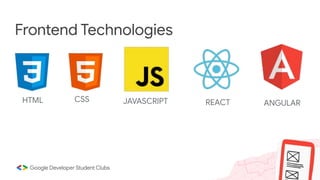
Frontend Technologies
HTML CSS JAVASCRIPT REACT ANGULAR
Powering the magic behind the scenes
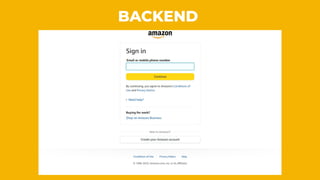
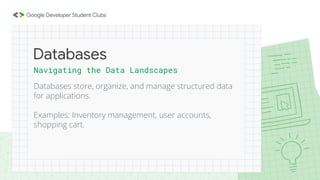
The backend handles the server-side logic, databases
and application functionality.
Examples: User authentication systems, content
management systems, payment processes.
Backend
BACKEND
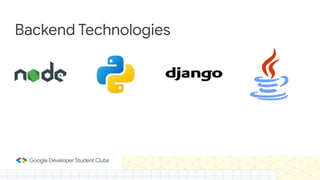
Backend Technologies
Navigating the Data Landscapes
Databases store, organize, and manage structured data
for applications.
Examples: Inventory management, user accounts,
shopping cart.
Databases
Database
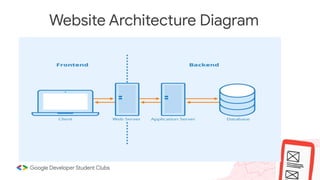
Website Architecture Diagram
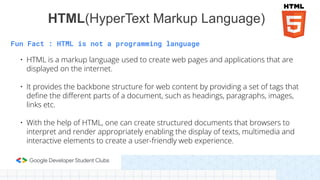
Fun Fact : HTML is not a programming language
• HTML is a markup language used to create web pages and applications that are
displayed on the internet.
• It provides the backbone structure for web content by providing a set of tags that
define the different parts of a document, such as headings, paragraphs, images,
links etc.
• With the help of HTML, one can create structured documents that browsers to
interpret and render appropriately enabling the display of texts, multimedia and
interactive elements to create a user-friendly web experience.
HTML(HyperText Markup Language)
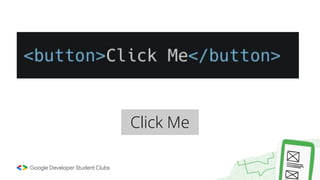
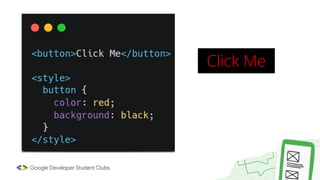
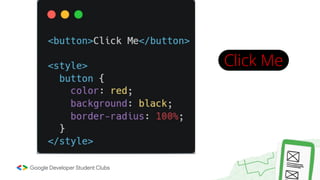
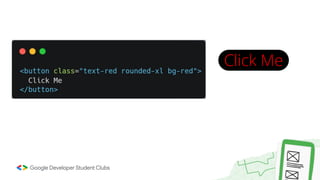
Click Me
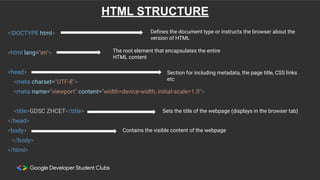
<!DOCTYPE html>
<html lang="en">
<head>
<meta charset="UTF-8">
<meta name="viewport" content="width=device-width, initial-scale=1.0">
<title>GDSC ZHCET</title>
</head>
<body>
</body>
</html>
Defines the document type or instructs the browser about the
version of HTML
The root element that encapsulates the entire
HTML content
Sets the title of the webpage (displays in the browser tab)
Contains the visible content of the webpage
Section for including metadata, the page title, CSS links
etc
HTML STRUCTURE
HTML Elements
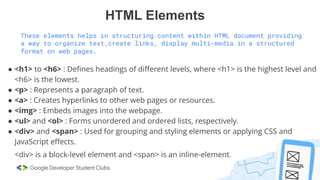
These elements helps in structuring content within HTML document providing
a way to organize text,create links, display multi-media in a structured
format on web pages.
● <h1> to <h6> : Defines headings of different levels, where <h1> is the highest level and
<h6> is the lowest.
● <p> : Represents a paragraph of text.
● <a> : Creates hyperlinks to other web pages or resources.
● <img> : Embeds images into the webpage.
● <ul> and <ol> : Forms unordered and ordered lists, respectively.
● <div> and <span> : Used for grouping and styling elements or applying CSS and
JavaScript effects.
<div> is a block-level element and <span> is an inline-element.
Cascading Style Sheets
Styling the web structure
HTML 2 was introduced CSS for styling the elements of a
website
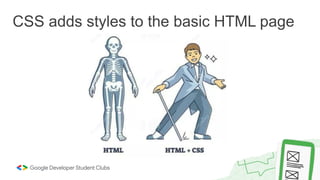
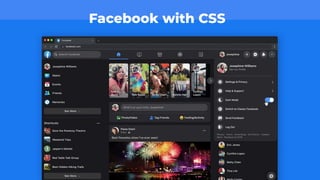
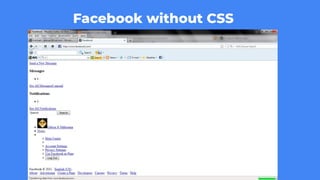
While HTML is used to create the basic bone-structure of
the webpage, CSS is used to add styling, animations and
how they change on interaction
There’ve been 3 CSS versions so far
CSS adds styles to the basic HTML page
Facebook with CSS
FRONTEND
Facebook without CSS
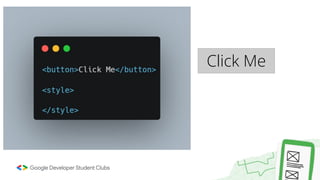
Click Me
Click Me
Click Me
Click Me
Click Me
Click Me
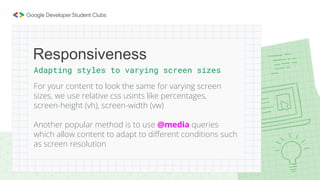
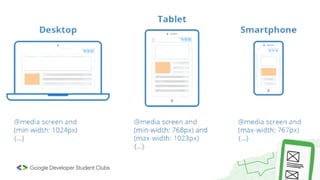
Adapting styles to varying screen sizes
For your content to look the same for varying screen
sizes, we use relative css usints like percentages,
screen-height (vh), screen-width (vw)
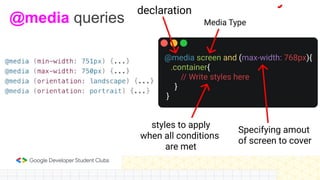
Another popular method is to use @media queries
which allow content to adapt to different conditions such
as screen resolution
Responsiveness
Unresponsive webpage
@media queries
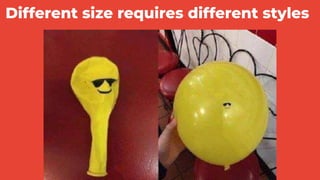
Different size requires different styles
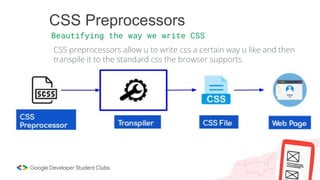
CSS Preprocessors
Beautifying the way we write CSS
CSS preprocessors allow u to write css a certain way u like and then
transpile it to the standard css the browser supports
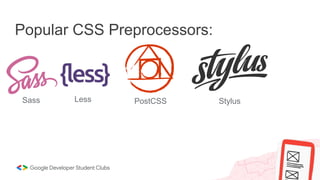
Popular CSS Preprocessors:
Sass Less PostCSS Stylus
JAVASCRIPT
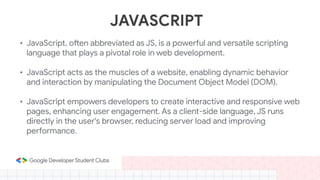
• JavaScript, often abbreviated as JS, is a powerful and versatile scripting
language that plays a pivotal role in web development.
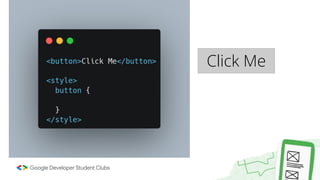
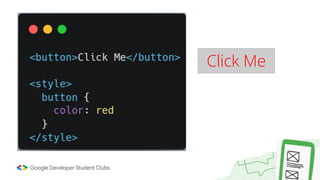
• JavaScript acts as the muscles of a website, enabling dynamic behavior
and interaction by manipulating the Document Object Model (DOM).
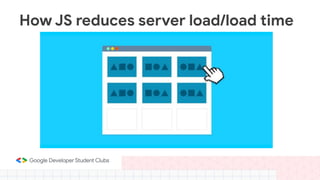
• JavaScript empowers developers to create interactive and responsive web
pages, enhancing user engagement. As a client-side language, JS runs
directly in the user's browser, reducing server load and improving
performance.
How JS reduces server load/load time
Document Object Model (DOM)
● DOM is a programming interface for HTML and XML documents. It represents
the page so that programs can change the document structure, style, and
content.
● The DOM and JavaScript allow web pages to change dynamically based on
user interactions or other events, and create a rich user experience on their
websites.
● The most common methods to access HTML elements are getElementById(),
getElementsByClassName(), and getElementsByTagName().
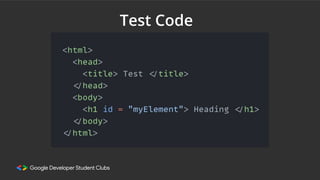
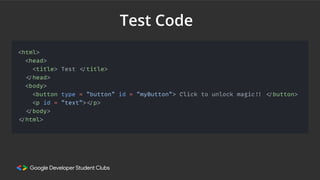
Test Code
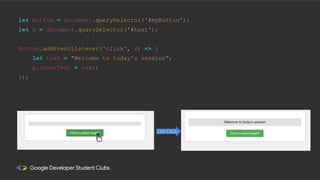
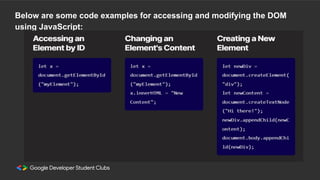
Below are some code examples for accessing and modifying the DOM
using JavaScript:
Test Code
let button = document.querySelector('#myButton');
let p = document.querySelector('#text');
button.addEventListener('click', () => {
let text = "Welcome to today's session";
p.innerText = text;
});
On Click
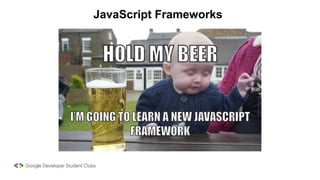
JavaScript Frameworks
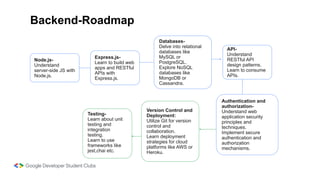
Version Control and
Deployment:
Utilize Git for version
control and
collaboration.
Learn deployment
strategies for cloud
platforms like AWS or
Heroku.
Testing-
Learn about unit
testing and
integration
testing.
Learn to use
frameworks like
jest,chai etc.
Authentication and
authorization-
Understand web
application security
principles and
techniques.
Implement secure
authentication and
authorization
mechanisms.
API-
Understand
RESTful API
design patterns.
Learn to consume
APIs.
Databases-
Delve into relational
databases like
MySQL or
PostgreSQL.
Explore NoSQL
databases like
MongoDB or
Cassandra.
Express.js-
Learn to build web
apps and RESTful
APIs with
Express.js.
Node.js-
Understand
server-side JS with
Node.js.
Backend-Roadmap
Want to collaborate with others
or make your code and
websites public…
GitHub is a cloud-based hosting service
that uses Git, a distributed version
control system (VCS), for software
development. It provides a platform for
developers to store, track, and
collaborate on code projects.
Thank You!
-Web & Tech Team (GDSC ZHCET)

Web Dev - 1 PPT.pdf

  • 1.
    Web Development -Web &Tech Team (GDSC ZHCET) (Legacy Series Web Dev - 1)
  • 2.
    Web development isthe process of building and maintaining websites or web applications. It involves a combination of various skills, technologies, and practices to create a functional and visually appealing online presence. Web development encompasses everything from creating simple static web pages to complex dynamic web applications with interactive features. Interesting nugget The world's first website, created by Tim Berners-Lee in 1991, wasn't just a static page but an information hub about the World Wide Web project. WHAT IS WEB DEVELOPMENT?
  • 3.
    1. E-Commerce: Enablesbusinesses to sell products and services over the internet. 2. Online Presence: Sharing information and reaching a global audience. 3. Communication: Websites provide a platform for communication, information sharing, and collaboration. 4. Automation: Web applications automate various processes, improving efficiency and productivity. 5. Entertainment: Creation of interactive and engaging web-based games and multimedia content. WHY WEB DEVELOPMENT?
  • 4.
    Frontend Bringing Designs toLife Frontend is the user interface and presentation layer of a website. Frontend is responsible for creating visually appealing and intuitive user interface. Design elements, color schemes, and typography contribute to the overall aesthetic.
  • 5.
  • 6.
    Frontend Technologies HTML CSSJAVASCRIPT REACT ANGULAR
  • 7.
    Powering the magicbehind the scenes The backend handles the server-side logic, databases and application functionality. Examples: User authentication systems, content management systems, payment processes. Backend
  • 8.
  • 9.
  • 10.
    Navigating the DataLandscapes Databases store, organize, and manage structured data for applications. Examples: Inventory management, user accounts, shopping cart. Databases
  • 11.
  • 12.
  • 13.
    Fun Fact :HTML is not a programming language • HTML is a markup language used to create web pages and applications that are displayed on the internet. • It provides the backbone structure for web content by providing a set of tags that define the different parts of a document, such as headings, paragraphs, images, links etc. • With the help of HTML, one can create structured documents that browsers to interpret and render appropriately enabling the display of texts, multimedia and interactive elements to create a user-friendly web experience. HTML(HyperText Markup Language)
  • 14.
  • 15.
    <!DOCTYPE html> <html lang="en"> <head> <metacharset="UTF-8"> <meta name="viewport" content="width=device-width, initial-scale=1.0"> <title>GDSC ZHCET</title> </head> <body> </body> </html> Defines the document type or instructs the browser about the version of HTML The root element that encapsulates the entire HTML content Sets the title of the webpage (displays in the browser tab) Contains the visible content of the webpage Section for including metadata, the page title, CSS links etc HTML STRUCTURE
  • 16.
    HTML Elements These elementshelps in structuring content within HTML document providing a way to organize text,create links, display multi-media in a structured format on web pages. ● <h1> to <h6> : Defines headings of different levels, where <h1> is the highest level and <h6> is the lowest. ● <p> : Represents a paragraph of text. ● <a> : Creates hyperlinks to other web pages or resources. ● <img> : Embeds images into the webpage. ● <ul> and <ol> : Forms unordered and ordered lists, respectively. ● <div> and <span> : Used for grouping and styling elements or applying CSS and JavaScript effects. <div> is a block-level element and <span> is an inline-element.
  • 17.
    Cascading Style Sheets Stylingthe web structure HTML 2 was introduced CSS for styling the elements of a website While HTML is used to create the basic bone-structure of the webpage, CSS is used to add styling, animations and how they change on interaction There’ve been 3 CSS versions so far
  • 18.
    CSS adds stylesto the basic HTML page
  • 19.
  • 20.
  • 21.
  • 22.
  • 23.
  • 24.
  • 25.
  • 26.
  • 27.
    Adapting styles tovarying screen sizes For your content to look the same for varying screen sizes, we use relative css usints like percentages, screen-height (vh), screen-width (vw) Another popular method is to use @media queries which allow content to adapt to different conditions such as screen resolution Responsiveness
  • 28.
  • 29.
  • 30.
    Different size requiresdifferent styles
  • 32.
    CSS Preprocessors Beautifying theway we write CSS CSS preprocessors allow u to write css a certain way u like and then transpile it to the standard css the browser supports
  • 33.
  • 34.
    JAVASCRIPT • JavaScript, oftenabbreviated as JS, is a powerful and versatile scripting language that plays a pivotal role in web development. • JavaScript acts as the muscles of a website, enabling dynamic behavior and interaction by manipulating the Document Object Model (DOM). • JavaScript empowers developers to create interactive and responsive web pages, enhancing user engagement. As a client-side language, JS runs directly in the user's browser, reducing server load and improving performance.
  • 35.
    How JS reducesserver load/load time
  • 36.
    Document Object Model(DOM) ● DOM is a programming interface for HTML and XML documents. It represents the page so that programs can change the document structure, style, and content. ● The DOM and JavaScript allow web pages to change dynamically based on user interactions or other events, and create a rich user experience on their websites. ● The most common methods to access HTML elements are getElementById(), getElementsByClassName(), and getElementsByTagName().
  • 37.
  • 38.
    Below are somecode examples for accessing and modifying the DOM using JavaScript:
  • 39.
  • 40.
    let button =document.querySelector('#myButton'); let p = document.querySelector('#text'); button.addEventListener('click', () => { let text = "Welcome to today's session"; p.innerText = text; }); On Click
  • 42.
  • 43.
    Version Control and Deployment: UtilizeGit for version control and collaboration. Learn deployment strategies for cloud platforms like AWS or Heroku. Testing- Learn about unit testing and integration testing. Learn to use frameworks like jest,chai etc. Authentication and authorization- Understand web application security principles and techniques. Implement secure authentication and authorization mechanisms. API- Understand RESTful API design patterns. Learn to consume APIs. Databases- Delve into relational databases like MySQL or PostgreSQL. Explore NoSQL databases like MongoDB or Cassandra. Express.js- Learn to build web apps and RESTful APIs with Express.js. Node.js- Understand server-side JS with Node.js. Backend-Roadmap
  • 44.
    Want to collaboratewith others or make your code and websites public… GitHub is a cloud-based hosting service that uses Git, a distributed version control system (VCS), for software development. It provides a platform for developers to store, track, and collaborate on code projects.
  • 45.
    Thank You! -Web &Tech Team (GDSC ZHCET)