











BOOM Performance
About me …
Co-founded & R&D Manager @
Co-founder & CTO @
eranz@dapulse.com
So… what is
BOOM Performance?
Fast
Super Fast
Super Duper Fast
BOOM
Boom Speed is the time it takes to say “Boom”
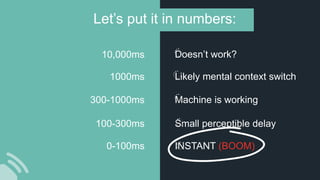
0-100ms
100-300ms
300-1000ms
1000ms
10,000ms
Let’s put it in numbers:
INSTANT (BOOM)
Small perceptible delay
Machine is working
Likely mental context switch
Doesn’t work?
Why is
Boom Important?
Speed affects your product and the
happiness of your users.
And trust me -
You don’t know when they suffer.
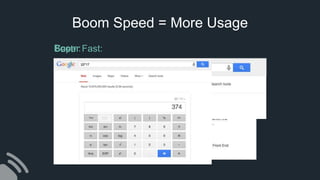
Boom Speed = More Usage
Fast:Super Fast:Boom:
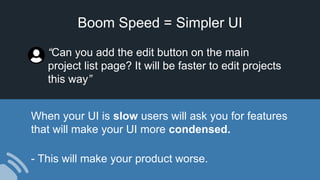
Boom Speed = Simpler UI
When your UI is slow users will ask you for features
that will make your UI more condensed.
- This will make your product worse.
“Can you add the edit button on the main
project list page? It will be faster to edit projects
this way”
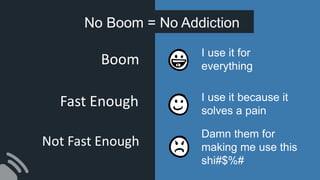
No Boom = No Addiction
I use it for
everything
I use it because it
solves a pain
Damn them for
making me use this
shi#$%#
Boom
Fast Enough
Not Fast Enough
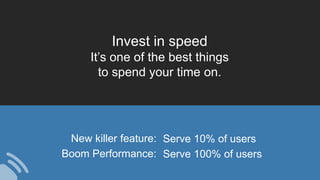
Invest in speed
It’s one of the best things
to spend your time on.
New killer feature: Serve 10% of users
Boom Performance: Serve 100% of users
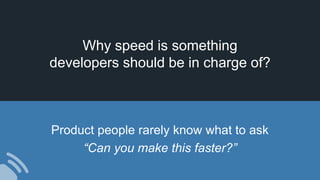
Why speed is something
developers should be in charge of?
Product people rarely know what to ask
“Can you make this faster?”
BOOM Performance
How to achieve
The Basics
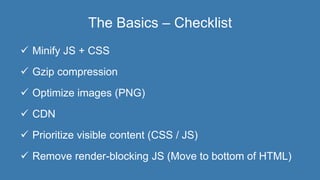
The Basics – Checklist
 Minify JS + CSS
 Gzip compression
 Optimize images (PNG)
 CDN
 Prioritize visible content (CSS / JS)
 Remove render-blocking JS (Move to bottom of HTML)
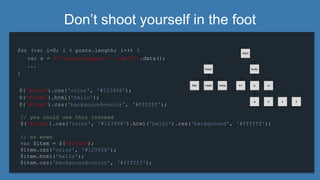
Don’t shoot yourself in the foot
for (var i=0; i < posts.length; i++) {
...
}
$('#item').css('color', '#123456');
$('#item').html('hello');
$('#item').css('background-color', '#ffffff');
var x = $(“.post_wrapper > .reply”).data();
// you could use this instead
$('#item').css('color', '#123456').html('hello').css('background', '#ffffff');
// or even
var $item = $('#item');
$item.css('color', '#123456');
$item.html('hello');
$item.css('background-color', '#ffffff');
Things that make the DOM Heavy
• Use with caution:
Round Corners, Box Shadows, Opacity
• Beware of binding scroll callback events
• Avoid using too many elements
(especially in repeatable elements)
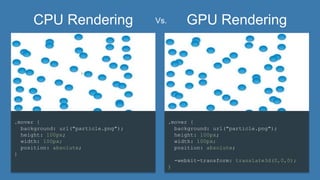
• GPU Rendering - Translate3d(0,0,0) / TranslateZ(0)
<div>
<div>
<span><a href></a></span>
</div>
</div>
Always keep 60fps scroll performance
CPU Rendering GPU Rendering
.mover {
background: url("particle.png");
height: 100px;
width: 100px;
position: absolute;
-webkit-transform: translate3d(0,0,0);
}
.mover {
background: url("particle.png");
height: 100px;
width: 100px;
position: absolute;
}
Vs.
Optimistic Actions
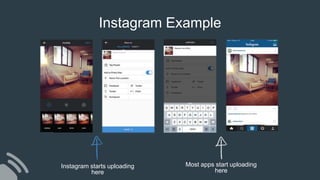
Instagram Example
Instagram starts uploading
here
Most apps start uploading
here
Facebook Example
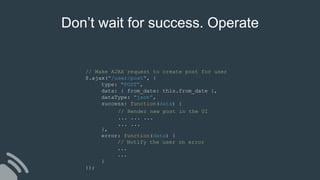
// Make AJAX request to create post for user
$.ajax("/user/post", {
type: "POST”,
data: { from_date: this.from_date },
dataType: "json”,
success: function(data) {
},
error: function(data) {
// Notify the user on error
...
...
}
});
// Render new post in the UI
... ... ...
... ...
Don’t wait for success. Operate
daPulse - Signup Example
[GET] check_sub_domain/a
[GET] check_sub_domain/ab
[GET] check_sub_domain/abc
abc
• If you know the expected result in the client
(adding a user to a list, writing a reply, liking a comment, deleting an object, etc…):
Assume it worked and render it BOOM fast in the UI.
• Most of the time, if it fails, don’t do anything (or rollback
to previous state).
Think Positive
Action Prediction
prefetch, preload, predict
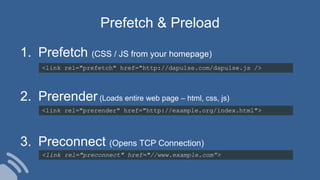
<link rel="prefetch" href="http://dapulse.com/dapulse.js />
Prefetch & Preload
<link rel="prerender" href="http://example.org/index.html">
<link rel="preconnect" href="//www.example.com”>
1. Prefetch (CSS / JS from your homepage)
2. Prerender (Loads entire web page – html, css, js)
3. Preconnect (Opens TCP Connection)
Your users are predictable
They will do the same searches & selections 80% of the time.
 Track what your users are searching or selecting.
 Preload that into the client.
 Assume “history will repeat itself” and render it
fast in the UI.
 Achieve user happiness :)
Predict your users. How?
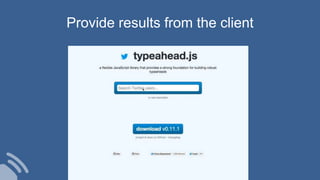
Provide results from the client
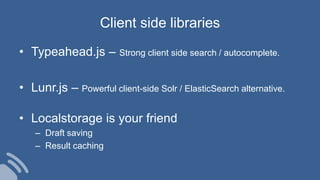
Client side libraries
• Typeahead.js – Strong client side search / autocomplete.
• Lunr.js – Powerful client-side Solr / ElasticSearch alternative.
• Localstorage is your friend
– Draft saving
– Result caching
The fastest request is “no request”
(a wise man)
Perceived Performance
Credit: http://blog.teamtreehouse.com/perceived-performance
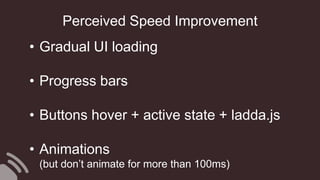
Perceived Speed Improvement
• Gradual UI loading
• Progress bars
• Buttons hover + active state + ladda.js
• Animations
(but don’t animate for more than 100ms)
daPulse
Boards case study
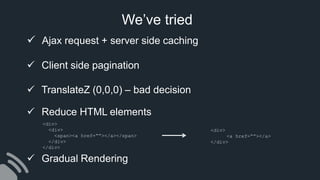
We’ve tried
 Ajax request + server side caching
 Client side pagination
 TranslateZ (0,0,0) – bad decision
 Reduce HTML elements
 Gradual Rendering
<div>
<div>
<span><a href=“”></a></span>
</div>
</div>
<div>
<a href=“”></a>
</div>
Takeaways
Takeaways
1. Boom Performance = User happiness.
2. Don’t skip the basic optimization stuff.
3. Unless you must wait for the server – don’t!
4. Fetch the data just before the user needs it.
5. If you can’t make it – fake it (perceived performance).
Thank you!
eranz@dapulse.com
BOOM PERFORMANCE!
eranz@dapulse.com

BOOM Performance

  • 1.
  • 2.
    About me … Co-founded& R&D Manager @ Co-founder & CTO @ eranz@dapulse.com
  • 3.
    So… what is BOOMPerformance?
  • 4.
    Fast Super Fast Super DuperFast BOOM Boom Speed is the time it takes to say “Boom”
  • 5.
    0-100ms 100-300ms 300-1000ms 1000ms 10,000ms Let’s put itin numbers: INSTANT (BOOM) Small perceptible delay Machine is working Likely mental context switch Doesn’t work?
  • 6.
  • 7.
    Speed affects yourproduct and the happiness of your users. And trust me - You don’t know when they suffer.
  • 8.
    Boom Speed =More Usage Fast:Super Fast:Boom:
  • 9.
    Boom Speed =Simpler UI When your UI is slow users will ask you for features that will make your UI more condensed. - This will make your product worse. “Can you add the edit button on the main project list page? It will be faster to edit projects this way”
  • 10.
    No Boom =No Addiction I use it for everything I use it because it solves a pain Damn them for making me use this shi#$%# Boom Fast Enough Not Fast Enough
  • 11.
    Invest in speed It’sone of the best things to spend your time on. New killer feature: Serve 10% of users Boom Performance: Serve 100% of users
  • 12.
    Why speed issomething developers should be in charge of? Product people rarely know what to ask “Can you make this faster?”
  • 13.
  • 14.
  • 15.
    The Basics –Checklist  Minify JS + CSS  Gzip compression  Optimize images (PNG)  CDN  Prioritize visible content (CSS / JS)  Remove render-blocking JS (Move to bottom of HTML)
  • 16.
    Don’t shoot yourselfin the foot for (var i=0; i < posts.length; i++) { ... } $('#item').css('color', '#123456'); $('#item').html('hello'); $('#item').css('background-color', '#ffffff'); var x = $(“.post_wrapper > .reply”).data(); // you could use this instead $('#item').css('color', '#123456').html('hello').css('background', '#ffffff'); // or even var $item = $('#item'); $item.css('color', '#123456'); $item.html('hello'); $item.css('background-color', '#ffffff');
  • 17.
    Things that makethe DOM Heavy • Use with caution: Round Corners, Box Shadows, Opacity • Beware of binding scroll callback events • Avoid using too many elements (especially in repeatable elements) • GPU Rendering - Translate3d(0,0,0) / TranslateZ(0) <div> <div> <span><a href></a></span> </div> </div> Always keep 60fps scroll performance
  • 18.
    CPU Rendering GPURendering .mover { background: url("particle.png"); height: 100px; width: 100px; position: absolute; -webkit-transform: translate3d(0,0,0); } .mover { background: url("particle.png"); height: 100px; width: 100px; position: absolute; } Vs.
  • 19.
  • 20.
    Instagram Example Instagram startsuploading here Most apps start uploading here
  • 21.
  • 23.
    // Make AJAXrequest to create post for user $.ajax("/user/post", { type: "POST”, data: { from_date: this.from_date }, dataType: "json”, success: function(data) { }, error: function(data) { // Notify the user on error ... ... } }); // Render new post in the UI ... ... ... ... ... Don’t wait for success. Operate
  • 24.
    daPulse - SignupExample [GET] check_sub_domain/a [GET] check_sub_domain/ab [GET] check_sub_domain/abc abc
  • 25.
    • If youknow the expected result in the client (adding a user to a list, writing a reply, liking a comment, deleting an object, etc…): Assume it worked and render it BOOM fast in the UI. • Most of the time, if it fails, don’t do anything (or rollback to previous state). Think Positive
  • 26.
  • 27.
    <link rel="prefetch" href="http://dapulse.com/dapulse.js/> Prefetch & Preload <link rel="prerender" href="http://example.org/index.html"> <link rel="preconnect" href="//www.example.com”> 1. Prefetch (CSS / JS from your homepage) 2. Prerender (Loads entire web page – html, css, js) 3. Preconnect (Opens TCP Connection)
  • 28.
    Your users arepredictable They will do the same searches & selections 80% of the time.
  • 29.
     Track whatyour users are searching or selecting.  Preload that into the client.  Assume “history will repeat itself” and render it fast in the UI.  Achieve user happiness :) Predict your users. How?
  • 30.
  • 31.
    Client side libraries •Typeahead.js – Strong client side search / autocomplete. • Lunr.js – Powerful client-side Solr / ElasticSearch alternative. • Localstorage is your friend – Draft saving – Result caching
  • 32.
    The fastest requestis “no request” (a wise man)
  • 33.
  • 34.
  • 38.
    Perceived Speed Improvement •Gradual UI loading • Progress bars • Buttons hover + active state + ladda.js • Animations (but don’t animate for more than 100ms)
  • 39.
  • 42.
    We’ve tried  Ajaxrequest + server side caching  Client side pagination  TranslateZ (0,0,0) – bad decision  Reduce HTML elements  Gradual Rendering <div> <div> <span><a href=“”></a></span> </div> </div> <div> <a href=“”></a> </div>
  • 44.
  • 45.
    Takeaways 1. Boom Performance= User happiness. 2. Don’t skip the basic optimization stuff. 3. Unless you must wait for the server – don’t! 4. Fetch the data just before the user needs it. 5. If you can’t make it – fake it (perceived performance).
  • 46.
  • 47.