Block types
• Scratch is a "block-based" programming
language. This means instead of writing lines of
code to program, we use "blocks". Each block
has a specific category that describes what its
purpose is. Sprites are the objects that perform
actions in a project and these blocks tell the
sprites what to do. Code blocks can also tell a
stage or backdrop how to behave.
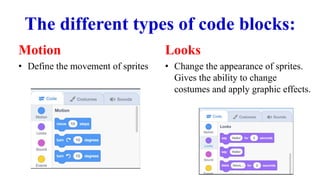
The different types of code blocks:
Motion
• Define the movement of sprites
Looks
• Change the appearance of sprites.
Gives the ability to change
costumes and apply graphic effects.
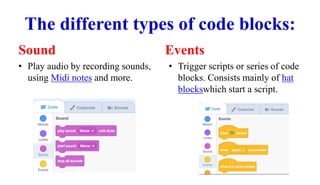
The different types of code blocks:
Sound
• Play audio by recording sounds,
using Midi notes and more.
Events
• Trigger scripts or series of code
blocks. Consists mainly of hat
blockswhich start a script.
The different types of code blocks:
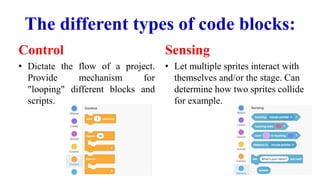
Control
• Dictate the flow of a project.
Provide mechanism for
"looping" different blocks and
scripts.
Sensing
• Let multiple sprites interact with
themselves and/or the stage. Can
determine how two sprites collide
for example.
The different types of code blocks:
Operators
• Allow various mathematical
functions within a project. Can
be used to modify variables
and strings.
Variables
• Used to store data in projects,
like a name or a score.
The different types of code blocks:
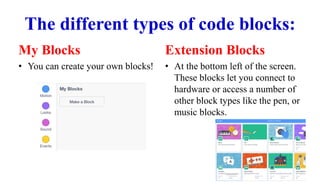
My Blocks
• You can create your own blocks!
Extension Blocks
• At the bottom left of the screen.
These blocks let you connect to
hardware or access a number of
other block types like the pen, or
music blocks.

Block types

  • 1.
  • 2.
    • Scratch isa "block-based" programming language. This means instead of writing lines of code to program, we use "blocks". Each block has a specific category that describes what its purpose is. Sprites are the objects that perform actions in a project and these blocks tell the sprites what to do. Code blocks can also tell a stage or backdrop how to behave.
  • 3.
    The different typesof code blocks: Motion • Define the movement of sprites Looks • Change the appearance of sprites. Gives the ability to change costumes and apply graphic effects.
  • 4.
    The different typesof code blocks: Sound • Play audio by recording sounds, using Midi notes and more. Events • Trigger scripts or series of code blocks. Consists mainly of hat blockswhich start a script.
  • 5.
    The different typesof code blocks: Control • Dictate the flow of a project. Provide mechanism for "looping" different blocks and scripts. Sensing • Let multiple sprites interact with themselves and/or the stage. Can determine how two sprites collide for example.
  • 6.
    The different typesof code blocks: Operators • Allow various mathematical functions within a project. Can be used to modify variables and strings. Variables • Used to store data in projects, like a name or a score.
  • 7.
    The different typesof code blocks: My Blocks • You can create your own blocks! Extension Blocks • At the bottom left of the screen. These blocks let you connect to hardware or access a number of other block types like the pen, or music blocks.