BlackBerry®
Workspaces addresses the challenge of securing
critical information while enabling seamless sharing and
collaboration. Available as a cloud, on-premises, or hybrid
service, Workspaces’ unique document-centric security
architecture allows controls and tracking to be embedded in
enterprise files. With Workspaces, you stay in control of all
synced and shared files wherever they go, on any device, online
and offline - even after they’re downloaded from the system.
Secure File Sharing
Workspaces makes your content secure wherever it travels. All
stakeholders can safely access, share and collaborate on even
the most sensitive files, using any device – desktop (Windows®
,
Mac®
) or mobile (iOS®
, Android™
, BlackBerry®
10). Wherever
the files are, and wherever they need to go, your organization
stays in control.
Best-in-Class Data Security
With full end-to-end document protection and tracking,
Workspaces uses the industry’s highest level of security while
maintaining ease of use. Files are always encrypted via AES-
256 where available, with FIPS 140-2 certification in transit, at
rest and in use. With Workspaces, your files remain controlled
even after they have been accessed on mobile devices or
shared with external parties.
Easy-to-Use DRM Controls
Workspaces empowers users with easy-to-use digital rights
management (DRM) controls, so they can always be in
control of their content, even after external collaborators have
downloaded it. With Workspaces, stakeholders can:
•	Set permissions to access, download,
view, edit, copy, print, and forward
•	Enable screen capture protection
•	Enable dynamic and customizable watermarking
•	Track, revoke, wipe or expire file access at any time –
even after the document has been downloaded or shared
Industry Information Sharing
•	Cross-agency sharing
•	Procurement, RFP protection
•	Legal department file protection
•	Collaboration with law enforcement
•	Sharing with state/local governments
The Solution
Data Sheet
Solutions for
Government
The Challenge
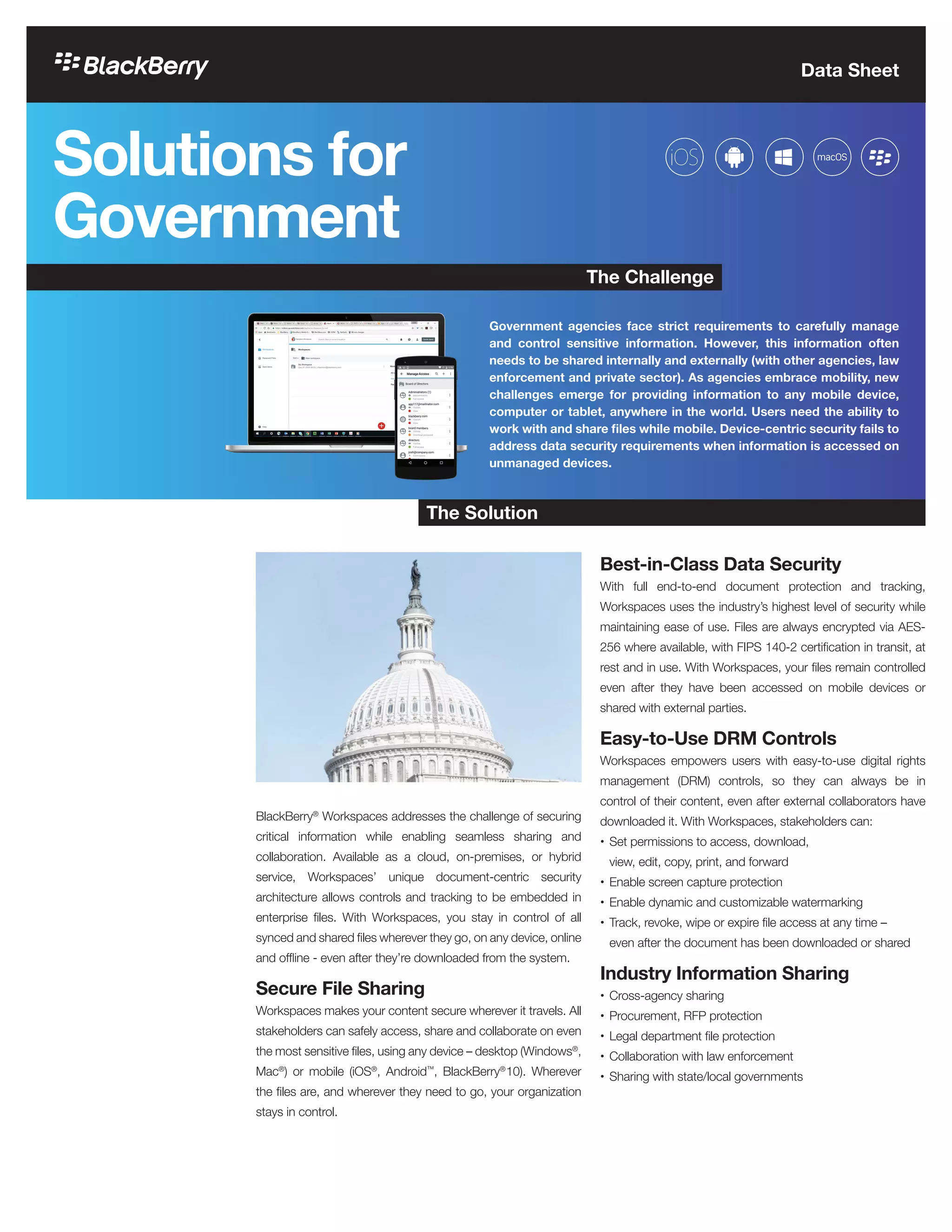
Government agencies face strict requirements to carefully manage
and control sensitive information. However, this information often
needs to be shared internally and externally (with other agencies, law
enforcement and private sector). As agencies embrace mobility, new
challenges emerge for providing information to any mobile device,
computer or tablet, anywhere in the world. Users need the ability to
work with and share files while mobile. Device-centric security fails to
address data security requirements when information is accessed on
unmanaged devices.
Secure Mobile Productivity
Every agency that embraces mobility will hear the demand for
document access on mobile devices, whether government-
furnished equipment (GFE) or “bring your own device” (BYOD).
BlackBerry Workspaces delivers the features users want and
the control IT needs.
What Users Want
•	Access files from any mobile device or computer
•	Confidently and easily share files with colleagues
and external parties
•	Integrated annotations and shared workspaces
•	Elegant and modern user experience
•	Integration with Microsoft®
Office productivity tools
What IT Needs
•	Secure file sharing
•	Encrypt data in transit, at rest and in use
•	Revoke access from any device
•	Wipe documents from any device
•	Track all file access
•	Integrate with existing document repositories
Data Security Throughout
the Document Lifecycle
Flexible Deployment Options
Choose to deploy Workspaces as a cloud-hosted SaaS, on-
premises or hybrid solution. The on-premise option allows
agencies to deploy Workspaces on internal servers and enables
storage in their own datacenter. In addition, organizations may
also extend existing repositories through the Workspaces
interface without migrating or duplicating the data.
End-to-End Encryption
BlackBerry Workspaces utilizes FIPS 140-2 approved
encryption for data at rest (AES-256) and in transit (SSL/
TLS). Every document is encrypted and every user/device
exchanges encrypted data with a public/private key pair. On-
premise customers can leverage a Hardware Security Module
for secure key storage. Workspaces also uniquely encrypts
data while in use to secure data even when recipients are
viewing or editing files.
Consistent Tracking
Unlike other solutions that only track initial downloads,
Workspaces provides full document tracking visibility
throughout its entire lifecycle. With Workspaces, you can
establish who has permission to view, edit, print, and share
each file; track who’s doing what; and set content expiry dates
or revoke access on-demand – even if the files were forwarded
to a personal email address or saved to local drives.
Data Sheet
BlackBerry Workspaces makes your content secure wherever
it travels. With Workspaces, all stakeholders can safely access,
share and collaborate on even the most sensitive files, using
any device — desktop (Windows, Mac) or mobile (iOS, Android,
BlackBerry 10). By combining a user experience that’s as easy
and intuitive as any consumer solution with a unique data-
centric architecture (which embeds protection right in your
files), BlackBerry Workspaces is designed to meet the needs
of your organization, IT team, and users. To learn more, visit
www.blackberry.com/workspaces.
About Workspaces
©2016 BlackBerry. All rights reserved. BlackBerry®
, Workspaces™
and related trademarks, names and logos are the property of BlackBerry Limited (“BlackBerry”) and are registered and/or used
in the U.S. and countries around the world. All other trademarks are property of their respective owners. Content: 11/16 | Rev. 06DEC2016

BlackBerry Workspaces: Solutions for Government

  • 1.
    BlackBerry® Workspaces addresses thechallenge of securing critical information while enabling seamless sharing and collaboration. Available as a cloud, on-premises, or hybrid service, Workspaces’ unique document-centric security architecture allows controls and tracking to be embedded in enterprise files. With Workspaces, you stay in control of all synced and shared files wherever they go, on any device, online and offline - even after they’re downloaded from the system. Secure File Sharing Workspaces makes your content secure wherever it travels. All stakeholders can safely access, share and collaborate on even the most sensitive files, using any device – desktop (Windows® , Mac® ) or mobile (iOS® , Android™ , BlackBerry® 10). Wherever the files are, and wherever they need to go, your organization stays in control. Best-in-Class Data Security With full end-to-end document protection and tracking, Workspaces uses the industry’s highest level of security while maintaining ease of use. Files are always encrypted via AES- 256 where available, with FIPS 140-2 certification in transit, at rest and in use. With Workspaces, your files remain controlled even after they have been accessed on mobile devices or shared with external parties. Easy-to-Use DRM Controls Workspaces empowers users with easy-to-use digital rights management (DRM) controls, so they can always be in control of their content, even after external collaborators have downloaded it. With Workspaces, stakeholders can: • Set permissions to access, download, view, edit, copy, print, and forward • Enable screen capture protection • Enable dynamic and customizable watermarking • Track, revoke, wipe or expire file access at any time – even after the document has been downloaded or shared Industry Information Sharing • Cross-agency sharing • Procurement, RFP protection • Legal department file protection • Collaboration with law enforcement • Sharing with state/local governments The Solution Data Sheet Solutions for Government The Challenge Government agencies face strict requirements to carefully manage and control sensitive information. However, this information often needs to be shared internally and externally (with other agencies, law enforcement and private sector). As agencies embrace mobility, new challenges emerge for providing information to any mobile device, computer or tablet, anywhere in the world. Users need the ability to work with and share files while mobile. Device-centric security fails to address data security requirements when information is accessed on unmanaged devices.
  • 2.
    Secure Mobile Productivity Everyagency that embraces mobility will hear the demand for document access on mobile devices, whether government- furnished equipment (GFE) or “bring your own device” (BYOD). BlackBerry Workspaces delivers the features users want and the control IT needs. What Users Want • Access files from any mobile device or computer • Confidently and easily share files with colleagues and external parties • Integrated annotations and shared workspaces • Elegant and modern user experience • Integration with Microsoft® Office productivity tools What IT Needs • Secure file sharing • Encrypt data in transit, at rest and in use • Revoke access from any device • Wipe documents from any device • Track all file access • Integrate with existing document repositories Data Security Throughout the Document Lifecycle Flexible Deployment Options Choose to deploy Workspaces as a cloud-hosted SaaS, on- premises or hybrid solution. The on-premise option allows agencies to deploy Workspaces on internal servers and enables storage in their own datacenter. In addition, organizations may also extend existing repositories through the Workspaces interface without migrating or duplicating the data. End-to-End Encryption BlackBerry Workspaces utilizes FIPS 140-2 approved encryption for data at rest (AES-256) and in transit (SSL/ TLS). Every document is encrypted and every user/device exchanges encrypted data with a public/private key pair. On- premise customers can leverage a Hardware Security Module for secure key storage. Workspaces also uniquely encrypts data while in use to secure data even when recipients are viewing or editing files. Consistent Tracking Unlike other solutions that only track initial downloads, Workspaces provides full document tracking visibility throughout its entire lifecycle. With Workspaces, you can establish who has permission to view, edit, print, and share each file; track who’s doing what; and set content expiry dates or revoke access on-demand – even if the files were forwarded to a personal email address or saved to local drives. Data Sheet BlackBerry Workspaces makes your content secure wherever it travels. With Workspaces, all stakeholders can safely access, share and collaborate on even the most sensitive files, using any device — desktop (Windows, Mac) or mobile (iOS, Android, BlackBerry 10). By combining a user experience that’s as easy and intuitive as any consumer solution with a unique data- centric architecture (which embeds protection right in your files), BlackBerry Workspaces is designed to meet the needs of your organization, IT team, and users. To learn more, visit www.blackberry.com/workspaces. About Workspaces ©2016 BlackBerry. All rights reserved. BlackBerry® , Workspaces™ and related trademarks, names and logos are the property of BlackBerry Limited (“BlackBerry”) and are registered and/or used in the U.S. and countries around the world. All other trademarks are property of their respective owners. Content: 11/16 | Rev. 06DEC2016