BIM Presentation
<Presenter Name>
<Department, Division, Company>
<Date>
Instruction
Use your company standard PPT Template
Edit as required
Please fill in the necessary info for the place
holder “< --- >”
If there is a need edit the slide’s Titles
Expected presentation duration = 30 to 45 min
<Section Title>
<Sub Title>
Instruction
Use Section titles when there is a need
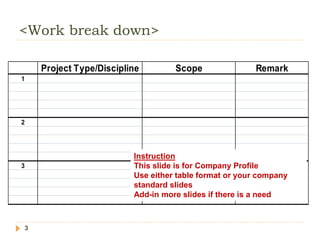
<Work break down>
3
Project Type/Discipline Scope Remark
1
2
3
Instruction
This slide is for Company Profile
Use either table format or your company
standard slides
Add-in more slides if there is a need
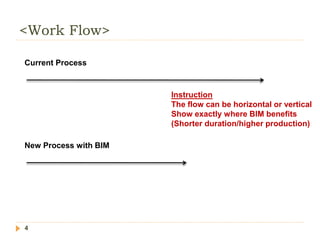
<Work Flow>
4
Current Process
New Process with BIM
Instruction
The flow can be horizontal or vertical
Show exactly where BIM benefits
(Shorter duration/higher production)
<Process Explanation>
5
 Item 1
 Item 2
 Item 3
 Sub item 1
 Sub item 2
Instruction
If there is a need please add
information for both current and
BIM process
(can be in the next slide)
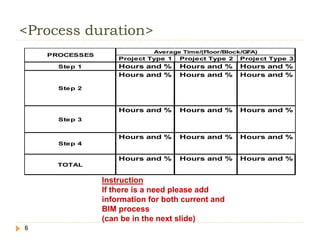
<Process duration>
6
Project Type 1 Project Type 2 Project Type 3
Step 1 Hours and % Hours and % Hours and %
Step 2
Hours and % Hours and % Hours and %
Step 3
Hours and % Hours and % Hours and %
Step 4
Hours and % Hours and % Hours and %
TOTAL
Hours and % Hours and % Hours and %
PROCESSES
Average Time/(Floor/Block/GFA)
Instruction
If there is a need please add
information for both current and
BIM process
(can be in the next slide)
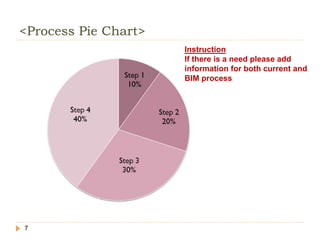
<Process Pie Chart>
7
Instruction
If there is a need please add
information for both current and
BIM process
<Limitation>
8
Instruction
If there is a need please add
information for both current and
BIM process
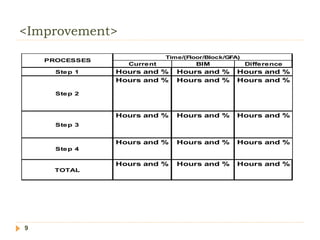
<Improvement>
9
Current BIM Difference
Step 1 Hours and % Hours and % Hours and %
Step 2
Hours and % Hours and % Hours and %
Step 3
Hours and % Hours and % Hours and %
Step 4
Hours and % Hours and % Hours and %
TOTAL
Hours and % Hours and % Hours and %
PROCESSES
Time/(Floor/Block/GFA)
<Benefits>
10
 Item 1
 Item 2
 Item 3
 Sub item 1
 Sub item 2
<Additional Capabilities>
11
Instruction
Please share with us
what are the additional
capabilities that BIM
software can do whereas
your current software
cannot do
<Future Plans>
12
Instruction
Please share with us
what are your future
plans since you have
successfully
implemented BIM for the
first project
Sample 2D Views
13
Instruction
Add-in more slides if there is a need
If you are submitting DWF/PDF/BIM Native
file then please deliver in a CD
Sample 3D Views
14
Instruction
Add-in more slides if there is a need
If you are submitting DWF/PDF/BIM Native
file then please deliver in a CD
Sample Data
15
Instruction
Add-in more slides if there is a need
If you are submitting DWF/PDF/BIM Native
file then please deliver in a CD
Sample Video
16
Instruction
Add-in more slides if there is a need
If you are submitting DWF/PDF/BIM Native
file then please deliver in a CD
Thanks

bim_funding_report.ppt