BETTER&STRONGER
BIGQUERY FOR BEGINNERS
KHRYSTYNAGRYNKO
DigitalMarketer/Analyst
SUMMARY
HOW TO LOAD DATA TO BIGQUERY ?
01
PAGE 2
HOW TO WORK WITH BIGQUERY ?
02
PAGE 2
HOW TO BUILD DASHBOARDS USING BIGQUERY ?
03
PAGE 2
SOME BEST PRACTICES
04
PAGE 2
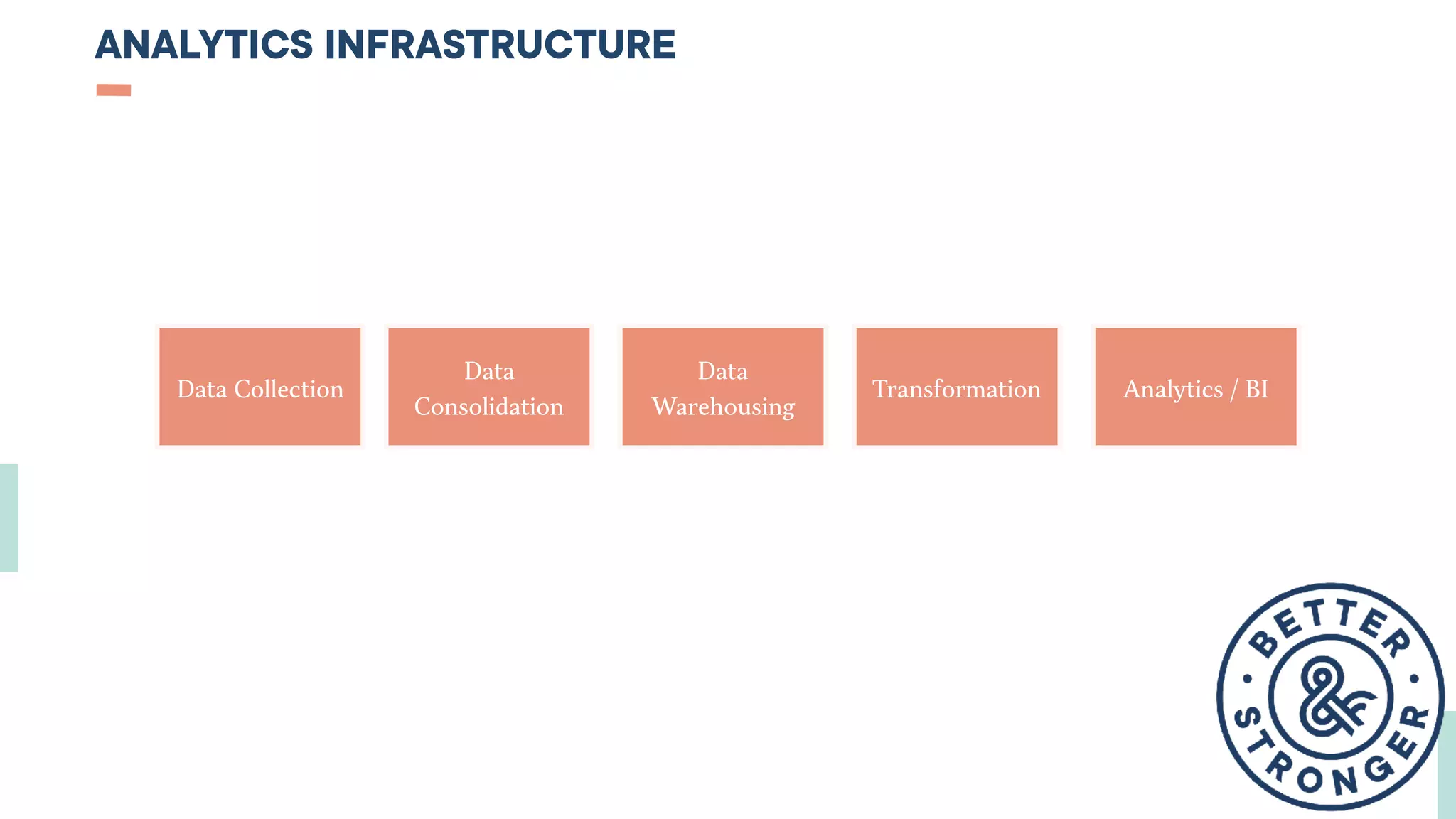
ANALYTICS INFRASTRUCTURE
Data Collection
Data
Consolidation
Data
Warehousing
Transformation Analytics / BI
BIGQUERY - NON GEEKY DEFINITION
This is a place where you can stock and query your data for 0,02 $ per GB (~256 MP3 audio files) and then create nice (and
free!) dashboards in Google Data Studio.
It is a part of Google Cloud Platform.
You’ll need some basic SQL knowledge to work with it.
(Officially : BigQuery is a Web service from Google that is used for handling or analyzing big data. It is part of the Google
Cloud Platform.)
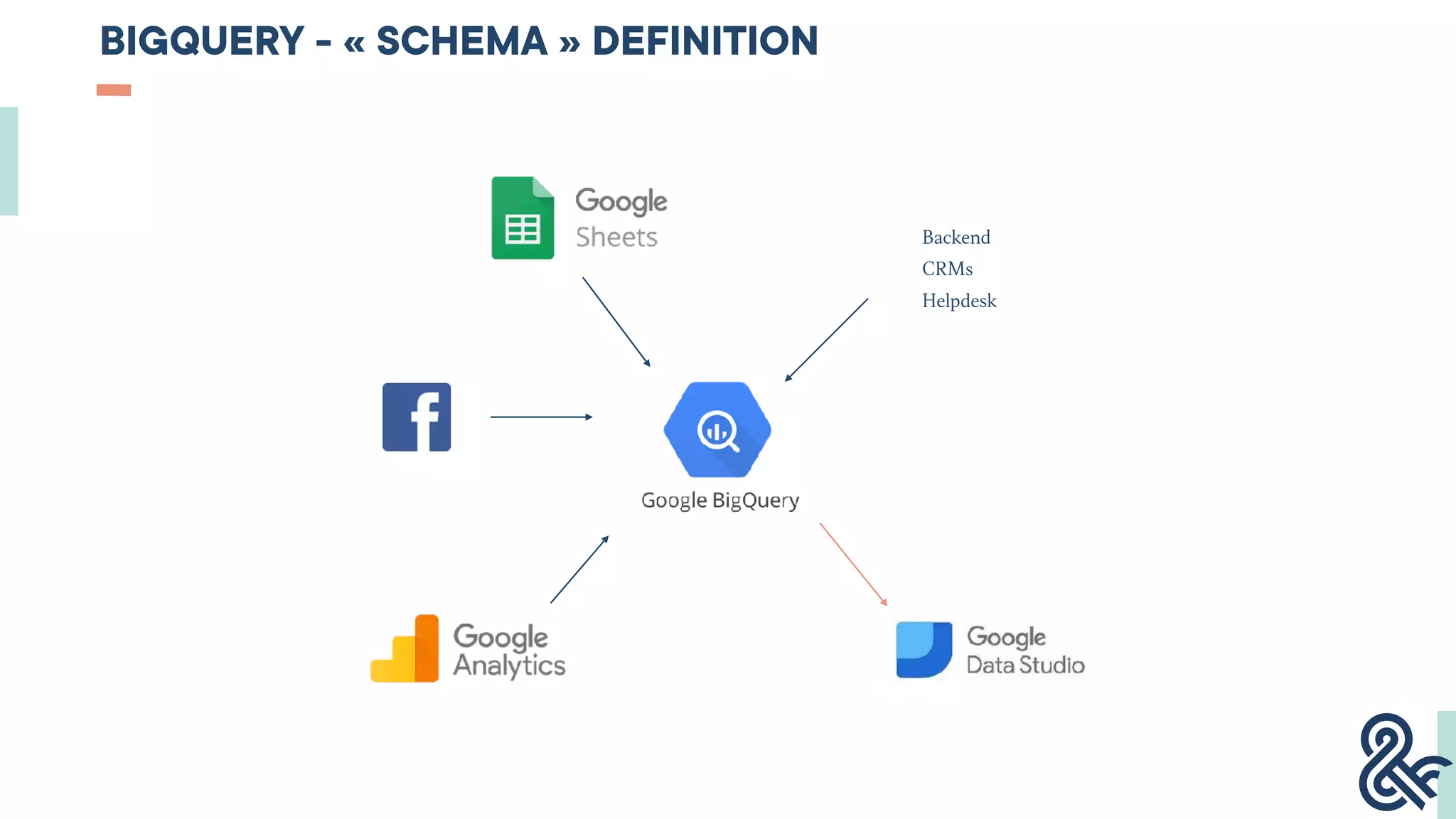
BIGQUERY - « SCHEMA » DEFINITION
Backend
CRMs
Helpdesk
SQL
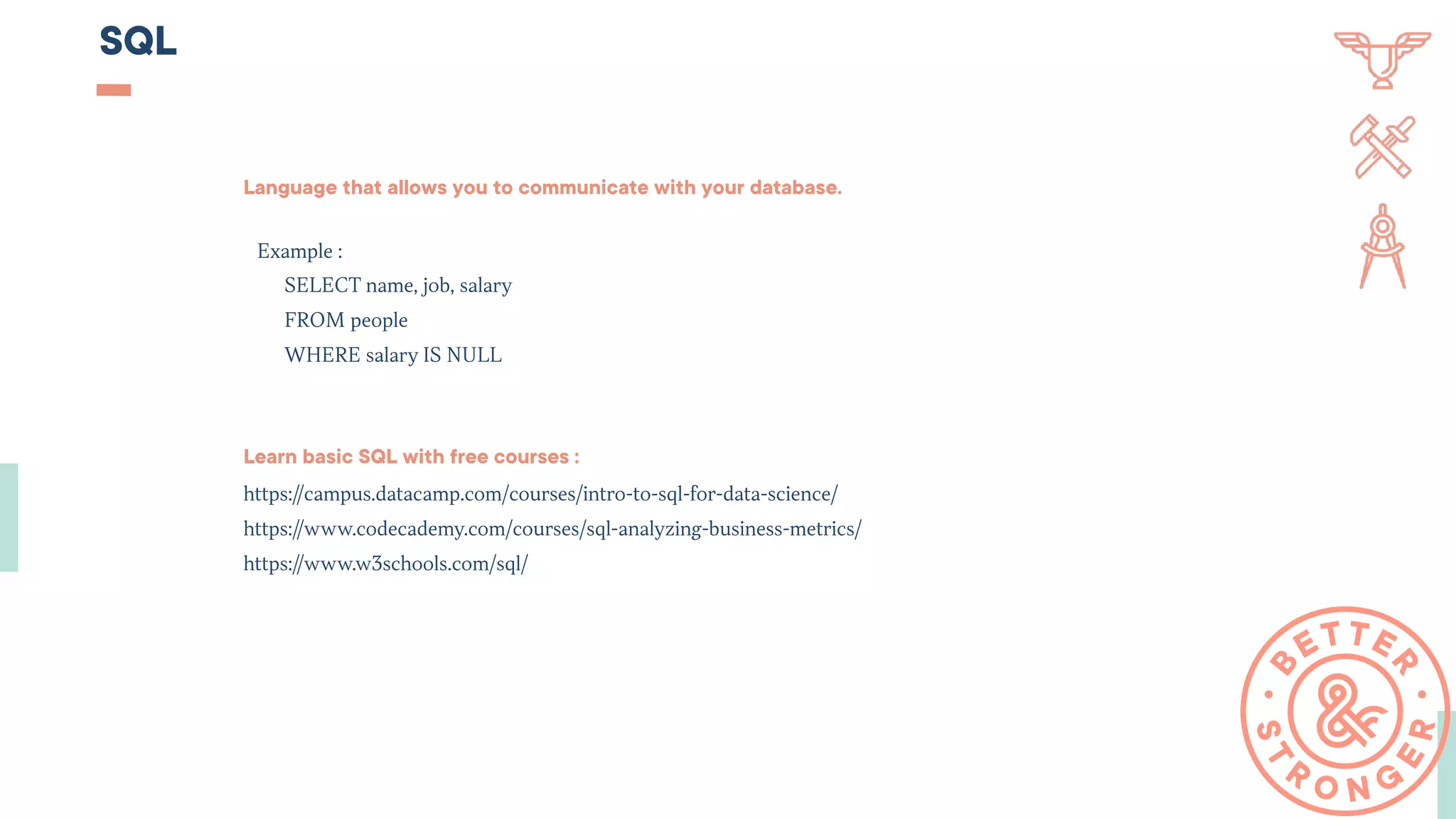
Language that allows you to communicate with your database.
Example :
SELECT name, job, salary

FROM people

WHERE salary IS NULL
Learn basic SQL with free courses :
https://campus.datacamp.com/courses/intro-to-sql-for-data-science/
https://www.codecademy.com/courses/sql-analyzing-business-metrics/
https://www.w3schools.com/sql/
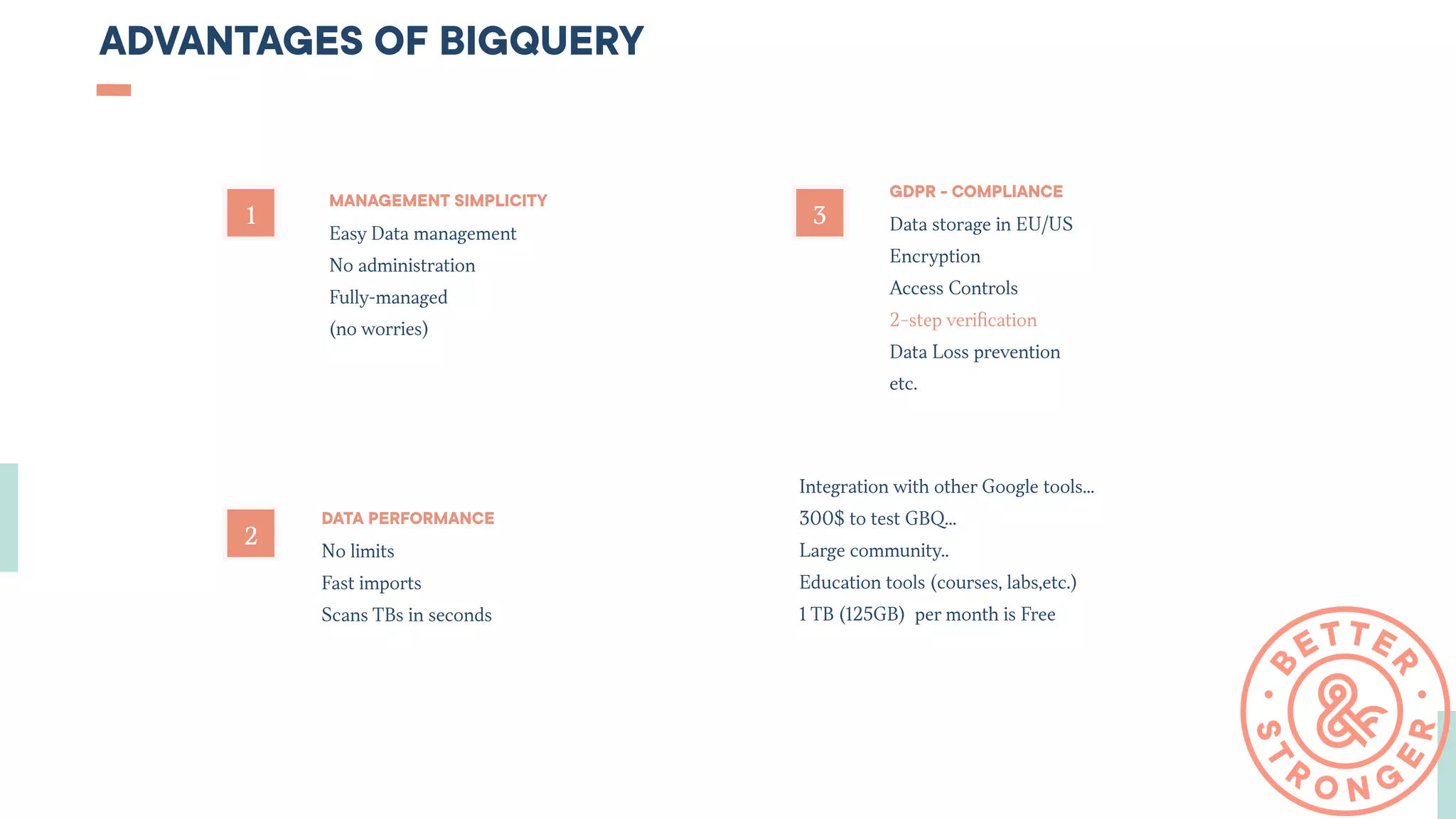
ADVANTAGES OF BIGQUERY
2
1 3
MANAGEMENT SIMPLICITY
Easy Data management
No administration
Fully-managed
(no worries)
DATA PERFORMANCE
No limits
Fast imports
Scans TBs in seconds
GDPR - COMPLIANCE
Data storage in EU/US
Encryption
Access Controls
2−step verification
Data Loss prevention
etc.
Integration with other Google tools…
300$ to test GBQ…
Large community..
Education tools (courses, labs,etc.)
1 TB (125GB)  per month is Free
ANALOGIES OF BIGQUERY
REDSHIFT
SNOWFLAKE
AZURE
PRESTO
ETC.
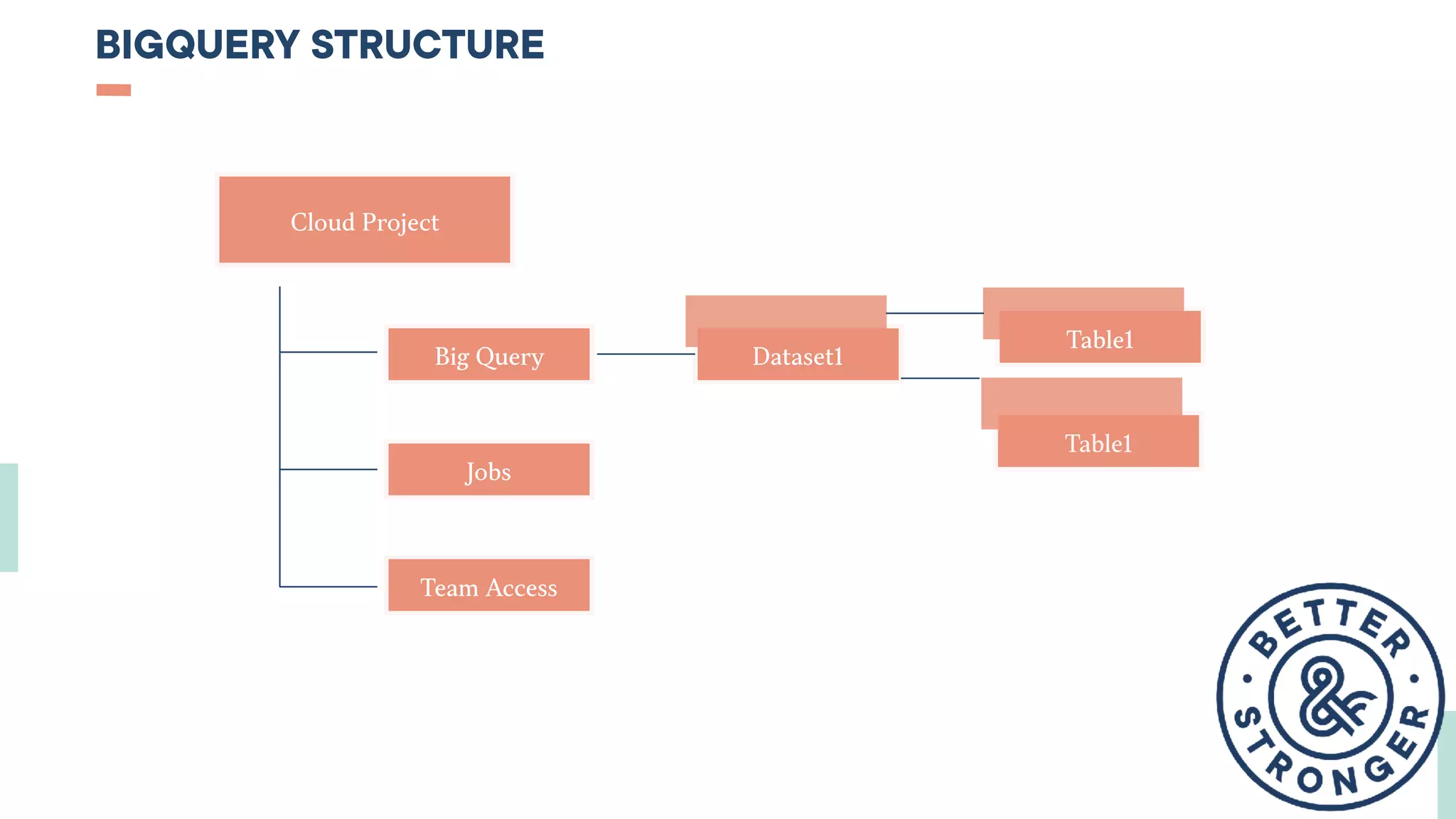
BIGQUERY STRUCTURE
Cloud Project
Big Query
Jobs
Team Access
Dataset1
Table1
Table1
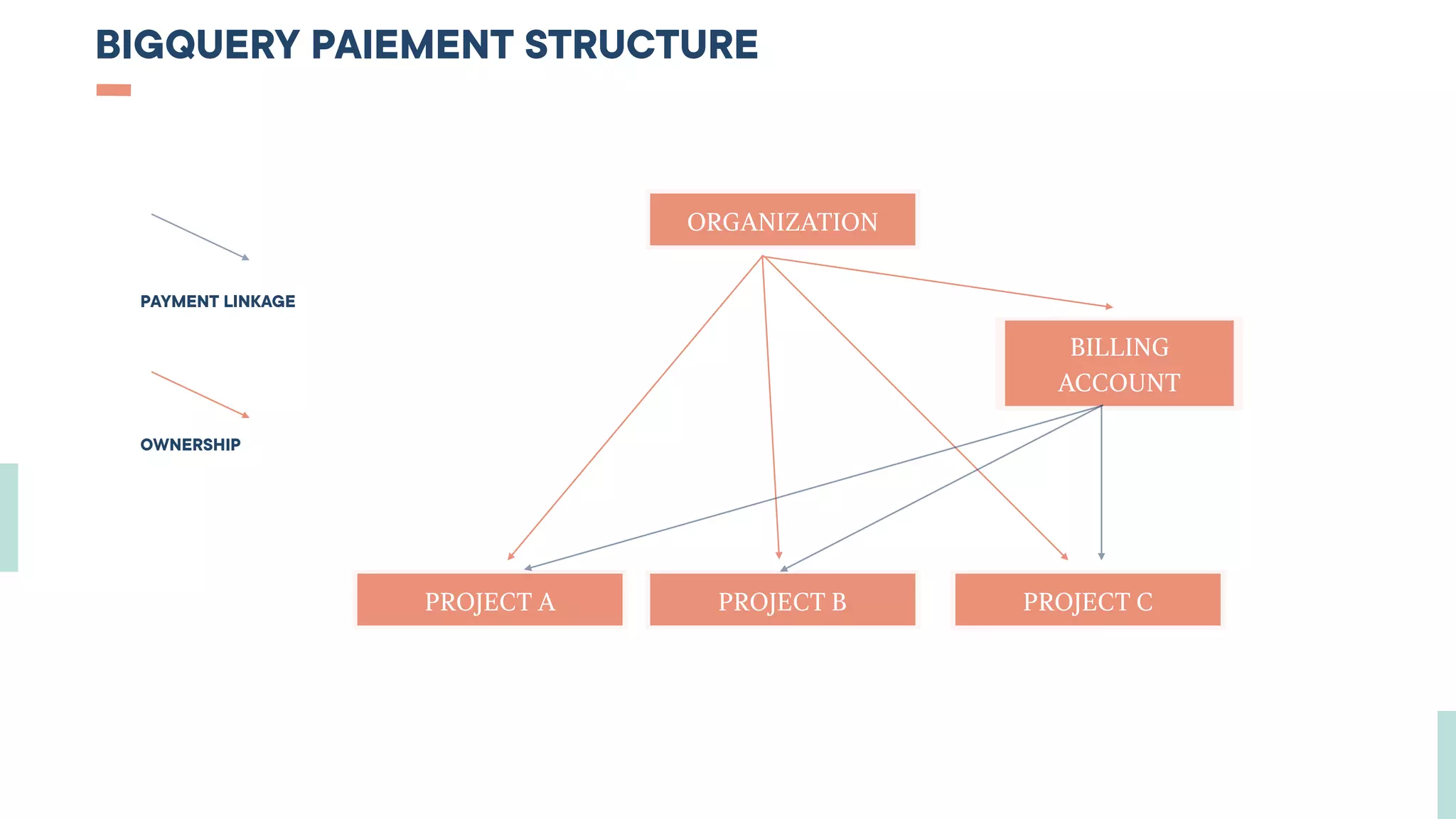
BIGQUERY PAIEMENT STRUCTURE
ORGANIZATION
PROJECT A PROJECT B PROJECT C
BILLING
ACCOUNT
PAYMENT LINKAGE
OWNERSHIP
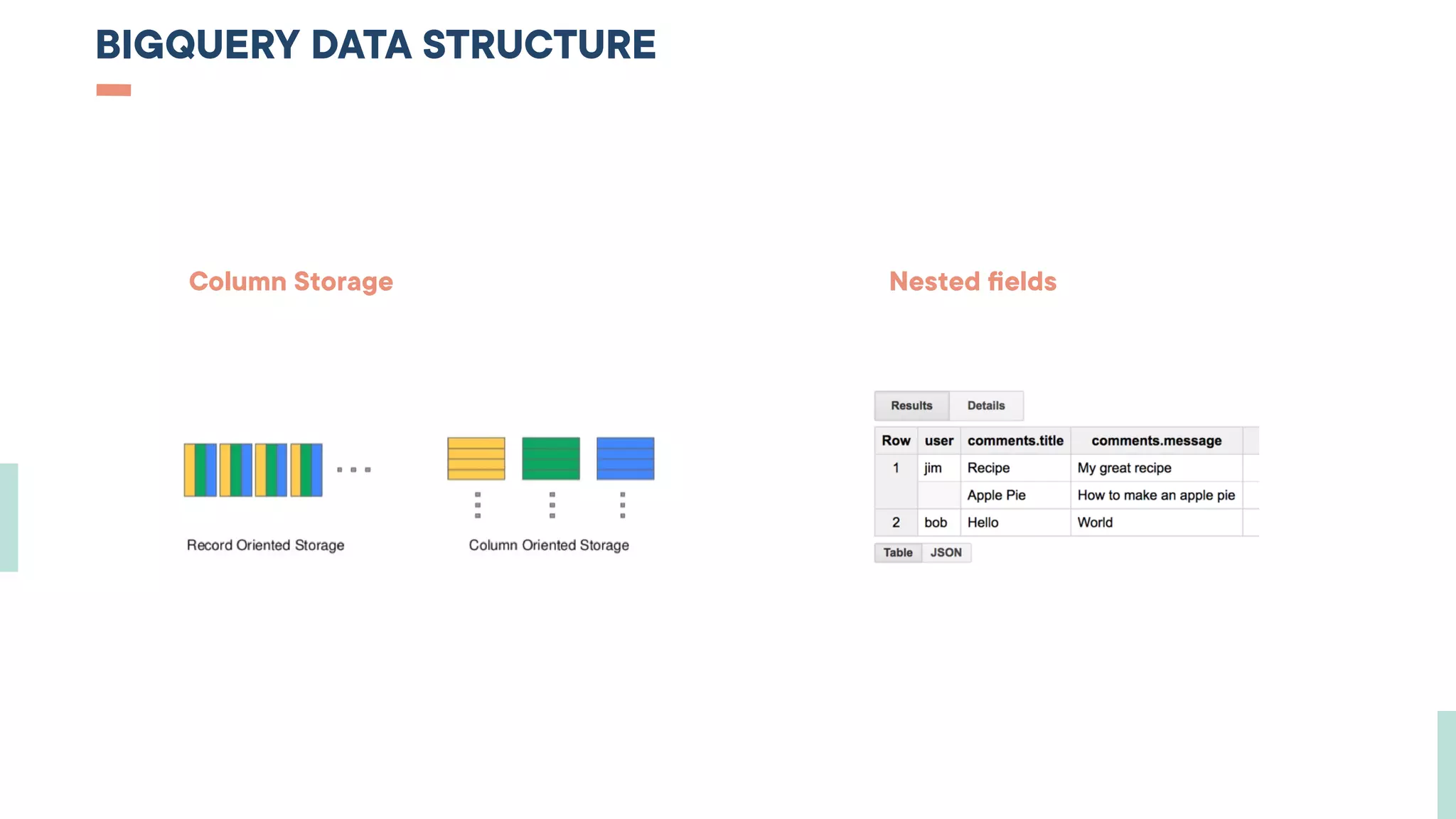
BIGQUERY DATA STRUCTURE
Column Storage                                                                       Nested fields
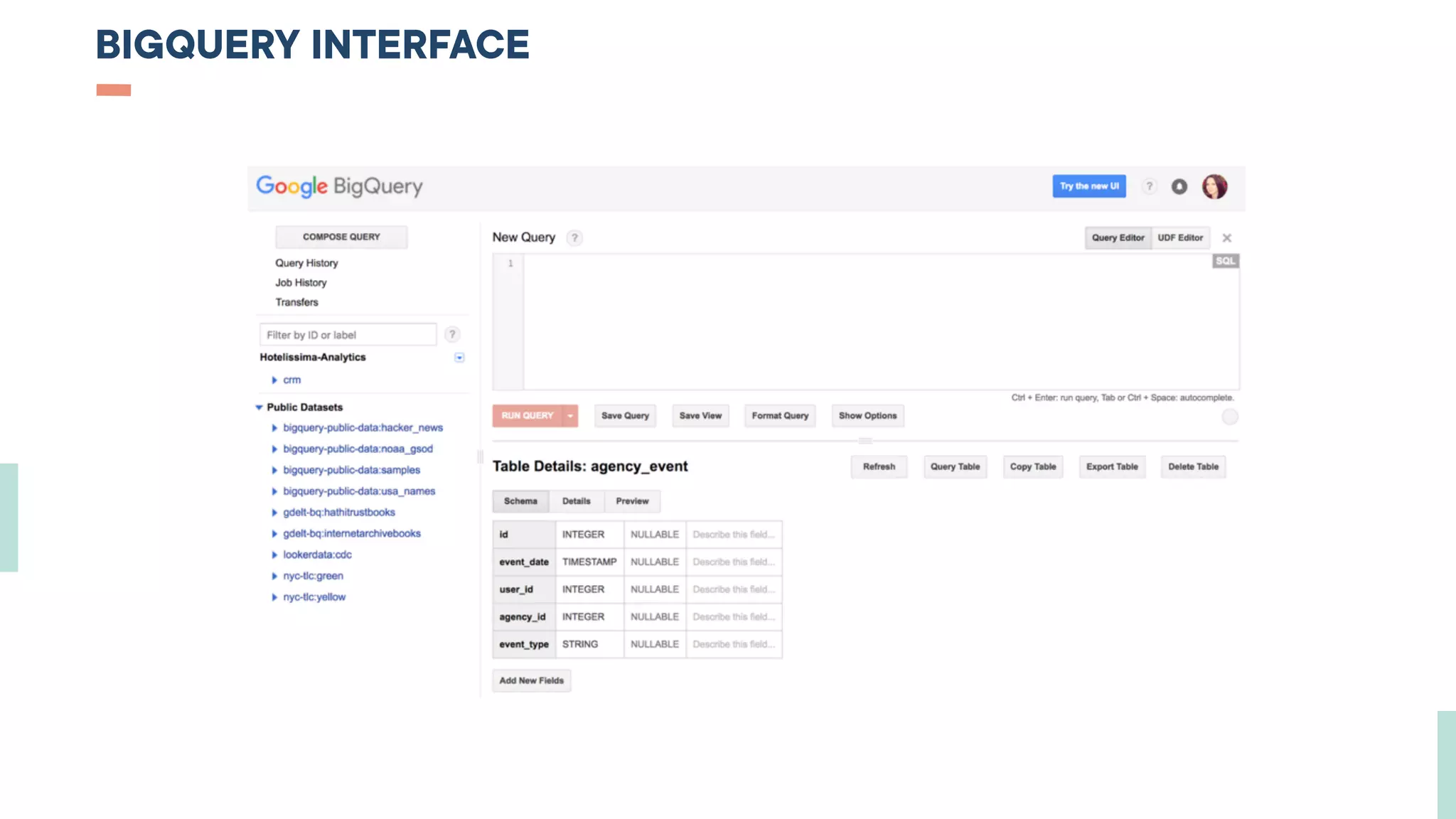
BIGQUERY INTERFACE
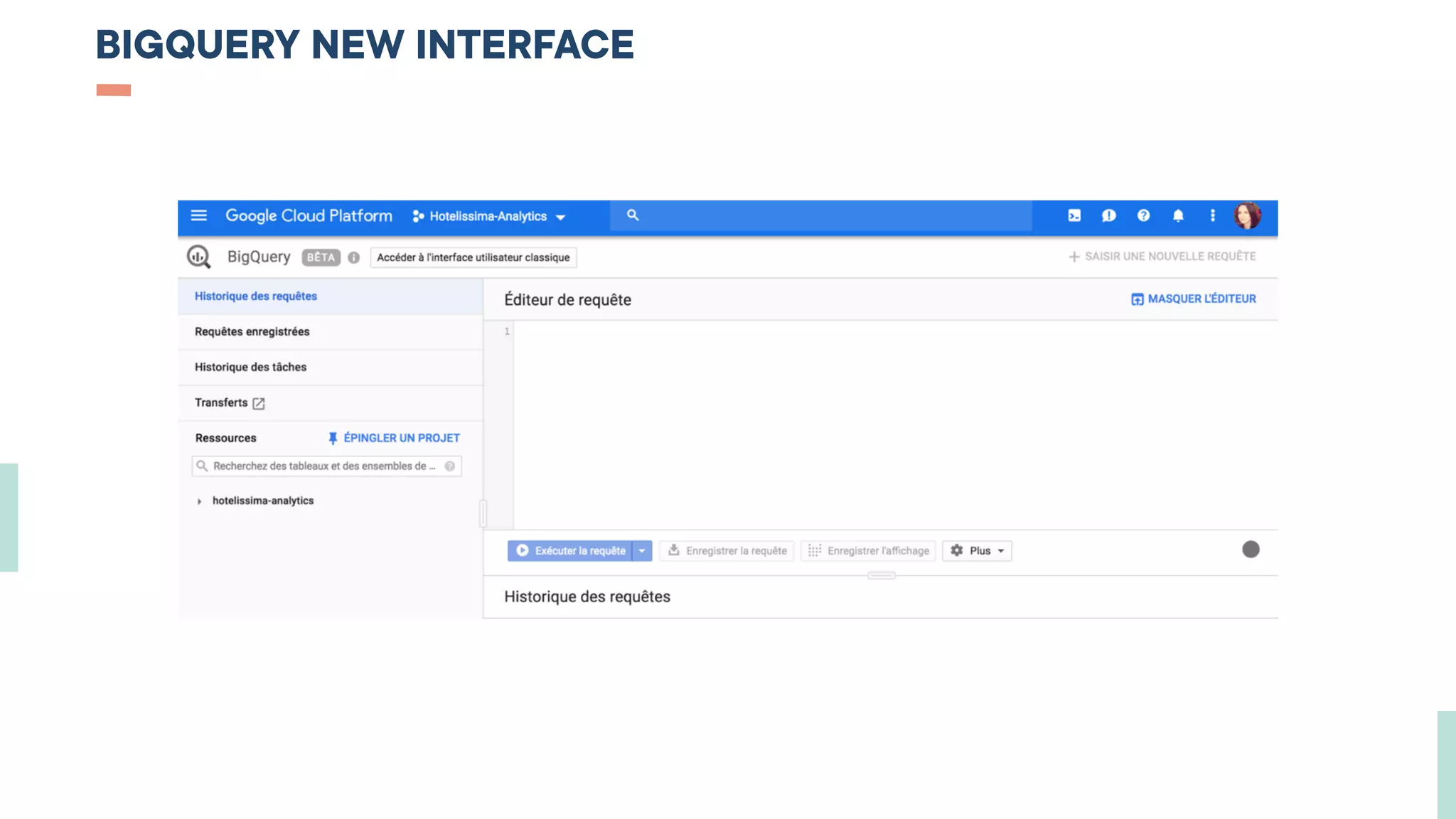
BIGQUERY NEW INTERFACE
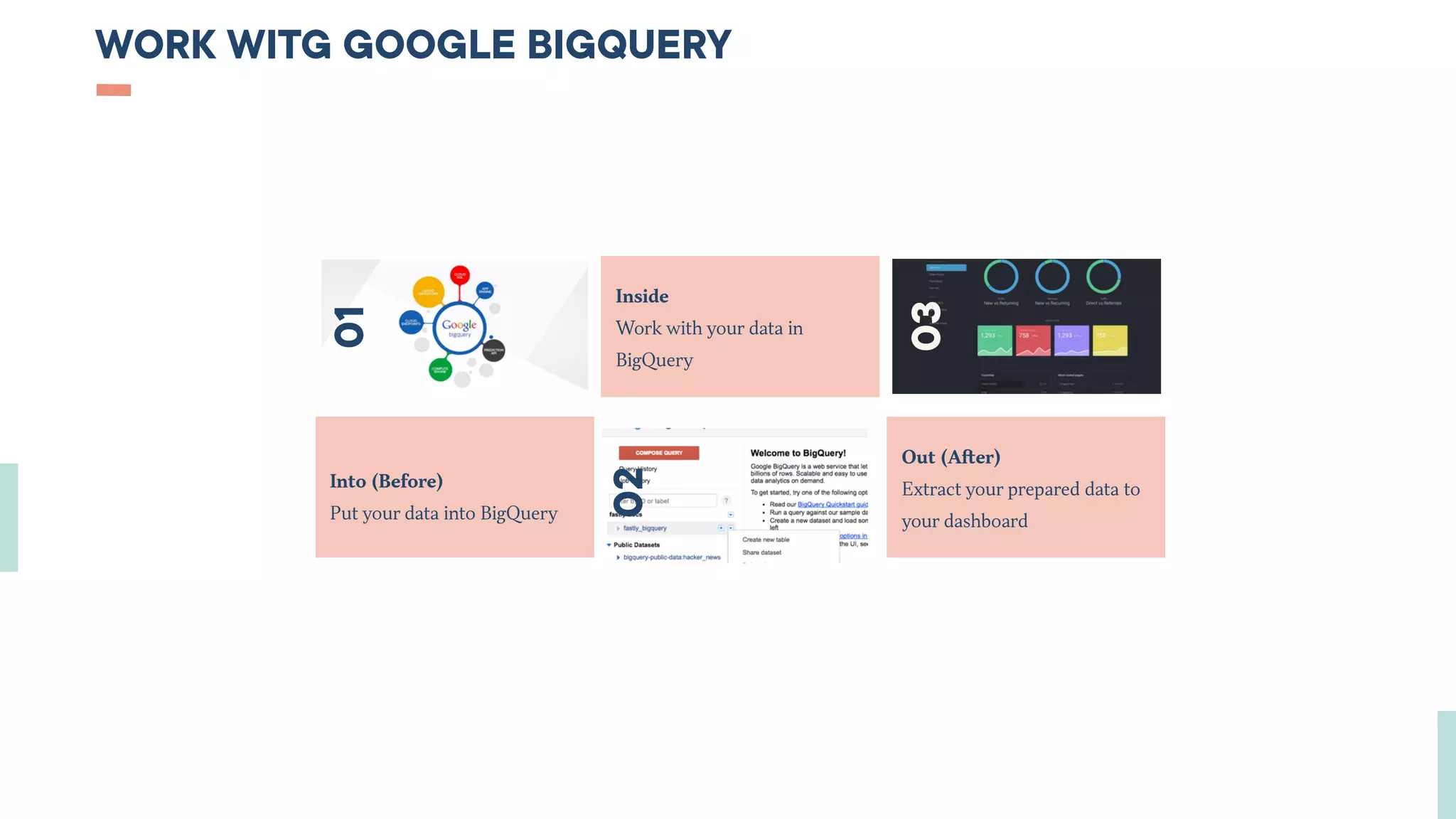
WORK WITG GOOGLE BIGQUERY
Into (Before)
Put your data into BigQuery
Out (After)
Extract your prepared data to
your dashboard
Inside
Work with your data in
BigQuery01
02
03
HOW TO LOAD DATA TO BIGQUERY ?
01
BEFORE
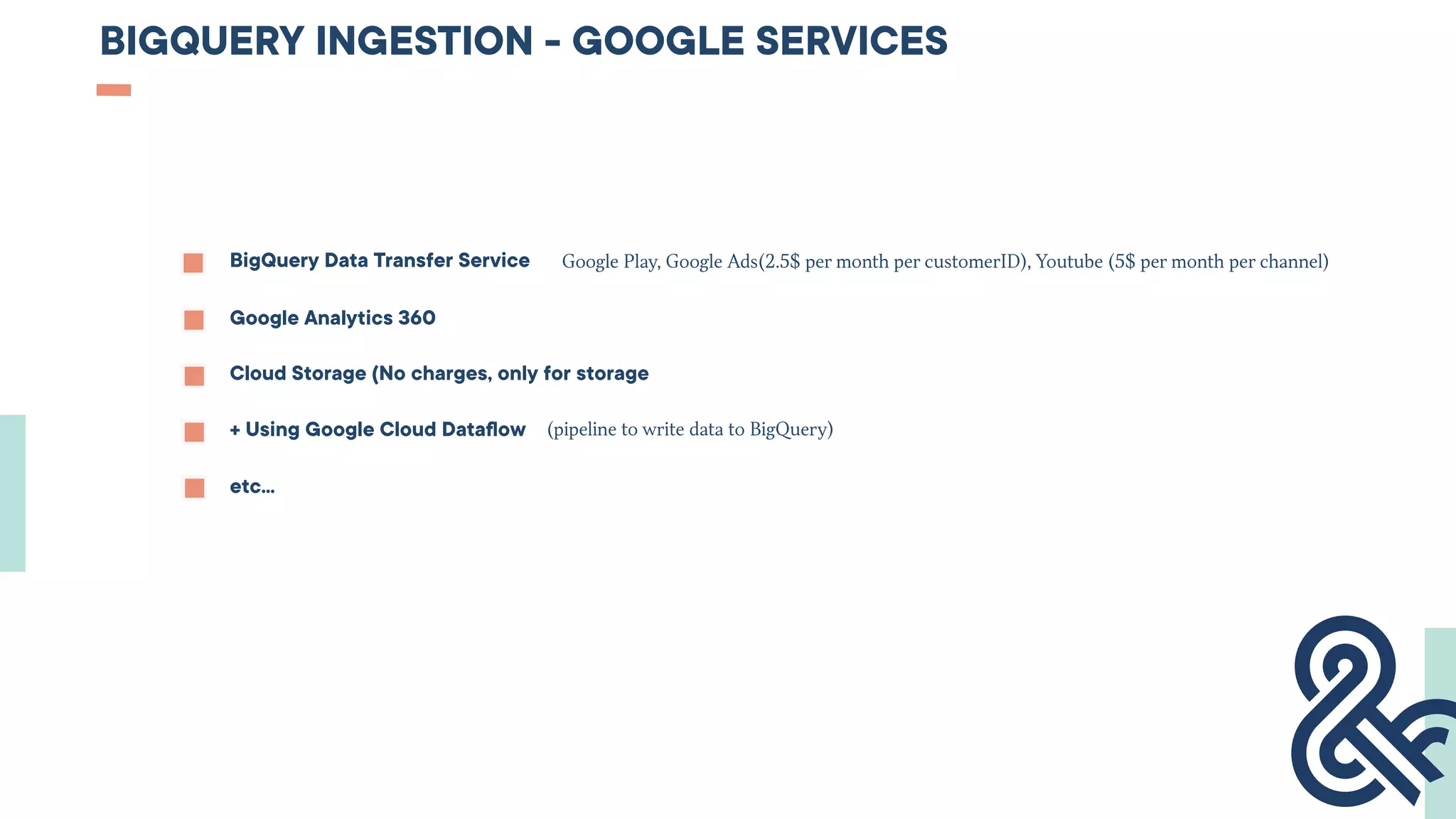
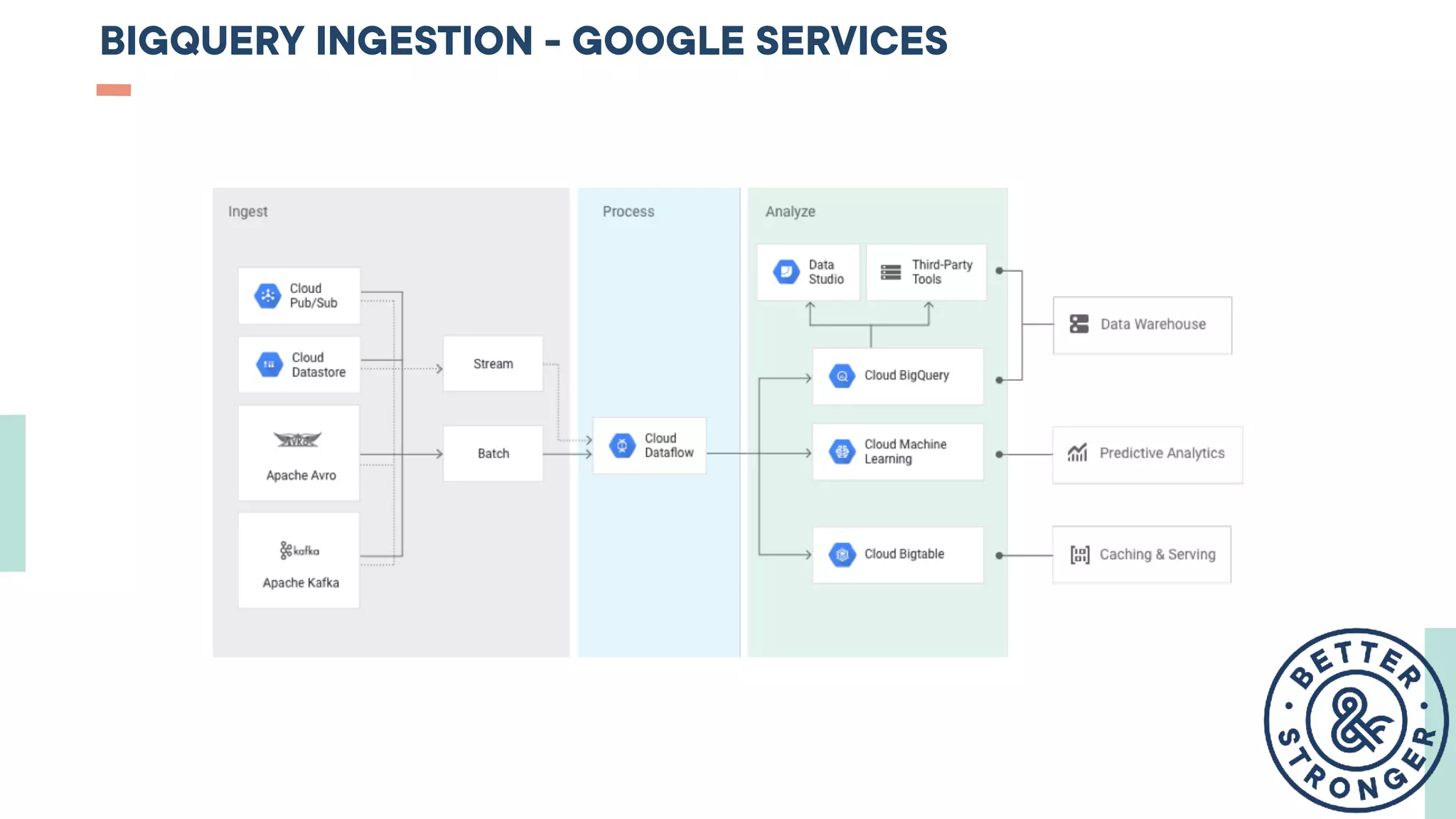
BIGQUERY INGESTION - GOOGLE SERVICES
BigQuery Data Transfer Service
Google Analytics 360
Google Play, Google Ads(2.5$ per month per customerID), Youtube (5$ per month per channel)
Cloud Storage (No charges, only for storage
+ Using Google Cloud Dataflow (pipeline to write data to BigQuery)
etc…
BIGQUERY INGESTION - GOOGLE SERVICES
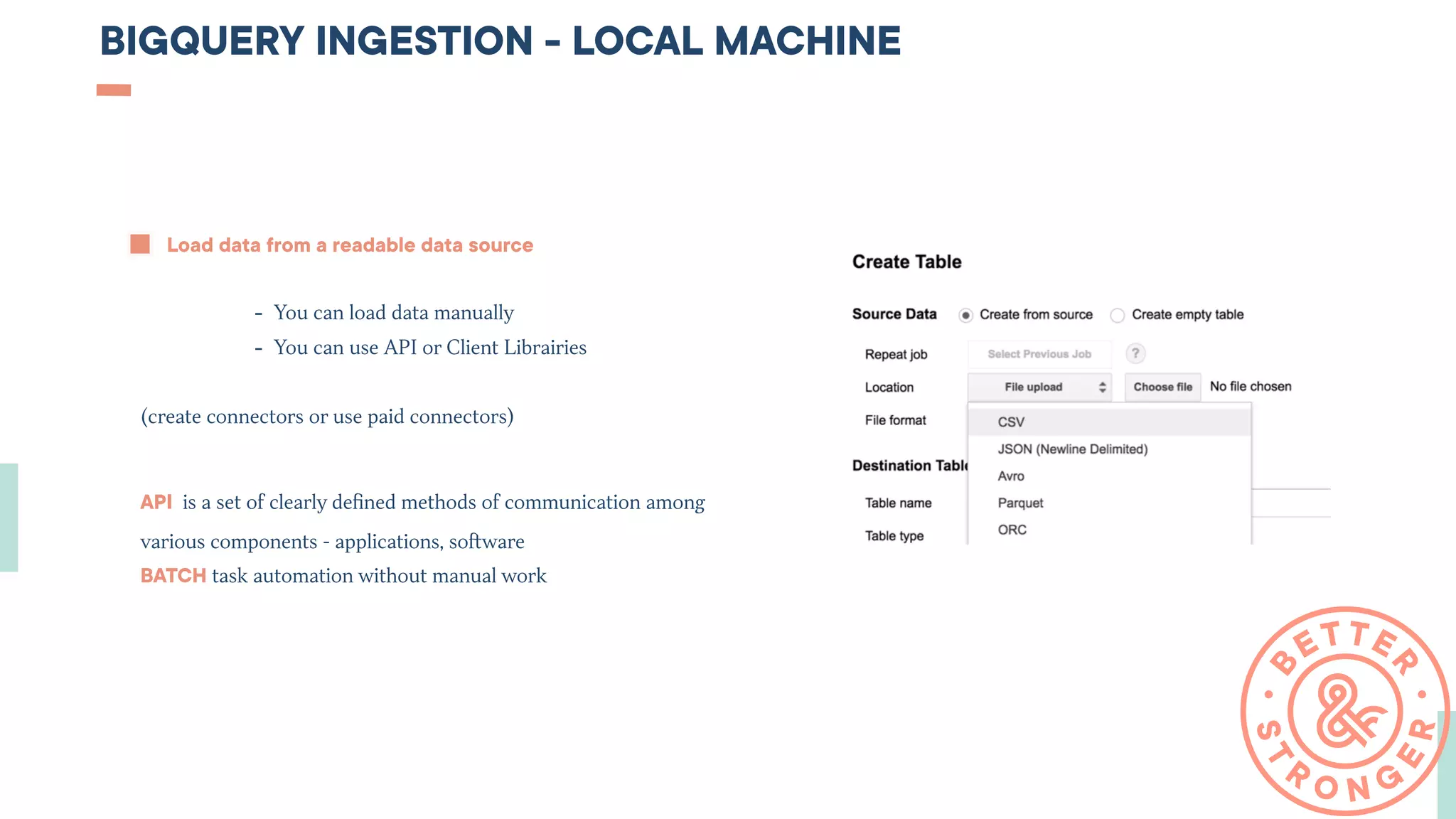
BIGQUERY INGESTION - LOCAL MACHINE
Load data from a readable data source
- You can load data manually
- You can use API or Client Librairies
(create connectors or use paid connectors)
API  is a set of clearly defined methods of communication among
various components - applications, software
BATCH task automation without manual work
BIGQUERY INGESTION - STREAMING
Load data immediately without delaying (for real-time reports)
- You can create your custom solution
- Use Google solutions (Google Dataflow)
- Or use paid solutions
Use-cases : mobile application - sending errors events in real time
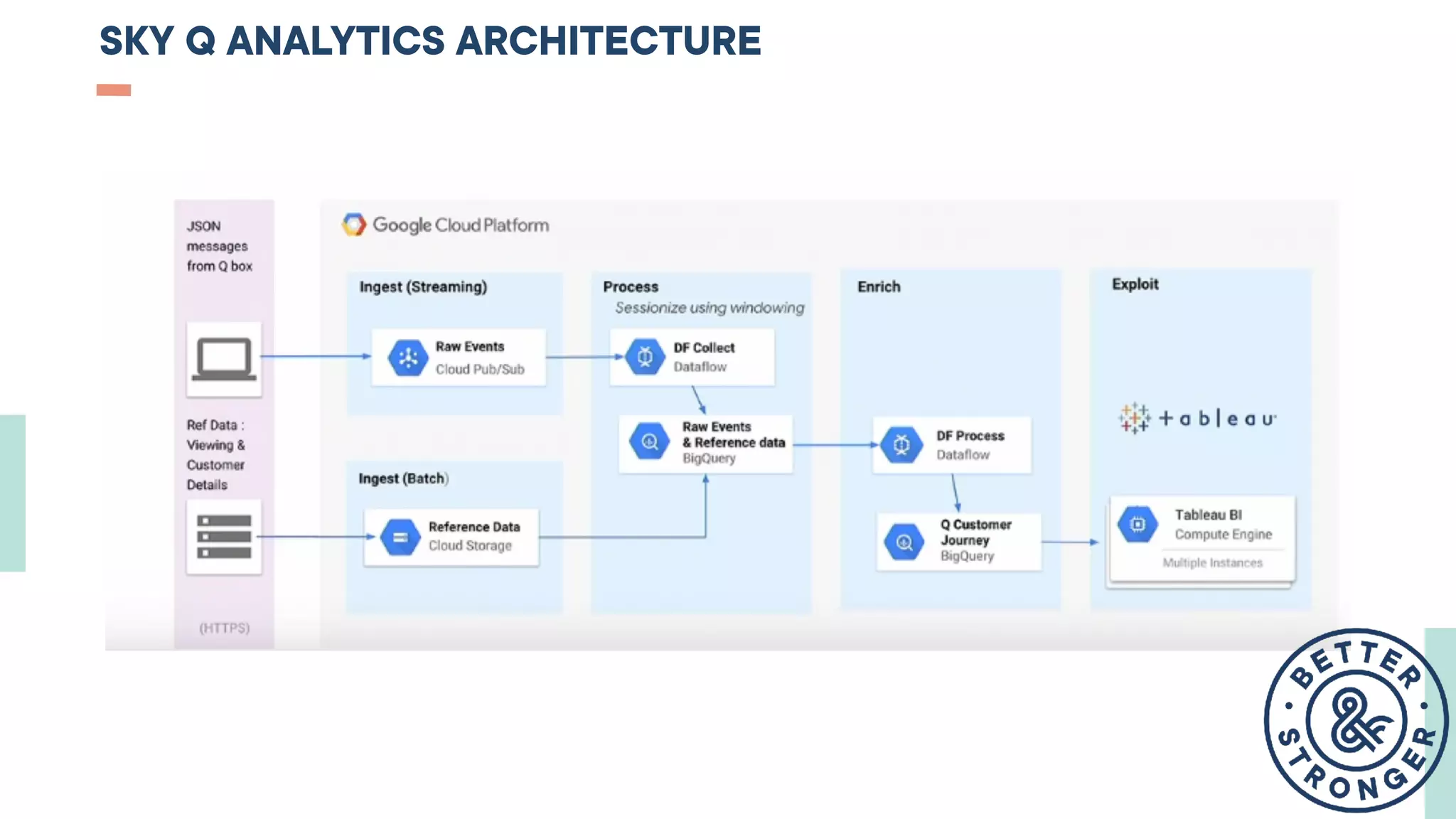
SKY Q ANALYTICS ARCHITECTURE
HOW TO WORK WITH BIGQUERY ?
02
INSIDE
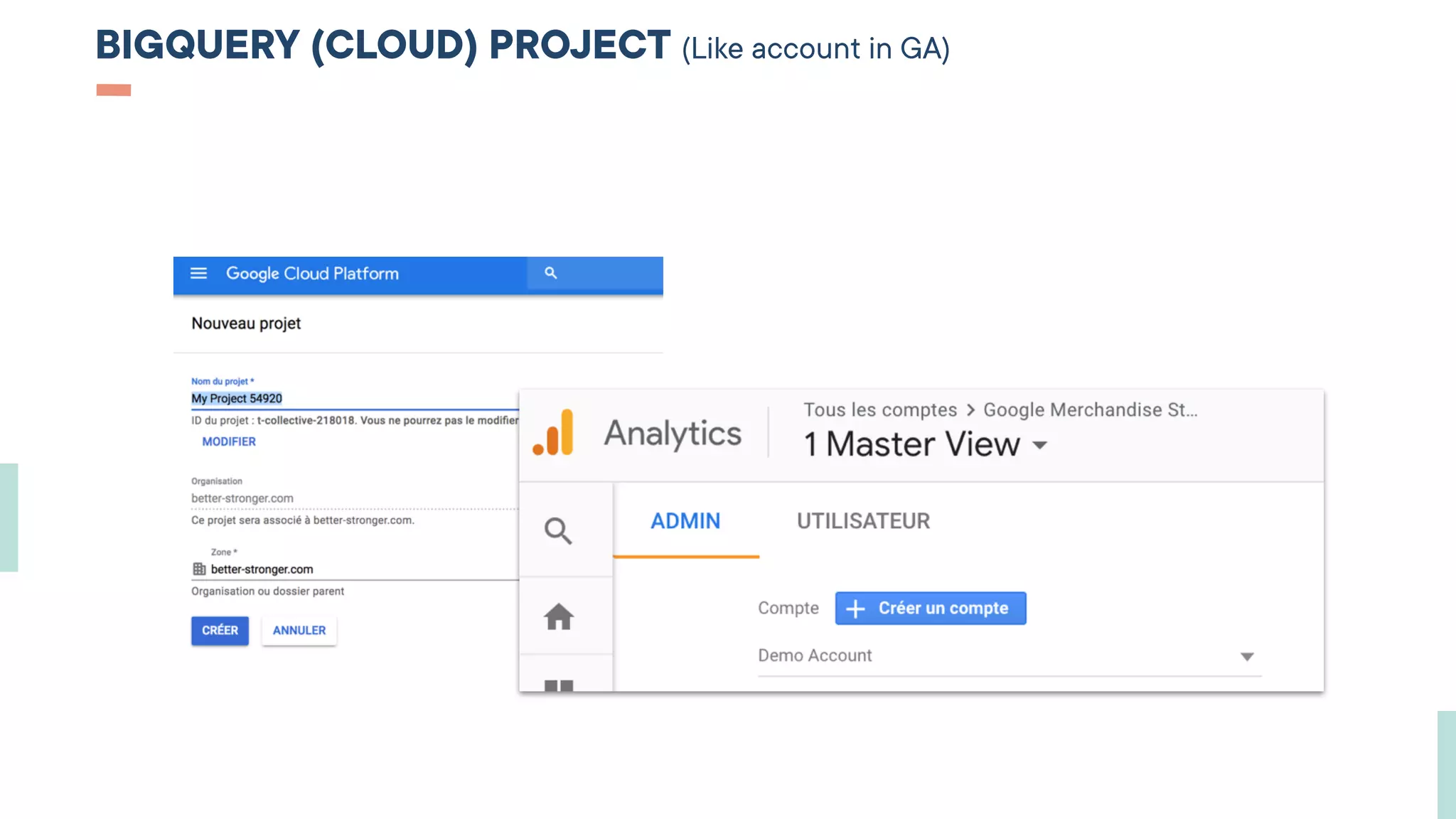
BIGQUERY (CLOUD) PROJECT (Like account in GA)
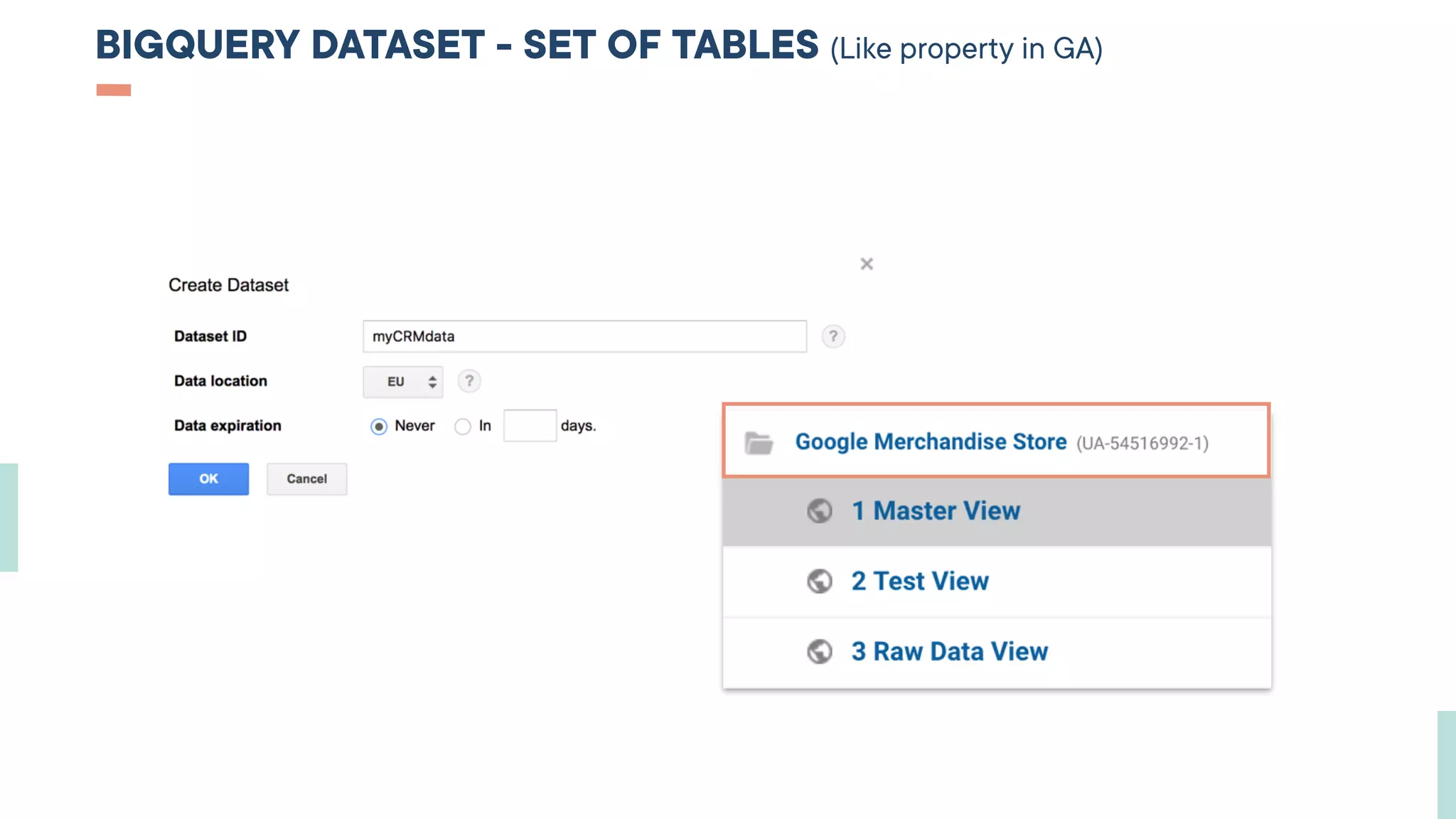
BIGQUERY DATASET - SET OF TABLES (Like property in GA)
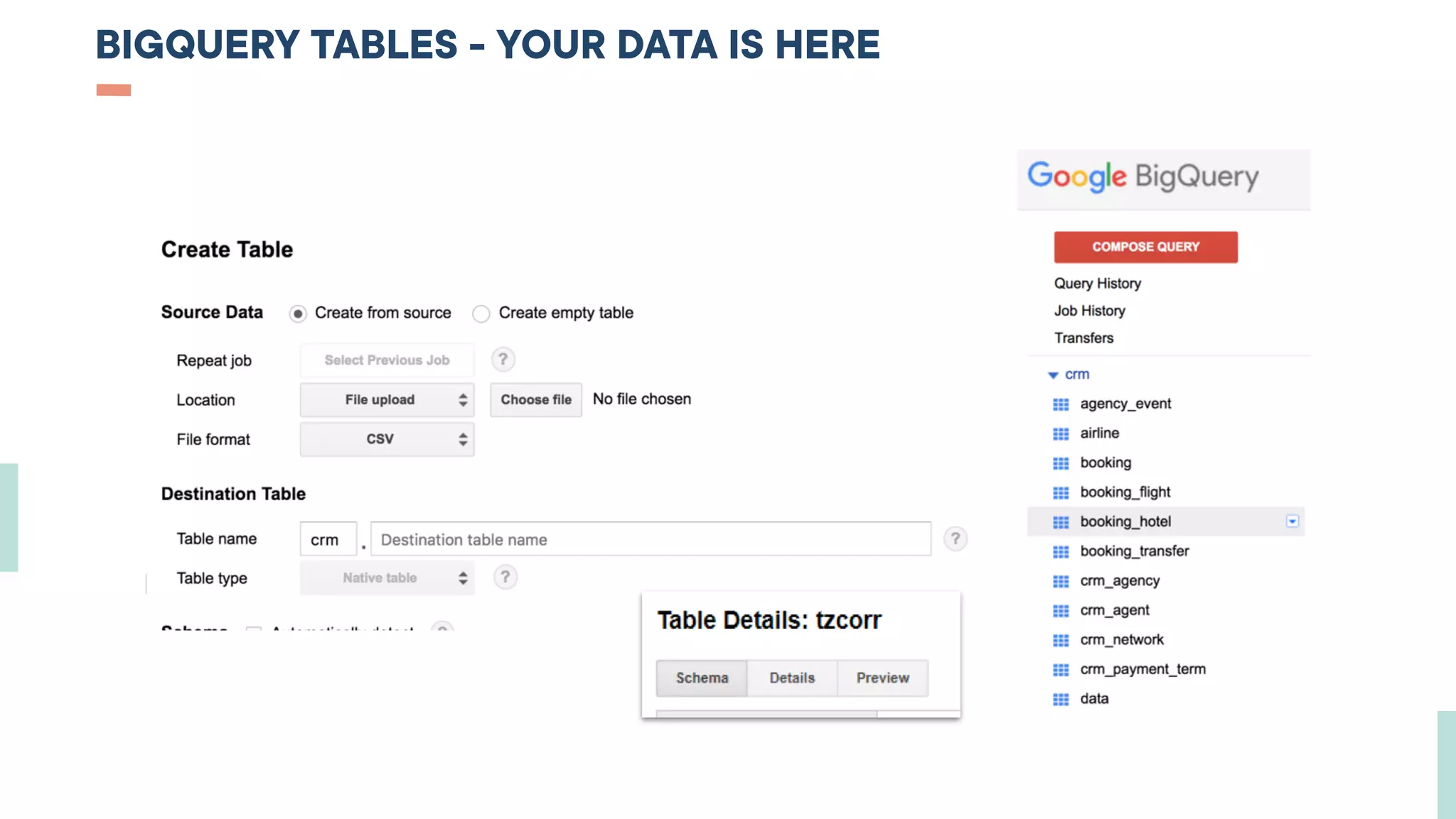
BIGQUERY TABLES - YOUR DATA IS HERE
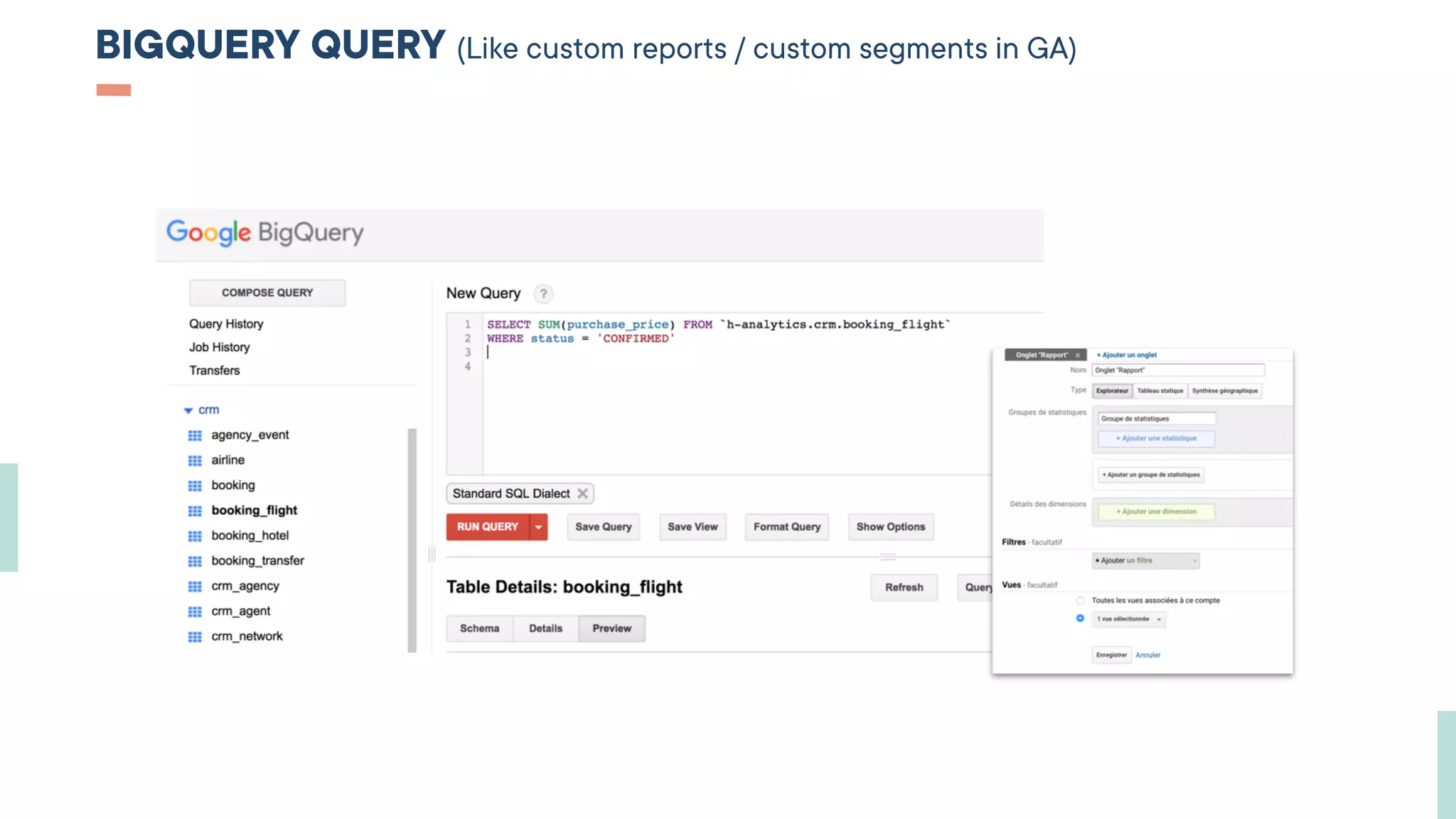
BIGQUERY QUERY (Like custom reports / custom segments in GA)
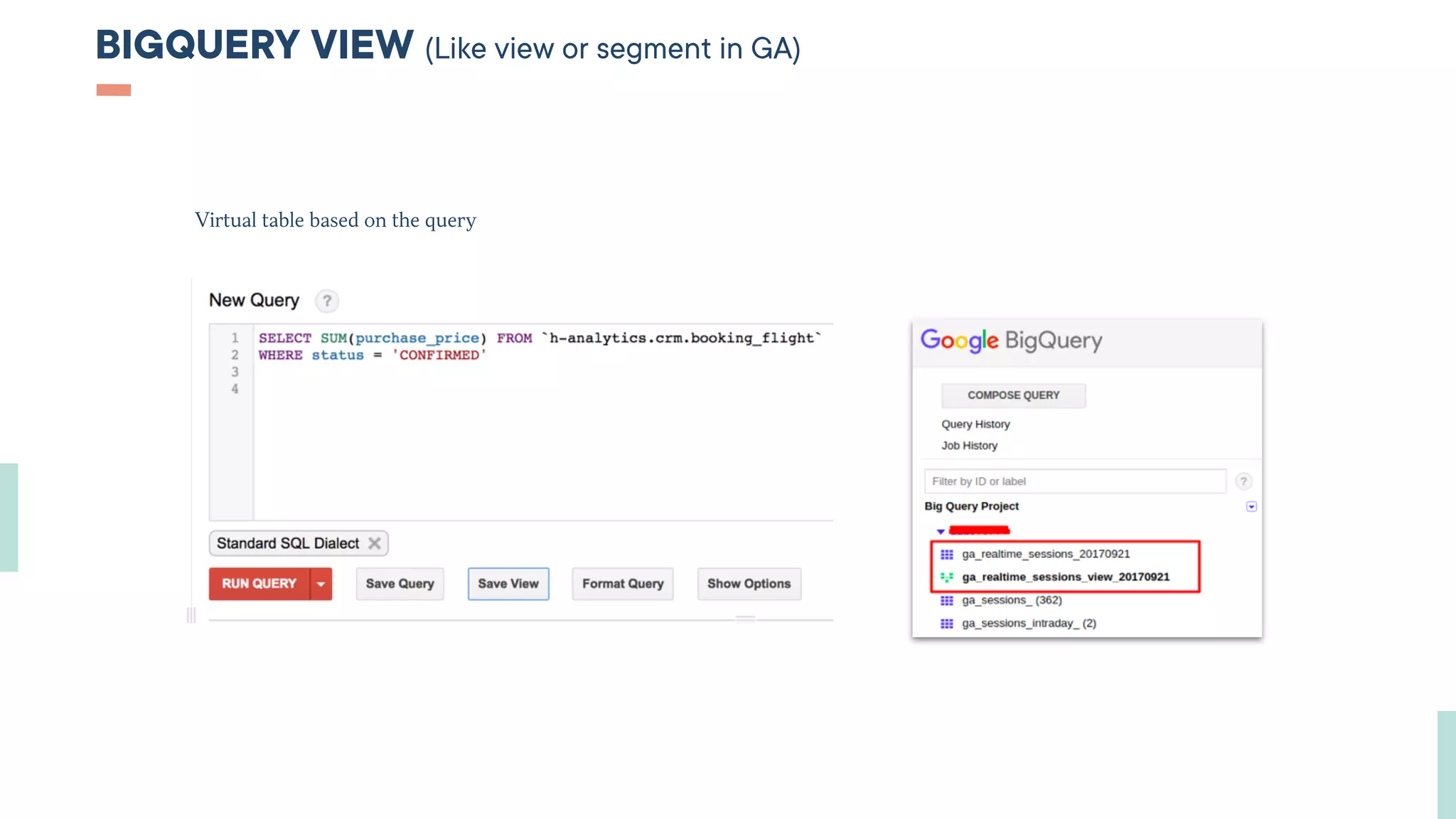
BIGQUERY VIEW (Like view or segment in GA)
Virtual table based on the query
HOW TO BUILD DASHBOARDS USING BIGQUERY ?
03
AFTER
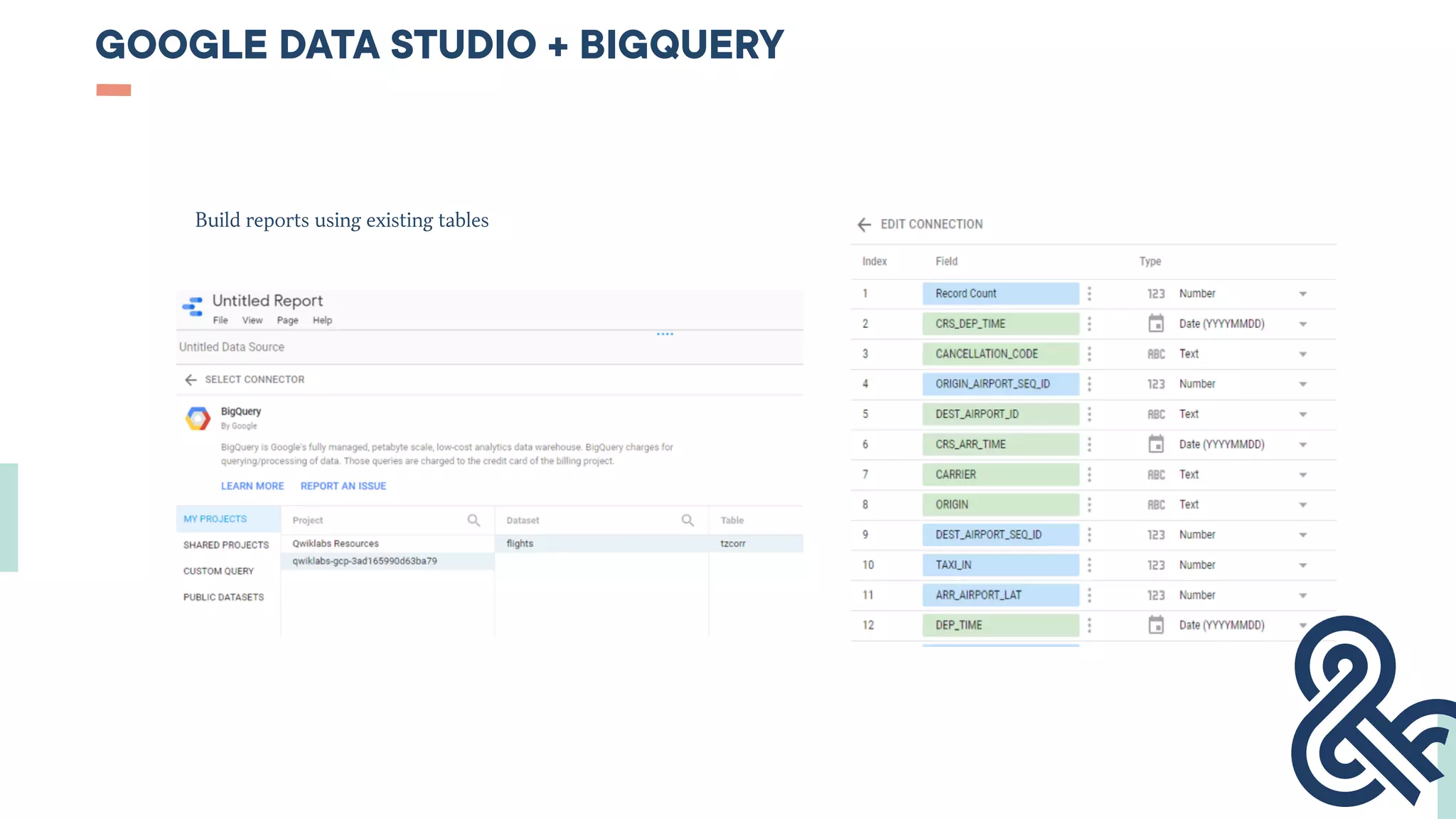
GOOGLE DATA STUDIO + BIGQUERY
Build reports using existing tables
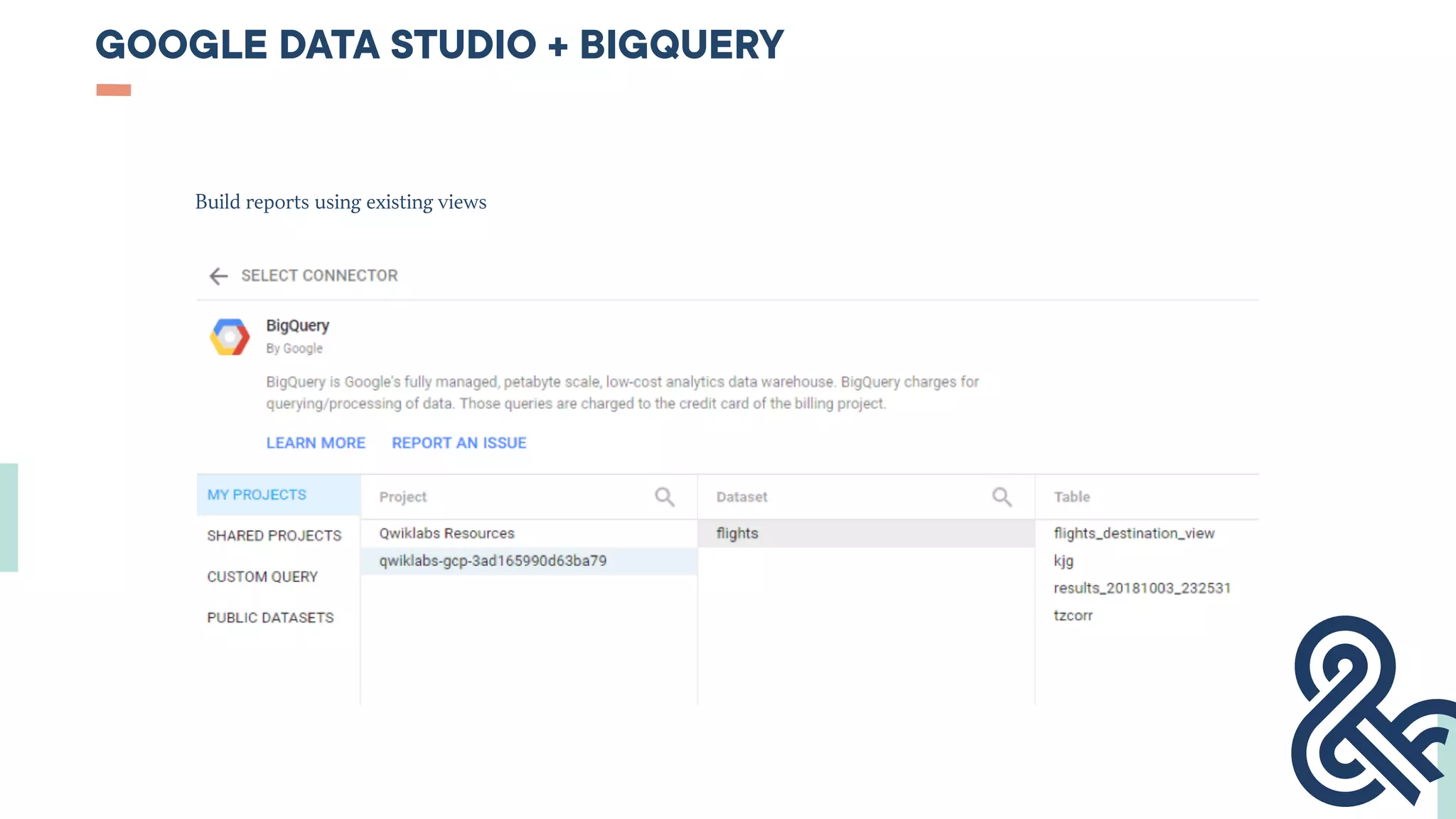
GOOGLE DATA STUDIO + BIGQUERY
Build reports using existing views
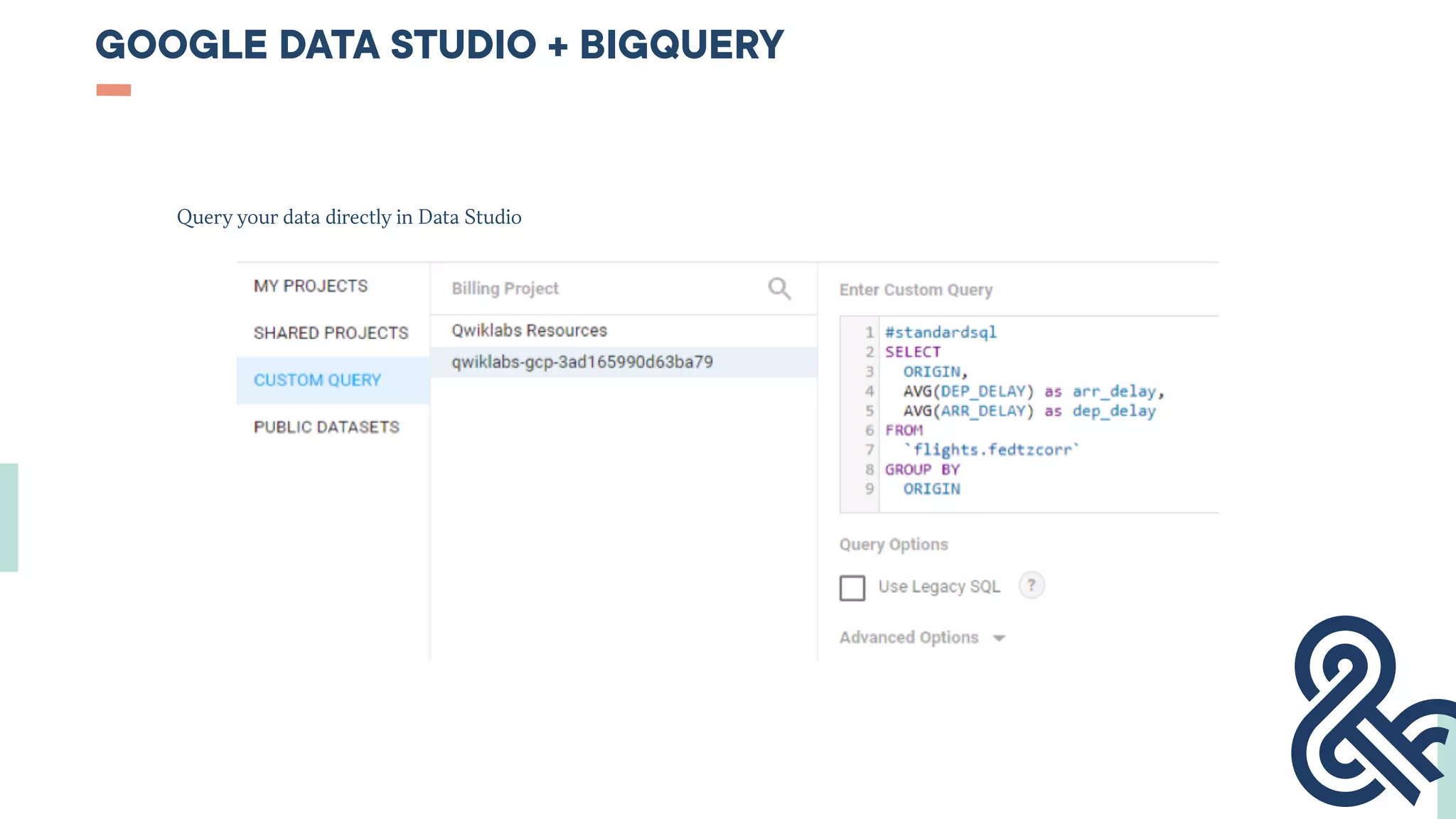
GOOGLE DATA STUDIO + BIGQUERY
Query your data directly in Data Studio
SOME BEST PRACTICES
03
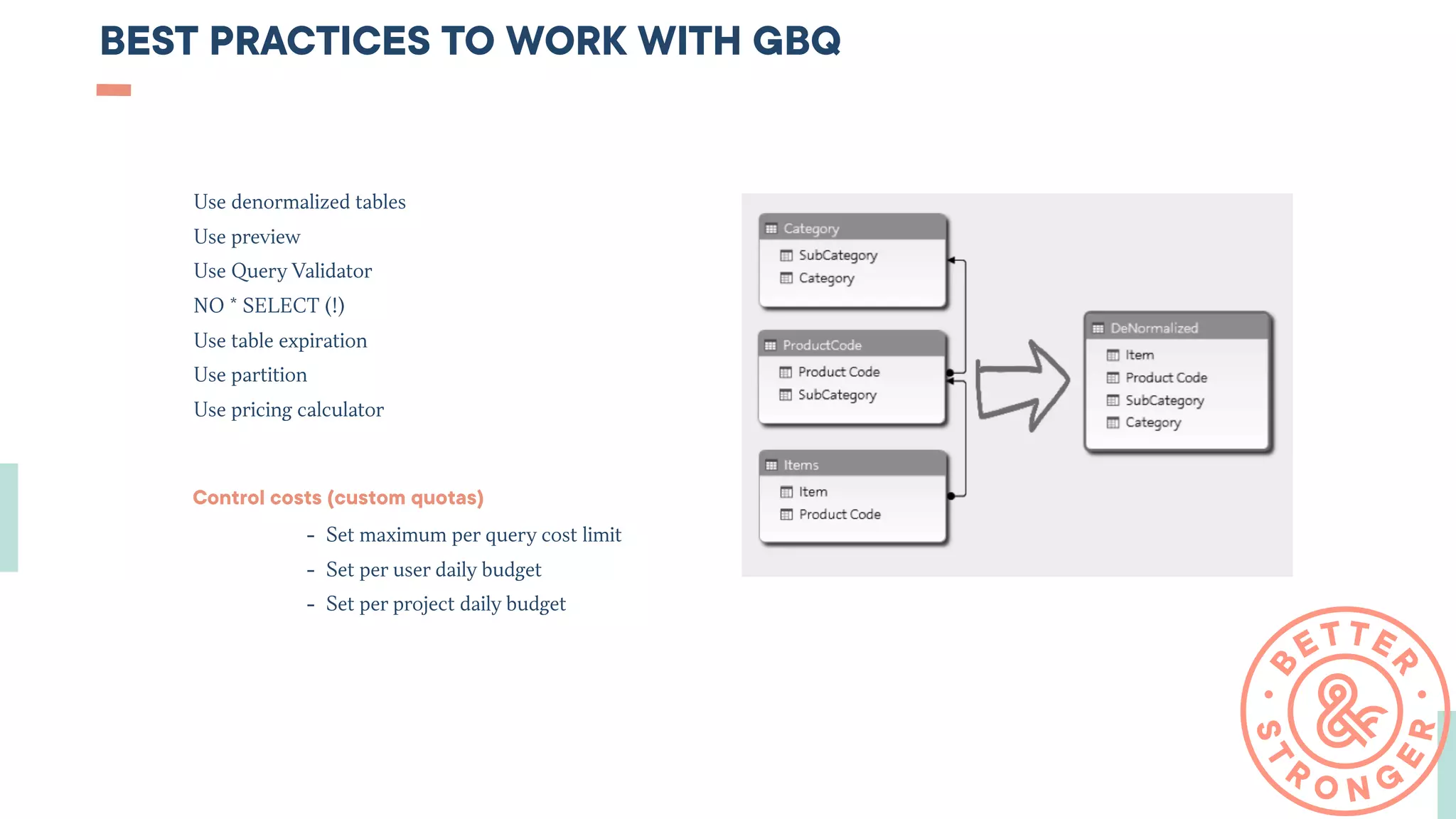
BEST PRACTICES TO WORK WITH GBQ
Control costs (custom quotas)
- Set maximum per query cost limit
- Set per user daily budget
- Set per project daily budget
Use denormalized tables
Use preview
Use Query Validator
NO * SELECT (!)
Use table expiration
Use partition
Use pricing calculator
SOURCES AND TOOLS
- Coursera “ From Data to Insights with Google Cloud Platform” from Google Cloud
- Google Cloud Summit Prezentations
- Google BigQuery Documentation
- Qwiklabs
- StitchData / Owox / Fivetran
- dbt (command line tool)
- SinterData
- cron/crontab
THANKS !
7 place du Griffon | 69001 Lyon | France
+33 4 28 29 07 52 | contact@better-stronger.com
Khrystyna GRYNKO
khrystyna@better-stronger.com | +33 4 28 29 07 92

BigQuery for Beginners

  • 1.
  • 2.
    SUMMARY HOW TO LOADDATA TO BIGQUERY ? 01 PAGE 2 HOW TO WORK WITH BIGQUERY ? 02 PAGE 2 HOW TO BUILD DASHBOARDS USING BIGQUERY ? 03 PAGE 2 SOME BEST PRACTICES 04 PAGE 2
  • 3.
  • 4.
    BIGQUERY - NONGEEKY DEFINITION This is a place where you can stock and query your data for 0,02 $ per GB (~256 MP3 audio files) and then create nice (and free!) dashboards in Google Data Studio. It is a part of Google Cloud Platform. You’ll need some basic SQL knowledge to work with it. (Officially : BigQuery is a Web service from Google that is used for handling or analyzing big data. It is part of the Google Cloud Platform.)
  • 5.
    BIGQUERY - « SCHEMA »DEFINITION Backend CRMs Helpdesk
  • 6.
    SQL Language that allowsyou to communicate with your database. Example : SELECT name, job, salary
 FROM people
 WHERE salary IS NULL Learn basic SQL with free courses : https://campus.datacamp.com/courses/intro-to-sql-for-data-science/ https://www.codecademy.com/courses/sql-analyzing-business-metrics/ https://www.w3schools.com/sql/
  • 7.
    ADVANTAGES OF BIGQUERY 2 13 MANAGEMENT SIMPLICITY Easy Data management No administration Fully-managed (no worries) DATA PERFORMANCE No limits Fast imports Scans TBs in seconds GDPR - COMPLIANCE Data storage in EU/US Encryption Access Controls 2−step verification Data Loss prevention etc. Integration with other Google tools… 300$ to test GBQ… Large community.. Education tools (courses, labs,etc.) 1 TB (125GB)  per month is Free
  • 8.
  • 9.
    BIGQUERY STRUCTURE Cloud Project BigQuery Jobs Team Access Dataset1 Table1 Table1
  • 10.
    BIGQUERY PAIEMENT STRUCTURE ORGANIZATION PROJECTA PROJECT B PROJECT C BILLING ACCOUNT PAYMENT LINKAGE OWNERSHIP
  • 11.
    BIGQUERY DATA STRUCTURE ColumnStorage                                                                       Nested fields
  • 12.
  • 13.
  • 14.
    WORK WITG GOOGLEBIGQUERY Into (Before) Put your data into BigQuery Out (After) Extract your prepared data to your dashboard Inside Work with your data in BigQuery01 02 03
  • 15.
    HOW TO LOADDATA TO BIGQUERY ? 01 BEFORE
  • 16.
    BIGQUERY INGESTION -GOOGLE SERVICES BigQuery Data Transfer Service Google Analytics 360 Google Play, Google Ads(2.5$ per month per customerID), Youtube (5$ per month per channel) Cloud Storage (No charges, only for storage + Using Google Cloud Dataflow (pipeline to write data to BigQuery) etc…
  • 17.
    BIGQUERY INGESTION -GOOGLE SERVICES
  • 18.
    BIGQUERY INGESTION -LOCAL MACHINE Load data from a readable data source - You can load data manually - You can use API or Client Librairies (create connectors or use paid connectors) API  is a set of clearly defined methods of communication among various components - applications, software BATCH task automation without manual work
  • 19.
    BIGQUERY INGESTION -STREAMING Load data immediately without delaying (for real-time reports) - You can create your custom solution - Use Google solutions (Google Dataflow) - Or use paid solutions Use-cases : mobile application - sending errors events in real time
  • 20.
    SKY Q ANALYTICSARCHITECTURE
  • 21.
    HOW TO WORKWITH BIGQUERY ? 02 INSIDE
  • 22.
    BIGQUERY (CLOUD) PROJECT(Like account in GA)
  • 23.
    BIGQUERY DATASET -SET OF TABLES (Like property in GA)
  • 24.
    BIGQUERY TABLES -YOUR DATA IS HERE
  • 25.
    BIGQUERY QUERY (Likecustom reports / custom segments in GA)
  • 26.
    BIGQUERY VIEW (Likeview or segment in GA) Virtual table based on the query
  • 27.
    HOW TO BUILDDASHBOARDS USING BIGQUERY ? 03 AFTER
  • 28.
    GOOGLE DATA STUDIO+ BIGQUERY Build reports using existing tables
  • 29.
    GOOGLE DATA STUDIO+ BIGQUERY Build reports using existing views
  • 30.
    GOOGLE DATA STUDIO+ BIGQUERY Query your data directly in Data Studio
  • 31.
  • 32.
    BEST PRACTICES TOWORK WITH GBQ Control costs (custom quotas) - Set maximum per query cost limit - Set per user daily budget - Set per project daily budget Use denormalized tables Use preview Use Query Validator NO * SELECT (!) Use table expiration Use partition Use pricing calculator
  • 33.
    SOURCES AND TOOLS -Coursera “ From Data to Insights with Google Cloud Platform” from Google Cloud - Google Cloud Summit Prezentations - Google BigQuery Documentation - Qwiklabs - StitchData / Owox / Fivetran - dbt (command line tool) - SinterData - cron/crontab
  • 34.
    THANKS ! 7 placedu Griffon | 69001 Lyon | France +33 4 28 29 07 52 | contact@better-stronger.com Khrystyna GRYNKO khrystyna@better-stronger.com | +33 4 28 29 07 92