Big Data Summer Training
BigData Analytics-BigData Platforms
Prepared and Presenting By: Amrit Chhetri (Certified BigData Analyst),
Principal Techno-Functional Consultant and Principal IT Security Consultant
About Me :

Me:

I’m Amrit Chhetri from Bara Mangwa, West Bengal, India, a beautiful Village/Place in Darjeeling.

I am CSCU, CEH, CHFI,CPT, CAD, CPD, IOT & BigData Analyst( University of California), Information
Security Specialist(Open University, UK) and Machine Learning Enthusiast ( University of
California[USA] and Open University[UK]), Certified Cyber Physical System Exert( Open
University[UK]) and Certified Smart City Expert.

Current Position:

Principal IT Security Consultant/Instructor, Principal Forensics Investigator and Principal Techno-
Functional Consultant/Instructor

BigData Consultant to KnowledgeLab

Experiences:

I was J2EE Developer and BI System Architect/Designer of DSS for APL and Disney World

I have played the role of BI Evangelist and Pre-Sales Head for BI System* from OST

I have worked as Business Intelligence Consultant for national and multi-national companies including
HSBC, APL, Disney, Fidedality , LG(India) , Fidelity, BOR( currently ICICI), Reliance Power. * Top 5
Indian BI System ( by NASSCOM)
Apache Hadoop on Ubuntu 15.10/04
Agendas/Modules:

BigData Analytics with Apache Hadoop

Apache Hadoop on Ubuntu 15.10 or 15.04
BigData Analytics with Apache
Hadoop:

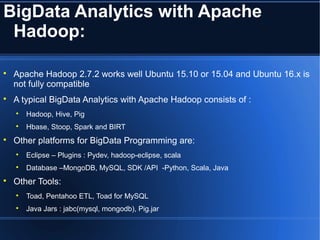
Apache Hadoop 2.7.2 works well Ubuntu 15.10 or 15.04 and Ubuntu 16.x is
not fully compatible

A typical BigData Analytics with Apache Hadoop consists of :

Hadoop, Hive, Pig

Hbase, Stoop, Spark and BIRT

Other platforms for BigData Programming are:

Eclipse – Plugins : Pydev, hadoop-eclipse, scala

Database –MongoDB, MySQL, SDK /API -Python, Scala, Java

Other Tools:

Toad, Pentahoo ETL, Toad for MySQL

Java Jars : jabc(mysql, mongodb), Pig.jar
Apache Hadoop on Ubuntu 15.10 or
15.04:

Platforms tested and finalized:

Ubuntu :15.10 or 15.04

JDK: 1.8

Hadoop: 2.7.2

Eclipse : Mars R1/R2

MySQL : 5.x

Two ways to have Apache Hadoop:

Pre-configured

Self-configured ( steps are given)

SSH installation requires Ubuntu’s updates using $sudo [<http_proxy>] apt-get update

sudo [<http_proxy>] apt-get update install mysql-server install MySQL Server
HBase
Agendas/Modules:

HBase Introduction

Features of HBase

HBase Accessibility

HBase Basic Commands

HBase Table Commands
HBase Introduction:

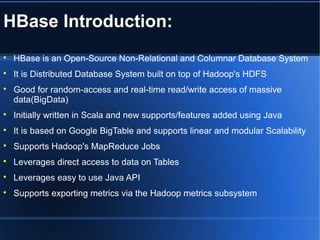
HBase is an Open-Source Non-Relational and Columnar Database System

It is Distributed Database System built on top of Hadoop's HDFS

Good for random-access and real-time read/write access of massive
data(BigData)

Initially written in Scala and new supports/features added using Java

It is based on Google BigTable and supports linear and modular Scalability

Supports Hadoop's MapReduce Jobs

Leverages direct access to data on Tables

Leverages easy to use Java API

Supports exporting metrics via the Hadoop metrics subsystem
Features of HBase:

Supports random access to data

Supports fast access to large set of data

Supports cryptographic storage mechanism too
HBase Basic Commands:

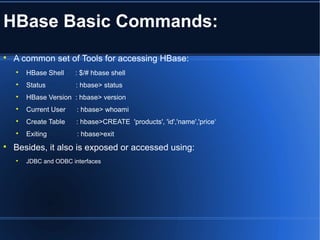
A common set of Tools for accessing HBase:

HBase Shell : $/# hbase shell

Status : hbase> status

HBase Version : hbase> version

Current User : hbase> whoami

Create Table : hbase>CREATE 'products', 'id','name','price‘

Exiting : hbase>exit

Besides, it also is exposed or accessed using:

JDBC and ODBC interfaces
HBase Table Commands:

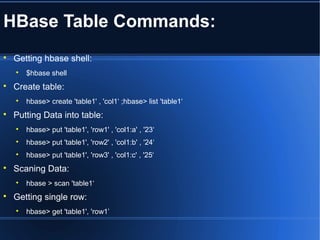
Getting hbase shell:

$hbase shell

Create table:

hbase> create 'table1' , 'col1‘ ;hbase> list 'table1‘

Putting Data into table:

hbase> put 'table1', 'row1' , 'col1:a' , '23‘

hbase> put 'table1', 'row2' , 'col1:b' , '24‘

hbase> put 'table1', 'row3' , 'col1:c' , '25‘

Scaning Data:

hbase > scan 'table1‘

Getting single row:

hbase> get 'table1', 'row1’
Advanced Pythone
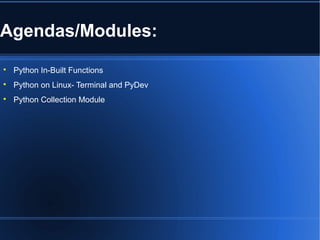
Agendas/Modules:

Python In-Built Functions

Python on Linux- Terminal and PyDev

Python Collection Module
Python In-Built Functions:

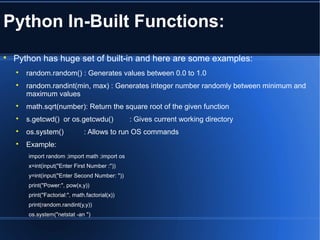
Python has huge set of built-in and here are some examples:

random.random() : Generates values between 0.0 to 1.0

random.randint(min, max) : Generates integer number randomly between minimum and
maximum values

math.sqrt(number): Return the square root of the given function

s.getcwd() or os.getcwdu() : Gives current working directory

os.system() : Allows to run OS commands

Example:
import random ;import math ;import os
x=int(input("Enter First Number :"))
y=int(input("Enter Second Number: "))
print("Power:", pow(x,y))
print("Factorial:", math.factorial(x))
print(random.randint(y,y))
os.system("netstat -an ")
Python on Linux-Terminal & PyDev:

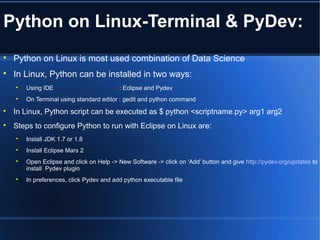
Python on Linux is most used combination of Data Science

In Linux, Python can be installed in two ways:

Using IDE : Eclipse and Pydev

On Terminal using standard editor : gedit and python command

In Linux, Python script can be executed as $ python <scriptname.py> arg1 arg2

Steps to configure Python to run with Eclipse on Linux are:

Install JDK 1.7 or 1.8

Install Eclipse Mars 2

Open Eclipse and click on Help -> New Software -> click on ‘Add’ button and give http://pydev.org/updates to
install Pydev plugin

In preferences, click Pydev and add python executable file
BigData, ETL and Analytics Designing
Agendas/Modules:

ETL with Sqoop

ETL with Talend
ETL With Sqoop:

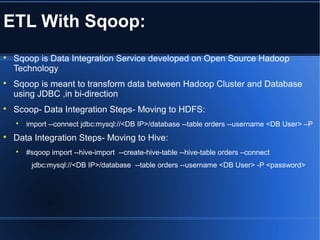
Sqoop is Data Integration Service developed on Open Source Hadoop
Technology

Sqoop is meant to transform data between Hadoop Cluster and Database
using JDBC ,in bi-direction

Scoop- Data Integration Steps- Moving to HDFS:

import --connect jdbc:mysql://<DB IP>/database --table orders --username <DB User> –P

Data Integration Steps- Moving to Hive:

#sqoop import --hive-import --create-hive-table --hive-table orders –connect
jdbc:mysql://<DB IP>/database --table orders --username <DB User> -P <password>
ETL with Talend Studio:

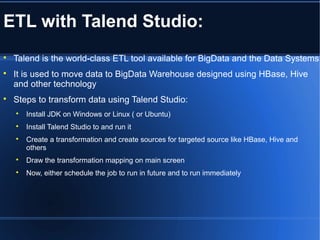
Talend is the world-class ETL tool available for BigData and the Data Systems

It is used to move data to BigData Warehouse designed using HBase, Hive
and other technology

Steps to transform data using Talend Studio:

Install JDK on Windows or Linux ( or Ubuntu)

Install Talend Studio to and run it

Create a transformation and create sources for targeted source like HBase, Hive and
others

Draw the transformation mapping on main screen

Now, either schedule the job to run in future and to run immediately
THANK YOU ALL

BigData Analytics with Hadoop and BIRT

  • 1.
    Big Data SummerTraining BigData Analytics-BigData Platforms Prepared and Presenting By: Amrit Chhetri (Certified BigData Analyst), Principal Techno-Functional Consultant and Principal IT Security Consultant
  • 2.
    About Me :  Me:  I’mAmrit Chhetri from Bara Mangwa, West Bengal, India, a beautiful Village/Place in Darjeeling.  I am CSCU, CEH, CHFI,CPT, CAD, CPD, IOT & BigData Analyst( University of California), Information Security Specialist(Open University, UK) and Machine Learning Enthusiast ( University of California[USA] and Open University[UK]), Certified Cyber Physical System Exert( Open University[UK]) and Certified Smart City Expert.  Current Position:  Principal IT Security Consultant/Instructor, Principal Forensics Investigator and Principal Techno- Functional Consultant/Instructor  BigData Consultant to KnowledgeLab  Experiences:  I was J2EE Developer and BI System Architect/Designer of DSS for APL and Disney World  I have played the role of BI Evangelist and Pre-Sales Head for BI System* from OST  I have worked as Business Intelligence Consultant for national and multi-national companies including HSBC, APL, Disney, Fidedality , LG(India) , Fidelity, BOR( currently ICICI), Reliance Power. * Top 5 Indian BI System ( by NASSCOM)
  • 3.
    Apache Hadoop onUbuntu 15.10/04
  • 4.
    Agendas/Modules:  BigData Analytics withApache Hadoop  Apache Hadoop on Ubuntu 15.10 or 15.04
  • 5.
    BigData Analytics withApache Hadoop:  Apache Hadoop 2.7.2 works well Ubuntu 15.10 or 15.04 and Ubuntu 16.x is not fully compatible  A typical BigData Analytics with Apache Hadoop consists of :  Hadoop, Hive, Pig  Hbase, Stoop, Spark and BIRT  Other platforms for BigData Programming are:  Eclipse – Plugins : Pydev, hadoop-eclipse, scala  Database –MongoDB, MySQL, SDK /API -Python, Scala, Java  Other Tools:  Toad, Pentahoo ETL, Toad for MySQL  Java Jars : jabc(mysql, mongodb), Pig.jar
  • 6.
    Apache Hadoop onUbuntu 15.10 or 15.04:  Platforms tested and finalized:  Ubuntu :15.10 or 15.04  JDK: 1.8  Hadoop: 2.7.2  Eclipse : Mars R1/R2  MySQL : 5.x  Two ways to have Apache Hadoop:  Pre-configured  Self-configured ( steps are given)  SSH installation requires Ubuntu’s updates using $sudo [<http_proxy>] apt-get update  sudo [<http_proxy>] apt-get update install mysql-server install MySQL Server
  • 7.
  • 8.
    Agendas/Modules:  HBase Introduction  Features ofHBase  HBase Accessibility  HBase Basic Commands  HBase Table Commands
  • 9.
    HBase Introduction:  HBase isan Open-Source Non-Relational and Columnar Database System  It is Distributed Database System built on top of Hadoop's HDFS  Good for random-access and real-time read/write access of massive data(BigData)  Initially written in Scala and new supports/features added using Java  It is based on Google BigTable and supports linear and modular Scalability  Supports Hadoop's MapReduce Jobs  Leverages direct access to data on Tables  Leverages easy to use Java API  Supports exporting metrics via the Hadoop metrics subsystem
  • 10.
    Features of HBase:  Supportsrandom access to data  Supports fast access to large set of data  Supports cryptographic storage mechanism too
  • 11.
    HBase Basic Commands:  Acommon set of Tools for accessing HBase:  HBase Shell : $/# hbase shell  Status : hbase> status  HBase Version : hbase> version  Current User : hbase> whoami  Create Table : hbase>CREATE 'products', 'id','name','price‘  Exiting : hbase>exit  Besides, it also is exposed or accessed using:  JDBC and ODBC interfaces
  • 12.
    HBase Table Commands:  Gettinghbase shell:  $hbase shell  Create table:  hbase> create 'table1' , 'col1‘ ;hbase> list 'table1‘  Putting Data into table:  hbase> put 'table1', 'row1' , 'col1:a' , '23‘  hbase> put 'table1', 'row2' , 'col1:b' , '24‘  hbase> put 'table1', 'row3' , 'col1:c' , '25‘  Scaning Data:  hbase > scan 'table1‘  Getting single row:  hbase> get 'table1', 'row1’
  • 13.
  • 14.
    Agendas/Modules:  Python In-Built Functions  Pythonon Linux- Terminal and PyDev  Python Collection Module
  • 15.
    Python In-Built Functions:  Pythonhas huge set of built-in and here are some examples:  random.random() : Generates values between 0.0 to 1.0  random.randint(min, max) : Generates integer number randomly between minimum and maximum values  math.sqrt(number): Return the square root of the given function  s.getcwd() or os.getcwdu() : Gives current working directory  os.system() : Allows to run OS commands  Example: import random ;import math ;import os x=int(input("Enter First Number :")) y=int(input("Enter Second Number: ")) print("Power:", pow(x,y)) print("Factorial:", math.factorial(x)) print(random.randint(y,y)) os.system("netstat -an ")
  • 16.
    Python on Linux-Terminal& PyDev:  Python on Linux is most used combination of Data Science  In Linux, Python can be installed in two ways:  Using IDE : Eclipse and Pydev  On Terminal using standard editor : gedit and python command  In Linux, Python script can be executed as $ python <scriptname.py> arg1 arg2  Steps to configure Python to run with Eclipse on Linux are:  Install JDK 1.7 or 1.8  Install Eclipse Mars 2  Open Eclipse and click on Help -> New Software -> click on ‘Add’ button and give http://pydev.org/updates to install Pydev plugin  In preferences, click Pydev and add python executable file
  • 17.
    BigData, ETL andAnalytics Designing
  • 18.
  • 19.
    ETL With Sqoop:  Sqoopis Data Integration Service developed on Open Source Hadoop Technology  Sqoop is meant to transform data between Hadoop Cluster and Database using JDBC ,in bi-direction  Scoop- Data Integration Steps- Moving to HDFS:  import --connect jdbc:mysql://<DB IP>/database --table orders --username <DB User> –P  Data Integration Steps- Moving to Hive:  #sqoop import --hive-import --create-hive-table --hive-table orders –connect jdbc:mysql://<DB IP>/database --table orders --username <DB User> -P <password>
  • 20.
    ETL with TalendStudio:  Talend is the world-class ETL tool available for BigData and the Data Systems  It is used to move data to BigData Warehouse designed using HBase, Hive and other technology  Steps to transform data using Talend Studio:  Install JDK on Windows or Linux ( or Ubuntu)  Install Talend Studio to and run it  Create a transformation and create sources for targeted source like HBase, Hive and others  Draw the transformation mapping on main screen  Now, either schedule the job to run in future and to run immediately
  • 21.