BI Reporting For Dynamics CRM Online 
Technical Deep Dive Session 1: 
SSRS and CRM Dashboards
Agenda 
1. Introduction 
2. Out of Box Reporting 
3. Custom Reports 
4. Features 
5. CRM Charts and Dashboards 
6. Customizations and Features
Introduction 
SQL Server Reporting Services is an extensible platform for creating 
interactive, tabular and graphical reports. 
SSRS reports are defined in Report Definition Language (RDL) 
• XML representation of a SQL Server Reporting Services report definition 
• Contains data retrieval and layout information for a report
Out of Box Reporting 
CRM data can be viewed by searching the entities and applying criteria for 
fetching desired results. 
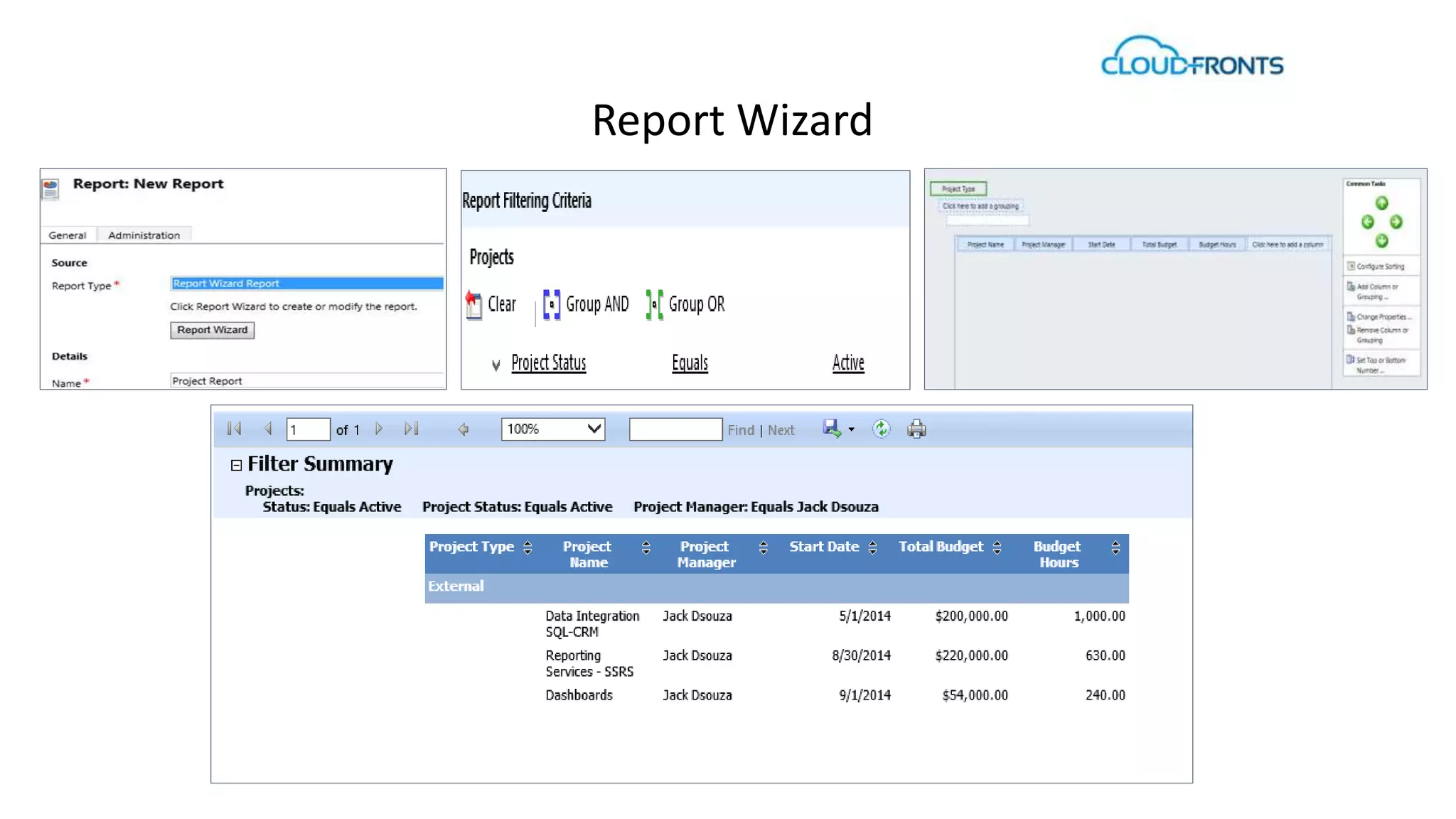
RDL files can be created in either of the following two ways: 
 Using the Report Wizard 
 Using Visual Studio
Report Wizard
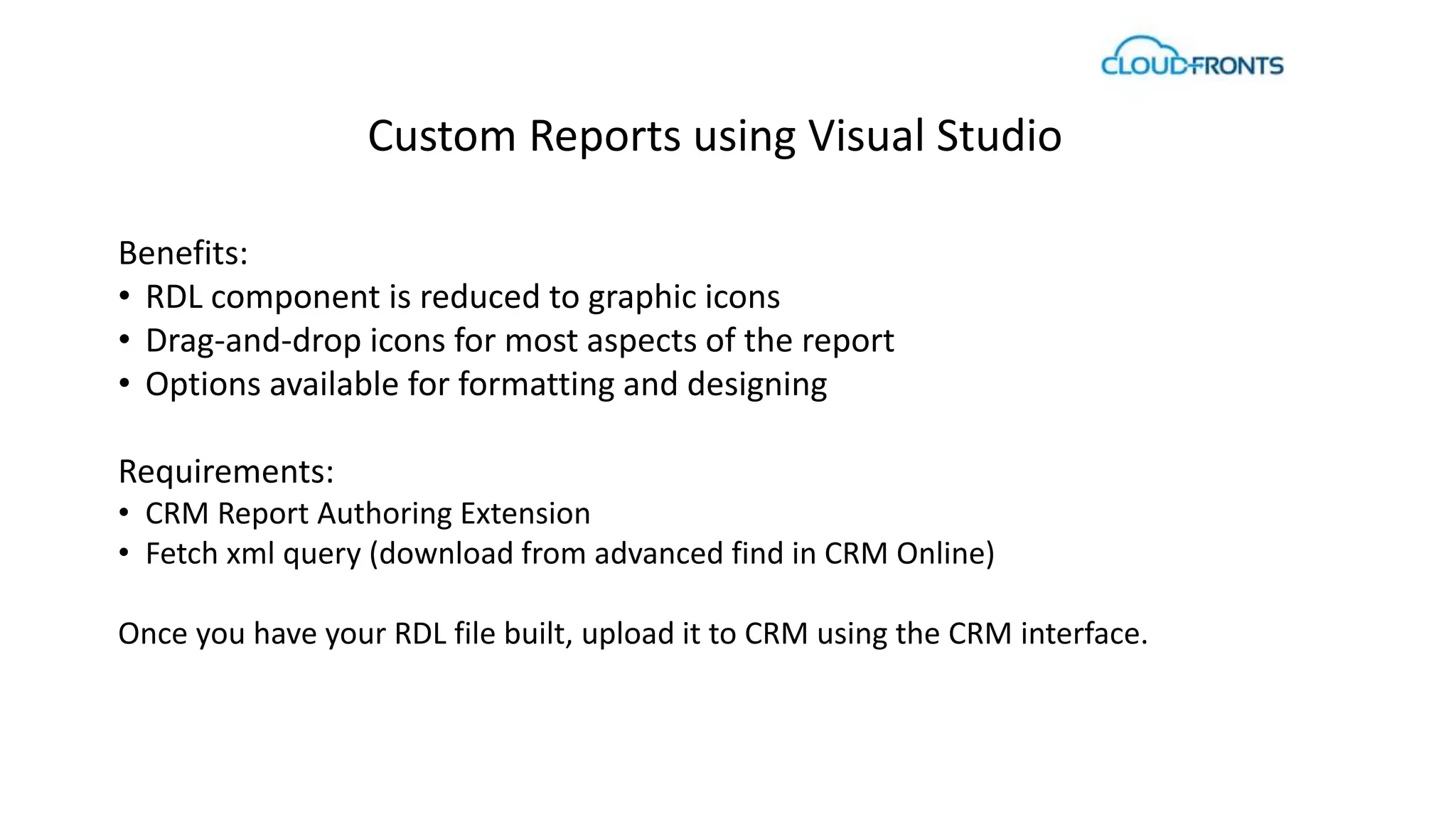
Custom Reports using Visual Studio 
Benefits: 
• RDL component is reduced to graphic icons 
• Drag-and-drop icons for most aspects of the report 
• Options available for formatting and designing 
Requirements: 
• CRM Report Authoring Extension 
• Fetch xml query (download from advanced find in CRM Online) 
Once you have your RDL file built, upload it to CRM using the CRM interface.
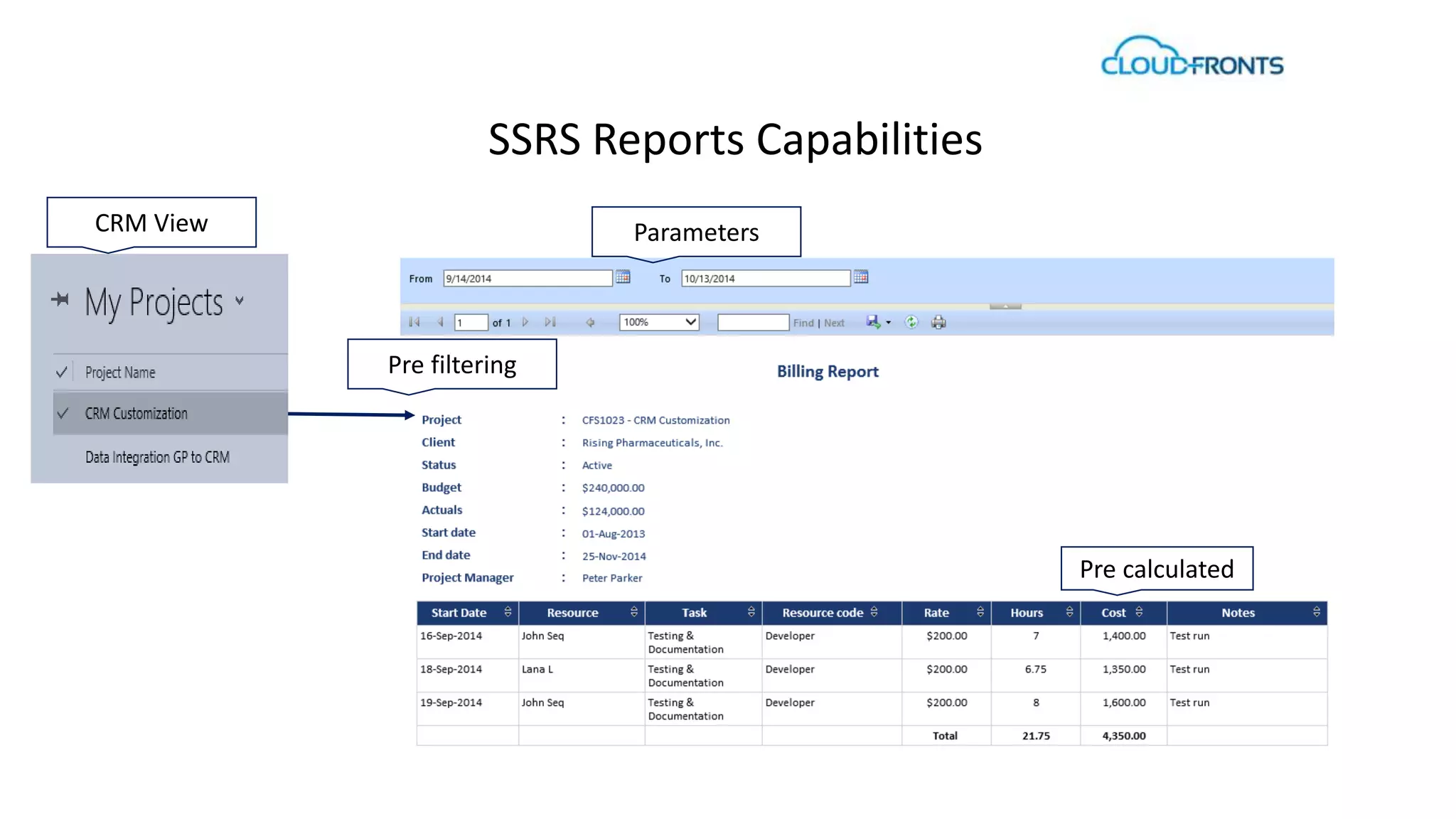
SSRS Reports Capabilities 
Parameters 
Pre calculated 
Pre filtering 
CRM View
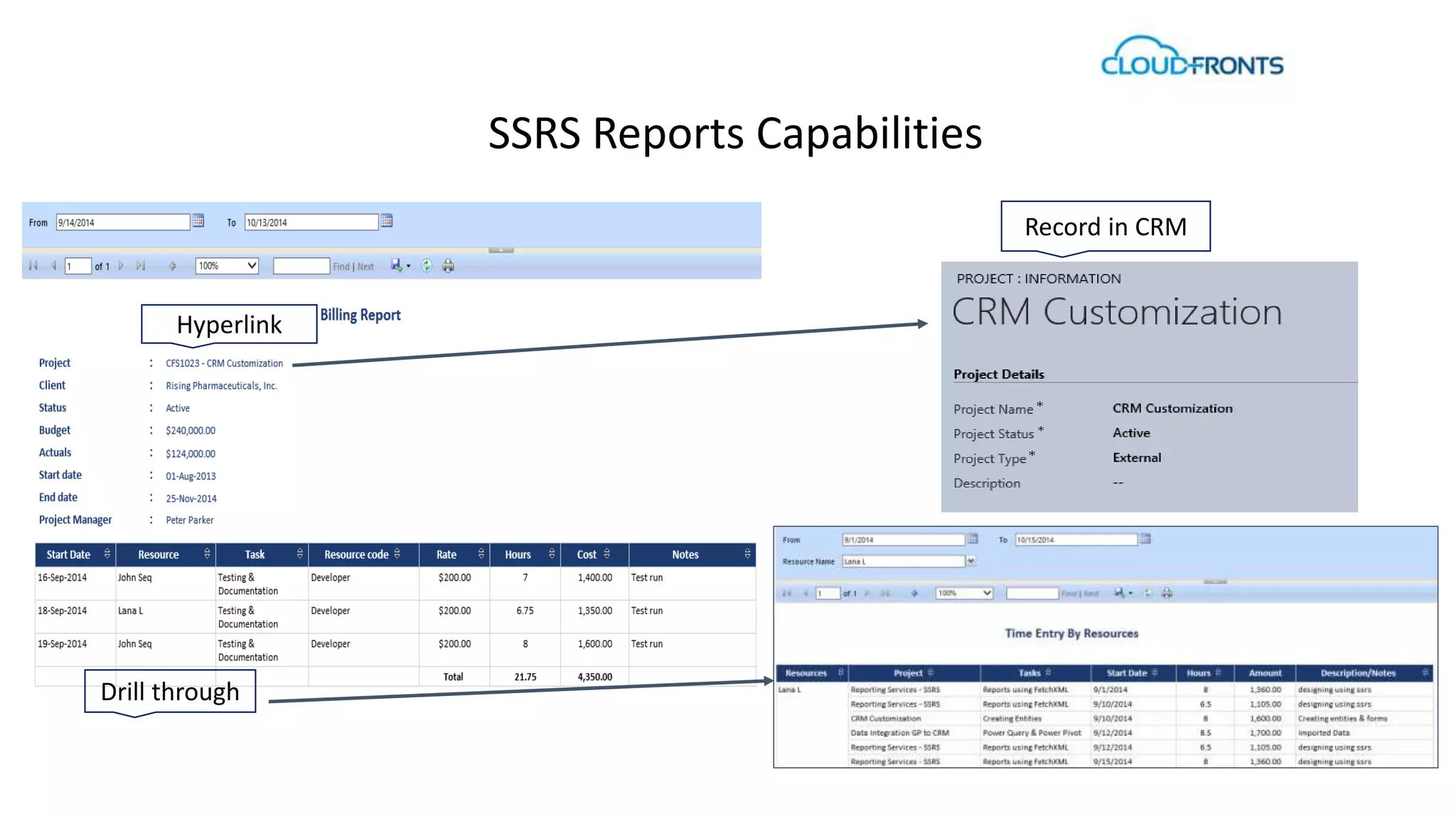
SSRS Reports Capabilities 
Hyperlink 
Drill through 
Record in CRM
SSRS Features 
• Integrated within Dynamics CRM 
• Fetches real time data 
• Easy to regenerate reports, no need to save file 
• Best used to standardize detailed reports 
• Tabular, matrix, chart, and free-form report layouts 
• Aggregations- aggregate and summarize data using expressions 
• Drill through reports and interactivity by providing links to sub reports 
• Use parameters to filter data for customized views. 
• Presentation formats include HTML,PDF, XML, CSV, Word, Excel
CRM Charts and Dashboards
CRM Charts 
• Graphical view of business data 
• Also known as visualization in Microsoft Dynamics CRM 
• Attached to an entity in Microsoft Dynamics CRM 
• One visualization can be displayed at a time along-side a grid 
• Multiple visualizations can be viewed at once by using a dashboard 
• Derived from System.Web.UI.DataVisualization.Charting Namespace
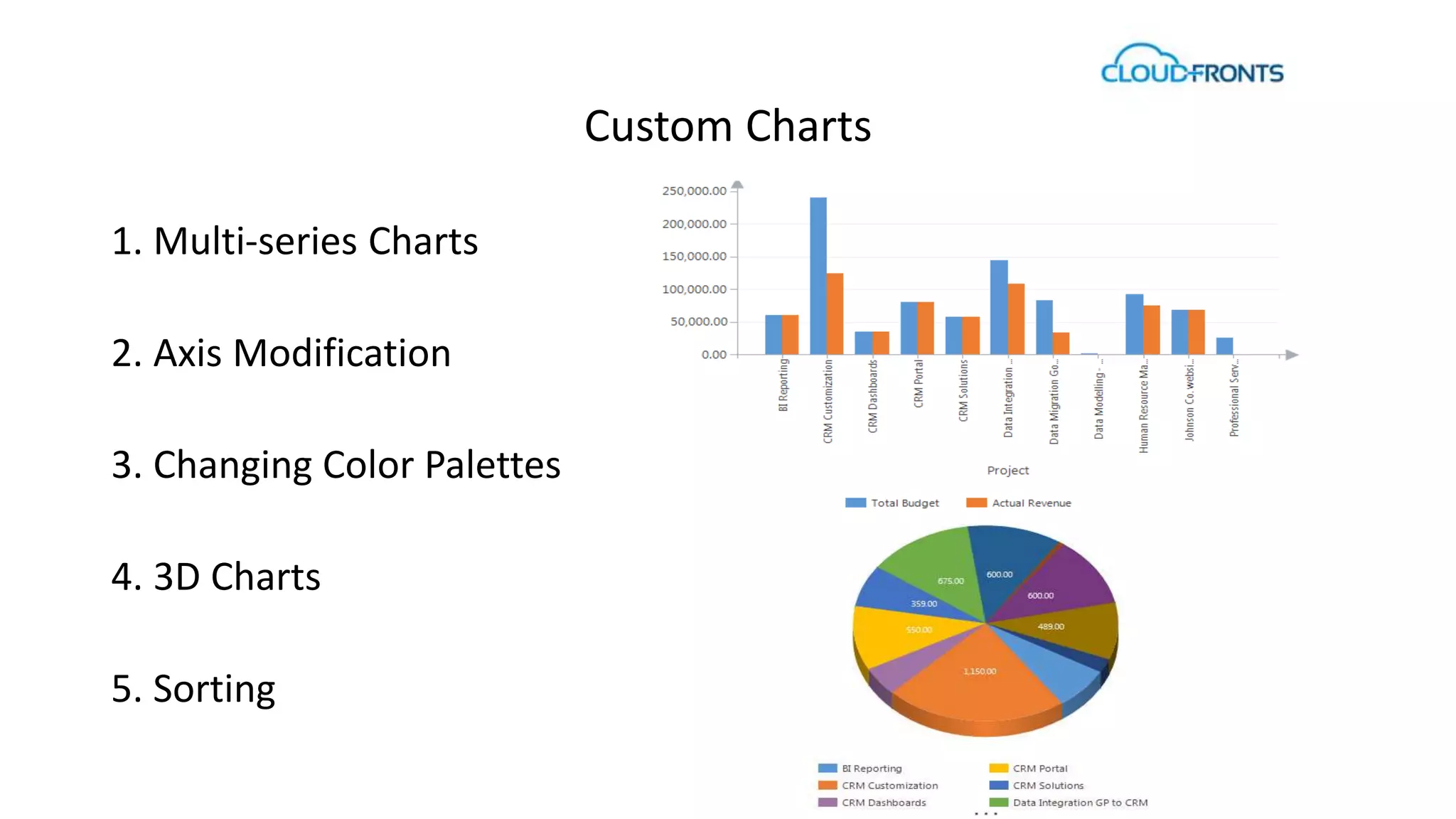
Custom Charts 
1. Multi-series Charts 
2. Axis Modification 
3. Changing Color Palettes 
4. 3D Charts 
5. Sorting
Features 
• Easily drill down 
• Present multi-series charts 
• Customize by pie, bar, line, funnel charts and more 
• Save personal charts that you create and share with others
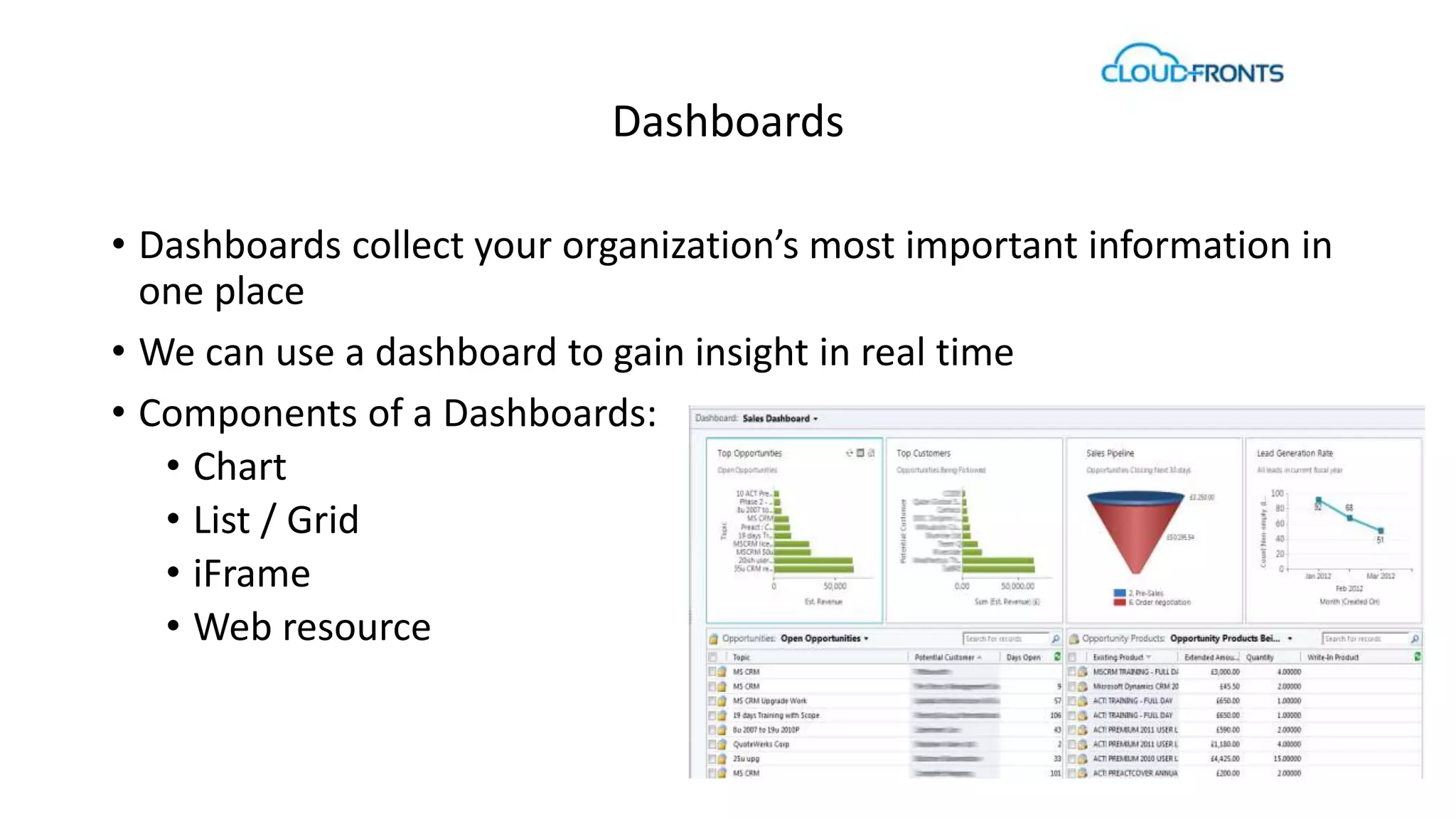
Dashboards 
• Dashboards collect your organization’s most important information in 
one place 
• We can use a dashboard to gain insight in real time 
• Components of a Dashboards: 
• Chart 
• List / Grid 
• iFrame 
• Web resource
Summary 
• Combine data from different entities 
• Set default dashboards to display 
• Embed reports inside dashboards using iFrame 
• Customize width & height of each component 
• Share dashboards with other users 
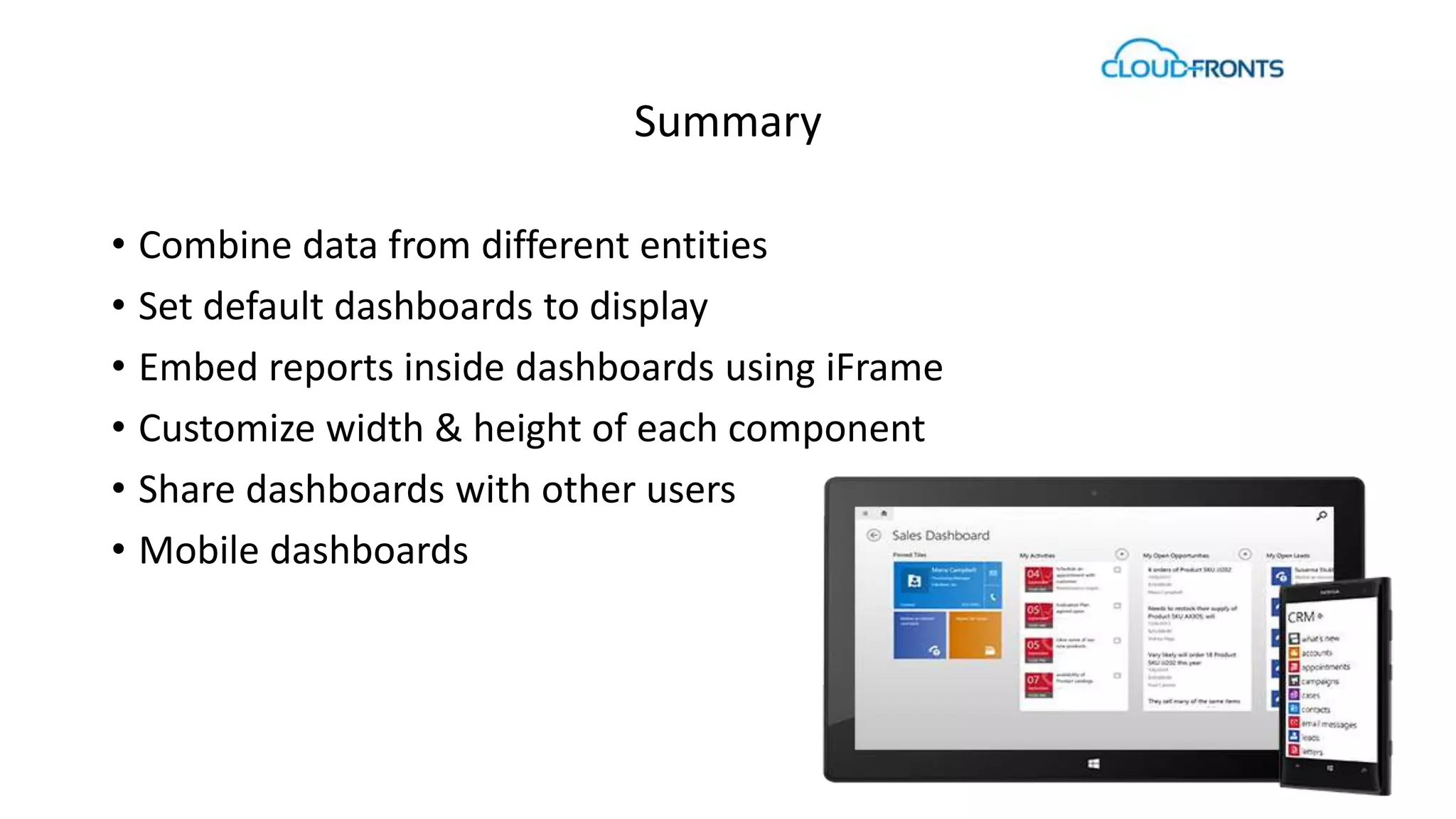
• Mobile dashboards
CRM 2015 Release Preview Guide: 
http://go.microsoft.com/fwlink/?LinkID=511975&clcid=0x409 
Contact Us - 
www.cloudfronts.com 
info@cloudfronts.com 
Q & A

BI Technical Dive

  • 1.
    BI Reporting ForDynamics CRM Online Technical Deep Dive Session 1: SSRS and CRM Dashboards
  • 2.
    Agenda 1. Introduction 2. Out of Box Reporting 3. Custom Reports 4. Features 5. CRM Charts and Dashboards 6. Customizations and Features
  • 3.
    Introduction SQL ServerReporting Services is an extensible platform for creating interactive, tabular and graphical reports. SSRS reports are defined in Report Definition Language (RDL) • XML representation of a SQL Server Reporting Services report definition • Contains data retrieval and layout information for a report
  • 4.
    Out of BoxReporting CRM data can be viewed by searching the entities and applying criteria for fetching desired results. RDL files can be created in either of the following two ways:  Using the Report Wizard  Using Visual Studio
  • 5.
  • 6.
    Custom Reports usingVisual Studio Benefits: • RDL component is reduced to graphic icons • Drag-and-drop icons for most aspects of the report • Options available for formatting and designing Requirements: • CRM Report Authoring Extension • Fetch xml query (download from advanced find in CRM Online) Once you have your RDL file built, upload it to CRM using the CRM interface.
  • 7.
    SSRS Reports Capabilities Parameters Pre calculated Pre filtering CRM View
  • 8.
    SSRS Reports Capabilities Hyperlink Drill through Record in CRM
  • 9.
    SSRS Features •Integrated within Dynamics CRM • Fetches real time data • Easy to regenerate reports, no need to save file • Best used to standardize detailed reports • Tabular, matrix, chart, and free-form report layouts • Aggregations- aggregate and summarize data using expressions • Drill through reports and interactivity by providing links to sub reports • Use parameters to filter data for customized views. • Presentation formats include HTML,PDF, XML, CSV, Word, Excel
  • 10.
    CRM Charts andDashboards
  • 11.
    CRM Charts •Graphical view of business data • Also known as visualization in Microsoft Dynamics CRM • Attached to an entity in Microsoft Dynamics CRM • One visualization can be displayed at a time along-side a grid • Multiple visualizations can be viewed at once by using a dashboard • Derived from System.Web.UI.DataVisualization.Charting Namespace
  • 12.
    Custom Charts 1.Multi-series Charts 2. Axis Modification 3. Changing Color Palettes 4. 3D Charts 5. Sorting
  • 13.
    Features • Easilydrill down • Present multi-series charts • Customize by pie, bar, line, funnel charts and more • Save personal charts that you create and share with others
  • 14.
    Dashboards • Dashboardscollect your organization’s most important information in one place • We can use a dashboard to gain insight in real time • Components of a Dashboards: • Chart • List / Grid • iFrame • Web resource
  • 15.
    Summary • Combinedata from different entities • Set default dashboards to display • Embed reports inside dashboards using iFrame • Customize width & height of each component • Share dashboards with other users • Mobile dashboards
  • 16.
    CRM 2015 ReleasePreview Guide: http://go.microsoft.com/fwlink/?LinkID=511975&clcid=0x409 Contact Us - www.cloudfronts.com info@cloudfronts.com Q & A