Best Practices for Game Development Using Streams
WITH
2 | Best Practices for Game Development Using Streams perforce.com
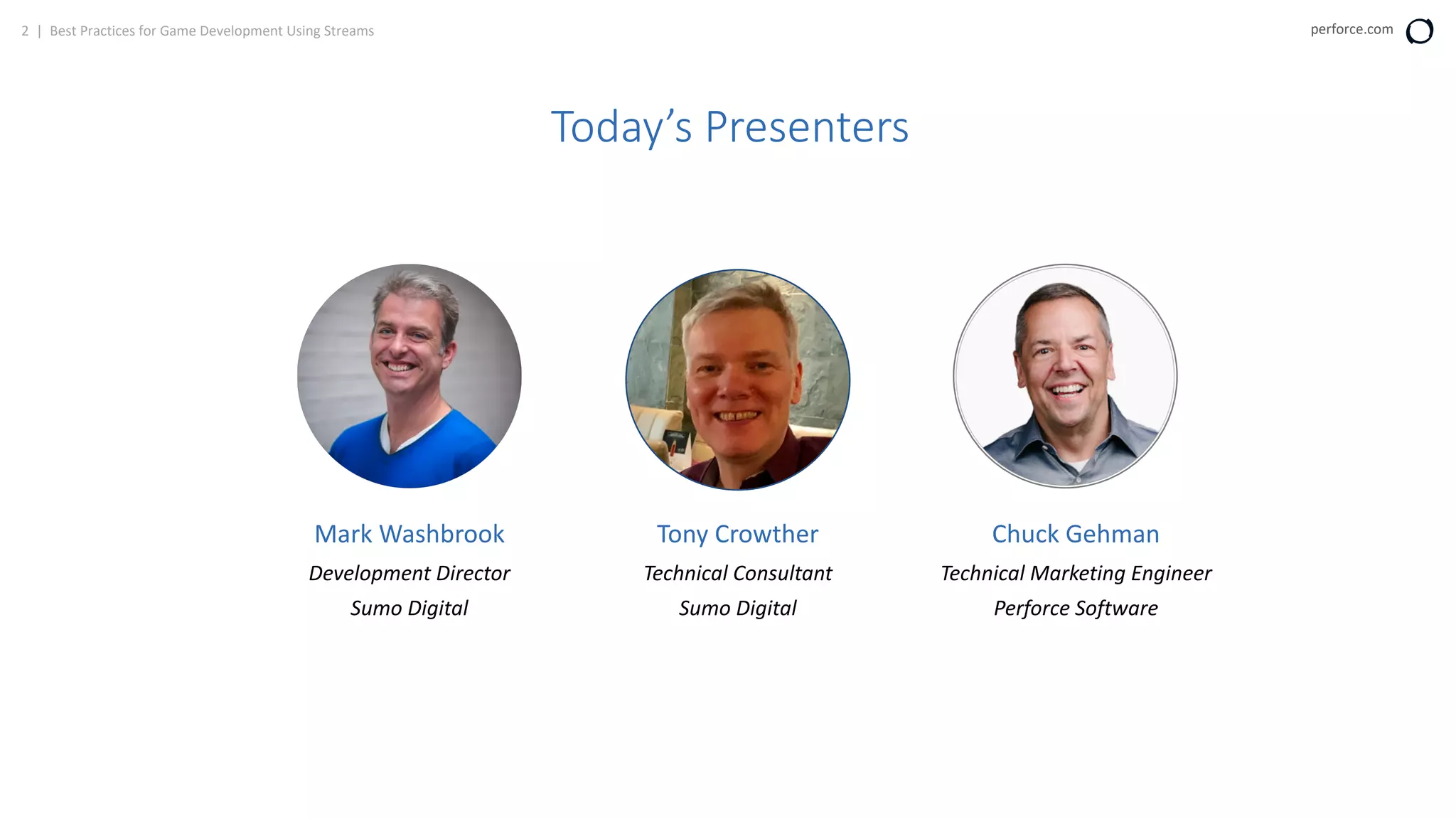
Today’s Presenters
Chuck Gehman
Technical Marketing Engineer
Perforce Software
Mark Washbrook
Development Director
Sumo Digital
Tony Crowther
Technical Consultant
Sumo Digital
3 | Best Practices for Game Development Using Streams perforce.com
Today’s Agenda
1
2
3
4
5
VCS Challenges for Game Development
Introducing Streams
About Sumo Digital
Sumo’s Best Practices Using Streams
Q & A
4 | Best Practices for Game Development Using Streams perforce.com
VCS Challenges for Game Development
• Large binary files
• Images, models, renderings, sound files
• Many files
• Many contributors
• Many changes
5 | Best Practices for Game Development Using Streams perforce.com
Why Perforce Streams?
The large number of branches associated with Game Development
can be overwhelming.
Perforce Streams lets you:
• Manage these branches easier.
• Visualize how code flows.
• Encourage best practices for merging code between branches.
6 | Best Practices for Game Development Using Streams perforce.com
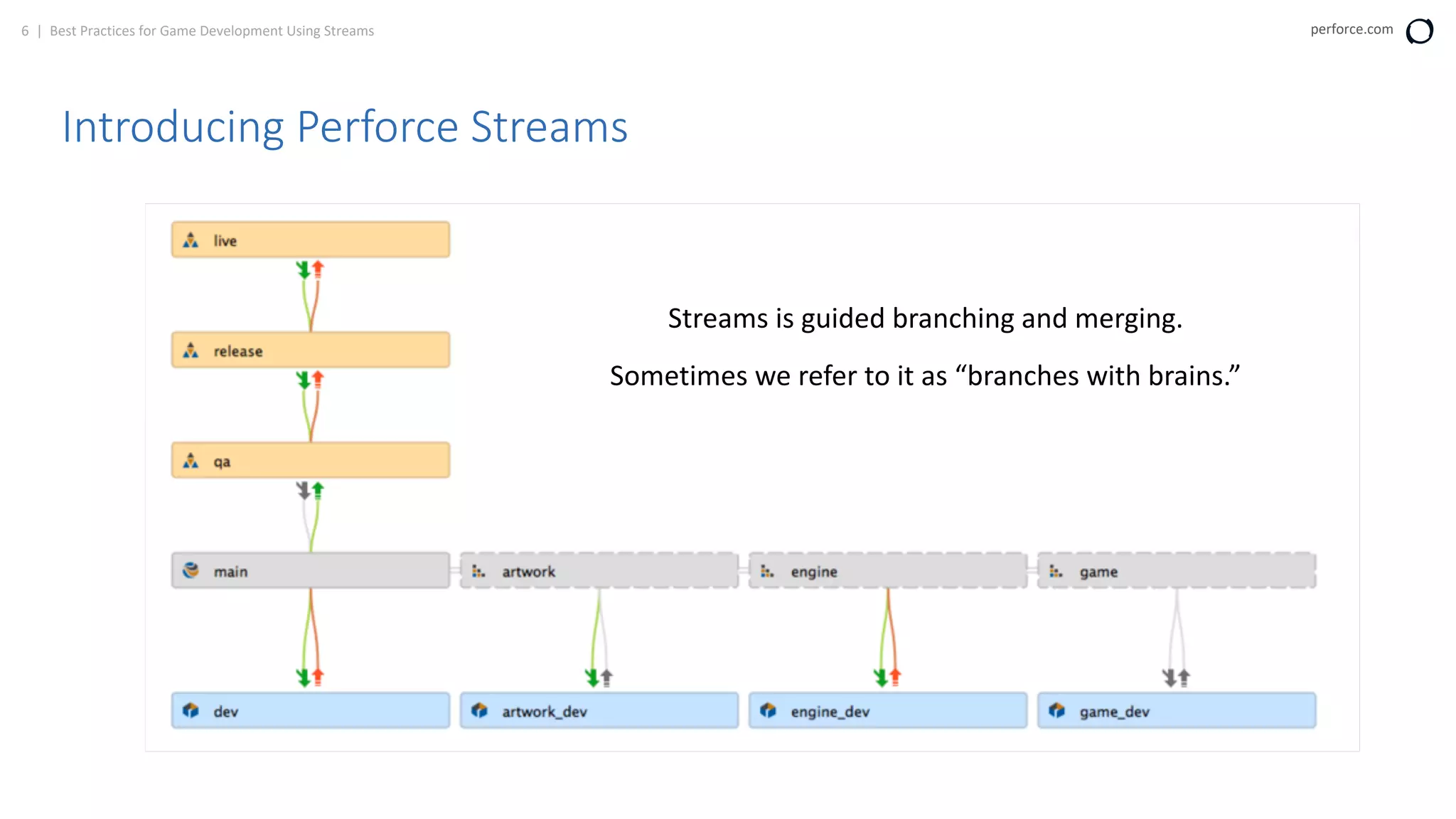
Introducing Perforce Streams
Streams is guided branching and merging.
Sometimes we refer to it as “branches with brains.”
7 | Best Practices for Game Development Using Streams perforce.com
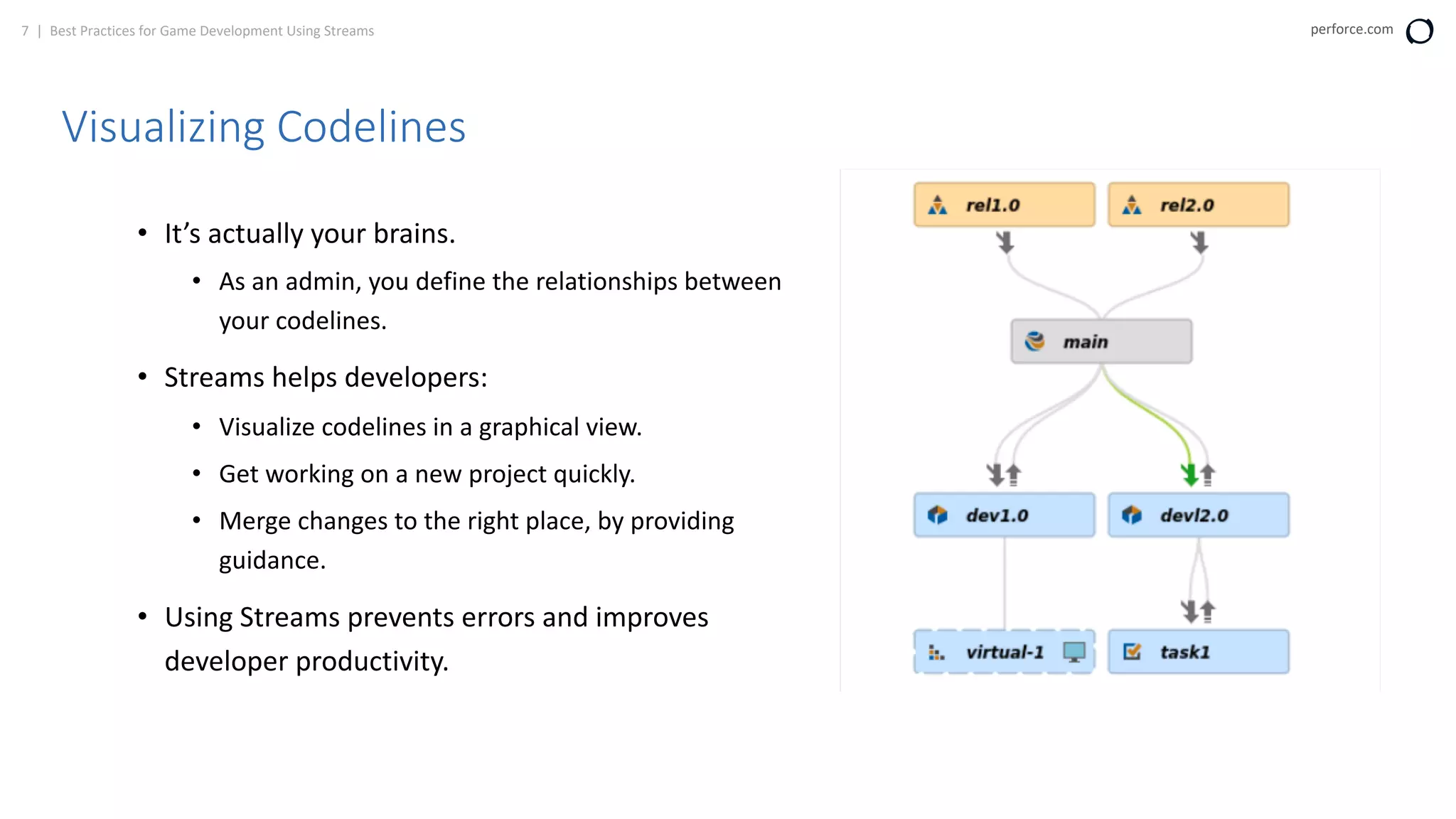
Visualizing Codelines
• It’s actually your brains.
• As an admin, you define the relationships between
your codelines.
• Streams helps developers:
• Visualize codelines in a graphical view.
• Get working on a new project quickly.
• Merge changes to the right place, by providing
guidance.
• Using Streams prevents errors and improves
developer productivity.
8 | Best Practices for Game Development Using Streams perforce.com
Types of Streams
Type Description
Development
• Used for code that changes frequently.
• Experimental streams that do not destabilize the mainline stream.
Mainline
• Used for code that changes somewhat frequently.
• New features are often merged into the mainline steam.
• Mainline streams are more stable than development streams.
Release
• Used for code that is the most stable.
• Enables teams to put existing features in a final state.
• Stream that is closest to being released.
Task
• Used for short-lived changes to minimize metadata.
• Lightweight short-lived streams.
Virtual
• Used to work on specific files from a parent stream.
• Filtered view of a particular stream.
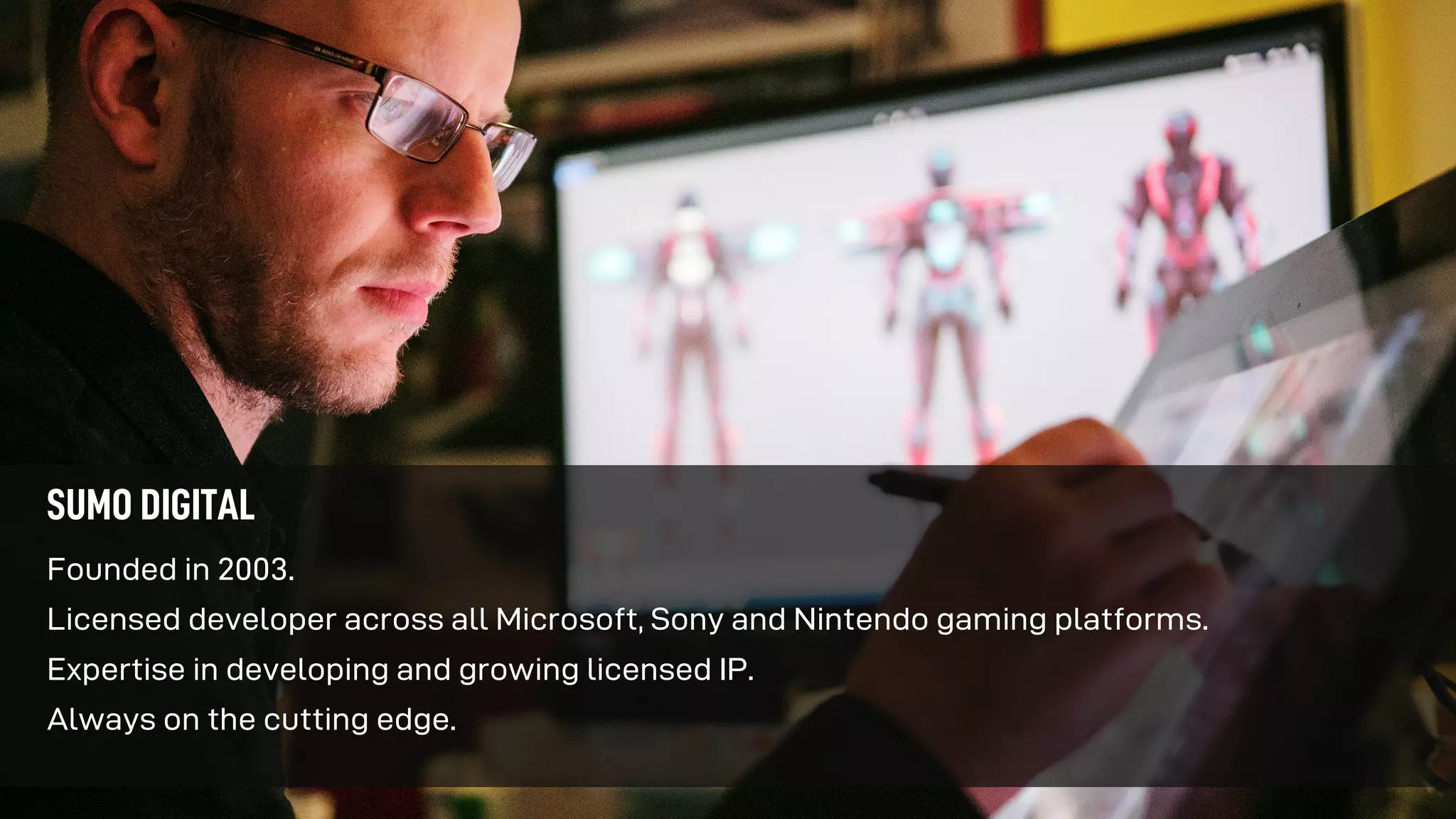
Founded in 2003.
Licensed developer across all Microsoft, Sony and Nintendo gaming platforms.
Expertise in developing and growing licensed IP.
Always on the cutting edge.
SUMO DIGITAL
STUDIOS
SHEFFIELD
Founded in 2003
Over 500 staff
NOTTINGHAM
Founded in 2016
PUNE, INDIA
Founded in 2007
NEWCASTLE
Founded in 2018
BRIGHTON
THE CHINESE ROOM
Acquired in 2018
HUDDERSFIELD
RED KITE GAMES
Acquired in 2019
LEAMINGTON SPA
Founded in 2019
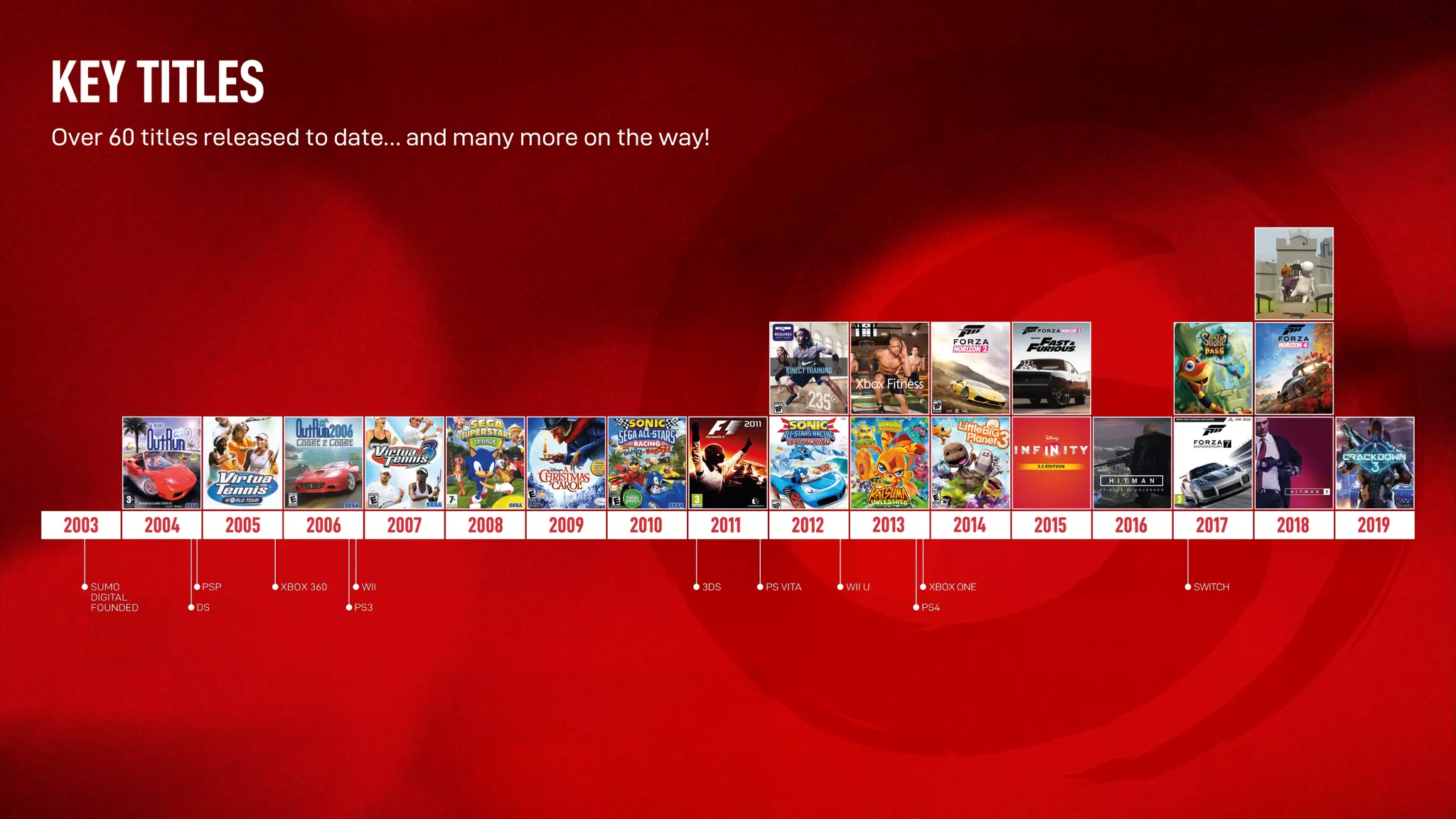
KEY TITLES
Over 60 titles released to date… and many more on the way!
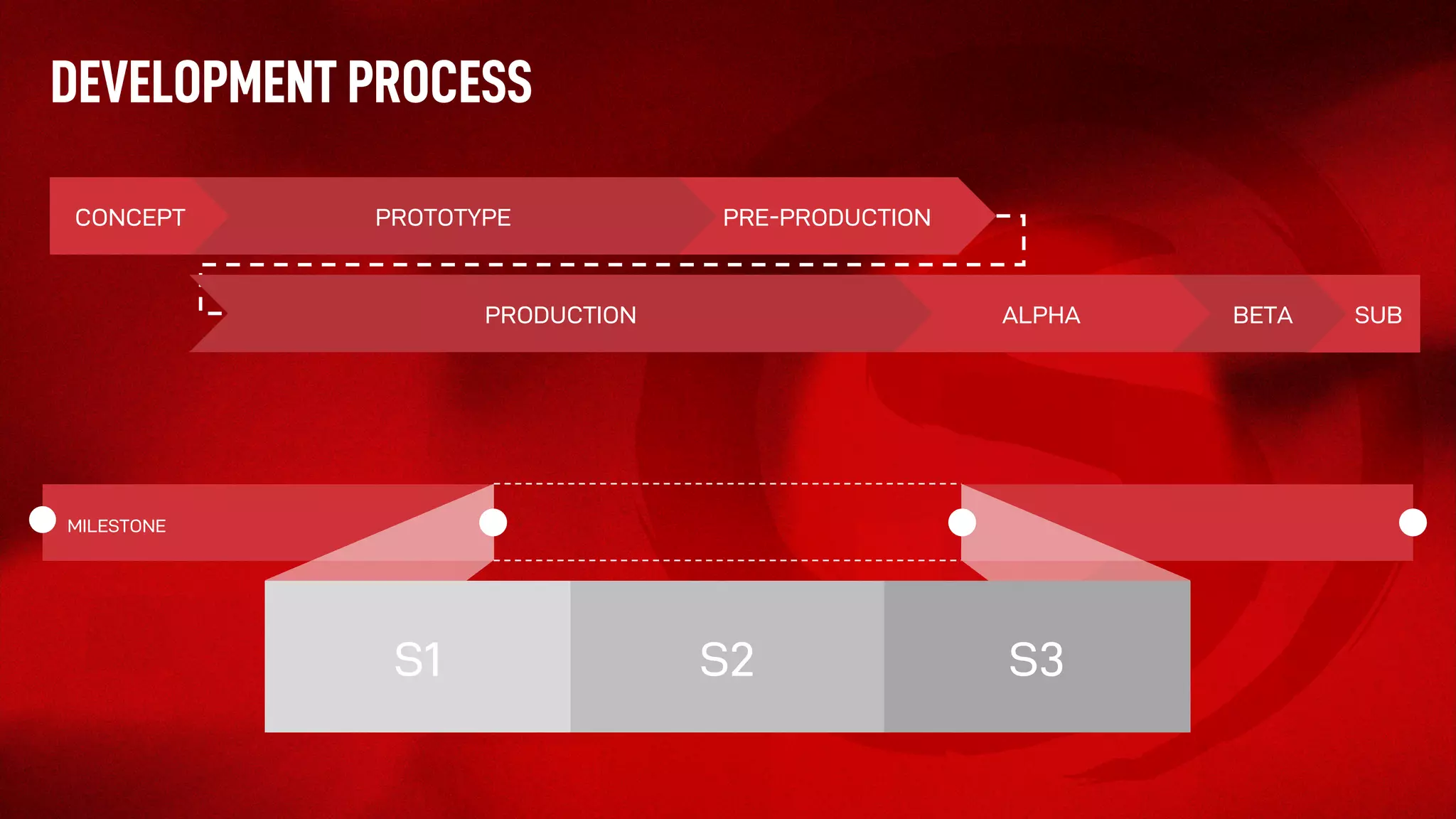
DEVELOPMENT PROCESS
SUBBETAALPHA
PRE-PRODUCTIONPROTOTYPECONCEPT
PRODUCTION
S3
MILESTONE
S3S1 S2
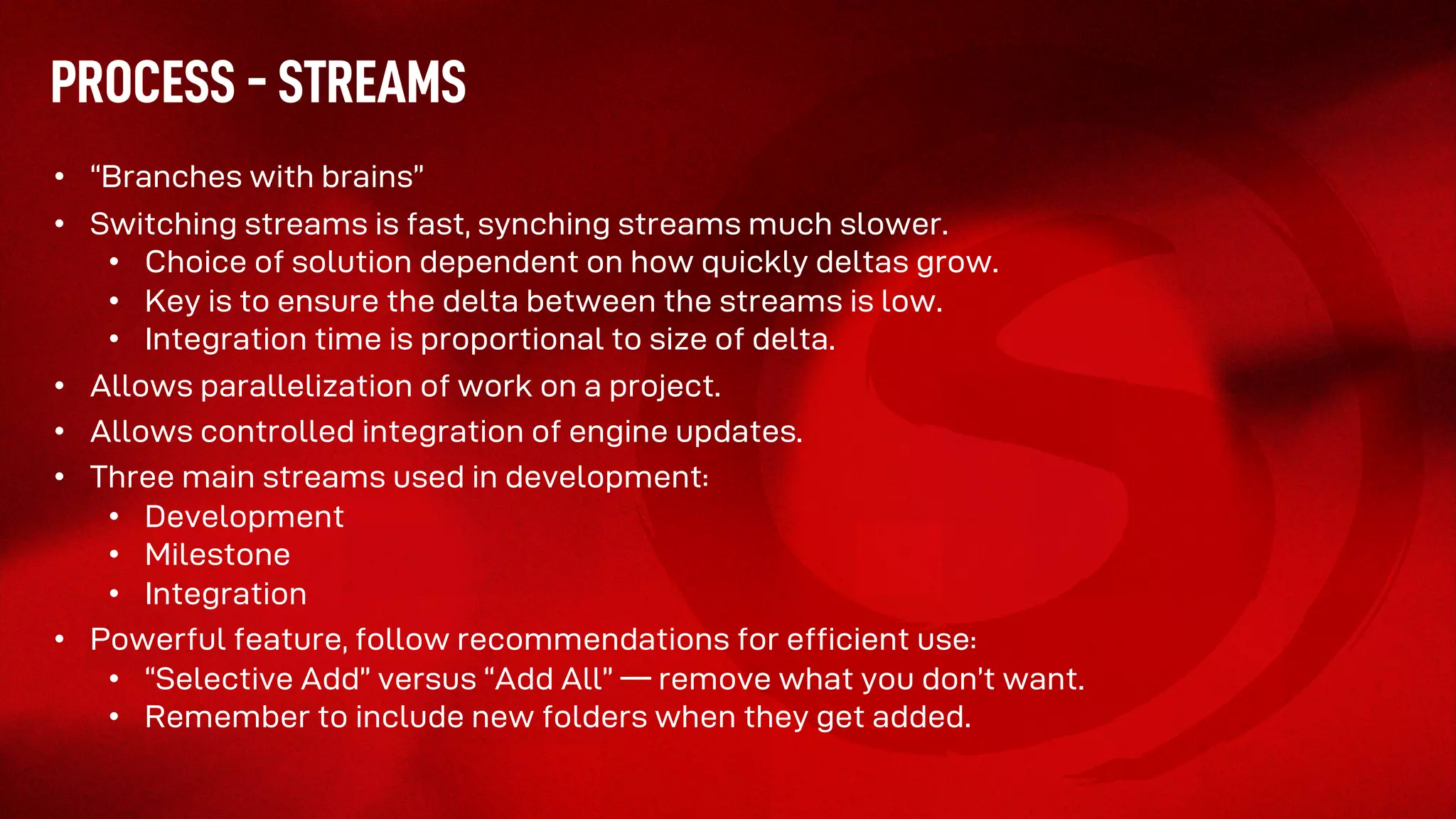
PROCESS - STREAMS
• “Branches with brains”
• Switching streams is fast, synching streams much slower.
• Choice of solution dependent on how quickly deltas grow.
• Key is to ensure the delta between the streams is low.
• Integration time is proportional to size of delta.
• Allows parallelization of work on a project.
• Allows controlled integration of engine updates.
• Three main streams used in development:
• Development
• Milestone
• Integration
• Powerful feature, follow recommendations for efficient use:
• “Selective Add” versus “Add All” –– remove what you don’t want.
• Remember to include new folders when they get added.
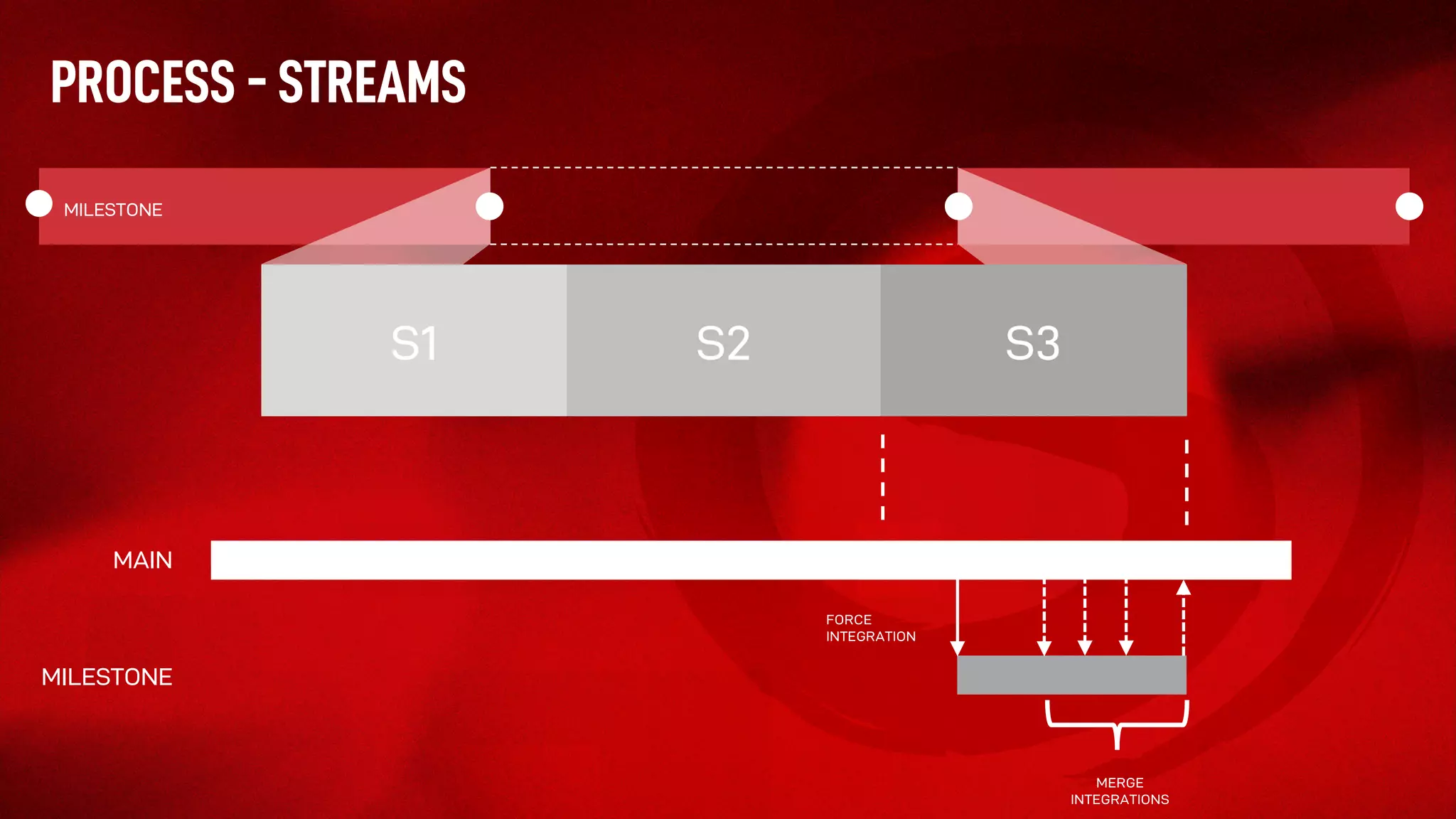
PROCESS - STREAMS
S3
MILESTONE
S3S1 S2
MERGE
INTEGRATIONS
MAIN
MILESTONE
FORCE
INTEGRATION
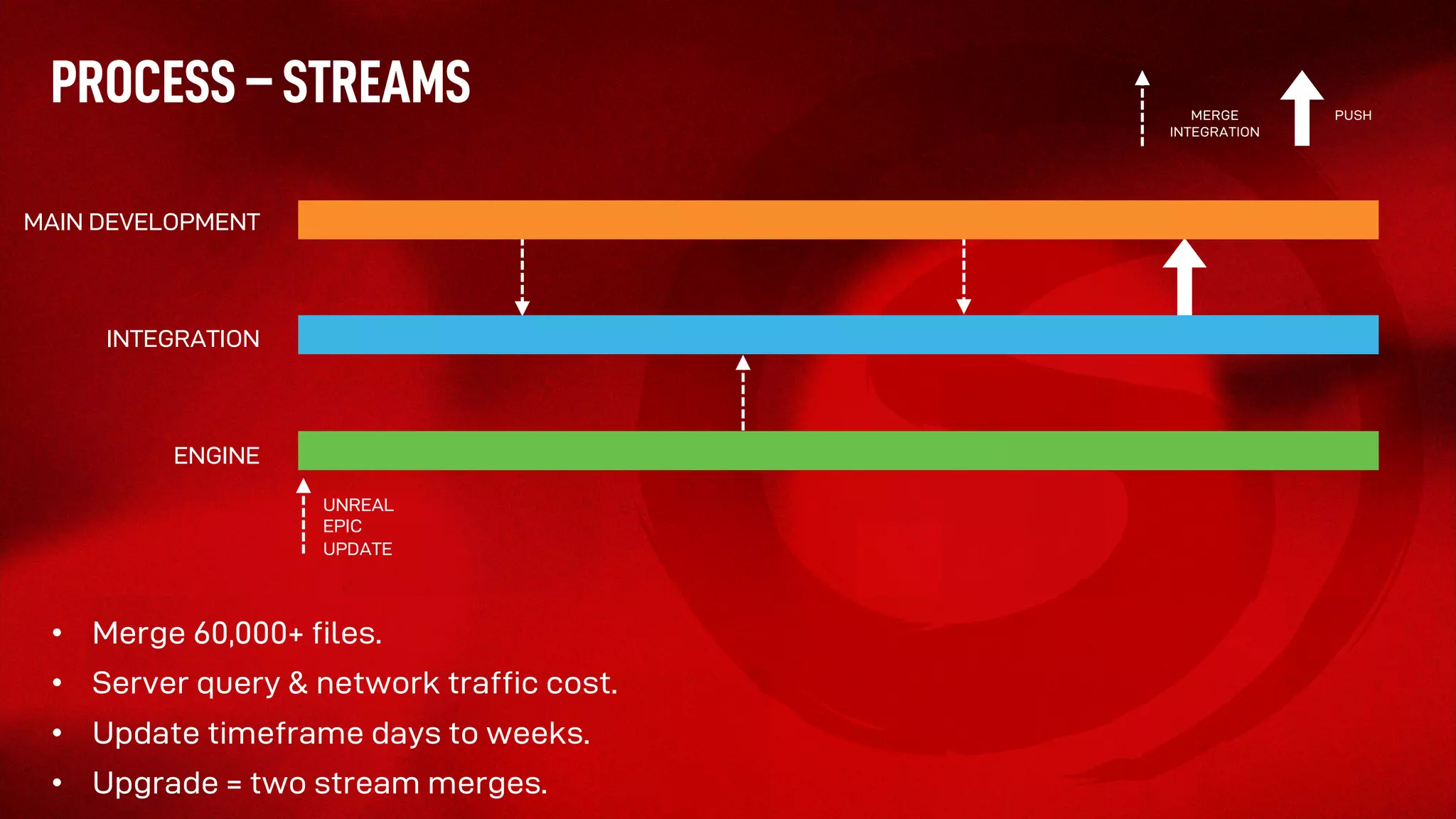
• Merge 60,000+ files.
• Server query & network traffic cost.
• Update timeframe days to weeks.
• Upgrade = two stream merges.
PROCESS – STREAMS
MAIN DEVELOPMENT
INTEGRATION
ENGINE
UNREAL
EPIC
UPDATE
MERGE
INTEGRATION
PUSH
17 | Best Practices for Game Development Using Streams perforce.com
To Summarize
• Helix Core and Perforce Streams solve some of the biggest challenges facing game development.
• Mark and Tony gave us some great, detailed insight into how Streams works in a game studio.
• If you are a Perforce user –– and aren’t already using Streams –– it’s worth a POC.
• Stick around after the Q+A to learn more about Streams, and discover all the benefit Helix Core
can offer your team.
Questions?
Follow us for news and insights:
Visit www.perforce.com

Best Practices For Game Development Using Perforce Streams

  • 1.
    Best Practices forGame Development Using Streams WITH
  • 2.
    2 | BestPractices for Game Development Using Streams perforce.com Today’s Presenters Chuck Gehman Technical Marketing Engineer Perforce Software Mark Washbrook Development Director Sumo Digital Tony Crowther Technical Consultant Sumo Digital
  • 3.
    3 | BestPractices for Game Development Using Streams perforce.com Today’s Agenda 1 2 3 4 5 VCS Challenges for Game Development Introducing Streams About Sumo Digital Sumo’s Best Practices Using Streams Q & A
  • 4.
    4 | BestPractices for Game Development Using Streams perforce.com VCS Challenges for Game Development • Large binary files • Images, models, renderings, sound files • Many files • Many contributors • Many changes
  • 5.
    5 | BestPractices for Game Development Using Streams perforce.com Why Perforce Streams? The large number of branches associated with Game Development can be overwhelming. Perforce Streams lets you: • Manage these branches easier. • Visualize how code flows. • Encourage best practices for merging code between branches.
  • 6.
    6 | BestPractices for Game Development Using Streams perforce.com Introducing Perforce Streams Streams is guided branching and merging. Sometimes we refer to it as “branches with brains.”
  • 7.
    7 | BestPractices for Game Development Using Streams perforce.com Visualizing Codelines • It’s actually your brains. • As an admin, you define the relationships between your codelines. • Streams helps developers: • Visualize codelines in a graphical view. • Get working on a new project quickly. • Merge changes to the right place, by providing guidance. • Using Streams prevents errors and improves developer productivity.
  • 8.
    8 | BestPractices for Game Development Using Streams perforce.com Types of Streams Type Description Development • Used for code that changes frequently. • Experimental streams that do not destabilize the mainline stream. Mainline • Used for code that changes somewhat frequently. • New features are often merged into the mainline steam. • Mainline streams are more stable than development streams. Release • Used for code that is the most stable. • Enables teams to put existing features in a final state. • Stream that is closest to being released. Task • Used for short-lived changes to minimize metadata. • Lightweight short-lived streams. Virtual • Used to work on specific files from a parent stream. • Filtered view of a particular stream.
  • 9.
    Founded in 2003. Licenseddeveloper across all Microsoft, Sony and Nintendo gaming platforms. Expertise in developing and growing licensed IP. Always on the cutting edge. SUMO DIGITAL
  • 10.
    STUDIOS SHEFFIELD Founded in 2003 Over500 staff NOTTINGHAM Founded in 2016 PUNE, INDIA Founded in 2007 NEWCASTLE Founded in 2018 BRIGHTON THE CHINESE ROOM Acquired in 2018 HUDDERSFIELD RED KITE GAMES Acquired in 2019 LEAMINGTON SPA Founded in 2019
  • 11.
    KEY TITLES Over 60titles released to date… and many more on the way!
  • 13.
  • 14.
    PROCESS - STREAMS •“Branches with brains” • Switching streams is fast, synching streams much slower. • Choice of solution dependent on how quickly deltas grow. • Key is to ensure the delta between the streams is low. • Integration time is proportional to size of delta. • Allows parallelization of work on a project. • Allows controlled integration of engine updates. • Three main streams used in development: • Development • Milestone • Integration • Powerful feature, follow recommendations for efficient use: • “Selective Add” versus “Add All” –– remove what you don’t want. • Remember to include new folders when they get added.
  • 15.
    PROCESS - STREAMS S3 MILESTONE S3S1S2 MERGE INTEGRATIONS MAIN MILESTONE FORCE INTEGRATION
  • 16.
    • Merge 60,000+files. • Server query & network traffic cost. • Update timeframe days to weeks. • Upgrade = two stream merges. PROCESS – STREAMS MAIN DEVELOPMENT INTEGRATION ENGINE UNREAL EPIC UPDATE MERGE INTEGRATION PUSH
  • 17.
    17 | BestPractices for Game Development Using Streams perforce.com To Summarize • Helix Core and Perforce Streams solve some of the biggest challenges facing game development. • Mark and Tony gave us some great, detailed insight into how Streams works in a game studio. • If you are a Perforce user –– and aren’t already using Streams –– it’s worth a POC. • Stick around after the Q+A to learn more about Streams, and discover all the benefit Helix Core can offer your team.
  • 18.
  • 19.
    Follow us fornews and insights: Visit www.perforce.com