BESTANDROID
COURSE2017
BESTONLINECOURSESCOUPON.COM
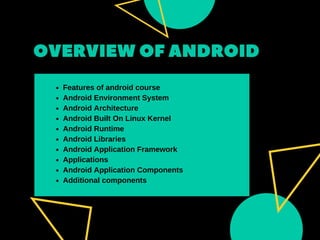
OVERVIEWOF ANDROID
Features of android course
Android Environment System
Android Architecture
Android Built On Linux Kernel
Android Runtime
Android Libraries
Android Application Framework
Applications
Android Application Components
Additional components
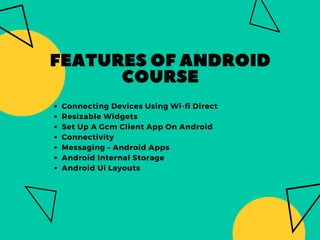
FEATURESOFANDROID
COURSE
Connecting Devices Using Wi-fi Direct
Resizable Widgets
Set Up A Gcm Client App On Android
Connectivity
Messaging – Android Apps
Android Internal Storage
Android Ui Layouts
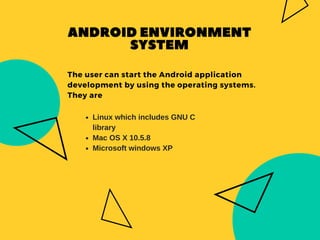
The user can start the Android application
development by using the operating systems.
They are
ANDROIDENVIRONMENT
SYSTEM
Linux which includes GNU C
library
Mac OS X 10.5.8
Microsoft windows XP
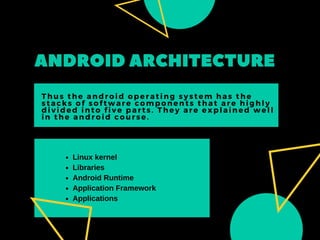
ANDROIDARCHITECTURE
Thus the android operating system has the
stacks of software components that are highly
divided into five parts. They are explained well
in the android course.
Linux kernel
Libraries
Android Runtime
Application Framework
Applications
ANDROIDBUILTONLINUX
KERNEL
The Linux kernel plays at the bottom of the layer of Linux with 115
patches. It mainly provides the idea between the hardware device.
It also contains the important hardware drivers such as Display,
keypad, camera and much more. On the other side, the kernel
helps to manage the Linux with networking and device drivers.
Finally, it helps to make an easy way to interfacing with the
peripheral hardware.
Android Runtime is placed on the second layer from the bottom of
architecture. The main part helps to provide the important
component called Dalvik Virtual Machine which said to be similar to
Java Virtual Machine that is optimized for the Android platform.
Dalvik virtual machine is made utilize of the Linux core features like
Multi- threading and memory management.
ANDROIDRUNTIME
GO BEYOND
ANDROIDLIBRARIES 
Thus the libraries available for the developers are
Android.widget
Android.text
Android.view
Android.database
Android.os
Android.webkit
ANDROIDAPPLICATION
FRAMEWORK
View System
Activity Manager
Resource Manager
Content Providers
Notifications Manager
The Application Framework provides many
services to the applications in the type of Java
classes.The Android framework has the various
essential services. They are
APPLICATIONS
Thus the application is located at the top of
the layer of the architecture. The user can
write the application to install on this primary
layer. For example, some of the applications
are games, browser, books and much more.
An Application component plays the significant role in building the
blocks of an Android application.  The components are mainly
attached to the application manifest file called AndroidManifest.xml.
 
ANDROIDAPPLICATION
COMPONENTS
Broadcast Receivers
Services
Activities
Content Providers
ADDITIONAL
COMPONENTS
PEOPLE-CENTERED
The additional components will be used in the
construction of entities between the logics and
writing system. The components are
1) Views
2) Layouts
3) Intents
4) Fragments
5) Manifest and
6) Resources.
Complete React Native and Redux Course
Complete Android Developer Course
Active Development In Making Android
Apps
Advantages Of Learning Appium
Android 7 App Development In Java
BESTANDROIDCOURSE2017
Best Android
Course
linkablelink
Bestonlinecoursescoupon best_coursess bestcourse
THANKS
ALOTBESTONLINECOURSESCOUPON.COM

Best Android Course

  • 1.
  • 2.
    OVERVIEWOF ANDROID Features of androidcourse Android Environment System Android Architecture Android Built On Linux Kernel Android Runtime Android Libraries Android Application Framework Applications Android Application Components Additional components
  • 3.
    FEATURESOFANDROID COURSE Connecting Devices UsingWi-fi Direct Resizable Widgets Set Up A Gcm Client App On Android Connectivity Messaging – Android Apps Android Internal Storage Android Ui Layouts
  • 4.
    The user canstart the Android application development by using the operating systems. They are ANDROIDENVIRONMENT SYSTEM Linux which includes GNU C library Mac OS X 10.5.8 Microsoft windows XP
  • 5.
    ANDROIDARCHITECTURE Thus the androidoperating system has the stacks of software components that are highly divided into five parts. They are explained well in the android course. Linux kernel Libraries Android Runtime Application Framework Applications
  • 6.
    ANDROIDBUILTONLINUX KERNEL The Linux kernelplays at the bottom of the layer of Linux with 115 patches. It mainly provides the idea between the hardware device. It also contains the important hardware drivers such as Display, keypad, camera and much more. On the other side, the kernel helps to manage the Linux with networking and device drivers. Finally, it helps to make an easy way to interfacing with the peripheral hardware.
  • 7.
    Android Runtime isplaced on the second layer from the bottom of architecture. The main part helps to provide the important component called Dalvik Virtual Machine which said to be similar to Java Virtual Machine that is optimized for the Android platform. Dalvik virtual machine is made utilize of the Linux core features like Multi- threading and memory management. ANDROIDRUNTIME GO BEYOND
  • 8.
    ANDROIDLIBRARIES  Thus the librariesavailable for the developers are Android.widget Android.text Android.view Android.database Android.os Android.webkit
  • 9.
    ANDROIDAPPLICATION FRAMEWORK View System Activity Manager ResourceManager Content Providers Notifications Manager The Application Framework provides many services to the applications in the type of Java classes.The Android framework has the various essential services. They are
  • 10.
    APPLICATIONS Thus the applicationis located at the top of the layer of the architecture. The user can write the application to install on this primary layer. For example, some of the applications are games, browser, books and much more.
  • 11.
    An Application componentplays the significant role in building the blocks of an Android application.  The components are mainly attached to the application manifest file called AndroidManifest.xml.   ANDROIDAPPLICATION COMPONENTS Broadcast Receivers Services Activities Content Providers
  • 12.
    ADDITIONAL COMPONENTS PEOPLE-CENTERED The additional componentswill be used in the construction of entities between the logics and writing system. The components are 1) Views 2) Layouts 3) Intents 4) Fragments 5) Manifest and 6) Resources.
  • 13.
    Complete React Nativeand Redux Course Complete Android Developer Course Active Development In Making Android Apps Advantages Of Learning Appium Android 7 App Development In Java BESTANDROIDCOURSE2017 Best Android Course linkablelink
  • 14.
  • 15.