This document provides an introduction to Windows Installer XML (WiX), an open source toolset used to author Windows installation packages. It begins with background on Windows Installer and other installation technologies. The document then covers key WiX concepts like the project structure, build process, and defining packages using elements like Product, Package, Directory and Component. It aims to explain the basic usage of WiX to create simple installers and prepare readers for more advanced techniques.
![Beginner’s Guide toWindows Installer XML (WiX)[WiX v3.5]Alek Davishttp://alekdavis.blogspot.comMarch 2011](https://image.slidesharecdn.com/wix-110131171837-phpapp02/85/Beginner-s-Guide-to-Windows-Installer-XML-WiX-1-320.jpg)
![Beginner’s Guide toWindows Installer XML (WiX)[WiX v3.5]Alek Davishttp://alekdavis.blogspot.comMarch 2011](https://image.slidesharecdn.com/wix-110131171837-phpapp02/75/Beginner-s-Guide-to-Windows-Installer-XML-WiX-1-2048.jpg)
![Beginner's Guide to Windows Installer XML (WiX) [WiX v3.5]DisclaimerFrom Want to sell books to Americans? Eliminate all traces of self-doubt by Ezra KleinGillian Tett [author of Fool's Gold] describes the difference between packaging a book for the American and British markets: "Initially I planned to start the book by admitting that I was not a true expert on high finance: instead I crashed into this world in 2005, after a background spent in journalism-cum-social anthropology – making me a well-intentioned amateur, but without complete knowledge. My friends in the British publishing world loved that honesty; in the UK, self-deprecation sells, particularly for "well-meaning amateurs" such as the writer Bill Bryson. But my American friends hated it. In New York, I was sternly told, absolutely nobody wants to listen to self-doubt. If you are going to write a book – let alone stand on a political platform or run a company – you must act as if you are an expert, filled with complete conviction. For the US version, the preface was removed entirely."I am not a "true expert" on Windows Installer3/2/2011](https://image.slidesharecdn.com/wix-110131171837-phpapp02/85/Beginner-s-Guide-to-Windows-Installer-XML-WiX-2-320.jpg)
![Beginner's Guide to Windows Installer XML (WiX) [WiX v3.5]IntroductionExperienceProgrammingInstaller-relatedTools and articlesStreamline Your Database Setup Process with a Custom Installer (MSDN Magazine, September 2004)Follow-up: Database installer revised (Blog)Commercial database deployment softwareDude, where is your installer? (Blog)Microsoft ate my uninstaller (Blog)More posts on my blog3/2/2011](https://image.slidesharecdn.com/wix-110131171837-phpapp02/85/Beginner-s-Guide-to-Windows-Installer-XML-WiX-3-320.jpg)
![Beginner's Guide to Windows Installer XML (WiX) [WiX v3.5]What to expect?AgendaBasic Windows Installer (MSI) conceptsOverview of Windows Installer XML (WiX)Using WiX to build simple installersCommon advanced WiX techniquesTools and resources3/2/2011](https://image.slidesharecdn.com/wix-110131171837-phpapp02/85/Beginner-s-Guide-to-Windows-Installer-XML-WiX-4-320.jpg)
![Beginner's Guide to Windows Installer XML (WiX) [WiX v3.5]Installer tools and technologiesRelevanceDo you build installers?What do you use?Tools and technologiesWindows Installer (MSI)Visual Studio Installer (discontinued)InstallShieldWise Installation StudioInstallAware for Windows InstallerAdvanced InstallerAnd moreOtherInstallShield engineNullSoft Scriptable Install SystemInno SetupClickOnceAnd more3/2/2011](https://image.slidesharecdn.com/wix-110131171837-phpapp02/85/Beginner-s-Guide-to-Windows-Installer-XML-WiX-5-320.jpg)
![Beginner's Guide to Windows Installer XML (WiX) [WiX v3.5]Installation challengesConsiderError in the middle of setupPer-user or per-machine installationRoaming profiles and folder redirectionx86, x64, any CPU32-bit, 64-bit OSPatches and upgradesConditional installations…3/2/2011](https://image.slidesharecdn.com/wix-110131171837-phpapp02/85/Beginner-s-Guide-to-Windows-Installer-XML-WiX-6-320.jpg)
![Beginner's Guide to Windows Installer XML (WiX) [WiX v3.5]Windows Installer (MSI)What is Windows Installer?Msiexec.exe (see command-line options)Windows Installer APIWindows Installer SDKHistoryStarted around 1999 (Office 2000)Current version: 5 (Windows 7, Server 2008 R2)ProsTransactional, merge modules, discovery, automation, APIs, localization, restart management, package validation, declarative, …ConsComplexity, upgrades, architecture (one key [file] per component, …), shortcuts, command line, touches registry and file system, tools, …FAQsWindows Installer FAQ – Part 1 (see parts 2, 3, 4, etc)3/2/2011](https://image.slidesharecdn.com/wix-110131171837-phpapp02/85/Beginner-s-Guide-to-Windows-Installer-XML-WiX-7-320.jpg)
![Beginner's Guide to Windows Installer XML (WiX) [WiX v3.5]Windows Installer setup processInstallation sequence(courtesy to Jeffrey Sharp)Installation (uninstallation/upgrade/etc) events occur in sequence3/2/2011InstallUISequenceInstallExecuteSequence(Part 1: Script Generation)IMMEDIATEInstallExecuteSequence(Part 2: Script Execution)DEFERREDFindRelatedProducts](https://image.slidesharecdn.com/wix-110131171837-phpapp02/85/Beginner-s-Guide-to-Windows-Installer-XML-WiX-8-320.jpg)
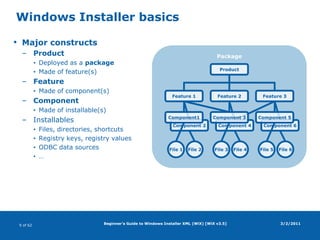
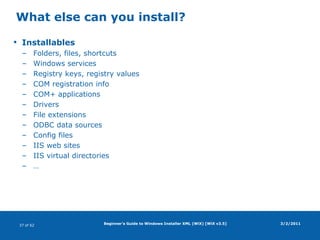
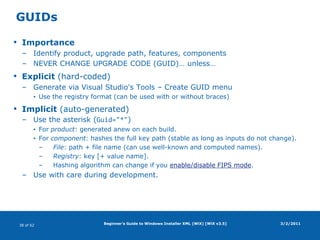
![Rollback: Execute accumulated undo actions.Beginner's Guide to Windows Installer XML (WiX) [WiX v3.5]Windows Installer basicsMajor constructsProductDeployed as a packageMade of feature(s)FeatureMade of component(s)ComponentMade of installable(s)InstallablesFiles, directories, shortcutsRegistry keys, registry valuesODBC data sources…3/2/2011PackageProductFeature 3Feature 1Feature 2Component1Component 3Component 5Component 2Component 4Component 6File 1File 2File 5File 3File 4File 6](https://image.slidesharecdn.com/wix-110131171837-phpapp02/85/Beginner-s-Guide-to-Windows-Installer-XML-WiX-42-320.jpg)
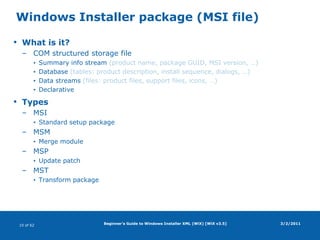
![Beginner's Guide to Windows Installer XML (WiX) [WiX v3.5]Windows Installer package (MSI file)What is it?COM structured storage fileSummary info stream (product name, package GUID, MSI version, …)Database (tables: product description, install sequence, dialogs, …)Data streams (files: product files, support files, icons, …)DeclarativeTypesMSIStandard setup packageMSMMerge moduleMSPUpdate patchMSTTransform package3/2/2011](https://image.slidesharecdn.com/wix-110131171837-phpapp02/85/Beginner-s-Guide-to-Windows-Installer-XML-WiX-43-320.jpg)
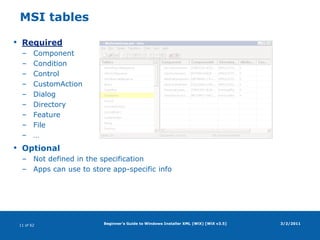
![Beginner's Guide to Windows Installer XML (WiX) [WiX v3.5] MSI tablesRequiredComponentConditionControlCustomActionDialogDirectoryFeatureFile…OptionalNot defined in the specificationApps can use to store app-specific info3/2/2011](https://image.slidesharecdn.com/wix-110131171837-phpapp02/85/Beginner-s-Guide-to-Windows-Installer-XML-WiX-44-320.jpg)
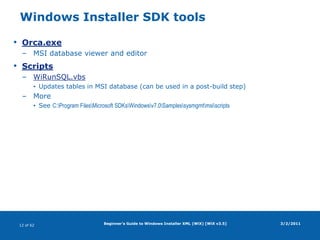
![Beginner's Guide to Windows Installer XML (WiX) [WiX v3.5] Windows Installer SDK toolsOrca.exeMSI database viewer and editorScriptsWiRunSQL.vbsUpdates tables in MSI database (can be used in a post-build step)MoreSee C:\Program Files\Microsoft SDKs\Windows\v7.0\Samples\sysmgmt\msi\scripts3/2/2011](https://image.slidesharecdn.com/wix-110131171837-phpapp02/85/Beginner-s-Guide-to-Windows-Installer-XML-WiX-45-320.jpg)
![Beginner's Guide to Windows Installer XML (WiX) [WiX v3.5]WiX projectOpen-sourceStarted in 1999"Sponsored" by MicrosoftLead by Rob MenschingCurrent version: 3.5Home pagesCodeplex (distributions)SourceForge (documentation, bug tracking)3/2/2011](https://image.slidesharecdn.com/wix-110131171837-phpapp02/85/Beginner-s-Guide-to-Windows-Installer-XML-WiX-46-320.jpg)
![Beginner's Guide to Windows Installer XML (WiX) [WiX v3.5]WiX definedWindows Installer XML (WiX)XML syntax Defines Windows Installer (MSI) packageDeclarativeTools3/2/2011](https://image.slidesharecdn.com/wix-110131171837-phpapp02/85/Beginner-s-Guide-to-Windows-Installer-XML-WiX-47-320.jpg)
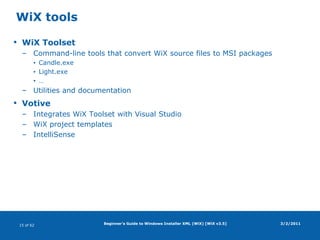
![Beginner's Guide to Windows Installer XML (WiX) [WiX v3.5]WiX toolsWiX ToolsetCommand-line tools that convert WiX source files to MSI packagesCandle.exeLight.exe…Utilities and documentationVotiveIntegrates WiX Toolset with Visual StudioWiX project templatesIntelliSense3/2/2011](https://image.slidesharecdn.com/wix-110131171837-phpapp02/85/Beginner-s-Guide-to-Windows-Installer-XML-WiX-48-320.jpg)
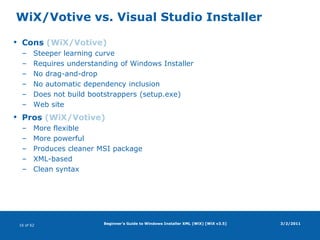
![Beginner's Guide to Windows Installer XML (WiX) [WiX v3.5]WiX/Votive vs. Visual Studio InstallerCons (WiX/Votive)Steeper learning curveRequires understanding of Windows InstallerNo drag-and-dropNo automatic dependency inclusionDoes not build bootstrappers (setup.exe)Web sitePros (WiX/Votive)More flexibleMore powerfulProduces cleaner MSI packageXML-basedClean syntax3/2/2011](https://image.slidesharecdn.com/wix-110131171837-phpapp02/85/Beginner-s-Guide-to-Windows-Installer-XML-WiX-49-320.jpg)
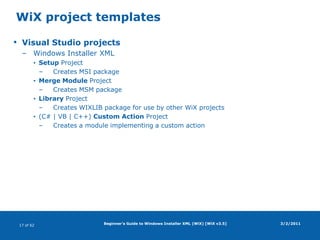
![Beginner's Guide to Windows Installer XML (WiX) [WiX v3.5]WiX project templatesVisual Studio projectsWindows Installer XMLSetup ProjectCreates MSI packageMerge Module ProjectCreates MSM packageLibrary ProjectCreates WIXLIB package for use by other WiX projects(C# | VB | C++) Custom Action ProjectCreates a module implementing a custom action3/2/2011](https://image.slidesharecdn.com/wix-110131171837-phpapp02/85/Beginner-s-Guide-to-Windows-Installer-XML-WiX-50-320.jpg)
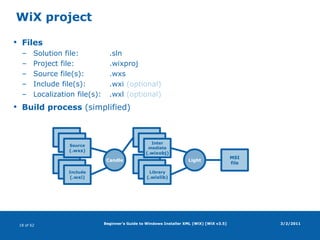
![FilesSolution file: .slnProject file: .wixprojSource file(s): .wxsInclude file(s): .wxi(optional)Localization file(s): .wxl(optional)Build process (simplified)Beginner's Guide to Windows Installer XML (WiX) [WiX v3.5]WiX project3/2/2011Source(.wxs)Source(.wxs)CandleLightMSIfileSource(.wxs)Source(.wxs)Library(.wixlib)Source(.wxs)Intermediate(.wixobj)Include(.wxi)](https://image.slidesharecdn.com/wix-110131171837-phpapp02/85/Beginner-s-Guide-to-Windows-Installer-XML-WiX-51-320.jpg)
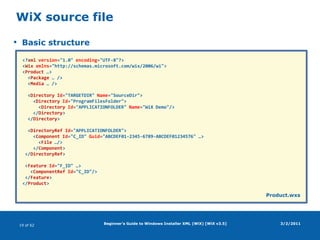
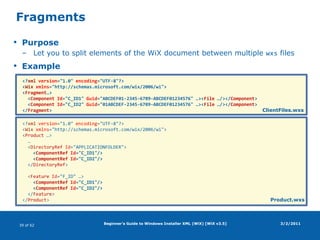
![Beginner's Guide to Windows Installer XML (WiX) [WiX v3.5]WiX source fileBasic structure3/2/2011<?xmlversion="1.0" encoding="UTF-8"?><Wixxmlns="http://schemas.microsoft.com/wix/2006/wi"><Product …> <Package … /> <Media … /> <DirectoryId="TARGETDIR" Name="SourceDir"> <DirectoryId="ProgramFilesFolder"> <DirectoryId="APPLICATIONFOLDER" Name="WiX Demo"/> </Directory> </Directory> <DirectoryRefId="APPLICATIONFOLDER"> <ComponentId="C_ID" Guid="ABCDEF01-2345-6789-ABCDEF01234576" …> <File …/> </Component> </DirectoryRef> <Feature Id="F_ID" …> <ComponentRefId="C_ID"/> </Feature></Product>Product.wxs](https://image.slidesharecdn.com/wix-110131171837-phpapp02/85/Beginner-s-Guide-to-Windows-Installer-XML-WiX-52-320.jpg)
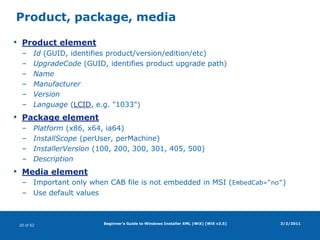
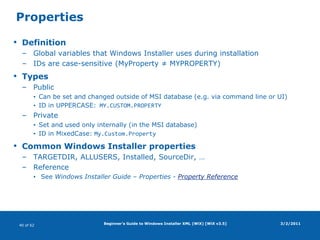
![Beginner's Guide to Windows Installer XML (WiX) [WiX v3.5]Product, package, mediaProduct elementId (GUID, identifies product/version/edition/etc)UpgradeCode (GUID, identifies product upgrade path)NameManufacturerVersionLanguage (LCID, e.g. "1033")Package elementPlatform (x86, x64, ia64)InstallScope (perUser, perMachine)InstallerVersion (100, 200, 300, 301, 405, 500)DescriptionMedia elementImportant only when CAB file is not embedded in MSI (EmbedCab="no")Use default values3/2/2011](https://image.slidesharecdn.com/wix-110131171837-phpapp02/85/Beginner-s-Guide-to-Windows-Installer-XML-WiX-53-320.jpg)
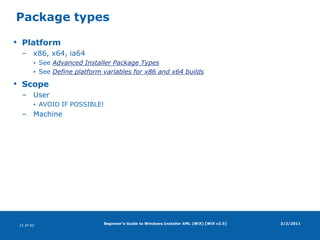
![Beginner's Guide to Windows Installer XML (WiX) [WiX v3.5]Package typesPlatformx86, x64, ia64See Advanced Installer Package TypesSee Define platform variables for x86 and x64 buildsScopeUserAVOID IF POSSIBLE!Machine3/2/2011](https://image.slidesharecdn.com/wix-110131171837-phpapp02/85/Beginner-s-Guide-to-Windows-Installer-XML-WiX-54-320.jpg)
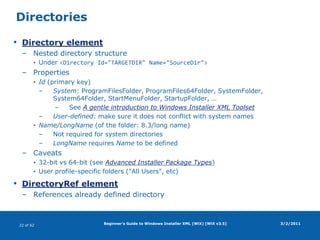
![Beginner's Guide to Windows Installer XML (WiX) [WiX v3.5]DirectoriesDirectory elementNested directory structureUnder <Directory Id="TARGETDIR" Name="SourceDir">PropertiesId (primary key)System: ProgramFilesFolder, ProgramFiles64Folder, SystemFolder, System64Folder, StartMenuFolder, StartupFolder, …See A gentle introduction to Windows Installer XML ToolsetUser-defined: make sure it does not conflict with system namesName/LongName (of the folder: 8.3/long name)Not required for system directoriesLongName requires Name to be definedCaveats32-bit vs 64-bit (see Advanced Installer Package Types)User profile-specific folders ("All Users", etc)DirectoryRef elementReferences already defined directory3/2/2011](https://image.slidesharecdn.com/wix-110131171837-phpapp02/85/Beginner-s-Guide-to-Windows-Installer-XML-WiX-55-320.jpg)
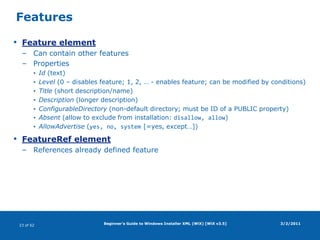
![Beginner's Guide to Windows Installer XML (WiX) [WiX v3.5]FeaturesFeature elementCan contain other featuresPropertiesId (text)Level (0 – disables feature; 1, 2, … - enables feature; can be modified by conditions)Title (short description/name)Description (longer description)ConfigurableDirectory(non-default directory; must be ID of a PUBLIC property)Absent (allow to exclude from installation: disallow, allow)AllowAdvertise(yes, no, system [=yes, except…])FeatureRef elementReferences already defined feature3/2/2011](https://image.slidesharecdn.com/wix-110131171837-phpapp02/85/Beginner-s-Guide-to-Windows-Installer-XML-WiX-56-320.jpg)
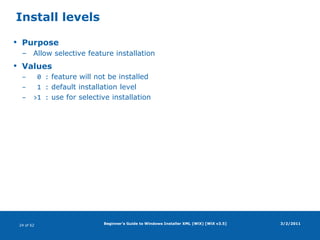
![Beginner's Guide to Windows Installer XML (WiX) [WiX v3.5]Install levelsPurposeAllow selective feature installationValues 0 : feature will not be installed 1 : default installation level>1 : use for selective installation3/2/2011](https://image.slidesharecdn.com/wix-110131171837-phpapp02/85/Beginner-s-Guide-to-Windows-Installer-XML-WiX-57-320.jpg)
![Beginner's Guide to Windows Installer XML (WiX) [WiX v3.5]Feature advertisementPurposeInstalls features on demand (when user first tries to run them)See Windows Installer – Overview of Windows Installer - Advertisement3/2/2011](https://image.slidesharecdn.com/wix-110131171837-phpapp02/85/Beginner-s-Guide-to-Windows-Installer-XML-WiX-58-320.jpg)
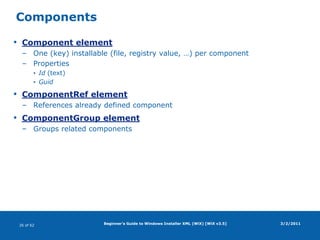
![Beginner's Guide to Windows Installer XML (WiX) [WiX v3.5]ComponentsComponent elementOne (key) installable (file, registry value, …) per componentPropertiesId (text)GuidComponentRef elementReferences already defined componentComponentGroup elementGroups related components3/2/2011](https://image.slidesharecdn.com/wix-110131171837-phpapp02/85/Beginner-s-Guide-to-Windows-Installer-XML-WiX-59-320.jpg)
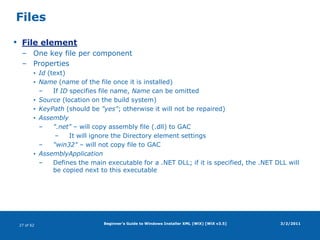
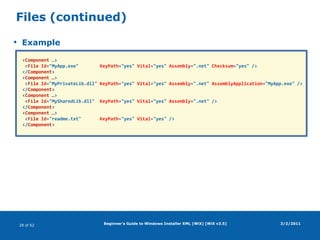
![Beginner's Guide to Windows Installer XML (WiX) [WiX v3.5]FilesFile elementOne key file per componentPropertiesId (text)Name (name of the file once it is installed)If ID specifies file name, Name can be omittedSource (location on the build system)KeyPath (should be "yes"; otherwise it will not be repaired)Assembly".net" – will copy assembly file (.dll) to GACIt will ignore the Directory element settings"win32" – will not copy file to GACAssemblyApplicationDefines the main executable for a .NET DLL; if it is specified, the .NET DLL will be copied next to this executable3/2/2011](https://image.slidesharecdn.com/wix-110131171837-phpapp02/85/Beginner-s-Guide-to-Windows-Installer-XML-WiX-60-320.jpg)
![Beginner's Guide to Windows Installer XML (WiX) [WiX v3.5]Files (continued)Example3/2/2011<Component …> <File Id="MyApp.exe" KeyPath="yes" Vital="yes" Assembly=".net" Checksum="yes" /></Component><Component …> <File Id="MyPrivateLib.dll" KeyPath="yes" Vital="yes" Assembly=".net" AssemblyApplication="MyApp.exe" /></Component><Component …> <File Id="MySharedLib.dll" KeyPath="yes" Vital="yes" Assembly=".net" /></Component><Component …> <File Id="readme.txt" KeyPath="yes" Vital="yes" /></Component>](https://image.slidesharecdn.com/wix-110131171837-phpapp02/85/Beginner-s-Guide-to-Windows-Installer-XML-WiX-61-320.jpg)
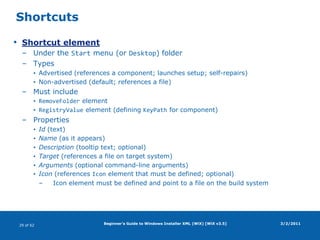
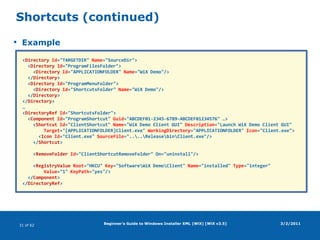
![Beginner's Guide to Windows Installer XML (WiX) [WiX v3.5]ShortcutsShortcut elementUnder the Start menu (or Desktop) folderTypesAdvertised (references a component; launches setup; self-repairs)Non-advertised (default; references a file)Must includeRemoveFolder elementRegistryValue element (defining KeyPath for component)PropertiesId (text)Name (as it appears)Description (tooltip text; optional)Target (references a file on target system)Arguments (optional command-line arguments)Icon (references Icon element that must be defined; optional)Icon element must be defined and point to a file on the build system3/2/2011](https://image.slidesharecdn.com/wix-110131171837-phpapp02/85/Beginner-s-Guide-to-Windows-Installer-XML-WiX-62-320.jpg)


