Programming Building Blocks
— Java Basics
Presentation By: Shehrevar Davierwala
http://www.authorstream.com/shehrevard
http://www.slideshare.net/shehrevard
http://sites.google.com/sites/techwizardin
 Java Application Structure
 Data Types, Variables, and Constants
 Expressions and Arithmetic Operators
 All programs consist of at least one class.
 See Example 2.1 SkeletonApplication for
standard form of Java application
 Java source code file must have same
name as class with .java extension.
 Identifiers are used to name classes,
variables, and methods
 Identifier Rules:
› Must start with a "Java letter"
 A - Z, a - z, _, $, and Unicode letters
› Can contain essentially any number of
Java letters and digits, but no spaces
› Case sensitive!!
 Number1 and number1 are different!
 The Statement
› Performs some action
› Terminates with a semicolon (;)
› Can span multiple lines
 The Block
› 0, 1, or more statements
› Begins and ends with curly braces { }
› Can be used anywhere a statement is
allowed.
 Space, tab, newline are white space
characters
 At least one white space character is
required between a keyword and
identifier
 Any amount of white space characters
are permitted between identifiers,
keywords, operators, and literals
To increase readability of your code,
surround operators and operands with
white space and skip lines between
logical sections of program
 Comments explain the program to
yourself and others
 Block comments
› Can span several lines
› Begin with /*
› End with */
› Compiler ignores all text between /* and
*/
 Line comments
› Start with //
› Compiler ignores text from // to end of
line
 Include a block comment at the
beginning of each source file
› identify the author of the program
› briefly describe the function of the
program
 Declaring Variables
 Primitive Data Types
 Initial Values and Literals
 String Literals and Escape Sequences
 Constants
 For all data, assign a name (identifier)
and a data type
 Data type tells compiler:
› How much memory to allocate
› Format in which to store data
› Types of operations you will perform on
data
 Compiler monitors use of data
› Java is a "strongly typed" language
 Java "primitive data types"
byte, short, int, long, float, double, char,
boolean
 Variables hold one value at a time,
but that value can change
 Syntax:
dataType identifier;
or
dataType identifier1, identifier2, …;
 Naming convention for variable
names:
› first letter is lowercase
› embedded words begin with uppercase
letter
 Names of variables should be
meaningful and reflect the data they will
store
› This makes the logic of the program clearer
 Don't skimp on characters, but avoid
extremely long names
 Avoid names similar to Java keywords
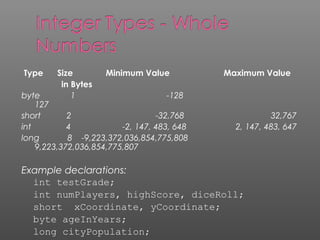
Type Size Minimum Value Maximum Value
in Bytes
byte 1 -128
127
short 2 -32,768 32,767
int 4 -2, 147, 483, 648 2, 147, 483, 647
long 8 -9,223,372,036,854,775,808
9,223,372,036,854,775,807
Example declarations:
int testGrade;
int numPlayers, highScore, diceRoll;
short xCoordinate, yCoordinate;
byte ageInYears;
long cityPopulation;
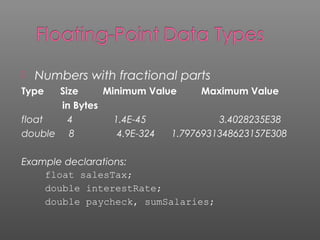
 Numbers with fractional parts
Type Size Minimum Value Maximum Value
in Bytes
float 4 1.4E-45 3.4028235E38
double 8 4.9E-324 1.7976931348623157E308
Example declarations:
float salesTax;
double interestRate;
double paycheck, sumSalaries;
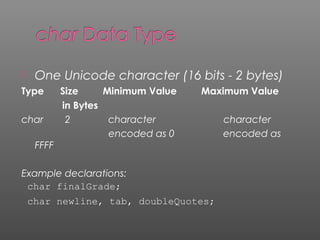
 One Unicode character (16 bits - 2 bytes)
Type Size Minimum Value Maximum Value
in Bytes
char 2 character character
encoded as 0 encoded as
FFFF
Example declarations:
char finalGrade;
char newline, tab, doubleQuotes;
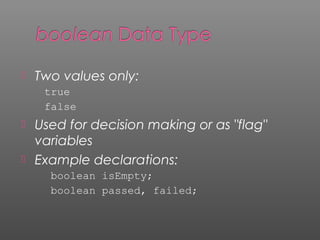
 Two values only:
true
false
 Used for decision making or as "flag"
variables
 Example declarations:
boolean isEmpty;
boolean passed, failed;
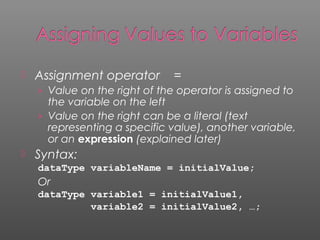
 Assignment operator =
› Value on the right of the operator is assigned to
the variable on the left
› Value on the right can be a literal (text
representing a specific value), another variable,
or an expression (explained later)
 Syntax:
dataType variableName = initialValue;
Or
dataType variable1 = initialValue1,
variable2 = initialValue2, …;
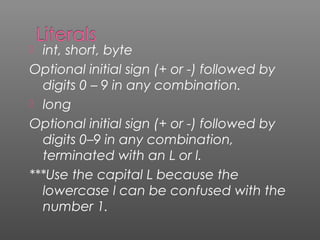
 int, short, byte
Optional initial sign (+ or -) followed by
digits 0 – 9 in any combination.
 long
Optional initial sign (+ or -) followed by
digits 0–9 in any combination,
terminated with an L or l.
***Use the capital L because the
lowercase l can be confused with the
number 1.
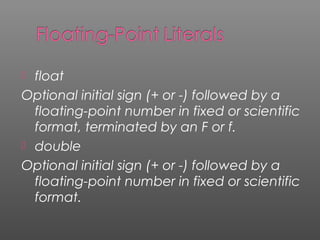
 float
Optional initial sign (+ or -) followed by a
floating-point number in fixed or scientific
format, terminated by an F or f.
 double
Optional initial sign (+ or -) followed by a
floating-point number in fixed or scientific
format.
 Commas, dollar signs, and percent signs
(%) cannot be used in integer or floating-
point literals
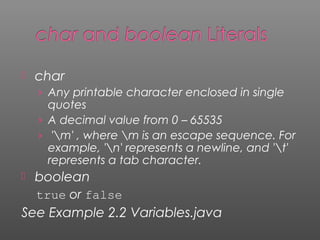
 char
› Any printable character enclosed in single
quotes
› A decimal value from 0 – 65535
› 'm' , where m is an escape sequence. For
example, 'n' represents a newline, and 't'
represents a tab character.
 boolean
true or false
See Example 2.2 Variables.java
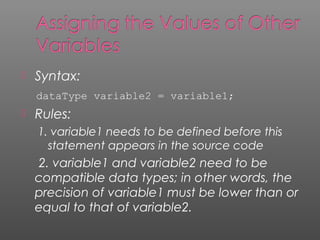
 Syntax:
dataType variable2 = variable1;
 Rules:
1. variable1 needs to be defined before this
statement appears in the source code
2. variable1 and variable2 need to be
compatible data types; in other words, the
precision of variable1 must be lower than or
equal to that of variable2.
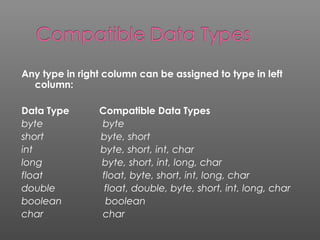
Any type in right column can be assigned to type in left
column:
Data Type Compatible Data Types
byte byte
short byte, short
int byte, short, int, char
long byte, short, int, long, char
float float, byte, short, int, long, char
double float, double, byte, short, int, long, char
boolean boolean
char char
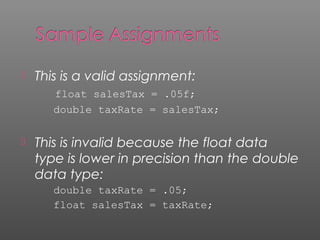
 This is a valid assignment:
float salesTax = .05f;
double taxRate = salesTax;
 This is invalid because the float data
type is lower in precision than the double
data type:
double taxRate = .05;
float salesTax = taxRate;
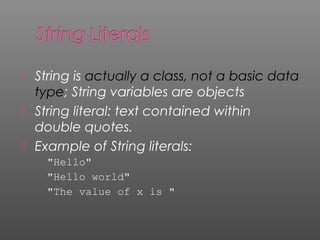
 String is actually a class, not a basic data
type; String variables are objects
 String literal: text contained within
double quotes.
 Example of String literals:
"Hello"
"Hello world"
"The value of x is "
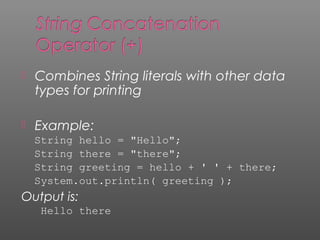
 Combines String literals with other data
types for printing
 Example:
String hello = "Hello";
String there = "there";
String greeting = hello + ' ' + there;
System.out.println( greeting );
Output is:
Hello there
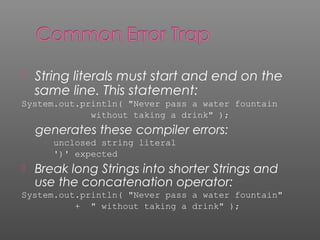
 String literals must start and end on the
same line. This statement:
System.out.println( "Never pass a water fountain
without taking a drink" );
generates these compiler errors:
unclosed string literal
')' expected
 Break long Strings into shorter Strings and
use the concatenation operator:
System.out.println( "Never pass a water fountain"
+ " without taking a drink" );
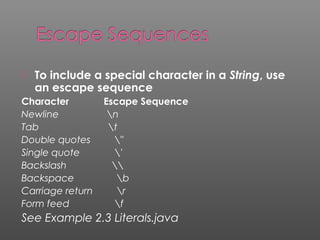
 To include a special character in a String, use
an escape sequence
Character Escape Sequence
Newline n
Tab t
Double quotes "
Single quote '
Backslash 
Backspace b
Carriage return r
Form feed f
See Example 2.3 Literals.java
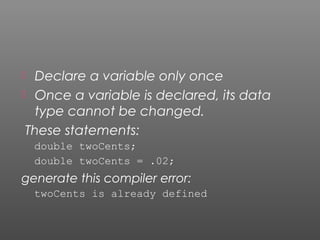
 Declare a variable only once
 Once a variable is declared, its data
type cannot be changed.
These statements:
double twoCents;
double twoCents = .02;
generate this compiler error:
twoCents is already defined
 Once a variable is declared, its data
type cannot be changed.
These statements:
double cashInHand;
int cashInHand;
generate this compiler error:
cashInHand is already defined
 Value cannot change during program
execution
 Syntax:
final dataType constantIdentifier =
assignedValue;
Note: assigning a value when the constant
is declared is optional. But a value must
be assigned before the constant is used.
 Use all capital letters for constants and
separate words with an underscore:
Example:
final double TAX_RATE = .05;
 Declare constants at the top of the
program so their values can easily be
seen
 Declare as a constant any data that
should not change during program
execution
 The Assignment Operator and
Expressions
 Arithmetic Operators
 Operator Precedence
 Integer Division and Modulus
 Division by Zero
 Mixed-Type Arithmetic and Type Casting
 Shortcut Operators
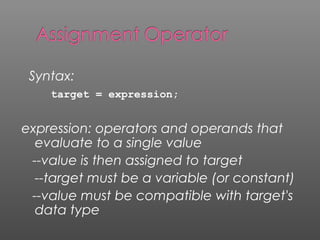
Syntax:
target = expression;
expression: operators and operands that
evaluate to a single value
--value is then assigned to target
--target must be a variable (or constant)
--value must be compatible with target's
data type
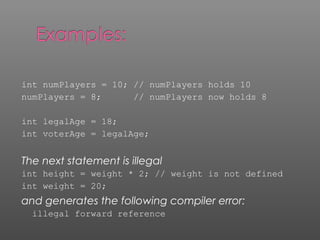
int numPlayers = 10; // numPlayers holds 10
numPlayers = 8; // numPlayers now holds 8
int legalAge = 18;
int voterAge = legalAge;
The next statement is illegal
int height = weight * 2; // weight is not defined
int weight = 20;
and generates the following compiler error:
illegal forward reference
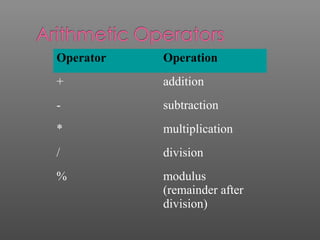
Operator Operation
+ addition
- subtraction
* multiplication
/ division
% modulus
(remainder after
division)
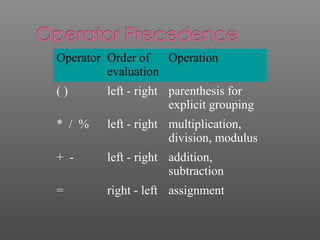
Operator Order of
evaluation
Operation
( ) left - right parenthesis for
explicit grouping
* / % left - right multiplication,
division, modulus
+ - left - right addition,
subtraction
= right - left assignment
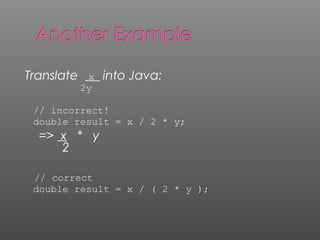
Translate x into Java:
2y
// incorrect!
double result = x / 2 * y;
=> x * y
2
// correct
double result = x / ( 2 * y );
 When dividing two integers:
› the quotient is an integer
› the remainder is truncated (discarded)
 To get the remainder, use the modulus
operator with the same operands
 See Example 2.8
DivisionAndModulus.java
 Integer division by 0:
Example: int result = 4 / 0;
 No compiler error, but at run time,
JVM generates ArithmeticException
and program stops executing
 Floating-point division by 0:
› If dividend is not 0, the result is Infinity
› If dividend and divisor are both 0, the
result is NaN (not a number)
 When performing calculations with
operands of different data types:
› Lower-precision operands are promoted to
higher-precision data types, then the operation
is performed
› Promotion is effective only for expression
evaluation; not a permanent change
› Called "implicit type casting"
 Bottom line: any expression involving a
floating-point operand will have a floating-
point result.
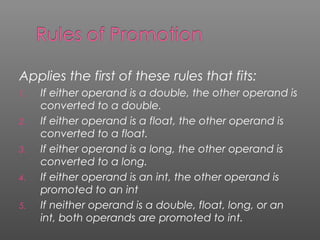
Applies the first of these rules that fits:
1. If either operand is a double, the other operand is
converted to a double.
2. If either operand is a float, the other operand is
converted to a float.
3. If either operand is a long, the other operand is
converted to a long.
4. If either operand is an int, the other operand is
promoted to an int
5. If neither operand is a double, float, long, or an
int, both operands are promoted to int.
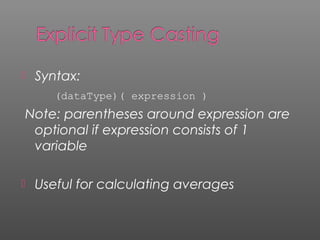
 Syntax:
(dataType)( expression )
Note: parentheses around expression are
optional if expression consists of 1
variable
 Useful for calculating averages
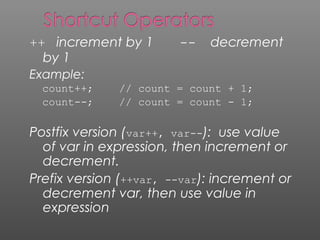
++ increment by 1 -- decrement
by 1
Example:
count++; // count = count + 1;
count--; // count = count - 1;
Postfix version (var++, var--): use value
of var in expression, then increment or
decrement.
Prefix version (++var, --var): increment or
decrement var, then use value in
expression
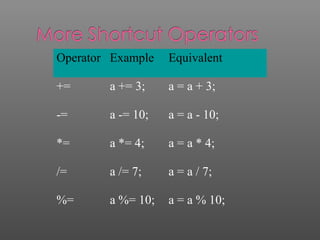
Operator Example Equivalent
+= a += 3; a = a + 3;
-= a -= 10; a = a - 10;
*= a *= 4; a = a * 4;
/= a /= 7; a = a / 7;
%= a %= 10; a = a % 10;
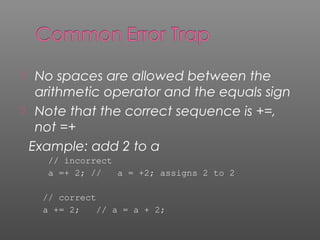
 No spaces are allowed between the
arithmetic operator and the equals sign
 Note that the correct sequence is +=,
not =+
Example: add 2 to a
// incorrect
a =+ 2; // a = +2; assigns 2 to 2
// correct
a += 2; // a = a + 2;
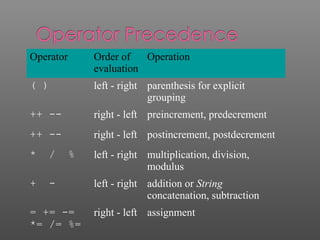
Operator Order of
evaluation
Operation
( ) left - right parenthesis for explicit
grouping
++ -- right - left preincrement, predecrement
++ -- right - left postincrement, postdecrement
* / % left - right multiplication, division,
modulus
+ - left - right addition or String
concatenation, subtraction
= += -=
*= /= %=
right - left assignment

Basic

  • 1.
    Programming Building Blocks —Java Basics Presentation By: Shehrevar Davierwala http://www.authorstream.com/shehrevard http://www.slideshare.net/shehrevard http://sites.google.com/sites/techwizardin
  • 2.
     Java ApplicationStructure  Data Types, Variables, and Constants  Expressions and Arithmetic Operators
  • 3.
     All programsconsist of at least one class.  See Example 2.1 SkeletonApplication for standard form of Java application  Java source code file must have same name as class with .java extension.
  • 4.
     Identifiers areused to name classes, variables, and methods  Identifier Rules: › Must start with a "Java letter"  A - Z, a - z, _, $, and Unicode letters › Can contain essentially any number of Java letters and digits, but no spaces › Case sensitive!!  Number1 and number1 are different!
  • 5.
     The Statement ›Performs some action › Terminates with a semicolon (;) › Can span multiple lines
  • 6.
     The Block ›0, 1, or more statements › Begins and ends with curly braces { } › Can be used anywhere a statement is allowed.
  • 7.
     Space, tab,newline are white space characters  At least one white space character is required between a keyword and identifier  Any amount of white space characters are permitted between identifiers, keywords, operators, and literals
  • 8.
    To increase readabilityof your code, surround operators and operands with white space and skip lines between logical sections of program
  • 9.
     Comments explainthe program to yourself and others  Block comments › Can span several lines › Begin with /* › End with */ › Compiler ignores all text between /* and */  Line comments › Start with // › Compiler ignores text from // to end of line
  • 10.
     Include ablock comment at the beginning of each source file › identify the author of the program › briefly describe the function of the program
  • 11.
     Declaring Variables Primitive Data Types  Initial Values and Literals  String Literals and Escape Sequences  Constants
  • 12.
     For alldata, assign a name (identifier) and a data type  Data type tells compiler: › How much memory to allocate › Format in which to store data › Types of operations you will perform on data  Compiler monitors use of data › Java is a "strongly typed" language  Java "primitive data types" byte, short, int, long, float, double, char, boolean
  • 13.
     Variables holdone value at a time, but that value can change  Syntax: dataType identifier; or dataType identifier1, identifier2, …;  Naming convention for variable names: › first letter is lowercase › embedded words begin with uppercase letter
  • 14.
     Names ofvariables should be meaningful and reflect the data they will store › This makes the logic of the program clearer  Don't skimp on characters, but avoid extremely long names  Avoid names similar to Java keywords
  • 15.
    Type Size MinimumValue Maximum Value in Bytes byte 1 -128 127 short 2 -32,768 32,767 int 4 -2, 147, 483, 648 2, 147, 483, 647 long 8 -9,223,372,036,854,775,808 9,223,372,036,854,775,807 Example declarations: int testGrade; int numPlayers, highScore, diceRoll; short xCoordinate, yCoordinate; byte ageInYears; long cityPopulation;
  • 16.
     Numbers withfractional parts Type Size Minimum Value Maximum Value in Bytes float 4 1.4E-45 3.4028235E38 double 8 4.9E-324 1.7976931348623157E308 Example declarations: float salesTax; double interestRate; double paycheck, sumSalaries;
  • 17.
     One Unicodecharacter (16 bits - 2 bytes) Type Size Minimum Value Maximum Value in Bytes char 2 character character encoded as 0 encoded as FFFF Example declarations: char finalGrade; char newline, tab, doubleQuotes;
  • 18.
     Two valuesonly: true false  Used for decision making or as "flag" variables  Example declarations: boolean isEmpty; boolean passed, failed;
  • 19.
     Assignment operator= › Value on the right of the operator is assigned to the variable on the left › Value on the right can be a literal (text representing a specific value), another variable, or an expression (explained later)  Syntax: dataType variableName = initialValue; Or dataType variable1 = initialValue1, variable2 = initialValue2, …;
  • 20.
     int, short,byte Optional initial sign (+ or -) followed by digits 0 – 9 in any combination.  long Optional initial sign (+ or -) followed by digits 0–9 in any combination, terminated with an L or l. ***Use the capital L because the lowercase l can be confused with the number 1.
  • 21.
     float Optional initialsign (+ or -) followed by a floating-point number in fixed or scientific format, terminated by an F or f.  double Optional initial sign (+ or -) followed by a floating-point number in fixed or scientific format.
  • 22.
     Commas, dollarsigns, and percent signs (%) cannot be used in integer or floating- point literals
  • 23.
     char › Anyprintable character enclosed in single quotes › A decimal value from 0 – 65535 › 'm' , where m is an escape sequence. For example, 'n' represents a newline, and 't' represents a tab character.  boolean true or false See Example 2.2 Variables.java
  • 24.
     Syntax: dataType variable2= variable1;  Rules: 1. variable1 needs to be defined before this statement appears in the source code 2. variable1 and variable2 need to be compatible data types; in other words, the precision of variable1 must be lower than or equal to that of variable2.
  • 25.
    Any type inright column can be assigned to type in left column: Data Type Compatible Data Types byte byte short byte, short int byte, short, int, char long byte, short, int, long, char float float, byte, short, int, long, char double float, double, byte, short, int, long, char boolean boolean char char
  • 26.
     This isa valid assignment: float salesTax = .05f; double taxRate = salesTax;  This is invalid because the float data type is lower in precision than the double data type: double taxRate = .05; float salesTax = taxRate;
  • 27.
     String isactually a class, not a basic data type; String variables are objects  String literal: text contained within double quotes.  Example of String literals: "Hello" "Hello world" "The value of x is "
  • 28.
     Combines Stringliterals with other data types for printing  Example: String hello = "Hello"; String there = "there"; String greeting = hello + ' ' + there; System.out.println( greeting ); Output is: Hello there
  • 29.
     String literalsmust start and end on the same line. This statement: System.out.println( "Never pass a water fountain without taking a drink" ); generates these compiler errors: unclosed string literal ')' expected  Break long Strings into shorter Strings and use the concatenation operator: System.out.println( "Never pass a water fountain" + " without taking a drink" );
  • 30.
     To includea special character in a String, use an escape sequence Character Escape Sequence Newline n Tab t Double quotes " Single quote ' Backslash Backspace b Carriage return r Form feed f See Example 2.3 Literals.java
  • 31.
     Declare avariable only once  Once a variable is declared, its data type cannot be changed. These statements: double twoCents; double twoCents = .02; generate this compiler error: twoCents is already defined
  • 32.
     Once avariable is declared, its data type cannot be changed. These statements: double cashInHand; int cashInHand; generate this compiler error: cashInHand is already defined
  • 33.
     Value cannotchange during program execution  Syntax: final dataType constantIdentifier = assignedValue; Note: assigning a value when the constant is declared is optional. But a value must be assigned before the constant is used.
  • 34.
     Use allcapital letters for constants and separate words with an underscore: Example: final double TAX_RATE = .05;  Declare constants at the top of the program so their values can easily be seen  Declare as a constant any data that should not change during program execution
  • 35.
     The AssignmentOperator and Expressions  Arithmetic Operators  Operator Precedence  Integer Division and Modulus  Division by Zero  Mixed-Type Arithmetic and Type Casting  Shortcut Operators
  • 36.
    Syntax: target = expression; expression:operators and operands that evaluate to a single value --value is then assigned to target --target must be a variable (or constant) --value must be compatible with target's data type
  • 37.
    int numPlayers =10; // numPlayers holds 10 numPlayers = 8; // numPlayers now holds 8 int legalAge = 18; int voterAge = legalAge; The next statement is illegal int height = weight * 2; // weight is not defined int weight = 20; and generates the following compiler error: illegal forward reference
  • 38.
    Operator Operation + addition -subtraction * multiplication / division % modulus (remainder after division)
  • 39.
    Operator Order of evaluation Operation () left - right parenthesis for explicit grouping * / % left - right multiplication, division, modulus + - left - right addition, subtraction = right - left assignment
  • 40.
    Translate x intoJava: 2y // incorrect! double result = x / 2 * y; => x * y 2 // correct double result = x / ( 2 * y );
  • 41.
     When dividingtwo integers: › the quotient is an integer › the remainder is truncated (discarded)  To get the remainder, use the modulus operator with the same operands  See Example 2.8 DivisionAndModulus.java
  • 42.
     Integer divisionby 0: Example: int result = 4 / 0;  No compiler error, but at run time, JVM generates ArithmeticException and program stops executing  Floating-point division by 0: › If dividend is not 0, the result is Infinity › If dividend and divisor are both 0, the result is NaN (not a number)
  • 43.
     When performingcalculations with operands of different data types: › Lower-precision operands are promoted to higher-precision data types, then the operation is performed › Promotion is effective only for expression evaluation; not a permanent change › Called "implicit type casting"  Bottom line: any expression involving a floating-point operand will have a floating- point result.
  • 44.
    Applies the firstof these rules that fits: 1. If either operand is a double, the other operand is converted to a double. 2. If either operand is a float, the other operand is converted to a float. 3. If either operand is a long, the other operand is converted to a long. 4. If either operand is an int, the other operand is promoted to an int 5. If neither operand is a double, float, long, or an int, both operands are promoted to int.
  • 45.
     Syntax: (dataType)( expression) Note: parentheses around expression are optional if expression consists of 1 variable  Useful for calculating averages
  • 46.
    ++ increment by1 -- decrement by 1 Example: count++; // count = count + 1; count--; // count = count - 1; Postfix version (var++, var--): use value of var in expression, then increment or decrement. Prefix version (++var, --var): increment or decrement var, then use value in expression
  • 47.
    Operator Example Equivalent +=a += 3; a = a + 3; -= a -= 10; a = a - 10; *= a *= 4; a = a * 4; /= a /= 7; a = a / 7; %= a %= 10; a = a % 10;
  • 48.
     No spacesare allowed between the arithmetic operator and the equals sign  Note that the correct sequence is +=, not =+ Example: add 2 to a // incorrect a =+ 2; // a = +2; assigns 2 to 2 // correct a += 2; // a = a + 2;
  • 49.
    Operator Order of evaluation Operation () left - right parenthesis for explicit grouping ++ -- right - left preincrement, predecrement ++ -- right - left postincrement, postdecrement * / % left - right multiplication, division, modulus + - left - right addition or String concatenation, subtraction = += -= *= /= %= right - left assignment